
Delivering our Final Live Service Update for Destiny 2
Author: sick skills
Japanese Charts: Switch 2 Sales Continue To Spike Ahead Of Price Increase


Famitsu has published its top ten boxed charts for the week of 11th – 17th May in Japan, and would you believe it, Tomodachi Life: Living the Dream is once again back at the top with another 98,092 sales.
Not only that, but with a further 22,758 sales to its name, Pokémon Pokopia has now crossed the 1 million mark – a fine milestone, indeed!
Really though, those Tomodachi Life sales are putting everything else to shame at the moment. What a monumentally smart move from Nintendo to release such a popular game so late in the Switch’s lifespan, proving there’s life in the old dog yet.
Anyway, here’s a look at the top ten in full:
| Position | Game | Platform | Unit Sales (11th – 17th May) | Total Unit Sales |
|---|---|---|---|---|
| 1 |
Tomodachi Life: Living the Dream |
Switch |
98,092 |
1,141,649 |
| 2 |
Pokémon Pokopia |
Switch 2 |
22,758 | 1,001,464 |
| 3 |
Mario Kart World |
Switch 2 |
12,651 | 2,938,509 |
| 4 |
Minecraft |
Switch |
3,857 | 4,207,594 |
| 5 |
Animal Crossing: New Horizons |
Switch |
3,305 | 8,436,761 |
| 6 |
Animal Crossing: New Horizons – Nintendo Switch 2 Edition |
Switch 2 |
3,229 | 120,098 |
| 7 |
Pragmata |
PS5 |
2,937 | 62,455 |
| 8 |
Kirby Air Riders |
Switch 2 |
2,778 | 530,268 |
| 9 |
Super Mario Party Jamboree – Nintendo Switch 2 Edition |
Switch 2 |
2,571 | 196,983 |
| 10 |
Pokémon Legends: Z-A – Nintendo Switch 2 Edition |
Switch 2 |
2,340 | 1,123,043 |
Meanwhile, Switch 2 sales continue to spike in Japan ahead of the expected price increase on 25th May (1st September in the West). If you cast your mind back to last week, the Switch 2 came out at 214,438 sales, but that was across two weeks. It’s managed to surpass that lofty number in just one week with 217,922 sales, which just goes to show how many people want to grab the console before the price goes up.
Elsewhere, the OG Switch is still doing remarkably well, with the three SKUs shifting a combined 21,392 units. Compared to the PS5, which sold 9,243 units across its three SKUs, that’s pretty damn good. Xbox meanwhile, is… well, it’s still being sold, that’s about the best we can say for it at the moment. Hey, maybe the big leadership changes over at Microsoft might shift its fortunes.
Here’s a breakdown of the figures:
| Position | Console | Unit Sales (11th – 17th May) | Lifetime Unit Sales |
|---|---|---|---|
| 1 | Switch 2 |
217,922 |
5,585,582 |
| 2 |
Switch Lite |
8,303 |
6,966,710 |
| 3 |
Switch OLED Model |
7,804 | 9,579,293 |
| 4 | PlayStation 5 Digital Edition | 6,902 | 1,290,244 |
| 5 |
Switch |
5,285 |
20,297,345 |
| 6 |
PlayStation 5 Pro |
1,747 | 356,967 |
| 7 |
PlayStation 5 |
594 | 5,918,705 |
| 8 |
Xbox Series S |
193 |
326,579 |
| 9 |
Xbox Series X Digital Edition |
191 |
30,681 |
| 10 |
Xbox Series X |
47 |
342,005 |
What do you make of this week’s charts? Let us know in the comments.
Review: Bluey’s Quest For The Gold Pen (Switch 2) – An Enjoyable Collectathon That Kids Will Love

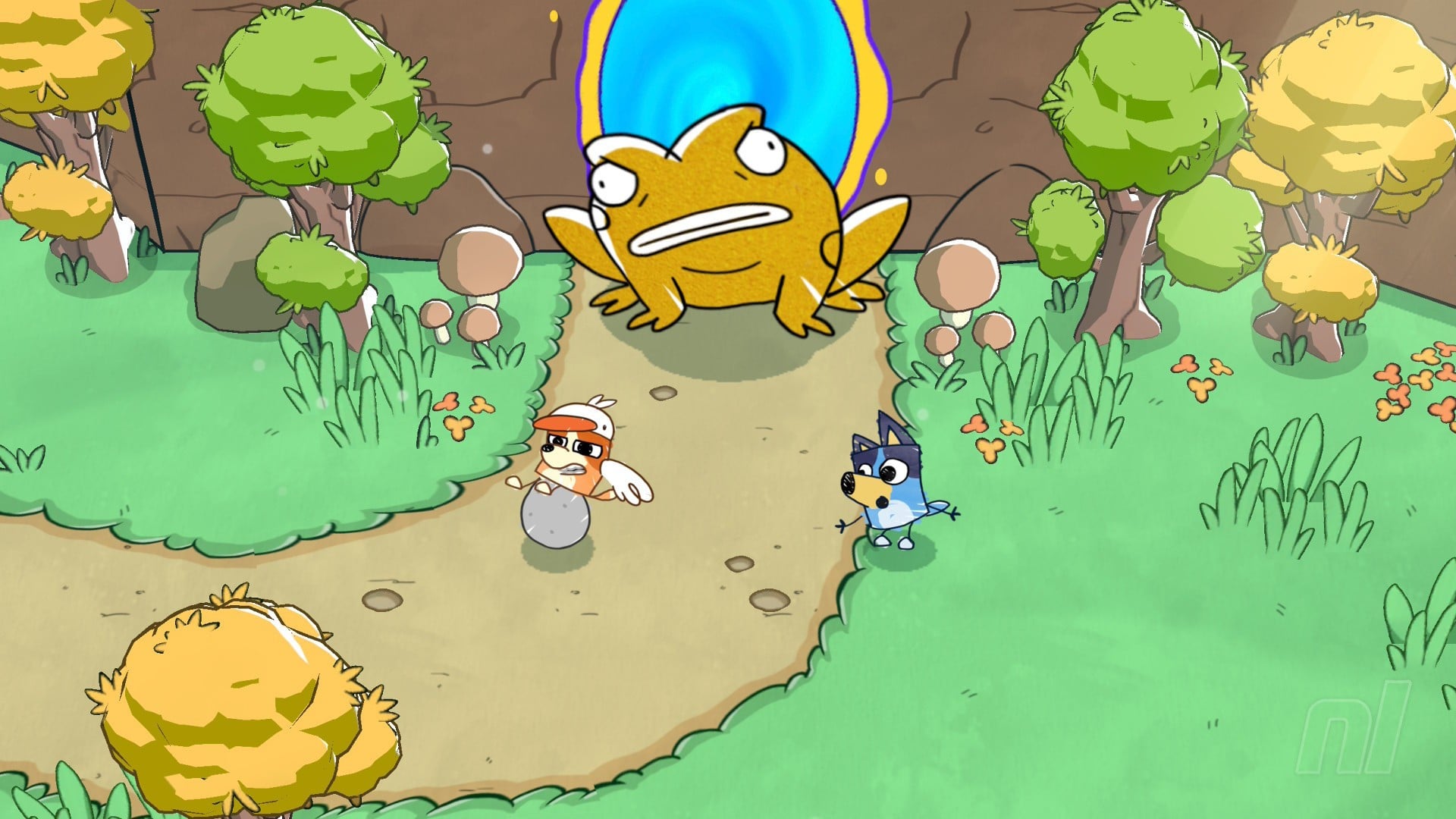
When Bluey: The Videogame launched toward the end of 2023, I found it a faithful yet soulless adaptation of the cartoon phenomenon from developer Artax Games, cramming some of the show’s most iconic locations into a repetitive one-to-two-hour game. It wasn’t great.
Fast forward to 2026, and Halfbrick, the studio most famous for Fruit Ninja, is having a go at delivering something a bit more substantial. And y’know what? It mostly succeeds. Bluey’s Quest for the Gold Pen retains some of the repetitive nature of the first game, but it’s also a much more ambitious experience with some solid gameplay mechanics.
If I told you it takes place solely on the Heeler family’s kitchen table, that would actually be accurate – but also not. Y’see, Bluey and Bingo are having fun drawing before their dad, Bandit, playfully steals their Gold Pen. As is customary for the show, the family go to the absolute extreme by concocting a fabricated hand-drawn fantasy land in order to retrieve it. Chilli (Bluey and Bingo’s mum) draws the environments while the kids take on the role of the heroes.
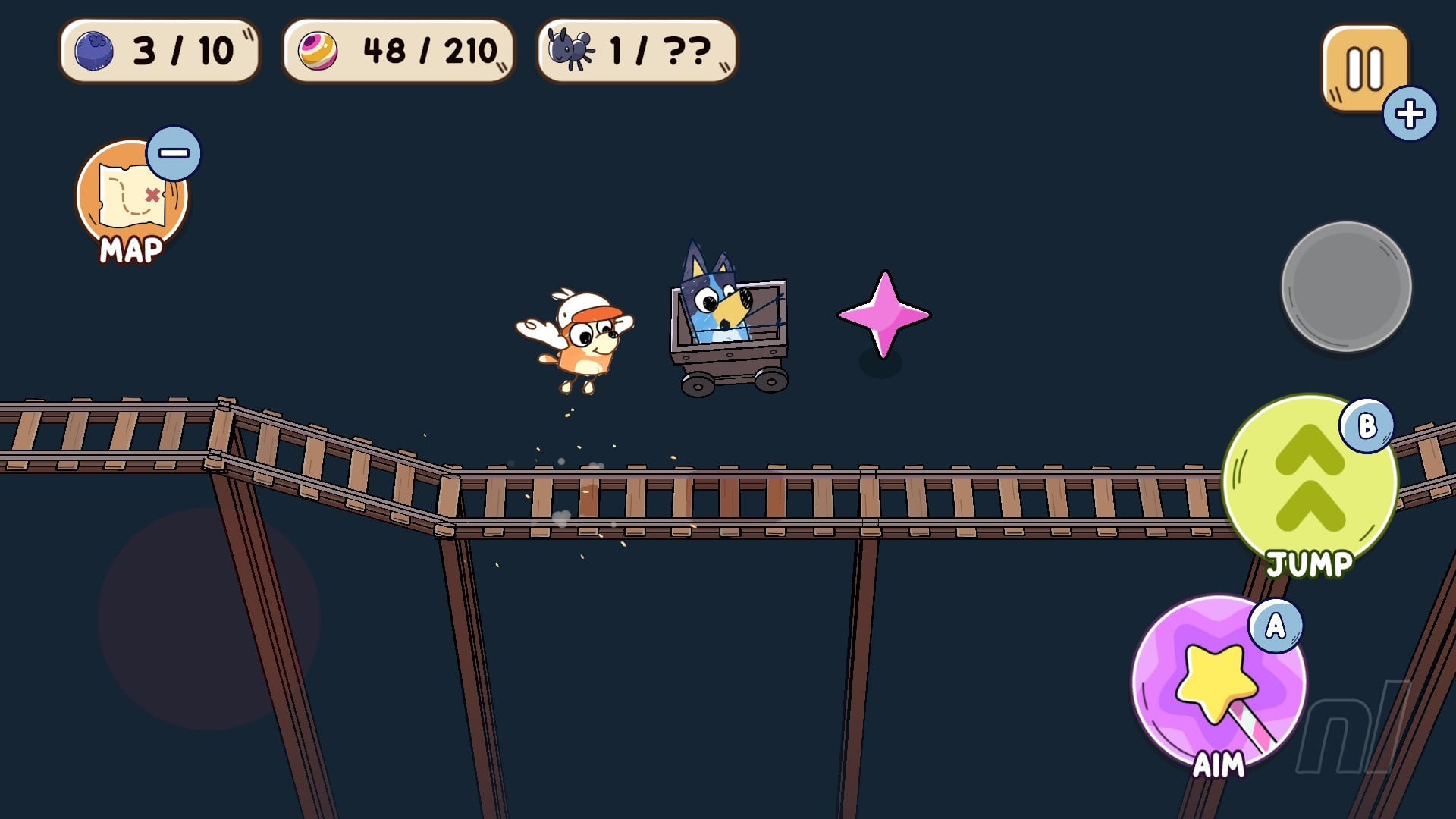
And so your adventure — written by the series’ creator, no less — takes place within the pages of Chilli’s delightful environmental drawings, ranging from quaint forests to icy landscapes and others, with a total of nine worlds to explore. After a short tutorial world that introduces you to the core mechanics, the rest are surprisingly vast, so much so that you can take advantage of fast-travel once you’ve located and activated each relevant signpost.
Visually, it all looks lovely. Like Yoshi and the Mysterious Book, Gold Pen utilises a hand-drawn aesthetic, with characters in particular depicted as stylised versions of themselves, with stick-thin arms and colours that go just outside the lines – it’s adorable. The environments are a bit less stylised, though why Chilli decided to work in airport security when she can draw this well is beyond me.
The deliberately simplistic aesthetic means that Gold Pen looks and runs beautifully in both handheld and docked modes. There’s little difference between the two, with visuals that remain sharp throughout. As for performance, it feels like it’s gunning for 60fps, though it doesn’t always hit it. The drops are very minor though, so it’s not a major concern. Overall, it’s a huge step up from the last game.

As for the gameplay, the whole experience is basically one big collectathon, which is great for kids and easy to grasp, but it’s also the primary source of repetition. Each world contains three sets of collectibles: ‘goose food’, which is required to proceed into the next area, smaller trinkets that number in the hundreds, and a dozen or so insects.
Everything you do is in service of obtaining goose food which, depending on the area, could be blueberries, cherries, strawberries, etc. With the smaller trinkets, for example, you can give 50 of these to an NPC in exchange for goose food, and same with the insects. You’ll need to grab a specific amount of goose food to unlock the next area, but each world has plenty, so you can always stay where you are and mop up every last item before proceeding.
Most of the main collectibles are obtained by completing simple platforming puzzles. By default, Bluey can’t jump, but she does have access to a rather handy magic wand used to activate moving platforms, shoot across gaps via a makeshift hookshot, or destroy brittle rocks. It’s all very straightforward, but some of the later puzzles will no doubt give younger players something to think about.
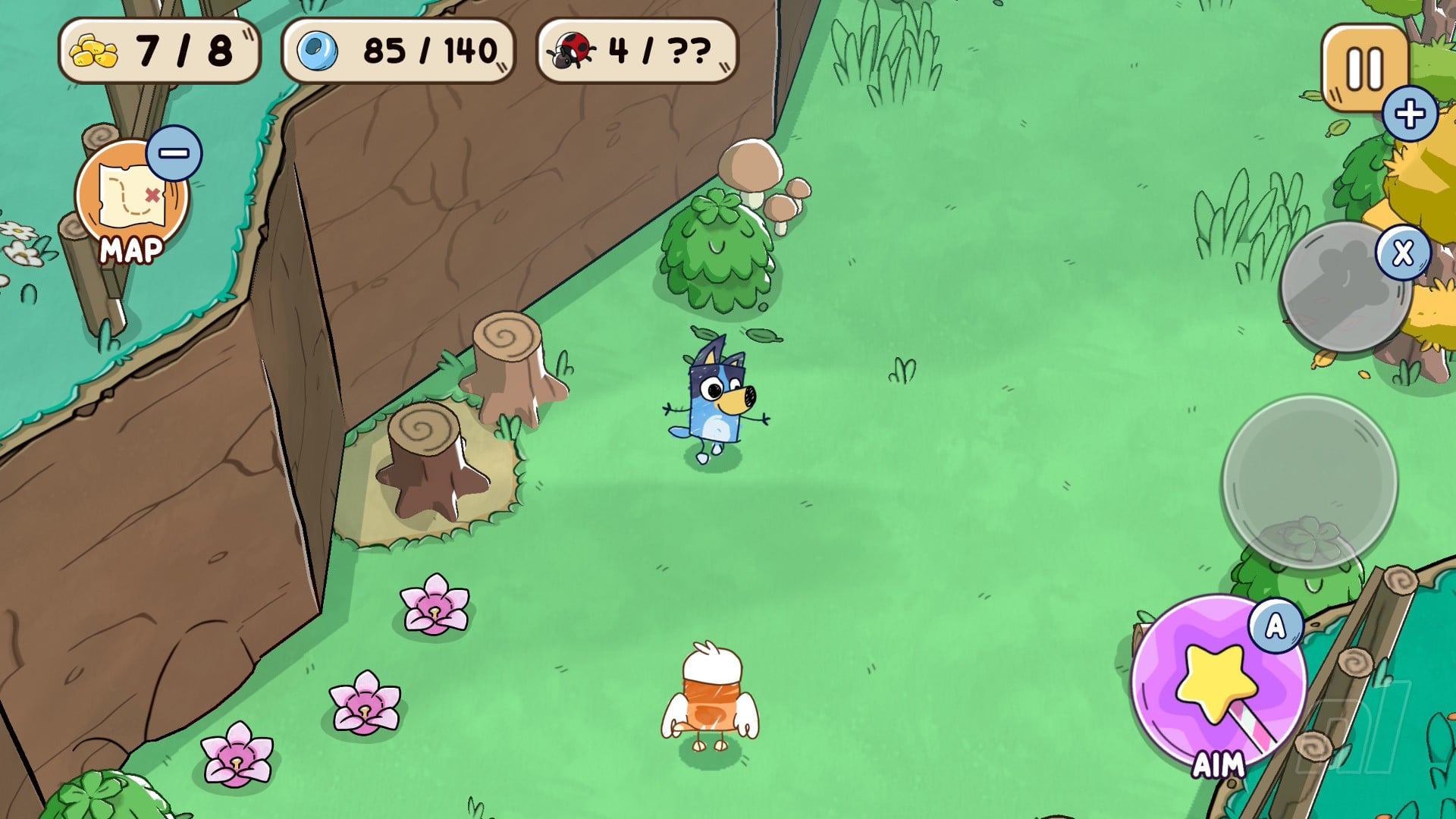
I say Bluey can’t jump, but there are context-sensitive moments that alter her moveset. Pressing ‘A’ under normal circumstances will activate Bluey’s magic wand, but when you find yourself on a frozen lake, the same input will change to allow for some fancy, twirly jumps – kind of like when Mario frolics around in Freezeflame Galaxy.
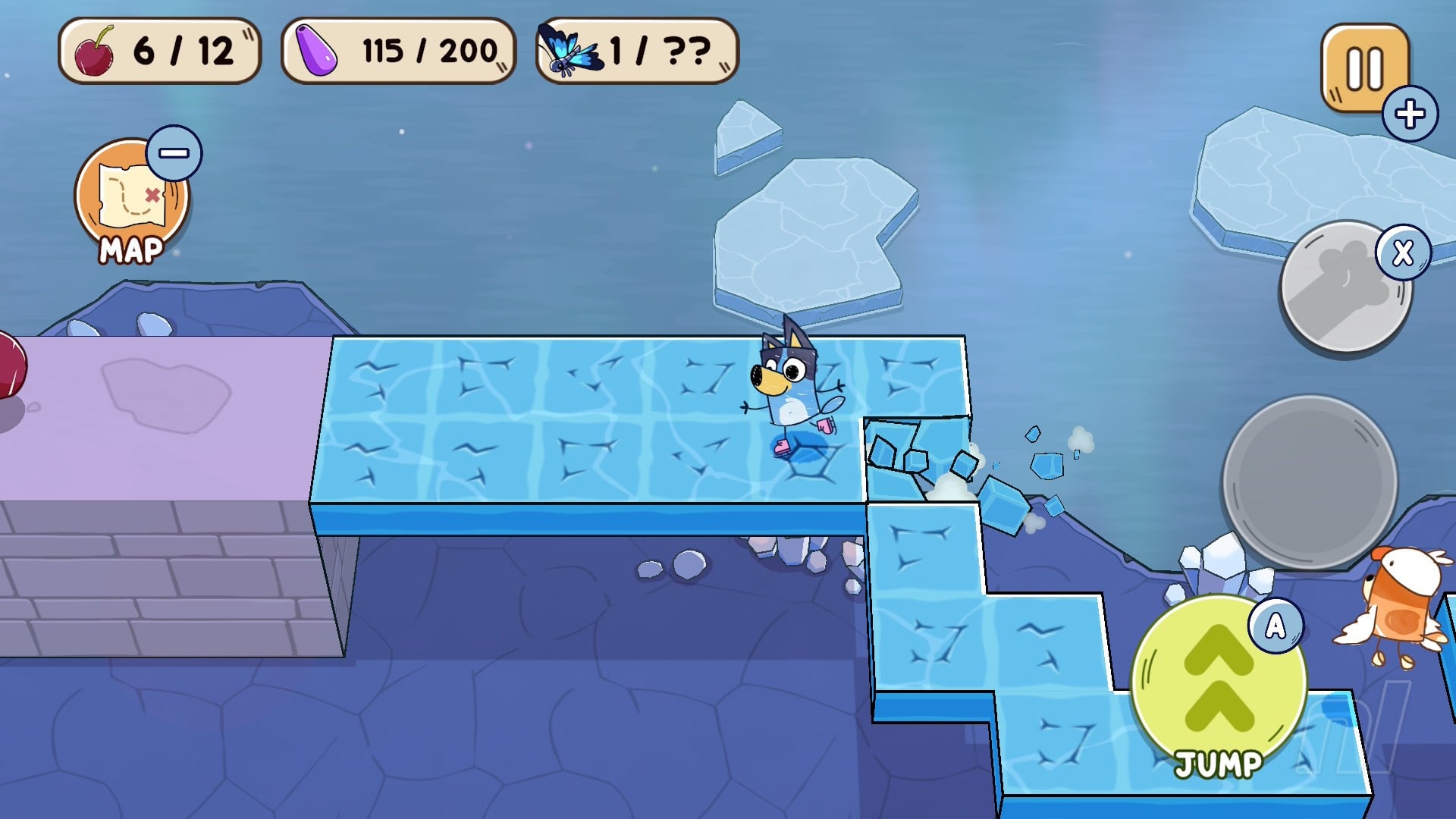
Similarly, other areas might make use of the ‘B’ button, enabling Bluey to cross large gaps via a paraglider, or shoot into the sky with a rocket. It’s all kept very basic and easy-to-grasp for youngsters, which is nice.
In addition to platforming puzzles, there are instances where you’re given some more brain teasing tasks. The Snowlands area contains a bunch of statues, for instance, and you’ll need to figure out how many are facing north, south, and east. Elsewhere, an NPC in an earlier level challenges you to a game of rock, paper, scissors, providing specific coloured words during dialogue to indicate which option they’ll choose.
Speaking of speaking, there are small snippets of text dialogue in Gold Pen, and so youngsters will need basic reading skills to fully enjoy it. That said, adults can always lend a hand, and I do appreciate that certain simple words are coloured to give children a bit of a leg up.
I think it misses a trick in not having voice acting throughout, though, as it’s really just limited to the cutscenes showing the Heeler family. But there’s nowhere near as much reading required as Yoshi and the Mysterious Book. Dare I say it, but Gold Pen may understand its target audience a little better.
What is puzzling, however, is the lack of any two-player or co-op mode. Bluey and Bingo explore the environments together (with Bingo flapping around in her ‘Bingoose’ costume), and while the latter helps point out certain objects like fast-travel signposts, it feels odd that there’s no option to control both characters independently. It would’ve allowed for some nice parent-child multiplayer sessions, and its absence is a shame.
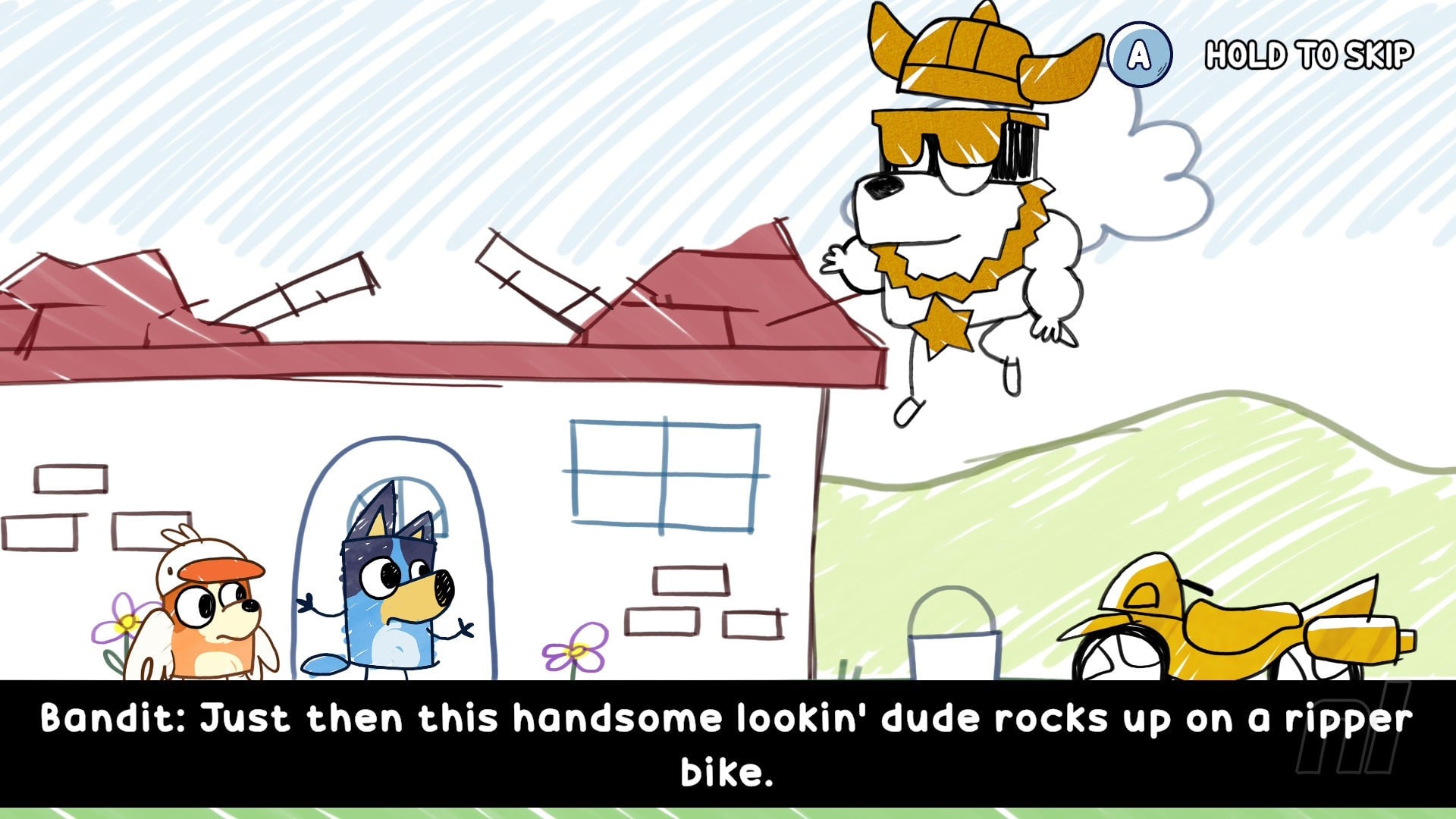
Ultimately, while the overall structure is definitely repetitive (I started each world feeling a little deflated that I essentially had to start from scratch again with no collectibles), I’m not sure kids will mind quite so much as they work their way through the roughly five-to-six-hour experience. I handed the controller to my daughter and, thanks to some familiarity with the show, she had a blast just roaming around and digging up trinkets here and there.
Kids will definitely enjoy this one, and thanks to the huge improvement in overall quality over the last game, I think adults may do, too.
Conclusion
Bluey’s Quest for the Gold Pen is a substantial improvement over the last game, offering up a bunch of well-realised worlds to explore with charming visuals and engaging puzzles. It retains the essence of the original show, but thanks to the adorable narrative, Bluey and Bingo can finally break free from the overly-familiar TV locations.
Repetition does quickly seep in thanks to the focus on collectibles, but I’d wager that younger audiences probably won’t care about this too much. The lack of a proper co-op mode is a bizarre omission, however, and the experience would have definitely benefitted from voice acting throughout. Still, this is a fine effort from Halfbrick, and an easy recommendation for the summer break from school.
Apple’s M5 15-inch MacBook Air drops to record low $1,099 at Amazon

Amazon’s $200 discount delivers the lowest price ever on the 2026 15-inch MacBook Air with Apple’s M5 chip.
Amazon’s early Memorial Day deal knocks $200 off the standard M5 MacBook Air 15-inch laptop in your choice of Starlight or Sky Blue.
Buy 15″ MacBook Air M5 for $1,099.99
This deal delivers the lowest price we’ve seen on the new 15-inch MacBook Air that was released in March 2026. Equipped with Apple’s M5 chip with a 10-core CPU and 10-core GPU, the standard configuration also has 16GB of unified memory and 512GB of storage.
In our hands-on M5 MacBook Air review, we found that although the 2026 release is an incremental update, it’s still an excellent buy for most.
And for those wanting the extra screen real estate found in the 15-inch model, picking it up at the lowest price ever is always a plus.
If you’re looking for additional power and a larger port selection, Amazon is also knocking $250 off every 2026 16-inch MacBook Pro configuration it sells. You can read more about the sale in our deal article.
Nintendo Teases LEGO Donkey Kong, “Rolling Soon”


Nintendo has teased an official LEGO Donkey Kong set via Nintendo Today.
As noted by the redoubtable Wario64, the video tease on the app shows only the logos of the Danish company and the SK series, with a little brick barrel rolling from right to left across a wooden tabletop:
There are no further details at the time of writing — we’ll update when more details come to light.
This isn’t DK’s first brush with Lego bricks, of course — he’s already appeared as part of the Super Mario and Mario Kart lines — but this would be the first set in a dedicated Lego Donkey Kong series.
There have been rumours of a Lego DK arcade cabinet launching in August, potentially similar to the Pac-Man one which launched in 2023.
There was also an impressive DK submission to the Lego Ideas scheme (which lets fans and builders submit designs for peer review, with the vote-winners going to Lego for evaluation and the best ones chosen for production) back in 2024, and the rolling barrel and the pixel art print on top suggest a set that gets back to DK’s arcade roots.
Will we get to see a pixel Mario in ‘Jump Man’ attire? Or will it feature the plumber in minifig form (which we definitely know is coming in 2027)? Let us know your thoughts below.
Review: Bubsy 4D (Switch 2) – A Maligned Mascot Finally Gets A Good Game
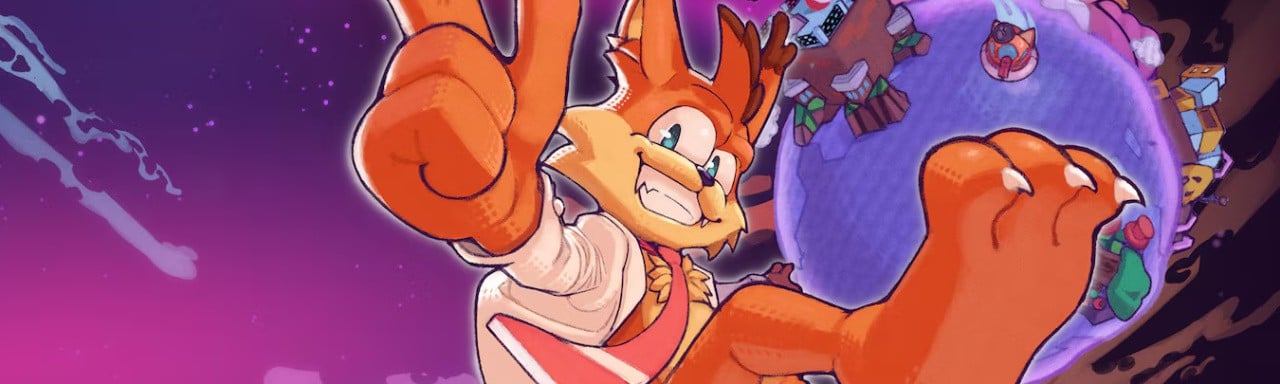
Reputation matters, and few video game characters have spent longer trapped beneath the weight of their own than Bubsy. The wisecracking bobcat arrived in 1993 as Accolade’s answer to the ’90s mascot-platformer boom and promptly became notorious for clumsy design and punishing controls. Yet, the bobcat kept clawing his way back into new releases regardless.
Since acquiring the rights to Bubsy, Atari has been intent on nudging him through a belated redemption arc. Two underwhelming modern revivals and a poorly received retro collection have not exactly made that easy, but Bubsy 4D, developed by independent studio Fabraz (Slime-san, Demon Tides), is the first of these efforts that feels like it has a real idea of what Bubsy could be.
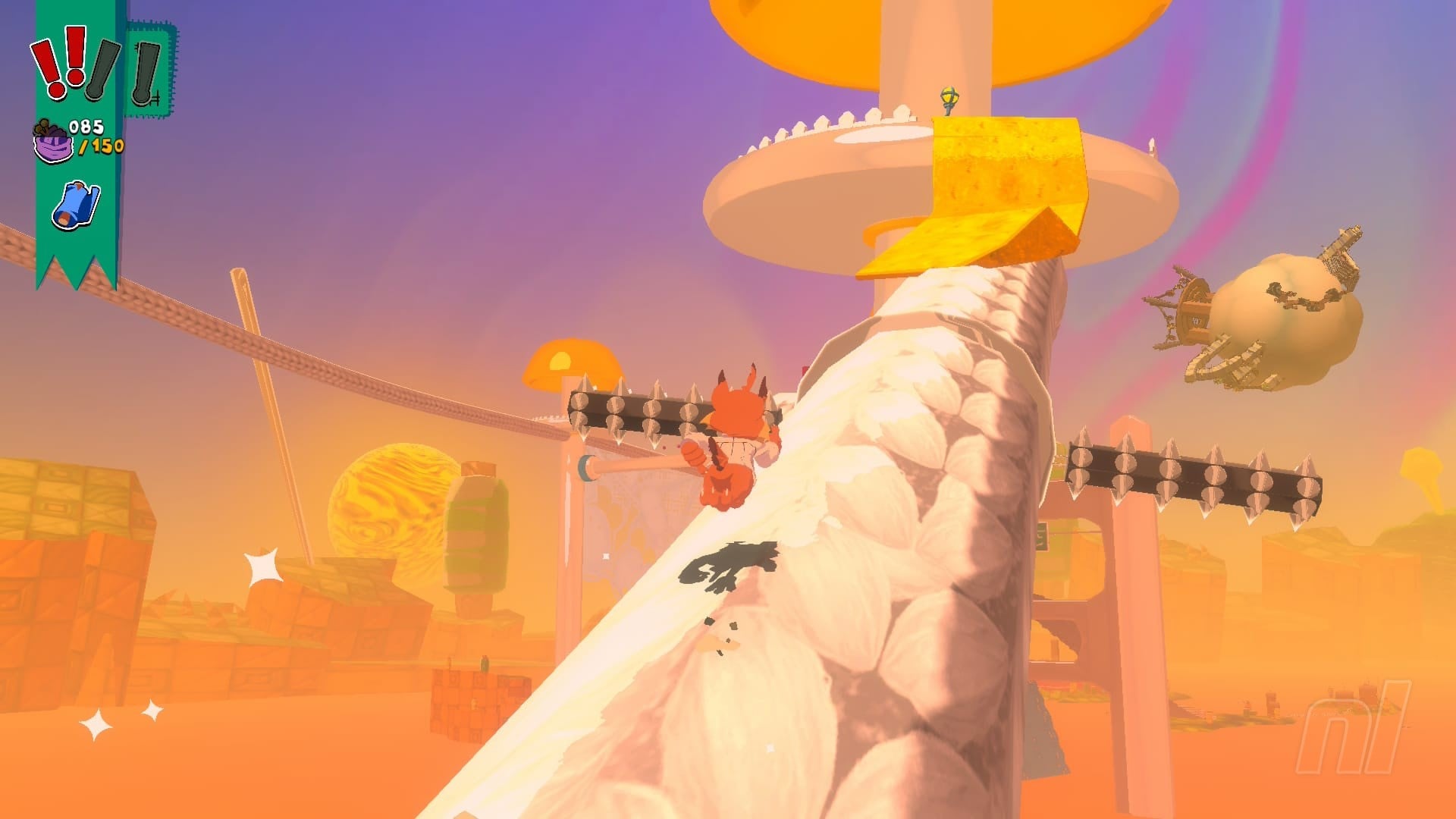
While still a long way from clawing at the heels of the genre’s biggest names, Bubsy 4D gets one very important thing right. It is a solid mid-tier 3D platformer built around speed, momentum, and replayability, and it directly tackles the flaw that has dogged the series from the beginning: Bubsy is now genuinely satisfying to control, if you can believe it.
His double jump, glide, flutter, pounce, and wall-scramble can all be chained together with surprising elegance, giving you multiple ways to correct mistakes in mid-air, while a new hairball roll adds a burst of Sonic-like momentum that sends him rocketing through half-pipes and feeds neatly into the game’s obvious speedrunning ambitions.
Bubsy 4D’s stages are more sprawling obstacle courses than sandboxes, emphasising traversal while being fairly shallow in terms of exploration. Levels are open enough to invite some poking around for collectibles, but their real purpose is to test how well you can string Bubsy’s moves together across long gaps, moving platforms, and timed hazards.
Each stage asks you to reach the Golden Fleece at the end, collecting yarn along the way and hunting for blueprints that unlock new shop items or abilities. Generous checkpointing does a lot to keep that focus enjoyable rather than frustrating. Most failed jumps simply drop Bubsy back to where he started, but he can be kicked back to a checkpoint after taking three hits.
Yarn can be spent on costumes, while blueprint upgrades meaningfully add to Bubsy’s moveset, along with unlocking options such as checkpoint warping, healing at rest areas, or extra movement assists. These modifiers can be toggled, which is a smart touch, letting you make the game more or less forgiving depending on how you want to approach it.
A casual run through a level might take 20 minutes or more if you’re seeking out optional pickups, like the trickier-to-find blueprints, but the same stage can be blasted through in a fraction of that time once you understand the route. Each level has speedrun targets, and the inclusion of ghost data lets you study other players’ beelines through the stage.
The catch is that the overall level design rarely matches the quality of Bubsy’s movement. While colourful and competently assembled, stages are underbaked as actual spaces, with nothing in the way of small puzzles or NPC side objectives or diversions that would make gameplay more varied. Exploration rarely has a satisfying ‘aha’ quality that defines the best 3D platformers.

Yarn balls, Bubsy 4D’s main collectible and in-game currency, are frequently laid out in plain sight, scattered across rooftops and platforms with little required beyond spotting them and hopping over to collect them. Blueprints are placed behind more involved platforming sequences and are better hidden in the latter half of the game’s 15 stages.
Combat is similarly lightweight. Series staple Woolies serve as standard enemies dispatched in a single hit. Boss fights against cyborg sheep Baabots fare better, with genre-typical three-hit patterns that have you dodge attacks, wait for openings and strike back. They are not especially inventive, but they are mildly challenging and perfectly serviceable.
Visually, garish colour palettes are confidently committed to, but the overall presentation lacks the refinement of stronger platformers. The game’s three worlds each carry a distinct handmade aesthetic, from Yoshi-like yarn-covered crafts to paper-and-ruler themes and more. But its environments too often felt sparse, and large open stretches can look a tad unfinished.
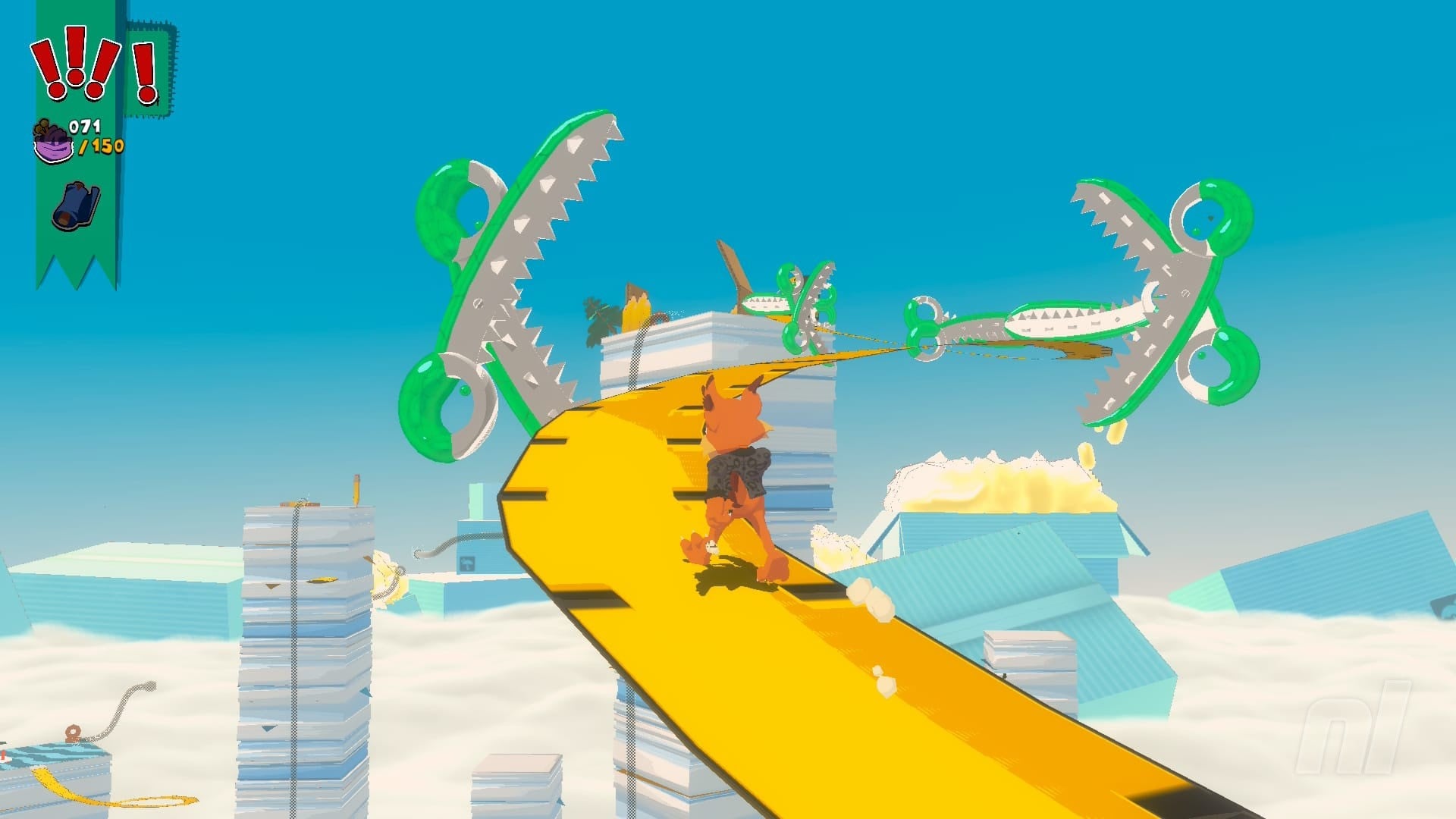
Bubsy’s cel-shaded model is endearing in a Saturday-morning-cartoon way, and gels with the game’s irreverent, fourth-wall-breaking humour. A pointed riff on a certain Italian plumber’s gold star collectible and his cheeky self-appointment as the “orange blur” both land with a knowing wink that got a chuckle out of me, as did a few more of his ironic one-liners.
The voice work is generally solid, too. A looping soundtrack of funky, loungey jazz pieces was similarly agreeable without being especially memorable. There is some minor audio jank, however. Bubsy’s incidental lines occasionally overlapped with other dialogue, while a death-animation quip kept getting cut off when the game reloaded me at a checkpoint.
Performance on Switch 2 is largely stable in both docked and handheld modes with no major issues interrupting play. Whilst I was reviewing the game, a pre-launch patch was issued that addressed a number of bugs and made the visuals look a touch crisper. It was a welcome improvement, but it did not dramatically alter my broader impression.
Conclusion
At $20, Bubsy 4D is a solid budget platformer with levels that are consistently fun, if somewhat underbaked. Admittedly a low bar, it is comfortably the best Bubsy game ever made, with genuinely great controls and speedrunning depth that will reward players who relish climbing leaderboards and shaving seconds off their runtimes.
It’s an easy recommendation for anyone with a soft spot for ’90s mascot platformers or morbid curiosity in the Bubsy franchise. For a series that spent decades as a byword for bad game design, Bubsy 4D is a long-overdue course correction for one of gaming’s most persistently maligned characters and a strong foundation for future titles.
Pokémon Company Considers Using Government ID To Tackle TCG Scalping
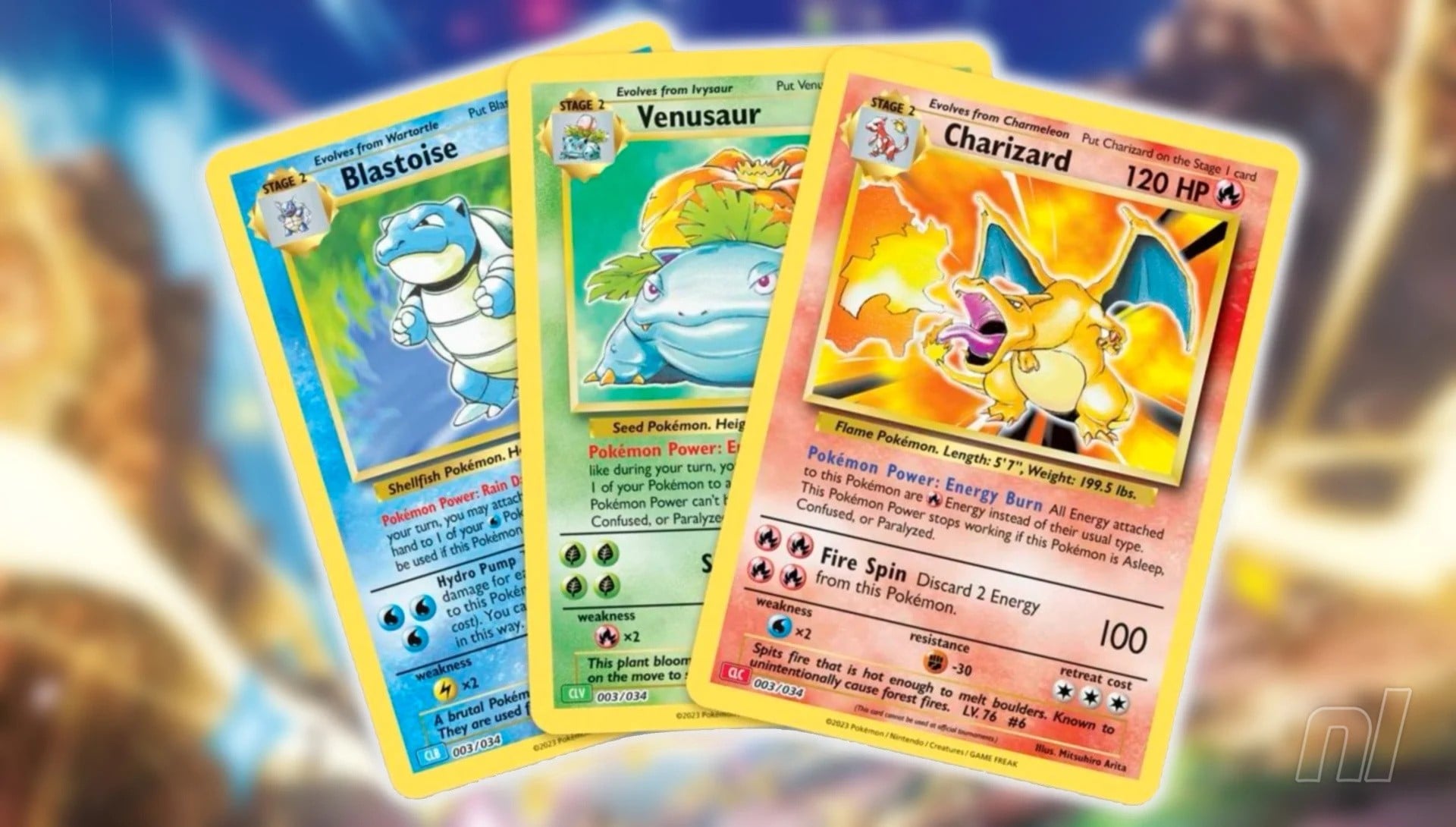
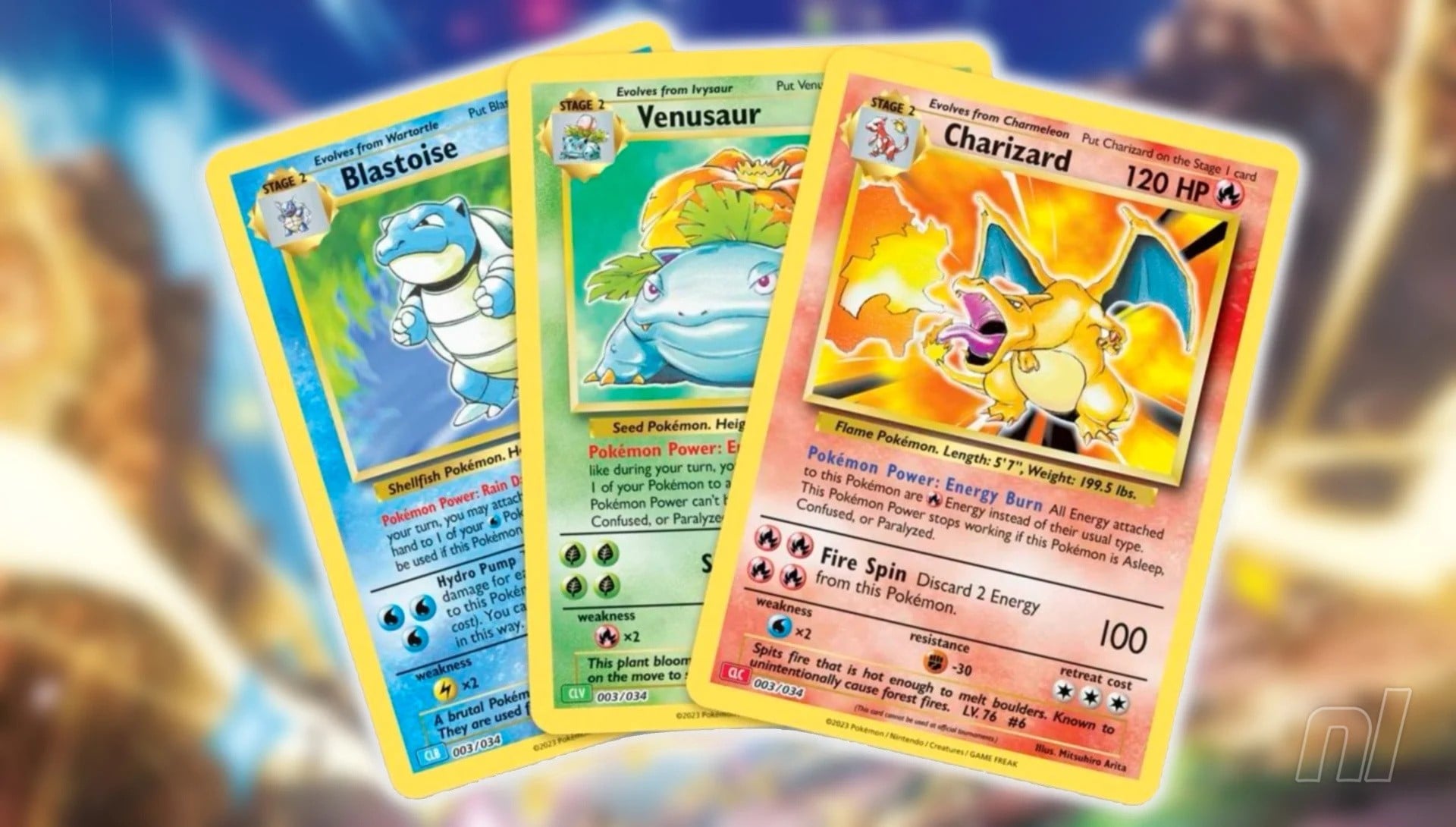
The Pokémon Company has issued a statement (thanks, Automaton) confirming that it is considering using government-issued ID to tackle scalping in the Trading Card Game community.
Though it doesn’t outright refer to scalpers, The Pokémon Company says that it wishes to “provide all customers with fair and safe opportunities” to purchase its products and take part in official events. The initiative will apply to priority lottery products along with the sale of certain products via Pokémon Centre Online, along with registration for events and tournaments in Japan. It aims to introduce the scheme from August 2026.
It goes on to explain that My Number Cards (the official government-issued ID in Japan) will be scanned via smartphones with an external service. Though it also stresses that the individual number on each ID will not be acquired or stored in any way.
Since the My Number Cards are not mandatory for Japanese citizens, The Pokémon Company has urged fans to apply for one if they wish to purchase certain products or take part in events in the future, explaining that it can take 1-2 months to receive the card after registration.
Gosh – quite an extreme response, huh? It’s difficult to say what kind of impact this might have on scalpers, since those taking part could theoretically just obtain a My Number Card for themselves, right? Still, it could well catch a few of them out, so we think this could prove to be an effective move from The Pokémon Company.
What do you make of this? Do you think it will make much difference? Let us know with a comment.
Review: R-Type Dimensions III (Switch) – A Novel Remaster But A Purist’s Nightmare
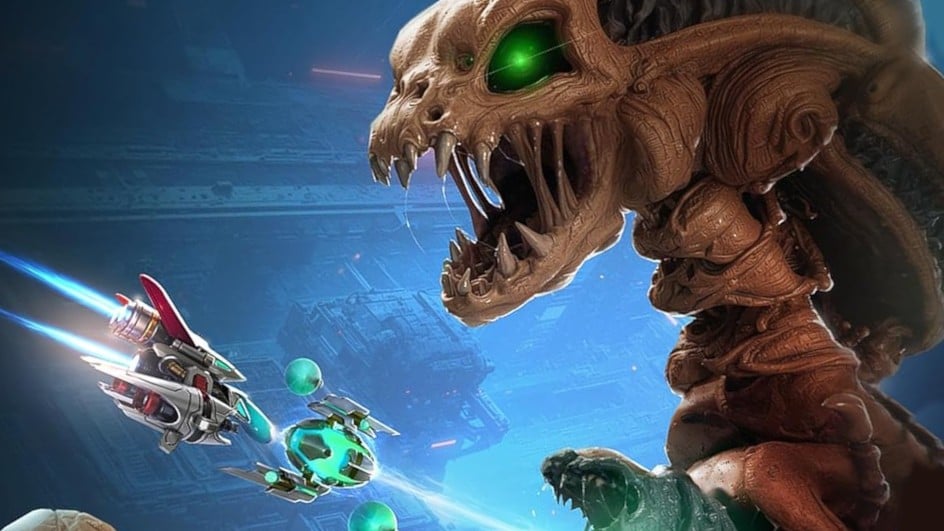
One could be forgiven for thinking they missed an entry in this storied R-Type series of re-releases, but in fact the preceding R-Type Dimensions released in 2009 (and again as R-Type Dimensions EX in 2018) contained both the first two games in one package.
R-Type III: The Third Lightning was first released for Super Nintendo in 1993. Notable for being the first game in the mainline series not released in arcades, it showboated with Mode 7 sprite scaling and fast scrolling parallax. It was also significant for introducing a variety of new Force Pods — three in total — that dynamically altered the way you could approach the game. Being developed by Tamtex rather than Irem, it felt unique, its terrain less Ridley Scott’s Alien and more space station sci-fi, and serving up some broadly interesting bosses and set-pieces.
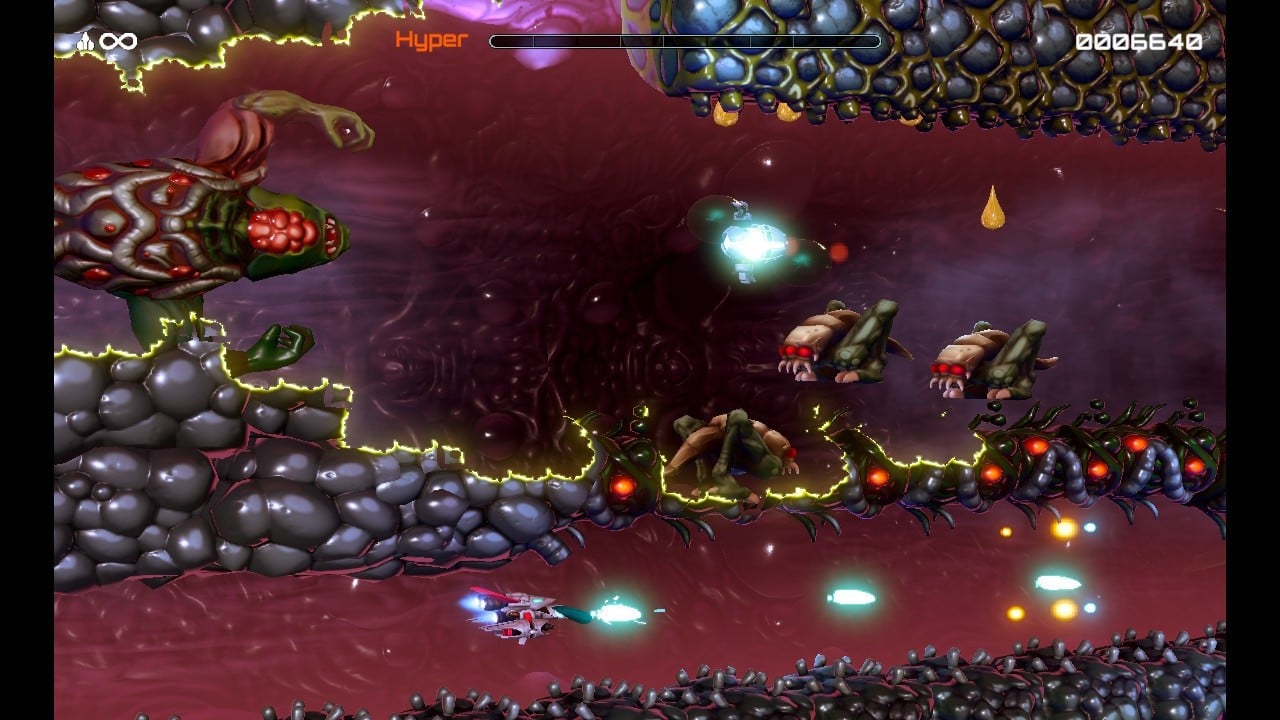
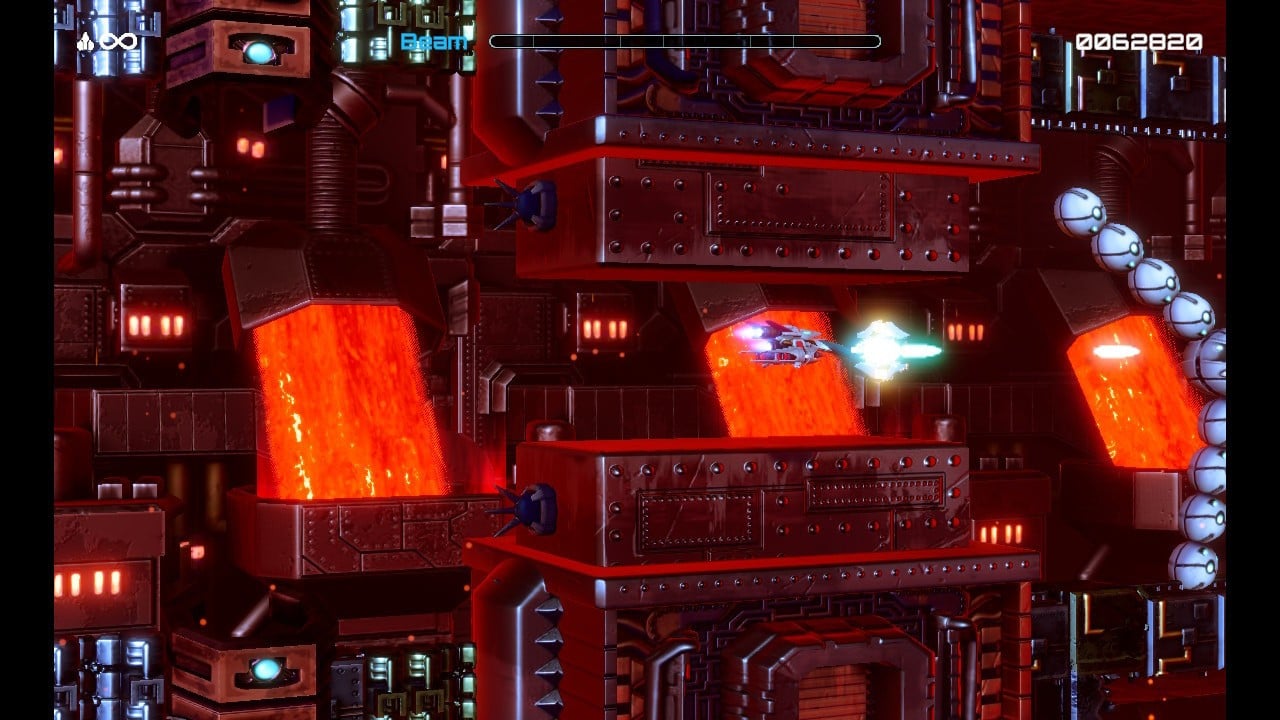
R-Type Dimensions III is a to-the-point remaster from developer KRITZELKRATZ 3000 (Rainbow Cotton, X-Out Resurfaced), and in terms of aesthetics, gimmickry, and presentation, it comes out guns blazing. There aren’t any galleries or such, as this isn’t technically a retro compilation, but hardcore gamer gratuities are present in the form of myriad configurable options. You can pretty much tailor the game to suit you, adjust the level of 3D angling, apply scanlines to the 2D, enjoy original or remastered audio, and attempt a variety of modes.
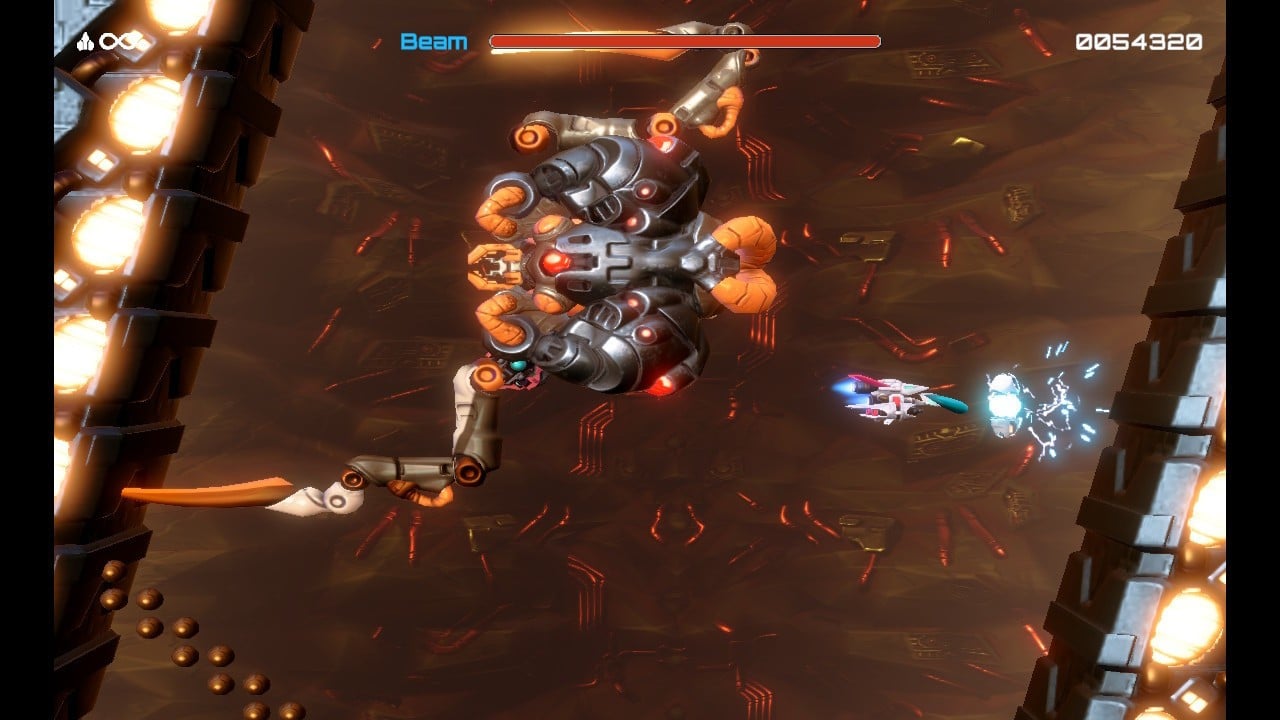
Its most alluring gimmick — switching in real-time between its 3D makeover and the original 2D — is retained from R-Type Dimensions. While it’s ultimately pointless (as committed players are going to stick with one preferred visual), it’s still really cool to toy with. Bar a little slowdown and frame adjustment, the transition is impressive. The 3D remodel also has sections where the camera auto-tilts dynamically at an angle, as if your ship is flying into the screen, but this can be flattened into a 2D plane by simply clicking the thumbstick.
The new audio is a lovely bonus, too, having been completely re-recorded with live instrumentation. It remains faithful to Ikuko Mimori’s soundtrack note-for-note, but jazzes everything up with a new, richer sound.
The Super Nintendo release featured an alternating two-player mode, where if one player died, it would switch to the other’s last point of progress. For the first time, local two-player co-op is present, and it’s interesting. R-Type III, like most R-Types prior and after, doesn’t have a huge amount of free screen space, and within a minute of playing, the elements start to close in. With hard memorisation and a concerted strategy, two players can make some headway, but it certainly isn’t easy.
The best aspect of co-op is being able to try it with the original SNES graphics. It’s something that has never existed before, and that makes it a very attractive novelty.
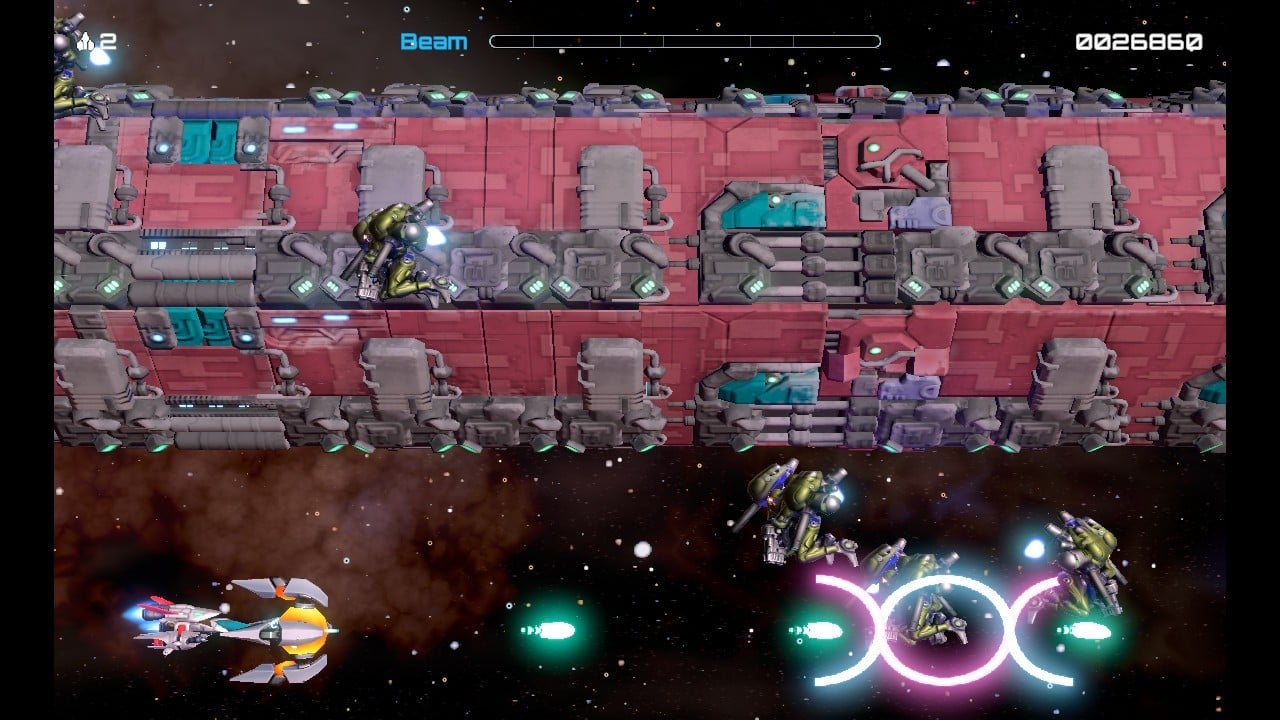
Its core gameplay switch-up is the introduction of two new Force Pods: Shadow Force and Cyclone Force. These greatly vary one’s approach to the game by offering a total of nine different weapons grouped into sets of three. Shadow, for example, can pick up a reverse laser that fires behind, which can be incredibly advantageous for certain areas, while Cyclone has a spread beam with good coverage. The pods themselves also have different functions, with Cyclone having unique shield properties when detached.
Learning which Force Pod and its armaments are most suited to your goals is intrinsic to playing R-Type III well, but it’s also the tip of the iceberg. If there’s one aspect of the game that can’t be overstated, it’s the difficulty. R-Type III is hard, and not in a throwaway, “it’s a tough game” kind of way, but in a really tear-your-fingernails-out kind of way.
As is classic for most R-Type releases, a single death sets you back to a checkpoint fully underpowered. You only earn extra lives through scoring thresholds, and outside of your weapon pickups, you need to rely on either the Charge Beam shot or the Hyper Charge, the latter providing a brief window of souped-up firepower. Strategic use of these really helps in dispatching bosses.
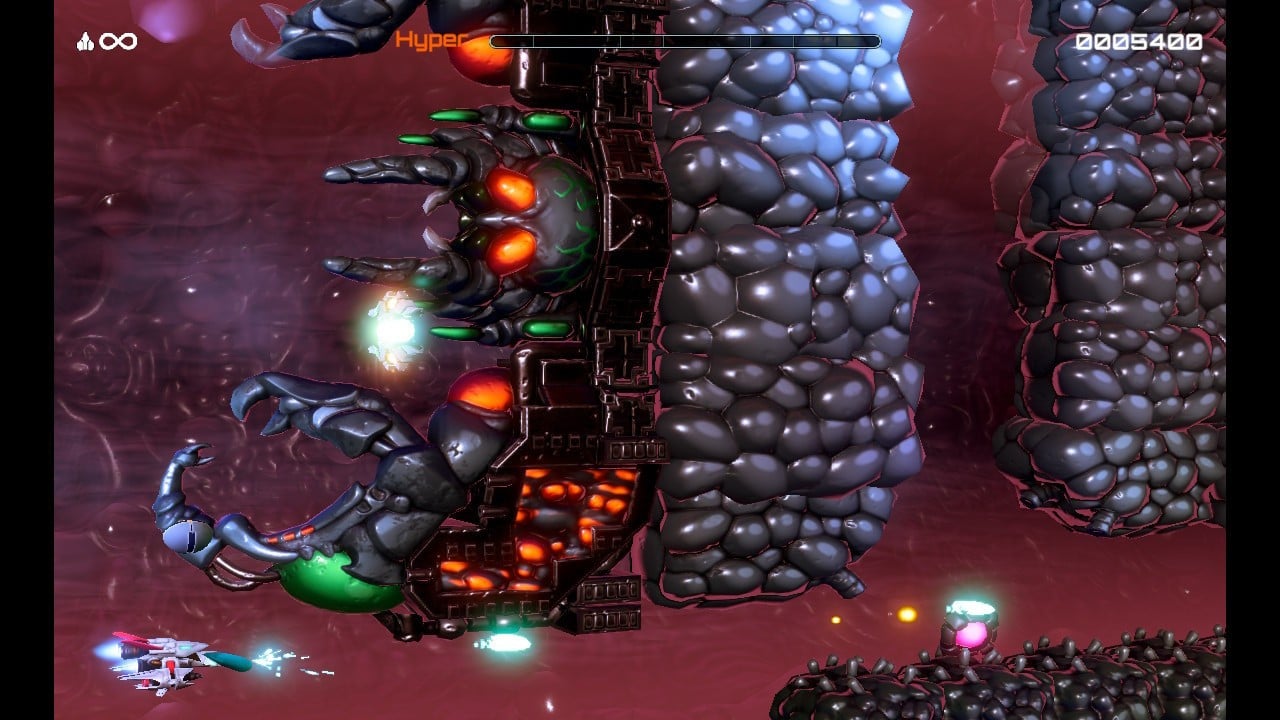
A game that’s designed to massacre you every 10 seconds, R-Type’s core has always been strict, sterile memorisation, and it’s famous for this particular motif. Stages are built around multiple throttle-points, where you’re faced with an abrupt new situation that you almost immediately die in, then return to, probably die again, and repeat until you’ve locked it down.
If you commit, dissect, rinse and repeat, you bend it to your whims and suddenly you’ll have the upper hand. It’s about mastery of precision, a process of breaking down barriers piece by piece. At the same time, this particular entry is famously tough. With bosses and walls that punish you every which way, it’s considered by many to be one of the harder games in the series.
Now, let’s take a breath. In the process of reviewing the game, I began to suspect its new 3D visual mode was considerably tougher than the 2D original. As it’s meant to be a 1:1 representation, it was difficult to pinpoint why, and I wasn’t sure if it was simply my imagination. I did find myself actually switching into 2D to pass tricky areas, and interestingly, this worked.
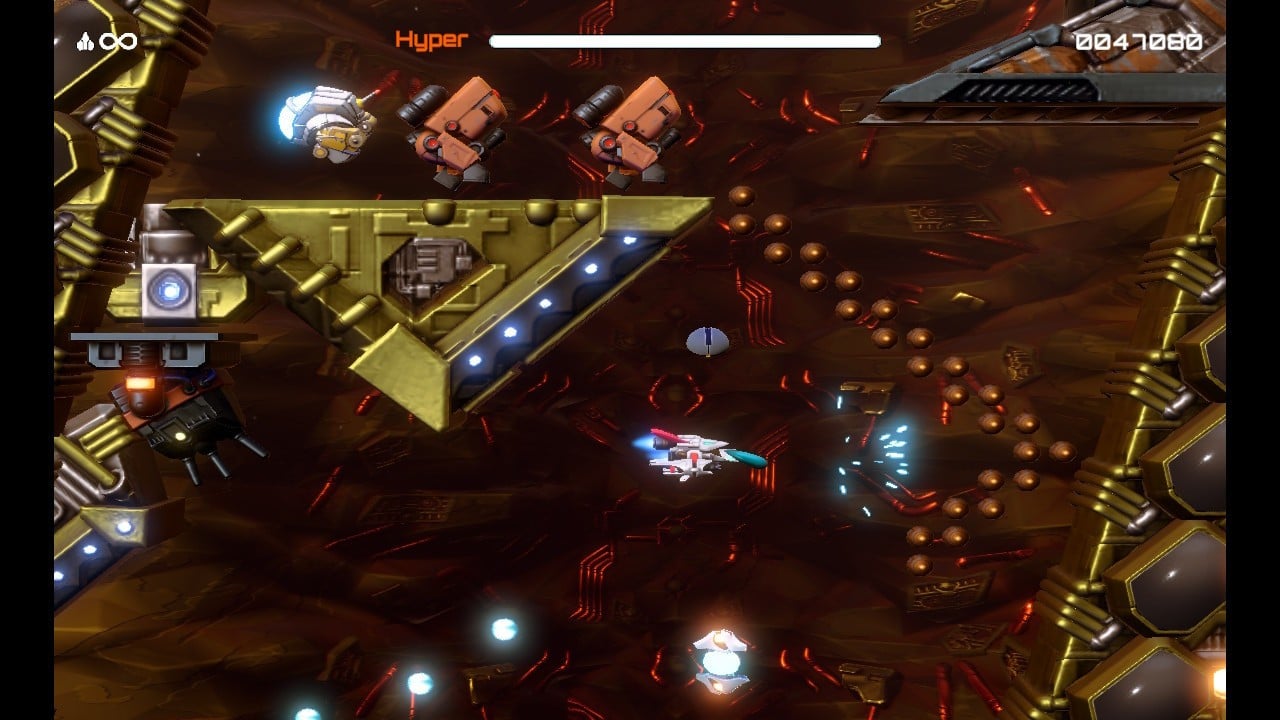
Comparing side-by-side with the original (as others have), it’s not great news, folks: the 3D mode is indeed considerably off the mark in terms of accuracy. Your shots are weaker (or enemies stronger), certain animations don’t match the original, and collision detection is an issue. I felt the hitbox was larger than it should be, making you far more prone to accidental deaths, and the available screen space feels more limited. This makes a difficult game frankly infuriating, and that’s not a good look.
Additionally, these issues extend to the 2D side of the port, too, and side-by-side with an original cart, one is able to see how enemy hitboxes and collision aspects are out of whack as early as stage one.
Far more minor are the few aesthetic flaws: the 3D graphics occasionally load in late, popping in at the far edge of the screen. Equally, some textures didn’t seem to load at once and took a while before fully realising. The 3D and its camera tilting is super cool and will be amazing for fans of the original game, but I’m not sure the new graphics conjure the same level of atmosphere as the original’s beautiful pixel art.
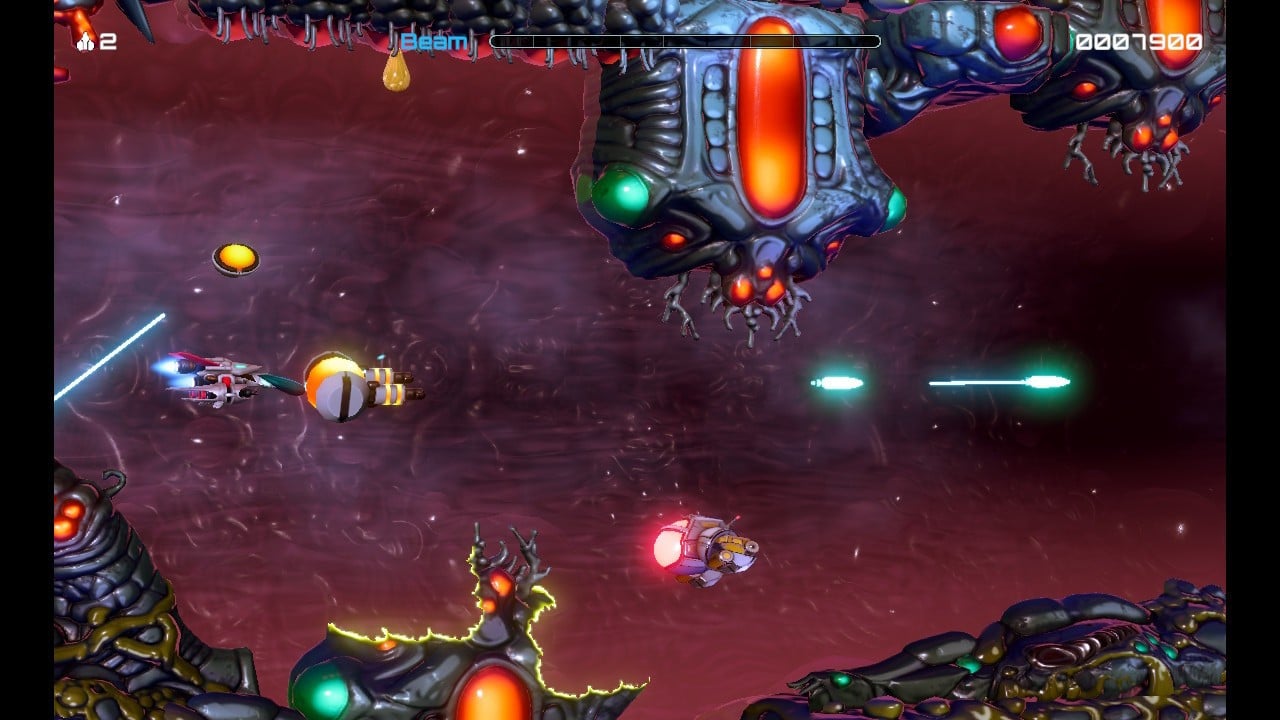
And, while you can configure the face buttons to your liking, for some reason the shoulder and triggers are locked. There are certain options, like switching between Charge Beam and Hyper Charge, or the graphics switch, that would have been useful to freely arrange around the top of the pad.
There is no rewind option, which means you need to learn it inside and out. If things get too much (and they will), the new Infinite Mode offers unlimited lives, does away with checkpoints, and even allows you to grab back the Force Pod after a death. This allows anyone to see all the game has to offer, albeit in a stilted, why-do-I-keep-dying-every-five-seconds kind of way. It’s far more rewarding to learn it by rote until you’re a shoot-’em-up god laying waste to every alien in the cosmos, but serious dedication is required for such a feat.
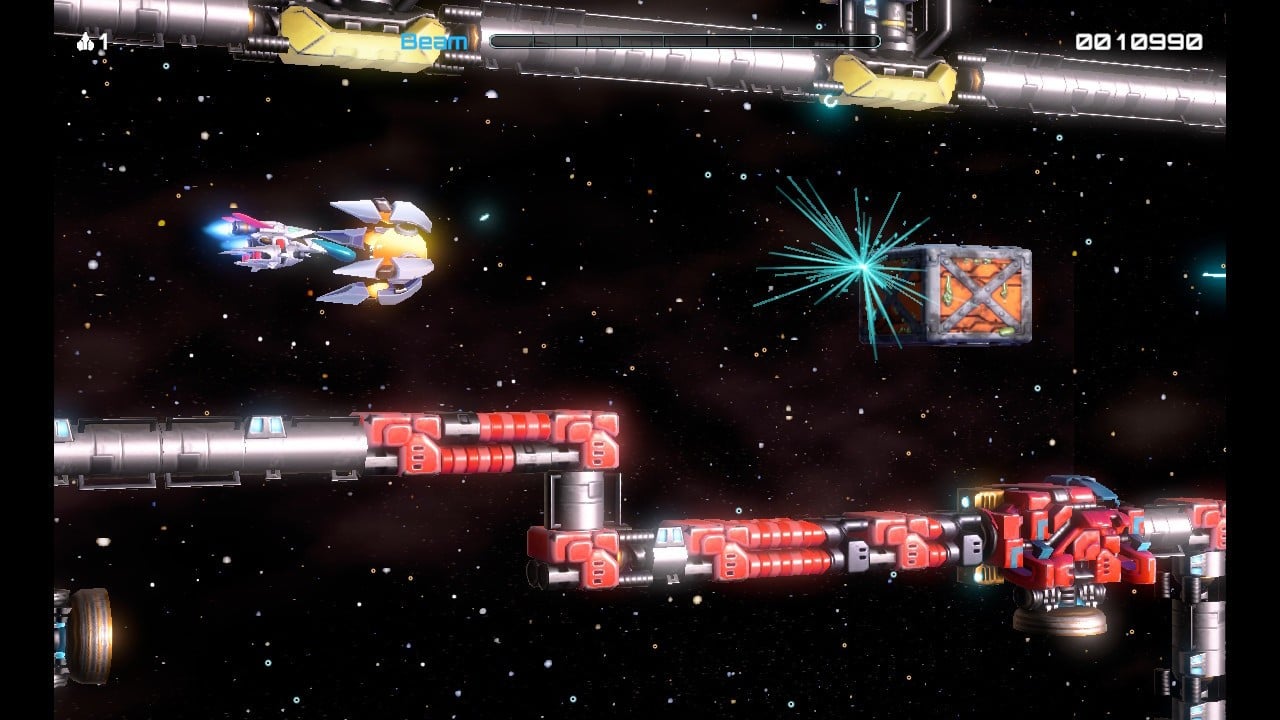
If you’re a total masochist, there’s an Advanced difficulty option, but considering the port deficiencies already make it an uphill battle, it really isn’t necessary.
R-Type: Dimensions III is a glossy product, no doubt, with an impressive amount of thought in its production. Unfortunately, with hitboxes and other elements so out of sync with the original, it’s somewhat spoiled for purists. If you’re not a diehard and just like to try new things, you may still enjoy the novelty — but it’s brutally tough in its current form and requires heavy patching.
One saving grace is that the whole thing runs at a beautiful 60fps, meaning that once-perceptible SNES processing chug is firmly a thing of the past. Whether this helps or hinders in its current state is another question entirely.
It’s Official, Warhorse Studios Is Working On A New “Open World Middle-earth RPG”
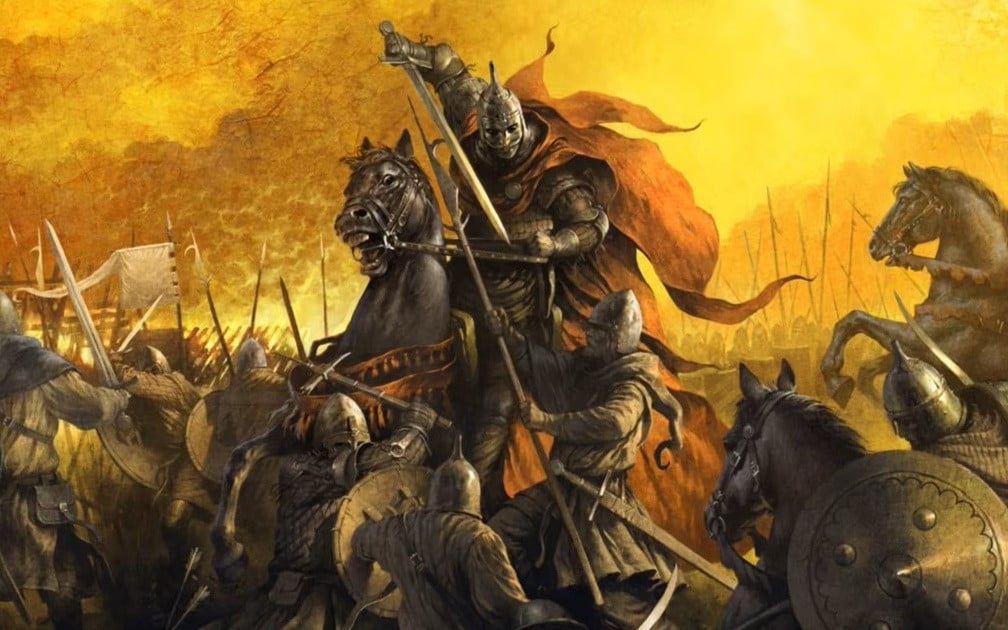
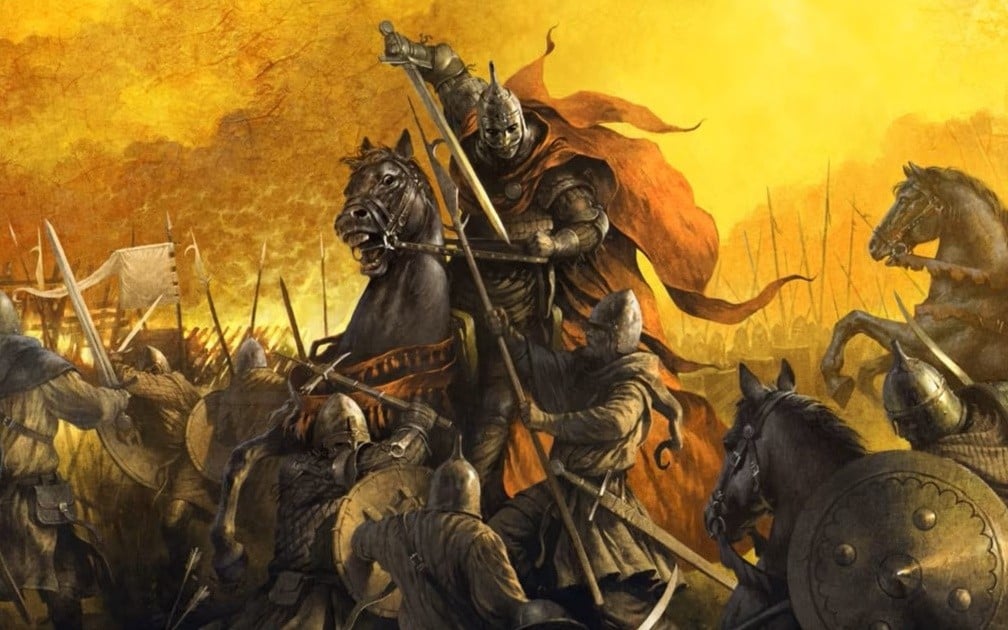
If you’re a Lord of the Rings fan and have been itching to return to Middle-earth, we’ve got some very exciting news.
The Czech Republic-based developer Warhorse Studios has officially announced it’s working on a brand new “open world Middle-earth RPG”. It’s shared this news on social media, and alongside this announcement, it’s also confirmed a new Kingdom Come adventure is on the way.
As noted in the official post below, more will be shared “when the time is right”:
Warhorse Studios: You might have heard the rumours, it’s time to reveal what we are working on.
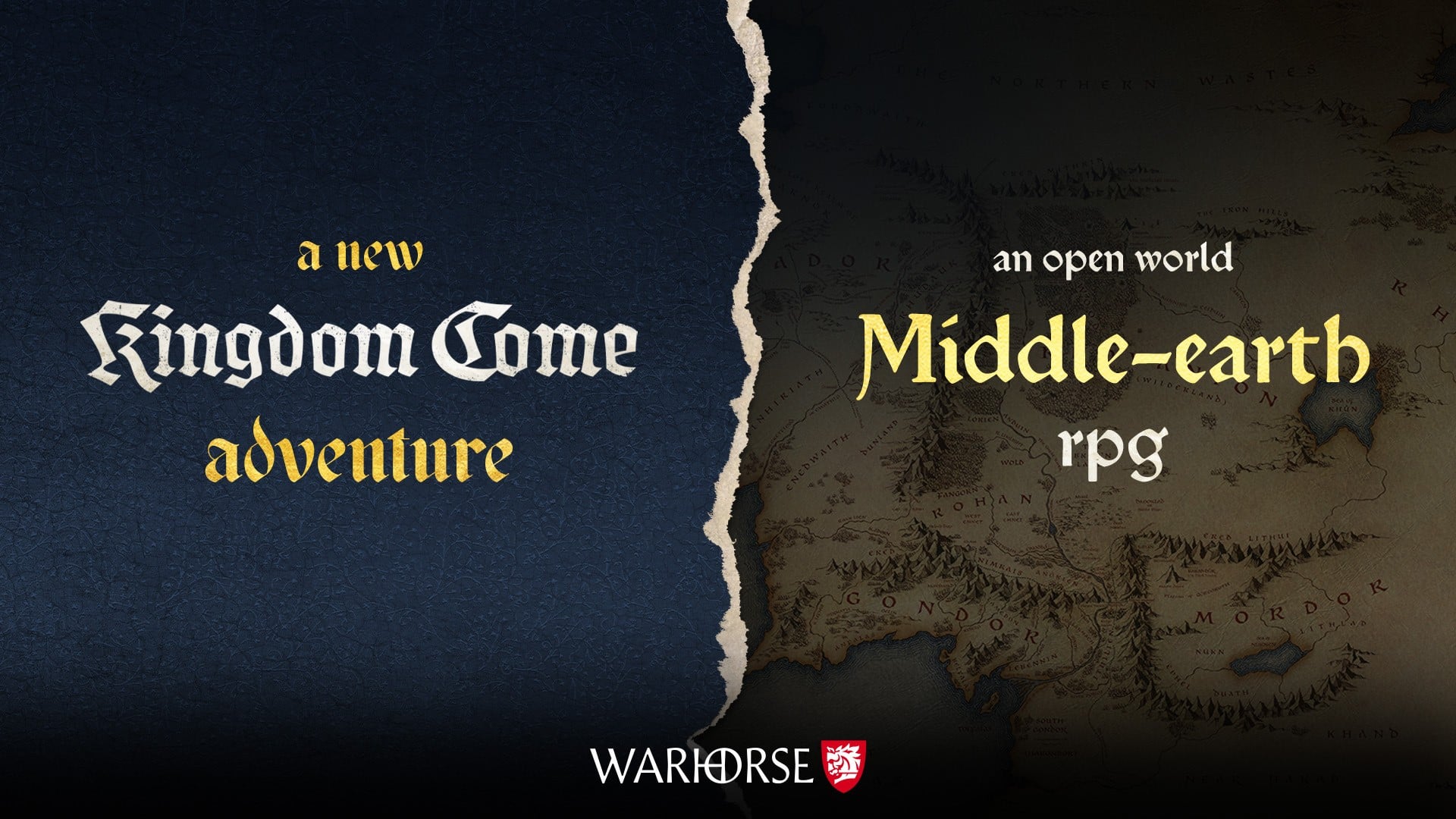
There’s no mention of platforms or a launch window at this early stage, but Warhorse has previously released the first Kingdom Come Deliverance game on the original Switch in 2024 with the help of port specialist Saber Interactive.
This particular RPG adventure was admittedly a bit rough on Nintendo’s hardware, but still offered an engrossing and grounded adventure. There’s also a sequel, but at the current time it’s not available on Nintendo platforms.
Would you be interested in a new open-world Middle-earth game? Let us know in the comments.
Raiden Fighters Remix Collection Just Added A “54 FPS Setting”
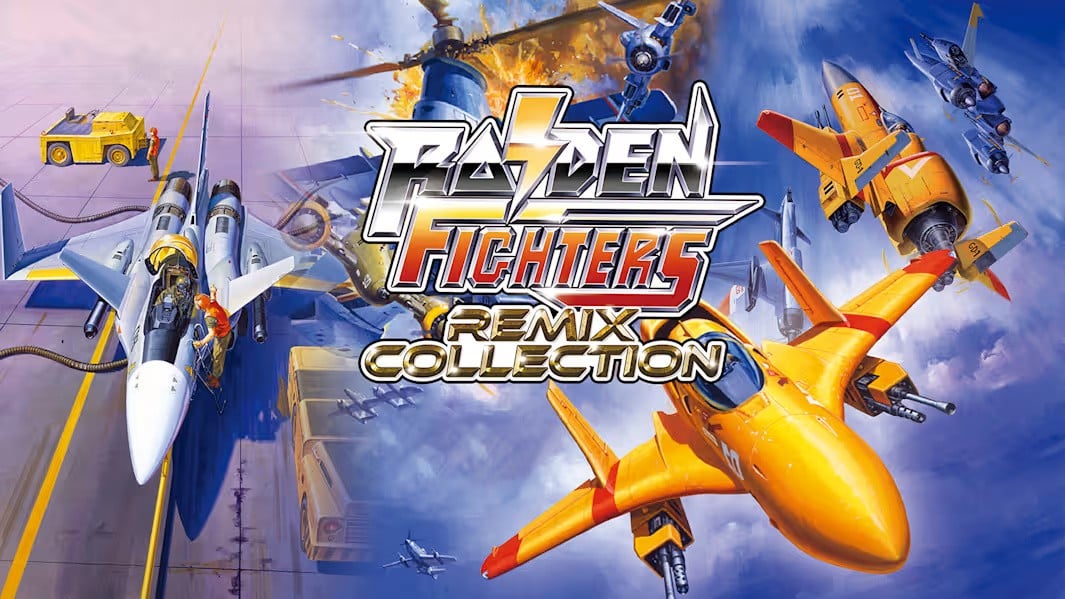
Raiden fans who ended up purchasing the Raiden Fighters Remix Collection on the Switch earlier this year are in for a treat today.
H2 Interactive has announced improvements to not only the “combat experience” but also added new performance settings and display fixes. Perhaps most notably, is the 54 FPS update… yes, in addition to the 60 FPS option, this new setting promises to offer players “greater flexibility” in how they experience the game and enhance the “authentic arcade feel” that defined this shoot ’em up series.
Apart from this, the Version 1.1 update includes corrections to several “small visual and display issues”, which should improve the overall presentation and gameplay stability.
If you haven’t already taken a look at this collection, it contains three “legendary” arcade titles from SEIBU KAIHATSU’s Raiden Fighters series. This includes Raiden Fighters, Raiden Fighters 2 and Raiden Fighters Jet, with both Japanese and International versions of the game playable.
There’s also an online ranking system, a new remixed soundtrack, and many other feature improvements.
Have you tried out this collection on the Switch yet? Will you be giving this new update a go? Let us know in the comments.