Posted on Leave a comment

WWDC25: June 9-13, 2025

The official WWDC25 logo against a white background. The letters WWDC appear in a rainbow of colors, while the 25 appears in white with a shadow.

Join the worldwide developer community online for a week of technology and creativity.

Be there for the reveal of the latest Apple tools, frameworks, and features. Learn to elevate your apps and games through video sessions hosted by Apple engineers and designers. Engage with Apple experts in labs and connect with the worldwide developer community. All online and at no cost.

Learn more about WWDC25

Posted on Leave a comment

Assassin’s Creed Shadows comes to Mac

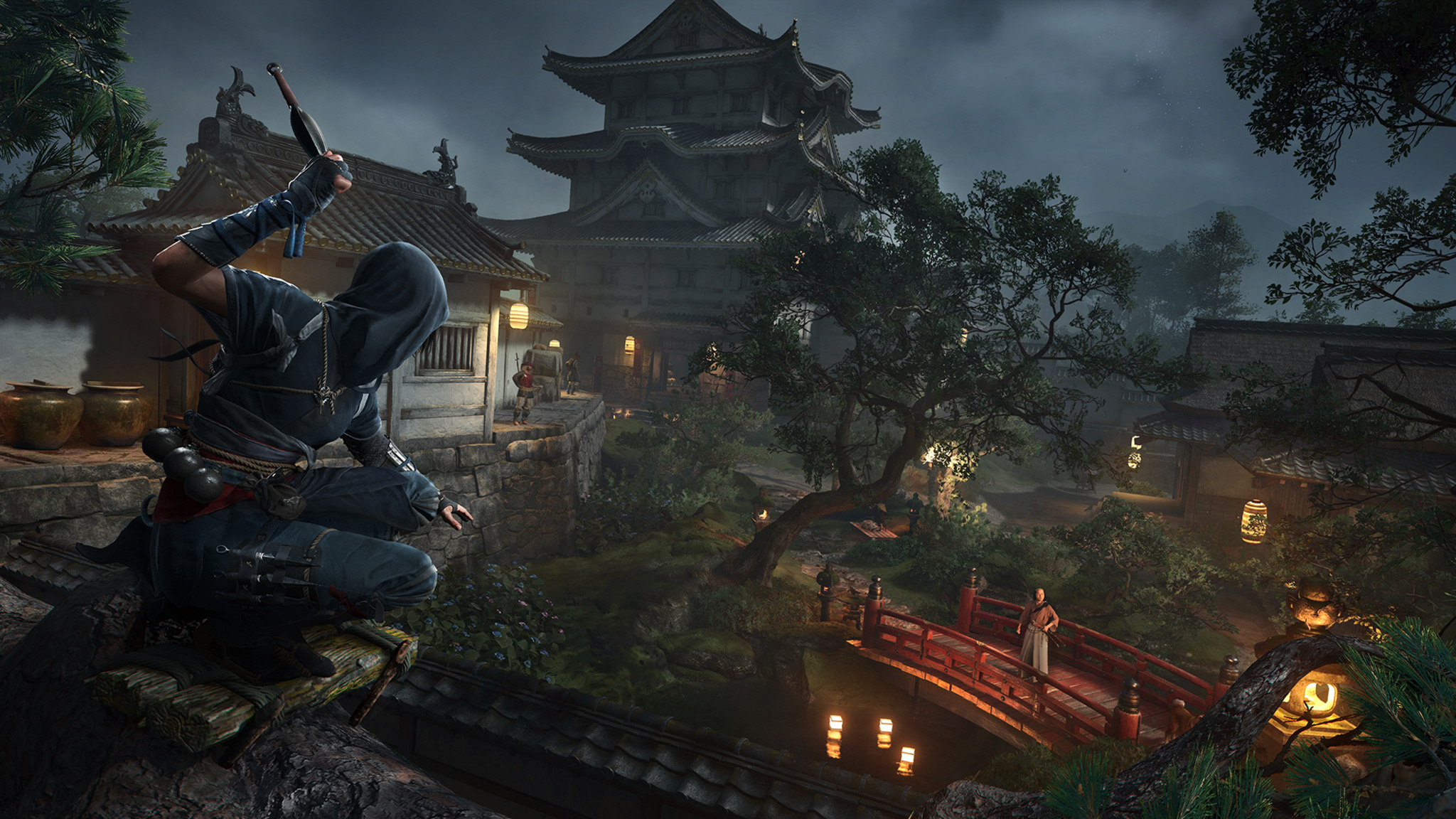
In this screenshot from Assassin’s Creed Shadows, a masked character crouches on the roof of a Japanese temple, preparing to throw a knife at an opponent who is standing on a red bridge in the background.

It’s an ice-cold late winter’s morning in Canada, but the offices of Ubisoft Quebec are ablaze with excitement.

The Ubisoft team is preparing the release of Assassin’s Creed Shadows, the 14th main entry in the series and an evolution for the franchise in nearly every detail. It’s set in feudal 16th-century Japan, a rich and elegant period that’s been long sought-after by fans and Ubisoft team members alike. It introduces a pair of fierce protagonists: Yasuke, a powerful warrior of African origin, and Naoe, an agile Shinobi assassin, both brought to life with attention to historical accuracy. Its world feels alive with an ever-changing dynamism that’s apparent in everything from the shifting weather to the rotating seasons to the magical interplay of light and shadow.

And what’s more, it’s set to release on Mac the same day it arrives on PCs and consoles.

“It’s been a longtime dream to bring the game to Mac,” says Ubisoft executive producer Marc-Alexis Côté, who debuted the game on Mac during the WWDC24 Keynote. “It’s incredible that I can now open a MacBook Pro and get this level of immersion.” Shadows will also be coming later to iPad with M-series chips.
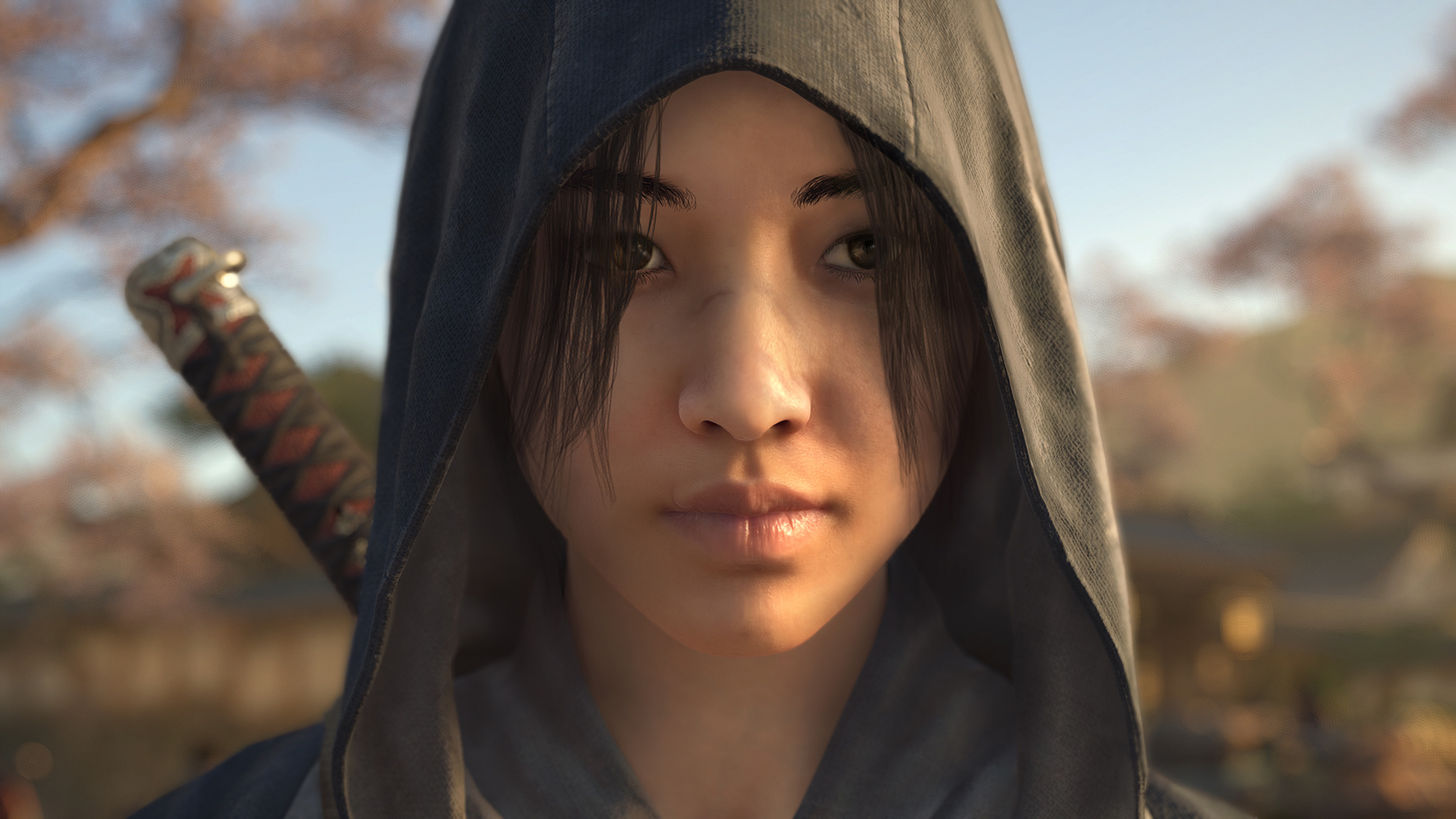
In this screenshot from Assassin’s Creed Shadows, the character Naoe is seen in close-up. She is wearing a hood, carrying a sword on her back, and standing outdoors.

Naoe, one of the game’s two protagonists, is an agile assassin who’s at her best when striking from the shadows.

Today marks one of the first times that the gaming community will get its hands on Shadows, and to celebrate the occasion, the Ubisoft offices — a mix of cozy chalet-worthy reclaimed wood and wide-open windows that afford a view of snowy Quebec City rooftops — have been reskinned with an Assassin’s Creed theme, including a display that emphasizes the heft of Yasuke’s weapons, especially an imposing-looking 13-pound model of the character’s sword. (On this day, the display is hosted by associate game director Simon Lemay-Comtois, who appears quite capable of wielding it.)

Download Assassin’s Creed Shadows from the Mac App Store

Côté calls Shadows his team’s “most ambitious” game. In crafting the game’s expansive world, Ubisoft’s development team took advantage of an array of advanced Mac technologies: Metal 3 (working in concert with Ubisoft’s next-generation Anvil engine), Apple silicon, and a mix of HDR support and real-time ray tracing on Macs with M3 and M4 that Côté says was “transformative” in creating the game’s immersion.

It’s been a longtime dream to bring the game to Mac.

Marc-Alexis Côté, Ubisoft executive producer

“Seeing those millions of lines of code work natively on a Mac was a feeling that’s hard to describe,” Côté says. “When you look at the game’s performance, the curve Apple is on with successive improvements to the M-series chips year after year, and the way the game looks on an HDR screen, you’re like, ‘Is this real?’”

Assassin’s Creed Shadows is a balance of the technical and creative. For the former, associate technical director Mathieu Belanger says the capabilities of Mac laid the groundwork for technical success. “The architecture of the hardware is so well done, thanks in part to the unified memory between the GPU and CPU. That made us think the future is bright for gaming on the platform. So many things about doing this on Mac were great right out of the box.”

In this screenshot from Assassin’s Creed Shadows, the fearsome warrior Yasuke battles an opponent with a large club in the courtyard of a snowy Japanese temple.

Naoe’s counterpart, Yasuke, prefers the use of brute force.

On the creative side, Ubisoft creative director Jonathan Dumont focused on a different opportunity. “The important thing was: Does this feel right? Is it what we want to send to players? And the answer was yes.”

The creative team’s goal was nothing short of “making this world feel alive,” says Martin Bedard, a 20-year Ubisoft veteran who served as the game’s technology director (and is very good at playing as Naoe). “You’re put into a moment that really existed,” he says. “This story is your playground.”

There are also fluffy kittens. We’ll get to those.
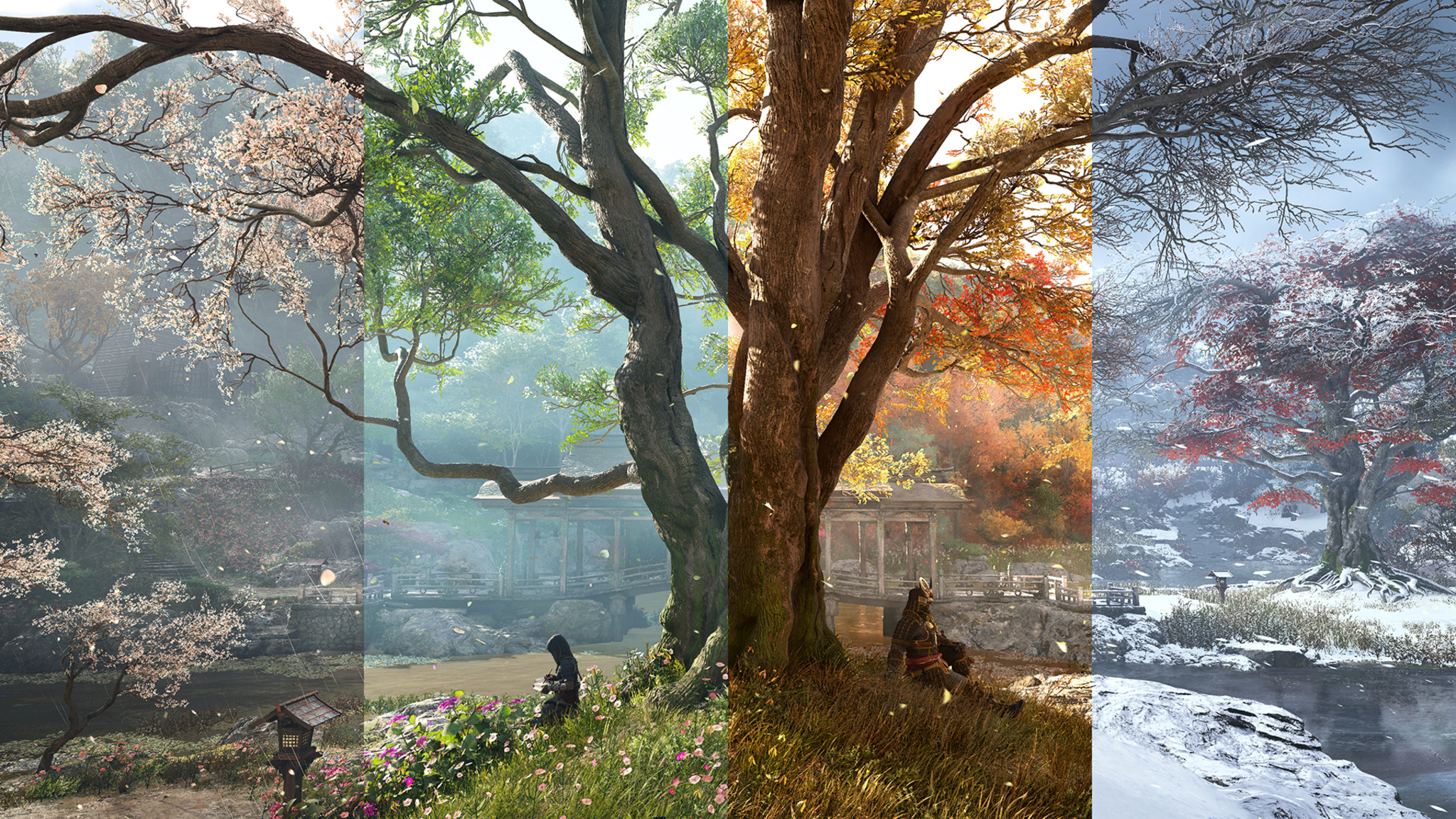
In this screenshot from Assassin’s Creed Shadows, an outdoor garden scene is shown broken into four equal sections that represent the four seasons.

The ever-changing seasons lend an incredible variety to the game’s environments.

And there’s tremendous power behind the beauty, because the game’s biomes, seasons, weather, and lighting are all dynamic creations. The sunset hour bathes the mountains in soft purple light; the sun’s rays float in through leaves and temple roofs. Pretty much every room has a candle in it, which means the light is always changing. “Look at the clouds here,” says Bedard, pointing at the screen. “That’s not a rendering. These are all fluid-based cloud simulations.”

“Japan feels like it’s 80 percent trees and mountains,” says Dumont. “If you’re building this world without the rain, and the winds, and the mountains, it doesn’t feel right.”

Wherever you are, wherever you go, everything is beautiful and alive.

Mathieu Belanger, associate technical director

And those winds? “We developed a lot of features that were barely possible before, and one of them was a full simulation of the wind, not just an animation,” says Belanger. “We even built a humidity simulation that gathers clouds together.” For the in-game seasons, Ubisoft developed an engine that depicted houses, markets, and temples, in ever-changing conditions. “This was all done along the way over the past four years,” he says.

To pursue historical accuracy, Dumont and the creative team visited Japan to study every detail, including big-picture details (like town maps) to very specific ones (like the varnish that would have been applied to 16th-century wood). It wasn’t always a slam dunk, says Côté: In one visit, their Japanese hosts recommended a revision to the light splashing against the mountains. “We want to get all those little details right,” he says. (A “full-immersion version,” entirely in Japanese with English subtitles, is available.)

In this screenshot from Assassin’s Creed Shadows, a Japanese temple is seen in afternoon light. In the background is a misty forest.

To recreate the world of 16th-century Japan, the Ubisoft creative visited Japan to study every detail.

Ubisoft’s decision to split the protagonist into two distinct characters with different identities, skill sets, origin stories, and class backgrounds came early in the process. (“That was a fun day,” laughs Belanger.) Ubisoft team members emphasize that choosing between Naoe and Yasuke is a matter of personal preference — lethal subtlety vs. brute force. Players can switch between characters at any time, and, as you might suspect, the pair grows stronger together as the story goes on. Much of Naoe’s advantage comes from her ability to linger in the game’s shadows — not just behind big buildings, but wherever the scene creates a space for her to hide. “The masterclass is clearing out a board without being spotted once,” says Bedard.

(The Hideout is) peaceful. You can say, ‘I feel like putting some trees down, seeing what I collected, upgrading my buildings, and petting the cats.’

Jonathan Dumont, Ubisoft creative director

Which brings us to the Hideout, Naoe and Yasuke’s home base and a bucolic rural village that acts as a zen-infused respite from the ferocity of battle. “It’s a place that welcomes you back,” says Dumont. It’s eminently customizable, both from a game-progression standpoint but also in terms of aesthetics. Where the battle scenes are a frenzy of bruising combat or stealth attacks, the Hideout is a refuge for supplies, artwork, found objects, and even a furry menagerie of cats, dogs, deer, and other calming influences. “There are progressions, of course,” says Dumont, “but it’s peaceful. You can say, ‘I feel like putting some trees down, seeing what I collected, upgrading my buildings, and petting the cats.”

“The kittens were a P1 feature,” laughs associate game director Dany St-Laurent.
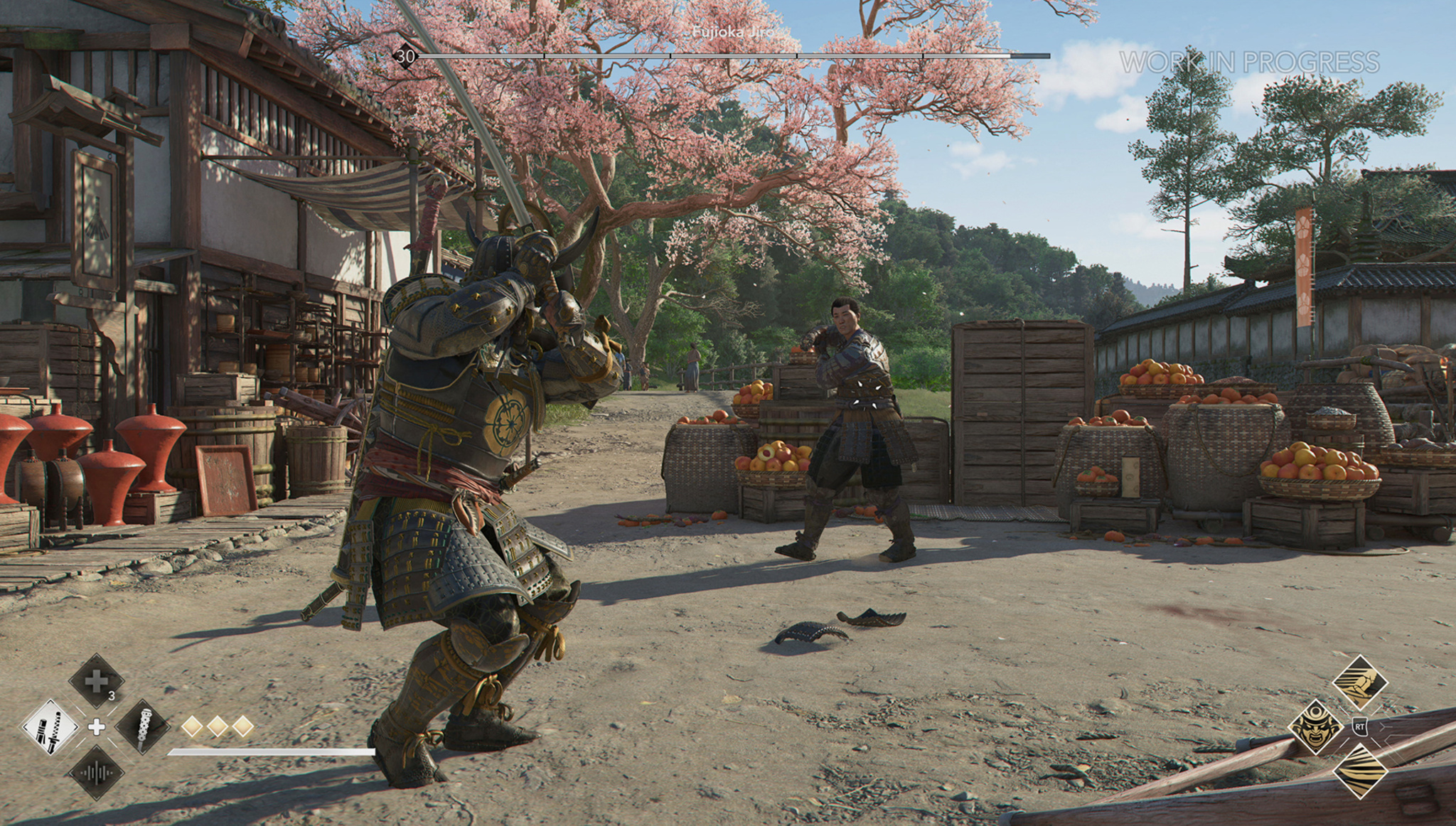
In this screenshot from Assassin’s Creed Shadows, Yasuke prepares to take on an opponent in an outdoor market.

Yasuke prepares to face off against an opponent in what will likely be a fruitful battle.

Yet for all those big numbers, Dumont says the game boils down to something much simpler. “I just think the characters work super-well together,” he says. “It’s an open-world game, yes. But at its core, it features two characters you’ll like. And the game is really about following their journey, connecting with them, exploring their unique mysteries, and seeing how they flow together. And I think the way in which they join forces is one of the best moments in the franchise.”

And if the Ubisoft team has its way, there will be plenty more moments to come. “I think the game will scale for years to come on the Mac platform,” says Côté. “Games can be more and more immersive with each new hardware release. We’re trying to create something here where more people can come with day-one games on the Mac, because I think it’s a beautiful platform.”

Download Assassin’s Creed Shadows from the Mac App Store

Posted on Leave a comment

New requirement for apps on the App Store in the European Union

As of today, apps without trader status have been removed from the App Store in the European Union (EU) until trader status is provided and verified by Apple.

Account Holders or Admins in the Apple Developer Program will need to enter this status in App Store Connect to comply with the Digital Services Act.

Learn what a trader is and how to enter your status

Posted on Leave a comment

New features for APNs token authentication are now available

You can now take advantage of upgraded security options when creating new token authentication keys for the Apple Push Notification service (APNs).

Team-scoped keys enable you to restrict your token authentication keys to either development or production environments, providing an additional layer of security and ensuring that keys are used only in their intended environments.

Topic-specific keys provide more granular control by enabling you to associate each key with a specific bundle ID, allowing for more streamlined and organized key management. This is particularly beneficial for large organizations that manage multiple apps across different teams.

Your existing keys will continue to work for all push topics and environments. At this time, you don’t have to update your keys unless you want to take advantage of the new capabilities.

For detailed instructions on how to secure your communications with APNs, read Establishing a token-based connection to APNs.

Posted on Leave a comment

Upcoming changes to offers and trials for subscriptions in South Korea

Starting February 14, 2025, new regulatory requirements in South Korea will apply to all apps with offers and trials for auto-renewing subscriptions.

To comply, if you offer trials or offers for auto-renewing subscriptions to your app or game, additional consent must be obtained for your trial or offer after the initial transaction. The App Store will help to get consent by informing the affected subscribers with an email, push notification, and in-app price consent sheet, and asking your subscribers to agree to the new price.

This additional consent must be obtained from customers within 30 days from the payment or conversion date for:

  • Free to paid trials
  • Discounted subscription offers to standard-price subscriptions

Apps that do not offer a free trial or discounted offer before a subscription converts to the regular price are not affected.

Learn more about this regulation

Posted on Leave a comment

Game distribution on the App Store in Vietnam

The Vietnamese Ministry of Information and Communications (MIC) requires games to be licensed to remain available on the App Store in Vietnam. To learn more and apply for a game license, review the regulations.

Once you have obtained your license:

  • Sign in to App Store Connect.
  • Enter the license number and the associated URL in the description section of your game’s product page.
  • Note that you only need to provide this information for the App Store localization displayed on the Vietnam storefront.
  • Submit an update to App Review.

If you have questions on how to comply with these requirements, please contact the Authority of Broadcasting and Electronic Information (ABEI) under the Vietnamese Ministry of Information and Communications.

View the full law

Posted on Leave a comment

The good news bears: Inside the adorably unorthodox design of Bears Gratitude

A drawing from Bears Gratitude, showing two cartoon bears wearing party hats in front of a frosted birthday cake against a beige background.

Here’s the story of how a few little bears led their creators right to an Apple Design Award.

Bears Gratitude is a warm and welcoming title developed by the Australian husband-and-wife team of Isuru Wanasinghe and Nayomi Hettiarachchi.

Journaling apps just don’t get much cuter: Through prompts like “Today isn’t over yet,” “I’m literally a new me,” and “Compliment someone,” the Swift-built app and its simple hand-drawn mascots encourage people to get in the habit of celebrating accomplishments, fostering introspection, and building gratitude. “And gratitude doesn’t have to be about big moments like birthdays or anniversaries,” says Wanasinghe. “It can be as simple as having a hot cup of coffee in the morning.”


ADA FACT SHEET

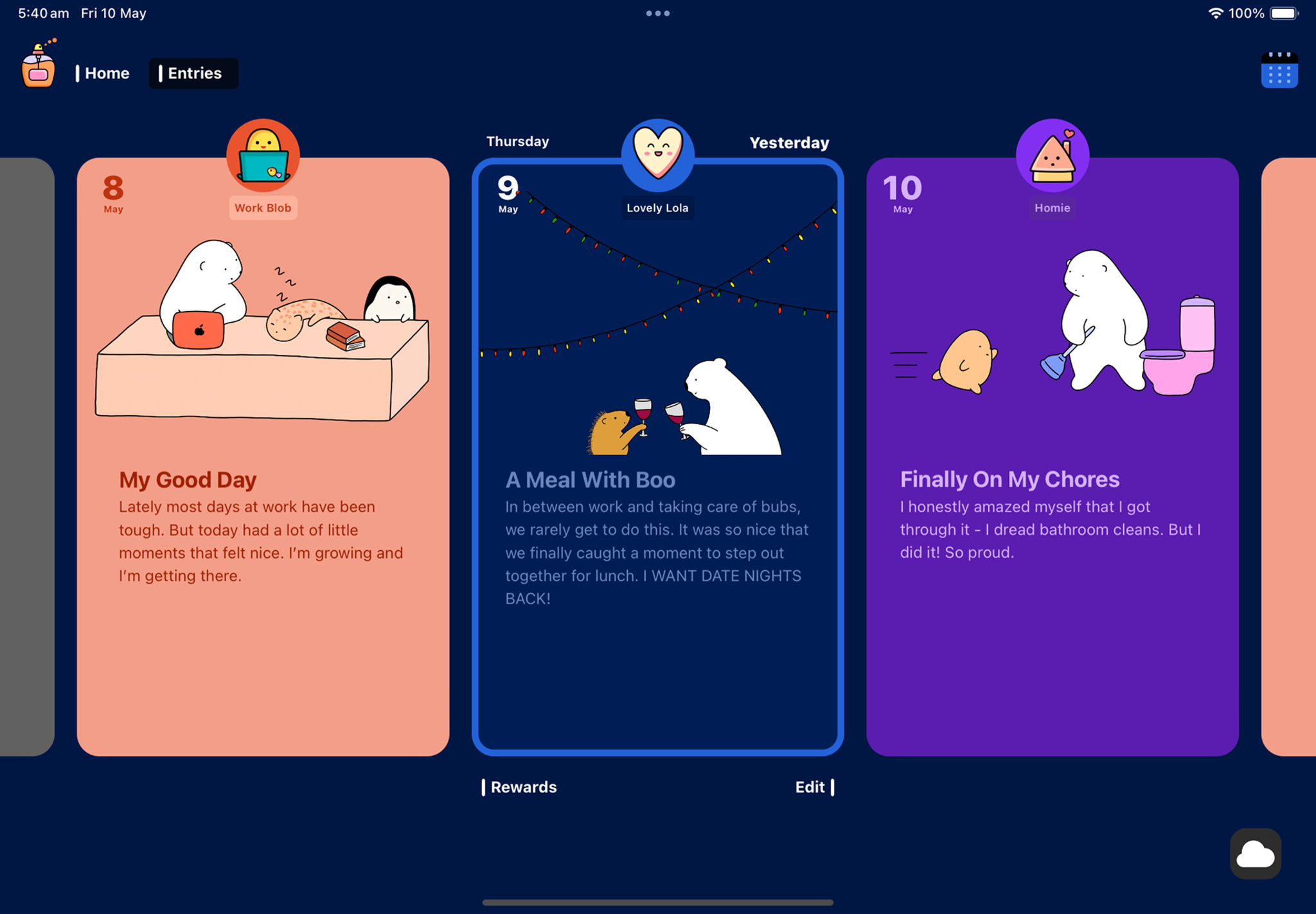
A screenshot from Bears Gratitude that shows several prompt cards containing journaling prompts like “My Good Day,” “A Meal With Boo,” and “Finally On My Chores.”

Bears Gratitude

  • Winner: Delight and Fun
  • Available on: iOS, iPadOS, macOS
  • Team size: 2

Download Bears Gratitude from the App Store

Wanasinghe is a longtime programmer who’s run an afterschool tutoring center in Sydney, Australia, for nearly a decade. But the true spark for Bears Gratitude and its predecessor, Bears Countdown, came from Hettiarachchi, a Sri Lankan-born illustrator who concentrated on her drawing hobby during the Covid-19 lockdown.

Wanasinghe is more direct. “The art is the heart of everything we do,” he says.

A photo of the Australian husband-and-wife team who developed Bears Gratitude, Isuru Wanasinghe and Nayomi Hettiarachchi, sitting at a table in front of a MacBook and iPad.

Bears Gratitude was developed by the Australian husband-and-wife team of Isuru Wanasinghe and Nayomi Hettiarachchi.

In fact, the art is the whole reason the app exists. As the pandemic months and drawings stacked up, Hettiarachchi and Wanasinghe found themselves increasingly attached to her cartoon creations, enough that they began to consider how to share them with the world. The usual social media routes beckoned, but given Wanasinghe’s background, the idea of an app offered a stronger pull.

“In many cases, you get an idea, put together a design, and then do the actual development,” he says. “In our case, it’s the other way around. The art drives everything.”

The art is the heart of everything we do.

Isuru Wanasinghe, Bears Gratitude cofounder

With hundreds of drawings at their disposal, the couple began thinking about the kinds of apps that could host them. Their first release was Bears Countdown, which employed the drawings to help people look ahead to birthdays, vacations, and other marquee moments. Countdown was never intended to be a mass-market app; the pair didn’t even check its launch stats on App Store Connect. “We’d have been excited to have 100 people enjoy what Nayomi had drawn,” says Wanasinghe. “That’s where our heads were at.”

But Countdown caught on with a few influencers and become enough of a success that the pair began thinking of next steps. “We thought, well, we’ve given people a way to look forward,” says Wanasinghe. “What about reflecting on the day you just had?’”

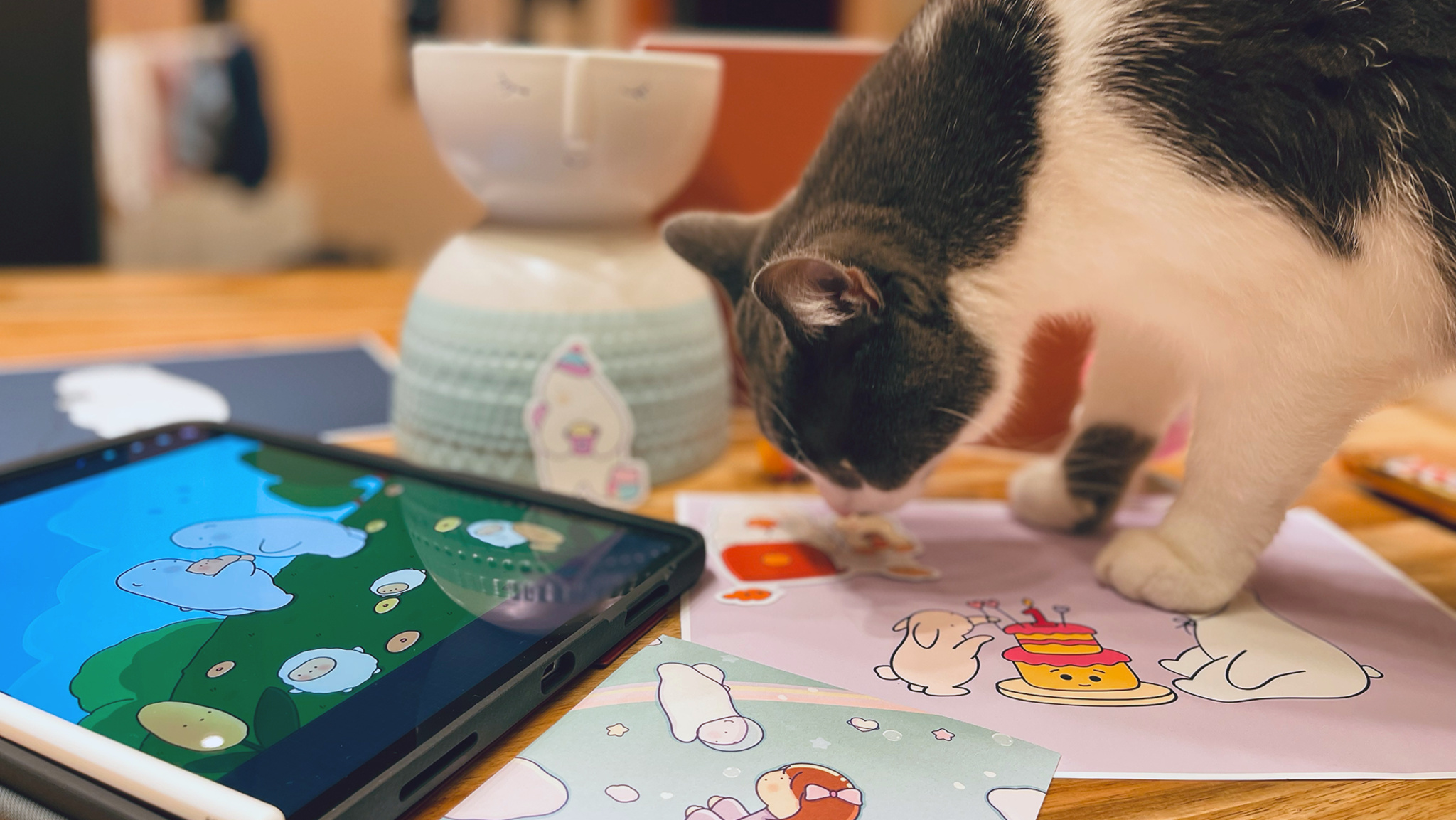
A photo in which a gray and white cat stands on a table looking at drawings from Bears Gratitude. An iPad and candle sit on the table near the cat.

Hettiarachchi’s art samples get a close inspection from one of her trusted associates.

Gratitude keeps the cuddly cast from Countdown, but otherwise the app is an entirely different beast. It was also designed in what Wanasinghe says was a deliberately unusual manner. “Our design approach was almost bizarrely linear,” says Wanasinghe. “We purposely didn’t map out the app. We designed it in the same order that users experience it.”

Other unorthodox decisions followed, including the absence of a sign-in screen. “We wanted people to go straight into the experience and start writing,” he says. The home-screen journaling prompts are presented via cards that users flip through by tapping left and right. “It’s definitely a nonstandard UX,” says Wanasinghe, “but we found over and over again that the first thing users did was flip through the cards.”

Our design approach was almost bizarrely linear. We purposely didn’t map out the app. We designed it in the same order that users experience it.

Isuru Wanasinghe, Bears Gratitude cofounder

Another twist: The app’s prompts are written in the voice of the user, which Wanasinghe says was done to emphasize the personal nature of the app. “We wrote the app as if we were the only ones using it, which made it more relatable,” he says.

Then there are the bears, which serve not only as a distinguishing hook in a busy field, but also as a design anchor for its creators. “We’re always thinking: ‘Instead of trying to set our app apart, how do we make it ours?’ We use apps all the time, and we know how they behave. But here we tried to detach ourselves from all that, think of it as a blank canvas, and ask, ‘What do we want this experience to be?’”

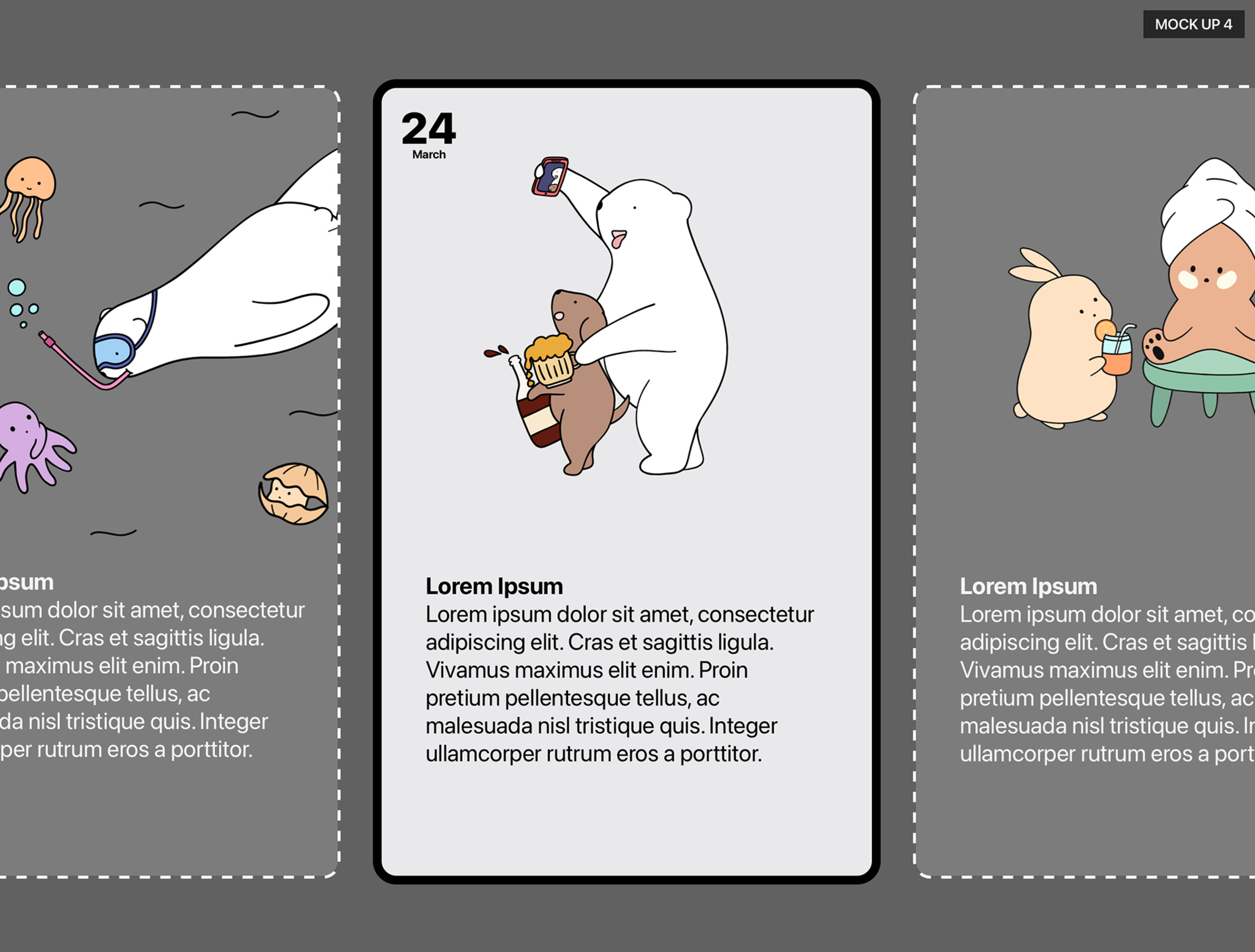
Early design sketches for Bears Gratitude, showing three cards with Bears Gratitude mascots on them, as well as placeholder copy.

Early design sketches for Bears Gratitude show the collection of swipe-able prompt cards.

Bears Gratitude isn’t a mindfulness app — Wanasinghe is careful to clarify that neither he nor Hettiarachchi are therapists or mental health professionals. “All we know about are the trials and tribulations of life,” he says.

But those trials and tribulations have reached a greater world. “People have said, ‘This is just something I visit every day that brings me comfort,’” says Wanasinghe. “We’re so grateful this is the way we chose to share the art. We’re plugged into people’s lives in a meaningful way.”

Meet the 2024 Apple Design Award winners

Behind the Design is a series that explores design practices and philosophies from finalists and winners of the Apple Design Awards. In each story, we go behind the screens with the developers and designers of these award-winning apps and games to discover how they brought their remarkable creations to life.

Posted on Leave a comment

Apply for the Swift Student Challenge now through February 23

Swift bird logo on a colorful background with decorative code.

Submissions for the Swift Student Challenge 2025 are now open through February 23. You have three more weeks to design, test, refine, and submit your app playground for consideration to be named one of 350 winners.

What to know:

  • The Challenge is free to enter — you just need access to an iPad or Mac with Swift Playground or Xcode.
  • The best app ideas are personal — let your passion shine through your work.
  • No formal coding experience required — the Challenge is open to students of all levels.
  • Your app playground doesn’t need to be intricate — it should be experienced within 3 minutes or less.

Where to start:

Learn more about the Challenge

Posted on Leave a comment

Introducing the Advanced Commerce API

The App Store facilitates billions of transactions annually to help developers grow their businesses and provide a world-class customer experience. To further support developers’ evolving business models — such as exceptionally large content catalogs, creator experiences, and subscriptions with optional add-ons — we’re introducing the Advanced Commerce API.

Developers can apply to use the Advanced Commerce API to support eligible App Store business models and more flexibly manage their In-App Purchases within their app. These purchases leverage the power of the trusted App Store commerce system, including end-to-end payment processing, tax support, customer service, and more, so developers can focus on providing great app experiences.

Learn about eligibility requirements and how to apply

Posted on Leave a comment

Apps without trader status will be removed from the App Store in the EU

Starting February 17, 2025: Due to the European Union’s Digital Services Act, apps without trader status will be removed from the App Store in the European Union until trader status is provided and verified, if necessary.

As a reminder, Account Holders or Admins in the Apple Developer Program need to enter trader status in App Store Connect for apps on the App Store in the European Union in order to comply with the Digital Services Act.

Learn what a trader is and how to enter your status