Posted on Leave a comment

‘I taught myself’: Tucker MacDonald and the rise of Tide Guide

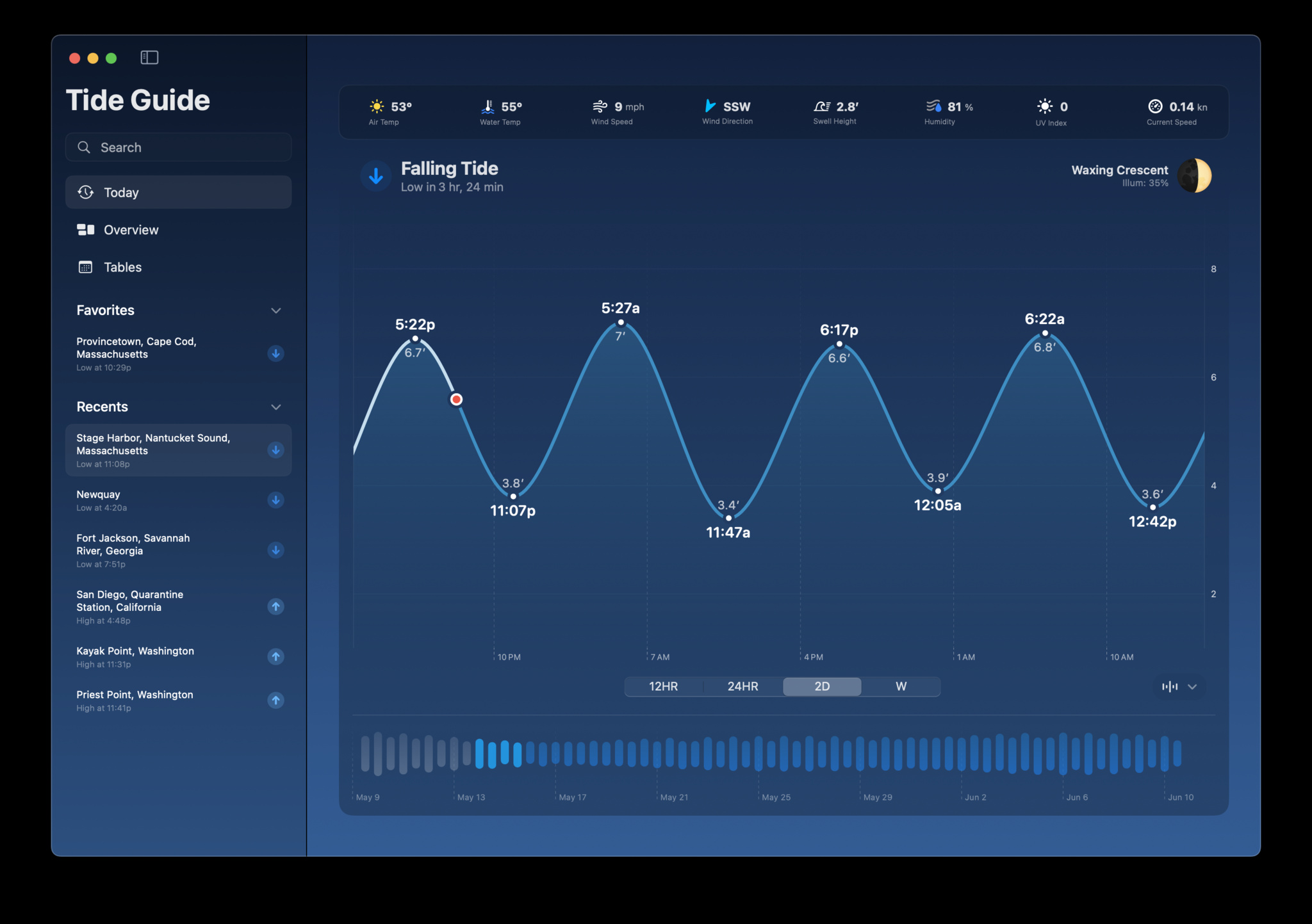
A screenshot of Tide Guide on Mac, showing a window displaying the day’s tide in a line graph against a muted ocean backdrop.

Lots of apps have great origin stories, but the tale of Tucker MacDonald and Tide Guide seems tailor-made for the Hollywood treatment. It begins in the dawn hours on Cape Cod, where a school-age MacDonald first learned to fish with his grandfather.

“Every day, he’d look in the paper for the tide tables,” says MacDonald. “Then he’d call me up and say, ‘Alright Tucker, we’ve got a good tide and good weather. Let’s be at the dock by 5:30 a.m.’”
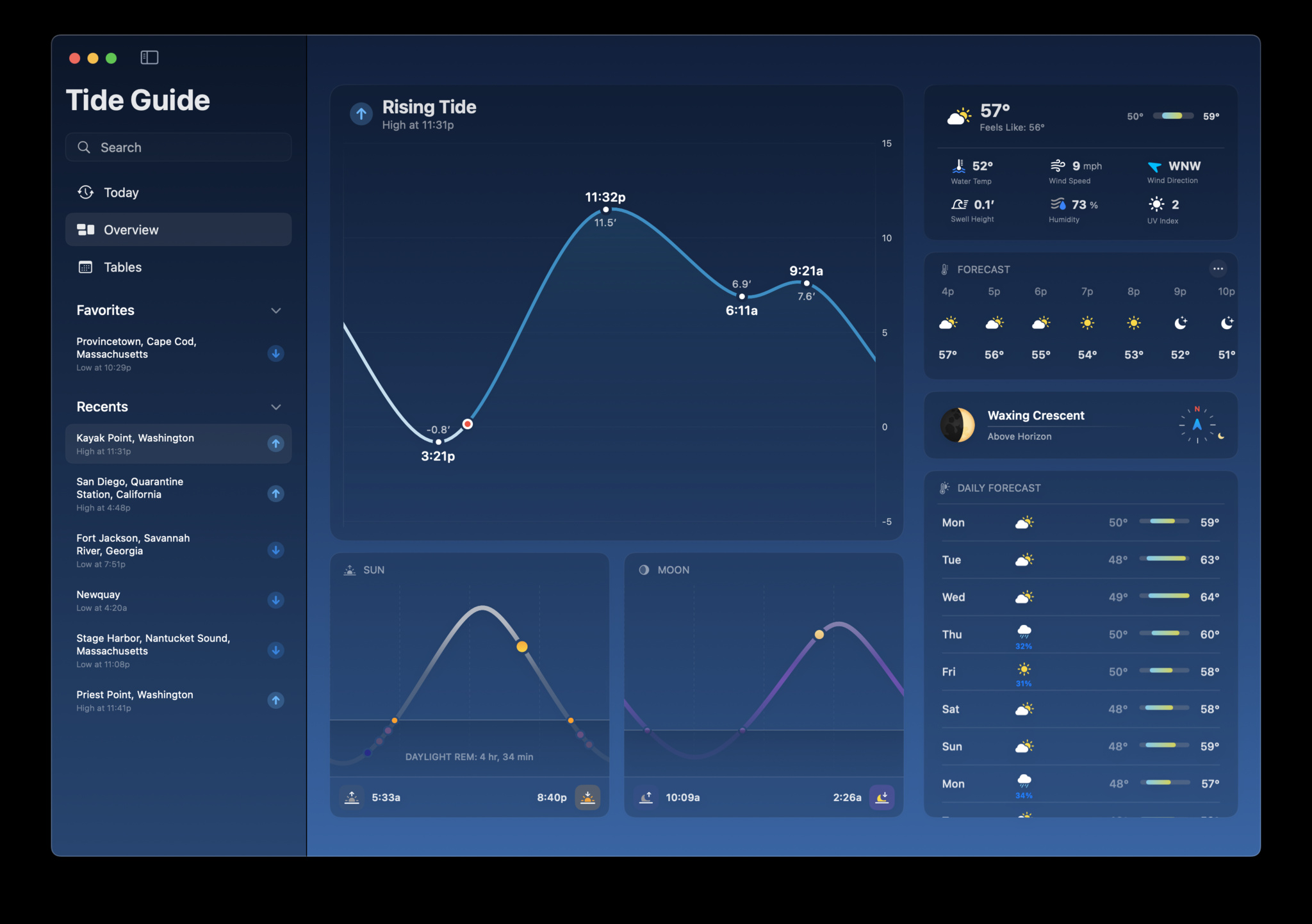
A screenshot of Tide Guide on Mac, showing a line graph of the tide and additional weather information set against a background of different shades of blue.

Rhapsody in blue: Tide Guide delivers Washington weather data in a gorgeous design and color scheme.

That was MacDonald’s first introduction to tides — and the spark behind Tide Guide, which delivers comprehensive forecasts through top-notch data visualizations, an impressive array of widgets, an expanded iPad layout, and Live Activities that look especially great in, appropriately enough, the Dynamic Island. The SwiftUI-built app also offers beautiful Apple Watch complications and a UI that can be easily customized, depending how deep you want to dive into its data. It’s a remarkable blend of original design and framework standards, perfect for plotting optimal times for a boat launch, research project, or picnic on the beach.

Impressively, Tide Guide was named a 2023 Apple Design Award finalist — no mean feat for a solo developer who had zero previous app-building experience and started his career as a freelance filmmaker.

“I wanted to be a Hollywood director since I was in the fifth grade,” says MacDonald. Early in his filmmaking career, MacDonald found himself in need of a tool that could help him pre-visualize different camera and lens combinations — “like a director’s viewfinder app,” he says. And while he caught a few decent options on the market, MacDonald wanted an app with iOS design language that felt more at home on his iPhone. “So I dove in, watched videos, and taught myself how to make it,” he says.

My primary use cases were going fishing, heading to the beach, or trying to catch a sunset.

Tucker MacDonald, Tide Guide

Before too long, MacDonald drifted away from filmmaking and into development, taking a job as a UI designer for a social app. “The app ended up failing, but the job taught me how a designer works with an engineer,” he says. “I also learned a lot about design best practices, because I had been creating apps that used crazy elements, non-standard navigation, stuff like that.”

A black and white image of Tucker MacDonald, who is wearing a dark sweater and sitting on a boat on the water.

Tucker MacDonald grew up fishing with his grandfather in the waters off Cape Cod.

Armed with growing design knowledge, he started thinking about those mornings with his grandfather, and how he might create something that could speed up the crucial process of finding optimal fishing conditions. And it didn’t need to be rocket science. “My primary use cases were going fishing, heading to the beach, or trying to catch a sunset,” he says. “I just needed to show current conditions.”

I’d say my designs were way prettier than the code I wrote.

Tucker MacDonald, Tide Guide

In the following years, Tide Guide grew in parallel with MacDonald’s self-taught skill set. “There was a lot of trial and error, and I’d say my designs were way prettier than the code I wrote,” he laughs. “But I learned both coding and design by reading documentation and asking questions in the developer community.”

Today’s Tide Guide is quite the upgrade from that initial version. MacDonald continues to target anyone heading to the ocean but includes powerful metrics — like an hour-by-hour 10-day forecast, water temperatures, and swell height — that advanced users can seek out as needed. The app’s palette is even designed to match the color of the sky throughout the day. “The more time you spend with it, the more you can dig into different layers,” he says.
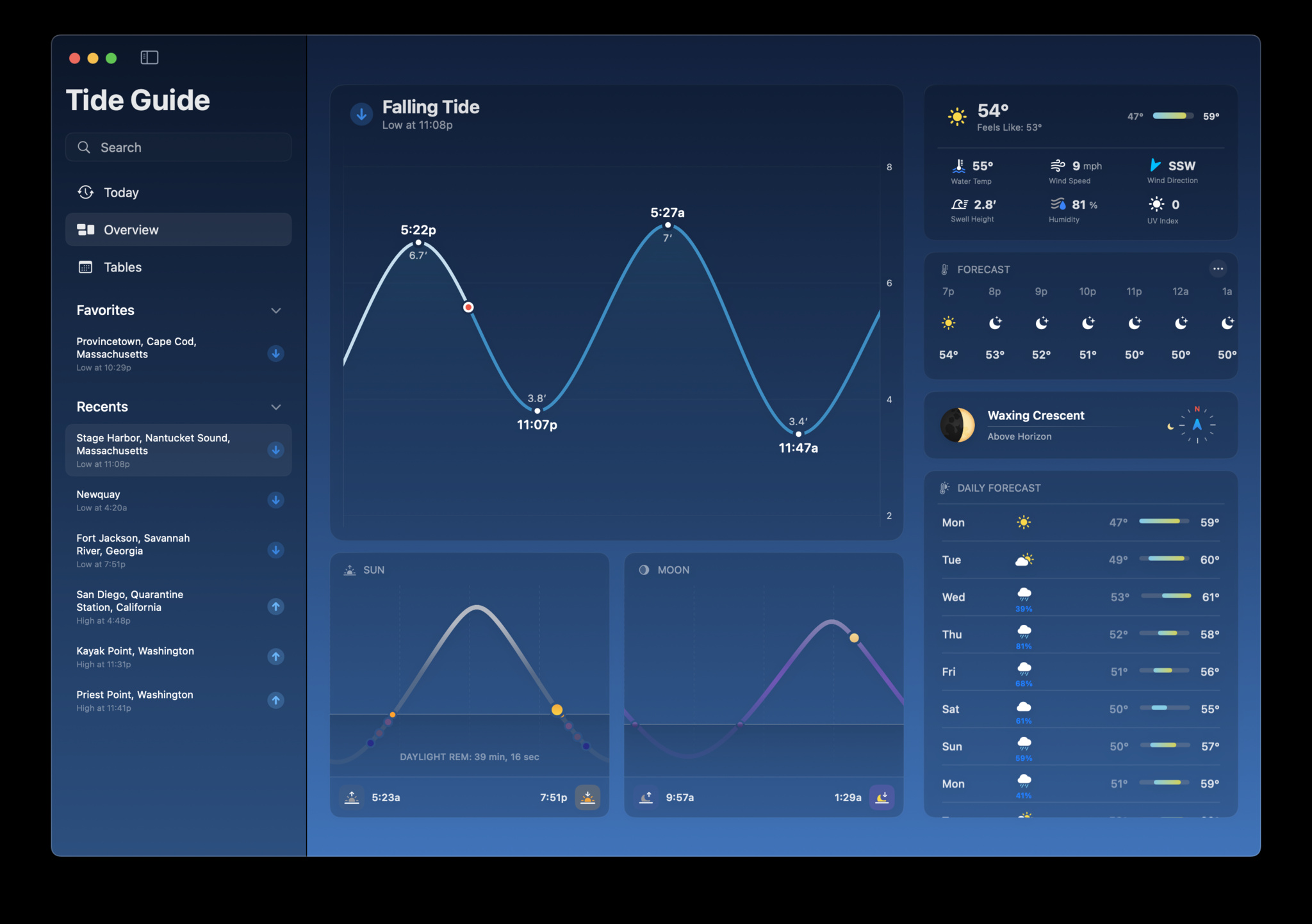
A screenshot of Tide Guide on Mac, showing a wealth of tide and weather data against a background of complementary blues.

All the information you need for a day on the water, in one place.

People around the world have dug into those layers, including an Alaskan tour company operator who can only land in a remote area when the tide is right, and a nonprofit national rescue service in Scotland, whose members weighed in with a Siri shortcut-related workflow request that MacDonald promptly included. And as Tide Guide gets bigger, MacDonald’s knowledge of developing — and oceanography — continues to swell. “I’m just happy that my passion for crafting an incredible experience comes through,” he says, “because I really do have so much fun making it.”

Behind the Design is a series that explores design practices and philosophies from finalists and winners of the Apple Design Awards. In each story, we go behind the screens with the developers and designers of these award-winning apps and games to discover how they brought their remarkable creations to life.
Posted on Leave a comment

What’s new for apps distributed in the European Union

Core Technology Fee (CTF)

The CTF is an element of the alternative business terms in the EU that reflects the value Apple provides developers through tools, technologies, and services that enable them to build and share innovative apps. We believe anyone with a good idea and the ingenuity to bring it to life should have the opportunity to offer their app to the world. Only developers who reach significant scale (more than one million first annual installs per year in the EU) pay the CTF. Nonprofit organizations, government entities, and educational institutions approved for a fee waiver don’t pay the CTF. Today, we’re introducing two additional conditions in which the CTF is not required:

  • First, no CTF is required if a developer has no revenue whatsoever. This includes creating a free app without monetization that is not related to revenue of any kind (physical, digital, advertising, or otherwise). This condition is intended to give students, hobbyists, and other non-commercial developers an opportunity to create a popular app without paying the CTF.
  • Second, small developers (less than €10 million in global annual business revenue*) that adopt the alternative business terms receive a 3-year free on-ramp to the CTF to help them create innovative apps and rapidly grow their business. Within this 3-year period, if a small developer that hasn’t previously exceeded one million first annual installs crosses the threshold for the first time, they won’t pay the CTF, even if they continue to exceed one million first annual installs during that time. If a small developer grows to earn global revenue between €10 million and €50 million within the 3-year on-ramp period, they’ll start to pay the CTF after one million first annual installs up to a cap of €1 million per year.

iPadOS

This week, the European Commission designated iPadOS a gatekeeper platform under the Digital Markets Act. Apple will bring our recent iOS changes for apps in the European Union (EU) to iPadOS later this fall, as required. Developers can choose to adopt the Alternative Terms Addendum for Apps in the EU that will include these additional capabilities and options on iPadOS, or stay on Apple’s existing terms.

Once these changes are publicly available to users in the EU, the CTF will also apply to iPadOS apps downloaded through the App Store, Web Distribution, and/or alternative marketplaces. Users who install the same app on both iOS and iPadOS within a 12-month period will only generate one first annual install for that app. To help developers estimate any potential impact on their app businesses under the Alternative Terms Addendum for Apps in the EU, we’ve updated the App Install reports in App Store Connect that can be used with our fee calculator.

For more details, visit Understanding the Core Technology Fee for iOS apps in the European Union. If you’ve already entered into the Alternative Terms Addendum for Apps in the EU, be sure to sign the updated terms.

Global business revenue takes into account revenue across all commercial activity, including from associated corporate entities. For additional details, read the Alternative Terms Addendum for Apps in the EU.

Posted on Leave a comment

Reminder: Privacy requirement for app submissions starts May 1

The App Store was created to be a safe place for users to discover and get millions of apps all around the world. Over the years, we‘ve built many critical privacy and security features that help protect users and give them transparency and control — from Privacy Nutrition Labels to app tracking transparency, and so many more.

An essential requirement of maintaining user trust is that developers are responsible for all of the code in their apps, including code frameworks and libraries from other sources. That‘s why we’ve created privacy manifests and signature requirements for the most popular third-party SDKs, as well as required reasons for covered APIs.

Starting May 1, 2024, new or updated apps that have a newly added third-party SDK that‘s on the list of commonly used third-party SDKs will need all of the following to be submitted in App Store Connect:

  1. Required reasons for each listed API
  2. Privacy manifests
  3. Valid signatures when the SDK is added as a binary dependency

Apps won’t be accepted if they fail to meet the manifest and signature requirements. Apps also won’t be accepted if all of the following apply:

  1. They’re missing a reason for a listed API
  2. The code is part of a dynamic framework embedded via the Embed Frameworks build phase
  3. The framework is a newly added third-party SDK that’s on the list of commonly used third-party SDKs

In the future, these required reason requirements will expand to include the entire app binary. If you’re not using an API for an approved reason, please find an alternative. These changes are designed to help you better understand how third-party SDKs use data, secure software dependencies, and provide additional privacy protection for users.

This is a step forward for all apps and we encourage all SDKs to adopt this functionality to better support the apps that depend on them.

Posted on Leave a comment

Q&A: Promoting your app or game with Apple Search Ads

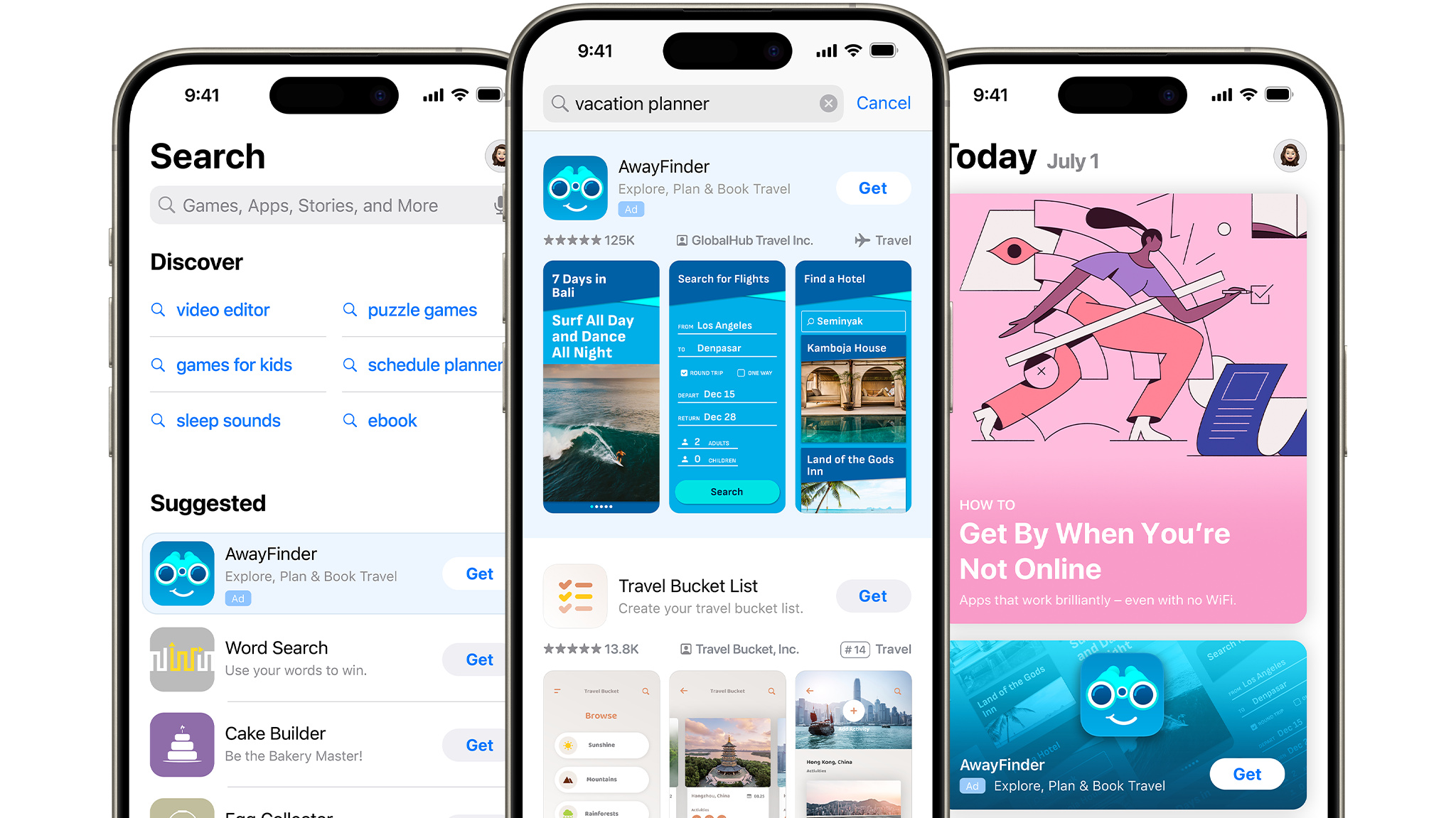
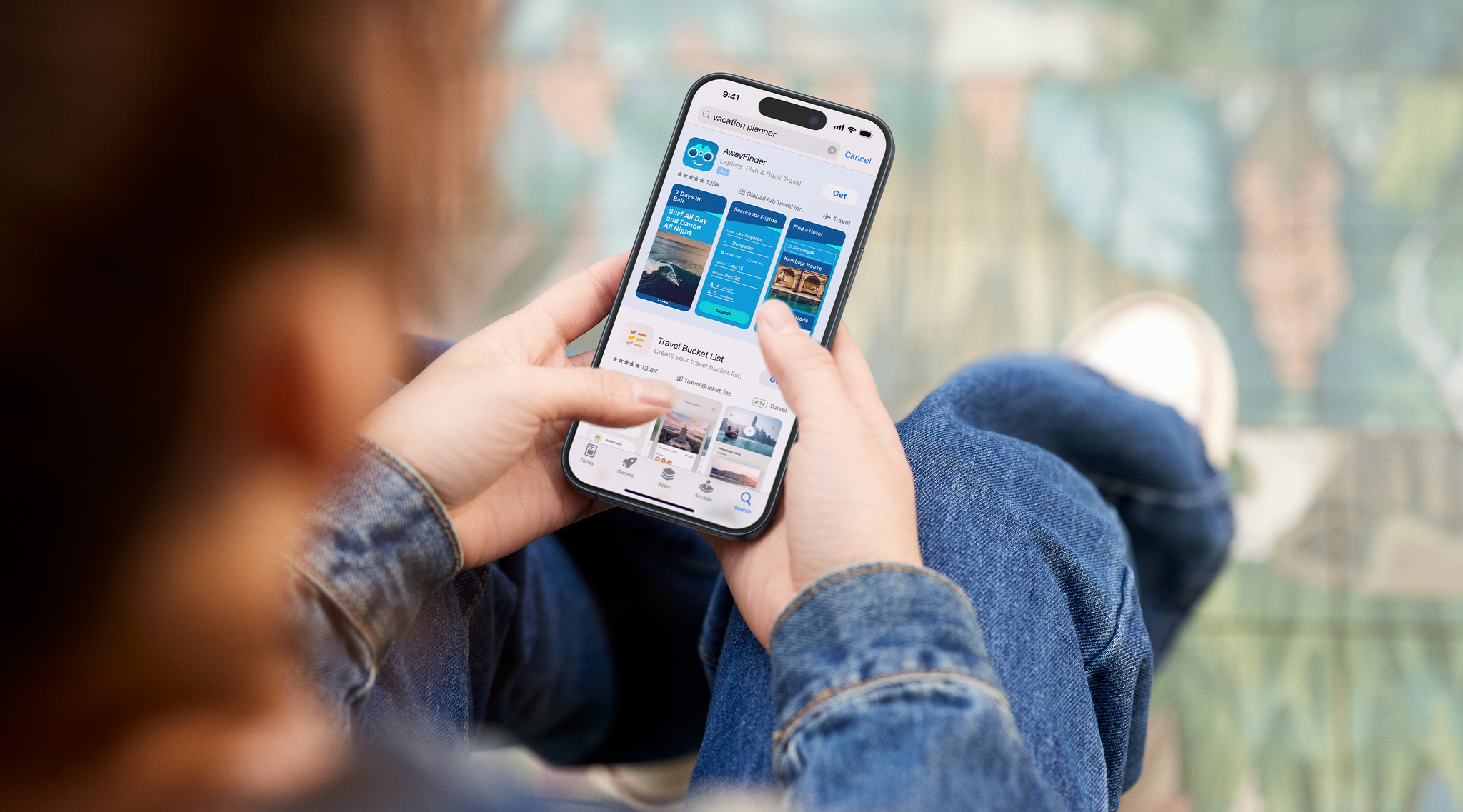
A person holds an iPhone that shows examples of Apple Search Ads, which appear at the top of the screen for an app called AwayFinder.

Apple Search Ads helps you drive discovery of your app or game on the App Store. We caught up with the Apple Search Ads team to learn more about successfully using the service, including signing up for the free online Apple Search Ads Certification course.

How might my app or game benefit from promotion on the App Store?

With Apple Search Ads, developers are seeing an increase in downloads, retention, return on ad spend, and more. Find out how the developers behind The Chefz, Tiket, and Petit BamBou have put the service into practice.

Where will my ad appear?

Three iPhone screens that show the different placements for Apple Search Ads: On the Search tab, in Search results, and on the Today tab.

You can reach people in the following places:

How can I learn best practices for creating and managing campaigns?

Online Apple Search Ads Certification training teaches proven best practices for driving stronger campaign performance. Certification training is designed for all skill levels, from marketing pros to those just starting out. To become certified, complete all of the Certification lessons (each takes between 10 and 20 minutes), then test your skills with a free exam. Once you’re certified, you can share your certificate with your professional network on platforms like LinkedIn.

Sign up here with your Apple ID.

Will my certification expire?

Although your Apple Search Ads certification never expires, training is regularly updated. You can choose to be notified about these updates through email or web push notifications.

Can I highlight specific content or features in my ads?

You can use the custom product pages you create in App Store Connect to tailor your ads for a specific audience, feature launch, seasonal promotion, and more. For instance, you can create an ad for the Today tab that leads people to a specific custom product page or create ad variations for different search queries. Certification includes a lesson on how to do so.

Can I advertise my app before launch?

You can use Apple Search Ads to create ads for apps you’ve made available for pre-order. People can order your app before it’s released, and it’ll automatically download onto their devices on release day.

Posted on Leave a comment

Apple Search Ads now available in Brazil and more Latin American markets

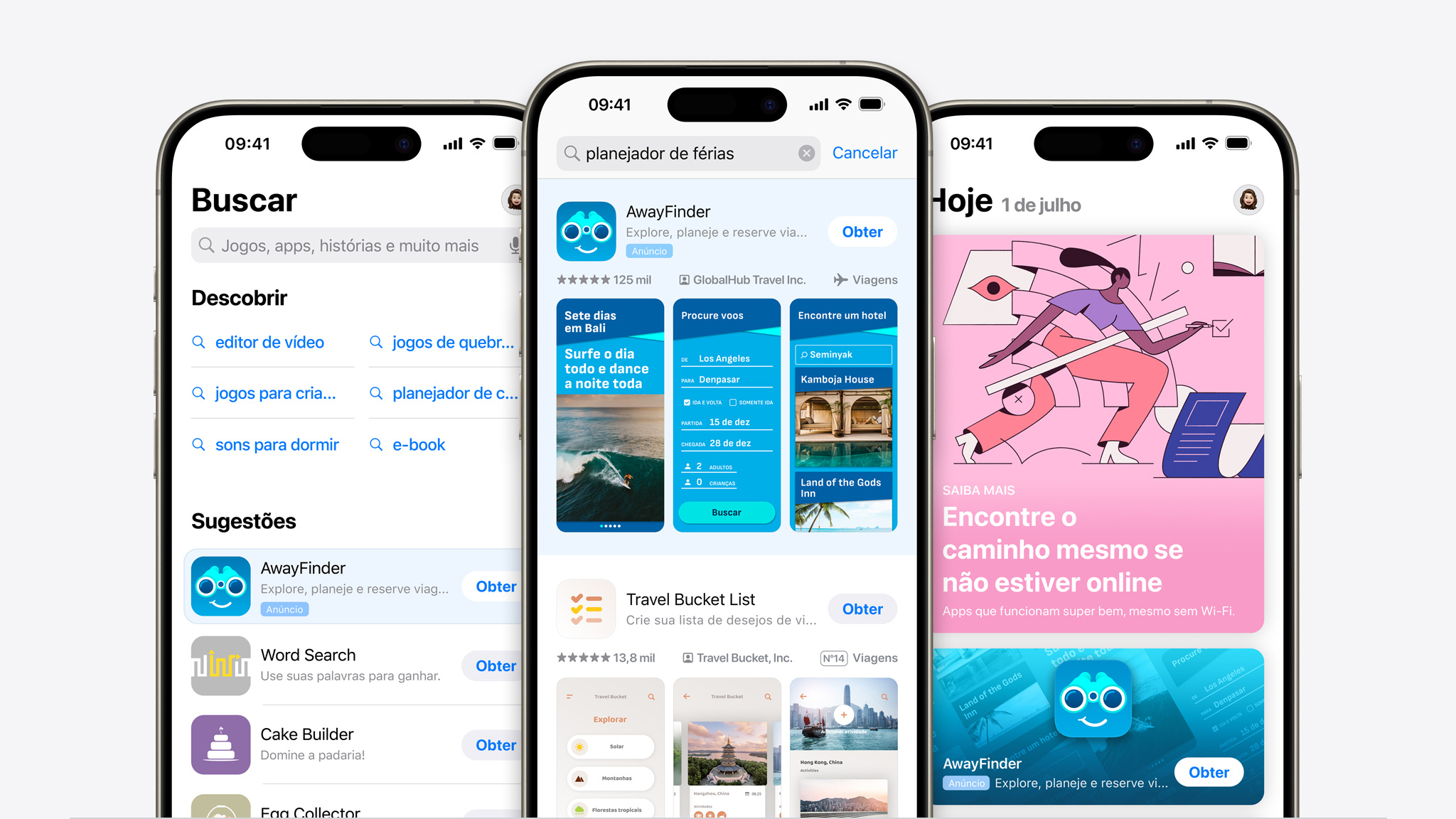
Three iPhone screens that show the difference placements for Apple Search Ads: On the Search tab, in Search results, and on the Today tab.

Drive discovery and downloads on the App Store with Apple Search Ads in 70 countries and regions, now including Brazil, Bolivia, Costa Rica, the Dominican Republic, El Salvador, Guatemala, Honduras, Panama, and Paraguay.

Visit the Apple Search Ads site and Q&A.

And explore best practices to improve your campaign performance with the free Apple Search Ads Certification course.

Posted on Leave a comment

Web Distribution now available in iOS 17.5 beta 2 and App Store Connect

Web Distribution lets authorized developers distribute their iOS apps to users in the European Union (EU) directly from a website owned by the developer. Apple will provide developers access to APIs that facilitate the distribution of their apps from the web, integrate with system functionality, and back up and restore users’ apps, once they meet certain requirements designed to help protect users and platform integrity. For details, visit Getting started with Web Distribution in the EU.

Posted on Leave a comment

“Small but mighty”: How Plex serves its global community

The team behind Plex has a brilliant strategy for dealing with bugs and addressing potential issues: Find them first.

“We’ve got a pretty good process in place,” says Steve Barnegren, Plex senior software engineer on Apple platforms, “and when that’s the case, things don’t go wrong.”

Launched in 2009, Plex is designed to serve as a “global community for streaming content,” says engineering manager Alex Stevenson-Price, who’s been with Plex for more than seven years. A combination streaming service and media server, Plex aims to cover the full range of the streaming experience — everything from discovery to content management to organizing watchlists.

This allows us more time to investigate the right solutions.

Ami Bakhai, Plex product manager for platforms and partners

To make it all run smoothly, the Plex team operates on a six-week sprint, offering regular opportunities to think in blocks, define stop points in their workflow, and assess what’s next. “I’ve noticed that it provides more momentum when it comes to finalizing features or moving something forward,” says Ami Bakhai, product manager for platforms and partners. “Every team has their own commitments. This allows us more time to investigate the right solutions.”

The Plex team iterates, distributes, and releases quickly — so testing features and catching issues can be a tall order. (Plex releases regular updates during their sprints for its tvOS flagship, iOS, iPadOS, and macOS apps.)

Though Plex boasts a massive reach across all the platforms, it’s not powered by a massive number of people. The fully remote team relies on a well-honed mix of developer tools (like Xcode Cloud and TestFlight), clever internal organization, Slack integration, and a thriving community of loyal beta testers that stretches back more than a decade. “We’re relatively small,” says Danni Hemberger, Plex director of product marketing, “but we’re mighty.”

Over the summer, the Plex team made a major change to their QA process: Rather than bringing in their QA teams right before the release, they shifted QA to a continuous process that unfolds over every pull request. “The QA team would find something right at the end, which is when they’d start trying to break everything,” laughs Barnegren. “Now we can say, ‘OK, ten features have gone in, and all of them have had QA eyes on them, so we’re ready to press the button.’”

Now we can say, ‘OK, ten features have gone in, and all of them have had QA eyes on them, so we’re ready to press the button.’

Steve Barnegren, Plex senior software engineer on Apple platforms

The continuous QA process is a convenient mirror to the continuous delivery process. Previously, Plex tested before a new build was released to the public. Now, through Xcode Cloud, Plex sends nightly builds to all their employees, ensuring that everyone has access to the latest version of the app.

Once the release has been hammered out internally, it moves on to Plex’s beta testing community, which might be more accurately described as a beta testing city. It numbers about 8,000 people, some of whom date back to Plex’s earliest days. “That constant feedback loop is super valuable, especially when you have power users that understand your core product,” says Stevenson-Price.

All this feedback and communication is powered by TestFlight and Plex’s customer forums. “This is especially key because we have users supplying personal media for parts of the application, and that can be in all kinds of rare or esoteric formats,” says Barnegren.

(CI) is a safety net. Whenever you push code, your app is being tested and built in a consistent way. That’s so valuable, especially for a multi-platform app like ours.

Alex Stevenson-Price, Plex engineering manager

To top it all off, this entire process is automated with every new feature and every new bug fix. Without any extra work or manual delivery, the Plex team can jump right on the latest version — an especially handy feature for a company that’s dispersed all over the globe. “It’s a great reminder of ‘Hey, this is what’s going out,’ and allows my marketing team to stay in the loop,” says Hemberger.

It’s also a great use of a continuous integration system (CI). “I’m biased from my time spent as an indie dev, but I think all indie devs should try a CI like Xcode Cloud,” says Stevenson-Price. “I think some indies don’t always see the benefit on paper, and they’ll say, ‘Well, I build the app myself, so why do I need a CI to build it for me?’ But it’s a safety net. Whenever you push code, your app is being tested and built in a consistent way. That’s so valuable, especially for a multi-platform app like ours. And there are so many tools at your disposal. Once you get used to that, you can’t go back.”

Learn more about Plex

Download Plex from the App Store

Posted on Leave a comment

The gorgeous gadgets of Automatoys

Steffan Glynn’s Automatoys is a mix between a Rube Goldberg machine and a boardwalk arcade game — and there’s a very good reason why.

In 2018, the Cardiff-based developer visited the Musée Mécanique, a vintage San Francisco arcade packed with old-timey games, pinball machines, fortune tellers, and assorted gizmos. On that same trip, he stopped by an exhibit of Rube Goldberg sketches that showcased page after page of wildly intricate machines. “It was all about the delight of the pointless and captivating,” Glynn says. “There was a lot of crazy inspiration on that trip.”

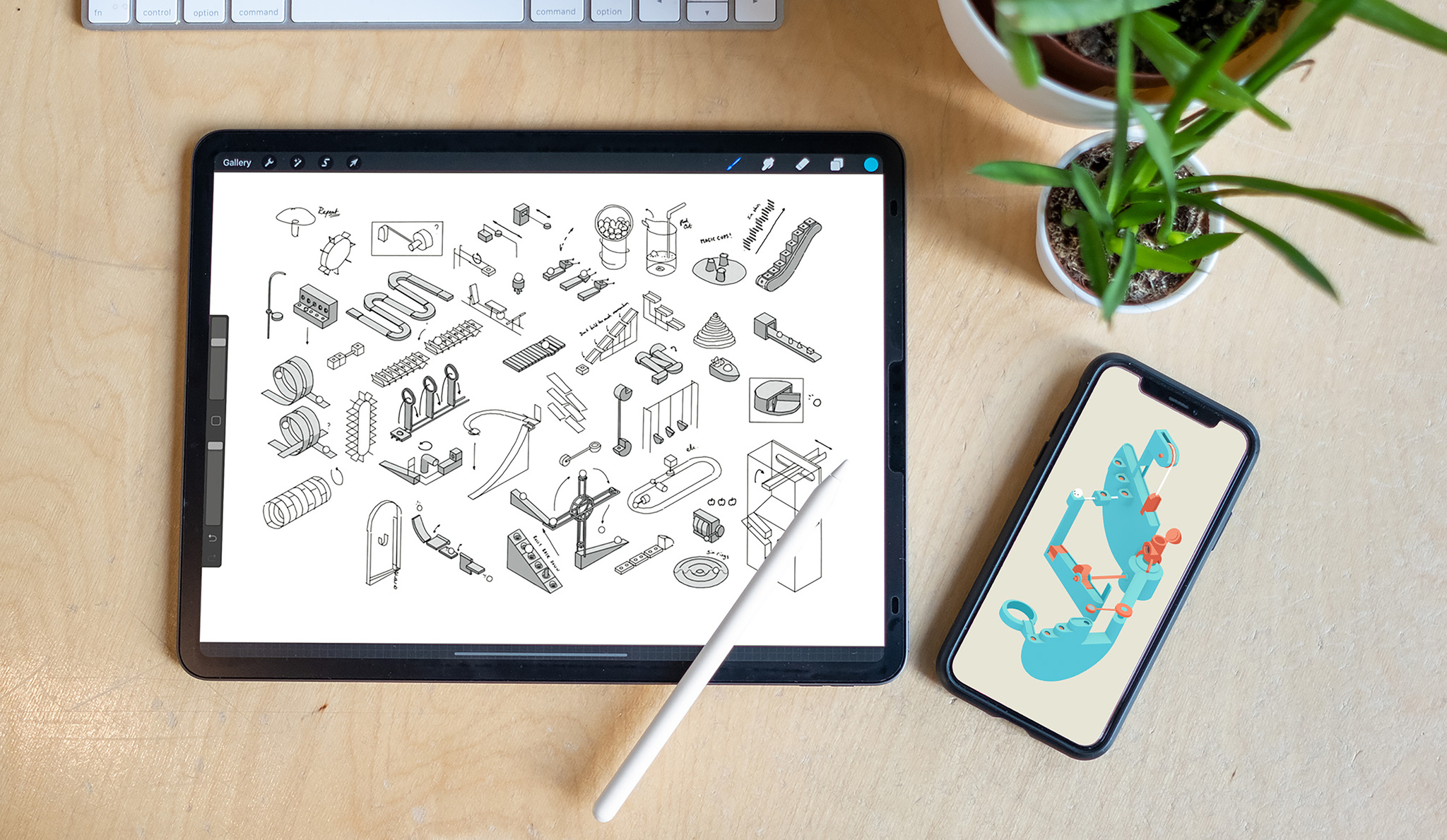
An early sketch of the ramps, mazes, and machines that combine to create the puzzles in *Automatoys.*

That inspiration turned into Automatoys, an Apple Design Award finalist for Interaction in games. Automatoys is a single-touch puzzler in which players roll their marble from point A to point B by navigating a maze of ramps, elevators, catapults, switches, and more. True to its roots, the game is incredibly tactile; every switch and button feels lifelike, and players even insert a virtual coin to launch each level. And it unfolds to a relaxing and jazzy lo-fi soundtrack. “My brief to the sound designer was, ‘Please make this game less annoying,’” Glynn laughs.

While Automatoys’ machines may be intricate, its controls are anything but. Every button, claw, and catapult is controlled by a single tap. “And it doesn’t matter where you tap — the whole machine moves at once,” Glynn says. The mechanic doesn’t just make the game remarkably simple to learn; it also creates a sense of discovery. “I like that moment when the player is left thinking, ‘OK, well, I guess I’ll just start tapping and find out what happens.’”

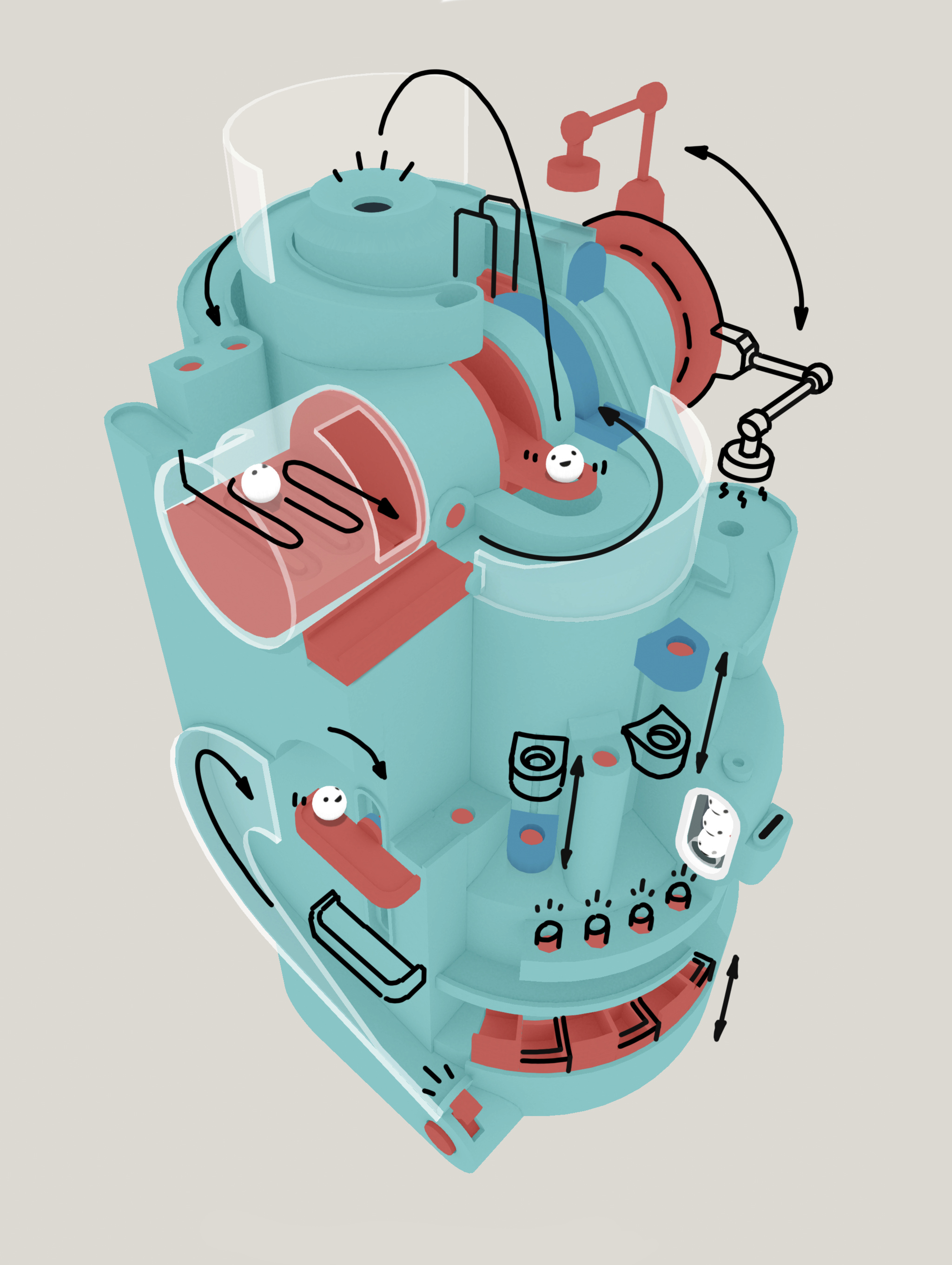
To create levels in *Automatoys*, Steffan Glynn worked directly in the 3D space, starting with a basic model (top left) and creating obstacles until he reached a finished whole (bottom right).

To design each of the game’s 12 levels, Glynn first sketched his convoluted contraptions in Procreate. The ideas came fast and furious, but he found that building what he’d envisioned in his sketches proved elusive — so he changed his strategy. “I started playing with shapes directly in 3D space,” he says. “Once a level had a satisfying form, I’d then try to imagine what sort of obstacle each part could be. One cylinder would become a ferris wheel, another would become a spinning helix for the ball to climb, a square panel would become a maze, and so on.”

Getting your marble from point A to point is as simple as this.

The game was a four-year passion project for Glynn, a seasoned designer who in 2018 left his gig with State of Play (where he contributed to such titles as Lumino City and Apple Design Award winner INKS.) to focus on creating “short, bespoke” games. There was just one catch: Though he had years of design experience, he’d never written a single line of code. To get up to speed, he threw himself into video tutorials and hands-on practice.

Welsh developer Steffan Glynn set out on his own in 2018 to create “short, bespoke” games.

In short order, Glynn was creating Unity prototypes of what would become Automatoys. “As a designer, being able to prototype and test ideas is incredibly liberating. When you have those tools, you can quickly try things out and see for yourself what works.”

Learn more about Automatoys

Download Automatoys from the App Store

Behind the Design is a series that explores design practices and philosophies from each of the winners and finalists of the Apple Design Awards. In each story, we go behind the screens with the developers and designers of these award-winning apps and games to discover how they brought their remarkable creations to life.
Explore more of the 2023 Behind the Design series

Posted on Leave a comment

Meet with Apple Experts

Join us around the world for a variety of sessions, consultations, labs, and more — tailored for you.

Apple developer activities are for everyone, no matter where you are on your development journey. Activities take place all year long, both online and in person around the world. Whether you’re looking to enhance your existing app or game, refine your design, or launch a new project, there’s something for you.

Learn more