Posted on Leave a comment

Spotlight on: Passkeys

If you’ve ever dreamed of creating a more secure and phishing-resistant sign-in experience, we have good news.

“There is a high chance that in a few years, Apple’s release of passkeys as part of iOS 16 will be remembered as the beginning of a revolutionary change in how companies implement sign-in for their products,” wrote Matthias Keller, Kayak’s chief scientist and SVP of technology, in a 2022 op-ed piece on the subject.

Passkeys offer a faster, easier, and more secure sign-in experience for your apps and websites. They’re strong, resistant to phishing, and designed to work across Apple devices, as well as nearby non-Apple devices. And because they’re integrated with Touch ID and Face ID, people can use passkeys like they would any other sign-in system or routine.

A passkey is a cryptographic entity used in place of a password that’s made up of two keys: one public, one private. The public key is registered with an app or website and kept on a web server, while the private key is stored on devices. When someone attempts to sign in, the app or website creates a challenge. The private key signs the challenge to create a signature and the public key is used to verify that signature without revealing what the private key is.

While there’s a lot going on behind the scenes, most people won’t know — or need to think about — any of it. With passkeys, there’s nothing to create, guard, or remember. Plus, the private key is stored in iCloud Keychain and is end-to-end encrypted for another layer of security.

Kayak: “You just initiate the process”

Kayak’s Keller isn’t just a longtime digital security evangelist with years of history in the field. He’s also a dad — and that poses its own host of security challenges.

“Between activities and school, I’m constantly creating accounts and passwords, all of which have a variety of stipulations,” Keller says. “Some can’t be longer than 16 characters, some require special symbols, and others won’t even recognize an exclamation point. And I know from experience that companies face similar challenges when it comes to protecting passwords.”

Keller has been involved with Kayak’s various login approaches throughout his 10 years with the company. Prior to passkeys, the app relied largely on “magic links” sent via email. “But it was getting more and more complex to ensure the security of magic links, especially when supporting logins across devices,” Keller says.

When Keller first heard about passkeys, he knew they were right for Kayak. “The moment it clicked for me was when I saw the first prototype and how easy it was to use,” he says. Kayak was one of the very first to support passkeys, releasing their update at the same time as the feature’s public release in September 2022.

The Kayak team was able to adopt passkeys so quickly in part because of the underlying framework and documentation supporting the feature. “Working on the server is my day-to-day, but I’m not afraid of doing a little bit of Swift, too,” he says. “Luckily, integrating passkeys was light on the UI side. We only had to initiate the experience provided by Apple.”

Feedback was overwhelmingly positive. In the feature’s first three weeks of availability, thousands of people created passkeys on Kayak. Almost 20 percent of those were existing users who manually opted into the new technology.

“The world before passkeys was broken,” he says. “You have all these obscure password rules, as well as expiration and compliance issues — and it can be extremely expensive to offer authentication because you have to buy security products or hire someone to run it for you.” Keller’s work at Kayak is part of a larger drive to get more companies around the world to support this new open standard — one that protects its developers as much as its customers. “You no longer need to protect millions of passwords. Now we only store public keys, which are pretty useless to hackers.”

For Keller, passkeys are now a crucial part of Kayak’s security strategy. “We’ve got a long journey until the last password is gone, but it’s exciting to see where we’re headed,” he says.

Instacart: “It seemed like a perfect match”

Instacart senior mobile engineer Josh Schroeder was on paternity leave when passkeys were introduced at WWDC22, but he made a note to dig into the idea upon his return. “Between the reduced friction and improved security, it seemed like a perfect match,” he says.

The Instacart team signed off on the idea quickly, encouraged by the opportunity to reduce sign-in friction. “That was the biggest selling point for me,” says Brandon Lawrence, Instacart’s senior software engineer. “Well, that and not having to remember another password.”

For Instacart, there was a second benefit as well: the opportunity to pare down duplicate accounts. “When they don’t remember their password, a lot of people just create another account,” says Schroeder. Passkeys avoid that unnecessary (and annoying) duplication. Because devices keep track of passkeys, there’s nothing to remember.

The early implementation process made Lawrence — who spent part of his pre-tech career as a meteorologist in the Marines — feel like something of a passkeys pioneer. “For much of what we build, we can look at the many people who’ve done it before. This time there was a lot more exploration, a little more feeling like we were in uncharted territory. Once we got it into place, it was relatively smooth.”

Today, passkeys are presented as the default sign-in option when creating an Instacart account with an email address (although if someone declines, the app offers the option to create a traditional password). More than half of new Instacart customers who created accounts with an email address have adopted the feature, and plans are underway to gradually convert existing accounts as well. “We believe in passkeys,” says Schroeder, “and we think this will become really common.”

Resources

Meet passkeys

It’s time for a security upgrade: Learn how to add support for passkeys to create a quick and easy sign in experience for people, all while offering a radical increase to account security. Passkeys are simple and strong credentials built to eliminate phishing attacks. We’ll share how passkeys…

Q&A with the passkeys team

Get answers from the passkeys team about adoption, account recovery, multiple devices, and more.

Passkeys overview

About the security of passkeys

Supporting passkeys

Connecting to a service with passkeys

Posted on Leave a comment

Get ready to help customers resolve billing issues without leaving your app

Soon it will be easier than ever for your customers to resolve payment issues, so they can stay subscribed to your content, services, and premium features. Starting this summer, if an auto-renewable subscription doesn’t renew due to a billing issue, a system-provided sheet appears in your app with a prompt that lets customers update their payment method for their Apple ID. No action is required to adopt this feature. Starting today, you can get familiar with the sheet in Sandbox. You can also test delaying or suppressing it using messages and display in StoreKit. This feature will require a minimum of iOS 16.4 or iPadOS 16.4.
All of this adds to existing powerful App Store features that help you retain subscribers. For example, if a subscription is in the billing retry state, Apple uses machine learning to optimize payment retries for the best possible recovery rate. And when you enable Billing Grace Period, customers can continue accessing their subscriptions while Apple attempts to collect payment.

Learn about the system-provided sheet

Learn how to test billing issues in Sandbox

Posted on Leave a comment

Preparing for the enhanced global pricing update on May 9

The App Store’s world-class commerce and payments system provides a convenient and effective way to set equalized prices across international markets, adapt to foreign exchange rate or tax changes, and manage prices per storefront. Last month, we introduced major pricing upgrades, including enhanced global pricing, across all purchase types. Now more customer friendly, the new price points follow the most common conventions in each country or region, and are globally equalized to your selected base country or region using publicly available exchange rate information from financial data providers.

As reminder, on May 9, 2023, pricing for existing apps and one-time in-app purchases will be updated across App Store storefronts using your current price in the United States as the basis—unless you’ve made relevant updates after March 8, 2023. You can update your base country or region at anytime using App Store Connect or the App Store Connect API. If you choose to do so, prices in your selected base country or region won’t be adjusted when prices are globally equalized on the App Store to account for foreign currency changes or new taxes. You can also choose to manually adjust prices on multiple storefronts of your choice instead of using the equalized price.

Learn how to select a base country or region

Learn how to set in-app purchase availability

Learn how to view the new pricing

Posted on Leave a comment

WWDC23

Mark your calendars for an exhilarating week of technology and community. Be among the first to learn the latest about Apple platforms, technologies, and tools. You’ll also have the opportunity to engage with Apple experts and other developers. All online and at no cost.

Add to calendar


Special event at Apple Park

In addition, Apple will host a special all-day event for developers and students on June 5 at Apple Park. Watch the keynote and State of the Union videos together, meet some of the teams at Apple, celebrate great apps at the Apple Design Awards ceremony, and enjoy activities into the evening.

Learn more


Swift Student Challenge

Calling all talented students! Show us your creativity and passion for coding to be selected for an award. Apply by April 19.

Learn more


We’ll be posting WWDC announcements leading up to and during the conference.

Check your email settings in your Apple developer account.
Check your notification settings in the Account tab.

Posted on Leave a comment

WWDC23 is coming June 5

Mark your calendars June 5 through 9 for an exhilarating week of technology and community. Be among the first to learn the latest about Apple platforms, technologies, and tools. You’ll also have the opportunity to engage with Apple experts and other developers. All online and at no cost.

In addition, Apple will host a special all‑day event for developers and students on June 5 at Apple Park. Watch the keynote and State of the Union videos together, meet some of the teams at Apple, celebrate great apps at the Apple Design Awards ceremony, and enjoy activities into the evening.

Talented students can showcase their creativity for the opportunity to receive an award in the Swift Student Challenge.

Learn more

Posted on Leave a comment

10 questions with the Live Activities team

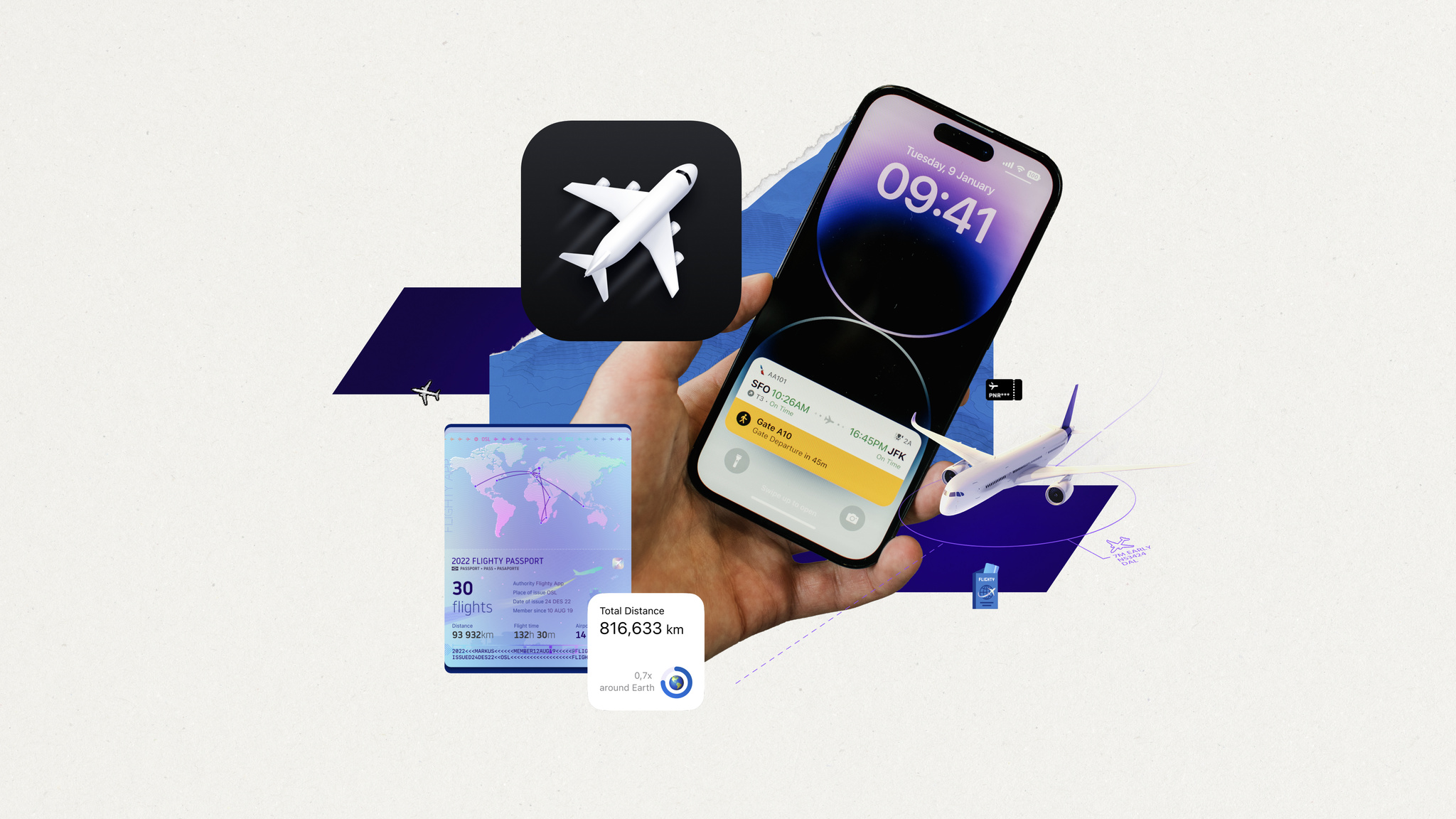
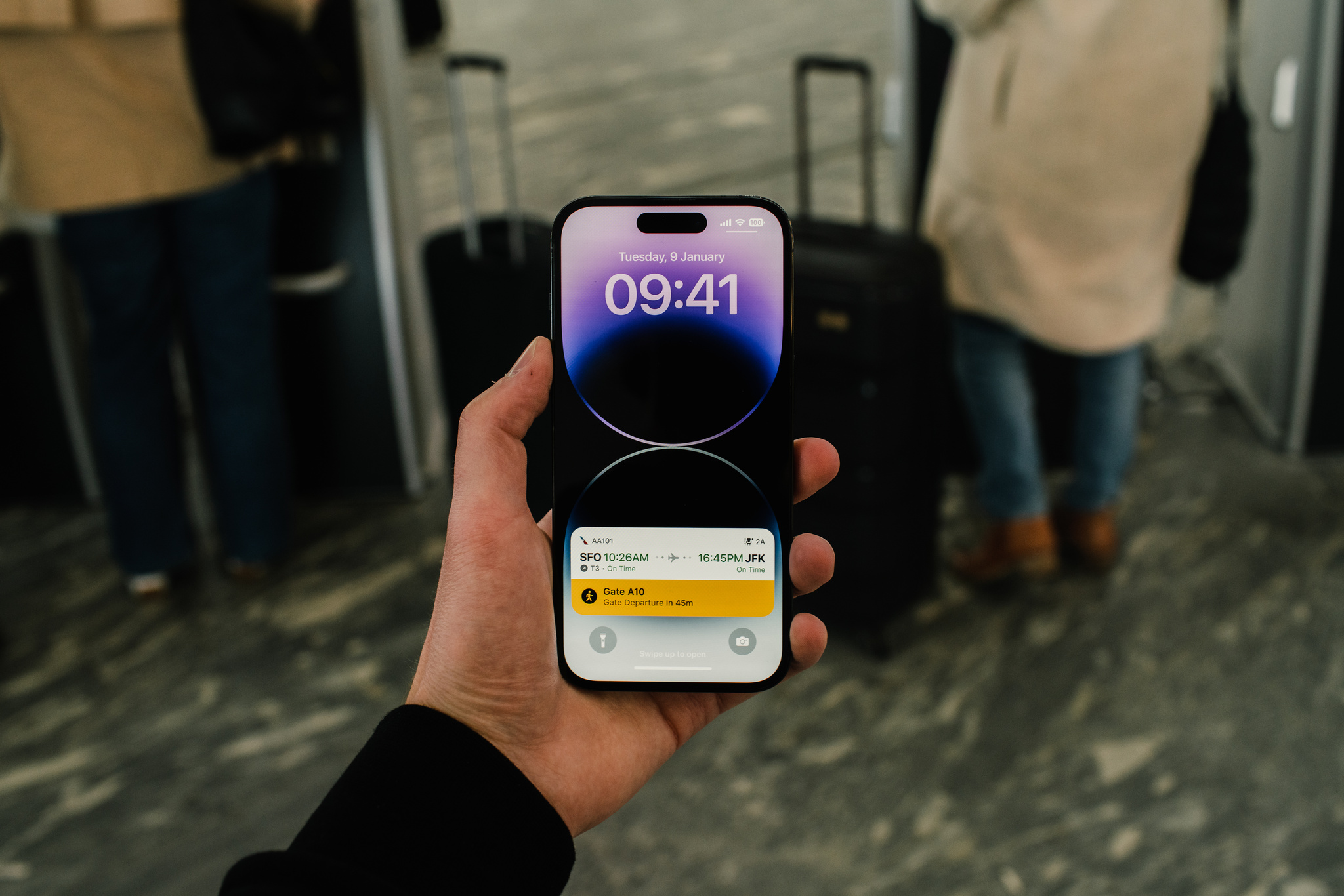
With Live Activities, your app can provide up-to-date, glanceable information — like weather updates, a plane’s departure time, or how long it’ll be until dinner is delivered — right on the Lock Screen. What’s more, thanks to lively features like the Dynamic Island on iPhone 14 Pro and iPhone 14 Pro Max, Live Activities can also be a lot of fun.

Apple evangelists, designers, and engineers came together at Ask Apple to answer your questions about Live Activities and the Dynamic Island. Here are a few highlights from those conversations, including guidance about sizing and styling, when to dismiss a Live Activity, and why widgets and Live Activities are different (except when they’re not).

How do I update a Live Activity without using Apple Push Notification service (APNs)?

Your app can use a pre-existing background runtime functionality, such as Location Services, to provide Live Activity updates as you see fit. You can also use BGProcessingTask and background pushes to provide less frequent updates to your Live Activity. Keep in mind that these background tasks aren’t processed immediately by the system. You can read more below:

Displaying live data with Live Activities

The 4-hour default to dismiss a Live Activity is too long for my use case. What are the guidelines for dismissing a Live Activity after it ends?

When ending a Live Activity, you can provide an ActivityUIDismissalPolicy to tell the system when to dismiss your UI. Alternatively, you can choose to dismiss the Live Activity immediately or after a certain time has passed.

How can my app detect when someone dismisses a Live Activity?

Your app should use the activityStateUpdates async sequence to observe state changes for each Live Activity.

When an app is force quit, is the associated Live Activity dismissed?

Live Activity life cycles aren’t tied to the host app’s process, so they’ll stay if the app is force quit. Your widget extension’s life cycle is also separate. It’s entirely possible that different instances of the widget extension are called to render views for the same Live Activity, so it’s important not to store any state locally in the widget extension.

How do Live Activities and widgets differ?

Live Activities and widgets both provide glanceable information at a moment’s notice. Live Activities are great for displaying situational information related to an ongoing task that someone initiated. Good examples include food deliveries, workouts, and flight departure times. Widgets can provide glanceable information that’s always relevant. Good examples include to-do lists, this week’s weather forecast, or how close someone is to closing their rings on Apple Watch.

While both Live Activities and widgets rely on WidgetKit to lay out their UI, they’re structured a bit differently. Live Activities are a single view that updates programmatically, while widgets consist of a timeline of preconstructed views.

Should my Live Activity attempt to change the background color of the Dynamic Island?

The Dynamic Island is most immersive when you don’t provide background color or imagery — think of it purely as a canvas of foreground view elements. More design guidance is provided in the Human Interface Guidelines.

Human Interface Guidelines – Live Activities

Do Live Activities support interactive buttons?

Live Activities on the Lock Screen and in the Dynamic Island don’t support interactive buttons or other controls. Including buttons in your Live Activity could confuse someone into thinking they’re able to interact with the view. For this reason, you should avoid displaying anything in your UI that resembles a button.

The best user experience exists within your app, which is why all interaction with a Live Activity results in opening your app. A Live Activity’s Lock Screen presentation and expanded presentation can include multiple links into your app, so you can provide different destinations, depending on the context of your Live Activity.

Are Live Activities the only way to support the Dynamic Island?

Your app can implement other system services, such as CallKit and Now Playing, that display system UI in the Dynamic Island. However, Live Activities are the only way for your app to provide its own UI in the Dynamic Island.

Is it possible to add animations to the Dynamic Island?

While there’s no support for arbitrary animations in your Live Activity views, your app can change how a Live Activity’s content updates from one state to the next. Read more in the “Animate content updates” section of the article below.

Displaying live data with Live Activities

Where can I find more documentation about Live Activities?

The ActivityKit documentationprovides a wealth of information about implementing Live Activities, including how to update and end a Live Activity using APNs. In addition, the Human Interface Guidelinesoffer design guidance and recommended sizes for the various presentations. You can also find some inspiration in the Food Truck sample project from WWDC22.

Human Interface Guidelines – Live Activities

Displaying live data with Live Activities

Updating and ending your Live Activity with ActivityKit push notifications

ActivityKit

WidgetKit

Posted on Leave a comment

Explore Spatial Audio

Discover how you can bring a new dimension of sound to your apps and games with Spatial Audio. We’ll show you how you can easily bring immersive audio to listeners with compatible hardware, help you take advantage of the PHASE and Audio Engine APIs, and offer recommendations on tailoring your project’s experience to tell stories in new, exciting ways. We’ll also share how apps like Endel and Odio added Spatial Audio to deliver incredible sound.

Videos

Immerse your app in Spatial Audio

Discover how spatial audio can help you provide a theater-like experience for media in your apps and on the web. We’ll show you how you can easily bring immersive audio to those listening with compatible hardware, and how to automatically deliver different listening experiences depending on…

Discover geometry-aware audio with the Physical Audio Spatialization Engine (PHASE)

Explore how geometry-aware audio can help you build complex, interactive, and immersive audio scenes for your apps and games. Meet PHASE, Apple’s spatial audio API, and learn how the Physical Audio Spatialization Engine (PHASE) keeps the sound aligned with your experience at all times — helping…

Design for spatial interaction

Discover the principles for creating intuitive physical interactions between two or more devices, as demonstrated by Apple designers who worked on features for iPhone, HomePod mini, and AirTag. Explore how you can apply these patterns to your own app when designing features for Apple platforms, and…

Feature stories

Spotlight on: Spatial Audio

Learn how developers are creating immersive surround-sound experiences.

Behind the Design: Odio

Discover how this app conjures up its 3D soundscapes.

Resources

PHASE

Audio Engine

Posted on Leave a comment

Spotlight on: Spatial Audio

When designing soundscapes for apps and games, the right notes can make all the difference. And when those notes are built to support multichannel audio, they might even turn someone’s head. (Literally.)

Endel and Odio are just two of the many apps and games taking advantage of Spatial Audio. They use multichannel mixes, Core Audio, and AVFoundation to add texture and dimensionality, creating resonating surround-sound experiences that further immerse listeners into the world within their apps.

Design for spatial interaction

Discover the principles for creating intuitive physical interactions between two or more devices, as demonstrated by Apple designers who worked on features for iPhone, HomePod mini, and AirTag. Explore how you can apply these patterns to your own app when designing features for Apple platforms, and…

Endel (pictured above) conjures up personalized and adaptive soundscapes based on biometrics and environment to help people focus and get better sleep. Its inaugural Spatial Audio soundscape — one with the satisfyingly otherworldly name of Spatial Orbit — brings the app’s remarkable mix of art and AI to a new dimension.

“It feels like you’re inside a vast, glittery space,” says Dmitry Evgrafov, Endel cofounder and chief sound officer. “It’s almost like the sonic equivalent of pointillism, where the small dots create a structure themselves and you kind of drown in the thing. It’s a very beautiful state, and it’s not something you can reproduce in stereo.”

Endel’s Spatial Orbit soundscape is “not something you can reproduce in stereo,” says cofounder Dmitry Evgrafov.

When bringing Spatial Audio into their ecosystem, the Endel team’s first task was determining if the technology was compatible with their ever-changing, generative soundscape. That job fell largely to Kyrylo Bulatsev, cofounder and chief technology officer. “[Spatial Audio] meant we had to add one more dimension to the non-static element,” he says. “Besides choosing what sound to play and when, we had to think about where the sound would be and how it would move around you.”

That soundscape also had to hit the “thin line between augmenting an experience and making it distracting,” Evgrafov says. That’s because while most apps (and games and movies and songs) are designed for active engagement, Endel aims to be a perfect background companion — enhancing your experience without pulling from your focus. “Our use case is different from other products that utilize the technology,” says Evgrafov (whom fellow cofounder Oleg Stavisky credits with “all the beautiful sounds in the app”).

It’s almost like the sonic equivalent of pointillism.

Dmitry Evgrafov, *Endel* cofounder and chief sound officer

A pianist and musician with 10 albums to his credit, Evgrafov certainly knows his way around stereo. “But randomization of the position of audio in the space? That’s a whole different beast,” he says.

The first serious prototype of Spatial Orbit was earthbound, set to a realistic jungle scene. “The idea was you’d walk around this magical Garden of Eden and exotic tropical animals would sing around you,” he says. “We had a harp playing by the water, a creek, birds that don’t exist in the real world, stuff like that.”

Similar ideas kept coming: a Gregorian choir that slowly shuffled past you while chanting, field recordings from inside a cave. Although the concepts were cool and the prototypes sounded great, the team kept running up against the same problem. “They weren’t Endel,” says Evgrafov. “They transported you to a place, but that meant people were using the app consciously. They didn’t match what we stood for.”

Like all of *Endel’s* soundscapes, Spatial Orbit soundscape changes with your biometrics, environment, and local time.

The final version of Spatial Orbit does match what Endel stands for — and achieves the synthesis of art and technology that Endel strives for. “The rain [in our soundscape] is almost metaphorical,” says Evgrafov. “It’s got this slightly augmented feel that allows you to just drown a little and be with your thoughts, focus on your book, or whatever you’re doing.”

Tweaking the soundscape was an adventure in itself. “Watching people test Endel is kind of a funny exercise,” laughs Stavitsky. That’s because there’s really not an established way to test an personalized auto-generated soundscape for a group of people all at once.

[The rain has] this slightly augmented feel that allows you to just drown a little and be with your thoughts, focus on your book, or whatever you’re doing.

Dmitry Evgrafov

“We invented the process and the toolset,” says Evgrafov. It involved a lot of people wandering Endel’s Berlin offices… and elsewhere. “It was also a lot of me in public spaces just staring at nothing, like a cat.”

In the end, Spatial Orbit captures that elusive mix of innovative technology and artistic resolve. “When we realized the science was there and that it still checked all the Endel boxes, it was a big relief,” says Evgrafov. “We thought, ‘OK, we can be non-intrusive and Spatial at the same time.’”

Download Endel from the App Store

Odio also focuses on creating great ambient soundscapes — but with a sci-fi twist. “I want our composers to imagine inventing planets and filling them up with sound,” says Joon Kwak, the app’s Seoul-based cofounder. “We want to walk people through these new planets.”

The app’s soundscapes, which can evoke anything from a crashing waterfall to a buzzy digital backdrop to the spooky calm of the deep sea, use head tracking and multichannel audio to create a truly mesmerizing mix. (The app is also a visual feast, with each soundscape accompanied by ever-shifting techno-tinged art.)

But you’re no passive listener in these audio realms. The individual elements that make up each soundscape can be manipulated through an imaginative, playful UI that lets you reposition each audio element (like that waterfall) anywhere you like.

*Odio*'s soundscapes evoke everything from nature sounds to buzzy digital environments — and each comes with gorgeous, ever-shifting art.

Befitting its futuristic feel, Odio’s backstory is one of serendipitous meetings, well-timed hardware and software releases, and a stroke of good fortune. Kwak conceived the app’s initial version as a graduation project at the Design Academy Eindhoven. Originally known as Virtual Sky, the prototype contained the bones of what would become Odio, but was largely grounded in real-world sounds. It also required a mess of hardware and special equipment — all of which was rendered pretty much irrelevant once AirPods with Spatial Audio arrived.

“I was depressed for a while,” laughs Kwak. “I was like, ‘I’ve been working on this for months, and now it’s pointless!’ But then I thought about it more deeply and realized, ‘Oh, this just means I don’t need to provide hardware,’ and it was actually great.”

Kwak partnered with Volst, a company that was interested in a 3D soundscape app. With the building blocks in place, Odio’s UI developer and designer, Rutger Schimmel, took on the challenge of bringing Kwak’s project to life — a process that went much faster than expected.

I want our composers to image inventing planets and filling them up with sound.

Joon Kwak, *Odio* cofounder

“We knew the AirPods had [surround sound] support, but we were skeptical,” he says. “We thought, ‘OK, they have head tracking, but it’s probably just for first-party stuff.’ But we were still excited, so we quickly set up an Xcode project to get the data from the AirPods to the device.”

They had a prototype up and running on the headphones within minutes. “We were blown away by how easy it was,” Schimmel says. “And in about an hour we decided on excellent 3D audio frameworks from Apple that were the perfect foundation for what we were working on.” Coding began in January. By April, the team had a Swift-built demo ready to go.

To build an Odio soundscape, composers like Kwak, Odio sound designer Max Frimout, and a team of outside musicians collaborate — generally in Logic Pro — by blending ambient sounds, synthetic bells and whistles, and music.

Odio’s composers create the soundscapes, but it’s up to you — and this clever UI — to place them where you like..

After the soundscapes are completed and duly field-tested in coffee shops, parks, and subways, the artists hand their files over to Schimmel. For a role that involves cutting-edge design, immersive audio, and incredible degrees of customization, Schimmel’s toolbox is surprisingly uncluttered: AVAudioEnvironmentNode (AVKit) for creating the 3D audio environment, CMHeadphoneMotionManager (Core Motion) to access headphone motion data, and Sentry for error tracking and QA.

“Everything else in Odio is created from scratch in Swift — from data management to interacting with soundscapes to real-time buffering the interactive sound files,” Schimmel says.

The result is a remarkable example of the power and simplicity of designing for Spatial Audio. “Honestly,” Schimmel says, “most of the hard work is done by the composer.”

Download Odio from the App Store

Discover geometry-aware audio with the Physical Audio Spatialization Engine (PHASE)

Explore how geometry-aware audio can help you build complex, interactive, and immersive audio scenes for your apps and games. Meet PHASE, Apple’s spatial audio API, and learn how the Physical Audio Spatialization Engine (PHASE) keeps the sound aligned with your experience at all times — helping…

Immerse your app in Spatial Audio

Discover how spatial audio can help you provide a theater-like experience for media in your apps and on the web. We’ll show you how you can easily bring immersive audio to those listening with compatible hardware, and how to automatically deliver different listening experiences depending on…

Posted on Leave a comment

App Store pricing upgrades have expanded to all purchase types

In December, we announced the most comprehensive upgrade to pricing capabilities since the App Store first launched, including additional price points and new tools to manage pricing by storefront. Starting today, these upgrades and new prices are now available for all app and in‑app purchase types, including paid apps and one‑time in‑app purchases.

  • More flexible price points. Choose from 900 price points — nearly 10 times the number of price points previously available for paid apps and one‑time in‑app purchases. These options also offer more flexibility, increasing incrementally across price ranges (for example, every $0.10 up to $10, every $0.50 between $10 and $50, etc.).

  • Enhanced global pricing. Use globally equalized prices that follow the most common pricing conventions in each country or region, so you can provide pricing that’s more relevant to customers.

  • Worldwide options for base price. Specify a country or region you’re familiar with as the basis for globally equalized prices across the other 174 storefronts and 43 currencies for paid apps and one‑time in‑app purchases. Prices you set for this base storefront won’t be adjusted by Apple to account for taxes or foreign currency changes, and you’ll be able to set prices for each storefront if you prefer.

  • Regional options for availability. Define the availability of in‑app purchases (including subscriptions) by storefront, so you can deliver content and services customized for each market.

Get ready for enhanced global pricing updates in May

The App Store’s global equalization tools provide a simple and convenient way to manage pricing across international markets. On May 9, 2023, pricing for existing apps and one‑time in‑app purchases will be updated across all 175 App Store storefronts to take advantage of new enhanced global pricing. The updated prices will be globally equalized to your selected base country or region using publicly available exchange rate information from financial data providers. These price points will also follow the most common conventions in each country or region so that prices are more relevant to customers.

You can now update your current pricing to take advantage of the enhanced global pricing using App Store Connect or the App Store Connect API. If you haven’t made price updates for your existing apps and one‑time in‑app purchases by May 9, Apple will update them for you using your current price in the United States as the basis. If you’d like a different price to be used as the basis, update the base country or region for your apps or in‑app purchases to your preferred storefront. You can also choose to manually manage prices on storefronts of your choice instead of using the equalized price.

Learn how to select a base storefront

Learn how to set in-app purchase availability

Learn how to view the new pricing