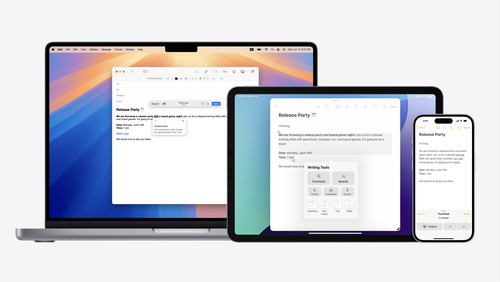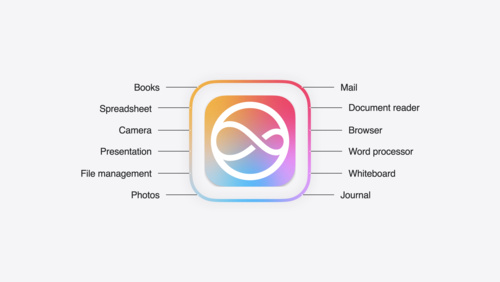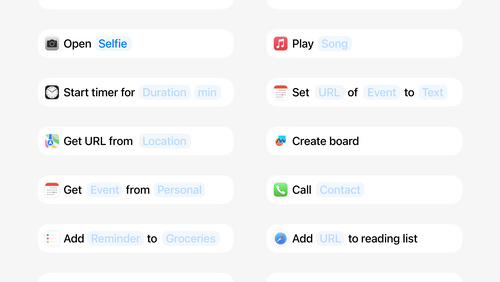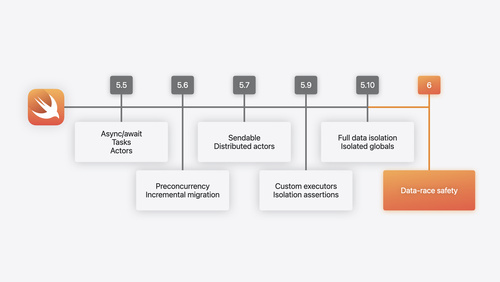

One week to go. Don’t miss the exciting reveal of the latest Apple software and technologies.
Keynote kicks off at 10 a.m. PT on June 10.
Join us for the Platforms State of the Union at 1 p.m. PT on June 10.
Apple Developer News and Updates feed provided by Apple, Inc.


One week to go. Don’t miss the exciting reveal of the latest Apple software and technologies.
Keynote kicks off at 10 a.m. PT on June 10.
Join us for the Platforms State of the Union at 1 p.m. PT on June 10.


Every year, the Apple Design Awards recognize innovation, ingenuity, and technical achievement in app and game design.
But they’ve also become something more: A moment to step back and celebrate the Apple developer community in all its many forms.


The Apple Developer Forums have been redesigned for WWDC24 to help developers connect with Apple experts, engineers, and each other to find answers and get advice.
Apple Developer Relations and Apple engineering are joining forces to field your questions and work to solve your technical issues. You’ll have access to an expanded knowledge base and enjoy quick response times — so you can get back to creating and enhancing your app or game. Plus, Apple Developer Program members now have priority access to expert advice on the forums.


It won’t be long now! WWDC24 takes place online from June 10 through 14, and we’re here to help you get ready for the biggest developer event of the year. In this edition:
WWDC24

If you’re new to developing for Apple platforms, we’ve got an exciting announcement. Pathways are simple and easy-to-navigate collections of the videos, documentation, and resources you’ll need to start building great apps and games. Because Pathways are self-directed and can be followed at your own pace, they’re the perfect place to begin your journey.
Explore Pathways for Swift, SwiftUI, design, games, visionOS, App Store distribution, and getting started as an Apple developer.

Elena Galluzzo, Dezmond Blair, and Jawaher Shaman all drew inspiration from their families to create their winning app playgrounds. Now, they share the hope that their apps can make an impact on others as well.
Meet Elena, Dezmond, and Jawaher >
MEET WITH APPLE EXPERTS

Browse the full schedule of activities >
NEWS

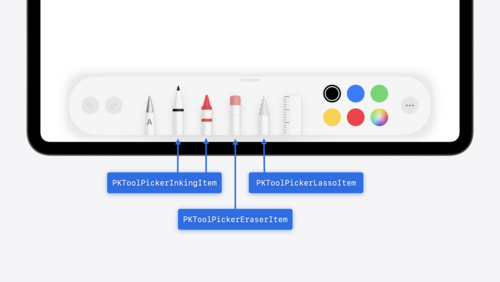
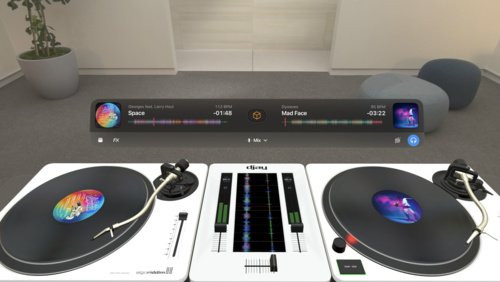
Bring even richer and more immersive interactions to your iPad app with new features, like squeeze gestures, haptic feedback, and barrel-roll angle tracking.
BEHIND THE DESIGN

Here’s the swell story of how fishing with his grandfather got Tucker MacDonald hooked into creating his tide-predicting app.
GROW YOUR BUSINESS

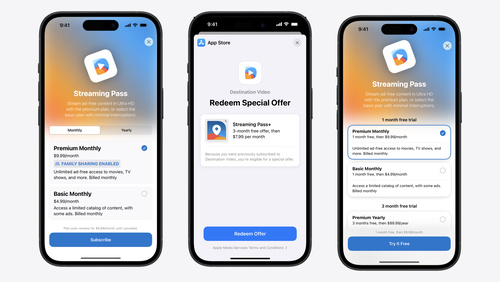
Take advantage of powerful global pricing tools, promotional features, analytics only available from Apple, built-in customer support, and fraud detection.
Q&A

Learn about shared experiences, spatial Personas, that magic “shockwave” effect, and more.
DOCUMENTATION
Want to get Hello Developer in your inbox? Make sure you’ve opted in to receive emails about developer news and events by updating your email preferences in your developer account.
We’d love to hear from you. If you have suggestions for our activities or stories, please let us know.


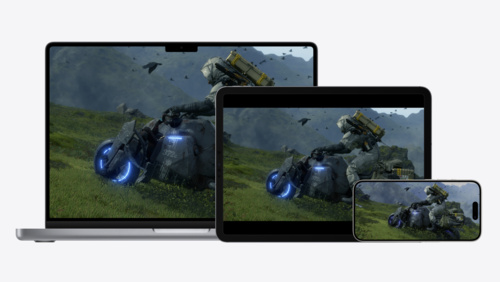
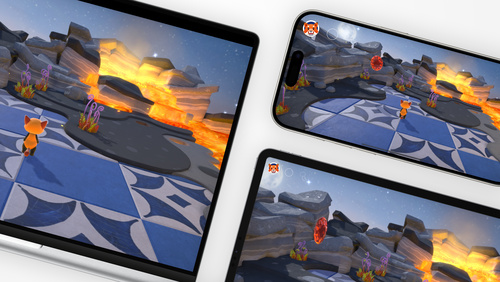
SharePlay is all about creating meaningful shared experiences in your app. By taking advantage of SharePlay, your app can provide a real-time connection that synchronizes everything from media playback to 3D models to collaborative tools across iPhone, iPad, Mac, Apple TV, and Apple Vision Pro. We caught up with the SharePlay team to ask about creating great SharePlay experiences, spatial Personas, that magic “shockwave” effect, and more.
Anyone can begin a group activity by starting a FaceTime call and then launching a SharePlay-supported app. When they do, a notification about the group activity will appear on all participants’ screens. From there, participants can join — and come and go — as they like. You can also start a group activity from your app, from the share sheet, or by adding a SharePlay button to your app.
SharePlay supports coordinated media playback using AVKit. You can use the system coordinator to synchronize your own player across multiple participants. If you have an ad-supported app, you can synchronize both playback and ad breaks. SharePlay also provides the GroupSessionMessenger API, which lets participants communicate in near-real time.
SharePlay allows people to share rich experiences with each other. Shared with You helps make app content that people are sharing in Messages available to your app. For example, if a group chat is discussing a funny meme video from your app, adopting Shared with You would allow your app to highlight that content in the app. And if your app supports SharePlay, you can surface that relevant content as an option for watching together.
Separately, Shared with You offers ways to initiate collaboration on shared, persisted content (such as documents) over Messages and FaceTime. You can choose to support SharePlay on that collaborative content, but if you do, consider the ephemerality of a SharePlay experience compared to the persistence of collaboration. For example, if your document is a presentation, you may wish to leverage Shared with You to get editors into the space while using SharePlay to launch an interactive presentation mode that just isn’t possible with screen sharing alone.
When your app lets your system know that your current view has shareable content on screen, people who bring their devices together can seamlessly share that content — much like NameDrop, which presents a brief “shockwave” animation when they do. This method supports the discrete actions of sharing documents, initiating SharePlay, and starting a collaboration. This can also connect your content to the system share sheet and help you expose shareable content to the Share menu in visionOS.
Yes! SharePlay is supported across iOS, iPadOS, macOS, tvOS, and visionOS. That means people can watch a show together on Apple TV+ and keep their playback synchronized across all platforms. To support a similar playback situation in your app, watch Coordinate media playback in Safari with Group Activities. If you’re looking to maintain your app’s visual consistency across platforms, check out the Group Session Messenger and DrawTogether sample project. Remember: SharePlay keeps things synchronized, but your UI is up to you.
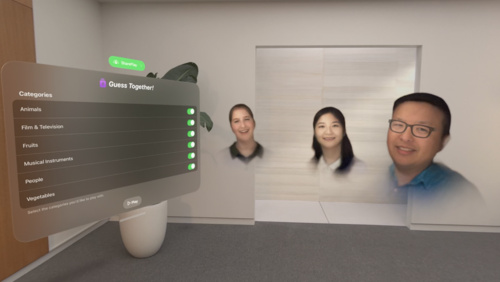
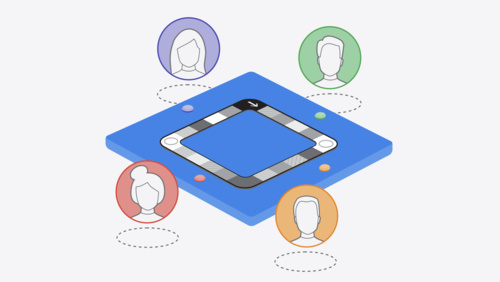
When you add Group Activities to your app, people can share in that activity over FaceTime while appearing windowed — essentially the same SharePlay experience they’d see on other platforms. In visionOS, you have the ability to create a shared spatial experience using spatial Personas in which participants are placed according to a template. For example:

Using spatial Personas, the environment is kept consistent and participants can see each others’ facial expressions in real time.
FaceTime in visionOS provides a shared spatial context by placing spatial Personas in a consistent way around your app. This is what we refer to as “visual consistency.” You can use SharePlay to maintain the same content in your app for all participants.
No. Only one window or volume can be associated with a SharePlay session, but you can help the system choose the proper window or volume.
SharePlay supports 33 total participants, including yourself. Group activities on visionOS involving spatial Personas support five participants at a time.
Yes. During a FaceTime call, your app will appear in a window, and participants in the FaceTime call will appear next to it.


Lots of apps have great origin stories, but the tale of Tucker MacDonald and Tide Guide seems tailor-made for the Hollywood treatment. It begins in the dawn hours on Cape Cod, where a school-age MacDonald first learned to fish with his grandfather.
“Every day, he’d look in the paper for the tide tables,” says MacDonald. “Then he’d call me up and say, ‘Alright Tucker, we’ve got a good tide and good weather. Let’s be at the dock by 5:30 a.m.’”
Rhapsody in blue: Tide Guide delivers Washington weather data in a gorgeous design and color scheme.
That was MacDonald’s first introduction to tides — and the spark behind Tide Guide, which delivers comprehensive forecasts through top-notch data visualizations, an impressive array of widgets, an expanded iPad layout, and Live Activities that look especially great in, appropriately enough, the Dynamic Island. The SwiftUI-built app also offers beautiful Apple Watch complications and a UI that can be easily customized, depending how deep you want to dive into its data. It’s a remarkable blend of original design and framework standards, perfect for plotting optimal times for a boat launch, research project, or picnic on the beach.
Impressively, Tide Guide was named a 2023 Apple Design Award finalist — no mean feat for a solo developer who had zero previous app-building experience and started his career as a freelance filmmaker.
“I wanted to be a Hollywood director since I was in the fifth grade,” says MacDonald. Early in his filmmaking career, MacDonald found himself in need of a tool that could help him pre-visualize different camera and lens combinations — “like a director’s viewfinder app,” he says. And while he caught a few decent options on the market, MacDonald wanted an app with iOS design language that felt more at home on his iPhone. “So I dove in, watched videos, and taught myself how to make it,” he says.
My primary use cases were going fishing, heading to the beach, or trying to catch a sunset.
Tucker MacDonald, Tide Guide
Before too long, MacDonald drifted away from filmmaking and into development, taking a job as a UI designer for a social app. “The app ended up failing, but the job taught me how a designer works with an engineer,” he says. “I also learned a lot about design best practices, because I had been creating apps that used crazy elements, non-standard navigation, stuff like that.”
Tucker MacDonald grew up fishing with his grandfather in the waters off Cape Cod.
Armed with growing design knowledge, he started thinking about those mornings with his grandfather, and how he might create something that could speed up the crucial process of finding optimal fishing conditions. And it didn’t need to be rocket science. “My primary use cases were going fishing, heading to the beach, or trying to catch a sunset,” he says. “I just needed to show current conditions.”
I’d say my designs were way prettier than the code I wrote.
Tucker MacDonald, Tide Guide
In the following years, Tide Guide grew in parallel with MacDonald’s self-taught skill set. “There was a lot of trial and error, and I’d say my designs were way prettier than the code I wrote,” he laughs. “But I learned both coding and design by reading documentation and asking questions in the developer community.”
Today’s Tide Guide is quite the upgrade from that initial version. MacDonald continues to target anyone heading to the ocean but includes powerful metrics — like an hour-by-hour 10-day forecast, water temperatures, and swell height — that advanced users can seek out as needed. The app’s palette is even designed to match the color of the sky throughout the day. “The more time you spend with it, the more you can dig into different layers,” he says.
All the information you need for a day on the water, in one place.
People around the world have dug into those layers, including an Alaskan tour company operator who can only land in a remote area when the tide is right, and a nonprofit national rescue service in Scotland, whose members weighed in with a Siri shortcut-related workflow request that MacDonald promptly included. And as Tide Guide gets bigger, MacDonald’s knowledge of developing — and oceanography — continues to swell. “I’m just happy that my passion for crafting an incredible experience comes through,” he says, “because I really do have so much fun making it.”
Behind the Design is a series that explores design practices and philosophies from finalists and winners of the Apple Design Awards. In each story, we go behind the screens with the developers and designers of these award-winning apps and games to discover how they brought their remarkable creations to life.


The CTF is an element of the alternative business terms in the EU that reflects the value Apple provides developers through tools, technologies, and services that enable them to build and share innovative apps. We believe anyone with a good idea and the ingenuity to bring it to life should have the opportunity to offer their app to the world. Only developers who reach significant scale (more than one million first annual installs per year in the EU) pay the CTF. Nonprofit organizations, government entities, and educational institutions approved for a fee waiver don’t pay the CTF. Today, we’re introducing two additional conditions in which the CTF is not required:
This week, the European Commission designated iPadOS a gatekeeper platform under the Digital Markets Act. Apple will bring our recent iOS changes for apps in the European Union (EU) to iPadOS later this fall, as required. Developers can choose to adopt the Alternative Terms Addendum for Apps in the EU that will include these additional capabilities and options on iPadOS, or stay on Apple’s existing terms.
Once these changes are publicly available to users in the EU, the CTF will also apply to iPadOS apps downloaded through the App Store, Web Distribution, and/or alternative marketplaces. Users who install the same app on both iOS and iPadOS within a 12-month period will only generate one first annual install for that app. To help developers estimate any potential impact on their app businesses under the Alternative Terms Addendum for Apps in the EU, we’ve updated the App Install reports in App Store Connect that can be used with our fee calculator.
For more details, visit Understanding the Core Technology Fee for iOS apps in the European Union. If you’ve already entered into the Alternative Terms Addendum for Apps in the EU, be sure to sign the updated terms.
Global business revenue takes into account revenue across all commercial activity, including from associated corporate entities. For additional details, read the Alternative Terms Addendum for Apps in the EU.


The App Store was created to be a safe place for users to discover and get millions of apps all around the world. Over the years, we‘ve built many critical privacy and security features that help protect users and give them transparency and control — from Privacy Nutrition Labels to app tracking transparency, and so many more.
An essential requirement of maintaining user trust is that developers are responsible for all of the code in their apps, including code frameworks and libraries from other sources. That‘s why we’ve created privacy manifests and signature requirements for the most popular third-party SDKs, as well as required reasons for covered APIs.
Starting May 1, 2024, new or updated apps that have a newly added third-party SDK that‘s on the list of commonly used third-party SDKs will need all of the following to be submitted in App Store Connect:
Apps won’t be accepted if they fail to meet the manifest and signature requirements. Apps also won’t be accepted if all of the following apply:
In the future, these required reason requirements will expand to include the entire app binary. If you’re not using an API for an approved reason, please find an alternative. These changes are designed to help you better understand how third-party SDKs use data, secure software dependencies, and provide additional privacy protection for users.
This is a step forward for all apps and we encourage all SDKs to adopt this functionality to better support the apps that depend on them.


Apple Search Ads helps you drive discovery of your app or game on the App Store. We caught up with the Apple Search Ads team to learn more about successfully using the service, including signing up for the free online Apple Search Ads Certification course.
With Apple Search Ads, developers are seeing an increase in downloads, retention, return on ad spend, and more. Find out how the developers behind The Chefz, Tiket, and Petit BamBou have put the service into practice.

You can reach people in the following places:
Online Apple Search Ads Certification training teaches proven best practices for driving stronger campaign performance. Certification training is designed for all skill levels, from marketing pros to those just starting out. To become certified, complete all of the Certification lessons (each takes between 10 and 20 minutes), then test your skills with a free exam. Once you’re certified, you can share your certificate with your professional network on platforms like LinkedIn.
Sign up here with your Apple ID.
Although your Apple Search Ads certification never expires, training is regularly updated. You can choose to be notified about these updates through email or web push notifications.
You can use the custom product pages you create in App Store Connect to tailor your ads for a specific audience, feature launch, seasonal promotion, and more. For instance, you can create an ad for the Today tab that leads people to a specific custom product page or create ad variations for different search queries. Certification includes a lesson on how to do so.
You can use Apple Search Ads to create ads for apps you’ve made available for pre-order. People can order your app before it’s released, and it’ll automatically download onto their devices on release day.


Drive discovery and downloads on the App Store with Apple Search Ads in 70 countries and regions, now including Brazil, Bolivia, Costa Rica, the Dominican Republic, El Salvador, Guatemala, Honduras, Panama, and Paraguay.
Visit the Apple Search Ads site and Q&A.
And explore best practices to improve your campaign performance with the free Apple Search Ads Certification course.