Posted on Leave a comment

Review: Moving Out 2 – More Creative Couch-Throwing From Your Favourite F.A.R.T.s

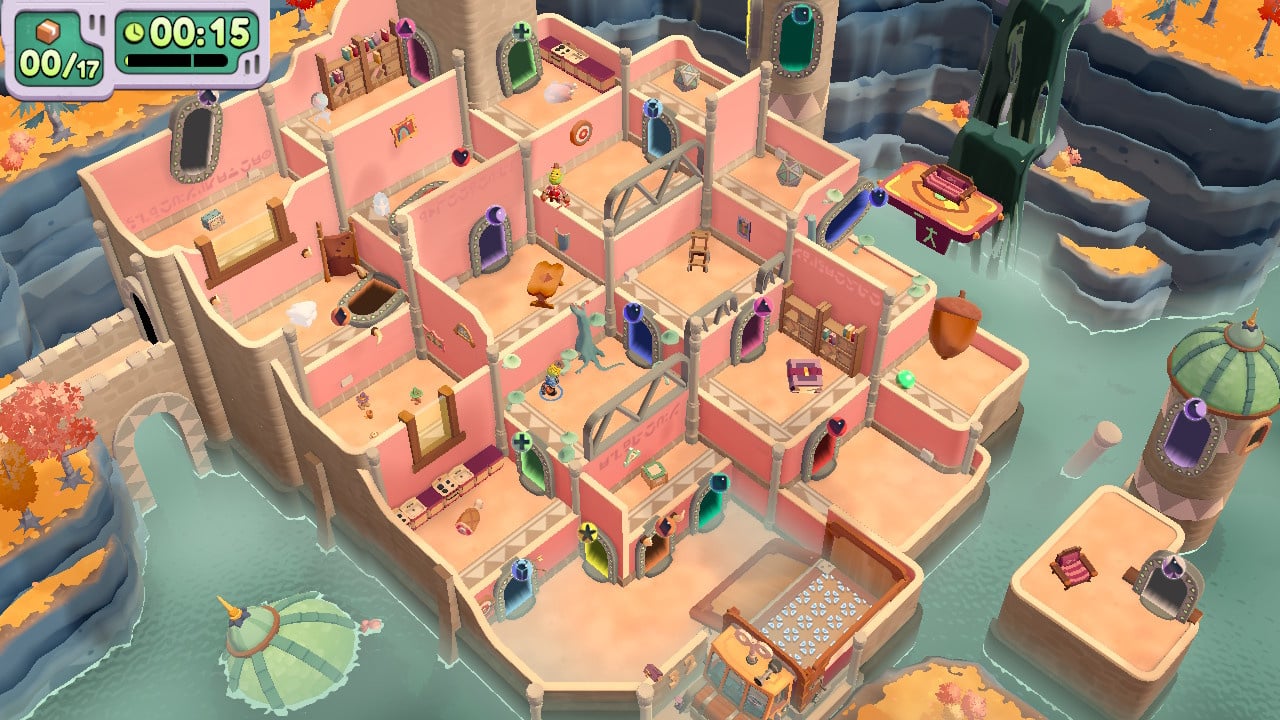
Moving Out 2 Review - Screenshot 1 of 5
Captured on Nintendo Switch (Handheld/Undocked)

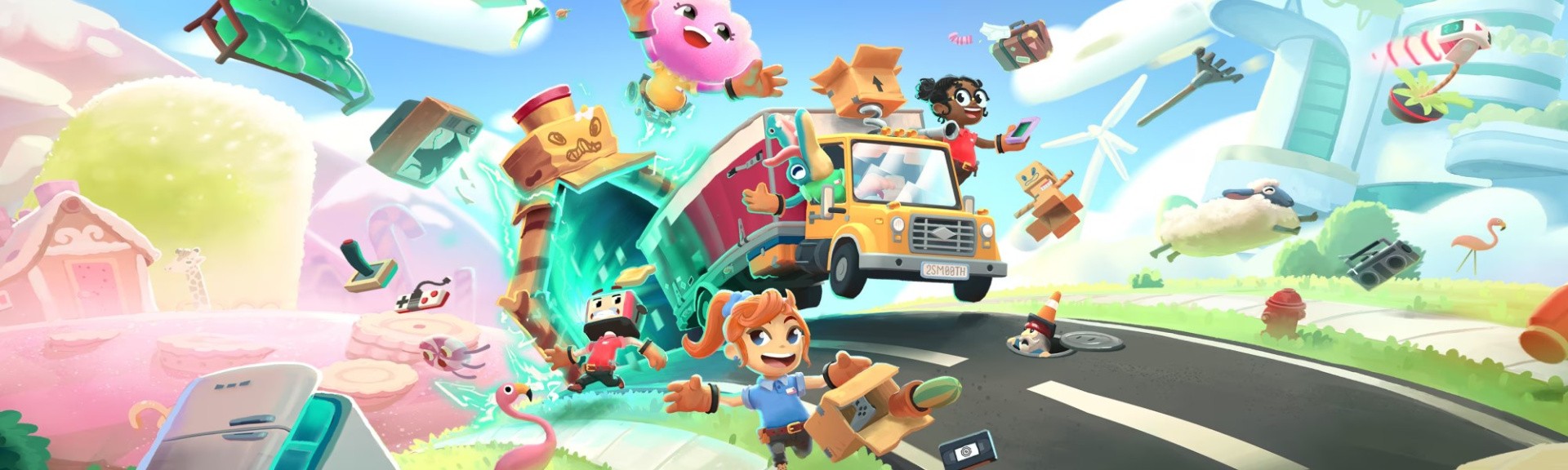
Moving Out built a solid foundation with its barmy physics and multiplayer teamwork. While the original co-op moving sim had huge potential, like an empty house awaiting its owner’s belongings, a renovation was clearly in order for players to truly feel at home. Fortunately, SMG’s sequel has stepped up the Packmore property ladder, its improved level designs have combined with its existing slapstick systems to make it the envy of the neighbourhood.

The cheerful F.A.R.T.s (Furniture Arrangement Relocation Technicians) are back, undeterred by briefly losing their license. Business is better than ever, and they’re ready for you and your friends to tear up 57 new properties in a race to pack up an absentee homeowner’s infuriatingly located possessions and shatter every window standing in your way.

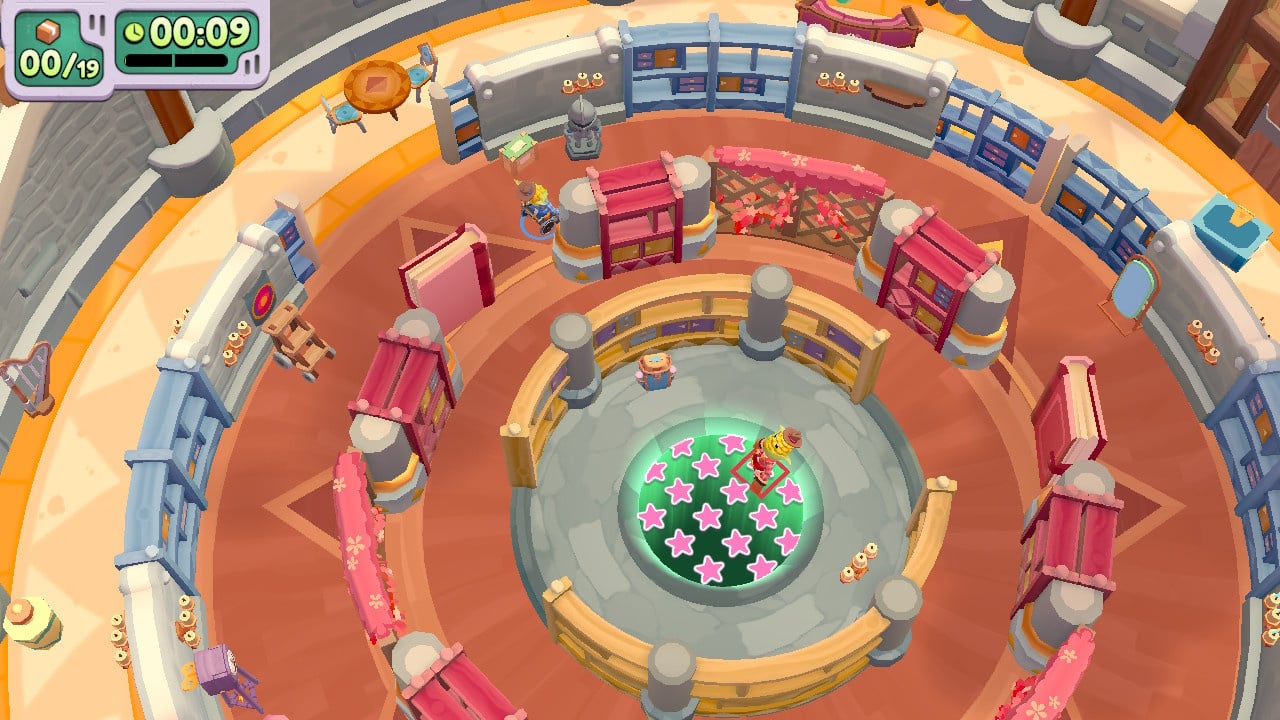
We return to the setting from the first game, but here Packmore is merely the suburban prelude to a multiverse full of imminent house moves. This time, you’ll be clumsily maneuvering couches through locales such as Pactropolis City, a metropolis in the clouds with an aesthetic evoking Wall-E’s clean sci-fi look. You’ll stow away a wizard’s spellbooks in the high fantasy world of Middle Folkmore – don’t worry, despite the name it’s reassuringly orc-free. And Snackmore copies a Mario Kart trademark with candified fields of tooth-rotting treats among a vast lake of melted chocolate.
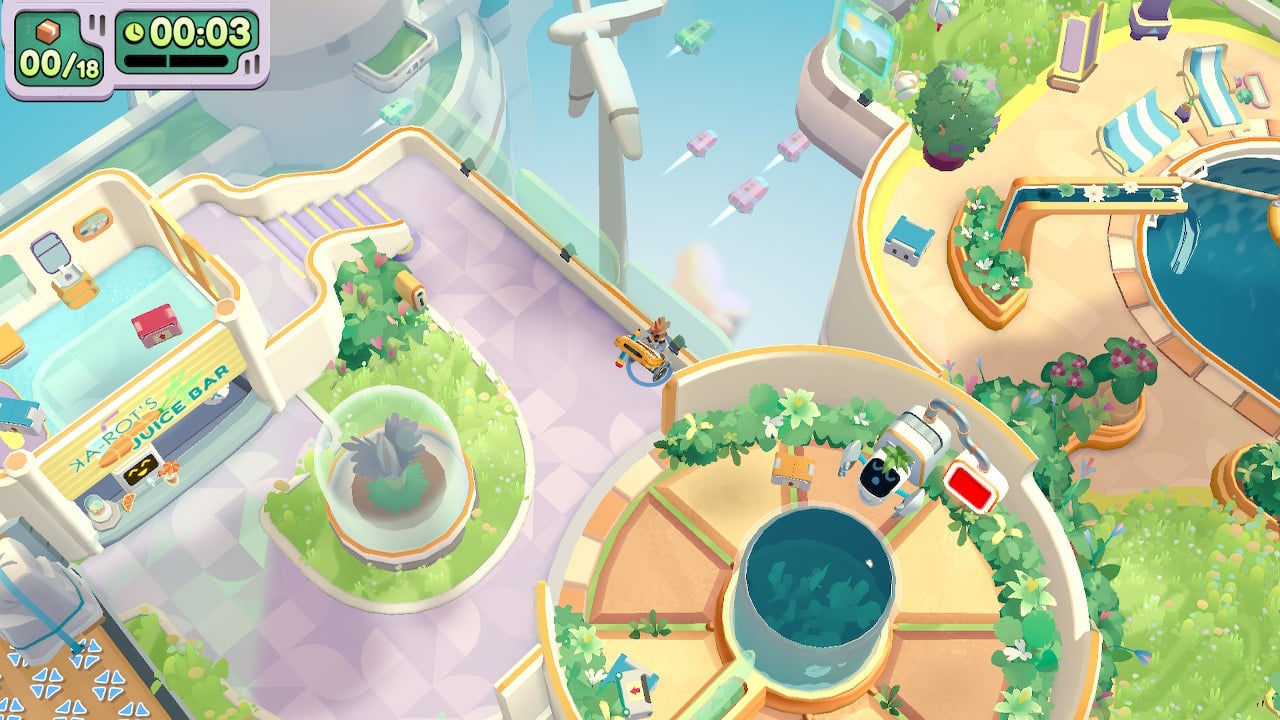
Moving Out 2 Review - Screenshot 2 of 5
Captured on Nintendo Switch (Docked)

The multiverse allows for significantly more memorable locations than the original game’s offices, three-bedroom houses, and sterile space station. And it’s not just the art team who goes wild, stages are littered with so many preposterously inventive challenges you’ll forget that locating furniture to lug into a van is really the most humdrum fetch quest imaginable.

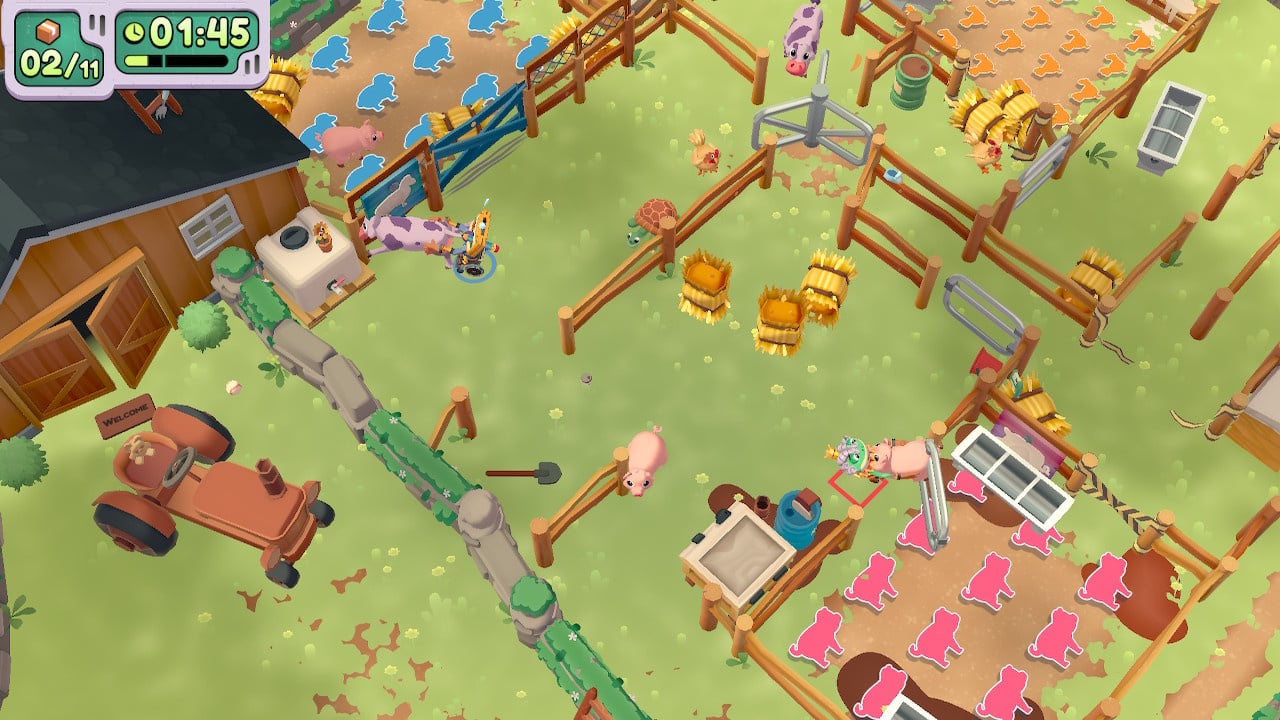
These new stages present an endless stream of invention that had us hooked on their sheer variety. We always had something unexpectedly outrageous to do, whether that’s slingshotting fridges and televisions across a molten chocolate lake, loading appliances onto a train (which inexplicably isn’t named the F.A.R.T. Express), opening passages with synchronised bookcase dials, or smashing through cookie dough walls with a gobstopper.

Couch co-op games always face the same question: How much hassle can your players handle? Despite a van-ful of new ideas, just like the first game Moving Out 2 leans to caution. Time limits are reasonable, stage-specific gadgets and novelties are dropped in at a manageable pace, and the game refuses to mess you around, clearly accommodating younger players whose child labour the game is eager to entice.
Moving Out 2 Review - Screenshot 3 of 5
Captured on Nintendo Switch (Handheld/Undocked)

No matter how much furniture clutters the stage, these stages’ layout, unique contraptions, and Looney Tunes logic is always easily understood. This is helped by how SMG avoids the random events seen in their culinary rival Overcooked!’s constantly shifting levels; Moving Out 2 makes sure the relationship between cause and effect is always crystal clear.

This can mean stages become predictable, but the game’s treacherous physics and loose character movement usually adds enough confusion and peril to compensate, even if we’d like the option to add just a dash more jeopardy. Even if players always have the hidden option of becoming an agent of chaos themselves, and start tossing your neatly packed items into the nearest swimming pool.

For more experienced players, even meeting the sterner challenge of Pro times and bonus objectives (frustratingly revealed after a stage’s first playthrough) can feel too relaxed. But the brisk pace has one major perk– we found that demanding just a bit less than your removals team’s full focus kept tensions at a sociable simmer rather than a furious frenzy.

Of course with so many new ideas, not all of them can be an instant hit. Pactropolis City’s stages where you clear away clouds with vacuum devices quickly become a tedious chore (nobody ever felt what these games lacked was fog-of-war). The new addition of one-way doors can also cause the wrong kind of frustration. But these missteps are outnumbered by brilliant moments where new ideas shine. We’ll deal with a fiddly vacuum cleaner for the joys of bouncing couches and televisions off a parasol into a waiting van.

This game lives or dies by how well it disguises how it’s just about shifting items from one place to another. If the illusion fades, players are in for a tedious awakening. Thankfully, it never runs out of ways to make one of life’s great chores exciting. The arcade cartridges scattered across the game are a special treat – dropping the faintest pretense of creating a plausible living space makes for some madcap challenges.

There’s no getting around the fact it’s a game designed to be played with friends. A bevy of options means you can play solo without significant disadvantage, but the game is at its finest assembling the teamwork, comradery, and petty squabbling of your best buds. And Moving Out 2 makes it easier than before with the essential addition of crossplay online multiplayer.
Moving Out 2 Review - Screenshot 4 of 5
Captured on Nintendo Switch (Docked)

In a social setting, it’s simply an uproariously good time, especially if you follow the traditions of real-life house moves and order a takeaway for you and your friends. With or without a steaming hot pepperoni pizza, it’s hard not to mirror the infectious positivity shown by the game’s roster of 33 surreal SpongeBob SquarePants-y character designs. Its cast of toasterheads, froggy aristocrats, and the very literal sneakerheads have an endearingly goofy sense of humour, and the game’s good vibes prove hard to resist (even if some of its puns were better off left in the Christmas cracker they came from).

Other than the game’s reluctance to really push its players to their limits, its other flaw is that increased ambitions brought with them some unfortunate performance issues. There was occasional slowdown, and we almost didn’t want to collect new characters when finding them means 10 seconds loading their intro screen before going back to the overworld.

Conclusion

Moving Out 2 may not quite be your multiplayer forever home, but its good vibes and intricate challenges are going to cause many joyful whoops of celebration, cries of frustration, irreparably broken furniture, and wild accusations about how the hell a bookcase fell off the balcony. Sounds like coming home to us.
Posted on Leave a comment

Final Fantasy Crystal Chronicles Producer Asks Fans To ‘Trust’ That A New Chapter Will Dawn

Crystal Chronicles
Image: Square Enix

On August 8th, 2023, Final Fantasy Crystal Chronicles celebrated its 20th anniversary, launching on the same day in 2003 in Japan.

Despite a number of sequels gracing the Wii and DS over the ensuing years, there hasn’t been a brand new entry to the sub-series since 2009’s Final Fantasy Crystal Chronicles: The Crystal Bearers on the Wii, and series’ producer Akitoshi Kawazu is seemingly well aware of this.

In an anniversary post on the official Final Fantasy website (thanks, Nintendo Everything), Kawazu laments his inability to bring a new title to eager fans, stating that he “just can’t find the time to do it all”. Nevertheless, he asks that fans “trust” that a new chapter will arrive “one day”.

“It’s the 20th anniversary of FINAL FANTASY CRYSTAL CHRONICLES. Personally, I feel regret for not being able to satisfy the fans who have been holding out hope for an all-new FFCC game. While there’s so much I’d like to do, I just can’t find the time to do it all. I know that the characters deserve to shine again, yet I’ve been unable to provide them with another adventure.

“They’re eager to set out to discover the true meaning of the crystals’ blessing, and much like those of us who were cooped up at home for the past few years, they could only gaze up at the skies above their respective towns, day after day. But new trials do await them—ones from which they will grow stronger. Please trust that one day, a brand-new chapter will be added to their adventure.”

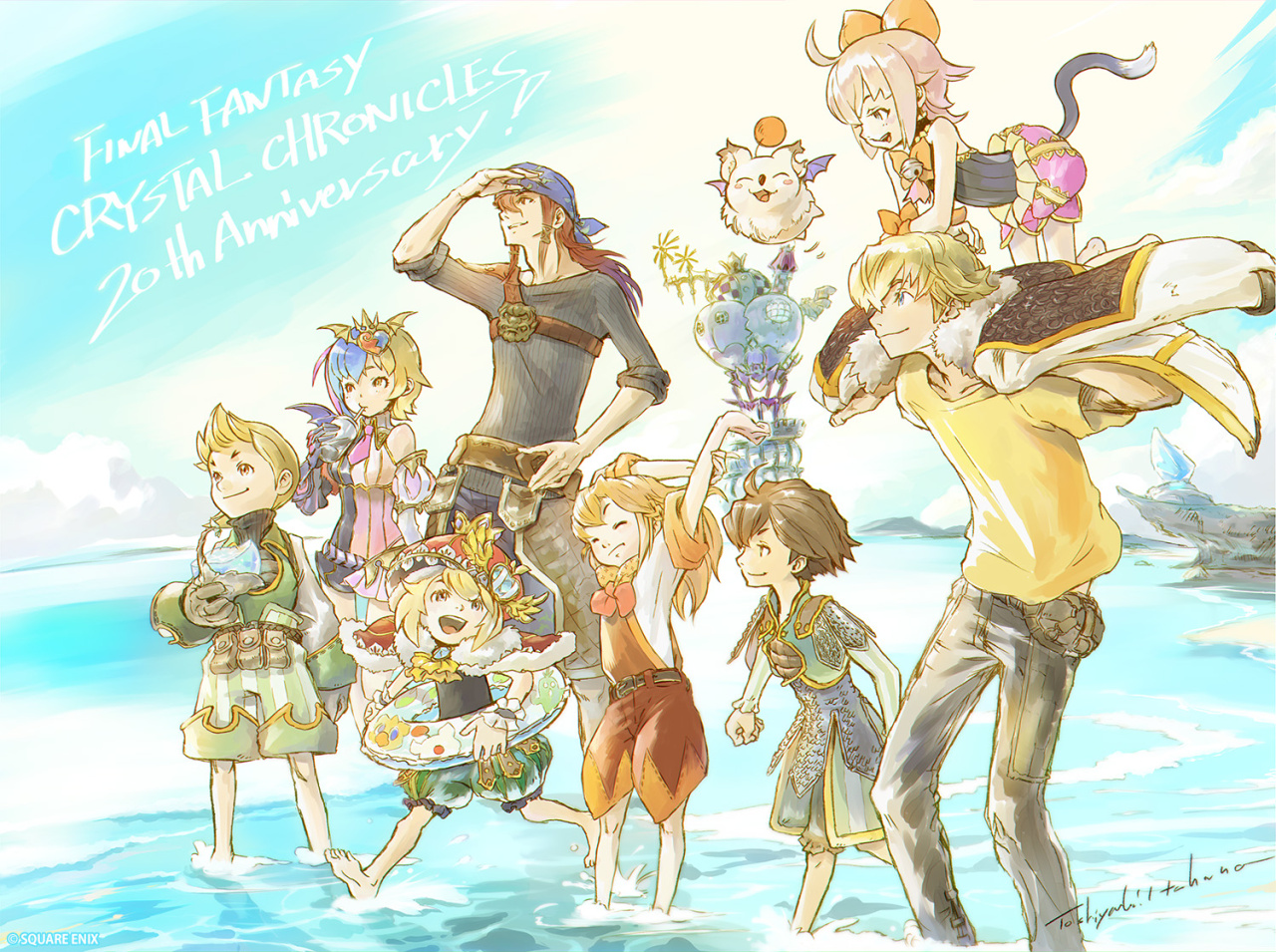
Additionally, the series’ Art Director Toshiyuki Itahana provided a brand new illustration to mark the 20th anniversary, stating that he felt he was “reuniting with old friends I hadn’t seen in forever”.

Crystal Chronicles Illustration
Image: Square Enix

The original Crystal Chronicles received a remastered version in 2020 for the Nintendo Switch, bringing with it some revamped visuals, improved audio, and a heap of new dungeons. We gave it a score of 6/10 in our review, stating that it’s “the kind of game that will unfortunately only appeal to a relatively limited demographic”.

Would you like to see a new entry in the Crystal Chronicles series? Let us know your thoughts with a comment down below.

Posted on Leave a comment

Random: My Nintendo Store Japan’s New Splatoon 3 Range Includes Empty Shoe Boxes

Splatoon 3 Shoe Box
Image: Nintendo Life

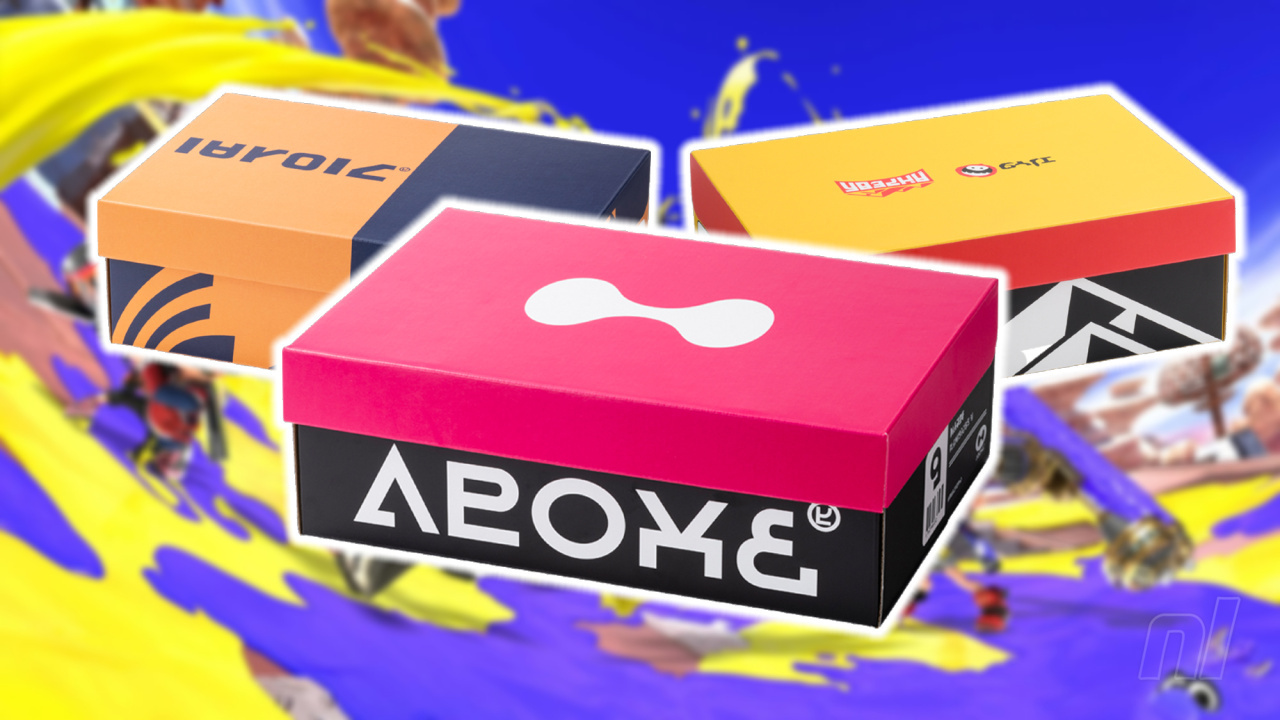
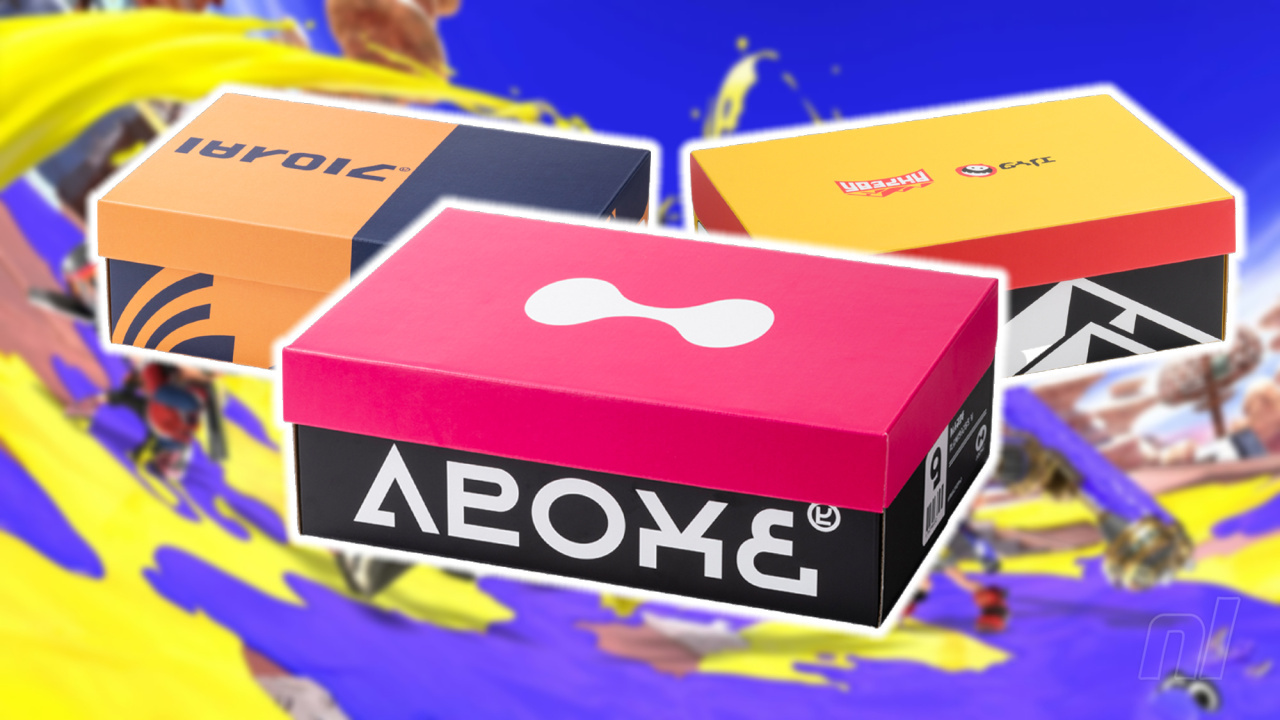
There’s a lot of cool Splatoon 3 merchandise out there from clothing to decorations, but the recently-released shoe boxes might be among the strangest that we’ve seen. Yes, it’s just a shoe box.

These cardboard boxes are currently exclusive to the Japanese My Nintendo Store and will set you back 880 yen (around £5 / $6) if you choose to pick one up. Modelled on the in-game boxes that you might have used to decorate your locker, the four new designs appear with the logos of different Splatsville gear/weapon brands including Tentatek, Zink and Inkline.

The boxes are made out of cardboard (unsurprisingly) and come flat-packed, ready for you to build. After assembly, these bad boys measure in at W33×H11×D22.5cm, so don’t go picturing the perfect storage solution for your hiking boots…

We can imagine using these as a neat way of organising our video games, mind you. True, those dimensions might not let you get all that many Switch boxes in there, but it could be a neat way of keeping some old DS / 3DS titles or even the odd GBA box in perfect nick.

These appear to be exclusive to the Japanese site as well as the Tokyo/Osaka Nintendo Stores for the moment, so it looks like our games are staying shut away in the cupboard for the time being…

Which box is your favourite? Will you be lucky enough to pick one up? Fold your thoughts in the comments below.

Posted on Leave a comment

Pokémon Company’s COO Addresses Issue Between Release Schedule And Game Quality

Scarlet and Violet
Image: The Pokémon Company

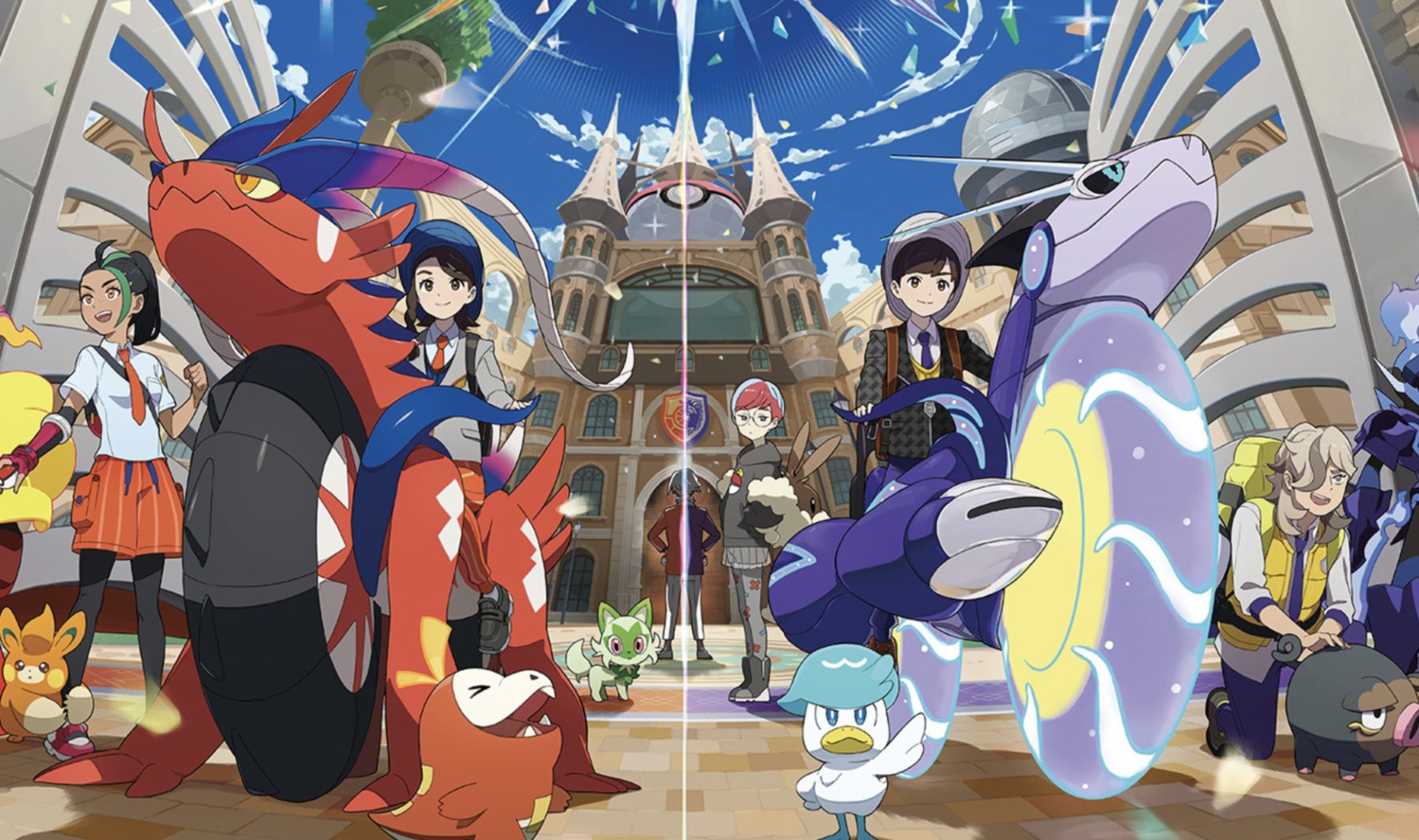
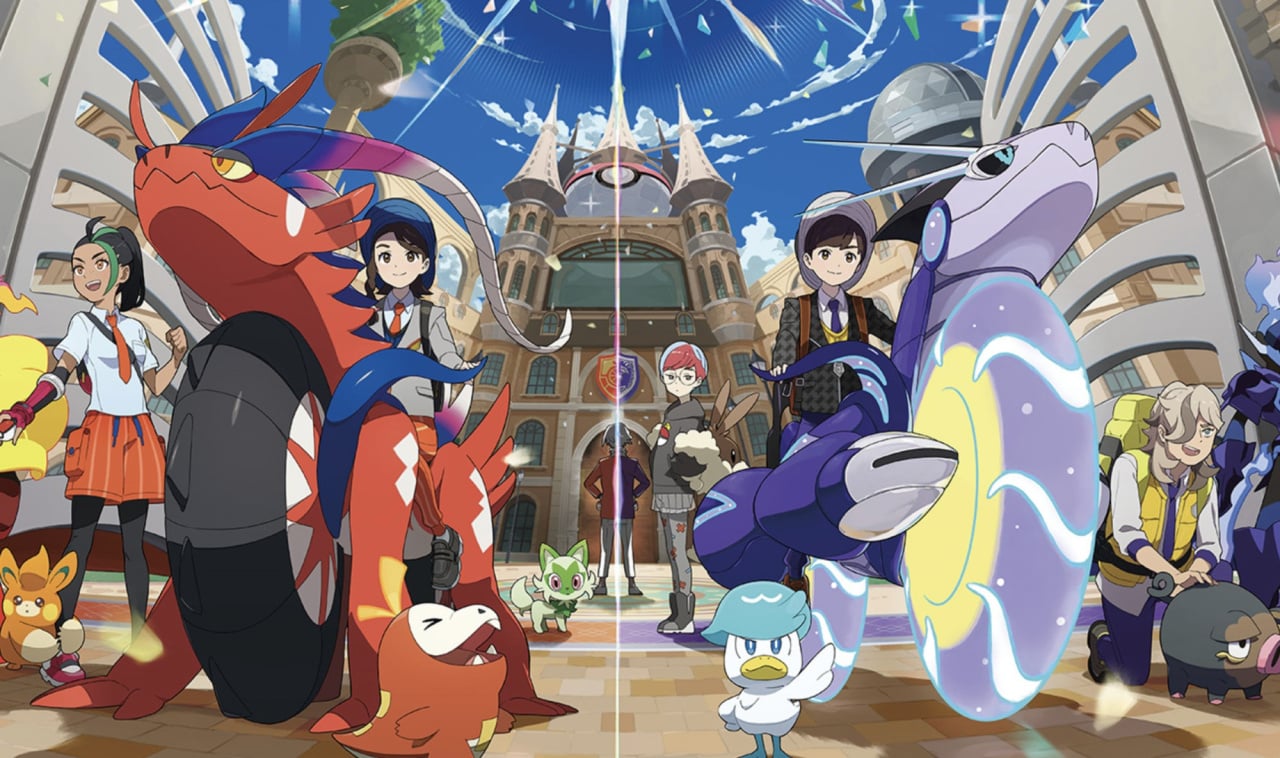
Given the rapid pace at which Pokémon games have been released in recent years (Pokémon Brilliant Diamond and Shining Pearl, Legends Arceus, and Scarlet and Violet all launched within a 12-month window), there are naturally concerns arising within the fan community as to whether this might be affecting the overall quality of the mainline games.

After all, Scarlet and Violet in particular launched with a heap of technical issues; many of which are still present to this very day, despite a public acknowledgement and apology from Nintendo itself. Well, thanks to a question put forward by comicbook.com at the Pokémon World Championships in Yokohama, Japan, The Pokémon Company’s COO Takato Utsunomiya has confirmed that the company is having “more conversations” around how it can maintain its current release cadence whilst ensuring product quality is high.

Here’s exactly what Utsunomiya had to say:

“I think in general, if you look at the past, the path we’ve taken up until now has been this constant release, always regularly releasing products on a fairly fixed kind of a cadence, you might say. Always having these products able to be introduced and new experiences for our customers, and that’s how we’ve operated up until now.

“I think we’re still operating in that way, but there’s more and more conversations, as the development environments change, about how we can continue to do this, while making sure that we’re ensuring really quality products are also being introduced.”

It falls short of a direct acknowledgement of the issues discovered in Scarlet and Violet, but it does sound like The Pokémon Company is at least aware of the challenges that come with maintaining such a prolific release schedule. Whether this will result in more time being spent on the development of mainline titles does, at least for now, remain to be seen.

As for Scarlet and Violet, two major DLC expansions will be launching later this year, with The Teal Mask launching on September 13th, 2023, and The Indigo Disk following in Winter 2023.

What do you make of Utsunomiya’s statement regarding the release schedule for Pokémon? Share your thoughts with a comment down below.

Posted on Leave a comment

Python IndexError: Tuple Index Out of Range [Easy Fix]

5/5 – (1 vote)

Key Points:

  • To solve the “IndexError: tuple index out of range”, avoid do not access a non-existing tuple index. For example, my_tuple[5] causes an error for a tuple with three elements.
  • If you access tuple elements in a loop, keep in mind that Python uses zero-based indexing: For a tuple with n elements, the first element has index 0 and the last index n-1.
  • A common cause of the error is trying to access indices 1, 2, ..., n instead of using the correct indices 0,1, ..., (n-1).

The following video shows how I fixed a similar error on a list instead of a tuple:

YouTube Video

If you’re like me, you try things first in your code and fix the bugs as they come.

One frequent bug in Python is the IndexError: tuple index out of range. So, what does this error message mean?

The error “tuple index out of range” arises if you access invalid indices in your Python tuple. For example, if you try to access the tuple element with index 100 but your tuple consist only of three elements, Python will throw an IndexError telling you that the tuple index is out of range.

Minimal Example

Here’s a screenshot of this happening on my Windows machine:

Let’s have a look at an example where this error arises:

my_tuple = ('Alice', 'Bob', 'Carl')
print(my_tuple[3])

The element with index 3 doesn’t exist in the tuple with three elements. Why is that?

The following graphic shows that the maximal index in your tuple is 2. The call my_tuple[2] would retrieve the third tuple element 'Carl'.

  • my_tuple[0] --> Alice
  • my_tuple[1] --> Bob
  • my_tuple[2] --> Carl
  • my_tuple[3] --> ??? Error ???

Did you try to access the third element with index 3?

It’s a common mistake: The index of the third element is 2 because the index of the first tuple element is 0.

How to Fix the IndexError in a For Loop? [General Strategy]

So, how can you fix the code? Python tells you in which line and on which tuple the error occurs.

To pin down the exact problem, check the value of the index just before the error occurs.

To achieve this, you can print the index that causes the error before you use it on the tuple. This way, you’ll have your wrong index in the shell right before the error message.

Here’s an example of wrong code that will cause the error to appear:

# WRONG CODE
my_tuple = ('Alice', 'Bob', 'Ann', 'Carl') for i in range(len(my_tuple)+1): my_tuple[i] ''' OUTPUT
Traceback (most recent call last): File "C:\Users\xcent\Desktop\code.py", line 5, in <module> my_tuple[i]
IndexError: tuple index out of range '''

The error message tells you that the error appears in line 5.

So, let’s insert a print statement before that line:

my_tuple = ('Alice', 'Bob', 'Ann', 'Carl') for i in range(len(my_tuple)+1): print(i) my_tuple[i]

The result of this code snippet is still an error.

But there’s more:

0
1
2
3
4
Traceback (most recent call last): File "C:\Users\xcent\Desktop\code.py", line 6, in <module> my_tuple[i]
IndexError: tuple index out of range

You can now see all indices used to retrieve an element.

The final one is the index i=4 which points to the fifth element in the tuple (remember zero-based indexing: Python starts indexing at index 0!).

But the tuple has only four elements, so you need to reduce the number of indices you’re iterating over.

The correct code is, therefore:

# CORRECT CODE
my_tuple = ('Alice', 'Bob', 'Ann', 'Carl') for i in range(len(my_tuple)): my_tuple[i]

Note that this is a minimal example and it doesn’t make a lot of sense. But the general debugging strategy remains even for advanced code projects:

  • Figure out the faulty index just before the error is thrown.
  • Eliminate the source of the faulty index.

Programmer Humor

“Real programmers set the universal constants at the start such that the universe evolves to contain the disk with the data they want.”xkcd

Where to Go From Here?

Enough theory. Let’s get some practice!

Coders get paid six figures and more because they can solve problems more effectively using machine intelligence and automation.

To become more successful in coding, solve more real problems for real people. That’s how you polish the skills you really need in practice. After all, what’s the use of learning theory that nobody ever needs?

You build high-value coding skills by working on practical coding projects!

Do you want to stop learning with toy projects and focus on practical code projects that earn you money and solve real problems for people?

🚀 If your answer is YES!, consider becoming a Python freelance developer! It’s the best way of approaching the task of improving your Python skills—even if you are a complete beginner.
If you just want to learn about the freelancing opportunity, feel free to watch my free webinar “How to Build Your High-Income Skill Python” and learn how I grew my coding business online and how you can, too—from the comfort of your own home.

Join the free webinar now!

The post Python IndexError: Tuple Index Out of Range [Easy Fix] appeared first on Be on the Right Side of Change.

Posted on Leave a comment

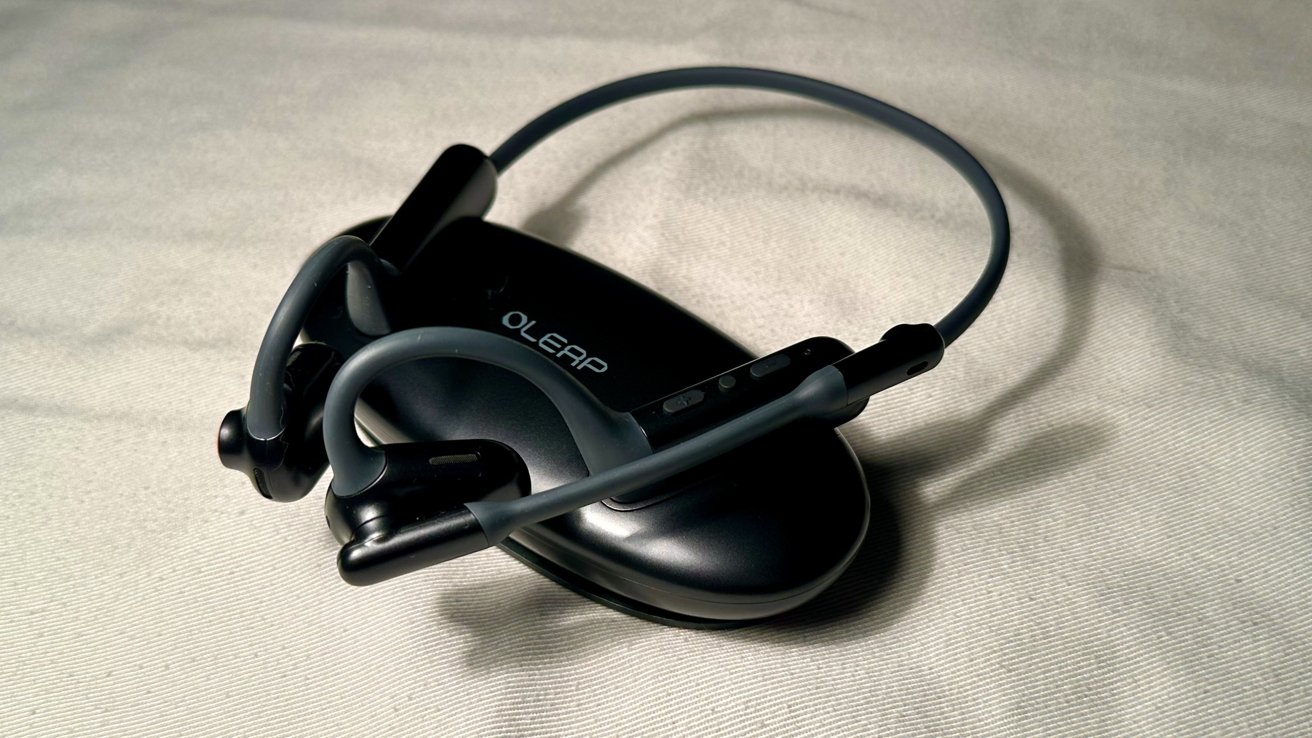
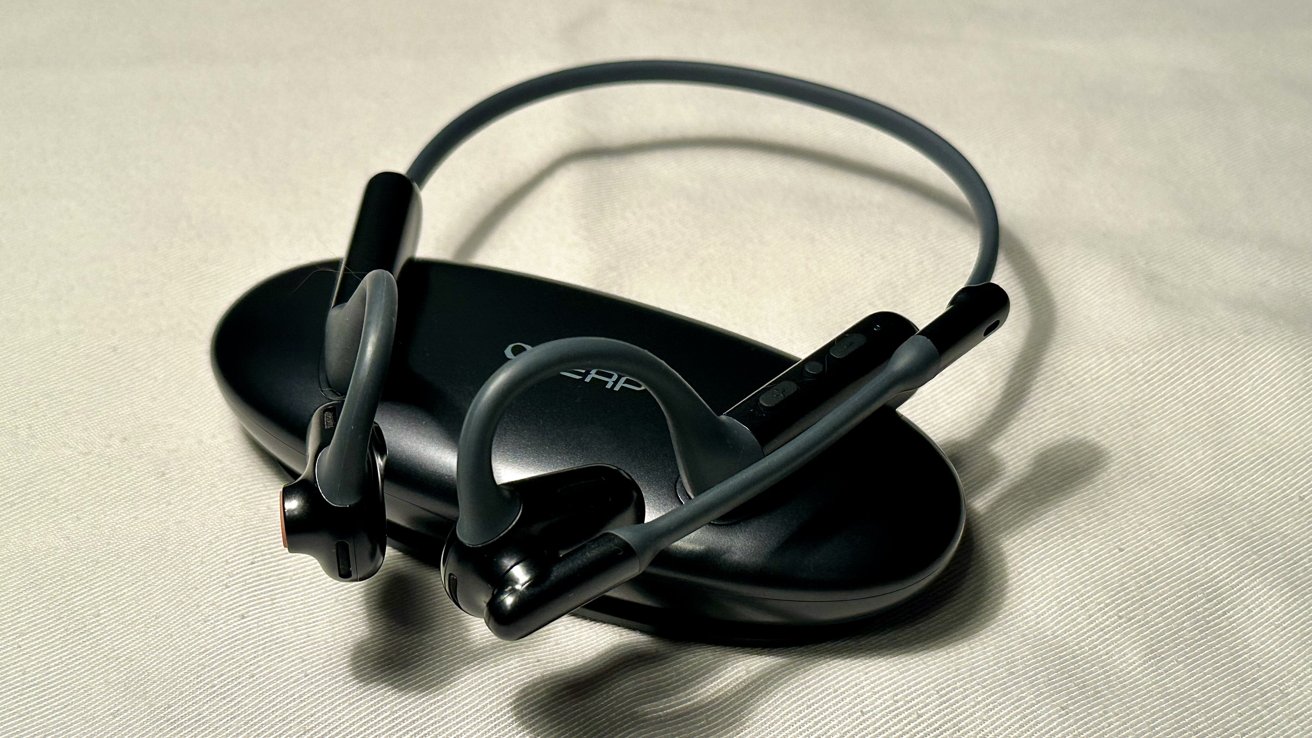
Oleap Pilot review: Upgrading a traditional headset experience

Oleap Pilot


The Oleap Pilot offers solid sound quality in a comfortable open-ear design. However, the price tag attached to it may not be as comfortable as wearing the headset.

If you make a lot of calls for work or personal matters, then a headset is good to have. They help you hear the people you’re talking to and isolate your voice from background noise while speaking.

However, headsets are not only for calls but also for music and media consumption. With the integrated media controls, you can listen to your favorite music in between calls.

Although the Oleap Pilot excels in audio output within a lightweight build, the price for the headset is heavy.

Oleap Pilot — Wrap around design

When it comes to design, the Oleap Pilot differs from most traditional headsets. While those drape over your head, the Pilot goes behind it.

Weighing only 33 grams, the Pilot becomes unnoticeable when worn. It rests comfortably around your ears and stays in place when moving your head.

The Pilot is 7.8 x 5.79 x 2.72 inches and can fit a variety of head sizes. The back has a lot of space, so compatibility is not an issue.

Oleap Pilot mute button

Oleap Pilot mute button

On the right side of the headset is a dedicated red mute button. This allows you to mute or unmute yourself with a single press. Holding it down also invokes Siri.

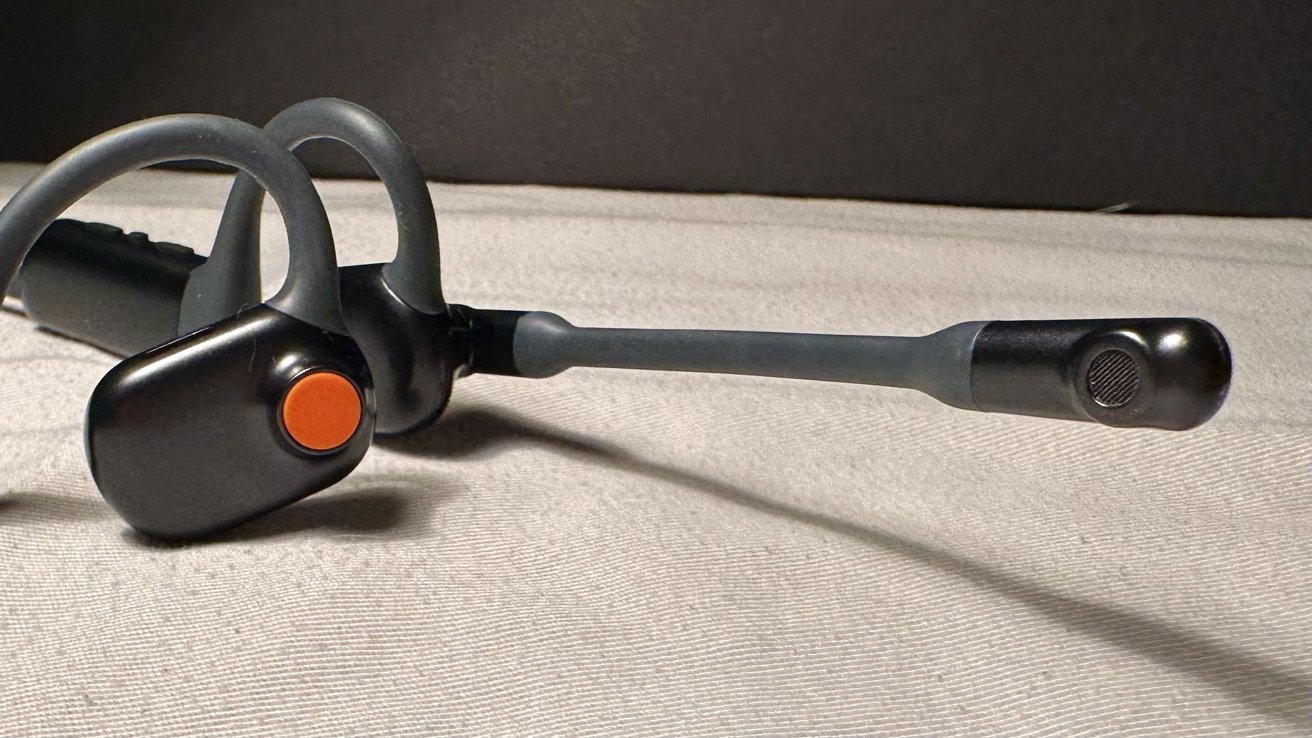
On the left side is a microphone that can be adjusted to any position within a 180-degree arc.

Further back are media controls to change the volume and current track, play or pause music, and answer or end calls.

Oleap Pilot media controls

Oleap Pilot media controls

A small light behind the controls will also confirm if the headset is on with a blue light, or charging with a red light. The light will blink occasionally but won’t stay on continuously.

A USB-C port can be found under the Pilot for charging.

Oleap Pilot — Canceling out the surrounding noise

The Oleap Pilot allows you to connect up to two devices to it via Bluetooth. It will also announce which device it is connected to when turning it on.

To combat any environmental noise around you, the Pilot has ENC (Environmental Noise Cancellation) built in. This eliminates noise up to 50 dB due to a special three-microphone ENC.

Built-in pop-fillers also reduce the noise of surrounding winds when on a call.

Oleap Pilot curved open-ear design

Oleap Pilot curved open-ear design

Two 16mm dynamic drivers and an incorporated BassLeap algorithm deliver deep sound and bass. It reinforces bass tones and produces greater sound of up to 105 dB.

Three tuning holes and one sounding hole from the dipole structure minimize noise leakage when the volume is increased. This ensures that your conversation stays private when around other people.

The Pilot can withhold 15 meters of space between it and your device without them disconnecting. This allows you to move around the room and still stay connected to your call.

Oleap Pilot — Quick charge for a long battery life

The Oleap Pilot has an extensive battery life that offers multiple hours of talk and playback time.

The headset can produce up to ten hours of talk time and 16 hours of playback time on a single charge. You can also get five hours of talk time with just ten minutes of charging.

Turning on the Pilot will tell you its current battery status, which ranges between low, medium, and high.

Oleap Pilot — An impressive listening experience

The Oleap Pilot provides significant sound quality for calls and listening to music — especially for a headset that is not in-ear.

What impressed us the most was how well bass tones were outputted. They were rich and full, didn’t get muffled down, and we could feel the thump in our ears when it occurred during a song.

When using FaceTime or switching between songs, lag was nowhere to be found. However, it did appear when changing the volume from either device.

Oleap Pilot microphone

Oleap Pilot microphone

Due to the adjustable design of the microphone, it can pick up your voice without it being shoved in your face.

When testing this out on multiple FaceTime calls, the recipients were able to hear us clearly with no complaints of distortion or cutting out.

Oleap Pilot — Just a charging stand

While a charging cable is included with the Oleap Pilot, you can also purchase an optional charging stand with it.

Oleap Pilot charging stand

Oleap Pilot charging stand

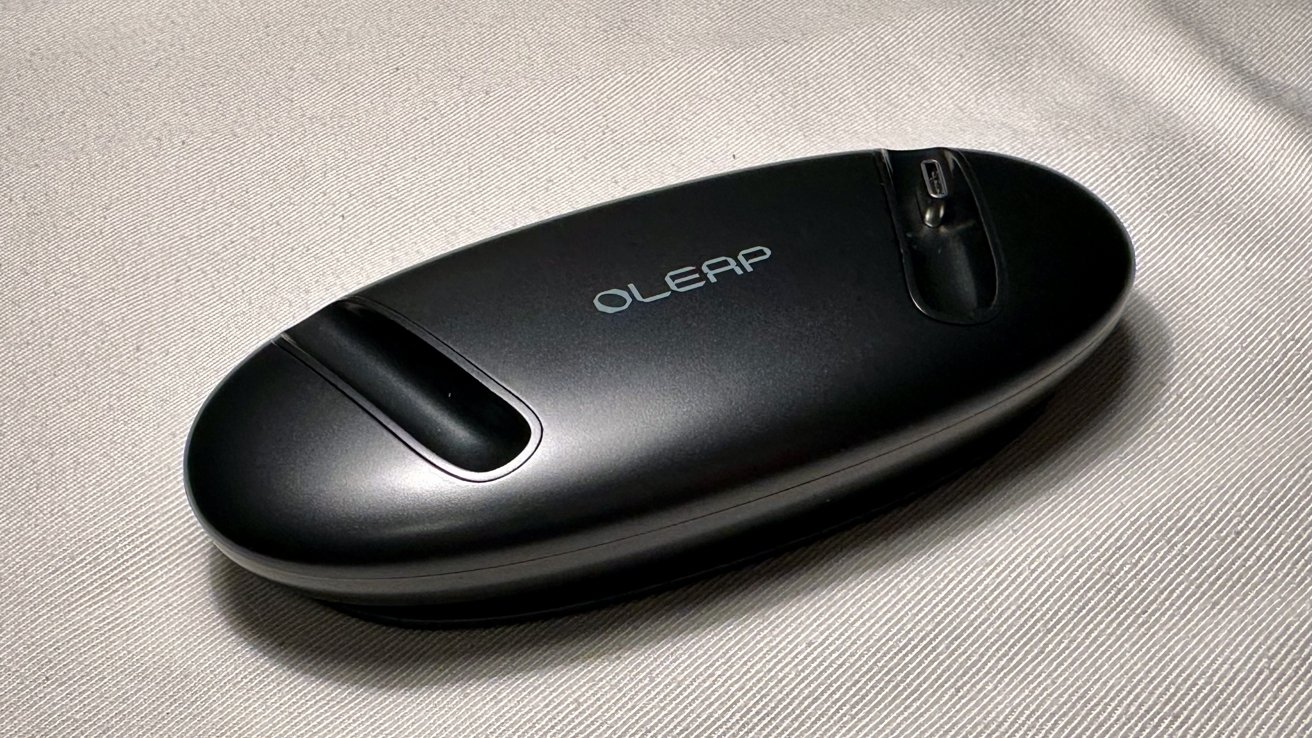
The charging stand is circular with two indents to place the Pilot on. One side houses the charging port while the other magnetically attaches to the Pilot.

Underneath is an anti-slip material that prevents the charging stand from moving. This eliminates any fear of the stand and headset falling if accidentally bumped.

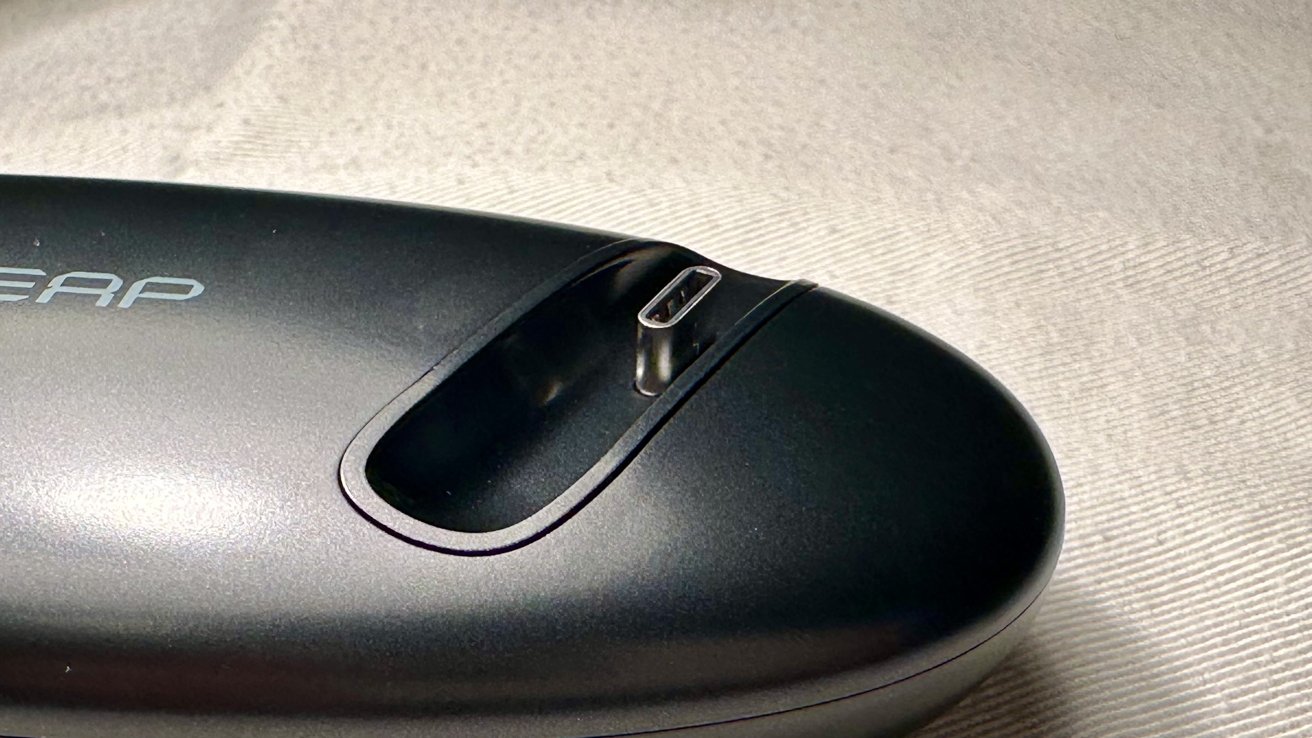
A protruding USB-C plug is located on the right side that connects to the Pilot. To get it to charge, you have to slightly push down on the Pilot to secure the connection.

USB-C on charging stand

USB-C on charging stand

Like the Pilot, the charging stand receives power through a USB-C connection.

There is no status light on the stand to tell you if it is receiving power or the battery status for the Pilot.

Oleap Pilot — Level up your calls

The Oleap Pilot benefits both business and personal tasks in a lightweight design. It provides a deep audio experience and hones in on your voice while in noisy environments.

Both earpieces wrap nicely around your ears and stay stationed when moving your head. With the open-ear design, your ears will not get sore from wearing these for an extended period.

Oleap Pilot

Oleap Pilot

Even though the speakers are not in-ear, they still produce fulfilling audio output with impressive bass. Its incorporated technology minimizes distant environmental noises but still allows you to hear the space close to you.

While the Pilot performs well, its major downside is the price; which may be too expensive for most people. Almost $160 is too much for a headset, especially since the charging stand will cost you an additional $50 on top of that.

This headset is great for people — especially those who work from home — who attend many calls and virtual meetings. It ensures great sound quality on either end of the call, and long-lasting comfort.

If you are in the market for a comfortable headset that blocks out surrounding noise, then the Oleap Pilot is a great option to choose. However, if you just need regular headphones, we recommend looking at other options at a lower price point.

Oleap Pilot — Pros

  • Lightweight
  • Connects to multiple devices
  • Good bass output
  • Quick charging
  • Oleap Pilot — Cons

  • High price
  • Volume changing lag
  • Charging stand sold separately
  • Rating: 4 out of 5

    Where to purchase the Oleap Pilot

    You can purchase the Oleap Pilot on Amazon for $158.99. It comes in black.

    You can also purchase the Oleap Pilot, with the charging stand, from Amazon for $208.98.

    Posted on Leave a comment

    Python Tuple Concatenation: A Simple Illustrated Guide

    5/5 – (1 vote)

    Python tuples are similar to lists, but with a key difference: they are immutable, meaning their elements cannot be changed after creation.

    Tuple concatenation means joining multiple tuples into a single tuple. This process maintains the immutability of the tuples, providing a secure and efficient way to combine data. There are several methods for concatenating tuples in Python, such as using the + operator, the * operator, or built-in functions like itertools.chain().

    # Using the + operator to concatenate two tuples
    tuple1 = (1, 2, 3)
    tuple2 = (4, 5, 6)
    concatenated_tuple = tuple1 + tuple2
    print("Using +:", concatenated_tuple) # Output: (1, 2, 3, 4, 5, 6) # Using the * operator to repeat a tuple
    repeated_tuple = tuple1 * 3
    print("Using *:", repeated_tuple) # Output: (1, 2, 3, 1, 2, 3, 1, 2, 3) # Using itertools.chain() to concatenate multiple tuples
    import itertools
    tuple3 = (7, 8, 9)
    chained_tuple = tuple(itertools.chain(tuple1, tuple2, tuple3))
    print("Using itertools.chain():", chained_tuple)
    # Output: (1, 2, 3, 4, 5, 6, 7, 8, 9)
    

    The + operator is used to join two tuples, the * operator is used to repeat a tuple, and the itertools.chain() function is used to concatenate multiple tuples. All these methods maintain the immutability of the tuples

    Understanding Tuples

    💡 Python tuple is a fundamental data type, serving as a collection of ordered, immutable elements. Tuples are used to group multiple data items together. Tuples are created using parentheses () and elements within the tuple are separated by commas.

    For example, you can create a tuple as follows:

    my_tuple = (1, 2, 3, 4, 'example')
    

    In this case, the tuple my_tuple has five elements, including integers and a string. Python allows you to store values of different data types within a tuple.

    Immutable means that tuples cannot be changed once defined, unlike lists. This immutability makes tuples faster and more memory-efficient compared to lists, as they require less overhead to store and maintain element values.

    Being an ordered data type means that the elements within a tuple have a definite position or order in which they appear, and this order is preserved throughout the tuple’s lifetime.

    💡 Recommended: Python Tuple Data Type

    Tuple Concatenation Basics

    One common operation performed on tuples is tuple concatenation, which involves combining two or more tuples into a single tuple. This section will discuss the basics of tuple concatenation using the + operator and provide examples to demonstrate the concept.

    Using the + Operator

    The + operator is a simple and straightforward way to concatenate two tuples. When using the + operator, the two tuples are combined into a single tuple without modifying the original tuples. This is particularly useful when you need to merge values from different sources or create a larger tuple from smaller ones.

    Here’s the basic syntax for using the + operator:

    new_tuple = tuple1 + tuple2
    

    new_tuple will be a tuple containing all elements of tuple1 followed by elements of tuple2. It’s essential to note that since tuples are immutable, the original tuple1 and tuple2 remain unchanged after the concatenation.

    Examples of Tuple Concatenation

    Let’s take a look at a few examples to better understand tuple concatenation using the + operator:

    tuple1 = (1, 2, 3)
    tuple2 = (4, 5, 6) # Concatenate the tuples
    tuple3 = tuple1 + tuple2
    print(tuple3) # Output: (1, 2, 3, 4, 5, 6)
    

    In this example, we concatenated tuple1 and tuple2 to create a new tuple called tuple3. Notice that the elements are ordered, and tuple3 contains all the elements from tuple1 followed by the elements of tuple2.

    Here’s another example with tuples containing different data types:

    tuple1 = ("John", "Doe")
    tuple2 = (25, "New York") # Concatenate the tuples
    combined_tuple = tuple1 + tuple2
    print(combined_tuple) # Output: ('John', 'Doe', 25, 'New York')
    

    In this case, we combined a tuple containing strings with a tuple containing an integer and a string, resulting in a new tuple containing all elements in the correct order.

    Using the * Operator

    The * operator can be used for replicating a tuple a specified number of times and then concatenating the results. This method can be particularly useful when you need to create a new tuple by repeating an existing one.

    Here’s an example:

    original_tuple = (1, 2, 3)
    replicated_tuple = original_tuple * 3
    print(replicated_tuple)
    # Output: (1, 2, 3, 1, 2, 3, 1, 2, 3)
    

    In the example above, the original tuple is repeated three times and then concatenated to create the replicated_tuple. Note that using the * operator with non-integer values will result in a TypeError.

    Using itertools.chain()

    The itertools.chain() function from the itertools module provides another way to concatenate tuples. This function takes multiple tuples as input and returns an iterator that sequentially combines the elements of the input tuples.

    Here’s an illustration of using itertools.chain():

    import itertools tuple1 = (1, 2, 3)
    tuple2 = (4, 5, 6)
    concatenated_tuple = tuple(itertools.chain(tuple1, tuple2))
    print(concatenated_tuple)
    # Output: (1, 2, 3, 4, 5, 6)
    

    In this example, the itertools.chain() function is used to combine tuple1 and tuple2. The resulting iterator is then explicitly converted back to a tuple using the tuple() constructor.

    It’s important to note that itertools.chain() can handle an arbitrary number of input tuples, making it a flexible option for concatenating multiple tuples:

    tuple3 = (7, 8, 9)
    result = tuple(itertools.chain(tuple1, tuple2, tuple3))
    print(result)
    # Output: (1, 2, 3, 4, 5, 6, 7, 8, 9)
    

    Both the * operator and itertools.chain() offer efficient ways to concatenate tuples in Python.

    Manipulating Tuples

    Tuples are immutable data structures in Python, which means their content cannot be changed once created. However, there are still ways to manipulate and extract information from them.

    Slicing Tuples

    Slicing is a technique for extracting a range of elements from a tuple. It uses brackets and colons to specify the start, end, and step if needed. The start index is inclusive, while the end index is exclusive.

    my_tuple = (0, 1, 2, 3, 4)
    sliced_tuple = my_tuple[1:4] # This will return (1, 2, 3)
    

    You can also use negative indexes, which count backward from the end of the tuple:

    sliced_tuple = my_tuple[-3:-1] # This will return (2, 3)
    

    Tuple Indexing

    Tuple indexing allows you to access a specific element in the tuple using its position (index).

    my_tuple = ('apple', 'banana', 'cherry')
    item = my_tuple[1] # This will return 'banana'
    

    An IndexError will be raised if you attempt to access an index that does not exist within the tuple.

    Adding and Deleting Elements

    Since tuples are immutable, you cannot directly add or delete elements. However, you can work around this limitation by:

    • Concatenating tuples: You can merge two tuples by using the + operator.
    tuple1 = (1, 2, 3)
    tuple2 = (4, 5, 6)
    combined_tuple = tuple1 + tuple2 # This will return (1, 2, 3, 4, 5, 6)
    • Converting to a list: If you need to perform several operations that involve adding or removing elements, you can convert the tuple to a list. Once the operations are completed, you can convert the list back to a tuple.
    my_tuple = (1, 2, 3)
    my_list = list(my_tuple)
    my_list.append(4) # Adding an element
    my_list.remove(2) # Removing an element
    new_tuple = tuple(my_list) # This will return (1, 3, 4)

    Remember that manipulating tuples in these ways creates new tuples and does not change the original ones.

    Common Errors and Solutions

    One common error that users might encounter while working with tuple concatenation in Python is the TypeError. This error can occur when attempting to concatenate a tuple with a different data type, such as an integer or a list.

    >>> (1, 2, 3) + 1
    Traceback (most recent call last): File "<pyshell#2>", line 1, in <module> (1, 2, 3) + 1
    TypeError: can only concatenate tuple (not "int") to tuple

    To overcome this issue, make sure to convert the non-tuple object into a tuple before performing the concatenation.

    For example, if you’re trying to concatenate a tuple with a list, you can use the tuple() function to convert the list into a tuple:

    tuple1 = (1, 2, 3)
    list1 = [4, 5, 6]
    concatenated_tuple = tuple1 + tuple(list1)
    

    Another common error related to tuple concatenation is the AttributeError. This error might arise when attempting to call a non-existent method or attribute on a tuple. Since tuples are immutable, they don’t have methods like append() or extend() that allow addition of elements.

    Instead, you can concatenate two tuples directly using the + operator:

    tuple1 = (1, 2, 3)
    tuple2 = (4, 5, 6)
    concatenated_tuple = tuple1 + tuple2
    

    When working with nested tuples, ensure proper syntax and data structure handling to avoid errors like ValueError and TypeError. To efficiently concatenate nested tuples, consider using the itertools.chain() function provided by the itertools module.

    This function helps to flatten the nested tuples before concatenation:

    import itertools nested_tuple1 = ((1, 2), (3, 4))
    nested_tuple2 = ((5, 6), (7, 8)) flattened_tuple1 = tuple(itertools.chain(*nested_tuple1))
    flattened_tuple2 = tuple(itertools.chain(*nested_tuple2)) concatenated_tuple = flattened_tuple1 + flattened_tuple2
    

    Frequently Asked Questions

    How can I join two tuples?

    To join two tuples, simply use the addition + operator. For example:

    tuple_a = (1, 2, 3)
    tuple_b = (4, 5, 6)
    result = tuple_a + tuple_b
    

    The result variable now contains the concatenated tuple (1, 2, 3, 4, 5, 6).

    What is the syntax for tuple concatenation?

    The syntax for concatenating tuples is straightforward. Just use the + operator between the two tuples you want to concatenate.

    concatenated_tuples = first_tuple + second_tuple
    

    How to concatenate a tuple and a string?

    To concatenate a tuple and a string, first convert the string into a tuple containing a single element, and then concatenate the tuples. Here’s an example:

    my_tuple = (1, 2, 3)
    my_string = "hello"
    concatenated_result = my_tuple + (my_string,)
    

    The concatenated_result will be (1, 2, 3, 'hello').

    Is it possible to modify a tuple after creation?

    Tuples are immutable, which means they cannot be modified after creation (source). If you need to modify the contents of a collection, consider using a list instead.

    How can I combine multiple lists of tuples?

    To combine multiple lists of tuples, use a combination of list comprehensions and tuple concatenation. Here is an example:

    lists_of_tuples = [ [(1, 2), (3, 4)], [(5, 6), (7, 8)]
    ] combined_list = [t1 + t2 for lst in lists_of_tuples for t1, t2 in lst]
    

    The combined_list variable will contain [(1, 2, 3, 4), (5, 6, 7, 8)].

    Can tuple concatenation be extended to more than two tuples?

    Yes, tuple concatenation can be extended to more than two tuples by using the + operator multiple times. For example:

    tuple_a = (1, 2, 3)
    tuple_b = (4, 5, 6)
    tuple_c = (7, 8, 9)
    concatenated_result = tuple_a + tuple_b + tuple_c
    

    This will result in (1, 2, 3, 4, 5, 6, 7, 8, 9).

    💡 Recommended: Python Programming Tutorial [+Cheat Sheets]

    The post Python Tuple Concatenation: A Simple Illustrated Guide appeared first on Be on the Right Side of Change.

    Posted on Leave a comment

    Guide: Best Nintendo Switch Graphics – The Most Beautiful Switch Games

    While the Switch might not be able to compete with other platforms in pure processing terms, there’s certainly no shortage of beautiful-looking games on the console. Switch may not output at a native 4K at 120 fps, but Nintendo diminutive little hybrid can still pack a punch for the eyeballs. Couple clever programming with excellent art direction and Switch can deliver stunning visuals on a little console you can throw in a backpack. How far we’ve come since the Game Boy days!

    Below we’ve put together a list of the best-looking games on Switch — titles that prove you don’t necessarily need a dozen teraflops, HDR lighting and fancy-pants liquid-cooling solutions to produce gorgeous visuals in a modern video game. Many cross-platform titles such as Hellblade: Senua’s Sacrifice, Witcher 3, Warframe and Alien: Isolation look truly remarkable on Switch considering the console’s comparative power limitations, but the following list highlights games we believe stand alongside the very best visuals of the generation, regardless of platform — you’ll find no ‘considering the hardware’ caveats here.

    So, without further ado, let’s dive in and swim in the graphical loveliness of the best-looking Switch games (in no particular order)…

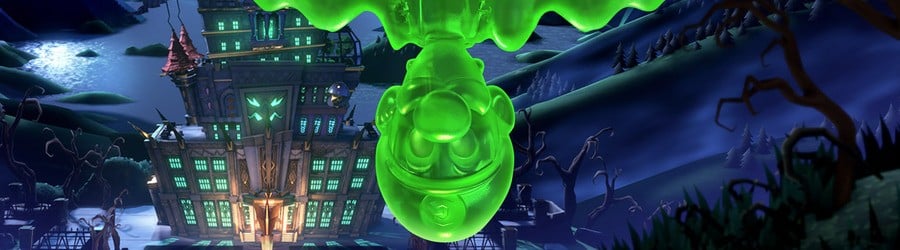
    Luigi's Mansion 3 (Switch)

    Luigi's Mansion 3 (Switch)

    Publisher: Nintendo / Developer: Next Level Games

    Release Date: 31st Oct 2019 (USA) / 31st Oct 2019 (UK/EU)

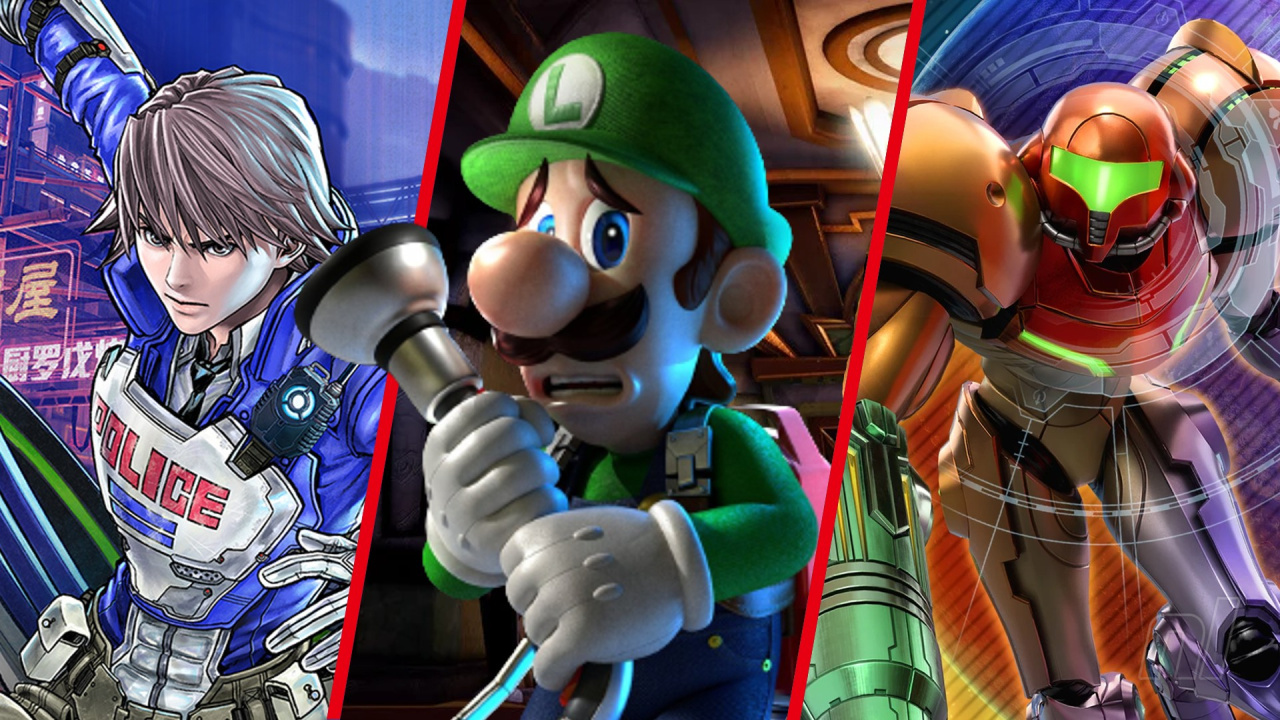
    There was perhaps an element of surprise to how lovely Luigi’s Mansion 3 looked which took us aback. Not that we expected it to be anything less than lovely–it is a top-tier Nintendo release–but we weren’t quite prepared for the prettiness of Luigi’s threequel. Developer Next Level Games really lived up to its name with this one and sucked every last big of graphical juice from the hardware.

    Please note that some external links on this page are affiliate links, which means if you click them and make a purchase we may receive a small percentage of the sale. Please read our FTC Disclosure for more information.

    Luigi's Mansion 3

    Luigi's Mansion 3

    The Touryst (Switch eShop)

    The Touryst (Switch eShop)

    Publisher: Shin’en Multimedia / Developer: Shin’en Multimedia

    Release Date: 21st Nov 2019 (USA) / 21st Nov 2019 (UK/EU)

    With performance locked at a silky-smooth 60fps and the pixel count maxed out whether you’re playing in docked or handheld mode, The Touryst from developer Shin’en is an absolute treat for the eyes. With a colourful voxel art style and a bright island-based setting, it’s a wonderfully good-looking little adventure to embark on and we highly recommend giving it a try if this one passed you by.

    Kingdom Two Crowns (Switch eShop)

    Kingdom Two Crowns (Switch eShop)

    Publisher: Raw Fury / Developer: Noio

    Release Date: 11th Dec 2018 (USA) / 11th Dec 2018 (UK/EU)

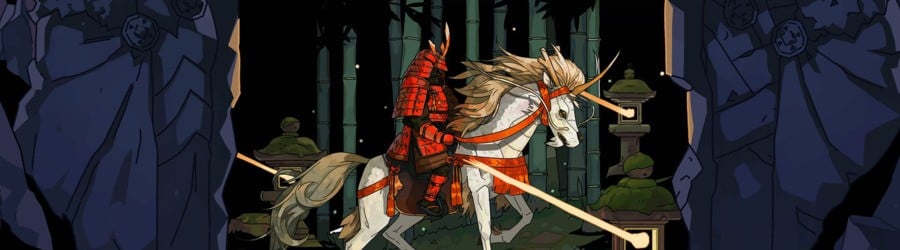
    While 2D pixel art games are ten-a-penny, few of them are quite as breathtaking as Kingdom Two Crowns. Performance might not be perfect, but one look at the wondrous reflections, subtle lighting and sheer detail in the ever-changing landscapes of this game is enough to forgive and forget any frame rate hiccups you might encounter.

    Kingdom Majestic: Limited Edition

    Octopath Traveler (Switch)

    Octopath Traveler (Switch)

    Publisher: Nintendo / Developer: Square Enix

    Release Date: 13th Jul 2018 (USA) / 13th Jul 2018 (UK/EU)

    With a style that the makers labelled ‘HD-2D’, Octopath Traveler features 16-bit-style sprites in a gorgeous 3D world and manages to fuse then into a coherent and quite stunning whole. Evocative depth-of-field and lighting effects give the impression of an intricate miniature model moving before your eyes. The gameplay was excellent, of course, but it was the way Octopath Traveler looks which still sticks in our memory.

    Octopath Traveler

    Astral Chain (Switch)

    Astral Chain (Switch)

    Publisher: Nintendo / Developer: PlatinumGames

    Release Date: 30th Aug 2019 (USA) / 30th Aug 2019 (UK/EU)

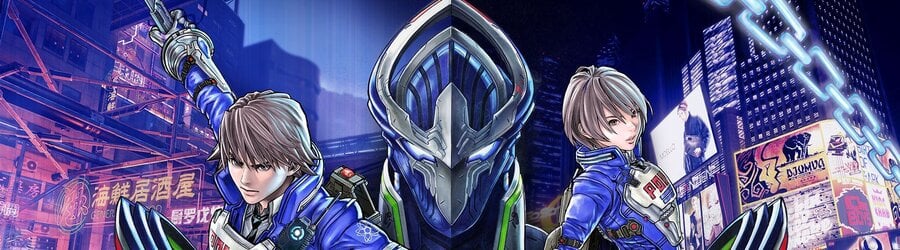
    This Switch exclusive has all the easy style you’d expect from PlatinumGames, the studio that makes Bayonetta, but we were especially impressed at the world-building effect of Astral Chain’s cohesive art direction. Rich colours contrast against worn surfaces and tech of the Police department, with sharp character designs by Masakazu Katsura giving this dystopian future a unique look when it could so easily become another one-of-those.

    Astral Chain

    The Legend of Zelda: Link's Awakening (Switch)

    The Legend of Zelda: Link's Awakening (Switch)

    Publisher: Nintendo / Developer: Nintendo

    Release Date: 20th Sep 2019 (USA) / 20th Sep 2019 (UK/EU)

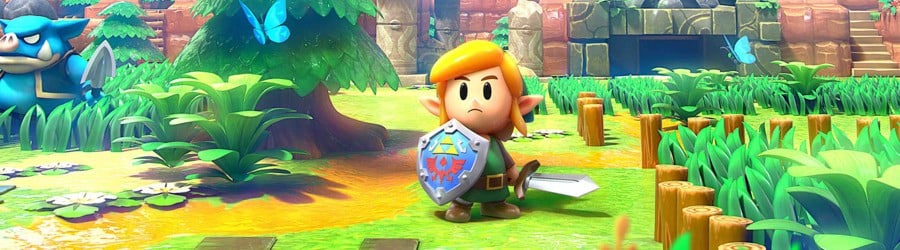
    Taking the blueprint of the original Game Boy game and dressing it up in a wonderful toy-like aesthetic, developer Grezzo did a fine job at reimagining a classic for modern hardware. Only some patchy performance issues take the shine off it, but Link’s Awakening on Switch is still one of the system’s graphical jewels.

    Rayman Legends: Definitive Edition (Switch)

    Rayman Legends: Definitive Edition (Switch)

    Publisher: Ubisoft / Developer: Ubisoft

    Release Date: 12th Sep 2017 (USA) / 12th Sep 2017 (UK/EU)

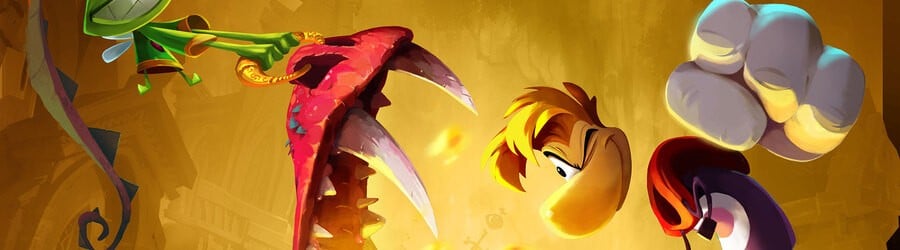
    This may be a leftover from the previous generation, but Rayman Legends remains one of the best-looking 2D platformers ever, and that’s no less true of the Definitive Edition on Switch. Its cartoon art style is timeless and stands up just as well in 2020 as it did when it first wowed us on Wii U back in 2013. This is frequently available at a vastly discounted price in the eShop sales, so if you haven’t taken the plunge, we highly recommend getting acquainted with Ubisoft’s limbless wonder.

    Rayman Legends Definitive Edition

    GRIS (Switch eShop)

    GRIS (Switch eShop)

    Publisher: Devolver Digital / Developer: Nomada Studio

    Release Date: 13th Dec 2018 (USA) / 13th Dec 2018 (UK/EU)

    A delicate little indie platformer, the watercolour art style of GRIS is just the ticket if you’re stressed and in need of a restorative, relaxing game. Coming from indie studio Nomada, it’s a magical little adventure where you bring pigmentation back to a colourless world. If you’re after something that will attract the attention of others as you play, GRIS is a captivating game.

    Wonder Boy: The Dragon's Trap (Switch eShop)

    Wonder Boy: The Dragon's Trap (Switch eShop)

    Publisher: Dotemu / Developer: Lizardcube

    Release Date: 18th Apr 2017 (USA) / 18th Apr 2017 (UK/EU)

    Wonder Boy: The Dragon’s Trap is a gorgeous reskin of a Master System classic that’s been reconstructed from the ground up. The visuals alone are enough to earn its place here, although the real ace up its sleeve is the ability to switch between Lizardcube’s incredible artwork and the original 8-bit graphics in real time. You don’t have to go into a menu, you press a button and the other style wipes across the screen. Scrubbing between the two became part of the game for us as we switched between styles and admired the artistic choices made in the updated version.

    Don’t get us wrong, Monster Boy and the Cursed Kingdom is great, too, but this game has a special place in our hearts. The same artist worked on the sublime Streets of Rage 4.

    Wonder Boy The Dragon's Trap

    Townscaper (Switch eShop)

    Townscaper (Switch eShop)

    Publisher: Raw Fury / Developer: Oskar Stålberg

    Release Date: 26th Aug 2021 (USA) / 26th Aug 2021 (UK/EU)

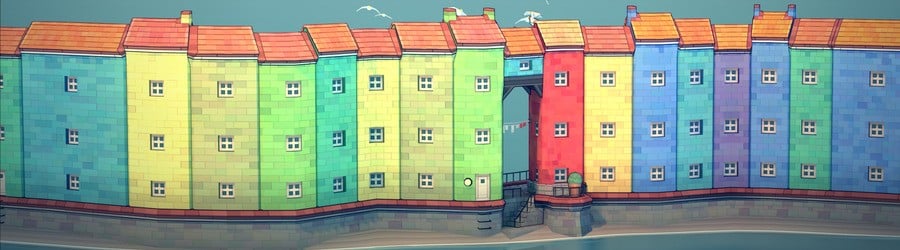
    Less a game and more a relaxing (and thoroughly eye-catching) plaything, screenshots of indie curio Townscaper are responsible for taking up approximately half of the storage space on the micro SD card lodged in our Switch at present. With the ability to alter the time of day in real-time via the menu, we’ve lost many happy hours creating impossibly complex towns on the water and grabbing shots from all angles — a beautiful way to pass a few minutes or many hours with no goal beyond creating something aesthetically pleasing. Fortunately, Townscaper makes that easy.

    The Legend of Zelda: Breath of the Wild (Switch)

    The Legend of Zelda: Breath of the Wild (Switch)

    Publisher: Nintendo / Developer: Nintendo SPD

    Release Date: 3rd Mar 2017 (USA) / 3rd Mar 2017 (UK/EU)

    Of course. Not much to say with this one really — Breath of the Wild is a majestic game that had us eyeing outcrops and scanning the horizon in real life when we ventured into the countryside. You can pick holes around individual aspects of the presentation–be it resolution or jaggies or occasional frame rate drops–but the cumulative effect of its systems and the strength of its art direction still make it one of the most beautiful Switch games over three years after release.

    The Legend of Zelda: Breath of the Wild

    Baldo: The Guardian Owls (Switch eShop)

    Baldo: The Guardian Owls (Switch eShop)

    Publisher: Naps Team / Developer: Naps Team

    Release Date: 27th Aug 2021 (USA) / 27th Aug 2021 (UK/EU)

    Baldo‘s incredible Ghibli-esque art style caught the eyes of gamers the world over when it was first revealed and it’s probably the single aspect of a incredibly disappointing game which lives up to expectations. We described it in our review as “one of the most exquisite looking games on Switch” — hence its inclusion here — and we utterly stand by that. It’s just a shame that was pretty much the only praise we could give.

    Baldo: The Guardian Owls: Three Fairies Edition

    Baldo: The Guardian Owls: Three Fairies Edition

    Posted on Leave a comment

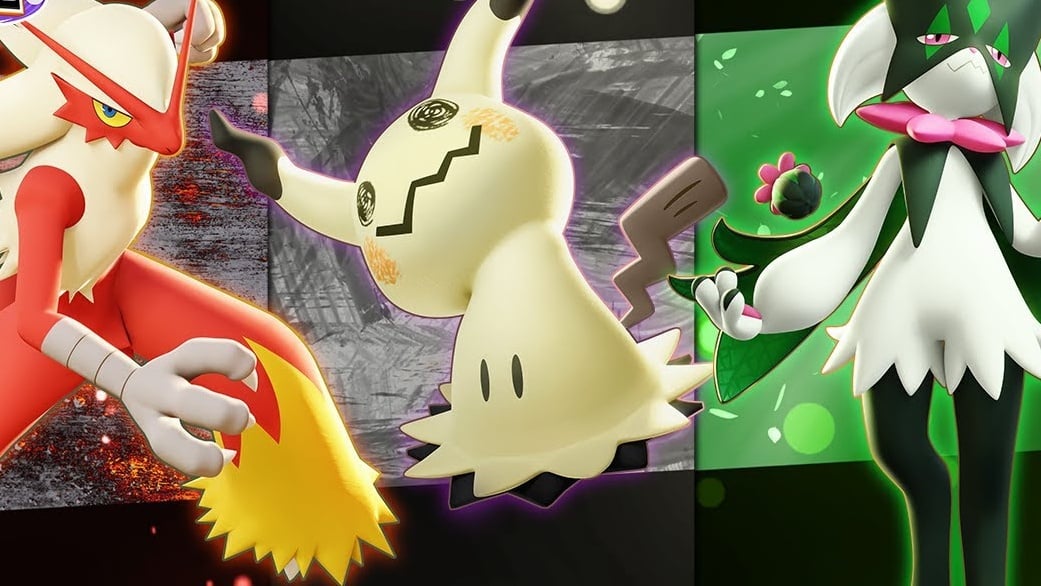
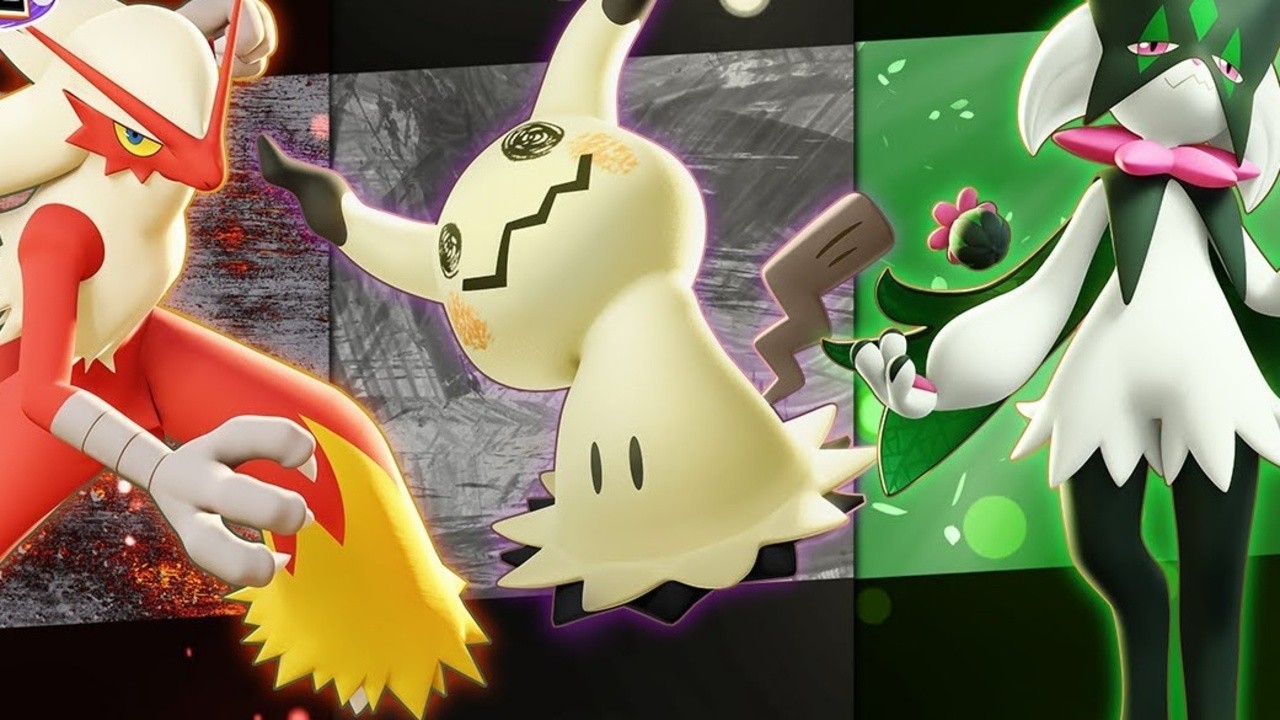
    Pokémon Unite Adding Blaziken, Mimikyu And Meowscarada, Here’s A First Look

    Some other news at this year’s Pokémon World Championships put the spotlight on the Nintendo Switch and mobile MOBA, Pokémon Unite.

    If you’re still enjoying this one on a regular basis, you’ll be interested to know Blaziken, Mimikyu, and Meowscarada will be added to the game as playable picks. The fire starter evolution of Torchic and Combusken will be joining the game next month on 14th September and the other new reveals are “coming soon”.

    In related news at the 2023 World Championships, it’s been revealed starter Pokémon will be making a return in Pokémon Scarlet and Violet‘s upcoming DLC – The Hidden Treasure of Area Zero, part two. You can learn more in previous story:

    Will you be checking out these new additions in Unite? Leave a comment below.

    Posted on Leave a comment

    Mailbox: Nintendo Life Letters Page – TOTK Overload, Patches, Geno-Lovers

    Nintendo Life Mailbox
    Image: Nintendo Life

    Welcome back to the Nintendo Life Mailbox. We’re deep into August, so let’s dig into our inbox and see what’s been spinning ’round those brainboxes of yours over the past month, shall we?

    Got something you want to get off your chest? We’re ready and waiting to read about your game-related ponderings. Each month we’ll highlight a Star Letter, the writer of which will receive a month’s subscription to our ad-free Supporter scheme. Check out the submission guidelines at the bottom of this page for information on how to have your short, sharp correspondence drop on our digital doormat.

    Let’s see what you’ve got in store for us this month…

    Nintendo Life Mailbox – August 2023

    “Overload” (***STAR LETTER***)

    Hi Nintendo Life,
    So, after reading your latest edition of Reader Letters, I felt inspired to write to you about… Tears of the Kingdom. Of course, nothing original there.
    But maybe my experience is a little less common. Like seemingly everyone else, I had my launch day copy and before I knew it, 75 hours had passed. In this 75 hours I did the first temple (Wind Temple), completed about 55 shrines and activated the majority of towers. I did several major quest lines, including some in the Depths, as well as the Hateno Village mayoral election that wasn’t.
    … and then I stopped. I haven’t touched TOTK for over two weeks now. I had just got to Zora’s Domain and was waiting for a free evening when I could just plough through the second temple in one go. But I’ve just not gone back. I love the game, it’s phenomenal. But I think it just overwhelmed me with so much content, that I just couldn’t organise in my head what I wanted to do and in what order. I think they call it ‘choice overload’ and I definitely started to experience this.
    I loved BOTW – in fact, it got me back into gaming after a 15-year hiatus (that combined with a fractured ankle that kept me at home for three months with nothing to do). I never felt BOTW was overwhelming and the credits rolled before I was able to walk confidently again.
    So, perhaps this is one thing that BOTW has over TOTK – even though I’ve now retreated into shorter, more linear games, I know I’ll eventually go back to TOTK because I was genuinely having a blast with it. But my brain really needed a break. It would be interesting to hear if any other Nintendo Life readers have experienced the same?
    Cheers,
    Deecas

    I… entirely agree, and had a similar experience! There’s just so much of it. I’m resigned to pacing myself and not worrying if it takes me a year or two. Right now, if I had to choose between the two, the wilderness and tranquility of BOTW is the more appealing. I know the terrain like the back of my hand at this point, though. Perhaps what I really want is BOTW… 2?

    Have a month’s worth of supporter subscription on us. – Ed.

    Nintendo Life Mailbox
    Image: Nintendo Life

    “Significant patches”

    Hello! Often a game will receive a significant patch months after release that overhauls performance. In the original review of such a game, the cons list might have a frame rate or resolution issue which would deter a purchase. But once patched, that con disappears, but the original review still stands and is linked through Metacritic and Open Critic.
    Obviously that is totally fair as a release day product is what you are reviewing, even with a day one patch, but if that game goes on sale a year down the line, and one looks up reviews to see if it’s worth buying, unless they also notice a comment saying ‘such and such has been patched now’, then the original review isn’t terribly helpful.
    I’m not suggesting all games are re-reviewed annually or anything, but especially where a significant patch has been applied, some note on the original review should be made. In the past I’ve decided to not buy games games that looked amazing but reviewed poorly due to performance, only to find out later that those issues were patched and I’ve been missing out (pinball fx3 handheld 60fps patch is a great example of my argument).
    Thank you for reading,
    Dean

    This is something we (and games media at large) have been struggling with for many years at this point. Reviews these days are inevitably a snapshot in time, and coverage is always a balance of what we’d like to do versus what we’re able to do with non-infinite resources.

    In an ideal world, we would review every single game on Switch and be able to track it, updating our articles and overall verdict as major patches are released, but it’s simply not realistic. Reviewers must be compensated for their work, so do we divert time and money to investigating v.4.6 of a five-year-old game — which is essentially a known quantity with some new content — or do we cover new releases instead?

    We often cover major updates with a news post, and if issues are reportedly addressed, we’ll add a line at the top of a review linking to the story and noting that the reviewer’s experience may not reflect the post-patch game. It’s not perfect, but it’s a practical means of flagging potential improvements for anyone reading the review. Logging patch notes in our database would be great — I’d love to do that — but considering all the games and updates released, that’s a huge amount of data entry. I’d do that in a second if resources were infinite. Unfortunately, time and money!

    Another factor that readers, understandably, might not consider: If we revisited one game and altered its score, every publisher under the sun would start requesting re-reviews and reappraisals. We’d never be able to do anything else! We’ll continue to consider our approach and try to make useful, sustainable tweaks (our recent partnership and integration of Family Gaming’s accessibility database being a good example). But it’s definitely a challenge we discuss a lot as a team. – Ed.

    “Swap around the symbols”

    Why is it that bigger companies like Sony and the like seem to be under the impression that £70/$70 etc. are exactly the same price? Currently, £70 being about $80 and $70 being about £55, it seems quite unfair to just swap around the symbols. I don’t know how bad it is in Europe, but at least around here, the price being paid for, say, 1 Sony game is about how much I paid for my 2DS, and that just seems bizarre. I know that in the grand scheme of things, it’s quite minor, but how hard can it be to just do it reasonably?
    Scooby-Doo

    From the European perspective, I’ve always looked enviously across the Atlantic at that converted USD vs. GBP/EUR price, but then I’m sure Japanese gamers were even more jealous as they slapped down the equivalent of 80, 90, 100+ dollars for new releases in the past. (Although at the moment it looks like Switch gamers in Japan are paying around £42 for TOTK on the eShop.)

    Ultimately, there are a lot of factors, economic and historical, but companies will generally be as competitive as possible in whatever market they’re operating. With inflation and other UK factors-that-shan’t-be-named having an effect, though, the difference stings more than ever. – Ed.

    “Geno-lovers”

    Nintendo Life Mailbox
    Image: Nintendo

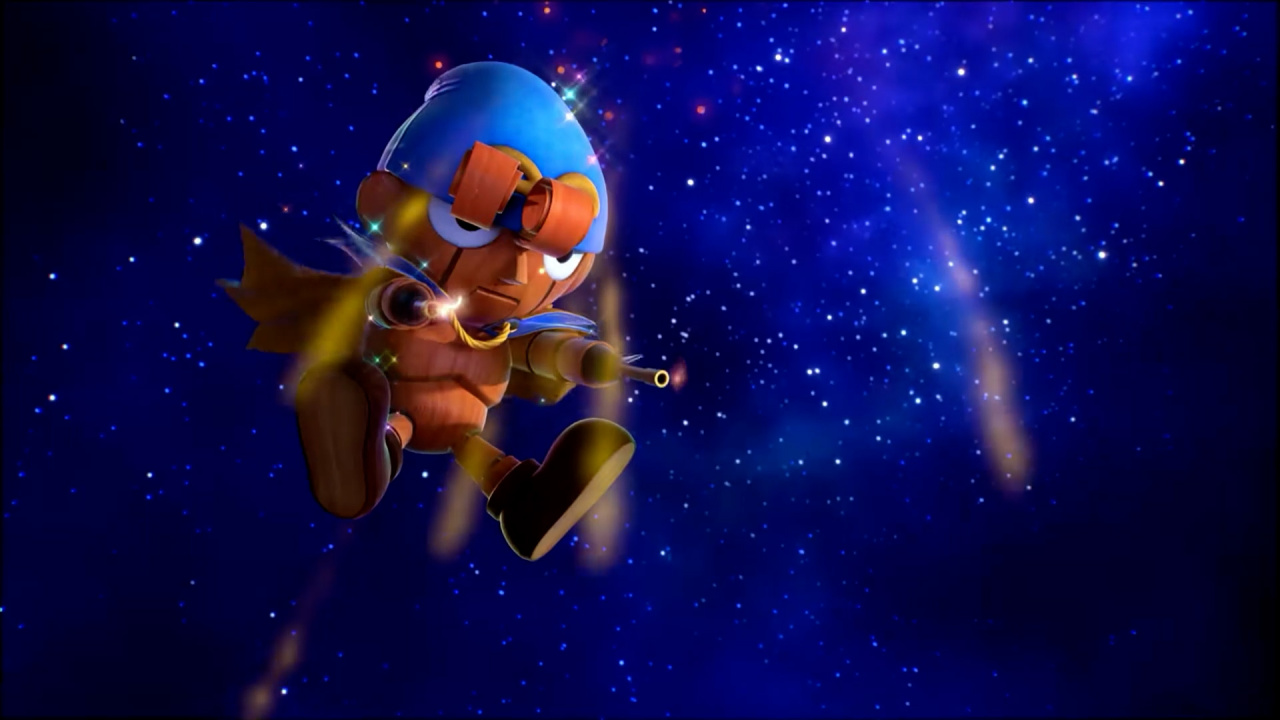
    Looking back on it now, the Geno in Smash campaign began as we know it roughly 10 years ago, as people anticipated the release of Smash 4. Of course, many other fighters have been revealed since then, and many of us, including the aforementioned Geno fans have been left thoroughly disappointed that they didn’t get their dream fighters. (I myself wanted Starfy from The Legendary Starfy, but that’s never going to happen.)

    My question is, to all you Geno-lovers out there, do you still want Geno in smash above everyone else? And, with the upcoming Super Mario RPG remake, do you think Geno has an improved chance of making it into the next Smash entry? Or should Mallow have been the one to campaign for all this time instead…
    wanderwonder

    If Super Mario RPGmake is a runaway hit (and given the Switch install base, it’s surely going to sell several million copies), yes, Geno will have an improved chance of coming to ‘Smash Bros. Beyond’ or whatever the next one is.

    However, I wouldn’t put it past Mr. Sakurai to put some other Mario RPG character in there due to ‘more varied moveset potential’ or something. #Dodo4Smash. – Ed.

    “My question”

    Hello lovely people it’s Nintendom from…my house here:

    Your website is fantastic and I check it daily for Nintendo news. Your reviews are also fantastic!

    Anyways, my question is:

    Would any of you love to see a reboot of The Mysterious Murasame Castle? Assuming it would be in 3D, how would it work? (I thought about a hack-n-slash but I suppose if I wanted a hack-n-slash reboot of a tough Famicom game i’d just play Ninja Gaiden!)
    Nintendom

    Thank you kindly, Nintendom. I could go for a Murasame Castle reboot, but I wouldn’t mind seeing the original game available on NSO first. As for how a modern take might work, it would need that combat focus, and Ninja Gaiden-style action makes sense. Platinum might be a good match, too.

    The most obvious candidate would be Omega Force to fashion something that captures that combat flow with a Musou tinge. Not sure I fancy the chances of a Murasame Castle reboot over a TOTK Warriors game, though. – Ed.

    [embedded content]
    For anyone wondering what we’re talking about, allow erstwhile NL video dude and lovely chap Jon Cartright to enlighten you

    Bonus Letters

    “What are you guys’ favourite dinosaurs?” – JONOFTHEJONS

    Partial to a brachiosaurus, myself. Or that little spitty one that got Wayne Knight. As for the rest of the team… – Ed.

    • “Yoshi, the obvious pick. And the dinos in Diddy Kong Racing.” – Liam
    • “T-Rex Banjo, specifically the huge one because it looks really stupid. As for real dinosaurs, diplodocus is the best.” – Alana
    • “Barney.” – Jim

    “Have you ever thought about holding some tournaments for Smash Bros. or Mario Kart? I would love to join (and inevitably fail) one of your tournaments! It would be fun to see your eccentric personalities host some events like that!” – Metacrystal

    The video team has run tournaments in the past, and they’re doing more live streams these days. Tournaments take some organising, but they’re fun! Not sure anyone wants to see my non-existent Smash skills, mind. – Ed.

    “Which would you argue is a more important aspect of games these days: good visuals or good music?” – Fizza

    BUT WHAT ABOUT THE GAMEPLAY!!!!!11 – Ed.

    “Was Nintendo Life simping for Brie” – Jump

    Who doesn’t love brie? – Ed.

    “you get to pick any Pokémon, legendary, mythical, to be your Pokémon partner in IRL for the rest of your life, but you can only pick one, who would you pick? hatterene is my choice!” – Snatcher

    Easy. Chespin. – Ed.

    • “I’d say Umbreon – I think we’re pretty similar, and I like the idea of having a loyal, emotionally receptive companion with me.” – Alana
    • “I’m torn between choosing a Pokémon that would be cute to have around or one that would be genuinely useful. Like, yes, an adorable puppy that smells of freshly-baked bread is all well and good, but where’s the practicality there? Now, imagine if you had a Machamp around to help reorganise furniture, carry shopping bags back from the supermarket, get rid of that cobweb on top of the cupboard, etc. Now we’re talking.” – Jim

    “currently waiting patiently for an 11-inch Elephant Mario amiibo” – Nintoz

    Oof, watch out for the cookies on those sites. – Ed.

    “Where else will I find out Y can’t Metroid crawl? Not Twitter that’s for sure.” – HeeHo

    ‘Twitter’ is sooo June, darling. We’re going through the alphabet now. – Ed.

    “Tsufufum?” – Beebs

    Absolutely tsufufum. – Ed.

    Nintendo Life Mailbox
    Image: Zion Grassl / Nintendo Life

    That’s all for this month! Thanks to everyone who wrote in, whether you were featured above or not.

    Got something you’d like to get off your chest? A burning question you need answered? A correction you can’t contain? Follow the instructions below, then, and we look forward to rifling through your missives.

    Nintendo Life Mailbox submission advice and guidelines

    • Letters, not essays, please – Bear in mind that your letter may appear on the site, and 1000 words ruminating on the Legend of Heroes series and asking Alana for her personal ranking isn’t likely to make the cut. Short and sweet is the order of the day. (If you’re after a general guide, 100-200 words would be ample for most topics.)
    • Don’t go crazy with multiple correspondences – Ideally, just the one letter a month, please!
    • Don’t be disheartened if your letter doesn’t appear in the monthly article – We anticipate a substantial inbox, and we’ll only be able to highlight a handful every month. So if your particular letter isn’t chosen for the article, please don’t get disheartened!

    How to send a Letter to the Nintendo Life Mailbox

    • Head to Nintendo Life’s Contact page and select the subject “Reader Letters” from the drop-down menu (it’s already done for you in the link above). Type your name, email, and beautifully-crafted letter into the appropriate box, hit send, and boom — you’re done!