Nintendo has announced the latest Splatfest event for Splatoon 3, due to take place from September 9th to September 11th, 2023.
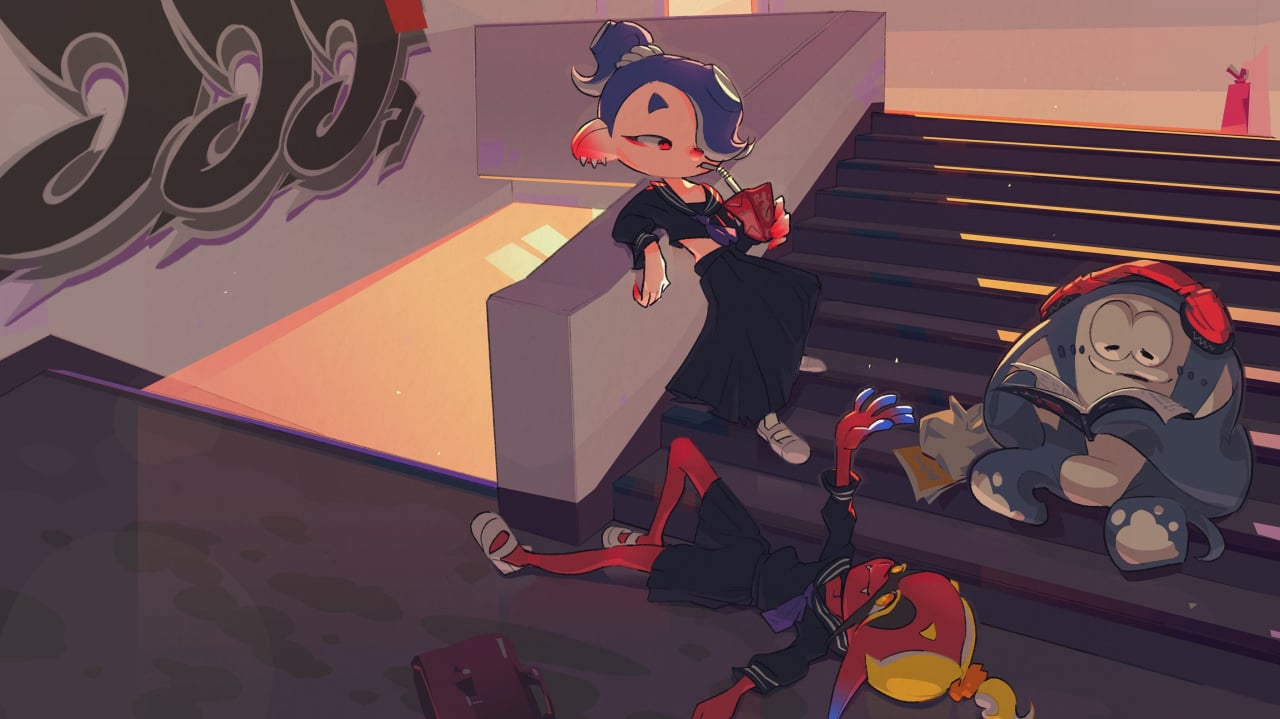
This time, the Splatfest will ask the age-old question: Who is the best leader? The three teams will represent the three members of Deep Cut: Shiver, Frye, and Big Man.
The latest Splatfest follows on from the ‘priorities-themed’ Splatfest which took place over the weekend of August 11th-13th. It was a reasonably close match, but Team Money managed to take home the prize.
Be sure to check out our full Splatfest guide for all the details on dates, times, themes, and winners.
Which team will you opt for in the upcoming ‘Best Leader’ Splatfest? (428 votes)
Shiver40%
Frye16%
Big Man43%
Will you be taking part in the upcoming Splatfest? Let us know with a comment in the usual place.
Please note that some external links on this page are affiliate links, which means if you click them and make a purchase we may receive a small percentage of the sale. Please read our FTC Disclosure for more information.
Nintendo has today announced that a brand new season will be inking its way in Splatoon 3 next month, as ‘Drizzle Season’ kicks off on 1st September.
As has been the case with the three seasons that have preceded this one, there are many newbies that will be coming to the Splatlands in just a few week’s time. These include brand-new weapons, fresh stages and a boat-load of new gear. You can get a taste of what is in store by checking out the trailer above, or read on for a summary of what’s to come.
Kicking things off, there are some brand new stages coming our way. First up, we have ‘Crableg Capital’, which consists of huge cranes and girders to offer a good mix of high and low ground — perfect for some varied splatting. There’s also ‘Shipshape Cargo Co.’ which takes the splatting to the seas as you will be fighting for ink-domination on a boat.
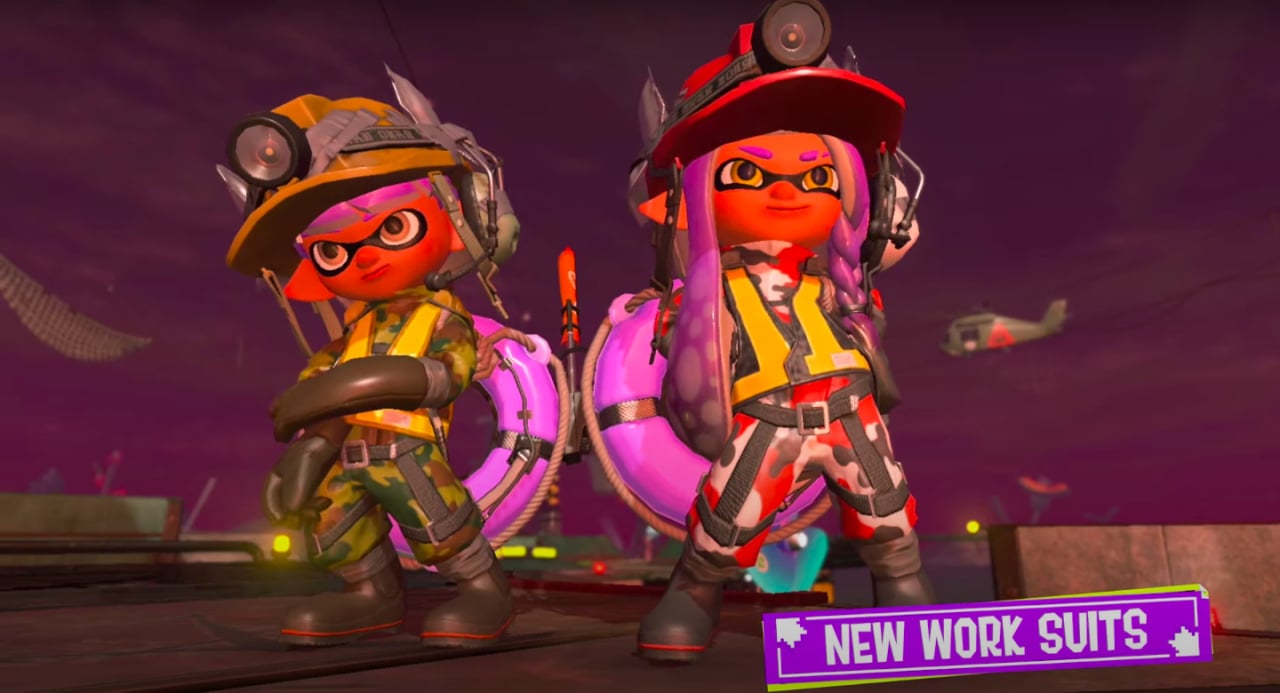
Over on Salmon Run, the ‘Salmonid Smokeyard’ stage will be making a comeback after initially appearing in Splatoon 2. There’s also a fresh batch of new work suits for the mode thrown in for good measure.
There is also an arsenal of new main weapons. The ‘Dread Wringer’ — Nintendo’s pun team exceeding itself there — appears to be in the Slosher class and offers good coverage for inking the area fast. There’s also ‘Heavy Edit Splatling’ for getting to the midst of your opponent’s attack quickly.
Image: Nintendo
On the slightly less technical side of things, Sizzle Season will give you the opportunity to adjust your gear. Want to wear your cap backwards? You’ll have the opportunity to do just that — we know, groundbreaking. Table Top battles will also be getting a fresh set of cards and there will be a series of new challenges including one that focuses on Inkjets — reach for the skies indeed.
Quite a lot to look forward to, huh? We can expect more updates on new weapon collaborations and perhaps some more stage details in the coming weeks, but for now, let’s just enjoy the last days of Sizzle Season 2023. shall we?
What are you the most excited to see in the upcoming season? Ink your thoughts in the comments below.
Please note that some external links on this page are affiliate links, which means if you click them and make a purchase we may receive a small percentage of the sale. Please read our FTC Disclosure for more information.
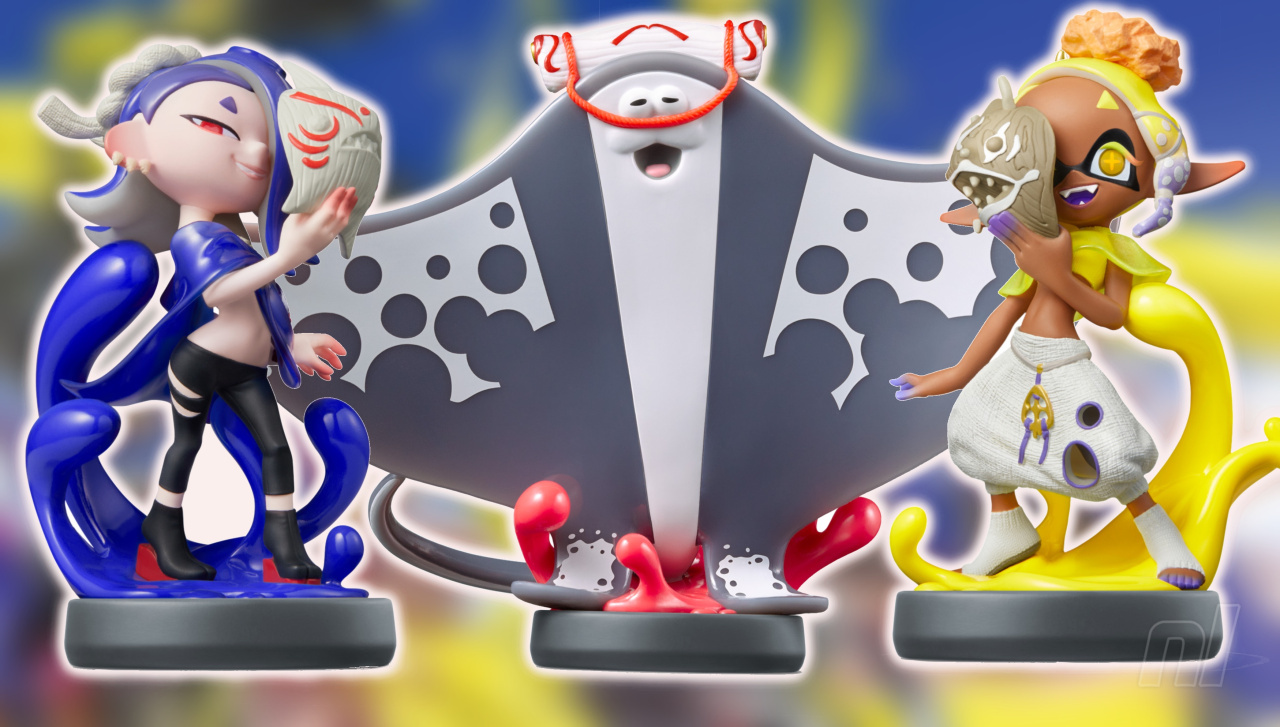
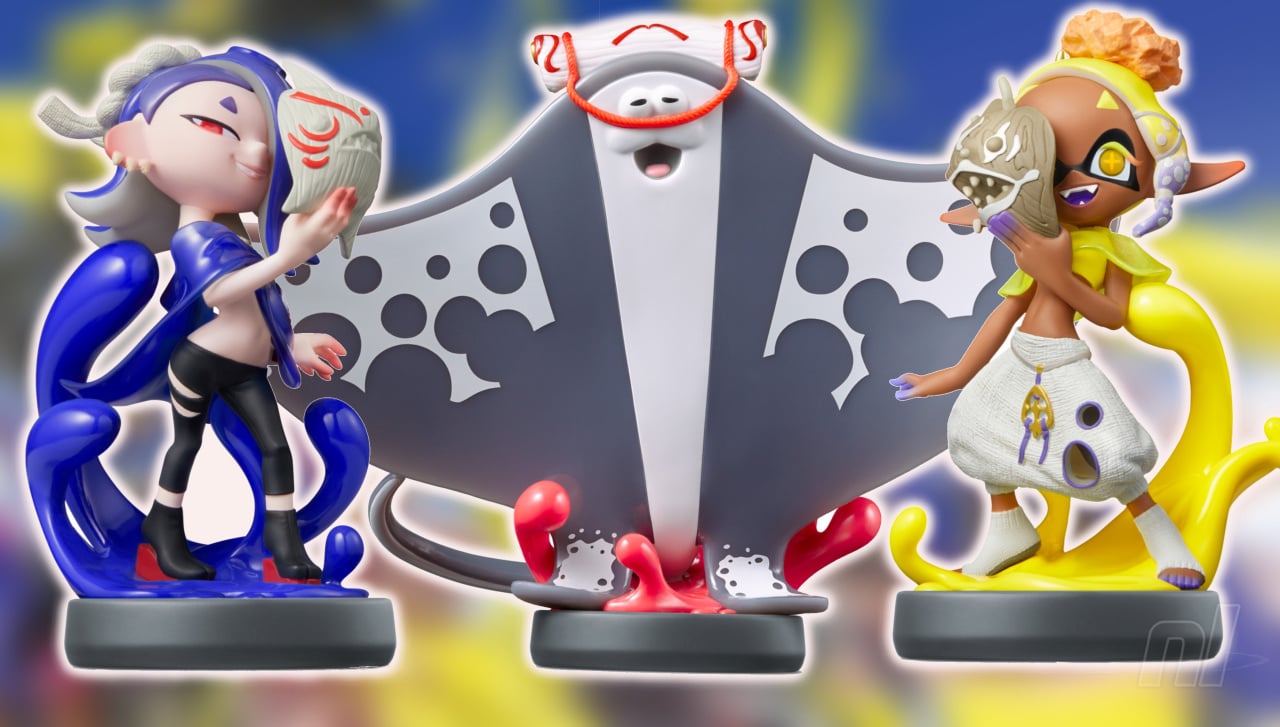
In addition to the announcement for the upcoming Drizzle Season for Splatoon 3, Nintendo has confirmed that amiibo figures for Shiver, Frye, and Big Man (a.k.a. the ‘Deep Cut’ crew) will be launching on November 17th, 2023.
You can scan the figures in and take snaps with each respective character, unlock exclusive gear, and more. Plus, they look freakin’ adorable, right..?
There’s no word on when pre-orders for the new amiibo will be made available, but rest assured we’ll be keeping our eyes peeled and our ears open for any new information as and when it’s released.
The new line joins a range of Splatoon amiibo already out in the open in the ever-growing amiibo line-up. The latest figures to launch were Pyra and Mythra from the Smash Bros. line.
Will you be picking up these new amiibo figures? Let us know your thoughts with a comment down below.
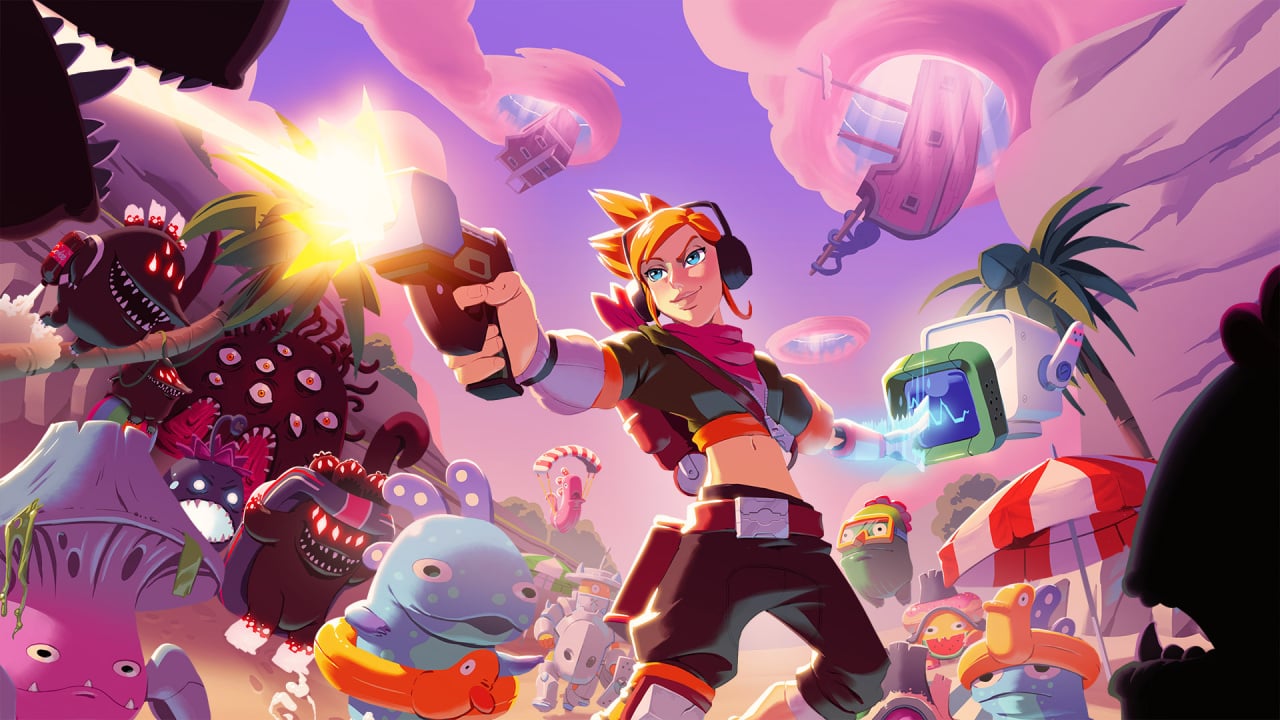
Publisher PQube and developer Playstark have today brought the action-packed roguelite shooter Die After Sunset to Switch, with the game available to pick up on the eShop right now.
This one will see you choose between three different characters — April, Rido and Hune — and drop into Earth to help fight off hoards of an alien race called the Murkor. This species grows in strength when hiding in the shadows, so you’ll want to drag them out into the light before taking them on with your chosen hero’s arsenal. Kill as many as you can before the sun sets then repeat the cycle the following day — simple, right?
Each character brings their own playstyle to the runs but you can open chests along the way to provide weapon upgrades and new power-ups. There are level trees (aren’t there always?) that you can use after a day of murdering Murkors to make your character stronger for the next day.
Please note that some external links on this page are affiliate links, which means if you click them and make a purchase we may receive a small percentage of the sale. Please read our FTC Disclosure for more information.
You can find some more information about the game’s features and get a look at some screenshots below:
Three Unique Playstyles Each character comes equipped with a standard primary weapon and special attack. Choose wisely between sharp-shooter April, half-man-half-cyborg, machine-gun wielding Rido and… Hune, a Murkor experiment gone wrong. Fight In The Light Murkors draw their power from the shadows, growing in size and strength. Strategically position yourself so the sun is always beaming down on you, and your enemies. (Sun cream is supplied as standard issue). Power Ups & Weapons Open chests and complete missions to power up and equip new weapons. Collect as much as you can before the sun sets to give you the best possible chance in fighting murkor bosses. Die, Die, Die Again Collect ‘Mucus’ dropped by Murkors as they are defeated – this will become the currency you can bank. With ‘Mucus’ in the bank you can progress level-trees and make yourself stronger on every run.
Aside from some visuals that look a little, erm, Fortnite-y, we can see this being some good fun so long as the performance is up to scratch on Switch.
Die After Sunset is now available to download from the Switch eShop for £16.99 / €19.99 / $19.99.
Are you up for some monster mashing? Shoot your thoughts in the comments below.
Knowing your Python version is vital for running programs that may be incompatible with a certain version. Checking the Python version from the command line is simple and can be done using your operating system’s built-in tools.
Windows Command Prompt
In Windows, you can use PowerShell to check your Python version. Open PowerShell by pressing Win+R, typing powershell, and then pressing Enter. Once PowerShell is open, type the following command:
python --version
This command will return the Python version installed on your Windows system. If you have both Python 2 and Python 3 installed, you can use the following command to check the Python 3 version:
python3 --version
macOS Terminal
To check the Python version in macOS, open the Terminal by going to Finder, clicking on Applications, and then navigating to Utilities > Terminal. Once the Terminal is open, type the following command to check your Python version:
python --version
Alternatively, if you have Python 3 installed, use the following command to check the Python 3 version:
python3 --version
Linux Terminal
In Linux, open a terminal window and type the following command to check your Python version:
This code snippet will print the Python version currently being used to run the script. It can be helpful in identifying version-related issues when debugging your code.
Check Python Version in Script
Using Sys Module
The sys module allows you to access your Python version within a script. To obtain the version, simply import the sys module and use the sys.version_info attribute. This attribute returns a tuple containing the major, minor, and micro version numbers, as well as the release level and serial number.
Another way to check the Python version in a script is using the platform module. The platform.python_version() function returns the version as a string, while platform.python_version_tuple() returns it as a tuple.
Here’s an example of how to use these functions:
import platform
version = platform.python_version()
version_tuple = platform.python_version_tuple()
print(f"Python version: {version}")
print(f"Python version (tuple): {version_tuple}")
Both the sys and platform methods allow you to easily check your python version in your scripts. By utilizing these modules, you can ensure that your script is running on the correct version of Python, or even tailor your script to work with multiple versions.
Python Version Components
Python versions are composed of several components that help developers understand the evolution of the language and maintain their projects accordingly. In this section, we will explore the major components, including Major Version, Minor Version, and Micro Version.
Major Version
The Major Version denotes the most significant changes in the language, often introducing new features or language elements that are not backwards compatible. Python currently has two major versions in widespread use: Python 2 and Python 3. The transition from Python 2 to Python 3 was a significant change, with many libraries and applications needing updates to ensure compatibility.
For example, to check the major version of your Python interpreter, you can use the following code snippet:
import sys
print(sys.version_info.major)
Minor Version
The Minor Version represents smaller updates and improvements to the language. These changes are typically backwards compatible, and they introduce bug fixes, performance enhancements, and minor features. For example, Python 3.6 introduced formatted string literals (f-strings) to improve string manipulation, while Python 3.7 enhanced asynchronous functionality with the asyncio module.
You can check the minor version of your Python interpreter with this code snippet:
import sys
print(sys.version_info.minor)
Micro Version
The Micro Version is the smallest level of changes, focused on addressing specific bugs, security vulnerabilities, or minor refinements. These updates should be fully backwards compatible, ensuring that your code continues to work as expected. The micro version is useful for package maintainers and developers who need precise control over their dependencies.
To find out the micro version of your Python interpreter, use the following code snippet:
import sys
print(sys.version_info.micro)
In summary, Python versions are a combination of major, minor, and micro components that provide insight into the evolution of the language. The version number is available as both a tuple and a string, representing release levels and serial versions, respectively.
Working with Multiple Python Versions
Working with multiple Python versions on different operating systems like mac, Windows, and Linux is often required when developing applications or scripts. Knowing how to select a specific Python interpreter and check the version of Python in use is essential for ensuring compatibility and preventing errors.
Selecting a Specific Python Interpreter
In order to select a specific Python interpreter, you can use the command line or terminal on your operating system. For instance, on Windows, you can start the Anaconda Prompt by searching for it in the Start menu, and on Linux or macOS, simply open the terminal or shell.
Once you have the terminal or command prompt open, you can use the python command followed by the specific version number you want to use, such as python2 or python3. For example, if you want to run a script named example_script.py with Python 3, you would enter python3 example_script.py in the terminal.
Note: Make sure you have the desired Python version installed on your system before attempting to select a specific interpreter.
To determine which Python version is currently running your script, you can use the sys module. In your script, you will need to import sys and then use the sys.version attribute to obtain information about the currently active Python interpreter.
Here’s an example that shows the Python version in use:
import sys
print("Python version in use:", sys.version.split()[0])
For a more platform-independent way to obtain the Python version, you can use the platform module. First, import platform, and then use the platform.python_version() function, like this:
import platform
print("Python version in use:", platform.python_version())
In conclusion, managing multiple Python versions can be straightforward when you know how to select a specific interpreter and obtain the currently active Python version. This knowledge is crucial for ensuring compatibility and preventing errors in your development process.
Python, one of the most widely-used programming languages, has two major versions: Python2 and Python3. Understanding and checking their compatibility ensures that your code runs as intended across different environments.
To check the Python version via the command line, open the terminal (Linux, Ubuntu) or command prompt (Windows), and run the following command:
python --version
Alternatively, you can use the shorthand:
python -V
For checking the Python version within a script, you can use the sys module. In the following example, the major and minor version numbers are obtained using sys.version_info:
import sys
version_info = sys.version_info
print(f"Python {version_info.major}.{version_info.minor} is running this script.")
Compatibility between Python2 and Python3 is essential for maintaining codebases and leveraging pre-existing libraries. The 2to3 tool checks for compatibility by identifying the necessary transitions from Python2 to Python3 syntax.
To determine if a piece of code is Python3-compatible, run the following command:
2to3 your_python_file.py
Python packages typically declare their compatibility with specific Python versions. Reviewing the package documentation or its setup.py file provides insight into supported Python versions. To determine if a package is compatible with your Python environment, you can check the package’s release history on its project page and verify the meta-information for different versions.
When using Ubuntu or other Linux distributions, Python is often pre-installed. To ensure compatibility between different software components and programming languages (like gcc), regularly verify and update your installed Python versions.
Comparing Python Versions
When working with Python, it’s essential to know which version you are using. Different versions can have different syntax and functionality. You can compare the Python version numbers using the command line or within a script.
To check your Python version from the command line, you can run the command python --version or python3 --version. This will display the version number of the Python interpreter installed on your system.
In case you are working with multiple Python versions, it’s important to compare them to ensure compatibility. You can use the sys.version_info tuple, which contains the major, minor, and micro version numbers of your Python interpreter. Here’s an example:
import sys if sys.version_info < (3, 0, 0): print("You are using Python 2.x")
else: print("You are using Python 3.x or higher")
This code snippet compares the current Python version to a specific one (3.0.0) and prints a message to the shell depending on the outcome of the comparison.
In addition to Python, other programming languages like C++ can also have different versions. It’s important to be aware of the version number, as it affects the language’s features and compatibility.
Remember to always verify and compare Python version numbers before executing complex scripts or installing libraries, since a mismatch can lead to errors and unexpected behavior. By using the command line or programmatically checking the version in your script, you can ensure smooth and error-free development.
Frequently Asked Questions
How to find Python version in command line?
You can find the Python version in the command line by running the following command:
python --version
Or:
python -V
This command will display the Python version installed on your system.
How to check for Python version in a script?
To check for the Python version in a script, you can use the sys module. Here’s an example:
This code will print the Python version and version information when you run the script.
Ways to determine Python version in prompt?
As mentioned earlier, you can use the python --version or python -V command in the command prompt to determine the Python version. Additionally, you can run:
python -c "import sys; print(sys.version)"
This will run a one-liner that imports the sys module and prints the Python version.
Is Python installed? How to verify from command line?
To verify if Python is installed on your system, simply run the python --version or python -V command in the command prompt. If Python is installed, it will display the version number. If it’s not installed, you will receive an error message or a command not found message.
Verifying Python version in Anaconda environment?
To verify the Python version in an Anaconda environment, first activate the environment with conda activate <environment_name>. Next, run the python --version or python -V command as mentioned earlier.
Determining Python version programmatically?
Determining the Python version programmatically can be done using the sys module. As shown in the second question, you can use the following code snippet:
At Def Con 2023, some attendees were shown in real-time how a relatively cheap device leveraging Bluetooth flaws can force bogus notifications and potentially get the user to surrender sensitive data.
Walking around a conference dedicated to hacking devices and software typically means seeing all sorts of real world attacks, albeit in a specialized setting. And as some attendees discovered this year, it can also mean personal data is potentially up for grabs at any given moment.
Take, for example, a research project put together by Jae Bochs shows just how easy it is to take advantage of Apple’s own utilization of Bluetooth Low Energy, or BLE, to try and nab a user’s information. Bochs’s project had a couple of purposes, the first being to remind folks that simply using Control Center to disable Bluetooth doesn’t actually get the job done.
The second was to simply have a laugh as Bochs walked around the conference, stood in lines, and visited vendors. They did try to remember to turn their device off if they stopped to have a chat with someone, though, according toTechCrunch.
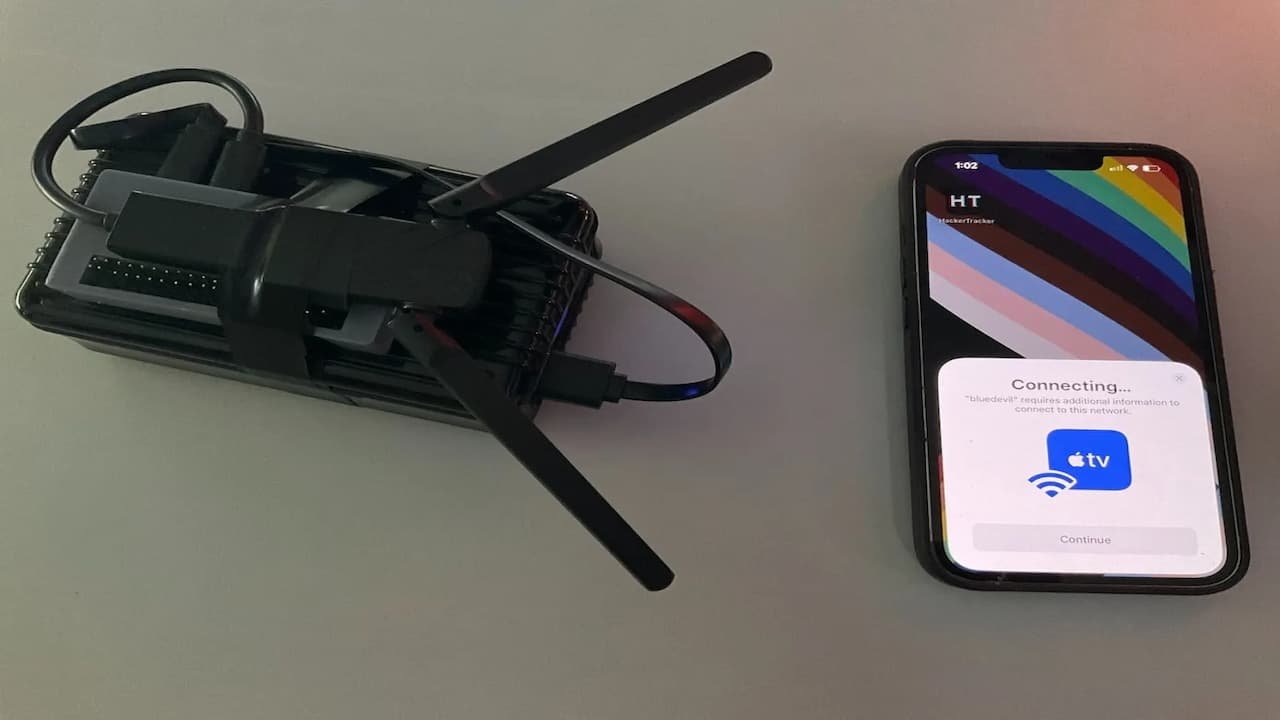
The device is a combination of several elements, like a Raspberry Pi Zero 2 W, a Linux-compatible Bluetooth adapter, a couple of antennas, and an external battery. All told, Bochs says it costs around $70, which means a relatively inexpensive device can quickly cause some specific havoc on Apple devices within 50 feet.
It comes down to communication between devices, which at this point Apple relies heavily on for its ecosystem. By tapping BLE, devices like iPhones can talk to one another when they get within a set range, which can then prompt “proximity actions.”
The device causes these actions, so as Bochs walked around the conference he was able to send a prompt to nearby iPhones asking them to auto-fill their password into a nearby Apple TV. Despite the fact there wasn’t an Apple TV near them.
Luckily, Bochs’s device wasn’t built to attain any personal information, even if someone did tap on the prompt and insert their password for some reason. However, he does say there is a possibility where that could happen.
“If a user were to interact with the prompts, and if the other end was set up to respond convincingly, I think you could get the victim’ to transfer a password. There’s an issue known for a few years where you can retrieve phone number, Apple ID email, and current Wi-Fi network from the packets.”
Apple is aware of the issue, and has been since 2019. However, Bochs does not expect the company to do anything about it because so little information can be shared through this process, and it’s an integral feature to the Apple ecosystem as a whole.
Bochs does suggest Apple could offer a better prompt for users, letting them know what’s happening when they tap the Bluetooth icon in Control Center.
How to protect yourself from this kind of attack
This is all about situational awareness. Bluetooth isn’t known for being particularly great for security purposes, but in this particular situation it comes down to knowing your environment.
As Bochs notes, this particular moment is for the laughs, because it’s an Apple TV prompting for a password at a hacker convention. It’s obviously not any one person’s personal Apple TV, so if you see this or similar while out, obviously don’t input your password.
However, out in the real world a similar prompt could pop up, which means the individual needs to be aware what personal devices are being carried, like an AirTag or pair of AirPods Pro. If a random device starts prompting you for a password, the safe bet is to ignore it entirely, especially if you don’t recognize it.
As a reminder, the only way to fully disable Bluetooth or Wi-Fi is to do so in the Settings app.
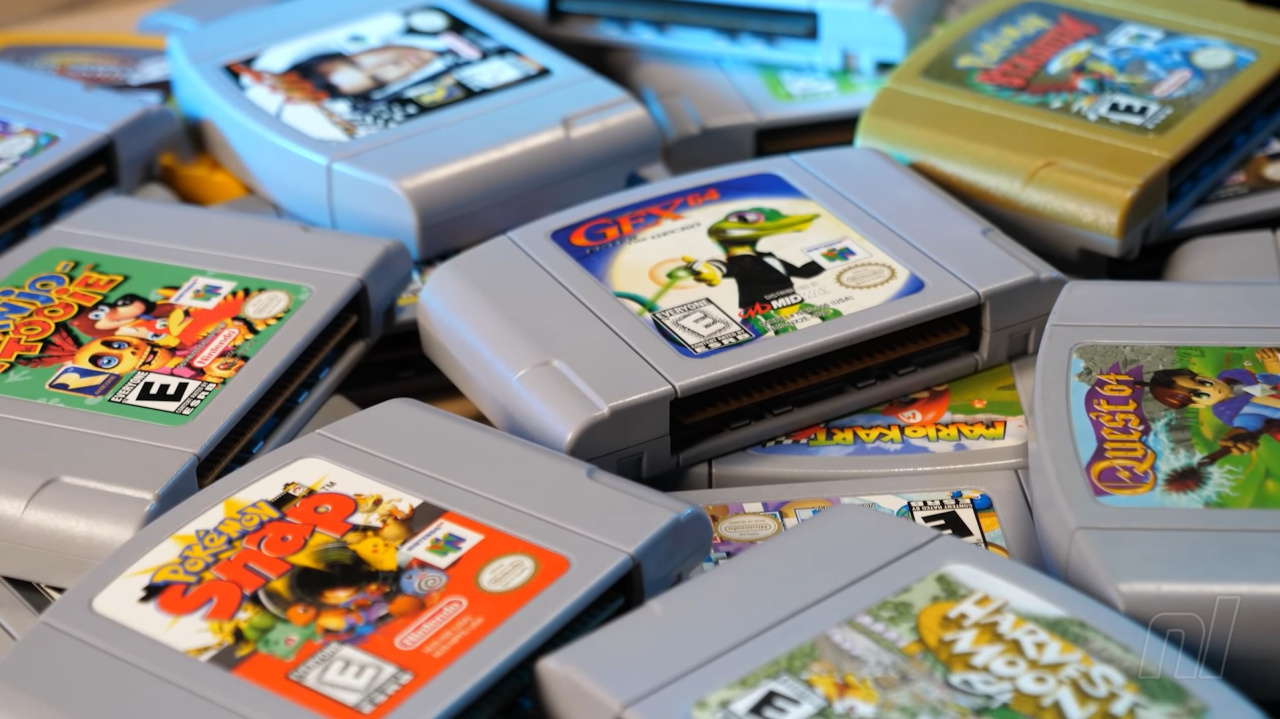
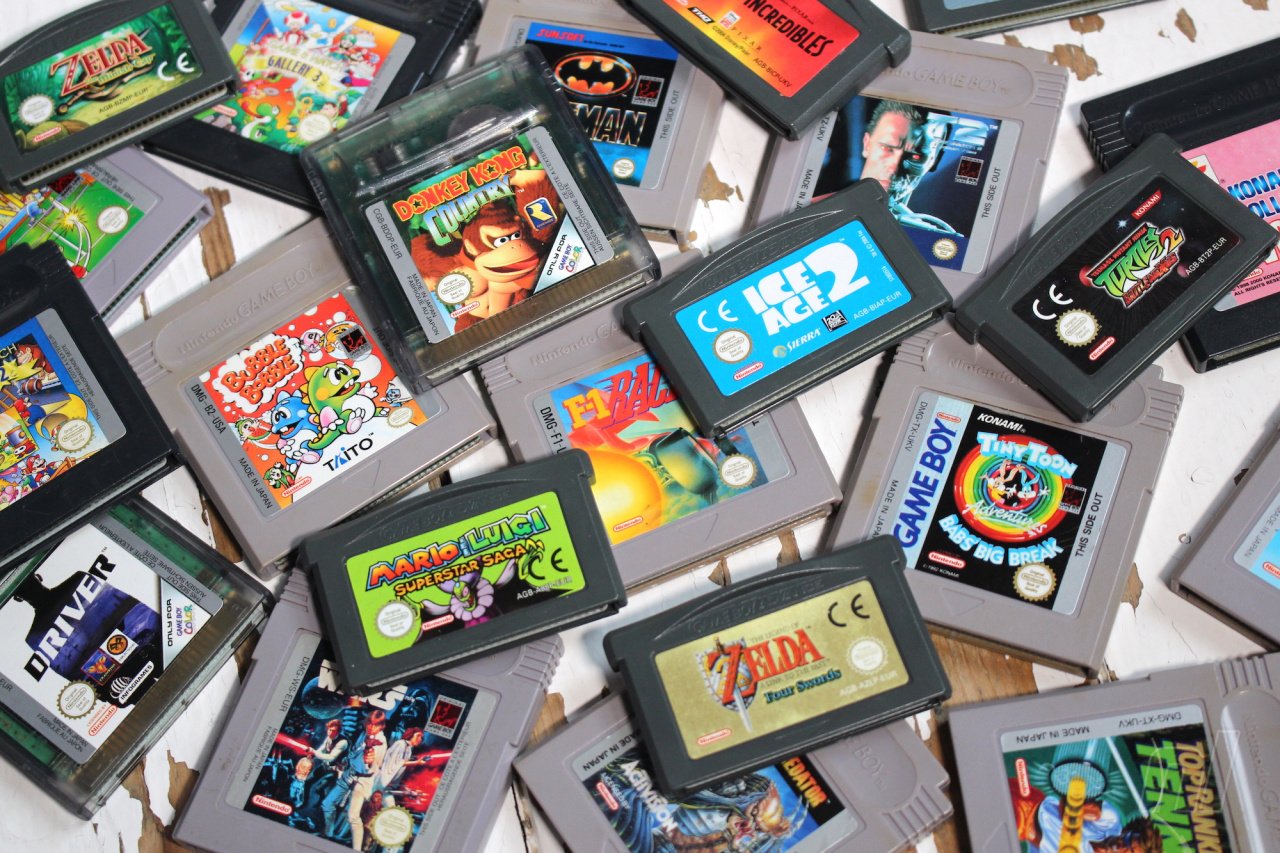
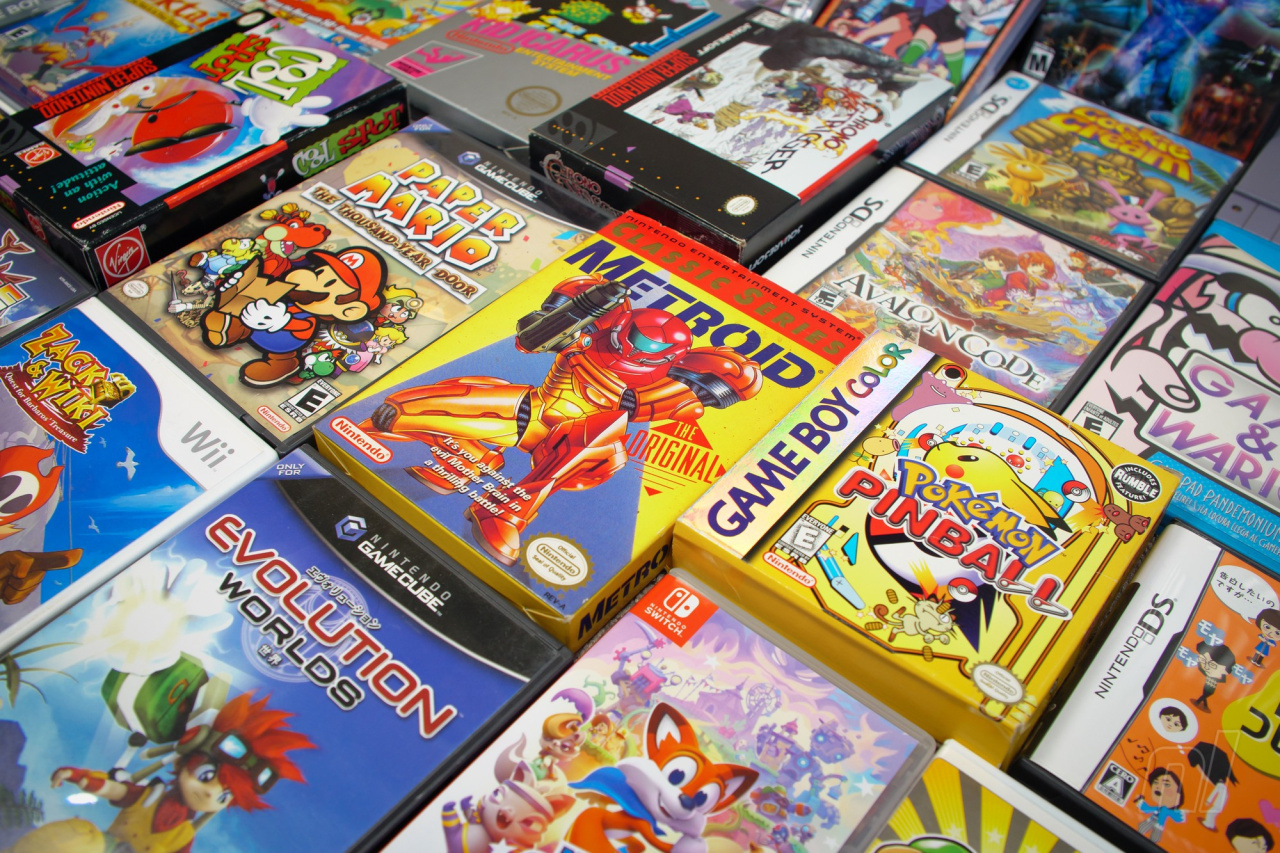
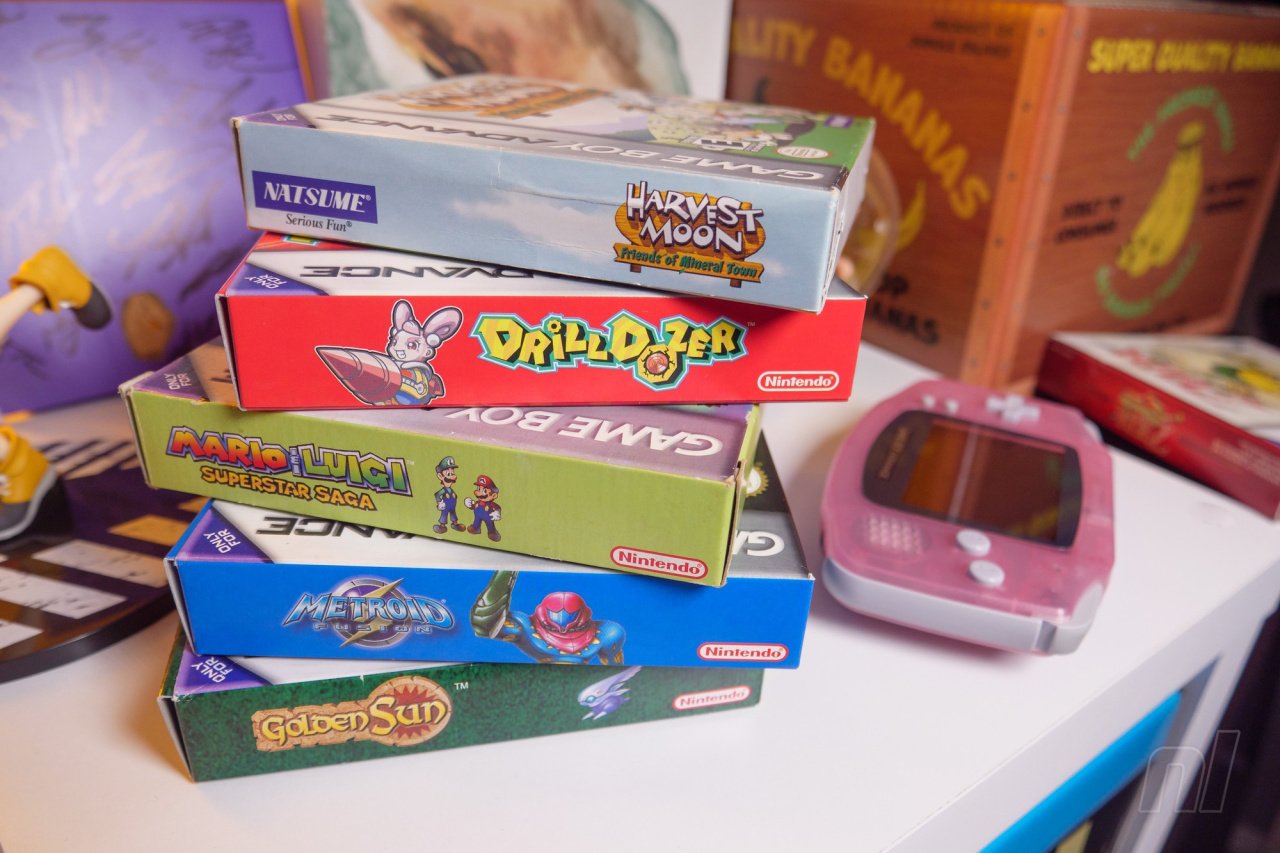
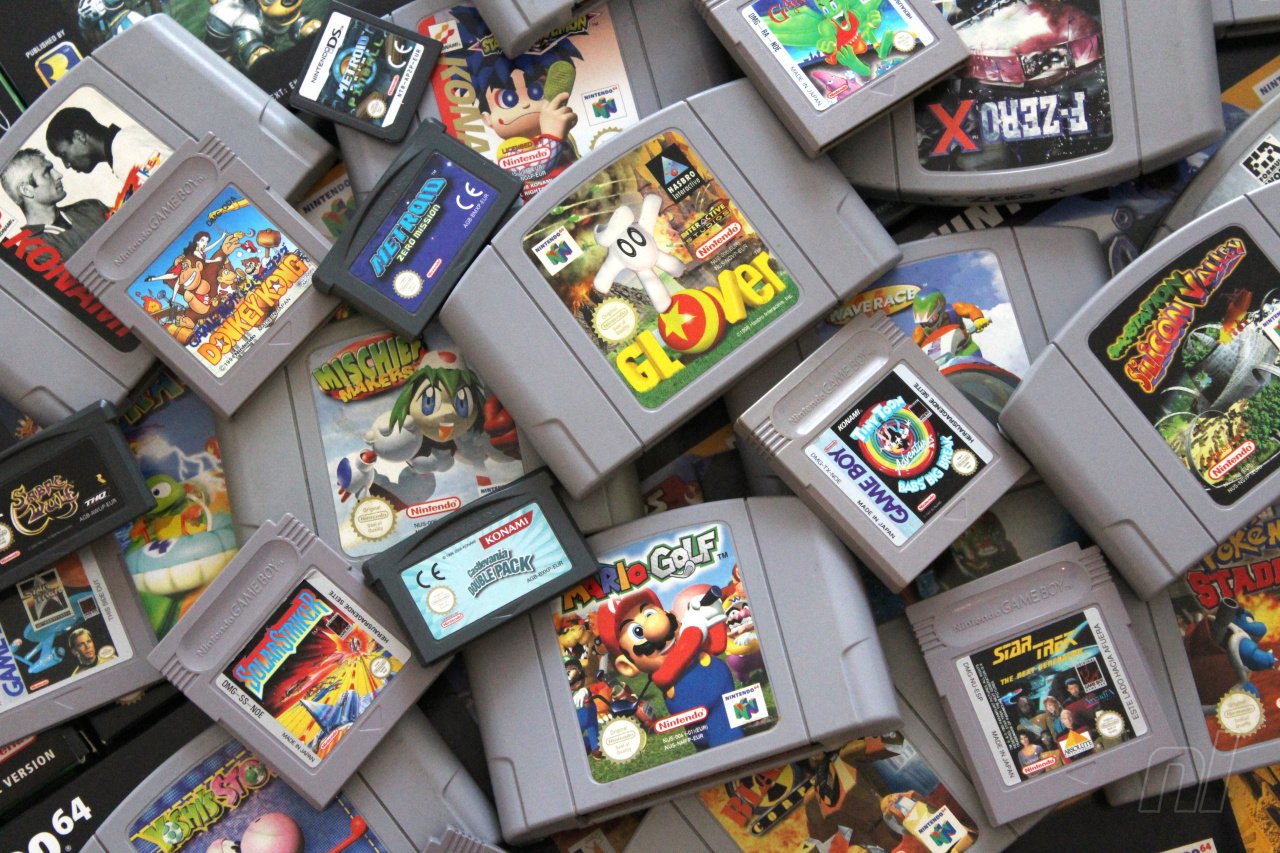
We’ve all done it. Whether through necessity to fund a new purchase or streamlining our collection during a spring clean, we’ve all sold, traded, donated, or just given away a game or console at some point and then wished we hadn’t.
Sometimes cold hard cash was required, other times we were just in a different mindset or feeling particularly altruistic towards our fellow gamers — and a broken heart has caused us all to do things we later regretted. When am I ever going to want that again?
Team Nintendo Life has been thinking back on the games we got rid of on a whim. Allow us to confess just some of our personal fails in the hope of finding some communal comfort. And feel free to let us know about your personal self-owns in the comments.
First up, it’s Jim…
Jim Norman, staff writer
Image: Damien McFerran / Nintendo Life
In my youth, I was a professional at trading in. The second I was finished with a playthrough, it would be off to my local GAME, box in hand, to swap it out for some store credit to go towards the next purchase. This credit was usually really rather small, so whenever I wanted to get a newer game, that required parting with a lot more of my collection.
For the most part, I don’t think too deeply about these losses — I was a child and those movie tie-in GBA games were as common as they come anyway. What does still keep me up at night, however, is my boxed copy of Fire Emblem: The Sacred Stones. This was back when I would try to get my hands on just about any game under the sun, regardless of how much I knew about it. Strangely, little baby Jim wasn’t a big fan of tactical RPGs (who would have thought it?) so I got rid of it probably to help purchase Power Rangers Dinothunder or some other GBA “classic”.
Visiting my local CEX a few weeks back and seeing the game locked away behind a cabinet with a £170 label on it broke my heart. Sure, we might get it on NSO one day, but it won’t be the same!
As for consoles, I literally regret getting rid of every single one. To my N64, blue GBA, white (and, later, black) DS Lite among countless others, I’m sorry — I hope you found a good home.
Alana Hagues, deputy editor
Image: Zion Grassl / Nintendo Life
Walking into a retro games store or used game store nowadays is a sobering experience. So, this weekend, at a local retro game store, one GameCube favourite jumped out at me, one I’ve talked about before — Paper Mario: The Thousand-Year Door.
I loved this game when I first played it, and it’s one of my favourite GameCube games, but as I was cribbing together money for university, in some moment of madness, I decided to sell the thing. I wasn’t going to play it again, was I? It didn’t have the same sentimental value as Skies of Arcadia Legends, so I don’t really need it, right?
Well… we all know what’s happened to GameCube game prices, and a combination of the lack of a “true” Paper Mario RPG experience since, and games like Bug Fables, means I really want to replay TTYD. Badly. My partner has never played it, either, so I’d love for him to experience it. Which is why every time we walk into that used game store and see that copy for $159.99, it’s a sobering experience. Other casualties of that university money-saving experience were Castlevania: Order of Ecclesia and every GBA game not called Pokémon or The Minish Cap. I’d like to hit 18-year-old me over the head right now.
Oh, and let’s not talk about the fact that my family had two copies of Panzer Dragoon Saga — the reason we got rid of those wasn’t because of me, but that doesn’t make it any easier, does it?
Ollie Reynolds, staff writer
Image: Zion Grassl / Nintendo Life
I don’t feel a lot of regret these days for games that I’ve sold or gotten rid of for one reason or another. Why? Because most of them have shown up again later down the line. Metroid Prime? Got it on the Switch. Final Fantasy VII? Got it on the Switch. Resident Evil 4? Well… You get where I’m coming from.
When it comes to game consoles, however, that’s another story entirely. During my stint at a video game retail store, I managed to get my hands on some truly incredible consoles only to sell them at a later date when I was either bored with them or simply needed some additional funds. Now that they’re no longer in my possession and no doubt fetching some eye-watering prices on the likes of eBay, my regret is palpable.
I couldn’t possibly list every single one, but some of the standouts include the NES Game Boy Advance SP, the launch edition of the 3DS (along with every ambassador game), the Majora’s Mask New 3DS, the MGS5 PlayStation 4, the Gears of War 3 Xbox 360… Sigh. What on earth was I thinking?
Nowadays, I’m a lot more cautious about purchasing limited-edition consoles because I know I’d feel terrible if I had to get rid of them for whatever reason. Well, that and the fact that I now have a mortgage to pay for. What a drag.
Gavin Lane, editor
Image: Gavin Lane / Nintendo Life
We’ve covered some of our more general gaming regrets before, and it still stings to think about the Metroid Prime Trilogy and Killer7 I said goodbye to just to reclaim a fraction of bookshelf space. The arrival of Metroid Prime Remastered made it sting a bit less, though.
One time many moons ago, for some reason I was feeling particularly content and generous and wanted to share the gaming love. I was discussing Rogue Squadron and Episode I Racer online and in a sudden fit of pay-it-forwardness, I decided that I’d had all the pleasure I could wring from them both, and wouldn’t it be nice to post them to someone else as a gift!
Now, this wasn’t a pair of scraggy loose carts. Oh no, these were spotless specimens complete-in-box with all the literature and even the little plastic bag for the cart, not a crease in it. Thinking back, there’s a big part of me that’s proud for parting with them — I’m sure they were gratefully received — but I did end up buying them again some years later, paying through the nose for them in a less-than-pristine state. Honestly, who writes on their carts in biro?
Console-wise, the only time I’ve ever had to trade in to get the next model, fortunately, was with (3)DS — I do wish I had my original DS Lite, my Aqua 3DS, and the lovely red XL I part-exchanged to get a New model. I’ve got too many DS variants as it is, but it would be a treat to recapture some memories with those OG units.
No regrets? Pff, we’re riddled with ’em.
Is there a game you got rid of that keeps you awake at night? A console? What were you thinking? Let us know below.
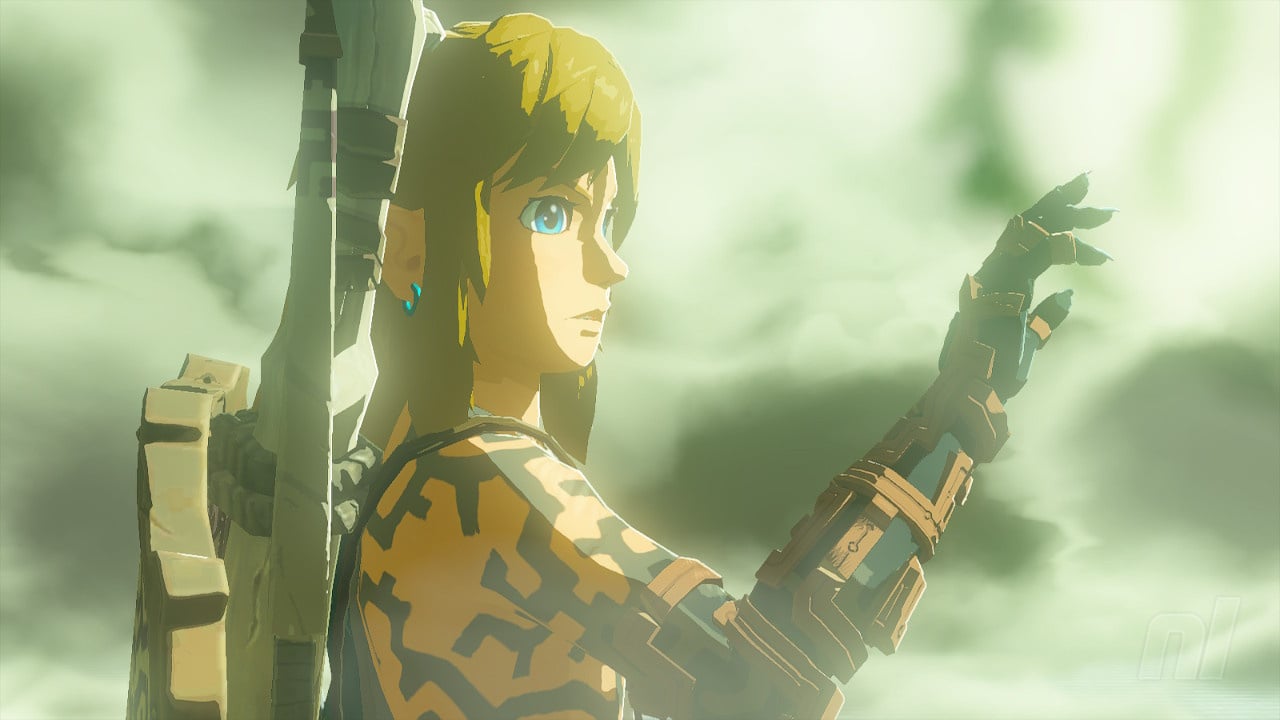
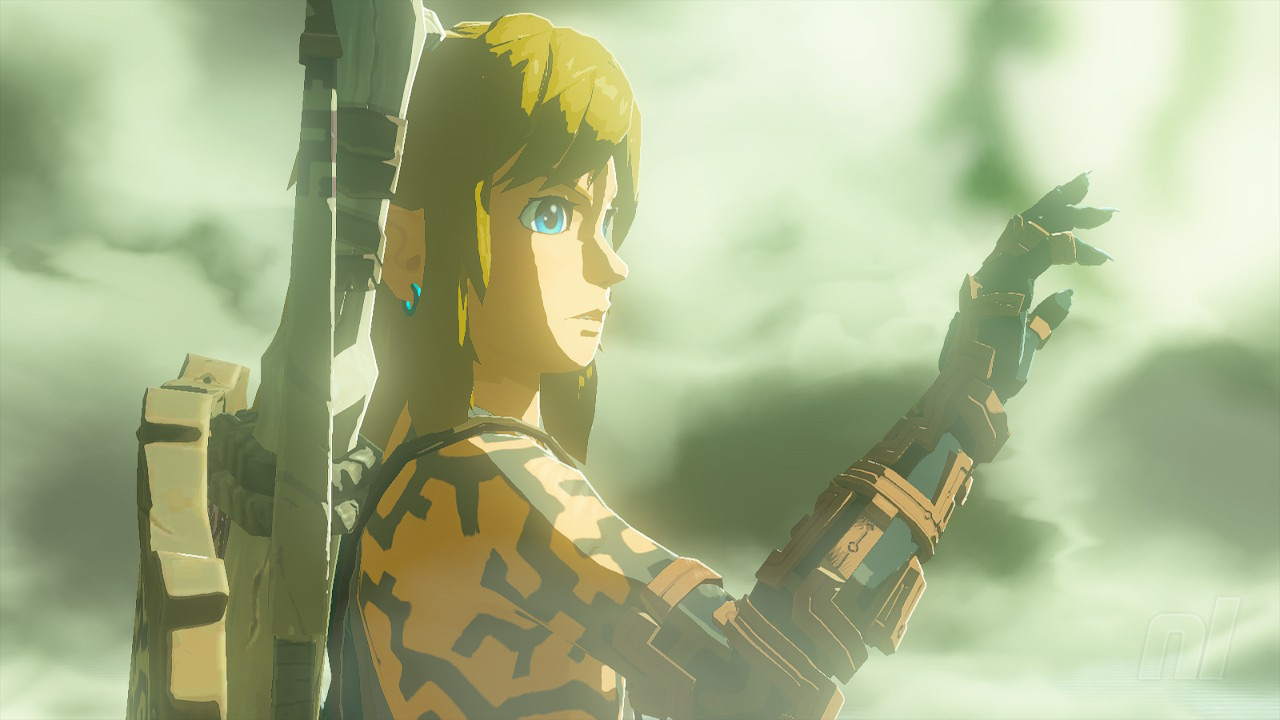
Preliminary figures released by the Japanese Cabinet Officer today report that The Legend of Zelda: Tears of the Kingdom may well have helped boost Japan’s GDP (gross domestic product), Japanese outlet Mainichi Shinbun reports. (via Forbes).
Nintendo’s highly-anticipated first-party title launched back in May 2023 and broke sales records all across the world, and it seems that those numbers have been reflected in Japan’s semi-durable goods sales — which include clothes, entertainment, and video games.
The report covers the period of April 2023 to June 2023, and compared to the previous quarter, spending in this sector has risen by 2.8%. That’s despite a drop of 0.5% in private consumption. Mainichi says that a Cabinet Office official associates this increase with video games specifically.
As of 30th June, Tears of the Kingdom has sold a massive 18.51 million units worldwide. The open-world sequel managed to shift 10 million of these units in the first three days of its release alone. It became the fastest-selling Zelda game ever and the fastest-selling Nintendo game in North America ever.
Tears of the Kingdom wasn’t singled out by the Cabinet Office, but it has been a pretty strong year for video games in Japan in general. Pikmin 4 has also broken series records despite not selling as well as Zelda, and on other consoles, we’ve seen games such as Street Fighter 6 and Final Fantasy XVI sell well on PS5.
But Zelda sits at the top of the throne over in Japan, and it will likely stay that way. It’ll be interesting to see if the trend continues into the next financial quarter for Japan.
Are you surprised by this news? Do you think Tears of the Kingdom has had an effect on Japan’s GDP? Let us know.
The PHP development team announces the immediate availability of PHP
8.2.9. This is a security release. All PHP 8.2 users are encouraged to upgrade to this version. For source downloads of PHP 8.2.9 please visit our downloads page.
Windows binaries can be found on the PHP for Windows site.
The list of changes is recorded in the ChangeLog. Release Announcement: https://php.net/releases/8_2_9.php
Downloads: https://php.net/downloads
Windows downloads: https://windows.php.net/download#php-8.2
Changelog: https://php.net/ChangeLog-8.php#8.2.9
Release Manifest:
https://gist.github.com/saundefined/2a296392f4876dbeeafac2ca8ae3a62b Windows source and binaries are not synchronized and do not contain a fix for GH-11854
(https://github.com/php/php-src/issues/11854) Many thanks to all the contributors and supporters! Pierrick Charron, Sergey Panteleev & Ben Ramsey php-8.2.9.tar.bz2
SHA256 hash: 48460b994ae7eb5096a310f44d13e865de1771104d4a550d53072be58a6f176c
PGP signature:
-----BEGIN PGP SIGNATURE----- iQIzBAABCAAdFiEE5gkT5N8gmQfY4w2WZZqXyc8qeVoFAmTLkkgACgkQZZqXyc8q
eVoxhg//f0kryn/9YqXyP28XN7YDnAKP2OUgfssh4HA0IODwKPbuvY50RI30t8Y1
4AO2ySJyCdqKsuktILIng/rjP+3Bx1b7eWvTxjfesfO+SBjMM955SYUqCT9+pvce
LqzO1fwfs/IyIDsOR4WKTr9IaFueHlchB1ht/txQJdM2BrkToXYg1l0zvNVeG1/8
yGJBECHw65ELkrk0WYRjsC2FWU8z5OXr0h1beqtYBzkcQwsHPhrNKWGas22GkjhA
piDsFl051vWO5yablQ0mYAT2MRGcI4mwomN7gtAfaf+GbNt4zrqCHGXibpNkN0ID
Wjx5vyXEZRo4k0dZfwovu6zJhzTJyVSldTSzVk1Hs2nASVroAyivxyW0jBOWuEW3
Wyj86rAvWy04qeeekZavDTE5mKBafPzBUt4YsgYWkRA5+vMLg2T89h6XUQeuLWOu
f/kkiXr+Qu1dbyJy2VRYhAYZnYS0jICjRZ80OLtr6jgrRdCv52Tjn+fujRJ6kZLE
kdyKRUAB3iPdcQgoFzmRw+hM4lqBPiZKYqtG7W1t3M27bUznNG61zQqi//gE5nnl
jWpM+NdZTGzAiMfKgObYx4iWwoVsbMo8abR/iNGM+jb6yhkrUp4iWSl+Po5PTqHW
T4kyHhkSQ+WMjlpjyU+jpx7uQxQyK5h7OmHfdJs22/jFlwQzgSc=
=DWrY
-----END PGP SIGNATURE----- php-8.2.9.tar.gz
SHA256 hash: 5fac52041335cacfb5845aeff2303f92403925338a0285f2e160feebcb840f04
PGP signature:
-----BEGIN PGP SIGNATURE----- iQIzBAABCAAdFiEE5gkT5N8gmQfY4w2WZZqXyc8qeVoFAmTLkk0ACgkQZZqXyc8q
eVrZ0RAAn1x001FanqYbYIGcVMamoCNG/n9Zr9uMo1mRMLQLT34vcAzOQoo1b6NK
piCeW6JlzwGwjzRj87+rNhWH5rKpZPa88JRQZhIkQ7Zr0iJWIC8Cn4pr7Zs6bJta
TxvH53yD75wooLi/j6gqGj+g9/QSRdRDTAs00gvyOHN7OqHSCmWbQG2vPKQppxKv
YgIvBxR1L2b9mAtsGU71dk2YWUGs837zw2WzZrtWuUq1vUSKV5ApBXkHenQqGVza
JbzBDhq6B889S40j0Cdcm9cvvjiG3J/ZfugPxQy6Z00uXPBPs+xBApZv8t88Vd8R
BgA0+iOTx9s5DnK+5u/PXJ5HMcuACLLI3Ct2DvERGJL7+8LluLW2UOj7Ljn3AlNn
rfu7tVMnBmWPfl0uOo0jW9+kPQssfv5HLYeDl4aR9+2+itew20A+FHKp9Vpn5yHl
4IaFOsnT1U/DBLAZkgDRbhdO3otBCIp3yFoVPWxbPyHXNN6yASJJ+JtoPuilBYAU
XOS5ZZSkdznclFNgwBeMWerSEzY/iKYsZ7kSk4K/1nqMuZDf1fHSu+ETlfBmh/DX
h1UHl8DjY792BgR5UQz9JRZSx5ZG33gwCO725xxfw9ffyq1SxMD/clrBPZ4f0zxw
7mkQZ0S/kSlkD8+GzK7Wt9nQzb6dYdvZ4PqhrQyhxprZlkb0f9M=
=X6TZ
-----END PGP SIGNATURE----- php-8.2.9.tar.xz
SHA256 hash: 1e6cb77f997613864ab3127fbfc6a8c7fdaa89a95e8ed6167617b913b4de4765
PGP signature:
-----BEGIN PGP SIGNATURE----- iQIzBAABCAAdFiEE5gkT5N8gmQfY4w2WZZqXyc8qeVoFAmTLkk0ACgkQZZqXyc8q
eVrO6w//a7tJTnkz2TOI7MB7RnDnfwCH/my0NlQ0Ki4caJxXnpPmLbxNcgbcbP3m
VW8kxYLeTB0QvsmBnRrJSUGRokoJ5vfqh8bJNGGRxU00t+Z6IesCklj2HaNr4EaK
qE7X6xfDjKIdNWAkj6eUyD8zRpzZScVGE9YJGbAnaeSn9ZKRuss+ypP1+lDGGwXS
twjGaE04jSo0P2KQHBOwgKs+GZRK8pTU4IbYxfXBKJDgUFtB+Ar8khbhw4i94ym1
qdhPU2fOuic+1Dz6dWqZYH7cdx3wHrCLfUb/6hoWAPwe8ZC78mYZ8MfXZssBS0IZ
BcFDg0HQmooOBuMsImFFiKb3axe/kMZSOgIeNymtlvYpFWUi7xYhKRUegf4q88Hk
HI755NKuYuz4xxqsJyPQCsVVLf0Fah06dzfSxf7nDBWLv1OEUsjIbr3cdv2cKO4T
oHc3bM6acWZT5NPemTyFmeVKEthWOEKrc9lEjDrnmVOlwSkSsncFknGzKi0mVXaa
UEdam36Gpnk4gImWjrjrM19QiZo76jJp8fx+UUMRI6jVkVBL4RnhrrwwGPJjktCr
I3xwFDdyeWEhLHPo8y3e9KPB1//g+V674NxEHiQItZj5IS+0K4wMVHCTZy3L4zAk
KRalBXWaWV9QJrvuNEIXlYuJuJZnVcEBm2JCY2yl7jW5qlqe0Sk=
=0be9
-----END PGP SIGNATURE-----
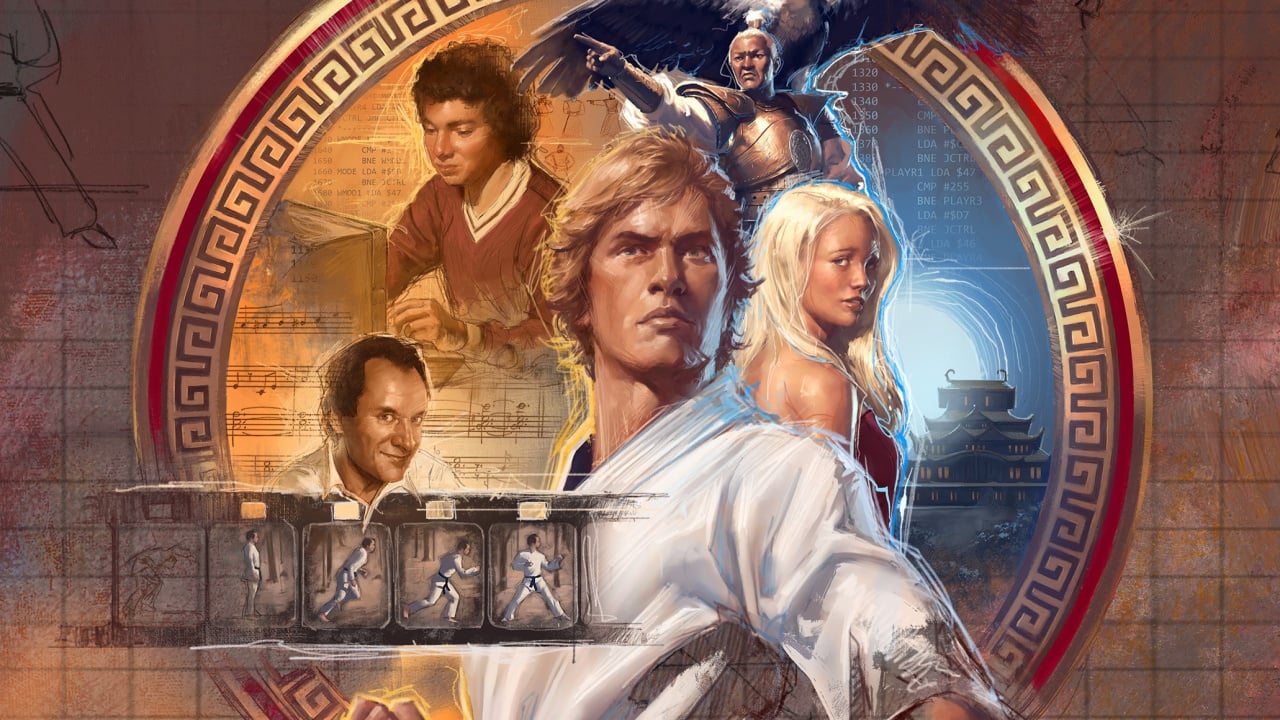
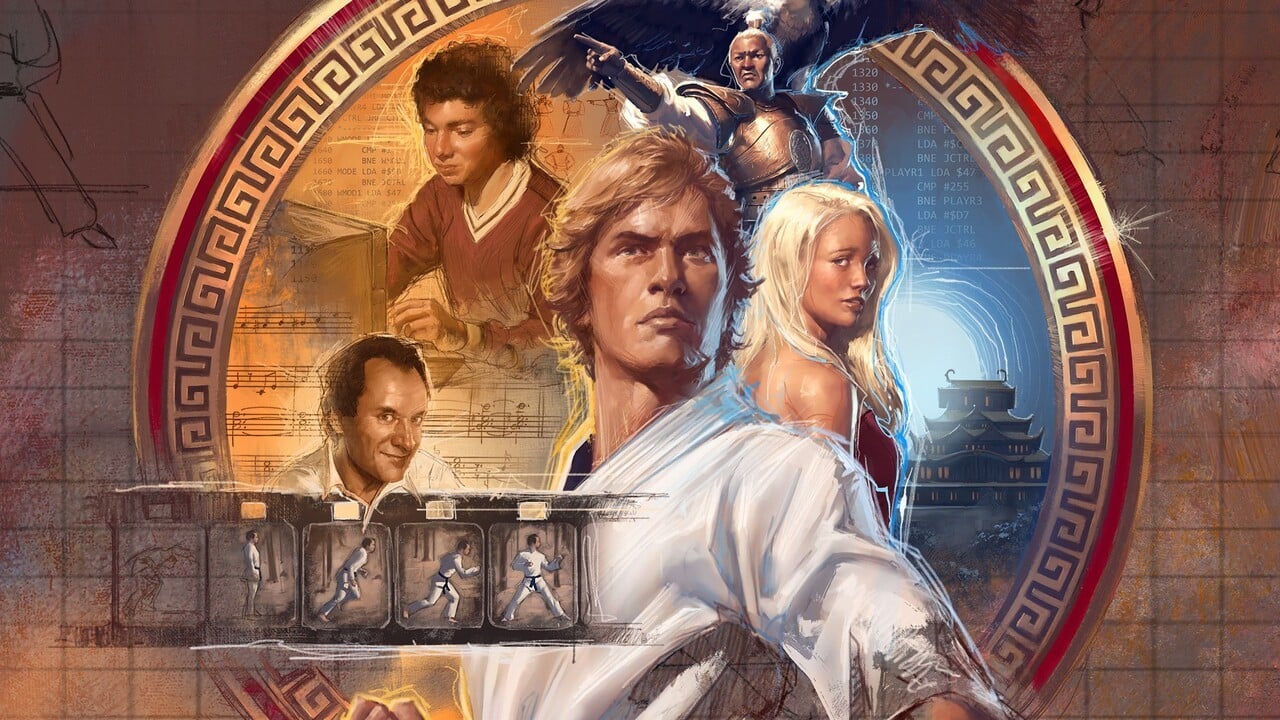
Digital Eclipse has announced a release date for its upcoming interactive documentary, The Making of Karateka. But as a bit of a gut-punch to Switch owners, we’ll have to wait a bit longer.
The game launches on 29th August on other consoles and PC, with the Switch version coming sometime in September — so it’s not a long wait, but it’s a wait nonetheless.
The Making of Karateka is a whole new experience for fans of retro video game history — and Digital Eclipse is the master of this very thing. Known for its fantastic retro compilations, this interactive documentary charts the development and creation of Karateka, an Apple II martial arts game that completely redefined cinematic storytelling in video games in 1984.
Here’s what this exciting new project will contain when it launches later this month on consoles, and next month on Switch:
The Making of Karateka presents the story behind Mechner’s first published game through an exhaustive archive of design documents, playable prototypes, and all-new video features that can be explored at your own pace. The interactive documentary includes:
– Pixel-perfect playable versions of the original Karateka games plus a variety of never-before-seen early prototypes, with rich quality-of-life features like save anywhere, rewind, chapter select, and director’s commentary. – Two remastered games: Karateka Remastered, an all-new adaptation of the original featuring cutting-room-floor content, commentary & achievements, and Deathbounce: Rebounded, a fast and frantic twin-stick shooter based on Jordan’s unpublished prototype. – A fascinating behind-the-scenes look at how Karateka became one of the first games to include cinematic scenes, a moving original soundtrack, rotoscoped animation, a Hollywood-style love story, and more. – Localization in French, Italian, German, Spanish, and Japanese.
Will you be picking up The Making of Karateka on Switch this September? Delve into history and let us know in the comments.





 Recommended: