Posted on Leave a comment

Embracer Group Reportedly Looking To Sell Borderlands Dev Gearbox Entertainment

Borderlands
Image: 2K Games

Update: Bloomberg has corroborated Reuters’ report from earlier today.

Reporter Jason Schreier shared that Bloomberg has seen an email written by Gearbox’s Chief Communications Officer, which notes that there are “many options under consideration”.

The letter reportedly says “The base case is that Gearbox remains a part of Embracer… However, there are many options under consideration, including Gearbox’s transfer, taking Gearbox independent, and others. Ultimately, we’ll move ahead with whichever path is best for both Gearbox and Embracer.”

This letter matches up with Reuters’ report, and reportedly ends by saying that “there will be a lot of speculation in the coming weeks.”

You can check out the original report in our story below.


Original article: Embracer Group is reportedly weighing up options on what to do with Borderlands developer Gearbox Entertainment, including selling the US-based studio, a report from Reuters claims.

Published earlier today, the report states that three people familiar with the situation have told Reuters that a sale is on the table as Embracer Group “looks to shore up its finances”. Gearbox market materials are already reportedly available to view to potential buyers.

Two of Reuters’ sources claim that it’s mainly international gaming groups which have expressed interest but have also cautioned that a deal may not even happen. Representatives from Embracer Group and Goldman Sachs — the company working with the studio to explore a potential sale — have declined to comment to Reuters, with Aream & Co (an investment bank also involved in the deal) not responding to the request.

Embracer acquired Borderlands studio Gearbox Entertainment back in February 2021 for a staggering $1.35 billion, but the company has continued to bring in other developers, including Crystal Dynamics, Square Enix Montréal, and Eidos-Montréal.

But back in June 2023, Embracer announced a “restructuring program” which would include lay-offs following the collapse of a $2 billion deal, and at the beginning of September 2023, Saints Row developer Volition (which is one of the many studios under the Embracer umbrella) announced it was being shut down after 30 years.

Just a few weeks ago, Borderlands 3 Ultimate Edition was announced for Switch and is coming on 6th October.

What do you think of this news? Do you think Embracer has bitten off more than it can chew? Let us know in the comments.

Posted on Leave a comment

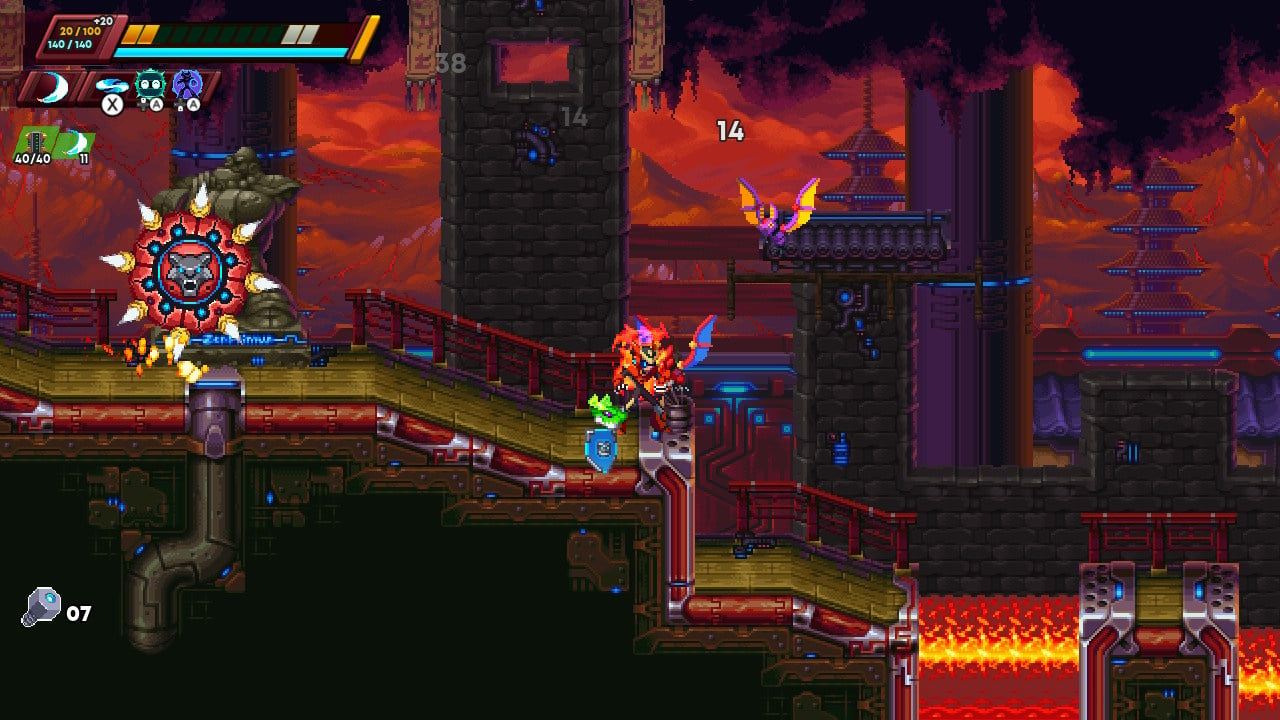
Review: 30XX – Excellent Mega Man X-Style Run ‘N’ Gunning, With A Roguelite Twist

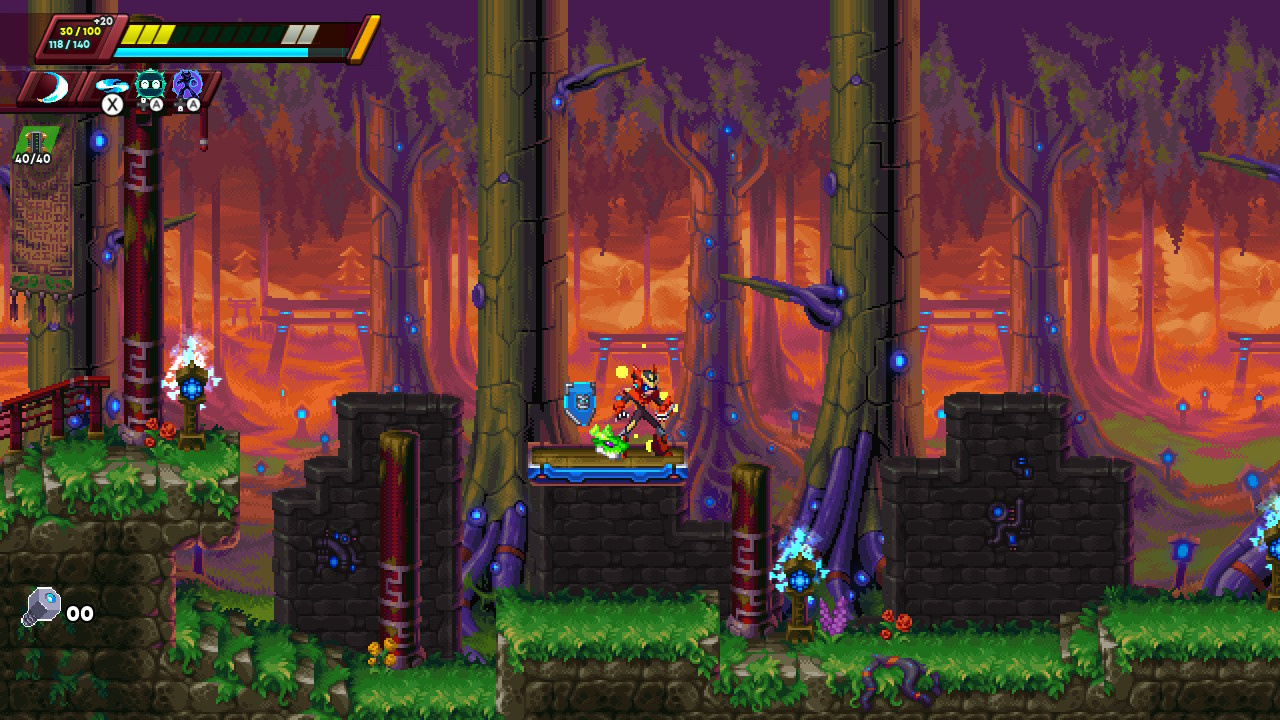
30XX Review - Screenshot 1 of 6
Captured on Nintendo Switch (Docked)

Though Capcom hasn’t necessarily abandoned the Mega Man brand as a whole, it’s indisputably reduced how often it produces new games in that celebrated franchise. For example, it’s been 19 years since the last new Mega Man X release (and let’s be real, X8 was a rough entry to end on), but that series now lives on in the efforts of its fans. A few years ago, Battery Staple Games released 20XX, a cute roguelite take on Mega Man gameplay, and now it’s followed up that effort with 30XX. It isn’t without issues, but we’re happy to report that 30XX feels like an overall improvement over its predecessor, and stands as a worthy homage to a beloved series.

Gameplay in 30XX follows the template of classic Mega Man X. You run ‘n’ gun through eight themed levels capped off with a tough boss fight, collecting new weapons or abilities each time you beat another boss, then challenge some extra tough final stages. The gimmick here, however, is that 30XX is structured like a roguelite, so each stage is different each run and there are myriad upgrades you can collect along the way to help even the odds a little bit. There are two playable characters, named Ace and Nina, and they take after Zero and X, respectively. Both have their pros and cons, though we generally preferred Nina’s ranged gameplay over Ace’s sword-swinging skills.

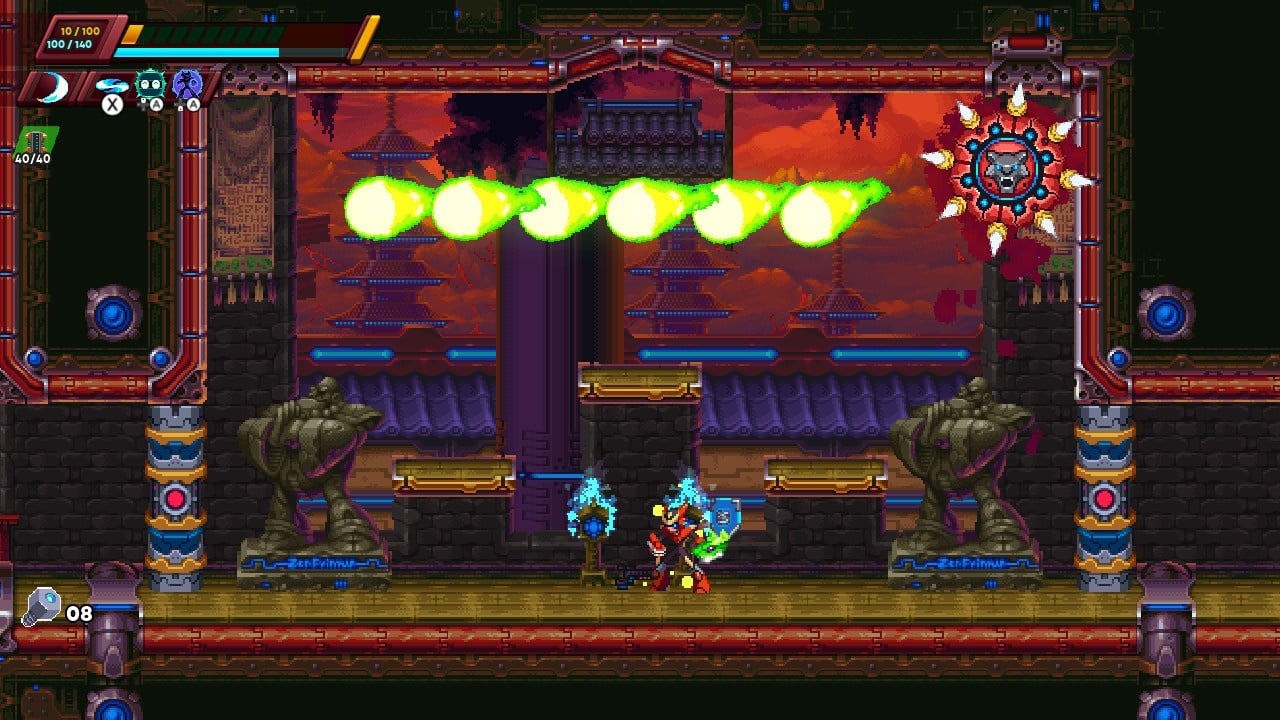
30XX Review - Screenshot 2 of 6
Captured on Nintendo Switch (Docked)

A key element that really elevates the fun of 30XX is how smooth the controls feel. In a game as hyper-focused on precision and skill as this, hiccups or sluggish controls could easily torpedo any sense of fairness, but 30XX proves to be consistently tight and responsive. We didn’t notice any frame drops in our experience and the movement tech feels outstanding; characters are snappy and agile, and feel like they can properly navigate the precise obstacles laid out before you.

Throughout each stage, you’ll often come across a few augments—or “Augs”—that will buff up your character for the duration of that run. Augs can do things like bolster your damage output or give a small shield that constantly orbits you and soaks up damage, and given that there are around 240 Augs to discover, there’s quite a bit of build variety you can experiment with. You can also periodically find Cores, which are armor pieces that give you new abilities like a double jump or a short hover. There’s quite a variety of these on offer, too, and we appreciated how much they mix up your approach to gameplay, not to mention that having a decent Core loadout is all but necessary for surviving the later stages.

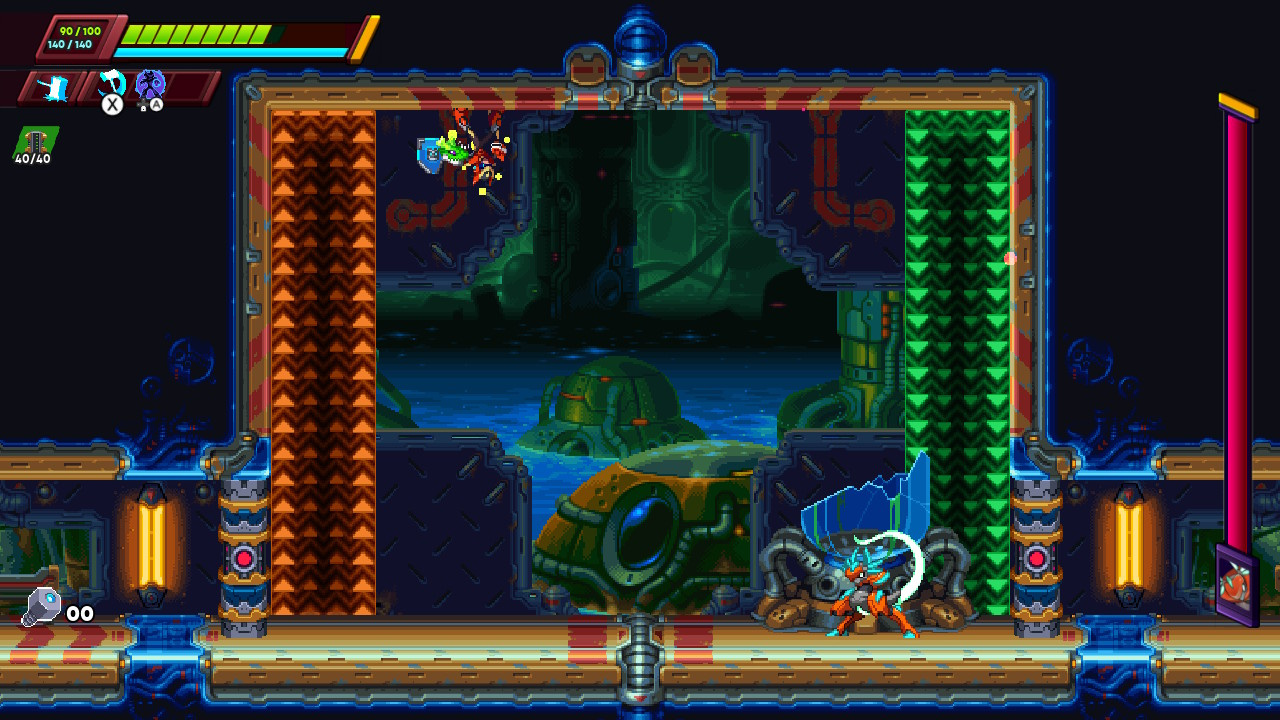
30XX Review - Screenshot 3 of 6
Captured on Nintendo Switch (Handheld/Undocked)

Across a run, you’ll usually pick up a decent amount of a currency called Memoria, and when you inevitably lose, you’ll be sent back to the hub where you can spend it on permanent upgrades. These range from flat increases to your starting health and energy to more general buffs like the ability to choose from more levels when you beat a boss or to recycle upgrades that you encounter during a run. We appreciated having this meta-progression system in place, as 30XX can be an utterly brutal experience and these upgrades help level the playing field a bit. Plus, it’s nice to have another goal to shoot for beyond simply beating the next level, and you’ll likely find yourself attempting yet another run after a loss just to see how the new upgrades affect you.

Speaking of upgrades, a big change here from 20XX is that the new weapons and abilities you get from the boss of each level are tailored to each character, effectively doubling the number of abilities that you can play with. For example, one boss grants Nina a lighting attack that can home in on enemies, while that same boss grants Ace a downward thrust attack that sends out lightning balls scurrying along the floor. We appreciated how this creates new ways to play and makes each character feel more distinguished than before, giving players even more toys to experiment with as they figure out what builds work best for them.

If roguelike randomness isn’t your cup of tea, there’s a new mode called Mega Mode that may be more up your alley. Here, the boss stages are laid out in a cute, selectable grid reminiscent of classic Mega Man games, and though each level is still randomly generated, subsequent attempts after failing will see you running through the same stage each time. This allows you to progress by practicing and learning the level layouts, and when you couple this with the fact that all Augs and Cores stay with your character even after deaths, you have a mode that ultimately feels a lot more friendly to those who want a more traditional platforming experience.

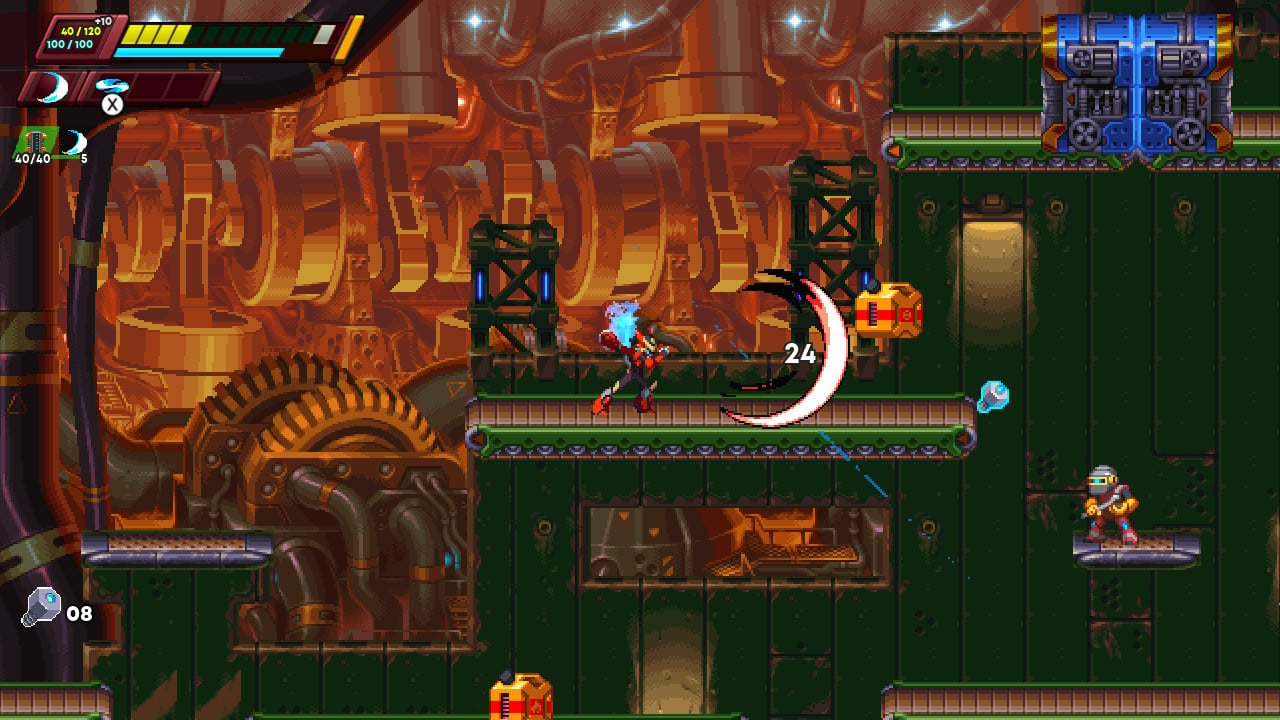
30XX Review - Screenshot 4 of 6
Captured on Nintendo Switch (Docked)

And if you’d like some help getting through stages, you can always play in co-op mode, which allows for both couch and online multiplayer. We noticed performance taking just a bit of a hit here, but nothing that notably affected gameplay, and the fun of having an extra character on hand to assist in collecting goodies and overcoming bosses more than made up for any dropped frames. Overall, it feels like 30XX is intended to be played as a more single-player experience, but rest assured that co-op is still an enjoyable time if you want to go that route.

Rounding out the package here is a community mode wherein you play levels designed by fellow players using in-game assets. There are various filters you can use to sort levels by popularity or type, and there are all kinds of off-the-wall ideas here that would never fit in the game proper, but nonetheless add some cool stuff to engage with. We played one stage that lovingly recreated Green Hill Zone in 30XX’s engine—there were even some speed upgrades given out upfront so you could move extra fast through it. Mileage will vary here, of course, but it’s tough to argue against the value that it adds to an already highly replayable game.

While 30XX is an overall great experience, one issue we ran into is that the level design can feel a little hit-or-miss. Though stages are ultimately comprised of handmade sections that are randomly stitched together, they don’t always fit in a way that properly emulates a hand-designed level. For example, we encountered many situations where the difficulty was all over the place—extremely tough sections would be followed by segments that were a breeze, which can make for a rather oddly paced experience.

30XX Review - Screenshot 5 of 6
Captured on Nintendo Switch (Handheld/Undocked)

Beyond this, levels get substantially more difficult as you get further into a run, to the point where a stage can feel less like a fair challenge and more like a ROM hack Kaizo level. Having the right upgrades from earlier in the run can certainly take the edge off, but it’s never guaranteed that the upgrades you need will drop, and we experienced many instances where a section was virtually impossible to traverse without taking a lot of damage. If you just want to win at all costs, you can always activate the Assist Mode and tweak various parameters like enemy damage or player health, but this feels like an imperfect solution to a problem that exists at the design level.

For those of you who aren’t put off by the difficulty, you’ll be pleased to learn that there’s a way to make 30XX even harder via the Entropy system. Taking after the Heat system from Hades, Entropy allows you to activate modifiers at the start of a run that raise difficulty, such as negating the effects of healing items or raising enemy health. Each active modifier raises your Entropy level by one, and if you manage to complete a run, you’ll be rewarded with more currency for continuing meta progression. The catch is that you can’t endlessly farm these rewards at the same Entropy level, you’ll have to continuously stack more modifiers to boost your level if you want to keep progressing. Though toying with this was much too tough for us, we nonetheless appreciated that such a system is in place to give even more longevity. Those of you who enjoy a real challenge will have plenty of content to overcome if you’re up for it.

30XX Review - Screenshot 6 of 6
Captured on Nintendo Switch (Docked)

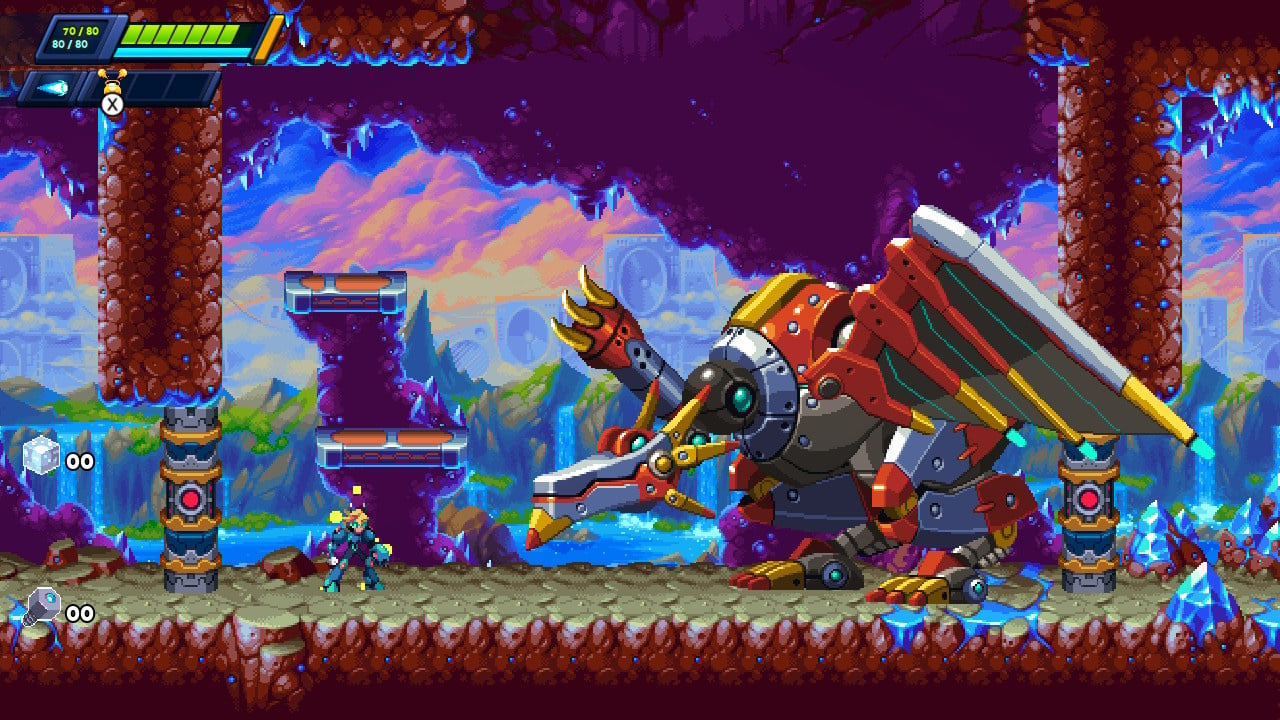
Visually, 30XX has gotten quite an upgrade over its predecessor, which featured an art style that made it look more like a mid-effort Flash game. 30XX trades this for a much more visually appealing hi-bit art style that very closely mirrors the visuals of the PSX generation of Mega Man X, and it employs this art style to fantastic effect. Whether you’re stumbling past the dark, stained-glass halls of a cathedral or weaving between foes in a high-tech tropical paradise, each level feels notably distinct from the last and is filled with some excellent spritework, most notably in the detailed backgrounds.

This is matched by an equally great chiptune soundtrack that manages to feel traditional without being overly derivative of past works. The high-energy tracks here do a nice job of matching the often intense pace of combat, and there’s a solid amount of variety here. Music is catchy without being overly repetitive, and it doesn’t distract too much from the action.

Conclusion

Although it can be a bit uneven, 30XX is ultimately an enjoyable take on action platforming with a roguelite twist. The high difficulty, extreme replayability, and gorgeous visuals all come together to make for an action platformer you won’t want to miss out on. Beyond this, Mega Mode makes this one a solid recommendation even for those who don’t usually like roguelites, as it strips out most of the randomness and presents a more old-school challenge. For any fans of Mega Man, retro action platformers, or roguelikes, 30XX covers all those bases and then some, and deserves a spot in your Switch library.

Posted on Leave a comment

Apple Stores run stocks low, brace for changes after iPhone 15 event

Apple Reston

Apple may be preparing for a quick release of its new products, such as the iPhone 15, with Apple Stores running down stock and bracing for an evening merchandise reset the evening after Tuesday’s event.

Apple will be holding its “Wonderlust” special event on Tuesday, which will see the introduction of the iPhone 15 and other new products. While stores typically have a few weeks of preparation before dealing with the sale of the new model, it seems that Apple Store staff are already getting ready.

In X posts from Bloomberg’s Mark Gurman, there is apparently low stock, or no stock at all, for units of the Apple Watch Ultra, watch bands, leather cases, and MagSafe wallets. The iPhone 12 generation, iPhone 13 mini, and Pro models of iPhone are also undergoing the same limited or out-of-stock situation.

Gurman adds that a merchandise reset is being scheduled for the evening of September 12, and that a call with managers will be occurring shortly after the event itself. This is said by Gurman to be “uncharacteristic for event days.”

In a follow-up post, Gurman says Apple will “also push in store setup further more than in previous years,” with the changes including the use of new software and employee metrics that will be used during the launch and release.

As well as the iPhones themselves, retail is also expected to deal with the switch to USB-C, with Apple telling stores to “plan to push USB-C bricks,” referring to chargers.

Posted on Leave a comment

Final Fantasy Pixel Remaster Updated On Switch, Here Are The Full Patch Notes

Final Fantasy Pixel Remaster recently celebrated a new sales milestone with Square Enix announcing the compilation has now sold three million copies worldwide.

It turns out that at the end of last month, the collection was also updated for both the Nintendo Switch and PlayStation 4. Each game has apparently had some improvements and bug fixes. Unfortunately, the notes don’t go into detail about what has specifically changed, but at the very least each game has been updated.

Here’s the full rundown, courtesy of the official game website:

Final Fantasy Pixel Remaster series console updates – 28th August 2023

FINAL FANTASY (PlayStation 4, Nintendo Switch)
Ver. 1.0.2 [28/08/2023]
・Improvements to the stability of game functions
・Fixes for several bugs

FINAL FANTASY II (PlayStation 4, Nintendo Switch)
Ver. 1.0.2 [28/08/2023]
・Improvements to the stability of game functions
・Fixes for several bugs

FINAL FANTASY III (PlayStation 4, Nintendo Switch)
Ver. 1.0.2 [28/08/2023]
・Improvements to the stability of game functions
・Fixes for several bugs

FINAL FANTASY IV (PlayStation 4, Nintendo Switch)
Ver. 1.0.3 [28/08/2023]
・Adjustments to some events and battle backdrops
・Improvements to the stability of game functions
・Fixes for several bugs

FINAL FANTASY V (PlayStation 4, Nintendo Switch)
Ver. 1.0.4 [28/08/2023]
・Improvements to the stability of game functions
・Fixes for several bugs

FINAL FANTASY VI (PlayStation 4, Nintendo Switch)
Ver. 1.0.4 [28/08/2023]
・Improvements to the stability of game functions
・Fix for a bug where the game would sometimes freeze, preventing further progress if the player tried to escape from battle with a specific timing.
・Fixes for several bugs

And in case you missed it, the remaster collection also got updated back in July – although only a few games had fixes and the updates were Switch-specific:

Final Fantasy Pixel Remaster series console updates – 7th July 2023

FINAL FANTASY V (Nintendo Switch only)
Ver. 1.0.3 [07/07/2023]

Measures have been taken to alleviate an issue where errors sometimes occurred in a specific location after playing the game for long periods etc.
Further fixes to this issue are scheduled soon.

FINAL FANTASY VI (Nintendo Switch only)
Ver. 1.0.3 [07/07/2023]

Measures have been taken to alleviate an issue where errors sometimes occurred in a specific location after playing the game for long periods etc. Further fixes to this issue are scheduled soon.


Are you still playing the Final Fantasy Pixel Remaster series on Switch? What game are you currently working your way through? Tell us below.

Posted on Leave a comment

Python to EXE with All Dependencies

5/5 – (1 vote)

Developing a Python application can be a rewarding experience, but sharing your creation with others might seem daunting, especially if your users are not familiar with Python environments.

One solution to this dilemma is converting your Python script into an executable (.exe) file with all its dependencies included, making it simple for others to run your application on their Windows machines without needing to install Python or manage packages.

Understanding EXE and Dependencies

When working with Python, you may want to create an executable file that can run on systems that do not have Python installed. This process involves converting your .py file to a Windows executable, or .exe, format. Additionally, it’s essential to include all dependencies to ensure that your program will run smoothly on any computer.

An executable file, or simply an executable, allows users to run your program without needing to worry about installing the appropriate version of Python or any other necessary libraries. A standalone executable can be especially helpful when distributing your application, as it eliminates the need for end-users to install additional components.

In Python, creating an executable with all dependencies means that the resulting file will have everything it needs for your program to function correctly.

Dependencies are external libraries or modules that your program relies on to function. For instance, if your Python script uses the requests library to make HTTP calls, your program won’t work on a system that does not have this library installed. Including all dependencies in your executable ensures that your users won’t encounter errors due to missing components.

To convert your Python script into an executable with all dependencies, you can use tools like PyInstaller. PyInstaller bundles your Python script and its dependencies into a single file or folder, making it easier to distribute your application. Once you have generated your .exe file, anyone with a Windows system will be able to run your program without needing to install Python or additional libraries.

Keep in mind that when creating an executable with dependencies, the resulting file might be larger than the original script. This is because all the necessary libraries are bundled directly within the .exe. However, this is a small price to pay for the convenience of a standalone application that users can run without additional setup.

Yes, PyInstaller Works for All Operating Systems

When developing and distributing Python applications, it is critical to consider the operating system (OS) you are working on. Python runs on various OS like Windows, macOS, and Linux. Each OS handles application distribution and dependencies differently, so understanding their nuances is essential for successful Python-to-EXE conversions.

On Windows, the most popular method to package your Python application is by using PyInstaller. It helps convert your script into an executable file, bundling all the required dependencies. Users can easily run the resulting file without additional installations. This tool also provides support for other OS such as macOS and Linux.

macOS users can use the same PyInstaller mentioned above, following a similar process as they would on Windows. However, it’s crucial to note that the created executable file will be specific to macOS and not compatible with other OS without re-compilation. In other words, make sure to create separate executable files for each target OS.

For Linux systems, again, PyInstaller is an excellent choice. The usage and dependency bundling process is akin to Windows and macOS, ensuring a smooth experience for your application users. Keep in mind the Python interpreter included in the bundle will be specific to the OS and the word size.

5 Best Tools for Creating an Executable in Python

When working with Python projects, you may need to convert your scripts into executable files with all dependencies included. There are several tools available for this purpose, each with its unique features and advantages. This section will briefly introduce you to five popular tools: PyInstaller, py2exe, cx_Freeze, Nuitka, and auto-py-to-exe.

Python to Exe 1: PyInstaller is a popular choice due to its ease of use and extensive documentation. To install it, simply run pip install pyinstaller. Once installed, you can create an executable using the command pyinstaller yourprogram.py. For a single-file executable, you can use the --onefile flag, as in pyinstaller --onefile yourprogram.py.

Python to Exe 2: py2exe is another option, primarily used for Windows. It requires a slightly more involved setup, as you’ll need to create a setup.py script to configure your project. However, it gives you more control over the final executable’s configuration. To use py2exe, first install it using pip install py2exe, then create your setup.py and execute it with Python to generate the EXE file.

Python to Exe 3: cx_Freeze is a cross-platform tool that works with both Python 2 and Python 3. It also utilizes a configuration script (setup.py) and is installed with pip install cx_Freeze. After installation, you can create an executable by executing the setup.py file with Python.

Python to Exe 4: Nuitka is unique in that it compiles your Python code into C++ for increased performance. This can be beneficial for resource-intensive applications or when speed is critical. Installation is done via pip install Nuitka. To create your executable, use the command nuitka --recurse-all --standalone yourprogram.py.

Python to Exe 5: Finally, auto-py-to-exe provides a graphical user interface for PyInstaller, simplifying the process for those who prefer a more visual approach. Install it with pip install auto-py-to-exe, then run the command auto-py-to-exe to launch the GUI.

Package and Module Management

When working with Python, managing packages and modules is crucial to ensure your code runs smoothly and efficiently. Python provides a powerful package manager called pip, which allows you to install, update, and remove packages necessary for your project. As you build your Python application, it is essential to keep track of the dependencies and their versions, often stored in a requirements.txt file.

To manage your dependencies more effectively, it is recommended to use a dependency manager like Pipenv, which simplifies the process for collaborative projects by automatically creating and managing a virtual environment and a Pipfile. This tool provides an improved and higher-level workflow compared to using pip and requirements.txt.

Python modules are files containing Python code, usually with a .py extension. They define functions, classes, and variables that can be utilized in other Python scripts. Modules are organized in site-packages – the directory where third-party libraries and packages are installed. A well-structured codebase will make use of these modules, organizing related functionalities and allowing for easy maintenance and updates.

When you need to package your Python project into a standalone executable, tools like PyInstaller can make the process easier. This application packages Python programs into stand-alone executables, compatible with Windows, macOS, Linux, and other platforms. It includes all dependencies and required files within the executable, ensuring your program can be distributed and run on machines without Python installed.

To provide a smooth experience for users, it is crucial to properly manage hidden imports. Hidden imports are modules that PyInstaller may not automatically detect when bundling your application. To ensure these modules are included, you can modify the PyInstaller command using the --hidden-import option or list the hidden imports in your PyInstaller spec file.

By mastering package and module management in your Python projects, you’ll ensure that your applications run efficiently and are easily maintainable. Utilizing the proper tools and following best practices will enable you to manage dependencies seamlessly and create robust, standalone executables.

Setting Up the Environment

Before diving into converting your Python code into an executable with all dependencies, it’s important to set up a proper development environment. This allows for a smooth workflow and ensures that your application runs correctly.

First, you should have a solid text editor or integrated development environment (IDE) for writing your Python code. There are many popular text editors such as Visual Studio Code, Sublime Text, or PyCharm that can help you with this.

Next, you will need to install Python on your machine. Visit the official Python website and download the appropriate version for your operating system. Make sure to add Python to your system PATH during the installation process, so it is accessible from the command prompt or terminal.

Once Python is installed, it’s a good idea to create a virtual environment for your project. This isolates your project’s dependencies from other Python projects on your system. To create a virtual environment, you’ll need to install the virtualenv package with the command:

pip install virtualenv

Then, navigate to your project folder and run the following command to create a new virtual environment:

python -m venv <virtual-environment-name>

Replace <virtual-environment-name> with an appropriate name for your environment, typically something like env. To activate your virtual environment, use one of the following commands, depending on your operating system:

  • For Windows: env\Scripts\activate.bat
  • For macOS/Linux: source env/bin/activate

With your virtual environment activated, you can now install the necessary dependencies for your project. Create a setup.py file in your project folder and define the required packages and their versions. Then, to install the dependencies, simply run:

pip install -r setup.py

All your dependencies should now be installed within your virtual environment and ready to use in your Python code.

Finally, when you’re ready to convert your Python code into an executable, you will generate the executable in a dist folder. This folder should contain your .exe file alongside any necessary dependencies, ensuring your application runs smoothly on the target system.

Python to EXE Conversion Process

Converting your Python code to an executable file with all its dependencies can be a simple and straightforward process. When you want to create a standalone executable from your Python application, you can use a tool like PyInstaller that packages your code and its dependencies into a single EXE file.

First, you need to install PyInstaller by running the following command in your command prompt or terminal:

pip install pyinstaller

After installing PyInstaller, navigate to your Python script directory using the cd command. Then use the following command to create an executable:

pyinstaller yourprogram.py

This command compiles your Python code and bundles the required dependencies into the executable. The result will be a folder named dist in the same directory as your Python script, containing the EXE file alongside the necessary libraries.

To customize the output executable, such as specifying an icon or including additional data files, you can create a spec file. A spec file contains configuration options that dictate how PyInstaller packages your Python application. To create a spec file, use the following command:

pyinstaller --onefile --specpath your_spec_directory -i your_icon.ico yourprogram.py

This command generates a spec file in the specified directory, with the provided icon for the executable. You can then edit the spec file to include additional settings, such as the NSIS installer options or custom hooks for including third-party libraries.

Once you’ve configured your spec file, you can use it to create the final executable by running:

pyinstaller yourprogram.spec

Potential Errors and Testing

When converting Python scripts to executable files along with all their dependencies, you may encounter various errors during the process. To help you prevent, identify, and resolve these issues, here are some pointers on potential errors and testing strategies.

One common error you might face is missing dependencies when converting your .py file to a .exe file. To avoid this, ensure that all required packages and libraries are installed and properly functioning before initiating the conversion process. Use tools like pyinstaller to help package your script with necessary dependencies.

Runtime errors are another category of issues that might emerge after creating your executable. Since the executable will often be run on machines without Python, you need to verify that the generated binary works correctly. Test your newly created .exe file on various systems to catch and resolve any compatibility issues. Remember to cover different operating systems, system architectures, and hardware configurations in your testing process.

💡 Note: As you work with large dependencies such as OpenCV, BeautifulSoup4, and Selenium, bear in mind that the size of the final executable might increase significantly. This might lead to longer load times for your application, possible memory issues, and challenges when distributing the executable to users. Optimize your code and dependencies where possible, and consider using compression tools to reduce the file size.

Finally, it’s important to conduct thorough testing to ensure that your executable works as expected. Carry out end-to-end testing on different systems and evaluate every aspect of the application’s functionality.

Additionally, perform performance testing to measure the application’s responsiveness and resource usage, allowing you to pinpoint any bottlenecks and optimization opportunities.

If your Python EXE doesn’t work, everybody will hate your app. 😉

Distribution and Documentation

When it comes to distributing your Python application as an executable with all its dependencies, using tools like PyInstaller can greatly simplify the process. This tool helps you create a standalone executable file without the need for end-users to install Python or any other dependencies.

To get started with PyInstaller, you will want to ensure your project is well-organized and conveniently use Python libraries. If you haven’t already, create a virtual environment for your project and install all the necessary dependencies using pip install. This will make it easier for the tool to package everything your application needs.

Documentation plays a crucial role in making your application easy to use and understand. Be sure to provide clear and concise instructions on using your executable, including any available command-line options or configuration settings. Remember to address any potential issues or common troubleshooting steps that users might encounter.

As you’re writing your documentation, keep in mind that your users may not be experts in Python. Avoid using jargon, and opt for simple, straightforward language to explain any technical aspects of your application. Where possible, provide examples and illustrations to help users visualize the processes.

In addition to written instructions, it’s a good idea to create a repository for your project, including readme files and guides that demonstrate how to set up, run, and modify your program. Platforms like GitHub or GitLab are excellent choices because they allow you to store, manage, and share your project files and documentation easily.

Advanced Python to EXE Techniques

One common issue faced when converting Python applications to EXE files is handling large libraries such as NumPy and Pandas. Using a tool like pyinstaller can help package these dependencies along with your application. Install and use pyinstaller by running:

pip install pyinstaller
pyinstaller yourprogram.py

This will generate an executable file with all dependencies in the “dist” folder.

For Python projects that involve a graphical user interface (GUI) application, If using a library like Tkinter or PyQt, ensure that you properly configure the main() function within your script. This will allow the application to launch properly after being converted into an EXE. Also, consider using a dedicated tool such as auto-py-to-exe that provides a visual interface for packaging your GUI application.

If your Python project relies on C extensions, you might want to look into Cython. It’s a superset of the Python programming language that compiles Python scripts into C, which then can be linked into an executable. Cython can help improve performance and also provide better protection for your source code. Cython can be a suitable option in case you’re considering bundling your application with C or C++ libraries.

When converting Python applications that interact with other programming languages, such as Java, it is important to include the required dependencies and interfaces. Tools like Jython and JPype can be employed for Java integration, but ensure you properly package these dependencies during the conversion process.

Frequently Asked Questions

How can I create an exe file from a Python script with all dependencies included?

To create an exe file from a Python script with all dependencies included, you can use a tool such as PyInstaller. PyInstaller packages your Python script and its dependencies into a single executable, making it easy to share and run on systems without Python installed. Simply install PyInstaller using pip, and then run the command pyinstaller --onefile your_script.py.

What is the best method to convert a Python project to a standalone executable in Windows?

The best method to convert a Python project to a standalone executable in Windows is using tools like PyInstaller or cx_Freeze. Both tools are capable of generating standalone executables, and they offer different options and customizations depending on your needs. Make sure to read their respective documentations to choose the one that suits your project best.

How do I use PyInstaller effectively to create an exe from a Python file?

To use PyInstaller effectively, first install it by running pip install pyinstaller. Then, you can create an exe by running pyinstaller --onefile your_script.py in the command line. For more advanced usage, like hiding the console window, use options like --noconsole. You can also create a configuration file for PyInstaller, known as a .spec file, to apply more customization options like icon files or additional data. Read the PyInstaller documentation for more details about these options.

Is there a way to make a Python file executable and auto-install required packages?

Although making a Python file executable and auto-installing required packages isn’t directly possible, you can use PyInstaller to bundle your script and its dependencies into a single executable. Alternatively, you can use pipenv or conda to create a virtual environment that includes all dependencies, making it easier for others to run your script.

How does one convert a multi-file Python project to a single executable?

Converting a multi-file Python project to a single executable is similar to converting a single script. Tools like PyInstaller and cx_Freeze automatically detect and include imports from other files in your project. Run the command pyinstaller --onefile your_main_script.py or follow the cx_Freeze documentation to create a standalone executable that includes all files in your project.

Are there alternative tools to PyInstaller for creating standalone Python executables?

Yes, there are alternative tools to PyInstaller for creating standalone Python executables. Some popular alternatives include cx_Freeze, Nuitka, and py2exe. Each tool has its own features, options, and limitations. Consider the specific requirements of your project when choosing the right tool for you.

💡 Recommended: Top 20 Profitable Ways to Make Six Figures Online as a Developer (2023)

The post Python to EXE with All Dependencies appeared first on Be on the Right Side of Change.

Posted on Leave a comment

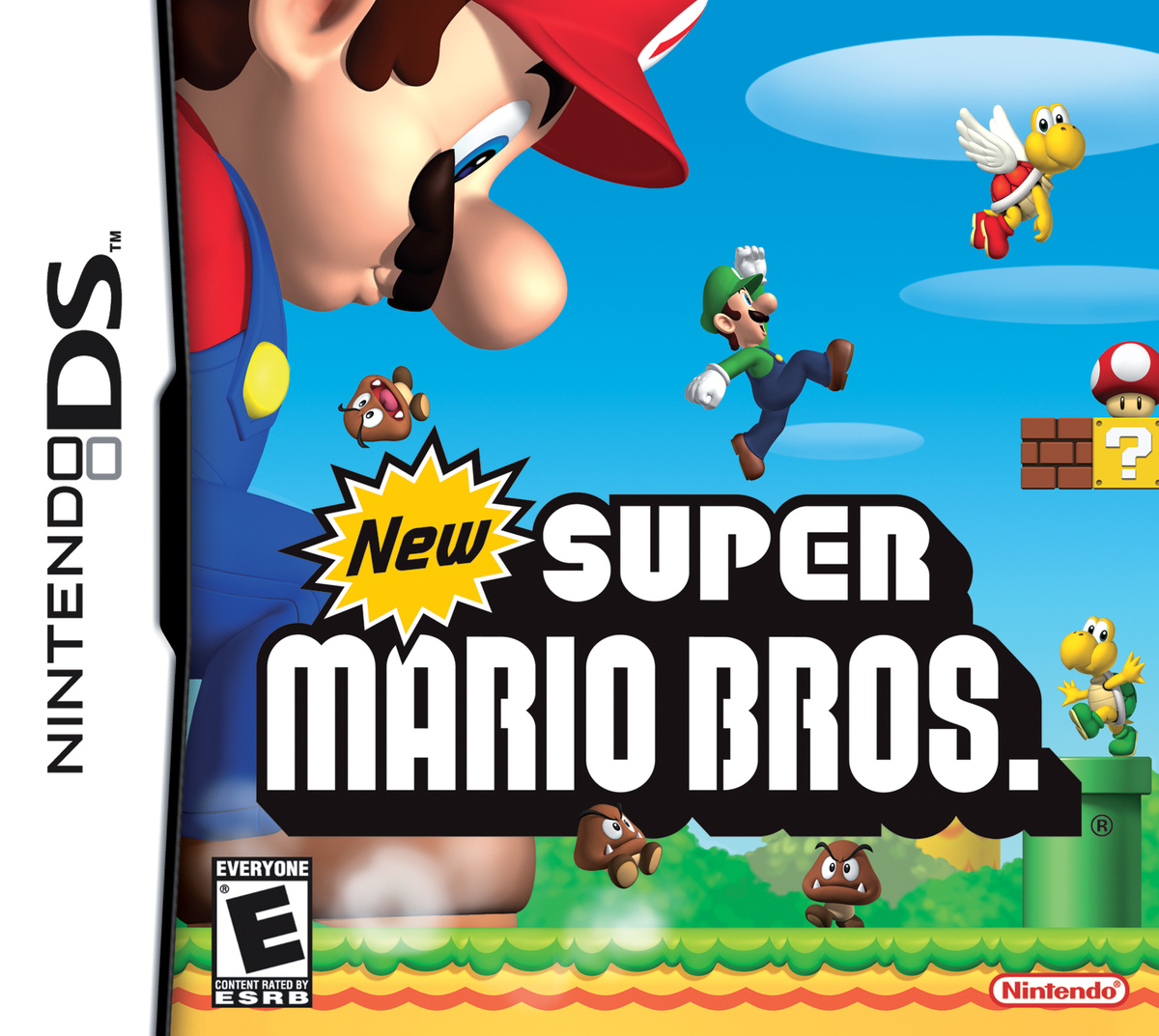
Poll: Box Art Brawl – Duel: New Super Mario Bros.

New Super Mario Bros. - Box Art Brawl
Image: Nintendo Life

It’s the weekend and that can mean only one thing — yes, it’s time for another edition of Box Art Brawl!

Before we dive into this week’s contestants, let’s take a look at how things played out last time. Celebrating the release of Sabotage’s excellent RPG Sea of Stars, we took a look at the cover variants from around the world, with you picking the winner. This one was a little closer than we would have expected (then again, both covers are really rather stunning), but it was the lesser-known Japanese box art that secured the win with 53% of the vote compared to Europe and North America’s 47%.

This week, to celebrate the first previews of Super Mario Bros. Wonder, we are taking a look at the origin of the plumber’s last 2D series as we match up two covers from New Super Mario Bros. on the DS. Originally released in 2006, this game kickstarted a new wave of side-scrolling Mario games, from which Nintendo has not looked back since — until Wonder, that is…

It’s a good old-fashioned duel this week, so let’s dive right into things.

Be sure to cast your votes in the poll below; but first, let’s check out the box art designs themselves.

Europe / Japan

New Super Mario Bros. - EU / JP
Image: Nintendo

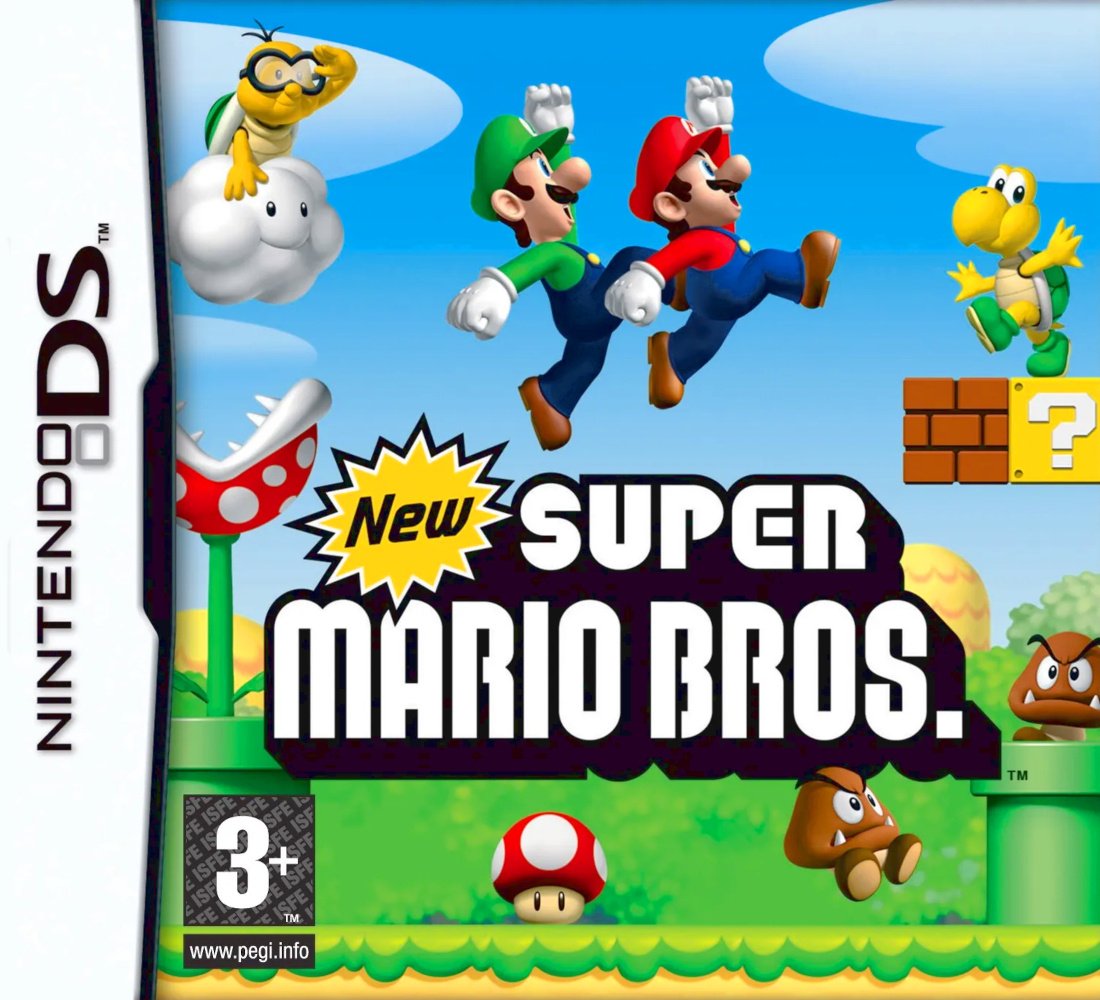
Playing things pretty safe, the European and Japanese covers put Mario and Luigi in their iconic jumping pose, with the bros. front and centre. The surrounding enemies make the stage look a little packed, but at least the Koopa’s pose hints at their ‘bah bah’ dance move that would come to haunt the series. If it’s a classic Mario game you’re after, this cover tells you everything that you need to know.

North America

New Super Mario Bros. - NA
Image: Nintendo

North America opts for much the same cover apart fro- whaaat? Mario’s big now? New Super Mario Bros. was the Mega Mushroom’s 2D debut (after previously appearing in Mario Party 4) and boy does this cover show it off. ‘You thought this was going to be a standard Mario game?’, the cover asks, ‘well think again’.

Of course, the game did end up being pretty standard as far as revolutionising the formula goes, but hey, at least this shows some of the newness of the ‘New’ franchise.


Enough chit-chat, let’s vote!

Thanks for voting! We’ll see you next time for another round of the Box Art Brawl.

Posted on Leave a comment

Mortal Kombat 1 Switch Leaks Surface Online Ahead Of Launch

Mortal Kombat 1
Image: NetherRealm Studios, Warner Bros.

NetherRealm’s new game Mortal Kombat 1 is just weeks out from release, but unfortunately, it’s the latest victim of a leak.

According to a report from MP1st, some stores in certain locations around the world are already selling physical copies of the title, and one individual has managed to get hold of a Switch copy of the game – confirming the base game’s full roster of fighters.

Warner Bros. appears to have taken action against some of these uploads by getting posts removed from social media and websites like Reddit, but there’s now reportedly a fair bit about the game’s story circulating online, as well as photos of the fighter selection screen.

There have also been some early impressions shared about the performance of the Switch version, with direct video footage uploaded. So consider this post a heads-up if you are trying to avoid any spoilers and would rather wait for early access or the full launch of Mortal Kombat 1 on 19th September.

NetherRealm has been busy this week with more official fighter reveals including Megan Fox as Nitara and Jean-Claude Van Damme as a Johnny Cage skin. Ed Boon also appeared on Hot Ones for this special reveal and next week the developer will be hosting its last ‘Kombat Kast’ on 13th September before the game releases.

If we hear about any significant developments, we’ll let you know.

Posted on Leave a comment

Gotham Knights Has Been Rated For Nintendo Switch

Gotham Knights

Batman Arkham Trilogy might not be the only major Batman series making its way to the Switch in the near future.

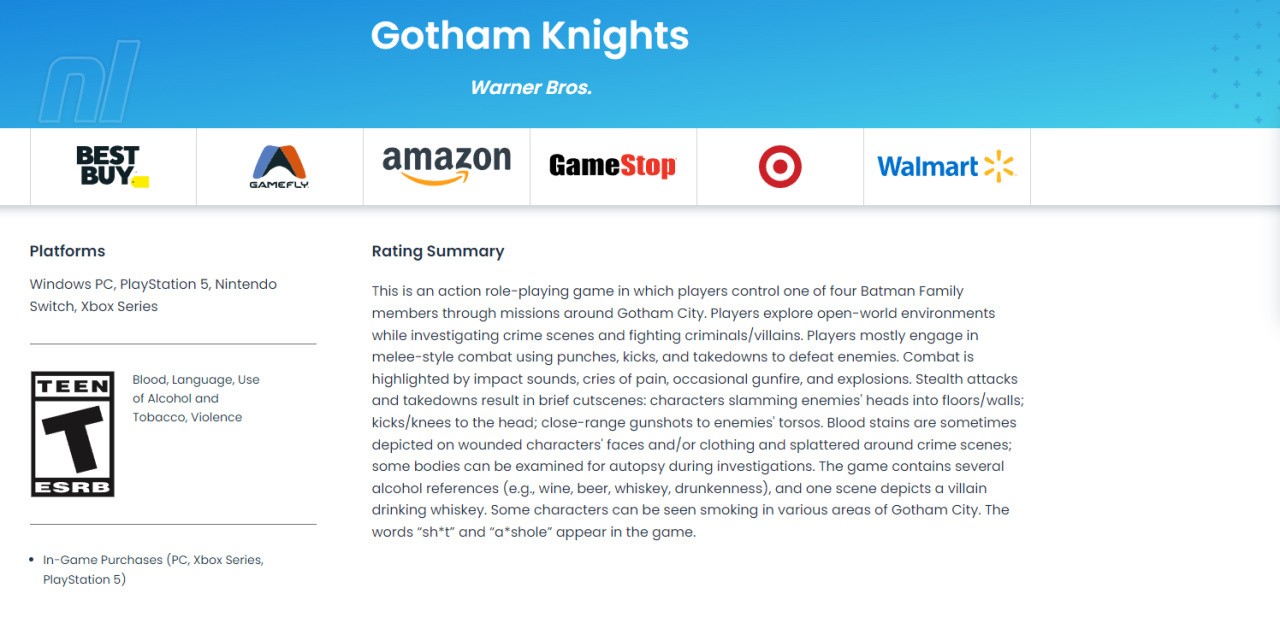
A rating by the ESRB in North America for the action role-playing spin-off Gotham Knights now also mentions the Nintendo Switch as a platform. The rating is ‘T’ for teen – with the game containing “blood, language use of alcohol and tobacco” and violence. Here’s the full rating summary:

Gotham Knights
Image: via ESRB

A rating for Gotham Knights on the Nintendo Switch has also popped up in Singapore (as highlighted on social media). If we hear any further updates about this one, we’ll let you know.

The Batman Arkham Trilogy is made up of Batman: Arkham Asylum, Batman Arkham City and Batman Arkham Knight. It will arrive on the Nintendo Switch next month on 13th October. You can learn more in our previous coverage here on Nintendo Life:

Would you be interested in playing Gotham Knights on the Switch? Tell us below.

Posted on Leave a comment

Ash Ketchum’s Voice Actor Shares Final Emotional Moments Of Last Recording

Sarah Natochenny
Image: sarah_natochenny (via Instagram)

As you might have seen, the original Pokémon journey starring the famous trainer Ash Ketchum and his pal Pikachu is finally coming to an end.

It lines up with the show’s 25th anniversary in North America. While we’ve already heard from Ash’s current voice actor, Sarah Natochenny, about how much of an “extraordinary privilege” it’s been to voice the character for 17 years of this run, she’s now shared a special clip online with her fans.

In it, you can see her filming her “last scene of Pokémon: To Be a Pokémon Master” in the studio and her raw reaction to its completion. She notes how she’s not even sure if she can bring herself to watch it as it’s clearly such an emotional moment in her own career. She also shared another brief message with Pokémon fans, thanking them for their support:

Sarah Natochenny: “The special episodes of Pokémon Ultimate Journeys are now on Netflix. I am so unbelievably fortunate to have voiced Ash Ketchum for the last 17 years. We put so much love into Pokémon: To Be a Pokémon Master. I hope these episodes resonate with you all.”

It’s not just the current voice of Ash saying goodbye, either. The original English voice Veronica Taylor has also chimed in on social media mentioning one last time how much the character meant to herself and also thanking trainers around the globe for their support:

Veronica Taylor: “I loved every minute I spent in the sneakers of this 10 yr old trainer. The best part has been getting to meet all of you trainers around the world. What a truly amazing #pokemon community! Ash Ketchum has brought us all together to strive to be our very best!”

You can watch Ash Ketchum’s final episodes of the latest series Pokémon: To Be A Pokémon Master on Netflix in the US now.

How do you feel about saying goodbye to Ash? Would you like to see him and Pikachu one day return? Tell us in the comments.

Posted on Leave a comment

Today’s Coin Master free spins September 2023

Are you wondering how to get Coin Master free spins? You’ve come to the right place. This mobile game combines the thrill of playing slots with the social battling of Clash of Clans to create something that you just can’t put down; in a good way. The problem is, you so often have to put it down if you’re not willing to fork out the cash for regular spins.

In this Coin Master blog, we’re going to provide you with all of the ways you can get your hands on a few free spins and a Coin Master bonus here and there. We also recommend you check out our Coin Master free cards and Coin Master free coins guides to get even more rewards, and our Pet Master free spins guide if you fancy checking out Moon Active’s latest game.

Make sure you click the notification button above to be alerted whenever we add new Coin Master free spin and coin links!

Coin Master free spins today:

  1. 25 spins
  2. 25 spins
  3. 25 spins
  4. Ten spins and one million coins
  5. 25 spins

Coin Master free spins September 8:

  1. 25 spins
  2. 25 spins
  3. 25 spins
  4. 25 spins
  5. 25 spins

Coin Master free spins September 7:

  1. 25 spins
  2. 25 spins
  3. 25 spins
  4. Ten spins and one million coins
  5. Ten spins and one million coins
  6. 25 spins

Coin Master free spins September 6:

  1. 25 spins
  2. Ten spins and one million coins
  3. 25 spins
  4. Ten spins and one million coins
  5. 25 spins
  6. 25 spins
  7. Ten spins and one million coins

Coin Master free spins September 5:

  1. 25 spins
  2. 25 spins
  3. 25 spins
  4. 25 spins
  5. 25 spins
  6. 25 spins
  7. 25 spins
  8. 25 spins

Coin Master free spins September 4:

  1. 25 spins
  2. 25 spins
  3. 25 spins
  4. 25 spins
  5. 25 spins

Coin Master free spins September 3:

  1. 25 spins
  2. 25 spins
  3. Ten spins and one million coins
  4. 25 spins
  5. 25 spins

Coin Master free spins September 2:

  1. 25 spins
  2. Ten spins and one million coins
  3. 25 spins
  4. 25 spins
  5. 25 spins
  6. Ten spins and one million coins
  7. 25 spins

Coin Master free spins September 1:

  1. 25 spins
  2. 25 spins
  3. Ten spins and one million coins
  4. Ten spins and one million coins
  5. 25 spins

Coin Master free spins August 31:

  1. 25 spins
  2. Ten spins and one million coins
  3. 25 spins
  4. Ten spins and one million coins
  5. Ten spins and one million coins
  6. Ten spins and one million coins
  7. 25 spins

How can I get Coin Master free spins?

Here are a bunch of tips to help you get even more free spins in Coin Master.

Follow Coin Master on social media

Each day, Moon Active, Coin Master’s developer, provides a bunch of links that you can follow to get your hands on Coin Master free spins. If you keep on top of this, you can get a steady stream of free stuff for very little effort. You can follow Coin Master on Facebook or Twitter.

Want more? Check out CodesDb for a powerful, searchable database of the latest game codes.

Sign up for email gifts

If you sign up for email gifts, you can get yourself a handful of Coin Master free spins every single day just by following a link on your phone. We haven’t encountered any spam from signing up so far either, so it’s a quick and easy method of getting yourself some tasty free spins.

Invite friends

Each time you invite a friend who successfully joins Coin Master through Facebook, you’ll get 40 Coin Master free spins, which is considerable. They don’t even have to actually play the game; they simply have to download it and log in via their Facebook account to get you the free spins. Of course, it’s in both your interests to actually play it, which brings us nicely to our next point.

Request spins as gifts

You can get up to 100 Coin Master free spins per day from friends, though to get to those heights you’ll need 100 active friends who are kind enough to send you a gift each day. Each gift consists of a single free spin.

Unless you’re incredibly popular, it’s highly unlikely that you’ll have 100 friends; let alone 100 that will actually deign to play a game with you. We recommend heading on over to the official Reddit community or Facebook communities to try and find people willing to play with you.

Watch video ads

You can get a limited number of Coin Master free spins per day by watching a video ad. Simply scroll to the slot machine and tap on the spin energy button on the bottom right. If it’s not there, you’ve run out of free spins you can get through this method for the day, but if it is, simply tap on it and you’ll watch an ad.

Spin

Ironically, you can actually get a ton of Coin Master free spins by, well, spinning. If you get three spin energy symbols in a row, you’ll get a bunch of free spins. Pick up a chain of them and you can spin for ages before you run out.

Level up your village

Each time you level up your village, you’ll get a bunch of Coin Master free spins. It’s not easy though, as it costs a considerable amount of gold to purchase new buildings and improve them, and you have to purchase every single one of them, including improvements, to level up. That’s going to cost a lot of spins, as it is.

Looking for a new game? Take a look at our Honkai Star Rail codes, Honkai Star Rail tier list, or even our Pokédex!

Participate in events

There’s almost always at least one event happening in Coin Master, and it can absolutely shower you with free spins. While viewing the slot machine, look at the top right of the screen. Any virtual buttons that you can see beneath the menu (which is displayed as three lines) are an event. Tap on one and you’ll see what each event involves.

Take advantage of these events and you can get yourself a lot more Coin Master free spins than usual.

Wait

This is an obvious suggestion, but it’s actually worth taking into consideration. You get five free spins every single hour, and you can only hold a maximum of 50 spins at any one time. That means every ten hours you’ll hit the maximum number of spins, and any Coin Master free spins you would have earned after that will cease to exist.

So, we recommend setting a reminder to visit Coin Master every ten hours at least to spend your spins so you are always earning more. You’ll actually end up earning a huge number of extra spins if you’re dedicated, so it’s totally worth doing.

YouTube Thumbnail

Coin Master free spin FAQ

Now, we’ll answer a bunch of questions you may have regarding getting Coin Master free spins.

Do Coin Master free spins links expire?

Yes, the daily links that we include at the top of this page expire after three days, which is why we only include those from today and the two days prior.

Can I get 50 Coin Master free spins?

Coin Master 50 spin rewards most commonly appear during in-game events, like those that reward you for raiding or battling other players. There’s also a small chance to get this number from daily links, so bookmark this page and check back often.

Can I get 60 Coin Master free spins?

Yes, though it doesn’t appear to happen often from daily links. We’d recommend playing often and participating in events, and following the social media channels to find out what’s happening soon.

Can I get 70 Coin Master free spins?

We’ve never seen a Coin Master 70 spin reward appear as part of the daily links, but it has been known to appear as part of special events.

To get your hands on this rare reward, we would recommend playing on a daily basis and following social media channels to get an indication of when the next big event will take place.

Can I get 100 Coin Master free spins?

Yes, though not from the daily links. We’ve seen this number of free spins appear often during in-game events, most notably for those that reward you for raiding and participating in PvP battles.

Play often and follow the social media channels for events to keep an eye out for this.

Can I get 50,000 Coin Master free spins?

Again, 50,000 Coin Master spin rewards don’t seem to appear as part of the daily rewards cycle, but have been known to crop up during events. Follow the socials and play regularly to get the best chance at this reward.

And that will just about do it for our Coin Master free spins guide. For something a little different, why not take a look at our guide to answers for Wordle today? And if you’re looking for something new to play, check out our best mobile games list, or head over to our Honkai Star Rail tier list and Genshin Impact tier list.