Posted on Leave a comment

Pikmin 4 Has Been Updated To Version 1.1.1, Here Are The Full Patch Notes

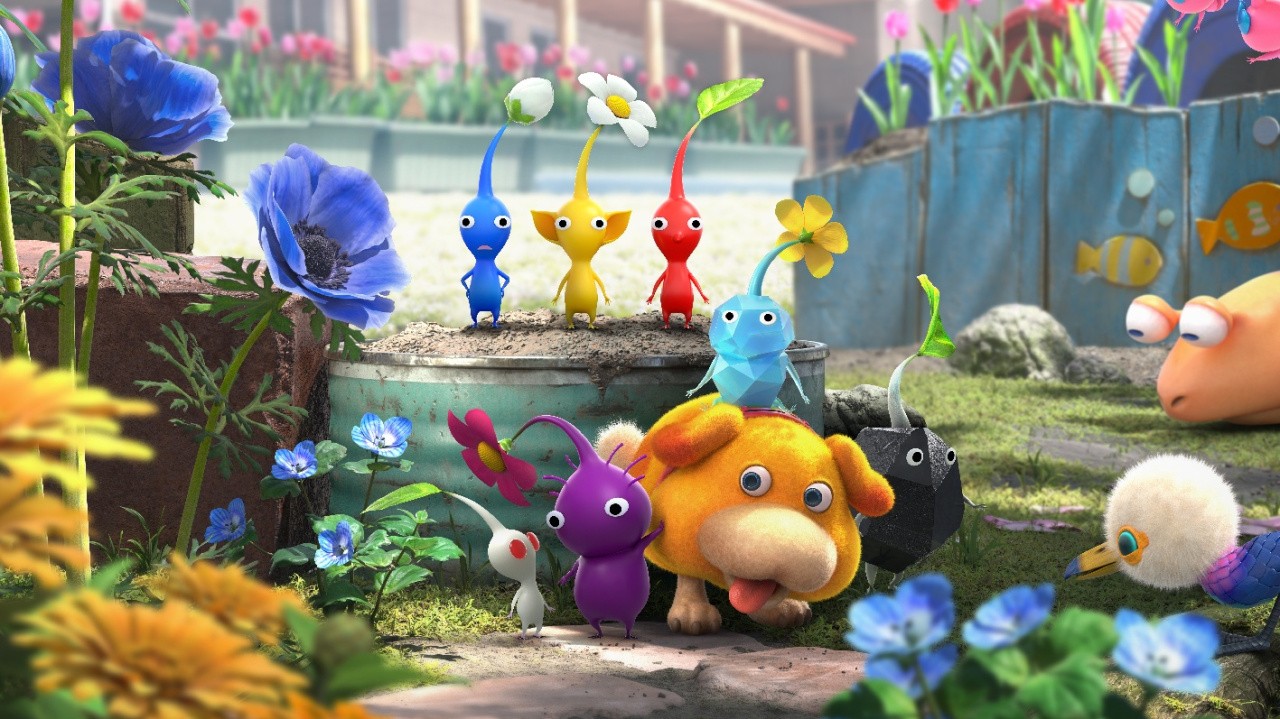
Pikmin 4
Image: Nintendo

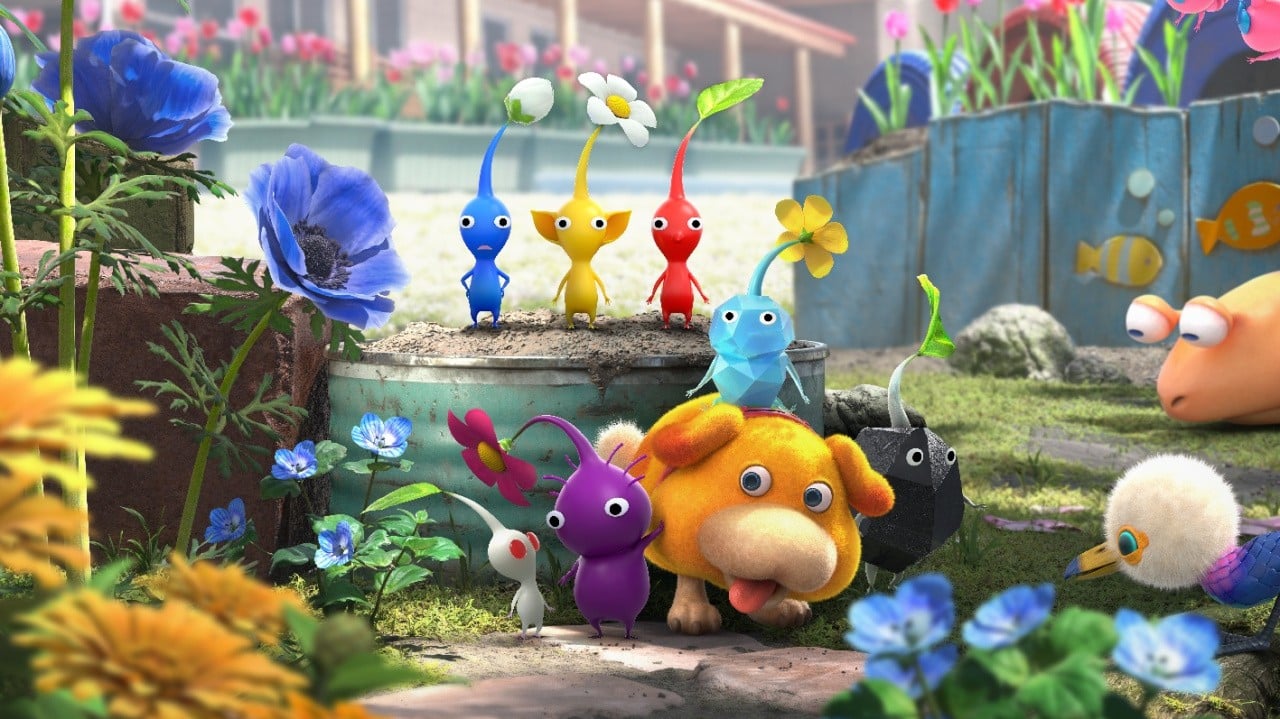
Nintendo is getting in its last updates for 2025, and today it has updated the Switch title Pikmin 4. This is the third patch for this title since it launched in 2023.

Version 1.1.1 comes with fixes related to Oatchi commands, creature activity levels, decor Pikmin and auto target lock. There are also various other bug patches and there’s also been an additional button guide added.

Nintendo also notes how the “same changes” have been released for the Pikmin 4 demo. Below is the full rundown, courtesy of the official support page.

Pikmin 4 – Version 1.1.1 (16th December 2025)

Fix Related to Giving Oatchi Commands

  • You can now give the “Go to Work” command to Oatchi in your squad right away when you keep pressing the A Button after throwing all of the Pikmin in your squad.
    • For tasks where there aren’t enough Pikmin, or things Oatchi is unable to do, the command will still be stopped temporarily.

Fixes Related to Roll Overs

  • When you start a new game with Roll Over, you can now carry over all of Oatchi’s previously learned skills.
    • Speak to the captain and go into the training screen after Oatchi grows and you are able to do training.
    • Note: You cannot perform Roll Over starts in the Pikmin 4 demo.
  • Fixed a bug where some treasures are not reflected in the completion of the Treasure Catalog.

Fixes Related to Creature Activity Levels

  • While the activity level is set to “Relaxed,” the following creatures will no longer attack unless you attack them first.
    • Moss
    • Waterwraith
    • Dweevils Carrying Bomb Rocks
  • While the activity level is set to “Relaxed,” creatures are less likely to inhale Pikmin or catch them with their tongues.
  • Fixed a bug where the Grubchucker is unable to prey on Pikmin while the activity level is set to “Fierce.”
  • Fixed a bug where some creatures would freeze in place when fed multiple Bomb Rocks while the activity level is set to “Fierce.”

Fixes Related to Decor Pikmin

  • Made it easier to “Say Cheese” when taking pictures of some Decor Pikmin.
  • Decor Pikmin are now unaffected when a creature performs an attack where they suck in Pikmin.
  • Fixed a bug where there was sometimes a delay in reflecting what Decor Pikmin you have found when sending that data to the Pikmin Bloom smart device application.
    • Note: Decor Pikmin data cannot be sent to Pikmin Bloom from the Pikmin 4 demo.

Fixes Related to Auto Target Lock

  • Added a setting that makes it so the cursor is not locked in place from repeatedly pressing the A Button while Auto Target Lock is set to “Off.”
    • Note: You can switch between “On” and “Off” by opening the Pause menu (- Button), selecting “Settings,” and going to “Tap A Repeatedly to Lock.” (This is set to “Off” by default.)

Additional Button Guide

  • An explanation will now appear in screen while in “Photo Mode” when using the Field Camera indicating that you can move the camera up or down using the up and down direction buttons on the Joy-Con (L) (or the up and down buttons on the +Control Pad of the Nintendo Switch Pro Controller).

Other Bug Fixes

  • Fixed other issues to improve the gameplay experience.

Note: A patch with the same changes has also been distributed for the Pikmin 4 demo. The demo version cannot send Decor Pikmin information to the Pikmin Bloom smart device application.


This follows recent calls from fans for a Switch 2 upgrade for Pikmin 4, after an odd listing was spotted on the eShop earlier this month.

In some other update news, Mario Tennis Aces on the Switch has been updated to Version 3.1.1 today. It addresses “several issues to improve the gameplay experience”. Nintendo also rolled out a new patch for Mario Kart World yesterday.

Have you downloaded this update for Pikmin 4? How are you finding it so far? Let us know in the comments.

Posted on Leave a comment

Nintendo Expands Switch Online’s N64 Library With Two Classic Platformers

Update []: Here’s your reminder that the Nintendo 64 titles Rayman 2: The Great Escape and Tonic Trouble are now available to Switch Online + Expansion Pack members.


Original Story: [Wed 10th Dec, 2025 15:30 GMT]

Nintendo has today announced that it will soon be expanding the Nintendo Switch Online + Expansion Pack N64 library with a pair of classic 3D platformers.

Both Rayman 2: The Great Escape and Tonic Trouble will be added to the service on 17th December 2025 (that’s next week!), so expect to see a lot of floating hands/feet with no arms/legs attached to ’em.

Originally released in 1999 by Ubi Soft, Rayman 2 sees you tasked with saving the Fairy Glade from Admiral Razorbeard and his army of robots. There’s all of the usual collecting and platforming peril that you would expect from a Rayman title, but we remember having a jolly good time with this one back in the day, and it’s always nice to have an excuse to pick it up again.

Ubi launched Tonic Trouble the very same year, and while not quite as beloved as its platforming pal, it brings the weirdness with its story. This one will have you playing as an alien named Ed, who’s sent down to Earth to clean up a little supernatural conqueror problem after he inadvertently pollutes the planet’s water supply with a strange liquid.

Those with an NSO + Expansion Pack membership will be able to play both of these titles on the service next Wednesday.

Which title are you looking forward to playing the most? Let us know in the comments.

Posted on Leave a comment

My Vibe Coding Tech Stack for 2026

As we gear up for 2026, I’m streamlining my coding workflow with a lean, vibe-aligned stack that focuses on simplicity and scalability (I have many projects!). It’s perfect for solo devs or small teams building dynamic web apps.

This stack might not be perfect if you work in a large corporation or something. You might want to use Cursor and other tools as well. Here’s the breakdown, tool by tool.

OpenAI – Codex and Research

OpenAI powers my core ideation phase with Codex for rapid code generation and research tools for deep dives into algorithms or APIs. It’s like having a tireless co-pilot that turns vague concepts into functional prototypes, saving hours on boilerplate and letting me focus on the fun, innovative bits.

Gemini App – Visuals and Infographics

For visuals and infographics, Gemini App is my go-to—it’s intuitive for whipping up charts, diagrams, and UI mockups that make complex data pop. Whether I’m explaining a new feature or prepping client decks, its drag-and-drop magic ensures polished outputs without the Photoshop slog.

GitHub – Project Management and Deployment Pipeline

GitHub handles all project management and deployment pipelines with its robust repo features, Actions for CI/CD, and seamless collaboration tools. It’s the central hub where ideas branch, merge, and ship, keeping everything versioned and automated for zero-downtime releases.

Heroku – Hosting

Heroku simplifies hosting with one-click deploys and auto-scaling, ideal for spinning up full-stack apps without server wrangling. Its free tier for testing and easy add-ons for extras like logging make it a no-brainer for quick iterations and reliable uptime.

MariaDB – Database for Dynamic Web Apps

MariaDB anchors my dynamic web apps as a robust, open-source database that’s MySQL-compatible but faster and more feature-rich. It excels at handling relational data for user auth, content management, or e-commerce backends, with easy scaling for growing traffic.

FastSpring – Payments (VAT and Sales Tax Handling)

Payments flow through FastSpring for its global compliance magic, auto-handling VAT, sales tax, and subscriptions across 200+ countries. It’s plug-and-play for monetizing apps, reducing legal headaches so I can prioritize product over paperwork.

Namecheap – Domains

Namecheap locks in domains with affordable, straightforward registration and privacy protection. Quick WHOIS guards and easy transfers keep my online presence secure and branded, without the upsell drama of bigger registrars.


Feel free to subscribe to my vibe coding newsletter – the goal is to help you be on the right side of change.

The post My Vibe Coding Tech Stack for 2026 appeared first on Be on the Right Side of Change.

Posted on Leave a comment

App developers escalate EU fight over Apple’s App Store fees

A coalition of developers has petitioned the European Commission, saying Apple’s revised App Store fees continue to disadvantage EU apps.

On Tuesday, 20 app developers and consumer groups have petitioned the European Commission in an attempt to knock down Apple’s commission fees even further. They argue that the fee structure puts their apps at a disadvantage compared to their U.S. rivals.

The Coalition for Apps Fairness (CAF) is made up of companies, including Astropad, Epic Games, Masimo, Life360, Proton, Spotify, and more. Many of these companies have waged war on Apple both on and off U.S. soil.

“This situation is untenable and damaging to the app economy,” CAF said in a statement, first spotted by Reuters. The coalition argues that Apple “continues to flout compliance with EU law,” and takes issue that Apple has not disclosed the new terms for 2026.

In July, Apple replaced its Core Technology Fee (CTE) with a series of other fees. The CTE had developers pay Apple 27% of their App Store earnings to cover the company’s hosting and distribution costs.

The fees Apple proposed were an Acquisition Fee, Store Services Fee, and CTE or Commission.

The Acquisition Fee is 2% on sales of digital goods and services, for up to six months from a user’s initial download. The Store Services Fee pays for the platform, and varies between 5% and 13%, with discounts for small businesses and others.

Currently, it isn’t clear whether Apple’s shuffling of fees was enough to placate the European Commission. What is clear, though, is that EU developers don’t pass on App Store fee savings to users, despite App Store rates falling roughly 10%.

Posted on Leave a comment

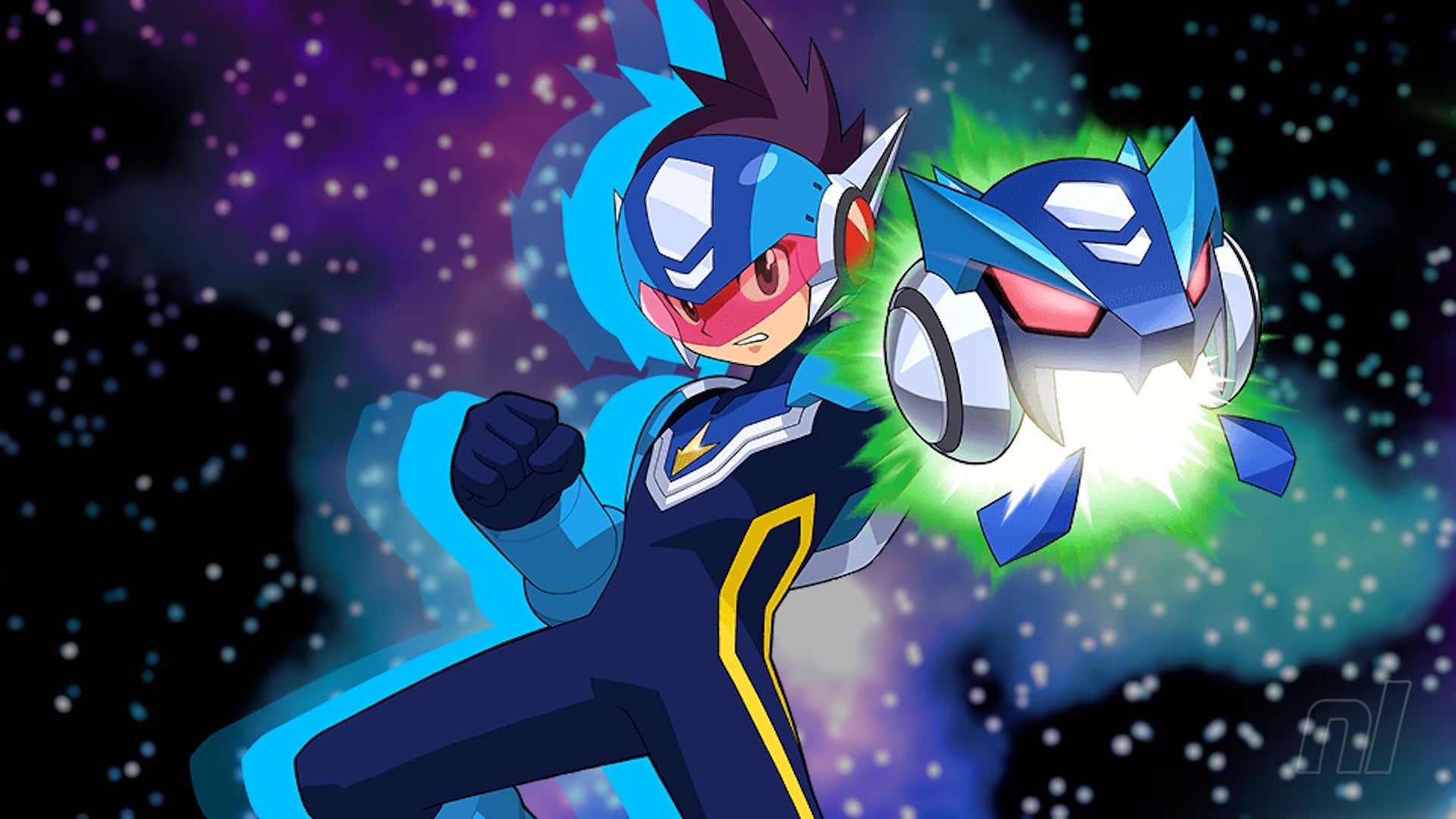
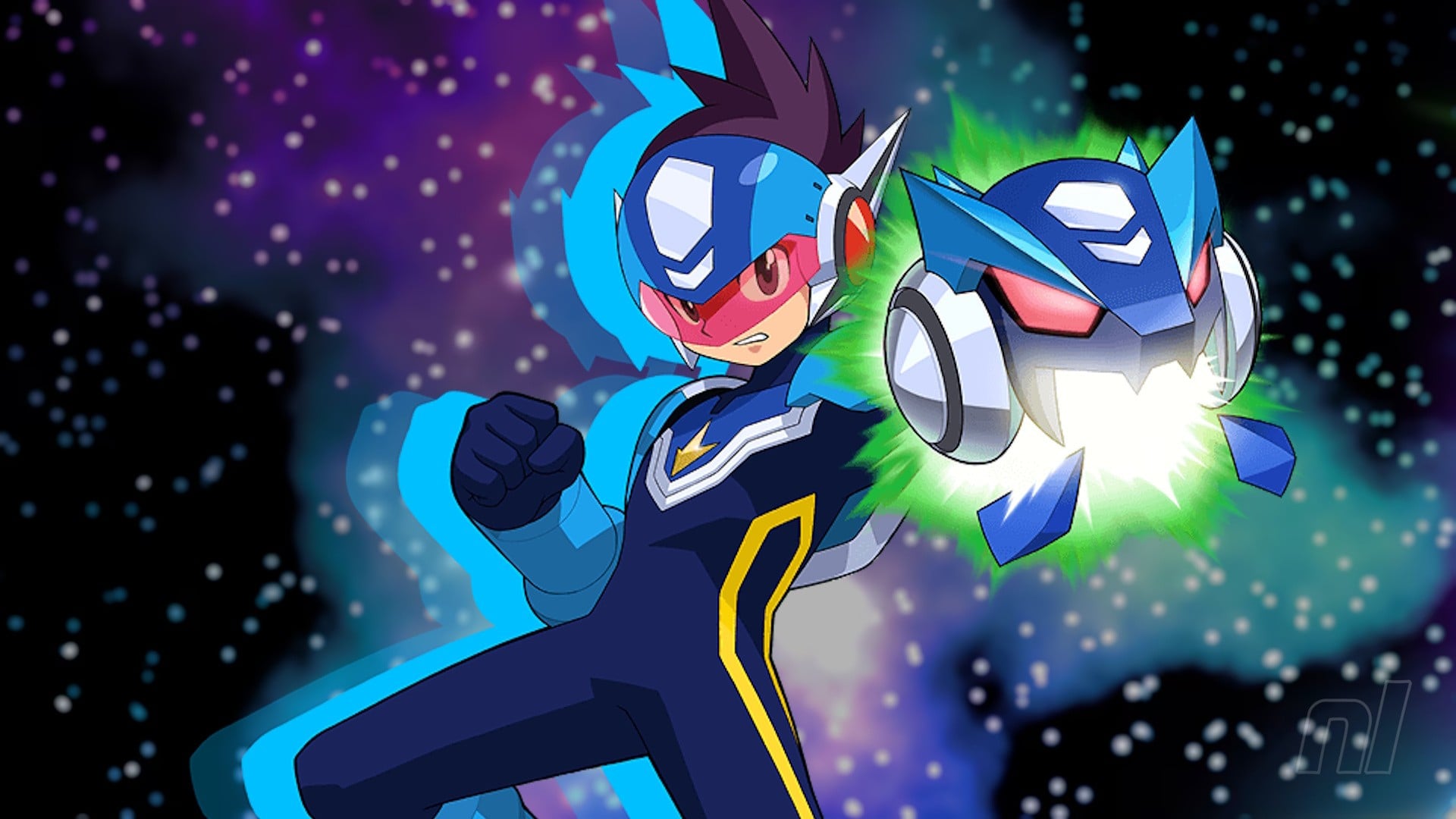
Mega Man Star Force: Legacy Collection Continues The Celebration March 2026

Mega Man Star Force: Legacy Collection
Image: Nintendo Life

Mega Man is having a heck of a week — just a few days after Capcom revealed that the Blue Bomber will be getting a brand new game in 2027, we’ve also got a release date for Mega Man Star Force: Legacy Collection (thanks, Gematsu!).

Launching on Switch on 27th March 2026, Mega Man Star Force: Legacy Collection brings together seven DS Mega Man RPGs in one package that includes an art gallery, music, and other quality-of-life features.

PlayStation UK briefly shared a new trailer for the upcoming collection, though it’s currently unavailable at the time of writing — perhaps they jumped the gun a little soon? Still, we have these clips:

The game was rated for Switch just last month, so the release date reveal shouldn’t be too surprising. And, for a reminder, here are the seven games included in the collection:

  • Mega Man Star Force Leo
  • Mega Man Star Force Dragon
  • Mega Man Star Force Pegasus
  • Mega Man Star Force 2 Zerker x Ninja
  • Mega Man Star Force 2 Zerker x Saurian
  • Mega Man Star Force 3 Black Ace
  • Mega Man Star Force 3 Red Joker

Are you looking forward to Mega Man Star Force: Legacy Collection? Let us know in the comments.

Posted on Leave a comment

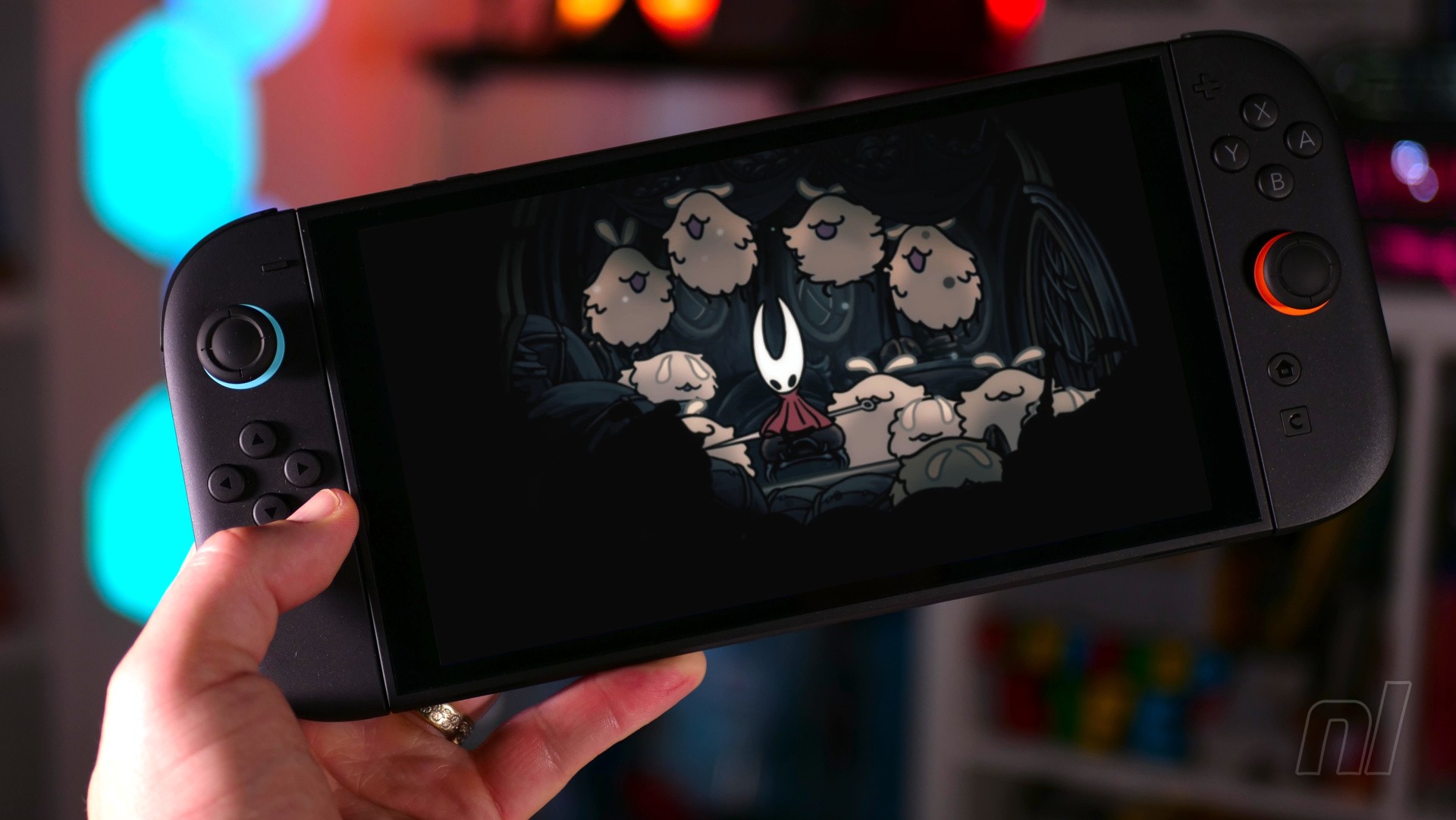
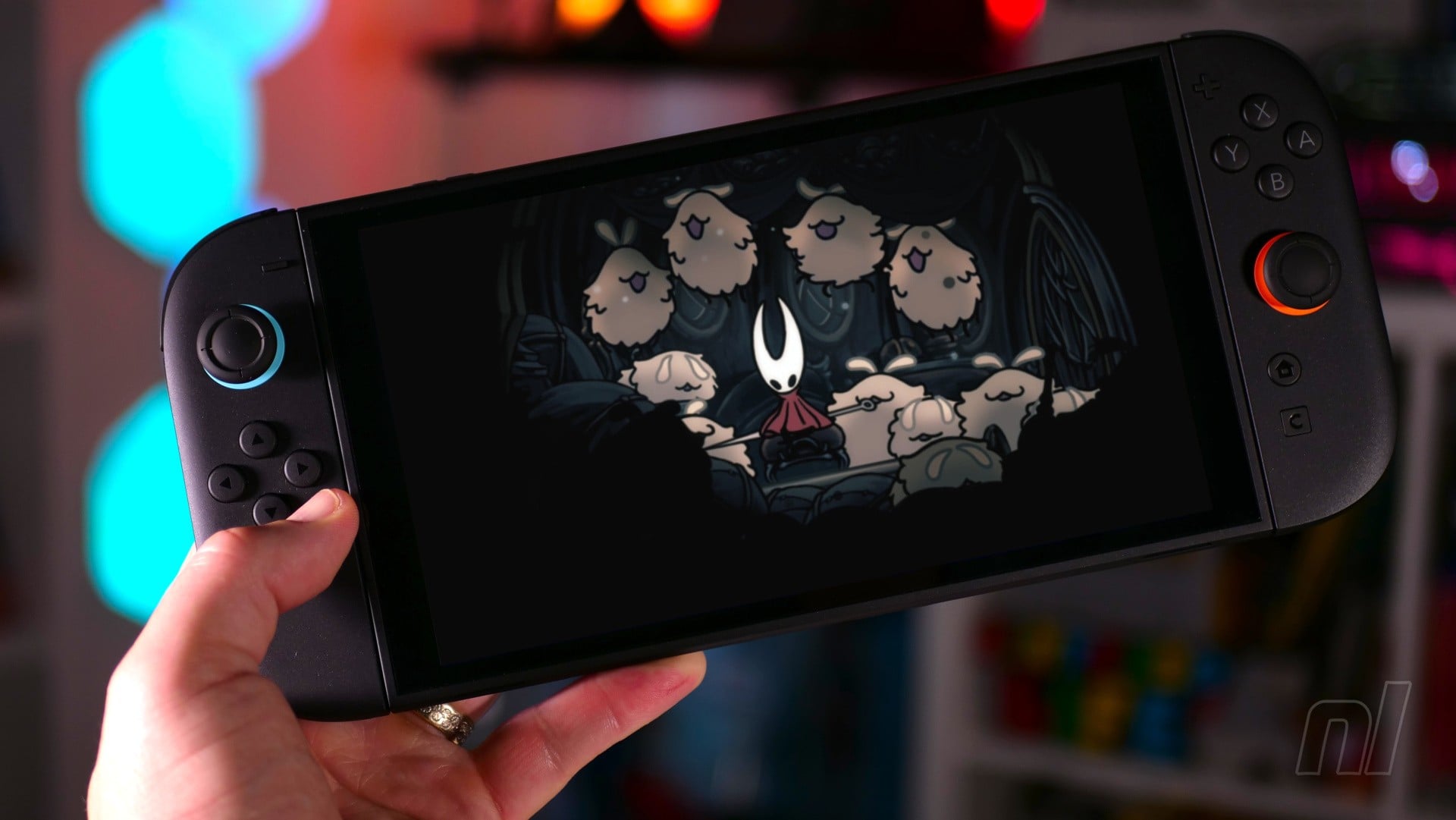
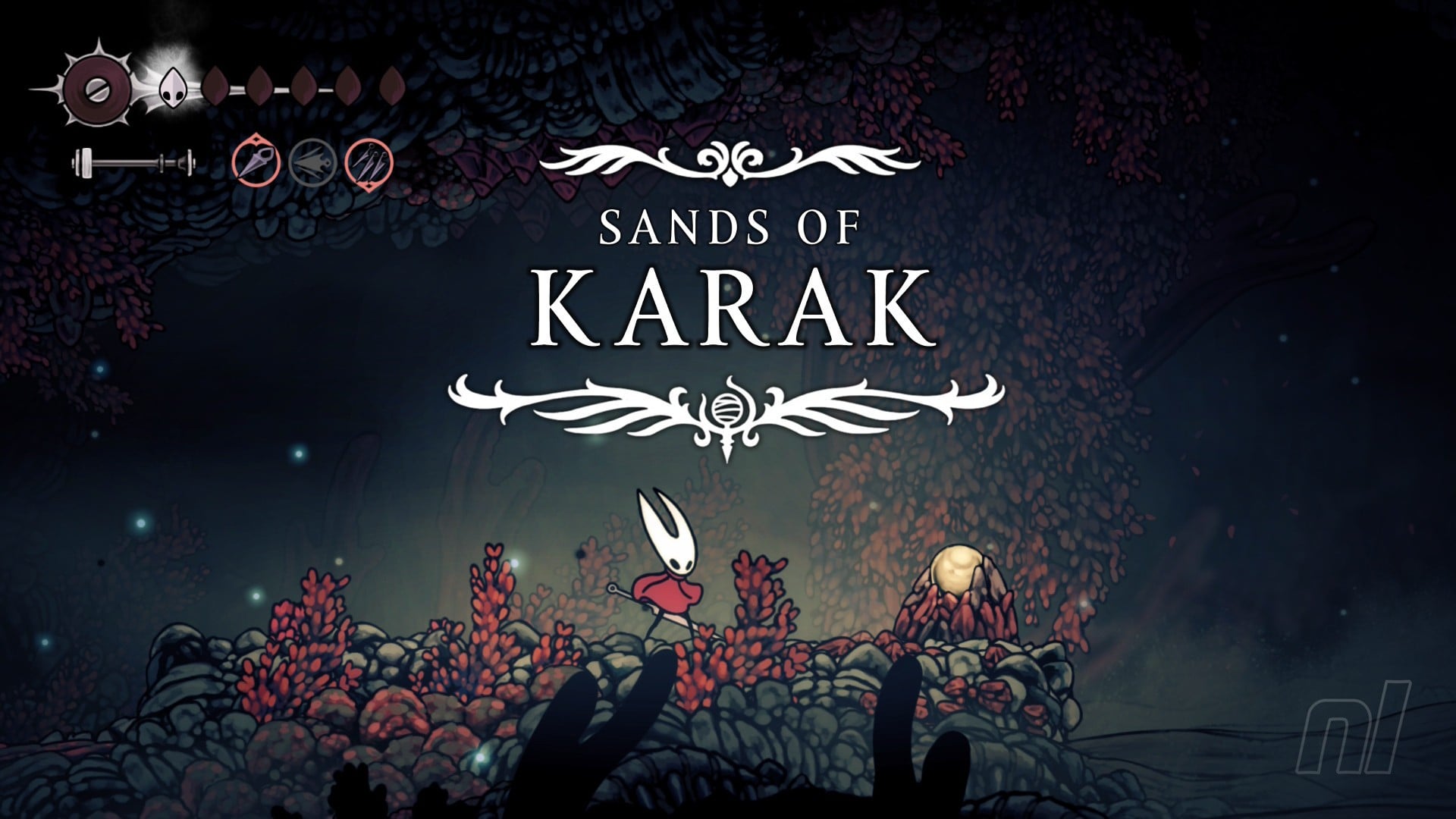
Opinion: Playing Silksong In Co-Op Was A 2025 Hivemind Highlight

Silksong Co-op 4
Image: Omar Hafeez-Bore / Nintendo Life

We lost track of the amount of times our friend Ibby tried to convey his love for the gorgeous Choral Chambers theme from Silksong, asking us to listen to this bit or the flutey bit, or another haunting, melancholic bit we couldn’t actually hear because of GameChat’s music-muting tech.

We did, however, hear a heated debate he had with his Mum (it really does catch them voices!), which wasn’t the kind of environmental storytelling we were going for, really. It turns out you can selectively lower the volume for different friends (and their Mums) in the chat – useful!

Stories abound. For a period this year, Silksong and GameChat was like a pub to me and some friends. Whereas previously of an evening there might be memes or Smash Bros. smacktalk in the WhatsApp chat, suddenly the group was quiet. But I could turn up to the Switch about 9pm and reliably get a notification toot (after that slightly exciting anticipation lag) that three friends were online and there was a GameChat invite. Click that ‘C’ button!

Four of us had bought Silksong (only two of whom had finished Hollow Knight) and embarked on its punishing, rewarding, sprawling journey together. Smash aside — I main as Corrin — I’m not really one for online multiplayer or co-op, and don’t know the pleasures of being a sun-praising Soulslover who summons others to duet a boss (and I’ve only played Dark Souls 2, sorry!).

But playing Silksong as a Silkchorus was a 2025 highlight, a single-player journey but shared through GameChat, with new (or new to Nintendo) possibilities suddenly enabled.

I never watch Twitch but now found myself flicking across GameChat screens of an evening like channels on the telly.

Now we had live fight analysis for some bosses, like the time Ibby was struggling trying to beat First Sinner, that frantic, fantastic, optional boss found in the Slab prison, fwoomp-ing in and out of the arena like Nightcrawler amidst a relentless barrage of lacerating silk and the music swells with violin violence.

But watching his screen, I noticed he wasn’t making use of the hookshot — I don’t think it’s called a ‘hookshot’ — to gain that crucial horizontal distance and safety between threads. And so I told him, and he did, and bit by bit he began to make progress.

Though still not enough – there was a phase two. Just one more go before calling it for today, we agreed, and I watched his last run, the clean control and last-hurrah focus, and now it was phase two but I was keeping silent so as not to jinx it. Then I erupted as the Sinner went down.

At other times it was more rally-style co-driving, like when Sunny fought Disgraced Chef Lugoli in Sinner’s Road, the screen busy with putrid globules and sideways bum barges, all of us chipping in to offload the overwhelm with shouts of “Cogflies Cogflies!” or “Heal heal heal!” at just the right moment.

(In theory. The chef went down later.)

Silksong Co-op 17
Like this, but just boys. And Silksong. And no cameras. Okay, not like this. — Image: Nintendo

An underrated effect of all this screen-sharing is that we’d get to repeatedly experience generational leaps in gaming, acclimatising to the fuzzy 10fps jerkiness of someone else’s Pharloom, then — cool platforming section over — going back to our own game in gloriously rich, high-fidelity, full-screen wonder. In handheld especially, you get that shocking, popping clarity that looks like print, like a storybook given life. Silksong remastered!

So I started to really enjoy this Silksong TV. I never watch Twitch but now found myself flicking across GameChat screens of an evening like channels on the telly. And because of the game’s commendable open-ness — and tough-as-nails-ness — everyone would be somewhere different. There were rumours of a new area above west Greymoor, or a magical dice in the Blasted Steps that is needed, bro. Party members scouting out and reporting back with what the different key doors unlocked, telling each other to open our maps and leave waymarkers for secrets at places of interest we hadn’t even got to yet. This was our new version of the fabled playground chatter of yore, a co-created web of Silksong strategy (instead of whispers of a naked Lara cheat).

And for the record, we played plenty ourselves, too. I am, after all, primarily a solo, in-conversation-with-myself-and-the-game kind of player. But even then, there was that nice background awareness of a wider conversation, of having people to whom we could later recount the things we’d seen and done.

Silksong Co-op 6
Much discussion was had about the platforming here. I got here before having the cloak. I do not recommend this. — Image: Omar Hafeez-Bore / Team Cherry

Now hear me out – would it be a stretch to call all the actual chatting a game mechanic, too? Not just because of the shared intel and coaching, but because of that sort of side-play headspace you sometimes get into whilst chatting, like the long car drive catch-up where you barely notice the journey. We’d tap into the automaticity and free reps of working a section on repeat (that Bird’s Nest gauntlet owes me hours) whilst chatting life nonsense that kept the difficulty and seriousness just off the boil enough to get the details down. Then go off chat to lock-in and finish the job, sharing a video from the Nintendo app the next morning of you finally beating the Savage Beastfly.

(These posts were weirdly expressive of the different ways we’d all play. It was watching Mozo’s clean AF performance on Beastfly that taught me the usefulness of short-hop hits, even though he didn’t seem to do the badass last-minute ground dodge like Gothmog in Return of the King.)

Anyway, I got more engrossed than most and ploughed through straight to the end of Act 3 and its gloriously exacting final battle, feeling the patterns out on repeat, going off chat for the final few goes, then re-entering and trying to act nonchalant when I’d beaten it. I’ve played it again since and it’s almost just rhythm action pattern matching now. Power in progress.

Silksong Co-op 1
You can’t hear the music over GameChat, Hornet. — Image: Omar Hafeez-Bore / Team Cherry

But the other guys fell off a bit after Act 2. New Hades had come and provided some lighter respite, and another’s family member had begun some medical treatments. Just a small Silksong break, but it never picked up again. And so that specific pub made of joint momentum and shared moments had closed.

What a lovely place, though. What a cool Switch 2 time. Bring on the Sea of Sorrow.

Posted on Leave a comment

Oh No, Vampire Crawlers’ Gameplay Trailer Suggests It’s Going To Suck Up All Our Time

Poncle has just released a brand new gameplay trailer for its upcoming Vampire Survivors spin-off, *deep breath* Vampire Crawlers: The Turbo Wildcard from Vampire Survivors, which is coming out some time in 2026.

And it probably should come with a health warning, because the chaotic blobber-inspired (that’s a term used to describe a number of first-person RPGs from the ’80, broadly) dungeon crawling rogue-lite is going to be a huge time sink, just like Vampire Survivors.

Anyway, Vampire Crawlers will introduce your vampire hunting friends to turn-based combat, brand new abilities, new ways to use existing abilities, and… digging?

We’ve also got a sneak peak at some familiar locations, a museum, and other buildings that you’ll likely need to use to progress. And yet somehow, it all seems to come together with that same moreish Vampire Survivors flair.

More details will be coming soon on the game, but for now, we just want to know when to take some time off work to sink our teeth into the game.


Are you looking forward to Vampire Crawlers? Survive in the comments and let us know.

Posted on Leave a comment

Fans Uncover Unused Dialogue From Metroid Prime 4

Metroid Prime 4: Beyond has received mostly positive reception, but it’s safe to say that not everybody is keen on the dialogue from Samus’ Federation Trooper pals. Now, thanks to a video from Bearborg (cheers, VGC), even more unused dialogue has been showcased (from approx 7:38 in the above video).

Accessed by simply listening in to the conversations between the Galactic Federation Troopers at Base Camp in Fury Green, some of the additional dialogue includes musings from VUE-995 about how much it can bench, a new breach technique from Nora Armstrong, and a recollection from Ezra Duke about an unpaid debt back on the planet Tanamaar.

All told, there’s more than 30 minutes’ worth of voiceover work that seemingly didn’t make it into the final game, though why is anybody’s guess. It’s important to note that these conversations aren’t mandatory to the story, and are instead bonus interactions that you can choose to listen in to when chilling out at Base Camp.

One of our key criticisms of Beyond wasn’t due to the added dialogue, but rather the freqeuncy at which Myles Mackenzie would contact you over comms when you’re about exploring Sol Valley. Ultimately, we thought the game was a welcome return for Samus, awarding it a score of 9/10.

What do you make of this unused dialogue from Prime 4? Do you wish it was included in the final game? Let us know with a comment.

Posted on Leave a comment

Fantasy Life i: The Girl Who Steals Time Free DLC Is Still Coming This Month, So Don’t Worry!

Fantasy Life i: The Girl Who Steals Time - The Sinister Broker Bazario’s Schemes
Image: Level-5

We’re halfway through December, and Fantasy Life i fans may have been wondering “hey, where is that DLC that Level-5 revealed would be coming out this month?”. Well, Level-5 CEO Akihiro Hino has spoken up to put fan concern to bed.

Yes, The Sinister Broker Bazario’s Schemes is still coming this December on Switch 1 and 2, and it”ll be here “around Christmas”, the founder of the company shared on social media earlier today.

As a reminder, this new free DLC brings the Fantasy Life i’s blend of RPG elements, crafting, simulation, and exploration into a roguelike formula. Ginormosia is transforming and you’ll be going up against new monsters, discover a new artifact, and find new weapons and mounts, too.

So it’s pretty meaty! Something to play after you’ve over-indulged this holiday season, then. Hino said that the team will “be sharing the latest information from the official channels soon, so stay tuned!” So expect something in the next week or so. Because yes, Christmas is next week.

Fantasy Life i: The Girl Who Steals Time’s upcoming DLC was announced in June this year, a little under a month after the game’s release, with a release window following in September.

There have been plenty of other free updates and tweaks since launch too, and with Level-5 riding high after Fantasy Life i and Inazuma Eleven, we can’t help but be extremely excited for the future.


Are you excited for The Sinister Broker Bazario’s Schemes? Get crafting in the comments.

Posted on Leave a comment

CyberGhost VPN review – a great choice for newcomers

Verdict

Pocket Tactics 8/10

CyberGhost is one of the top VPNs around, and easily the most recognisable. I found it to be fast and flexible, with a low ping and jitter, making it suitable for gaming. Its collection of streaming-focused servers optimized for particular services is really helpful, and delivers reliable results. While CyberGhost is missing some of the more advanced features of competing VPNs, I think it’s a fine choice for most people.

Pros

  • Useful free trial for mobile version
  • Dedicated streaming servers
  • Low ping
Cons

  • Limited to 7 simultaneous connections
  • No local LAN network support for printing and casting
  • Advanced privacy options limited

Thanks to its quirky ghost logo, CyberGhost has become one of the most easily recognizable VPN providers. You’ll have seen its adverts on TV and YouTube, on podcasts, and in magazines. It has apps for mobile, desktop, and smart TVs, and a free trial for Android and iPhone, making it an attractive prospect if you’re looking for a new VPN – but is it worth it? And how does it stack up next to other providers?

Let’s examine the company first. CyberGhost launched in 2004, initially based in Romania, but has since been purchased by Kape Technologies. This is the same company that owns competing VPN services, Private Internet Access (also known as PIA), and ExpressVPN (both of which have a home on our list of the best mobile VPNs).

Meanwhile, CyberGhost has a 3.8-star rating on Google Play and 4.3/5 on the Apple App Store. These scores indicate that CyberGhost is well-regarded by mobile users… but, of course, I wasn’t going to come to any conclusions before I tested it myself.
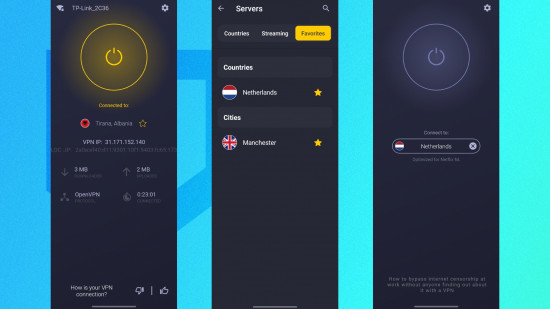
CyberGhost VPN screenshots showing the user connected to a server, choosing a server, and disconnecting.

Specs

CyberGhost VPN specs:

Server range 125 locations across 100 countries, with 21 dedicated IP locations
Compatible apps FIFA Mobile, Minecraft, Roblox, Genshin Impact, Twitter, Facebook, Netflix, Disney+, and more
Free trial 3 days (app only)
Money-back guarantee 45-day money-back guarantee
Simultaneous connections 7
Router support Yes
Average latency 36m/s
Average jitter 2m/s

Using CyberGhost VPN on your smartphone

One of the key challenges for a mobile VPN is how well the app integrates with your network connection – and, of course, how easy it is to use.

CyberGhost offers one of the cleanest, fuss-free interfaces in the mobile VPN field. A simple on/off button is complemented by a Settings icon and a server list that expands when tapped. This is grouped by countries, servers optimized for Netflix and other streaming services, and a list of your favorite servers (added by tapping the star icon).

With CyberGhost set to run when your phone starts up, the client app can be configured to automatically connect when a WiFi network is detected, and if approved at installation, it displays notifications that you can use to connect or disconnect the VPN with a touch – it’s much faster than going to the app and opening it up.

CyberGhost VPN review images showing a long list of available server locations.

Privacy features

It is easy to improve your privacy with a VPN like CyberGhost installed. It uses the industry-standard AES 256-bit encryption to keep your connection private, so as long as you don’t log into an account at the destination website, no one will ever know you viewed it. Even if you do log in, if you always access the site with the VPN on and don’t submit any data that will identify you, you’re still fully anonymous.

In short, if you want to protect your privacy, you just need to install the VPN, select a server, and then switch it on with one tap. If you take advantage of its free trial, you don’t even need to spend anything. It’s swift, and it’s efficient.

Various privacy-enhancing tools are also included. Within the CyberGhost app’s Settings screen, beyond the tools to manage your connection and devices, a collection of toggles enable and disable various additional options. In most cases, you shouldn’t need to alter any of these, but knowing where to find them is useful. These control things like VPN protocol (OpenVPN or WireGuard are available, but you can set the app to choose automatically), transport mode (TCP, UDP, or automatic), and packet size. This option is useful for resolving connection or speed issues. You can also configure the app to block ads, trackers, and malware, and enable the VPN to activate when your phone connects to a specific network. If you’re likely to connect to a public WiFi service, this is useful to have.

If you’re wondering why you would ever want to turn off any of these features (they’re all pretty handy, after all) it’s really just to conserve your phone’s processing power. If you know you’re not going to be doing a lot on your phone while you’re out and about, but still want to be conscious about public WiFi, then you could turn off the more advanced features while just keeping it on. No need to drain battery power unnecessarily.

Also, if you want to know more about privacy, CyberGhost has a collection of articles in its Privacy Hub. These explain various concepts and practices to help you stay private and secure online. It’s a lot of general stuff that everybody should be aware of.

CyberGhost VPN screenshots showing the split tunnelling feature, and its WiFi detection tool.

Other features

You’re probably considering a mobile VPN either for privacy over unsecured or untrusted WiFi networks, or to enable access to overseas game servers. Or you might be looking for a VPN that can help you to access streaming libraries in different regions (such as Netflix US when you live in the UK).

However, VPNs have other purposes, such as complete anonymity and protecting your browsing from observation under totalitarian regimes. Some VPNs offer tools that support this, usually a form of “double-VPN” (which encrypts the connection twice), but unfortunately, CyberGhost does not.

Although there is a domain fronting option, this feels like an afterthought. Rather, the app’s feature set suggest that it is geared more towards entertainment rather than life-saving privacy. That’s fine, because a lot of VPN users aren’t going to need a service as thorough as that, but if you do, then you should steer clear of this one.

Now let’s get to something very important – something that every VPN worth its salt should have: a no-logs policy. While CyberGhost has a strict no-logs policy, its owner, Kape Technologies, is based in the UK. This means that it could theoretically be subject to data requests on activity by a specific account from a member of the Five Eyes alliance (USA, Canada, Australia, New Zealand, and the UK). Its base in Romania should prevent that, but it is worth considering; that said, CyberGhost issues a Quarterly Transparency Report (Q3 2025) which lists the data requests from law enforcement, and states: “They all have the same goal: to connect an IP address to a person. That connection can’t be made on our network.”

That is reassuring. However, note that virtual server locations are in use. What this means is that servers that appear to be connecting from one location are actually connecting via another. This is done when laws in a particular country make it difficult or even impossible for secure VPN servers to be available there. India is one example.

When you use a VPN, your IP address is hidden, and destination websites instead see one that belongs to the VPN server you connected through. This is useful for anonymity, but not great if you want to use a banking app. In this case, subscribers to CyberGhost can request a dedicated IP address. It has an additional fee – $5/month on a monthly deal, with 20% and 50% savings each over six-month and two-year deals.

However, compared with other VPN apps and services, CyberGhost is missing a few features. While geared towards streaming (I tested access to Disney US from the UK, and it worked fine), casting to a TV with the VPN enabled doesn’t work. Split Tunneling, a feature where some apps can be excluded from the VPN connection, doesn’t fix this, as it requires the app to be able to access other devices on the network. Some competing VPNs – like NordVPN – offer this feature, often called “LAN access” but sadly, CyberGhost does not.

CyberGhost VPN performance

I did the following tests using a wireless router and a Vodafone fiber broadband connection.

  • Baseline: 80.7Mpbs/69.9Mbps (Ping: 14m/s)
  • UK Server (Manchester): 73.6Mbps/65.4Mbps (Ping: 36m/s)
  • US Server (New York): 73.2Mbps/65.2Mbps (Ping: 92m/s)

Using a VPN inevitably impacts internet speed, and CyberGhost is no different from its competitors in this regard. However, you can see from these results that the signal drop is minimal.

When it comes to ping and jitter, CyberGhost performs well, but naturally, the performance is better the closer to home your target server. Attempting to play a game via a server situated on the other side of the planet, for example, will have a detrimental impact on the game’s playability.

Final verdict

VPN services increasingly need to stand out from the crowd, and CyberGhost has a strong brand. It’s recognizable to many, even if they don’t use a VPN or know what they do. This makes it a great gateway to the world of VPNs, and CyberGhost is affordable, too. Starting at $12/month on a rolling contract, with six-month and two-year options (equivalent to $6.99/month and $2.03/month at the time of writing), this VPN provider also lets you maintain anonymity by paying with Bitcoin, along with the usual credit card/PayPal/Amazon Pay combo.

In short, CyberGhost’s branding is all about keeping you barely visible – like a ghost – online. But with this marketing comes some pressure. Is CyberGhost a good VPN, and does it measure up to competing VPNs?
Well, I’ve tried and used a lot of VPNs over the years. I’ve always been impressed by CyberGhost for its cutesy, accessible presentation, but this is not something that is universally welcomed. I know of people who consider CyberGhost to be the “VPN for n00bs” (actual quote from one of them), but in my opinion, this is not something to be derisive about. Everyone should be using a VPN, and if the service is accessible and the app is easy to use, then that is a Very Good Thing Indeed.

But while CyberGhost is accessible, and perhaps the most ideal route to improved mobile device privacy, the speedtest.net results leave room for some improvement. Yes, the app is excellent, the streaming performance reliable, and CyberGhost is suited to gaming… but it falls short on a few of the more advanced options its competitors boast.