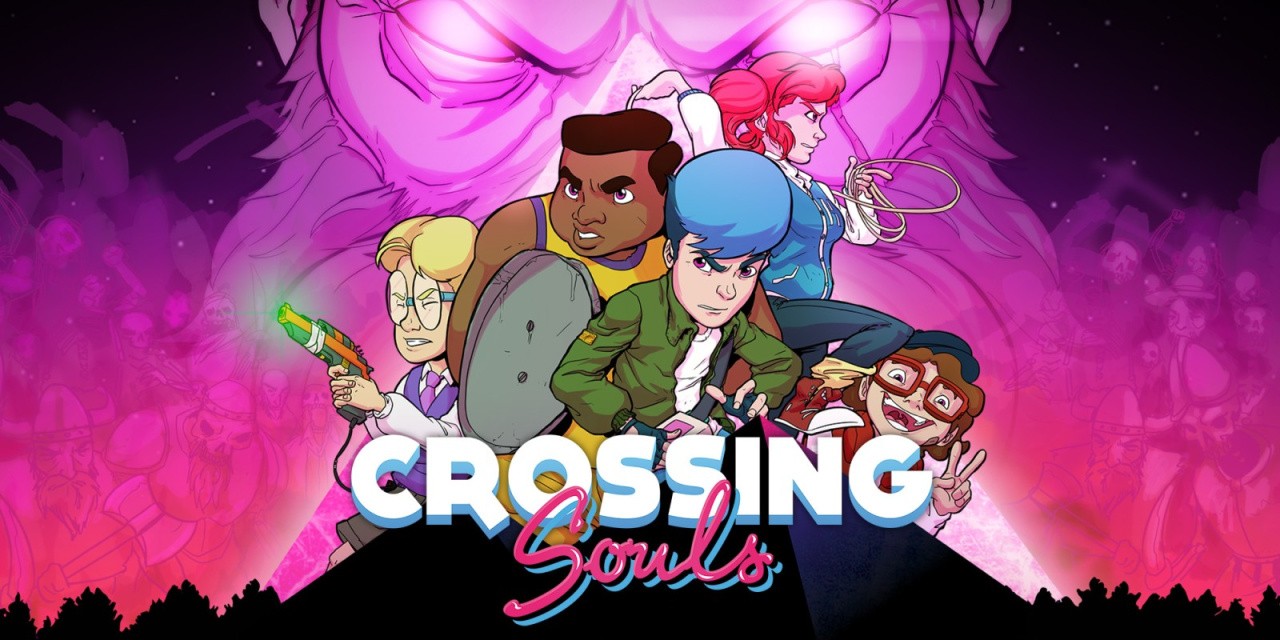
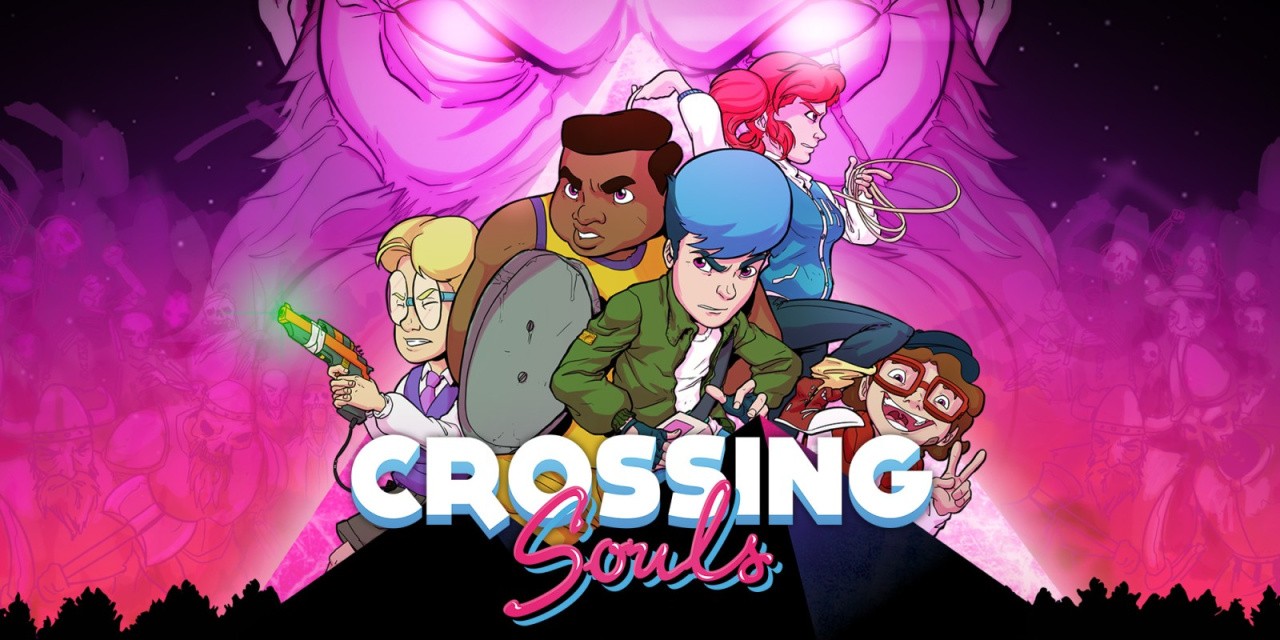
To celebrate the Summer of Devolver Digital we’ve kindly been provided with 10 North American eShop Download codes for Crossing Souls on Nintendo Switch. All you need to do is answer the question below and we’ll pick 10 lucky winners at random and assign them a code, simple right?
About The Prize
In Crossing Souls the player will be able to control five different characters, mixing each one’s unique abilities and weapons to overcome all the challenges and obstacles ahead of them. You will explore lots of places, interact with hundreds of NPC from different periods of time, solve puzzles, look for secret places and treasures, and fight against enemies in order to save your loved ones.
How To Win
It’s simple, login or register and answer the question, we’ll randomly select the winner(s) and contact them via email.
Enter The Competition
Please login and then answer the following simple question:
Please note that this competition is only open to residents of North America.
Rules
Closing date for entry is midnight Sat 1st September 2018, winners will be contacted via email, prizes will then be provided by download code or gifted directly to the console. You may only enter once, duplicate entries will be removed. You must be a North American resident to receive the winning prize. Please read our full competition terms and conditions before entering.
Opening Doors to Collaboration with Open Source Projects
One of the biggest benefits of open source is the ability to collaborate and partner with others on projects. Another is being able to package and share resources, something Michelle Noorali has done using Kubernetes. In a presentation called “Open Source Opening Doors,” Noorali, a senior software engineer at Microsoft, told an audience at the recent LC3 conference in China about her work on the Azure containers team building open source tools for Kubernetes and containers.
Her team needed a way to reliably scale several containerized applications and found Kubernetes to be a good solution and the open source community to be very welcoming, she said.
“In the process of deploying a lot of microservices to Kubernetes we found that we wanted some additional tooling to make it easier to share and configure applications to run in our cluster,’’ she explained. “You can deploy and scale your containerized apps by giving Kubernetes some declaration of what you want it to do in the form of a Kubernetes manifest.” However, in reality, she added, to deploy one app to a cluster you may have to write several Kubernetes manifests that utilize many resources hundreds of lines long.
In 1986, teenage jujitsu artist Ryo Hazuki returns to the dojo of his father, Iwao Hazuki, only to witness his murder by a Chinese man, Lan Di. Lan Di steals a mysterious artifact known as the Dragon Mirror. Ryo vows to avenge his father's death and sets out tracing Lan Di's path.
The first game in the series, Shenmue begins the tale as Ryo travels around Yokosuka, Japan, gathering clues about his father's murder and dealing with nefarious gangsters along the way.
The sequel Shenmue II continues Ryo's quest, this time crossing the sea to Hong Kong, China. Ryo ventures deeper into the criminal underworld, meeting martial arts masters who aid him on his journey and offer insight into his father's death, and unravels the mysteries of the Dragon Mirror that his father kept hidden.
Gameplay:
* Take the role of Ryo Hazuki.
* Explore a 3D open world searching for clues, examining objects, and talking to NPCs.
* Battle enemies and bosses making full use of the moves of Hazuki-style jujitsu.
* Beat quick-time events (QTEs) and mini-games.
Key features:
The best Shenmue experience
Pioneering Dreamcast classics available for the first time on PC
Updated user interface
Choice of modern or classic controls
Japanese audio available for the first time for a global audience
Fully scalable screen resolutions
An epic legend
A tale of revenge on a grand scale
Solve the mystery of your father's murder
An experience never to be forgotten
The world feels alive
Talk to anyone, scour the world for clues
NPCs live independent lives on their own schedule
Faithful recreations of 1980s Japan and Hong Kong, China
Distract yourself with arcade games, collectibles, duck racing, and more
Apple & US carriers partner on 200GB iCloud promo ahead of new iPhones
By Roger Fingas Sunday, August 26, 2018, 05:16 pm PT (08:16 pm ET)
Apple and the four major U.S. carriers are offering two free months of iCloud’s 200-gigabyte tier to some people looking to upgrade their iPhone this fall.
The promo, noticed on Reddit, is only available to new (paid) iCloud customers, and is nominally meant to ensure they “have enough space to safely back up all the important things on your iPhone, like photos, videos, files, and apps” so the data can be restored once a new phone arrives. The link above mentions Sprint in the URL but should also work for AT&T, T-Mobile, and Verizon.
Apple has actually been offering 30-day trials of its paid tiers since May, so in reality the new promotion is simply an extra month on top of that. People who sign up will also be charged $2.99 per month after the deal expires, unless they cancel.
iCloud only includes 5 gigabytes of data for free, which for many people is just enough for a single device backup. In the U.S. Apple charges 99 cents per month for 50 gigabytes, $2.99 for 200 gigabytes, and $9.99 for 2 terabytes.
The company is expected to reveal three new iPhones next month at its usual September press event. These include 5.8- and 6.5-inch OLED models, and a less expensive 6.1-inch LCD device. It’s possible that Apple could once again bump up maximum local storage to 512 gigabytes, which would keep iPhones competitive with Samsung’s Galaxy Note 9.
The Happytime Murders Review: A Very Dirty Muppet Movie
When the first trailer for The Happytime Murders arrived, it was clear what kind of movie this was going to be. It's a dirty version of the Muppets. What's more, it's from director Brian Henson, son of Muppets creator Jim Henson. The potential for something cool and different was obvious. The only question is whether the movie would hit the mark or not.
As it turns out, for the most part, it lands pretty well. The Happytime Murders is set in a world where humans and puppets coexist. When the former stars of a 1980s TV show get murdered, disgraced former puppet cop Phil Phillips (Bill Barretta) and human detective Connie Edwards (Melissa McCarthy) are forced to work together to find the killer. It's a pretty straightforward murder mystery that just so happens to be loaded with foul-mouthed puppets, lots of violence, and one wildly awkward sex scene.
Still, the story actually works. While it's not hard to figure out who the villain of the film is, figuring out their motivations is a different story. The plot also opens up a world that would be very interesting to visit again in future movies, should that be in the cards.
As simple and interesting as the story is, though, there is one major problem with The Happytime Murders. This adult puppet movie is simply too adult. There is a certain novelty to the idea of puppets that curse, have sex, and do horrible things. In practice, though, it's very easy to take the joke too far. Throughout the film, puppets and humans let the cursing fly so gratuitously and frequently that the impact of it simply wears off. It happens so often that it ceases being funny and instead seems like the movie is trying too hard to be edgy. How many times can a character drop an F-bomb in the span of two minutes before it means absolutely nothing? That's something The Happytime Murders is keen to explore.
Likewise, with graphic content, this movie doesn't seem to know when to stop. In the red band trailer, there is a sequence where one of the puppets has an orgasm that lasts so long it overstays its welcome a bit. Somehow, though, it's even longer in the movie. There's an audience for gross-out humor that will undoubtedly find themselves giggling at these moments in the film, but just a bit of restraint would have greatly improved the movie.
There's still plenty to like about The Happytime Murders, though. Strangely, building this odd world where humans and puppets live together in something far less than harmony is where The Happytime Murders excels most. From the beginning of the film, it's explained that puppets are seen as less than, and often subservient to, humans. They're the target of verbal and physical abuse, and some of them spend their time and money in an attempt to transform their looks to appear more human, while others have bought into the idea that they exist only to entertain humans.
Chances are you're not expecting the dirty puppet movie to examine racism in America at all. However imperfect a comparison it may be, though, it's one of the things The Happytime Murders does well. What's more, setting the film in Los Angeles, a city with a massive immigrant population, goes a long way in illustrating the divide.
The cast is another piece of the puzzle that fits well. While Melissa McCarthy is mostly doing the same thing she always does--yelling and falling down, while cursing--she somehow manages to have chemistry with a puppet. However, there is an odd running joke throughout the film that everyone thinks she's a man. It might have been funny once or twice, but by the third, fourth, or fifth time that particular joke is revisited, it's just tired.
The biggest standout of the of the movie is Maya Rudolph, who plays Phillips' secretary Bubbles. She serves as a potential love interest for the former cop and manages to have many of the movie's funniest moments, whether at her desk in Phillips' office or out in the field helping to solve the mystery.
If you're expecting to see some of your favorite Muppets in the film, you'll be disappointed. None of them make cameo appearances. After all, the Muppets are owned by Disney. Still, it will be impossible to look at the puppets in this film without knowing they were designed by The Jim Henson Company. Likewise, Muppet veterans Barretta, Kevin Klash, and Alice Dinnean make up the puppet voice cast.
In all, The Happytime Murders is a fun and very interesting film to watch. It's as close as you'll ever get to a Rated-R Muppet movie and sets up what could become a potential franchise that would be exciting to revisit--just maybe with a little restraint next time.
The Good
The Bad
A simple, easy-to-follow plot
There's so much cursing that it makes the foul language mean nothing
The use of notable Los Angeles locations helps ground the movie
It's not hard to figure out who the killer is
Its examination of racism was very unexpected
The puppet sex scene lasts way too long
Maya Rudolph blows the rest of the cast out of the water
Video: Understanding your market to make indie games sell
In this GDC 2018 talk, Infinite Monkeys Entertainment’s Erik Johnson analyzes trends in the Steam marketplace and explores how his game, Life Goes On, failed to match the market.
Johnson explains market fit and how critical it is for the success of modern indie games, providing a postmortem market analysis of Life Goes On and discussing how to evaluate a game’s commercial potential.
He also covers how to keep on top of market trends and what it means to know your target audience, and i’s an informative talk that’s definitely worth watching, so developers shouldn’t miss the opportunity to do so now that it’s freely available on the official GDC YouTube channel!
In addition to this presentation, the GDC Vault and its accompanying YouTube channel offers numerous other free videos, audio recordings, and slides from many of the recent Game Developers Conference events, and the service offers even more members-only content for GDC Vault subscribers.
Those who purchased All Access passes to recent events like GDC or VRDC already have full access to GDC Vault, and interested parties can apply for the individual subscription via a GDC Vault subscription page. Group subscriptions are also available: game-related schools and development studios who sign up for GDC Vault Studio Subscriptions can receive access for their entire office or company by contacting staff via the GDC Vault group subscription page. Finally, current subscribers with access issues can contact GDC Vault technical support.
Gamasutra and GDC are sibling organizations under parent UBM Americas.
World of Warcraft devs explore the history of the long-running MMO
“I think that’s a story that has repeated itself with many new types of tech that we’ve gotten over the years: Run wild using it initially, learn its limitations, and then pull back to a more measured place.”
-Ion Hazzikostas points out a pattern with World of Warcraft’s development
USgamer has assembled an extensive history of Blizzard’s massively influential MMORPG World of Warcraft, pulling from the memories of current and past Blizzard developers like former chief creative officer Rob Pardo, Battle for Azeroth game director Ion Hazzikostas, principle artist Jimmy Lo, former lead systems designer Greg Street, and technical director Patrick Dawson to tell the story of the still-thriving game.
Be warned, it is quite the lengthy read but the piece itself does manage to capture nearly 20 years of history surrounding the conception, development, and ongoing support of World of Warcraft and, in doing so, provides developers with a first-hand look at how the MMORPG mainstay came to be.
One interesting excerpt from the piece explores how Blizzard layered game instances to deal with players that would be experiencing different story moments, many of which altered landscapes, in the same area all at once. As technical director Patrick Dawson explains, first getting that tech in place during the Burning Crusade expansion days (roughly a decade ago) was no simple feat, but was essential if Blizzard wanted to maintain a balance between the single-player and massively multiplayer aspects of the game.
“You can have in one phase there be this tremendous war between the Alliance and the Horde and in another phase it’s this peaceful, tranquil area because maybe the war is over,” Dawson tells USgamer. “If you make it go from one war to another war to another war you’ve now layered three phases worth of very expensive combat on top of each other; that could actually cause server issues.”
Ion Hazzikostas, game director of the most recent expansion Battle for Azeroth, explains that keeping that balance between impactful single-player storytelling and wide-scale online experiences is a line the development team is constantly trying to define throughout the ongoing development of World of Warcraft.
“We’re always trying to find a line between robust single-player storytelling and a sense that your actions matter in the world,” Hazzikostas tells USgamer. “And there is a coherent narrative, that is the backbone of this world. But also the inherently MMO nature of the experience. We never want to stray too far away from these shared social multiplayer roots.”
Team Xbox Spotlight: Yifei, the Xbox Insider Summer Intern
Summer is always a special time at Microsoft, as the company is joined by over a thousand interns from all over the world. The internship program not only allows students the ability to show off and develop their skills throughout the 12-week program but also allows them to consider whether they’d like to pursue a full-time career with the company after graduation. Interning at Microsoft isn’t just about the daily grind, however, as plenty of fun activities are planned for the interns, such as special presentations by executives and even a huge concert at the end of the summer.
Aside from getting to experience what it’s like to work at Microsoft firsthand, one of the coolest things about the internship program is the opportunity it allows students to contribute to projects that Microsoft and Xbox users everywhere may one day interact with. For example, you may notice a feature developed by our Xbox Insider Team intern, Yifei, in the Xbox Insider Hub very soon.
This feature, which Yifei spent her 12-week internship working to build, allows users to make more informed decisions when selecting a system update ring or switching between rings in the Xbox Insider Hub. No longer will Xbox Insiders have to wonder whether selecting a ring will trigger an update or factory refresh, as this information will now be visible within the dialog box used to change system update rings.
Learn more about Yifei and the cool new feature she developed below!
What’s it been like interning for the Xbox Insider Team this summer, and what did you know about the program prior to your internship?
To be honest, I didn’t know anything about the Xbox Insider Program prior to my internship. But after I joined the team, I wanted to come back full time within the first week of my internship. Everyone on the team is so nice, and I can feel that they are truly passionate about their work. Not only was the team passionate about their work, but we also had a lot of fun as a team when we took part in morale events – special shout out to Anna for taking me for boba and being an amazing mentor! Everyone on the team cares a lot about the Xbox Insider Program and really acts with a sense of responsibility for the program and the people in it.
I still remember being around for the announcement of the Xbox Adaptive Controller, which occurred early in my internship, and knowing that Xbox as a team is focused on accessibility also makes me want to return in the future.
Tell us a bit about the feature you developed. What led you to start the work? What was most challenging or interesting about it to you?
The feature I developed helps Insiders make more informed decisions when switching rings. For example, when selecting a system update ring, you might be wondering what build you’ll receive, whether you’ll have to update or go through a factory refresh, or if an update is coming and when. My feature provides information on all those things.
I was sort of handed this feature to work on in the first week of my internship because my manager and mentor knew that I didn’t have much prior knowledge of the Xbox Insider Program and its intricacies. I felt a lot of pressure at first, but everyone on the team really helped me a lot. It was also surprising that Microsoft trusts their interns to do work with real impact on the product. What was challenging was learning the complex systems and services behind the Xbox Insider Program, and it’s really amazing to me that this feature will now be available to all Xbox Insiders!
Do you have a favorite videogame or are you playing anything currently?
Fortnite!
Your internship just ended, and we’re sad to see you go but hope you enjoyed your time on the Xbox Insider Team! How did this summer benefit your skills and understanding of software engineering?
I had to make many software engineering decisions that I wouldn’t have had to make for a school project. For example, real software services can have randomness and unexpected failures. I had to learn how to judge the severity of various issues and determine the proper error handling strategy for each one to provide the best user experience. The second thing that I’ve learned is that learning from others is important. My teammates took the time to explain why they do things a certain way to me, and I learned so much from them.
What advice would you give to other students interested in interning for Microsoft?
Don’t be afraid to ask questions. It sounds like a cliché, but I really do feel like that’s the best advice I could give besides talking to people from your team and different teams. Share your opinions, and don’t be afraid to ask lots of questions so you can correctly understand things because software engineering isn’t easy.
If you are a high school, college, or graduate student and you’re interested in learning more about a Microsoft internship, visit careers.microsoft.com to learn more, or look for Microsoft at a college campus recruiting event!
Talking Point: What Are You Playing This Weekend? (August 25th)
It’s another lovely weekend (hopefully) full of relaxation, chilled vibes, and a good gaming session or two. As ever, Team Nintendo Life has banded together to chat about our plans for the next couple of days, with farming sims, Game Boy Advance classics, and online shooters making for an interesting mix this time around. But what about you? Take a read of our plans, and then share your own in the comments below. Oh, and leave a vote in our poll, too!
Austin Voigt, contributing writer
Today, I’m picking up my copy of Little Dragons Cafe. I’ve been dying for a new sim game on the Switch (Stardew Valley is awesome – but Yasuhiro Wada invented this genre, and I adore anything he makes). Funnily enough, although farming sims are some of my favorite games, I stumbled upon them completely by chance as a child: I’d ordered a Hamtaro game (shut up) on eBay, and they sent me Harvest Moon by mistake, like the hand of fate. I had never seen anything like it – it was love at first sight… Okay, gotta run – GameStop opens soon.
Ryan Craddock, staff writer
With Hollow Knight getting its final batch of free DLC – and going on a pretty mighty sale at the same time – I’m starting to feel the pressure from that bit of the brain that tells you to just go ahead and buy things. At the time of writing, I still haven’t entirely made up my mind, but something tells me that I’ll end up taking a leisurely, metaphorical stroll through the eShop’s jaunty alley of goods to pick up a copy.
I’m also in the mood for some couch co-op style play, so I might take a look through my collection to see what’s available. I have been eyeing up Overcooked 2, though – another highly rated game that I’ve somehow resisted so far – so maybe I’ll end up falling into a pit of spending misery by the time the weekend’s over.
Dave Frear, retro reviewer
In truth, most of my time will be spent re-experiencing Shenmue via the remaster, but the GBA will also be keeping my weekend on a Dreamcast theme. I’ve been dipping back into the handheld’s port of ChuChu Rocket! recently and have been enjoying it immensely. It’s a game suited to quick bursts of play here and there and I’ve been flitting between the stage challenges and battles which can require quick reflexes and get quite frantic, and also the more relaxed Puzzle mode. All have provided fun, and although there’s been frustration too, I keep finding myself diving back in for more.
Liam Doolan, news reporter
Overcooked 2 is my go-to game right now. Having purchased the title approximately a week after its release, I’ve now made it to world four. Progress has been slow and steady, with many retries along the way. So far, me and my co-op buddy have been able to three-star every level. I’d definitely say it’s more forgiving than the first game.
When I’m not cooking up a storm in the kitchen, I’ll be catching up on Dead Cells. Another game I acquired shortly after its release. Based on what I’ve played of it so far, it’s incredibly addictive. I often sink an hour or two into it and it feels more like 10 minutes – it’s that fun.
Dom Reseigh-Lincoln, reviewer
This weekend I’ll once again be pulling double duty as I leap into the hotly anticipated Blade Strangers for some 2D fighting action with the oddest crossover roster you’ve ever seen. I’ll also be pulling on my best ninja threads and unleashing feline violence in Claws of Furry. Look out for reviews of both on the site next week. I’ve also been going back to Attack on Titan 2 quite in a bit in the last week, and I can already fill that deep urge to fire my hip-mounted grappling hooks and fight some naked giants. Don’t judge me, okay?
Glen Fox, guides editor
Been really into Paladins this week – so much so that I’ve been playing it into the early hours of the morning. It’s so addictive, tweaking your loadouts to try and find an interesting new way to play, and messing around with different characters. There’s so much variety, and no two of them feel the same. I don’t know how much it will hold my attention in the long term, but there’s nothing else like it on the Switch at the moment and I’m thoroughly enjoying it.
Dave Letcavage, contributing writer
So I kept my word and started that Donkey Kong Country series playthrough that I mentioned last week. I’ve completed the original, and now I’m halfway through Donkey Kong Country 2: Diddy’s Kong Quest. But this weekend I think I’m going to take a break from monkey business to explore the depths of Hollow Knight. I was planning to wait for a physical release before doing so, but the current eShop sale has tempted me. Unless I buy Dead Cells first. That’s also a possibility. Decisions, decisions…
Which games are you playing this weekend? (265 votes)
Play Pizza Connection 3 for FREE starting now through Monday at 10AM Pacific Time. You can also pickup Pizza Connection 3 at 35% off the regular price!*
If you already have Steam installed, click here to install or play Pizza Connection 3. If you don’t have Steam, you can download it here.