If you’re like me, you try things first in your code and fix the bugs as they come. One frequent bug in Python is the IndentationError: unexpected indent. So, what does this error message mean?
The error IndentationError: unexpected indent arises if you use inconsistent indentation of tabs or whitespaces for indented code blocks such as the if block and the for loop. For example, Python will throw an indentation error, if you use a for loop with three whitespace characters indentation for the first line, and one tab character indentation of the second line of the loop body. To fix the error, use the same number of empty whitespaces for all indented code blocks.
Let’s have a look at an example where this error arises:
for i in range(10): print(i) print('--')
The first line in the loop body uses two whitespaces as indentation level. The second line in the loop body uses three whitespace characters as indentation level. Thus, the indentation blocks are different for different lines of the same block. However, Python expects that all indented lines have structurally the same indentation.
How to Fix Python’s Indentation Error?
To fix the error, simply use the same number of whitespaces for each line of code:
for i in range(10): print(i) print('--')
The general recommendation is to use four single whitespace characters ' ' for each indentation level. If you have nested indentation levels, this means that the second indentation level has 4+4=8 single whitespace characters:
for i in range(10): for j in range(10): print(i, j)
Mixing Tabs and Whitespace Characters Often Causes The Error
A common problem is also that the indentation seems to be consistent—while it really isn’t. The following code has one tab character in the first line and four empty whitespaces in the second line of the indented code block. They look the same but Python still throws the indentation error.
On first sight the indentation looks the same. However, if you go over the whitespaces before print(i), you see that it consists only of a single tabular character while the whitespaces before the print(j) statement consists of a number of empty spaces ' '.
Try It Yourself: Before I tell you what to do about it, try to fix the code yourself in our interactive Python shell:
Exercise: Fix the code in the interactive code shell to get rid of the error message.
Do you want to develop the skills of a well-rounded Python professional—while getting paid in the process? Become a Python freelancer and order your book Leaving the Rat Race with Python on Amazon (Kindle/Print)!
How to Fix The Indentation Error for All Times?
The source of the error is often the misuse of tabs and whitespace characters. In many code editors, you can set the tab character to a fixed number of whitespace characters. This way, you essentially never use the tabular character itself. For example, if you have the sublime text editor, the following quick tutorial will ensure that you never run in this error ever again:
Set Sublime Text to use tabs for indentation: View –> Indentation –> Convert Indentation to Tabs
Uncheck option Indent Using Spaces in the same sub-menu above.
Where to Go From Here?
Enough theory, let’s get some practice!
To become successful in coding, you need to get out there and solve real problems for real people. That’s how you can become a six-figure earner easily. And that’s how you polish the skills you really need in practice. After all, what’s the use of learning theory that nobody ever needs?
Practice projects is how you sharpen your saw in coding!
Do you want to become a code master by focusing on practical code projects that actually earn you money and solve problems for people?
Then become a Python freelance developer! It’s the best way of approaching the task of improving your Python skills—even if you are a complete beginner.
While using a function, we generally use the returnkeyword to return a value computed by the function. Similarly, the yield keyword also returns a value from a function, but it also maintains the state of the local variables inside the function and when the function is reused in the program, the execution of the function begins from the state of the yield statement that was executed in the previous function call.
Example:
def counter(): x = 1 while x <= 5: yield x x += 1 for y in counter(): print(y)
Output:
1
2
3
4
5
To understand the usage of yield keyword, you have to understand what are:
Iterables
Generators
So let us discuss generators and Iterables before diving into the yield keyword.
Iterables
An iterable is an object in Python from which we can get an iterator. For example, when a list is created, all its items can be iterated one by one. Thus, reading the items of the list one by one is known as iteration while the list is iterable. In Python, string, lists, sets, tuples, and dictionaries are iterable containers from which we can get an iterator.
Example:
name = "FINXTER"
li = [1,2,3]
tup = (4,5,6)
s = {"A","B","C"}
d = {"a":100,"b":200,"c":300} print("\nIterating over String:")
for x in name: print(x, end=", ")
print("\nIterating over list:")
for x in li: print(x, end=" ")
print("\nIterating over tuple:")
for x in tup: print(x, end=" ")
print("\nIterating over set:")
for x in s: print(x, end=" ")
print("\nIterating over dictionary:")
for x in d: print(d[x], end=" ")
Output:
Iterating over String:
F, I, N, X, T, E, R, Iterating over list:
1 2 3 Iterating over tuple:
4 5 6 Iterating over set:
A C B Iterating over dictionary:
100 200 300
So we know, what is an iterable object. But what is an iterator?
❖ Iterator
Simply put, an iterator is any object that can be iterated upon. Iterators are implemented using loops.
Iterators implement the following methods which are known as iterator protocols:
__iter__() : returns the iterator object.
__next__(): allows us to perform operations and returns the next item in the sequence.
Let us have a look at the following program how we can iterate through an iterator in Python using the iterator protocol.
Example: Returning an iterator from a list(iterable) and printing each value one by one:
li = [1,2,3,4,5]
it = iter(li) print(next(it))
print(next(it))
print(next(it))
print(next(it))
print(next(it))
Output:
1
2
3
4
5
Now that brings us to the question, what’s the difference between an iterator and iterable?
Here’s a one-liner to answer that:
Every Iterator is an iterable, but every iterable is not an iterator.
For example, a list is an iterable but it is not an iterator. We can create an iterator from an iterable object using the iterable object as shown above.
❖ Creating Iterator Objects
As mentioned earlier, the __iter__() and __next__() methods have to be implemented in an object/class to make it an iterator.
Example: The following program demonstrates the creation of an iterator that returns a sequence of numbers starting from 100 and each iteration will increase the value by 100.
class IterObj: def __iter__(self): self.value = 100 return self def __next__(self): x = self.value self.value += 100 return x obj = IterObj()
it = iter(obj) print(next(it))
print(next(it))
print(next(it))
Output:
100
200
300
The above program will continue to print forever if you keep using the next() statements. There must be a way to stop the iteration to go on forever. This is where the StopIteration statement comes into use.
❖ StopIteration
Once the iteration is done for a specific number of times, we can define a terminating condition that raises an error once the desired number of iterations are over. This terminating condition is given by the StopIteration statement.
Example:
class IterObj: def __iter__(self): self.value = 100 return self def __next__(self): if self.value <= 500: x = self.value self.value += 100 return x else: raise StopIteration obj = IterObj()
it = iter(obj) for a in it: print(a)
Output:
100
200
300
400
500
Generators
While using iterators, we learned that we need to implement __iter__() and __next__() methods along and raise StopIteration to keep track of the number of the iterations. This can be quite lengthy and this is where generators come to our rescue. All the procedures that need to be followed while using iterators are automatically handled by generators.
Generators are simple functions used to create iterators and return an iterable set of items, one value at a time.
You can iterate over generators only once. Let us have a look at this in a program.
Example 1: Using an iterator to iterate over the values twice.
it = [x for x in range(6)]
print("Iterating over generator")
for i in it: print(i, end=", ")
print("\nIterating again!")
for j in it: print(j, end=", ")
Example 2: Using generator to iterate over values. ( The generator can be used only once, as shown in the output.)
gen = (x for x in range(6))
print("Iterating over generator")
for i in gen: print(i, end=", ")
print("\nTrying to Iterate over the generator again!")
for j in gen: print(j, end=", ")
Output:
Iterating over generator
0, 1, 2, 3, 4, 5, Trying to Iterate over the generator again!
Generators do not store all the values in the memory, instead, they generate the values on the fly. In the above example 2, the generator calculates and prints the value 0 and forgets it and then calculates and prints 1 and so on.
Now this brings us to our discussion on the yield keyword.
The yield Keyword
As mentioned earlier, yield is a keyword similar to the return keyword, but in case of yield the function returns a generator.
Example: The following uses a generator function that yields 7 random integers between 1 and 99.
from random import randint def game(): # returns 6 numbers between 1 and 50 for i in range(6): yield randint(1, 50) # returns a 7th number between 51 and 99 yield randint(51,99) for random_no in game(): print("Lucky Number : ", (random_no))
Output:
Lucky Number : 12 Lucky Number : 12 Lucky Number : 47 Lucky Number : 36 Lucky Number : 28 Lucky Number : 25 Lucky Number : 55
In the above program the generator function game() generates 6 random integers between 1 and 50 by executing the yield statement one at a time and finally generates the 7th random number between 51 and 99 by executing the yield outside the loop.
Note: When the function is called, the code within the function body does not run. Instead, the function body simply returns the generator object, and then the code will continue from where it left off each time the for loop uses the generator. Tricky!!! Isn’t it?
Let us discuss the workflow to make things a little simple:
When the for loop is used for the first time, it calls the generator object created from the function. It runs the code in the function from the beginning until it hits yield.
Then it returns the first value in the loop.
Then each subsequent function call runs another iteration of the loop inside the function and returns the next value.
This continues until the generator is empty, that is when the function runs without an yield statement. This happens when the loop is exhausted or the if-else condition is no longer met.
Things To Remember:
Since yield stores the state of local variables, overhead of memory allocation is controlled.
This also ensures that the program control flow doesn’t start from the beginning all over again, thereby saving time.
However, time and memory optimization can make the code complex to grasp.
Comparing Time And Memory Optimization For Iterator Functions Vs Generators
Example 1: The program given below computes the time and memory usage while using a function with an iterator.
import time
import random
import os
import psutil mobile_name = ["iPhone 11", "iPhone XR", "iPhone 11 Pro Max"]
colors = ["red","black","grey"]
def mobile_list(ph): phones = [] for i in range(ph): phone = { 'name': random.choice(mobile_name), 'color': random.choice(colors) } colors.append(phone) return phones # Calculate time of processing
t1 = time.time()
cars = mobile_list(1000000)
t2 = time.time()
print('Took {} seconds'.format(t2-t1)) # Calculate Memory used
process = psutil.Process(os.getpid())
print('Memory used: ' + str(process.memory_info().rss/1000000))
output:
Took 14.238950252532959 seconds
Memory used: 267.157504
Example 2: The following program uses a generator with the yield statement instead of a function and then we calculate the memory and time used in this case.
import time
import random
import os
import psutil mobile_name = ["iPhone 11", "iPhone XR", "iPhone 11 Pro Max"]
colors = ["red","black","grey"]
def mobile_list(ph): for i in range(ph): phone = { 'name': random.choice(mobile_name), 'color': random.choice(colors) } yield phone # Calculate time of processing
t1 = time.time()
for car in mobile_list(1000000): pass
t2 = time.time()
print('Took {} seconds'.format(t2-t1)) # Calculate Memory used
process = psutil.Process(os.getpid())
print('Memory used: ' + str(process.memory_info().rss/1000000))
Output:
Took 7.272227048873901 seconds
Memory used: 15.663104
The above examples clearly depict the superiority of generators and yield keyword over normal functions with return keyword.
Disclaimer: You have to pip install psutil so that the code works in your machine. Further, the time and memory usage values returned will vary based on the specifications of the machine in use.
return Keyword vs yield Keyword
Before we conclude our discussion, let us finish what we started and discuss the difference between the yield and return statements in Python.
Conclusion
In this article we learned:
What are Iterables?
What are Iterators?
The difference between Iterables and Iterators.
Creating Iterator Objects.
The StopIteration statement.
What are Generators in Python?
The Yield Keyword.
Comparing Time And Memory Optimization For Iterator Functions Vs Generators.
The difference between return and yield keywords.
Here’s a small recap of the concepts that we learned in this article; please follow the slide show give below:
To become successful in coding, you need to get out there and solve real problems for real people. That’s how you can become a six-figure earner easily. And that’s how you polish the skills you really need in practice. After all, what’s the use of learning theory that nobody ever needs?
Practice projects is how you sharpen your saw in coding!
Do you want to become a code master by focusing on practical code projects that actually earn you money and solve problems for people?
Then become a Python freelance developer! It’s the best way of approaching the task of improving your Python skills—even if you are a complete beginner.
Clever business owners are never too busy to learn something new and improve their business continuously.
I know you are busy yourself but listening to a podcast while going for a walk can hardly be classified as a huge time investment. So, what are the best freelance developer podcasts on the planet?
This article compiles the 7 top podcasts for freelance developers—with a focus on podcasts that are likely to kick off some real improvements in your business!
As a freelance developer, you’re both a freelancer—that is, a business person—and a developer. In this list of 7 high-quality podcasts, we’ve given you some podcasts that teach either one or both.
Do you want to develop the skills of a well-rounded Python professional—while getting paid in the process? Become a Python freelancer and order your book Leaving the Rat Race with Python on Amazon (Kindle/Print)!
Here’s a short overview of these podcast with a screenshot and an audio sample to help you decide which podcast to binge-listen first.
Build a 100% remote, online, and expertise-driven business. Hosted by Philip Morgan and Liston Witherill, we’ll share what’s working, what’s not, and what scared the sh** out of us, every single Friday. If you’re a consultant, software developer, professional services provider, coach, accountant, lawyer, or any other service provider, and you want to build your business online, this podcast is for you.
The #1 business podcast on all of Apple Podcasts, and it’s been ranked #1 out of 500,000+ podcasts on many occasions. It is the first business/interview podcast to pass 100,000,000 downloads, it has been selected as “Best of” Apple Podcasts for three years running, and readers of Fortune Magazine‘s Term Sheet recently selected The Tim Ferriss Show as their top business podcast. It has now surpassed 500M downloads.
To become successful in coding, you need to get out there and solve real problems for real people. That’s how you can become a six-figure earner easily. And that’s how you polish the skills you really need in practice. After all, what’s the use of learning theory that nobody ever needs?
Practice projects is how you sharpen your saw in coding!
Do you want to become a code master by focusing on practical code projects that actually earn you money and solve problems for people?
Then become a Python freelance developer! It’s the best way of approaching the task of improving your Python skills—even if you are a complete beginner.
Freelancing is the new mega trend. And there’s a good reason: more and more companies see the cost benefits of hiring outside expertise by the hour. Much like cloud computing revolutionized the server market, freelancing disrupts the talent market with a pay-as-you go model for businesses. The big benefits for freelance developers are convincing as well: higher pay, more flexibility and freedom, and an increased sense of purpose and learning.
Do you want to become a freelance developer? Joining a freelancing program from someone who’s already been there and done that will save you months, if not years of trial and error and potentially hundreds of thousands of dollars of money you could have earned but haven’t due to a lack of business expertise.
Udemy provides a number of courses tailored towards freelance developing. Yet, the industry-leading freelance developer course that’s most comprehensive is the only course that guarantees success: the FINXTER Python Freelancer Course.
If you want to find the best Python freelancer course, look no further. If you want to keep looking, let’s dive into the best Udemy freelancer courses!
Here’s a quick summary of the best courses for freelance developers:
Do you want the most complete course on the market that guarantees your first gigs? Check out the FINXTER Python Freelancer Course!
Do you want a relaxed conversation with a freelance developer who’s already been there and done that? Check out the How to Thrive as a Freelance Developer Course on Udemy!
To become successful in coding, you need to get out there and solve real problems for real people. That’s how you can become a six-figure earner easily. And that’s how you polish the skills you really need in practice. After all, what’s the use of learning theory that nobody ever needs?
Practice projects is how you sharpen your saw in coding!
Do you want to become a code master by focusing on practical code projects that actually earn you money and solve problems for people?
Then become a Python freelance developer! It’s the best way of approaching the task of improving your Python skills—even if you are a complete beginner.
Freelance developing is snowballing—more and more coders decide to “work for themselves” and smash their well-compensated coding jobs in order to earn even higher rates as freelance developers.
What are the reasons for the double-digit growth rates of freelancing platforms? Many freelance developers name higher hourly rates, no commute time, no bosses, greater flexibility, more experience, and higher work satisfaction as some of the benefits compared to being an employed developer.
However, freelancing can be quite a lonely work environment… IF you don’t get active in forums and other communities with like-minded people. This article shows you the best freelance developer forums and communities.
The Python freelancer course from Finxter is the world’s most comprehensive learning resource for every ambitious person who wants to create their thriving coding business online. Is this you?
With the course comes access to a community of other freelance developers (Facebook Mastermind Group & upcoming Slack Community) with coders ranging from complete beginners to 20 years of experience in the freelancing industry. This is the best freelance developer forum for coders who seek help on every step of the way to reaching average freelancing skills with six-figure earning potential and beyond.
Reddit is one of the first resources you can think of when searching for communities of like-minded people. There’s a subreddit for everyone. The best Reddit community for freelance developers is the /r/FreelanceDevelopers subred:
This supportive developer group is free to access and it contains roughly 20,000 people interested in coding. It’s not per se a freelancing group but for freelance developers, it’s definitely a great resource to ask questions and find support as you work on your coding projects for clients.
Upwork is first and foremost a freelancing platform. But it’s also an active community of freelancers who communicate with each others. To participate in the discussion, you need an account—only passive reading can be done without an account. However, as a freelance developer, you do want to have an account on the leading freelance platform Upwork anyway, don’t you?
I don’t recommend Freelancer.com as a resource for finding gigs. Why? Because in recent years, the quality of the gigs suffered badly due to the flood of cheap labor competing away the monetary benefits of being a freelancer. However, the website contains solid information on freelancing and freelance developing. In fact, freelance developing has a very strong standing on the community platform.
This forum is tailored towards web developers and web designers—so, it’s relevant to many freelance developers as well. However, you also find discussions about non-tech related freelancing topics such as marketing, legal help, sales, SEO, social media, etc. You can not only post questions and answers in the forum but also ask for gigs. A great forum for most freelance developers.
This community is for every person who’s starting a home-based business. As a freelancer, chances are that you are as well. However, the forum is also a bit broader covering all range of jobs that can be performed from home. Many topics cover essential topics such as business strategy, marketing, sales, tax, accounting. As a freelance developer, you must know these topics very well in order to thrive! With over 23,000 members and 7500 topics, the forum is not a small one either.
I hope you found this collection useful—no go ahead and start your own freelancing adventure if you haven’t already!
Do you want to develop the skills of a well-rounded Python professional—while getting paid in the process? Become a Python freelancer and order your book Leaving the Rat Race with Python on Amazon (Kindle/Print)!
Where to Go From Here?
Enough theory, let’s get some practice!
To become successful in coding, you need to get out there and solve real problems for real people. That’s how you can become a six-figure earner easily. And that’s how you polish the skills you really need in practice. After all, what’s the use of learning theory that nobody ever needs?
Practice projects is how you sharpen your saw in coding!
Do you want to become a code master by focusing on practical code projects that actually earn you money and solve problems for people?
Then become a Python freelance developer! It’s the best way of approaching the task of improving your Python skills—even if you are a complete beginner.
What’s the hourly rate of a freelance developer? If you’re like me, you want to peek into the potential of a given profession before you commit years of your life to any profession like freelance developing.
The average freelance developer worldwide earns $56 per hour with conservative estimates ranging as low as $31 and aggressive estimates ranging as high as $82.
The following table compares the hourly rates of employed developers and freelance developers in different regions:
Job Description
Status
Region
Hourly Rate
Web Developer
Employee
US
$31.62
Employee
UK
£19.29
Freelancer
–
$34.78
PHP Developer
Employee
US
$46.28
Employee
UK
£20.51
Freelance
–
$50.90
.Net Developer
Employee
US
$55.06
Employee
UK
£19.29
Freelance
–
$60.56
Python Developer
Employee
US
$56.90
Employee
UK
£29.79
Freelance
–
$62.59
About the Data. Our data is based on various online sources such as indeed.com, neuvoo.co.uk, and other portals where professionals can report their earnings. We state the sources below in the image captions.
We modified the expected earnings of a freelancer by increasing the average earnings of an employed professional by 10%. This is based on the findings of this study: the average freelancer earns about 10% more than his employed counterpart. We found that in practice, the difference is often much higher than that—freelancers earning much more than employees. One of the reasons may be that freelancers have more control of their earnings—an ambitious freelancer tends to earn a higher percentage more than an ambitious employee in the same profession. This is because there are no caps in freelance earnings.
If you want to earn your full-time income working in your part-time freelancing business, check out our course “Become a Python Freelance Developer”.
Freelance Developer Hourly Rate US
The average hourly rate of an employed web developer is $31.62 per hour in the US. The average hourly rate of a freelance web developer is $34.78 in the US.
The average hourly rate of an employed Python developer is $56.90 per hour in the US. The average hourly rate of a freelance Python developer is $62.59 in the US.
The average hourly rate of an employed PHP developer is $46.28 per hour in the US. The average hourly rate of a freelance PHP developer is $50.90 in the US.
The average hourly rate of an employed .Net developer is $55.06 per hour in the US. The average hourly rate of a freelance .Net developer is $60.56 in the US.
The hourly rates in Canada are similar to the hourly rates in the US.
Freelance Developer Hourly Rate UK
The average hourly rate of an employed web developer is £19.29 per hour in the UK. The average hourly rate of a freelance web developer working remotely is £24.35 in the UK.
The average hourly rate of an employed Python developer is £29.79 per hour in the UK. The average hourly rate of a freelance Python developer working remotely is £48.21 in the UK.
The average hourly rate of an employed PHP developer is £20.51 per hour in the UK. The average hourly rate of a freelance PHP developer working remotely is £39.12 in the UK.
The average hourly rate of an employed .Net developer is £19.29 per hour in the UK. The average hourly rate of a freelance .Net developer working remotely is £46.68 in the UK.
For a freelance developer working in the UK, it’s usually the most profitable strategy to work remotely in the US and earn higher US salaries in the UK.
Freelance Developer Hourly Rate Germany
The hourly rate of a freelance developer in Germany is between 41€ and 83€ per hour. This is an average range that is valid for freelance web developers, Python developers, .Net developers, and PHP developers.
Freelance Developer Hourly Rate India
The hourly rate of a freelance developer in India is between $15 and $50 an hour on average. This depends on the particular skill sets—if you’re skilled in a specialized niche and have worked for more than 2-4 years as a freelance developer, you can usually land higher-paid gigs in the US and reach average freelance developer rates of $61-81 per hour.
Where to Go From Here?
Enough theory, let’s get some practice!
To become successful in coding, you need to get out there and solve real problems for real people. That’s how you can become a six-figure earner easily. And that’s how you polish the skills you really need in practice. After all, what’s the use of learning theory that nobody ever needs?
Practice projects is how you sharpen your saw in coding!
Do you want to become a code master by focusing on practical code projects that actually earn you money and solve problems for people?
Then become a Python freelance developer! It’s the best way of approaching the task of improving your Python skills—even if you are a complete beginner.
Problem: How to estimate the price of a given code project as a freelancer and as a client?
Estimating the price of a freelance software project is a common problem for both freelance developers and clients. On freelancing platforms such as Upwork, clients must associate a realistic price to their freelance project. On freelancing platforms such as Fiverr, freelancers must find a reasonable price for the different gigs they offer. In any case, either freelancers or clients must set the right expectations, or negative ratings and disappointments are guaranteed. This is hardly a great business strategy.
So, how to estimate the price for a given software project?
In this tutorial, I’ll give you a simple step-by-step formula to determine the price. But take it with a grain of salt—finding the sweet spot is seldomly as simple as following a formula. Yet, I found that this formula helped many FINXTER freelancing professionals and course students.
You can watch me elaborate on these concepts in the following short YT video as you go over the article:
Here are the three steps summarized:
Step 1: Find Business Value B and Multiply It With Your Confidence C to Obtain Expected Business Value B * C.
Step 2: Adapt the Expected Business Value by Market Factors +/-50%.
Step 3: Price Negotiations and Modifications to Obtain Range between Freelancer’s and Client’s Estimates.
Let’s see what’s behind these steps in the remaining article.
Step 1: Find Your Expected Business Value
Many people tend to start with their hourly rates. Especially beginner freelancers fall into this trap. They’re used to getting paid by the hour as employees. But nothing can be further from the truth if you’re entering the business arena.
Rule: You are getting paid by the value you deliver and not by the number of hours you put in.
If you understand this one rule, you’ll thrive as a freelance developer. If you don’t understand it, you’ll struggle badly.
It’s often easier for clients to absorb this rule—which is why I recommend that every freelancer hires other freelancers from time to time.
As a client, you simply cannot pay more to a freelancer than he’s providing you with value. Even if you wanted—you couldn’t pay $10,000 for a website if the business value of this website is only $10 per month. Well, some clients will do it but it cannot be the foundation of a solid freelancing business. Clients and businesses think in terms of Return on Investment. They want to see tangible results or they won’t pay you adequately.
For you as a freelance developer, you need to figure out how to deliver huge business value in a very short time. If you can solve this one problem, you’ll become very, very rich.
Let’s dive into three project examples:
Project 1: Fix a bug of a web app where every day of downtime costs the company $100,000. In this case, the estimated business value is $100,000 if you think you can fix it quickly. You can charge $10,000 for a quick fix within a day and the company will gladly do it—even if it costs you only a few hours to do so.
Project 2: Write a web application selling services to 10,000 customers per month with an average customer lifetime value of $100. If you can be sure to deliver this with your web application, you could charge $1,000,000 for this app and the company would get their investment back within a month. However, you can never be sure so you need to add a significant margin of safety. Let’s charge them $50,000 for the reasonable probability of achieving this business outcome.
Project 3: Write a small Python script that scrapes data from a website and stores it in an Excel file. The client will save, say, 1h every week due to your script so 52h per year. Every saved hour is worth, say, $10 for the client. The business value is 52h * $10/h = $520 per year. If you charge $300 for the script, the client can justify it.
You see that you must use common sense to estimate the business value. It’s a highly imprecise measure but over time, you’ll develop a knack for it. In many cases, your intuition is just about right.
Note that the business value is completely independent of the time it took to finish the gig. Some clients may need 12 months to create the app for Project 2 which leads to a yearly income of $50,000 before taxes. Other clients may need only one month to create the same app which leads to a monthly income of $50,000. I’m not exaggerating—there are 10x differences, even 100x differences in the efficiency of which freelancers finish projects.
Action step: Find your starting point—the expected business value of the project. Multiply this number with a probability value that reflects how sure you are that the business value will happen in practice.
For example, the business value of your project may be $10,000 and it has a 50% success probability. The starting point of your estimation is $10,000 * 50% = $5,000. This is your expected business value.
Step 2: Adapt the Expected Business Value by Market Factors
The expected business value completely ignores the reality of the market and your specific skills. You need to incorporate this! However, you can never deviate too much from the expected business value because you’ll either become unprofitable or you won’t find clients on a fair-value exchange basis.
If you sell your skills far above expected business value, you’ll have too few clients and client acquisition will be a game of luck and hope. This
If you sell your skills far below expected business value, you’re likely to become unprofitable and clients will not appreciate your value.
Therefore, you adapt the expected business value only by +/-50% at most. You simply answer the following five questions to come up with your adaptation percentage.
Skill: Are you a highly skilled-specialist for this specific gig (+10%), average-skilled (+0%), or below-average (-10%)?
Communication: Do you show a positive mental attitude (+10%), a normal attitude (+0%), or a negative mental attitude (-10%)?
Experience: Have you finished many similar gigs (+10%), only a few (+0%), or none at all (-10%)?
Hourly Rate: Have you earned in previous gigs an hourly rate above the industry average (+10%), at average (+0%), or below-average (-10%)?
Speed: Can you guarantee faster than average delivery of the gig (+10%), normal (+0%), or slower than average delivery (-10%)?
These five factors are some of the most important when it comes to perceived value delivery. As a freelancer, you should be able to quickly estimate all of them. As a client, you must evaluate the freelancer regarding these factors.
Action step: Go throw all five factors and adapt your expected business value by the resulting percentage.
For example, the project with expected business value of $5,000 delivered by a freelancer who is highly skilled (+10%), very communicative (+10%), experienced (+10%), with a proven record of a high hourly rate(+10%), and promising fast delivery (+10%) can charge +50% more. The resulting gig estimate would be $7,500.
Step 3: Price Negotiations and Modifications
The resulting gig estimate from the previous step can be justified by both the client and the freelancer. Both will receive expected value if both agree on these factors. Be transparent and let the client or the freelancer on the other side know about your estimations and your assumptions. Show them this method and let them state their opinions. Together, you’ll quickly see which factors are likely to be substantially different than assumed. By being open minded and talking about these factors, you’ll become a better freelancer and a better client because you can adapt your perception of the market place to the reality.
Don’t be strict about the gig estimate but take it as a reasonable starting point. If you receive new data and new assumptions from the other party, incorporate them in this method to obtain a new estimate. The resulting estimate should be a win-win. The freelancer wins profitable business and the client realizes a profitable investment. This is the basis on which a healthy long-term business relationship can flourish.
Action step: Summarize your calculations and assumptions and share them with the other party. Ask them for their estimations. Find common ground.
For example, the project with an expected business value of $5,000 delivered by a freelancer who is highly skilled (+10%), very communicative (+10%), experienced (+10%), with a proven record of a high hourly rate(+10%), and promising fast delivery (+10%) can charge +50% more. The resulting gig estimate would be $7,500.
However, the client may not agree with these percentages and proposes an adaptation percentage of only +30% while the expected business value is only $4,000. Based on this, the client’s gig estimate would be $4,000 * 1.3 = $5,200. The true gig estimate will lie anywhere within [$5,200 and $7,500]. Be open-minded as a client and as a freelancer because a long-term healthy relationship is worth far more than tweaking out the best immediate gig estimate.
Do you want to develop the skills of a well-rounded Python professional—while getting paid in the process? Become a Python freelancer and order your book Leaving the Rat Race with Python on Amazon (Kindle/Print)!
Where to Go From Here?
Enough theory, let’s get some practice!
To become successful in coding, you need to get out there and solve real problems for real people. That’s how you can become a six-figure earner easily. And that’s how you polish the skills you really need in practice. After all, what’s the use of learning theory that nobody ever needs?
Practice projects is how you sharpen your saw in coding!
Do you want to become a code master by focusing on practical code projects that actually earn you money and solve problems for people?
Then become a Python freelance developer! It’s the best way of approaching the task of improving your Python skills—even if you are a complete beginner.
The demand for programming talent has steadily increased in the preceding decades.
In fact, there never has been a better time to start learning to code. Why? Because you (yes, YOU!) can sell your skills for top dollars—the average freelancer earns much more than $100,000 per year (source).
Nobody denies two transformative trends:
Programming is on the rise. With the proliferation of computing into every area of our lives, it’s now more important than ever before to be able to speak the language of computers.
Freelancing is on the rise. The biggest freelancing platforms such as Upwork or Fiverr grow double-digit year after year. They are out to disrupt the organization of the world’s talents—and it looks like they’re succeeding.
If you combine these trends, you end up with one of the greatest opportunities of our times: freelance development—the act of selling your programming services to a global client base.
Do you want to develop the skills of a well-rounded Python professional—while getting paid in the process? Become a Python freelancer and order your book Leaving the Rat Race with Python on Amazon (Kindle/Print)!
But there are many fundamentally different programming languages, which language to learn? What’s the best language with the highest potential and the biggest growth opportunities?
This article answers this question for you. But instead of going over the different programming languages, I’ll go over the different end-goals you want to achieve. The programming languages will then naturally emerge from your overall goals as a programmer. You should decide on your life goals first and not on the technologies. Otherwise, you end up confused, unmotivated, and unable to see the big picture.
Before you start diving into the details, here’s a quick tabular overview:
Title
Best Programming Languages
Yearly Income (Average US)
Web Developer
JavaScript + HTML + CSS + SQL
$78,088
Mobile Developer Android
Java
$126,154
Mobile Developer Apple
Swift
$123,263
Back End Developer
Python + Django + Flask
$127,913
Front End Developer
JavaScript + HTML + CSS
$109,742
Full-Stack Engineer
Python + JavaScript + HTML + CSS + SQL
$112,098
Data Scientist
Python + Matplotlib + Pandas + NumPy + Dash
$122,700
Machine Learning Engineer
Python + NumPy + Scikit-Learn + TensorFlow
$145,734
Let’s dive into the different freelance developer career choices for maximum success!
Web Developer? JavaScript + HTML + CSS + SQL
Do you want to become a web developer? The most common four programming languages you must learn are JavaScript, HTML, CSS, and SQL. Have a look at the most popular programming languages used by the largest websites in the world: Google, Facebook, and YouTube. They all use JavaScript and HTML as front-end technologies. In the back-end, there are different choices—but a proficient understanding of SQL is a must.
The average salary for a web developer is $78,088 per year in the US:
Do you want to become a mobile developer for Apple apps? The best programming language is Swift which is Apple’s own creation. I’d generally not recommend to lock in your knowledge to a single company but if you’re really committed, it can be a great way to differentiate your skills.
The average salary of a mobile app developer in the US is $123,263.
No online business can thrive without a scalable back-end. The servers must run properly and serve a varying number of users. Becoming a back end developer is not the most popular choice—because many people want to “see” the applications they’re coding. This makes back end development a great career choice: less competition and massive value for companies.
The average back end developer earns $127,913 per year in the US.
Developing beautiful, well-rounded front-ends of modern web applications is fun and a prestigious activity that will usually be valued very highly by clients that hire you as a front end freelance developer. The standard languages in front end development are, of course, JavaScript, HTML, and CSS. You must master these languages above everything else! And if you do, you’ll build yourself a powerful skill on which you can base your whole career.
The average front end developer earns $109,742 per year in the US.
The most advanced coders in web development are called “full stack engineers”. They have experience in front end and back end development. They know different technologies through years of experience and practice. They have honed their skills to a very high level. To become a full-stack engineer, your best programming language choice is JavaScript, HTML, CSS for the front end and Python and SQL for the back end. But it doesn’t stop there—much more languages must be learned as you go along and move beyond average full-stack programming level.
The average full-stack engineer earns healthy $112,098 per year in the US.
Do you want to join the ranks of data scientists—often being called “the sexiest professions in the 21st century”? Your best shot is Python and its great libraries: Matplotlib, Pandas, NumPy, and Dash. A great starting point is our book “Coffee Break NumPy”—check it out if you want to become a skilled data scientist with attractive pay and plenty of freelancing opportunities in the years to come!
The average data scientist earns a staggering $122,700 per year in the US. If you become a data engineer (next level), you’ll even reach an average earning level of $130,000.
The highest earning potential as a freelance developer comes with the title “Machine Learning Engineer”. As such a developer, you must analyze and create high-performing machine learning models. It’s vital that you understand the background maths and concepts. The most popular programming languages as a machine learning engineer are Python and its powerful libraries NumPy, Scikit-Learn, and TensorFlow.
The average earnings as a machine learning engineer is $145,734 per year in the US. And this is average! It’s hard to find anything better.
To become successful in coding, you need to get out there and solve real problems for real people. That’s how you can become a six-figure earner easily. And that’s how you polish the skills you really need in practice. After all, what’s the use of learning theory that nobody ever needs?
Practice projects is how you sharpen your saw in coding!
Do you want to become a code master by focusing on practical code projects that actually earn you money and solve problems for people?
Then become a Python freelance developer! It’s the best way of approaching the task of improving your Python skills—even if you are a complete beginner.
COVID-19 has changed the world in a sustainable way. Suddenly, even the most conservative bosses realized that it is perfectly efficient to allow developers to work from home. Remote work may easily be one of the most transformative trends in the 21st century: It will have an impact on almost every conventional job under the sun—and the year-over-year double-digit growth of freelancing platforms such as Upwork and Fiverr proves this point.
This article helps you to identify the best places to look for work-from-home, remote freelancing jobs—with a focus on jobs or gigs in the attractive programming sector. The average freelancer earns $51-$61 per hour and, thus, it may be an attractive way for you to build a second income stream besides your main job income.
So, without any further introduction, let’s dive into the top places to look for freelancing gigs! Here’s a quick overview of all gigs—ordered by relevance for freelance developers:
What Are The Best Freelancing Sites for Coders? Video Lesson
Want to become a freelance developer earning six-figures? Check out the FINXTER Python freelancer course—the world’s most in-depth Python freelancer program!
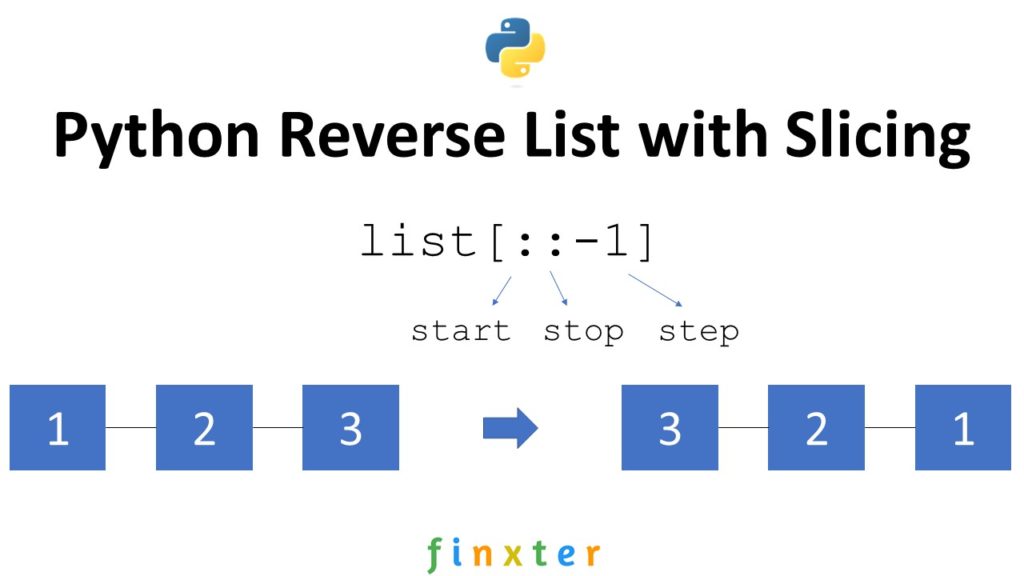
Summary: The slice notation list[::-1] with default start and stop indices and negative step size -1 reverses a given list.
Problem: Given a list of elements. How to reverse the order of the elements in the list.
Example: Say, you’ve got the following list:
['Alice', 'Bob', 'Carl', 'Dora']
Your goal is to reverse the elements to obtain the following result:
['Dora', 'Carl', 'Bob', 'Alice']
Slicing with Default Start and Stop Values
Slicing is a concept to carve out a substring from a given string.
Use slicing notation s[start:stop:step] to access every step-th element starting from index start (included) and ending in index stop (excluded).
All three arguments are optional, so you can skip them to use the default values (start=0, stop=len(lst), step=1). For example, the expression s[2:4] from string 'hello' carves out the slice 'll' and the expression s[:3:2] carves out the slice 'hl'. Note that slicing works the same for lists and strings.
You can use a negative step size (e.g., -1) to slice from the right to the left in inverse order. Here’s how you can use this to reverse a list in Python:
# Reverse a List with Slicing
names = ['Alice', 'Bob', 'Carl', 'Dora']
names = names[::-1]
print(names)
# ['Dora', 'Carl', 'Bob', 'Alice']
Python masters know slicing from the inside out. Do you want to improve your slicing skills? Check out my book “Coffee Break Python Slicing” that will make you a slice pro in no time!
Alternatives Reversing List
Alternatively, you can also use other methods to reverse a list.
list.reverse() — Best if you want to reverse the elements of list in place.
list[::-1] — Best if you want to write concise code to return a new list with reversed elements.
reversed(list) — Best if you want to iterate over all elements of a list in reversed order without changing the original list.
The method list.reverse() can be 37% faster than reversed(list) because no new object has to be created.
Try it yourself in our interactive Python shell:
Exercise: Run the code. Do all methods result in the same reversed list?
Where to Go From Here?
Enough theory, let’s get some practice!
To become successful in coding, you need to get out there and solve real problems for real people. That’s how you can become a six-figure earner easily. And that’s how you polish the skills you really need in practice. After all, what’s the use of learning theory that nobody ever needs?
Practice projects is how you sharpen your saw in coding!
Do you want to become a code master by focusing on practical code projects that actually earn you money and solve problems for people?
Then become a Python freelance developer! It’s the best way of approaching the task of improving your Python skills—even if you are a complete beginner.


 You can iterate over generators only once. Let us have a look at this in a program.