Posted on Leave a comment

Risk of Rain 2 Storms to Xbox One Today

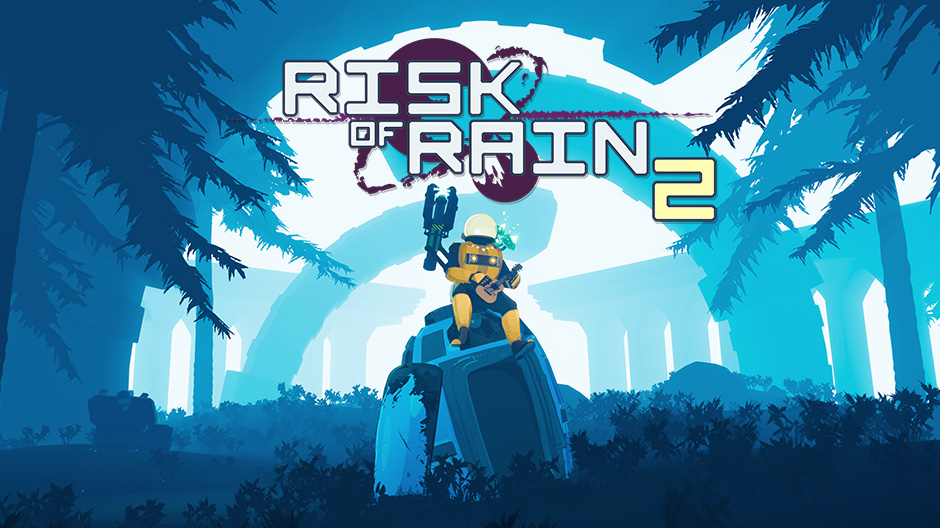
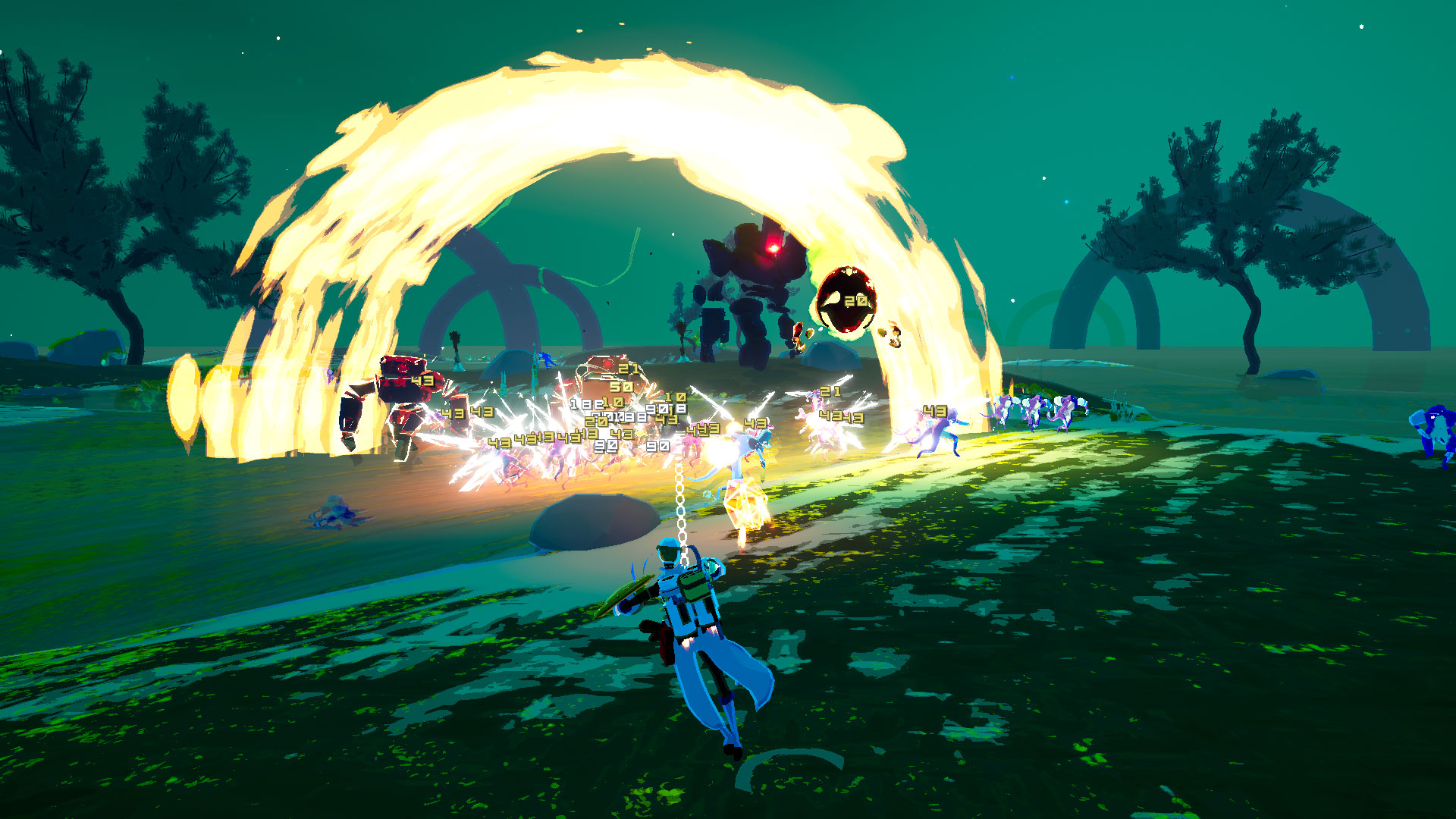
The classic multiplayer roguelike, Risk of Rain, returns with an extra dimension and more challenging action. Play solo, or team up with up to three friends to fight your way through hordes of monsters, unlock new loot, and find a way to escape the planet.

Risk of Rain 2 has been in development by Hopoo Games for almost three years. When we first launched in early access in March on PC, the first question everyone was asking is “when would it come to consoles?” With help from Gearbox Publishing and PlayEveryWare, today we are finally able to answer that question!
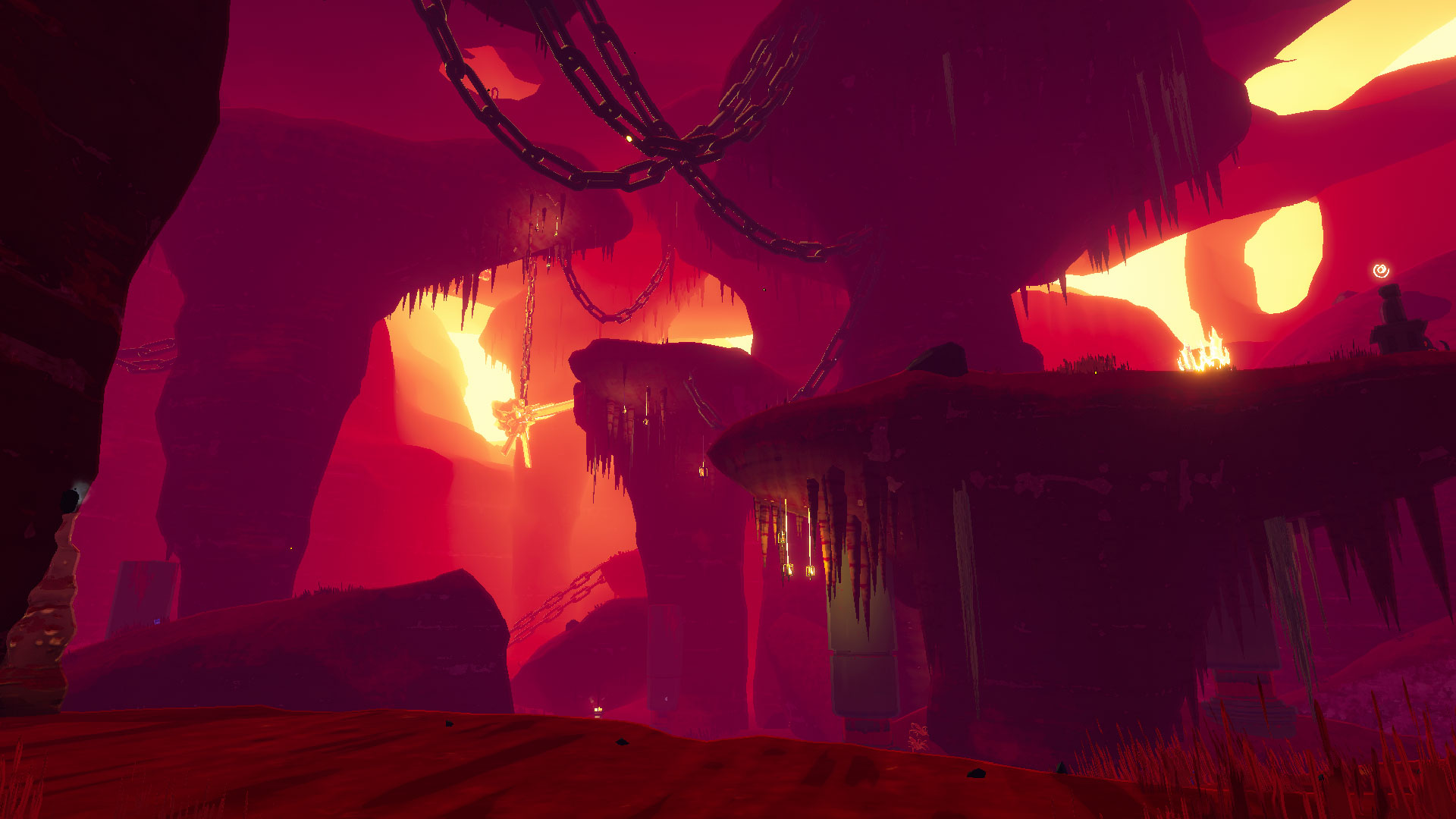
Risk of Rain 2

Risk of Rain 2

For our players new to the franchise, both Risk of Rain 1 and 2 have the same core design philosophy:

  1. Easy to pick up and play, but hard to master
  2. Every playthrough is different
  3. Be enjoyable, regardless of whether you win or lose
  4. Time = difficulty. The longer you play, the harder it gets!

The length of a run in the game can last anywhere from 15 minutes to over a few hours, depending on the skill level of the player. We’re excited to see how long you can last on the planet – show us what you got!
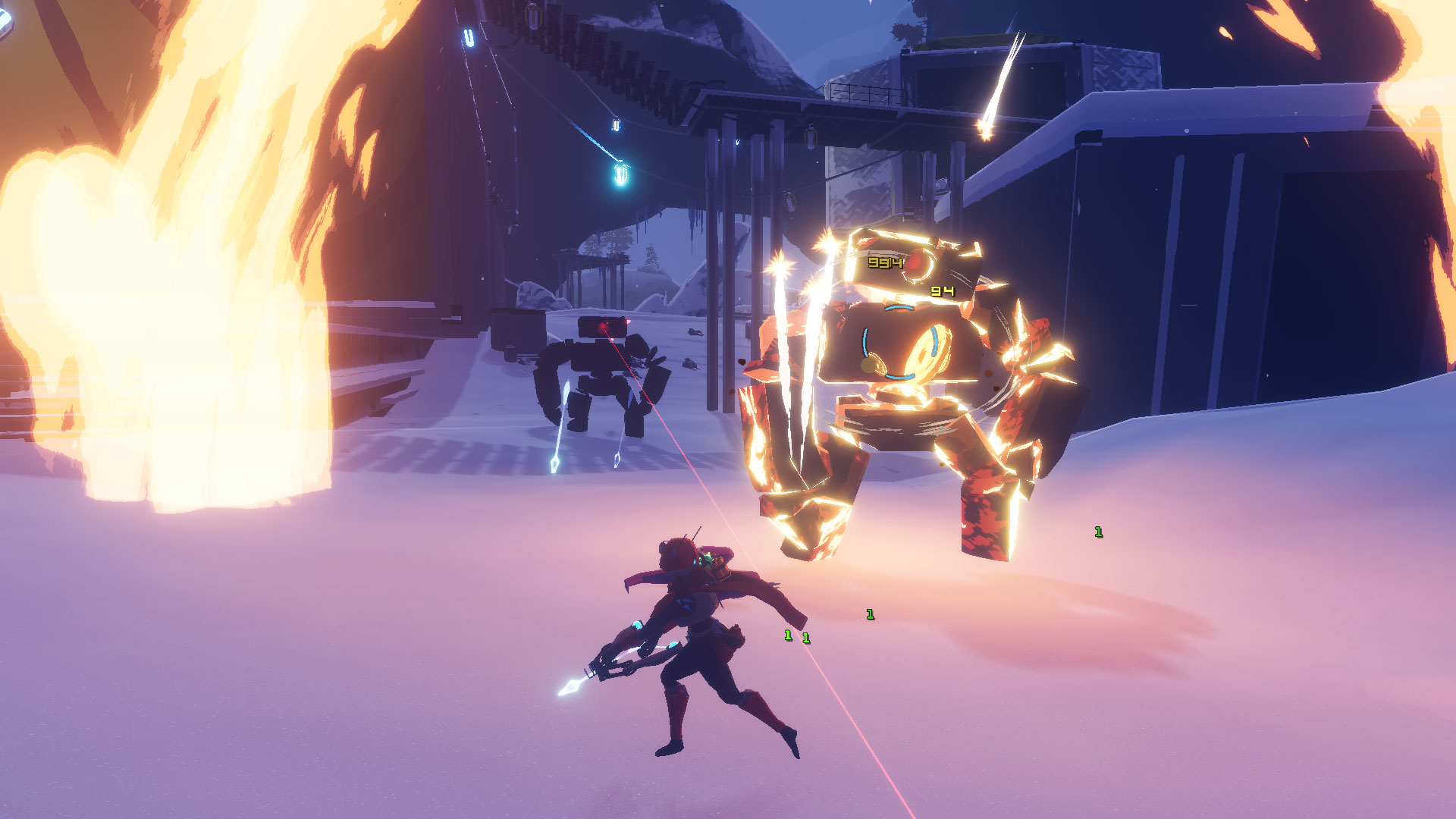
Risk of Rain 2

Risk of Rain 2

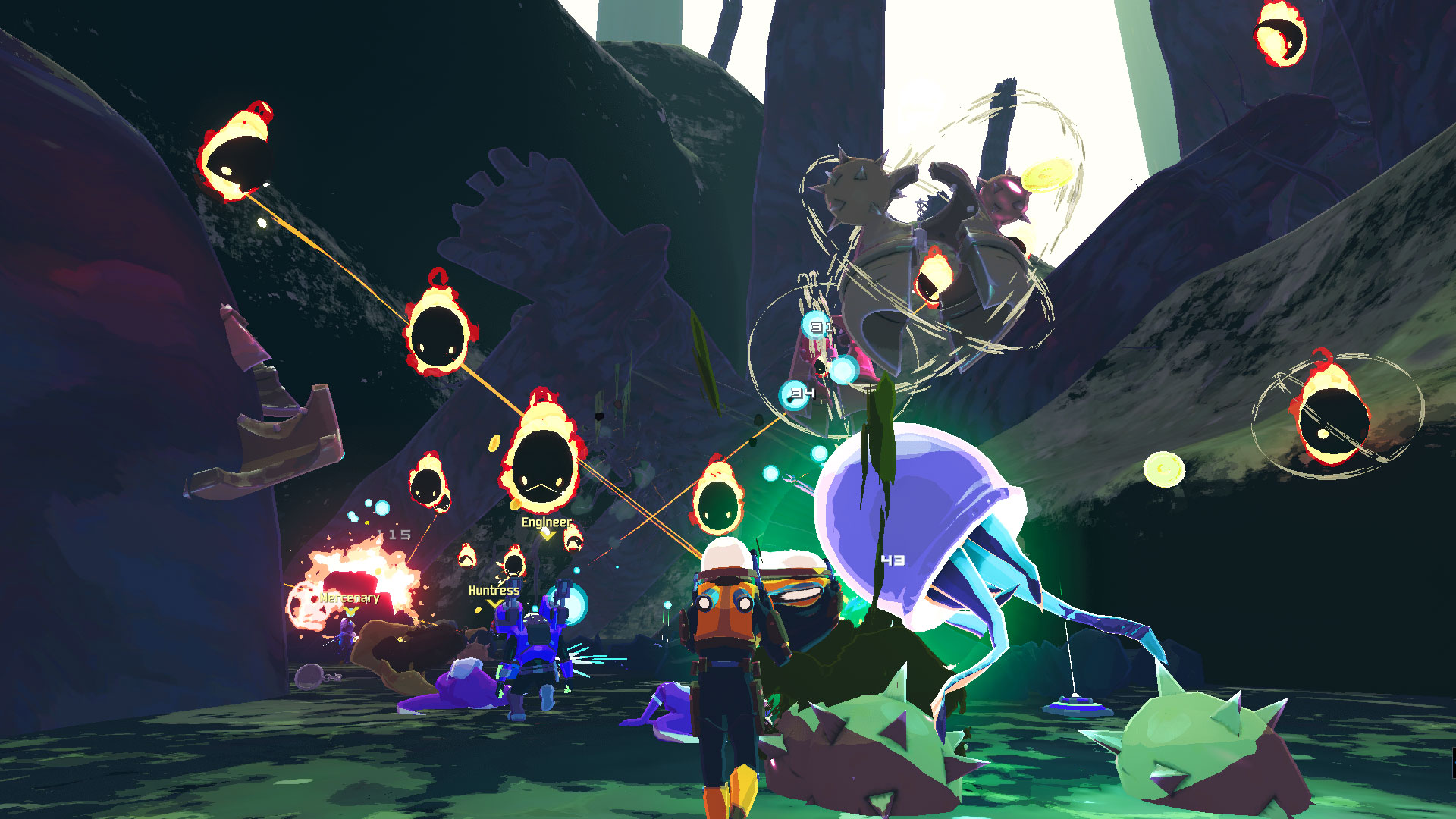
We are very proud of the fact that Risk of Rain 2 has seamless multiplayer to join up with your friends or match with other players around the world. Being able to experience the frantic balancing act of getting stronger vs. not letting the difficulty scale too high is always more fun with friends.

As you progress further into the game, you will unlock new playable characters, items, equipment, and more to help you survive the planet. Some of the most rare and difficult items to obtain will drastically change the way you play the game. Each of these power-ups stack infinitely so the longer you play the stronger you become.
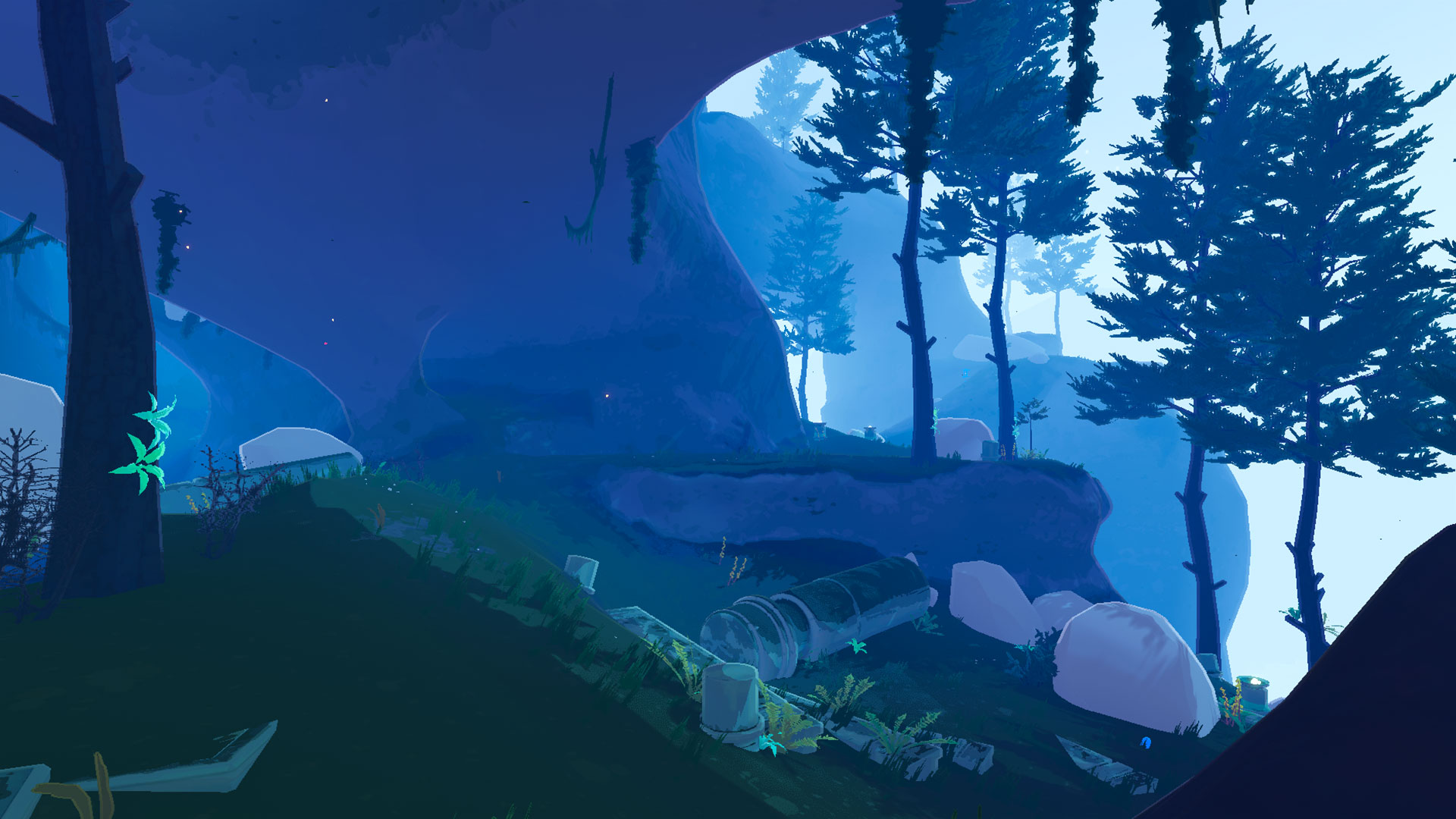
Risk of Rain 2

Risk of Rain 2

As of release, Risk of Rain 2 on Xbox One will match the PC early access version, including the Scorched Acres update and all previous patches before it. Future content updates will also update as soon as possible after they launch on PC – and yes, they will all be free, for months to come. We will be updating the game with tons of fresh content to keep things exciting for returning players.
Risk of Rain 2

Risk of Rain 2

Something we’ve been trying very heavily to focus on with Risk of Rain 2 is community engagement and transparency. We want people to know what we’re doing, why, and when it will be done.

We’ve been updating our roadmap frequently to show progress and new information as we progress through early access. In the same vein, we will have a custom console roadmap, with specific timelines for when consoles will receive both content updates and potential console-specific features that we feel would be cool and enhance the players experience.
Risk of Rain 2

Risk of Rain 2

Thanks for reading. We’re so excited to welcome all our new Xbox One players to the Risk of Rain universe. We will see you on the planet!

Risk of Rain 2 is available now for Xbox One on the Microsoft Store. Click here for purchase details.
Posted on Leave a comment

August 29th : New Preview Alpha Ring 1910 Update (1910.190827-1945)

Starting at 6:00 PM PST today, members of the Xbox One Preview Alpha Ring will begin receiving the latest 1910 Xbox One system update (Build: 19H1_RELEASE_XBOX_DEV_1910\18363.7127.190827-1945).

DETAILS:

  • OS version released: 19H1_RELEASE_XBOX_DEV_1910\18363.7127.190827-1945
  • Available: 6:00 PM, August 29, 2019
  • Mandatory: 3:00 AM August 30, 2019

System Update

System Update

FEATURE UPDATES:

Home (Experiment)

  • Thank you all for the great feedback on the experimental home update. The first round of our home experiment concludes this week, and Alpha and Alpha Skip-Ahead users who have it will start to see the current dashboard again. This is in preparation for additional testing to the Xbox One dashboard. We’ll let everyone know when to keep an eye out for the next round of testing based on your initial feedback.

FIXES:

Notifications

  • Fixed an issue where users were not receiving notifications for Club invitations.

My Games & Apps

  • Fixes to the download ETA timer reliability when downloading content.

Dashboard

  • Various fixes to UI and navigation.

Xbox Insiders

Xbox Insiders

KNOWN ISSUES:

System

  • Some users have reported the console shutting down unexpectedly while using Netflix.
  • Some users have reported the console shutting down while playing games.

Dolby Access

  • Users are unable to complete the setup for Dolby Atmos in the app and the app is not recognizing Dolby Atmos headphones
    • Note: This is an issue with the Dolby Access app and the app developers are aware and investigating. 

Audio

  • Users who have Dolby Atmos enabled and console display settings set to 120hz with 36 bits per pixel (12-bit) are experiencing loss of Dolby Atmos audio in some situations.
    • Workaround: Disable 120hz or set Video Fidelity to 30 bits per pixel (10-bit) or lower.

Gamertag

  • Customers attempting to change their GT using the new Gamertag features on the console will not yet see those changes reflected on the console.

Profile Color

  • Sometimes users may encounter the incorrect Profile color when powering on the console.

Thank you for being part of the Alpha Skip Ahead ring! For more information regarding the Xbox One Update preview rings, check out our blog post here.

Posted on Leave a comment

August 28th : New Preview Beta Ring 1910 Update (1910.190826-1945)

Starting at 2:00 PM PST today, members of the Xbox One Preview Beta Ring will begin receiving the latest 1910 Xbox One system update (Build: 19H1_RELEASE_XBOX_DEV_1910\18363.7125.190826-1945).

DETAILS:

  • OS version released: 19H1_RELEASE_XBOX_DEV_1910\18363.7125.190826-1945
  • Available: 2:00 PM, August 28, 2019
  • Mandatory: 3:00 AM August 29, 2019

System Update

System Update

FIXES:

System

  • Fixed the issues in which some consoles would shut down expectedly.
  • Fixed an issue in which you were unable to turn on your console from your controller.
  • Various updates to properly reflect local languages across the console.

Audio

  • Fixed an issue where some users using default audio settings would be getting audio distortion on console boot.

Home

  • Fixed an issue where the dashboard would not load for some users.

 Notifications/Alerts

  • Fixed an issue where Alerts/Notifications wouldn’t load content in the Guide.

Community

  • Fixed an issue where the Community tab would not load content on dashboard.

 Game DVR

  • Fixed an issue where users were unable to share Game DVR content (video clips and screenshots) via Messages and on the Community tab of the dashboard.

 Narrator

  • Fixed an issue with not announcing unread notifications/alerts information in Guide.

Gamertag

  • Fixed an issue where users using the new Modern Gamertag features would not appear correctly across the console.

Controller

  • A new version of controller firmware (4.8.1908.0) has been released for certain controller models.  Users should be prompted to update the controller automatically when it is connected to the console. You can also go to Settings>Devices & streaming> Accessories with the controller connected, then select the ellipsis button to see if a firmware update is available.
    • Changes in this firmware include:
      •       Reliability improvements for wireless connectivity on console.
      •       Improvements to Bluetooth pairing.
      •       Nexus button behavior changes over Bluetooth on Android.
      •       Updates to battery level reporting in UI and via onboard light.

KNOWN ISSUES:

Settings

  • Users are unable to navigate to the Privacy & Online safety section.
  • Users are seeing an incorrect message when attempting to set a Home console.

Dolby Access

  • Users are unable to complete the setup for Dolby Atmos in the app and the app is not recognizing Dolby Atmos headphones
    • Note: This is an issue with the Dolby Access app and the app developers are aware and investigating. 

Audio

  • Users who have Dolby Atmos enabled and console display settings set to 120hz with 36 bits per pixel (12-bit) are experiencing loss of Dolby Atmos audio in some situations.
    • Workaround: Disable 120hz or set Video Fidelity to 30 bits per pixel (10-bit) or lower.

Gamertag

  • Customers attempting to change their GT using the new Gamertag features on the console will not yet see those changes reflected on the console.

Profile Color

  • Sometimes users may encounter the incorrect Profile color when powering on the console.

Thank you for being part of the Beta ring! For more information regarding the Xbox One Update preview rings, check out our blog post here.

Posted on Leave a comment

August 27th : New Preview Alpha Ring 1910 Update (1910.190826-1945)

Starting at 6:00 PM PST today, members of the Xbox One Preview Alpha Ring will begin receiving the latest 1910 Xbox One system update (Build: 19H1_RELEASE_XBOX_DEV_1910\18363.7125.190826-1945).

DETAILS:

  • OS version released: 19H1_RELEASE_XBOX_DEV_1910\18363.7125.190826-1945
  • Available: 6:00 PM, August 27, 2019
  • Mandatory: 3:00 AM August 28, 2019

System Update

System Update

FIXES:

System

  • Fixed an issue where consoles would shut down unexpectedly when attempting to access Guide or sign into profile.
  • Fixed the issues in which some consoles would shut down expectedly.
  • Fixed an issue in which you were unable to turn on your console from your controller.
  • Various updates to properly reflect local languages across the console.

KNOWN ISSUES:

Settings

  • Users are unable to navigate to the Privacy & Online safety section.
  • Users are seeing an incorrect message when attempting to set a Home console.

Dolby Access

  • Users are unable to complete the setup for Dolby Atmos in the app and the app is not recognizing Dolby Atmos headphones
    • Note: This is an issue with the Dolby Access app and the app developers are aware and investigating. 

Audio

  • Users who have Dolby Atmos enabled and console display settings set to 120hz with 36 bits per pixel (12-bit) are experiencing loss of Dolby Atmos audio in some situations.
    • Workaround: Disable 120hz or set Video Fidelity to 30 bits per pixel (10-bit) or lower.

Gamertag

  • Customers attempting to change their GT using the new Gamertag features on the console will not yet see those changes reflected on the console.

Profile Color

  • Sometimes users may encounter the incorrect Profile color when powering on the console.

Thank you for being part of the Alpha ring! For more information regarding the Xbox One Update preview rings, check out our blog post here.

Posted on Leave a comment

August 24th : New Preview Alpha Ring 1910 Update (1910.190822-1915)

Starting at 2:00 p.m. PST today, members of the Xbox One Preview Alpha Ring will begin receiving the latest 1910 Xbox One system update (Build: 19H1_RELEASE_XBOX_DEV_1910\18363.7117.190822-1915).

DETAILS:

  • OS version released: 19H1_RELEASE_XBOX_DEV_1910\18363.7117.190822-1915
  • Available: 2:00 PM 8/24/19
  • Mandatory Date/Time: 3:00 AM 8/25/19

This build is feature complete for 1910 and we will enable and communicate all the new features over the next week.

Fixes:

Audio

  • Fixed an issue where some users using default audio settings would be getting audio distortion on console boot.

Home

  • Fixed an issue where the dashboard would not load for some users.

Notifications/Alerts

  • Fixed an issue where Alerts/Notifications wouldn’t load content in the Guide.

Community

  • Fixed an issue where the Community tab would not load content on dashboard.

Game DVR

  • Fixed an issue where users were unable to share Game DVR content (video clips and screenshots) via Messages and on the Community tab of the dashboard.

Narrator

  • Fixed an issue with not announcing unread notifications/alerts information in Guide.

Gamertag

  • Fixed an issue where users using the new Modern Gamertag features would not appear correctly across the console.

System

  • Various updates to properly reflect local languages across the console.


Known Issues:

Audio

  • Users who have Dolby Atmos enabled and console display settings set to 120hz with 36 bits per pixel (12-bit) are experiencing loss of Dolby Atmos audio in some situations.
    • Workaround: Disable 120hz or set Video Fidelity to 30 bits per pixel (10-bit) or lower.

Controllers

  • Some users have reported that they are unable to power on their console via a controller.
    • Note: If you encounter this behavior, please make sure to include the firmware version of the controller in your feedback description. This can be accessed by navigating to Settings>Devices & streaming>Accessories using the controller experiencing the behavior and select the ellipsis from the Controller menu.

Gamertag

  • Customers attempting to change their GT using the new Gamertag features on the console will not yet see those changes reflected on the console.

Profile Color

  • Sometimes users may encounter the incorrect Profile color when powering on the console.
Posted on Leave a comment

August 24th : New Preview Alpha Skip Ahead Ring 1910 Update (1910.190822-1915)

Starting at 2:00 p.m. PST today, members of the Xbox One Preview Alpha Skip Ahead Ring will begin receiving the latest 1910 Xbox One system update (Build: 19H1_RELEASE_XBOX_DEV_1910\18363.7117.190822-1915).

DETAILS:

  • OS version released: 19H1_RELEASE_XBOX_DEV_1910\18363.7117.190822-1915
  • Available: 2:00 PM 8/24/19
  • Mandatory Date/Time: 3:00 AM 8/25/19

Fixes:

Audio

  • Fixed an issue where some users using default audio settings would be getting audio distortion on console boot.

Home

  • Fixed an issue where the dashboard would not load for some users.

Notifications/Alerts

  • Fixed an issue where Alerts/Notifications wouldn’t load content in the Guide.

Community

  • Fixed an issue where the Community tab would not load content on dashboard.

Game DVR

  • Fixed an issue where users were unable to share Game DVR content (video clips and screenshots) via Messages and on the Community tab of the dashboard.

Narrator

  • Fixed an issue with not announcing unread notifications/alerts information in Guide.

Gamertag

  • Fixed an issue where users using the new Modern Gamertag features would not appear correctly across the console.

System

  • Various updates to properly reflect local languages across the console.


Known Issues:

Audio

  • Users who have Dolby Atmos enabled and console display settings set to 120hz with 36 bits per pixel (12-bit) are experiencing loss of Dolby Atmos audio in some situations.
    • Workaround: Disable 120hz or set Video Fidelity to 30 bits per pixel (10-bit) or lower.

Controllers

  • Some users have reported that they are unable to power on their console via a controller.
    • Note: If you encounter this behavior, please make sure to include the firmware version of the controller in your feedback description. This can be accessed by navigating to Settings>Devices & streaming>Accessories using the controller experiencing the behavior and select the ellipsis from the Controller menu.

Gamertag

  • Customers attempting to change their GT using the new Gamertag features on the console will not yet see those changes reflected on the console.

Profile Color

  • Sometimes users may encounter the incorrect Profile color when powering on the console.
Posted on Leave a comment

Ghost Recon Breakpoint: Ghost War Multiplayer Hands On

As we near the October 4 release of Ghost Recon Breakpoint, it’s worth looking back at the tremendous support Ubisoft has given to its predecessor, Ghost Recon Wildlands. Since its initial release in March 2017, we’ve seen new story content, Xbox One X enhancements, and in October of 2017, the addition of multiplayer to an absurdly expansive campaign, dubbed Ghost War. Heck, the last Wildlands update just arrived on Xbox One *checks calendar* only a month ago!

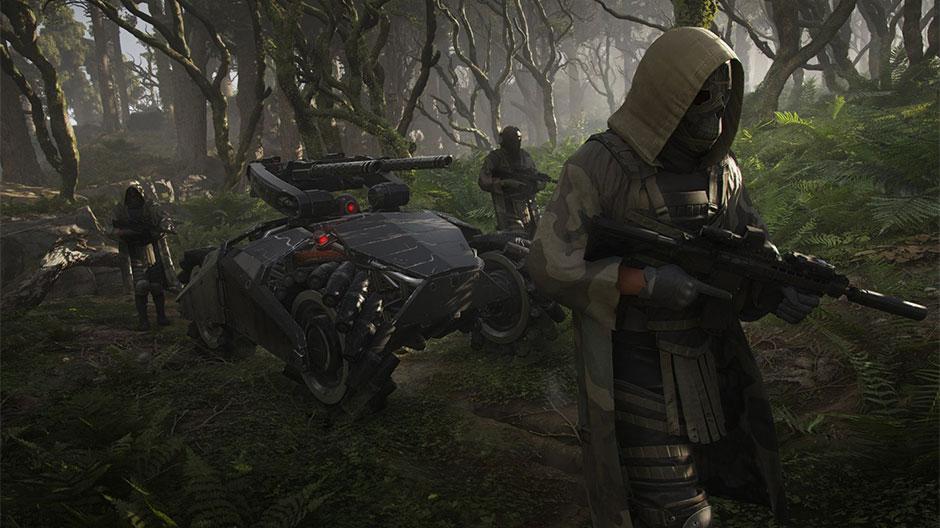
As announced this week on Inside Xbox, multiplayer will be part of Ghost Recon Breakpoint from the start. At gamescom, Ubisoft not only lifted the veil on this new Ghost War, they put it into our hands. As eight of us got comfortable and checked our settings (invert Y-axis, check!), we were advised that the Ubisoft’s goal is to put us ‘in the boots of the Ghosts.” As I quickly found out, that is some dangerous footwear to strap in to.

A bit about where Ghost War sits in the Ghost Recon Breakpoint package: Ubisoft is taking great pains to keep things more consistent between campaign and PvP this time around. You’ll find the same specializations from the campaign in PvP; simply select from Assault, Sharpshooter, Field Medic, or Panther (think stealth class) at the beginning of each round. No matter if you’re playing campaign solo, PvE co-op, or PvP, you’re sharing progression for your character. Play what and how you like, and you’ll consistently progress.

So how do Ghost War matches play out? This isn’t the type of multiplayer shooter where you’ll be sprinting full speed towards an enemy, who, in turn, charges right back at you attempting to land more hits. The winner in most situations will be the player who is better at detecting their adversary, whether through skillful use of drones, a great vantage point, or a helpful ping (ADS + A button press) from your teammate. Most of my kills came without a return shot coming in my direction, and most of my deaths were equally one-sided affairs. I was exposed or became complacent, and then I was down and crying out for a rez.

Over several best-of-3 matches, it became clear that Breakpoint‘s Ghost War is far more about teamwork and effective communication than straight up aiming skills. In the matches in which we broke into pairs, stayed together, utilized the ping system to cross our language barrier (it *is* gamescom), we usually won. When someone was overly bold, or more likely too cautious and hanging back, their partner was quickly isolated, eliminated, and the rest of us followed in short order.

A few things kept Ghost War from bogging down in the wet, wet mud. A surveillance system is placed equidistantly from both teams on the map and activates after about a minute. If one team claims this point, all enemies’ locations are revealed on the minimap. Additionally, whenever you’re spotted by an enemy, the game lets you know. That proved to be a great incentive to keep moving – assuming your enemy missed their first shot.

While Ubisoft doesn’t use the term directly, with one life, randomized loot (but set loadouts), and an encroaching storm, the mode showed at gamescom felt like a tactical, extremely tense, small-scale Battle Royale. When you’re taken out, it hurts; shouts of desperation filled the room when one of us took a hit and became a spectator. However, you don’t have to just sit there while you’re awaiting a resuscitation; downed players can spectate their fellow surviving teammates, and even utilize the ping system to help them out.

One of the most interesting elements is that maps have variants taking place at different times of day or under different weather conditions. Our first bout took place on the Skell Port map. It was sufficiently portlike: filled with crates, piles of lumber, cranes, and infinite places for stealthy enemies to hide. Later on, we returned to Skell Port, this time at night and in a driving thunderstorm. These rounds played out more slowly, as visibility was significantly lower, and encounters took place at much closer quarters.

Ubisoft promises two different Ghost War modes across six changeable maps when Ghost Recon Breakpoint ships on October 4th. If you fall in with a great squad in the campaign and think that nothing can stop you, I highly recommend you accept Ubi’s invitation to “step into the boots of a Ghost” in PvP to see how good you really are.

Posted on Leave a comment

Be Forever Bound by Blood (and Ink) at our Global Gears Ink Pop-Up Events

Tattoos are a long-held tradition in the Gears of War world; from the famous Marcus Fenix tattoo in the game world, to the thousands of Crimson Omens, Lancers and COG tags out in the real world, we are constantly inspired, awed and humbled by the culture of permanent art our fans create.

Even more remarkable than the tattoos are “the stories they tell”; of devotion not just to the game but to family, friendships, memories and even marriages of people who met while playing online. This year, to honor our fans and celebrating the launch of Gears 5, we’re commemorating that meaning by bringing Gears Ink to our fans.

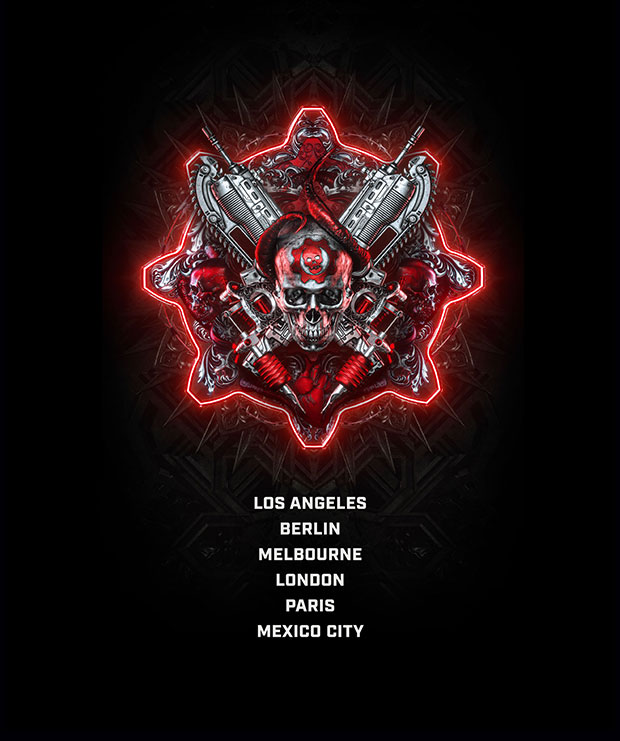
Gears Ink events will pop-up for one night only in LA, London, Berlin, Paris, Mexico City and Melbourne between September 4 and September 6. Fans in each city are invited to attend or tune in via a series of Xbox livestreams broadcast from each event.

Each Gears Ink event will feature some of the world’s greatest tattoo artists creating bespoke tattoos for some of the world’s biggest Gears fans, inspired by the Gears universe, their own unique style and culture of each location.

For more detail about each of the local events and to sign up to attend or get your very own Gears Ink, please head to the registration page and select the event you’re interested in – Register here.

If you’re unable to attend any of the events, you’ll also be able to check out what’s happening via a series of live streams from each event, including celebrities, gameplay and live Gears Ink tattoos. More details to come, stay tuned to Xbox on Facebook, Twitter and Instagram for more information.

Gears Ink Inline image

Gears Ink Inline image

About Gears 5

From one of gaming’s most acclaimed sagas, Gears is bigger than ever, with five thrilling modes and the deepest campaign yet. With all-out war descending, Kait Diaz breaks away to uncover her connection to the enemy and discovers the true danger to Sera – herself.

Pre-order any digital edition of Gears 5 or pre-install Gears 5 with an active Xbox Game Pass membership before launch and receive the Terminator Dark Fate Character Pack, featuring Sarah Connor and the T-800 Endoskeleton, the Vector Lancer Skin and 7 days of Boost. (Character pack and skin require Xbox Live Gold on console, membership sold separately).

Posted on Leave a comment

August 22nd : New Preview Beta Ring 1910 Update (1910.190815-1945)

Starting at 2:00 p.m. PST today, members of the Xbox One Preview Beta Ring will begin receiving the latest 1910 Xbox One system update (Build: 19H1_RELEASE_XBOX_DEV_1910\18363.7102.190815-1945).

This update lays the groundwork for what’s to come in 1910, so while you’ll find fixes and known issues listed below, please keep an eye out for feature announcements as they’re ready to be previewed. Thanks, as always, for your passion for helping make Xbox One system updates the best they can be prior to release to GA!

DETAILS:

  • OS version released: 19H1_RELEASE_XBOX_DEV_1910\18363.7102.190815-1945
  • Available: 2:00 PM 8/22/19
  • Mandatory Date/Time: 3:00 AM 8/23/19

Fixes:

Movies & TV

  • Fixed an issue where when resuming content there would be no audio and the video playback would be slightly faster.

Game Pass

  • Fixed an issue where the Game Pass Welcome page would fail to load content.

Guide

  • Fixed an issue where users were unable to play an audio CD via the “Play Disc” icon in the Guide when the disc is inserted.

Settings

  • UI fixes for the Network Transfer page.

Mixer

  • Game titles should now appear when viewing active streams on Mixer tab.


My Games & Apps

  • Fixed and issue where using Pause All/Cancel All in the Updates section with multiple items in queue would not work as expected.
  • Fixes to update the reliability of checking for game updates.

System

  • Various updates to properly reflect local languages across the console.


Known Issues:

Audio

  • Users who have Dolby Atmos enabled and console display settings set to 120hz with 36 bits per pixel (12-bit) are experiencing loss of Dolby Atmos audio in some situations.
    • Workaround: Disable 120hz or set Video Fidelity to 30 bits per pixel (10-bit) or lower.
  • Some users using default audio settings with an audio setup that supports a maximum of 2 channels and Dolby Digital and NO headset connected will experience audio distortion when they start their console.
    • Workaround: Navigate to Settings>Display & sound>Audio output and set the HDMI audio to Stereo Uncompressed.

Controllers

  • Some users have reported that they are unable to power on their console via a controller.
    • Note: If you encounter this behavior, please make sure to include the firmware version of the controller in your feedback description. This can be accessed by navigating to Settings>Devices & streaming>Accessories using the controller experiencing the behavior and select the ellipsis from the Controller menu.


Game DVR

  • Some users are reporting that they are unable to share Game DVR content (video clips and screenshots) via Messages and on the Community tab of the dashboard.


Notifications/Alerts

  • Some users have reported that when the content does not load when they attempt to open a new Message or Notification/Alert that appears on the dashboard or in the Guide.
    • Note: If you encounter this issue, be sure to indicate whether it was a Message or a Notification/Alert that was not loading content in your feedback description.


Gamertag

  • Customers attempting to change their GT using the new Gamertag features on the console will not yet see those changes reflected on the console.


Cortana

  • Users are unable to use a headset to issue Cortana commands on the console.
    • Note: This is by design as the feature team continues to evolve voice commands on the console.  For more information, please refer to the blog post on the Xbox Insider Blog here.


Profile Color

  • Sometimes users may encounter the incorrect Profile color when powering on the console.
Posted on Leave a comment

New Smite Goddess Persephone Joins the Battleground on Xbox One

Persephone, Queen of the Underworld, claims her throne in the exciting new Smite update available now on Xbox One!

As the daughter of Zeus and Demeter, Persephone’s fate was often decided by others. So when she saw her chance to act alone, Persephone took it. Hades offered Persephone a not-so-simple choice: a seed of a pomegranate, grown in the underworld.

Persephone was clever. She understood what was being offered. Those who eat the food of the underworld are bound to it and must return. So, for the first time, Persephone took control of her life — and her throne in the underworld.

Persephone is Queen of the Underworld, but really only in title. She doesn’t aspire to the same royal wants of someone like Hera, Zeus, or Olorun. Instead, Persephone rules the Underworld like she would tend to a garden, cultivating beauty. Her desire to see the beauty in death is detailed through her abilities.

Whether it be her reawakened skeletal warriors or her ghastly bloomed flowers, Persephone’s kit demonstrates the concept of life and death, combined. As a mage, Persephone’s gameplay primarily focuses on long range magical damage. But Persephone is unlike any other mage in Smite; she cultivates the Battleground with deployable skull plants, then triggers them to bloom, attack, and trap her foes. For this God, a bountiful harvest is full of gold and kills.

SMITE

SMITE

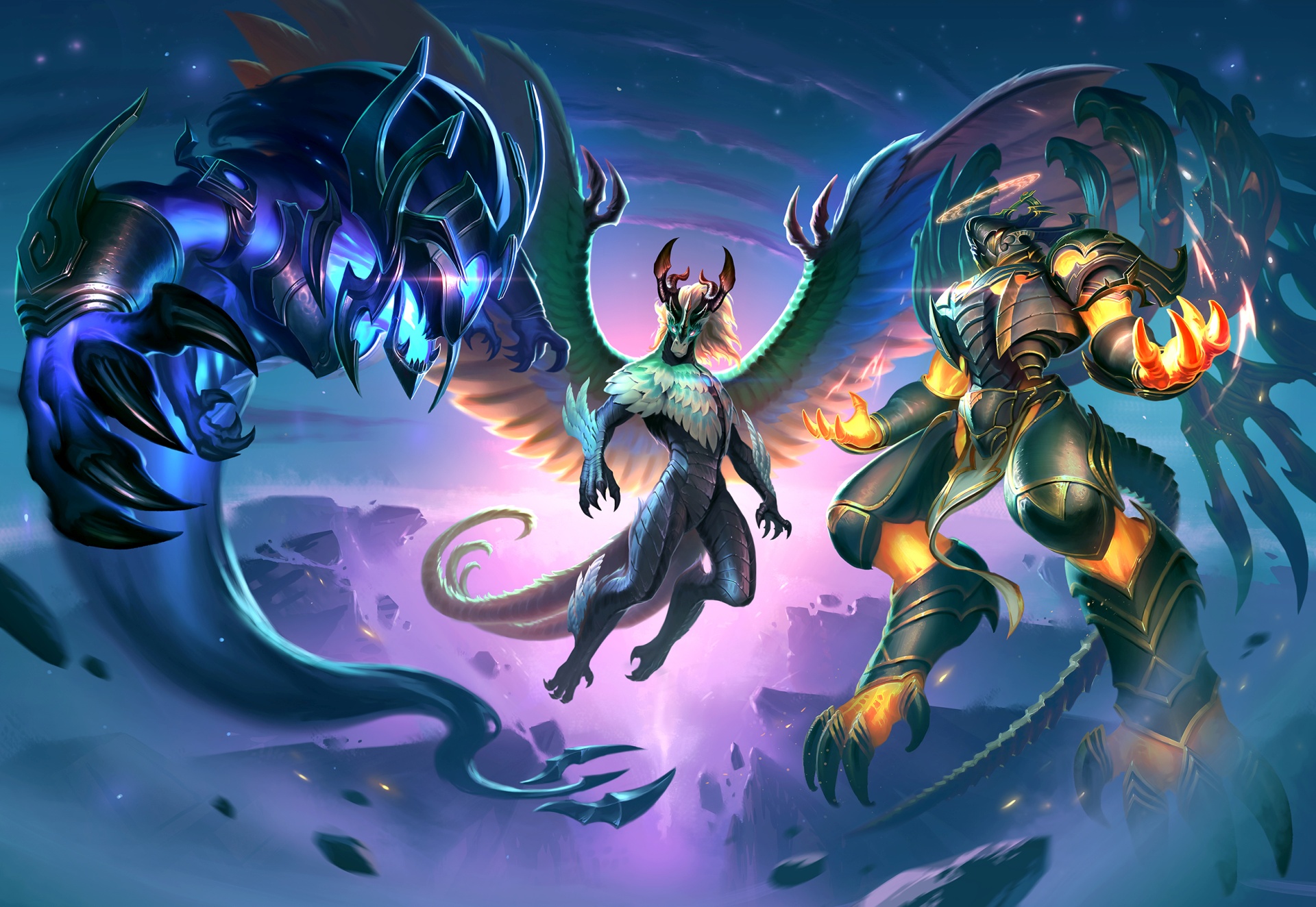
Just like our community, we’re thrilled to see Persephone in game. But we’re even more thrilled to conclude a four-month-long event in this update: The Battle for Olympus has come to an end! We’re celebrating with the amazing new Tier 5 Winds of Change Kukulkan skin, which transforms between three forms as you play. Wield tornadoes with butterflies as a force of life, cast dark magic with the power of the void, or soar resplendently as an agent of the heavens — the choice is yours! Don’t miss out on this incredible skin you have to see to believe.

As always, there’s a ton more great content in this new update. Whether you’re looking forward to celebrating Persephone’s homecoming, rocking the new Tier 5 skin, or just pwning noobs in the Arena, we can’t wait to see you in the Battleground of the Gods!

Smite is available now as a free-to-play game on Xbox One. Download it today from the Microsoft Store.