Posted on Leave a comment

Nintendo hosts Super Smash Bros. Invitational 2018, Splatoon 2 World Championship tournaments

Nintendo hosts Super Smash Bros. Invitational 2018, Splatoon 2 World Championship tournaments

On June 11-12 in Los Angeles, an invited group of players will gather to play Super Smash Bros., and qualified teams will compete in Splatoon 2, as Nintendo hosts an event featuring high-level gameplay on these two games for Nintendo Switch. This will be the first-ever exhibition tournament featuring the recently announced Super Smash Bros. game coming to Nintendo Switch in 2018. Additionally, this will be the first world championship for Splatoon 2 after the game’s launch. The gathering will be a celebration of fun for all ages, and will highlight Nintendo’s unique approach to competitive play. The event will be just one of Nintendo’s activities at the E3 video game trade show, which runs June 12-14 at the Los Angeles Convention Center. Additional details about Nintendo’s E3 plans will be announced at a later time.

The event will showcase players from around the globe in the Super Smash Bros. Invitational 2018 tournament for the newly announced Super Smash Bros. game coming to Nintendo Switch this year and the Splatoon 2 World Championship. The competitions will be livestreamed.

Prior to the Splatoon 2 World Championship, Nintendo will host U.S./Canada online qualifiers. The U.S./Canada qualifier will be the Splatoon 2 U.S./Canada Inkling Open 2018 hosted by Battlefy. Open qualifiers for teams of four ages 13 and up will take place on April 21 starting at 11 a.m. PT, and finals will take place on April 28 at 8 a.m. PT. Teams will compete in Turf War during the open qualifiers and in Ranked Battle modes during the finals. Players can learn more about the qualifiers at https://e3.nintendo.com/splatoon-2-inkling-open/. Players from around the world competed in their region’s qualifying events for a spot at the Splatoon 2 World Championship, and those in Japan (Splatoon Koshien 2018), Europe (Splatoon European Championship) and Australia (AUNZ Splatoon Cup) should check information from their local regions regarding these qualifiers.

“Nintendo always takes an original approach to video game competitions, and the portability of Nintendo Switch enables unique gameplay possibilities,” said Doug Bowser, Nintendo of America’s Senior Vice President of Sales and Marketing. “We’re looking forward to watching some of the best players in the world test their skills against each other in these two uniquely competitive games.”

For additional details about the Nintendo Switch event, visit https://e3.nintendo.com. Visit https://battlefy.com/splatoon2 to register for the Splatoon 2 U.S./Canada qualifiers. More details about the Los Angeles event will be announced in the future.

Posted on Leave a comment

Pre-Purchase Now – The Elder Scrolls Online – Summerset

The Elder Scrolls Online – Summerset is Now Available for Pre-Purchase on Steam.

Join over 10 million players in the award-winning online multiplayer RPG and experience limitless adventure in a persistent Elder Scrolls world. Be part of an ever-expanding story across Tamriel and travel to the stunning home of the High Elves to save the world from destruction in the latest Chapter of ESO.

Pre-Purchase today to immediately receive the Morrowind Chapter and Nightmare Senche mount, along with the Queen’s Bounty Pack at launch!

You can also try the Elder Scrolls Online for free until 10am Pacific on 3/28! If you already have Steam installed, click here to install or play The Elder Scrolls® Online. If you don’t have Steam, you can download it here.

Posted on Leave a comment

Steam Client Update Released

A new steam client has been released and is being automatically downloaded.

General

  • Reduced CPU usage of Steam when redrawing the UI, such as when the mouse is moved back and forth over part of the Library view
  • Improved behavior when re-installing from retail discs or backup files, preferring to avoid downloads whenever possible
  • Fixed an issue where corrupt workshop items could be re-downloaded endlessly
  • Fix for new Steam Workshop item requests not being downloaded due to the “Only Allow Auto-Updates During Specific Hours” feature being enabled
  • Fixed an issue where the in-game overlay could crash or become unresponsive in some Vulkan-based games
  • Improved some cases where chat text was incorrectly treated as a clickable URL when it should not have been
  • Fixed an issue where games could no longer be launched in offline mode if Steam had previously started or scheduled an update

Windows

  • Added high-DPI monitor support when running under Windows 10 with the 2017 Creators Update
  • Added window transition animations when opening, closing, or minimizing Steam windows
  • Improved taskbar handling of Steam windows on multi-monitor systems
  • Added detection and support for exFAT-formatted drives

macOS

  • Added support for turning off or restarting the system from Big Picture mode
  • Improved native OS integration of Steam client windows. For example, Steam windows can now be dragged up past the menu bar to trigger the Spaces UI.
  • Improved reliability of the Steam Input and Streaming Audio drivers for macOS
  • Added a custom kernel driver for Sony DS4 controllers which allows use with Steam Input when connected over Bluetooth
  • Improved checks for case-sensitive APFS file systems. The Steam client only supports case-insensitive file systems on macOS, and will continue to warn users when running with an incompatible file system

Linux

  • Added a 2X-scaling mode with high-res text and graphics when running the Steam client in desktop mode on 4k-resolution monitors. You can also force 2X scaling with the “GDK_SCALE=2” environment variable, or disable it with “GDK_SCALE=1”.
  • Improved window-resizing interactions with the window manager
  • Fixed an issue where the Steam client could prevent some desktop sessions from shutting down

Big Picture

  • Fixed a browser hang when a web page transitions to or from full-screen mode

Steam Input

  • Added “Exit Application” controller action. When this action is used within a game, it will prompt the user if they actually want to quit and if confirmed will immediately close the application.
  • Added Chorded Press Activator. The Chorded Press Activator requires another input to be active for it to fire. This can be combined with other activators and either interrupt them or not based on those activators settings. So a regular press can optionally fire or not based on the chorded state, while a long press can optionally interrupt both for example. Chords require the chord button to be pressed first to activate (like shift or control would on a keyboard).
  • Added the ability to unique-ify configurations across Xbox and generic controllers. While the actual hardware cannot be differentiated, we treat them as unique controllers based on connection order. So if they elect to use unique configurations, configurations will be applied based on first, second, third, etc. identical controller.
  • Added hardware Joystick Calibration section in Controller Settings. This allows customizing the controller joystick deadzone on a per-controller, per joystick basis. There is an auto-calibration system that attempts to determine the ideal deadzone, as well as manual sliders for overriding those values. As Xbox controllers can’t be differentiated beyond type, they will only rely on controller order. Different device types, such as an Xbox One vs and Xbox One S controller, will be differentiated.
  • Made previewing state much more obvious when previewing a configuration.
  • Opted-In 3rd party controllers will now detect launchers and use a launcher specific configuration that is the same as opted-out controllers.
  • Improved compatibility with PS4 controller remapping programs – controllers no longer need to be reconnected when starting/exiting those programs. Also users will get a warning dialog if they are launching a game which is using the Steam Input API to support PS4 controllers while a remapper is running.
  • Fixed a bug where non-Steam games would use a desktop configuration when streaming if the controller wasn’t opted into Steam Input support.
  • Fixed using non-tracked gamepads in SteamVR’s Big Picture Mode overlay
  • Fixed Big Picture Mode’s Disk Management screen to accept gamepad/keyboard input on the disk selection dropdown
  • Fixed stuttering in some games due to excessive rumble updates
  • Fixed non-Steam games not being able to take screenshots from the controller
  • Fixed several layer bugs related to change layer bindings
  • Added a mouse movement threshold when determining if the Guide button is being used for a chord or to hold down the button to bring up the Big Picture menu
  • Fixed various On-Screen Keyboard issues including Non-Steam Controller dual cursor mode, improved language accent and modifier key support, and input immediately upon invocation
  • Made Controller Options always visible in the Big Picture Mode library page, even when no controller is currently active; users will be prompted to connect a controller if none can be found.
  • Fixed navigating multiple action sets via the bumper buttons when previewing a controller configuration
  • Fixed a case where the Big Picture Mode overlay could receive input when not active

In-Home Streaming

  • Fixed AMD hardware capture support on R9 200/300 cards
Posted on Leave a comment

Nintendo working to improve discoverability of Switch titles on eShop

Nintendo is aware of the discoverability and visibility issues facing Switch games on the eShop, and is actively working on solutions. 

Speaking during a GDC 2018 press briefing, the company’s senior manager for publisher and developer relations, Damon Baker, said it’s focused on making the Nintendo eShop more accommodating for developers and consumers on Switch.

As reported by Eurogamer, he explained the company is constantly listening to feedback, and will be looking to improve the eShop experience over the coming year. 

“We’ve heard the feedback from yourselves, from fans, loud and clear, about the limitations of the Nintendo eShop” commented Baker.

“I can assure you steps are being taken over the course of the year to improve the functionality in terms of discoverability and visibility, to highlight all of that great content.”

Baker didn’t go into many specifics, although he did reveal Nintendo would also be working to improve its “off device” promotion efforts by putting social media platforms and expos, as well as its own website, to better use. 

During the briefing, Nintendo also offered some insight into how its digital marketplace is growing, revealing that over the past year, digital third-party sales have exceed physical retail sales in North America for the first time ever. 

Baker explained that means Nintendo’s own digital-retail sales revenue split, which is now around 50-60 percent digital, is very similar to other big publishers like EA, Activision, and Ubisoft.

Posted on Leave a comment

Arma III developer raises over $170K for International Committee of the Red Cross

Arma III developer Bohemia Interactive has donated $176,667 to the International Committee of the Red Cross (ICRC). 

The studio gave the humanitarian organization half of the revenue from its Arma III Laws of War add-on, which explores a different side of war by focusing on non-combat scenarios and teaching the importance of international humanitarian law (IHL). 

The IHL includes the Geneva and Hague Conventions, which forbids willful killing, torture, or inhuman treatment, and was put together to protect those involved or affected by armed conflicts. 

It’s a topic that’s rarely spotlighted in video games, with the most popular action titles usually prioritizing Hollywood spectacle above all else, but Bohemia says it’s been blown away by the level of support shown by the Arma III community. 

“We knew this DLC’s theme might seem a bit unusual, but we also felt that it has a rightful place in a game like Arma 3. At the same time, our community normally expects more traditional content you’d see in a military game, such as new weapons, tanks, and helicopters,” said studio CEO, Marek Spanel. 

“That has made it even more amazing to see the immense level of player support for the Laws of War DLC, which really shows again how both games and the gaming audience have matured. If you also consider that some of our players are in the military or might pursue a military career in the future, then we’re glad this DLC has been able to increase awareness for this important topic.”

You can find out more about the DLC, including how the Bohemia team put it together, by clicking here.

Posted on Leave a comment

Translating the 2D hardbody towers of Mount Your Friends into 3D

Translating a game concept from 2D to 3D creates a tangled web of problems.

There are lots of details to tease out, including how to translate character movements into a 3D space, implementing a camera system that works with the play style, and ensuring the core idea isn’t then lost in the process.

Daniel Steger, of Stegersaurus Software Inc., was all too aware of these problems while developing Mount Your Friends 3D: A Hard Man Is Good To Climb, the sequel to 2014’s successful competitive multiplayer player game Mount Your Friends. He made a bunch of changes in the sequel to facilitate the switch to 3D, changing the control scheme and even experimenting with different camera styles to ensure that vital information was clearly and efficiently communicated to the player.

In Mount Your Friends 3D, much like the original 2D version, you take turns with your friends and online players to climb a tower of burly men. The goal is to get to the top within a certain time limit, but this is much harder than it sounds. The tower becomes higher and more difficult to climb with every new player who reaches the top. Whoever can go the longest without being eliminated will be declared the winner.

The original Mount Your Friends (2014)

Surprisingly, Mount Your Friends 3D didn’t actually start as a sequel to the first game at all. Instead, it was a prototype for something entirely new — a 3D mountain climbing game.

“Originally Mount Your Friends 3D started as a different game,” Steger explains. “I was working on a 3D game about climbing that wasn’t related to Mount Your Friends. It was just an exercise in learning Unity. At some point, I just kind of looked and was like, “Why aren’t I just using the engine to make a 3D version of Mount Your Friends?” After that eureka moment, Steger began working on the game in earnest.

New controls for the new dimension

Pretty soon he started to run into problems however, having particular trouble with translating the controls into a 3D space. Moving into 3D meant that he had to wrestle with an all-new physics engine he was unfamiliar with, as well as provide for the addition of depth. In response, he came up with a new control scheme for the game, with two notable changes that made it far more intuitive.

An early prototype of what became Mount Your Friends 3D

The first change was to cut the number of limbs the player controls. In the original game, the player can control all four limbs, but this presented a huge problem for the camera in the 3D version.

“One thing I think I probably should have done when I was doing this pre-release testing was get in contact with some of the best players from the original game…I really should have grabbed them for their opinions much earlier on in the process.”

“I’ve actually made builds that had it where players could control all four limbs and with the 3D camera it made a complete mess of things,” says Steger. “You were always kind of having this camera angle where you couldn’t see all the limbs at once and they would overlap with each other.”

Steger cut down the controllable limbs to just the arms as a solution, with the player using these to direct their movement instead. This allowed the game to retain some accessibility, while still being slightly unwieldy.

This time around, Steger wanted to put a much larger focus on flinging your character, instead of crawling, with this presenting its own risks and rewards in regards to climbing.

Playing with magnets, fun and efficient

He also made the choice to move the gameplay away from the twister-like style of the original game, where you needed to hold down different keys and buttons, assigned to the separate limbs, to stay attached to an object. This didn’t work as well in 3D, so Steger instead implemented a magnetic pull between the character’s hands and nearby objects to assist the players in climbing. This made the controls far more suitable for handling the depth in the stages.

He recalls, “I was finding when I didn’t have an auto-magnetism system in place, you would try to climb and it would be impossible to actually stay on the tower, because there were so many directions where your arm could end up going that it was unlikely it would go straight towards the tower, even if you were right by it.”

The magnetism keeps the player latched on to the tower and doesn’t require them to hold down the corresponding button to remain locked on. If they wish to detach themselves from the tower, instead they have to press the same button again, which will release a hand, allowing them to then attach it elsewhere.

Lending a helping a hand with indicators

Steger also added visual indicators in the game to help players understand this new mechanic. However, this was a later addition that was only introduced after watching some players struggle to fully grasp the ins and outs of the movement.

“I was sending it off to all these YouTubers and websites,” recalls Steger. “And I was watching in horror as they were trying to climb and it didn’t have that helper in place. One of them had figured out that the arms were magnetic, but they couldn’t figure out where the magnetism would go when they let go. So, they understood the system that was there, but they didn’t understand what was going to happen at that moment.”

He added a line extending out from the end of the player’s hands to indicate which direction the magnetic pull would pull the player. Though this added a bit of visual clutter to the screen, it was well worth it, making the information a lot clearer.

Framing the action

Of course, all of this effort would have been wasted if he didn’t get the camera system right. This was perhaps the largest obstacle Steger had to overcome on the project, requiring a lot of effort to get things to how he wanted them.

In the original game, the 2D perspective gave players a lot of room to see everything that was on screen and the camera was automatic. This meant that Steger had to think of a new solution in 3D that would give the same freedom, which was especially difficult, because, unlike other 3D games, the levels are generated dynamically, meaning he couldn’t use hidden helpers around the stage to guide the camera’s movement.

“I’ve messed with the camera a lot and kept messing with it after the game released, which kind of scared me because, essentially, you’re changing something that every player was trying to get used to at the same time. But what I wanted to do with the camera was make it so that as few people as possible needed to manually control it.”

The specific camera movement he settled on was for the camera to start behind the player, pointing straight at the ground to hint to them that they should aim towards it to move forward; then when you start climbing the tower, the camera starts tilting up gradually, using the core of the tower as a reference point. This is to give the player as much information as possible. Every time a new player reaches the top, as well, a new node is then placed at that spot, which indicates that this is the player’s new vertical position, adjusting the camera slightly as a response.

Knowing your audience

Steger did a lot of playtesting for the game prior to release, showing the game to a bunch of people at a co-working space in Toronto. This allowed him to get valuable feedback on the game as it developed, taking their suggestions and listening to their advice.

In spite of this, he regrets not getting more involved with the Mount Your Friends fan community while making the sequel. This is a process he has since started that has already paid dividends, leading to the introduction of new modes – such as the return of the horizontal mode — and tweaked controls and camera settings.

“One thing I think I probably should have done when I was doing this pre-release testing was get in contact with some of the best players from the original game,” Steger concludes. “After the game came out, I’ve been connecting with them and chatting with them a bit about what they like and what they don’t like about the new game. I really should have grabbed them for their opinions much earlier on in the process.”

Posted on Leave a comment

Midweek Madness – Mortal Kombat XL, 66% Off

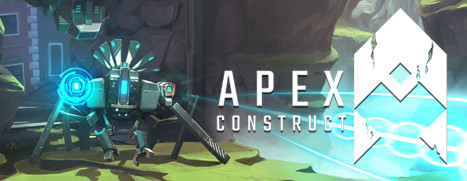
Apex Construct is Now Available on Steam!

Travel to the shattered future of Apex Construct, where merciless robots prowl the world as a result of mankind’s reckless experiments. As these synthetic creatures seek to dominate their new hunting grounds, you must use both your wits and combat skills to survive. In this atmospheric first-person Action/Adventure game, built exclusively for VR, the fate of mankind rests on you – the last human alive.

Posted on Leave a comment

Daily Deal – Battle Brothers, 50% Off

Masters of Anima is Now Available for Pre-Purchase on Steam and is 10% off!

Masters of Anima is an original adventure game that takes you deep into the magical world of Spark. Battle against the forces of evil in strategic, action-packed battles, where making tactical decisions quickly is vital. Summon and control large armies of up to 100 Guardians, thanks to intuitive and innovative gameplay made from the ground up for controller play, as well as keyboard and mouse.