Posted on Leave a comment

Blog: How to use C# Events in Unity

The following blog post, unless otherwise noted, was written by a member of Gamasutra’s community.
The thoughts and opinions expressed are those of the writer and not Gamasutra or its parent company.


Objective

The main objective of this blog post is to give you an idea about how to use C# Events in Unity.

What is problem with Delegates?

What is an Event?

Why Events are used?

How to declare an Event?

You may have all these questions in your mind.

Don’t worry, you are at the right place.

Let’s start, Do you remember the problem of Delegates?

If we use a single delegate after the use of multicast delegates then it will reset the existing invocation list.

This situation is very difficult to track if multiple classes subscribe to the same delegate.

This is the reason why we have Events.

Let’s see how they work.

Events are a type of special delegates which are used when you want to notify other classes when something happens. Like, on GameStart, on Gameover.

Let’s take a look on declaration and use of an Events.

1. Declare a Delegate

public delegate void OnGameStart();

2.Create an Event

public static event OnGameStart onGameStart;

3. Point to method

onGameStart += Move;

4. Invoke an Event

onGameStart ();

Let’s, create a simple game using Event Delegate.

Step 1

  • Create an empty GameObject name it as you like.

Step 2

  • Create C# script name it EventManager.

Write following code in EventManager.cs

public class EventManager : MonoBehaviour {
 public delegate void OnButtonClick();
 public static event OnButtonClick onButtonClick;
 public void RaiseOnButtonClick() {
 if (onButtonClick != null) {
 onButtonClick();
 }
 }
 }

Step 3

  • Assign it to an empty GameObject.

Step 4

  • Create a 2d object and assign knob as sprite in SpriteRenderer.

Step 5

  • Create  C# script name PlayerTransformAndColor.

Write following code in PlayerTransformAndColor.cs

public class PlayerTransformAndColor : MonoBehaviour {
 
 public SpriteRenderer spriteRenderer;
 public Color color1, color2;
 private void OnEnable()
 {
 EventManager.onButtonClick += ChangePosition;
 EventManager.onButtonClick += ChangeColor;
 }
 public void ChangePosition() {
 transform.position += Vector3.one * 2;
 }
 public void ChangeColor() {
 spriteRenderer.color = color2;
 }
 }

Step 6

  • Assign it to empty GameObject.

Now let’s do some changes in PlayerTransformAndColor.cs

public class PlayerTransformAndColor : MonoBehaviour {
 public SpriteRenderer spriteRenderer;
 public Color color1, color2;
 private void OnEnable()
 {
 EventManager.onButtonClick += ChangePosition;
 EventManager.onButtonClick += ChangeColor;
 EventManager.onButtonClick = ChangeRotation;
 }
 public void ChangePosition() {
 transform.position += Vector3.one * 2;
 }
 public void ChangeColor() {
 spriteRenderer.color = color2;
 }
 public void ChangeRotation() {
 transform.Rotate(0, 90, 0);
 }
 
 }

You may find the error. Like shown in below,

error

Got the  idea, How Events overcome the problem of Delegates.??

Events adds a layer of abstraction and protection on delegate, this protection prevents client of the delegate from resetting the delegate and invocation list.  

Now let’s take one more practical example. That gives you more clear idea about how event handle multiple event listeners by only one event Invocation.

For this, we’ll follow these steps.

Step 1

  • Create an empty GameObject name it EventManager.

Step 2

  • Create C# scrip and name it Eventmanager.

Write following code in EventManager.cs

public class EventManager : MonoBehaviour {
 public delegate void OnRest(); //Declare a Delegate
 public static event OnRest onReset; //Create an Event
 public delegate void OnReStart(); //Declare a Delegate
 public static event OnReStart onReStart; //Create an Event
 public static void RaiseOnReset()
 {
 if (onReset != null)
 {
 onReset(); //Invoke an Event
 }
 }
 public static void RaiseOnReStart()
 {
 if (onReStart != null)
 {
 onReStart(); //Invoke an Event
 }
 }
}

Step 3

  • Assign it to an empty GameObject(EventManager).

Step 4

  • Create an empty GameObject name it EventHandler.

Step 5

  • Create C# script name it EventHandler

Write following code in EventHandler.cs

public class EventHandler : MonoBehaviour
{
 void Update()
 {
 if (Input.GetKeyDown(KeyCode.P))
 {
 EventManager.RaiseOnReset(); // Function call to invoke an Event
 }
 else if (Input.GetKeyDown(KeyCode.S))
 {
 EventManager.RaiseOnReStart(); // Function call to invoke an Event
 }
 }
}

Step 6

  • Assign it to an empty Gameobject(EventHandler).

Step 7

Create a 3D game object(Cube).

Step 8

  • Create C# script name it ObjectMotion.

Write following code in ObjectMotion.cs

 public class ObjectMotion : MonoBehaviour
 {
 private float minRange, maxRange;
 private float speed, restartSpeed;
 private Vector3 newPosition;
 private void OnEnable()
 {
 EventManager.onReset += Reset;
 EventManager.onReStart += Restart;
 }
 void Start()
 {
 minRange = 1;
 maxRange = 3;
 speed = Random.Range(minRange, maxRange);
 restartSpeed = speed;
 }
 void Update()
 {
 newPosition = transform.position;
 newPosition.x = Mathf.Sin(Time.time) * speed;
 transform.position = newPosition;
 }
 private void OnDisable()
 {
 EventManager.onReset -= Reset;
 EventManager.onReStart -= Restart;
 }
 public void Reset()
 {
 speed = 0;
 }
 public void Restart()
 {
 speed = restartSpeed;
 }
 }

Step 9

  • Assign it to 3D GameObject(Cube).

Now create multiple copies of 3D GameObject.

Run Unity, and press “P” to reset the position and “S” to restart the motion.

From the above examples we may come to the  following conclusion,

Conclusion

  • Delegates and Events help us to write modular and reusable code.
  • Always use Events together with Delegates for safety.
  • Do not forget to unsubscribe otherwise, it will lead to memory leak.

Feel free to contact us if you really liked this blog. And don’t forget to share your comments below!

Posted on Leave a comment

The Sims Mobile has amassed $15M in revenue in four months

The Sims Mobile has pulled in over $15 million in global revenue since launching on March 6. 

That’s according to a brief report from analytics outfit Sensor Tower, which revealed that approximately 59 percent of that worldwide revenue came from the United States. 

The UK was the second most lucrative region for the free-to-play title, but it was some distance behind the States with only 8 percent of player spending taking place on British soil. 

Despite being the new kid on the block, The Sims Mobile is still being outshone by its predecessor The Sims FreePlay, which brought in twice as much revenue as Mobile during June. 

Of course, FreePlay does have something of a head start on its younger sibling, having launched all the way back in 2012. 

Posted on Leave a comment

Another one for the library: Hardback is out now on mobile

By Ian Boudreau 06 Jul 2018

What do we have here? It’s a prequel – a ‘pre-quill,’ as the promotional material puts it – to Paperback, the deck-building word game about becoming a famous novelist. Hardback is now out for Android and iOS devices, and it adds a few new twists on the original formula.

As Penelope Quill, great-grandmother to Paperback’s Paige Turner, you’re once again racing to achieve fame as a novelist. This time, however, you’ll be able to use any card as a wild by playing it face down. That means you’ll lose the benefit from playing the letter on its face, but it gives you extra flexibility when forming words. Another new mechanic is four literary ‘genres’ for cards, each with its own additional traits that provide additional strategic options.

Created by Fowers Games, Hardback’s art (again done by Ryan Goldsberry) is lovely and nails the 19th century aesthetic with charm. It’s going for £4.50 or $4.99 on the App Store and Google Play.

Posted on Leave a comment

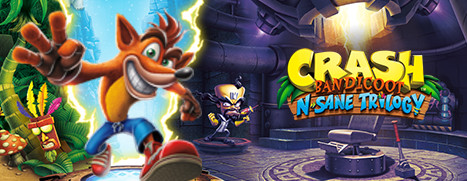
Now Available on Steam – Crash Bandicoot™ N. Sane Trilogy

Crash Bandicoot™ N. Sane Trilogy is Now Available on Steam!

Your favorite marsupial, Crash Bandicoot™, is back! He’s enhanced, entranced and ready-to-dance with the N. Sane Trilogy. Relive all your favorite moments in Crash Bandicoot™, Crash Bandicoot™ 2: Cortex Strikes Back and Crash Bandicoot™ 3: Warped, now in fully-remastered graphical glory!

Plus, play the first-ever NEW level built for the original trilogy’s gameplay in almost 20 years. Drawing inspiration from the cut “Waterfall Level” from the first Crash Bandicoot game, Future Tense features several puzzles from the original level set in the futuristic setting from Crash Bandicoot 3: Warped.

Posted on Leave a comment

Daily Deal – The Witness, 70% Off

The Steam Intergalactic Summer Sale continues! For the next two days, take advantage of huge savings throughout our store on over ten thousand games. You can also help unlock free games by playing our Summer Saliens Game.

Today’s Featured Deals include:

RUST – 75% off
Slime Rancher – 40% off
Batman: The Enemy Within – 40% off
Total War Franchise – Up to 75% off
ARK: Survival Evolved – 67% off
Serious Sam Franchise – Up to 90% off
Hyper Light Drifter – 60% off
and many more!

Along with the sale is the Summer Saliens Game. Team up with other Saliens to fight The Duldrumz on different planets and free the abducted games. Gain XP as you battle, level up, unlock new abilities, and win cosmetic items to deck out your Salien. Plus, get Summer Sale Trading Cards just for playing.

Choose to battle on a planet that piques your interest and you’ll automatically be entered for a chance to win one of its rewards when it’s conquered. The longer your Salien spends on a planet the higher your chances of winning! The groups with the most tiles when a planet is taken will get to plant their flag as conquerors, undoubtedly gaining Saliverse-wide fame in the process.

The Steam Intergalactic Summer Sale will run until 10 AM Pacific, July 5th. Complete information can be found HERE.

Posted on Leave a comment

Weekly Jobs Roundup: Cold Iron Studios, Rockstar Games, and more are hiring now!

Whether you’re just starting out, looking for something new, or just seeing what’s out there, the Gamasutra Job Board is the place where game developers move ahead in their careers.

Gamasutra’s Job Board is the most diverse, most active, and most established board of its kind in the video game industry, serving companies of all sizes, from indie to triple-A.

Here are just some of the many, many positions being advertised right now. If you’re a recruiter looking for talent, you can also post jobs here.

Location: San Jose, California

Cold Iron Studios is seeking an experienced Infrastructure Engineer to join it in creating a shooter set in the Alien universe for consoles and PC. The team is looking for a dev with experience and expertise with cloud computing systems such as AWS and GCE as well as experience with source control, configuration, and monitoring technologies to devise, evaluate, and test different cloud architectures and topologies and more. 

Location: Espoo, Finland

Rovio is looking for a Sr. Producer to join its ambitious Puzzle Studio to work on one of its top performing live games, Angry Birds Friends. A developer in this position is tasked with collaborating with internal and external teams to guide features from concept to life, actively promoting a collaborative team culture, and working with a cross-discipline team to craft and steward roadmaps and schedules. 

Location: New York, New York

Rockstar Games is looking for a dedicated Community Manager to join the Community team at its NoHo NYC office. Responsibilities will include writing, editing and helping to manage its online content, social media activity, community engagement, live streams, and direct consumer response. Candidate must be a very skilled writer and social media enthusiast with relevant community management experience, razor-sharp messaging finesse, a meticulous eye for detail, excellent organizational and multitasking skills, and a serious passion for video games and internet culture.

Location: Bellevue, Washington

Sucker Punch Productions is looking for a talented Lead Lighting Artist with a solid understanding of current run-time rendering technologies to illuminate the world of Ghost of Tsushima. The ideal candidate will have previous experience as a Senior Lighting Artist in game development, deep understanding of traditional lighting concepts, outstanding communication skills, and an unbridled passion to raise the bar in the visual entertainment industry. 

Location: San Rafael, California

Telltale Games is searching for a talented Character Modeler to create great looking game characters. The ideal candidate should have excellent traditional art skills relating to characters, expertise sculpting and Modeling in ZBrush and Maya, as well as a deep understanding of the technical requirements for games.

Posted on Leave a comment

Don’t Miss: The rocket science behind Rocket League’s physics

It’s not rocket science: Rocket League feels good to play. The game has reached success because of how fun it is to play for players of all ages, but there’s more going on underneath the hood. How do physics play a role in designing the way cars play soccer? 

In this 2018 GDC session, Psyonix’s Jared Cone gives viewers a behind-the-scenes look at specific game design decisions and implementation details that made the networked physics of Rocket League so successful.

Programmers interested in learning about the physics of Rocket League can now watch the talk completely free via the official GDC YouTube channel! 

In addition to this presentation, the GDC Vault and its accompanying YouTube channel offers numerous other free videos, audio recordings, and slides from many of the recent Game Developers Conference events, and the service offers even more members-only content for GDC Vault subscribers.

Those who purchased All Access passes to recent events like GDC or VRDC already have full access to GDC Vault, and interested parties can apply for the individual subscription via a GDC Vault subscription page. Group subscriptions are also available: game-related schools and development studios who sign up for GDC Vault Studio Subscriptions can receive access for their entire office or company by contacting staff via the GDC Vault group subscription page. Finally, current subscribers with access issues can contact GDC Vault technical support.

Gamasutra and GDC are sibling organizations under parent UBM Americas.

Posted on Leave a comment

Valve highlights the best selling and most played Steam games of 2018

With the first six months of 2018 now over with, Valve has gathered the best selling and most played games of the year into a lightly informative Best of 2018 (So Far) roundup. 

While it is no doubt interesting to see how both new and old games have faired in the first half of the year, it is worth pointing out that Valve doesn’t offer a ton of specifics into the individual sales or concurrent player counts each mentioned game as achieved.

Instead, best selling games and best selling VR games categories are broken up into platinum, gold, silver, and bronze tiers, without much explanation of how many sales each group represents. Overall top sellers in the platinum tier, for example, include PlayerUnknown’s Battlegrounds, Jurassic World Evolution, and Kingdom Come: Deliverance along with free-to-play games like Warframe and Dota 2

Meanwhile, Divinity: Original Sin II, Dragon Ball FighterZ, and Ark: Survival Evolved are among the 12 games featured in the gold tier.

For the top new releases section, a number of 2018 releases like Celeste, Monster Prom, and The Darwin Project are listed according to the month they released, but with a varying number of games listed each month and no real explanation as to a game’s performance to hint at why it is being featured.

The ‘most simultaneous players’ category provides just a little bit more information than the other best of 2018 roundups, though specifics still aren’t provided for individual games. That category breaks down top-played games into groups for 100,000+, 50,000+, 25,000+, and 15,000+ simultaneous players, offering devs a peek at the games that attracted a sizable concurrent following during the first half of the year.

Many of those ‘platnium’ games are featured in the over 100,000 simultaneous players category, though some like Kingdom Come Deliverance fall in the 50,000+ range instead. That full list, along with Valve’s other Best of 2018 roundups, can be found on Steam

Posted on Leave a comment

One Deck Dungeon expands its hero roster with the Witch

By Ian Boudreau 05 Jul 2018

There’s some new DLC to pick up for One Deck Dungeon, the card-driven roguelike that popped up just back in June. A warm welcome to The Witch, a new magic-user who Handleabra says is a bit of a “jack of all trades.”

Witches usually get associated with damp places like swamps and bogs, but in the lore of One Deck Dungeon, they seem to be pyromaniacs who all study their trade in a volcanic city called Inanidec. Syvir, our new Witch, is supposed to be “more anarchic than Mages, and more chaotic than Alchemists,” and she excels in both spellcasting and melee combat.

The Witch DLC just launched July 4, and she joins two new characters, the Fanatic and a faerie called Caliana, and two new dungeons, the Phoenix Den and the Cinder Plains, in One Deck Dungeon’s DLC lineup. Each can be had for 99 cents US or your local equivalent.

If you haven’t tried this excellent conversion of the tabletop dice game yet, check out our five-star review.