Posted on Leave a comment

Don’t Miss: Join Question as a Senior Gameplay Engineer

The Gamasutra Job Board is the most diverse, active and established board of its kind for the video game industry!

Here is just one of the many, many positions being advertised right now.

Location: Remote

When a game truly lights up your brain, it can feel like magic. Deep down, though – you know better. The reason is that it makes sense, top to bottom. The rules, the themes, and the player’s power to interpret and express themselves –  are all organized towards the same purpose. The team responsible took the time to plan it, test it, and refine it – each discipline helping to empower the other. Watching over that crucial intersection – between careful planning and open-minded, feel-driven iteration … is you.

Question is seeking a senior master generalist gameplay engineer with Unreal Engine experience for a full time position to round out our team with ownership over various gameplay systems. Your exact role within the studio will be a function of your existing expertise as well as areas of interest that align with your career goals as we enter the next exciting phase of the studio’s existence.

You would be working remotely from home with competitive salaries and benefits for U.S. residents with a distributed team made up of ex-AAA developers whose past team credits include: Thief: Deadly ShadowsBioShockBioShock 2BioShock InfiniteDishonoredSouth Park: The Stick of Truth, and South Park: Fractured But Whole. We draw on a long history of games with strong central narratives & diverse player-enabling systems with the goal of attempting to create new experiences in the same vein, but on a smaller scale.

How to Apply

Please send an email to [email protected] and include the desired job title as the Subject line of the email.

Please attach or include a link to the following to your application email:

  • Your Resume / CV
  • Your Portfolio (if you have one) of your relevant previous work

Question is an equal opportunity employer in which all employees are required to be inclusive of every candidate regardless of race, skin color, national origin, ancestry, gender, gender identity/expression, sexual orientation, age, religion, disability, pregnancy, marital/familial status, veteran status, or any other attribute of a person that does not affect their ability to make great games. We follow the law, in this regard, and will also make accommodations for qualified individuals with disabilities.

Due to the smallness of our team, we will not be able to respond to every applicant. Only those selected for an interview will be contacted.

No agencies please. All solicitations from a recruiter will be ignored.

Responsibilities

  • Implement new features
  • Support old features
  • Create and maintain documentation for others affected by your work
  • Shepherd usage of your output by artists and designers as often as needed via existing samples and hands on screen-sharing sessions
  • Make adjustments as necessary from feedback and iteration
  • Participate in group QA sessions and other project-relevant studio activities
  • Write documentation for the maintenance and upkeep of your systems

Requirements

WORK EXPERIENCE

  • Shipped at least one action game with Unreal Engine as an engineer on the C++ side of development
  • Nice to have: Multiplayer game development experience

GEOGRAPHY

  • Must live within U.S. time zones from Pacific to Eastern time – We want office hours to overlap
  • Due to logistics issues, we can only offer benefits to U.S. residents.

COLLABORATOR

  • A mind for good architecture that caters to human factors and minimizes technical debt… specifically in the context of Unreal Engine 4
  • Able to use or modify existing code instead of writing redundant new systems
  • Understands gameplay
  • Proactive about tackling perceived problems instead of waiting to be told
  • Able to write bug reports and feature requests for yourself
  • Reaching out to team members as needed
  • Being the first to test your own output instead of relying on others to be your first pass QA

COMPUTER SCIENTIST

  • Computer Science degree or equivalent experience
  • Expert in C++
  • Ability to learn any programming language as needed
  • Memory management – References and pointers vs. copy
  • Data structures, design patterns, and algorithms
  • Understanding and/or ability to learn replication tactics and multiplayer development patterns

ALGORITHMIST

  • Systems design: Able to synthesize algorithms based on feature specifications AND teach that algorithm through writing and verbal discussions
  • Able to speak in terms of Big O notation and algorithmic complexity
  • 3D Math: Understand common uses of dot product, cross product, normalized vectors, sine, cosine, and space transformations in the context of gameplay programming
  • Physics: Understand kinematic equations. Be able to code with minimal raycasts.
  • Optimizations: Able to learn and employ optimization techniques as needed

Interested? Apply now.

Whether you’re just starting out, looking for something new, or just seeing what’s out there, the Gamasutra Job Board is the place where game developers move ahead in their careers.

Gamasutra’s Job Board is the most diverse, most active, and most established board of its kind in the video game industry, serving companies of all sizes, from indie to triple-A.

Looking for a new job? Get started here. Are you a recruiter looking for talent? Post jobs here.

Posted on Leave a comment

GWU Seattle calls for removal of GWU International member over ‘exclusionary behavior’

The Seattle chapter of Game Workers Unite are calling for changes to be made to GWU International in response to “exclusionary behavior and bullying” from Marijam Didžgalvyte, a prominent member of the game industry-focused workers rights advocacy group.

That behavior, and GWU International’s alleged inaction toward it, is the crux of the statement of demands put out by the Seattle chapter of GWU over the weekend, shared here.

It’s a significant accusation made toward an organization that has publicly advocated for social issues and, in a recent thread on its newly formed anti-racist committee, condemned racism and white supremacy and pledged to root it out of its own ranks.

The Seattle chapter is now calling for Didžgalvyte’s removal from the organization, as well as a public apology to past and current members from GWU International and to prioritize “the creation of the Anti-Racism Committee to address this situation and all member descrimination.”
 
“We as members of the Seattle GWU chapter are angry and appalled by actions taken by members and leaders of the GWU International organization,” writes the Seattle chapter. “Their actions were condescending and dismissive towards POC doing difficult and vital work for free, and those members were unjustly pushed out of roles where they were most needed. We are also bewildered at the lack of action taken to deal with this behavior that breaks our organization’s rules and blatantly is against our Points of Unity and Code of Conduct.”

Didžgalvyte published a statement on the single incident she notes that she believes prompted GWU Seattle’s accusations where she, inadvertently in her retelling, shot down a proposal from Lionkiller dev Sisi Jiang that GWU make a thread on white supremacy for fear of making the International organization too focused on “‘Western’ stuff”.

“I said three clumsy sentences in a meeting that were not closing down the discussion, but just trying to rethink it, immediately felt bad about it, addressed it and apologised to Sisi straight away,” writes Didžgalvyte. “I asked for good faith that it was essentially a miscommunication and I was ready to post any thread that eventually got made. I would never counter any anti-racist messages coming from GWU International.”

Tweets critical of GWU’s treatment of people of color (including the thread by writer Meghna Jayanth where Didžgalvyte originally tweeted her response) indicate that the issue is far broader than one conversation, and calls out GWU UK for not taking accountability for similar incidents.

Posted on Leave a comment

Optikon Love2D Level Editor

Optikon is a free Windows based ( Mac and Linux can run via Wine ) level editor that takes a WYSIWYG approach to creating game levels using the Lua powered Love game framework.

Details of Optikon from the website:

Drag and Drop Level Design

Optikon is a simple drag-and-drop level designer which makes stunning 2D level design in LÖVE possible for everybody.
Optikon generates Lua code in real-time as you create your level, so that you don’t have to write a single line of code. Simply copy and paste this code straight into a .lua file to run your game, or click “Run” in Optikon to play your level in an instant.

Built-in Code Editor

Optikon comes with a built-in Lua code editor so that you can do all your level design and coding in one place. The code editor comes with automatic Lua syntax highlighting to help boost your productivity.

Quick & Versatile Level Design

Optikon will give you the tools and performance needed to easily build large and complex levels. Add rulers as a visual aid, layer and quickly duplicate components to speed up level design.

Optikon is ultimately a code generator, creating Lua code for the Love framework.  If you want to learn more about Lua and Love, check out our complete tutorial series available here.  To see the Optikon editor in action be sure to check out the video below.

GameDev News Design


Posted on Leave a comment

Looks like a Slay the Spire mobile update is coming soon

Details on Slay the Spire‘s mobile release date have been thin on the ground since game developer Mega Crit Games revealed it would be delayed past 2019 late last year. That could all be set to change, however, as one of the developers working on the project reveals we should get an update soon.

Anthony Giovannetti replied to someone on Twitter late last May explaining that an update “should” arrive this month. “We should have an announcement on mobile within the next 30 days,” he explains. That was tweeted May 22, so if you want to get super technical about it, you could say we should hear something by June 21. That said, you never know what might happen with unforeseen circumstances, so it’s probably best to sit tight.

Our last update from Mega Crit games came back in January after the developer told another fan that the mobile port was going “through the QA pass” and was “solely in our publisher’s hands at this point”. The final QA process in games development can take a while, but we should hopefully get a better idea of when we can play Slay the Spire on iOS and Android soon.

In case you’ve yet to play Slay the Spire, it’s a rogue-like card battle that fully launched on PC in 2019. You try to make your way up the titular tower, battling hordes of goons as you go. There’s no room to get used to things, though, as the tower will change each time you die – so you’ll need to be good at thinking on your feet.

If that sounds like your kind of thing, then you can check out our guide on the best games like Slay the Spire on mobile to get a feel of what it might play like once it comes out. There’s a fair few games you can choose, from Dimensions of Dreams to Meteorfall: Journey.

Posted on Leave a comment

Video Game Deep Cuts: Shantae’s Epic Poly Bridge Kombat Life

The following blog post, unless otherwise noted, was written by a member of Gamasutra’s community.
The thoughts and opinions expressed are those of the writer and not Gamasutra or its parent company.


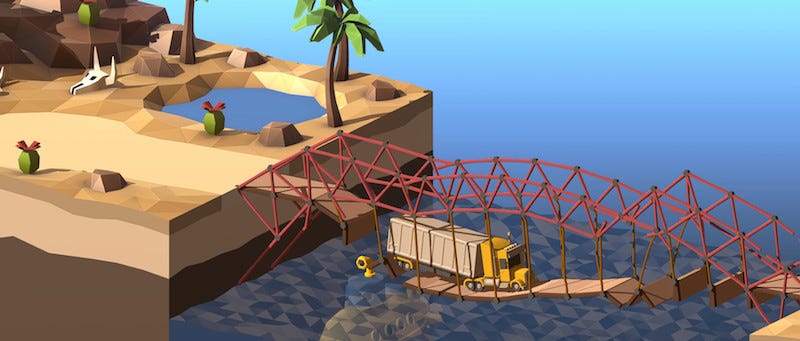
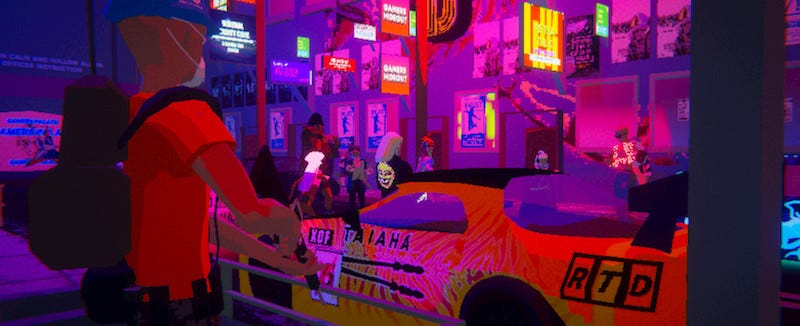
[Great to see commissioned illustrations in articles – in this case by Sonny Ross for Polygon.]

Somehow, someway, we’re still putting Video Game Deep Cuts on Substack, folks. Particularly this week, with all that’s going on, it feels weird to be putting out a newsletter about video games. But I had the links already, you can read it if you like and… see you next week?

– Simon, curator

The Current: New Games To Consider

The Culture: Game Culture & Deep Dives

The Past: Game History

The Other Goodness

Thanks for reading, and see you – I presume – next week.
Simon.

Posted on Leave a comment

Godot Running In a Browser

Thanks in part to a $50,000 award from the Mozilla foundation, the Godot game engine is gaining the ability to be run in a web browser.   You can try it out right here if you have the latest version of a Chrome based browser, or Firefox Nightly.

Explanation for the rationale for Godot in a Browser from the Godot news page:

Godot Engine supports exporting games to the HTML5 platform (i.e. browsers). Given that the editor itself is written using the Godot Engine API it should be possible to run the editor in browsers as well.

The reason why the editor wasn’t able to run in browsers up until now was due to some historical Web browsers limitations, mostly lack of support for threading, but also file system access.

With the introduction of WebAssembly, WebAssembly threads, Javascript SharedArrayBuffer, and possibly an upcoming Native FileSystem API, it should now be possible to have an almost-native user experience when running the editor on the Web.

This will be beneficial in many ways to the engine itself for multiple reasons:

  1. It will lower the barrier for new users, which will be able to try out the engine without the need to download anything.
  2. Any modification towards reaching that goal will also improve the HTML5 export itself (given that the editor is made like a Godot game).
  3. It will allow to use Godot in a reasonable way in environments where installing/downloading applications is not an option (e.g. schools’ computers and tablets), fostering the usage of the engine for educational purposes (which is something we, as an open source community, deeply believe in).

This DOES NOT mean that Godot will move completely to the Web, nor that the Web browsers version will be the recommended way for professional development, but it will be an additional option for cases where it might be useful (again, pick the education sector as an example).

Perhaps the most interesting part is the future plans for mobile usage:

  • Virtual keyboard in the HTML5 plaform, for working text input in mobile devices.
  • Persistence support, WebDAV integration.
  • Gestures for the editor, allowing using the editor from touch devices (this will also be beneficial to make native Android or iOS versions of the editor for example).

These features, as well as Dropbox support, could truly bring Godot to Android, iOS or ChromeOS devices in the future!  You can learn more about Godot in the Browser in this video.  This is the second project to bring Godot to the browser, details of the first ‘Godot.Online’ is available here.  Note, Godot.online is not an official Godot project.

GameDev News


Posted on Leave a comment

Get a job: Fred Rogers Productions is looking for a Digital Producer

The Gamasutra Job Board is the most diverse, active and established board of its kind for the video game industry!

Here is just one of the many, many positions being advertised right now.

Location: Pittsburgh, Pennsylvania

Fred Rogers Productions is looking for a Digital Producer to lead digital content development for a new animated series about a young Latina girl growing up in the Bronx. This producer will also work on Odd Squad, the award-winning PBS series. Under the direction of the Chief Creative Officer, the Digital Producer will produce interactive content for children across multiple digital platforms, including web sites, online games and apps for both shows. The Digital Producer will also manage strategic planning of interactive projects and participate in the development of new content ideas. 

Candidates for this position must have a strong background in digital production and a passion for creating world class interactive content for kids.  Strong editorial and production skills are required. Must have experience creating content or working with external content creators and possess excellent organizational, written and verbal communication skills. As the show’s website will be available in Spanish as well as English, a working knowledge of Spanish is a plus.

The position is based in Pittsburgh and may require periodic travel. 

Additional responsibilities include, but are not limited to:

  • Participate in – or lead – playtesting of games, apps, etc.
  • Create and maintain calendar of content launches and other key dates
  • Generate and analyze Google Analytics reports and other metrics
  • Inform FRP colleagues of content launches
  • Contribute to or write digital plans for FRP projects in development
  • Represent FRP at industry events and conferences, as a participant, panelist or speaker
  • Seek out new platforms and opportunities
  • As needed, brainstorm with Marketing team around social media promotions
  • Identify external content creators – programmers, designers, etc. – to participate in interactive content development
  • Advise on trends in digital culture, especially relating to children and families
  • As needed, work with CCO to respond to RFPs for digital content
  • As needed, work with CCO to develop original digital-first content

Relocation assistance will be available. No telephone calls, please. 

Interested? Apply now

Whether you’re just starting out, looking for something new, or just seeing what’s out there, the Gamasutra Job Board is the place where game developers move ahead in their careers.

Gamasutra’s Job Board is the most diverse, most active, and most established board of its kind in the video game industry, serving companies of all sizes, from indie to triple-A.

Looking for a new job? Get started here. Are you a recruiter looking for talent? Post jobs here.

Posted on Leave a comment

Don’t Miss: A look back on the usefulness of video game manuals

Manual as Reference

When writing a manual, always remember that it is a reference work. Almost nobody reads the manual before they play the game. Instead, gamers play first then refer to the manual as they encounter confusing situations. Some people check the contents first, others the index, but eventually all start flipping through the pages, looking for a familiar screen shot, term or chapter heading.

Good manuals are designed to make reference easier. Bad manuals implicitly assume the reader will start at the beginning, read the whole manual, and then play the game. The largest cause of useless manuals is over-linear writing that buries what the gamer wants in endless pages of dense text, then demands the reader plow through it before anything is intelligible.

Think Visually

When writing the manual, imagine a gamer flipping through the booklet, looking for the specific screen, control or concept. The more visual “reference points” you provide, the faster they can “home in” and get what they need.

Use screen-shots with call-outs: This means a picture of the screen with each part clearly labeled. labels should be outside the picture, with lines or arrows pointing to the appropriate screen area. Labels superimposed on the picture obscure the contents underneath, and are easily mistaken for on-screen graphics!

For example, the frequently excellent Railroad Tycoon II manual has dozens of screen shots, but only one with a label, and that a mere four letter code inside the picture! This causes excessive verbosity in screen descriptions, as individual graphics and icons are described in painful detail. Furthermore, the lack of call-outs made it east to miss useful information, such as the Oil, Sand and Water gauges on the Instrument Panel on the train detail Screen (to retain the unfortunate capitalizations used there). Worst of all, the call-outs that did appear are meaningless letter codes, rather than immediately useful words or phrases.

On the other hand, Jane’s F-15, one of the most complicated flight simulators ever made, has screen shots with call-outs every second or third page. With these, mere mortals have some chance of mastering avionics far more complicated than anything in RRT2.

Jane’s game manuals feature a bounty of screenshots, with many callouts indicating the function of various on-screen indicators.

Control illustrations: Console games with standard controllers always benefit from a “controller diagram page” with call-outs to each button and control device. Console game licensors normally provide standard versions of this illustration. Most require manuals use their standard terms for each button or control device, which promotes easy recognition and understanding.

PC games have a mouse and keyboard. Ideally, a well-designed Windows 9x game has every action available through mouse control. This means it can be illustrated with a menu, dialog, or button, even if a screen shot is unavailable or inappropriate. Unfortunately, many game designers are still stuck in the DOS mentality of keyboard-only inputs. Such games demand a fold-out keyboard diagram, while mouse- capable games with full compliment of keyboard shortcuts also benefit from a separate keyboard diagram.

Separating the Parts:
Operating Instructions, Hints and Background Data

Gamer questions or problems frequently involve how to operate something or interpret a screen. Later and separately, devoted fans seek background or data that helps them to be more successful. Therefore, a well-organized manual should separate information into three distinct sections: operating instructions, hints & background, and finally data (usually data tables).

Many writers find it more convenient to place the hints, suggestions, background, and data alongside operating instructions. Unfortunately, this simply conceals important basic information amid thickets of prose. Remember, the initial questions of most gamers involve operating instructions. Keeping these in one place, uncluttered and succinct, is well worth the effort.

In compact manuals, placing operating instructions right at the front is often the best policy. One admirable approach in its utter simplicity was Tomb Raider II‘s one-page list of the game controls, placed right after the table of contents. The authors rightly assumed that this “cheat sheet” of controls would answer most questions.

In complicated game manuals (tomes), most authors can’t resist the temptation to provide background information along with the controls. They know gamers will want advice and help, and they know the developers/publishers need to rationalize certain decisions. The temptation to conveniently mix it all together can seem irresistible. Well, resist it. Such mixtures complicate a gamer’s referencing, which makes a complicated game seem that much more complex.

Operating instructions must be clear and to the point. Information is easier to reference when it is neatly tagged, described and categorized. For example, in a combat jet flight simulator, descriptions of the multi-mode radar system can be dauntingly complex. The best solution is screen shots with call-outs to start the operating instructions, then a description for each call-out, then a description of what each applicable control does on that screen. Even if many modes share the same control, it is best to list each applicable control so the user understands what could be done. To avoid too much redundancy, the control description could be brief, with a reference to another page for details.

Detailed explanations of bar scans, refresh rates, and other electronic concepts do not belong in the operating instructions. These should be placed in the background & hints section, where the player can take Radar Systems 101 at their leisure. Naturally, the operating instructions will reference this section, so the player who really wants to understand more knows where to look.

Finally, neither of the above is where the game should list which radars are in which type of plane, or their technical specifications. All this is found in tables within the data section.

One of the most perplexing problems in manual writing is where to place game rules. That is, information about how the game works inside (i.e., within the software). In general, internal operation should be left to the background & hints and data sections. Alas, sometimes internal rules change how controls work, or even disable some while invoking others. In this case, a brief mention of the rule is appropriate, often with a reference for more information.

For example, the following would be appropriate in a strategy wargame. “You cannot choose Fire if the unit has no ammo (see Ammo Indicator on page 21, and logistics: Ammo on page 187, and Ammo Load Tables on page 205 for details).” Notice that a screen call-out was referenced, as well as background and data tables.

In some cases a competent description of game operation demands a rules explanation at that point. A common example is startup and configuration options. The user wants the manual to tell him exactly what occurs in each option. It is more sensible to oblige him, rather than make the entire section a series of references to pages in a “Background & Hints” section.

Procedural Organization

Within the operating instructions part of a manual, the best way to organize the material is procedurally. That is, the screens and controls first encountered by the gamer appear first, followed by the next screens and controls, etc. Those seen last, or very infrequently, should be at the end of the operating instructions section.

The primary exception is compact manuals. Here the gamer may be better served by an immediate presentation of the screen with call-outs, and/or a controller with call-outs. Startup options and other esoteric details can follow.

Rules vs. Examples

A cardinal rule in operating instructions is that any example must clarify a general rule, but never be a general rule. Lazy writers often use examples to present a concept or operating procedure. Unfortunately, when the gamer looks up the concept, they must wade through the entire example, then try to infer the general truth that might apply to their case. Rule through example greatly complicates the reference task, while an inappropriate example yields nothing but a hopeless puzzle.

Crafting a short, clear, general-purpose explanation to each screen element and each control is a non-trivial task. Given the short time and small funds allocated to most manuals, it is surprising that so many do a good job.

The Indispensable Index

A good index is required for any good manual. Even if gamers start by flipping pages, frustration may eventually send them to the index. The best indexes are always create by humans. Furthermore, it is really quite easy.

To create a good index, read through the manual from start to end. Every time a game-specific term appears, write it down with the page number. Every time a game concept is described, write it down with the page number. similarly note every screen title, every significant option on every menu, and every function with a special dialog or window. When in doubt, add an entry. When you’re done, alphabetize the list and combine all entries for the same word into that word mention followed by all the page numbers. If your word processor can’t alphabetize, import the file to a spreadsheet, which can sort entries alphabetically.

Manual indexing can be supplemented by indexing software. If this is available, use it afterward to catch references and additional indexing terms. Unfortunately, indexing software isn’t smart enough to detect concepts as well as words, since the software isn’t trying to understand the text. For that reason, indexing software an be a false crutch if used before you create one through reading.

Indexes are best done after the graphic arts person or team has set up the manual using desktop publishing software. Attempts to build indexes early, with hidden links within the word processor, invariably take more time than they save. On the other had, a game-specific style guide can be a gold mine of index material (see Style Guides, below, for details).

Structuring Sidebars

A sidebar is a short, self-contained article, often accompanied by a single picture or illustration, that appears next to the outside margin of the page. On narrow pages they sometimes appear at the bottom or top, instead of along the side. Pioneered by new magazines in the 1970s, sidebars were designed to present interesting ancillary information that relieves visual boredom in long text articles. They provide both a visual and intellectual “change of pace.” Sidebars work poorly on pages with large illustrations, such as screens with call-outs.

In the operating instructions section, sidebars are most effective in presenting a larger example of play, especially examples accompanied by an illustration.

In the “Background”, “Hints” and “Data” sections, sidebars typically contain incidental bits of historical interest, odd facts, or even sections of short fiction that support the game environment. For example, an RPG manual might have a series of sidebars, each with a different entry form a fictional adventurer’s journal. The Railroad Tycoon II manual has a different, dated historical tidbit in each sidebar, with one on every page except chapter starts.

Boilerplate Text to Include

Every game must include certain legal statements regarding copyrights and trademarks. In addition, almost every reputable publisher includes a legal statement about terms of use. Often this is the infamous “warranty.” Reading the fine print, you discover its real purpose is to prevent the user from presuming that any warranty, implied or actual, really exists!

A good manual writer allocates appropriate locations for these materials, or actually paste in the latest text, depending on the publisher’s preference. Also remember to insert correct trademark and copyright statements in the appropriate spots, usually on the front and back of the title page. Unless specifically told, do not expect the publisher to automatically insert legal materials. Remember, if the publisher forgets, they invariably blame the author.

Detailed game credits should appear in the manual unless publisher policies prevent it. The best location is near the back, after any design notes and before the legal boilerplate glossary and index. Of course, certain egotistical developers and/or publishers may require the credits up front, before or immediately after the table of contents.

An Example of Tome Organization

Organizing a manual, especially a tome, is easier if you start form a well-tested pattern. The following general outline should serve most adventure, RPG, simulation and strategy games for PCs:

  1. Title Page
  2. Table of Contents
  3. Introduction
    (If the publisher demands up-front hype for the game)
  4. Tutorial
    (Ideally designed to accompany a software tutorial)
  5. Game Operation
    1. Game Startup & Initial Options
      (Describes what each option means or does)
    2. Game Action
      (Subdivide by screens or concepts as appropriate)
    3. Game Results
      (Especially unique post-action screens and/or options)
  6. Background
    (In sections appropriate to the subject matter)
    (Information about various internal game rules and logic) (Hints about good play, strategies, tactics, etc.)
    (Historical background or fictional storylines)
  7. Game Data
    (Charts and tables of internal data useful to players) (Equations or formulae that might help players)
  8. Designer’s notes
    (A short history of the game’s development)
  9. Credits
  10. Legal Statements
    (Warranties, etc.)
  11. Glossary
  12. Index
Posted on Leave a comment

Obituary: Darklands creator Arnold Hendrick

Gamasutra has learned that Arnold Hendrick, creator of MicroProse’s 1992 RPG Darklands, has passed away at the age of 69.

The news comes by way of RPG Codex and a Facebook group for former MicroProse employees. Former MicroProse artist Matt Scibilia informed the group that Hendrick passed away on Monday May 25th, after an apparent battle with terminal cancer. 

Darklands has been credited by RPG developers such as Todd Howard and Josh Sawyer for inspiring their own role-playing experiences. Howard even credited the game as being a major inspiration for the Elder Scrolls series. For Sawyer’s part, he helped interview Hendrick in a retrospective discussion about Darklands, and has done numerous breakdowns of the game. 

In his later years, Hendrick left a number of insightful comments here on Gamasutra that you can find here. 

Posted on Leave a comment

A new Legends of Runeterra character concept is being created in a ‘Draw with Riot’ art stream

Riot Games has announced the first ‘Draw with Riot’ art stream is running tonight, creating a new character concept for Legends of Runeterra. The stream follows Runeterra’s principal concept artist, Chris Campbell, as he draws the character live. We’re extremely excited to see the new concept, since Legends of Runeterra’s art is out of this world gorgeous. But we’re also excited because in the notes for Patch 1.2, which dropped a little while back, it was hinted that this livestream might also give us info about future content coming to Legends of Runeterra.

Could this livestream also reveal the concept for the next expansion pack? Or will it reveal a solo character coming to the game? We have absolutely no idea, but the best way of finding out is by settling down to watch the livestream.

For those that don’t know, Riot Games’ card battler, Legends of Runeterra recently came to mobile, launching at the same time as the expansion pack, Rising Tides. It’s wowed a lot of people, especially us – read our Legends of Runeterra review if you want to know why!

Riot also revealed a new roadmap for Legends of Runeterra today, introducing three new game modes: Labs, Gauntlets, and Events. The video also reveals that Runeterra will get a new region expansion every six months, and new cards every two. Full details can be seen below:

It sounds as if ‘Draw with Riot’ is going to be a regular feature from now on, and these streams are a really great way of learning more about how the game’s concept art is created. But since Runeterra’s art is so beautiful, you really won’t hear us complaining.

If you want to catch the stream, it’s just started, and is happening over on Riot Games’ Twitch channel as we speak. For those reading this later, as with most streams, the video will be available for you to watch after the fact.

You can download Legends of Runeterra on Google Play and the App Store, and if you want some help getting started, be sure to check out our Legends of Runeterra tier list and our Legends of Runterra decks guide.