Posted on Leave a comment

Babylon.JS 4.2 Game Engine Released

Babylon.js, the open source 3D web based game engine, just released version 4.2 with a ton of new features and tools. Key features of the 4.2 release include:

  • New particle editor for direct creation of particle systems in the Inspector
New Node System in Babylon.js
  • new Sprite Editor built into the Inspector to create, control and save sprites
  • new Skeleton viewer to visual bones and bone weights in Inspector
  • texture inspector for debugging texture issues
  • PBR support in the Node material editor with access to metallic, roughness, clearcoat, sheen etc when creating materials
  • new Procedural Texture, Particle Shader, Post Processing modes added to the Node editor
  • reusable frames in Node Material editor, enabling you to reuse shader code between projects easily
  • playground templates, essentially quick access code snippets in the code editor using Ctrl+Space
  • direct support for pre-filtered .hdr files
  • support for React Native for creating native applications
  • KTX + Basis U texture compression support
  • much, much more

You can learn more about the release in this article here or by watching the video below. Babylon.js is an open source project under the Apache 2 license with the source code available on GitHub. If you are interested in learning more about Babylon, be sure to check out our older Babylon.js tutorial series.

[youtube https://www.youtube.com/watch?v=aiTAfDB8Dis?feature=oembed&w=1500&h=844]
Posted on Leave a comment

Luminar 4 with Affinity Photo

This tutorial is going to be a little outside the normal topic of game development but should still be of interest to some of you because Luminar 4 is currently available on Humble Bundle. Luminar 4 is an AI powered image manipulation program that’s easy enough even I can use it! One of the challenges though is that it doesn’t formally support Affinity Photo out of the box, and Affinity Photo is my photo manipulation weapon of choice. Therefore in this tutorial we will show how to get Luminar 4 up and running on Affinity Photo 1.8.

If you are simply interested in learning more about Luminar 4 be sure to check out our hands-on video, it’s an impressive program.

Installing Luminar 4 with Affinity Photo

First, install Luminar 4. Just go with the defaults and don’t worry about the plugins portion if you don’t already have Photoshop installed.

After Luminar is installed, navigate to the install folder in Explorer. In my case it’s C:\Program Files\Skylum\Luminar 4. Once there, locate and copy the file Luminar4.8bf. Now we need to copy it into the Adobe plugins folder, a folder that you will most likely have to create. In explorer go to the folder C:\Program Files\Common Files and if one does not exist, create a folder called Adobe. Inside Adobe create a folder called Plug-ins, then inside that create a folder called CC, then paste the Luminar4.8bf file into that directory. The end result should be something like this:

Luminar 4 plugin folder creation for Adobe Photoshop in use with Affinity Photo

Now right click Luminar 4 in the start menu and Run as Administrator. Now select File->Install Plugins from the main menu.

Install Plugins Menu in Luminar 4

So long as you copied the file earlier into the right folder, you should now see Uninstall in the resulting Window.

Uninstall Luminar Plugin

Click Uninstall then Install and you are done with Luminar. Now fire up Affinity Photo and select Edit->Preferences. In the resulting window select Photoshop Plugins.

Selecting Photoshop Plugins in Affinity Photo

Now click the add button, then select the Luminar directory.

Adding the plugin in Photo

Once selected, Luminar 4 should show up in the detected plugins section. After installing the plugin it will prompt you to restart Affinity Photo. Once done, you can access Luminar 4 in Plugins->Skylum Software->Luminar 4

Running Luminar 4 in Affinity Photo

While these instructions are specific to Affinity Photo, any program such as Paintshop Pro should also be able to install Luminar using this process.

You can learn more about Luminar 4 and the Humble Bundle (plus see the above process in action) in the video below. The Humble links contain an affiliate code that enables you to direct a portion of the proceeds from your purchase to support GFS and thanks so much if you do!

[youtube https://www.youtube.com/watch?v=LIIRvS_mMD0?feature=oembed&w=1500&h=844]
Posted on Leave a comment

PUBG Mobile is returning to India with $100 million local investment

PUBG Mobile is set to make a triumphant return to mobile in India two months after being banned by the government. In September, the Indian government controversially banned PUBG Mobile and around 200 other mobile apps, including social media video app TikTok, due to their ties to China. The government said that the decision was made to protect its people’s privacy.

However, according to a report by TechCrunch, PUBG Corporation has severed ties with Chinese publisher Tencent, and agreed to migrate all player data to Microsoft’s Azure. This should bring PUBG Mobile in line with New Delhi’s strict rules on apps’ links to China. While this is exciting news, it could also be a glimmer of light for other apps looking to bypass India’s ban in the future.

Additionally, PUBG Corporation has announced $100 million of investment into jobs, infrastructure, and tournaments in India. It said in a statement: “thanks to overwhelming community enthusiasm for PUBG esports in India, the company also plans to make investments by hosting India-exclusive esports events, which will feature the biggest tournaments, the largest prize pools, and the best tournament productions.”

The company also said that India would receive a specially-created version of the game, however the ever-reliable Daniel Ahmad notes that this shares a lot of similarities with the Chinese version of PUBG Mobile.

As Ahmad notes, PUBG Mobile was the #1 grossing mobile game in India and had over 50 million monthly active users in the country, so it remains to be seen whether the ban impacts its popularity going forward, or whether players will flock back to the shores of Miramar.

With some major changes at both a publisher level and a gameplay level, as well as a promise of huge funding for Indian esports, PUBG Corporation seems intent on getting back into the market. However, these resources aren’t available to all developers, so it may be difficult for other, smaller apps to follow  PUBG Mobile’s footsteps in returning to the Indian market.

There is no release date yet for the new version of the game, but in the meantime you can check out the best mobile multiplayer games, or reacquaint yourself with the latest PUBG Mobile update while you’re here.

Posted on Leave a comment

Godot FBX Importer Improvements In Godot 3.2.4

In Godot 3.2 FBX support was improved by implementing the open source AssImp library. In the upcoming release of Godot 3.2.4 we are getting an all new FBX importer. While based on AssImp initially, this project took over a year to developed, removed over 50K lines of non-FBX related code and made improvements across the board.

Developer Gordon MacPherson recently wrote about the experience on the Godot blog and detailed the following changes:

  • We rewrote all the mesh code to support all formats of FBX meshes correctly.
  • We built an entire abstraction for the FBX transform information, which was a very complex and convoluted undertaking to get working properly.
  • We designed a better handler for the animations which can compensate for the complex transform information, which means that we can handle animations correctly.

The project is ready for use but there are some plans in the pipeline:

  • Finish porting the rewrite to Godot 4.0 (we use the 3.2 branch in production, so that’s where this was developed and quality controlled by many users).
  • Locator bones. Right now, you need to bake your animation before exporting.
  • Improve material mappings (most are supported, some need mapping).
  • Fix bugs in the beta phase, we expect them.

Be sure to check out the blog post for details on the project, why they did it and why you should care. In the video below we put Godot 3.2.4 through the paces with a couple FBX tests, including this scene from Sketchfab. Unfortunately until Godot 3.2.4 is released, you will have to build Godot from source, just be sure to checkout the 3.2 branch from GitHub. Special thanks to IMVU for sponsoring the project.

[youtube https://www.youtube.com/watch?v=60Ofqmytzu0?feature=oembed&w=1500&h=844]
Posted on Leave a comment

Creature 3D Animation Software Now In Alpha

Kestrel Moon software, creators of the Creature 2D animation software have just released the very first 0.1 alpha of Creature3D. Creature 3D is a stand-alone 3D animation application, currently available for Windows 64 machines for free, for rigging and animating characters using procedural animation.

Features of Creature 3D:

Procedural Animation at your fingertips

Walk Cycles, Tail Animation, Ropes, Skin Sliding and Dynamic Flesh/Breathing Motion are a breeze with Creature3D’s state of the art Procedural Motor System. Take full manual control by tweaking both keyframes and animation splines.

Fast, Easy setup of Characters

Easily rig your Characters via Auto or Manual Rigging Modes. Add bones, then pick between Auto Weight or Manual brush painting for your Skin Weights.

Export your Animations to the World

Export your animation as industry supported mainstream FBX or GLTF assets which can then be imported into Game Engines like UE4 or Unity.

You can learn more about and download Creature here. If you want to get started with Creature 3D there are a few sample projects now available here. You can learn more about Creature 3D and see it in action in the video below.

[youtube https://www.youtube.com/watch?v=tqO37ZlDqiw?feature=oembed&w=1500&h=844]
Posted on Leave a comment

Sam & Max Save the World Remastered is coming to Switch next month

Everyone’s favourite anthropomorphic detective duo are back, and this time they’re taking their mystery solving prowess to the Nintendo Switch in Sam & Max Save the World Remastered. If you haven’t played the Sam & Max games before, first of all: where have you been? The comicbook characters first hit our 90s screens with a cult LucasArts game, and again nearly 15 years later with Telltale’s episodic series in 2006.

It is this iconic episodic series, Sam & Max Save the World, that is being remastered by Skunkape Games. Seeing as Telltale Games shut down in 2018, it is unknown whether any of the former staff had any role in the remaster, or any say at all. We don’t yet know whether or not the further episodes, Beyond Time and Space, and The Devil’s Playhouse, will also be rereleased down the line.

However, this remaster hopes to rekindle players’ nostalgia, and nail the parody of American cop shows that the games did so well in the mid-2000s. Our six-foot hound and his hyperactive bunny friend form a freelance vigilante police force with a penchant for sarcasm and a complete disregard for the law.

Sam & Max Save the World Remastered Season One will be released on December 2 for Nintendo Switch and PC, via Steam and GOG. Whether you’re after a nostalgia hit or just want to see what you’ve been missing, this is the first time that this dog and bunny have ever been portable.

[youtube https://www.youtube.com/watch?v=vIajN-DDmIk?modestbranding=1&rel=0&feature=oembed]

Sam & Max will also star in Sam & Max: This Time It’s Virtual, a – you guessed it – virtual reality game that was announced back in August. There is currently no release date for that, and many people don’t have access to expensive VR consoles, so the remasters could scratch that pooch-detective-shaped itch for many fans of the series.

If you can’t wait a few weeks for the point-and-click adventure, try out some of the best Switch RPGs to get your exploring fix.

Posted on Leave a comment

NVIDIA Release RTX Branch of Unreal Engine 4.25.4

The NVIDIA game development team just announced the release of the RTX GPU optimized branch of Unreal Engine. The 4.25.4 branch of Unreal Engine is the most current as of time of writing. The NVIDIA RTX branch is all about bringing RTX hardware optimized raytracing performance to UE4.

Details of the release:

  • Stability improvements
  • Hitching improvements due to async shader management
  • Transmissivity of light through foliage
  • Several generic SW overhead reductions for RT setup
  • Better culling default for instanced static meshes (foliage)
  • Minor fixes for light culling in reflections
  • Substantial improvements in GI and path tracing performance with high light counts
  • Unreal Engine 4.25.4 Update

There is also a experimental caustics branch with the following features:

  • The new hybrid translucency mode
  • Multi-bounce refraction optimization
  • Based on the latest NVIDIA RTX Branch
  • Mesh and Water caustics feature

More details of NVIDIA Unreal Engine support are available here. In order to access the RTX branches available on GitHub you have to first link your GitHub account to your Unreal Engine account with details available here.

Posted on Leave a comment

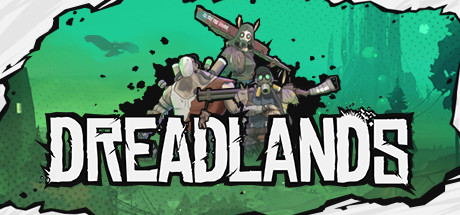
Now Available on Steam – Dreadlands, 20% off!

Dreadlands is Now Available on Steam and is 20% off!*

Welcome to Dreadlands! A perilous landscape brimming with potential in the form of Glow. Command one of 3 unique factions in this turn-based tactical RPG and play through their campaigns, be it solo or Co-Op, or battle it out in PvP. So far no one has tamed the Dreadlands. Will you be the first?

*Offer ends November 16 at 10AM Pacific Time

Posted on Leave a comment

Unity MegaBundle X Racing Game Assets

There are only a few days left in Unity’s 10th Anniversary MegaBundle X that we previously discussed here. Taking a quick look through the assets in the bundle it becomes clear that there are a number of assets that would be perfect for people looking to create a racing game. Today we are going to look at the following assets from the bundle:

Edy’s Vehicle Physics

This asset contains the logic you need to control your cars, from fast drifting sports cars to city buses.

EasyRoads3D Pro

Quickly and easily create and populate road networks using a simple spline based approach, both in the editor and dynamically at run-time, with a terrain aware system.

Toon Racing

A collection of toon shader styled racing cars, rally cars and monster trucks. It also contains several props, track pieces and more for creating a full racing game with a consistent art style.

UniStorm

Add dynamic weather systems, day/night cycles, pouring rain and more to your racing game with UniStorm.

Oak Trees Pack

They’re trees. Oak trees. There are 5 of them, enough said.

The above links contain affiliate codes that pay GFS a small commission if you purchase anything (thanks so much if you do!). Of course be sure to use the Bundle Link and not individual asset links to get the savings, at least until November 12th. You can learn more and see all the above assets in action in the video below.

[youtube https://www.youtube.com/watch?v=Bw0UUdXHO0E?feature=oembed&w=1500&h=844]
Posted on Leave a comment

GIMP 2.99.2 Released

GIMP, or GNU Image Manipulation Program, just released version 2.99.2 beta, a giant step toward the upcoming 3.0 release. The heart of this update is the move to the GTK 3 UI toolkit from the existing GTK2 version. This has many advantages, especially when it comes to increasingly common HiDPI devices.

Highlights of the 2.99.2 release include:

  • GTK3 based user interface, with native support for Wayland and HiDPI displays.
  • Major refactoring and cleanup
  • New plug-in API
  • Plugins now possible with Python 3, JavaScript, Lua, and Vala
  • More (color) space invasion
  • Render caching available for better performance

Be sure to check the complete release notes for further details on this release. You can also learn more about the 2.99.2 release and see GIMP in action in the video below.

[youtube https://www.youtube.com/watch?v=IdNo-k9TtDo?feature=oembed&w=1500&h=844]