Posted on Leave a comment

Sabrent dual NVMe SSD docking station review: Lots of storage, sufficient speed

Sabrent Thunderbolt 3 NVMe SSD Docking Station

AppleInsider may earn an affiliate commission on purchases made through links on our site.

The Sabrent Thunderbolt 3 NVMe SSD Docking Station provides not only a handy expansion of ports for your Mac, but also offers decently fast external storage at the same time.

When you buy a MacBook Pro, you’re stuck with what you buy for storage and ports. In 2022, seven years after the USB-C connector was introduced on the MacBook, ports are easy to add with a huge array of USB-C and Thunderbolt hubs and docks.

Storage is easy and relatively inexpensive too, as long as you go external. But while you could plug the drive and a dock into a MacBook Pro’s ports, it still means you’ve got two boxy devices on your desk, and probably extra power cords too.

The Sabrent Thunderbolt 3 NVMe 8TB SSD Docking Station aims to solve that problem by combining a dock with high-speed storage into one single device. It connects to just one port on your Mac, giving you the best of both worlds.

Sabrent Thunderbolt 3 NVMe SSD Docking Station – Compact and tough

Sabrent’s design consists of a durable aluminum enclosure, with a lightly textured top and sides, and Sabrent’s branding on the top and front. All of the ports for the dock are located at the front and back, leaving the sides clean.

It’s a fairly compact dock as well, measuring 5.55 inches long and 5.57 inches wide, and 1.7 inches in height. This gives it a smaller footprint than a Mac mini, but it’s still slightly taller.

At 2 pounds and 2 ounces, it’s pretty dense as far as docks go. But more on this in a little bit.

The dock is fairly compact. The power brick isn't.

The dock is fairly compact. The power brick isn’t.

Along with the enclosure, you get a fairly large 150W power brick, which is longer and taller than the dock, but still small enough to be hidden behind a desk. We wouldn’t call it light, but if you’re already lugging around a 16-inch MacBook Pro, what’s another two pounds.

Also inside the box, you get a two-foot long Thunderbolt 3 cable for connecting it to your hardware. As always, enough to get started, but not enough for most uses.

Sensible port division

Sabrent includes quite a few ports with the dock, split to the front and back. At the front, the dock has a USB 3.2 Gen 2 Type-C port that works at 10Gbps, a USB 3.2 Gen 1 Type-A that runs at 5Gbps, separate headphone and mic jacks, and an SD UHS-II memory card slot.

Around the back, Sabrent has a pair of Thunderbolt 3 ports, DisplayPort 1.4, Gigabit Ethernet, and two USB 3.2 Type-A connections, one each of Gen 2 and Gen 1.

The front of the Sabrent Thunderbolt 3 NVMe SSD Docking Station

The front of the Sabrent Thunderbolt 3 NVMe SSD Docking Station

One of those Thunderbolt 3 ports is intended to be connected to the host Mac, and provide up to 96W of power. This is enough to recharge a connected MacBook Pro, making it suitable for those wanting to have a single-cable docking system.

It kept our 16-inch MacBook Pro fully charged with no battery drain. What it is not, is MagSafe, and does not provide power for fast charging.

We like this arrangement of ports. The ones to the back aren’t typically plugged and unplugged that often, and most of the time you’re probably going to leave this dock set up somewhere.

The dock's rear port selection.

The dock’s rear port selection.

The DisplayPort is able to power an 8K display at up to 30Hz, a 5K screen at 60Hz, or a 4K screen at a maximum of 120Hz, as well as lower resolutions. Depending on the video support of your Mac, this is a decent selection of resolutions.

What it will not do, is give multiple monitor support to computers that can only support one monitor on USB-C connections. That’s left to docks with DisplayMate compatibility — and that’s fine.

Built-in storage

Sabrent offers the dock in 2TB, 4TB, and 16TB capacities as well as the 8TB version supplied for review.

Rather than using a normal SSD, Sabrent includes an NVMe version, which usually provides sky-high transfer speeds. According to the company, the included drive can handle read and write speeds of up to 1,500MB/s.

This speed is basically what we got in testing. In bursts, it can go up to about 1.6 gigabytes per second, but that may be an artifact of the caching of the drive. When the cache is full, speeds drop to about 500 megabytes per second, but given that the drives aren’t operating at maximum speed, this takes a while to reach.

We took apart the unit, as it is designed to be upgradeable later, and the drives inside are Sabrent 4TB Rocket Q NVMe capable of about 3 gigabytes per second, each. We swapped them out with a another matched pair of PCI-E drives from a different manufacturer capable of more than 3 gigabytes per second each, and were unsurprisingly still seeing the same speeds.

This is likely intentional. This allows for good-enough speed for nearly any task, while not hampering the speed of the other ports at the same time.

Small and useful but expensive

As a package in its own right, the Sabrent Thunderbolt 3 NVMe SSD Docking Station is pretty good. It has a relatively small volume, plus an ample selection of key ports available to use.

The power delivery is more than suitable for MacBook users, even those with the 16-inch MacBook Pro. That one-cable life is possible here — and we’ve been using it daily, replacing our regular dock for the purposes of review.

It’s more than fast enough to satisfy power users, such as video editors. The 8TB capacity will provide more storage overflow for more typical users.

Comparing the size of the Sabrent Thunderbolt 3 NVMe SSD Docking Station

Comparing the size of the Sabrent Thunderbolt 3 NVMe SSD Docking Station

Let’s be frank — the 8TB model costs $1,299.99, the 2TB version retails for $499.99, and the 4TB is $649.99. If all you need is the storage, that is a decent price for a dock plus 8TB of Flash storage, but terrible for 8TB of storage on a hard drive.

This is a key example of considering what you need, down to the absolute last detail before you buy. A 8TB external hard drive at 1/10 the speed, retails for about $145. A good Thunderbolt dock without storage is in the vicinity of $300.

So, if you just need mass storage and legacy ports, without speed being a requirement, this is not the product for you.

If you need semi-portable fast storage, it might be, though. Going up to 8TB of storage on the 16-inch MacBook Pro adds $2200 to the price. The Sabrent Thunderbolt 3 NVMe SSD Docking Station is half that price with about a third of the delivered speed as a MacBook Pro SSD, in a complete package that’s about the same volume as two MacBook Pro power bricks.

We don’t think we’d haul it to Starbucks and work from it there. But, we have used it in off-site locations, when we’ve set up for days at a time, and it’s been pretty good for that.

And, you get a lot of so-called legacy ports to boot.

Sabrent Thunderbolt 3 NVMe SSD Docking Station Pros

  • Compact dock size
  • Good port selection
  • Built-in fast storage reduces need for a separate drive
  • User-upgradable storage

Sabrent Thunderbolt 3 NVMe SSD Docking Station Cons

  • Cost can be a factor at higher capacities
  • Two SSDs could theoretically deliver faster speeds, but might hamper the other ports at the same time
  • Large — but not enormous — power brick

Rating: 4 out of 5

Where to buy

The Sabrent dual NVME SSD docking station is available with up to 16TB of storage from Sabrent’s website, starting at $499 for 2TB. As reviewed, the 8TB version sells for $1299.

Sabrent products are also available on Amazon, with the 2TB option starting at $501.

Posted on Leave a comment

Save $50 on the Apple Watch Ultra for holiday gift-giving

Apple Watch Ultra now $50 off with Adorama coupon.

Apple’s top-end Apple Watch Ultra is now $50 off through authorized retailer Adorama with our exclusive promo code. Free expedited shipping is included on several in-stock styles just in time for Christmas.

The Apple Watch Ultra is an athlete’s perfect companion with IP6X dust resistance, the largest Apple Watch face at 49mm, and titanium construction. You can pick up this powerhouse watch from Adorama at a discount with this $50 off* coupon using code APINSIDER. Or save $60 on this particular style through Dec. 16 simply by shopping through this link.

Apple’s premier wearable offers sports water resistance up to 100m with depth and pressure measurements. Combine that capability with the precision dual-frequency GPS for distance, pace, and routes, to help avoid getting lost on land or in the sea.

You can activate the second “action button” to control features like workouts, and with an 86-decibel siren and fall detectors, you can rest easy knowing you can get help if something happens.

Users also enjoy the brightest always-on display with up to 2000 nits of brightness. Still, a robust night mode allows you to see clearly in low-light situations. It has power for up to 36 hours of everyday use, and you can extend that to up to 60 hours with low-power settings.

Although the Apple Watch Ultra only comes in a neutral beige case color, you can customize your band choice with many options in stock through Adorama’s website. Several include free expedited shipping within the contiguous U.S., so you could be unwrapping a new Ultra for Christmas this year.

Posted on Leave a comment

Flash deals: $739 Apple Watch Ultra, up to $550 off MacBook Pro, $59 Magic accessories, $219 AirPods Pro 2

Save up to $550 on Apple products.

Prices have been slashed on Apple hardware, with the Apple Watch Ultra, Mac mini and AirPods Pro 2 all on sale — and many with free expedited shipping.

To activate the savings below, you must shop through the pricing links to see the discounted prices. From M1 Max MacBook Pro deals to Apple Watch Ultra markdowns, there are some hot holiday gift ideas that are sure to please Apple fans.

Take advantage of combined instant rebate and coupon savings on the Apple Pro Display XDR with promo code APINSIDER. This model has the Nano-Texture Glass, which is excellent if you’re in an uncontrolled lighting environment.

Posted on Leave a comment

Lifetime Rosetta Stone language learning bundle dips to $119

Get a lifetime Rosetta Stone bundle for $119

Ready to learn a new language for the New Year? Save an additional 20% on an Unlimited Lifetime Learning Bundle with access to over 1,000 online courses and a lifetime subscription to Rosetta Stone.

The special bundle includes a lifetime subscription to Rosetta Stone, with access to learn 24 languages. Also included is lifetime access to StackSkills Unlimited Online Courses, where you can take advantage of over 1,000 courses from beginner to advanced in IT, marketing, graphic design and more.

Posted on Leave a comment

Lifetime Rosetta Stone language learning bundle dips to $119

Get a lifetime Rosetta Stone bundle for $119

Ready to learn a new language for the New Year? Save an additional 20% on an Unlimited Lifetime Learning Bundle with access to over 1,000 online courses and a lifetime subscription to Rosetta Stone.

The special bundle includes a lifetime subscription to Rosetta Stone, with access to learn 24 languages. Also included is lifetime access to StackSkills Unlimited Online Courses, where you can take advantage of over 1,000 courses from beginner to advanced in IT, marketing, graphic design and more.

Posted on Leave a comment

Lifetime Rosetta Stone language learning bundle dips to $119

Get a lifetime Rosetta Stone bundle for $119

Ready to learn a new language for the New Year? Save an additional 20% on an Unlimited Lifetime Learning Bundle with access to over 1,000 online courses and a lifetime subscription to Rosetta Stone.

The special bundle includes a lifetime subscription to Rosetta Stone, with access to learn 24 languages. Also included is lifetime access to StackSkills Unlimited Online Courses, where you can take advantage of over 1,000 courses from beginner to advanced in IT, marketing, graphic design and more.

Posted on Leave a comment

What to expect from the ‘iPhone Fold’

The ‘iPhone Fold’ is expected to take design cues from existing Apple products

AppleInsider may earn an affiliate commission on purchases made through links on our site.

Apple is expected to announce an “iPhone Fold” with a flexible OLED display by 2025. Here’s what the rumor mill predicts for the device and what it may look like.

Rumors and patents show that Apple has been working on a folding iPhone design for years. However, the technology required for such a device is still being developed, and it isn’t clear what form the device may take.

Each year, more rumors arrive pushing the expected launch date of the “iPhone Fold” back further. In September 2021, well known analyst Ming-Chi Kuo said it may not arrive until 2024.

Later rumors from The Elec place the foldable iPhone releasing sometime in 2025. It would take the form of an iPad mini-sized product like our renders show, not a flip phone.

[youtube https://www.youtube.com/watch?v=n-0Rb4l7O24]

Even as flagship Android devices pioneer folding technology, Apple is content biding its time while the technology matures. Devices being released to the public have encountered issues from poor software optimization to creased displays.

OLED is a flexible display material that can be folded without damage

OLED is a flexible display material that can be folded without damage

Patents show that Apple expects to overcome these issues with complex hinges, new display technology, and hybrid OLED that doesn’t crease. Apple isn’t likely to ever release a foldable if it has such fundamental problems with the display.

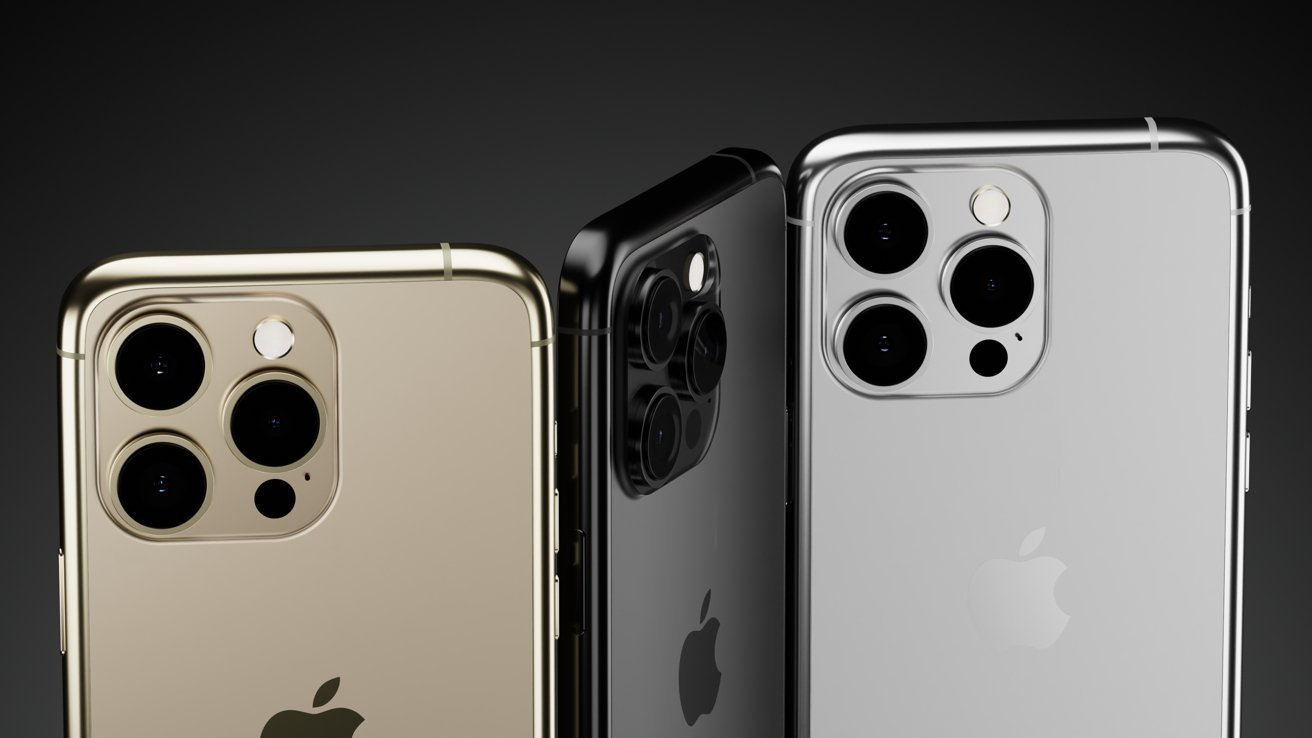
Since the “iPhone 14” is expected to look similar to the iPhone 13, it seems Apple won’t be introducing any radical redesign soon. We’ve based the renders on existing iPhone camera bumps, the rumored pill and hole punch cutout, and Apple’s flat-sided industrial design.

Apple could use Touch ID to simplify biometric authentication

Apple could use Touch ID to simplify biometric authentication

The “iPhone Fold” would likely have a USB-C port, support MagSafe, and at the least use Touch ID. Apple could use Face ID, but placement of such a biometric sensor would be complicated on a product that can be used open or shut. We’ve opted to show the Face ID sensor internally, but the external power button could be used for Touch ID instead.

We expect Apple’s foldable to open and close without a crease or seam in the display. Fully closed the thickness of the device should be only slightly thicker than current iPhones, while open it should be similar to the size of the iPad mini.

An external display would act as a fully functional iPhone running iOS

An external display would act as a fully functional iPhone running iOS

The external display would be thinner and taller than the usual iPhone, but it would still likely run a full version of iOS. Like Samsung’s foldable, Apple will likely want the device to work like an iPhone when closed so apps can still be used normally.

It isn’t yet clear how Apple will optimize iOS or iPadOS for the folding device. Little may have to change if the display only works in a fully open position. There is a chance that Apple could allow a three-quarters open or half-open mode for gaming or chat apps as well.

Cameras would need to be placed on both the external and internal display

Cameras would need to be placed on both the external and internal display

Some folding Android devices have multiple positions for operation and even an external display for use when the main display is closed. While such operations would be a big departure from Apple’s design philosophy, it is still possible Apple could adopt them.

For Apple’s first foldable, expect it to be an iPhone or iPad that can simply fold open and shut. Beyond that, Apple may not want to sour the experience with experimental features or hardware additions.

Apple is expected to announce a foldable in 2023 or later

Apple is expected to announce a foldable in 2023 or later

Some users are so impatient for Apple to release a foldable that they have tried making one themselves. The product may only be demanded by a niche segment of the market, but that hasn’t stopped Apple before.

The “iPhone Fold” is rumored to launch sometime in 2025 or later. There’s also a chance this device will only ever exist internally at Apple and never see the light of day.

Posted on Leave a comment

Microsoft Authenticator watchOS app to be discontinued in January

AppleInsider may earn an affiliate commission on purchases made through links on our site.

If you use the Microsoft Authenticator app on your Apple Watch, be prepared to look for an alternative starting January 2023.

Yet another companion app is leaving the Apple Watch, and this time it’s the two-factor authentication app, Microsoft Authenticator.

In a support post spotted by 9to5Mac, Microsoft confirmed that a new update to the Microsoft Authenticator iOS app will cause the watchOS companion app to quit working.

Microsoft suggests that anyone who currently has the watchOS app installed to delete it, as it will be nonfunctional sometime in January.

According to Microsoft, watchOS is incompatible with Microsoft Authenticator’s security features.

Of course, anyone who needs to use Microsoft Authenticator to access their Microsoft account will still be able to use the app on iPhone or iPad — it’s only Apple Watch that is affected.

This marks another app that is quietly leaving the Apple Watch. In 2017, Google pulled its companion Google Maps app, but later reinstated support for it in 2020.

While eBay introduced its watchOS app in 2015, it removed it in 2017.

In 2018, enterprise messaging platform Slack depreciated its Apple Watch app.

In 2019, Niantic pulled the Pokemon Go companion app from the Apple Watch less than three years after it was introduced.

Posted on Leave a comment

What happened to Apple’s App Clips?

App Clips

AppleInsider may earn an affiliate commission on purchases made through links on our site.

App Clips launched at the height of the pandemic with iOS 14 as a way to use an app without fully installing it, but it hasn’t made much headway in two years.

App Clips allow the user to complete everyday tasks like ordering lunch, renting a city bike, testing video game level, or messaging that hilarious TikTok cat to coworkers without the constraint of downloading the full app.

Apple’s mission statement is to “bring the best user experience through innovative hardware, software, and services,” and App Clips had potential by offering a sleek, compact app experience that offered a trial-run of an app’s performance before downloading.

Potential benefits of App Clips

For the user, the main benefits of App Clips are: time, minimizing iPhone clutter, and less collection of sensitive data. Besides a happier customer, benefits for the developer largely remain to be seen.

Time is money for the user. But, the developer’s money is, inversely, our time — spent fetching, downloading, signing up with user data, and ordering or renting the product.

In addition to user data, our usage patterns are just as profitable to developers as the sandwich you’re about to purchase from some transient App Clip.

Drawbacks and skepticism

Now, two years later, App Clips remain problematic for developers and consumers.

The what and the how of App Clips are clear. But the problem that consumers and developers are having is “why bother.”

App Clips was launched in 2020, a year most of us were homeward-bound due to social distancing and lockdowns. Like the filmmaker unlucky enough to debut his life’s-work in movie theaters that operated at one-tenth capacity or were closed entirely, the release of App Clips, designed for the traveling iOS user, was destined for a silent rollout.

In a 2021 interview with the Applefun podcast, Wiley Hodges, Apple director of Product Management and Marketing, indicates that the initial bright flame for App Clips waned due to the indoor nature of the pandemic.

“We had a huge amount of interest in App Clips early on and a lot of those developers came back and said you know, we’re waiting a little while because it turns out everybody is inside now,” Hodges said.

App Clips was a great idea, but didn't gain much traction.

App Clips was a great idea, but didn’t gain much traction.

Another issue is what developers stand to lose if App Clips become mainstream. As fictional Pied Piper founder Richard Hendricks states in the tech start-up sitcom Silicon Valley, “People don’t delete apps. I’m telling you.”

Since App Clips don’t require users to download the full app and set up an account using private information, surveillance capitalism inherently loses out.

Just as Big Pharma is known to place profits before people, many tech companies feed on private user data as a means of revenue. The installation of App Clips doesn’t make sense for such companies.

Such companies seem to prefer leaving App Clips on the back burner until the flame flickers and dies.

Another issue with the ‘why’ is that if a full app already exists, retailers will not be immediately incentivized to create a Clip version. Especially when the full app and website are sufficient, collect user data, and have cross-platform functionality, which App Clips insofar do not.

For example, if you search for Panera Bread with Apple Maps, you will find the App Clip easily discoverable. However, doing the same for Starbucks in 2022, you will not be able to circumvent downloading the Starbucks app first.

In addition — and due to — these challenges, App Clips grapple with the issue of discoverability. If a user or developer is unaware of the software, or refuses to invoke it, it will never become mainstream.

There must be incentives for the user and developer in order for App Clips to embody the sleek, ubiquitous, and user-friendly software Apple imagined at its inception.

Current use

In 2020, ExxonMobil rolled out a tap-to-pay App Clip feature at gas pumps.

In 2021, A new App Clip for the Apple Store app allowed customers to quickly scan a barcode to purchase select accessories without interacting with store staff.

Presently, to summon App Clips, simply invoke QR codes or NFC tag codes when you’re traveling outdoors. For example, at a rentable bike or scooter station, parking garage, coffee shop, or restaurant.

To use App Clips, you must first find a compatible retailer. In the Panera example:

How to Use App Clips in iOS 15

  1. Open Maps
  2. Search Panera Bread
  3. Tap on the location on the map
  4. Tap Order
  5. View the menu from within the App Clip

For NFC interactions and payments, Apple’s Dynamic Island, compatible on the iPhone 14 Pro and iPhone 14 Pro Max, will alert the user when an Apple Clip purchase is complete.

You can also use App Clips with a smart banner in Safari. If you are not a Safari user, this might feel like another roadblock to App Clips’ software-friendliness. You can also send a link to a friend through iMessage, and the receiver can click on the link to fetch the Apple Clip.

Possible improvements to App Clips

App Clips would’ve been a great option for mobile ordering from apps that you have no interest downloading in their entirety. For me, a regular consumer, that is most of them.

For example, if you’re hankering for fast food, it would be advantageous to have the option to use App Clips instead of fetching the McDonald’s app from the App Store, signing up with sensitive user data, ordering, and deleting the App afterward.

This could eliminate app clutter from iPhones, keep private user data safer, and potentially buy back the five precious minutes lost in the protracted process of fetching, installing, signing up, ordering, and deleting the app.

App Clips was released in 2020 with handsome fanfare. Two years later, we’ve implemented preventative strategies necessary in the long battle against COVID and iOS users are deeming the great outdoors “safe” again.

We hope App Clips is slow-burn software that will soon be moved from the back to the front burner so that our precious time and user data can remain intact.

Posted on Leave a comment

Twitter Blue will cost $11 per month for iOS app subscribers

Verification issues were the downfall of Twitter Blue last time.

AppleInsider may earn an affiliate commission on purchases made through links on our site.

Elon Musk isn’t giving up on Twitter Blue, with the subscription confirmed to be returning at $8 per month through a browser, but $11 via the iOS app.

The continued attempts by Twitter to bring in more revenue from users has already seen changes to its Twitter Blue subscription, followed by its abandonment. Now, it’s confirmed to be coming back on Monday, with it being more expensive on iOS.

In a tweet confirming the rumored pricing change, the official Twitter account, Twitter Blue will cost $8 per month when subscribed to via a web browser. Meanwhile, on iOS, it will cost users an inflated $11 per month.

For that money, subscribers will get the blue checkmark, as well as prioritization for replies, mentions, and search. It remains to be seen if Twitter has successfully come up with a better way of handling verification considering the last attempt had severe issues dealing with fake accounts.

They will also see half the quantity of ads as non-subscribers, can post longer videos at 1080p, gain early access to new features, and a reader mode, among other features.

The higher $11 fee will apply to users who choose to subscribe via the iOS app, with the increase thought to be covering Apple’s first-year 30% commission for in-app purchase subscriptions. Though Apple charges a 15% fee for subscriptions maintained past a full year, it is unknown if the per-month charge for Twitter Blue will reflect the reduction beyond 12 months.

The change in pricing follows after Musk engaged in a tweet storm over allegations Apple was cutting advertising on Twitter. During the tirade, Musk complained about the 30% App Store commission, raising the legal battle with Epic Games as part of the conversation.