Posted on Leave a comment

Upcoming tax and price changes for apps and in‑app purchases

The App Store’s commerce and payments system was built to empower you to conveniently set up and sell your products and services at a global scale with 44 currencies across 175 Storefronts. Periodically, we update prices on the App Store in certain regions based on changes in taxes and foreign exchange rates. This is done using publicly available exchange rate information from financial data providers to help ensure prices for apps and in‑app purchases stay equalized across all storefronts.

On February 13, 2023, prices of apps and in-app purchases (excluding auto-renewable subscriptions) on the App Store will increase in Colombia, Egypt, Hungary, Nigeria, Norway, South Africa, and the United Kingdom. Prices in Uzbekistan will decrease to reflect a reduction of the value-added tax rate from 15% to 12%. Your proceeds will be adjusted accordingly and will be calculated based on the tax-exclusive price.

While prices on the App Store in Ireland, Luxembourg, Singapore, and Zimbabwe won’t change, your proceeds will be adjusted to reflect the following tax changes:

  • Ireland: Reduction of value-added tax rate on electronic newspapers and periodicals from 9% to 0%
  • Luxembourg: Reduction of value-added tax rate from 17% to 16%
  • Singapore: Increase of goods and services tax rate from 7% to 8%
  • Zimbabwe: Increase of value-added tax rate from 14.5% to 15%

Additionally, by the end of January proceeds will increase for local developers selling in Cambodia, Kyrgyzstan, Indonesia, Singapore, South Korea, Tajikistan, Thailand, and Uzbekistan.

Apple will estimate and remove taxes based on the tax category information you have provided before calculating commission. Exhibit B of the Paid Applications Agreement will be updated to reflect this change.

Once these changes go into effect, the Pricing and Availability section of My Apps will be updated. As always, you can change the price of your apps and in-app purchases (including auto-renewable subscriptions) at any time in App Store Connect. If you offer subscriptions, you can choose to preserve prices for existing subscribers.

And as previously announced, in spring 2023, upgraded pricing capabilities for apps and in-app purchases will provide you 700 additional price points and more flexibility to set prices per storefront, so you can manage foreign exchange rate changes independent of globally equalized prices.

View the updated price tier charts.

Posted on Leave a comment

Ask Apple Q&As and survey

Thank you to everyone who joined us during three great weeks of Ask Apple in October, November, and December. Q&As remain available in Slack for Ask Apple participants to review as needed.

If you haven’t already told us about your experience in Q&As, we’d love to get your feedback in our short survey. It only takes a few minutes to complete and your responses will be anonymous.

We’re excited to connect with you again soon.

Take the survey

Posted on Leave a comment

Upcoming changes to the App Store receipt signing certificate

Starting January 18, 2023, the App Store receipt signing certificate will use a new WWDR intermediate certificate. The existing intermediate certificate expires on February 7, 2023. In most cases, this certificate change won’t require changes to apps. However, we recommend reviewing how you verify the sale of your apps and in-app purchases from the App Store to make sure your apps aren’t impacted.

If you verify App Store transactions using the AppTransaction and Transaction APIs, or the verifyReceipt web service endpoint, no action is required.

If you validate App Store receipts on device using the App Store receipt signing certificate, make sure you haven’t hardcoded the intermediate certificate and verify that the chain of trust for the container’s signature matches the Apple Inc. Root Certificate.

Additional details on App Store receipt validation:

Validating receipts with the App Store

Choosing a receipt validation technique

Posted on Leave a comment

Spotlight on: Apple Pencil hover

When it comes to designing creative interactions, the Procreate team knows how to get the job done.

The illustration app kicked off in 2011 with touch-based controls — “just five fingers of input,” says CEO James Cuda — and won a rare pair of Apple Design Awards over the next decade for their innovative approaches to digital drawing, sketching, and painting.

While finger painting remains a core part of the app, Apple Pencil has become a significant part of Procreate’s story. Apple Pencil gives artists customization and control of their line width and opacity, stroke style, and quick-access controls. And with the introduction of Apple Pencil hover, the Procreate team is investing even more heavily in the stylus. “It’s truly made a profound impact in our design phase,” says Cuda.

Hover over your canvas, and X marks the spot.

Hover over your canvas, and X marks the spot.

As with pretty much any other digital or analog drawing tool, Apple Pencil operates on the X and Y axes of a canvas, requiring direct input from the stylus nib to draw a line or select a tool. The second-generation Apple Pencil also adds support for direct input along the side of the stylus — which gives developers an option to add shortcuts within their apps. Now, Apple Pencil hover is bringing tool and previewing shortcuts into an entirely new dimension. (The Z-axis, specifically.)

“[It’s] a whole new layer of interaction,” says Cuda. “Everything springs to life as your Apple Pencil comes near.”

With ColorDrop, you can precisely preview your colors before tapping your canvas.

With ColorDrop, you can precisely preview your colors before tapping your canvas.

Apple Pencil hover activates when the nib is up to 12 mm above the display on iPad Pro with the M2 chip. Developers can customize what the feature does within their app, including offering tool variations, menu selection, and even previewing lines themselves — so artists can draw, sketch, and color with even greater control. “The ability to not make a commitment or damage the artwork is transformative,” Cuda says.

And the feature’s functionality is only half the fun. “It makes everything feel so playful,” says Claire d’Este, Procreate’s chief product officer. “I find myself rolling up and down menus just to see it responding. There’s something so nice about everything lighting up as I’m thinking about what to do next.”

The ability to not make a commitment or damage the artwork is transformative.

James Cuda, Procreate CEO

The Procreate team has hidden these sorts of playful moments throughout the entire app. In the gallery view, hovering over thumbnails expands the image or previews animations. Tools like the color picker or menu buttons react as you move across them. And then, of course, there’s the canvas.

With your iPad on a desk or table, hover works in conjunction with Multi-Touch capabilities.

With your iPad on a desk or table, hover works in conjunction with Multi-Touch capabilities.

‘Your mind starts racing’

“There are two phases with something like this,” says Procreate chief technology officer Lloyd Bottomley. “The first is the initial, ‘Wow, this is cool.’ But then your mind starts racing because you’re trying to think of all the things you could do with it.”

With so many possibilities open to them, the Procreate team had to approach each idea with care and scrutiny to ensure they were aiding and improving design and creation workflows rather than hindering them. “We’re obsessed with keeping people focused on that point of interaction,” Bottomley says.

One area that proved surprisingly challenging: the brush cursor. “Honestly, we thought we’d have just one design through the entire brush library,” says Cuda. “The problem was there’s not one singular representation of that hover mark, because our brushes can do anything — you can have brushes inside brushes; you can have brushes that move across each other. To represent all that in a hover state was really challenging.”

We’re obsessed with keeping people focused on that point of interaction.

Lloyd Bottomley, Procreate chief technology officer

After a few weeks of back and forth, the team landed on a solution: customizable cursors that change with different brushes. “We needed to move away from that idea of ‘one thing to rule them all’ to a series of settings that could get us there,” says Cuda. “Now, all the brush-makers out there can customize what their hover state will look like.”

A second target was the app’s ColorDrop feature, which instantly fills a section of your artwork when you drag and drop a color on it, paint-by-numbers style. Using Apple Pencil hover, people can preview of what the artwork will look like before committing to a color, speeding up the process dramatically. “If you’re doing inking — comic book art, for instance — it’s huge,” says d’Este.

If you’re doing inking — comic book art, for instance — it’s huge.

Claire d’Este, Procreate chief product officer

It’s also a timely example of how a small change can make a massive improvement in an artistic workflow. “Those kinds of interactions take a surprising amount of time,” says Bottomley. “Even moving your arm across the screen takes time. Now you barely have to move.”

Hover over your color, then drop it on your canvas.

Hover over your color, then drop it on your canvas.

The saga of the sliders

While the Procreate team delighted in improving interactions for brush cursors and ColorDrop, they had a much bigger problem they hoped Apple Pencil hover would solve: a little piece of UI that had been bothering the team since the app’s very first days.

“Our goal is to put absolute focus on the artist’s content,” says Cuda. Procreate’s interface has long championed minimalistic tool windows and intuitive gestures like tap-to-undo to keep the canvas clear for the work. But they hit a proverbial artistic wall when trying to build UI for repetitive interactions like adjusting brush size or opacity.

Iterations came and went; the pair tried variations on pinching and zooming and tapping and holding, but nothing felt properly connected to the rest of the Procreate experience. “We ditched it all,” says Bottomley, “and went with that very conventional set of sliders you see on the left hand side of the screen.”

The sliders were functional. They were intuitive enough. But whenever the team thought about features they really liked about the app, the sliders were conspicuously absent — until Apple Pencil hover. “Once hover was announced, we realized we could work with Multi-Touch like we couldn’t before,” says Cuda.

With Apple Pencil hover, could they at last kill the sidebar? “We developed a gesture we thought would be just so ubiquitous and approachable,” says Cuda. “The idea was you would use two fingers to pinch and zoom while you’ve got hover up, so you could clearly see where your brush is and how it changes in size before you mark the screen. We were convinced it would be the way of the future.”

And then they began testing.

Place iPad on a surface to use hover with MultiTouch gestures…

Place iPad on a surface to use hover with MultiTouch gestures…

“We realized we were wrong as soon as we put it in practice,” says Cuda. The gesture worked brilliantly when iPad was sitting on a table or against a stand — a common-enough use case — but anyone using the tablet on a couch had a different experience. “You’re clutching the device with two hands,” he says. “And as soon as you pinch and hover, the device is no longer, uh, in your clutches.”

We had to put our egos aside and go, ‘OK, maybe we were wrong.’

James Cuda, Procreate CEO

The challenge was enough to send the team back to the drawing board. “The gesture is useful; it’s just not the singular interface methodology were hoping to create,” says Cuda. “We had to put our egos aside and go, ‘OK, maybe we were wrong.’ And we had to think about what was best for the customer.”

For customers holding the device, it meant the return of the sliders. “We’re keeping them for mobile drawing,” Cuda says. “On a desk or stand, when you’ve got both hands free, the sidebar goes away and we get exactly what we wanted. So it was a wild ride for a couple of weeks making those calls.”

… or use the sliders on the edge of the screen.

… or use the sliders on the edge of the screen.

‘It’s hard to go back’

People using iPad Pro with the M2 chip and the second-generation Apple Pencil, can explore Procreate’s Apple Pencil hover features now. But Cuda and the team are focused strongly on the future, regarding hover as an important new tool in the shed — enough so that Cuda says it already “solves a bunch of things” in regards to upcoming projects.

“It doesn’t feel like we’re tapping into a technology but creating a natural extension of what you could already do,” d’Este says. “Once you’ve experienced this, it’s hard to go back.”

Read Behind the Design with Procreate

Download Procreate from the App Store

Posted on Leave a comment

A new week of Ask Apple starts December 12

Join us for another exciting week of Ask Apple, where you can connect directly with Apple experts to get your latest technical and design questions answered — or just hang out and learn from the conversation. Ask about using the latest frameworks, improving your app’s UI design, developing with beta OS software and tools, and so much more.

Online one-on-one consultations and group Q&As will run December 12 to 16, with activities in multiple languages and time zones. Registration is open now to current members of the Apple Developer Program and Apple Developer Enterprise Program.

Learn more

Posted on Leave a comment

Apple announces biggest upgrade to App Store pricing, adding 700 new price points

Developers will also gain new flexibility to manage pricing globally

Apple today announced the most comprehensive upgrade to pricing capabilities since the App Store first launched, providing developers with 700 additional price points and new pricing tools that will make it easier to set prices per App Store country or region, manage foreign exchange rate changes, and more.

Since the App Store’s inception, its world-class commerce and payments system has empowered developers to conveniently set up and sell their products and services on a global scale. The App Store’s commerce and payments system offers developers an ever-expanding set of capabilities and tools to grow their businesses, from frictionless checkout and transparent invoicing for users to robust marketing tools, tax and fraud services, and refund management.

Pricing has been foundational to these capabilities, enabling developers to choose from a variety of business models, such as one-time purchases and multiple subscription types. These new pricing enhancements will be available for apps offering auto-renewable subscriptions starting today, and for all other apps and in-app purchases in spring 2023, giving all developers unprecedented flexibility and control to price their products in 45 currencies throughout 175 storefronts.

Under the updated App Store pricing system, all developers will have the ability to select from 900 price points, which is nearly 10 times the number of price points previously available for most apps. This includes 600 new price points to choose from, with an additional 100 higher price points available upon request. To provide developers around the world with even more flexibility, price points — which will start as low as $0.29 and, upon request, go up to $10,000 — will offer an enhanced selection of price points, increasing incrementally across price ranges (for example, every $0.10 up to $10; every $0.50 between $10 and $50; etc.). See the table below for details.

In each of the App Store’s 175 storefronts, developers will be able to leverage additional pricing conventions, including those that begin with two repeating digits (e.g., ₩110,000), and will be able to price products beyond $0.99 or €X.99 endings to incorporate rounded price endings (e.g., x.00 or x.90), which are particularly useful for managing bundles and annual plans.

Starting today, developers of subscription apps will also be able to manage currency and taxes across storefronts more effortlessly by choosing a local storefront they know best as the basis for automatically generating prices across the other 174 storefronts and 44 currencies. Developers will still be able to define prices per storefront if they wish. The pricing capability by storefront will expand to all other apps in spring 2023.

For developers distributing their apps around the world, the App Store’s global equalization tools have given them a simple and convenient way to manage pricing across international markets. Today’s enhancements expand upon these capabilities, allowing developers to keep their local currency constant in any storefront of their choice, even as foreign exchange and taxes fluctuate. This means, for example, a Japanese game developer who gets most of their business from Japanese customers can set their price for the Japan storefront, and have their prices outside of the country update as foreign exchange and tax rates change. All developers will also be able to define availability of in-app purchases by storefront.

Periodically, Apple updates prices in certain regions based on changes in taxes and foreign exchange rates. This is done using publicly available exchange rate information from financial data providers to help ensure prices for in-app purchases stay equalized across all storefronts. Currently, developers can adjust pricing at any time to react to tax and foreign currency adjustments. Coming in 2023, developers with paid apps and in-app purchases will be able to set local territory pricing, which will not be impacted by automatic price adjustments.

These newly announced tools, which will begin rolling out today and continue throughout 2023, will create even more flexibility for developers to price their products while staying approachable to the hundreds of millions of users Apple serves worldwide, and in turn help developers continue to thrive on the App Store.

Learn more about auto-renewable subscriptions

Learn about pricing for auto-renewable subscriptions

Posted on Leave a comment

Get your apps ready for the holidays

The busiest season on the App Store is almost here! Make sure your apps and product pages are up to date and ready in advance of the upcoming holidays. We’re pleased to remain open throughout the season again this year and look forward to accepting your submissions. On average, 90% of submissions are reviewed in less than 24 hours. However, reviews may take a bit longer to complete from December 23 to 27.

Learn about submitting apps

Get tips to prevent review issues

Posted on Leave a comment

App Store Awards 2022

For over a decade, the App Store editorial team has taken a moment at the end of the year to celebrate the very best apps and games. We’ve heralded the work of individual self-taught developers and huge international teams.

With so many wonderful apps on the App Store all over the world, selecting just a few award winners is no easy task. As always, we focus on technical innovation, user experience, and design. Then we consider the impact these apps have had on our lives.

It’s our honor to celebrate this year’s winners. Enjoy!

iPhone App of the Year: BeReal

A social media sensation that gave us an authentic look into the lives of our friends and family.

Download BeReal from the App Store

iPhone Game of the Year: Apex Legends Mobile

This thoughtfully reengineered groundbreaking battle royale is its best version to date.

Download Apex Legends Mobile from the App Store

iPad App of the Year: GoodNotes 5

With best-in-class Apple Pencil support and powerful collaboration tools, the gold standard of digital notetaking got even better.

Download GoodNotes 5 from the App Store

iPad Game of the Year: Moncage

A stunningly fresh spin on mobile puzzling that expanded our minds and got us thinking in thrilling new ways.

Download Moncage from the App Store

Mac App of the Year: MacFamilyTree

We loved documenting and visualizing our family history with this comprehensive genealogy app.

Download MacFamilyTree from the Mac App Store

Mac Game of the Year: Inscryption

The surprises never stop in this deep deck-building adventure.

Download Inscryption from the Mac App Store

Apple Watch App of the Year: Gentler Streak

A fitness tracker that encouraged us to tune in to our bodies—and take a rest when we needed.

Download Gentler Streak from the App Store

Apple TV App of the Year: ViX

A Spanish-language streamer that brought together the drama we love and the sports that get our heart pumping.

Download ViX from the App Store

Apple TV Game of the Year: El Hijo

We loved how this spirited stealth adventure values brains over brawn—and looks stunning on the big screen.

Download El Hijo from the App Store
Arcade Game of the Year: Wylde Flowers

With remarkably authentic diversity, this life sim’s idyllic world makes free expression (and casting spells) incredibly fun.

Download Wylde Flowers from Apple Arcade

Cultural Impact Winners:

Dot’s Home

Shining a spotlight on historical injustices through a compelling time-travel tale.

Download Dot’s Home

How We Feel

Helping us engage more deeply with our emotions—and providing strategies for addressing them in the moment.

Download How We Feel from the App Store
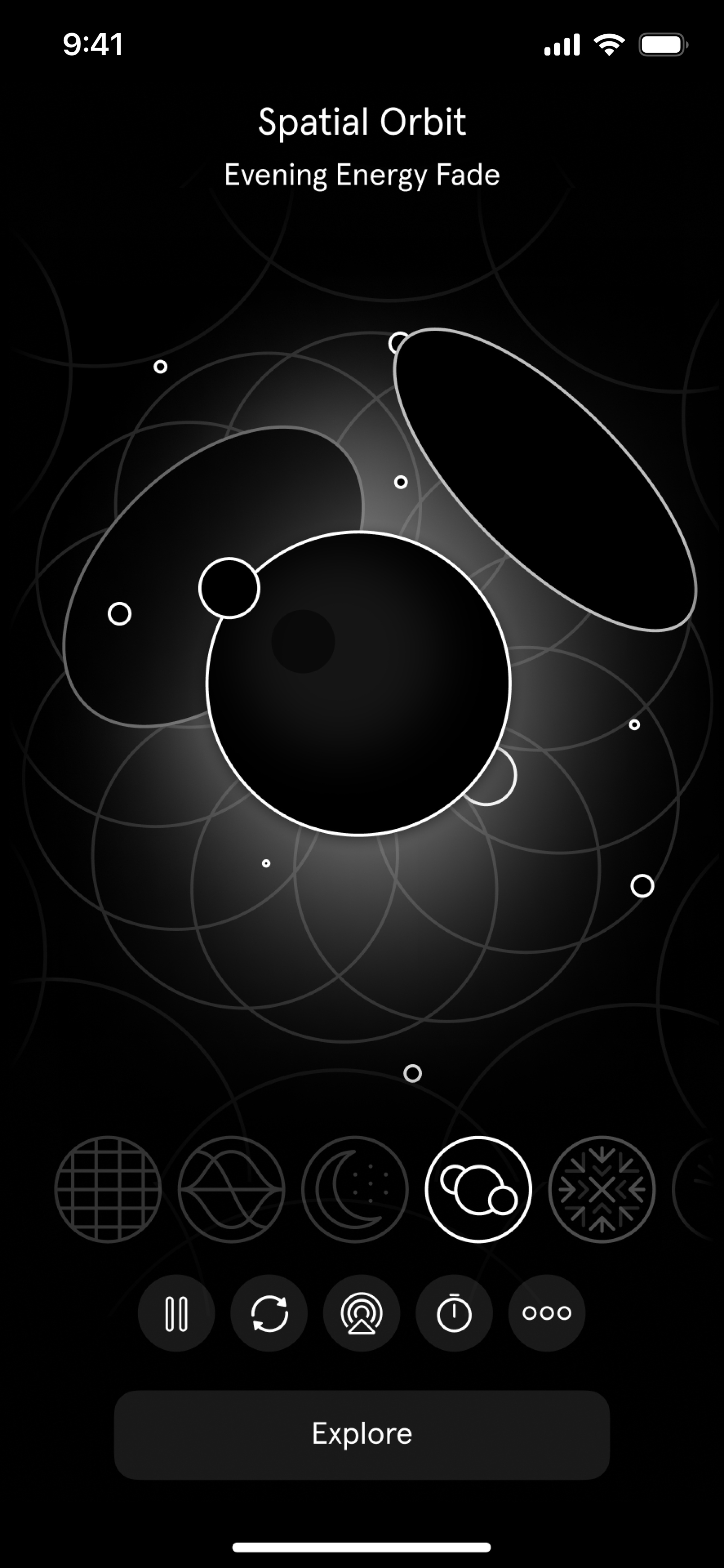
Inua

Honoring the heritage of the Inuit, whose folklore gives a breathtaking tale its beating heart.

Download Inua from the App Store
Locket Widget

Bringing friends and family closer by helping us see the small moments we otherwise might miss.

Download Locket Widget from the App Store
Waterllama

Encouraging everyone to stay hydrated through a winning combination of gentle guidance and adorable characters.

Download Waterllama from the App Store
Originally published on November 28, 2022 on the App Store Today tab.
Posted on Leave a comment

Q&A: 10 Questions with Design Evangelism

For the inaugural edition of Ask Apple, members of our Design Evangelism team got together to answer your Slack questions about design philosophy, color guidelines, keyboard shortcuts, and much more. Here are a few highlights from that conversation, including guidance about the HIG, tips on reducing clutter, and a very important message about the tab bar.

Do you ever feel like your design isn’t quite right, but you’re not sure why?

All the time! In fact, “Feeling like the design isn’t quite right” can sometimes seem like an everyday mood. When this happens, there are a few strategies we find helpful, and the first is: Phone a friend! Sometimes it takes another person to gut-check why we’re feeling uncertain about a design, and it’s always great to engage in a conversation and critique. Plus, this not only requires you to explain the problem (which alone can help you identify what’s not working), it also allows you to personally step away from it — at least for a moment.

How do you know when to start cutting features to make your app less cluttered and more user-friendly?

This is a great exercise for a whiteboard or sticky notes. First, write down all the features/areas of your app. Then, bucket them into what fulfills the goals your users will have. If something feels superfluous, consider whether you need that feature. There’s a balance between what you need visible all the time, what can be a few taps away, and what doesn’t need to be there at all. (It’s also a helpful way to prioritize the most important functionality of your app — which can help you better organize your app’s hierarchy!)

Is is considered best practice to limit device orientation on iPhone?

You should really leave device orientation up to users. We love when apps support both portrait and landscape and would only recommend limiting orientation in certain app scenarios, such as when movement or device mounting would make orientation-switching feel distracting.

What are some guidelines for colors and shades?

Using color for actions is a subtle way to brand the interface without being distracting or intrusive. Start by selecting a main tint color, establishing your workflows and actions, then sketching those out with the tint color representing actions. (You’ll notice our first-party apps all have one key tint color; for instance, Mail is blue and Podcasts is purple.) When you’re working on high-fidelity visual designs, use a palette that complements that color.

Is it necessary to include tab bar labels for common tabs like Home, Search, or Profile?

In many cases, labels are recommended for clarity and accessibility. Home, Search, and Profile are generally sufficient for communicating meaning on their own, but they’re exceptions to the rule. Many icons are not as widely understood. Tab bar labels create a stronger distinction from toolbars, which don’t have labels. Plus, removing the labels doesn’t provide much benefit to users. It doesn’t save any space, nor does it significantly reduce visual information from the interface.

How should I think about keyboard shortcuts that feel intuitive and don’t interfere with system shortcuts? When should I use one modifier over another (for instance, Option vs. Shift vs. Command)?

In general, the go-to modifier key is Command because it’s easiest to reach with your left thumb. And speaking of, here are a few more rules of thumb:

  • The fewer modifier keys, the better.
  • Using the first letter of the action name helps people remember the shortcut.
  • From an ergonomic standpoint, keys nearest modifiers and easily reachable using one’s index and middle fingers — Q, W, E, A, S, D, O, and P — tend to be more successful as shortcuts.

Want to dive in a little deeper? You’ll find lots of good information in the HIG.

Human Interface Guidelines – Keyboards

How large are the specified margins for the iOS and iPadOS safe areas?

On iOS and iPadOS, the layout margins are 16pt in the compact width size class and 20pt in the regular width size class. But we typically think of safe areas as distinct things that work in tandem with margins. Safe areas are highly dynamic and change with device orientation, screen size, and a variety of other factors (like whether navigation bars, toolbars, or tab bars are displayed). You’ll find lots of information in the HIG.

Human Interface Guidelines – Layout

When designing for lists, how can I stop rows and cells from feeling overcrowded?

Think about progressive disclosure and hierarchy. What information do people need at each level of your app? When cells feel overcrowded, question the purpose of each element. Maybe a photo or icon isn’t beneficial, or maybe the secondary text can be a description on the detail view.

Do you always try to adhere as much as possible to the HIG, or do you try to do something different with every design?

Great question! We do try to adhere to our foundations and follow our own design patterns for the benefit of consistency and understanding. (We also try to use system components because they’re so efficient to build with.) But that being said, we’re also willing to push on the HIG where it makes sense — if it means an overall benefit for users. We’re pretty adamant that the HIG shouldn’t be a set of rules, but very good suggestions. And we evolve it constantly based on what we’re seeing in the community and how we want to push our own aesthetics and interactions for the future.

Is it good practice to hide the tab bar when navigating to sub-pages?

Nope. 🙂

(It’s OK to cover it for brief periods when a modal sheet is displayed. Otherwise, hiding a tab bar can make people feel lost.)

Posted on Leave a comment

A new week of Ask Apple starts November 14

Join us for another exciting week of the Ask Apple developer series, where you can connect directly with Apple experts. Ask about integrating the latest technologies into your apps, designing intuitive UIs, testing on the latest software, and so much more.

Online one-on-one consultations and group Q&As will run November 14 to 18, with activities in multiple languages and time zones. Registration is open now to current members of the Apple Developer Program and Apple Developer Enterprise Program.

And stay tuned for details on the next round of the Ask Apple developer series taking place in December.

Learn more