Posted on Leave a comment

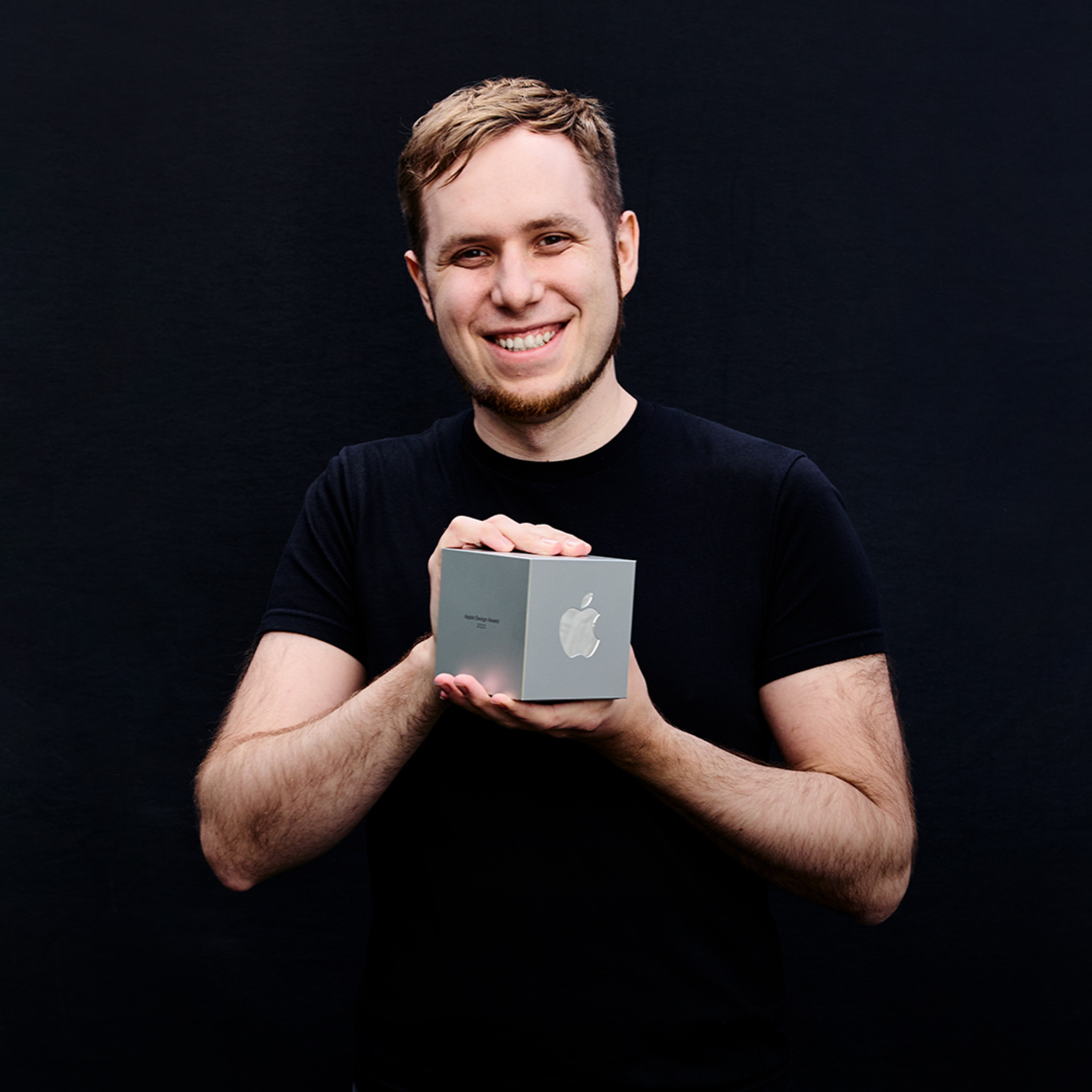
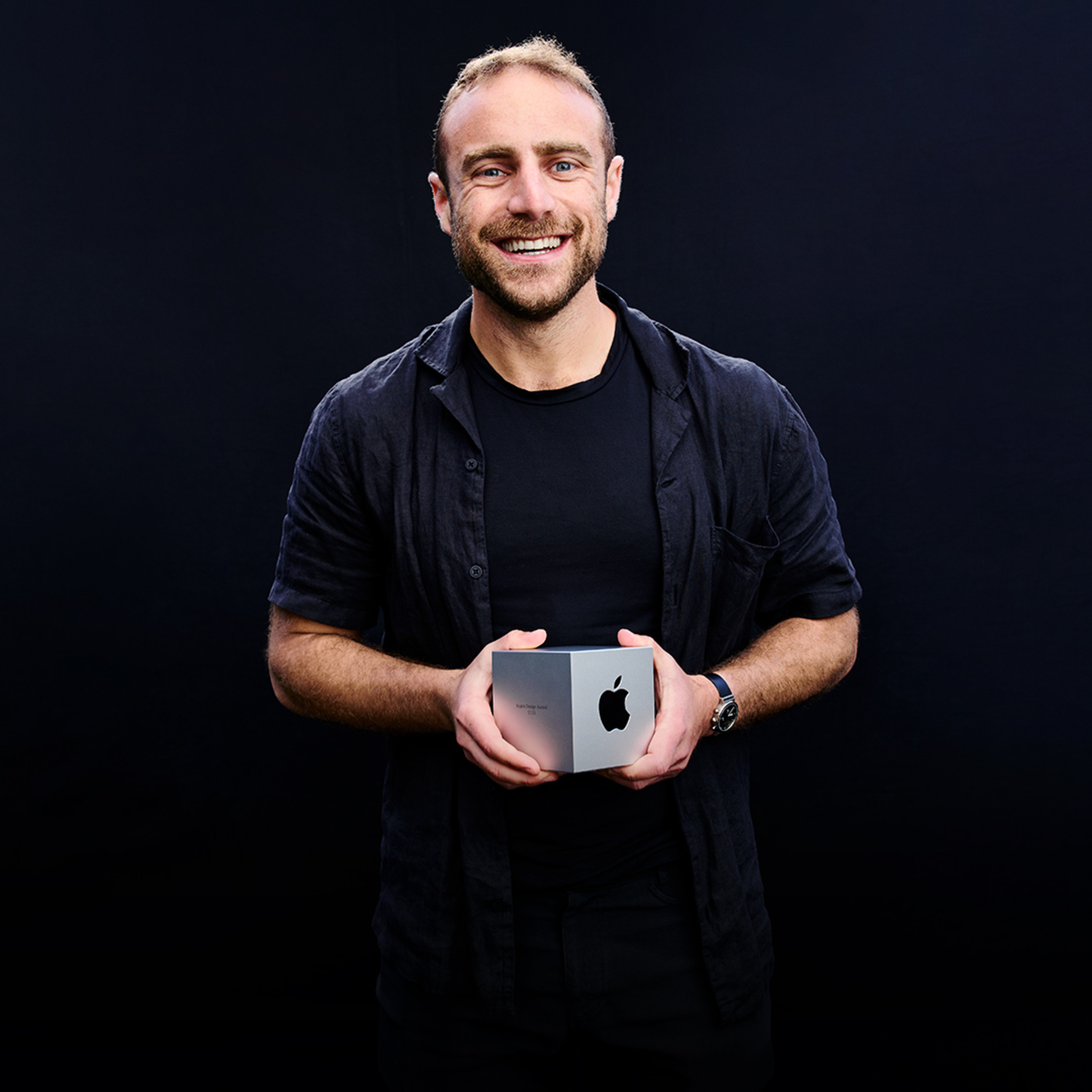
Apple Entrepreneur Camp applications open for female, Black, and Hispanic/Latinx founders

Apple Entrepreneur Camp supports underrepresented founders and developers of app-driven organizations as they build the next generation of cutting-edge apps and helps form a global network that encourages the pipeline and longevity of these entrepreneurs in technology.

Apply now for one of three online cohorts for female, Black, or Hispanic/Latinx founders starting in October 2022. Attendees will receive code-level guidance, mentorship, and inspiration with unprecedented access to Apple engineers and leaders. Applications close on August 24, 2022.

Learn more

Posted on Leave a comment

Behind the Design: Odio

Max Frimout is an audio engineer for Odio, and it’s his job to transport you and your ears to a different world.

From his home studio in the Netherlands — stocked with keyboards, instruments, and a tangle of wires and boards more suited to a ‘50s B-movie than a cutting-edge audio app — Frimout creates the inventive 3D soundscapes that helped Odio secure its 2022 Apple Design Award.

“I want to create a different sensation in the space around me,” says Frimout. “Sometimes that can be airy and comforting; sometimes it’s way sweeter than I am, or more melodic than I imagine. In the end, it has to be interesting — but also easy to ignore.”

With Odio, you can immerse yourself in an existing soundscape, or customize one to your liking by moving each element around your head.

With Odio, you can immerse yourself in an existing soundscape, or customize one to your liking by moving each element around your head.

Like Frimout, Odio strikes a perfect balance between cutting-edge tech and artistic resolve. The app employs a mesmerizing mix of Spatial Audio and head-tracked audio to conjure up its chill AR soundscapes, which can be everything from a rushing forest waterfall to a buzzy digital atmosphere. “Turn on your soundscape, put in your AirPods, and you’re there,” says the app’s designer, Roger Kemp.

But you’re no passive listener in these realistic realms: You can manipulate every soundscape within the app through a clever system of sliders that help you reposition sonic elements — like a babbling river, dreamy whale song, or wash of digital static — around your head. Want the waterfall behind you? Just slide the arc backward. Want to hear the crisp, calming sizzle of Frimout’s digital artistry above all else? Bring that arc control to the center.

The Odio team (from left): Mees Boeijen, Roger Kemp, Max Frimout, Rutger Schimmel, and Joon Kwak.

The Odio team (from left): Mees Boeijen, Roger Kemp, Max Frimout, Rutger Schimmel, and Joon Kwak.

Odio is geared to two different audiences, says Kemp, who co-founded Volst, the app’s Netherlands-based studio. “We have people who say, ‘I just want to zone out, get into the flow, or sleep better… But we also have creators who want to make this their own.”

From the very beginning, Volst sought to make Odio work well for both groups. “We try to make it so everybody, with a little effort, can work on the app,” says Kemp. “The bare essence is basically a blank canvas where the artist and listener can do whatever they want with a soundscape.”

Kemp didn’t start out as a designer. He initially went to school for architecture in the Netherlands, then spent the ‘90s building websites and CD-ROMs — where he found a shocking number of similarities. “You navigate through a building, and you navigate through a website or an app,” he says. “You have an entrance and an exit. You have different rooms, views, and features. It’s the same with an app.”

“There’s a lot of overlap between architecture and software development,” says Volst studio founder Roger Kemp.

“There’s a lot of overlap between architecture and software development,” says Volst studio founder Roger Kemp.

Kemp spent eight years in the Bay Area before returning to the Netherlands to explore a career as a freelancer. “A lot of it was fun, but some major projects got really frustrating,” he says. “I wanted to work on something meaningful, and after a while I thought, ‘I might as well put all this energy into my own company.’”

Odio was partly the product of serendipitous timing. Joon Kwak, a design student from South Korea who had created a spatialized sound app in Unity for his graduation project, reached out to Kemp for a consultation. “We’d been looking for projects in the visual audio realm, and we loved it. Within two or three weeks, we had a working concept demo of a spatial environment where you could move sounds around.” Kemp stops to laugh. “That was the easy part.”

We thought, ‘What if we have musicians compose their own environments?’

Roger Kemp, Volst founder

The hard part was all the other apps doing the same thing. “We thought, ‘If this is so easy, there must be other apps like it.’ And there were!” says Kemp. “That’s when Max came along and said, ‘OK, how do we make something really special out of this?”

Frimout, who knew Kemp and others from the local nightlife scene, had the idea to focus less on nature sounds — the chirping birds, crackling fires, and rushing winds that tend to populate ambient sound apps — and put the emphasis instead on human creativity. “We thought, ‘What if we have musicians compose their own environments?’ Why not create a new platform for artists to publish their work?” says Kemp. “That’s when it all clicked.”

Frimout says his soundscapes have to be both interesting and “easy to ignore.”

Frimout says his soundscapes have to be both interesting and “easy to ignore.”

Frimout already had a bit of experience with spatialized audio. In addition to his music work, he’s studying electroacoustic composition at the Institute of Sonology in the Hague. Appropriately enough, he spoke with us from what he calls the “most advanced wavefield synthesis system in the world,” surrounded by boxes that contain 26 tweeters and two subwoofers — a massive setup designed to recreate big spaces in a smaller one. The place is full of archaeological recording equipment too — it has its roots in a Philips lab that played home to early experiments with electronic music.

Frimout, one of the app’s five composers, begins creating his Odio soundscapes on instruments or analog equipment in a manner that’s not too different from his day (well, night) job. Start with a base, create a mood, build on it, patch it all together. The only difference: the 3D configuration.

That patching is done in Logic Pro, with which he can position the channels in real time and test the results on his AirPods Max. “That’s how I look around to see how it feels three-dimensionally,” he says, rotating his head around for emphasis, “and it’s where I start to play around.” The results are effects and flourishes with names like “synthetic water,” “moving chords,” and “filtered drone,” all of which can be muted, amplified, or rotated as the user sees fit.

Frimout created his “Wow!” soundscape in Logic Pro — and tested the results on his AirPods Max.

Frimout created his “Wow!” soundscape in Logic Pro — and tested the results on his AirPods Max.

Inspiration comes from anywhere. Listen close and you can hear analog touches — like Frimout’s largely unrecognizable harp, Heartbreak. (“It’s just three chordal structures,” he says with a laugh, “but they’ve been processed and processed and processed.” ) The Institute is full of vintage equipment from the ‘50s, ’60s, and ‘70s that can be used to conjure up abstract, weirdly nostalgic riffs and fuzzes and sounds. “I like to take some of these ideas from the past and translate them,” he says. “Basically, I fiddle around until I hear something I like.”

The app is also a visual feast, with each soundscape accompanied by ever-shifting original art and cutting-edge visuals inspired by something as analog as it gets — the humble album cover. “They’re small books!” Kemp says. “With all their artwork and lyrics, they were a complete package. We thought, ‘Well, why not approach it that way? Why not have a visual artist work with a composer to create that complete package?’”

The final design — like every Odio soundscape and feature — is the result of significant back and forth, a strategy Kemp calls “ping-ponging the design.” “We’ll work on something for a few days, then take it to the whole team for a critique,” he says. Sometimes it takes one step; sometimes it can be four or five. “But in the end,” he says, “we get a result everybody likes.”

The prototype for the soundscape “Atlantis” (left) and the finished version (right).

The prototype for the soundscape “Atlantis” (left) and the finished version (right).

To be fair, Kemp wasn’t initially sold on that approach. “I thought this would be really hard!” he says. “People could be critiquing your work before it’s even finished. But we’ve found that it speeds up the procress tremendously. And we’ve been doing it now for three or four years.”

Odio publishes new soundscapes every month; their artist roster includes composers from Germany, Korea, and elsewhere. The plan is to keep expanding — partly because that’s what Kemp is cut out to do.

“The most challenging part of design for me is knowing when to stop, when to leave something alone and stop tinkering with it,” he says. “I always think, ‘Maybe if I change the color or stroke width, it’ll be better. But at a certain point you have to stop because the project is done. It’s published.”

He pauses to laugh. “But I still go back to designs and try to tinker. And the team tells me, “No! Don’t do it! It’s done!”

Learn more about Odio

Download Odio from the App Store

Behind the Design is a weekly series that explores design practices and philosophies from each of the 12 winners of the 2022 Apple Design Awards. In each story, we go behind the screens with the developers and designers of these award-winning apps and games to discover how they brought their remarkable creations to life.

Explore more of the 2022 Behind the Design series

Posted on Leave a comment

Live Activities now available in beta

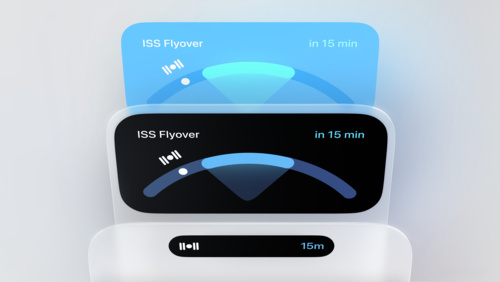
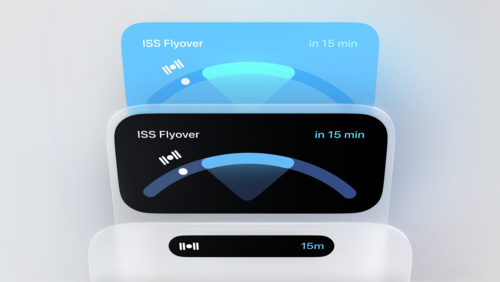
Live Activities help people stay on top of what’s happening in your app in real time, right from the Lock Screen. You can now get started with Live Activities and the new ActivityKit framework, which are available in the beta 4 version of iOS 16.

Please note that Live Activities and ActivityKit won’t be included in the initial public release of iOS 16. Later this year, they’ll be publicly available in an update and you’ll be able to submit your apps with Live Activities to the App Store.

Learn more about Live Activities and ActivityKit

Posted on Leave a comment

Meet with App Store experts

Get ready to connect with experts online to learn how to make the most of App Store features. Discover how to attract new customers, test marketing strategies, add subscriptions, and so much more. Live presentations with Q&A will be held throughout August in multiple time zones and languages. Register today if you’re a member of the Apple Developer Program.

Learn more

View schedule

Posted on Leave a comment

Behind the Design: Wylde Flowers

Lots of games defy easy explanation, but Wylde Flowers is a particularly rare bloom.

This charming Apple Design Award-winning game is a cross-pollination of farming simulation, eerie mystery, optional love story, and exploration of tolerance and understanding.

Also, you’re a witch who sometimes turns into a cat.

“The Wylde Flowers experience is a bit different for everybody,” says Amanda Schofield, the co-founder, creative director and managing director of indie developer Studio Drydock. “It’s all about self-expression and self-exploration.” And as the game elegantly shifts from cozy sim to curious mystery — and introduces a gratifyingly diverse cast of characters — that experience transforms, too.

Tara begins life in Fairhaven as a mild-mannered farmer, but there’s more to the town than meets the eye.

Tara begins life in Fairhaven as a mild-mannered farmer, but there’s more to the town than meets the eye.

Wylde Flowers is set in the idyllic town of Fairhaven, a pastoral little hamlet where everyone knows everyone (for reasons the game turns into a winking challenge) and the most urgent menace appears to be the rotting boards blocking the entrance to an old mine.

Fairhaven — and Schofield — make your welcome as comfortable as an old cardigan. You play as Tara, a young woman who’s fled the city after a tough breakup to recharge and reconnect with her Grandma Hazel — who keeps secrets of her own but whose love for Tara radiates from the first cutscene. “The first thing we do is literally wrap you in a warm hug from Grandma,” says Schofield. “That’s the personality of the game. We’re saying this is a safe space, where things are they way they should be. I think that’s quite needed at the moment.”

Once in town, however, who Tara is — and what she becomes — is entirely up to you. Your in-game decisions shape the direction of her friendships, possible love life, and farming skills. Serendipitous interactions move the story along; bump into the gregarious bartender Damon or the flirty doctor Amira at the right moment, and you might change your plans (or unlock a special cutscene or quest). In that early conversation with Grandma, you even decide who Tara broke up with.

Fairhaven’s cast includes the friendly merchant Kai, the kindly Grandma Hazel, and the guarded Kim.

Fairhaven’s cast includes the friendly merchant Kai, the kindly Grandma Hazel, and the guarded Kim.

Such inclusivity is certainly intentional; townsfolk like the non-binary butcher Kim and the married couple Angus and Francis play key roles in the story and date back to the game’s earliest prototypes. Yet at the same time, Wylde Flowers isn’t a game that strives to make its points. “The LGBTQ+ characters aren’t defined by their queerness,” says Studio Drydock marketing lead Victoria Kershaw. “It’s a part of who they are, but it’s not their story arc. In Fairhaven, everyone is accepted as human beings.”

In that way, Fairhaven mirrors the ethos of Studio Drydock itself. “We’re creating a game for young women in a formative part of their lives, women who are dealing with problems that they might not necessarily have the tools to broach,” Schofield says. “We wanted to show them a world where all their choices could be accepted. So we didn’t need to make a story about people trying to find acceptance. Let’s just assume this place has evolved past that.”

While Wylde Flowers kicks off with a Tara making Grandma a nice mushroom risotto, things, as they say, escalate quickly. Without giving too much away, the story soon takes a peculiar turn, one that involves a dark forest with a mysterious gate, a shady-looking company of hooded figures in masks, curiously specific plant requests, and a cat that just keeps showing up. “We needed the story to be a slow-boiling frog,” Schofield says.

We needed you to walk in and feel comfortable, but we didn’t want you to think you were just playing a farming game.

Amanda Schofield, creative and managing director

A farming sim that also includes rebound relationships, undisclosed trapdoors, 30 chatty characters, and a sprinkling of witchcraft is not exactly a simple undertaking; Schofield jokes that the game’s script is “just a little bit longer than War and Peace.” The game’s tone was the subject of daily discussion: Was it dark enough? Was it cozy enough? Did the mystery unfold at the right cadence, and did it pair with that warm welcome? “We needed you to walk in and feel comfortable,” says Schofield, “but we didn’t want you to think you were just playing a farming game.”

That script fell first to Desiree Cifre, the game’s narrative director. Cifre signed onto the game a few months into development — the protagonist had a backstory, but (at the time) no name. “We made the choice to have a designed character,” says Cifre. “We wanted her to have specific depth in her backstory.” Cifre calls it a controversial choice. “But we felt it would ultimately give us more freedom in helping the players decide what kind of Tara their Tara is,” she says.

Early sketches of Tara show how the character (and her hair) evolved throughout the development process.

Early sketches of Tara show how the character (and her hair) evolved throughout the development process.

Much as finding the tone was a balancing act, Tara’s story needed to hit some consistent marks. “Often, I’m brought onto a project at the end, after they’ve decided on the design. It’s basically creating narrative reasons for why the design is the way it is,” says Cifre, with a laugh. “With this, Amanda’s design was developed in tandem with the narrative, which is why is works so well.”

To begin sketching out the narrative, Schofield drew on her past experience as a senior producer on Sims FreePlay, where she had helped add a “story arc” to the game’s famous open-world structure. “My epiphany was that people love making their own stories, but that doesn’t mean they don’t like engaging with other handcrafted stories too,” she says.

The initial draft came quickly. Cifre — alongside co-writer Elizabeth Ballou, who was brought in midway through production — wrote for a world that had “a foot in fantasy” but stayed close to the human element. “We didn’t want something that was arch or twee,” Cifre says, “but we wanted to tell players, ‘It’s OK for you to get really invested in these people.’”

The game would be a farming sim with a malleable storyline that prized inclusivity and acceptance. To do that, the studio needed a way to tell a story about prejudice without necessarily targeting a particular group — and still match the game’s vibe. They found their answer in an unlikely set of headlines. “We got the idea to focus on witchcraft while watching an election in the United Kingdom,” she says. “A group of individuals had decided to hex the government as part of their campaign. It seemed like an appropriate idea for us.”

Early sketches of the game’s mysterious witches, who harbor a surprising secret.

Early sketches of the game’s mysterious witches, who harbor a surprising secret.

It was appropriate on a number of levels. “Historically, [the witchcraft label] has been applied to groups — predominantly women — that people were afraid of,” Schofield says. “It’s been applied to healers, to people who have deep connections with the Earth. There’s always been an element of distrust for powerful women who are able to do things other people don’t understand.” Cifre dove into the literature of witchcraft, infusing the story with a melting pot of history and mythology drawn from Russia, South Africa, Iran, and more.

In addition to core plot points, the script had to allow for enough agency in a player’s choices so that they could feel ownership over the direction of the story. Tara needed to be sincere and irreverent but also a little lost, adrift after the loss of her job and relationship. Her experience discovering the town — and being “gobsmacked” by her new reality, as Cifre puts it — mirrors the player’s experience. Serendipitously, the character, town, and game grew together.

And then, there was the cat.

Schofield says the game’s cats were “the most critical things to get perfect,” and she might not be kidding.

Schofield says the game’s cats were “the most critical things to get perfect,” and she might not be kidding.

“OK, so everyone in the studio is cat-obsessed,” says Schofield. “We have whole channels of pictures of cats. Honestly, the cats in the game were the most critical things to get perfect.” (She’s kidding — probably.)

There was just one kitty-catch: The lone non-cat person in the room was Mike Taylor, a 20-year game design veteran — and the animation director charged with bringing them to life. “Mike probably had the most stressful job in the game,” Schofield laughs. “We’d have meetings with 25 people telling him, ‘No, this is how the cat should sound! More real! But also more cozy!”

She laughs. “If you’ve never been in a video call with 25 people meowing, it’s something.”

Schofield and Studio Drydock co-founder Alex Holkner first conceived of Wylde Flowers with a team of about a dozen, plotting out a snappy narrative that mirrored the “spring” section of the game. But after the initial development phase, they found the game expanding fourfold. “You know that meme with the red strings all over the wall?” she says. “That’s what our hires looked like after that first year.”

Tara hits the lunch counter at Sophia’s diner.

Tara hits the lunch counter at Sophia’s diner.

“No studio goes into their first game saying, ‘Let’s build the biggest game we’ve all ever done!’” Schofield laughs. “As a producer, I’m supposed to manage scale creep.”

But the team’s passion rendered her pleasantly powerless — something was clearly happening. Ideas came from anywhere: Cifre pitched a character whose feet are backwards, concept artists furnished quests. Cultural consultants were brought in to ensure dialect and dialogue were accurate and respectful, sometimes changing a word or two of the script or even redrawing entire dwellings.

“The animator would come in and say, ‘Look, I made this character’s hair move dynamically in the wind,’ and then the character artist would see it and say, ‘Well jeez, now I have to make the hair look better,’” she says. “It wasn’t competition. It was everyone wanting to meet a standard.”

A look at Studio Drydock’s prototypes of the gregarious barman Damon.

A look at Studio Drydock’s prototypes of the gregarious barman Damon.

All told, Wylde Flowers has about 18 hours of dialogue, 350 cutscenes, and 230 names in the credits. (To be fair, that last figure does include the orchestra.) Reaching those figures took about three years. Early game designs experimented with a top-down view (the better for mobile play), but Drydock quickly determined that play felt too disconnected from the characters, especially in a game with so much acting. Subsequent versions brought the view down to an angle — and would zoom in and in until it got as close to the characters as it could.

The scaled-way-up game’s story and visuals were taking shape, the growing team was deeply invested, and the town of Fairhaven was coming slowly to life. There was just one thing missing: its citizens.

Schofield had been noticing the degree to which game studios were bringing in voice actors, especially the K-pop or J-pop stars turning up in games produced in Asia. The voices, she knew, were key. “We couldn’t have gotten away with calling it a narrative game without voicing it,” she says.

Studio Drydock — and its gifted voice director, Krizia Bajos — took immense care in casting its voice actors; Kershaw laughs at how the the team auditioned “so many Taras” in pursuit of the magic combination of humor, lightheartedness, and deep emotion. Their choice was Valerie Rose Lohman (she/they), who earned a BAFTA nomination for her work in What Remains of Edith Finch. “It’s important that the voices of the characters are portrayed by the community being represented,” says Lohman.

For the character of Kim, a non-binary (and emotionally guarded) town butcher, Drydock brought on Erika Ishii (she/they), a strong advocate for the LGBTQ+ community on social media. “The writing for Kim was so natural and the script was so rounded and fleshed-out,” Ishii says. “It was a dream.” The cast also includes BAFTA award-winning actor Cissy Jones as Hazel, Baraka May as Amira, and Michael Scott as Damon.

“The writing for Kim was so natural,” says voice actor Erika Ishii.

“The writing for Kim was so natural,” says voice actor Erika Ishii.

Story and game iteration was a running process; the team tested play and cutscenes on a shared Unity build, tweaking on the fly. Even in the recording studio, actors would sometimes improvise lines, or ask Cifre and Ballou to rewrite on the fly over Slack. The storyline’s pliable nature meant the actors would often play the same scene numerous ways. The scene in which Tara proposes, for instance, offered Lohman an especially engaging challenge since the game offers seven potential suitors. “Every time I recorded the proposal scenes, I was a giggling mess,” says Lohman. “The scope of representation was so fun, and I’d perform differently with, say, Kim than I would with Amira or Wesley. I feel like I got to help create seven lovely love stories.”

“Every time I recorded the proposal scenes, I was a giggling mess,” says Valerie Rose Lohman, who plays Tara.

“Every time I recorded the proposal scenes, I was a giggling mess,” says Valerie Rose Lohman, who plays Tara.

It also helped that the actors shared a near-eerie similarity with their characters. Lohman had recently gone through a rough break-up and has an honest-to-goodness Grandma Hazel; Ishii, like Kim, is a queer non-binary Japanese/Chinese/American with a side shave.

For its actors, Wylde Flowers was more than a job — it was an avenue to connect with a real-world community. “I’ve never worked on a project so thorough in its representation of diversity,” Lohman says. “I do believe that (games) have the power to change someone’s mind, because gaming makes you live in someone else’s shoes. That’s powerful.”

Residents of Fairhaven gather for a town meeting (and a little music).

Residents of Fairhaven gather for a town meeting (and a little music).

“This has spoiled me for life,” laughs Cifre. “This came at a perfect time, when people were looking for these kinds of experiences. This game is about community, and it’s wonderful to see it resonate.”

In other words, the experience was just a bit magic. “It was such a culture of supportiveness and kindness,” says Schofield. “It was lightning in a bottle.”

Learn more about Wylde Flowers

Download Wylde Flowers from Apple Arcade

Behind the Design is a weekly series that explores design practices and philosophies from each of the 12 winners of the 2022 Apple Design Awards. In each story, we go behind the screens with the developers and designers of these award-winning apps and games to discover how they brought their remarkable creations to life.

Explore more of the 2022 Behind the Design series

Posted on Leave a comment

Upcoming transition from the XML feed to the App Store Connect API

The App Store Connect REST API lets you customize and automate tasks across developer tools, giving you greater flexibility and efficiency in your workflows. Starting in November 2022, you’ll need to use this API instead of the XML feed to automate management of in-app purchases, subscriptions, metadata, and app pricing. The XML feed will continue to support existing Game Center management functionality.

Learn about the App Store Connect API

Posted on Leave a comment

Behind the Design: Procreate

Procreate needs little introduction. For more than a decade, the world-class design app has served anyone looking to create high-caliber art: pro designers, calligraphers, influencers, schools making prom flyers, and pretty much everyone in between. Its ubiquity is equally matched by industry praise — in 2022, Procreate became the rare app to take home a second Apple Design Award, bookending its initial win back in 2013.

“For that to happen again is humbling and disorienting and hugely energizing,” said Claire d’Este, Procreate’s chief product officer. “I feel like there’s now a fire for us to keep pushing harder.”

“We’ve always tried to keep the barrier to entry low,” says Claire d’Este, Procreate’s chief product officer.

“We’ve always tried to keep the barrier to entry low,” says Claire d’Este, Procreate’s chief product officer.

Procreate’s latest win came in the Inclusivity category; judges called out how the app expanded its accessibility support by adding features like motion filtering and color description notifications — all atop Procreate’s existing support for options like VoiceOver, Dynamic Type, and AssistiveTouch. Such additions are part of the natural evolution of an app that’s well into its second decade, but they also speak to the app’s guiding principle: Art is for everyone.

“It’s not just a poster on a wall,” says Procreate CEO and co-founder James Cuda from Hobart, Tasmania, where the app’s 60-member team is based. “It’s a human condition to want to create. We’re trying to amplify that. And as the app grows, we want people to grow with it.”

James Cuda, Procreate CEO and co-founder, says his design approach is to “get in there, roll my sleeves up, and have a bit of a mess.”

James Cuda, Procreate CEO and co-founder, says his design approach is to “get in there, roll my sleeves up, and have a bit of a mess.”

Accessibility has been a Procreate priority since the app’s launch back in March 2011. “We’ve always tried to keep the barrier to entry low and have a friendly first experience,” says d’Este. “You can jump in and start drawing and it doesn’t feel at all intimidating.”

The app is also localized in 16 languages, though it refrains from using words as labels wherever possible so that it can remain easy to use in non-localized regions. “Iconography is a universal language,” says Cuda.

‘It must have been so simple!’

To add the motion filtering and color description notification features, Cuda, d’Este, and the Procreate team stuck with an intricate and well-honed design strategy that’s served them for years: Do it and find out what happens. “We’re sort of more like musicians than designers,” says Cuda. “We go into a room, huddle around, and hammer things out.”

That approach has served Cuda his whole life. “I’ve always been a hacker,” he laughs. “I like to just get in there, roll my sleeves up, and have a bit of a mess.” For the most part, that means no wireframes, no sketches, and not a lot of overthinking.

Cuda and the Procreate team take a stroll through their Tasmanian home base.

Cuda and the Procreate team take a stroll through their Tasmanian home base.

“I did more mind-mapping back in the early days,” he says, “but personally I got muddled in that process because it’s such an abstract way of looking at things. The customer doesn’t see a wireframe; they see a product, and it’s much more meaningful when they can interact with that product. I just always found it easier to create pixel-perfect mockups — and Claire is great at hacking out quick examples of experience flows.”

To illustrate, Cuda shares the tale of Quick Shape, a Procreate feature that helps people draw perfect circles and other shapes. For quite a while, customers had been asking for analog tools — rules, protractors, and the like — but the Procreate team resisted the addition of buttons and menus. “We thought, ‘Well, people don’t really need more accessories, they’re just trying to draw a circle.’ So we devised a gesture. When you draw your circle or shape, you just hold it and the app figures out what you’re trying to draw.”

It was an elegant fix that fit right into the app’s existing interface — no extra buttons or menu dives required. “That was one of those really good breakthroughs,” Cuda shares. “It’s very intuitive, but it’s not conventional.”

We always want to add more functionality, but we don’t want the app to become overburdened.

Claire d’Este

Even with their slightly unorthodox approach to brainstorming and creation, Procreate’s UI and features still go through hundreds of iterations — Quick Shape took nearly three years to ship inside the app. “Making something simple is really complex,” says Cuda. “The beauty of the product is its accessibility.”

d’Este and the Procreate team like to surround themselves with inspiration.

d’Este and the Procreate team like to surround themselves with inspiration.

The challenge is to maintain that accessibility while growing with the times. “We always want to add more functionality, but we don’t want the app to become overburdened,” says d’Este. “The challenge is always: How do we keep that simplicity and those low barriers — but still give everyone the power they need to solve the problems they have?”

The idea for motion filtering — an expanded version of the app’s Stabilization feature and one of the features that propelled the app to its ADA win — followed all those paths, and a few more. “If the customer is experiencing any kind of shakes or tremors as they’re creating, we filter those out so the customer creates a beautifully perfect line, just like they intended,” says Cuda. “It feels like magic.”

But it didn’t entirely start that way. The team first began exploring the idea through the app’s existing Streamline feature, which designers and calligraphers use to create beautiful, curved strokes. “We thought, ‘Why don’t we start there? Why don’t we turn up all the dials and see if it works for people who have any kind of tremors or motion issues?” says Cuda.

There was just one problem: It didn’t work very well. “We had to scrap what we did and go back to the drawing board.”

Procreate’s motion filtering tool — found in the Pressure and Smoothing menu — was a big part of the app's Apple Design Award win for inclusivity.

Procreate’s motion filtering tool — found in the Pressure and Smoothing menu — was a big part of the app’s Apple Design Award win for inclusivity.

The winning concept came from Lloyd Bottomley, the app’s first engineer and currently the company’s chief research officer. “He said, ‘What if we use something like audio signal processing? That essentially modulates the peaks and troughs of audio. Can we use that in a different way to smooth out the strokes?’”

Bottomley worked for weeks, maybe months. “It was a long process!” laughs Cuda. “But when I saw the demo actually working, I remember grabbing a Pencil and seeing if I could disrupt it,” says Cuda. He couldn’t.

The foundation was there, and the team got together to start riffing on it. “We were all drawing with him, so we were able to add comments like, ‘OK, so at this particular pressure level, could we smooth it out to this degree?’ and such. It sounds so ephemeral. But it was a really lovely kind of back and forth that got us there.”

It’s also something that can be used by anyone. “It started out trying to help a certain demographic,” says Cuda, “but it’s great for everyone. I turned it on for almost everything I did.”

The app’s brush library offers something for artists of all stripes.

The app’s brush library offers something for artists of all stripes.

In the end, the feature not only represented a cool technological achievement but also tied fundamentally into the app’s mission. “When we talk about ‘Art is for everyone,’ we think: Well, does this appeal to everyone? Does it work for everybody?” says Cuda. “I think a lot of people think design is the wallpaper that you put up once you build something, or even a blanket term for making anything visual. But it’s really about solving problems. It’s about interfacing with machines in a very human way.”

Learn more about Procreate

Download Procreate from the App Store

Behind the Design is a weekly series that explores design practices and philosophies from each of the 12 winners of the 2022 Apple Design Awards. In each story, we go behind the screens with the developers and designers of these award-winning apps and games to discover how they brought their remarkable creations to life.

Explore more of the 2022 Behind the Design series

Posted on Leave a comment

Behind the Design: A Musical Story

Press play on Charles Bardin’s A Musical Story, and you might find yourself traveling back in time.

“It’s all about the freedom of ‘70s music,” says Bardin, the French composer/developer who created the Apple Design Award-winning game along with Alexandre Rey, Valentin Ducloux, and Maxime Constantinian. “We were inspired by the sense that, back then, anything could happen.”

That ‘70s game: A Musical Story’s outfits and hairstyles were inspired by the “freedom” of the decade.

That ‘70s game: A Musical Story’s outfits and hairstyles were inspired by the “freedom” of the decade.

Those initial notes of inspiration led to the harmonious mix of music, narrative, art, and novel gameplay present in A Musical Story. The rhythm game explores the primal, powerful connection between music and memory, following the protagonist as he reflects on moments from his past. It’s easy to spot the spirit of the ‘70s in the story’s dreamlike visuals: There are vintage guitars, fashion, and hairstyles aplenty, painted vividly in neon-splashed excess and washed-out color. There are scenes that defy comprehension (at one point, cackling cartoon birds make an appearance). And there’s a lot of great music.

While A Musical Story was Bardin’s first time designing a game, he’s had a lot of experience with the genre. After studying at the Conservatoire de Musique de Lyon, he spent more than a decade creating (and covering) music for games. “In one game, you can mix everything. You can have electronic music with Japanese instruments and African drums,” he says. “I love changing things up like that.”

Listen to the soundtrack to ‘A Musical Story’

In 2014, he launched a YouTube series called After Bit, in which he and his longtime friend and collaborator Ducloux interviewed prominent video game music composers about their craft and catalogs. Just three years later, the two began exploring a different partnership — the as-yet-untitled project that would become A Musical Story.

As longtime fans of rhythm games, the team knew their strengths — but wanted to explore a project that put more emphasis on the music itself. “In most rhythm games, the notes come down on the screen and you play them when they arrive,” Bardin says. “I love that, but it’s also something you can play without any sound. I wanted [to create] a game that really relied on listening.”

Meet the band: From left, art director Alexandre Ray, developer Maxime Constantinian, composer Valentin Ducloux, and developer and composer Charles Bardin.

Meet the band: From left, art director Alexandre Ray, developer Maxime Constantinian, composer Valentin Ducloux, and developer and composer Charles Bardin.

With that in mind, the team began prototyping scenes where the player would play short sequences of music using an intuitive two-button system. The simplified controls helped players focus on the music, rather than placement of their hands or physical patterns they needed to remember.

These explorations also helped define the core narrative of the game for Bardin and the team: What if its mechanics could play into the story? “We thought: Let’s dive into a character who’s trying to remember something,” he says.

Rhythm games aren’t traditionally known for their storytelling prowess — there aren’t many places to insert dialogue and exposition outside of song lyrics, and it’s all too easy to tune those out when trying to accomplish a tricky combo. Instead, A Musical Story uses visuals, musical motifs, and the occasional vocal moment to express an important moment or pivotal scene.

I wanted a game that really relied on listening.

Charles Bardin

For example, early on in the game, you play a song called Her, in which the protagonist “goes to a pub, sees a girl playing music, and instantly falls in love with her,” says Bardin. “It begins with just a Rhodes piano and some bass and drums, but as you move closer to the stage, you hear more and more of the music. When you get close enough, you discover her face and her voice.”

That voice belongs to singer Priscilla Cucciniello, and the scene marks the only time vocals appear in the game itself (though they reappear in the credits). “We wanted this moment to be powerful,” Bardin says. “This is the voice of the most important character in the game.”

Listen to ‘Her’ from the soundtrack to ‘A Musical Story’

Each scene has its own distinct combination of music and visuals to move the story forward, but one interface element remains consistent: the circular bubbles you play to create the song in each scene. During their initial story explorations, Bardin was reminded of a French phrase — “bulles de memoire,” or memory bubbles. “I always found that term really charming,” he shares. It resonated with the rest of the team as well, and its visual representation became a core part of both gameplay mechanics and the overall feel of the game.

Will it go ‘round in circles: Tap the bubbles in time with the music.

Will it go ‘round in circles: Tap the bubbles in time with the music.

As with the interface, mechanics, story, and visuals, the songs required a bit of a rethink on the traditional structures of a rhythm game. “Musical games tend to rely on electronic or techno music, where the beat is very clear,” Bardin says. “We wanted to prove that we could do it with more organic music — something that wasn’t quite so thump-thump-thump-thump.”

Bardin and team spent a good bit of time shuffling through genres. “We wrote something like seven stories for the game,” says Bardin. “We had one version that was more modern, a classical version with more piano, and one that felt a bit more like (the French duo) Air.”

In the end, Bardin simply went back to his own record collection, drawing inspiration from ‘70s heavy hitters like Pink Floyd, Led Zeppelin, and Jimi Hendrix, as well as the endlessly inventive sound of Radiohead.

The game’s soundtrack is inspired by some of Bardin’s favorite bands: Pink Floyd, Led Zeppelin, Jimi Hendrix, and Radiohead.

The game’s soundtrack is inspired by some of Bardin’s favorite bands: Pink Floyd, Led Zeppelin, Jimi Hendrix, and Radiohead.

To bring that vibe to the game, he recorded everything but drums on analog instruments: a Fender Rhodes keyboard, Hammond organ, and guitars with big, crunchy sounds. The songs were assembled in Wwise; the rest of the game was built in Unity.

While the music of A Musical Story is designed to tell its story best in concert with the visuals and gameplay, when played back-to-back, the 26 songs form an hour-long concept album. “If you listen straight through, it never stops,” he says. “It’s one big piece.”

Listen to the soundtrack to ‘A Musical Story’

But though it was conceived as a whole, the soundtrack has moments that stand out for Bardin and provide the backdrop to especially meaningful moments, like Her. It’s the only song in the game to feature vocals — albeit vocals in an invented language, mixing together French, Spanish, English, and Esperanto.

Even if the lyrics are obfuscated, they’re still important. “[They] mean something,” Bardin smiles, “though I’d never tell what. But if you take the time to understand the story, and what happens when you listen to the voice at the end of the game, you’ll get it.” For the record, we didn’t get the answer from him either. But we’re pretty sure it’s something that would be meaningful in any decade.

Learn More About A Musical Story

Download A Musical Story on the App Store

Behind the Design is a weekly series that explores design practices and philosophies from each of the 12 winners of the 2022 Apple Design Awards. In each story, we go behind the screens with the developers and designers of these award-winning apps and games to discover how they brought their remarkable creations to life.

Read the entire 2022 Behind the Design series

Posted on Leave a comment

Behind the Design: Halide Mark II

Halide Mark II’s Sebastiaan de With is an analog guy in a digital world. As co-founder and creative lead at Lux Optics — the company behind the Apple Design Award-winning camera app — de With is no stranger to design or digital photography. But he’s also a big fan of falling off the grid.

“I love grabbing a pen and a notebook, going into the woods, and drawing and drawing,” de With says.

Lens flair: Halide’s Sebastiaan de With designed the minimalist camera app to offer “excitement without intimidation.”

Lens flair: Halide’s Sebastiaan de With designed the minimalist camera app to offer “excitement without intimidation.”

That dual passion for analog art and digital design shines in Halide Mark II, an app that combines the power of a modern DSLR with the joy and beauty of a classic manual camera. “Cameras are just so fun to use,” de With says. “Give a child a camera and they’ll play with the aperture ring and the dials and the switches. I thought, ‘Maybe we can bring a semblance of that delight to an app on a piece of glass.’”


Behind the Design is a weekly series that explores design practices and philosophies from each of the 12 winners of the 2022 Apple Design Awards. In each story, we go behind the screens with the developers and designers of these award-winning apps and games to discover how they brought their remarkable creations to life.


Packed with pro-grade features but accessible to those learning their way around ISO settings, Halide beautifully strikes a balance between the professional and the practical. And its uncluttered, beautifully-organized feature set means that even high-end settings like depth mode and histograms are never more than a few taps away. “We didn’t say we made an app,” says de With. “We say we made a camera. That was a philosophical underpinning of everything we did.”

de With and Lux Optics co-founder Ben Sandofsky know a thing or two about cameras. They bonded on social media over their shared love of photo gear, and a partnership soon followed: The duo released the first version of Halide in 2016, aiming to capture the accessibility of Apple’s camera app while providing easy access to advanced features. “The complexity is there,” says de With, “it’s just not going to overwhelm you. When you’re offered a somewhat accessible way into this world, it can kindle excitement without intimidation.”

Halide provides both pro-grade manual controls and powerful autofocus settings.

Halide provides both pro-grade manual controls and powerful autofocus settings.

That philosophy was a key factor in recruiting Lux Optics’s third team member, iOS developer Rebecca Slatkin. “I really admired — and aligned with — their pragmatic approach to software development,” she says. “They weren’t reinventing the wheel. It was all simplicity.”

While Slatkin had grown up around photography, her camera usage had been far more casual than either de With’s or Sandofsky’s — but that perspective brought even greater accessibility to Halide for people across all skill sets. “You know in bowling, where they put bumpers in the gutters to make sure you at least hit a pin?” says Slatkin. “We support [people] like that. No matter your background, you can take a great photo.”

To translate this ethos to interface, the team designed the app’s controls to largely stay out of the way. “Other camera apps looked like flight simulators with lots of dials, which was intimidating, even for someone like me who loves film cameras,” de With says. “A camera is an extension of your body, and it works best when it creates muscle memory. We need to have consistent gestures. We need to be flexible without changing buttons around all the time.”

Halide’s Ben Sandofsky — seen here testing the app firsthand — connected with de With over their shared love of photo gear.

Halide’s Ben Sandofsky — seen here testing the app firsthand — connected with de With over their shared love of photo gear.

Color, too, is used carefully and deliberately in Halide, with a single yellow highlight color (another homage to classic cameras) used to indicate active state for a feature. When the team was redesigning Halide in 2020 for its Mark II release, however, they discovered that color wasn’t always enough to help someone identify what tools they were using — a lesson Slatkin learned the hard way when trying to experiment with the app’s RAW feature.

“I remember I went to the Adirondacks and took all these photos, and was excited to show Sebastiaan and Ben and my dad,” she recounts, “and I got back and none of them were in RAW — because I thought the deactivated state was the opposite.” While frustrating, the real-world test helped the team update the feature’s button design to better reflect each individual mode when selected.

Halide’s powerful macro mode is always just a few taps away.

Halide’s powerful macro mode is always just a few taps away.

The team’s focus on simplicity for Halide goes beyond interface design — they also bring it to the design and implementation of their advanced camera features. Take their approach to RAW photography: While pros may love working with uncompressed images because it offers them more color data to manipulate, RAW processing can often be confusing and time-consuming for first-time photographers. In response, the team developed Instant RAW, which uses machine learning to help people shoot and process RAW images instantly. “It’s all about what you create,” says de With. “So we thought, ‘Let’s just skip to the part where you create nice photos.’”

Sometimes, the team builds features that grow beyond Halide itself. Spectre Camera, a machine learning-powered long exposure app and the App Store’s 2019 App of the Year, was one such project; the team is also currently hard at work on Light Forecast, an app that uses machine learning and predictive models to alert you when a particularly picturesque sunset is coming up. (You might have caught a peek in the WWDC22 keynote.) Originally conceived as a Lock Screen widget, the app has evolved into a passion project for Slatkin.

“As I was learning photography, I was trying to become more aware of light and golden hour,” she says, “and I found that being able to predict cloud coloration, sky coloration, and air quality makes a huge difference.” She’s spent the past several months collecting data, partnering with weather services, and tracking 30 webcams all over the country. “I’ve learned that we’ve been sleeping on some really good sunsets,” she says.

Rebecca Slatkin and de With often find themselves learning from their own app. “I find myself being a lot more observant about my surroundings,” says Slatkin.

Rebecca Slatkin and de With often find themselves learning from their own app. “I find myself being a lot more observant about my surroundings,” says Slatkin.

That experience — and that unexpected delight — is what Lux Optics hopes people get out of their apps: the sense that cameras, even the complicated ones, are accessible to anyone with a device and a scenic location. “I hike a lot, and I find myself being a lot more observant about my surroundings,” says Slatkin. “It’s made me appreciate the beauty of things I wouldn’t have noticed before.”

Simply put: You don’t need be to a pro photographer to use a pro camera app. “It’s a lie to say that some people have a creative gift and some don’t,” de With says. “Everybody has a unique perspective on the world. We hope we can help people discover theirs.”

Learn more about Halide Mark II

Download Halide Mark II – Pro Camera from the App Store