Posted on Leave a comment

What’s new in watchOS

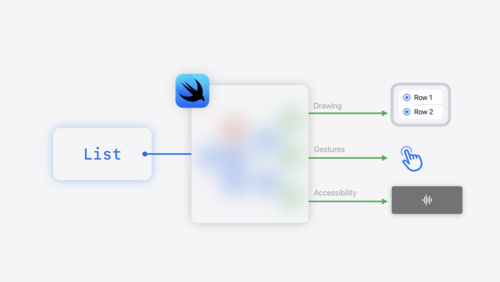
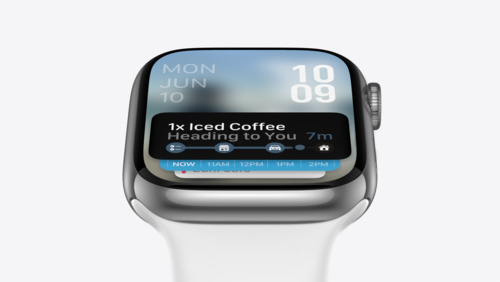
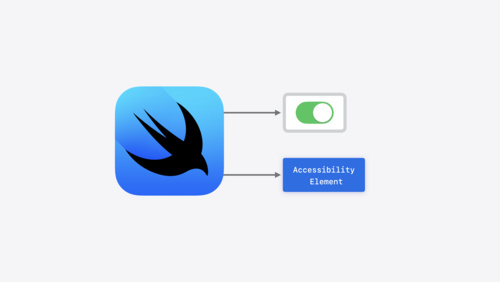
Apple Watch development has never been simpler with watchOS 9: Discover how you can more easily accomplish common tasks in Xcode, including file management and icon design. Explore the latest native controls like sharing features and steppers, check out SwiftUI-driven components like Swift Charts and improved navigation, and learn how to schedule and manage background tasks. And we’ll help you streamline your complications with WidgetKit.

Build a productivity app for Apple Watch

Your wrist has never been more productive. Discover how you can use SwiftUI and system features to build a great productivity app for Apple Watch. We’ll show you how you can design great work experiences for the wrist, and explore how you can get text input, display a basic chart, and share…

Efficiency awaits: Background tasks in SwiftUI

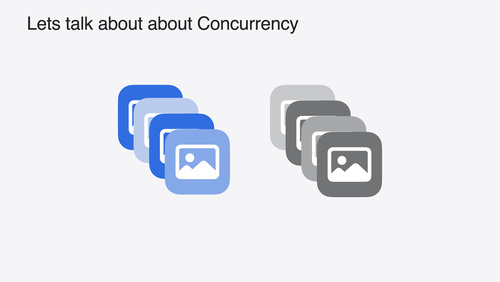
Background Tasks help apps respond to system events and keep time-sensitive data up to date. Learn how you can use the SwiftUI Background Tasks API to handle tasks succinctly. We’ll show you how to use Swift Concurrency to handle network responses, background refresh, and more — all while…

Meet Transferable

Meet Transferable: a model-layer protocol that allows for effortless support for sharing, drag and drop, copy/paste, and other features in your app. We’ll explore how you can use the API for common use cases, and take advantage of advanced features to customize the behavior. We’ll also share how…

Go further with Complications in WidgetKit

Discover how you can use WidgetKit to create beautiful complications on watch faces. We’ll introduce you to the watchOS-specific features found in WidgetKit, and help you migrate from existing ClockKit complications. For more on WidgetKit, watch “Complications and Widgets: Reloaded” from…

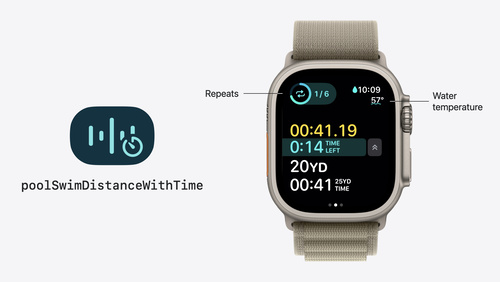
Build a Workout App for Apple Watch

Ask Apple Q&As

Posted on Leave a comment

Glance at WidgetKit

Learn how you can create great glanceable experiences with WidgetKit. We’ll show you how you can build a complication for Apple Watch and provide the same great experience for the iPhone Lock Screen. Discover how you can migrate your complications from ClockKit. And we’ll explore how widgets and complications have shared inspiration from their earliest foundations.

Complications and widgets: Reloaded

Our widgets code-along returns as we adventure onto the watchOS and iOS Lock Screen. Learn about the latest improvements to WidgetKit that help power complex complications on watchOS and can help you create Lock Screen widgets for iPhone. We’ll show you how to incorporate the latest SwiftUI views…

Watch now

Go further with Complications in WidgetKit

Discover how you can use WidgetKit to create beautiful complications on watch faces. We’ll introduce you to the watchOS-specific features found in WidgetKit, and help you migrate from existing ClockKit complications. For more on WidgetKit, watch “Complications and Widgets: Reloaded” from…

Watch now

Meet WidgetKit

Meet WidgetKit: the best way to bring your app’s most useful information directly to the home screen. We’ll show you what makes a great widget and take a look at WidgetKit’s features and functionality. Learn how to get started creating a widget, and find out how WidgetKit leverages the power of…

Watch now

Widgets code-along

View now

Build complications in SwiftUI

Spice up your graphic complications on Apple Watch using SwiftUI. We’ll teach you how to use custom SwiftUI views in complications on watch faces like Meridian and Infograph, look at some best practices when creating your complications, and show you how to preview your work in Xcode 12. To get…

Watch now

WidgetKit

Posted on Leave a comment

Dive deep with SwiftUI

What’s new in SwiftUI

It’s a SwiftUI party — and you’re invited! Join us as we share the latest updates and a glimpse into the future of UI framework design. Discover deep levels of customization, advanced techniques for layout, elegant strategies for sharing, and rock-solid structural approaches for designing an app…

Posted on Leave a comment

Get started with App Intents

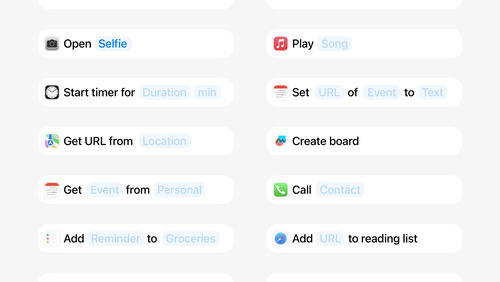
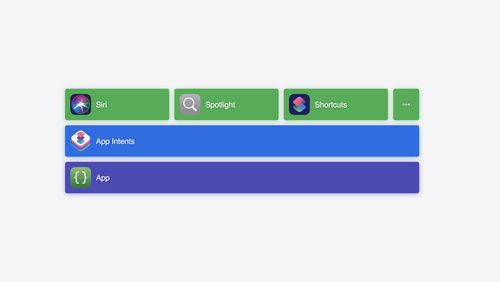
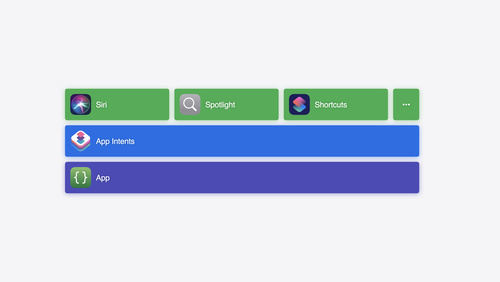
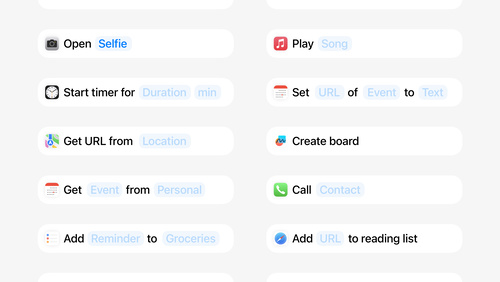
Learn how you can speed up common tasks for people using your app when you use the App Intents framework. Discover how you can programmatically bring your app’s content and functionality to system services like Siri and the Shortcuts app. We’ll show you how you can supply metadata, UI information, activation phrases, and other information the system might need. We’ll also explore how App Intents and App Shortcuts work together, and dive deep on the design of a compelling shortcut. Find out how you can use App Intents to change app content and behaviors based on someone’s active Focus state.

Implement App Shortcuts with App Intents

Discover how you can create Shortcuts in your app with zero user setup. We’ll show you how App Intents can help you present custom Shortcuts views, and explore how you can add support for parameterized phrases to allow people to quickly express their intent. We’ll also share how you can make your…

Design App Shortcuts

Learn how you can surface great features from your app directly in Siri, Spotlight, and the Shortcuts app. We’ll introduce you to App Shortcuts, provide best practices to help you evaluate features in your app that would work well as App Shortcuts, and take you through the process of creating one…

Dive into App Intents

Learn how you can make your app more discoverable and increase app engagement when you use the App Intents framework. We’ll take you through the powerful capabilities of this Swift framework, explore the differences between App Intents and SiriKit Intents, and show you how you can expose your app’s…

Meet Focus filters

Discover how you can customize app behaviors based on someone’s currently enabled Focus. We’ll show you how to use App Intents to define your app’s Focus filters, act on changes from the system, and present your app’s views in different ways. We’ll also explore how you can filter notifications and…

App Shortcuts

App Intents

Ask Apple Q&As

Posted on Leave a comment

Get started with Swift concurrency

Meet Swift Async Algorithms

Discover the latest open source Swift package from Apple: Swift Async Algorithms. We’ll explore algorithms from this package that you can use with AsyncSequence, including zip, merge, and throttle. Follow along with us as we use these algorithms to build a great messaging app. We’ll also share best…

Posted on Leave a comment

Upcoming price and tax changes for apps and in-app purchases

As early as October 5, 2022, prices of apps and in-app purchases (excluding auto-renewable subscriptions) on the App Store will increase in Chile, Egypt, Japan, Malaysia, Pakistan, Poland, South Korea, Sweden, Vietnam, and all territories that use the euro currency. In Vietnam, these increases also reflect new regulations for Apple to collect and remit applicable taxes, being value added tax (VAT) and corporate income tax (CIT) at 5% rates respectively.

Your proceeds will be adjusted accordingly and will be calculated based on the tax-exclusive price. Exhibit B of the Paid Applications Agreement will be updated to indicate that Apple collects and remits applicable taxes in Vietnam.

Once these changes go into effect, the Pricing and Availability section of My Apps will be updated. You can change the price of your apps and in-app purchases (including auto-renewable subscriptions) at any time in App Store Connect. If you offer subscriptions, you can choose to preserve prices for existing subscribers.

View the updated price tier charts

Posted on Leave a comment

Behind the Design: Rebel Girls

Like the groundbreaking women it spotlights, the Rebel Girls app has a remarkable story.

It began a mere six years ago with a book called Good Night Stories for Rebel Girls. Written and art-directed by Elena Favilli and Francesca Cavallo, the premise was simple: amplify the stories of history’s most influential women.

The result? Not so much an amplification as a worldwide shockwave. Good Night Stories quickly became one of the most successful publishing campaigns in Kickstarter history and Favilli and Cavallo soon found themselves with an entire Rebel Girls franchise. To date, the brand has sold more than 8 million books, been translated into nearly 50 languages, and seen more than 18 million downloads of its podcast. And the Rebel Girls app, launched just over a year ago, recently won an Apple Design Award for Social Impact.

“We’re creating an omnichannel for girls,” says Jes Wolfe, CEO of Rebel Girls since April 2020. “The app takes the best of our books, podcasts, and audio stories and puts them into a flagship destination.”

The Rebel Girls app uses immersive audio experiences, gorgeous art, and clever interactive elements to spotlight its historic heroines. The women span cultures and centuries: You can get inspired by the careers of Ruth Bader Ginsburg, Amanda Gorman, and Mae Jemison; explore the creativity of Frida Kahlo, Taylor Swift, and Joan Jett; learn about athletes like Simone Biles, Megan Rapinoe, and Chloe Kim; dive into historical icons like the pharaoh Hatshepsut, the pirate Grace O’Malley, and the Egyptian astronomer Hypatia; and much more. Each story is accompanied by immersive soundscapes and original illustrations from female and non-binary artists.

Olympic gymnast Simone Biles is one of the many world-class athletes spotlighted in *Rebel Girls.*

Olympic gymnast Simone Biles is one of the many world-class athletes spotlighted in Rebel Girls.

Rebel Girls also deepens the stories of its paperbound cousins: While book blurbs are around 300 words, a podcast or audio version can number closer to 2,000. “Everything we do needs to be in support of storytelling,” Wolfe says. “We don’t need a whole lot more, because the stories are so rich and empowering.”

Wolfe’s current focus is the new book Good Night Stories for Rebel Girls: 100 Inspiring Young Changemakers, the fifth title in the Good Night Stories series and one that focuses on women under 30. “It’s the first time we’ve done something 100 percent contemporary,” says Wolfe. Arriving Oct. 4 and featuring a foreword by Bindi Irwin, it spotlights such modern luminaries as Greta Thunberg, Bethany Hamilton, Zendaya, and the Linda Lindas. Those stories and others may well cross over to the podcast and app as well. But regardless of where it appears, that story is always the cornerstone.

‘This is really an audio experience’

The Rebel Girls app started out as something very different: hardware. “The initial idea was a speaker with a projector attached to it that would go on a girl’s bedside table,” says Wolfe. “The plan was to showcase the stories on the wall or ceiling.”

But the team had little experience with hardware, and wanted to move faster than the plan allowed. “The thought became, ‘How can we do audio theater?’” says Wolfe. “The app came from that. And Ter’s job was to adapt the artwork.”

The app’s Discover page is filled with colorful illustrations and diverse art styles.

The app’s Discover page is filled with colorful illustrations and diverse art styles.

Ter is Terenig Topjian, art director and UI/UX lead for the Rebel Girls app. He’s been with the project since Day 1, art-directing illustrations and backgrounds and aligning the app’s design with the well-established Rebel Girls aesthetic and purpose. “The design is essentially a container for the stories,” says Topjian. “[It] should be beautiful and memorable, but it shouldn’t be flashy. This is really an audio experience.”

The thought became, “How can we do audio theater?’

Jes Wolfe, Rebel Girls CEO

At the time, it was also a very relaxing audio experience. The earliest versions of the app — then titled Rebel Girls Dream On — focused on sleep stories. “That’s part of why you see such toned-down colors and an uncluttered look,” says Topjian. But with time and testing, the team found that kids and parents were listening not just at nighttime but on the way to school, while cleaning up their rooms, or just hanging out. As the use cases expanded, the app became simply Rebel Girls.

While the app’s look and feel might have been quiet, its development pace was anything but. The team typed its first lines of Swift code in early January 2021; just five months later, Rebel Girls soft-launched on the App Store.

“The reason we went from zero code to being quietly live five months later was to get actual data of people using the app,” says Wolfe.

Those early months involved a near-constant flow of prototyping. The team partnered with 80 families who supplied timely feedback on story content, wireframes, and even the color palette. “I remember testing out this one color and asking for the kids’ thoughts, and so many were like, ‘No no no, the book is this color,’ and it’s of course that bold dark,” says Wolfe. “The families helped with everything.”

‘It’s not really a kids’ design’

When it came to visual design, the original Good Night Stories provided much of the inspiration for the app’s interface, typography, and more. “It’s a dreamy style — pastel colors, imaginative illustrations — that’s at the core of the Rebel Girls branding,” says Topjian. “But while it’s dreamy in the literal sense, it’s also metaphorical: We want it to feel aspirational, to convey dreams and confidence.”

Illustrations of nine women profiled in *Rebel Girls* (left to right, top to bottom): Greta Thunberg, Simone Biles, Jane Goodall, Shirley Chisolm, Ruth Bader Ginsburg, Frida Kahlo, Joan Jett, Aisholpan Nurgaiv, and Junko Tabei.

Illustrations of nine women profiled in Rebel Girls (left to right, top to bottom): Greta Thunberg, Simone Biles, Jane Goodall, Shirley Chisolm, Ruth Bader Ginsburg, Frida Kahlo, Joan Jett, Aisholpan Nurgaiv, and Junko Tabei.

To that end, Topjian and team adopted a running strategy for the work. “We treated each piece of artwork like a little movie poster,” says Topjian. Framing it that way helped the team communicate a piece’s mood while providing a chance to integrate little details about the subject — “just as a great movie poster does,” he says.

The people who create the artwork should be as diverse as the subjects we profile.

Jes Wolfe, Rebel Girls CEO

A typical Rebel Girls story begins with the company’s in-house creative teams, who select subjects and match them with a writer, illustrator, and producer. At any given time, there are a half dozen or so stories in the works; two new ones appear in the app every week.

That creative team is diverse by design. “We pride ourselves on creating a platform for a plurality of voices,” says Wolfe. “Representative storytelling — having this huge stable of illustrators, writers, editors, narrators, and producers — is in our DNA.” To date, Rebel Girls has worked with more than 400 artists from more than 50 countries; their Good Night Stories book 100 Real-Life Tales of Black Girl Magic was illustrated entirely by Black artists, while 100 Inspiring Young Changemakers was drawn by artists under 30. “The people who create the artwork should be just as diverse as the subjects we profile,” says Wolfe.

The app’s illustration of indigenous rights activist and clean water advocate Autumn Peltier integrates visual hints about her work.

The app’s illustration of indigenous rights activist and clean water advocate Autumn Peltier integrates visual hints about her work.

Each story features interactive elements and Easter eggs to enhance the narrative. The artwork for indigenous rights activist and clean water advocate Autumn Peltier integrates colorful waves; illustrations for designer Isabella Springmuhl Tejada are based on her own clothing and work. “For [meterological scientist and entrepreneur] Paige Brown’s illustration, we created a patterned skyscape full of the balloons that carried her experiments,” says Topjian. “This piece was also a sleep story, so we created an illustration with darker tones and a beautiful night sky.”

The interface feels almost tactile — all the buttons and icons are hand-drawn — and is geared mostly toward the primary audience of 6- to 12-year-olds. But Wolfe says 60 percent of Rebel Girls books and 70 percent of their podcasts are experienced together. “We design everything to be enjoyed by parent and child,” says Wolfe. “That’s why it’s not really a kids’ design.”

Establishing that balance — the sense of being a kids’ app that doesn’t entirely feel like a kids’ app — is part of what drew Topjian to the job in the first place. “We think of it as an elevated kids’ app,” Topjian says. “It’s sketchy but it doesn’t feel scribbled. As a designer, I really appreciated how they treated the child as a person who’s growing.”

‘Like a live demo’

As you might expect from such a young app, Rebel Girls is a work in progress. “We’re learning and trying and experimenting,” says Wolfe. “It’s kind of like a live demo.”

Currently, the team is experimenting with more interactive content like polls, quizzes, and solicitations for reader submissions — like art for a soundscape on a bird sanctuary. The app is also leaning into shorter, snackable stories that clock in around five minutes. And Rebel Girls’ new paper book will feature QR codes that link to the audio version of a subject’s story in the app.

Though the styles may change, the app’s illustrations are designed to feel “part of the Rebel Girls universe,” says CEO Jes Wolfe. Pictured (left to right, top to bottom) are: Ada Lovelace, Megan Rapinoe, Grace O’Malley, Madam C.J. Walker, Josephine Baker, Autumn Peltier, Yoky Matsouka, Isabella Springmuhl Tejada, and Wang Zhenyi.

Though the styles may change, the app’s illustrations are designed to feel “part of the Rebel Girls universe,” says CEO Jes Wolfe. Pictured (left to right, top to bottom) are: Ada Lovelace, Megan Rapinoe, Grace O’Malley, Madam C.J. Walker, Josephine Baker, Autumn Peltier, Yoky Matsouka, Isabella Springmuhl Tejada, and Wang Zhenyi.

Wolfe is certainly pleased about the attention the app has received in such a short time from young girls and families, but she says her most surprising feedback came from a demographic she wasn’t expecting. “We get emails quite frequently from 14-year-olds and 19-year-olds who say, ‘Look, we may be too old for this, we’re not your target audience, but we love these stories so much. They’re just like a constant source of inspiration in our lives.’ That’s pretty great.”

Learn more about Rebel Girls

Download Rebel Girls from the App Store
Behind the Design is a weekly series that explores design practices and philosophies from each of the 12 winners of the 2022 Apple Design Awards. In each story, we go behind the screens with the developers and designers of these award-winning apps and games to discover how they brought their remarkable creations to life.

Explore more of the 2022 Behind the Design series
Posted on Leave a comment

Develop for Live Activities with iOS 16.1 beta and Xcode 14.1 beta

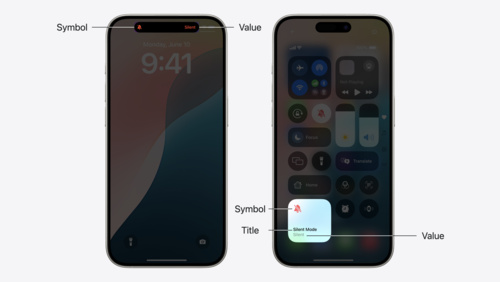
Discover how you can build Live Activities for your apps using the new ActivityKit framework, now available in iOS 16.1 beta and Xcode 14.1 beta. Live Activities help people keep track of your app’s content with real-time updates. Your app’s Live Activities display on the Lock Screen and in Dynamic Island — a new design that introduces an intuitive, delightful way to experience iPhone 14 Pro and iPhone 14 Pro Max.

Live Activities and ActivityKit will be included in iOS 16.1, available later this year. Once the iOS 16.1 Release Candidate is available, you’ll be able to submit apps with Live Activities to the App Store.

View ActivityKit documentation

Posted on Leave a comment

Get ready with the latest beta releases

The beta versions of Xcode 14.1, iOS 16.1, iPadOS 16.1, tvOS 16.1, and watchOS 9.1 are now available. Get your apps ready by confirming they work as expected on these releases. And to take advantage of the advancements in the latest SDKs, make sure to build and test with Xcode 14.1 beta.

To check if a known issue from a previous beta release has been resolved or if there’s a workaround, review the latest release notes. Please let us know if you encounter an issue or have other feedback. We value your feedback, as it helps us address issues, refine features, and update documentation.

View downloads and release notes

Learn about testing a beta OS

Learn about sending feedback

Posted on Leave a comment

WeatherKit subscriptions now available

WeatherKit brings valuable weather information to your apps and services through a wide range of data that can help people stay up to date, safe, and prepared. It’s easy to use WeatherKit in your apps for iOS 16, iPadOS 16, macOS 13, tvOS 16, and watchOS 9 with a platform-specific Swift API, and on any other platform with a REST API. Up to 500,000 API calls per month are included with Apple Developer Program membership. And now, Account Holders can subscribe for more calls in the Apple Developer app.
Get started with WeatherKit