Posted on Leave a comment

Movie Review: The Super Mario Galaxy Movie – A Faithful But Overstuffed Sequel

Mario Galaxy Movie 1
Image: Nintendo / Illumination

Editor’s note: This review is largely spoiler-free, so you won’t find any final act reveals or earth-shattering references. However, it does touch on a couple of easter eggs and briefly discusses how characters’ relationships have evolved since the first film. If you’re sensitive to that information, come back after you’ve seen it.


“There’s a huge universe out there, with a lot of galaxies.”

When this line was spoken by Peach in 2023’s The Super Mario Bros. Movie, two thoughts occurred to me.

The first was that it felt like an obvious tease for what would eventually be the direct sequel. The second was that Nintendo and Illumination were effectively giving themselves permission to cram as many easter eggs and cameos into the new film’s 98-minute runtime as humanly possible. And flippin’ ‘eck, do they follow through!

The Super Mario Galaxy Movie is a lot. Dialling up the action and spectacle significantly from the first adventure, we’re taken on an intergalactic jaunt that never pauses to take a breath. It constantly moves you from one set piece to the next as Mario, Luigi, Peach, Toad, and newcomer Yoshi set off to rescue Rosalina from the clutches of Bowser Jr.

Mario Galaxy Movie 2
Image: Nintendo / Illumination

In terms of story, that’s really all there is to it. There are brief flashes of inspiration peppered throughout, but Illumination unfortunately never commits to any of it. Take Bowser, for instance: having spent some time in the Mushroom Kingdom following his capture at the end of the first film, he begins to soften toward Mario and Luigi, the latter of whom takes Bowser to a weekly book club.

For a short while it makes for some interesting friction between him and Bowser Jr. – even if it did remind me of Eggman and Gerald Robotnik from Sonic 3. Sadly, this is cast aside far too quickly for my liking, and the same can be said for multiple plot threads that never seem to go anywhere.

But my goodness, what a good-looking film. Every scene is absolutely bursting with colour, from Star Bits raining down on Mushroom Kingdom to the heroes zooming through space alongside a beautifully-animated Fox McCloud, who enjoys a lot more screen time than I expected.

Mario Galaxy Movie 3
Image: Nintendo / Illumination

To complement this, Bryan Tyler’s soundtrack is a delight, pulling familiar hits from the entire Super Mario series, arguably highlighted by a stunning rendition of the Good Egg Galaxy theme. Mercifully, licensed tracks have also been stripped back considerably, and it’s a huge improvement over the original.

The same creators from the first movie return here, including directors Aaron Hovath and Michael Jelenic, with Matthew Fogel penning the script. The dialogue feels about as fleeting as the rest of the film, with little opportunity for anything even remotely profound, memorable, or even funny. The visuals do the majority of the heavy lifting here, mixing faithful spectacle with plenty of physical comedy.

Back to Fox McCloud, though. His appearance around the halfway point felt so blasé and sudden, I had to think back and doublecheck I hadn’t missed him earlier on. Within the space of about two minutes, we get his entire backstory before he’s roped into the mission and jets off into space with his new companions in tow. Again, there’s just no time to actually appreciate that McCloud, of all characters, is in a Mario movie – it’s just straight on to the next set piece.

I have to admit, I also found his overall presence a little jarring. There’s really no sufficient explanation as to why a character from a completely different series crops up, and as such, it feels like he doesn’t belong. Ultimately, the film would have played out in exactly the same way without him, and the cynic in me is absolutely certain that the only reason he shows up is to set up an eventual spin-off (and, if rumours are to be believed, hype up audiences for a new Star Fox game).

Mario Galaxy Movie 4
Image: Nintendo / Illumination

Actor Glen Powell does a good job at bringing McCloud to life, though, as do all of the main cast members. Enough time has passed that I can put aside the initial whiplash of hearing Chris Pratt as Mario, and although some of the brotherly bond from the first film is lost here, the dynamic between Mario and Luigi is still strong. Brie Larson is sadly kind of wasted as Rosalina, though.

In addition to the main characters, of course, there are a ton of easter eggs and cameos to keep an eye out for. Too many, in fact. The Gateway Galaxy is overstuffed with various species from the game series, including Piantas, Conkdors, Gearmos, and more.

Indeed, Nintendo and Illumination opted to include so much in the sequel that it makes me wonder how else it could dial up the spectacle in the inevitable third entry. At least the Sonic movies showed some restraint.

Mario Galaxy Movie 5
Image: Nintendo / Illumination

Conclusion

Ultimately, despite the film’s problems (one moment so brazenly copied Zootopia‘s famous sloth scene, I’m surprised it made the cut), I did still have a good time watching The Super Mario Galaxy Movie. The visuals, the music, and at least some of the easter eggs do enough to keep it afloat. It helps that I saw it with my four-year-old daughter who, utterly obsessed with Princess Peach, couldn’t keep her eyes off the screen, giggling with delight every two minutes.

I have to remind myself that she’s the target audience. Nintendo doesn’t need to rope me into its gaming ecosystem — it’s already firmly got me in its grasp — but my daughter is now eager to experience the likes of Mario Galaxy and Mario Odyssey on the Switch.

That’s really the whole point, isn’t it?

Posted on Leave a comment

The Mario Galaxy Movie End Reveal Came Out Of Years-Old Discussions At Nintendo

SPOILERS AHEAD, FOLKS!

If you’re reading this and haven’t watched The Super Mario Galaxy Movie yet, we’d recommend coming back once you have. You have been warned!

We’ll stick an image here so you don’t accidentally scroll down on one of those super long phones…

Mario Galaxy Movie
Image: Nintendo / Illumination

Still here?…

You sure?…

Okay then! As we covered earlier, Nintendo’s Shigeru Miyamoto and Illumination’s Chris Meledandri have been speaking to Forbes about the new movie. As well as discussing the process of Fox McCloud getting greenlit to appear and how actor Glen Powell landed the role, the pair have also brought up some spoiler-adajcent details.

Now, they don’t come flat out and totally give away the reveal at the end, but it doesn’t take a genius to work out what “Rosalina and Peach’s actual relationship” could possibly be.

More interesting, though, is the fact that the idea of the two being related was born from chats that went down in Nintendo HQ during the development of 2007’s Super Mario Galaxy nearly 20 years ago.

Here’s what Miyamoto had to say:

“When we were developing Super Mario Galaxy, the director for that game, Yoshiaki Koizumi, and I were discussing what Rosalina and Peach’s actual relationship was. We had this vague idea about what their actual relationship could be, and how it would play into the concept of space. We had a lot of discussion about this, but we never came to a conclusion. So we decided that let’s take this opportunity to give this idea some meat and get into the specificity of it, and we had a lot of fun having this discussion back and forth.”

Meledandri highlights that the sense of “discovery and surprises” were key elements they were hoping to capture. It’s probably worth remembering that while these sibling revelations might not be hugely surprising to hardcore Nintendo fans — the people who have had two decades to mull these things over and formulate fan theories — a reveal like this may well come as a genuine surprise to a younger audience.

Talking of surprise-not-surprises, Miyamoto highlights elsewhere in the interview that, yes, with all the characters at their disposal, you can look forward to the expansion of the so-called ‘NCU’ in the years to come:

“I will say that the team that’s working on the movie, including the actors, there are a lot of Mario fans. From them, there are a lot of ideas about wanting to use different characters, almost to the point that we couldn’t fit everything in. So we’re really looking forward to creating more films.”

So there we are. Official word once again that they’re going to make more films in the billion-dollar-hit series. Shocker!

Let us know below if the Peach/Rosalina reveal surprised and/or delighted you, and keep an eye out for our review of the film posthaste. [Update: It’s live now!]

Posted on Leave a comment

Make a private CA with step-ca

In this article you will learn how TLS (Transport Layer Security) and SSH (Secure SHell) use public/private key-pairs to authenticate web servers you visit and linux machines you log in to. You will also learn how the TLS framework installed by default in mainstream web browsers fails to prevent MITM (Man In The Middle) attacks in critical ways. Then we will walk through setting up a private .FEDORA TLD (Top Level Domain), setting up your own private CA with the smallstep package, and using the acme-tiny package to issue certificates for a website under that private TLD.

I will not cover setting up a simple “Hello World” website using your favorite web server packaged with Fedora. This needs to be up and running on HTTP to follow along. For this article, the website will be named hello.fedora.

Sadly, we will also explain how this does not completely solve the MITM problem – but this is already a big article. Click here to skip the background and motivation and go directly to the HowTo.

How Public Keys Prevent Man-In-The-Middle Attacks

While NSA director Admiral Bobby revealed that intel agencies were aware of two key, or public-key cryptography since the 1960s, the first unclassified paper was published by Whitfield Diffie and Martin E. Hellman in 1976. In college, I remember playing with cryptosystems based on the knapsack problem. These had various vulnerabilities. What revolutionized the field was publication of the RSA algorithm in 1977. I vividly remember where I sat in the college library when I read the paper. There was some controversy over “you can’t patent algorithms”. However RSA patented their implementation (which is already protected by copyright – but that is another discussion). Yes, you can whip up a 1 line Perl implementation in a few minutes (we all did) – but a secure implementation that does not leak the private key through various side channels is NOT trivial.

The original concept of public keys was to look up a recipient’s pubkey in a directory, and use it to encrypt a message that only the possessor of the corresponding private key can decrypt. This can also be used to authenticate a correspondent via a protocol that proves they hold the corresponding private key. The basic idea is to encrypt a random token with a pubkey, the recipient decrypts the token and sends it back encrypted by your pubkey. The details are not trivial. The primary concern is MITM attacks. SSH and TLS support several widely accepted algorithms for authentication and key exchange.

The Directory of Pubkeys is Critical

If you think about it, that “directory” is all important. Suppose you have a “secure” phone app (without naming names) that uses a public directory to map telephone number to pubkey. Whoever runs that directory can return their own pubkey (likely a different one for each telephone number), decrypt the data, and send it on, re-encrypted to the real pubkey of the intended recipient (and the same for the other direction). I.e. – the classic MITM attack. This is why such secure applications usually provide a way to verify you have the real pubkey via an in-person meeting or alternate medium.

So how do you know the real pubkey for a secure (https) website? Websites provide a “certificate” saying “this pubkey is for these domain names” (and other information we are not concerned with here). Well, anyone can create such a certificate – in fact we will do so in this article – so how do you know it is truthful? The certificate is “signed” by a Certificate Authority (CA). Pubkeys can be used to sign data. For RSA, the basic concept is to compute a secure “hash” (e.g. SHA256) of the certificate data, and “decrypt” it using the private key of the CA. The signature can be verified by using the pubkey of the CA to “encrypt” the result, – which should match the hash of the signed data. RSA is nice in that decryption and encryption are symmetrical – verifying a signature is the same operation as encrypting the signature to the owner of the privkey for the pubkey . So now, instead of every web user maintaining a private database of pubkeys for domain names, the browser has a list of trusted CAs which sign website certificates after verifying them in some way. In case a private key is compromised, CAs publish a Revocation List (which regular people rarely use) and TLS certificates always have an expiration date.

Note that CAs can certify data other than domain names, like the name of a company or individual. Commercial CAs generally charge a premium for this, but there are also non-profit CAs like cacert.org that certify personal details via in-person meetings.

How Mainstream Browsers Know Which CAs to Trust

Regular Joes (“normies”) do not keep track of all this, so where does that “list of trusted CAs” come from? Well, there is a CA and Browser forum with representatives from popular browser software makers and commercial CAs. They maintain a list of trusted CAs, and changes are voted on in public meetings with minutes published on their web page. Fedora installs this list in /usr/share/pki. Browsers may have their own copy. Users may add additional trusted CAs to /usr/share/pki or /etc/pki/ca-trust and browsers may have their own way of adding additional trusted CAs.

This all sounds well and good, BUT. The critical flaw could be called serial reliability. The trusted CAs are trusted for any domain. So any trusted CA (including any you add) can forge a certificate for any website. DNS vulnerabilities (cache poisoning and such) are beyond the scope of this article. But we will set up a private CA which you could use to forge any website cert and fool anyone you convince to trust your CA (and can hack their DNS and/or IP routing). The cabforum is very careful about their list. As part of hostilities, forum CAs stopped certifying .RU domains (ISO TLD for Russia). Russia promptly put up their own national CAs, which anyone can add to their browser trust store. Normies were warned NOT to do this, as the Russian CAs could then forge certs for any domain. But a moment’s thought reveals that ANY cabforum CA could go “rogue” and do the same thing. It only takes one.

There are solutions to this blanket trust problem, but that will require another article.

Create a private TLD with bind

For illustration, we will create the .FEDORA TLD. Everyone following along will create a different instance of that TLD, and hostnames under .FEDORA will resolve to different IPs (or NXDOMAIN) depending on whose DNS server you point that TLD at. This was the motivation for creating ICANN – a worldwide centralized DNS root (list of official TLDs). This provides a consistent namespace at the expense of absolute power (to cancel domains and TLDs) invested in ICANN. Before ICANN, admins all maintained their own DNS root, and periodically updated (manually or automatically) nameservers for well known TLDs like .COM etc. ISO defined an official list of TLDs, including country code TLDs (like .US). That worked well. The problem came with more obscure TLDs like .FREE. Companies trying to be “cool” were upset that not all customers got the same IPs for .FREE hostnames. Also admins liked having “someone else” maintain the DNS root. Hence, ICANN. There is also Opennic which likewise has “someone else” (volunteers) maintain a root zone, with fallback to ICANN, and has its own “forum” (existing TLDs vote) to approve new TLDs.

Here is a bind zonefile for .FEDORA:

$TTL 2H
; hello.fedora
@ IN SOA ns1 hostadmin.hello.fedora. (
2025122600 ; serial
1H ; refresh
15M ; retry
14D ; expire
6H ; default_ttl
)
@ IN NS ns1.fedora.
@ IN TXT "v=spf1 -all"
hello IN A 192.168.100.31
ns1 IN A 192.168.100.31
ca IN A 192.168.100.31

But that was a bait and switch. Setting up DNS for a private TLD is its own article. If you know how to add such a zone to your self hosted DNS – then do so. For the rest, we’ll use an even older hostname/IP map that predates DNS: as root, edit the file /etc/hosts on the system you will run step-ca on and append these lines:

# smallstep article
192.168.100.31 hello.fedora
192.168.100.31 ca.fedora

Replace 192.168.100.31 with the IP of the system you are trying all this out on. Step-ca must be able to lookup the hello.fedora hostname it is certifying to do the ACME protocol. We will use the /.well-known/acme-challenge method, which does not require real DNS. The system you run acme-tiny on also needs to lookup ca.fedora.

Run a private CA with step-ca

If the smallstep package is still under review when you read this, you’ll need to enable the copr repo (otherwise skip this step):

sudo dnf copr enable @fedora-review/fedora-review-2418762-smallstep

Create root CA

First, we need to create our root CA. In production, this should be on a separate offline machine. For small operations, the secondary CAs can be automated, and you sign the certificates for these secondaries manually with the root CA. I would keep the root CA password on paper – can’t be hacked (but watch out for cameras). Do NOT skip the password for the root CA. Some number of systems will trust that CA for any domain. If the private key leaks, you end up with a situation like Dell faced in 2015.

Let’s put the manual root CA in /etc/pki/CA and generate the root cert. Openssl will ask you for a key passwd, and what x509 calls “subject identifiers”. I left the state and email blank, and set city to Fedora City, organization to Fedora Project, organizational unit to ca, and common name to ca.example.org. The “-days 3650” sets the expiration to 10 years from now. The second command shows the “Issuer” information end-users will see when they ask for the issuer in an app like Firefox. The common name should normally be the hostname of the root CA, but it doesn’t really matter when the root CA is offline – and example.org is coincidentally offline by convention. 🙂

$ sudo mkdir /etc/pki/CA
$ cd /etc/pki/CA
$ sudo install --mode=644 /dev/stdin root_ca.fedora.ext <<EOF
subjectAltName=DNS:ca.example.org
subjectKeyIdentifier = hash
authorityKeyIdentifier = keyid:always,issuer
basicConstraints = critical, CA:true, pathlen:1
keyUsage = critical, digitalSignature, cRLSign, keyCertSign
EOF
$ sudo mkdir -m 0700 private
$ sudo openssl req -new -keyout private/root_ca.key -out root_ca.csr
...
$ sudo openssl x509 -req -in root_ca.csr -key private/root_ca.key -out root_ca.crt -days 3652 -sha256 -extfile root_ca.fedora.ext
Enter pass phrase for private/root_ca.key:
Certificate request self-signature ok
subject=C=US, L=Fedora City, O=Fedora Project, OU=ca, CN=ca.example.org

Create intermediate certificate and install smallstep

Then install the smallstep package with step-ca binary and supporting files:

$ sudo dnf install smallstep

The package installs a skeleton config for a step-ca service in /var/lib/step-ca. Let’s flesh out the config as step-ca and generate an intermediate cert request (“csr”).

$ cd /var/lib/step-ca
$ sudo -u step-ca bash -l
$ ls
certs config db secrets templates
$ cp /etc/pki/CA/root_ca.crt certs
$ openssl req -new -keyout secrets/intermediate_ca.key -out intermediate_ca.csr
...
$ nano config/ca.json
$ exit

Again, openssl will ask for subject identifiers. I used the same as for the root CA, but with the common name ca.fedora. Use your favorite text editor; “nano” is beginner friendly. Change MYCABAL to FEDORA and ca.mycabal.org to ca.fedora. If you provided a password for intermediate_ca.key, put it in the “password” field of ca.json. Do not set the password in ca.json to the empty string. This will make step-ca try to prompt for it at startup – which is not allowed under systemd, and fails with an error opening /dev/tty. For the intermediate cert, the common name is important. Smallstep will auto generate a host cert for “ca.fedora” (it is, after all, a certificate authority), and it must match the hostname ACME clients use to sign certs. Now we need to sign the intermediate cert with the root CA. 1825 days is 5 years. Intermediate certs should be shorter lived than the root CA. Not too short, if you are manually resigning the certs.

$ cd /etc/pki/CA
$ sudo install --mode=644 /dev/stdin ca.fedora.ext << EOF
subjectAltName=DNS:ca.fedora
subjectKeyIdentifier = hash
authorityKeyIdentifier = keyid:always,issuer
basicConstraints = critical, CA:true, pathlen:0
keyUsage = critical, digitalSignature, cRLSign, keyCertSign
EOF
$ sudo openssl x509 -req -in /var/lib/step-ca/intermediate_ca.csr -CA root_ca.crt -CAkey private/root_ca.key -CAcreateserial -out intermediate_ca.crt -days 1825 -sha256 -extfile ca.fedora.ext
$ sudo -u step-ca cp intermediate_ca.crt /var/lib/step-ca/certs
$ sudo systemctl start step-ca
$ sudo systemctl status step-ca
...
Mar 31 15:18:56 test.gathman.org step-ca[2814912]: 2026/03/31 15:18:56 Serving HTTPS on :9000 ...

Use httpd to serve hello.fedora web page

Running a web server was a prerequisite. I’ll use apache as an example, and hopefully users of nginx and others can translate. First, /etc/httpd/conf.d/hello.conf

<VirtualHost *:80>
ServerName hello.fedora
DocumentRoot "/var/www/html/hello"
#RedirectMatch ^((?!\/\.well-known\/).*)$ https://hello.fedora$1
<Location "/.well-known/acme-challenge/">
Options -Indexes
Order allow,deny
Allow from all
</Location>
<Location "/">
Options FollowSymLinks Indexes
Require all granted
</Location>
</VirtualHost>

The redirect is commented out until we have a signed cert. Assuming httpd is already running, use sudo apachectl graceful to load the changes. Then a simple document in /var/www/html/hello/index.html

<html>
<head>
<title> Hello Fedora </title>
</head>
<body>
<h1> Hello Fedora! </h1>
</body>
</html>

Use acme-tiny to sign a TLS cert with step-ca

Add private root CA

Acme-tiny needs to trust the root CA to use the ACME service. The step-ca service provides a handy API to fetch the root ca:

$ cd /etc/pki/ca-trust/source/anchors
$ sudo curl https://ca.fedora:9000/roots.pem -o fedora_ca.crt
curl: (60) SSL certificate problem: unable to get local issuer certificate

Ooops! Catch 22. You need the root CA to use the handy API that gets the root CA. So we’ll have to tell curl to accept the strange root cert. (Or use rsync, cp on the same machine, copy/paste between terminal windows, or other more secure method.)

$ sudo curl -k https://ca.fedora:9000/roots.pem -o fedora_ca.crt
$ sudo update-ca-trust extract

Now, we are ready to run acme-tiny. Once again, openssl req will prompt for subject identifiers. The only one browsers care about is Common Name, which should be “hello.fedora”. However, users may care about the other fields when they use browser features to inspect certs.

$ sudo dnf install acme-tiny
$ sudo apachectl graceful
$ cd /var/lib/acme
$ sudo -u acme bash -l
$ ls
certs csr private
$ /usr/libexec/acme-tiny/sign # NOTE: generates account.key if needed
$ ls private
account.key
$ openssl req -new -passout pass:'' -keyout private/hello.key -out csr/hello.csr
$ /usr/sbin/acme_tiny --account-key private/account.key --csr csr/hello.csr --acme-dir /var/www/challenges/ --ca https://ca.fedora:9000/acme/FEDORA >certs/hello.crt
$ exit
$ sudo nano /etc/httpd/conf.d/hello.conf

Now uncomment the Redirect Match and append the below SSL virtual host definition to hello.conf. Use apachectl graceful to load the changes.

<VirtualHost *:443>
ServerName hello.fedora:443
SSLEngine on
SSLProtocol all -SSLv2 -SSLv3
SSLCipherSuite HIGH:3DES:!aNULL:!MD5:!SEED:!IDEA
DocumentRoot "/var/www/html/hello"
SSLCertificateFile /var/lib/acme/certs/hello.crt
SSLCACertificateFile /var/lib/acme/certs/hello.crt
SSLCertificateKeyFile /var/lib/acme/private/hello.key
CustomLog logs/ssl_request_log \
"%t %h %{SSL_PROTOCOL}x %{SSL_CIPHER}x \"%r\" %b"
<Location "/">
Options FollowSymLinks Indexes
</Location>
</VirtualHost>

The current acme-tiny package auto-renews certs only for the letsencrypt.org CA. That should be extended soon. Meanwhile, feel free to add something hacky. (I’ll try to have it lookup tlds in /etc/sysconfig or something to get custom CA url.)

Use a browser to display the web page

On the machine with your web browser, you need 2 things: the new root CA and some way to lookup names in the .FEDORA TLD, either by pointing DNS to the server you set up with the private zone, or by appending the lines to /etc/hosts for ca.fedora and hello.fedora.

Now the curl should work without -k. And your browser should work to display https://hello.fedora, although you might have to restart it. If it doesn’t read Fedora ca-trust store on startup, you might need to find an option to import CA on the browser menu.

$ curl https://hello.fedora
<html>
<head>
<title> Hello Fedora </title>
</head>
<body>
<h1> Hello Fedora! </h1>
</body>
</html>

Now, that your root CA is up and running, don’t lose sight of what can be done by having it go rogue. Get lots of people to install it so they can access your cool new TLDS. Then start forging certs for arbitrary web sites, and conquer the world!! Bwa! ha! ha! (A future article can address PKCS#11 and restricting how you trust CAs in browsers and other software.)

Posted on Leave a comment

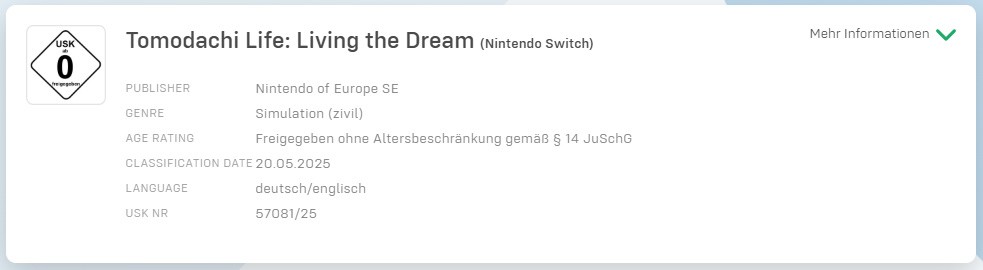
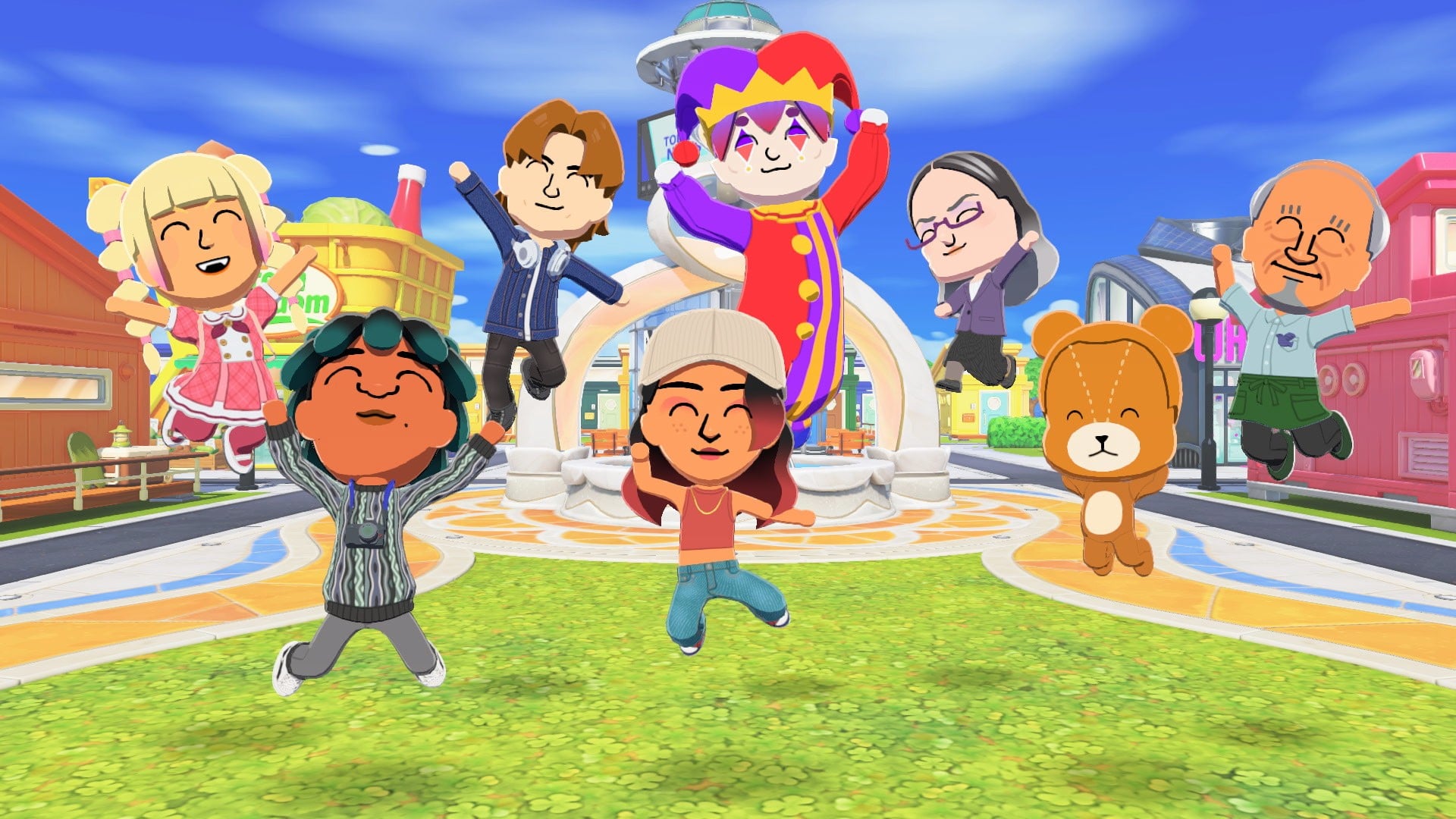
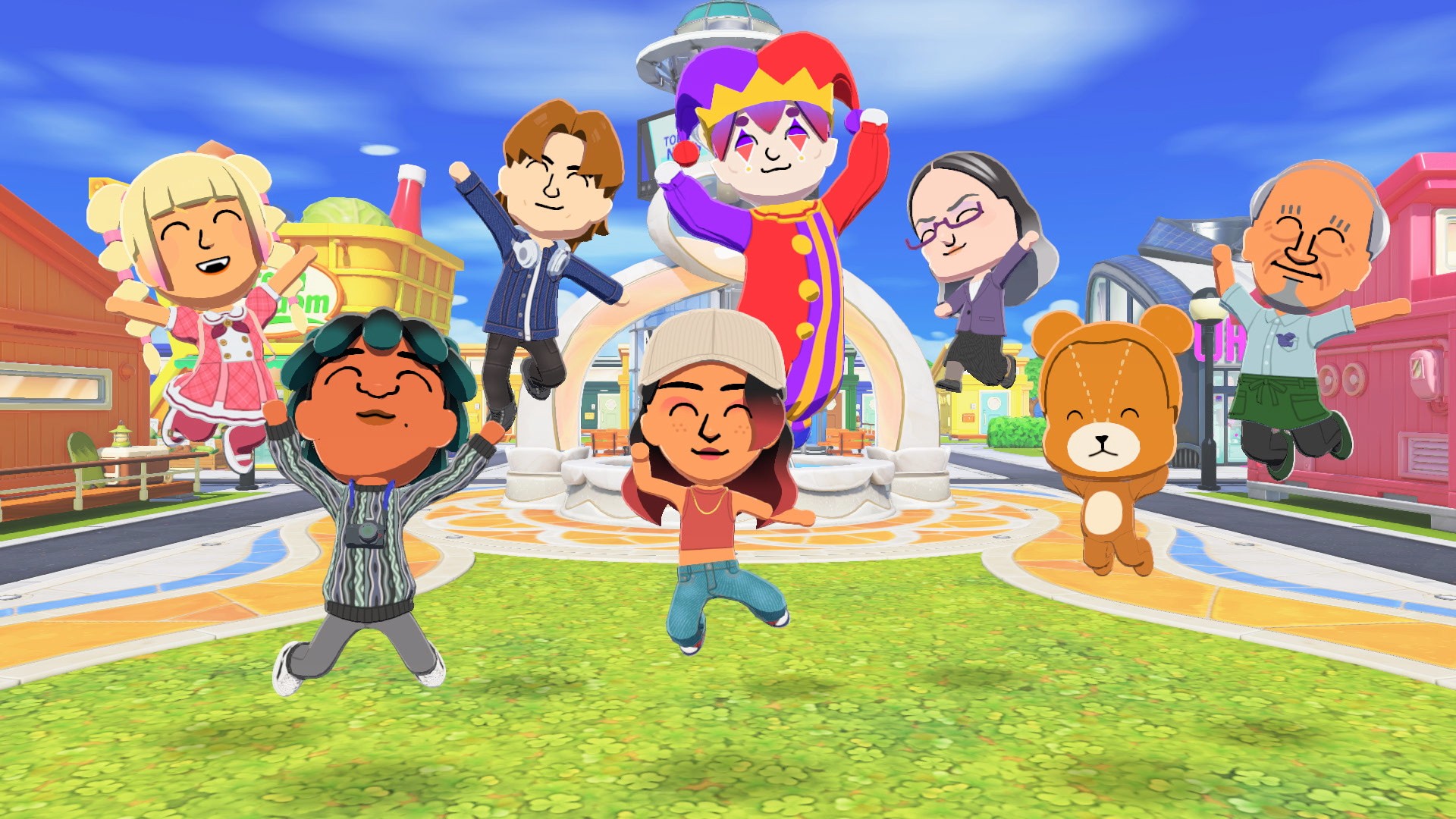
Tomodachi Life: Living The Dream ‘Welcome Version’ Bug Causes Demo To Crash

Tomodachi Life: Living The Dream
Image: Nintendo

Update []: Last week, we reported a bug in the Tomodachi Life: Living the Dream demo that caused the game to crash.

Fortunately, Nintendo has now rolled out an update addressing this issue. It bumps the demo up to Version 1.0.1 and also makes other adjustments and corrections to improve the overall gameplay experience.

Here’s the full rundown, courtesy of the official support page:

Tomodachi Life: Living the Dream – Ver. 1.0.1 (Released 31st March 2026)

Fixed Issues

  • Fixed an issue where an error would occur and the software would close if a player played to the end of the demo, then attempted to start the software or resume from sleep mode when the system time was between 9:00 PM and 10:00 AM.
  • Other adjustments and corrections were made to improve the game play experience.

You can find out more about this exact issue with the Tomodachi Life: Living the Dream demo in our original post below.


Original Story: [Thu 26th Mar, 2026 14:45 GMT]:

Plenty of readers (and beyond) have been enjoying the Tomodachi Life: Living the Dream ‘Welcome Version’ demo over the past 24 hours. But for some diving in this morning, they’ve been greeted by a rather unpleasant surprise: a crash.

It turns out that Nintendo has identified a bug with the demo, which causes it to crash when you wake the console from sleep mode between 9pm and 10am, if you’ve cleared the main content. Thanks to OatmealDome for the translation!

Fortunately, this bug doesn’t seem to affect transferring your save data to the full game, so that’s a relief. Nintendo is looking into the issue and will provide an update when it can.

As it turns out, a few people on the tomodachilife subreddit have been encountering this issue today, with some suggesting closing and reopening the demo, and others saying they needed to reinstall the whole thing. Turning your internal clock back to 25th March also may fix the problem.

Besides this, early response to the demo has been extremely positive, and has resulted in some hilarious moments online already. Fans have already discovered that there’s basically no filter, meaning the Miis can swear freely and colourfully.


Have you experienced any issues with the Tomodachi Life demon on Switch? Let us know in the comments.

Posted on Leave a comment

“I’m On A Mission” – Miyamoto Wants To Include Pikmin In Any Kind Of Nintendo Product He Can

Pikmin Miyamoto

Miyamoto has spoken on many occasions about his love of Pikmin and how there is effectively no restriction on where they can appear.

We’ve seen them pop up in Mario Wonder, on the back of football shirts, and even at Nintendo’s theme parks, and their global expansion is set to continue. Speaking to IGN recently, Miyamoto has reiterated how it’s his “mission” to try and get Pikmin in any kind of Nintendo product he can.

Shigeru Miyamoto: “I’m on a mission to try to include Pikmin in any kind of Nintendo product we put up. And obviously Pikmin can be appearing anywhere”

Pikmin will also surface in…spoiler alert…Mario’s new cinematic outing, and Miyamoto’s reasoning here is that the “setting of Galaxy really lends itself to having Pikmin be there as part of the world”. The same movie will also include some other Nintendo characters.

Miyamoto has previously labelled Pikmin as Nintendo’s “most global characters” and considers “video games to be just one of the worlds in which Pikmin live”. We’ve even seen entire shorts dedicated to these tiny little creatures over the past year.

How do you feel about the possibility of Pikmin showing up in any Nintendo product? Give us your thoughts below.

Posted on Leave a comment

Miyamoto Isn’t So Sure About A Smash Bros. Style Movie

Super Smash Bros. Ultimate
Image: Nintendo

The Super Mario Galaxy Movie goes beyond the Mushroom Kingdom and introduces a whole new cast of characters. As we now know, there’ll also be some faces that aren’t even from this particular Nintendo universe.

It’s led to discussion once again about a possible “Smash Bros.-style Nintendo Cinematic Universe” movie, so what are the chances of it actually happening?

Polygon asked Shigeru Miyamoto about this recently, and while he’s willing to make exceptions for his beloved Pikmin and some other characters in Mario’s new outing, it doesn’t necessarily mean it’s building up to an all-star event led by the iconic Nintendo mascot:

Shigeru Miyamoto: “I don’t think you’ll have a situation [where] all Nintendo characters would be joining [together in one film]. As you know, my rule is that Pikmin can appear in any [Nintendo] series.”

For now, the focus is on Mario’s universe and rather than opening the door to every Nintendo series, the team simply wants to “spice” things up by including “secret cameos here and there”, so they’ve got characters that slot into Mario’s world, and also fit the Galaxy movie’s space theme.

Illumination’s CEO Chris Meledandri elaborated on Miyamoto’s comments in the same interview, mentioning how the crossovers in the Galaxy movie are more incidental than strategic. According to Meledandri, Nintendo and Illumination focus on the project at hand, and the ideas come about based on what might be fun or may fit a certain scene.

Chris Meledandri: “If we agree that it’s a fun idea, then we look to Miyamoto-san to just make his own judgment about whether or not it feels right to him.”

So, there you go – according to Miyamoto we probably shouldn’t expect a Smash Bros. movie to happen, at least any time soon.

Would you like to see a Smash Bros. movie one day? Do you still think it might happen at some point now that Nintendo has entered the movie business? Let us know in the comments.

Posted on Leave a comment

Pokémon Pokopia’s New Mystery Gift Distribution Is Now Live

Pokémon Pokopia
Image: The Pokémon Company

Pokémon Pokopia only just arrived on the Switch 2, but it’s already dishing out plenty of free goodies for trainers to claim.

In case you missed it, the latest distribution is now available, allowing you to receive a free Chansey Plant. Here’s a look at this large plant, which can also be used to craft a Chansey resting area habitat. And here’s the code required: P0K0P1AGARDENS

Pokémon Pokopia
Image: Nintendo Life

You have until 7th October 2026 to redeem this code. Fortunately, this is not an exclusive item, and you can still craft it and the habitat after this date.

To redeem this Mystery Gift, you’ll need to access a Pokémon Center terminal and then navigate to the ‘Mystery Gift’ option in the menu. From there, you select ‘Get with Code/Password’ and you can then punch in the above code to receive this item in your bag.

Pokémon Pokopia is also hosting a special event today, giving players a chance to claim an inflatable Sudowoodo! You can see all of the Mystery Gifts released for Pokémon Pokopia in our full guide.

Will you be redeeming this latest Mystery Gift item in Pokémon Pokopia? Let us know in the comments.

Posted on Leave a comment

Capcom Arcade 2nd Stadium Switch Physical Release Announced, Pre-Orders Open Soon

Last year, as part of its 10th anniversary, physical distributor Limited Run Games announced a new partnership with Capcom.

This was followed with a bunch of physical announcements, and in an update, a new physical Switch version of Capcom Arcade 2nd Stadium has now been revealed. This follows pre-orders for the first Capcom Arcade Stadium going live earlier this year.

The second collection will also be available in five different covers. This includes the standard cover, Darkstalkers cover, Mega Man: The Power Fighters covers, Street Fighter Alpha cover and Super Puzzle Fighter II cover.

It’s priced at $44.99 and pre-orders will open later this week on 3rd April 2026, with the product estimated to ship between 1st September 2026 and 31st October 2026.

Capcom Arcade Stadium 2nd
Image: Capcom

Here’s a reminder of the games included via LRG and you can find out more about this collection in our Nintendo Life review:

Capcom Arcade 2nd Stadium – Games List:

  • 1943 Kai (1987)
  • A.K.A Block Block (1991)
  • A.K.A The King of Dragons (1991)
  • A.K.A Knights of the Round (1991)
  • A.K.A. Magic Sword (1990)
  • A.K.A Vampire Savior: The Lord of Vampire (1997)
  • Avenger (1987)
  • Black Tiger (1987)
  • Capcom Sports Club (1997)
  • Darkstalkers: The Night Warriors (1994)
  • Eco Fighters (1994)
  • Gun.Smoke (1985)
  • Hyper Dyne Side Arms (1986)
  • Hyper Street Fighter II: The Anniversary Edition (2003)
  • Last Duel (1988)
  • Mega Man: The Power Battle (1995)
  • Mega Man 2: The Power Fighters (1996)
  • Night Warriors: Darkstalkers’ Revenge (1995)
  • Pnickies (1994)
  • Rally 2011: LED Storm (1989)
  • Saturday Night Slam Masters (1993)
  • Savage Bees (1985)
  • SonSon (1984)
  • Street Fighter (1987)
  • Street Fighter Alpha: Warriors’ Dreams (1995)
  • Street Fighter Alpha 2 (1996)
  • Street Fighter Alpha 3 (1998)
  • Super Gem Fighter (1997)
  • Super Puzzle Fighter II Turbo (1996)
  • The Speed Rumbler (1986)
  • Three Wonders (1991)
  • Tiger Road (1987)

Will you be adding this to your Switch collection? Let us know in the comments.

Posted on Leave a comment

Pokémon Legends: Z-A Is Getting Pokémon HOME Connectivity This Week

Pokémon Legends: Z-A
Image: The Pokémon Company

If you’ve been wondering when Pokémon Legends: Z-A will be getting connectivity with the storage and trading cloud service app Pokémon Home, we’ve got some news.

The Pokémon Company has officially announced Home on Switch and mobile devices will undergo maintenance at 9:00am JST on 2nd April 2026, adding support for Pokémon Legends: Z-A.

Once the update has gone live, trainers will need to update their software to Version 4.0.0 to access the latest version of Home. Of course, there will be some restrictions in place when it comes to transfers:

  • Pokémon cannot be transferred from Pokémon Legends: Z-A to previous titles in the Pokémon video game series.​
  • If you transfer a Pokémon from a previous title to Pokémon Legends: Z-A, you will no longer be able to transfer it to previous video games in the Pokémon series.
  • The Pokémon you’ll be able to transfer to each game via Pokémon HOME are limited to Pokémon that can appear in those games. Please look forward to finding out which Pokémon will be available in Pokémon Legends: Z-A!

Pokémon Home connectivity has also been confirmed for the new “free-to-start” title Pokémon Champions, which is arriving on the Switch next week.

When the Pokémon Home update for Legends: Z-A goes live, we’ll let you know.

Posted on Leave a comment

Round Up: The Reviews Are In For The Super Mario Galaxy Movie

The Super Mario Galaxy Movie
Image: Nintendo / Illumination

Critic reviews for The Super Mario Galaxy Movie have just dropped ahead of the film’s theatrical release tomorrow, 1st April 2026.

And, folks, it looks like it’s another mixed bag if early reviews are to go by. We haven’t had a chance to watch the movie early, and we’ll have our verdict in asap, so for now, let’s see what the rest of the industry has to say.

Note that some of these reviews do contain spoilers for the film, so if that’s something you care about, be careful clicking on the links.

Let’s start off with Variety‘s Owen Gleiberman, who was a fan of the first movie. He came away from the sequel disappointed, calling the Mario Galaxy movie “one of the worst [animated movies]”

“The Super Mario Galaxy Movie” is frenetic in such an impersonal way that it feels like the entire film should be put on Ritalin. Yet it may well be that as a commercial enterprise, this more-is-more Easter-egg hunt of a movie will clean up exactly as it’s designed to.”

Robbie Collin at The Telegraph gave the sequel a slightly higher score than the first film at two out of five stars, but that doesn’t mean he was particularly enamoured with the movie:

“Reader, I have honestly felt less advertised at while watching actual adverts. The Super Mario Galaxy Movie must be the most cravenly corporate film of any type since its 2023 predecessor: in terms of the sheer fang-baring zeal of its product placement, it makes A Minecraft Movie look like something Michael Haneke took to Cannes in 1998.”

In her review for The Independent, Clarisse Loughrey also gave the movie two out of five stars, calling it “the first film intentionally made so it can be divided into parts and uploaded to TikTok with the caption “prime mario aura farming [flame emoji]”:

“You really get a sense in The Super Mario Galaxy Movie of how homogenous our sense of nostalgia has become, to the point that a generation of kids are being robbed of art that encourages curiosity and imagination, in order for adults to be reassured that the passions of their lost childhoods were very cool and very important.”

Total Film‘s Bradley Russell is a bit more positive, awarding the sequel three stars out of five, noting that while it doesn’t reach “Galaxy’s gravity-defying game heights”, the newcomers shine and the references are the stars (again, there are minor spoilers in this review):

“While kids are likely going to revel in the bright lights and even brighter colors as Mario and company leap through constellations onto their next destination, long-time fans will feast on the smorgasbord of nods, references, and surprise tributes to Mario and Nintendo’s past.”

Soren Andersen at The Seattle Times feels similarly in another three out of five review, and is one of the few reviews to praise the plot, while also recognising that this is a movie for those who love the games:

“Watching it is akin being inside the 2007 Super Mario Galaxy game itself. Which is why it needs to be seen on the big screen. Seeing it on a phone or a laptop wouldn’t do it justice.”

Back to the more negative, and The Guardian‘s Peter Bradshaw does not hold back in his one out of five star review — a lower score than he gave the first — calling it a “bland screensaver of a movie”:

“The last film gave us a concerted attempt to spoof the game’s 2D graphics and its left-to-right gameplay movement, with all the running and jumping, making a comic virtue of how absurd it looks. There’s little or nothing of that now, just a pretty uninspired variation of the first storyline…”

Over at The Wrap, William Bibbiani is equally unimpressed, praising the visuals and respect it has for the source material, but stating that “none of these things prevent it from also being terrible.”

“So yes, this movie is very pretty. But we don’t need pretty. We already have pretty. We can access the world of “Super Mario” whenever we want, through games and cartoons and action figures. “The Super Mario Galaxy Movie” has the word “movie” in the title, and that’s where it wets the bed. “

Let’s end things on a more positive note, perhaps? Clint Cage over at IGN Movies gave the film a 6/10, calling it a movie that “focuses squarely on all the stuff” while praising the action sequences:

“It’s bigger and shinier than the first, visually speaking. While it loses points for not engaging in a strong emotional core like its predecessor, The Super Mario Galaxy Movie racks up some extra lives by stuffing Easter eggs into the runtime to the point of bursting.”

There are still lots of reviews to come in, of course, but right now, The Super Mario Galaxy Movie is tracking around the same (or slightly lower) as The Super Mario Bros. Movie, sitting at a 45% average on Rotten Tomatoes (after 60 reviews) and a 35 average on Metacritic (after 32 reviews).

That’s bound to change, of course, as the first movie originally started around 46% but with 288 reviews, is now around 59%.

But, let’s be honest, the reviews don’t really matter in this instance — the first movie made well over a $1 billion USD, and the sequel is on track to make over $350 million over the Easter weekend worldwide, and $175 million domestically.


Are you surprised at the consensus? Will you still be heading to the movies this week to see the sequel? Let us know in the comments.