Fedora has released Fedora KDE Plasma Desktop Edition 44 to the public.
The Fedora KDE Plasma Desktop Edition is suitable for many needs. It combines the reliable and trusted Fedora Linux base with the KDE Plasma Desktop environment. It provides a selection of KDE applications that are simple by default, but powerful when needed.
KDE Plasma 6.6
The KDE community makes your life easier with the latest release of KDE Plasma. It builds upon the foundations of Plasma 6 to provide a seamless, friendly, and familiar experience.
Fedora KDE 44 ships with Plasma 6.6.4 featuring:
Custom global theme creation by saving the current theme setup
More options for using color accent in windows with tint intensity for window frames
Support for connecting to Wi-Fi networks by scanning QR codes
Per-application volume adjustment from the task manager
New grayscale filter for colorblindness correction
New screen magnifier feature that tracks the mouse pointer
New “Slow keys” and “reduced motion” settings
Spectacle can do OCR scanning of images to capture text
Per-window filter from screencast through the menu in the title bar
Beyond just the updates included in KDE Plasma 6.6, there are some major new features with Fedora KDE on Fedora Linux 44.
Fresh installations now use the brand-new Plasma Setup and Plasma Login Manager. These provide a more cohesive and integrated experience from the moment the computer is powered on the first time. The installation process has been simplified. It now enables you to easily set up a computer with Fedora KDE Plasma Desktop for a friend or a loved one.
The on-screen keyboard uses the new Plasma Keyboard, providing a fresh and future-forward implementation for keyboard input.
Fedora Linux 44 general updates
Some broader changes in Fedora Linux also directly impact Fedora KDE Plasma Desktop Edition, notably:
PackageKit now uses version 5 of the DNF package manager as the backend.
Support for select Qualcomm-based laptops.
The /etc/pki/tls/cert.pem file no longer exists by default. This may impact some programs that expect this file to provide system CA certificates instead of leveraging behaviors built into cryptographic security libraries to offer this information.
Fedora Ready is ready for Fedora KDE
The Fedora KDE Plasma Desktop 44 edition is fully supported within the Fedora Ready program. Fedora KDE is actively engaging with hardware vendors to support Fedora KDE Plasma Desktop on their devices.
We are pleased to announce that Star Labs offers preinstalled Fedora KDE Plasma Desktop as an option for their portfolio of devices. As makers of computers with an open source ethos embedded into the core of their products with even open source firmware powered by Coreboot, they share many of the same principles the Fedora community values. This is a very exciting moment for Fedora KDE and we look forward to deepening our collaboration with Fedora Ready participants and extending to other vendors. If you are a vendor potentially interested in Fedora Ready, please reach out!
I’m happy to announce that we have sealed bootable container images ready for testing for the Fedora Atomic Desktops!
What are sealed bootable container images?
Sealed bootable container images include all the components needed to create a fully verified boot chain, from the firmware to the operating system composefs image. This relies on Secure Boot and thus only supports system booting with UEFI on x86_64 & aarch64.
The components are:
systemd-boot as bootloader
a Unified Kernel Image (UKI) which includes the Linux kernel, an initrd and the kernel command line
a composefs repository with fs-verity enabled. This is managed by bootc.
Both systemd-boot and the UKI are signed for Secure Boot. The images are test images so the components are not signed with the official keys from Fedora.
The main direct benefit that we will get from this support is that we will be able to enable passwordless disk unlocking using the TPM in a way that will be reasonably secure by default.
We welcome testing and feedback! Please see the list of known issues and report new issue at github.com/travier/fedora-atomic-desktops-sealed. We’ll redirect them as needed to the right upstream projects.
Beware, those are testing images. The root account does not have a password set and sshd is enabled, by default, to make debugging easier. The UKI and systemd-boot are signed for Secure Boot but, since those are test images, they are not signed with the official keys from Fedora. Don’t use those images in production.
Where can I get more details about how this works?
If you want to know more about how sealed images work (i.e. how we make bootable containers, UKI and composefs work together to create a verified boot chain), see the following presentations and documentation:
Fedora Linux 44 has been released! So, let’s see what is included in this new release for the Fedora Atomic Desktop variants (Silverblue, Kinoite, Sway Atomic, Budgie Atomic and COSMIC Atomic).
Changes for all Atomic Desktops
Issue tracker moved to the new Fedora forge
We have moved the cross-variants issue tracker to the new Fedora forge. This is the best place to file issues that impacts all variants or to coordinate work between all of them. If you have issues specific to a given desktop environment then we usually prefer to track them in each respective SIG trackers. These are available on the README for the atomic-desktops organization.
Unified documentation, hosted on the new forge
The unified documentation for all Atomic Desktops is finally live! Unfortunately the translations have not been migrated so we will need help to re-translate everything again, once the translation setup is ready with the new forge. It should be mostly copy/paste from the previous docs and this time we will only have to translate the docs once and not for every (new) variant.
Some AppImages are still using an old AppImage runtime that relies on FUSE 2 libraries being available on the host. See the Discussion thread for examples on how to check the runtime of an AppImage.
If some of your AppImages do not work on Fedora Atomic Desktops 44, we recommend:
Looking for a Flatpak for the application and giving it another try. Consider helping upstream package their application as a Flatpak.
Reporting the issue upstream so that they are aware that they should use a newer runtime. Consider helping upstream with this as well.
EncFS or CryFS backends for Plasma Vaults are removed
KDE upstream no longer recommends using the EncFS nor CryFS backends for Plasma Vaults, notably because they rely on the FUSE 2 libraries. If you are using one of those backends, you should migrate your data to a new vault using the only maintained backend (gocryptfs). Ideally this should occur before the update to Fedora Linux 44. If you have already updated to Fedora Linux 44 and need access to your data, you can layer the needed packages (cryfs or fuse-encfs) using rpm-ostree install <package>, then migrate your data and finally reset the layers with rpm-ostree reset.
Dropping compatibility for pkla Polkit rules
Support for the legacy pkla Polkit rules format has been removed. It is unlikely that you were relying on support for those rules as most of the ecosystem has moved on to the new JavaScript based format.
Unified out of the box experience with KDE Plasma Setup (OEM installation)
Thanks to the new Plasma Setup, it is now possible to install the system with Anaconda with minimal configuration and then complete the installation on the first boot by creating a new user and selecting the timezone. This is great when you want to install Fedora Kinoite on a computer and don’t want to setup a user in advance.
As always, I heavily recommend checking them out, especially if you feel like some things are missing from the Fedora Atomic Desktops and you depend on them (NVIDIA drivers, extra media codec, out of tree kernel drivers, etc.).
What’s Next
Helping us with a few nasty bugs
If you have an interest in contributing to Fedora Atomic Desktops, here are some bugs that we will have to fix in the short term. We would greatly appreciate help with:
Fixing root mount options (atomic-desktops#72): This is a long standing and mostly invisible bug that impacts performance.
Moving away from nss-altfiles (atomic-desktops#108): This is another long standing source of issues that new users regularly face.
A lot of work is happening to make the transition to Bootable Containers as smooth as possible for our existing users. You can look at the road map for this transition at atomic-desktops#26.
Fedora Silverblue is an operating system for your desktop built on Fedora Linux. It’s excellent for daily use, development, and container-based workflows. It offers numerous advantages such as being able to roll back in case of any problems. If you want to rebase to Fedora Linux 44 on your Fedora Silverblue system, this article tells you how. It not only shows you what to do, but also how to revert things if something unforeseen happens.
Update your existing system
Prior to actually doing the rebase to Fedora Linux 44, you should apply any pending updates. Enter the following in the terminal:
$ rpm-ostree update
or install updates through GNOME Software and reboot.
Note
rpm-ostree is the underlying atomic technology that all the Fedora Atomic Desktops use. The techniques described here for Silverblue will apply to all of them with proper modifications for the appropriate desktop.
Rebasing using GNOME Software
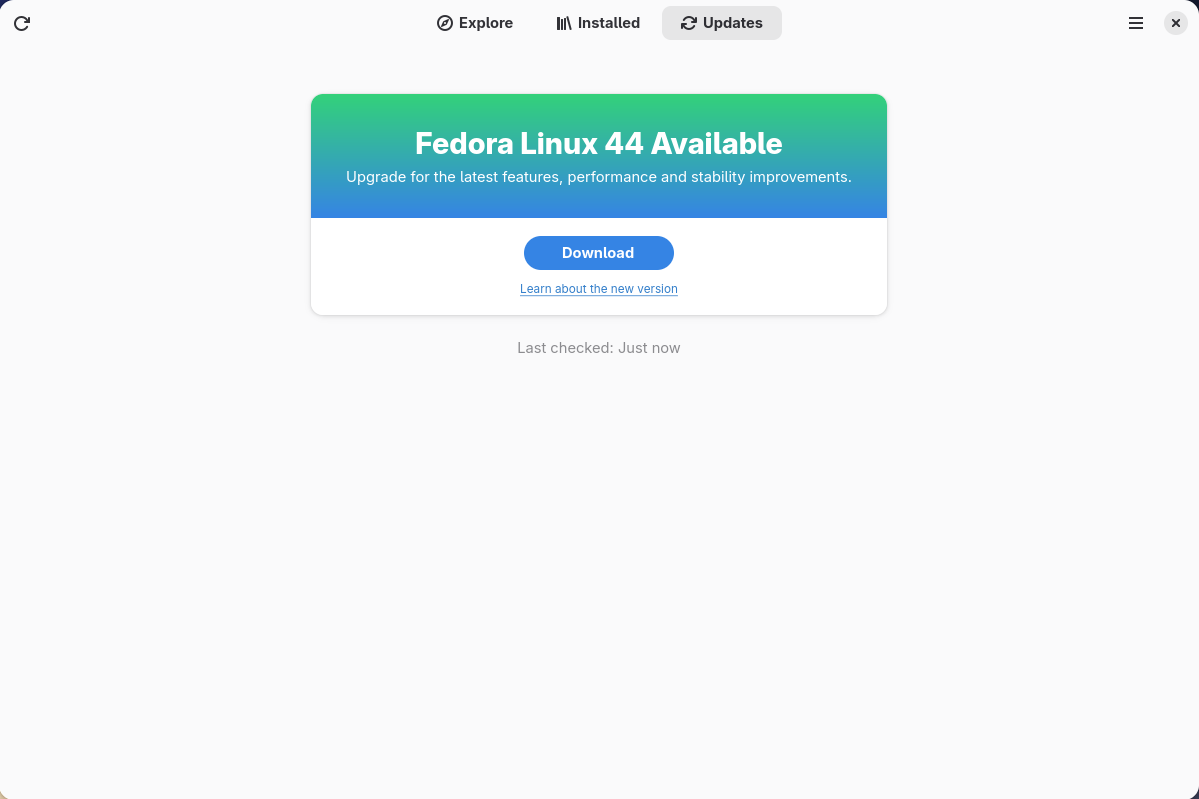
GNOME Software shows you that there is new version of Fedora Linux available on the Updates screen.
First thing to do is download the new image, so select the Download button. This will take some time. When it is done you will see that the update is ready to install.
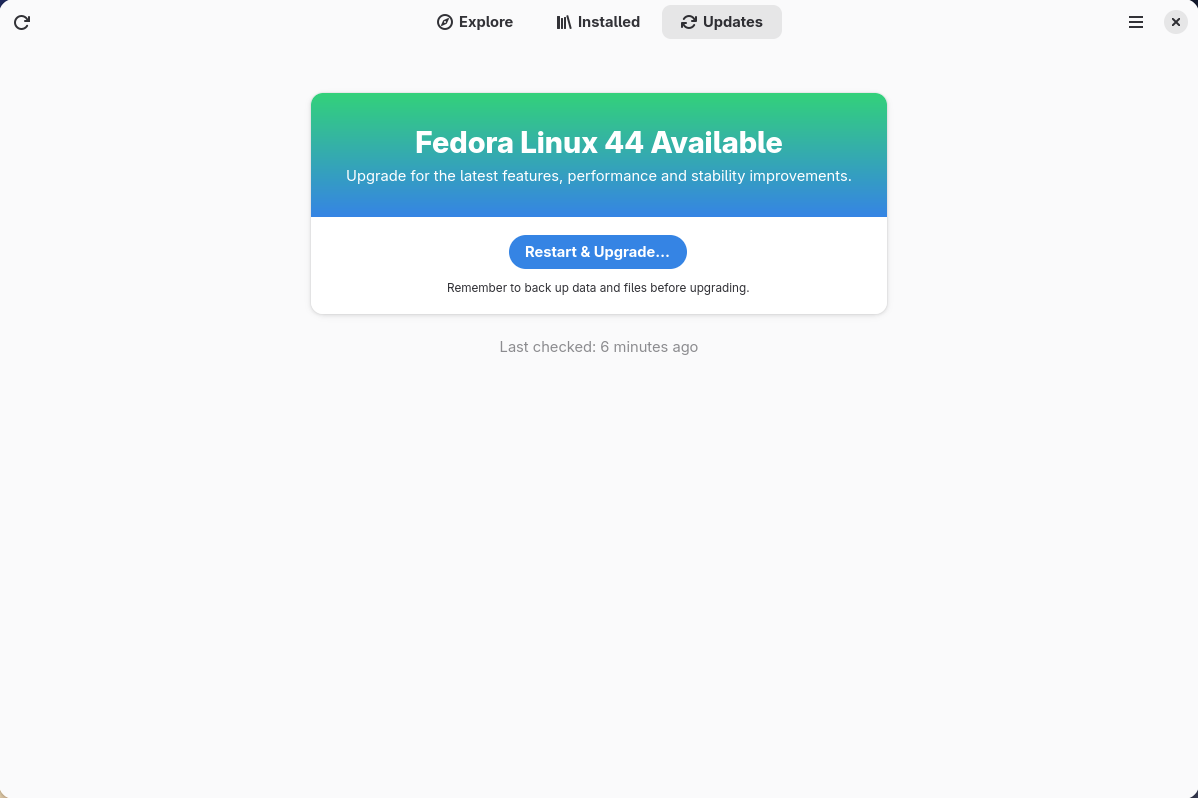
Select the Restart & Upgrade button. This step will take only a few moments and the computer will restart when the update has completed. After the restart you will end up in a new and shiny release of Fedora Linux 44. Easy, isn’t it?
Rebasing using terminal
If you prefer to do everything in a terminal, then this part of the guide is for you.
Rebasing to Fedora Linux 44 using the terminal is easy. First, check if the 44 branch is available:
$ ostree remote refs fedora
You should see the following in the output:
fedora:fedora/44/x86_64/silverblue
If you want to pin the current deployment (meaning that this deployment will stay as an option in GRUB until you remove it), you can do this by running this command:
# 0 is entry position in rpm-ostree status
$ sudo ostree admin pin 0
To remove the pinned deployment use the following command:
# 2 is entry position in rpm-ostree status
$ sudo ostree admin pin --unpin 2
Next, rebase your system to the Fedora Linux 44 branch.
$ rpm-ostree rebase fedora:fedora/44/x86_64/silverblue
Finally, the last thing to do is restart your computer and boot to Fedora Linux 44.
How to roll back
If anything bad happens (for instance, if you can’t boot to Fedora Linux 44 at all) it’s easy to go back. At boot time, pick the entry in the GRUB menu for the version prior to Fedora Linux 44 and your system will start in that previous version rather than Fedora Linux 44. If you don’t see the GRUB menu, try to press ESC during boot. To make the change to the previous version permanent, use the following command:
$ rpm-ostree rollback
That’s it. Now you know how to rebase Fedora Silverblue to Fedora Linux 44 and roll back. So why not do it today?
FAQ
Because there are similar questions in comments for each blog about rebasing to newer version of Silverblue I will try to answer them in this section.
Question: Can I skip versions during a rebase of Fedora Linux? For example from Fedora Silverblue 41 to Fedora Silverblue 44?
Answer: Although it could sometimes be possible to skip versions during rebase, it is not recommended. You should always update to one version prior (41->42->43->44 for example) to avoid unnecessary errors.
Question: I have rpm-fusion layered and I get errors during rebase. How should I do the rebase?
Answer: If you have rpm-fusion layered on your Silverblue installation, you should do the following before rebase:
After doing this you can follow the guide in this blog post.
Question: Could this guide be used for other ostree editions (Fedora Atomic Desktops) as well like Kinoite, Sericea (Sway Atomic), Onyx (Budgie Atomic),…?
Yes, you can follow the Rebasing using the terminal part of this guide for every Fedora Atomic Desktop. Just use the corresponding branch. For example, for Kinoite use fedora:fedora/44/x86_64/kinoite
This article highlights a few noteworthy changes in the latest release of Fedora Workstation that we think you will love. Upgrade today from the official website, or upgrade your existing install using GNOME Software or through the terminal with dnf system-upgrade.
GNOME 50
Fedora Linux 44 Workstation ships with the latest GNOME release, GNOME 50. This comes with a long list of refinements to your desktop, including everything from accessibility, to color management and remote desktop.
As part of the Digital Wellbeing initiative, new native Parental Controls let you set screen time limits and bedtimes directly from Settings.
Many of the applications that are installed by default on the Fedora Workstation have also seen improvements, from the Document Viewer to the File Manager and the Calendar.
To learn more about these and other changes, you can read the GNOME 50 release notes.
I’m excited to announce that Fedora Linux 44 is here! Keep reading to discover highlights of Fedora Linux 44, or if you are ready, just jump right in and give Fedora Linux 44 a try!
Thanks to everyone who helped!
Thank you and congrats to everyone who has contributed to this release. And thanks to everyone who showed up for the virtual release party last Friday. We celebrated a little early this year, just after the go/no-go meeting made the release official. If you weren’t able to join us live, you can watch the recording and hear about some of the great work from the contributors involved.
Looking to upgrade?
If you have an existing system, Upgrading Fedora Linux to a New Release is easy. In most cases, it’s not very different from just rebooting for regular updates, except you’ll have a little more time to grab a coffee.
As usual with Fedora Linux, there are just too many individual changes and improvements to go over in detail. You’ll want to take a look at the release notes for that.
Notable User Visible Changes
Anaconda
For those of you installing fresh Fedora Linux 44 Spins, you may notice a change in how Anaconda handles network devices. Anaconda now only creates network profiles for devices configured during installation (by boot options, kickstart, or interactively in UI) instead of providing default profiles for all devices. This change will simplify post-installation network configuration for users who need to customize after installation.
Workstation
Fedora Linux 44 Workstation ships with the latest GNOME release, GNOME 50. This comes with a long list of refinements to your desktop, including everything from accessibility to color management and remote desktop. Many of the applications that are installed by default on Fedora Workstation have also seen improvements, from Document Viewer to File Manager and Calendar. To learn more about these and other changes, you can read the GNOME 50 release notes.
KDE Plasma Desktop
KDE Plasma Desktop: If you are a KDE user, you should also notice a couple of very obvious changes. Fedora KDE Plasma Desktop 44 is based on the latest Plasma 6.6, which includes the new Plasma Login Manager and Plasma Setup to provide a more cohesive and integrated experience from the moment the computer is powered on for the first time. The installation process has been simplified, enabling you to easily set up Fedora KDE Plasma Desktop for a computer for a friend or a loved one.
Plumbing Upgrades
Beyond the user-visible changes, there are some important plumbing changes user should be aware of.
OpenSSL Cert File Handling Improvements
The loading time of OpenSSL has been improved by making use of directory-hash support for ca-certificates. This improvement required changes to where some certificate bundles are stored on the filesystem. You can read the specific Change details for more information.
The MariaDB default version is now 11.8
MariaDB packages use a versioned package layout, which allows Fedora to deliver both, mariadb-10.11 and mariadb-11.8 for users. The “distribution default” unversioned MariaDB packages now install the 11.8 versions in Fedora Linux 44. User doing upgrades to Fedora Linux 44 won’t notice the change in the default. For new users installing MariaDB for the first time, unless you specify the version, you’ll now get 11.8 by default.
Wine NTSYNC
The NTSYNC kernel module is enabled for select packages by package recommendation (notably Wine and Steam), which can improve compatibility and performance when running Windows applications (especially games). When packages that recommend the wine-ntsync package are installed, the package recommendation ensures NTSYNC is configured automatically on subsequent boots, so that users don’t have to manually enable NTSYNC.
Fedora Cloud boot partition using Btrfs
The /boot partition has been replaced with a Btrfs subvolume for Fedora Cloud images that support it. This results in better space utilization and smaller images.
If you hit a snag
If you run into a problem, visit our Ask Fedora user support forum. This forum includes a category where we collect common issues and solutions or work-arounds.
Just drop by and say “hello”
Drop by our “virtual watercooler” on Fedora Discussion and join a conversation, share something interesting, and introduce yourself. We’re always glad to see new people!
In 2021, a monster-catching RPG called Monster Crown hit the eShop, a one-man project aiming to emulate the glory days of Pokémon. Though it had its shortcomings, it mostly captured the essence of its inspiration and evidently it garnered enough of a following to justify the launch of a sequel after a successful Kickstarter campaign.
Though the reins have now been passed to a new development team within Studio Aurum (Jason Walsh, the original creator, is still heavily involved), Monster Crown: Sin Eater is a worthy continuation and I’d suggest you pay attention to this one if you’re looking for a new monster catcher.
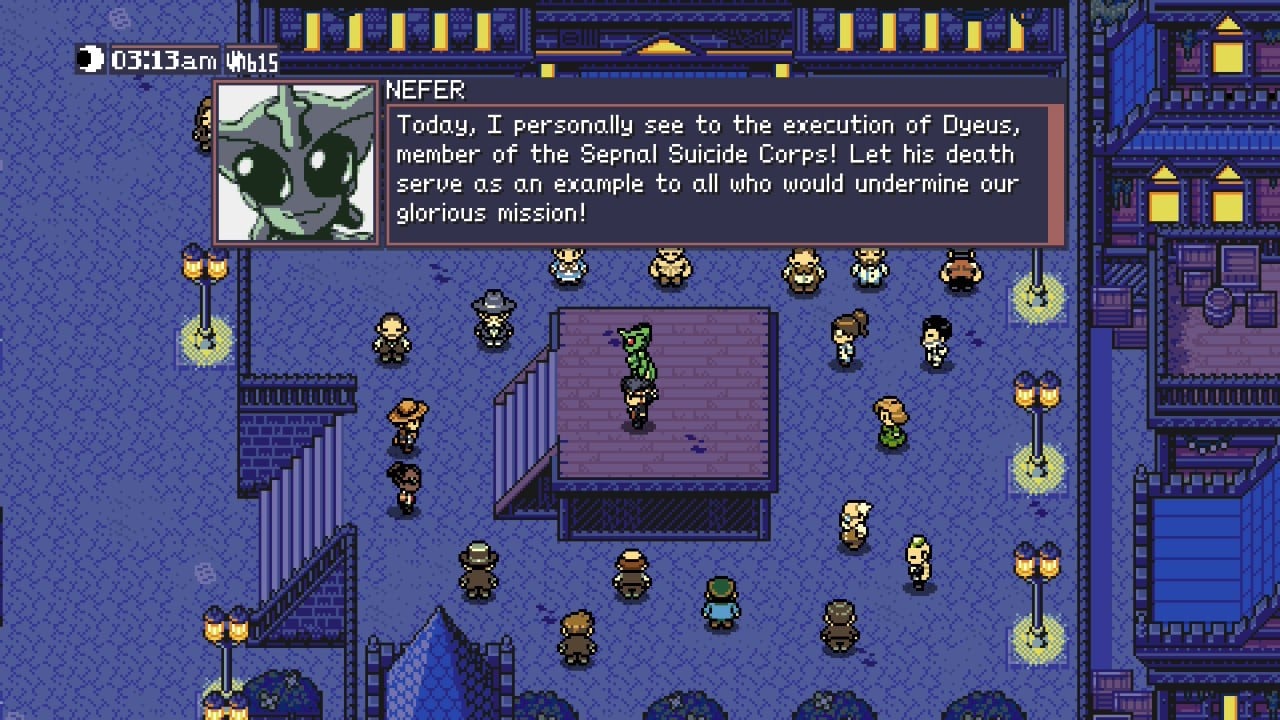
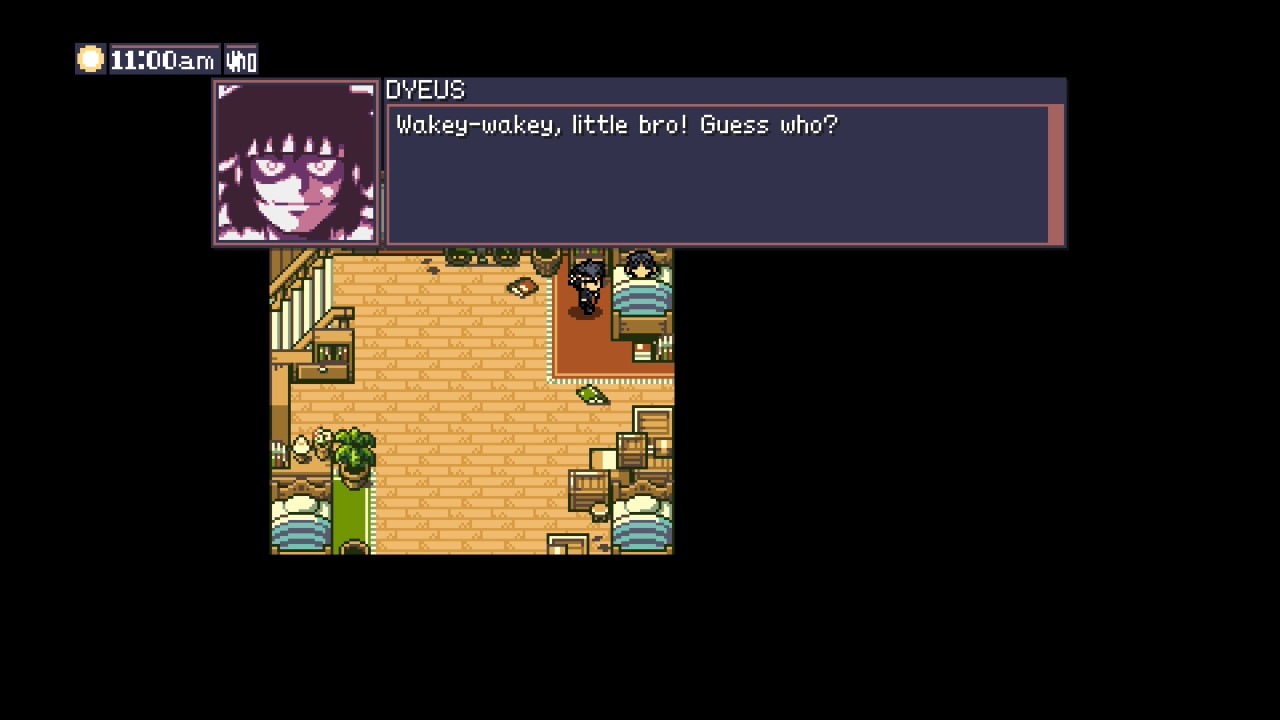
Eschewing the player-created character of its predecessor, the narrative here places you in the role of Asur, a humble farmer boy and aspiring Monster Tamer whose older brother, Dyeus, is renowned across Crown Nation for his skill as a master Tamer. Dyeus also has a bit of a rebellious streak, and his shenanigans put him at odds with the nefarious ruler Lord Taishakuten, who sends one of his fixers to kidnap Dyeus and make an example of him. Asur then sets out in pursuit of his lost brother, kicking off a journey of self-discovery and empowerment that will ultimately change the fate of the whole Crown Nation.
It’s an interesting plot setup that goes a bit beyond the ‘I want to be the very best’ plot that a certain other monster-catching series loves to adhere to, and I was shocked at how surprisingly dark it can get in certain places. The Holy Order certainly doesn’t mess around with its cruel governmental tactics, and the world of Crown Nation feels hostile and uncaring in ways that reminded me of my experience with some Shin Megami Tensei games.
Captured on Nintendo Switch (Handheld/Undocked)
Couple this with the role-playing and branching narrative that works with the dialogue trees of NPCs, and you have a rich narrative with mature themes that can develop in some genuinely unexpected directions.
Gameplay follows the expected format of the monster-catching RPG, but with some nice quality-of-life features to smooth the experience. For one thing, there are no random encounters – monsters roam the map and will uniquely react to your presence depending on the disposition of the creature. So, predators will generally chase or stalk you, while the friendlier herbivores will either be unmoved by your presence or flee if you get too close.
Not only does this mean that combat encounters are something you have more control over engaging with, but it also interacts well with the bait system, in which you can put out bait to either distract creatures to sneak around them or to coax out a rather shy specimen you’re trying to nab.
Captured on Nintendo Switch (Handheld/Undocked)
When you enter an encounter, things play out with a familiar rock-paper-scissors, turn-based combat system. Each monster has resistances and weaknesses to each of the five move types, and every creature has a set list of moves that it can make, each of which pulls from a pool of move points that limit how often they can be used. If one of your creatures goes down, or you have another in reserve that’s a better match for your current foe, you can swap in one of your other monsters to gain the upper hand.
So far, so similar, but things get a little more interesting with the inclusion of the Synergy bar. Every time your monster acts, it’ll fill up a varying number of percentage points in a global Synergy bar that all monsters can tap into. Once you’ve got a fair amount built up, you can then burn some of the bar to ‘Crown’ one of your moves, bolstering its effectiveness and sometimes adding some cool new passives that make it more potent.
I really enjoyed the risk/reward aspect; it’s a lot easier to burn Synergy than it is to build it up, and there’s a brilliant tension to determining when to crown a move and when to hold some in reserve to deal with whatever gets thrown at you later in a drawn-out fight.
Captured on Nintendo Switch (Handheld/Undocked)
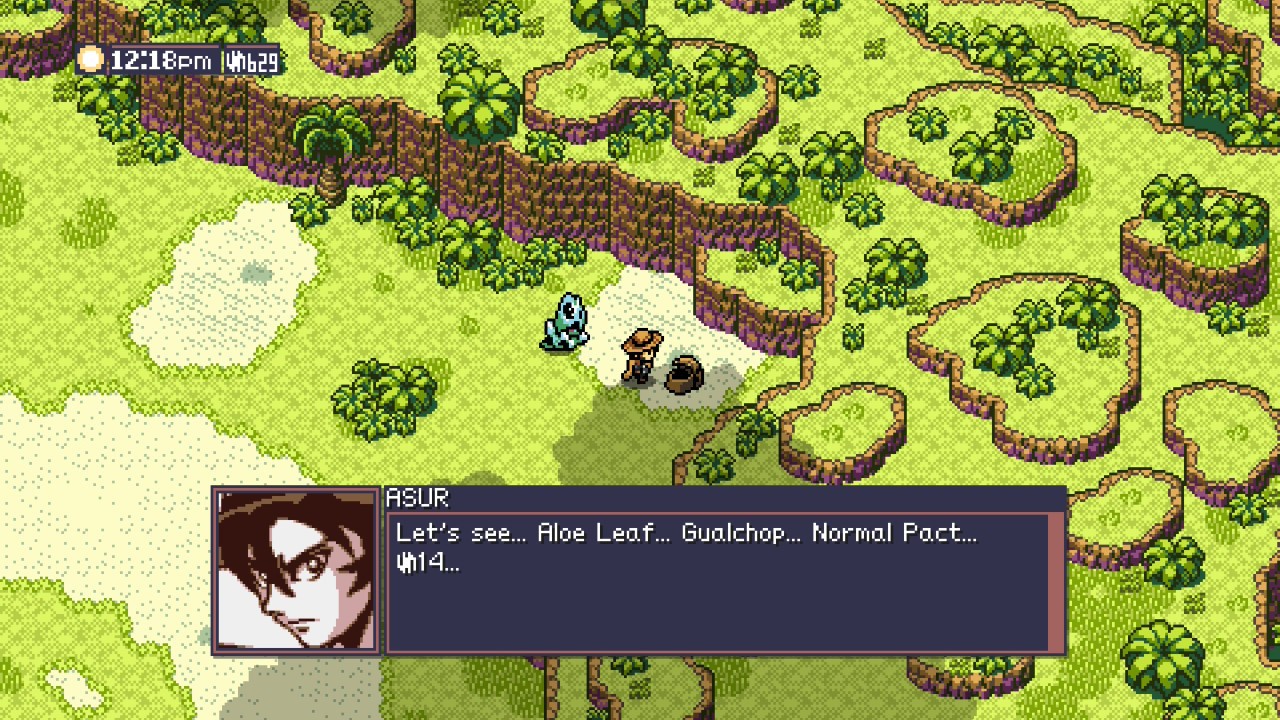
And of course, if you’re battling a wild monster, you can then decide to catch it by tossing a contract at it. If you do so right from the jump, most monsters won’t even bother to read it because you haven’t gained their respect yet. So, you’ll have to beat them within an inch of their life and perhaps inflict a status ailment or two, raising the odds of them accepting the terms and joining your team.
Like in all great monster catchers, there’s a delightful tension to that moment when you toss out a contract at a desirable creature and hold your breath as you wait for it to ponder its decision, not knowing if it’ll acquiesce and end the fight there or respond with a vicious attack.
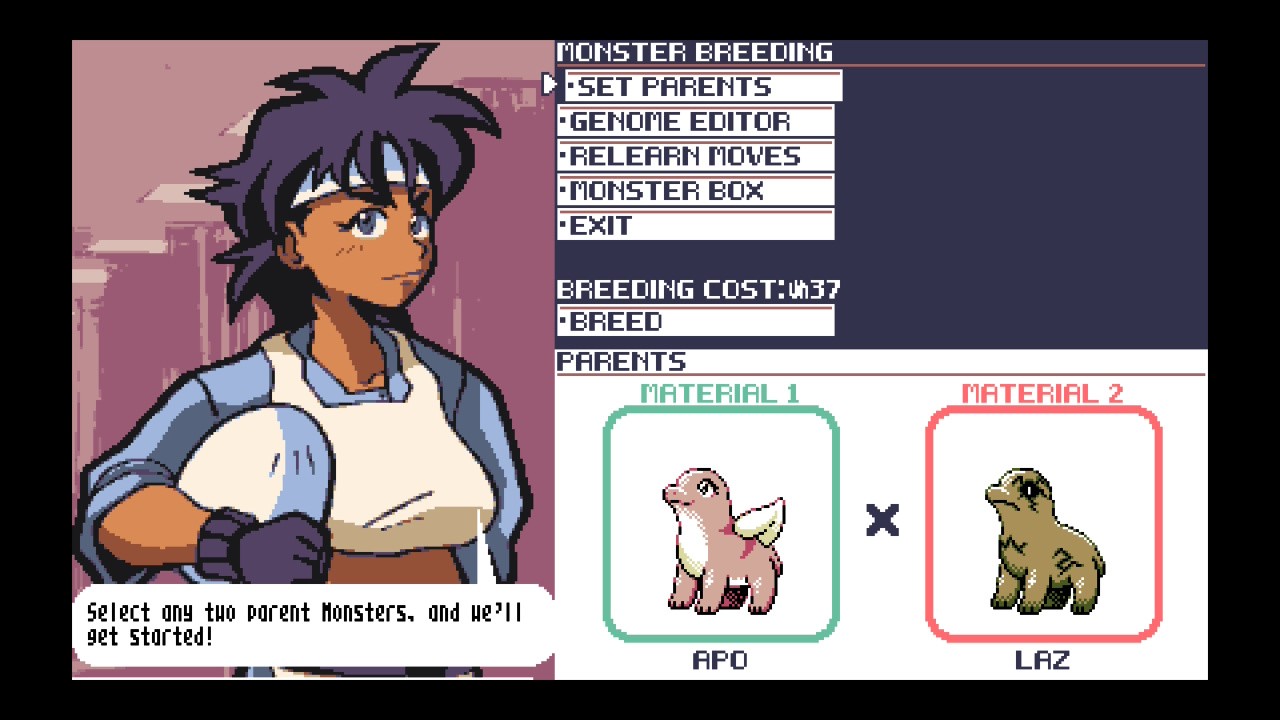
Drawing a bit from some notable non-Nintendo monster catchers, there’s also a robust monster breeding and fusion system that proves to be impressively addictive. Not only can you get some brand-new creatures as the offspring of two distinct species, but you can really get into the weeds of editing the genes of your monsters to get just the right combination of stats, traits, and moves on the ultimate monster for a given role in your party.
Captured on Nintendo Switch (Handheld/Undocked)
Much like in something like Dragon Quest Monsters or Shin Megami Tensei, it’s the sort of system that really starts to open up once you build up a good collection of fodder, and it can be a great ‘puzzle’ to plan out several generations of creatures as you slowly close in on the specific one you’re looking for. If you’re the kind of player who likes to tinker with party compositions and loadouts, you’ll really appreciate that there’s a lot to dive into here, yet it never feels overwhelming or needlessly abstract.
I was also impressed by the openness of the overall gameplay flow, taking the training wheels off after a relatively linear beginning and opening things up somewhat like the more recent Zelda games. Though you can’t beeline straight to the final boss, almost the whole map is opened to you after this point and you’re encouraged to make your own way through it as you identify which bosses you’d like to take down next and what regions you’d like to prioritise exploring. Along the way, there are all sorts of points of interest, new monsters, and rival tamers to challenge Asur’s resolve as he continues his quest and grows his power.
Captured on Nintendo Switch (Handheld/Undocked)
That said, a notable downside of this open-ended structure is that it can sometimes feel a bit directionless. The more recent Pokémon games have taken some flak for being overly handholdy, but it feels like Sin Eater overcorrects a bit too far in not giving you enough guidance for what to do next. There were some points where I found myself floundering a bit, wondering where to go next. This is a more personal nitpick, and some players may prefer experiences more akin to the sometimes opaque RPGs of days past.
Visually, this adventure executes a brilliantly old-school 8-bit art style that faithfully calls back to the Game Boy Color Pokémon games, or even something more recent like the fan-made Pokémon Lazarus. The simple sprites are accented by some cleverly placed white lines that nicely contrast with the other colours, while things step up notably for the battle screens. Here, the pixel style gets noticeably more detailed with more advanced spritework, with move animations offering some show-stopping effects that really sell the monsters’ fantastic, weighty attacks.
Captured on Nintendo Switch (Docked)
This is all matched by an eccentric chiptune soundtrack that pulls from a variety of inspirations, perfectly enhancing the atmosphere with a variety of different moods and tempos. The energetic and whimsical main battle theme sounds like something Jake Kaufman would come up with for yet another Shovel Knight expansion, while some of the village and town themes sound like they’re from a lost PS1-era JRPG. Suffice to say, it’s a nicely well-rounded soundtrack, and it pairs well with the onscreen theatrics.
Conclusion
Much like the breeding and fusion system at the heart of its teambuilding, Monster Crown: Sin Eater is a satisfyingly iterative improvement over its predecessor, refining the systems and strengths it introduced while tossing the things that held it back from being great. Deep party customisation, a surprisingly in-depth story, beautiful GBC-esque visuals, and a killer soundtrack all combine to make this one worth a punt, even if some growing pains with the open-ended design can sometimes drag it down a bit.
I’d give this one a recommendation if you’re looking for something to ease your pain after the Pokémon Champions launch. Sin Eater was made with lots of love and hopefully will form the basis of more adventures in this fascinating world.
We’ve seen some pretty wild Super Mario-inspired products in our time, but this has to be one of the highlights.
As showcased by Voxel on YouTube, a Brazilian funeral urn and coffin manufacturer by the name of ‘Bignotto’ has advertised a new line of coffins styled after several Mario characters.
So we’ve got Mario himself, Luigi, Peach, Toad, and Yoshi. The designs are fairly minimal, featuring block colours and gold accents, while the icons depicting each character can seemingly be quickly swapped depending on the colour of the coffin. So for example, the same shade of green is used for both Luigi and Yoshi. Simple.
Granted, themed coffins is hardly a new thing – the concept has been around for yonks at this point, and we’ve seen dozens based on pop culture properties. Still, it’s nevertheless quite an eyebrow-raising experience whenever we come across a new one, y’know?
And gosh, what would Nintendo say..?
The company is notorious for being strict on how its property is used, but would it really go after a coffin manufacturer? Who knows, we’ve seen stranger things.
Probably not something you want to think about, but is this something you’d consider
In case you haven’t seen, we recently went hands-on with Final Fantasy VII Rebirth on Switch 2 ahead of its full release on 3rd June 2026.
We came away feeling pretty positive about the whole thing, noting that while there were certainly some visual drawbacks, it nevertheless proves to be a worthy follow-up to Remake and a solid port.
However… If you don’t want to take our word for it, then good news..! A free demo is now available on the Switch 2 eShop, so you can give it a try yourself. Clocking in at 45.1GB, it’s quite a chonky download, but this is less than half of what the full game will require at launch, setting you back 102.5GB.
The demo itself contains the first two chapters from Rebirth, so it’s a fairly sizeable portion of the full game. With this in mind, progression can be carried over come 3rd June, so you won’t need to play the whole thing again.
Finally, the new streamlined progression options seen in Remake also make a return in Rebirth, so you can give these a try in the demo too. This includes toggling the ability to maintain full health at all times along with dealing the absolute maximum damage possible during each combat encounter.
So yes, do give it a shot and see what you think.
Will you be downloading the Final Fantasy VII Rebirth demo on Switch 2? Share your thoughts with a comment down below.




 So, let’s see what is included in this new release for the Fedora Atomic Desktop variants (Silverblue, Kinoite, Sway Atomic, Budgie Atomic and COSMIC Atomic).