It’s a new week, and following Nintendo’s financial release last Friday, the company’s share price has expectedly dropped in light of the price hike announcement for Switch 2.
At the time of writing, Nintendo’s share price is now sitting at ¥7,020, a drop of 8.44% since Friday and the company’s lowest valuation since the end of 2023. Its highest ever share price landed in August 2025 at ¥14,400, meaning it’s gradually dropped off by a whopping 51.25% in the following months.
It’s not a huge surprise, of course. Not only has Nintendo increased the price of the Switch 2, but it’s also predicted that second-year sales of the console will be significantly lower than the first year. Typically consoles tend to do better in the second year, but these are bizarre times we live in.
It’s worth noting that, according to a recent Bloomberg article, investors were actually eager to see Nintendo raise the price of the Switch 2, as they were concerned that it was becoming highly unprofitable amongst raising component prices. Conversely, others were concerned that raising the price would impact customer demand, hence the immediate drop in share price.
So yes, the 8.44% drop is a clear indication of the concern surrounding Nintendo’s performance when these price hikes come into effect (25th May in Japan and 1st September in the West). A forecast of 16.50 million consoles sales in FY2027 still isn’t bad at all, mind you, but some folks will no doubt have their eyes on the subsequent years ahead. Is this the start of a gradual yearly decline in sales? Or is it possible that Nintendo’s fortunes may reverse?
It’s still early days yet. Pokémon Winds & Waves will likely cause a huge splash in 2027, and Nintendo is no doubt also hard at work on the next 3D Mario and Zelda titles, and we know those will be major hits for the company.
The latest UK boxed charts data is in, and it seems World Cup fever might be starting to take hold with EA SPORTS FC 26 climbing its way back to number 1.
Tomodachi Life: Living the Dream now finds itself back at number 2, but it’s clear the game is maintaining good sales after its launch on 16th April. On the flip side, Pragmata has fallen off a cliff this week, tumbling from number 10 to number 28. This isn’t to insinuate that it’s doing poorly, mind you – the game has already cleared 2 million sales globally, which is wonderful for a new IP.
Similarly, PS5’s Saros has slid down from number 3 to number 16, its sales seemingly faltering much faster than Pragmata – arguably to be expected given it’s a platform exclusive, but it’s also quite a niche title.
Here’s the full top 40, with platform breakdowns for games available on Switch, Switch 2, and other consoles:
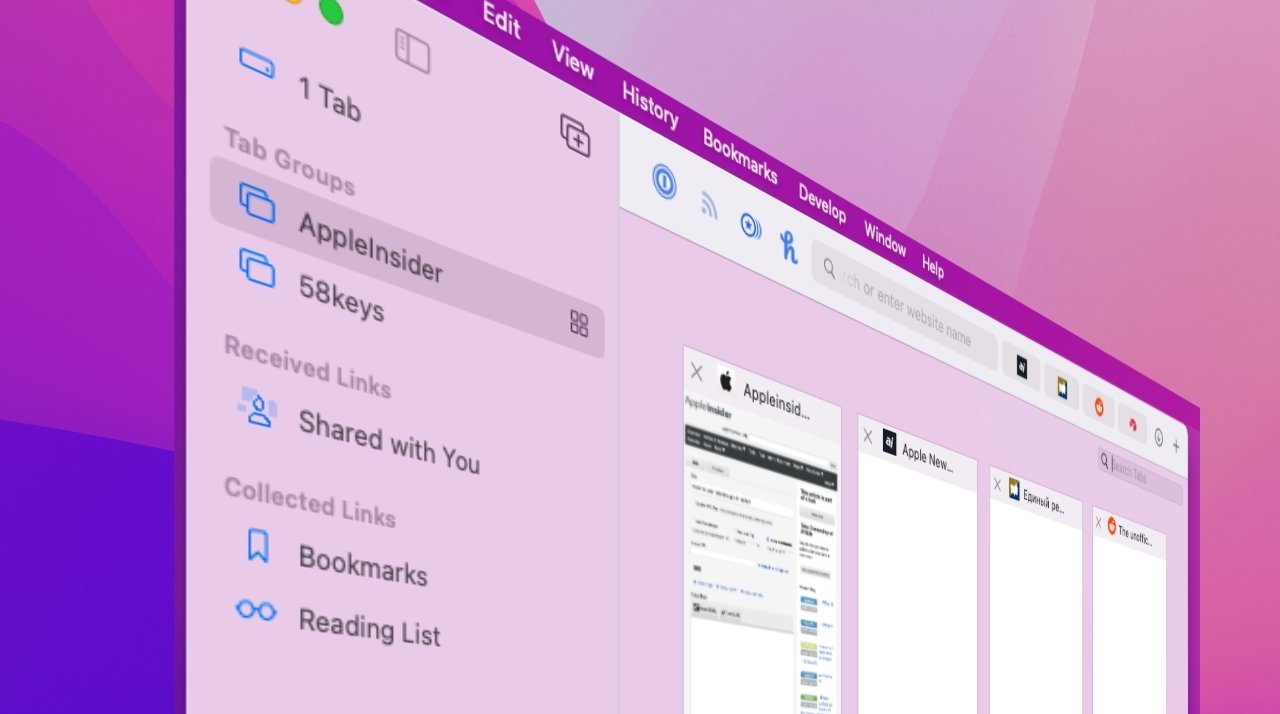
Likely debuting at WWDC, Safari users will soon find it will be easier to create groups of tabs, with a test version of the browser for the 27 operating systems using AI to group them for you.
Apple introduced Tab Groups in Safari 15 back in 2021, to help users organize and save groups of frequently-used browser tabs. Five years later, it is planning another change to the feature.
A test version of Safari for iOS 27, iPadOS 27, and macOS 27 has updated the Tab Groups to include an automated organization feature, says Mark Gurman in his “Power On” newsletter for Bloomberg. The center-top button for moving between tab groups has a new test option, appropriately titled “Organize Tabs.”
This feature is used to tell Safari to automatically group tabs together, or to leave them be manually collated by the user. When selected, Safari says that “tabs will group into topics you browse.”
Apple apparently hasn’t labeled it as a feature that uses Apple Intelligence, but it is using some form of AI. This sounds similar in concept to the Reminders feature, which can group items from a list into categories, such as product types in a shopping list.
Hello everyone, and welcome to another edition of Box Art Brawl!
Last week, we checked out Final Fantasy Fables: Chocobo Tales for the DS. After a few close races, the winner here was clear, with North America smashing it to bag 71% of the vote.
This time, as we await the launch of Bubsy 4D on the Switch and Switch 2, we’re going back to the SNES to check out the original: Bubsy in Claws Encounters of the Furred Kind. It kickstarted a turbulent career for the bobcat, but one that is thankfully still thriving.
North America and Europe have pretty similar box arts for this one, but we think they’re different enough to warrant separate entries. So let’s get to it.
So this is almost certainly the most recognisable box art for Bubsy, showcasing the protagonist himself posing for the camera in all his glory. We’ve got the typical black border here for US SNES games, and it does make the central artwork stand out nicely.
Europe’s is pretty much the same, albeit with a slightly smaller and realigned logo alongside a light blue border. This colour goes nicely with the main artwork and kinda feels like it’s an extension of it, in a way. Not massively different, then, but a solid effort.
Japan went down a completely different route here to make use of the portrait orientation. Bubsy arguably doesn’t boast the same expressive pose as the western design, but we’re big fans of the stark white background and the awesome red logo at the top.
Which region got the best Bubsy in Claws Encounters of the Furred Kind box art? (760 votes)
North America44%
Europe19%
Japan37%
Thank you for voting! We’ll see you next week for another edition of Box Art Brawl!
Tomodachi Life: Living the Dream made its debut on the Switch last month, and in case you missed it, it sold over 3.8 million units in its first two weeks.
In the latest financial results, Nintendo has also revealed one other interesting fact about the social sim. Although this is a Switch title, according to Nintendo, it seems approximately 40% of players have been enjoying the game on Switch 2:
Nintendo: “Tomodachi Life: Living the Dream had solid release, with global sell-through surpassing 3.8 million units in the first two weeks. Although released as a Nintendo Switch title, approximately 40% of players are Nintendo Switch 2 owners.”
There’s currently no dedicated Switch 2 Edition for this title. However, there are some slight benefits of playing on the new system, such as faster load times and GameChat support.
If you didn’t catch the latest sales update, the Switch 2 has now sold a total of 19.86 million units. As for the original Switch, this family of systems has shifted a total of 155.92 million units in the space of nine years.
If you haven’t already played Tomodachi Life: Living the Dream, be sure to check out our review here on Nintendo Life.
What system are you playing Tomodachi Life: Living the Dream on? Have you even got it yet? Let us know in the comments.
What system are you playing Tomodachi Life: Living the Dream on? (186 votes)
Star Fox for Switch 2 comes loaded with all sorts of features and if you happen to have an amiibo on hand, you’ll be able to receive some extra in-game goodies.
Nintendo’s Japanese website goes into detail about this compatibility, confirming you’ll unlock exclusive backgrounds and emblems when you place an amiibo on the Joy-Con 2 or Switch 2 Pro Controller analog stick.
The figures highlighted on the same page include the Super Smash Bros. Ultimate amiibo Fox, Falco and Wolf. Here’s a glimpse of some of the emblems and backgrounds you can unlock:
Image: Nintendo
One other feature in Star Fox on Switch 2 will be GameChat character avatars, allowing you to appear as Fox McCloud and other crew members when chatting to friends. AR filters also add Star Fox-like ears to your face or a Falco-inspired beak that moves when you talk.
You can find out more about the features in this modernised take on Star Fox’s N64 outing in our previous coverage:
When more details are revealed about amiibo compatibility in Star Fox, we’ll provide an update. Do you have any Star Fox amiibo you’ll be dusting off when the Switch 2 release arrives on 25th June 2026? Tell us below.
Dragon Quest is celebrating its 40th anniversary this month, and it’s now been revealed there’ll be a live stream taking place.
Series creator Yuji Horii shared this news in the latest episode of the KosoKoso Broadcast, noting the team should be able to make a special announcement about the “next game” on the anniversary date. Here’s what he had to say:
Yuji Horii: “We’ll be doing a live stream on May 27. I think we’ll be able to make an announcement about the next game.”
Apart from this, Horii mentioned how there’ll also be “various other things besides the next game” to share, and told fans to please look forward to the live stream.
Square Enix hasn’t officially announced this broadcast yet, but one game many fans are hoping to hear more about is the next major entry, Dragon Quest XII: The Flames of Fate.
This next chapter in the series was originally announced during the 35th anniversary stream alongside multiple other Dragon Quest titles.
What would you like to see announced or shared during Dragon Quest’s 40th anniversary? Do you think we’ll finally get an update on The Flames of Fate? Let us know in the comments.
It’s a sad reality of modern gaming that, despite not needing physical media to play a game, the digital-only version is typically more ephemeral and subject to sudden disappearance than a cart or a disc. It only takes an expired licence or a publisher in financial trouble for games to start disappearing from storefronts.
It’s not just small games either; you may be shocked to see just how many games have been removed from the eShop since 2017. While compiling this (de)list, we were certainly surprised to see just how many sizeable Switch releases — ones we’ve reviewed and enjoyed — are now no longer available for purchase on a Nintendo Switch, 1 or 2.
We’ll do our best to keep this list updated as a comprehensive reference, but let us know in the comments if we’ve missed anything.
Every Delisted Switch Game
Before we begin, a shoutout to DelistedGames.com, a very useful resource not just for corroborating delisted Switch games, but also citing dev/publisher sources and precise reasons behind removals. If you’re interested in finding out why you can no longer buy the games below, you’ll likely find the reason there – give them a visit.
The vast majority of these games are no longer listed on Switch eShops in any region. However, please check the Notes section for exceptions.
Notes & Exceptions
Before we move on, there are a few provisos, a couple of quid pro quos:
Nerve Software’s original Unity ports of Doom and Doom II were delisted, although they were replaced with Nightdive’s KEX versions. Likewise, you can get Wunderling DX for free if you own the original Wunderling.
Switch Delisted Games FAQ
Before we go, let’s answer some questions about these AWOL Switch games.
So, is there really no way to play these on Switch anymore?
Not in any official capacity, unless:
You already purchased them prior to their delisting
Or you have a physical copy (assuming one was produced)
In both those cases, you should still have access to download the game and/or any applicable updates.
Why were these games delisted?
Expiring licences is a common reason for a game disappearing from a digital storefront.
For instance, if a publisher has a five-year deal with a licensor, a decision must be made once time’s up if it’s worth renewing the licence and keeping the game on sale. In the majority of cases, unfortunately, sales will have peaked well before the licence expires and it’s simply cheaper to pull the game from storefronts than to keep it there.
In other cases, publishers putting out series on an annual release cycle are incentivised to direct new players to the newest game that’s still receiving updates and DLC.
The closure of Amazon’s GameSparks service in 2022, which some developers used for online gameplay and associated functionality, is another cause for various delisted Switch games.
As we mentioned up top, you should head over to DelistedGames.com if you’re wondering about the background behind specific removal cases.
What about physical copies?
Physical versions of many games above do exist, and they’re (generally) still affordable and reasonably easy to track down – at the moment.
As time goes on, however, physical copies will be harder to come by, especially for the boutique and limited-print-run labels like Limited Run Games. If you really want those retro Jurassic Park games on Switch, for instance, best hunt down a copy sooner rather than later!
We’ll do our best to keep this up to date with Switch 1 and 2 games that get delisted. Think we’ve missed something? Let us know in the comments and we’ll keep adding to this unfortunate list over time.
I’ve been playing some inKONBINI recently, and it’s really lovely, if a touch janky on Switch 2. I’m finding it incredibly relaxing, so I’d love to put more time into it this weekend.
Otherwise, I finally picked up Melty Blood: Type Lumina on the Switch, and it’s an absolutely killer fighting game. Gorgeous pixel art visuals and lots of depth. Have a good one, folks.
Gavin Lane, Editor
I finished up Pentiment this week (really wonderful game) and have just gotten through the tutorial of Pragmata, which will be more than enough to keep me out of trouble this weekend. Going through the Ps.
Beyond that, but still gaming-related, last month I was kindly sent an advance copy of CTRL: Essays on Video Games, an anthology collection featuring writers exploring the role games have played in their lives. I’ve only managed to read a couple, so I’m keen to really get stuck in. Keep an eye out for impressions in due course. Have a good one, folks.
Kate Gray, Contributor
This weekend… well, it’s probably more Slay the Spire 2 and Tomodachi Life. I downloaded a bunch of games I really need to finish, and they give me judgy looks every time I go past them on the Switch homepage to get to Tomodachi Life, but… none of those other games let me wed Old Toad to Goth Zelda, do they?
Alana Hagues, Deputy Editor
I’ve finished Blasphemous II (good game! More fun but less unique than its predecessor), and I’ve now moved onto MIO in what has become an unofficial Metroidvania May. This one’s very different to Blasphemous, and I think I like it so far? It’s too early to say; combat is too floaty with no impact, but the platforming is immaculate.
To continue the theme, I’ll be moving onto Constance after MIO. So many pretty Metroidvanias. I want a clean slate before life kicks in and I move onto the handful of Zelda-likes coming out at the end of May and June, so fingers crossed. Have a good one, all!
Jim Norman, Features Editor
I have been so locked in with Tomodachi Life in the past two weeks that I’ve forgotten other games exist. Oh no, now I’m at a crossroads.
I really want to check out Lorelei and the Laser Eyes on Switch 2, and a Star Fox 64 replay is calling my name, but my Mii Frodo and Samwise are just starting to fall in love, and I can’t stop checking in, just in case I miss anything cute. Whatever will I do??
Gonçalo Lopes, Contributor
Good news, I did find my PS3 still hooked up under the TV and with Pragmata completed, my dad/daughter family needs are now being fulfilled with another Capcom title that I consider a forgotten gem: Asura’s Wrath! The game is pure stress-relieving bliss and deserves a re-release. I decided not to wait and see if Nintendo puts Star Fox Adventures on the NSO service and will indeed start (and this time finish) it because the Star Fox fever is very real and 25th June is still a long way off. I also caved and got the NSO N64 controller. It will put to good use with the Switch 2 Star Fox remake while also allowing me to properly replay GoldenEye and Perfect Dark without crazy remaps.
Game of the week is Scott Pilgrim EX. Fashionably late to the party, Mr. Pilgrim and crew arrived this past week in their physical format and I was surprised to see the DNA of River City Ransom all over this excellent new entry from Tribute Games. It also made me count the number of years from the original Bryan Lee O’Malley graphic novel release to realise the unfathomable: I am old. So very, very old…
Mai Ladyman, Video Producer
After chatting about our hopes and dreams for the Zelda movie with Alex and Ellen this week, I’ve been feeling the Zelda itch again. I’ve decided after all these years, to try and 100% Breath of the Wild and Tears of the Kingdom by using the Zelda app.
I’m so close to fully completing it and it’ll be so fun getting back to Hyrule. Saying that, it might take some time to get my skills back.
Those are our plans for the coming weekend. Now it’s your turn to tell us yours, so make sure to get busy with our poll, and let us know all about your weekend gaming plans in the comments!
Alongside an update on its major first-party releases for the Switch 2 in 2026 and beyond, Nintendo has also acknowledged the third-party games on the way to the new hybrid platform this year.
With Capcom’s new IP Pragmata now available, looking ahead, there’s a lot to be excited about in the coming months. This starts with Indiana Jones and the Great Circle next week, and beyond this, are games from the teams at Level-5, Square Enix, Bandai Namco and more.
Here’s what you can look forward to on the Switch 2 in the coming months:
Alongside this update, Nintendo also issued a reminder about just how big the current third-party support is for the Switch 2:
Nintendo: “These are some examples of titles for Nintendo Switch 2 from other software publishers that will be released in April 2026 and beyond. With the tremendous support from software publishers, the lineup for Nintendo Switch 2 is the largest ever following a platform launch”.
Are you looking forward to any of these upcoming Switch 2 releases? What else is on your radar in 2026? Let us know in the comments.