Posted on Leave a comment

Video: The Fire Emblem Warriors Launch Trailer Sets the Scene for Dramatic Battles

Fire Emblem Warriors is now just days away, the latest Musou / Nintendo crossover after a couple of iterations for Hyrule Warriors. It’s a title that impressed us in our preview, and our full review will be dropping once the embargo ends.

With the title just days away Nintendo has now published a launch trailer; it gives an insight into the way Fire Emblem strategies are fused with the frantic combat, and gets rather intense as it hypes up the scale of the story and its battles.

Check it out below.

With release all set for 20th October, are you planning to pick this up on Switch or New 3DS?

Posted on Leave a comment

Deals: Gear Up With Xenoblade Chronicles 2 Collector’s Edition And Pro Controller

One of the games wthat we are really looking forward to on the Switch this year is of course Xenoblade Chronicles 2, which isn’t all that far away now. Roll on 1st December.

The Nintendo UK Store has recently listed two different versions of the game for fans, along with a tempting limited edition Pro Controller. As always it’s worth getting in early to secure these as they do appear to actually be quite limited in supply.

The “Fan Pack” includes a lovely A2 sized poster and a pin badge along with the game; it’s not much of a price bump at £49.99. Of course hardcore Xenoblade fans will want to grab the “Collector’s Edition”, which bundles the game with a steelbook case, soundtrack CD and a 200 page art book for £79.99.

And what can we say about this Xenoblade Chronicles 2 themed Pro Controller? It is certainly quite eye-catching, but it might not appeal to everyone…

Please note that some of the links below are affiliate links. If you click them and make a purchase we may receive a small percentage of the sale which helps support the site. Please read our FTC Disclosure for more information.

Of course if you are not bothered about all that extra gubbins you can pick up the no-thrills standard game from Amazon for less, with the usual small discount for Prime members.

Also of note, in both Europe and North America you can currently get 40% off Xenoblade Chronicles 3D on the New Nintendo 3DS via My Nintendo. That’ll cost you 100 Gold Points in Europe and 120 Gold Points in North America.

Let us know if you have secured your copy of Xenoblade Chronicles 2 with a comment below!

Posted on Leave a comment

Pokémon GO Leak Hints At Gen 3 For Upcoming Halloween Event

It would appear that Gen 3 monsters will be unleashed as part of Pokémon GO’s upcoming Halloween event.

The evidence is two leaks, the first of which is an image found in data files for the game. A piece of artwork – presumably the loading screen art – clearly shows Gen 3 monsters Duskull, Dusknoir, Shuppet, Sableye and Banette.

The second leak is Apple’s doing; an image showing Gen 3 Pokémon – as well as a witch hat-wearing Pikachu – has been spotted on the iOS App Store. The Pikachu will presumably be a time-limited offering, as has been the case previously.

While we’ve yet to hear any official confirmation that Gen 3 is coming this Halloween, these two leaks would suggest it’s almost certainly on the cards.

Posted on Leave a comment

Mario + Rabbids Kingdom Battle DLC Gets Shown Off In Shiny New Trailer

Yesterday we revealed that the first main addition to Mario + Rabbids Kingdom Battle – the Ultra Challenge Pack DLC – had gone live, allowing season pass buyers to get their hands on some lovely new content. Today, Ubisoft has released a trailer for the package, giving us a quick look at these new features.

The trailer shows off its new co-op campaign (which consists of five exclusive new maps), and a glimpse of the eight ‘Ultra Hard Challenges’ that have made their way to the Secret Chapters of each world. You can check out the trailer for yourself below.

These new modes look as beautiful and fun as ever and, if you have bought (or now buy) the season pass, they should be available for you to play when you next update the game.

Have you decided to grab yourself the season pass for Mario + Rabbids Kingdom Battle?

Posted on Leave a comment

Sony is Publishing an Indie Title, Tiny Metal, on the Switch

While Nintendo’s corporate structure is easy to understand, fellow platform holders Sony and Microsoft are broader and more complex. They’re companies with numerous sizable divisions and spin-offs, with various businesses and interests outside the game industry. That subverts any idea of ‘console wars’ in the modern era, to a degree, especially when you see examples such as Microsoft-owned IPs like Minecraft making a hugely profitable impact across platforms.

The latest example of business trumping tribalism has come via Sony Music Entertainment, which recently established its own publishing label called Unties. The new publisher’s brief is pretty clear – to find quality titles and bring them to gamers around the world (translation via Gematsu).

At Unties, we dig up the masterpieces buried in those situations, and support them so that more users notice and pick them up. We spread information about excellent games and sell titles for multiple platforms.

It so happens that one of the games the company will publish is Tiny Metal, developed by Area35. It was first confirmed for Switch back in May, and drew intrigued looks due to its visual style and isometric strategy. Yes, some hope it’ll basically be an indie Advance Wars.

Though in this case it’s Sony’s music subsidiary behind the release, via Unties, it’s another positive sign that platform holders can support each other when necessary. If only some of the more vocal fans of each corporation could be as supportive in online debates – it’s all just gaming, after all.

In any case, Tiny Metal is arriving on Switch, PS4 and PC on 21st November; are you planning to give it a try?

Posted on Leave a comment

New Fall Update for Xbox One Available for Everyone Today

It’s been a busy and exciting summer for everyone at Team Xbox. Back in August we gave you a first look at the fall update for Xbox One, and we showed off the new Home, Guide and Community tabs. Since then, we’ve been working with Xbox Insiders to gather feedback, test and refine new features that we’re releasing worldwide starting today. As gamers, we like to play and watch content the way we want, with the people we want. With this update, our fans asked for more personalization options and we’ve put more control in their hands. Here’s a rundown of the new features.

Content Block Xbox One

You can personalize your “Home” more than ever before: You can…

  • Make Home uniquely yours. Add your favorite games, friends, Xbox Live Gold, Xbox Game Pass, and more directly to your Home screen with a new concept that we call blocks. Once you’ve added blocks, you can remove or change the order of the blocks as you see fit.
  • Have up to 40 pins!  All these pins will appear in the Pin block on Home, as well as the Pins flyout in the new Guide!
  • Easily discover new things, such as friend activities, leaderboards, LFG posts, tips, quick links to Game Hubs, across both your console and Xbox Live at the top of Home.
  • Choose dark, light, or high-contrast theme option in Settings.

 Updated Xbox Guide

You’ll experience a fast, powerful and convenient Guide:

  • It’s now faster and easier to move left and right through horizontal tabs with the left thumb stick or bumpers.
  • When you bring up Guide while in an active party or broadcast, Guide will automatically open the party or broadcast section by default for faster access to controls.
  • New “Friends in games” flyout informs you of friends playing the same game.
  • Game invites will show up in the Multiplayer tab of the Guide.
  • The new Tournaments section in the Multiplayer tab of the Guide provides a quick portal into the official and community tournaments that you’ve joined. Enjoy more Xbox Arena tournament options with the addition of new titles.

Community Feed on Xbox One

Don’t worry about missing any actions when you step away from your console:

  • With the enhanced notification system, when your Xbox One is idle, time-sensitive activities and status are visible from far away.
  • The screen-dimming functionality has also been updated to better prevent screen ghosting, both when the screen is dimmed and when it’s showing notification snapshots of what’s happening on Xbox Live.
  • The newly redesigned Game Hub Welcome tab now features a summary of all the great content around the game on one page.
  • Profiles now enable faster access to recent activity. You can now easily manage who sees your activity feed content through the “Others can see your activity feed” privacy setting.
  • See more content at a glance with new Community feed, and view screenshots and game clips in an immersive, full-screen view.

Video forNew Fall Update for Xbox One Available for Everyone Today

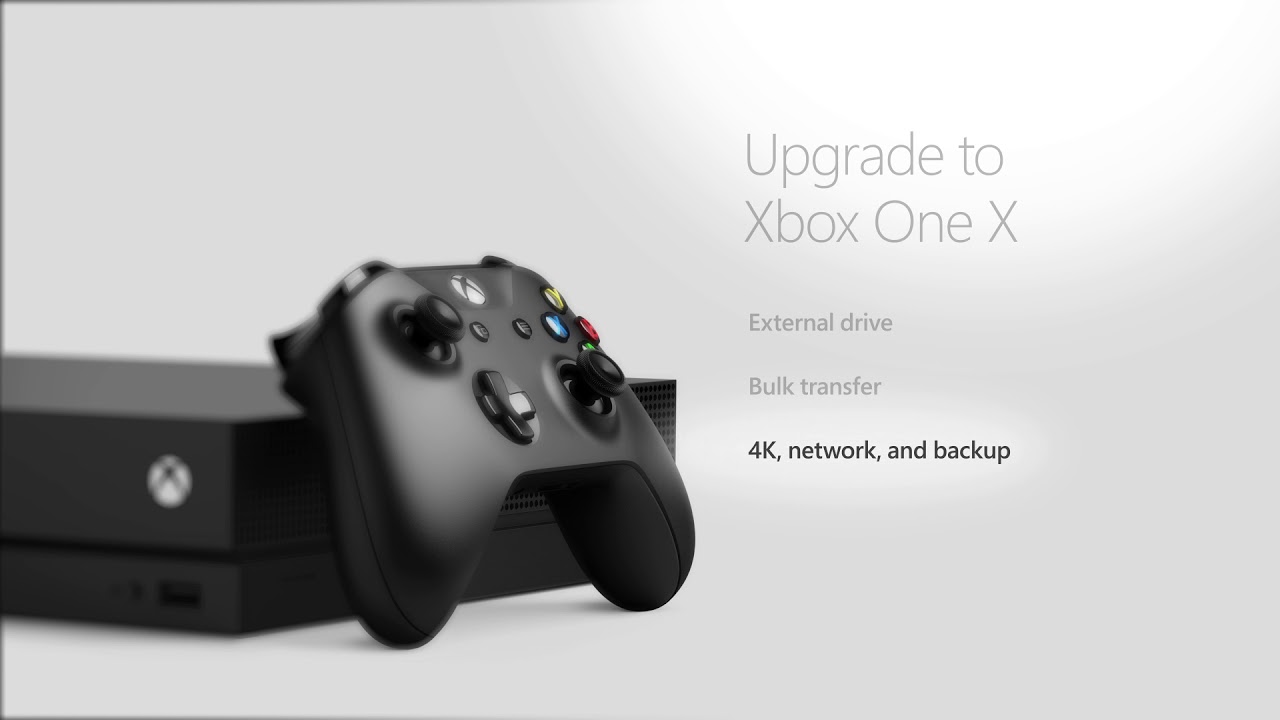
Get a head start on Xbox One X (Launch Day Nov 7): Your console setup experience will be quicker for both new users and upgraders.  There are new options to help save time when moving from one Xbox One to another (including Xbox One X), so you can get back to playing faster.

  • Transfer your games to an external drive so you can connect it to your new console and play immediately. Just unplug the drive from your current console, plug it in to your new one, and you’re ready to go.
  • Existing Xbox One owners can back up their games and console settings to an external drive so that they’re ready to be applied to the new console during setup.
  • Copy your games and apps over your home network from one console to another via network transfer.
  • Bulk transfer will allow you to select and transfer as many games as you want all at once.
  • You’ll be able to download 4K content for some games ahead of time to your Xbox One or Xbox One S, so that you’re ready to transfer Xbox One X Enhanced games to your new console on day one.
  • You can easily discover Xbox One X Enhanced titles in the Store, and developers can optimize game delivery by making sure that 4K assets are installed only for Xbox One X.
  • You’ll be able to sort and filter your Installed and Ready to Install games library to find Xbox One X Enhanced titles.

Xbox One X Enhanced Titles UI

Discover and Create Engaging Content:

  • The Mixer tab on the dashboard will now display broadcast previews so you can see what’s going on in popular streams before you join them.
  • If your bandwidth supports a 1080p broadcast, we will upgrade it automatically for your Xbox One family of devices.
  • The Broadcast & Capture tab in Guide is also now more deeply integrated with Mixer. Once you start a Broadcast, a new flyout will appear that includes your profile stats.
  • You can also use a USB webcam to broadcast yourself alongside your gameplay on Mixer, or to have a 1:1 or group video chat with friends using Skype.
  • GameDVR will now be able to capture up to 4K/HDR screenshots and game clips on Xbox One X, and you’ll be able to capture content directly to an external hard drive.

Xbox Assist

Other big features include…

  • You can get personalized tips & help, smart notifications, community tips, & troubleshooting through the new Xbox Assist App.
  • You can also change your console language to select right-to-left languages – Arabic & Hebrew – in the Xbox Settings menu.
  • You will also see a new Microsoft Store logo and name in the Xbox dashboard, providing you with a simpler experience when you download and buy the latest products and content from Microsoft and its partners, including hardware, games, entertainment, apps and more.

It’s been an incredible journey for the entire team at Xbox as we worked to bring you this update. Thanks as always to our fans and Xbox Insiders for the valuable feedback. Be sure to keep letting us know what you think at Xbox feedback.  We’ll have even more great features coming very soon! See you on Xbox Live.

Mike Ybarra
Gamertag: Qwik
Twitter: @XboxQwik

Posted on Leave a comment

Now Available on Steam – Overgrowth, 30% off!

Overgrowth is Now Available on Steam and is 30% off!*

Feel like the star of a martial arts film in Overgrowth, as you jump, kick, throw, and slash your way to victory. Free the rabbits from their evil overlords in the main story, then play through the prequel story, and finally, try out nine years of mods developed by the community, or create your own!

*Offer ends October 23 at 10AM Pacific Time

Posted on Leave a comment

Now’s the time to submit talks for the GDC 2018 Tutorials & Bootcamps!

If you have a great pitch for a session that would be a good fit for one of the many Tutorials and Bootcamps offered at Game Developers Conference 2018, organizers want to hear it — the sooner, the better!

That’s because many of them have put out a public call for submissions to present lectures, roundtables, panels, and tutorials. The deadline for submissions to each Bootcamp and Tutorial may vary based on the organizer, but they all close no later than Friday, November 3rd!

The Bootcamps and Tutorials scheduled during the first two days of GDC 2018 (Monday and Tuesday, March 19-20) are designed to offer attendees the chance to focus on the critical components of game development, providing them with a full day to take a deep dive into a single topic.

The organizers of these day-long workshops are constantly working to ensure they encompass the most interesting, informative, and cutting-edge sessions. With that in mind, the following Tutorials and Bootcamps are currently seeking great talk submissions:

  • Board Game Design Day: Submit talks via this form before November 1st! The Board Game Design Tutorial is a one-day deep dive into the art and science of designing non-electronic board (and card) games. Featuring multiple notable speakers from the world of board game design, this is an opportunity to get deep into the design mechanics behind innovative and popular board games, and hear about the design ethos that has shaped standouts in the resurgent world of board game development.
  • eSports Day: Submit talks via this form before November 3rd! The eSports Day is a day-long series of panels and presentations focused on cultivating a competitive game’s eSports ecosystem to attract and support professional players and teams, journalists, content creators, and grassroots player organizations. Join eSports Day and learn about growing your esports ecosystem alongside long-time developers, publishers, and esports community leaders!
  • Level Design Workshop: Submit talks via this form before November 3rd! The 2018 edition of the popular Level Design Workshop is run and organized by Joel Burgess and Clint Hocking, and will feature 5-7 speakers from around the industry talking about all aspects of level design.
  • Tools Tutorial Day: Submit talks via this form before November 3rd! The Tools Tutorial  is a deep dive into the state-of-the-art techniques and processes for building tools that enable game development teams to ship awesome games. Topics will range from usability and workflow to studio services and automated testing, and all the technology in between. Listen to experts from studios large and small talk about their experiences shipping the tools that ship awesome games.

GDC 2018 will take place March 19-23 at the Moscone Convention Center in San Francisco, California, and will again play host to thousands of game developers from all around the world for a week of learning, networking and inspiration.

This will be the 32nd edition of GDC, the world’s largest and longest-running event serving professionals dedicated to the art and science of making games, and it promises to be an exciting week of conversations and knowledge-sharing.

For more details on the submission process or GDC 2018 in general visit the show’s official website, and subscribe to regular updates via Facebook, Twitter, or RSS.

Gamasutra and GDC are sibling organizations under parent UBM Americas

Posted on Leave a comment

Blog: That magic character only French translators use

The following blog post, unless otherwise noted, was written by a member of Gamasutra’s community.
The thoughts and opinions expressed are those of the writer and not Gamasutra or its parent company.


By Adolfo Gómez-Urda and Laura Gutiérrez IGDA Localization SIG Vice-Chairs

That Magic Character Only French Translators Use

Automatic line-wrapping in video games is the source of numerous localization bugs that can only be seen by the Localization QA team. In the normal workflow, translators localize texts but don’t have access to the game itself, so they have no visibility over the size of the text box where their translation will be displayed and what it will look like on the screen once integrated into the localized version of the game. If a translation doesn’t fit into one single line within the text box where it’s used, it will be automatically split into different lines of text. Automatic line-splitting is an excellent and necessary feature, but it can introduce many localization bugs due to inappropriate line-wrapping or orphaned words.

There is one “magical” character that can help alleviate these issues, but translators are not often aware of its existence. We are of course talking about the non-breaking space (aka no-break space, non-breakable space, hard space, or fixed space), which can be typed by using the ALT+0160 key combination. Although it looks like a regular space when typed, it will behave as a very special space that will allow us to keep two or more different pieces of text together. French translators are the only ones who normally use them, due to a French punctuation rule that states that a space should be left before certain punctuation symbols, such as question marks, interrogation marks, colons, and semi-colons.


Automatic line-wrapping when a regular space is used instead of a non-breaking space 

This character is very powerful and, if used properly by the translators, it can reduce dramatically the number of localization bugs found by LQA.

In order for translators to freely use this character, the development team should ensure it is properly supported by the game fonts. Most modern fonts support this character, but some development teams may create their own custom-fonts and omit this character or intentionally reduce the number of characters supported by the game to save memory. As a senior localization project manager, it is my responsibility to always analyze the game fonts to ensure they support all the necessary characters for all the supported languages. This character is always included in my analysis and, if not supported, I flag it as a necessary character for localization as important as any other accented character.


 Some examples of the correct usage of the non-breaking space in French.

Asking if the non-breaking space is supported should be one of the first questions translators ask developers as it will avoid lots of hassle and firefighting after LQA is done.

Here are some examples of translations where this space should be used instead of the normal space (of course, only if you are supposed to use a space to follow your language’s punctuation rules):

  • In French, before the question/exclamation marks, colon, and semi-colon:

  • In German, before the ellipsis character: Warten auf Benachrichtigungen …

  • Between numeric values and units: 20 km, 30 MB, 100 %

  • Between a numeric value and the following word: 5 coins

  • Between the words “press”, “hold”, “tap”, “swipe” and button variables: To continue, please press [START_BUTTON]

English is no different, of course, and it would be great if the development teams started to use this character more often when writing the English texts and dialogues, since this would force the translators to use it and benefit from it more often.

Posted on Leave a comment

Cuphead Tips and Tricks

Hey, Xbox gamers!

The Tips & Tricks team is here with 5 tips for Cuphead, from Studio MDHR. This cartoon-style, contra-like action game features the lovable characters, Cuphead and Mugman. These two mischief-makers were high on their luck at the local casino when they were made an offer they couldn’t refuse. Like good boys and girls know, talking to strangers typically leads to trouble – but they disobeyed their elders and lost a bet with the devil himself. Now they’re on an adventure to pay off their debts…

With these 5 tips, we’ll teach you things like how to make the controls work for you, and help you prepare for the nonstop, crazy-hard boss battles! For even more strategies and tactics on today’s hottest games, plus plenty of other gaming-related fun, tune in to Tips and Tricks live every Tuesday at 3 p.m. PT on Mixer.com/TipsAndTricks!