
Learn how weapons and more are changing in Monument of Triumph
Author: sick skills
Star Fox’s Mouse Mode Controls Take The Spotlight In New Switch 2 Gameplay Footage
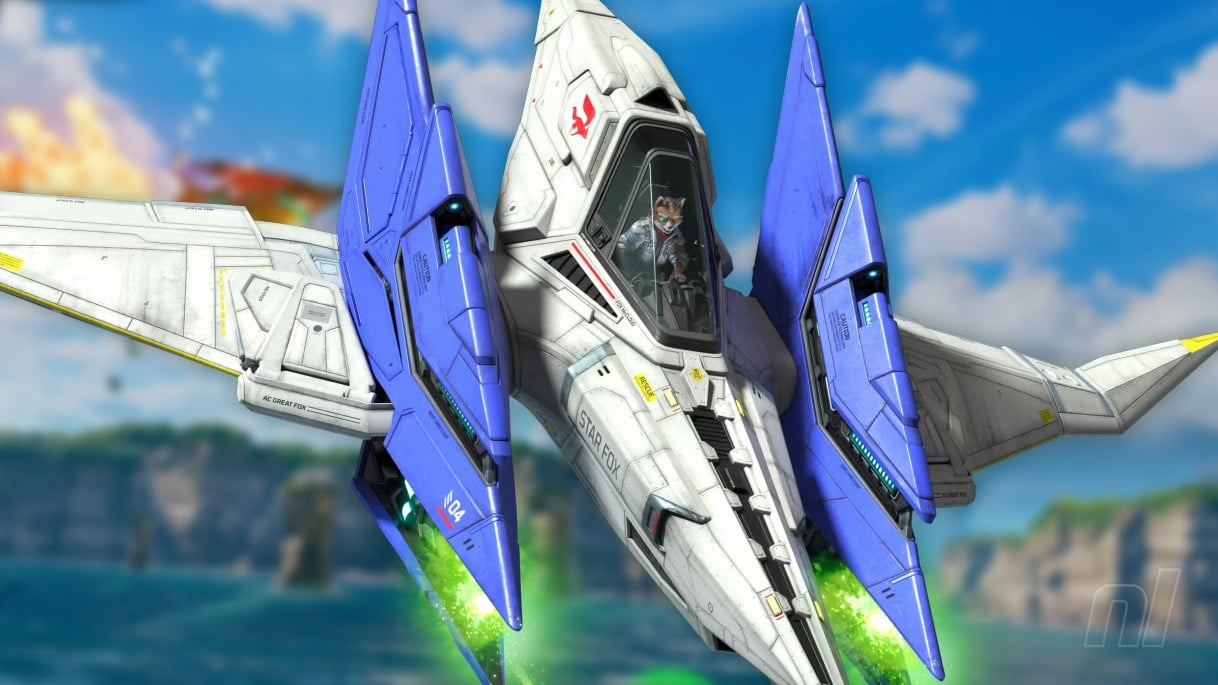
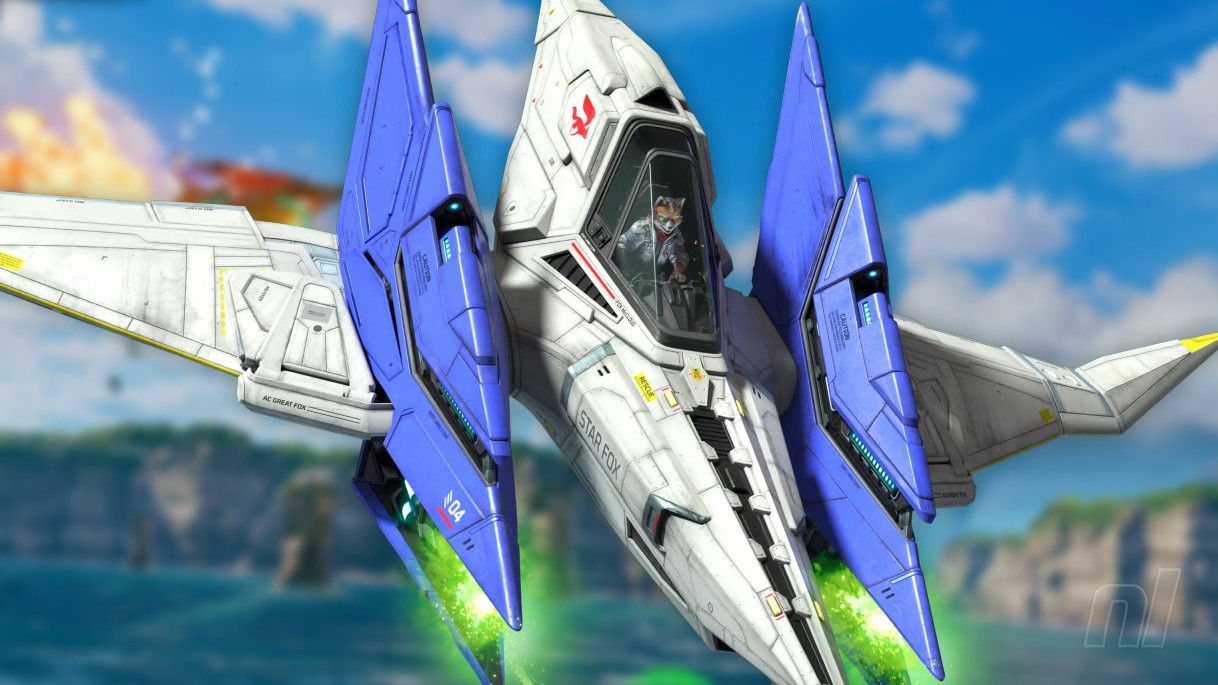
We’re closing in on Star Fox‘s almighty return, and Nintendo has today shared a little more footage of how the game plays with Switch 2’s unique control schemes.
It’s Mouse Mode that takes the spotlight in this new clip (re-posted to Bluesky by @Stealth40k), showcasing the opening Corneria City stage with the super-precise Joy-Con aiming.
The control scheme looks pleasant enough — even if it will only be available in the game’s Campaign and Challenge modes — but it’s the extra little look at Corneria City that we’re really loving here. Sure, the locale will no doubt look familiar to those of us who have played through Star Fox 64 countless times, but check out all the extra detail! The lighting, the holograms, the rubble — oof, this sure is going to be a pretty one.
As a reminder, Star Fox lands on Switch 2 on 25th June, complete with revamped visuals, new cutscenes, GameChat filters and more.
What do you make of this new footage? How hyped are you for Star Fox on Switch 2? Let us know in the comments.
Review: Pictonico! (Mobile) – WarioWare In All But Name, Just On Your Phone


When first revealed, Pictonico was clearly channelling serious WarioWare energy. That madcap microgame series got two Switch entries — 2021’s multiplayer-focused Get it Together! and 2023’s Move It!, inspired by the Wii’s Smooth Moves — but the microgame format feels particularly well-suited to touchscreen mobile devices.
However, I didn’t expect this to be WarioWare pretty much 1:1, minus the Wario.
It’s all here, just streamlined: the thick-lined, colourful presentation; the three-lives format as you scramble to parse what’s required in just a few seconds; the escalating audio that ramps up the tension between games; the anything-goes, collage-like aesthetic that somehow gels.
The microgames themselves, too, riff on some of WarioWare’s greatest games and themes. You can’t move for unshaven moustaches, sprouting flowers, and interactive nostrils. And yes, you will be plucking nose hairs; the only difference being it’s your nose hairs for the plucking this time. That, and you’re doing it on your phone.
Downloading the app, you get almost nothing for free. It’s a small demo that will last you a matter of minutes after you’ve gone through Nintendo’s T&Cs and various privacy assurances. There’s definitely a ‘trust us’ vibe to those, but no photos leave your phone at any time, and the safeguards and options for selecting specific images for individual games, tailoring which ones are pulled for use, deleting your play history, and removing any pics at any time are extensive.

Pictonico functions by scanning uploaded photos for faces to use in its microgames. Should you accidentally add random images you downloaded from the internet — or if you want to remove pics following a breakup or other painful life event — it’s a fairly simple process.
Obviously, everyone’s photo albums are different (you may have fewer t-shirt models posted by the menswear guy or shots of random bequiffed dudes to show the hairdresser on your Camera Roll), so it’s good to have granular options to create albums and block images if you’ve just imported everything into the app. Personally, I’m more selective, but you do you.
It’s worth noting that no internet connection is needed beyond the initial download/setup or buying paid microgame Volume Packs, which you’ll need to do to access the meat of the game.
There are two available at launch: the larger Volume 1 ($7.99 / £6.99 / €7,99) has 50 games and 20 stages, and Volume 2 ($5.99 / £5.39 / €5,99) has 30 games across 12 stages. I played on an iPhone 17 Pro, which you’d hope would be snappy, and was instantly impressed with the general feel and presentation of the UI – big chunky buttons and fast responses, no spinning loading symbols. It feels like A-team Nintendo fare.
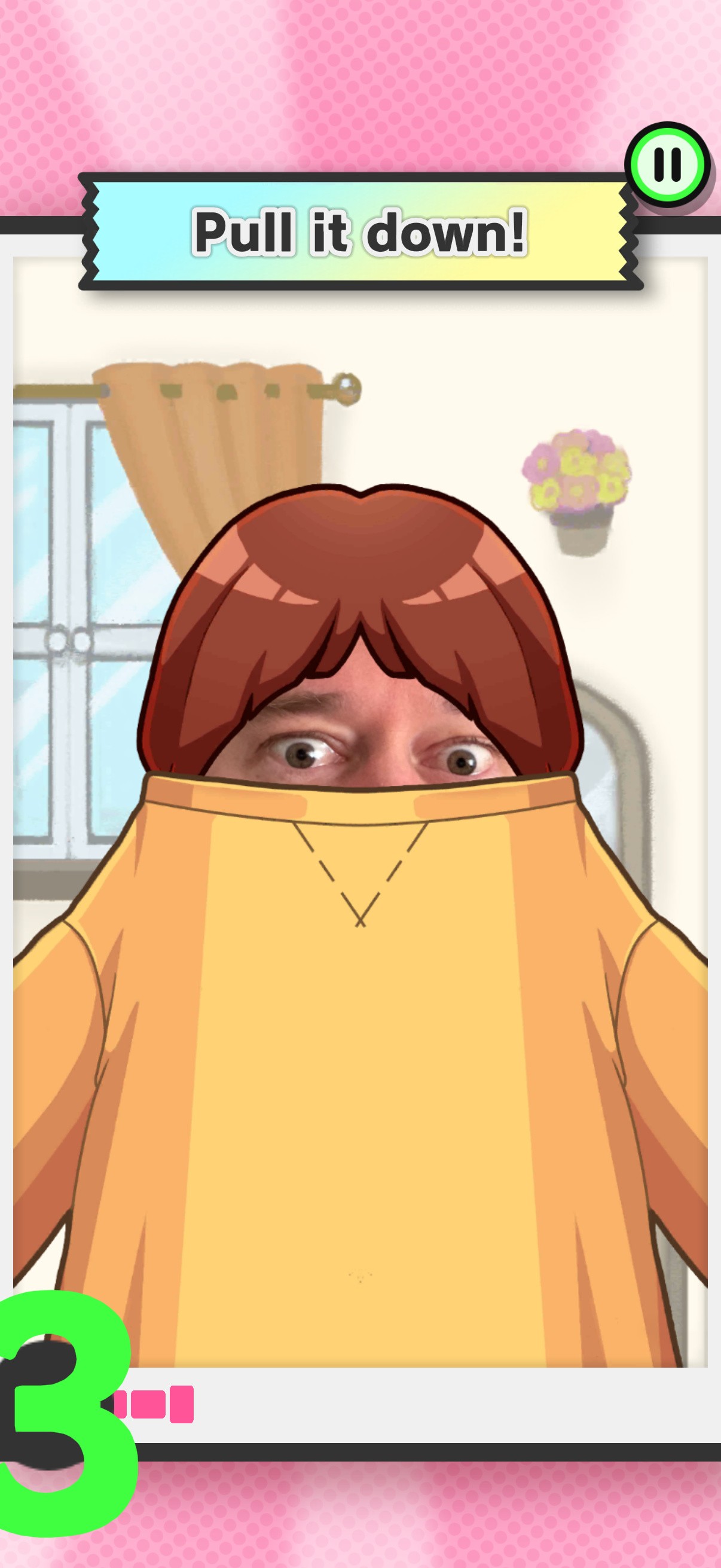
As for the games themselves, anyone who’s played a WarioWare will know exactly what to expect. For the uninitiated, you’re given a few seconds to follow an instruction to manipulate the screen in some way – unwrapping a present, peeling a banana, zipping up the mouths of chatty opera attendees, banging drums to attract a baby as it crosses an obstacle-strewn street, that sort of thing.
Whether you’re defeating evil wizards or unravelling mummies, nothing lasts longer than 10 seconds and the barrage of Python-esque mania and gradual speed increase keeps the energy high – now with the added charm of seeing you and yours popping up in-game in surprising ways.
This introduces a welcome element of Tomodachi Life-style random interaction and micro-narratives as you poke sleeping classmates or skydive with random people on your phone. That off-the-wall, distinctly personal feeling complements the traditional WarioWare loop nicely.
Playing through those stages (10 microgame rounds in each) unlocks Score Attack mode, a Games list (where you can play any microgame you’ve unlocked), and a Random 10 option, which does what it says on the tin. There’s also a Mix mode, which gathers games from any Volumes you’ve bought.
Completing stages nets you coins used to pull gatcha-style collectible fortune cards, or to Continue if you run out of hearts while playing. Things get very frantic in the latter stages, but “SUCCESS” in all 10 games bags you bonus coins and a little crown on the stage ‘map’. Something for completionists to shoot for.

Cautious about giving any app unfettered access to my albums (and conscious of needing usable pics for this review), I wanted to test how it worked with a fairly small sample size, selecting just 41 photos featuring me and my kids. As you’ll see from the screens on this page, it’s mostly stupid grins and surprised-face selfies. Apologies.
And it works fairly well with a fairly restricted selection. Obviously a wider image pool makes for more surprises, but Intelligent Systems gets plenty of mileage from the same snaps, pulling faces from different photos into new scenarios and contexts, flipping, rotating, and animating them to keep things fresh and manic, just as you’d expect from WarioWare.
We already know the series pairs well with a touchscreen — and DSi’s WarioWare: Snapped! previously experimented with camera microgames, with mixed results — and Pictonico dovetails beautifully with your phone. There’s none of the dissonance you may have felt on seeing Mario reduced to a jump-tap in Portrait Mode, or Tour‘s simplified take on Mario Kart. This feels like Nintendo’s most natural mobile fit by far.
A summary at the end of each stage gives you the opportunity to download and share a shot of every game you played, also displaying which photos the faces came from. Many of the screens on this page come from that round-up, so there’s plenty of scope for sending relatives snaps of them as a sunflower or marrying Commander Riker or whatever. (Come on, surely everyone’s got at least one Riker shot saved on their phone!?)

Cards on the table, I went in expecting Pictonico to be a ‘lite’ take on WarioWare, scrubbed and sanitised for a new audience unaccustomed to the anti-Mario’s flatulence and nose-picking. I was expecting something ‘lesser’, but what we’ve got here is the unadulterated WarioWare experience — with a little bit of Face Raiders mixed in — tailored and streamlined expertly for your phone. It’s…really good!
It’s also quite short. Familiarity with the series may be a factor, but after a few hours I’d burned through all the stages and microgames within both packs. There’s more to do if I want to unlock Game Centre achievements and get little crowns on every stage, and adding new photos would freshen things up again, but you’re not getting the full quantity of ‘Ware you would from a console entry.
Then again, you’re not paying for a full console entry. The Volume Packs are on the pricey side, perhaps, but for the smiles they’ve elicited, it’s a worthwhile investment, especially if you have kids to guffaw at the sight of you as a tank engine. Let’s put it another way: I’ll definitely be downloading future packs.
I’m intrigued to see the form they’ll take, too. Perhaps it’s fitting that Nintendo ousted Wario — who’s exploited his friends for his microgame empire long enough — from his own series and took the format to a new platform. But he could return.

Who am I kidding? I don’t really care about Wario. I just want a 9-Volt pack.
First Light’s Switch 2 Release Date Is Still MIA, But Bond’s Off To A Flying Start Elsewhere
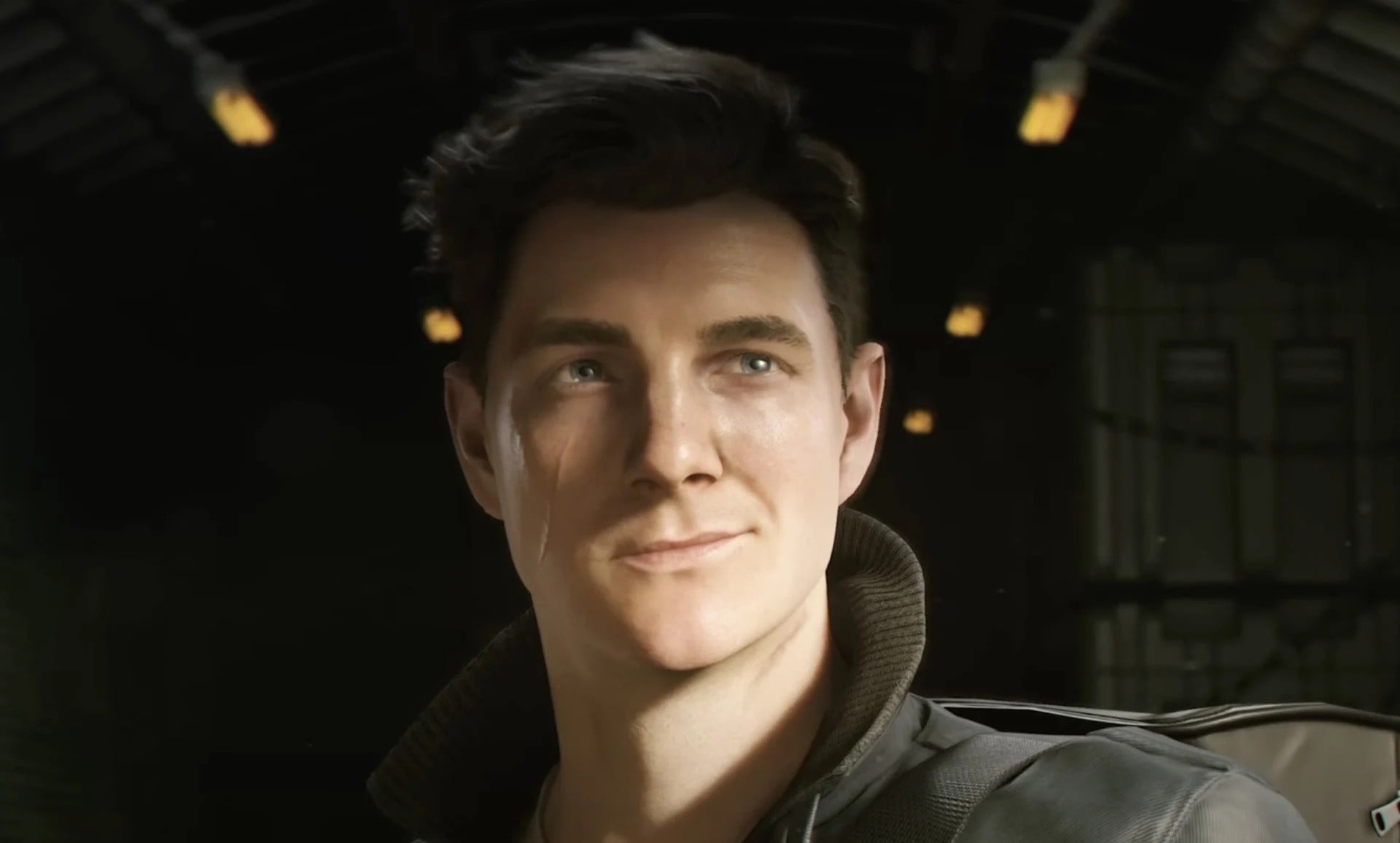
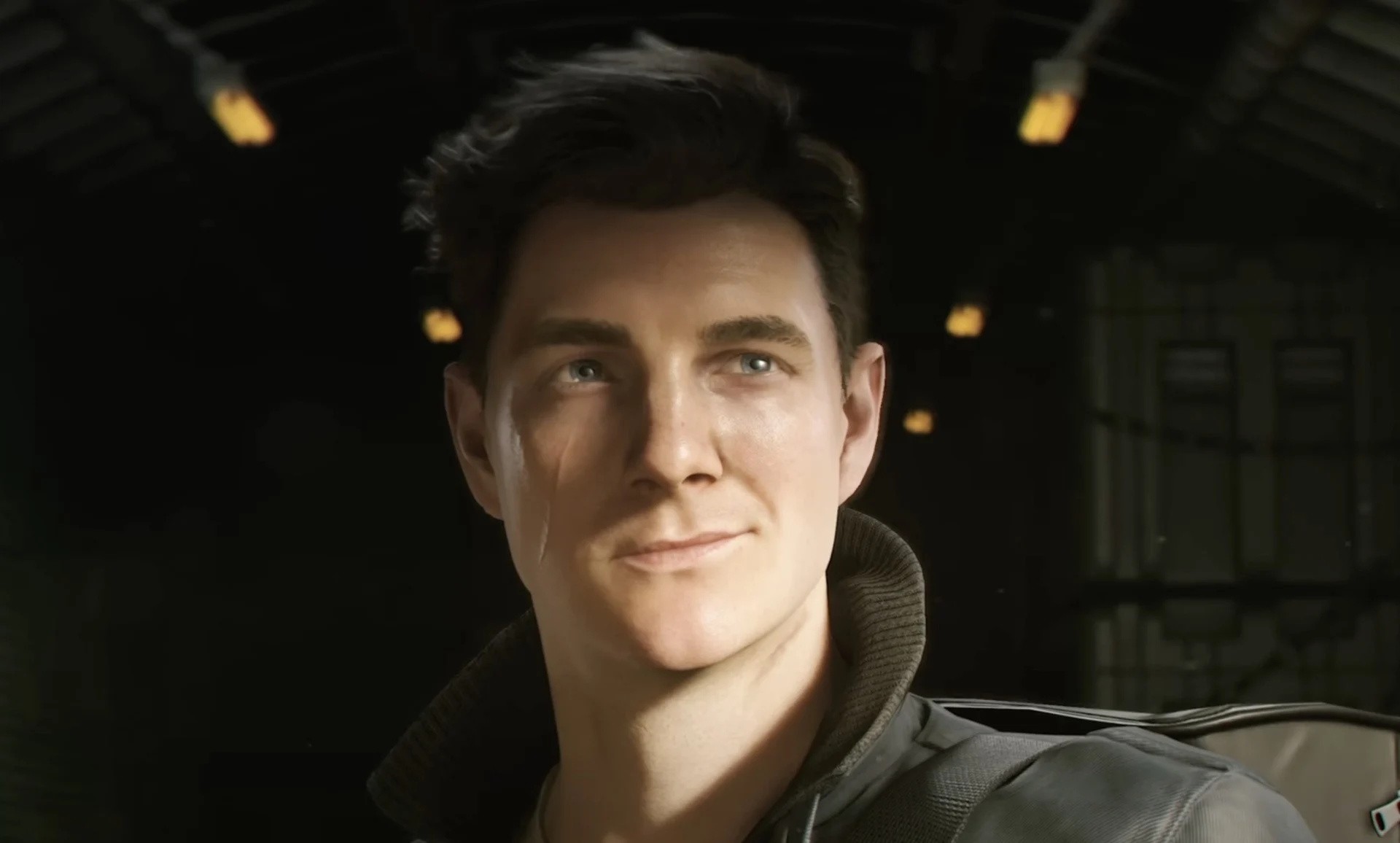
We’re still waiting on the new Switch 2 release date for 007 First Light after it was delayed on the hybrid back in April, but that hasn’t stopped Bond from getting off to a flying start elsewhere.
Developer and publisher IO Interactive has today shared the game’s first sales figures, revealing that First Light shifted a beefy 1.5 million copies in its first 24 hours — talk about having the Midas Touch, eh?
“Thank you for showing up to the launch of 007 First Light,” the accompanying message from the studio reads, “for your overwhelming enthusiasm and for sharing your experience with the game”.
While we’re still going to have to wait a little while longer to see how First Light holds up on Switch 2, it seems to have gone down really rather well elsewhere, with several outlets praising it as the best James Bond game ever. Fingers crossed for some news on the Switch 2 front soon, eh?
Have you already checked out Bond’s latest elsewhere, or are you still waiting for the Switch 2 port? Let us know in the comments.
Brace Your Wallets, Pokémon’s 30th Anniversary TCG Range Is Getting Revealed Next Week
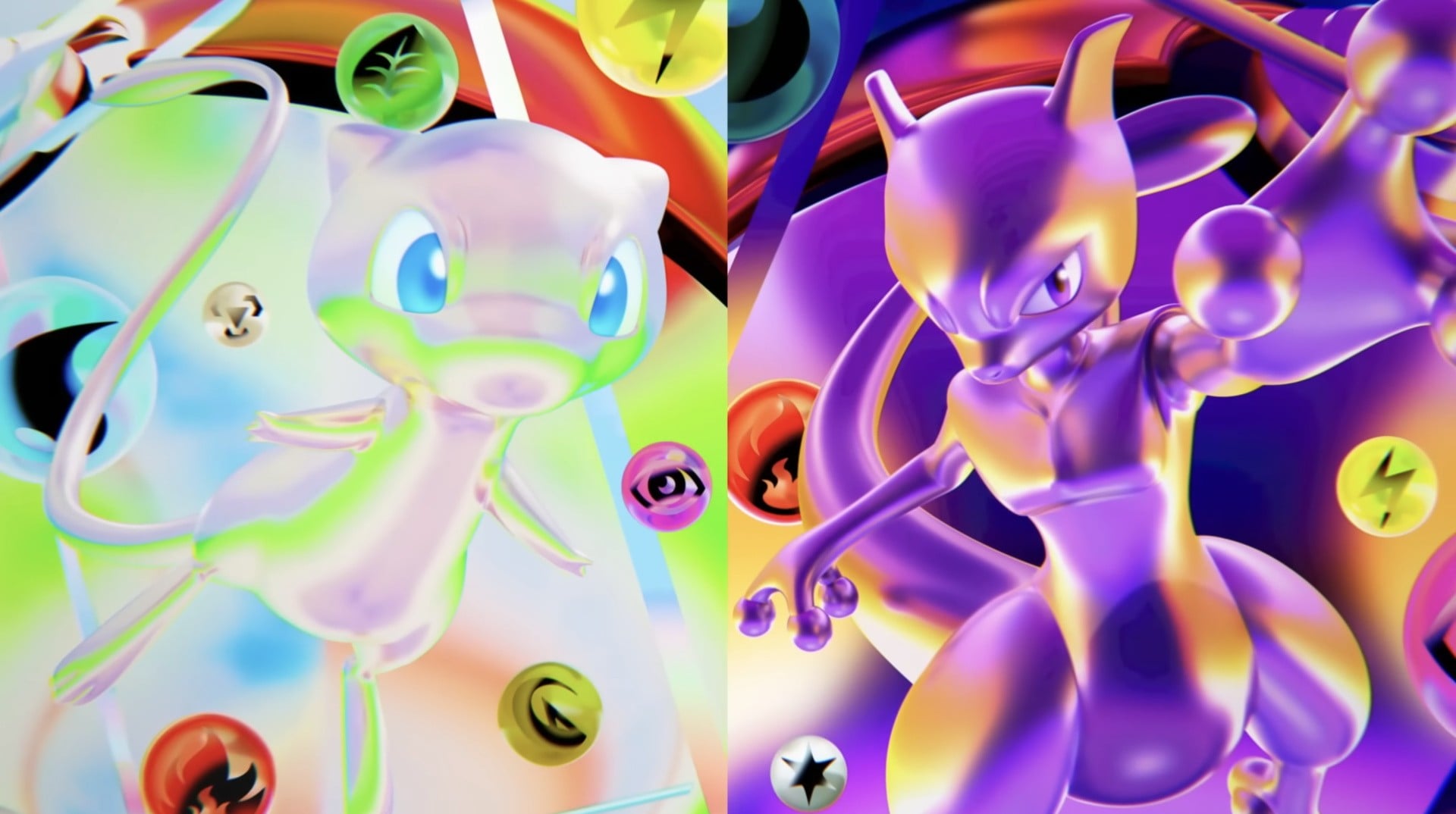
After being teased back in February’s Pokémon Presents showcase, The Pokémon Company is almost ready to lift the lid on its upcoming 30th anniversary Trading Card Game products.
As brought to our attention by Serebii.net, TPC will release a special video on its YouTube channel on 1st June at 2pm BST / 3pm CET / 6am PT / 9am ET to reveal the anniversary range.
We still have very little idea of what the collection will have in store, with the only thing officially revealed so far being that neon Mew and Mewtwo art featured in the Presents. The “dazzling line of products” is scheduled for a “simultaneous global launch in participating markets in 2026,” TPC revealed back in February, so we can be confident that we’ll see it at some point this year.
Whatever it is, we’re sure that the scalpers out there will behave totally normally and will make sure that everyone who wants a slice of this 30th anniversary pie can get one. Pfft, yeah right.
The Pokémon Company recently said that it is considering using government ID to tackle TCG scalping down to the line and “provide all customers with fair and safe opportunities” in Japan. Whether this comes into play for the 30th anniversary set in the region remains to be seen, but it’ll be interesting to see how it all plays out.
Will you be trying to get in on the TCG 30th anniversary range? let us know in the comments.
“We’re Working With Nintendo To Get This Fixed” – Stray’s Free Switch 2 Upgrade Is Missing
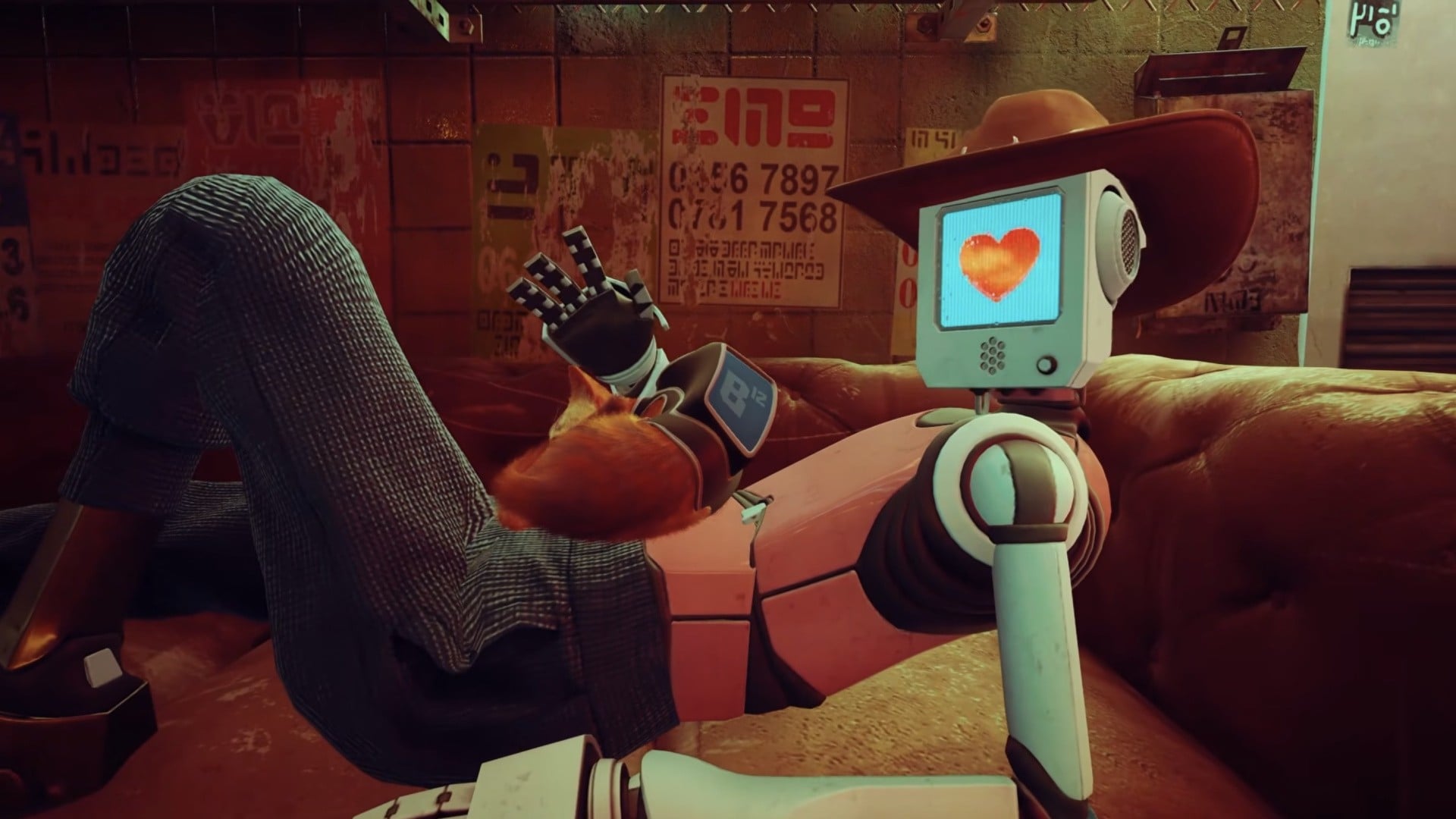
Annapurna Interactive’s wonderful cat platformer (catformer?), Stray, finally made the jump to Switch 2 earlier this week, but those with the game already on Switch 1 might have noticed that there’s no sign of a free upgrade path. Well, sit tight, because there’s one inbound.
Publisher Annapurna Interactive took to socials yesterday to apologise for the missing upgrade. “Today’s launch for Stray on Nintendo Switch 2 was intended to have a 100% owners discount for those who already own Stray digitally on Switch 1 (excluding Japan),” the message reads, “Due to an error on the storefront backend, this discount is not being correctly applied.”
A follow-up post on Bluesky added, “We’re working with Nintendo to get this fixed over the next few days, and apologize for the inconvenience.”
There’s something about the specification of “those who already own Stray digitally on Switch 1″ that leads us (and many others, looking at the comments) to wonder if physical S1 owners will also get the upgrade for free. The publisher has remained silent in response to questions on this topic online, which doesn’t fill us with hope. We’ve reached out to Annapurna Interactive for clarification and will update this post when we hear back.
For those without the S1 edition, Stray’s Switch 2 version is now available on the Switch eShop for £23.99 / $29.99, with a 40% launch discount bringing it down to £14.39 / £17.99 until 17th June. This release boasts 4K visuals, improved frame rate and added mouse controls — just keep the mouse away from the game’s protagonist.
Will you be checking out Stray on Switch 2? Pounce down to the comments and let us know.
Installing Fedora Linux Across Two Disks

A year ago, a family member gave me a 2019 laptop that wouldn’t run Windows anymore. And of course, I immediately installed Fedora Linux on it. While my day-to-day Fedora Linux system is a desktop PC, it’s nice to have a laptop to take with me when I do workshops or conference demos.
However, the laptop has a physical “spinning heads” hard disk, so it is really slow to boot. I timed it; the laptop takes almost two minutes to go from “power on” to “login prompt.” And that’s a very long time when you’re at the front of the room, waiting to start a demo.
I thought about replacing the hard disk with a solid state drive, but when I opened the laptop to make sure the drive was replaceable, I saw that the laptop also supports an NVMe solid state drive in addition to the hard disk.
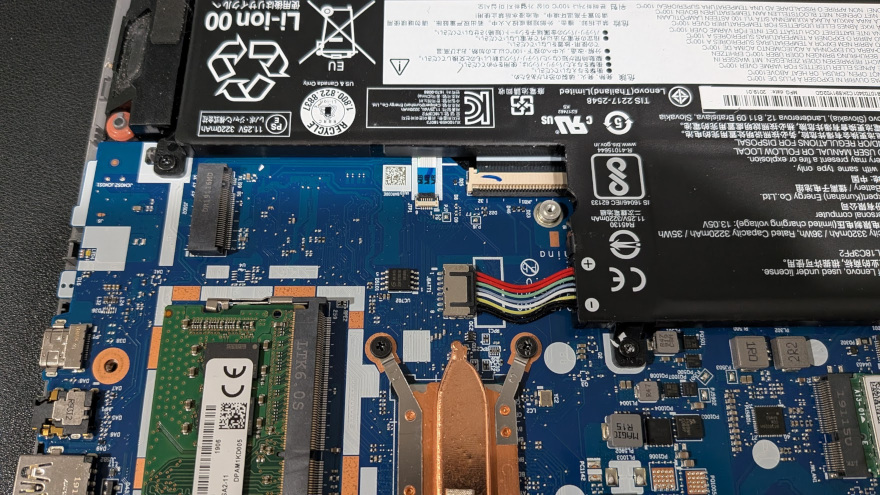
This presented an interesting opportunity: I could put in an NVMe drive and install Fedora Linux across two disks. Specifically, I wanted to boot Fedora Linux from the NVME drive, and keep extra apps and other data on the hard disk. I use several big third-party apps for my demos, which I install in both /opt and /usr/local, and it’s a huge pain to download and install those extra applications whenever I upgrade Fedora Linux. (I prefer to wipe and reinstall when I upgrade Fedora Linux, so I always have a clean starting point.) If I could keep /opt and /usr/local on the hard disk, I could preserve those when I install the next version of Fedora Linux.
Installing Fedora Linux to the NVMe
After installing a new NVMe drive in the laptop, I needed to reinstall Fedora Linux. I prefer the Xfce desktop, so I downloaded the Fedora Xfce spin and booted the installer. When the installer reached the “Destination” step, it prompted me for the target disk. I clicked “Choose destination” and selected the NVMe disk:
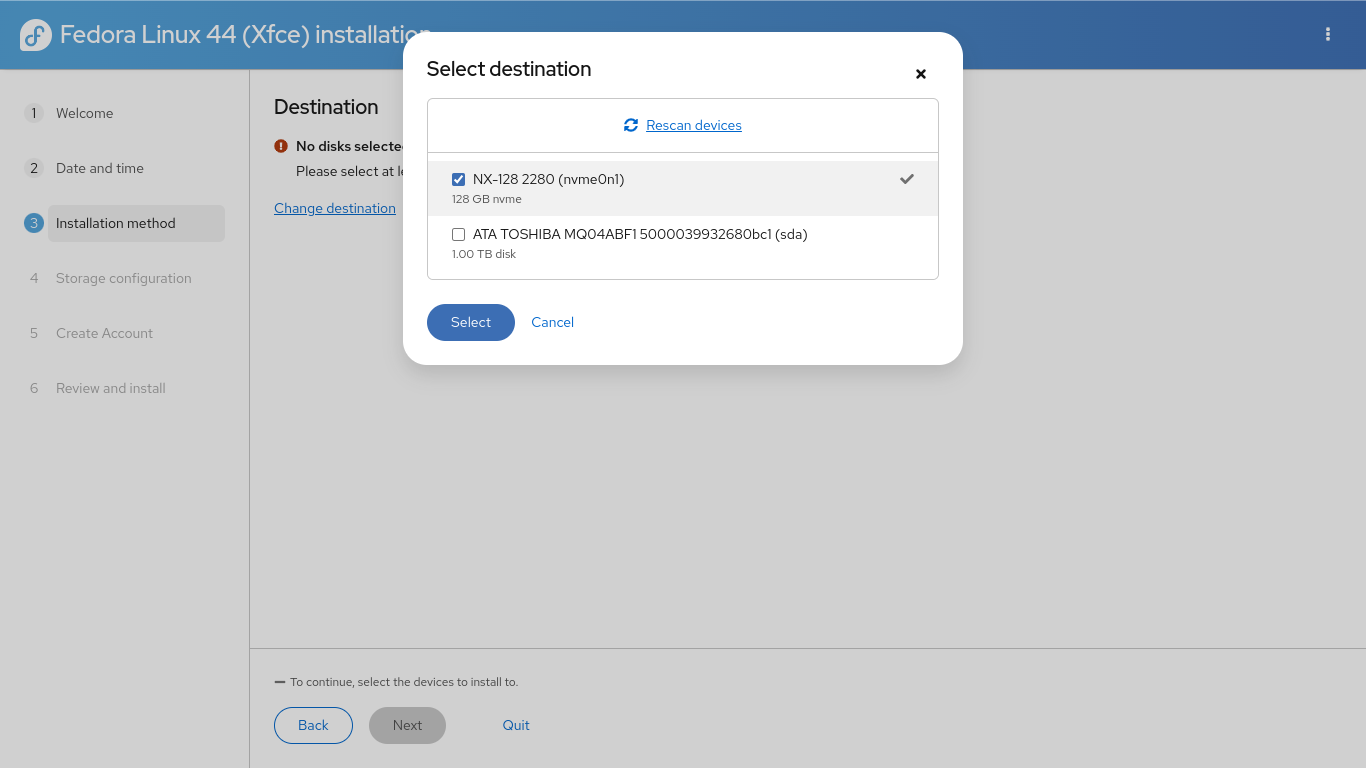
The rest of the installation ran normally. The Fedora Linux installer set up the partitions automatically on the new NVMe drive, encrypted my data, and installed the operating system.
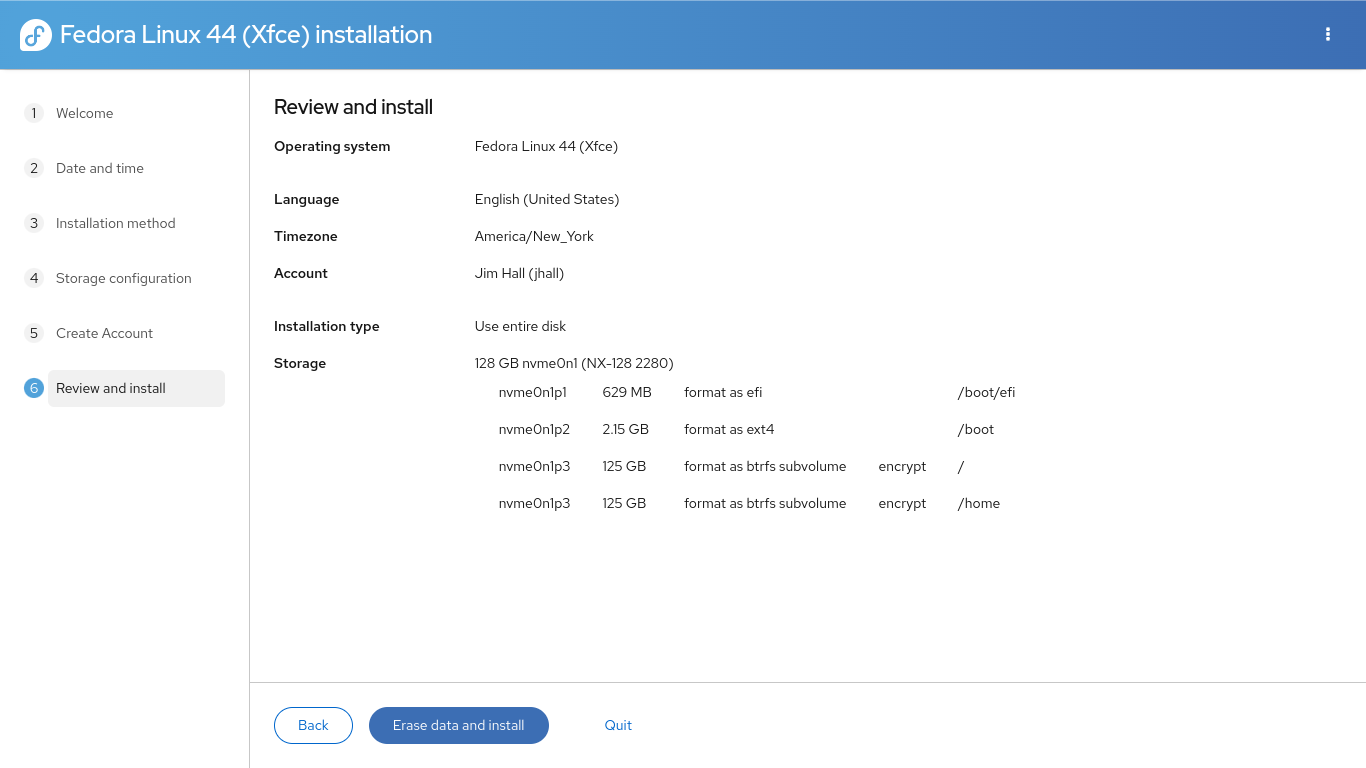
With Fedora Linux on the NVMe drive, booting took seconds instead of minutes. Again, I timed it: about 20 seconds to go from “power on” to “login prompt.” That’s a huge improvement!
Setting up partitions on the hard disk
The disk partition app in the Fedora Xfce is GParted, which makes it easy to set up the hard disk with new partitions. However, GParted’s main limitation is that it can’t set up encrypted volumes for you. If you want to use encryption, you’ll need to use the command line and run cryptsetup on your own.
However, I’m not very concerned about encrypting my /opt and /usr/local partitions. These are just third-party apps, not private data. My personal data will be saved to my home directory, which is safely encrypted on the NVMe drive. So I decided to set up regular partitions, formatted as ext4 filesystems.
I used GParted to delete the old partitions on the hard disk, and define three partitions that were each about 300 GB: /opt (which I labeled as opt), /usr/local (labeled usrlocal) and /backup (labeled backup). GParted created the partitions and wrote an ext4 filesystem on each.
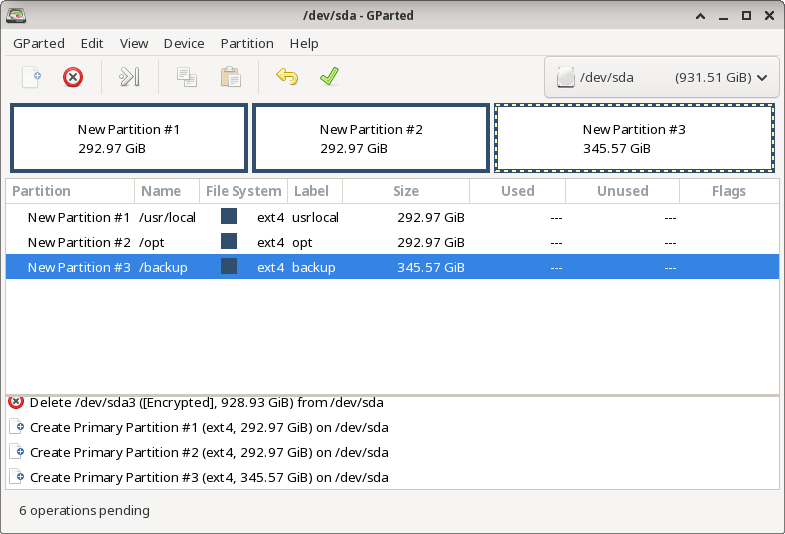
However, the /usr/local filesystem has a directory tree in it already, such as /usr/local/bin and /usr/local/lib, although these directories will be empty after installing Fedora Linux. I wanted to copy the original directories to the new filesystem. The easiest way to do that is to add the new usrlocal partition somewhere else and then copy the old /usr/local to the new partition. Adding a partition to a directory is called mounting, and the directory itself is called a mount point.
First, I needed to create a new mount point for the usrlocal partition, which can be located anywhere on the filesystem. Since this was temporary, I created it under /tmp then mounted the new partition using the mount command:
$ sudo mkdir /tmp/usrlocal
$ sudo mount LABEL=usrlocal /tmp/usrlocal
Then I copied the contents of the old /usr/local to the new /tmp/usrlocal mount point. The -a or –archive option copies everything:
$ cd /usr/local
$ sudo cp --archive * /tmp/usrlocal
After the process is complete, I unmounted the new partition:
$ sudo umount /tmp/usrlocal
Adding the partitions to the system
To make sure the new partitions are automatically mounted every time my laptop reboots, I needed to add them to my /etc/fstab file. This is a special file that contains the filesystem table, which is a list of partitions that the system can find on the disk and where to mount them. For example, my default /etc/fstab file looks like this:
#
# /etc/fstab
# Created by anaconda on Sat May 23 20:15:13 2026
#
# Accessible filesystems, by reference, are maintained under '/dev/disk/'.
# See man pages fstab(5), findfs(8), mount(8) and/or blkid(8) for more info.
#
# After editing this file, run 'systemctl daemon-reload' to update systemd
# units generated from this file.
#
UUID=c10ec138-be4b-4513-89b7-749ef4a0605e / btrfs subvol=root,compress=zstd:1,x-systemd.device-timeout=0 0 0
UUID=a87b1ed4-4951-4da1-a4a4-a5c48f1f3b28 /boot ext4 defaults 1 2
UUID=9AD9-2C52 /boot/efi vfat umask=0077,shortname=winnt 0 2
UUID=c10ec138-be4b-4513-89b7-749ef4a0605e /home btrfs subvol=home,compress=zstd:1,x-systemd.device-timeout=0 0 0
Each line in the /etc/fstab file is divided into several fields: the identifier for the filesystem (to learn more about these, see Persistent Identifiers for Storage Devices in the Fedora online documentation), the mount point, the filesystem type, a list of mount options, and two optional fields that control if backup software should “dump” the filesystem to backup media (use 0 for never) and what order the fsck command should check filesystems when needed (usually 1 for the root filesystem, or 2 for other filesystems). I added these lines to my /etc/fstab file, which defined the mount points for each of my new filesystems:
LABEL=backup /backup ext4 defaults,noatime 0 2
LABEL=opt /opt ext4 defaults,noatime 0 2
LABEL=usrlocal /usr/local ext4 defaults,noatime 0 2
This is an internal drive, so it should be there every time the laptop boots up. If you add removable storage to the /etc/fstab file, such as a USB drive, you should add the nofail option to this list of mount options. Otherwise, if the partition is not available when Linux starts up, the system will hang.
With these lines in the /etc/fstab file, I ran these commands to reload the /etc/fstab file, create the /backup mount point, and mount each of the filesystems:
$ sudo systemctl daemon-reload
$ sudo mkdir /backup $ sudo mount /backup
$ sudo mount /opt
$ sudo mount /usr/local
This generated an SELinux alert right away, complaining that the new /usr/local filesystem lacked the correct security context. The security information wasn’t “carried over” when copying the old /usr/local directory tree. Fortunately, the SELinux error provides the solution:
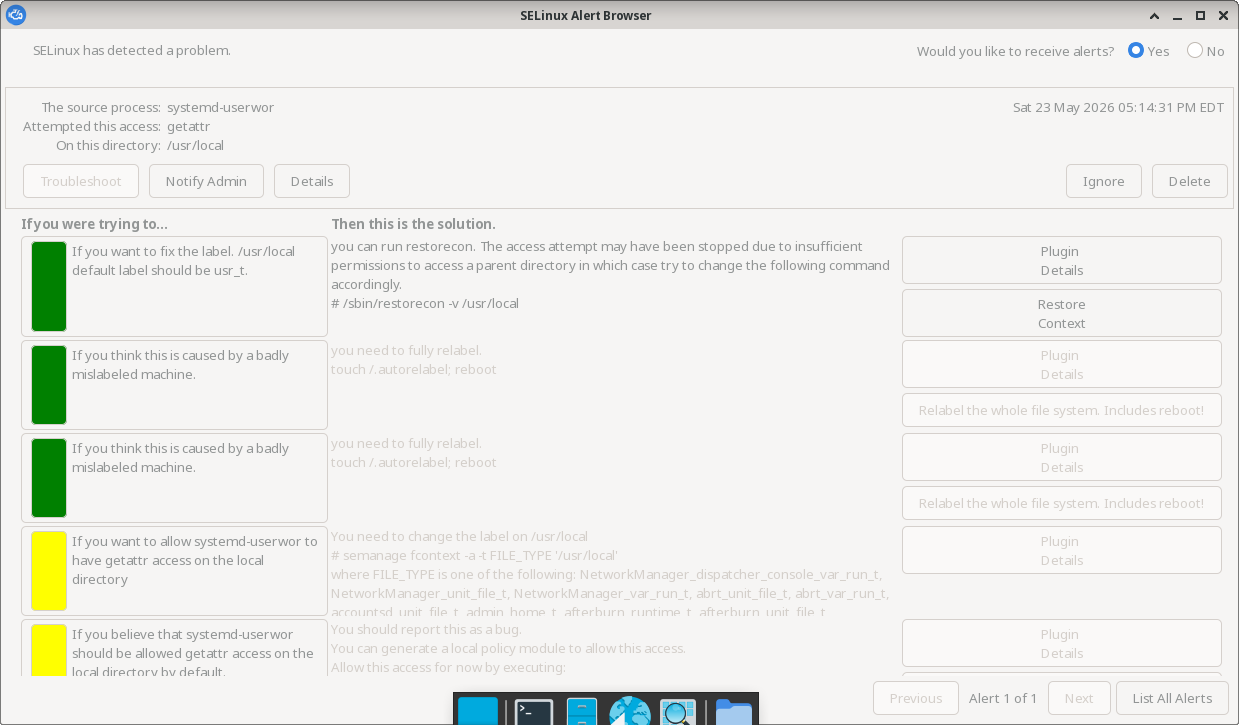
To restore the default SELinux security contexts to the new /usr/local directory tree, I ran the restorecon command. The -v option will print what it does to fix the system:
$ sudo restorecon -v /usr/local
Relabeled /usr/local from system_u:object_r:unlabeled_t:s0 to system_u:object_r:usr_t:s0
Relabeled /usr/local/lost+found from system_u:object_r:unlabeled_t:s0 to system_u:object_r:usr_t:s0
Filesystem flexibility
With just a few extra steps, I was able to use two disks with Fedora Linux, which lets me take full advantage of the storage on my laptop. The operating system now runs from the very fast NVMe drive, while my big third-party applications in /usr/local and /opt run from the hard disk.
Nintendo Investigating Reports Of Game-Breaking Bug In Yoshi’s New Switch 2 Outing, Update On The Way

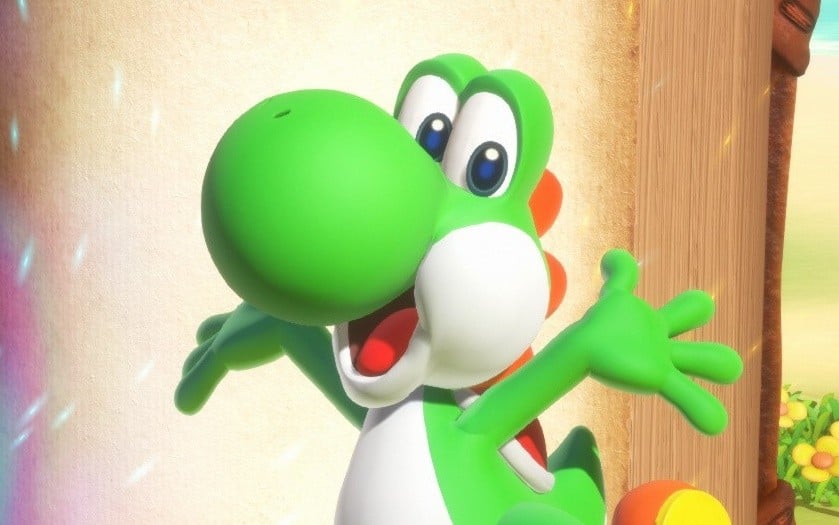
Yoshi returned in Yoshi and the Mysterious Book for the Switch 2 last week, and while it’s in a playable enough state, there have been some reports from players about certain issues in the game.
Nintendo has now acknowledged this via its official customer support account on social media today, noting how it’s currently investigating multiple inquiries about a game-breaking bug which occurs under certain conditions and can halt progress.
It further notes how it is preparing update data to resolve this issue and will provide more details soon, while also issuing an apology for any inconvenience and trouble caused. We’ll share the rough translation here, and when an English notice or the official patch notes for the update are shared, we’ll let you know.
We have received multiple inquiries regarding a game-breaking bug in “Yoshi and the Mysterious Book.”
We are investigating the issue and have confirmed that it occurs under the following conditions:* Starting the investigation of the Bird of Paradise before hearing the “index” explanation from Fukashigi, and ending the investigation without making any major discoveries.
* After hearing the index explanation, players become unable to exit the index page.
* The index explanation occurs after clearing a total of four chapters.
We are currently preparing an update to fix this issue, and will inform you again as soon as it is ready.
We sincerely apologize for the inconvenience and trouble this has caused, and ask for your patience.
If you haven’t already played this game, there’s an in-store demo now available at Switch 2 kiosks in select locations around the globe. You can also find out more about the Mysterious Book in our written and video reviews, and we’ve got a round up sharing even more thoughts on Yoshi’s new game.
Have you encountered any issues in Yoshi and the Mysterious Book? How are you finding the experience so far? Let us know in the comments.
“It’s Actually Been Pretty Smooth” – Infinity Ward On Getting Call Of Duty: Modern Warfare 4 Running On Switch 2
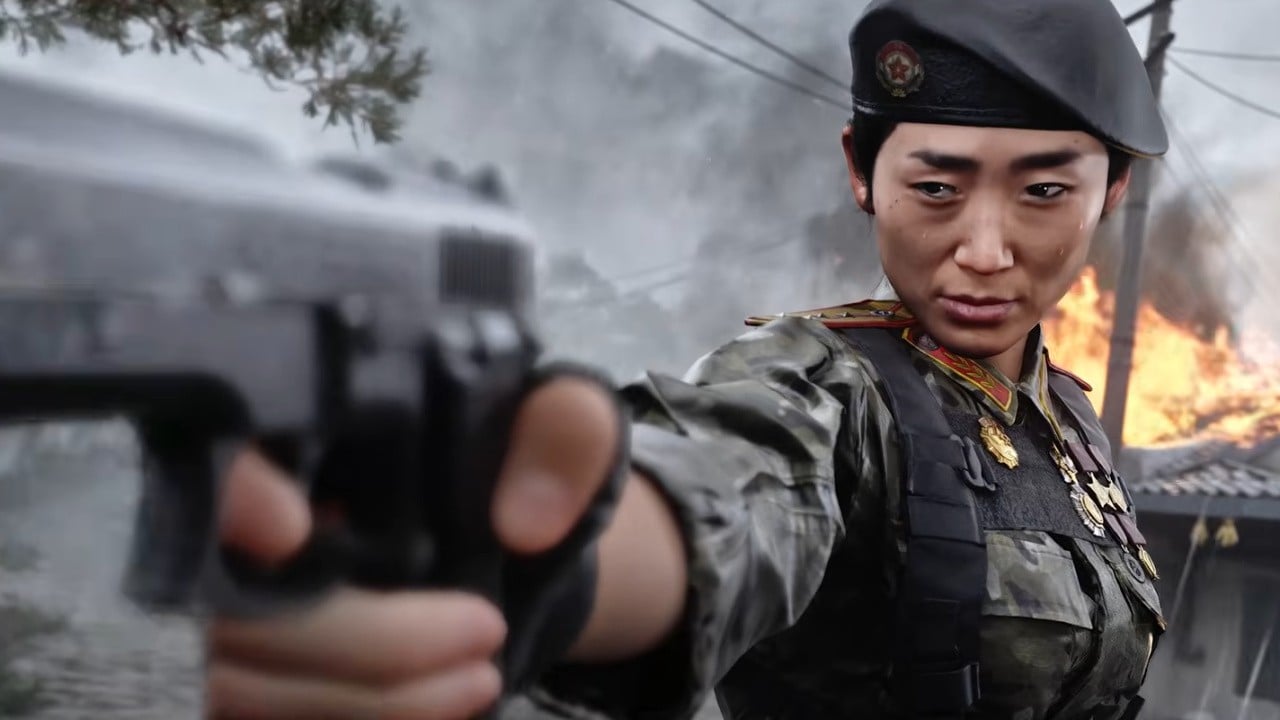

Call of Duty: Modern Warfare 4 has officially set its sights on a Switch 2 release, and the big question is, how will the game hold up on Nintendo’s new hybrid platform?
Speaking to VGC before the official announcement yesterday, Infinity Ward studio head Jack O’Hara said development on the Nintendo version of the game has “actually been pretty smooth” and “pretty seamless” so far, with “no problems to report”.
The team is now apparently focused on the optimisation and performance:
“We got the hardware, then we got the game up and running pretty quickly, and now it’s just about optimization and performance…”
With cross-play and cross-progression also confirmed, O’Hara also reportedly spoke about how the game has been “super fun” in play tests where “people play it against the other platforms”. He also mentioned how he previously worked on the Wii U and DS generations of Call of Duty and says it’s “exciting to be back on a Nintendo platform”.
So, it sounds like Call of Duty is in good hands on the Switch 2. Of course, we’ll need to see it in action first, and the title isn’t actually out until 23rd October 2026 – which means the development team still has some time to polish it before the big launch.
And fingers crossed there are no delays, as the Nintendo version is currently scheduled to arrive on the same day as other versions of the game.
Are you excited about Call of Duty’s return to Nintendo platforms? Will you be getting this upcoming release? Let us know in the comments.
Call Of Duty On Switch 2 Includes Joy-Con 2 Mouse Support, Cross-Play & Cross-Progression
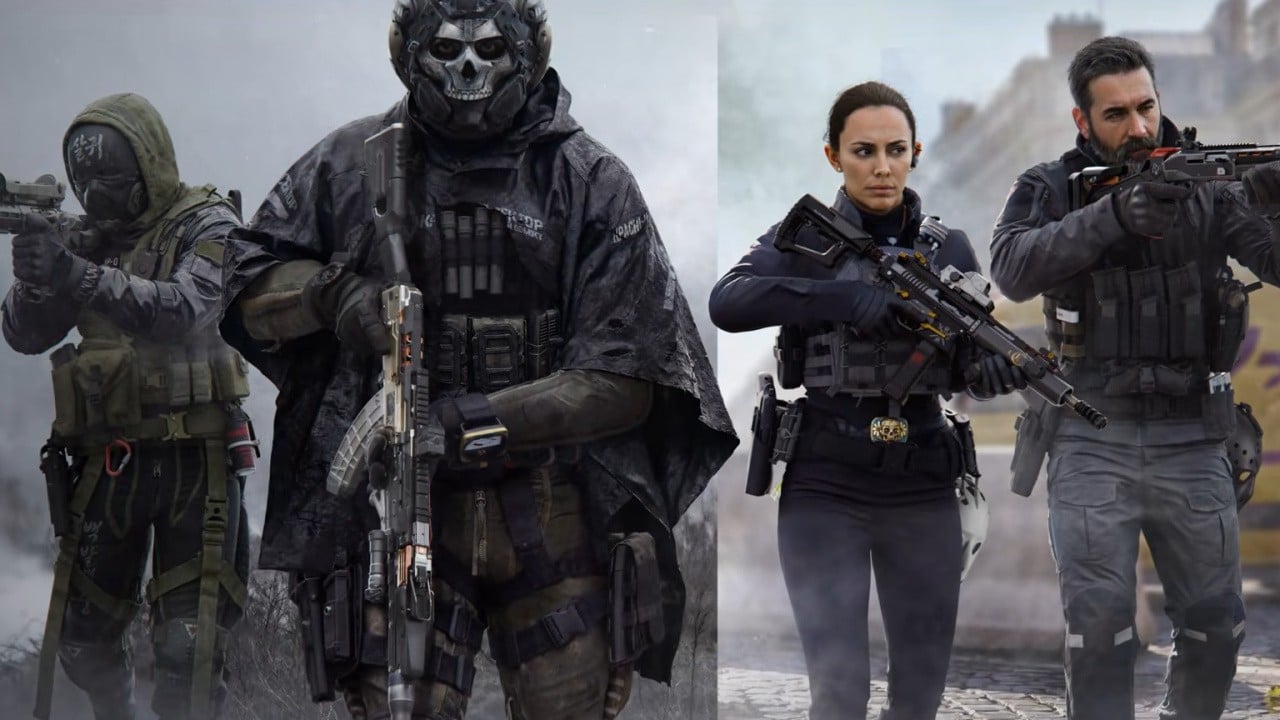
Yesterday, Activision lifted the lid on Call of Duty: Modern Warfare 4 and confirmed it would be coming to the Switch 2 on the same day as other platforms.
If you are wondering about this particular version, the official PR has shared some extra information. Firstly, the Nintendo release will feature cross-play and cross-progression. This means you can not only play with players on other platforms, but you can also jump across to any platform and pick up where you left off.
One other thing players can expect from the Switch 2 version of Modern Warfare 4 is optional Joy-Con 2 mouse controls. So, if you want to put this control style to use, this might be the way to go. Joy-Con 2 mouse controls have also been featured in other first-person titles such as Metroid Prime 4: Beyond.
Once again, Call of Duty: Modern Warfare 4 launches for all platforms including the Switch 2 on 23rd October 2026. This follows Microsoft entering a 10-year deal in 2022 to bring Call of Duty to Nintendo platforms. You can find out more about this title in the announcement post here on Nintendo Life:
Will you be checking out Call of Duty on Switch 2? Fire off a comment below.