Posted on Leave a comment

Random access memories: Inside the time-shifting narrative of The Wreck

The main character of The Wreck, a writer named Junon, is seen in animated form standing in a hospital hallway. The top half of the halls are a salmon color and the bottom half are a dingy white tile. Junon is wearing a black sweatshirt and black glasses and looking at the camera.

The Wreck is filed under games, but it’s also been called a visual novel, an interactive experience, and a playable movie. Florent Maurin is OK with all of it. “I like to think we’re humbly participating in expanding the idea of what a video game can be,” he says.

Maurin is the co-writer, designer, and producer of The Wreck — and here we’ll let you decide what to call it. The Wreck tells the tale of Junon, a writer who’s abruptly called to a hospital to make a life-changing decision involving her mother. The story is anchored by the accident that lends the game its name, but the ensuing narrative is splintered, and begins to take shape only as players navigate through seemingly disconnected scenes that can be viewed multiple times from different perspectives. The Wreck is far from light. But its powerful story and unorthodox mechanics combine for a unique experience.

“We tried to make a game that’s a bit off the beaten path,” says Maurin, who’s also the president and CEO of The Pixel Hunt studio, “and hopefully it connects with people.”


ADA FACT SHEET

In this screenshot from The Wreck, the main character, Junon, walks away from a kitchen that's on fire. Behind her, flames erupt from the stove and sink area.

The Wreck

  • Winner: Social impact
  • Team: The Pixel Hunt
  • Available on: iPhone, iPad
  • Team size: 4

Maurin is a former children’s journalist who worked at magazines and newspapers in his native France. After nearly 10 years in the field, he pivoted to video games, seeing them as a different way to share real stories about real people. “Reality is a source of inspiration in movies, novels, and comic books, but it’s almost completely absent in the gaming landscape,” he says. “We wanted to challenge that.”

Founded in 2014, The Pixel Hunt has released acclaimed titles like the App Store Award–winning historical adventure Inua and the text-message adventure Bury Me, My Love. It was near the end of the development process for the latter that Maurin and his daughter were involved in a serious car accident.

“It was honestly like a movie trope,” he says. “Time slowed down. Weird memories that had nothing to do with the moment flashed before my eyes. Later I read that the brain parses through old memories to find relevant knowledge for facing that kind of situation. It was so sudden and so intense, and I knew I wanted to make something of it. And what immediately came to mind was a game.”

In this screenshot from The Wreck, a nurse with black hair wearing blue scrubs talks to the main character, Junon, in a hospital hallway. Dialogue on the screen says, "Why do you think I'm here?" "I'm sorry."

Junon’s interactions with the hospital staff drive the narrative in The Wreck.

But Maurin was too close to the source material; the accident had left a lasting impact, and he separated himself from the creative process. “I think I was trying to protect myself from the intensity of that feeling,” he says. “That’s when Alex, our art director, told me, ‘Look, this is your idea, and I don’t think it’ll bloom if you don’t really dig deep and own the creative direction.’ And he was right.”

That was art director Alexandre Grilletta, who helmed the development team alongside lead developer Horace Ribout, animator Peggy Lecouvey, sound designers Luis and Rafael Torres, and Maurin’s sister, Coralie, who served as a “second brain” during writing. (In a nice bit of serendipity, the game’s script was written in an open-source scripting language developed by Inkle, which used it for their own Apple Design Award-winning game, Overboard, in 2022.)

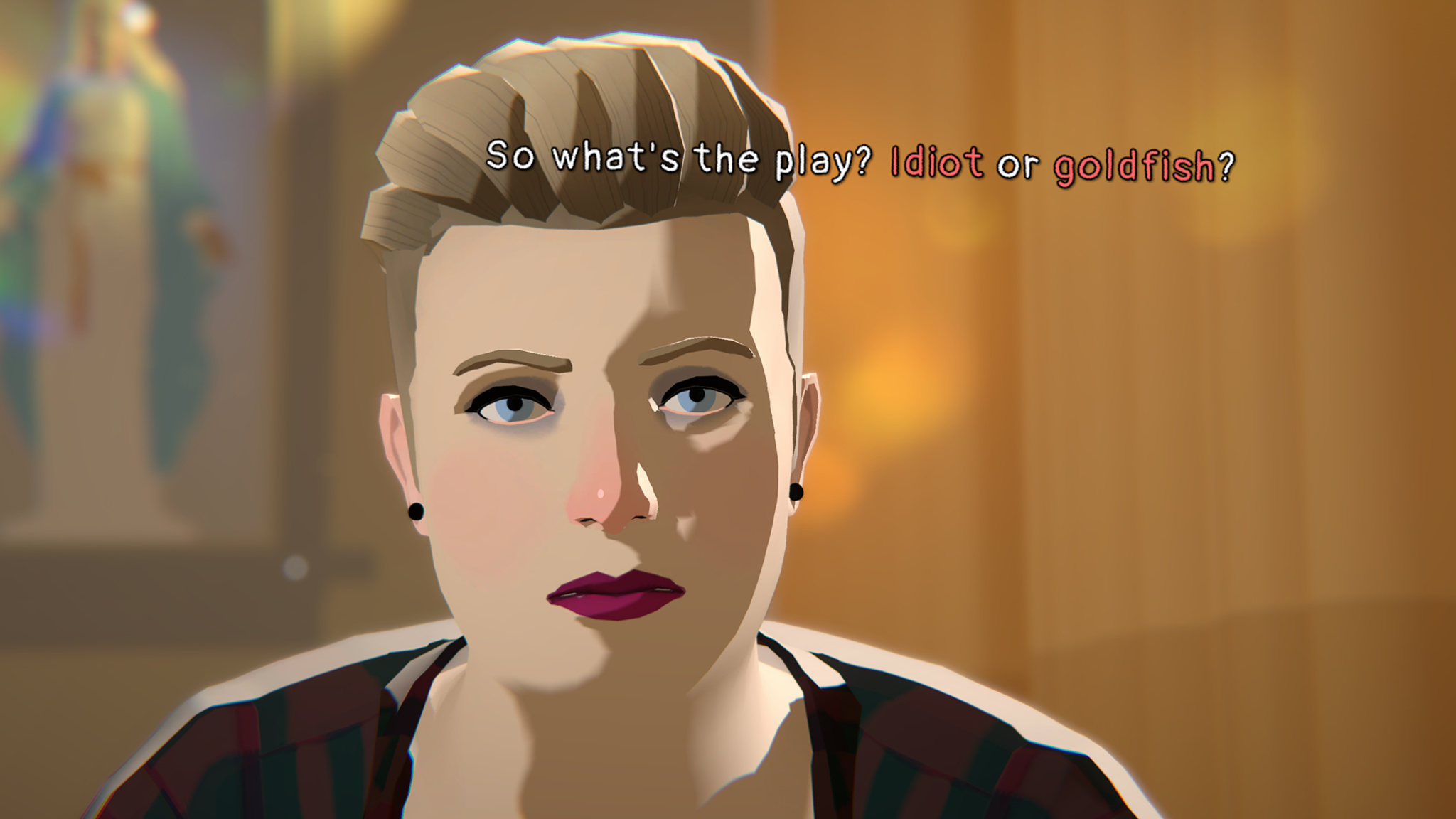
In this screenshot from The Wreck, a woman with short blonde hair is sitting in a softly lit room. She is saying, "So what's the play? Idiot or goldfish?"

Junon’s sister might not be an entirely welcome presence in The Wreck.

The story of The Wreck is split into two parts. The first — what the team calls the “last day” — follows Junon at the hospital while she faces her mother’s situation as well as revealing interactions with her sister and ex-husband. Maurin says the “last day” was pretty straightforward from a design standpoint. “We knew we wanted a cinematic look,” he says, “so we made it look like a storyboard with some stop-motion animation and framing. It was really nothing too fancy. The part that was way more challenging was the memories.”

Those “memories” — and the backstory they tell — employ a clever mechanism in which players view a scene as a movie and have the ability to fast-forward or rewind the scene. These memory scenes feel much different; they’re dreamlike and inventive, with swooping camera angles, shifting perspectives, and words that float in the air. “I saw that first in What Remains of Edith Finch,” says Maurin. “I thought it was an elegant way of suggesting the thing that triggers a character’s brain in that moment.”

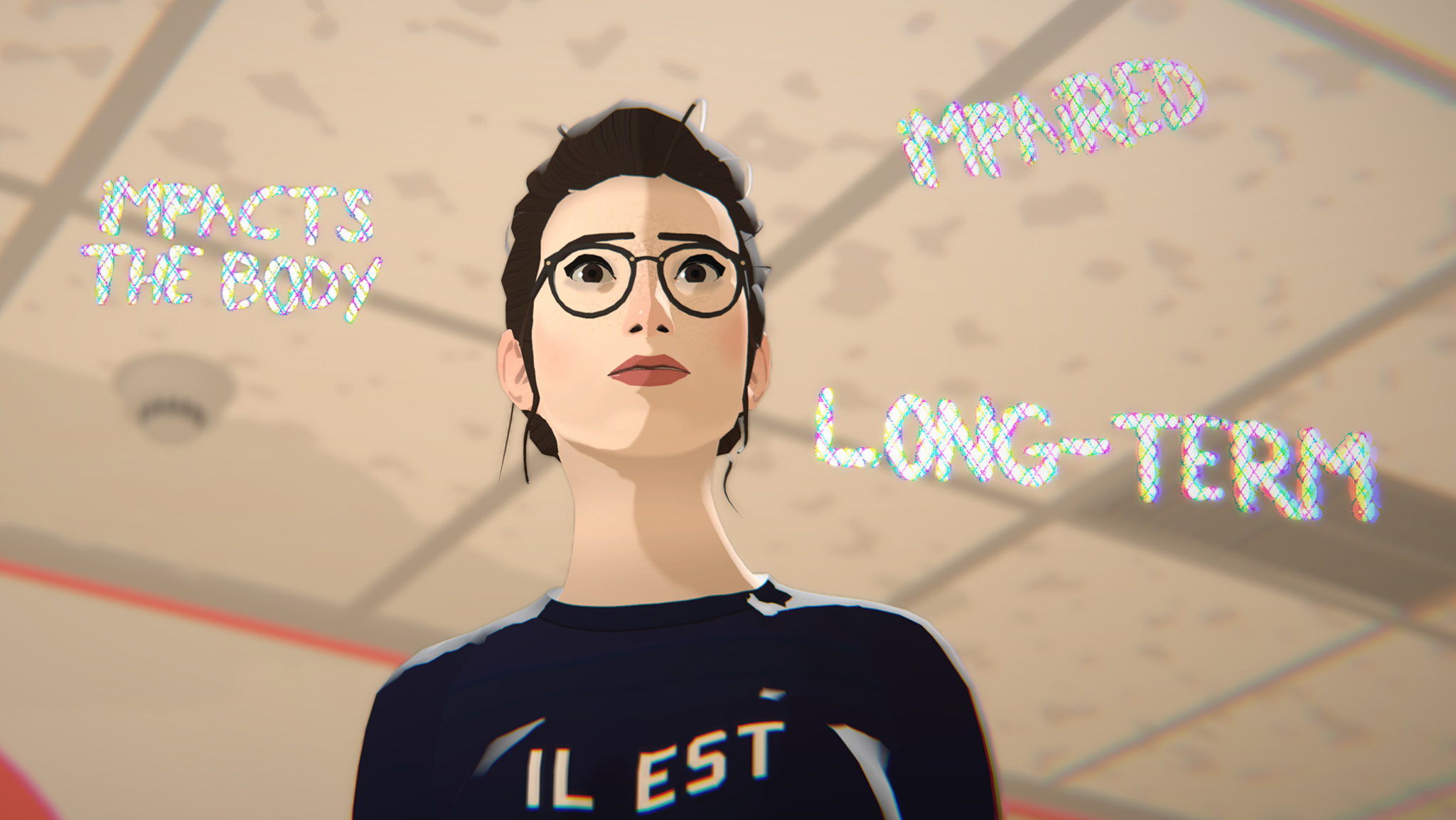
The main character of The Wreck, a writer named Junon, is seen in animated form standing in a hospital hallway. She is wearing a black sweatshirt and black rimmed glasses. Three shimmering phrases float in the air around her: "impacts the body," "impaired," and "long-term."

Junon’s thoughts are often conveyed in floating phrases that surround her in stressful moments.

Successive viewings of these memories can reveal new details or cast doubt on their legitimacy — something Maurin wrote from experience. “I’ll give you an example,” he says. “When my parents brought my baby sister home from the hospital, I remember the exact moment they arrived in the car. It’s incredibly vivid. But the weird part is: This memory is in the third person. I see myself tiptoeing to the window to watch them in the street — which is impossible! I rewrote my own memory for some reason, and only my brain knows why it works like that. But it feels so real.”

Throughout the development process, Maurin and team held close to the idea of a “moving and mature” story. In fact, early prototypes of The Wreck were more gamified — in one version, players grabbed floating items — but playtesters found the activity distracting. “It took them out of the story,” Maurin says. “It broke the immersion. And that was counterproductive to our goal.”

This screenshot from The Wreck depicts a car accident taking place from inside the vehicle. A blue tin labeled "Sparrow Peppermints" is flying through the air. Outside the windshield, the bright light of a fire can be seen.

Items in The Wreck — like this tin of peppermints — often carry a larger meaning.

Maurin admits that approaching games with this mindset can be a challenge. “Some players are curious about our games and absolutely love them. Some people think, ‘These don’t fit the perception of what I think I enjoy.’ And maybe the games are for them, and maybe they’re not. But this is what we’ve been doing for 11 years. And I think we’re getting better at it.”

Meet the 2024 Apple Design Award winners

Behind the Design is a series that explores design practices and philosophies from finalists and winners of the Apple Design Awards. In each story, we go behind the screens with the developers and designers of these award-winning apps and games to discover how they brought their remarkable creations to life.

Posted on Leave a comment

Microsoft Cloud and AI strength drives third quarter results

Microsoft Cloud and AI Strength Drives Third Quarter Results

REDMOND, Wash. — April 30, 2025 Microsoft Corp. today announced the following results for the quarter ended March 31, 2025, as compared to the corresponding period of last fiscal year:

·        Revenue was $70.1 billion and increased 13% (up 15% in constant currency)

·        Operating income was $32.0 billion and increased 16% (up 19% in constant currency)

·        Net income was $25.8 billion and increased 18% (up 19% in constant currency)

·        Diluted earnings per share was $3.46 and increased 18% (up 19% in constant currency)

“Cloud and AI are the essential inputs for every business to expand output, reduce costs, and accelerate growth,” said Satya Nadella, chairman and chief executive officer of Microsoft. “From AI infra and platforms to apps, we are innovating across the stack to deliver for our customers.”

“We delivered a strong quarter with Microsoft Cloud revenue of $42.4 billion, up 20% (up 22% in constant currency) year-over-year driven by continued demand for our differentiated offerings,” said Amy Hood, executive vice president and chief financial officer of Microsoft.

Business Highlights

Revenue in Productivity and Business Processes was $29.9 billion and increased 10% (up 13% in constant currency), with the following business highlights:

·        Microsoft 365 Commercial products and cloud services revenue increased 11% (up 14% in constant currency) driven by Microsoft 365 Commercial cloud revenue growth of 12% (up 15% in constant currency)

·        Microsoft 365 Consumer products and cloud services revenue increased 10% (up 12% in constant currency) driven by Microsoft 365 Consumer cloud revenue growth of 10% (up 12% in constant currency)

·        LinkedIn revenue increased 7% (up 8% in constant currency)

·        Dynamics products and cloud services revenue increased 11% (up 13% in constant currency) driven by Dynamics 365 revenue growth of 16% (up 18% in constant currency)

Revenue in Intelligent Cloud was $26.8 billion and increased 21% (up 22% in constant currency), with the following business highlights:

·        Server products and cloud services revenue increased 22% (up 24% in constant currency) driven by Azure and other cloud services revenue growth of 33% (up 35% in constant currency)

Revenue in More Personal Computing was $13.4 billion and increased 6% (up 7% in constant currency), with the following business highlights:

·        Windows OEM and Devices revenue increased 3%

·        Xbox content and services revenue increased 8% (up 9% in constant currency)

·        Search and news advertising revenue excluding traffic acquisition costs increased 21% (up 23% in constant currency)

Microsoft returned $9.7 billion to shareholders in the form of dividends and share repurchases in the third quarter of fiscal year 2025.

Business Outlook

Microsoft will provide forward-looking guidance in connection with this quarterly earnings announcement on its earnings conference call and webcast.

Quarterly Highlights, Product Releases, and Enhancements 

Every quarter Microsoft delivers hundreds of products, either as new releases, services, or enhancements to current products and services. These releases are a result of significant research and development investments, made over multiple years, designed to help customers be more productive and secure and to deliver differentiated value across the cloud and the edge.

Here are the major product releases and other highlights for the quarter, organized by product categories, to help illustrate how we are accelerating innovation across our businesses while expanding our market opportunities.

Environmental, Social, and Governance (ESG)

To learn more about Microsoft’s corporate governance and our environmental and social practices, please visit our investor relations Board and ESG website and reporting at Microsoft.com/transparency. 

Webcast Details

Satya Nadella, chairman and chief executive officer, Amy Hood, executive vice president and chief financial officer, Alice Jolla, chief accounting officer, Keith Dolliver, corporate secretary and deputy general counsel, and Jonathan Neilson, vice president of investor relations, will host a conference call and webcast at 2:30 p.m. Pacific time (5:30 p.m. Eastern time) today to discuss details of the company’s performance for the quarter and certain forward-looking information. The session may be accessed at http://www.microsoft.com/en-us/investor. The webcast will be available for replay through the close of business on April 30, 2026.

Constant Currency

Microsoft presents constant currency information to provide a framework for assessing how our underlying businesses performed excluding the effect of foreign currency rate fluctuations. To present this information, current and comparative prior period results for entities reporting in currencies other than United States dollars are converted into United States dollars using the average exchange rates from the comparative period rather than the actual exchange rates in effect during the respective periods. All growth comparisons relate to the corresponding period in the last fiscal year. Microsoft has provided this non-GAAP financial information to aid investors in better understanding our performance. The non-GAAP financial measures presented in this release should not be considered as a substitute for, or superior to, the measures of financial performance prepared in accordance with GAAP.

Financial Performance Constant Currency Reconciliation


Three Months Ended March 31,

 ($ in millions, except per share amounts)

Revenue

Operating Income

Net Income

Diluted Earnings per Share

2024 As Reported (GAAP)

$61,858

$27,581

$21,939

$2.94

2025 As Reported (GAAP)

$70,066

$32,000

$25,824

$3.46

Percentage Change Y/Y (GAAP)

13%

16%

18%

18%

Constant Currency Impact

$(1,059)

$(703)

$(392)

$(0.05)

Percentage Change Y/Y Constant Currency

15%

19%

19%

19%


Segment Revenue Constant Currency Reconciliation


Three Months Ended March 31,

 ($ in millions)

Productivity and Business Processes

Intelligent Cloud

More Personal Computing

2024 As Reported (GAAP)

$27,113

$22,141

$12,604

2025 As Reported (GAAP)

$29,944

$26,751

$13,371

Percentage Change Y/Y (GAAP)

10%

21%

6%

Constant Currency Impact

$(626)

$(308)

$(125)

Percentage Change Y/Y Constant Currency

13%

22%

7%

We have recast certain prior period amounts to conform to the way we internally manage and monitor our business.

Selected Product and Service Revenue Constant Currency Reconciliation           


Three Months Ended March 31, 2025

Percentage Change Y/Y (GAAP)

Constant Currency Impact

Percentage Change Y/Y Constant Currency

Microsoft Cloud

20%

2%

22%

Microsoft 365 Commercial products and cloud services

11%

3%

14%

Microsoft 365 Commercial cloud

12%

3%

15%

Microsoft 365 Consumer products and cloud services

10%

2%

12%

Microsoft 365 Consumer cloud

10%

2%

12%

LinkedIn

7%

1%

8%

Dynamics products and cloud services

11%

2%

13%

Dynamics 365

16%

2%

18%

Server products and cloud services

22%

2%

24%

Azure and other cloud services

33%

2%

35%

Windows OEM and Devices

3%

0%

3%

Xbox content and services

8%

1%

9%

Search and news advertising excluding traffic acquisition costs

21%

2%

23%


About Microsoft

Microsoft (Nasdaq “MSFT” @microsoft) creates platforms and tools powered by AI to deliver innovative solutions that meet the evolving needs of our customers. The technology company is committed to making AI available broadly and doing so responsibly, with a mission to empower every person and every organization on the planet to achieve more.

Forward-Looking Statements

Statements in this release that are “forward-looking statements” are based on current expectations and assumptions that are subject to risks and uncertainties. Actual results could differ materially because of factors such as:

·        intense competition in all of our markets that may adversely affect our results of operations;

·        focus on cloud-based and AI services presenting execution and competitive risks;

·        significant investments in products and services that may not achieve expected returns;

·        acquisitions, joint ventures, and strategic alliances that may have an adverse effect on our business;

·        impairment of goodwill or amortizable intangible assets causing a significant charge to earnings;

·        cyberattacks and security vulnerabilities that could lead to reduced revenue, increased costs, liability claims, or harm to our reputation or competitive position;

·        disclosure and misuse of personal data that could cause liability and harm to our reputation;

·        the possibility that we may not be able to protect information stored in our products and services from use by others;

·        abuse of our advertising, professional, marketplace, or gaming platforms that may harm our reputation or user engagement;

·        products and services, how they are used by customers, and how third-party products and services interact with them, presenting security, privacy, and execution risks;

·        issues about the use of AI in our offerings that may result in reputational or competitive harm, or legal liability;

·        excessive outages, data losses, and disruptions of our online services if we fail to maintain an adequate operations infrastructure;

·        supply or quality problems;

·        government enforcement under competition laws and new market regulation may limit how we design and market our products;

·        potential consequences of trade and anti-corruption laws;

·        potential consequences of existing and increasing legal and regulatory requirements;

·        laws and regulations relating to the handling of personal data that may impede the adoption of our services or result in increased costs, legal claims, fines, or reputational damage;

·        claims against us that may result in adverse outcomes in legal disputes;

·        uncertainties relating to our business with government customers;

·        additional tax liabilities;

·        sustainability regulations and expectations that may expose us to increased costs and legal and reputational risk;

·        an inability to protect and utilize our intellectual property may harm our business and operating results;

·        claims that Microsoft has infringed the intellectual property rights of others;

·        damage to our reputation or our brands that may harm our business and results of operations;

·        adverse economic or market conditions that may harm our business;

·        catastrophic events or geo-political conditions, such as the COVID-19 pandemic, that may disrupt our business;

·        exposure to increased economic and operational uncertainties from operating a global business, including the effects of foreign currency exchange; and

·        the dependence of our business on our ability to attract and retain talented employees.

For more information about risks and uncertainties associated with Microsoft’s business, please refer to the “Management’s Discussion and Analysis of Financial Condition and Results of Operations” and “Risk Factors” sections of Microsoft’s SEC filings, including, but not limited to, its annual report on Form 10-K and quarterly reports on Form 10-Q, copies of which may be obtained by contacting Microsoft’s Investor Relations department at (800) 285-7772 or at Microsoft’s Investor Relations website at http://www.microsoft.com/en-us/investor.

All information in this release is as of March 31, 2025. The company undertakes no duty to update any forward-looking statement to conform the statement to actual results or changes in the company’s expectations.

For more information, press only:

Microsoft Media Relations, WE Communications for Microsoft, (425) 638-7777, rrt@we-worldwide.com

For more information, financial analysts and investors only:

Jonathan Neilson, Vice President, Investor Relations, (425) 706-4400

Note to editors: For more information, news and perspectives from Microsoft, please visit the Microsoft News Center at http://www.microsoft.com/news. Web links, telephone numbers, and titles were correct at time of publication, but may since have changed. Shareholder and financial information, as well as today’s 2:30 p.m. Pacific time conference call with investors and analysts, is available at http://www.microsoft.com/en-us/investor.


MICROSOFT CORPORATION

INCOME STATEMENTS

(In millions, except per share amounts) (Unaudited)

Three Months Ended

 March 31,

Nine Months Ended

 March 31,


2025


2024


2025


2024

Revenue:

Product

 $15,319

 $17,080

 $46,810

 $51,556

Service and other

54,747


44,778


158,473


128,839

Total revenue

70,066


61,858


205,283


180,395

Cost of revenue:

Product

3,037

4,339

10,187

13,834

Service and other

18,882


14,166


53,630


40,596

Total cost of revenue

21,919


18,505


63,817


54,430

Gross margin

48,147

43,353

141,466

125,965

Research and development

8,198

7,653

23,659

21,454

Sales and marketing

6,212

6,207

18,369

17,640

General and administrative

1,737

1,912

5,233

5,363

Operating income

32,000


27,581


94,205


81,508

Other expense, net

(623)


(854)


(3,194)


(971)

Income before income taxes

31,377

26,727

91,011

80,537

Provision for income taxes

5,553


4,788


16,412


14,437

Net income

 $25,824


 $21,939


 $74,599


 $66,100

Earnings per share:

Basic

 $3.47

 $2.95

 $10.03

 $8.90

Diluted

 $3.46

 $2.94

 $9.99

 $8.85

Weighted average shares outstanding:

Basic

7,434

7,431

7,434

7,431

Diluted

7,461


7,472


7,466


7,467


COMPREHENSIVE INCOME STATEMENTS

(In millions) (Unaudited)

Three Months Ended

 March 31,

Nine Months Ended

 March 31,


2025


2024


2025


2024

Net income

 $25,824


 $21,939


 $74,599


 $66,100

Other comprehensive income (loss), net of tax:

Net change related to derivatives

(20)

10

4

28

Net change related to investments

450

(202)

1,130

869

Translation adjustments and other

353


(294)


(377)


11

Other comprehensive income (loss)

783


(486)


757


908

Comprehensive income

 $26,607


 $21,453


 $75,356


 $67,008


BALANCE SHEETS

(In millions) (Unaudited)


March 31,

2025

June 30,

 2024

Assets

Current assets:

Cash and cash equivalents

 $28,828

 $18,315

Short-term investments

50,790

57,228

Total cash, cash equivalents, and short-term investments

79,618

75,543

Accounts receivable, net of allowance for doubtful accounts of $695 and $830

51,700

56,924

Inventories

848

1,246

Other current assets

24,478

26,021

Total current assets

156,644

159,734

Property and equipment, net of accumulated depreciation of $87,074 and $76,421

183,939

135,591

Operating lease right-of-use assets

24,475

18,961

Equity and other investments

16,035

14,600

Goodwill

119,329

119,220

Intangible assets, net

23,968

27,597

Other long-term assets

38,234

36,460

Total assets

 $562,624

 $512,163

Liabilities and stockholders’ equity

Current liabilities:

Accounts payable

 $26,250

 $21,996

Short-term debt

0

6,693

Current portion of long-term debt

2,999

2,249

Accrued compensation

10,579

12,564

Short-term income taxes

6,805

5,017

Short-term unearned revenue

44,636

57,582

Other current liabilities

22,937

19,185

Total current liabilities

114,206

125,286

Long-term debt

39,882

42,688

Long-term income taxes

25,061

27,931

Long-term unearned revenue

2,840

2,602

Deferred income taxes

2,522

2,618

Operating lease liabilities

17,686

15,497

Other long-term liabilities

38,536

27,064

Total liabilities

240,733

243,686

Commitments and contingencies

Stockholders’ equity:

Common stock and paid-in capital – shares authorized 24,000; outstanding 7,434 and 7,434

106,965

100,923

Retained earnings

219,759

173,144

Accumulated other comprehensive loss

(4,833)

(5,590)

Total stockholders’ equity

321,891

268,477

Total liabilities and stockholders’ equity

 $562,624

 $512,163


CASH FLOWS STATEMENTS

(In millions) (Unaudited)

Three Months Ended

 March 31,

Nine Months Ended

 March 31,


2025


2024


2025


2024

Operations

Net income

 $25,824

 $21,939

 $74,599

 $66,100

Adjustments to reconcile net income to net cash from operations:

Depreciation, amortization, and other

8,740

6,027

22,950

15,907

Stock-based compensation expense

2,980

2,703

8,901

8,038

Net recognized losses (gains) on investments and derivatives

(298)

49

553

261

Deferred income taxes

(2,244)

(1,323)

(4,835)

(3,593)

Changes in operating assets and liabilities:

Accounts receivable

(2,461)

(2,028)

5,598

6,055

Inventories

52

260

390

1,229

Other current assets

1,076

951

642

880

Other long-term assets

(518)

(2,137)

(3,368)

(5,577)

Accounts payable

1,179

648

1,221

(659)

Unearned revenue

(1,032)

(645)

(12,923)

(10,309)

Income taxes

1,298

2,622

(1,081)

2,493

Other current liabilities

2,839

2,803

576

215

Other long-term liabilities

(391)


48


292


313

Net cash from operations

37,044


31,917


93,515


81,353

Financing

Proceeds from issuance (repayments) of debt, maturities of 90 days or less, net

0

(3,810)

(5,746)

6,392

Proceeds from issuance of debt

0

6,352

0

24,198

Repayments of debt

(2,250)

(11,589)

(3,216)

(16,005)

Common stock issued

546

522

1,508

1,468

Common stock repurchased

(4,781)

(4,213)

(13,874)

(13,044)

Common stock cash dividends paid

(6,169)

(5,572)

(17,913)

(16,197)

Other, net

(382)


(498)


(1,614)


(1,006)

Net cash used in financing

(13,036)


(18,808)


(40,855)


(14,194)

Investing

Additions to property and equipment

(16,745)

(10,952)

(47,472)

(30,604)

Acquisition of companies, net of cash acquired and divestitures, and purchases of intangible and other assets

(981)

(1,575)

(4,235)

(67,790)

Purchases of investments

(4,474)

(2,183)

(8,144)

(14,901)

Maturities of investments

6,721

3,350

11,461

23,218

Sales of investments

2,161

1,941

6,688

8,871

Other, net

604

(1,281)

(325)

(916)

Net cash used in investing

(12,714)


(10,700)


(42,027)


(82,122)

Effect of foreign exchange rates on cash and cash equivalents

52


(80)


(120)


(107)

Net change in cash and cash equivalents

11,346

2,329

10,513

(15,070)

Cash and cash equivalents, beginning of period

17,482


17,305


18,315


34,704

Cash and cash equivalents, end of period

 $28,828


 $19,634


 $28,828


 $19,634


SEGMENT REVENUE AND OPERATING INCOME

(In millions) (Unaudited)


Three Months Ended

 March 31,


Nine Months Ended

 March 31,


2025


2024


2025


2024

Revenue


Productivity and Business Processes

 $29,944


 $27,113


 $87,698


 $78,193

Intelligent Cloud

26,751


22,141


76,387


63,679

More Personal Computing

13,371


12,604


41,198


38,523

Total

 $70,066


 $61,858


 $205,283


 $180,395

Operating Income


Productivity and Business Processes

 $17,379


 $15,143


 $50,780


 $43,955

Intelligent Cloud

11,095


9,515


32,449


27,978

More Personal Computing

3,526


2,923


10,976


9,575

Total

 $32,000


 $27,581


 $94,205


 $81,508

We have recast certain prior period amounts to conform to the way we internally manage and monitor our business.


Posted on Leave a comment

PHP 8.3.20 Released

The PHP development team announces the immediate availability of PHP
8.3.20. This is a bugfix release. All PHP 8.3 users are encouraged to upgrade to this version. For source downloads of PHP 8.3.20 please visit our downloads page:
https://www.php.net/downloads
Windows source and binaries can be found at
https://windows.php.net/download
The list of changes is recorded in the ChangeLog:
https://www.php.net/ChangeLog-8 Many thanks to all the contributors and supporters!
Jakub Zelenka, Eric Mann and Pierrick Charron Release Manifest here and below: https://gist.github.com/bukka/7cf55a6bfee50cc91cb4fd9e0e8bd350 php-8.3.20.tar.bz2
SHA256 hash:
36b4e6a323cd45673a54f296e9d2666b7f5df57641031c77c4fd8137bc4ebeb3
PGP signature:
-----BEGIN PGP SIGNATURE----- iHUEABYKAB0WIQTCjZN1dWA+tKu3JYYcB3ncXAqd5AUCZ/WGBwAKCRAcB3ncXAqd
5MOfAQCqEtk3YqhWOU6DJN8xeLyZZ9aK5dHJe2/tx5cvg86DngEA3lFeg53JfhEJ
Sys0ayaQqw+23S2SUuTZ4rAdOwSaJAU=
=q3qP
-----END PGP SIGNATURE----- php-8.3.20.tar.gz
SHA256 hash:
515ed37529df6b7f569ba68d505713bce23a93a58471dedac4ecfd17c44e5650
PGP signature:
-----BEGIN PGP SIGNATURE----- iHUEABYKAB0WIQTCjZN1dWA+tKu3JYYcB3ncXAqd5AUCZ/WGBwAKCRAcB3ncXAqd
5CB8AP9plBTC9ahOd0xRqnUa5US7Nge3+dtRTP3mPggnmmLhWAD/XvTWiMw1z2Fj
4W/PPFppRmAUziFf1Jle1vZBBLhkaAE=
=Lc5X
-----END PGP SIGNATURE----- php-8.3.20.tar.xz
SHA256 hash:
f15914e071b5bddaf1475b5f2ba68107e8b8846655f9e89690fb7cd410b0db6c
PGP signature:
-----BEGIN PGP SIGNATURE----- iHUEABYKAB0WIQTCjZN1dWA+tKu3JYYcB3ncXAqd5AUCZ/WGCAAKCRAcB3ncXAqd
5GNXAQCrCxRjA2zZ9/ANodILv+i7Q6M3srDdEXxcFxQ4qEWkNwEAm9OiCexDuzs5
rRY6vZPb89y/S2c320Im6Vgj9K25bAw=
=puEk
-----END PGP SIGNATURE-----

Thread (1 message)

  • Jakub Zelenka
Posted on Leave a comment

Rooms at the top: How this ADA-winning team built a title that defies description

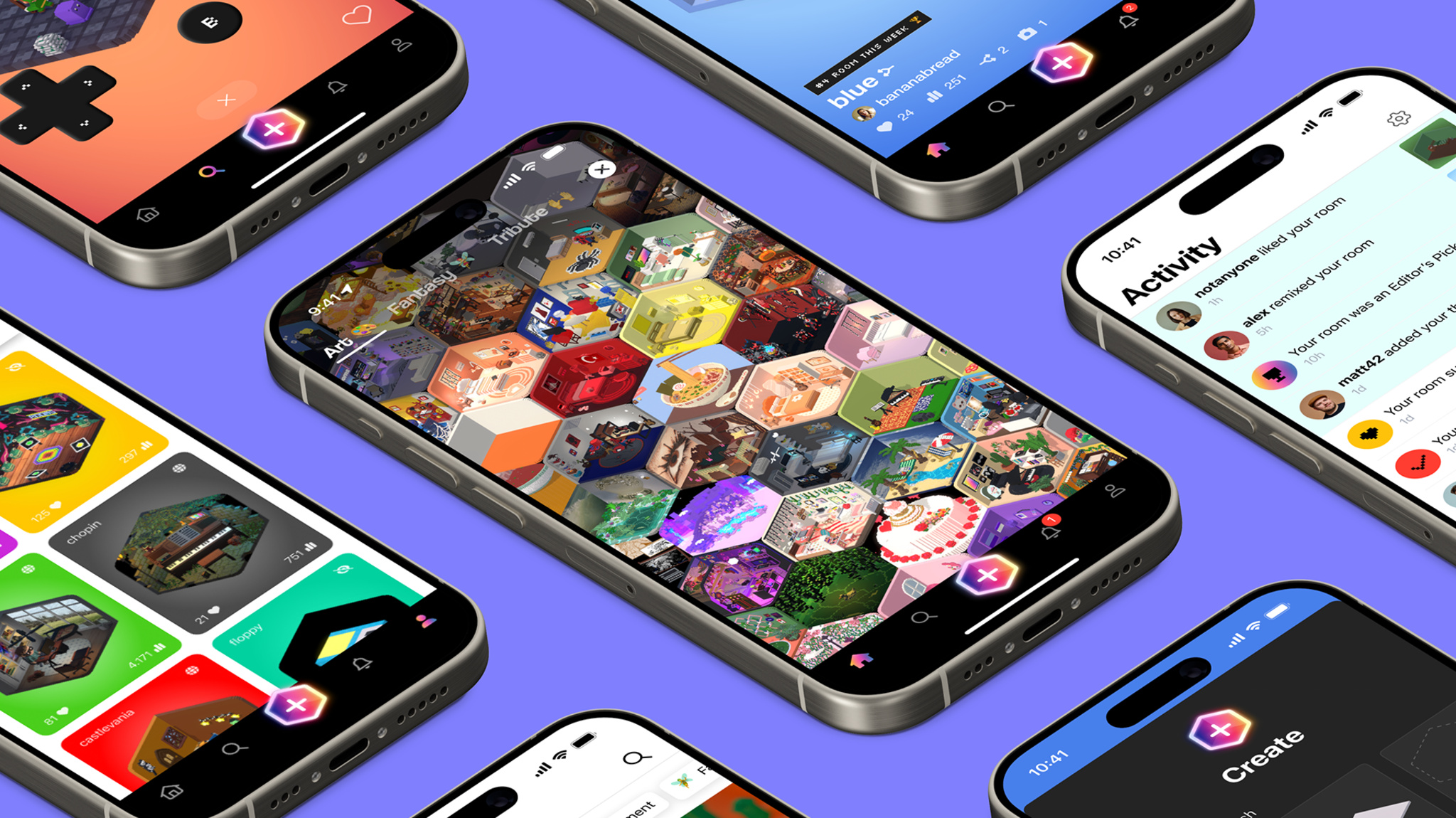
A series of iPhones, all showing different screens from Rooms, in a diagonal floating layout against a deep purple background.

Ask Jason Toff whether his Apple Design Award winner is a game or an app, and his answer is yes.

“There’s no one-sentence description for Rooms, and that can be a blessing,” laughs Toff, CEO and head designer of Things, Inc. “It’s not entirely a game, and it’s not entirely a tool. It’s more like a toy.”

It’s also a blank canvas, cozy game, coding teacher, and social network — but we’re getting ahead of ourselves. At its heart, Rooms is a collection of user-generated 3-D spaces that feels like the open-ended world of the early internet. Start with an empty room or existing template, then fill it with an array of voxel decorations, items, pets, and avatars to create whatever space you like: a college apartment, medieval castle chamber, floating fantasy realm, pirate ship, or a Weezer concert (really), to name just a few. The only limits are the room’s boundaries — and Rooms fans have even gotten around those. “Our 404 page is a room with no walls,” Toff says, “so people just started copying it to work around the constraint.”


ADA FACT SHEET

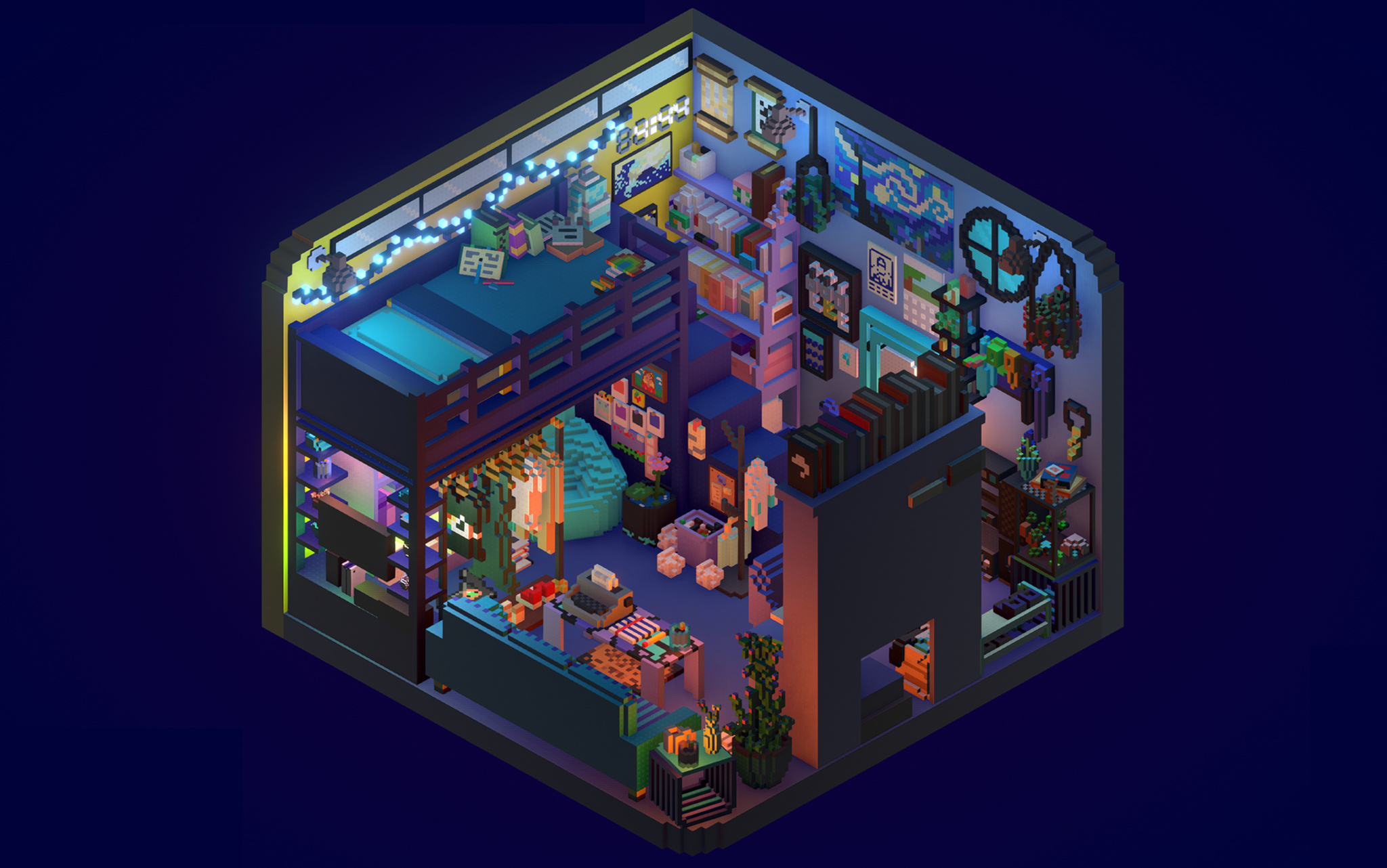
A screenshot from Rooms, showing a cluttered dorm room in voxel-art style. A loft bed, bookshelf, and assorted books and decorations can be seen in the room.

Rooms

  • Winner: Visuals and Graphics
  • Team: Things, Inc.
  • Available on: iOS, iPadOS
  • Team size: 4

Learn more about Rooms

Download Rooms from the App Store

In fact, that community element is a strong point: This creative tapestry of quirky games, tranquil havens, and clever ideas has been conjured by real people, which makes Rooms a social network as well. What’s more, users can click on each item to reveal its underlying code, offering them more options for customization.

To create Rooms — which, incidentally, won the ADA for Visuals and Graphics in games — Toff and cofounders Nick Kruge and Bruno Oliveira threw themselves back into their childhoods. “I was obsessed with Legos as a kid,” says Toff, not unexpectedly. “I found myself wondering, ‘What’s the digital equivalent of that?’”

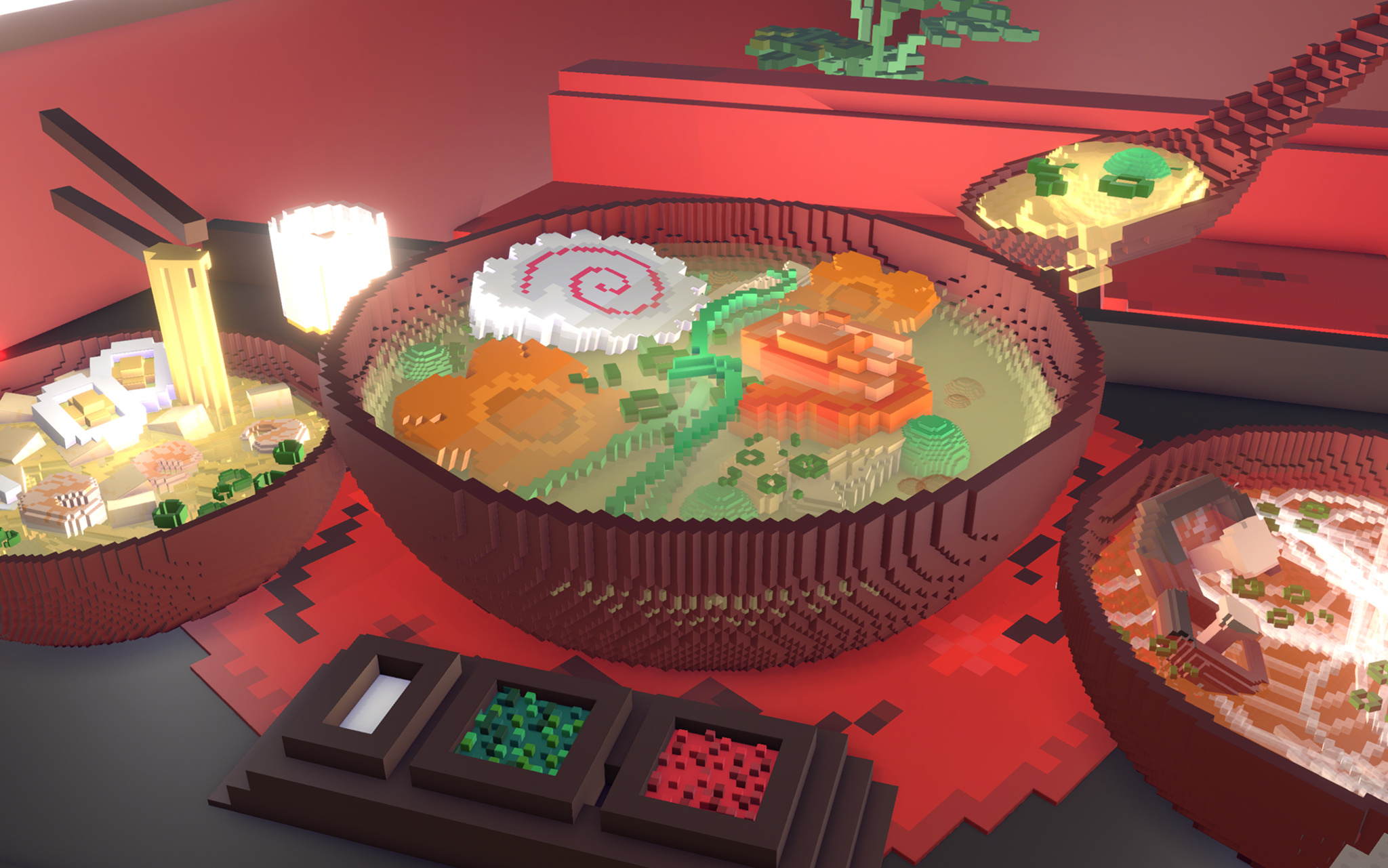
A screenshot from Rooms, showing a bowl of ramen on a table in a restaurant. Around it are other bowls and a tray of toppings.

Rooms isn’t just about rooms; creators have plenty of ways to noodle on their ideas.

Drawing on that inspiration — as well as Toff’s experiences with Kid Pix on his dad’s 1989-era Mac — the Rooms team began envisioning something that, as Oliveira says, kept the floor low but the ceiling high. “We wanted anyone from 4-year-olds to their grandparents to be able to use Rooms,” he says, “and that meant making something free-form and creative.”

It also meant building something that gave a sense of approachability and creativity, which led them right to voxels. “Blocks have a charm, but they can also be kind of ugly,” Toff laughs. “Luckily, Bruno’s were cute and soft, so they felt approachable and familiar.” And from Oliveira’s side, blocks offered a practical value. “It’s much easier to do 3-D modeling with blocks,” says Oliveira. “You can just add or remove voxels whenever you want, which lowers the bar for everyone.”

We wanted anyone from 4-year-olds to their grandparents to be able to use Rooms, and that meant making something free-form and creative.

Jason Toff, CEO and head designer of Things, Inc.

Rooms launched in 2023 as a web-based app that included 1,000 voxel objects and allowed users to write their own code. It gained traction through both word of mouth and, more directly, a video that went viral in the cozy-gaming community. “All of a sudden, we had all these people coming,” says Oliveira, “and we realized we needed to prioritize the mobile app. Nick was like, ‘I think we can get feature parity with desktop on the iPhone screen,’ and we basically pulled a rabbit out of a hat.” Today, the vast majority of Rooms users are on mobile, where they spend the bulk of their time editing. “We were just shocked by how much time people were spending making rooms,” he says. “These weren’t quick five-minute projects. We did not anticipate that.”

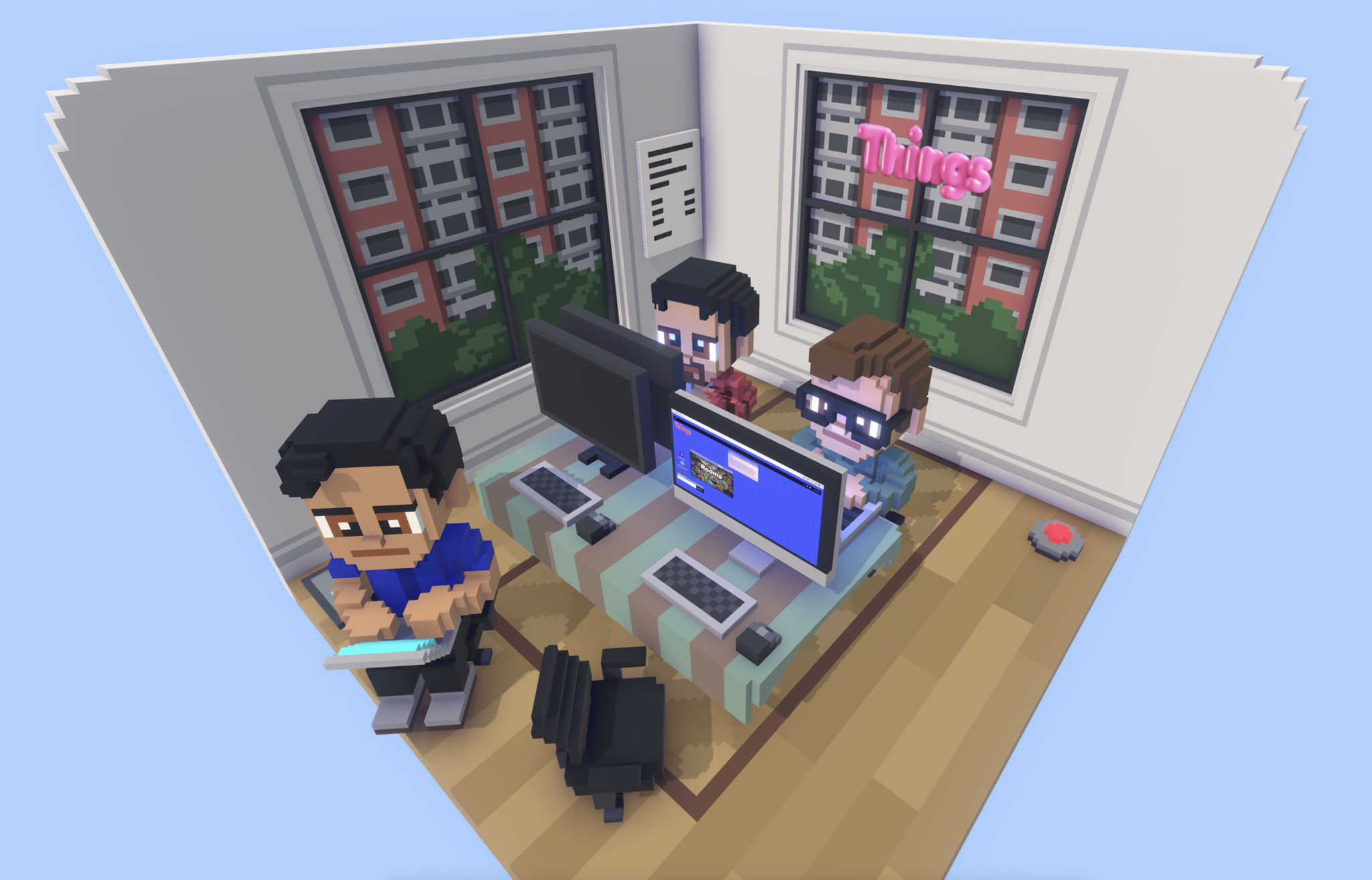
A rendering of the Things, Inc., offices in Rooms style. In the illustration, three voxel-art people sit at computers in a corner offices with windows overlooking a city.

Of course the Things, Inc. team rebuilt their own offices in Rooms.

All that building fed into a social aspect as well. Toff says most of the items in Rooms are now created, edited, and amplified by lots of different users. “Here’s a good example: We have a sway effect that makes things wave back and forth a little,” he says. “Someone realized that if they put some branches on a tree and added that effect, the tree immediately looked alive. Now everyone’s doing that. There’s a real additive effect to building in Rooms.” Today, the Rooms library contains more than 10,000 items.

There’s a lot of power under the hood, too. “Rooms uses a Lua scripting language that runs in a C++ context,” says Oliveira, “so it’s kind of Lua, encased in C++, encased in Unity, encased in iOS.” Every room, he says, is a new Unity instance. And adding native iOS elements — like sliders on the Explore page and a bottom navigation — gives what he calls the “design chef’s kiss.”

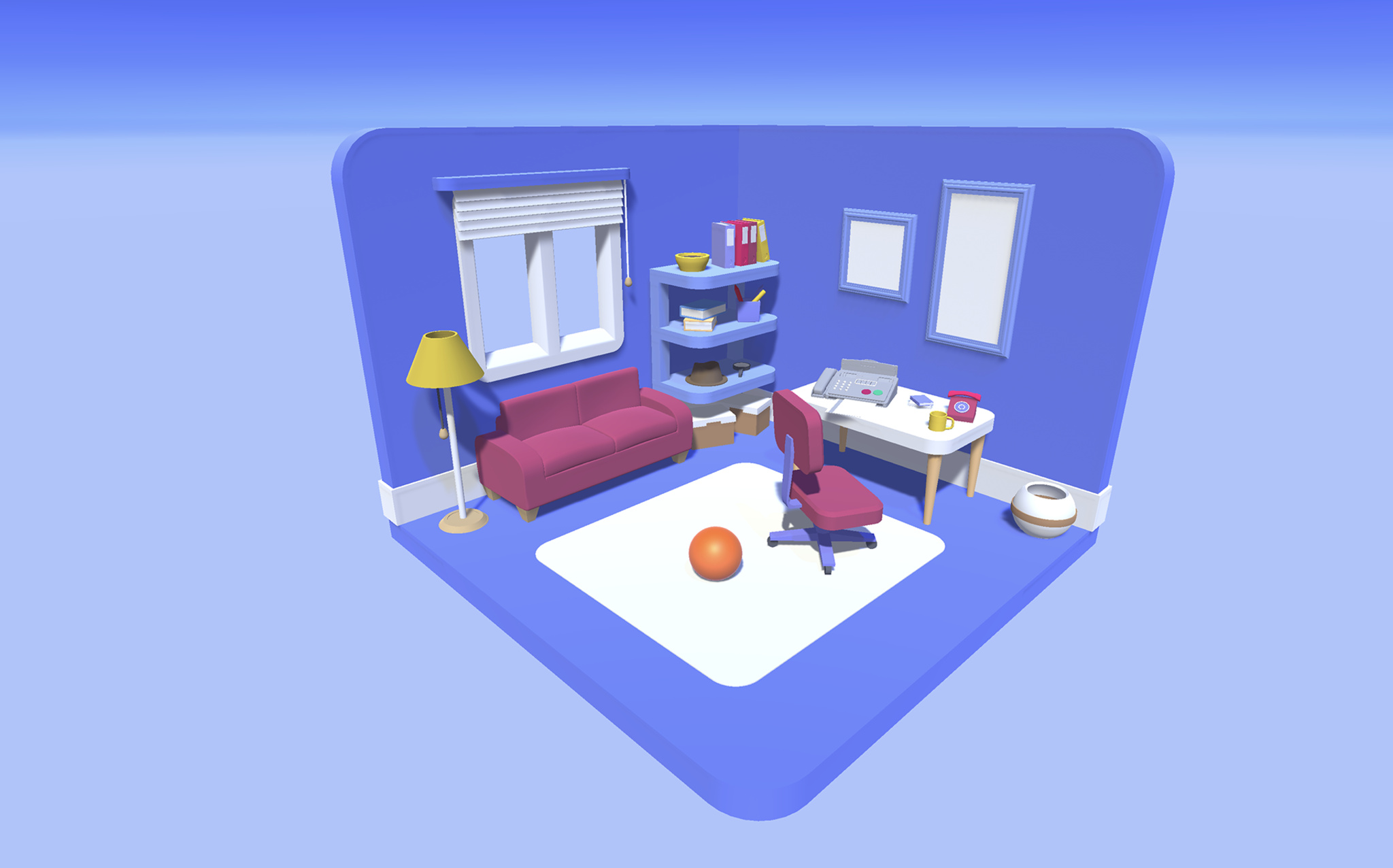
An early prototype of Rooms that shows a corner living room with blue walls and a blue floor. An orange ball sits on the floor, and a purple couch and lamp with yellow shade can be seen.

An early sketch of Rooms shows how the room design came together early in the process.

Like its community, the Rooms team is used to moving fast. “One day I said, ‘It would be cool if this had a D-pad and A/B buttons,” says Toff, “and about 10 hours later Bruno was like, ‘Here you go.’” On another lark, Toff mentioned that it would be fun to let users fly around their rooms, and Kruge and Oliveira promptly created a “camera mode” that’s come to be known internally as the “Jason-Cam.”

That’s satisfying to a team that simply set out to build a cutting-edge plaything. “We always had this metaphor that Rooms was a swimming pool with a shallow side and a deep side,” says Oliveira. “It should be fun for people dabbling in the shallow side. But it should also be amazing for people swimming in the deep end. If you just want to look at rooms, you can. But you can also dive all the way down and write complicated code. There’s something for everyone.”

Meet the 2024 Apple Design Award winners

Behind the Design is a series that explores design practices and philosophies from finalists and winners of the Apple Design Awards. In each story, we go behind the screens with the developers and designers of these award-winning apps and games to discover how they brought their remarkable creations to life.

Posted on Leave a comment

JAVA Edition Craftmine Update

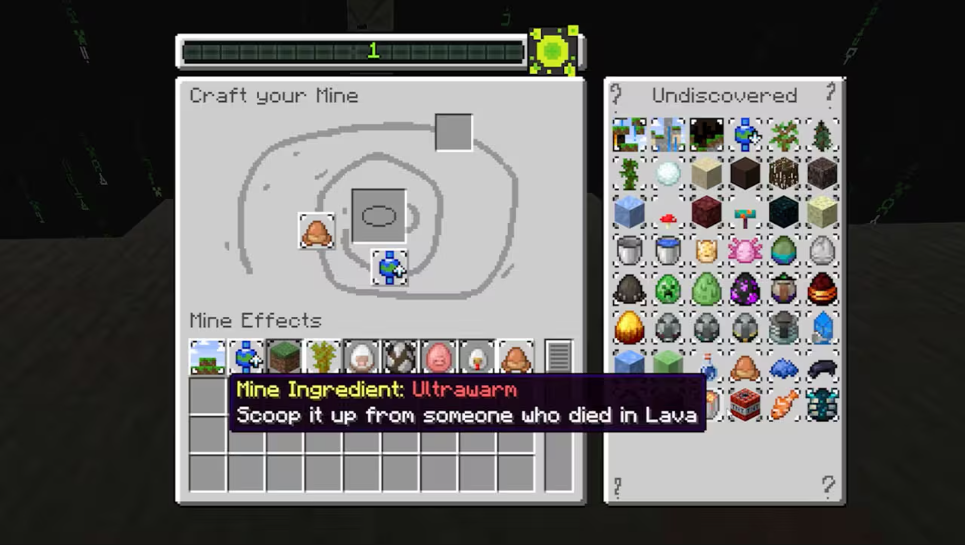
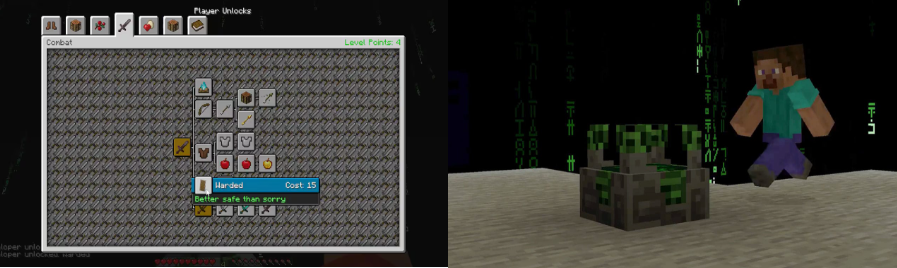
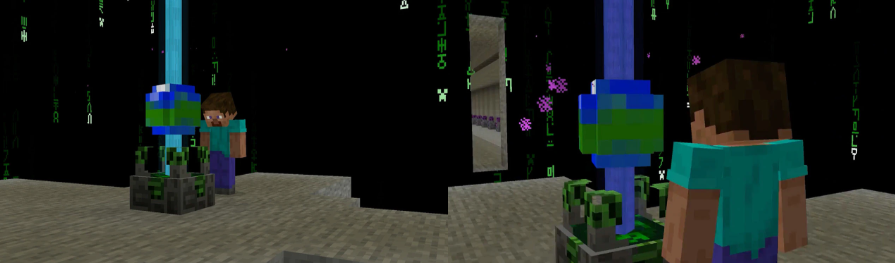
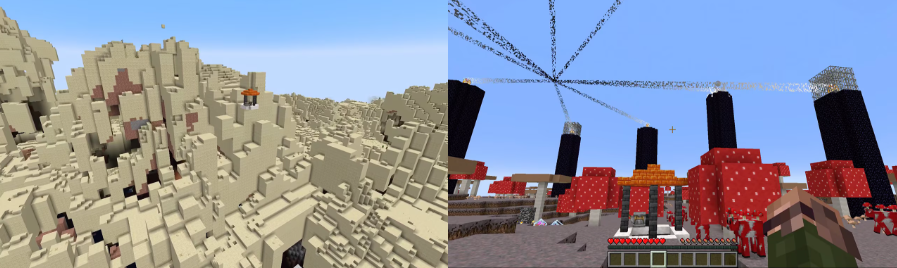
Behold: The Mine Crafter!

Inside your mine are more resources to collect, which you can use to create even more astonishing mines! All you have to do is survive long enough to reach the exit. Or not survive… well, you do have to survive, but how difficult surviving is depends on the elements of the world you created. It’s not YOU who created it, it was the Mine Crafter, but it wasn’t really the Mine Crafter either, it’s just code, you know, dev code, it’s not a real machine, it’s not like we created a real machine in real life, and then managed to put that into the game, no way, but hopefully you’ll have a good time!

And that’s all there is to it: just dive into the mine and see if you can find the exit. Once you have, you can generate the next one!

Any questions?  No?  Good because I probably don’t have the answer for you.

The Next Step

If you’re sitting there thinking that this will utterly mess up crafting and make it odd and weird, then let me assure you we had a lot of fika coming up with these ideas, and we really can’t waste those cinnamon buns. So… enjoy!

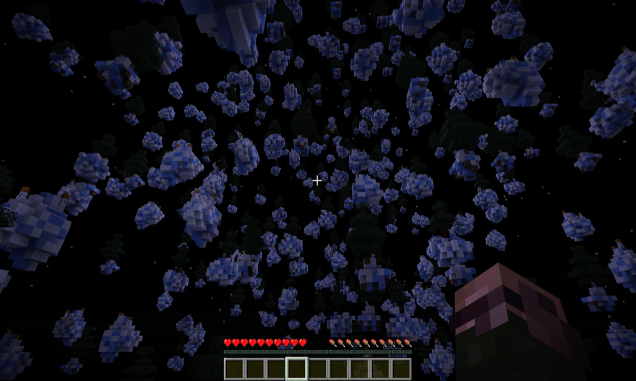
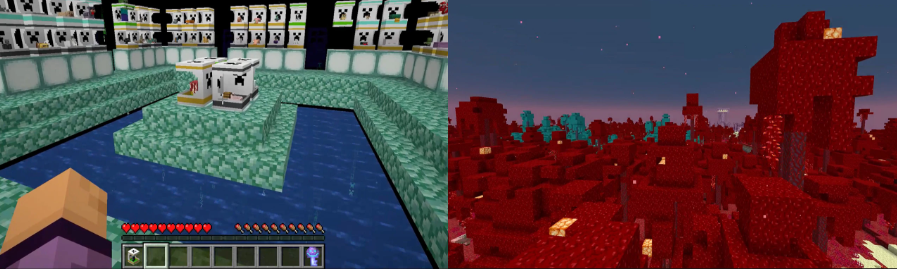
We’re all very excited, just look at these worlds:

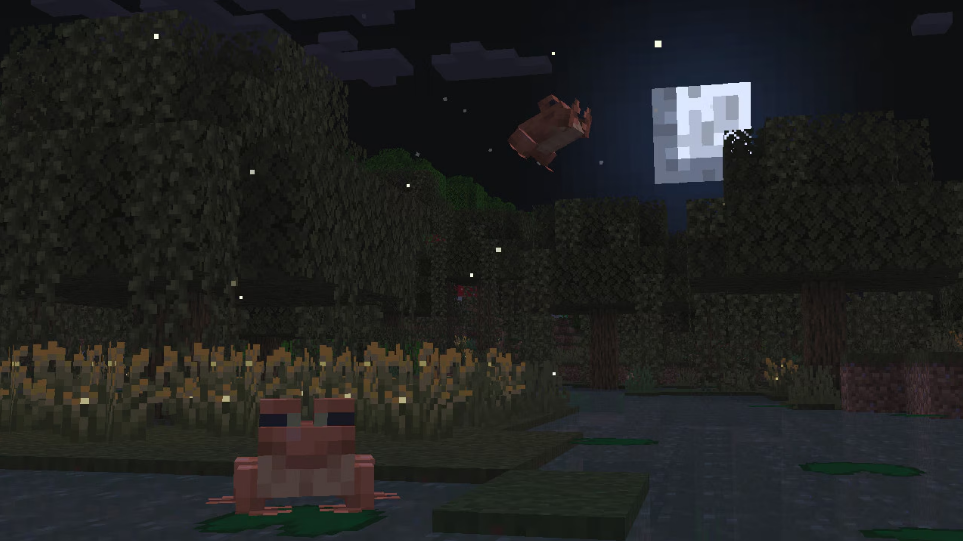
How to Try This Update

Snapshots are available for Minecraft: Java Edition. To install the snapshot, open the Minecraft Launcher and enable snapshots in the “Installations” tab, then select the “Latest Snapshot”. You can even play the snapshot on your own Java Realms together with your friends!

Remember, snapshots can corrupt your world, so please back up your world and/or run the snapshot in a different folder from your main worlds.

Posted on Leave a comment

JAVA Edition: 1.21.5

New Features

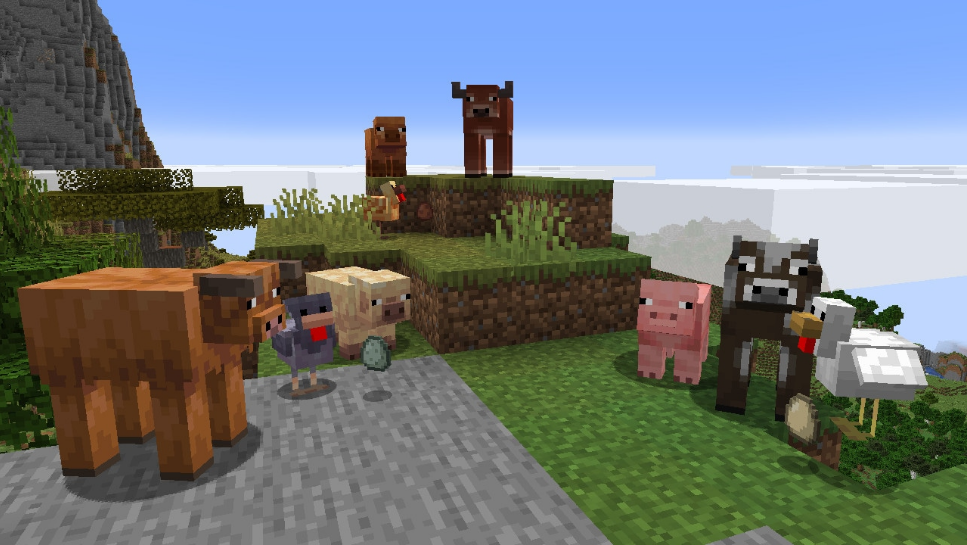
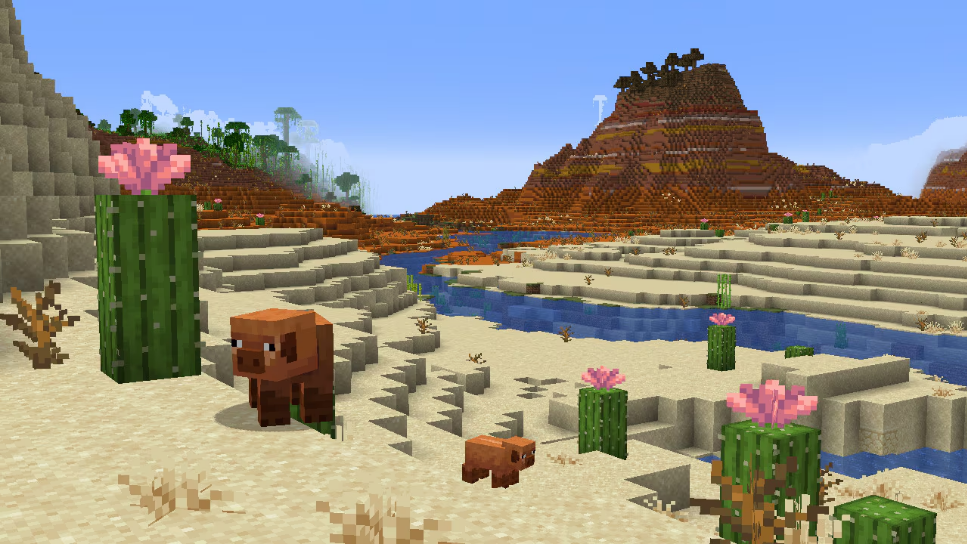
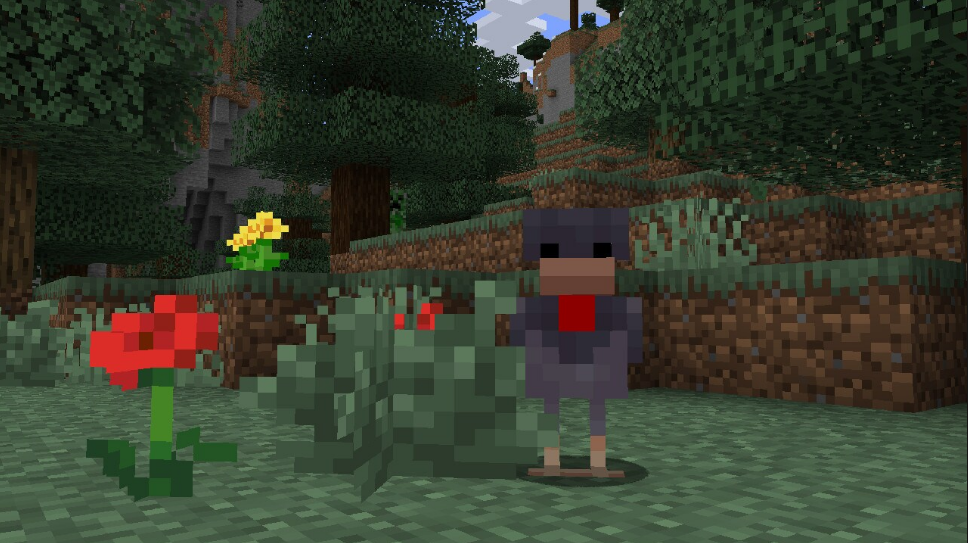
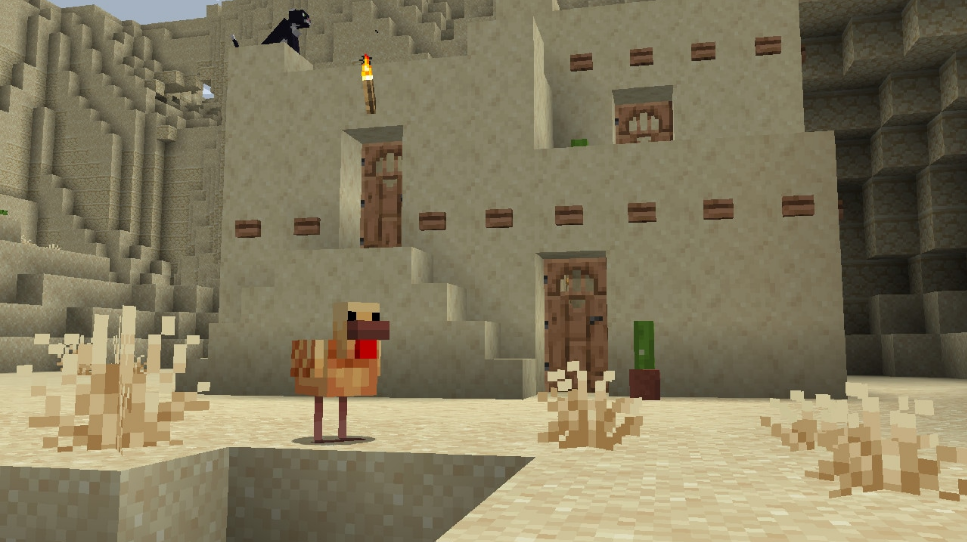
  • Added cold and warm variants for the Pig, Cow and Chicken
  • Sheep now spawn with wool color dependent on the biome in which they spawn
  • Added new sound variants for Wolves
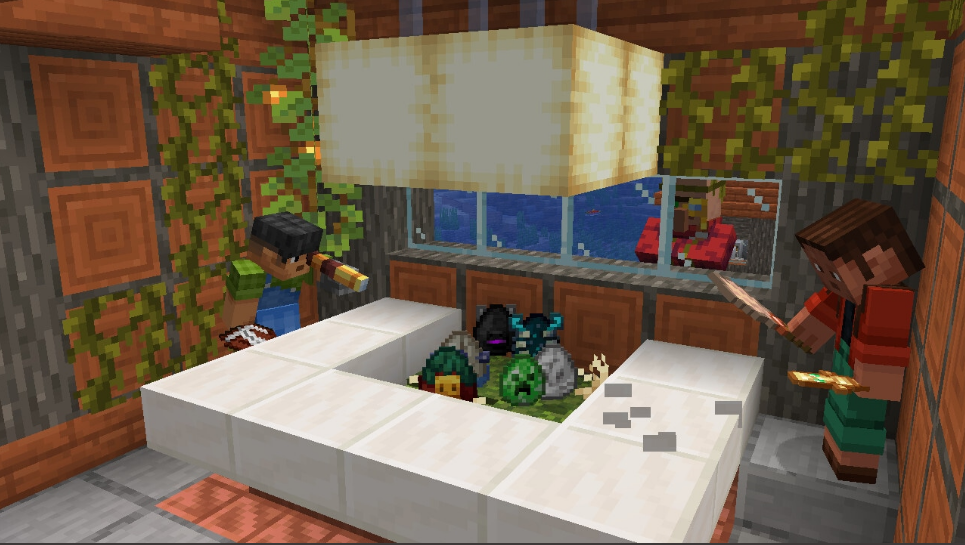
  • Overhauled the visuals of each Spawn Egg to improve readability and accessibility
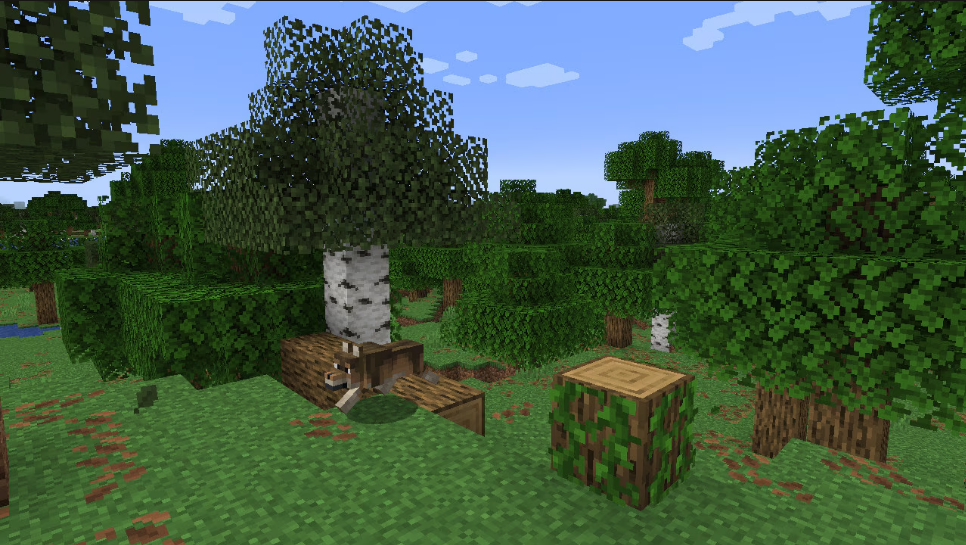
  • Added fallen tree generation
  • Added Firefly Bush block
  • Added Leaf Litter block
  • Added Wildflowers block
  • Added Bush block
  • Added Short Dry Grass and Tall Dry Grass blocks
  • Added Cactus Flower block which can grow on Cactus blocks
  • Added new falling leaf particles to all Leaves blocks that did not already have them
  • Added new ambient block sounds in the Desert and Badlands biomes
  • Added language support for Kyrgyz

Farm Animal Variants

  • Warm and cold variants have been added for the following animals:
    • Pig
    • Cow
    • Chicken

  • The variant is determined by the biome they spawn in
  • Temperate variant – The variants we are all familiar with, spawns by default where the other variants do not
  • Cold variant – A variant that will be selected if spawned (naturally or by player) in these biomes:
    • Cold Ocean
    • Deep Cold Ocean
    • Deep Dark
    • Deep Frozen Ocean
    • End Barrens
    • End Highlands
    • End Midlands
    • Frozen Ocean
    • Frozen Peaks
    • Frozen River
    • Grove
    • Ice Spikes
    • Jagged Peaks
    • Old Growth Pine Taiga
    • Old Growth Spruce Taiga
    • Small End Islands
    • Snowy Beach
    • Snowy Plains
    • Snowy Slopes
    • Snowy Taiga
    • Stony Peaks
    • Taiga
    • The End
    • Windswept Forest
    • Windswept Gravelly Hills
    • Windswept Hills

  • Warm variant – A variant that will be selected if spawned (naturally or by player) in these biomes:
    • Badlands
    • Bamboo Jungle
    • Basalt Deltas
    • Crimson Forest
    • Deep Lukewarm Ocean
    • Desert
    • Eroded Badlands
    • Jungle
    • Lukewarm Ocean
    • Mangrove Swamp
    • Nether Wastes
    • Savanna
    • Savanna Plateau
    • Soul Sand Valley
    • Sparse Jungle
    • Warm Ocean
    • Warped Forest
    • Windswept Savanna
    • Wooded Badlands

  • When bred by a player, a baby variant will not be chosen by the current biome, but instead randomly selected from one of the parents’ variants
  • Two new Egg items have been added for the warm and cold Chicken variants
    • Blue Egg – The Egg that is laid by and can hatch cold Chicken variants
    • Brown Egg – The Egg that is laid by and can hatch warm Chicken variants

Sheep Wool Color in Warm and Cold Biomes

  • Sheep now spawn with wool color dependent on the biome in which they spawn:
    • Temperate biomes: (these colors are unchanged from previous behavior)
      • Common Sheep color is white
      • Uncommon Sheep colors are black, gray, light gray and brown
      • There is a rare chance for a pink Sheep to spawn
    • Cold biomes:
      • Common Sheep color is black
      • Uncommon Sheep colors are gray, light gray, white and brown
      • There is a rare chance for a pink Sheep to spawn
    • Warm biomes:
      • Common Sheep color is brown
      • Uncommon Sheep colors are gray, light gray, white and black
      • There is a rare chance for a pink Sheep to spawn

Wolf Sounds Variants

  • Added 6 new Wolf sound variants with unique ambient, hurt, death, growl, whine, and pant sounds
    • The new sounds are part of variants that are called “Big”, “Cute”, “Puglin”, “Angry”, “Grumpy”, and “Sad”
    • The original Wolf sounds now are used for the variant called “Classic”
    • Every Wolf will have a sound variant randomly assigned to it from these 7 variants
    • The sound variant is not related to the texture variant

Spawn Egg Visuals Overhaul

  • Each Spawn Egg now has their own unique visual which captures the personality and character of the mob it spawns
  • Each egg visual varies in shape to reflect the in-world size of the mob it spawns
    • For example, smaller mobs tend to have a smaller Spawn Egg

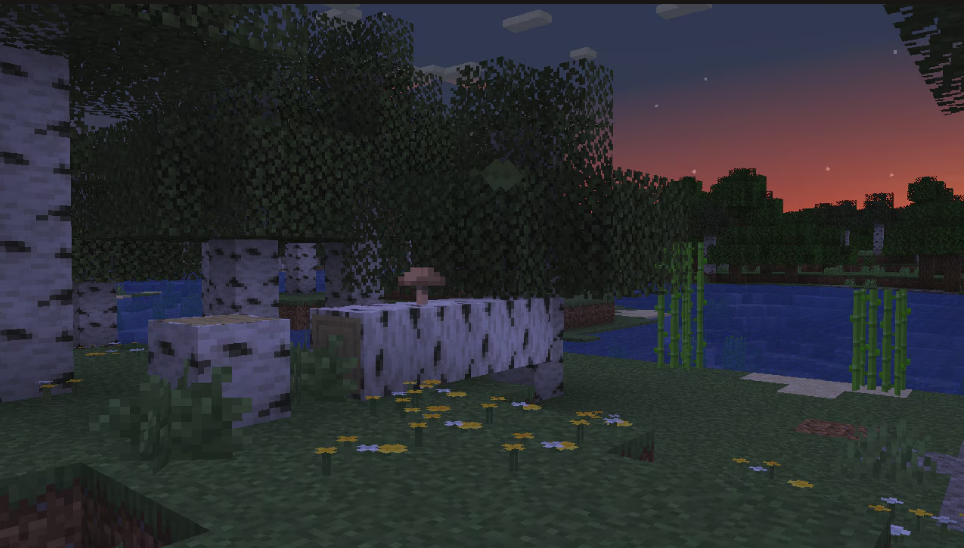
  • Fallen trees are a new decorative variant of trees
  • Fallen trees come in four different wood type variants:
    • Oak
    • Birch
    • Jungle
    • Spruce
  • Birch fallen trees come in a shorter and a longer version
  • Some fallen trees can be decorated with Mushrooms or Vines
  • Fallen trees can be found in all biomes where their standing tree variant grows, except the following:
    • Bamboo Jungle
    • Flower Forest (has fallen Birch trees but not fallen Oak trees)
    • Grove
    • Meadow
    • River

Firefly Bush

  • The Firefly Bush is found adjacent to water in Swamps, Mangrove Swamps, Badlands, and near Rivers
  • When it is dark, glowing firefly particles appear around the Firefly Bush
  • Using Bone Meal on a Firefly Bush grows a Firefly Bush in a random adjacent space if possible
  • The Firefly Bush emits a light level of 2
  • The Firefly Bush has a chance of playing ambient sounds when these conditions are met:
    • it is night
    • it is not blocked from above by any collidable block except leaves

Leaf Litter

  • Leaf Litter is a new type of decorative block which can be found in the Forests, Dark Forests and Wooded Badlands
    • Note: Leaf Litter is only spawned as part of world generation, and does not regenerate during gameplay
  • Leaf Litter can have different amounts of leaves in one block space
    • Up to four Leaf Litter pieces can be placed in the same block space
    • Placing a Leaf Litter into an existing Leaf Litter block increases the amount of leaves
  • Leaf Litter can be placed in four orientations
  • Leaf Litter can be placed on any block with a full top face
  • Leaf Litter can be created by smelting any type of Leaves block
  • Leaf Litter can be used as fuel for smelting
  • Leaf Litter can be used in the Composter
  • Leaf Litter has unique block sounds
  • Leaf Litter is tinted based on which biome it is in
  • Leaf Litter is replaceable when building

Wildflowers

  • Wildflowers are a new type of flower which grow in Birch Forests, Old Growth Birch Forests and Meadows
  • Wildflowers can have different amounts of flowers in one block space
    • Up to four Wildflowers can be placed in the same block space
    • Placing a Wildflower into an existing Wildflowers block increases the amount of flowers
    • Using Bone Meal on Wildflowers will produce more Wildflowers
  • Wildflowers can be placed in four orientations
  • Wildflowers can be crafted into Yellow Dye

Bush

  • The Bush is a new type of decorative block that can be found in small patches in the following biomes:
    • Birch Forest
    • Forest
    • Frozen River
    • Old Growth Birch Forest
    • Plains
    • River
    • Windswept Forest
    • Windswept Gravelly Hills
    • Windswept Hills
  • The Bush can be used in the Composter
  • Using Bone Meal on a Bush grows a Bush in a random adjacent space if possible
  • A Bush only drops when broken with Shears or a Silk Touch tool
  • The Bush is replaceable when building

Short and Tall Dry Grass

  • Added two new types of grass: Short Dry Grass and Tall Dry Grass
  • Both are 1 block high, which means Tall Dry Grass differs from regular Tall Grass which is 2 blocks high
  • Both generate in the Desert and Badlands biomes
  • Both can be placed on types of Sand, Terracotta, Dirt blocks, and Farmland like the Dead Bush
  • Both can be bonemealed
    • Using Bone Meal on Short Dry Grass grows it into a Tall Dry Grass
    • Using Bone Meal on Tall Dry Grass grows a Short Dry Grass in a random adjacent space if possible
  • Both can be used in the Composter
  • Sheep can eat both to regrow their wool
  • Both can be used as fuel for smelting
  • Both are replaceable when building

Cactus Flower

  • Cactus Flower is a new type of flower that has a chance of generating on Cactuses in Deserts and Badlands
  • Cactus Flower can be placed on Cactus blocks, Farmland, or any block which has center support at the top of the block
  • Cactus Flowers have a chance of growing on Cactus blocks instead of the Cactus growing taller
    • If a Cactus is 1-2 blocks tall, the Cactus Flower has a 10% chance to grow
    • If a Cactus is 3 blocks or taller the Cactus Flower has a 25% chance to grow
    • Cactus Flowers will only grow if they have space on all four sides
  • Cactus Flowers can be used in the Composter
  • A Cactus Flower can be used to craft 1 Pink Dye

Falling Leaf Particles

  • All Leaves blocks now have chance of spawning falling leaf particles
  • The following blocks are affected by this change:
    • Acacia Leaves
    • Azalea Leaves
    • Birch Leaves
    • Dark Oak Leaves
    • Flowering Azalea Leaves
    • Jungle Leaves
    • Mangrove Leaves
    • Oak Leaves
    • Spruce Leaves

New Ambient Sounds for Desert and Badlands

  • Sand, Red Sand and Terracotta of any color have a chance of playing ambient sounds when surrounded by another block in the same group on at least 3 sides, at a distance of 8 blocks
    • block.sand.idle can be played in any biome
    • block.sand.wind only plays when in Desert or Badlands biomes
  • Dead Bush blocks have a chance of playing ambient sounds when placed on top of two blocks that are any color of Terracotta, Sand or Red Sand blocks in any biome

Changes

  • The main menu panorama has been updated for the “Spring to Life” drop
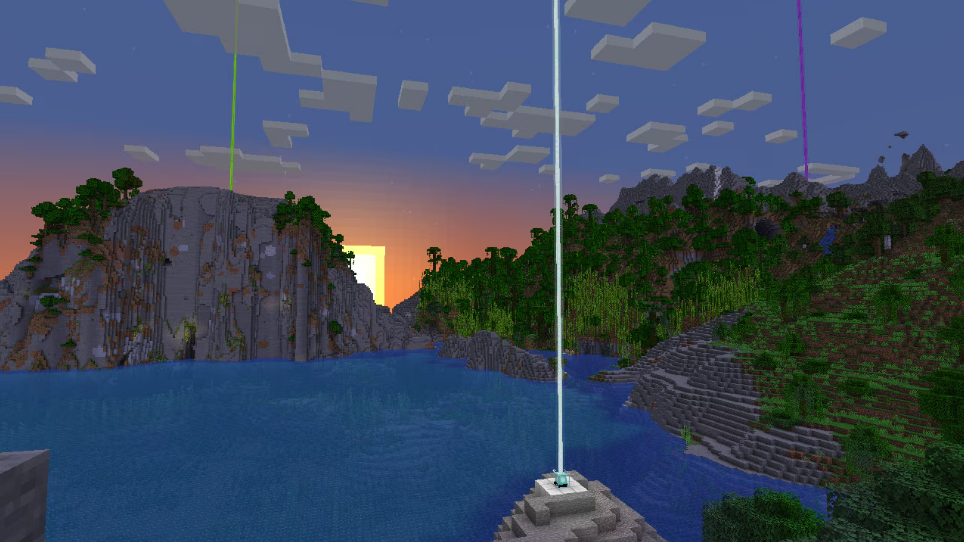
  • Beacons and their beams now render beyond 16 chunks, up to the client render distance
    • To keep it easily visible at large distances, the beam is rendered thicker the further away you are
    • The beam now renders up to 2048 blocks high, up from 1024

  • Lodestones have a new crafting recipe and can now be found in Ruined Portals
  • The trades of the Cartographer and Wandering Trader have been updated
  • Bundles can now be found in some of the Chests in Villages
  • Updates to Camel, Chicken, Cow, Pig, and Sheep spawning
  • Zombified Piglins now need to be killed by a Player to drop the Player-specific loot such as experience
    • This makes them consistent with all other mobs in the game
  • Changes to world generation of the Pale Garden and Meadow biomes
  • Chunks loaded by a portal will now be re-loaded again automatically when the world is reopened
  • Improved how simulation distance affects block ticks
  • Tweaks to the Creaking and Creaking Heart
  • Textures and models for temperate Cow, Mooshrooms and Sheep have been updated
  • Minor tweaks to existing Blocks, Items and Entities
  • Various changes and tweaks to sounds
  • Minor improvements to world uploads in Realms
  • Reverted fix MC-152728 – “The player continues sprinting when performing actions that slow them down

    Developer’s NoteAfter consideration, we have decided to revert this fix. While we do want to revisit these mechanics in the future, it’s clear that these recent fixes alone didn’t quite hit the mark and caused too many negative side effects for parkour, speedbridging, and movement in general

  • If the game detects that the last startup did not complete normally, the fullscreen option will now be reset
  • Removed Herobrine

Lodestone Changes

  • The Lodestone is now crafted from 1 Iron Ingot surrounded by 8 Chiseled Stone Bricks
  • Lodestones can now be found as loot at Ruined Portals in the Overworld or Nether
  • Advancement “Country Lode, Take me Home” has been moved from the “Nether” category to the “Adventure” category

Cartographer and Wandering Trader Trade Rebalance

Cartographer Trades

  • Cartographers now sell 7 new maps each pointing to a different village or other structures in a different biome
  • Cartographers from different village types will sell a different range of maps and colored banners
  • Some prices and quantities have also been adjusted

Wandering Trader Trades

  • The Wandering Trader now has better prices, more trades and a larger amount of stock for many items
  • They will also now buy basic supplies from players, so it is possible to get some Emeralds by helping them prepare for their next journey – even if you don’t feel like buying anything
  • The Wandering Trader will offer to buy two items from this list:
    • Water Bottle
    • Water Bucket
    • Milk Bucket
    • Fermented Spider Eye
    • Baked Potato
    • Hay Bale
  • Wandering Traders now have a chance of selling these items (in addition to their previous trades):
    • Logs (Acacia, Birch, Dark Oak, Jungle, Oak, Spruce, Pale Oak or Cherry)
    • Enchanted Iron Pickaxe
    • Potion of Invisibility

Mob Spawning Changes

  • Camels now spawn in Deserts
  • Chickens, Cows, Pigs, and Sheep can now spawn in Badlands

World Generation Changes

  • The Pale Garden biome now occupies more space that was previously taken by Dark Forest
  • Woodland Mansions can now generate in the Pale Garden biome
  • Short Grass now generates slightly sparser in Meadows

Simulation Distance

  • Any block in simulation distance of a player, or loaded by another source of chunk loading such as Ender Pearls, may now receive random ticks instead of 8 chunks just around players
    • For example: if a chunk is loaded by an Ender Pearl or is in the spawn chunks, crops are able to grow, Ice can melt, Snow can fall, and a Cauldron can be filled by rain
    • Mob spawning, Lava spreading fire, and Lightning strikes still occur in the previous radius of 8 chunks around players
  • Fire will no longer burn or spread if no player is within 8 chunks

Creaking and Creaking Heart

  • Creakings can now be named using Name Tags
    • Named Creakings will persist through the day
      • However, they will still be torn down if stuck with a player or if too far from their Heart
    • Named Creakings are still resistant to all damage, and can communicate with their Hearts via particles
  • Creaking Hearts correctly placed between Logs have a new dormant texture during the day
    • Dormant Creaking Hearts cannot spawn new Creakings or Resin
  • The transition between the awake and dormant states for Creaking Hearts, as well as the transition of Eye Blossoms is now based on the fixed day time
    • All these behaviors are no longer affected by weather or dimension brightness

Mob Texture and Model Changes

  • The look of the temperate Cow has been slightly updated to have an extruded snout
  • The look of both Mooshroom variants have been slightly updated to have an extruded snout
  • Sheep’s wool undercoat is now also colored when dyed
  • The Sheep wool texture has been tweaked to remove the stark line at the back

Minor Tweaks to Blocks, Items and Entities

  • Sheep can now eat Fern blocks
  • Landing on Powdered Snow with Leather Boots equipped after falling further than 2.5 blocks will now make entities fall through the snow
    • Jumping or falling less than 2.5 blocks allows the entity to land on top of the snow like before
  • Saddles equipped onto Pigs or Striders will now maintain properties such as custom name when dropped
  • Bubble columns produce less particles and sounds when entities are unaffected by them are inside them
  • Pale Oak Leaves and Pale Oak Saplings have an updated map color
  • Improved tooltips for the Crossbow and all container items

Item Tooltips

  • Crossbows will now show all charged projectiles in their tooltip instead of just the first
    • All charged projectiles will also add their entire tooltip as a subsection, instead of only Fireworks
  • All container items with stored contents, such as a Chest picked with Ctrl+Pick Block, will now list the first 4 items in their tooltip just like Shulker Boxes

Sound Changes

  • The volume of the narrator is now affected by the game’s configured volume in the “Voice” category
  • Added new break, place, step, fall and hit sounds for Iron Blocks, Iron Bars, Iron Trapdoors, Iron Doors and Heavy Weighted Pressure Plates
  • The breaking sound for the “grass” sound type has been lowered
  • Blocks that are broken by a Piston now play their breaking sound
  • Ambient block sounds in Desert, Badlands and Pale Garden which are only used for ambience have been moved from the “Blocks” to the ‘Ambient/Environment’ category

Realms World Uploads

  • Uploading a world to Realms will now enable Command Blocks by default
  • It is now possible to upload Hardcore singleplayer worlds to Realms

Technical Changes

  • The Data Pack version is now 71
  • The Resource Pack version is now 55
  • A new entry point is present in the server jar: net.minecraft.gametest.Main
    • Automatically starts a server and runs all available game tests
  • A new command line argument is available for the client: –renderDebugLabels
    • Adds debug labels to relevant OpenGL objects, making debugging rendering easier for developers
  • Minor changes to chat network protocol

Game Test Entry Point

This new entry point automatically starts a server, runs all available game test, and then exits.

Options:

  • –help – Shows usage information
  • –packs <path> – Set a folder of data packs to include in the world
    • Any zip file or folder containing a pack.mcmeta file is included
  • –report <path> – Exports results in a JUnit-like XML report at the given path
  • –tests <selection> – Specify which tests to run with a selection – a wildcard expression matching namespace test instance IDs
    • If omitted, or used with an empty ID, all tests will be run
  • –universe <path> – The path in which the test server world will be created
    • Any existing folder will be replaced
    • Default: gametestserver
  • –verify <boolean> – Enables test verification
    • Runs the tests specified with test or testNamespace 100 times for each 90-degree rotation step
    • Default: false

Example usage: java -DbundlerMainClass=”net.minecraft.gametest.Main” -jar server.jar –packs mytestpacks

Network Protocol

  • The clientbound player_chat packet now contains an index increasing for every message sent to the client
    • The index starts at 0 when logging in (or is reset by configuration phase and the login packet)
    • For every message, the server should increment this value by 1
    • If this value updates in an unexpected way, the client will disconnect
    • As the protocol requires that every chat packet reaches the client in produced order, the goal is to enable faster detection of missed/reordered chat messages for custom server developers
  • The serverbound chat and chat_command_signed packets now contain a checksum byte along with the “last seen” update
    • This is a simple hash of the “last seen” signatures which should be reconstructed by the server, allowing quicker detection of desynchronized state
    • This can be passed as 0 to disable the check, for compatibility with protocol translation

Data Pack Versions 62 through 71

  • The Game Tests system is now accessible through data packs and for mods
  • Added new allowFireTicksAwayFromPlayer and tntExplodes Game Rules
  • All entities can now store custom data
  • Added a uniform way to define variant selection rules
  • Wolf Sound, Pig, Cat, Chicken, Cow, and Frog variants are now data-driven
  • Changes to commands
  • Structure Blocks in the “Load” mode have a new option: “Strict Placement”
    • If set to false, the blocks in the placed structure will not trigger block updates, block entity side effects, or shape updates
  • The game’s handling of NBT has been updated to allow “heterogeneous” lists with elements of different types
  • The object notation used in commands for NBT, text components and inline predicates (a.k.a. SNBT) has been extended
  • Updated data format of Text Components
  • Updated many data formats within entities and block entities
  • Added new item components, and updates to existing components
    • The control of tooltip behavior has been reworked into a tooltip_display component
  • Entity variants are now set and queried with components
  • Updated Entity Predicates to support entity components
  • Updated Block Predicates to support block entity components
  • Updated toggle_tooltips loot function to support new tooltip_display component
  • The potion entity type has been split into splash_potion and lingering_potion
  • Added saddle equipment slot for entities, driven by the equippable component
    • Only mobs that normally support saddles will support riding and rendering of the saddle
    • Items in the saddle slot can apply attribute modifiers as with other equipment
  • Changes to crafting_transmutesmithing_transform, and smithing_trim recipe types
  • Trim pattern and trim material items are no longer specified in the trim registries, but instead in the recipes and items respectively
  • Added fallen_tree feature type and attached_to_logs tree decorator type
  • The background field in Advancement definitions no longer contains a textures/ prefix and .png suffix
  • The effects field in Biome definitions has a new subfield, dry_foliage_color, that defines the color used for tinting blocks using dry foliage tinting (Leaf Litter)
  • Changes to tags
  • Added firefly and tinted_leaves particles

Game Tests

The Game Tests system is a new integrated system for testing aspects of the game. Each test is an asset defining some parameters for how the test gets executed, combined with a saved structure file containing a base setup.

Generally, the test framework expects to run tests in a separate superflat world.

Test Instances

Test instances are defined in the registry test_instance. They’re small assets defining a test to run.

Fields:

  • environment: Namespaced ID of the test environment to run this test as part of
  • structure: The namespaced ID of the structure to use for the test
  • max_ticks: A positive integer representing the maximum number of ticks allowed to pass before the test is considered timed out
  • setup_ticks: Optional non-negative integer (default: 0) representing a number of ticks to wait after placing the structure before starting the test
  • required: Optional boolean (default true) – whether the test is considered required to pass for the full test suite to pass
  • rotation: Optional rotation to apply to the test structure
    • One of none (default), clockwise_90180 and counterclockwise_90
  • manual_only: Optional boolean (default false), set to true for tests that are not included as part of automated test runs
  • sky_access: Whether the test needs clear access to the sky
    • By default (false), tests are enclosed in barrier blocks – if set to true, the top is left open
  • max_attempts: Number of attempts to run the test (default 1)
  • required_successes: Number of attempts that must succeed for the test to be considered successful (default 1)
  • type: The type of test – one of block_based and function
Function Tests

Function tests rely on built-in functions to run a test and indicate success or failure. They have one additional field:

  • function: The namespaced ID of the Test Function to run

See the “Using the Game Test Framework from Code” changelog section for more information.

Block Based Tests

Block based tests use Test Blocks in the test structure to run the test and indicate success or failure.

Test Environments

Test Environments are a way to group up tests and give them the right preconditions to run. A Test Environment is an asset in the test_environment registry. Each Test Environment definition has a type field that determines its setup:

  • all_of definitions apply the setup from several sub-definitions in the definitions field
  • function definitions use mcfunction files as setup and teardown
    • setup: Optional namespaced ID of the mcfunction to use for setup, if any
    • teardown: Optional namespaced ID of the mcfunction to use for teardown, if any
  • game_rules: definitions set any number of game rules
    • bool_rules: A list of boolean game rules to set and the value to set
    • int_rules: A list of integer game rules to set and the value to set
    • Each rule is an object with two fields:
      • rule: The exact name of the rule to set
      • value: The value to set
    • Game rules are reset to their default values after the test environment has completed
  • weather definitions sets the weather state
    • weather: The weather to set – one of clearrain and thunder
  • time_of_day definitions set a given time of day
    • time: The time of day to set in number of ticks, as a non-negative integer

The game provides a single, empty Test Environment by default: minecraft:default.

Test Blocks

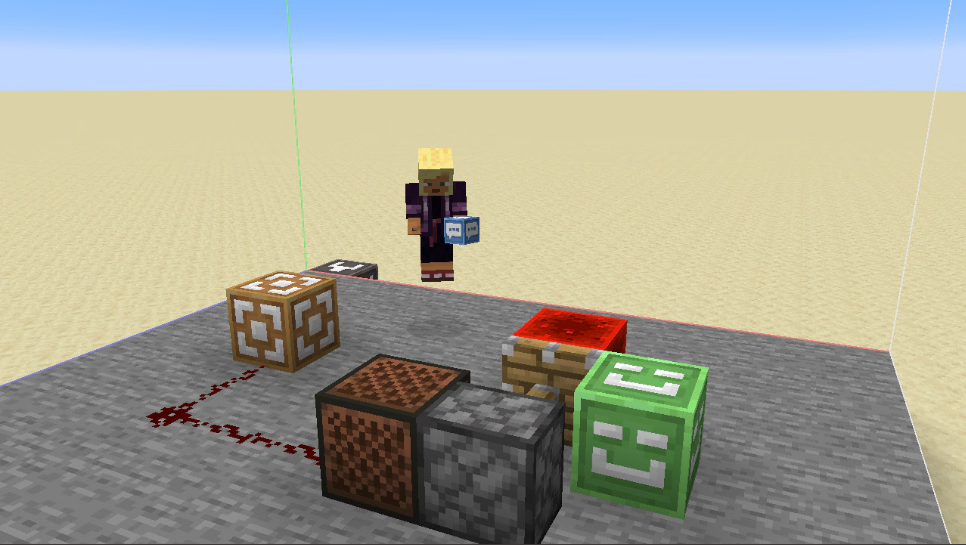
The Test Block is a block used for implementing a block-based tests. It has four modes:

  • start: Triggers a redstone pulse when the test starts
  • log: Logs a message to the log file when powered by redstone
  • fail: Fails the test when powered by redstone
  • accept: Completes the test when powered by redstone

Block-based tests are required to have at least one start block and one accept block in the structure.

The test Command

The test command is a new command used to create and run tests.

Syntax:

test clearall [<radius>]
test clearthat
test clearthese test create <test> [<width>] [<height> <depth>] test locate <selector> test resetclosest
test reseetthese
test resetthat test pos [<variable>] test run <selector> [<numberOfTimes>] [<untilFailed>] [<rotationSteps>] [<testsPerRow>]
test runclosest [<numberOfTimes>] [<untilFailed>]
test runfailed [<numberOfTimes>] [<untilFailed>] [<rotationSteps>] [<testsPerRow>]
test runmultiple <selector> [<amount>]
test runthat [<numberOfTimes>] [<untilFailed>]
test runthese [<numberOfTimes>] [<untilFailed>] test stop test verify <tests>

Parameters:

  • radius: The radius to clear tests within
  • test: The namespaced ID of a test
  • selector: A wildcard-enabled selector for test IDs
    • Supports * and ? for matching namespaced IDs
    • If namespace is not supplied, defaults to minecraft
    • Examples:
      • *:* – matches all IDs
      • * – matches everything in the minecraft namespace
      • custom:folder/*_test_? – matches IDs in the folder folder of the custom namespace, with a prefix followed by _test_ followed by a single valid character
  • width: The width of the test structure – if omitted, 5 is used
  • height: The height of the test structure – if omitted, the width is used
  • depth: The depth of the test structure – if omitted, the width is used
  • variable: The variable name to include in the copied code snippet
  • numberOfTimes: The number of times to repeat each test – if omitted, 1 is ued
  • untilFailed: Boolean (default false) noting that the test should be stopped as soon as one iteration fails
  • rotationSteps: Number of extra 90 degree steps to apply to the test – if omitted, 0 is used
  • testsPerRow: Number of tests to place per row in a grid layout – if omitted, 8 is used
test clear*

These subcommands clear the structures and blocks associated with the selected tests.

test create

This subcommand creates a test setup in the current location for the given test, preparing for a structure of the given size. This gives a starting point for creating the structure for the test.

test locate

Attempts to locate the given test. Note that only loaded chunks are searched.

test reset*

These subcommands reset the structures for the selected tests, removing any surrounding barriers and placing the structure in from scratch.

test pos

Shows the local coordinates to the block pointed at in the test. If the optional variable name is specified, this variable name is used in a code fragment obtained by clicking on the coordinates in the output message.

test run*

Runs one or more tests. If multiple tests are run at once, they are placed in a grid and run in parallel, although only up to a certain limit. Beyond that limit, tests are run in rounds where each round completes before any tests from the next round are started.

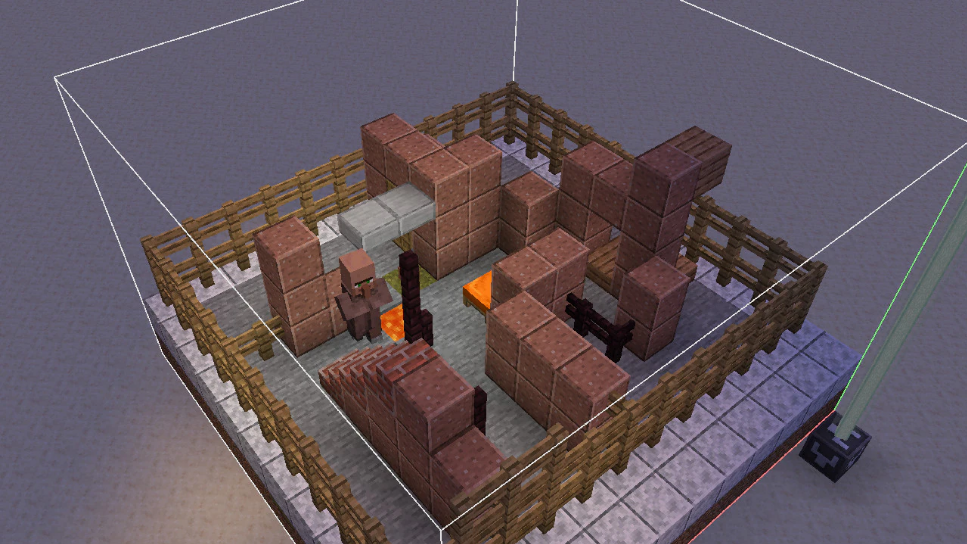
For each test, loads the given structure and runs the associated test. Each test location will have a beacon beam showcasing the test status.

  • Gray beacon = in progress
  • Red = fail (required test)
  • Orange = fail (optional test)
  • Green = success

If a test fails, the error is shown on a lectern book and an overlay.

Note that Game Tests are designed to run on standard superflat worlds. The area around each test is replaced with stone when it runs, and the running test is encased in barrier blocks.

test stop

This stops all running tests. Note that gameplay events triggered by tests may still remain.

test verify*

Verifies one or more tests by running multiple instances of the same test.

Test Instance Blocks

To run a test in a world, a Test Instance Block is used. This type of block represents the test as placed in the world and is used to interact with that test, to save the structure, reset or run the test.

Using the test command to run or create a test will also place a Test Instance Block to control that test.

Using the Game Test Framework from Code

The Game Test Framework can also be used from code in a more versatile manner than block-based tests. For this to work, you need to mod the game to add your test functions to the test_function registry (Registries.TEST_FUNCTION).

Hook into some startup method (pre-registry bootstrap) to add your loader – call TestFunctionLoader.registerLoader() with an implementation of TestFunctionLoader. Your implementation can then use the provided register consumer to register test functions with their namespaced IDs. This namespaced ID can then be referenced in a function type Test Instance.

A test function is a Consumer<GameTestHelper>, using that GameTestHelper instance to manipulate the world and make assertions about the state of the resulting world.

The helper can be used to summon mobs, set blocks, query for blocks and entities and assert the state of the test. Most GameTestHelper methods take test-local coordinates, which you can also find using /test pos.

Example code that might go along with a test structure with a locked hopper containing a Cod, pointed into a Furnace:

public void furnaceSmeltsItem(final GameTestHelper helper) { helper.setBlock(0, 4, 0, Blocks.AIR); helper.succeedWhen(() -> helper.assertContainerContainsSingle(new BlockPos(0, 0, 0), Items.COOKED_COD));
}

More complicated setups will often use helper.startSequence() to model sequences of events that must happen.

As opposed to block-based tests, function tests failing will often produce more helpful error messages including the location of whatever failed and what was expected at that location.

Game Rules

allowFireTicksAwayFromPlayer

  • When true, fire and lava can spread fire outside the 8 chunk range of a player
  • Note: the fire and lava blocks must still be in simulation distance to spread
  • Default value: false

tntExplodes

  • When false, TNT will not explode and cannot be ignited
  • Default value: true

Uniform Variant Selection

  • Variants that have spawn rules now use a uniform approach for selection
  • Selection process:
    • Every variant has a field spawn_conditions that contains a list of entries
    • Every entry has a condition and an integer priority
    • Conditions for all variants for given entity type are evaluated for the position that entity is being spawned
    • Entries with a priority lower than the maximum priority of remaining entries are removed
    • The game randomly picks one entry out of the remaining ones
    • If no conditions are remaining, the variant remains unchanged from default for that entity
  • Entry format:
    • priority – integer
    • condition – optional structure
      • Fields:
        • type – see below for values
        • Additional fields are dependent on type
      • If this field is not present, the condition is always true

Spawn Conditions

minecraft:biome
  • Checks if entity is spawning in specific biomes
  • Fields:
    • biomes – single entry, list or a tag describing biomes
minecraft:moon_brightness
  • Checks if the current moon brightness is within a certain range
  • Fields:
    • range – floating point range (a single number or an object like {“min”: 1, “max”: 2})
minecraft:structures
  • Checks if the entity is spawning in specific structures
  • Fields:
    • structures – single entry, list or a tag describing structures

Data-driven Mob Variants

Wolf Variants

  • The fields angry_texturetame_texture and wild_texture have been grouped in an assets field, and renamed to angrytame, and wild
  • Added field spawn_conditions described in uniform variant selection above

Pig Variants

  • Pig variants can be data-driven by adding entries to data/<namespace>/pig_variant/<id>.json
  • This feature is experimental
  • Fields in file:
    • model – one of: normalcold
    • asset_id – namespaced id for this variant asset, resolves to assets/<namespace>/textures/<path>.png
    • spawn_conditions – field described in uniform variant selection above

Cat Variants

  • Cat variants can be data-driven by adding entries to data/<namespace>/cat_variant/<id>.json
  • This feature is experimental
  • Fields in file:
    • asset_id – namespaced id for this variant asset, resolves to assets/<namespace>/textures/<path>.png
    • spawn_conditions – field described in uniform variant selection above

Frog Variants

  • Frog variants can be data-driven by adding entries to data/<namespace>/frog_variant/<id>.json
  • This feature is experimental
  • Fields in file:
    • asset_id – namespaced id for this variant asset, resolves to assets/<namespace>/textures/<path>.png
    • spawn_conditions – field described in uniform variant selection above

Cow Variants

  • Cow variants can be data-driven by adding entries to data/<namespace>/cow_variant/<id>.json
  • This feature is experimental
  • Fields in file:
    • model – one of: normalcoldwarm
    • asset_id – namespaced id for this variant asset, resolves to assets/<namespace>/textures/<path>.png
    • spawn_conditions – field described in uniform variant selection above

Chicken Variants

  • Chicken variants can be data-driven by adding entries to data/<namespace>/chicken_variant/<id>.json
  • This feature is experimental
  • Fields in file:
    • model – one of: normalcold
    • asset_id – namespaced id for this variant asset, resolves to assets/<namespace>/textures/<path>.png
    • spawn_conditions – field described in uniform variant selection above

Wolf Sound Variants

  • Wolf sound variants can be data-driven by adding entries to data/<namespace>/wolf_sound_variant/<id>.json
  • The file contains the following fields which correspond to sound events to use for the specific behaviour:
    • ambient_sound
    • death_sound
    • growl_sound
    • hurt_sound
    • pant_sound
    • whine_sound

Commands

  • SNBT literals now accept heterogeneous lists
  • /data can now create and modify heterogeneous lists transparently
  • The /setblock/fill/clone, and /place commands now support a “strict” placement mode
  • /setblock and /fill have updated handling of block entities
  • The horse.saddle item slot has been renamed to saddle, and now supports any entity that can equip a Saddle
  • Text Components in commands such as /tellraw or /title are now specified with SNBT instead of JSON
  • Text Style in the /scoreboard command when specifying the styled number format is also now specified with SNBT instead of JSON
  • Text Component arguments in /bossbar/scoreboard and /team commands are now resolved before use (in the context of entity the held in @s)

Changes to /setblock/fill/clone, and /place

  • The behavior of setblock and fill commands have changed in how they handle block entity data:
    • If the block entity data is not specified, and the existing block has data, the block entity data will be preserved
    • If the block entity data is specified, the block entity data will be set to that specified value
    • To clear block entity data explicitly, you must now specify the block entity data as {}
    • The operation is now successful if either the block state changed or the block entity data changed
  • fillclonesetblock and place template accept a new option: strict
    • If specified, the command will place blocks as-is without triggering block updates or shape updates
  • The replace option in the fill command is no longer terminal, and can be followed with additional options
  • New syntax for commands to use the new strict option, and more flexible use of replace:
    • fill <from> <to> <block> keep
    • fill <from> <to> <block> [replace <filter>]? [strict|destroy|hollow|outline]?
    • clone [from <sourceDimension>]? <begin> <end> [to <targetDimension>]? <destination> [strict]? [[replace|masked|filtered <filter>] [force|move|normal]?]?
    • setblock <pos> <block> [destroy|keep|replace|strict]?
    • place template <template> [<pos> [<rotation> [<mirror> [<integrity> [<seed> [strict]?]?]?]?]?]?

NBT Changes

  • Any interface with NBT data within the game (SNBT representation, /data) now supports heterogeneous lists, i.e. ones where elements are not of the same type
    • Inserting or replacing into a list of a different type with /data will no longer give an error
    • Inserting into an array type (e.g. [I;1,2,3]) is still type-restricted
    • This means that the “wrapper” objects previously used to represent heterogeneous lists will no longer be observable by in-game means
  • /data can no longer traverse paths with an empty key (e.g. /data get … foo.”.bar)
  • The NBT file format is unchanged:
    • Heterogeneous lists are transformed before storage to bypass NBT constraints
    • Example transform: [‘a’, {‘b’:3}] is stored as [{”:’a’},{‘b’:3}]
    • Existing external tools will still be able to read NBT files as before, but heterogeneous lists will be displayed in the transformed form
  • No data produced by the game has changed: objects such as Text Components were already producing heterogeneous lists in this form
  • Note: these wrapper objects may never be observed in-game, they are only relevant to developers working with the NBT file or network format directly

SNBT Changes

  • The text format for describing object-like data in commands (like NBT, text components, predicates, etc.) has been extended
  • To simplify input of data and macro use, SNBT now also supports following operations:
    • bool(arg) – converts argument to boolean
      • if argument is a boolean value, returns value directly
      • if argument is a number value, returns true if it is non-zero
    • uuid(str) – converts string representation of UUID to integer array

Number Format

  • Either whole or fraction parts of a float number can be omitted
    • Examples: .1 and 1. are valid now
  • Float numbers now use E notation
    • Example: both 1.2e3 and 1.2E31.2E+312000e-1 are now a valid way to represent 1200.0
  • Integer numbers can now be prefixed with 0x to represent hexadecimal numbers and 0b to represent binary numbers
    • Example: 0xbad (equal to 2989), 0xCAFE (equal to 51966), 0b101 (equal to 5)
  • Non-zero integer numbers now can’t start with 0
    • Normally it would mean number is in base-8, but we are restricting it to avoid accidental use
  • Numbers can now contain _ character between sequences of digits (but not at the start or the end of sequence)
    • Example: 0b10_010xAB_CD1_2.3_4__5f1_2e3_4
  • NaNInf or hexadecimal float representation are NOT supported
  • Implicit infinite float values (like 1e1000) are rejected
  • Type suffixes have been extended:
    • Integer type suffixes (b or B – byte, s or S – short, i or I – integer, l or L – long) can now be prefixed with s (signed) or u unsigned
    • New suffixes only affect the valid range when parsing – values are still stored as signed
      • Example: 240ub is equal to -16sb, while 240sb does not parse
    • When a suffix is used without u or s, it defaults to signed for decimal numbers and unsigned for binary and hexadecimal numbers
    • Note: since b is also a valid hexadecimal digit, byte sized hexadecimal values can only be written with a signed suffix, like 0x11ub or 0x11sb

Strings

  • Quoted strings can now use escape sequences beyond  and \:
    • Unicode escapes:
      • \x – two digit escape, like \x42
      • \u – four digit escape, like \u2603
      • \U – eight digit escape, like \U00002603
      • \N{<name>} – named Unicode character, like \N{Snowman}
    • Built-in escape sequences:
      • \b – backspace, Unicode \x08
      • \s – space, Unicode \x20
      • \t – horizontal tab, Unicode \x09
      • \n – linefeed, Unicode \u0a
      • \f – form feed, Unicode \u0c
      • \r – carriage return, Unicode \u0d
  • Unquoted strings now can’t start with 0-9.+ to avoid accidental collision with numbers

Number Arrays

  • Values in arrays ([B;][I;][L;]) without a suffix are now assumed to have suffix matching the type of the array

    • Example: [B;1,2] is equivalent to [B; 1b, 2b]
  • Arrays can now also accept types smaller than the array type

    • Example: [I;1b,2s,3] is valid and equivalent to [I;1i,2i,3i]

Lists

  • Lists now accept trailing commas
    • Example: [1,2,] is valid and equivalent to [1,2]
    • Only one trailing comma is allowed, and it must come after a valid element – both [,] and [1,,] are invalid

Compounds

  • Compounds (maps) now accept trailing commas
    • Example: {a:b,}
    • Only one trailing comma is allowed, and it must come after a valid key-value pair – both {,} and {a:b,,} are invalid

Text Component Data Format

  • Text Components are no longer stored as JSON wrapped by a string
  • The format itself is the same as before, but inlined directly into the outer structure
    • For example, the item component minecraft:custom_name=”{“text”:”Renamed item”}” will become minecraft:custom_name={text:’Renamed item’}
  • This includes Text Components passed as arguments to commands such as /tellraw or /title
    • For example, /tellraw @s {“text”:”Hello world”} may become /tellraw @s {text:’Hello world’}
  • Note: in the case where Text Components are embedded in NBT, no distinction exists between boolean and integer types
    • To pass boolean arguments to translations, you must use the string form
  • For Text Components with the nbt type and interpret set to true, Text Components will be parsed from the given NBT directly rather than converting to a string and parsing as JSON
  • The format of hover and click events has been updated

Hover Events

  • The hoverEvent field has been renamed to hover_event
  • The legacy value field (which was parsed from a rendered text component) is no longer supported
  • For the show_text action:
    • The contents field has been renamed to value
    • e.g. {action:’show_text’,contents:’Hello world’} becomes {action:’show_text’,value:’Hello world’}
  • For the show_item action:
    • The contents field has been inlined
    • e.g. {action:’show_item’,contents:{id:’minecraft:stick’,count:2}} becomes {action:’show_item’,id:’minecraft:stick’,count:2}
    • If contents was specified only as an item id, it is replaced with the full format and inlined
    • e.g. {action:’show_item’,contents:’minecraft:stick’} becomes {action:’show_item’,id:’minecraft:stick’}
  • For the show_entity action:
    • The contents field has been inlined
    • The id field has been renamed to uuid
    • The type field has been renamed to id
    • e.g. {action:’show_entity’,contents:{id:[I;0,0,0,0],type:’minecraft:pig’}} becomes {action:’show_entity’,uuid:[I;0,0,0,0],id:’minecraft:pig’}

Click Events

  • The clickEvent field has been renamed to click_event
  • For the open_url action:
    • The value field has been renamed to url
    • The click event will no longer parse if not a valid URI with either https:// or http:// schemes, instead of simply not working
    • e.g. {action:’open_url’,value:’https://minecraft.net’} becomes {action:’open_url’,url:’https://minecraft.net’}
  • For the run_command action:
    • The value field has been renamed to command
    • The click event will no longer parse if the command contains disallowed characters, instead of simply not working
    • It is no longer required that the specified command field has a / prefix
    • e.g. {action:’run_command’,value:’/tp @e @s’} becomes {action:’run_command’,command:’/tp @e @s’}
  • For the suggest_command action:
    • The value field has been renamed to command
    • The click event will no longer parse if the command contains disallowed characters, instead of simply not working
    • e.g. {action:’suggest_command’,value:’/help’} becomes {action:’suggest_command’,command:’/help’}
  • For the change_page action:
    • The value field has been renamed to page
    • The page value now requires a positive integer instead of a string
    • e.g. {action:’change_page’,value:’1′} becomes {action:’change_page’,page:1}
  • The copy_to_clipboard format is unchanged

Entity Data

  • Custom data (previously present only on Marker) is now available on all entities
    • It’s exposed as a minecraft:custom_data component, so it can be set by spawning items and matched by predicates
    • The component is currently stored in a field called data, which will be changed in the future when more proper storage for entity components is introduced
    • It’s stored only if it’s non-empty
  • Updated and unified formats for storing equipment-related data on entities
  • The Owner field of tamed animals is no longer restricted to referencing Players
  • The Health and Air fields now default to their respective maximum value if not specified
  • The Tags and FallFlying fields will no longer be preserved if removed
  • The FallDistance field has been changed from float to double and is now called fall_distance
  • The SleepingXSleepingY, and SleepingZ fields have been collected into a single sleeping_pos field
  • PosMotion, and Rotation values without the correct number of components (3, 3, and 2 respectively) will now be fully discarded, instead of only selecting the specified components
    • e.g. sleeping_pos: [I;1,2,3]
  • Block States in the entity data of Arrows, Minecarts, Block Displays, Endermen, Falling Blocks, Primed TNT, or Piston Moving Blocks are no longer allowed to be specified as an empty object
  • Many tweaks to entity data formats of specific entities

Equipment Data

  • The ArmorItemsHandItems, and body_armor_item fields have been merged into an equipment field
    • Format: map between equipment slot type and item stack
      • Valid equipment slots: headchestlegsfeetmainhandoffhandbodysaddle
    • If not specified or removed, the entity will have no equipment
    • e.g. equipment:{chest:{id:’minecraft:diamond_chestplate’}}
    • This affects all mobs and Armor Stands
    • The armor and off-hand equipment of Players is now also stored in the equipment field (although items written into the Inventory using armor and off-hand slot numbers still work)
  • The data format of saddles has been unified between mobs such as Horses and Pigs, becoming a new kind of equipment slot (and stored in the equipment.saddle field)
    • This is a pure rename from the previous SaddleItem in Horse-like mobs
    • This also replaces the boolean Saddle flag from Pigs and Striders
    • The Saddle dropping on death is now affected by the drop_chances field, as with other equipment slots
  • The ArmorDropChancesHandDropChances, and body_armor_drop_chance fields have been merged into a drop_chances field
    • Format: map between equipment slot type and chance value
    • If not specified or removed, chances will be assumed as default (0.085f)
    • e.g. drop_chances:{chest:0.1,feet:1.0}
  • Drop chances with a default value will no longer be stored, and the drop_chances field is removed entirely if all defaults

allay

  • Removed redundant CanDuplicate field (controlled by DuplicationCooldown)

area_effect_cloud

  • Area Effect Clouds have a new field: potion_duration_scale (float)
    • If not specified, defaults to 1.0
    • The duration of the potion effect applied is scaled by this factor
    • Area Effect Clouds created by Lingering Potions will have a scale of 0.25
  • The Duration field now defaults to -1 if not specified
  • If the Duration field is -1, the Area Effect Cloud will never run out
  • This means that an Area Effect Cloud summoned with no duration specified will no longer immediately disappear

cat

  • The CollarColor field now defaults to 14 (red) if not specified

creeper

  • The Fuse field now defaults to 30 if not specified
  • The ExplosionRadius field now defaults to 3 if not specified

dolphin

  • Removed TreasurePosXTreasurePosYTreasurePosZ fields
  • The Moistness field now defaults to 2400 if not specified

ender_dragon

  • The DragonDeathTime field now defaults to 0 if not specified

falling_block

  • The BlockState field can now be air (will despawn immediately) – if otherwise not specified or invalid, defaults to sand
  • The HurtEntities field now defaults to false if not specified (or true if BlockState is anvil)
  • The FallHurtAmount field now defaults to 0 if not specified
  • The FallHurtMax field now defaults to 40 if not specified
  • The DropItem field now defaults to true if not specified
  • The TileEntityData field will no longer be preserved if removed

firework_rocket

  • The ShotAtAngle field now defaults to false if not specified

fox

  • The Trusted field now defaults to empty if not specified (and will no longer be merged with the previous state if modified by /data)

ghast

  • The ExplosionPower field now defaults to 1 if not specified

goat

  • The HasLeftHorn and HasRightHorn fields now default to true if not specified

interaction

  • The width and height fields now default to 1 if not specified

item

  • The Health field now defaults to 5 if not specified
  • The PickupDelay field now defaults to 0 if not specified
  • The Age field now defaults to 0 if not specified
  • The Owner and Thrower fields will no longer be preserved when removed

item_frame and glow_item_frame

  • The TileXTileY, and TileZ fields have been collected into a single block_pos field
  • The ItemDropChance field now defaults to 1.0 if not specified

item

  • The Owner and Thrower fields will no longer be preserved when removed

phantom

  • The Size field has been renamed to size
  • The AXAY, and AZ fields have been collected into a single anchor_pos field

player

  • The SpawnXSpawnYSpawnZSpawnAngleSpawnDimension, and SpawnForced fields have been collected into a single respawn field
    • Format: object with fields
      • pos – block position to spawn at
      • angle – float, angle to spawn with (default: 0.0)
      • dimension – dimension id to spawn in (default minecraft:overworld)
      • forced – boolean, true if this spawn was set through commands (default: false)
  • The enteredNetherPosition field has been renamed to entered_nether_pos, and is now formatted as a list of doubles
    • e.g. entered_nether_pos: [1.0, 2.0, 3.0]

primed_tnt

  • The fuse field now defaults to 80 if not specified
  • The block_state field now defaults to tnt if not specified
  • The explosion_power field now defaults to 4 if not specified

shulker

  • The Color field now defaults to 16 (no color) if not specified

shulker_bullet

  • The Dir and Target fields will no longer be preserved when removed

skeleton

  • The StrayConversionTime field will no longer be preserved when removed

spectral_arrow

  • The Duration field now defaults to 200 if not specified

snow_golem

  • The Pumpkin field now defaults to true if not specified

tnt_minecart

  • The fuse field now defaults to 80 if not specified
  • The explosion_power field now defaults to 4 if not specified
  • The explosion_speed_factor field now defaults to 1 if not specified

turtle

  • The HomePosXHomePosY, and HomePosZ fields have been collected into a single home_pos field
  • Removed TravelPosXTravelPosY, and TravelPosZ fields
  • The HasEgg field has been renamed to has_egg

trader_llama

  • The DespawnDelay field now defaults to 47999

vex

  • The LifeTicks field has been renamed to life_ticks
  • The BoundXBoundY, and BoundZ fields have been collected into a single bound_pos field

villager

  • The FoodLevel and Xp fields now default to 0 if not specified
  • The Gossips and ConversionTime fields will no longer be preserved when removed

wandering_trader

  • The DespawnDelay field now defaults to 0 if not specified
  • The wander_target field will no longer be preserved when removed

wolf

  • The CollarColor field now defaults to 14 (red) if not specified

zombie

  • The DrownedConversionTime field will no longer be preserved when removed

zombie_villager

  • The Xp field now defaults to 0 if not specified
  • The Gossips and ConversionTime fields will no longer be preserved when removed

evoker_fangsarea_effect_cloud, and all projectiles

  • The Owner field will no longer be preserved when removed

painting and leash_knot

  • The TileXTileY, and TileZ fields have been collected into a single block_pos field

arrowspectral_arrowtrident

  • The inBlockState and SoundEvent fields will no longer be preserved when removed
  • The damage field now defaults to 2 if not specified

dragon_fireballwind_chargebreeze_wind_chargewither_skullsmall_fireball, and large_fireball

  • The acceleration_power field now defaults to 0.1 if not specified

small_fireball and large_fireball

  • The ExplosionPower field now defaults to 1 if not specified

minecart*_minecart

  • The CustomDisplayTile field has been removed
  • DisplayState will now always override the default displayed block state if specified
  • DisplayOffset may now be specified to override the default offset even without a custom display block state set

block_displayitem_display, and text_display

  • The interpolation_durationteleport_duration, and start_interpolation fields now default to 0 if not specified
  • The view_range field now defaults to 1 if not specified
  • The shadow_radius field now defaults to 0 if not specified
  • The shadow_strength field now defaults to 1 if not specified
  • The width and height fields now default to 0 if not specified
  • The glow_color_override field will no longer be preserved when removed

witchravagerpillagerillusionerevoker, and vindicator

  • The patrol_target field will no longer be preserved when removed

Block Entity Data

  • The CustomName field will no longer be preserved when removed
  • The LootTable field will no longer be preserved when removed

campfire

  • The CookingTimes and CookingTotalTimes fields will no longer be preserved when removed

chiseled_bookshelf

  • The last_interacted_slot field now defaults to -1 if not specified

end_gateway

  • The exit_portal field will no longer be preserved when removed

furnacesmokerblast_furnace

  • The RecipesUsed field will no longer be preserved when removed

hopper

  • The TransferCooldown field now default to -1 if not specified

jigsaw

  • The nametarget, and pool fields now default to minecraft:empty if not specified
  • The final_state field now defaults to minecraft:air if not specified

sculk_shrieker

  • The warning_level field now defaults to 0 if not specified

skull

  • The note_block_sound field will no longer be preserved when removed

structure_block

  • The ignoreEntities and showboundingbox fields now default to true if not specified
  • The posY field now defaults to 1 if not specified

Data Components

New weapon Item Component

  • When present, the “Item Used” statistic will be incremented for each attack with the item
  • The specified amount of damage will be subtracted from the item’s durability with each attack
  • Format: object with fields:
    • item_damage_per_attack – non-negative integer (default: 1)
      • The amount of damage to subtract from the weapon item’s durability for each attack performed
    • disable_blocking_for_seconds – non-negative float (default: 0)
      • If non-zero, will disable a blocking Shield on successful attack for the specified amount of seconds
    • e.g. weapon={item_damage_per_attack:2}

New blocks_attacks Item Component

  • When present, this item can be used like a Shield to block attacks to the holding player
  • Format: object with fields:
    • block_delay_seconds – non-negative float (default: 0)
      • The number of seconds that right-click must be held before successfully blocking attacks
    • disable_cooldown_scale – non-negative float (default: 1)
      • Multiplier applied to the number of seconds that the item will be on cooldown when attacked by a disabling attack (disable_blocking_for_seconds on the weapon component)
      • If 0, this item can never be disabled by attacks
    • damage_reductions – list of objects with fields (optional)
      • Controls how much damage should be blocked in a given attack
      • If not specified, all damage is blocked
      • Each entry in the list contributes an amount of damage to be blocked, optionally filtered by damage type
      • Each entry adds to blocked damage, determined by clamp(base + factor * dealt_damage, 0, dealt_damage)
      • The final damage applied in the attack to the entity is determined by dealt_damage – clamp(blocked_damage, 0, dealt_damage)
      • Entry format:
        • horizontal_blocking_angle – angle in degrees as a positive float (default: 90)
          • The maximum angle between the user’s facing and the incoming attack for the block to be effective
          • If the damage has no position, the compared angle will be assumed to be the maximum 180
        • type – damage type id, list of damage type ids, or hash-prefixed damage type tag (optional)
          • This entry will only contribute to the blocked damage if the dealt damage type matches this field
          • If not specified, any damage type will be accepted
        • base – float
          • Constant amount of damage to be blocked
        • factor – float
          • Fraction of the dealt damage that should be blocked
    • item_damage – object with fields (optional)
      • Controls how much damage should be applied to the item from a given attack
      • If not specified, a point of durability is removed for every point of damage blocked
      • The final damage applied to the item is determined by: floor(base + factor * damage_blocked)
      • The final value may be negative, causing the item to be repaired
      • Format:
        • threshold – non-negative float
          • The minimum amount of damage blocked in the attack before item damage is applied to the item
        • base – float
          • Constant amount of damage applied to the item, if threshold is passed
        • factor – float
          • Fraction of the blocked damage that should be applied to the item, if threshold is passed
    • bypassed_by – hash-prefixed damage type tag (optional)
      • If specified, blocking is bypassed by these damage types
    • block_sound – sound event (optional)
      • If specified, this sound will be played when an attack is successfully blocked
    • disabled_sound – sound event (optional)
      • If specified, this sound will be played when the item goes on its disabled cooldown due to an attack

New potion_duration_scale Item Component

  • When present, for items that have the potion_contents component, the duration of the applied effects will be scaled by this factor
  • This also applies to custom_effects in the potion_contents component, unlike the previous hardcoded scaling factor
  • If not specified, defaults to 1.0
  • Format: non-negative float
    • e.g. potion_duration_scale=0.25

New break_sound Item Component

  • When present, this sound will be played when the item runs out of durability and breaks
  • If not present, no sound will be played on break
  • This component is present by default on every item type
  • Format: sound event
    • e.g. break_sound=’item.wolf_armor.break’

New provides_banner_patterns Item Component

  • When present, this item can be placed in the pattern slot of a Loom
  • Format: hash-prefixed banner pattern tag
    • e.g. provides_banner_patterns=’#minecraft:pattern_item/globe’

New provides_trim_material Item Component

  • When present, this item will provide the specified trim material when used in a trimming recipe
  • Note that to be used in the built-in smithing recipes, the item must also be in the #trim_materials tag
  • As such, the trim material registry definition no longer specifies an item
  • Format: trim material id
    • e.g. provides_trim_material=’minecraft:iron’

tool Item Component

  • Added new optional field: can_destroy_blocks_in_creative (boolean)
    • If false, players cannot break blocks while holding this tool in Creative Mode
    • If not specified, defaults to true

equippable Item Component

  • Can now apply to saddle slot
  • Any mob can now have equipment added in the body slot as long as the component allows it (allowed_entities)
  • Added new optional field: equip_on_interact (boolean)
    • If true, players can equip this item onto a target mob by right-clicking it (as long as this item can be equipped on the target at all)
    • The item will not be equipped if the target already has an item in the relevant slot
    • If not specified, defaults to false

Updated Tooltip Components

  • The way in which tooltips are controlled by components has been reworked
  • Individual show_in_tooltip fields, as well as the hide_additional_tooltip and hide_tooltip components have been replaced by a general tooltip_display component
  • Filled Maps without any map_id component no longer show an “Unknown Map” tooltip (invalid IDs will still produce this tooltip)

New tooltip_display Item Component

  • This component allows the tooltips provided specifically by any given item component to be suppressed
  • This replaces the previous show_in_tooltip fields, hide_additional_tooltip and hide_tooltip components
  • Format: object with fields:
    • hide_tooltip – boolean (default: false)
      • If true, the item will have no tooltip when hovered
    • hidden_components – list of item component ids (default: [])
      • The tooltips provided by any component in this list will be hidden
      • If that component provides no tooltip, it will have no effect
Removed hide_additional_tooltip Item Component
  • Replaced by use of the tooltip_display component and hidden_components field
  • The following components previously covered by the hide_additional_tooltip component may need to be hidden:
    • minecraft:banner_patterns
    • minecraft:bees
    • minecraft:block_entity_data
      • Specifically, Mob Spawner and Trial Spawner block entity data will display the configured mob
    • minecraft:block_state
      • Specifically, the honey_level property will be displayed in the tooltip for any item with this specified
    • minecraft:bundle_contents
    • minecraft:charged_projectiles
    • minecraft:container
    • minecraft:container_loot
    • minecraft:firework_explosion
    • minecraft:fireworks
    • minecraft:instrument
    • minecraft:map_id
    • minecraft:painting/variant
    • minecraft:pot_decorations
    • minecraft:potion_contents
    • minecraft:tropical_fish/pattern
    • minecraft:written_book_content
  • This additionally means that tooltips from the above listed components are no longer restricted to specific item types
  • Note: for existing items in a world with the hide_additional_tooltip component, any of the above listed components also present on the same item will be added to the list to hide in tooltip_display
Removed hide_tooltip Item Component
  • Replaced by use of the tooltip_display component and hide_tooltip field
attribute_modifiers Item Component
  • Removed show_in_tooltip field, replaced by tooltip_display component
  • This component now always uses its simplified form, with the modifiers field inlined to top-level
    • e.g. attribute_modifiers={modifiers:[…]} -> attributes_modifiers=[…]
dyed_color Item Component
  • Removed show_in_tooltip field, replaced by tooltip_display component
  • This component now always uses its simplified form, with the rgb field inlined to top-level
    • e.g. dyed_color={rgb:12345} -> dyed_color=12345
  • The specified color now supports the RGB array format
    • e.g. dyed_color=[0.5, 1.0, 0.2]
can_place_on and can_break Item Components
  • Removed show_in_tooltip field, replaced by tooltip_display component
  • The predicates field has been inlined to top-level, and supports either a single element or list
    • e.g. can_place_on={predicates:[{blocks:’stone’},{blocks:’dirt’}]} -> can_place_on=[{blocks:’stone’},{blocks:’dirt’}]
    • or: can_place_on={predicates:[{blocks:’stone’}]} -> can_place_on={blocks:’stone’}
enchantments and stored_enchantments Item Components
  • Removed show_in_tooltip field, replaced by tooltip_display component
  • These components now always use their simplified form, with the levels field inlined to top-level
    • e.g. enchantments={levels:{sharpness:2}} -> enchantments={sharpness:2}
jukebox_playable Item Component
  • Removed show_in_tooltip field, replaced by tooltip_display component
trim Item Component
  • Removed show_in_tooltip field, replaced by tooltip_display component
unbreakable Item Component
  • Removed show_in_tooltip field, replaced by tooltip_display component

Entity Components

  • Entities now have a set of components for configuring variants and other aspects of appearance
  • If those components are present on spawning item, they will be applied to the new entity
    • Spawning items include Spawn Eggs, Mob Buckets, Arrows, Lingering Potions, Armor Stands, Paintings, Item Frames, Minecarts, and Boats
  • Components are currently not restored when a Spawn Egg is picked from an existing entity
  • New components:
    • villager/variant – one of desertjungleplainssavannasnowswamptaiga
    • wolf/variant – namespaced id from wolf_variant registry
    • wolf/sound_variant – namespaced id from wolf_sound_variant registry
    • wolf/collar – one of 16 dye colors
    • fox/variant – one of redsnow
    • salmon/size – one of smallmediumlarge
    • parrot/variant – one of red_bluebluegreenyellow_bluegray
    • tropical_fish/pattern – one of kobsunstreaksnooperdasherbrinelyspottyflopperstripeyglitterblockfishbettyclayfish
    • tropical_fish/base_color – one of 16 dye colors
    • tropical_fish/pattern_color – one of 16 dye colors
    • mooshroom/variant – one of redbrown
    • rabbit/variant – one of brownwhiteblackwhite_splotchedgoldsaltevil
    • pig/variant – namespaced id from wolf_variant registry
    • frog/variant – namespaced id from frog_variant registry
    • horse/variant – one of whitecreamychestnutbrownblackgraydark_brown
    • painting/variant – namespaced id from painting_variant registry
    • llama/variant – one of creamywhitebrowngray
    • axolotl/variant – one of lucywildgoldcyanblue
    • cat/variant – namespaced id from cat_variant registry
    • cat/collar – one of 16 dye colors
    • sheep/color – one of 16 dye colors
    • shulker/color – one of 16 dye colors
  • Mob buckets and paintings available in the creative menu will now use the new variants instead of minecraft:entity_data component
  • Custom tooltips for Bucket of Tropical Fish and Painting items are now based on new components instead of minecraft:bucket_entity_data and minecraft:entity_data
  • Some existing components are now also transferred from the spawning item to the spawned entity:
    • minecraft:custom_name – any entity
    • minecraft:potion_contents – Lingering Potion to Area Effect Cloud
    • minecraft:potion_duration_scale – Lingering Potion to Area Effect Cloud

Predicates

Entity Predicates

  • New optional fields have been added to entity predicates: components and predicates
    • Their functionality and format are identical to the fields components and predicates on item predicates, but they operate on entity components
      • When present, components will match exact contents of entity components
      • When present, predicates will match partial contents of entity components
    • In general, any component that is transferred from a spawning item to an entity should be available to this predicate
  • The following entity sub-predicates have been removed and replaced with a combination of the components predicate and entity variant components:
    • minecraft:axolotl
    • minecraft:cat
    • minecraft:fox
    • minecraft:frog
    • minecraft:horse
    • minecraft:llama
    • minecraft:mooshroom
    • minecraft:painting
    • minecraft:parrot
    • minecraft:pig
    • minecraft:rabbit
    • minecraft:salmon
    • minecraft:tropical_fish
    • minecraft:villager
    • minecraft:wolf
  • The color field has been removed from the minecraft:sheep sub-predicate
  • The stepping_on field will now only match the specified location if the entity is on the ground

Block Predicates

  • New optional fields have been added to block predicates: components and predicates
  • Their functionality and format are identical to the fields components and predicates on item predicates, but they operate on block entity components (when present)
    • When present, components will match exact contents of block entity components
    • When present, predicates will match partial contents of block entity components

Loot Functions

toggle_tooltips

  • Now supports any component id in the toggles map
  • Any component specified will be toggled in the tooltip_display component

Recipes

crafting_transmute Recipe Type

  • The result field now supports specifying a count and a components patch to apply to the result
  • The components patch is applied to the final transmuted item
  • The new format is an object with fields:
    • id – item id
    • count – positive integer (default: 1)
    • components – a component patch object (default: empty)
    • e.g. “result”: {“id”: “minecraft:stick”, “count”: 3, “components”: {“!minecraft:damage”: {}, “minecraft:enchantment_glint_override”: {}}}
  • The field can still be defined as before as an inline item id (e.g. “result”: “minecraft:stick”)

smithing_transform Recipe Type

  • The base ingredient field is no longer optional
    • Previously, if no base ingredient was given, the recipe would parse but never be usable

smithing_trim Recipe Type

  • The basetemplate, and addition ingredient fields are no longer optional
    • Previously, if these ingredients were not given, the recipe would parse but never be usable
  • Added new pattern field, controlling which trim pattern will be applied in the recipe
    • As such, the trim pattern registry definition no longer specifies the item
    • Format: trim pattern id
    • e.g. “pattern”: “minecraft:bolt”

Trim Patterns and Trim Materials

  • The registry definitions for trim patterns and trim materials no longer include an item field
  • Instead, this mapping in patterns and materials is defined by the recipe and item components respectively

World Generation

Added fallen_tree Feature Type

  • Places a stump block (given by trunk_provider), and a number of logs to the side placed in a random direction (given by trunk_provider, rotated by direction)
  • Format:
    • trunk_provider – Block State Provider, the log block to be placed
    • log_length – Int Provider (between 0 and 16), the number of blocks from the origin to generate (including the stump and free space)
    • stump_decorators – List of Tree Decorators to apply to the stump block
    • log_decorators – List of Tree Decorators to apply to the log blocks

Added attached_to_logs Tree Decorator Type

  • Places blocks adjacent to logs in random directions, with a specified probability
  • Format:
    • probability – float (between 0 and 1), the probability for a block to be attached in a given direction
    • block_provider – Block State Provider, selects the adjacent block to place
    • directions – list of directions, the cardinal directions in which blocks can be placed

Tags

Block Tags

  • Added #replaceable_by_mushrooms – exhaustive list of all bocks that can be replaced as a mushroom is placed or grows
  • Added #sword_instantly_mines – blocks that are instantly mined by Swords
  • Added #plays_ambient_desert_block_sounds – blocks that will play ambient desert block sounds
  • Added #edible_for_sheep – blocks that can be eaten by Sheep to regrow their Wool
  • Added #camels_spawnable_on – blocks that Camels can spawn on
  • #dead_bush_may_place_on has been renamed to #dry_vegetation_may_place_on

Item Tags

  • Added #book_cloning_target – item that can be crafted together with a Written Book to clone it
  • Added #eggs – all variants of the Egg item
  • Added #flowers – corresponding item tag for the already existing #flowers block tag

Biome Tags

  • Added #spawns_cold_variant_farm_animals – all biomes where cold variant of farm animals spawn
  • Added #spawns_warm_variant_farm_animals – all biomes where warm variants of farm animals spawn

Entity Tags

  • Added #can_equip_saddle – entities that can be equipped with a Saddle
    • Note: this does not mean that the Saddle will function, just that it can be equipped into the saddle slot
  • Added #can_wear_horse_armor – entity that can hold horse armor in their body slot

Structure Tags

  • Added #on_savanna_village_maps – structures that can appear on Savanna Village Maps
  • Added #on_desert_village_maps – structures that can appear on Desert Village Maps
  • Added #on_plains_village_maps – structures that can appear on Plains Village Maps
  • Added #on_taiga_village_maps – structures that can appear on Taiga Village Maps
  • Added #on_snowy_village_maps – structures that can appear on Snowy Village Maps
  • Added #on_swamp_explorer_maps – structures that can appear on Swamp Explorer Maps
  • Added #on_jungle_explorer_maps – structures that can appear on Jungle Explorer Maps

Cat Variant Tags

  • Removed #default_spawns and #full_moon_spawns

Particles

tinted_leaves

  • This particle is spawned below most Leaves blocks
  • Fields:
    • color: Tint color, specified either as packed int or list of 4 floats

firefly

  • This particle spawns around Firefly Bushes
  • Has no fields

Resource Pack Version 47 through 55

  • Added new block sprites for new content
  • The Creaking Heart “active” state has been renamed to “awake”
  • Added new item sprites for new content
  • Added new item sprites for each Spawn Egg
  • Added new sound events for new content
  • Added new particle definitions and sprites for Falling Leaves and Fireflies
  • New and updated textures for the Pig, Cow, Chicken and Sheep
  • Added new equipment asset layer type for Pigs and Striders, and moved saddle textures
  • Renamed textures/misc/enchanted_glint_entity.png to textures/misc/enchanted_glint_armor.png
  • Added colormap texture for tinting dry foliage tinted blocks (textures/colormap/dry_foliage.png)
  • Item model definitions can now dispatch on item component contents
  • Changes to shaders and post-processing effect definitions
  • Expanded paletted_permutations atlas sprite source to support custom separators
  • Small changes in rendering of items in world

Block Sprites

  • Added new block sprites:
    • bush
    • cactus_flower
    • creaking_heart_dormant
    • creaking_heart_top_dormant
    • firefly_bush_emissive
    • firefly_bush
    • leaf_litter
    • short_dry_grass
    • tall_dry_grass
    • test_block_accept
    • test_block_fail
    • test_block_log
    • test_block_start
    • test_instance_block
    • wildflowers_stem
    • wildflowers
  • Renamed block sprites:
    • creaking_heart_active -> creaking_heart_awake
    • creaking_heart_top_active -> creaking_heart_top_awake

Item Sprites

  • Added new item sprites:
    • blue_egg
    • brown_egg
    • firefly_bush
    • leaf_litter
    • wildflowers
    • <mob>_spawn_egg for every mob, replacing the previous spawn_egg and spawn_egg_overlay sprites

Sound Events

  • Added new sound events:
    • block.cactus_flower.break
    • block.cactus_flower.place
    • block.deadbush.idle
    • block.firefly_bush.idle
    • block.iron.break
    • block.iron.step
    • block.iron.place
    • block.iron.hit
    • block.iron.fall
    • block.leaf_litter.break
    • block.leaf_litter.step
    • block.leaf_litter.place
    • block.leaf_litter.hit
    • block.leaf_litter.fall
    • block.sand.idle
    • block.sand.wind
    • For each of: puglinsadangrygrumpybigcute:
      • entity.wolf_<variant>.ambient
      • entity.wolf_<variant>.death
      • entity.wolf_<variant>.growl
      • entity.wolf_<variant>.hurt
      • entity.wolf_<variant>.pant
      • entity.wolf_<variant>.whine
  • Removed sound event: entity.wolf.howl

Particles

  • Added new particle sprites:
    • firefly
    • leaf_<frame> with frame ranging between 0 and 11

New and Updated Pig Textures

  • Added new textures for Pig variants:
    • cold_pig
    • warm_pig
  • Texture pig has been renamed to temperate_pig
  • Changed the size of temperate_pig and pig_saddle texture

New and Updated Cow Textures and Model

  • Added new textures for Cow variants:
    • cold_cow
    • warm_cow
  • Texture cow has been renamed to temperate_cow
  • Changed the size of temperate_cow texture
  • Changed the size of red_mooshroom and brown_mooshroom textures
  • The temperate Cow and Mooshroom have updated models and textures
    • Models now have a snout
    • Models now have their legs mirrored

New and Updated Chicken Textures

  • Added new textures for Chicken variants:
    • cold_chicken
    • warm_chicken
  • Texture chicken has been renamed to temperate_chicken
  • The temperate_chicken texture has been moved to a new folder:
    • entity/chicken.png -> entity/chicken/temperate_chicken.png

Updated Sheep Textures

  • Name of sheep_fur texture has been renamed to sheep_wool
  • Sheep now has a separate texture for its wool undercoat, which is dynamically recolored in-game
    • The name of this undercoat texture is sheep_wool_undercoat

Equipment Assets

  • Equipment assets may now define new layer types:
    • pig_saddle – equipment layer for Pig saddles
    • strider_saddle – equipment layer for Strider saddles
    • camel_saddle – equipment layer for Camel saddles
    • horse_saddle – equipment layer for Horse saddles
    • donkey_saddle – equipment layer for Donkey saddles
    • mule_saddle – equipment layer for Mule saddles
    • skeleton_horse_saddle – equipment layer for Skeleton Horse saddles
    • zombie_horse_saddle – equipment layer for Zombie Horse saddles
  • The following textures have been moved to support the use of equipment assets for saddles:
    • entity/pig/pig_saddle.png -> entity/equipment/pig_saddle/saddle.png
    • entity/strider/strider_saddle.png -> entity/equipment/strider_saddle/saddle.png
  • The following textures have been split from their base entity texture to support the use of equipment assets for saddles:
    • entity/camel/camel.png -> entity/equipment/camel_saddle/saddle.png
    • entity/horse/horse_<variant>.png -> entity/equipment/horse_saddle/saddle.png
    • entity/horse/donkey.png -> entity/equipment/donkey_saddle/saddle.png
    • entity/horse/mule.png -> entity/equipment/mule_saddle/saddle.png
    • entity/horse/horse_skeleton.png -> entity/equipment/skeleton_horse_saddle/saddle.png
    • entity/horse/horse_zombie.png -> entity/equipment/zombie_horse_saddle/saddle.png
  • Equipment layers configured to be dyeable will now show if the dyed_color component is present on the item, even if the item is not in the #dyeable tag

Item Models

minecraft:component Select Property

  • New data source has been added to select item model: component
  • Returns value of component on item, if any
  • Fields:
    • component – namespaced ID of component type
  • Possible values: depends on component type
    • Example: if component is set to minecraft:wolf/collar, list of cases will accept dye colors, like lime
    • If value comes from registry and current datapack does not provide it, entry will be silently ignored

minecraft:component Boolean Property

  • New conditional model property has been added to condition item model: component
  • Uses component predicates (like ones used in item predicates) to match item components
    • However, instead of encoding them as a map of <predicate type>:<predicate value>, a single predicate is encoded in two fields
  • Fields:
    • predicate – type of component predicate (member of minecraft:data_component_predicate_type registry)
    • value – predicate-specific value

Atlas

minecraft:paletted_permutations Sprite Source

  • New field:
    • separator – optional string (default: _) – value to be used when joining texture and permutation names to produce sprite name

Shaders & Post-process Effects

Developer’s NoteAlthough it is possible in Resource Packs, overriding Core Shaders is considered as unsupported and not an intended Resource Pack feature. These shaders exist as part of the internal implementation of the game, and as such, may change at any time as the game’s internals evolve. We understand that overriding Core Shaders is used for very cool Resource Pack features, many of which lack supported alternatives. We would like to provide better, supported alternatives in the future.

  • Shader program definitions for core shaders and post-processing effects as JSON files have been removed
  • The shader programs themselves are still available and can be overridden
  • The post-processing effects are still configurable as JSON
  • “Global” uniforms may be defined in any shader, and the game will attempt to fill it
    • Currently, these are: ModelViewMatProjMatTextureMatScreenSizeColorModulatorLight0_DirectionLight1_DirectionGlintAlphaFogStartFogEndFogColorFogShapeLineWidthGameTimeModelOffset
    • The type of the uniform must match what it would normally be, or it’ll be undefined behavior

Post-process Effect Definitions

  • The field program was replaced with vertex_shader and fragment_shader
    • <namespace>:<path> will resolve to assets/<namespace>/shaders/<path>.<vsh|fsh>
  • type is now a required field for each uniform
    • Possible values are currently intivec3floatvec2vec3vec4matrix4
  • values in each uniform is now optional
    • Leaving it unset is not recommended and is used for runtime configuration of the blur effect
  • Leaving a uniform unspecified results in undefined behavior, you must specify each one that will be used by the shaders

Item Rendering

Item Display

  • firstperson_lefthand and thirdperson_lefthand transforms are now rendered the same as when held in hand

Item Entity

  • When on ground, model size is now taken into account when determining hovering motion
    • That means that models should never clip into the block below, no matter what size they are
  • Positioning of items in an item stack on ground now depends on model size and model type
    • If model depth (Z coordinate) is below 1/16th of a block, item is rendered as flat stack of items
    • Otherwise, the model is rendered as a cluster of items offset in all directions around center
    • Previously, flat stack rendering happened only for models with builtin/generated parent

Fixed bugs in 1.21.5

  • MC-7697 – Tridents or arrows shot through lava sometimes don’t catch fire
  • MC-13738 – Invisible saddle when using invisibility potion on a horse, donkey or mule
  • MC-55800 – Successful “/fill air destroy” commands give error message and return 0 for result/success
  • MC-56653 – Zombified Piglins drop XP and rare drops if killed by anything while in angered state
  • MC-80243 – Saddles don’t apply attribute modifiers when worn by entities
  • MC-90212 – You cannot hang on to climbable blocks while gliding with elytra
  • MC-93185 – The exit portal in the end generates at highest block at 0 0 which can make it generate incomplete
  • MC-97244 – The “minecraft:enchant.thorns.hit” sound event doesn’t play when non-player entities are damaged by the thorns enchantment
  • MC-98271 – The sound of blocking with a shield is only hearable by other players (not the person blocking)
  • MC-101556 – Nether Portal teleport range is too large (equivalent to a full block)
  • MC-108495 – Non-LivingBase entities can be on a team (and show color) but can’t be targeted using team=
  • MC-113878 – Attribute modifiers description for chest is misleading / “When on body” instead of “When on chest”
  • MC-117574 – Using /setblock or /fill to re-place a block entity keeps old NBT (if no NBT specified) but clears inventories, even when the command fails
  • MC-118092 – Crafting recipe unlock toast says “New Recipes Unlocked!” even when only one recipe was unlocked
  • MC-118470 – Narrator plays at full volume when volume is off
  • MC-122840 – “/data remove” cannot delete beam_target tag in End Crystals
  • MC-128079 – Statistic for using shears doesn’t increase when mining certain blocks
  • MC-135192 – Boats are immediately sunken if there is a string on the surface of the water
  • MC-141297 – You cannot set lit state of redstone torches using setblock, debug stick and BlockStateTag, to be to opposite of the situation it would be in
  • MC-152382 – End gateways and end portals don’t fade away with render distance fog
  • MC-153392 – Unable to remove villager gossips using /data remove
  • MC-157196 – Tamed animals cannot be added to a team
  • MC-160304 – Sneaking on ice can change direction of movement to lines along axis
  • MC-165421 – Bubble columns have the opposite effect on wind charges
  • MC-165461 – Crossbow loading animation stops after loading, even when still holding down right click
  • MC-165711 – Eye of ender hitbox always lags behind the animation
  • MC-167125 – Rounding error on fall damage
  • MC-168262 – Dead bushes cannot be placed on farmland
  • MC-170134 – Minecraft uses several times more VRAM than needed after exploring terrain for a while
  • MC-176233 – Crossbows no longer have a transition after loading
  • MC-177522 – Wolf barking and whining sounds are subtitled as “Wolf pants”
  • MC-183329 – Nether portal teleport overlay does not show up if the player has the nausea effect
  • MC-183623 – Hardcore worlds in the world menu have a comma after the red exclamation mark
  • MC-184530 – Player movement at low speeds is biased towards cardinal directions
  • MC-184681 – Customized worlds still say “Buffet world customization” since 20w21a
  • MC-186241 – World border faces are rendered incorrectly with “Fabulous!” graphics
  • MC-189525 – Armored entities from pre-1.9 worlds upgrade to dual wielding armor
  • MC-190000 – Saddles equipped on horses cannot be replaced without removing them first
  • MC-193404 – Changing a powered or activator rail to powered using a debug stick or /setblock does not work
  • MC-200311 – Advancement background texture referencing is inconsistent with models
  • MC-202226 – /recipe give or take for one recipe says “recipes”
  • MC-203550 – Blocks broken by pistons do not play breaking sounds
  • MC-220091 – Summoning falling_block entities with BlockState NBT set to any air block (air, cave_air, void_air) default to sand
  • MC-220672 – Inconsistent pluralization in customize world preset heading source string
  • MC-222876 – “Buffet world customization” is incorrectly capitalized
  • MC-226772 – Shulker box opening / closing subtitle shows “Shulker”
  • MC-227097 – End portals delete blocks that are inside of the portal
  • MC-230445 – End portals and end gateways are not rendered properly with the Blindness or Darkness effects
  • MC-231331 – Advancement toasts continue to appear despite the said advancements being revoked shortly after
  • MC-236100 – End crystal beam appears to be black
  • MC-239705 – Sprinting forward while facing a certain angle pushes the player either to the left or to the right
  • MC-241951 – Player momentum on X and Z axis are cancelled separately at low values
  • MC-248099 – Mob pathfinding breaks after falling into water accidentally while walking
  • MC-253721 – Wrong logs when running /op @a
  • MC-255756 – When the shield is broken between players, the attacking side has no shield breaking sound
  • MC-256469 – Invisible camels don’t show their saddles
  • MC-257133 – Desync when placing large paintings with NBT on a small space
  • MC-258253 – Spawn egg particles use an uncolored spawn egg overlay
  • MC-260440 – Players can no longer activate swimming mode in water while flying with elytra
  • MC-261385 – Bubble columns act differently at the surface depending on non-air blocks
  • MC-262928 – The “minecraft:entity.player.hurt” sound is no longer played when players receive thorns damage from guardians or elder guardians
  • MC-262939 – Changing dimensions or respawning with nausea effect active displays nether portal overlay
  • MC-265514 – HRTF stuck on even when directional audio is set to off in update 1.20.2
  • MC-266912 – Saddle equipping sounds aren’t played when saddles are equipped on horses, donkeys, mules, or camels shortly after the said entity is summoned
  • MC-267221 – “value” within “change_page” clickEvent json looks for a string instead of an integer
  • MC-267323 – Items fields with old boolean JSON formatting are cleared upon world update
  • MC-268942 – The swimming animation no longer displays when gliding with an elytra and swimming at the same time
  • MC-269386 – Flow Pottery Sherd is not in the correct spot in the creative inventory
  • MC-269637 – Horses can wear multiple saddles but not multiple horse armor
  • MC-270043 – Reduced armor glint applies to tridents
  • MC-270192 – The saddles of some entities stay visible through their death animation
  • MC-270197 – The saddle on pigs and striders stays visible through their death animation
  • MC-270220 – Granting all advancements results in prolonged, disruptive and loud audio spam
  • MC-271065 – Diagonal player movement is not normalized when holding two movement keys
  • MC-272100 – Unused palette pixels in horse textures (horse_[brown/chestnut/creamy/white].png)
  • MC-272790 – Shulker boxes and other blocks in the end exit portal when it changes state are not dropped as items
  • MC-273338 – Flying boat glitch using string and rising bubble columns
  • MC-274187 – The sweeping attack from a sword enchanted with Fire Aspect can ignite other players with PVP disabled
  • MC-274258 – All horse textures contain an unused chest bag texture
  • MC-275994 – Having the pie chart open while the window is unfocused spams the logs
  • MC-276061 – Decorated pot sherds don’t visually update until relog when replacing with blank pot
  • MC-276861 – The player can sometimes teleport through blocked end portals when moving very fast
  • MC-277403 – Flaming arrows and tridents still don’t extinguish when water is placed in their location
  • MC-277537 – Pale moss carpets sometimes generate disjointed
  • MC-277780 – Minecraft resaves all maps with every autosave even after the 1st patch
  • MC-277807 – Teleporting the player’s mount causes rotation de-sync, previously did not
  • MC-277865 – The animation of boats in bubble columns breaks when over a certain “Time” in level.dat
  • MC-277922 – Boats in 1 block high downward bubble column will continue to rock back and forth
  • MC-278040 – Creaking swim pathfinding breaks after being submerged
  • MC-278096 – “Fabulous!” graphics and clouds disabled causes all particles to linger in frame buffer for one frame
  • MC-278140 – The “/fill” command doesn’t work properly with the directional states of several blocks placed adjacent to one another
  • MC-278164 – Click sound is played twice when you click a setting button and there’s a slider under the mouse in the next screen
  • MC-278204 – Blaze fireballs now cause TNT minecarts to explode instantly
  • MC-278249 – Experience orb positions desync severely and abruptly correct themselves
  • MC-278375 – Feeding wheat or hay bale to llama or trader llama with maximum Temper causes item stack to be desynced
  • MC-278376 – Arrows and tridents act weirdly in one block deep bubble columns
  • MC-278400 – Arrows and tridents move after hitting a block in flowing lava
  • MC-278417 – Arrows and tridents on fire and stuck in the ground cannot be extinguished by rain
  • MC-278422 – Reloading the world after removing Owner tag from a sitting tamed wolf with /data remove makes the wolf moving and sitting at the same time
  • MC-278455 – Slow sideways movement in spectator mode is wrong at angles which aren’t (close to) a multiple of 45°
  • MC-278493 – Tamed wolves which are angry at creakings remain angry when said creakings despawn
  • MC-278502 – Weeping and twisting vines disconnect
  • MC-278552 – minecraft:entity.player.big_fall no longer plays the sound when falling from great height
  • MC-278585 – Players can get stuck when landing on the edge of powder snow
  • MC-278591 – Ender dragon spawn egg is no longer given when using pick block on the ender dragon entity
  • MC-278615 – Reinforcement zombified piglins are angry at you even if you killed the “caller” in one hit
  • MC-278621 – Client/server desync when placing powder snow while landing in it
  • MC-278627 – Players wearing leather boots will take fall damage when landing on the edge of powder snow
  • MC-278634 – Trying to /setblock a ‘waterlogged=true’ state on (glow_lichen, resin_clump, sculk_vein, etc.) produces an error
  • MC-278639 – Tripwire hooks are not activated by shulker bullets
  • MC-278659 – Attacking a natural stationary creaking does not trigger sculk sensors
  • MC-278673 – The x-rotation of /teleport is limited to ±90 degrees relative to the entity’s original angle
  • MC-278683 – Mobs spawned from spawners or /summon never drop their equipment
  • MC-278708 – Throwing ender pearls while mounted only dismounts you, without teleporting
  • MC-278728 – smithing_transform recipes can’t set an item’s components back to default
  • MC-278733 – Breaking a double resin brick slab block only returns a single slab
  • MC-278734 – Sheep’s heads stutter when they look up or down
  • MC-278755 – Teleporting far away while riding an entity softlocks the game
  • MC-278801 – The closed eyeblossom to gray dye recipe is not grouped with the other gray dye recipe
  • MC-278841 – Powder snow no longer slows down the player falling from a high place
  • MC-279145 – Shulker bullets are no longer affected by bubble columns
  • MC-279152 – Shulker bullets can’t teleport through nether or end portals, end gateways
  • MC-279196 – Block loot tables cannot be removed with /data remove
  • MC-279340 – Baby polar bears are too small
  • MC-279364 – CustomName cannot be removed from block entities
  • MC-279390 – Baby zombified piglin helmet clipping
  • MC-279472 – Void appears lower & more faded than before
  • MC-279572 – End portals and end gateways aren’t affected by water, lava or powder snow fog
  • MC-279646 – Toggling fullscreen with F11 does not visually update the fullscreen option in the video settings menu
  • MC-279653 – Block Entity Data desynchronizes after subsequent setblock commands
  • MC-279857 – Piglins summoned by the /summon command do not pick up gold items
  • MC-280170 – Goats can no longer ram armor stands unless the game rule mobGriefing is set to false
  • MC-280211 – End crystal beams cause OpenGL errors with glDebugVerbosity set to 3
Posted on Leave a comment

Bedrock: 1.21.70

New Game Drop Features

Blocks

Bush

  • The Bush is a new type of decorative block that can be found in small patches in the following biomes:
    • Plains
    • Windswept Hills
    • Windswept Gravelly Hills
    • Windswept Forest
    • River
    • Forest
    • Birch Forest
    • Old Growth Birch Forest
  • The Bush can be used in the Composter
  • Using Bone Meal on a Bush places a new Bush next to the Bush if possible

Firefly Bush

  • Added the Firefly Bush block
    • Spawns Firefly particles that fly around it when in darkness
    • Illuminates the area around it
  • Using Bone Meal on a Firefly Bush places a new Firefly Bush next to it if possible
  • Firefly Bushes are found naturally in clumps next to water in the Overworld
  • In Swamp biomes they can be found anywhere and are twice as likely to be found next to water
  • Added ambient sounds to the Firefly Bush that will play at night when the sky is visible

Cactus Flower

  • Added the Cactus Flower, a new type of flower which has a chance of generating on Cactuses in Deserts and Badlands
  • Cactus Flower can be placed on Cactus blocks or any block which has center support at the top of the block
  • Cactus Flowers have a chance of growing on Cactus blocks
    • If a Cactus is 1-2 blocks high the Cactus Flower has a 10% chance to grow instead of the Cactus getting higher
    • If a Cactus is 3 blocks high the Cactus Flower has a 25% chance to grow instead of the Cactus getting higher
    • Cactus Flowers can only grow if they have empty space on all four sides
  • Cactus Flowers can be used in the Composter
  • A Cactus Flower can be used to craft 1 Pink Dye

Leaf Litter

  • Leaf Litter is a new type of decorative block which can be found in the Forests, Dark Forests and Wooded Badlands
  • Leaf Litter can have different amounts of leaves in one block space
    • Up to four Leaf Litter pieces can be placed in the same block space
    • Placing a Leaf Litter into an already placed Leaf Litter block increases the amount of leaves
  • Leaf Litter can be placed in four orientations
  • Leaf Litter can be created by smelting any type of Leaves block
  • Leaf Litter can be used as fuel for smelting
  • Leaf Litter has unique block sounds

Short and Tall Dry Grass

  • Added two new types of grass: Short Dry Grass and Tall Dry Grass
  • Both are 1 block high, which makes Tall Dry Grass differ from Tall Grass which is 2 blocks high
  • Both generate in the Desert and Badlands
  • Both can be placed on types of Sand, Terracotta and Dirt blocks like the Dead Bush
  • Both can be bone mealed
    • Using Bone Meal on Short Dry Grass grows it into a Tall Dry Grass
    • Using Bone Meal on Tall Dry Grass places a neighbouring Short Dry Grass next to the block if possible
  • Both can be used in the Composter
  • Sheep can eat both to regrow its wool
  • Both can be used as fuel for smelting

Wildflowers

  • Wildflowers are a new type of flower which grow in Birch Forests, Old Growth Birch Forests and Meadows
    • Using Bone Meal on Grass Blocks in these biomes can grow Wildflowers
  • Wildflowers can have different amounts of flowers in one block space
    • Up to four Wildflowers can be placed in the same block space
    • Placing Wildflowers into an already placed Wildflowers block increases the amount of flowers
    • Using Bone Meal on Wildflowers will produce more Wildflowers
  • Wildflowers can be placed in four orientations
  • Wildflowers can be crafted into Yellow Dye

New Ambient Sounds for Desert and Badlands

Ambient sounds do not come from the biome settings but are generated by blocks found in the biome, building on the system that we introduced with the Garden Awakens drop.

  • Sand, Red Sand and Terracotta of any color have a chance of playing ambient sounds when surrounded by any one of them on at least 3 sides 8 blocks away
    • block.sand.ambient can be played in any biome
    • block.sand.ambient.attached only plays when in Desert or Badlands biomes
  • Dead Bush blocks have a chance of playing ambient sounds when placed on top of two blocks that are any color of Terracotta, Sand or Red Sand blocks in any biome

Animal Variants

  • Applied the warm and cold animal variant tags to all appropriate biomes, so that animals spawned in these biomes by spawn eggs or commands are an appropriate variant even if they still do not spawn in the biome naturally
  • Cold Farm Animal Biomes:
    • Deep Frozen Ocean
    • Frozen Ocean
    • Frozen Peaks
    • Frozen River
    • Grove
    • Ice Spikes
    • Jagged Peaks
    • Snowy Beach
    • Snowy Plains
    • Snowy Slopes
    • Snowy Taiga
    • The End
    • Cold Ocean
    • Deep Cold Ocean
    • Deep Dark
    • Stony Peaks
    • Old Growth Pine Taiga
    • Old Growth Spruce Taiga
    • Taiga
    • Windswept Forest
    • Windswept Gravelly Hills
    • Windswept Hills
  • Warm Farm Animal Biomes
    • Mangrove Swamp
    • Badlands
    • Bamboo Jungle
    • Basalt Deltas
    • Crimson Forest
    • Desert
    • Eroded Badlands
    • Jungle
    • Nether Wastes
    • Savanna Plateau
    • Savanna
    • Soul Sand Valley
    • Sparse Jungle
    • Warm Ocean
    • Warped Forest
    • Windswept Savanna
    • Wooded Badlands
    • Deep Lukewarm Ocean
    • Lukewarm Ocean
  • Temperate Farm Animal Biomes
    • Swamp
    • Beach
    • Birch Forest
    • Cherry Grove
    • Dark Forest
    • Dripstone Caves
    • Flower Forest
    • Forest
    • Lush Caves
    • Meadow
    • Mushroom Fields
    • Ocean
    • Old Growth Birch Forest
    • Plains
    • River
    • Stony Shore
    • Sunflower Plains
    • Lukewarm Ocean
    • Pale Garden

Chicken Variants

  • Added two new Chicken variants – Warm Chicken and Cold Chicken!
  • These have their own unique texture and geometry, but not a separate spawn egg
  • Chickens spawn in the same biomes as before, but will be a warm or cool variant if the biome is marked as warm or cool in the list above
  • Two new Egg items have been added for the Warm and Cold Chicken variants
    • Blue Egg – The Egg that is laid by and can hatch Cold Chicken variants
    • Brown Egg – The Egg that is laid by and can hatch Warm Chicken variants

Cow Variants

  • Added two new Cow variants – Warm Cow and Cold Cow!
  • These have their own unique texture and geometry, but not a separate spawn egg
  • Cows spawn in the same biomes as before, but will be a warm or cool variant if the biome is marked as warm or cool in the list above

Pig Variants

  • Added two new Pig variants – Warm Pig and Cold Pig!
  • These have their own unique texture and geometry, but not a separate spawn egg
  • Pigs spawn in the same biomes as before, but will be a warm or cool variant if the biome is marked as warm or cool in the list above

Sheep wool color in warm and cold biomes

  • Sheep have updated rules for which color of wool they have based on which biome they spawn in:
    • Temperate Biomes: (these colors are unchanged from current behavior)
      • Common sheep color is white
      • Uncommon sheep colors are black, gray, light gray and brown
      • There is a rare chance for a pink Sheep to spawn
    • Cold biomes:
      • Common Sheep color is black
      • Uncommon Sheep colors are white, gray, light gray, and brown
      • There is a rare chance for a pink Sheep to spawn
    • Warm Biomes:
      • Common Sheep color is brown
      • Uncommon Sheep colors are black, white, gray, and light gray
      • There is a rare chance for a pink Sheep to spawn

Spawn Eggs

  • Overhauled the visuals of each Spawn Egg to improve readability and accessibility

    • Each Spawn Egg now has their own unique visual which captures the personality and character of the mob it spawns
    • Each egg visual varies in shape to reflect the in-world size of the mob it spawns
      • For example, smaller mobs tend to have a smaller Spawn Egg

Updated Trades

Cartographer Trades

  • Cartographers now sell 7 new maps which each point to a different village or other structures in a different biome. These maps can help players who want to quickly find a specific location.
  • Cartographers from different village types will sell a different range of maps and colored banners.

Wandering Trader Trades

  • The Wandering Trader now has better prices, more trades and sells larger amounts of many items.
  • They will also now buy basic supplies from players, so it’s possible to get some emeralds by helping them prepare for their next journey even if you don’t feel like buying anything.
  • The Wandering Trader will offer to buy two items from this list:
    • Water Bottle
    • Water Bucket
    • Milk Bucket
    • Fermented Spider Eye
    • Baked Potatoes
    • Hay Bale
  • Wandering Traders now have a chance of selling these items (in addition to their previous trades):
    • Logs (Acacia, Birch, Dark Oak, Jungle, Oak, Spruce, Pale Oak, Mangrove or Cherry)
    • Enchanted Iron Pickaxe
    • Potion of Invisibility

Wolf Variant Sounds

  • Added 6 new Wolf audio variants with unique ambient, hurt, death, growl, whine, and pant sounds

    • Every Wolf will have a random audio variant assigned to it from the 6 new variants and the original one
    • The audio variant is not related to the texture variant

Experimental Features

Trade Rebalancing Experiment

  • Moved the Cartographer and Wandering Trader changes out of the experiment

Features and Bug Fixes

Achievements with Add-Ons

  • Enabled earning Achievements while playing in a world with Add-Ons applied.

Blocks

  • Placing a block in liquid, and then placing another block next to your first block in liquid will no longer replace your second placed block for a moment, causing you to fall into the liquid

  • Structure Blocks no longer briefly change textures when placed (MCPE-185531)

  • Sea Pickles can now be placed on any block with center support (MCPE-116152)

  • Barrier blocks will no longer prevent chunks rendering behind them (MCPE-153515)

  • Fixed a crash that would sometimes happen when entities with an excessively large hitbox entered liquid

  • Fixed blocks using the minecraft:destructible_by_mining component with item_specific_speeds defined flickering during their block breaking animation (MCPE-188401)

  • Fixed trigger rate of Redstone powered Droppers and Dispensers (MCPE-189895)

  • Warped and Crimson Fungi no longer z-fight (MCPE-190389)

Gameplay

  • Fixed a mismatch between server and client when continuously building that caused orientation sensitive blocks to sometimes change to the wrong block

  • Using Riptide while standing in shallow water will once again launch the player as if they weren’t standing in water. (MCPE-188795)

  • Players fall momentum is no longer reset after exiting and re-entering the world (MCPE-188490)

  • Fixed an issue where destroying and picking up a Shulker box would make it appear invisible in the inventory until world reload

  • Fixed a bug where using items with a use duration (fishing rods, food, potions, etc…) and changing slots would force your slot back to the original slot

  • Fixed an issue where attacking a mob while sprint jumping would remove all player momentum (MCPE-189501)

  • Fixed an issue where laggy players fighting would occasionally not be able to hit each other (MCPE-190552)

  • Fixed an issue where Player’s collision box would sometimes be incorrect after using a bed (MCPE-190604)

  • Bundles no longer become empty after being held by an Armor Stand (MCPE-190093)

General

  • Fixed a crash that would occur on Xbox if you pressed “Cancel” in the Xbox UI when converting a world or importing a world from Retail to Preview

  • In Server Authoritative movement, when Players receive a movement correction it will use the current Player speed instead of a generic one, this should give a better experience.

  • In Server Authoritative movement, when Players receive a downward movement correction it will now use gravity acceleration, this should give a better experience.

  • In Server Authoritative movement, the Player will not constantly bop up and down if flying state change during small loss of connection with the server.

  • Removing experimental files cold_taiga, cold_taiga_hills, and cold_taiga_mutated from behavior packs. These files were only loaded with the custom biomes experiment enabled, and this change does not remove the biomes themselves.

  • In Server Authoritative movement, when Player is corrected, the movement will not have easing anymore. This is a better feel, as can be seen with upward, repeating, Pistons

  • Fixed typos in music definitions and sound definitions that were causing the wrong music to play for soulsand valley, desert mutated, and jungle mutated biomes.

  • Fixed an issue where chunks weren’t saving properly on older worlds

  • Enabled Filter Profanity toggle on mobile platforms.

Graphics

  • Fire overlay will no longer animate while the game is paused (MCPE-188464)

  • Blocks will no longer play their animations while the game is paused (MCPE-188459)

  • Held items are no longer displayed incorrectly when the game is paused (MCPE-190218)

  • Hand position should remain the same while the game is paused (MCPE-190290)

Mobs

  • Foxes now take damage from lava, and not only fire (MCPE-56926)
  • In the 1.21.80.21 Preview changelog we mentioned that mobs related to MCPE-188731 will be unaffected in this release. We have made every effort to make sure of this, but there’s a possibility that these mobs may become invisible after the update. If this happens we believe the change will be reversible and the mobs will just be invisible and not lost completely – please keep us updated at bugs.mojang.com.

Realms

  • In Realms Stories, changed online indicator (green dot in corner of player image) to represent general online status rather than whether the user is playing in that specific Realm. In Members tab, added “Playing on Realm” status for users currently playing in that specific Realm. Added “Online members” filter that shows users playing on Realm.

  • Fixed Random Tick Speed and Respawn Radius settings resetting to default values (REALMS-11759)

  • Fixed “Reset Random Tick Speed” button not working when editing an existing world on Realms

  • Fixed ability to remove Realm members that are not friends of the Realm owner

  • Fixed ability to rejoin Realm with Hardcore world via invite link

Pause Feature

We are thrilled to include a highly requested feature: the ability to pause the game in single player. The feature will be rolled slowly to ensure stability. After two weeks, it will be available to everyone.

  • Pause when alone: you can pause when you are alone in a local world owned by yourself.
  • Un-pause when joined: your game will un-pause if someone joins you.
  • Join notification: a notification will inform you that someone else has joined and that your game has resumed. The notification includes the option to takes you right back to the game, perfect if you are deep in a menu.
    • Note: The game will NOT pause if you are playing on a Realm, server or when playing with a friend on your local server.

Sounds

User Interface

  • Bundle tooltip no longer flickers for players beyond the first when playing in split screen

  • Adjusted Minecoin purchase screen UI to not show stray pixels. Fixed overlapping issue on PS4.

  • Replacing items with the lock_in_inventory component with items from the creative inventory using touch input now fails gracefully and produces a warning message.

  • Align rideable entity inventory transparent background with other screens (MCPE-189224)

  • Fixed problem with moving items from creative inventory to player inventory on pocket ui. (MCPE-185361)

  • Fixed some typos and inaccuracies in the minecraft Encyclopedia (MCPE-186358)

  • Screen Safe Area Settings: Disables Horizontal and Vertical Screen Position sliders if the Safe area is set to 100%

  • Stops Screen Position from displaying -0.0 due to a rounding error.

  • Long splash texts on the start screen will break into two lines to be more readable.

  • The invite button on the pause screen is moved up a bit and now has an icon.

  • Scaled and moved the title logo to make room for the friends drawer button.

  • Added new loading tips for creative mode.

  • Hand bobbing no longer occurs while the game is paused (MCPE-188457)

  • Minecraft logo misaligned on progress screen.

  • Touch controls: Fixed a bug where a player could stay moving diagonally after opening a menu (MCPE-190308)

  • Keep Inventory is back to being a cheat on all difficulties. (BDS-19921)

  • The “Place” controller tooltip is no longer incorrectly hidden when being able to place additional Pink Petals, Wildflowers, or Leaf Litter. (MCPE-190225)

  • Changes have been made to the Multiplayer tab in create new world and edit world! Player permission icons have been updated to better signal the roles, and on PlayStation and Nintendo consoles now shows a message informing the player that they need to sign in to access multiplayer features. Below the message there’s a button that will take the player to respective console sign in flow.

  • Stacks are now correctly splitting across slots when moving cursor and holding the button to split stack

  • Fixed a potential crash that could occur when splitting stacks of items in the creative inventory

  • Encyclopedia now uses the correct term “Enchanting Table” rather than “Enchantment Table” (MCPE-190418)

  • Trying to craft a Bundle while holding a Bundle with a Bundle inside of it now correctly crafts a Bundle instead of only consuming ingredients (MCPE-190550)

  • Fixed an issue which prevented some users from accessing the Create New World screen in iOS Preview and PlayStation Preview

  • Touch controls: Camera perspective can now be changed from a HUD button. Enable this in the touch settings. Peeking over your shoulder has never been easier!

Player Permissions

  • The Player Permissions screen has been upgraded to the new Ore UI, bringing a fresh look and a more intuitive and user friendly experience. We’ve improved the visual design, introduced new icons for permission levels, and simplified the flow for easier navigation. Additionally, players now receive better feedback after each action, and error handling has been improved for a smoother experience. Let us know how you like it, at aka.ms/mcplayerpermissionscreenfeedback

Friends Drawer Improvements

  • Players can now also find the Friends Drawer in the Main Menu and Game Menu, in addition to the Play Screen, in the top right of the screen. We hope this will make it easier to connect and play with your friends! Let us know how you like it, at aka.ms/mcfriendsdrawerfeedback
  • Players can now also find the Friends Drawer in Create New World, Edit World and your profile, in addition to the Play Screen, Main Menu and Game Menu, in the top right of the screen. We hope this will make it easier to connect and play with your friends! Let us know how you like it, at aka.ms/mcfriendsdrawerfeedback

Vanilla Parity

  • Beacon rendering is no longer limited by the player’s vertical distance from it (MCPE-25228)

Biomes

  • Fixed an issue where Dark Forests were missing trees along their northern borders with other biomes

  • Updated the tree composition in Dark Forests to match Java Edition, increasing the number of Dark Oak Trees and reducing the prevalence of other tree types

Mobs

  • Donkeys now spawn in Savannas

  • Donkeys now spawn in Plains in groups of 1-3 instead of 2-6 (MCPE-118688)

  • Fixed Pufferfish attack and inflate logic (MCPE-149129) (MCPE-69522)

    • Pufferfish no longer only trigger inflate/deflate logic against monsters and players. Now triggers inflate/deflate logic against Axolotls, all non-aquatic mobs, and players
    • Pufferfish no longer only attack players and monsters. Now they attack Axolotls, all non-aquatic mobs, and players that aren’t in creative mode
    • Pufferfish no longer only poison players and monsters. Now they poison Axolotls, all non-aquatic mobs excluding undead monsters, and players that aren’t in creative mode
  • Fixed Iron Golem cracked texture not appearing at appropriate damage levels

  • Camels will naturally spawn in the Desert

Village Chest Bundles

  • Added a 33% chance of finding a Bundle in various Villager chests:
    • Cartographer
    • Tannery
    • Weaponsmith
    • Desert House
    • Plains House
    • Snowy House
    • Savanna House
    • Taiga House

Wandering Trader Trades

  • Wandering Traders’ buying trades can now be used twice before they lock instead of only once

Technical Updates

API

  • Unhandled rejected scripting promises in scripting now include callstacks when logged.

@minecraft/server 1.18.0

  • Moved CameraFixedBoomOptions from beta to stable

  • Moved LiquidType enum from beta to stable.

  • Moved liquid detection methods in Block from beta to stable.

  • Moved liquid detection methods in BlockPermutation from beta to stable.

  • Moved method Player.spawnParticle from beta to stable.

Biomes

Client Biome Components

  • Add minecraft:dry_foliage_color component to override color for dry_foliage tint method

@minecraft/server 1.18.0

  • Renamed system.scriptEvent to system.sendScriptEvent

  • Moved NamespaceNameErrorReason from beta to @minecraft/server 1.18.0

  • Moved system.sendScriptEvent from beta to @minecraft/server 1.18.0

  • Moved NamespaceNameError from beta to @minecraft/server 1.18.0

  • Released InputInfo.getButtonStateInputButton, and ButtonState to @minecraft/server 1.18.0

  • Released InputInfo.getMovementVector to @minecraft/server 1.18.0

  • Released PlayerButtonInputAfterEventAfterEvents.playerButtonInput and InputEventOptions to @minecraft/server 1.18.0

  • Several APIs have been given the Readonly permission, which allows them to now be called inside Before Event callbacks.

    • All methods for BlockVolume.
    • All methods for Vector.
  • Changed spawnEntity method on Dimension to now take a variant of either a string or EntityType.

  • Added placeFeature and placeFeatureRule APIs to the Dimension class

  • Added isValid property to the Camera class.

Biomes

  • Fix client_biome loading so grass_appearance and foliage_appearance settings are added if not specified when format_version is lower than 1.21.60 (MCPE-189816)

Blocks

  • water and lava no longer will turn into flowing_water or flowing_lava when neighbor updates happen. water and lava now will respond to queued ticks without needing to change into another block

  • “minecraft:material_instances” component has a new experimental boolean field “isotropic” for format version 1.21.70 and higher, this field controls rotating the face UVs randomly based on BlockPos

  • Empty Bell blocks no longer crash the game when moved by a sticky piston JIRA: (MCPE-188687)

  • Updated the /fill, /clear and /testforblock Commands

    • Fixed a bug where these commands would recognize IDs of some flattened blocks as block group names and affect all variants under those groups
  • Add dry_foliage tint method which uses the textures/colormap/dry_foliage.png color map

Commands

  • Fixed commands not executing when command is entered with leading spaces (MCPE-147815)

  • Moved the place feature and place featurerule subcommands out of the Upcoming Creator Features experiment

  • Removed set_movement_authority command.

Components

  • Added the ‘minecraft:replaceable’ component which determines if a new block can replace the existing block at a particular position. If the component is not added to a block it is not replaceable.

  • Multiple components that used effect durations can now be set to “infinite” including:

    • “minecraft:attack”: “effect_duration”
    • “minecraft:healable”: “duration” in the “effects” list
    • “minecraft:mob_effect”: “effect_time”
    • “minecraft:projectile”: “durationeasy”, “durationnormal”, and “durationhard” can now all use “infinite”
    • “minecraft:food”: “duration” in the “effects” list
    • “minecraft:spell_effects”: “duration” in the “add_effects” list
    • “minecraft:combat_regeneration”: “regeneration_duration”
  • Added the “minecraft:is_collidable” component

    • This component allows other mobs to have vertical and horizontal collisions with the component’s owner
      • For a collision to occur, both mobs must have a “minecraft:collision_box” component
      • This component can only be used on mobs and enables collisions exclusively between mobs
    • Please note that this type of collision is unreliable for moving mobs
      • It is recommended to use this component only in scenarios where the mob remains stationary
    • Collidable behavior is closely related to stackable behavior
      • While the “minecraft:is_collidable” component governs how other mobs interact with the component’s owner, the “minecraft:is_stackable” component describes how an entity interacts with others of its own kind
  • The “entity_sensor” component now has two additional fields:

    • “y_offset”, applies a vertical offset to the entity’s position when calculating distances to other entities
    • “find_players_only”, restricts the search to Players only, affecting all subsensors
  • Added the “minecraft:body_rotation_axis_aligned” component, that causes the entity’s body to automatically rotate to align with the nearest cardinal direction based on its current facing direction

    • Combining this with the “minecraft:body_rotation_blocked” component will cause the entity to align to the nearest cardinal direction and remain fixed in that orientation, regardless of future changes in its facing direction
  • Added validation for asset references in components

    • Content errors will log missing references for the following fields:
      • item references
      • block reference in item component in “minecraft:block_placer”
      • loot table reference in block component “minecraft:loot”
  • The “entity_sensor” component’s “find_players_only” field now functions correctly, properly restricting searches to Players only and affecting all subsensors

  • Added the “minecraft:input_air_controlled” component, that enables controlling flying rideables

    • Functions similarly to “minecraft:input_ground_controlled”, but instead of limiting acceleration to the XZ-plane, this component applies acceleration in the direction the player is looking in three dimensions
    • Supports adjustments to strafing and backward movement speeds, allowing entities to fly at equal speeds in all directions or move slower when strafing or reversing
    • This component is experimental and as such requires “use_beta_features” to be enabled
    • It may undergo significant changes or even be replaced as development progresses

Creator

  • ItemTag support in the match_tool loot table condition no longer requires enabling the “Upcoming Creator Features” experiment toggle

Data-driven Jigsaw Structures

  • Fixed placement of Jigsaw structures that contain blocks with minecraft:tick component.

Dedicated Server

  • Exposed two new parameters for dedicated server when in server-auth-with-rewind. These will make the server more strict on player positions. Look in server.properties for more information on what these do.

    • server-authoritative-movement-strict default to false and can be set to true. Will affect Player position acceptance
    • server-authoritative-dismount-strict default to false and can be set to true. Will affect Player position when dismounting
  • Exposed a new parameter for dedicated server. This will make the server more strict on entity interactions. Look in server.properties for more information on what these do.

    • server-authoritative-entity-interactions-strict default to false and can be set to true. Will affect Entity interaction acceptance
  • Removed server-authoritative-movement parameter. It will now always use server-auth-with-rewind.

Editor

We are excited to announce Editor v0.9! To learn more about Editor and its multiblock world editing capabilities, check out the documents HERE, or learn how to build an Editor Extension HERE

Feature Highlights in Editor v0.9

Realms Integration

You can now publish your Editor Project directly to Realms, making it simple to play or test your world on any device. Need to tweak something? You can also download your Realms world back into the Editor for further edits. Just make sure you’re signed in with an active Realms subscription.

Grid Repeat

Grid Repeat is a new mode within the Repeater Tool which allows you to effortlessly repeat a selection in the x, y, and z directions, making tasks like adding windows to a building or creating an entire city a breeze. The Grid Repeat feature includes both Uniform and Separate repeat types, allowing you to customize the number of instances repeated in all directions.

Updated Structure Management

We have updated the Structure feature to provide better management of your structures. You can now rename, delete, and duplicate structures with ease. Additionally, you can rename the file/unique name and change the namespace for more precise organization. Please note that project structures will be exported to the editor/structuredb subdirectory in the world folder.

Multiblock Workbench

We have updated the Workbench Tool to work with multiple blocks of the same type. Simply select the blocks you want to manipulate and then go to the Workbench Tool.

Block and Entity Inspector

Block and Entity Inspector allow you to view block states and entities and then customize specific properties. This is incredibly useful to fine tune details.

Full Editor Changelogs

  • Added Realms integration

    • Users can now publish their Editor project directly to Realms
    • Users can download their Realms world
    • NOTE: Users must be signed in and have an active Realms subscription. For Preview builds, they must have a Preview Realms first. This can be created in non-Editor mode of Bedrock on Preview builds.
  • Added better management of Structures:

    • Added the ability to rename a structure
    • Added the ability to delete a structure
    • Added the ability to duplicate a structure
    • Added the ability to rename the file/unique name
    • Added the ability to change the namespace
    • NOTE: Project structures will be exported to the editor/structuredb subdirectory in the world folder
  • Added the Grid Repeat feature to the Repeater tool, which includes both Uniform and Separate repeat types

  • Added visualization for the first layer added/removed in the extrude tool.

  • Added Terracotta to block picker

  • Added Workbench support for selections allowing for updated to all blocks of the same type in the selection.

  • Added cursor support for selecting invisible blocks when the Show Invisible Blocks setting is enabled

  • Added IPropertyPane.addProgressIndicator API function to display a spinner or a progress bar property item

  • Added ImageAnimationData API type to represent a sprite sheet animation for images

  • Added iconAnimation: ImageAnimationData property to IActionBarItemCreationParams API

  • Added IPropertyPane.addLink API function to create link buttons in panes.

  • Added system.isEditorWorld property into @minecraft/server in beta

  • Added Block Inspector tool which allows you to view block states and permutations of blocks

  • Added Entity Inspector tool which allows you to view and modify entity components

  • Added a new IRootPropertyPane.createModalOverlayPane API function, allowing the creation of IModalOverlayPane to display on top of the pane content. Each pane supports one active modal overlay at a time, but it can own multiple modals. Modal overlays can be managed through the root pane’s setActiveModalOverlay function or the overlay pane’s show and hide functions

  • Added IButtonPanePropertyItem API for customizing button layouts.

    • IPropertyPane.addButtonPane and IModalControlPane.addButtonPane API methods to create button pane items.
  • Removed End Gateway or Structure Block from block picker

  • Updated the mouse indicator for various tools to no longer linger after the app is suspended and resumed

  • Updated the maximum allowed line segments in Line Tool to 40 to address a crash.

  • Updated to minecraft/server 2.0.0-beta, see API section for more details on 2.0.0-beta.

    • registerEditorExtension can be called in Early Execution.
  • Updated the Line Tool: Left Click no longer clears the line if two points already exist. Left Click now behaves the same as Shift + Left Click and always adds points to the existing line.

  • Updated the Block Picker search text field to have UI focus when the modal opens

  • Updated various icons in editor UI for better resolution and functional clarity

  • Updated Flatten Tool to no longer stays active when changing to Crosshair Mode

  • Updated pyramid brush maximum height to 40 blocks

  • Updated the default flyspeed to 4.0 while using Editor.

  • Updated IPropertyPane.addTable API function to IPropertyPane.addDataTable

  • Updated IBlockListPropertyItem and rename ITablePropertyItem to IDataTablePropertyItem APIs

  • Fixed an assert encountered on client disconnect from dedicated server and re-entry into a world

    • Fixed block picker UI dialog persisting after a client disconnect from a dedicated server
  • Fixed a bug that filtered stain glass blocks from block picker

  • Fixed a bug that caused Project Through Water checkbox to be active for Keyboard only cursor control in panes

  • Fixed a bug that caused custom time settings to be disabled for Time of Day pane.

  • Fixed a bug that caused player positions limit to have wrong values in Navigation Panel.

  • Fixed a bug where releasing the scrollbar after dragging outside the dropdown menu closed it.

  • Fixed a bug that caused button layout and inner icon size to be incorrect

  • Fixed a render issue related to Banner, Conduit, Creeper Head, Decorated Pot, Dragon Head, Piglin Head, Player Head, Skeleton Skull, Wither Skeleton Skull, and Zombie Head thumbnails

  • Fixed an assert/crash due to custom block rendering components in creator packs or addons

  • Fixed Workbench functionality with block that use the minecraft:block_face and minecraft:vertical_half properties.

  • Fixed Shulker box textures in Block picker and lists

  • Fixed a bug that excluded some blocks from block picker list with partial text search

  • Fixed missing Air and Sugarcane block images

  • Fixed a bug that would sometimes cause the refresh button to crash Editor.

  • Fixed a bug that caused farms to be placed near unloaded areas

  • Fixed a bug that prevented slider to be visually updated for INumberPropertyItem.updateLimits API function

Entities

  • Fixed issue where No more entities assert failure occurred when flying through biomes during a storm

Entity Components

  • Added on_spawn trigger to spawn_chance on hit sub-component, triggered on the newly spawned entity with other set to the owning entity
  • Added particle_item_name map to particle_on_hit on hit sub-component, maps an item name to an actor filter to determine what the name of the item used in the particle should be. Falls back to the name of the entity itself as before.

Entity Event Responses

  • Added the “stop_movement” entity event response, which stops the entity’s movement

    • The “stop_vertical_movement” field specifies whether vertical movement should be stopped
    • The “stop_horizontal_movement” field specifies whether horizontal movement should be stopped
    • This response does not stop navigation or prevent future movement
      • If that’s the desired outcome, also remove the components responsible for that
  • Added the “set_home_position” entity event response, which sets the entity’s home position to its current position

    • For this to have any effect, the entity must already have a “minecraft:home” component

Entity Events

  • Added “first_valid” event type, it will evaluate every filter in order and execute the first valid one

Entity Filters

  • The “in_clouds” entity filter now succeeds when an entity’s bounding box intersects the cloud layer, rather than only when its bottom is within it

Gameplay

  • CommandBlock hover name now shown in GUI messages generated from commands (MCPE-190606)

General

  • Fixed issue that occurs when cancelling world resource pack download.

  • Fixed crash that occurs when initializing minecraft:decorated_pot renderer.

  • Server Authoritative movement is now turned on by default.

Goals

  • “minecraft:behavior.float_wander” AI goal will now restrict mobs to their home position if they have the “minecraft:home” component

  • Added “use_home_position_restriction” field to “minecraft:behavior.float_wander” AI goal to control whether mobs respect home position restrictions when selecting target positions

    • Defaults to false for entities with format version below 1.21.70, and true for 1.21.70 and later
    • When true, the mob will respect home position restrictions when selecting target positions

Jigsaw

  • Fixed world_surface type of heightmap_projection in minecraft:jigsaw to generate on top of water and leaf blocks.

  • Fixed gaps from appearing between data-driven jigsaw structure pieces.

JSON Events

  • The parameter “duration” in the “add_mob_effect” event can now be set to “infinite”

Mobs

  • Added maximum value of 100000000.0 and minimum value of -100000000.0 to “minecraft:collision_box” component

  • Added aquatic family-type for all aquatic mobs

  • Normal Minecart is no longer considered a mob

Network Protocol

  • Added ActorFlags::COLLIDABLE
  • Added ActorFlags::BODY_ROTATION_AXIS_ALIGNED
  • Added ActorFlags::WASD_AIR_CONTROLLED

Particles

  • Multiple controllers transitioning out of a state at the same time will now properly expire all intended particles instead of just the last one

Sounds

  • Added support for entity sound variants

    • Entity sounds now have a “variants” field which defines sound variants based on the runtime entity
    • Variants has a “key” field reading a Molang expression returning a string to select sound variant (eg: querying an enum entity property).
    • Variants has a “map” field which contains key-value pairs of a variant identifier and the sound events it overrides.
    • When playing a sound for an entity we first try to calculate their variant and see if that variant overrides the sound event, if not we play the sound form the base entity. If that fails we fall back to the existing logic of running from “defaults”. Example: Given a mob with the following property
"minecraft:emotional_state": { "type": "enum", "values": [ "neutral", "angry", "happy", "sad" ], "default": "neutral", "client_sync": true
}

Sound variants can be played by querying the property:

{ "entity_sounds": { "entities": { "test_mob": { "volume": 1.0, "pitch": 1.0, // The base sounds for various events "events": { "ambient": "mob.test_mob.ambient", "death": "mob.test_mob.death", "step": { "sound": "mob.test_mob.step", "volume": 0.8, "pitch": 1.0 }, "attack": "mob.test_mob.attack" }, "variants": { // Key returning the enum string for variants, can use any Molang expression resulting in a string "key": "query.property('minecraft:emotional_state')", "map": { // If a resulting variant key is not handled here then it will use the base sounds "neutral": { "volume": 1.0, "pitch": 1.0, "events": { // If an event is not handled in a variant then it will use the base sound "death": "mob.test_mob.death.netural" } }, "angry": { "volume": 1.0, "pitch": 1.0, "events": { // Variants can override different events than other variants "death": "mob.test_mob.death.angry", "ambient": "mob.test_mob.ambient.angry" } } } } } } } }
}
  • Sound effects found in animations and animation controllers can now include an optional “locator” field similar to particle effects allowing them to originate from the locator on the entity rather than the origin

Structures

  • Fixed mirroring and rotation of crafter blocks when part of a structure that is being placed:

Experimental Technical Updates

API

  • Added new script module @minecraft/diagnostics version 1.0.0-beta. This module is dedicated server only for now and allows script modules to connect their script packs to Sentry. This enables remote error tracking and monitoring for script packs.

@minecraft/server

  • Component minecraft:fluidContainer has been renamed to minecraft:fluid_container in V2.

  • World

    • Added getDifficulty(): Difficulty method to beta. This method gets the worlds current game difficulty.

    • Added setDifficulty(difficulty: Difficulty): void method to beta. This method sets the worlds current game difficulty.

  • BlockMapColorComponent scripting API is now read-only

  • BlockMapColorComponent scripting API fields color and tintMethod are now properties instead of methods

  • Fixed an issue where native constructors were not properly checking privileges when being called. Constructors now check privileges properly and produce correct errors when being used in Early Execution privilege.

  • Deprecated ItemUseOnBeforeEvent in @minecraft/server 2.0.0-beta. Use PlayerInteractWithBlockBeforeEvent instead.

  • Deprecated ItemUseOnAfterEvent in @minecraft/server 2.0.0-beta. Use PlayerInteractWithBlockAfterEvent instead.

  • BlockDestructionParticlesComponent API has been added to @minecraft/server 2.0.0-beta

  • EntityScaleComponent has been changed to read-only in version 2.0.0-beta

  • Fixed a bug where call methods on Player.inputInfoPlayer.inputPermissions, or Player.aimAssist on a player that left and rejoined the world would throw an error.

@minecraft/server-net

  • Updated the execution privilege of most APIs to allow them to be called in read-only contexts (“before” events)
  • Added new error InternalHttpRequestError
    • An error thrown when a platform-level HTTP error occurs. Information provided in this class may be useful for diagnostics purposes but will differ from platform to platform.
  • Added new error MalformedHttpRequestError
    • An error thrown when a malformed HTTP request is attempted to be sent.

@minecraft/server-ui

  • ActionFormData
    • Added method divider(): ActionFormData;. It adds a section divider into the form.
    • Added method header(text: minecraftserver.RawMessage): ActionFormData;. It adds a header into the form.
    • Added method label(text: minecraftserver.RawMessage): ActionFormData;. It adds a label into the form.
  • ModalFormData
    • Added method divider(): ModalFormData;. It adds a section divider into the form.
    • Added method header(text: minecraftserver.RawMessage): ModalFormData;. It adds a header into the form.
    • Added method label(text: minecraftserver.RawMessage): ModalFormData;. It adds a label into the form.

@minecraft/server 2.0.0-beta

The beta for @minecraft/server has been updated to 2.0.0-beta. This signifies that breaking changes have occurred, largely related to script execution timing. Version 1.X will continue to function as-is.

Visit our documentation portal for more information in the near future.

  • Added new privilege EarlyExecution

    • 2.0.0-beta and higher now executes with the early execution privilege, scripting below 2.0.0-beta will continue to execute without early execution
    • All after and before event signals subscribe and unsubscribe` methods can now be called in early execution
    • The following System methods can now be called in early execution
      • clearJob
      • clearRun
      • run
      • runInterval
      • runJob
      • runTimeout
      • waitTicks
    • BlockComponentRegistry method registerCustomComponent can now be called in early execution
    • ItemComponentRegistry method registerCustomComponent can now be called in early execution
  • Added startup property to SystemBeforeEvents

  • Added StartupEvent

  • Added StartupEventSignal

  • WorldAfterEvents renamed property worldInitialize to worldLoad

  • WorldBeforeEvents removed property worldInitialize

  • WorldInitializeAfterEvent renamed to WorldLoadAfterEvent

  • WorldInitializeAfterEventSignal renamed to WorldLoadAfterEventSignal

  • Removed WorldInitializeBeforeEvent

  • Removed WorldInitializeBeforeEventSignal

  • Removed Dimension.runCommandAsync as most commands did not actually run asynchronously. If you are looking to run a function asynchronously, please investigate using Jobs via System.runJob.

  • EntityComponent.getEntity method throws if the underlying entity is invalid (instead of return undefined previously).

  • EntityInventoryComponent.containerproperty throws if the underlying entity is invalid (instead of return undefined previously).

  • isValid methods on various classes have been changed to read only properties

  • getComponentsgetComponent and hasComponent now throw if the Entity is invalid

  • applyKnockback method now takes a VectorXZ parameter for the knockback horizontal force (which includes the strength/magnitude), as well as a vertical strength parameter. To convert from V1, you should normalize your previous direction vector and multiply it by the old horizontal strength value. Vertical strength is the same as before.

  • EffectType

    • getName method now always returns the minecraft: namespace prefix along with the name
  • Effect

    • typeId property now always returns the minecraft: namespace prefix along with the name
  • minecraft:air item has been removed (it is still a valid block)

  • Promises are now flushed along with after events and system tasks

  • system.waitTicks() now can accept an argument bounds of 0 minimum to run this tick

  • Added a GraphicsMode enum and Player.graphicsMode to query a player’s current graphics mode on the server.

  • Added system.isEditorWorld property into @minecraft/server in beta

  • BlockLocationIterator

    • Added isValid(): boolean method to beta. This method checks if the iterator as been invalidated by modifying the underlining block volume.
  • BlockMapColorComponent API has been added to beta

  • TintMethod enum has been added to beta

  • Early execution changes in version @minecraft/server 2.0.0-beta

    • The following RegistrationBuilder methods can now be called in early execution
      • batch
      • maxAttempts
      • maxTicks
      • padding
      • required
      • requiredSuccessfulAttempts
      • rotateTest
      • setupTicks
      • structureName
      • tag
    • register function can now be called in early execution
    • registerAsync function can now be called in early execution
  • Fixed a bug where the typeid property of the Effect class was being translated based on your language option.

  • Raised the limit for Lore Entry length from 50 to 1000 and the number of lines from 20 to 100 when using ItemStack.setLore

  • Added three new methods to Player . These Entity Overrides are only applied to the target Player. Changes are not applied until the next tick and will not apply to other players.

    • setPropertyOverrideForEntity: Overrides an Entity Property on the target Entity to the provided value. This property must be client synced.
    • removePropertyOverrideForEntity: Removes the override of the specified Entity Property on the target Entity.
    • clearPropertyOverridesForEntity: Removes all overrides of any Entity Properties on the target Entity.

API – Molang

  • Added query.graphics_mode_is_any to Molang which accepts any of the following parameters: simplefancydeferredraytraced. These parameters are all graphics modes that are available in the settings menu.

Blocks

  • The minecraft:map_color component underwent a schema change

    • It is now a JSON object with two fields “color” and “tint_method”.
    • “color” is a required string field expecting an HEX representation of the RGB, prefixed with a # character.
    • “tint_method” is a string field that multiplies the color with a predefined tint. Supported values are “none, “default_foliage”, “birch_foliage”, “evergreen_foliage”, “dry_foliage”, “grass” and “water”.
    • the old schema format is still supported for convenience. Examples:
      "minecraft:map_color": { "color": "#ABCDEF", "tint_method": "grass"
      }

      or

      "minecraft:map_color": { "color": "#ABCDEF"
      }

      or

      "minecraft:map_color": "#ABCDEF"
  • The minecraft:material_instances component supports an optional “tint_method” field in its instance definitions

    • “tint_method” is a string field that multiplies a face color with a tint computed with the biome the block is in. Supported values are “none, “default_foliage”, “birch_foliage”, “evergreen_foliage”, “dry_foliage”, “grass”, and “water”.
    • Held block-items are tinted as if they were in the “plains” biome. Example:
 "*": { "texture": "minimal", "render_method": "opaque", "tint_method": "water" }
  • Exposed the Block component minecraft:destruction_particles as a JSON object. This represents the particles used when the Block is destroyed

    • There is two fields for it:
    • “texture” is a required string field to set the texture used by the particles
    • “tint_method” is an optional string field that multiplies the texture color with a predefined tint. Default to “none”. Supported values are “none”, “default_foliage”, “birch_foliage”, “evergreen_foliage”, “dry_foliage”, “grass” and “water”.
    • Block format before 1.21.70 will be upgraded to have the component added using the texture from the “down” or “*” of the minecraft:material_instances component if present and “none” for tint_method. This was the old behavior.
    • Block format from 1.21.70 without the component will not be upgraded and uses the invalid texture
      Examples:
       "minecraft:destruction_particles": { "texture": "my_particles_texture", "tint_method": "grass" }

      or

      "minecraft:destruction_particles": { "texture": "my_particles_texture"
      }

Experimental

  • Removed the Experimental Third Person Cameras toggle and added an Experimental Creator Camera Features toggle for all future experimental cameras

General

  • Removed unused experimental json field peaks_factor from minecraft:mountain_parameters in the behavior pack biome file
Posted on Leave a comment

WWDC25: June 9-13, 2025

The official WWDC25 logo against a white background. The letters WWDC appear in a rainbow of colors, while the 25 appears in white with a shadow.

Join the worldwide developer community online for a week of technology and creativity.

Be there for the reveal of the latest Apple tools, frameworks, and features. Learn to elevate your apps and games through video sessions hosted by Apple engineers and designers. Engage with Apple experts in labs and connect with the worldwide developer community. All online and at no cost.

Learn more about WWDC25

Posted on Leave a comment

JAVA Edition: 1.21.5 Release Candidate 1

The next update is near and yesterday a new Release Candidate was available.  If everything goes smoothly you should be able to expect the official update soon.

Fixed bugs in 1.21.5 Release Candidate 1

  • MC-295383 – “Received missed or reordered chat message from server” string doesn’t make logical sense
  • MC-295412 – The lighting of the magma block is incorrect
  • MC-295416 – Beacon receives wrong shading from nearby blocks

Get the Release Candidate

Release Candidates are available for Minecraft: Java Edition. To install the Release Candidate, open the Minecraft Launcher and enable snapshots in the “Installations” tab.

Testing versions can corrupt your world, so please back up and/or run them in a different folder from your main worlds.

Posted on Leave a comment

Microsoft responds to TRC Capital’s “mini-tender” offer

REDMOND, Wash. — March 17, 2025 — Microsoft Corp. has received notice of an unsolicited “mini-tender” offer by TRC Capital Investment Corporation (TRC) dated Feb.21, 2025, to purchase up to 300,000 shares of Microsoft’s common stock at a price of $391.00 per share in cash. The offer represents less than 0.01% of Microsoft’s outstanding common stock.

Microsoft is not affiliated with TRC and does not endorse the offer documentation or the offer itself. Microsoft expresses no opinion and is neutral on TRC’s offer and encourages shareholders to obtain current market quotations for their shares of Microsoft common stock consult with their brokers or financial advisors, to review the terms and conditions of the offer, to consider any changes TRC may make to the terms (including pricing) and conditions, and to exercise caution with respect to TRC’s offer. TRC’s offer is currently scheduled to expire one minute after 11:59 p.m., New York City time, on March 24, 2025. TRC may extend the offer, or subject to the conditions of the offer, terminate it, before the expiration date.

TRC has made many similar mini-tender offers for shares of other companies. A mini-tender offer is an offer for less than 5% of a company’s shares. It is not subject to the disclosure and procedural requirements required by the U.S. Securities and Exchange Commission (SEC) for larger tender offers. As a result, mini-tender offers do not provide investors with the same level of protections as provided for larger tender offers under U.S. securities laws. The SEC has cautioned investors about mini-tender offers, providing guidance to investors at https://www.sec.gov/about/reports-publications/investorpubsminitend.

Microsoft requests that a copy of this news release be included with all distributions of materials relating to TRC’s mini-tender offer.

Microsoft (Nasdaq “MSFT” @microsoft) creates platforms and tools powered by AI to deliver innovative solutions that meet the evolving needs of our customers. The technology company is committed to making AI available broadly and doing so responsibly, with a mission to empower every person and every organization on the planet to achieve more.

For more information, financial analysts and investors only:
Investor Relations, Microsoft, (425) 706-4400

For more information, press only:
Microsoft Media Relations, WE Communications, (425) 638-7777, [email protected]

Note to editors: For more information, news and perspectives from Microsoft, please visit Microsoft Source at https://news.microsoft.com/source. Web links were correct at time of publication, but may since have changed. Shareholder and financial information is available at http://www.microsoft.com/en-us/investor.