Fedora - Contribute during the DNF5, GNOME 45, and i18n test days
Fedora test days are events where anyone can help make sure changes in Fedora Linux work well in an upcoming release. Fedora community members often participate, and the public is welcome at these events. If you’ve never contributed to Fedora Linux before, this is a perfect way to get started.
There are four test periods in the upcoming weeks:
Friday 11 August through Thursday 17 August , is to test DNF5.
Monday 14 August through Sunday 20 August, two test day periods focusing on testing GNOME Desktop and Core Apps.
Tuesday 5 September through Monday 11 September, is to test i18n.
Come and test with us to make the upcoming Fedora Linux 39 release even better. Read more below about how to do it.
DNF5
Since the brand new dnf5 package has landed in rawhide, we would like to organize a test week to get some initial feedback on it before it becomes the default. We will be testing DNF5 to iron out any rough edges.
The test week will be Friday 11 August through Thursday 17 August. The test week page is available here .
GNOME 45 test week
GNOME 45 has landed and will be part of the change for Fedora Linux 39. Since GNOME is the default desktop environment for Fedora Workstation, and thus for many Fedora users, this interface and environment merits a lot of testing. The Workstation Working Group and Fedora Quality team have decided to split the test week into two parts:
Monday 14 August through Thursday 17 August, we will be testing GNOME Desktop and Core Apps. You can find the test day page here.
Friday 18 August through Sunday 20 August, the focus will be to test GNOME Apps in general. This will be shipped by default. The test day page is here.
i18n test week
The i18n test week focuses on testing internationalization features in Fedora Linux.
The test week is Tuesday 5 September through Monday 11 September. The test week page is available here.
How do test days work?
A test day is an event where anyone can help make sure changes in Fedora Linux work well in an upcoming release. Fedora community members often participate, and the public is welcome at these events. If you’ve never contributed before, this is a perfect way to get started.
To contribute, you only need to be able to download test materials (which include some large files) and then read and follow directions step by step.
Detailed information about all the test days is available on the wiki pages mentioned above. If you’re available on or around the days of the events, please do some testing and report your results. All the test day pages receive some final touches which complete about 24 hrs before the test day begins. We urge you to be patient about resources that are, in most cases, uploaded hours before the test day starts.
Come and test with us to make the upcoming Fedora Linux 39 even better.
Minecraft Preview is available on Xbox, Windows 10/11, and iOS devices. BETA is available on Android devices. Android users will need to wait until early next week to receive the BETA update due to unavoidable circumstances.
Experimental Features
Cherry Grove
Introducing the Cherry Grove biome, with pretty Cherry Blossom trees. You can find it in the mountains, like Meadows
It has a new flower, Pink Petals, as ground cover, which can be crafted into Pink Dye
Pigs, Rabbits, Sheep, and Bees spawn there
Comes with a new wood set for the Cherry Blossom trees
Decorated Pot
Tweaked the Decorated Pot neck based on feedback (MCPE-167168)
With the former pot, we decided that the pot’s neck would clip with blocks so it would be extra flexible to build with. However, we’ve had some Z-fighting issues which means that 2 objects are in the same exact position and this causes flickering. With this new block model, we prevent that and the pot looks a little bit more complex!
Decorated Pot no longer provides support for blocks wanting to attach to its side faces (MCPE-167165)
Decorated Pot is not stackable in Inventory (MCPE-167223)
The base recipe for the Decorated Pot now shows up in the Survival recipe book
Decorated Pot particle is now based on the default Decorated Pot side texture
Updated archer Pottery Shard texture
Brush
Changed the Brush recipe to use a Feather, Copper Ingot, and Stick (MCPE-167619)
Breaking animations now work when holding a Brush in third person view (MCPE-167183)
Added a slight cooldown for particles and sounds when using the Brush item
Suspicious Sand
Suspicious Sand is no longer waterloggable (MCPE-167222)
Suspicious Sand now connects to Fence blocks
Suspicious Sand now turns into regular Sand after it’s been destroyed with a Brush (MCPE-167166)
Suspicious Sand now emits particles when broken by Pistons
Fixed an issue that caused the item inside Suspicious Sand to flicker while brushing (MCPE-167180)
Additionally, blocks that were previously not emitting particles when destroyed by pistons now do! (MCPE-109293, MCPE-126257)
Camel
Camels now stop dashing when entering a rideable entity (MCPE-164065)
1.5 Sneak
The ability to sneak under 1.5 block gaps is now behind the Short Sneak toggle. Enable the toggle to continue to test out the feature while we continue polishing it
Features and Bug Fixes
Updated “You Died” experience Starting today, we’re rolling out some changes to the screen you see when you die in Minecraft. This design is available to everyone in Preview/Beta, except if you have add-ons applied. We’d love to hear what you think! Please share your feedback with us here.
To use the old screen instead, go to Settings -> Video, and turn off ‘New “You Died” Screen (Experimental)’.
Accessibility
Text-to-speech no longer reads previously selected items after moving to a new one
Text-to-speech no longer gets stuck on reading accessibility tab while the user switches between different tabs
A glint strength slider that adjusts how transparent the visual glint is on enchanted items has been added to the Accessibility Settings
A glint speed slider that adjusts how fast the visual glint shimmers across enchanted items has been added to the Accessibility Settings
Blocks
Mangrove, Bamboo, and Polished Blackstone buttons are no longer visible on maps
Flowers are once again displayed immediately when placed inside a Flower Pot
Gameplay
Fixed the player moving in the wrong direction after exiting a container screen while using a gamepad (MCPE-121565)
Players can no longer sneak while flying (MCPE-166834)
Fixed an issue where unnecessary black boxes appeared in VR while around partial blocks
Fixed animation transition between swimming and walking (MCPE-166769)
Fixed a bug where command blocks could cause actors within a level chunk to freeze (MCPE-162011)
The health boost effect will no longer fully replenish the player’s health after the effect runs out (MCPE-165434)
General
Fixed ambient cave sounds to no longer play when the player enters or loads into The End (MCPE-141493)
Cooking Chorus Fruit in a Furnace will now generate experience (MCPE-68127)
Nether Portals can now replace blocks other than just air when being generated. This includes blocks such as Grass and Snow layers (MCPE-162272)
Light Blocks can no longer have their light levels changed in Survival or Adventure modes (MCPE-138868)
Campfire sounds are now louder and more clear (MCPE-122296)
Graphical
Fixed the issue where multiple light sources (such as torches) were incorrectly emitting white light in RTX (MCPE-166947)
Boots do not z-fight anymore when worn by a Player
The “leg” and “belt” parts of Leggings do not z-fight anymore when worn by the Player
Capes no longer flash red when getting damaged (MCPE-105347)
Fixed a visible gap in the Hopper model (MCPE-55122)
Fixed alignment of the output slot of the Crafting Table (MCPE-143255)
Halved the default visibility of the glint on enchanted items, which can now be modified in the Accessibility Settings (MCPE-167814)
Stability and Performance
Fixed a bug where invalid Banner Patterns were causing players in render distance to crash (MCPE-164478)
Touch Controls
Fixed an issue where items could get stuck in the Crafting Table when using touch input
If the player is underwater and Auto-Jump is enabled, they will rise as they approach a block that is 1 level higher than the current level. This also allows auto-jumping out of water onto land
User Interface
Added a header and title for the inventory tab in the inventory screen while using Pocket UI
Increased the spacing between headers in the settings screen to increase readability
Touchpad scrolling now matches the operating system’s scroll direction
Vanilla Parity
Renamed and enchanted weapons are now displayed in respawn and chat windows with color when a player is killed by an entity using it (MCPE-162679)
Weighted Pressure Plates now produce the same sound as in Java Edition (MCPE-164912)
Removed the character limit for scoreboard objective names and objective display names (MCPE-165064)
Melons and Pumpkins can now grow onto Mud, Podzol, Rooted Dirt, and Muddy Mangrove Roots
Nylium blocks are now grouped with Netherrack in the Creative inventory (MCPE-163587)
Armor Stands now vanish with no sound effects when killed with the /kill command (MCPE-159136)
Mobs
Mobs can now enter a Boat only if they are smaller than the Boat itself
Villagers will now generate green particles when a successful trade is completed
Mobs no longer play the player eat sound when fed breeding materials
Slightly decreased Panda collision box to match Java Edition
Slightly increased Polar Bear collision box to match Java Edition
Turtles can now enter Boats and Boats with Chest (MCPE-65719)
Hoglins, Polar Bears, and Spiders can no longer enter Boats and Boats with Chest (MCPE-161197)
Commands
The /execute command will now display an appropriate error message when there is an error in the second or subsequent subcommand targetselector (MCPE-164304)
Provide auto-complete support for block states
Added two new overloads to the summon command :
/summon [spawnPos : x y z] facing <position: x y z> [spawnEvent: string] [nametag: string]
/summon [spawnPos : x y z] facing <lookAtEntity: target> [spawnEvent: string] [nametag: string]
Fixed an issue where the paste button in the Command Block UI would remember extra presses from failed pastes (MCPE-163705)
Technical Updates
Bedrock Editor
The Editor is in early development, and available for keyboard/mouse on Windows PC Bedrock Preview builds. It is an in-engine, multiblock editing experience focused on making it possible for creators of all skill sets to easily craft high-quality experiences in Bedrock! We’re working to add more capabilities, which will change significantly as we get feedback from creators like you.
Join our Discussion forum, post bugs, view more detailed release notes, and share your creations on GitHub
Tag us on social channels with #BedrockEditor
Game Events
item_interact_finish game event now has a vibration frequency of 2 instead of 14
item_interact_start is no longer considered a detectable vibration
Reeling a fishing rod now emits projectile_shoot vibration
Data-Driven Components
Added “lose_target” field to projectile data to specify if an entity should unselect its target after shooting the projectile
Added a new Transformation component for blocks to support rotation, scaling, and translation. The component can be added to the whole block, and/or to individual block permutations. Eg.
Added bone_visibility behavior to minecraft:geometry block component
Marketplace
In the map WDW Magic Kingdom, the carts on the Big Thunder Mountain, Snow White and the Seven Dwarves, and Space Mountain rides now properly align with the invisible Minecart they are attached to
Servers
Blocks can now optionally (via a setting in StartGamePacket) use a hashed value for their network IDs. This hashed value is independent of all other blocks and remains stable across future releases
User Interface
Feedback button on the pause menu will now prompt the user with a modal before redirecting to the browser
Experimental Technical Features
API
Updated versions to add new APIs to stable:
Added version 1.1.0 of @minecraft/server
Added version 1.2.0-beta of @minecraft/server
Removed version 1.1.0-beta of @minecraft/server
Moved the following to @minecraft/server stable (1.1.0)
runTimeout
runInterval
clearRun
currentTick
Vector3
BlockPermutation (only a subset of functionality)
Block
getBlock
sendMessage
sendMessage
Minecraft runtime errors are now fired as JavaScript Error objects instead of strings
Fixed several base class inheritance issues and added several new base classes to certain class types
/reload works if a script pack references a client RP.
Fixed a bug where the BeforeItemUseOnEvent function getBlockLocation would return undefined (MCPE-166945)
The BeforeItemUseOnEvent class now inherits from ItemUseOnEvent
Moved the following to @minecraft/serverstable (1.0)
Fixed a bug where sendMessage would fail when the message contains Unicode quotation marks
Signs
Added setText to set the text on a sign with a regular string, a RawMessage, or a RawText
Added getText to get the string on a sign, will return undefined if setText was called with a RawMessage or a RawText
Added getRawText to get the RawText on a sign, will return undefined if setText was called with a string
Added getTextDyeColor and setTextDyeColor to read/write the dye of the sign text
Dyes
Added DyeColor enum
sendMessage
rawtext is now RawMessage[] instead of (string | RawMessage)[]
RawMessage
rawtext property on RawMessage is no longer (string | RawMessage)[] and is instead RawMessage[]
RawText
Added a RawText class for reading RawMessage like on Signs
Riding
Added getRiders to EntityRideableComponent which returns an array of all the entities currently riding this entity
Added EntityRidingComponent– this component is only on entities that are currently riding on another entity
Has an entityRidingOn property that returns the entity this entity is currently riding on
Added function getEntity(id: string): Entity | undefined– Gets an entity. Returns undefined for entities that don’t exist or aren’t loaded
Dimension
getEntities
Modified return type to Entity[]
Modified parameter name getEntities to options
New signature: getEntities(options?: EntityQueryOptions): Entity[]
getPlayers
Modified return type to Player[]
Modified parameter name getPlayers to options
New signature: getPlayers(options?: EntityQueryOptions): Player[];
@minecraft/server-ui
When building forms, all read-only user-facing strings (e.g., text labels, dropdown options etc.) now accept RawMessage This affects the following classes:
ActionFormData
ModalFormData
MessageFormData
Added function getItemStack(amount?: number, withData?: boolean): ItemStack– Gets an item stack of the block. Returns undefined for blocks that don’t have a corresponding item (e.g. air)
BlockPermutation
Added function getItemStack(amount?: number): ItemStack– Creates an item stack of the block permutation. Returns undefined for blocks that don’t have a corresponding item (e.g. air)
Removed data property
BlockComponent
Added read-only property block– Gets the block that the component is attached to
Renamed IEntityComponent to EntityComponent
Container
Replaced classes BlockInventoryComponentContainer, InventoryComponentContainer, and PlayerInventoryComponentContainer with Container
function addItem now returns the remainder of the added item stack if the container is full, else undefined
function transferItem no longer takes a destination slot and will now place the given item in the first available slot. The function now returns the remainder of the item stack if the container is full, else undefined
Added function moveItem(fromSlot: number, toSlot: number, toContainer: Container): void– Moves an item from one container to another, replacing any item in the destination slot
Function swapItems can now swap empty slots
Removed function clearItem – Please use setItem(undefined) instead
Activision News - Overwatch League™ Adds T-Mobile and Sour Patch Kids Brand to Gro
T-Mobile and SOUR PATCH KIDS candy join HP®, Intel®, and Toyota for brand-marketing efforts during the Overwatch League inaugural season
IRVINE, Calif.–(BUSINESS WIRE)– The first few weeks of regular-season Overwatch League play have been defined by budding rivalries and down-to-the-wire matches between the 12 teams of the first global professional city-based esports league. More than 10 million viewers worldwide tuned in during opening week, and the league announced its debut automotive partner, Toyota. Now, two new partners have signed on to support the Overwatch League in its inaugural season: the wireless provider T-Mobile and SOUR PATCH KIDS candy.
T-Mobile has signed a multi-year agreement to become the official wireless provider of the Overwatch League in the United States. As a part of the agreement, the Un-carrier will be the exclusive title sponsor of the Overwatch League Regular Season MVP and Finals MVP awards. Throughout the season, T-Mobile will give its customers and esports fans alike more of the sport they love, with exclusive perks, an insider’s look at the top MVP candidates, and more.
“The same way T-Mobile re-wrote the rules of wireless, the Overwatch League is doing for esports, so this partnership is a natural fit for us,” said Meredith Starkey, VP of events and sponsorships at T-Mobile. “We’re excited to bring the Un-carrier customer-first experience to esports fans by giving them a voice in voting to select the T-Mobile MVP award winners throughout the season.”
As a part of its sponsorship with the Overwatch League, SOUR PATCH KIDS brand—the country’s #1-selling sour candy—will bring fans content that will air during the Overwatch League season-one livestream. Fans on-site at Blizzard Arena Los Angeles also will be able to enjoy a branded experience, digital-board messaging, branded thundersticks to cheer on their favorite teams, and of course free SOUR PATCH KIDS candy at select matches.
“The SOUR PATCH KIDS brand is always connecting with our fans where they live and play, which is why we’ve been a part of gaming since 2011,” said Katie Williams, senior director of marketing, North America Confections. “Our sponsorship with the Overwatch League gives us an immersive opportunity to support this exciting evolution in esports and highlight gameplay moments for spectators in the arena and those streaming from home.”
“We couldn’t be happier to add iconic consumer brands like T-Mobile and SOUR PATCH KIDS candy to our growing roster of Overwatch League partners,” said Pete Vlastelica, president and CEO of Blizzard Entertainment’s MLG division. “The exclusive experiences, content, and access that both brands have committed to providing will make the Overwatch League fan and viewer experience that much more rewarding for our global audience.”
The Overwatch League is further supported by Toyota, HP®, and Intel®, with players competing on cutting-edge gaming hardware including HP’s OMEN gaming PCs, powered by the latest Intel® Core™ i7 processors.
About the Overwatch League™
The Overwatch League™ is the first major global professional esports league with city-based teams across Asia, Europe, and North America. Overwatch® was created by globally acclaimed publisher Blizzard Entertainment (a division of Activision Blizzard—Nasdaq: ATVI), whose iconic franchises have helped lay the foundations and push the boundaries of professional esports over the last 15 years. The latest addition to Blizzard’s stable of twenty-one #1 games,[1] Overwatch was built from the ground up for online competition, with memorable characters and fast-paced action designed for the most engaging gameplay and spectator experiences. To learn more about the Overwatch League, visit www.overwatchleague.com.
About Mondelēz International, Maker of SOUR PATCH KIDS Candy
Mondelēz International, Inc. (NASDAQ: MDLZ) is building the best snacking company in the world, with 2016 net revenues of approximately $26 billion. Creating more moments of joy in approximately 165 countries, Mondelēz International is a world leader in biscuits, chocolate, gum, candy and powdered beverages, featuring global Power Brands such as OREO cookies and belVita breakfast biscuits; Cadbury Dairy Milk and Milka chocolate; and Trident gum. Mondelēz International is a proud member of the Standard and Poor’s 500, NASDAQ 100 and Dow Jones Sustainability Index. Visit www.mondelezinternational.com or follow the company on Twitter at www.twitter.com/MDLZ.
SOUR PATCH KIDS candy launched in 1985 and has long been a favorite among teens and young adults. SOUR PATCH KIDS candy is known for its “SOUR THEN SWEET” taste. Today, SOUR PATCH KIDS candy is the #1 selling sour candy brand in the U.S. To learn more about SOUR PATCH KIDS candy, visit @SourPatchKids on Facebook, Twitter, and Instagram and @SourPatchSnaps on Snapchat.
[1] Sales and/or downloads, based on internal company records and reports from key distribution partners
Cautionary Note Regarding Forward-looking Statements: Information in this press release that involves Blizzard Entertainment’s expectations, plans, intentions or strategies regarding the future, including statements about the sponsorship arrangements for Overwatch esports, are forward-looking statements that are not facts and involve a number of risks and uncertainties. Factors that could cause Blizzard Entertainment’s actual future results to differ materially from those expressed in the forward-looking statements set forth in this release include unanticipated product delays and other factors identified in the risk factors sections of Activision Blizzard’s most recent annual report on Form 10-K and any subsequent quarterly reports on Form 10-Q. The forward-looking statements in this release are based upon information available to Blizzard Entertainment and Activision Blizzard as of the date of this release, and neither Blizzard Entertainment nor Activision Blizzard assumes any obligation to update any such forward-looking statements. Forward-looking statements believed to be true when made may ultimately prove to be incorrect. These statements are not guarantees of the future performance of Blizzard Entertainment or Activision Blizzard and are subject to risks, uncertainties and other factors, some of which are beyond its control and may cause actual results to differ materially from current expectations.
Rise Against Ruin – Unite a party of League of Legends Champions, explore Bilgewater and set sail for the Shadow Isles to uncover the secrets of the deadly Black Mist in this immersive turn-based RPG.
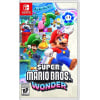
News - Hands On: Super Mario Bros. Wonder Lives Up To Its Name In The First Hour
Image: Nintendo
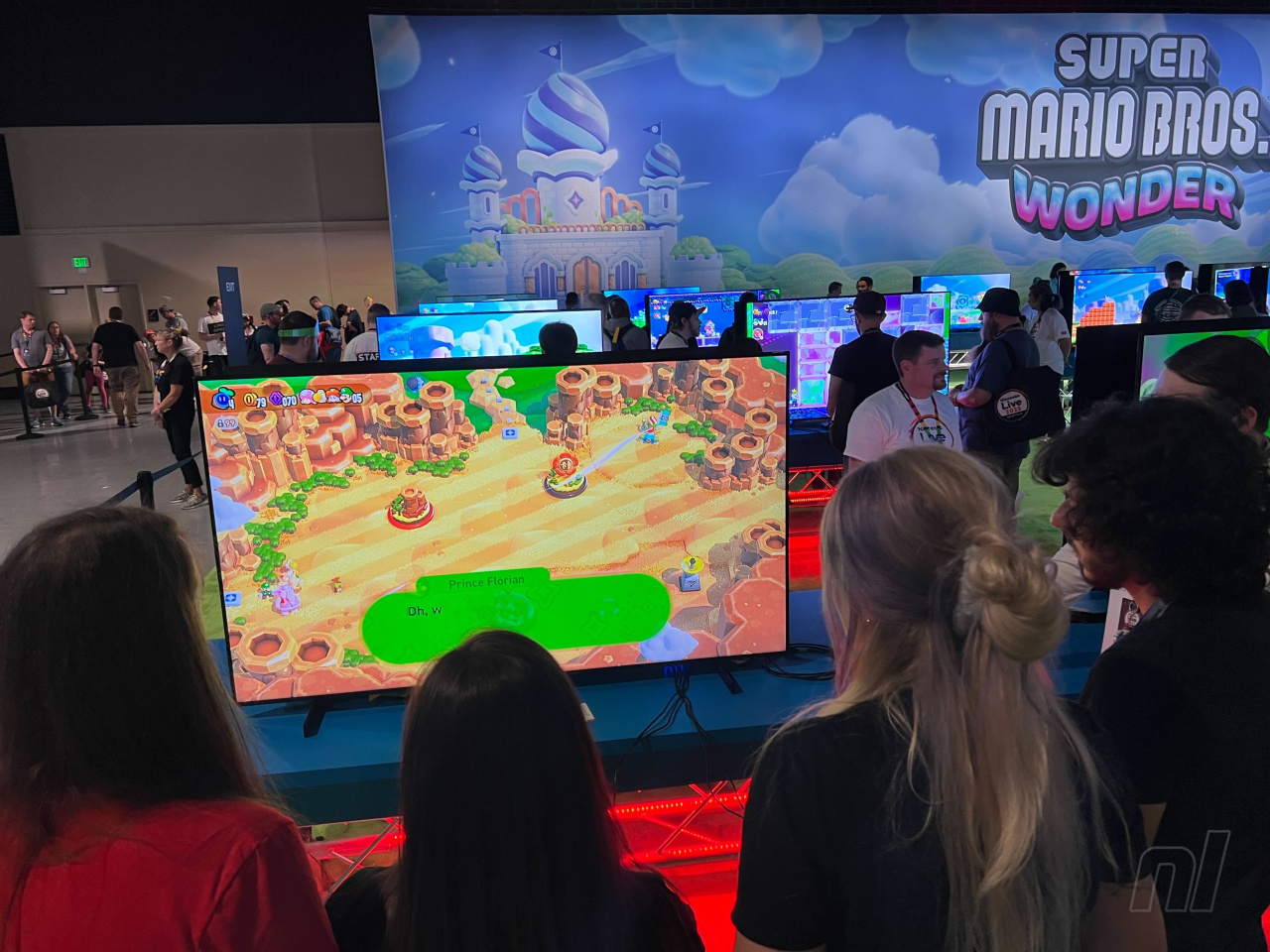
A funny thing happened at (well, near) PAX West 2023. Super Mario Bros. Wonder, the latest two-dimensional Mario game — and the first original one in over 10 years — was surprisingly made fully playable for Nintendo Live attendees and media alike ahead of its October 20th release on Nintendo Switch.
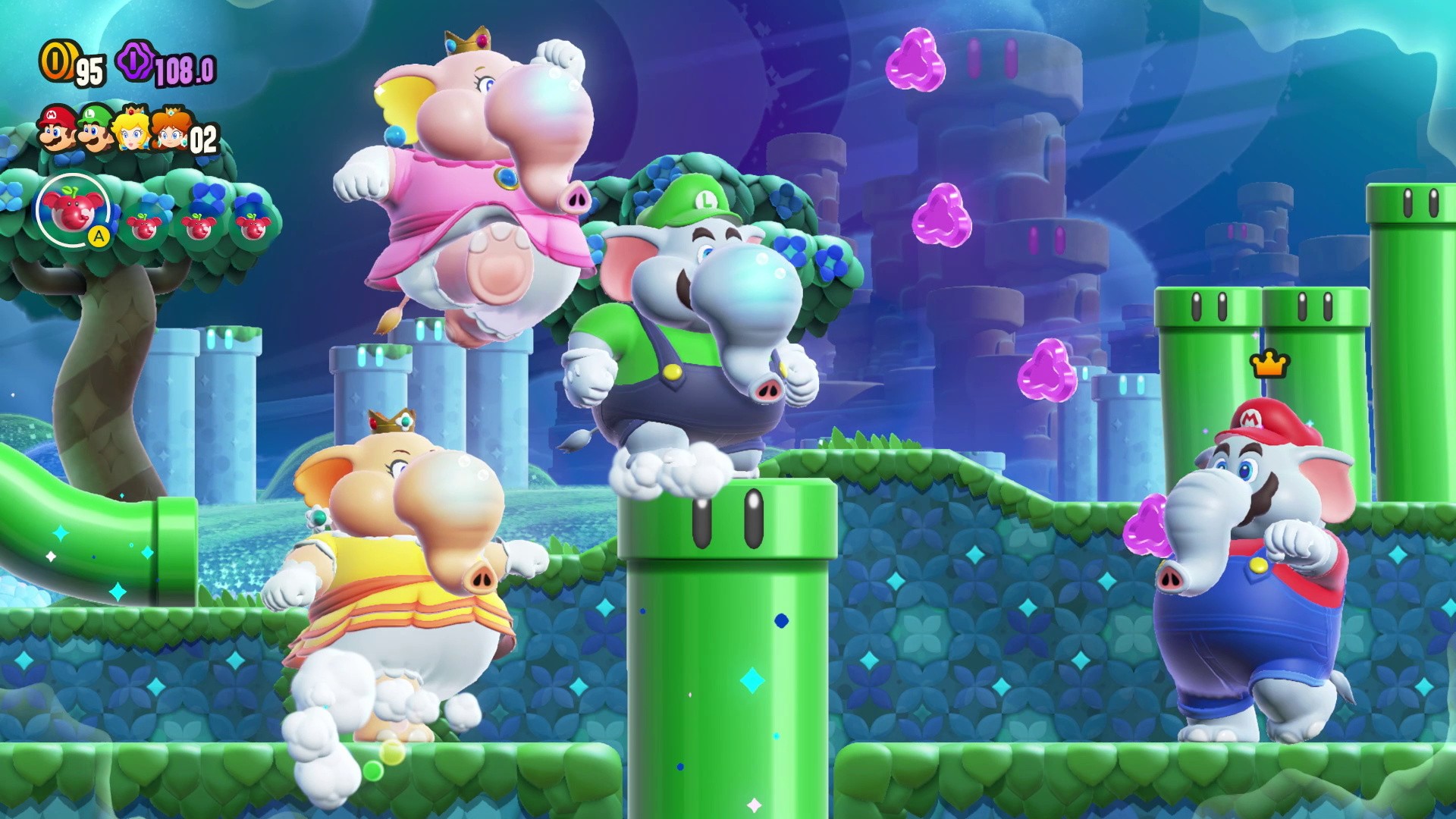
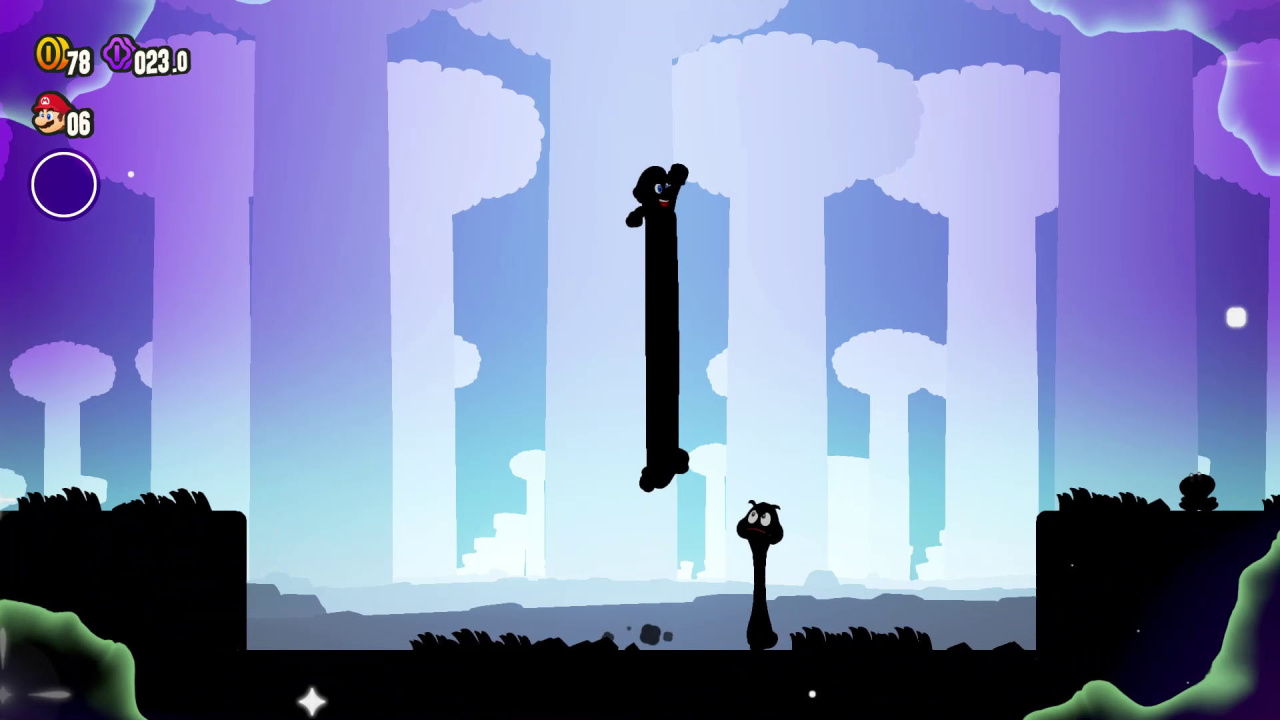
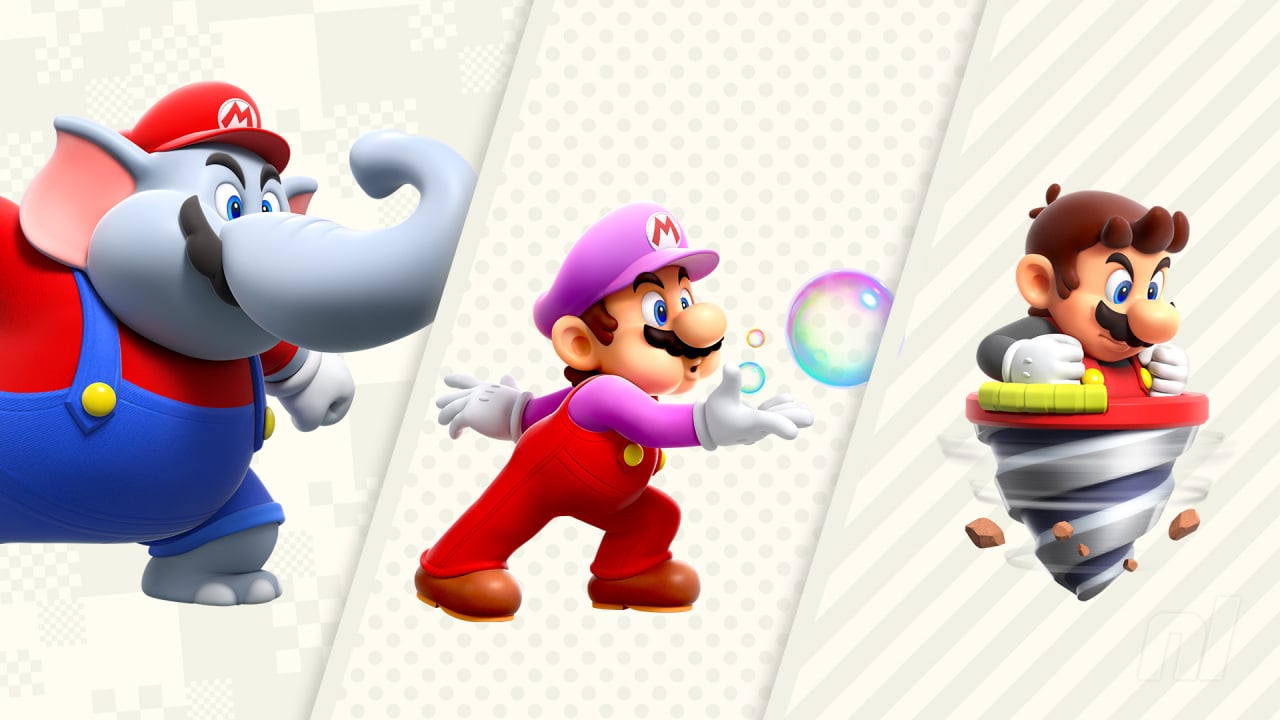
Anyone who’s watched preview footage of Wonder can attest to the game’s more whimsical nature, even for Mario’s standards; you’ve got the nighttime, moody-blue palette, a flower power-up that when touched sees Mario descend into Lewis Carrol-like dreamscapes, and, of course, the elephant in the room … Mario can turn into a freaking elephant.
Not unlike some of Mario’s most memorable adventures, this game looks weird — really weird. But does all this nonsense come together to create something as fun as Mario’s lofty standards often promise?
Wonder-ing how it works?
Skip the following sentence if you wish to avoid spoilers for Super Mario Wonder: Bowser is back, and he’s causing problems in the Mushroom Kingdom. Okay, are we all back? We good?
Great, because we’re excited to tell you where Nintendo has subverted expectations in this iteration of Mario: it’s in all the little, important details. And those little details will likely make a pretty big difference for both shiny newcomers and decorated veterans alike.
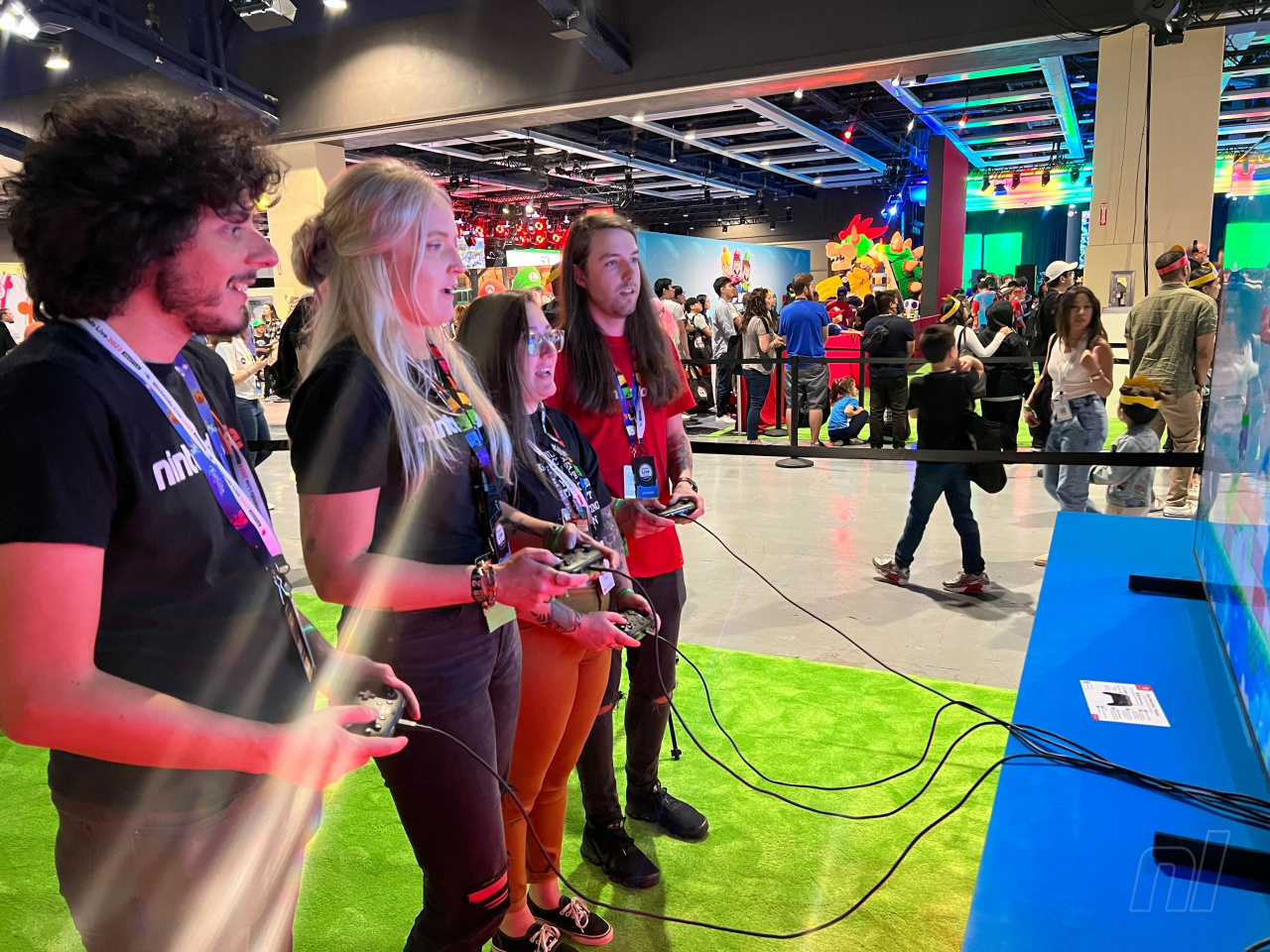
Nintendo Life was given the opportunity to play a 15-minute multiplayer demo that starts exactly where you’d expect: level 1-1. (We also played the solo game for longer at a later demo.)
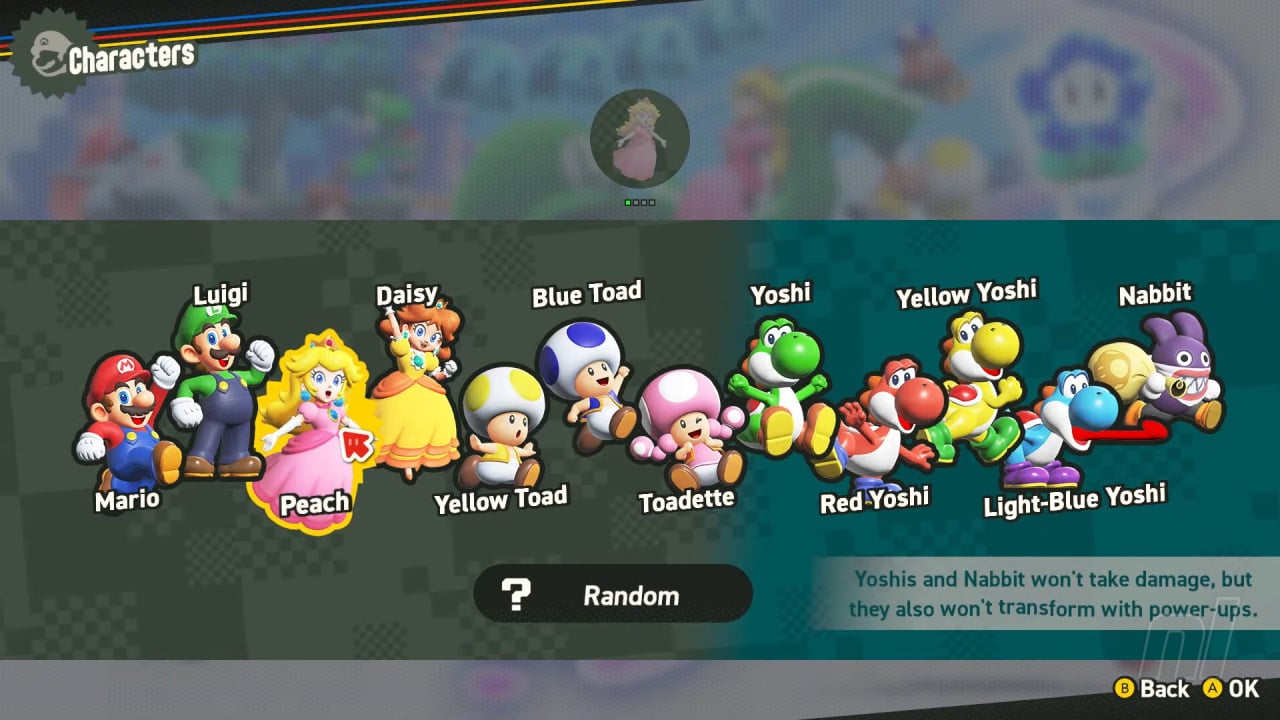
To start playing, you must first pick your character, naturally. Wonder has plenty of options: Mario, Luigi, two Toads, Peach, Toadette, Daisy, four different colored Yoshis, and Nabbit. However, picking the Yoshis or Nabbit relegates the player into ‘Easy Mode,’ which in this context means your character will take hits, but not damage — as a trade-off, these characters cannot gain power-ups. Yoshi features his additional moveset fans have come to expect, complete with a flutter kick to inch up into the air just a little bit higher, and a convenient (um?) saddle that lets other players ride on Yoshi’s back.
The playables — Image: Nintendo
Badges add tons of variety
As detailed in the recent SMB Wonder Direct presentation, new to the series are ‘badges,’ which when equipped give the player some kind of unique gameplay feature, such as the abilities to jump super high, scale walls completely vertically, and much, much more. At least for the demo, equipping a badge meant it was unilaterally equipped for everyone playing.
It may not seem like all that much, but this feature will likely manifest all manners of secrets throughout the game by leaving certain items and areas out of reach, pending earned and correctly equipped badge(s). How do you get badges? In the demo (and likely in the final game, too), they are earned by unlocking special courses hidden inside certain levels. Badge levels played like minigames early on, much like, say, the Hammer Bros. levels in Super Mario Bros. 3.
In case you’re wondering, levels overall are selected via an isometric 3D world map, pretty similar to the most recent 2D Mario, Kirby, and Yoshi games.
Image: Nintendo Life
Personality in play
Right away is when the game starts to pull you in with its charm. We genuinely laughed out loud no fewer than three times (!) just in witnessing the subtle animations of all the characters. Fans of Koopas throwing jazz hands to the beat of the music in New Super Mario Bros., rejoice! Yoshi pokes his nose out of a warp pipe to make sure the coast is clear, while Mario and Luigi enter pipes completely ahead of their comically left-behind, suspended-in-mid-air hats, only to quickly reach back out of the pipe and grab them, Looney Tunes-style.
In fact, every single input on the controller brings with it a gorgeous animation that chains together like silk, regardless of how quickly you jam on the buttons. Think less, ‘This is how Mario looks like when he’s stopping, this is how Mario looks like when he’s jumping, etc.’; instead, Wonder uses a wider, more organic range of animation cycles. If you’ve ever played games like Rayman Legends or Cuphead and thought, “Dang, I wish Nintendo would make a Mario game closer to this,” this is definitely in a similar echelon of art direction.
Image: Nintendo
“The game is animated” might not sound like much of a selling point read on the page, but seeing it in person is another story. In our demo, we splashed water from fountains all over each other, were pelted by a meteor shower of Super Stars, and somehow, much more, despite the limited playtime. The removal of both bumping into other players and freeze-frames in multiplayer really smooths over a much-derided feature from previous games, which heightens the game’s fluidity even more.
Mario Wonder feels satisfyingly complex
Still, if the game’s art direction isn’t enough to get you going, an even more exciting point is this: Under the hood, this game feels more modular than any Mario game has in a very long time.
What we mean by that is that the fluid animations aren’t just impressive, they’re necessary, given the fact that the cast’s ability for movement is technically more complex than in many 2D Mario games. Sure, you’ll primarily use ‘left’, ‘right’, ‘up’, ‘down’, ‘A’, and ‘B’, and nobody is going to have any issues whatsoever shoving from left to right. (Although at least on our demo, the ‘B’ button was mapped as the jump button instead of the A button, which might feel confusing if that’s not your preference — we imagine you’ll be able to switch that, though.) But each featured power-up, from the well-documented elephant suit, to the drill-on-your-head power-up that force-flings you into the walls of the level, can be controlled with much greater nuance than you might initially realize.
The game also returns the plumber’s famous spin jump, which compares in oomph to its Super Mario World origins, versus its New Super Mario Bros. iteration, which felt flat in comparison. There’s also a built-in parachute function to give yourself instant drag in the air, if you’d like.
Image: Nintendo
Mario’s aerial stomp is also back, and it’s actually cancellable at virtually any point, which allows for even greater finessing of your inertia. Even Yoshi, a character with an extremely defined set of physics going on three decades now, feels unexpectedly sturdy and quick in Wonder, compared to the typical happy-go-lucky jauntiness in the slower-paced Yoshi games.
Why does this all matter? To new players, or if you’re just trying to pass a few happy moments, it really doesn’t. But for people who love pushing Mario games to their limits, this has the potential to be one of the most easy-to-play, difficult-to-master Nintendo titles in quite some time, and will make things like speedrunning even more nuanced and complex. (Please, oh please do not think we’re saying Super Mario Wonder is as technical as, say, Super Smash Bros. Melee… but it might at least be Super Smash Bros. Ultimate-esque?)
Variety is the spice
Image: Nintendo Life
If you’re at all like us while playing through 2012’s New Super Mario Bros. U or its Deluxe Switch counterpart, at one point you probably thought some variation of, “Wow, this Van Gogh, Starry Night area is super cool!”
If you found that painterly stage to be a high point of that game, Wonder uses a similar impressionist art style as its mere starting point. Unless the rest of the game were to devolve into the most basic Mushroom Kingdom tropes for seven additional worlds solid, Super Mario Bros. Wonder is off to a fantastic start just within our first hour. It makes us excited to see how close Nintendo truly gets to returning the series’ 2D design to its philosophical north star: Surprise, surprise, surprise!
Please note that some external links on this page are affiliate links, which means if you click them and make a purchase we may receive a small percentage of the sale. Please read our FTC Disclosure for more information.
Xbox Wire - Bringing our Post-Communist Childhood into Last Days of Lazarus, out Now
Summary
Last Days of Lazarus is heavily inspired by the post-communism period in Romania
Get immersed in an unsettling mood with many religious, supernatural and superstitious influences, of a country in disarray
Play the game to discover the fate of Lazarus and his troubled and sinful family
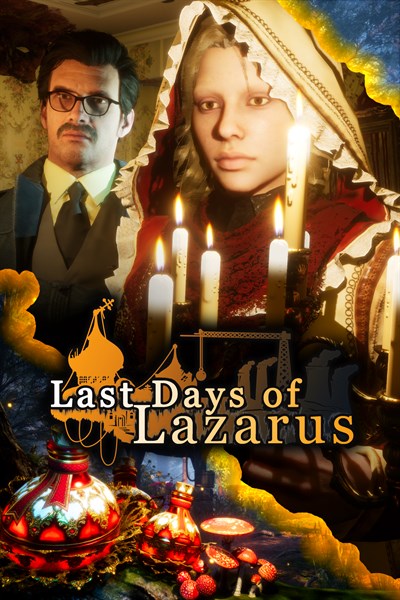
Hi, I’m Catalin Marcu from GrimTalin, one of the two developers of Last Days of Lazarus – a dark post-communist adventure that tells a disturbing story about family, loss and sin. George, our game director from Darkania Works, and myself are extremely excited that our game is finally releasing on Xbox Series X.
While I joined the development of the game about a year into its making, I have instantly resonated with its setting into not only our country, Romania, but also in a difficult period for us: the post-communist transition period. I feel we have achieved our goal of highlighting, through a supernatural distorted lens, what our life was during those difficult years, as we ourselves were growing from kids to teenagers.
I was four and half when communism in Romania fell. While there wasn’t much unrest in the small town I grew up in, the big cities and our capital, Bucharest, were in a full Revolution. I remember one of those nights, as my dad was leaving for his night shift at the factory, he told me and my older brother: “Stay inside and behave. They’re shooting in Bucharest.” I don’t know how much I understood at that early age the gravity of what was happening, but my dad’s worried face conveyed it was something important and those words stayed with me.
What followed was the period of transition. A sacrificial generation as they called it. Our parents were supposed to sacrifice themselves to poverty and continuous struggles so that my generation would have a real chance at democratic life. Quite inspiring! What that really meant was the right people with the right connections got a free pass at looting almost everything from the country. It meant corruption ran rampant. It meant a generation that was still blocked and kept into the old way of thinking and surviving.
Communism didn’t disappear from our country overnight. Neither did all the cultural and commercial Russian influences. We still imported a lot of stuff from all the countries in the old communist bloc. That is the main reason there are so many items in our game that look like they’re from Russia. That’s why there are texts in Russian here and there. Some people might mistakenly think the game is set in Russia or that we placed those items in the game in error. In fact, that’s what our lives in Romania looked like back then.
During communism, one of the ways people coped was through religion and that remained a defining feature for us into the transition period. Our Orthodox Christianity has always been blended with many traditions, many of them of pagan nature. We are religious while also believing in ghosts, curses, disenchantments, fortune tellers and so on. For people on whom life has been particularly hard, it was common to become obsessed with religion and the belief in our superstitions. We wanted our game to illustrate as best we could this distorted view of Christianity.
Our country has always been praised for its beautiful scenery. This is also something we worked hard to bring in our game, with some eerily beautiful locations inspired by our real places and architecture, like the monasteries and the Bran orphanage, blended into lush forests.
I personally am super happy to have been given the chance to work on a game that highlights our country, its traditions and its difficult past. It’s a rare setting in games and I hope you will take the chance to explore it and take in all the details. And, of course, help our titular Lazarus find out the truth about his family’s troubled past and the fate of all of its members. Last Days of Lazarusis out now on Xbox Series X|S!
Last Days of Lazarus
GrimTalin
☆☆☆☆☆4
★★★★★
Set in a post-soviet Eastern Europe, Last Days of Lazarus tells the story of a troubled man, long estranged, returning to his childhood home after his mother’s death to spend some time with his sister Lyudmila. But as the country around him seems to fall apart, so does reality itself, with a series of unexplainable events leading him on a quest to find out more about his family’s disturbing past. Last Days of Lazarus is a first-person adventure game with a strong narrative, rich visuals and supernatural elements, heavily inspired by post-communist Romania, its troubled history, eerie locations, religious beliefs and strange superstitions. As the story unravels, you’ll meet questionable characters whose corrupted version of the truth you’ll need to navigate. With a troubled past yourself, you’ll struggle not only with solving the mysteries laid upon you but also with keeping alive any sliver of hope for salvation.
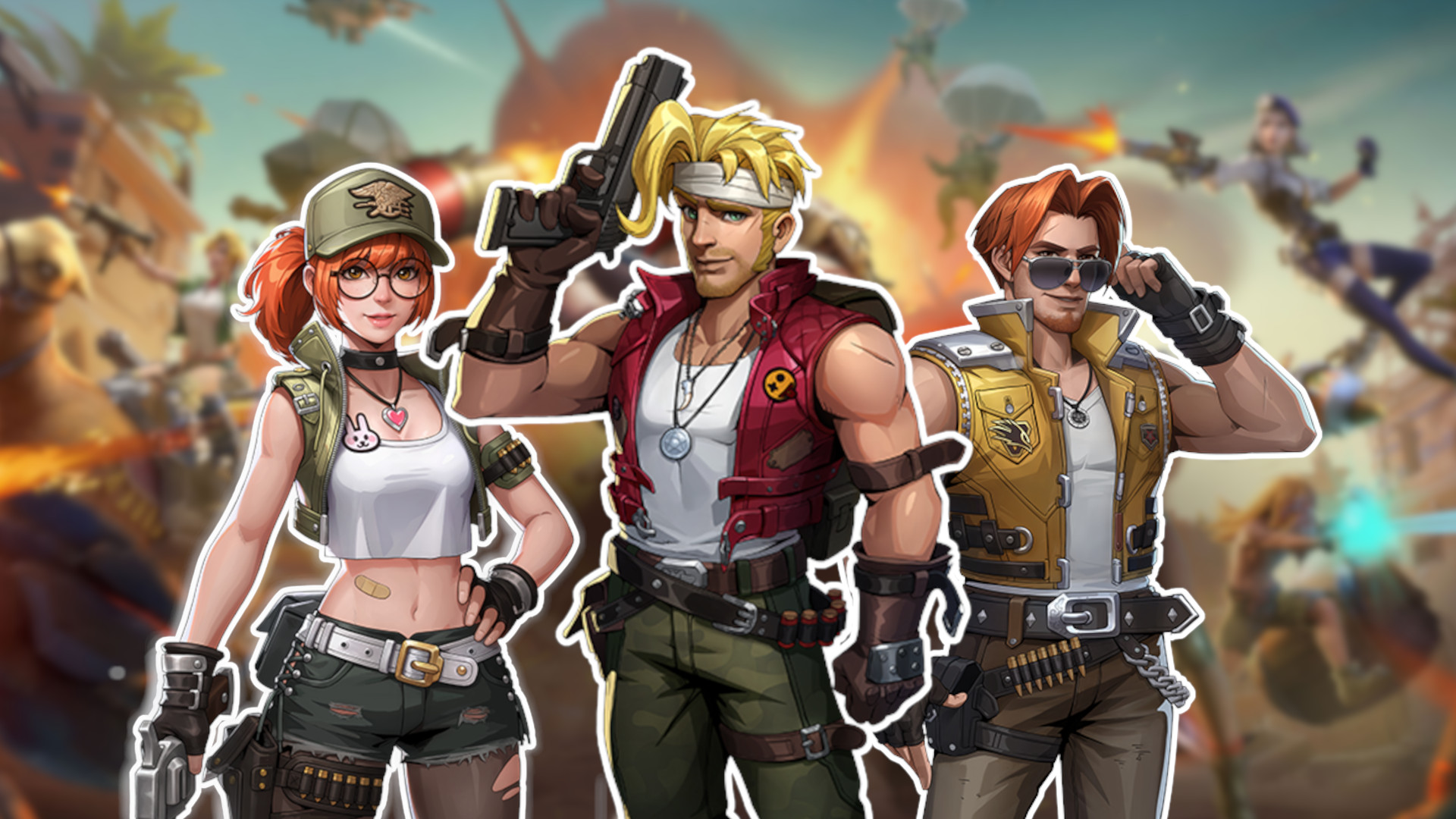
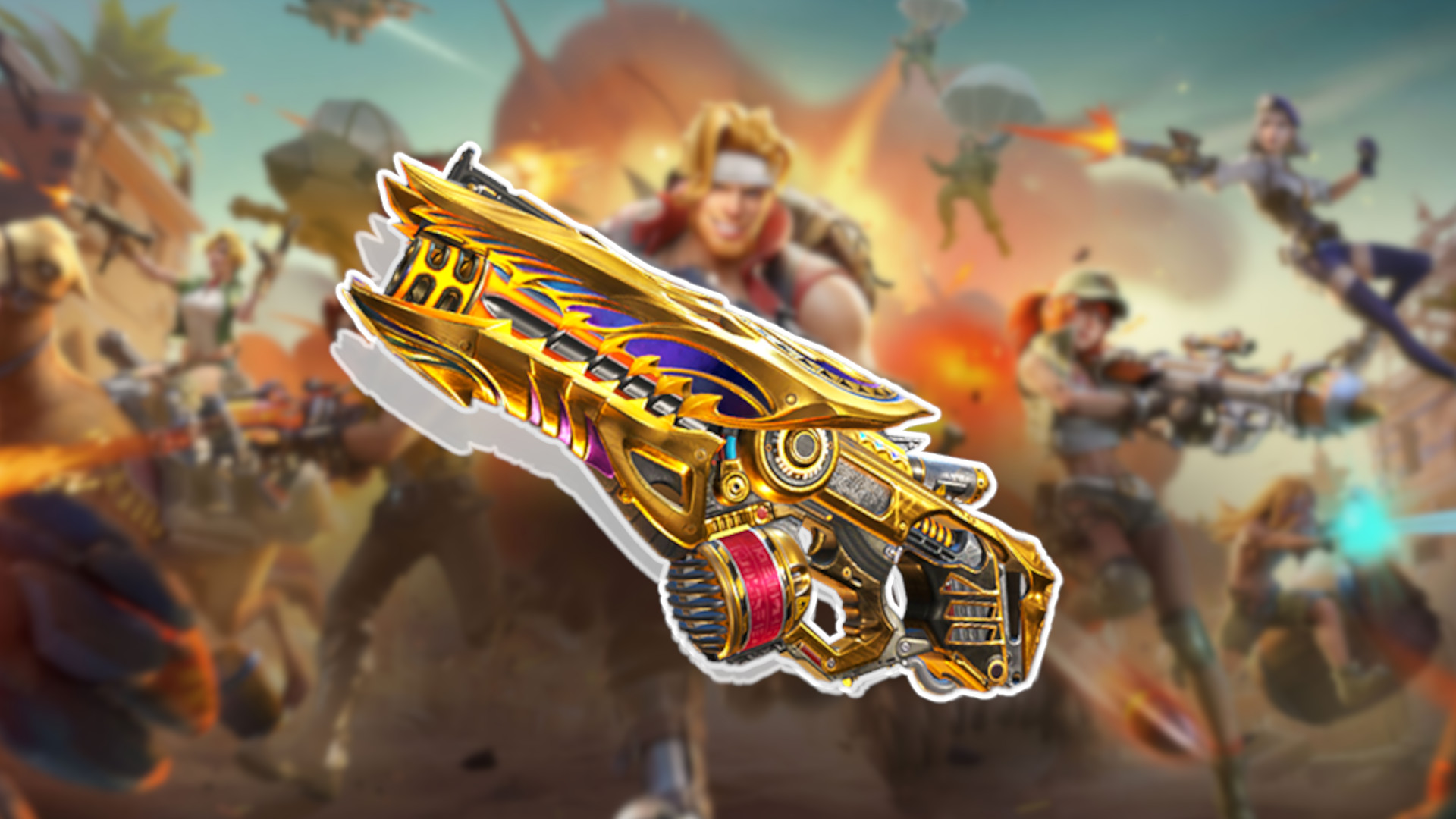
Metal Slug Awakening is the latest mobile entry in the classic run-and-gun arcade game series and developer VNGGames is always adding new powerful weapons and characters. That’s why we made this Metal Slug Awakening tier list so you can keep up to date with the best loadouts for your team.
Ghost Master - Free GOG Game How to grab Ghost Master - Go to the home page of https://www.gog.com/#giveaway - Login and Register - Go to the home page again - Wait for 10 seconds then start searching for Ghost Master - on the home page look for "Deal of the Day" (there should be a banner below or above it) - on the banner there is a button "Add to Library" click it - That's it