[Payday 2] [RELEASE] Full Trainer Package (includes all my scripts alre... (Download)

10-27-2013, 06:31 AM · Forum: PC Discussion - No Replies
? [RELEASE] Full Trainer Package (includes all my scripts already set up)

Game: Payday 2

Details

Description:

- Should work with any version of Payday 2 because it uses signature scanning for injection (works with current release: Update 12).

- Logs error messages.

- Allows multiple keys to execute different scripts.

- Allows you to play wav files from within your Lua scripts [example in headshot.lua].

- Contains a large collection of my scripts up to 9/26/13, completely set up (easy 1 button to deactivate all scripts as well).

Instructions:

1) Copy all the files in this archive into your Payday 2 folder (alongside payday2_win32_release.exe).

2) Run Payday 2.

3) Press F1 at main menu to activate jobs.lua [adds all the good missions instantly when you join Crime.NET].

Press F1 in game to activate ingame.lua [contains most of the cheats I've come out with up to 9/26/13] and headshot.lua [plays headshot.wav when you get a headshot].

Press F2 to to activate restore.lua [restore any and all cheats that were used].

Press F3 in game to activate win.lua [win the game instantly].

Press F4 in game to activate lose.lua [lose the game instantly].

Press Extra Mouse Button #1 in game to activate slowmo.lua [slows down the game but not you, should semi-work on multiplayer].

Press Extra Mouse Button #2 in game to activate warp_to_crosshair.lua [warps to the crosshair].

Credits:

s0beit, n00854180t, bertix11, and myself TranscendPerfection/Transcend/dougbenham for making it log errors & allows configurable hotkeys for executing different scripts

History:

v1.0 -- Initial release.

v1.0.1 -- Fixed bug with not reading the OutputMode correctly. [9/11/13 @ 9 PM MST]

v1.0.2 -- Fixed bug with converting certain keys to displayable text (numpad, etc). [9/14/13 @ 10:30 PM MST]

v1.0.3 -- Fixed it to recognize hotkeys ONLY when Payday 2 is the active window.

Fixed it to no longer require the Microsoft Visual C++ Redistributable Package (hopefully).

Fixed possible crash when you use exactly 10, 20, 40, etc hotkeys.

Added support to play wav files from within your Lua scripts.

Added a collection of scripts to the package up to 9/26/13 (easy 1 button to deactivate all scripts as well).

Virus scans:

https://www.virustotal.com/en/file/a...is/1380255242/

Transcend.iphlpapi.v1.0.3.zip - Jotti's malware scan

FAQ:

Q: Where do I get more/updated scripts?

A: http://www.mpgh.net/forum/754-payday...-snippets.html

Q: What are the possible VK codes I can use?

A: Virtual-Key Codes (Windows)

Download:
Hidden Content


Reply to this thread to unlock the contents

As always, use caution. This file is provided for archival purposes. SickGaming cannot be held liable.

Attached Files

.zip
Transcend.iphlpapi.v1.0.3.mpg.zip

  Xbox 360 - Horizon | How to Mod GTA V

10-23-2013, 12:42 PM · Forum: Xbox Mods - No Replies
How to Mod GTA V with Horizon

GTA V’ is a - free tool within Horizon, you do not need Diamond Membership to use it.



[Image: attachment.php?aid=1665]

Download Horizon! (Click Image above.)

[Image: attachment.php?aid=1666]


Go Diamond! (Click Image above.)

Diamond is $4.99 for 1 month (Recurring), $14.99 for 3 months, $44.99 for 1 year.

Diamond is £3.40 for 1 month (Recurring), £9.37 for 3 months, £28.12.10 for 1 year.


1. Move your Gamesave from your HDD to your USB flash drive that you are wanting to modify GTA V for.
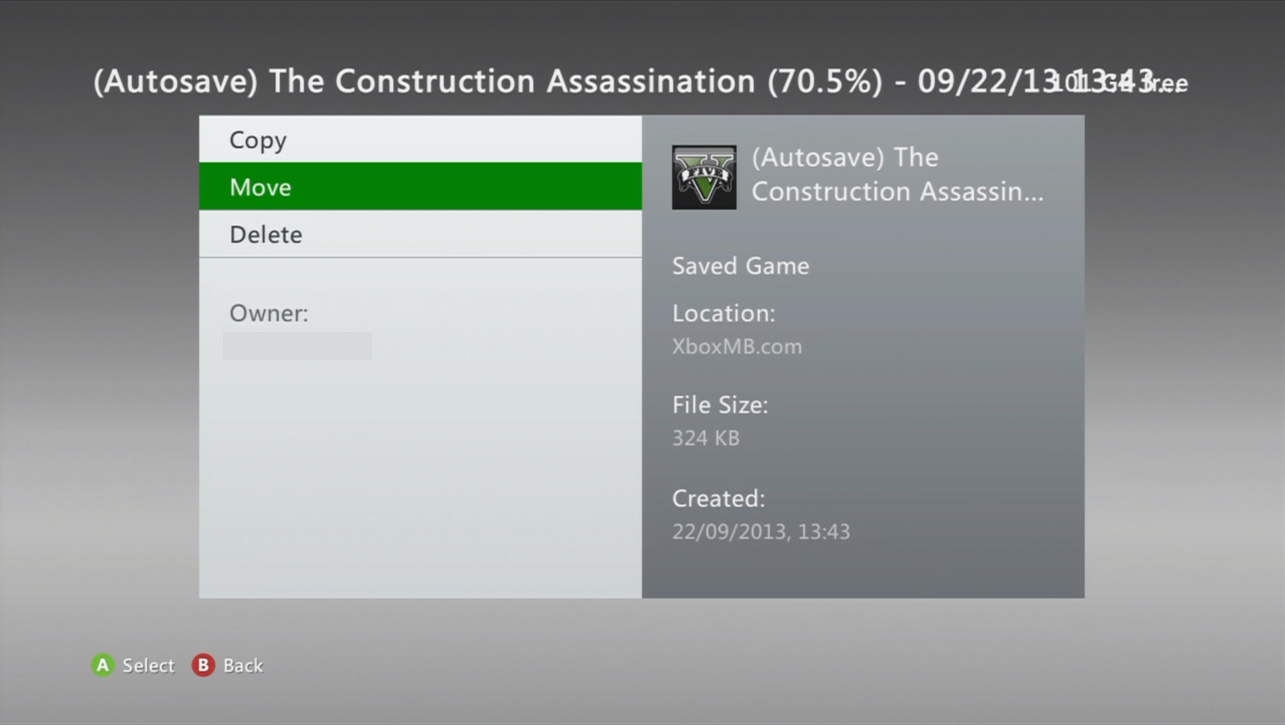
[Image: attachment.php?aid=1667]

Example

2. Open Horizon with your USB inserted into your Computer. If your USB doesn’t recognize, run Horizon as Administrator! (Download Horizon Here.)

Please only download Horizon from XboxMB’s Horizon page

3. The device explorer will show, located to the right of Horizon.
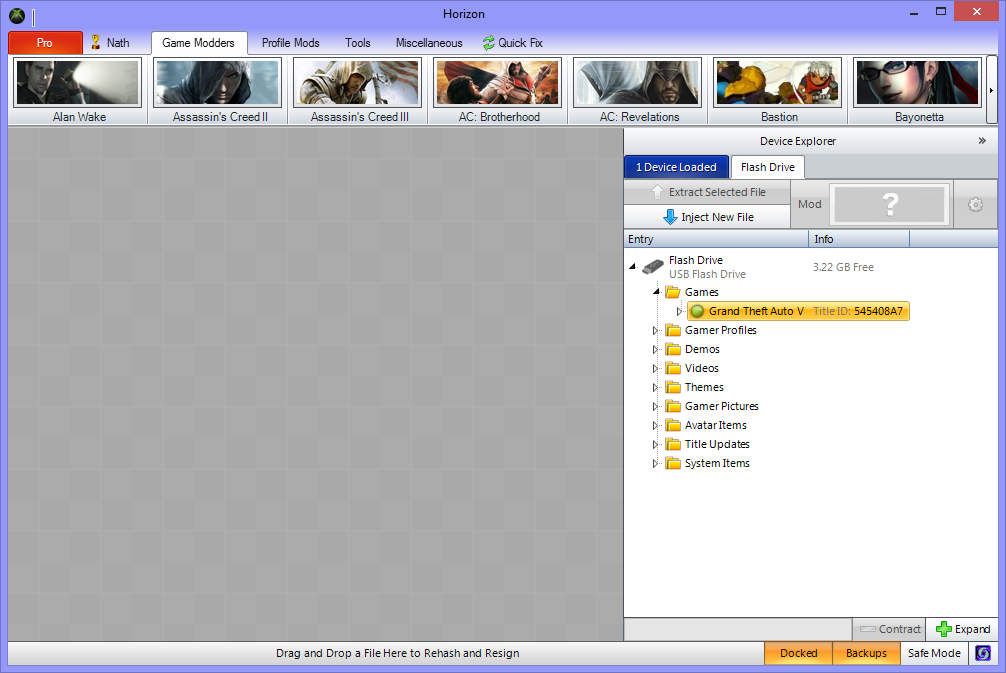
[Image: attachment.php?aid=1668]

Simply find GTA V’ in the ‘Games’ folder and double click it, click ‘GTA V’ then, click the ‘Mod’ button located at the top of the device explorer.

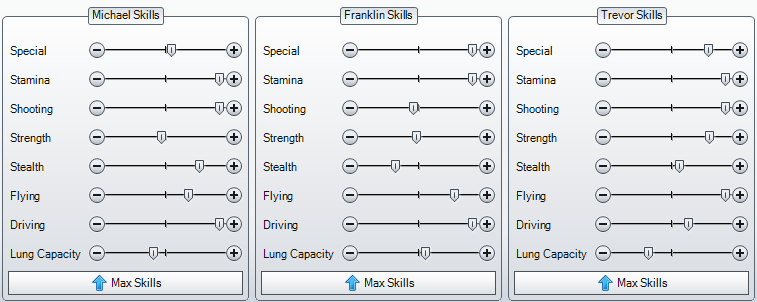
4.1 Within the GTA V editor you can edit all three characters skills, money and ammo, including all attachments.
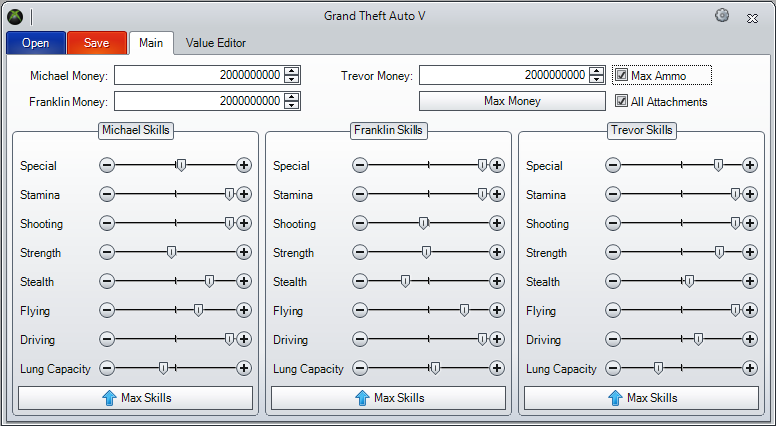
[Image: attachment.php?aid=1669]

Disclaimer: Maxing out skills may drastically affect game statistics.

You can modify each characters money to a maximum of 2000000000, enough for… well, pretty much everything you could need!

[Image: attachment.php?aid=1670]

You also have options for your ammo and to max your attachments.
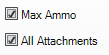
[Image: attachment.php?aid=1671]

And also, your character’s skills to your personal preferences.
[Image: attachment.php?aid=1672]

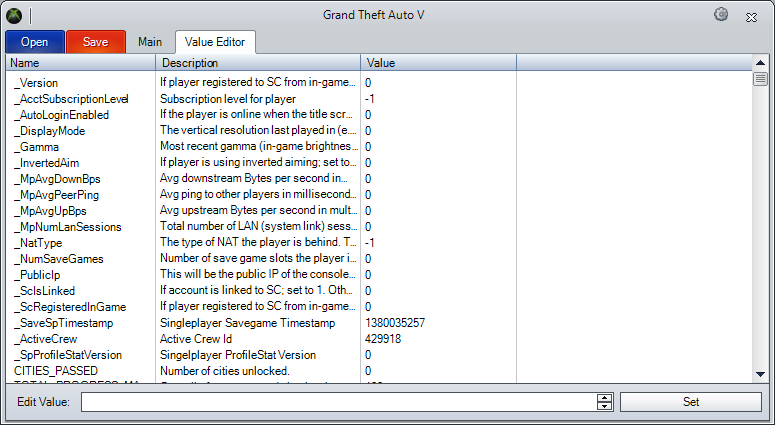
Whist Horizon allows you to edit the main portions of Grand Theft Auto V, the editor also allows you to edit Game Values.
[Image: attachment.php?aid=1673]

Within this part of the editor, you can edit your basic values such as, time played, number of missions passed and failed, longest killing spree, cars stolen, and also choose between if you killed a certain character in a mission, and lots, lots more… really, lots more!

On top of that, you can also edit more advanced settings, such as the stats for a mission, and whether properties are purchased or not.

Please note that save corruption may occur if do not know what you are doing! Make a backup first!

If you have any issues with this editor post in the section below, if you have any suggestions please also say.

Horizon Support

This is the forum to post in if you have any issues.

Horizon Suggestions

This is the forum to post in if you have any suggestions for this editor or other editors you would like to see within Horizon.

Notice: Diamond tool modifying for non-diamond members is strictly not allowed, and doing so can involve losing your Diamond membership permanently or temporary.


Attached Files

Attached images

  Xbox 360 - [Release] GTA V Save Editor (1.2.0.0)

10-22-2013, 07:30 AM · Forum: Xbox Mods - No Replies
Tool Created By : iH8 Fr0st & Hova


[Image: attachment.php?aid=3764]

Download : Click

Attached Files

Attached images

  (Xbox 360) How To Install Plugins (Noob Tut) (Tutorial)

10-22-2013, 01:17 AM · Forum: Xbox Discussion - No Replies
How To Install Plugins (Noob Tut)

System: Xbox 360

Description

1. Get Xbox Nerborhood because most likely you will need it if your using plugins.
2. Get Filezilla you can easily google it and get it.
3. Get the plugin you want to use for the mod in the game.
4. Go to hdd1, plugins and drop the file there.
5. You will need to go to dashlanuch go to plugins and search hdd1, plugins and click on the file your going to use.
6. hit right bumper and go to hdd1 and hit x after that hit b to exist.

I hope this helps. I made it clear as a sunny day. I had problems with this when I got my rgh for the first time. Good luck everyone.

  Xbox: How to mod Elder Scrolls IV: Oblivion (Tutorial)

10-19-2013, 03:47 PM · Forum: Xbox Discussion - No Replies
Xbox: How to mod Elder Scrolls IV: Oblivion

Description

-Sinatra's 1st Tutorial-

Things you will need

- USB
- Horizon

Step 1: On Xbox go to
settings>system>storage>all devices>games and apps>oblivion. Now click on your saved game, Click move and click on your USB.

Step 2: Open Horizon, Then plug in USB

Step 3: Click on games>oblivion>your saved game

Then mod whatever you want

Player: HTML: http://gyazo.com/6a8c99eadd6e564b17e3b612f043f4de
Skills: HTML: http://gyazo.com/292f7ee38973484d1e9ce35f1fcd3e58
Stats: HTML: http://gyazo.com/c066ac51f082c754d8341eca73374dbb
And if you pay for Horizon Diamond, You can your inventory

Step 3: When you're all finished and done modding, Click the big red "Save" button near the top right. Click it about 3 times just to be sure.

Step 4: Plug in USB to Xbox and happy gaming.