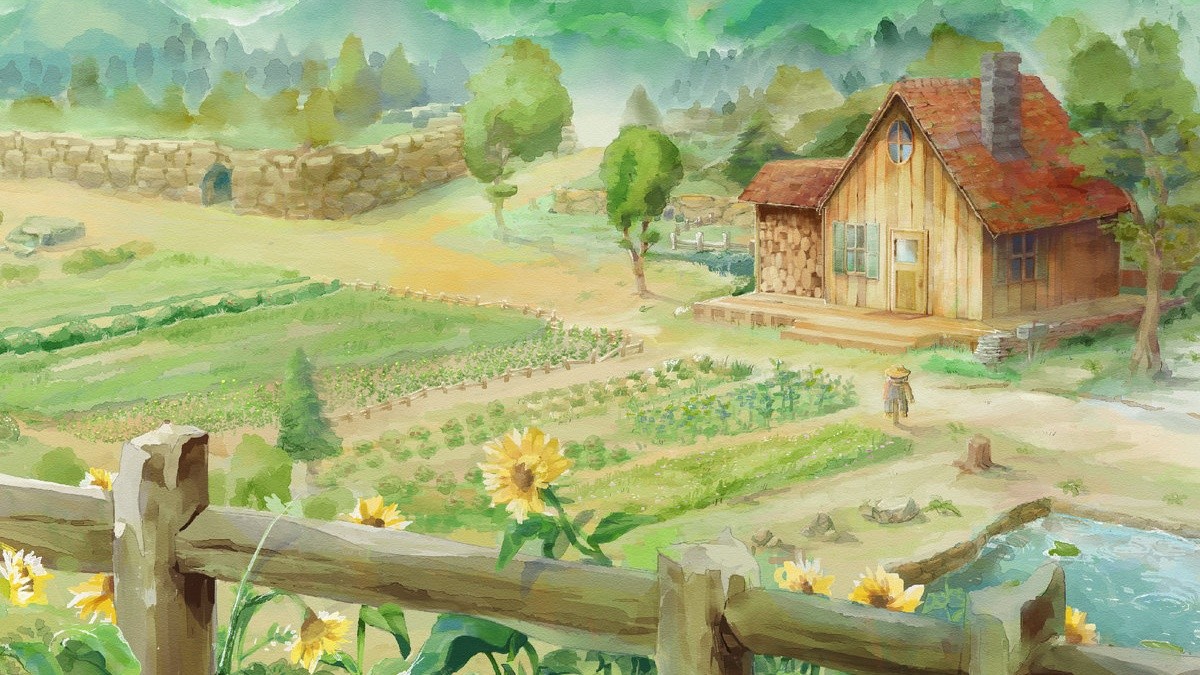
My Memory of Us is a reminiscence of a friendship between a boy and a girl. A friendship made during tough times. Times of terror, pain, and exclusion in a world where people were forced to live in two artificially detached worlds.
History Hides Away More Than One Truth... SOULCALIBUR VI represents the latest entry in the premier weapons-based, head-to-head fighting series and continues the epic struggle of warriors searching for the legendary Soul Swords. Taking place in the 16th century, revisit the events of the original SOULCALIBUR to uncover hidden truths. [Bandai Namco]
Posted by: xSicKxBot - 10-18-2018, 03:01 AM - Forum: Lounge
- No Replies
Rocket League's Halloween-Themed Event Returns
The annual Haunted Hallows has returned to Rocket League. This limited-time Halloween-themed event adds a new currency to Psyonix's game that allows you to buy special cosmetic items for your battle cars.
During Haunted Hallows, playing in and completing online matches allows you to earn Candy Corn currency. Candy Corn can be redeemed for Halloween-themed battle car decals, toppers, wheels, and other cosmetic items. One of the limited items, called a Golden Pumpkin, unlocks one random battle car customization from the Nitro, Turbo, or Player's Choice crates.
Haunted Hallows continues until November 5 at 2:00 PM PST / 5:00 PM EST / 10:00 PM BST. Even if you can no longer earn Candy Corn once the event ends, you'll still be able to spend any leftovers you might have for a limited time. You'll have until November 8 at 2:00 PM PST / 5:00 PM EST / 10:00 PM BST to spend your leftover Candy Corn before they're gone for good.
We think Rocket League is superb. In our Rocket League review, Miguel Concepcion gave the game a 9/10, writing, "The joy of Rocket League rests on the countless plans that are conceived and discarded every other second in any given match. Trying to predict where and how the ball will bounce next is a game within the game. Despite the use of cars, Rocket League emulates the emotional surges typical of The Beautiful Game, such as the rush of an unexpected fast break or a well-timed header into a goal. With Rocket League, the promising concept of combining two wonderful things--cars and soccer--is equally magnificent in execution."
Rocket League is available on Xbox One, PS4, PC, and Nintendo Switch. The game supports cross-play between Xbox One, PC, and Switch.
WARRIORS OROCHI 4 stars heroes from the DYNASTY WARRIORS and SAMURAI WARRIORS series. 170 playable characters, new magic elements and an all new story enhance the latest entry in this exciting tactical action series.
Posted by: xSicKxBot - 10-18-2018, 03:01 AM - Forum: Lounge
- No Replies
Now Available on Steam – Unleash, 10% off!
Unleash is Now Available on Steam and is 10% off!*
Unleash is a Tower Wars game, set in a dystopian future, where gifted children known as Dreamers are exploited by ruthless fighters to unleash hordes of monsters into arenas filled with massive guns.
New Preview Alpha, Beta, Delta & Omega Ring 1810 Update – 10/7/18
Starting at 2:00 p.m. PDT today, members of the Xbox One Preview Alpha, Beta, Delta and Omega Rings will begin receiving the latest 1810 Xbox One system update (181005-1705). Read on for more about the fixes and known issues in the latest 1810 system update.
Fixes:
Audio
We have fixed an issue when users experienced audio to stop playback or hang entirely when a headset was attached or detached during media playback with such apps as YouTube, Hulu, Twitch Beta, Spotify.
Known Issues:
Avatars
It can take up to 10 seconds to view an Avatar on the profile screen after creating a new Avatar.
My Games & Apps
We are aware that some users are experiencing crashing of a game or the Youtube app when you are either launching or resuming the Youtube app.
If you are in the Youtube app and then Resume to a Game the app/game and console may hang or crash.
We are aware that some users are experiencing challenges navigating the Ready to Install Filter options in My Games and Apps. Some users are unable to select the filter options at all and we are investigating.
Power
We are tracking an issue in which the console is fully powering off when it is placed into Instant On mode.
Profile Color
Sometimes users may encounter the incorrect Profile color when powering on the console.
Treat Yourself (And Your Ears) To This Stardew Valley Piano Collections Album
If you, like many others, are a fan of farming sim and general time-thief Stardew Valley, then you’ll no doubt love this piano rendition album of the game’s soundtrack.
Featuring the very same compositions heard in the game, created by the game’s developer ConcernedApe, the album contains 22 tracks transformed into gentle piano pieces that are sure to soothe your soul – and remind of you of your time with the game, too. Each piece has been arranged by Matthew Bridgham and performed by Augustine Mayuga Gonzales.
Bridgham has shared a quick insight into the album’s production, noting the excitement of the game’s creator himself.
“Three bonus tracks were added after getting official approval from the man himself, Eric Barone (ConcernedApe). He was so excited for this album that one night he sent us the then-unreleased music from the update. I was of course happy to oblige, arranging these three the same evening. But my job felt easy. Nearly every piece from Stardew fit the hands beautifully, hitting close to home.”
If you want to take a quick listen for yourself, check out the album’s opening track, ‘Overture’ below.
You can get your hands on the album right now via iTunes, Spotify, and Bandcamp, with the latter also hosting a limited edition physical CD (set to ship in November) and PDFs of the sheet music.
Are you a big Stardew Valley fan? Does a piano album of the game’s songs sound like a dreamy collaboration to you? Let us know with a comment.
We wanted to give you a heads up about some exciting language options coming to Steam.
Starting today, we are adding two new languages (Vietnamese and Latin American Spanish) to the list of 26 languages officially supported by Steam. This means the Steam desktop client, the Steam store, and the Steam Community, are all translated to make it easier for Vietnamese or Latin American Spanish speakers to interact with Steam, find games, and chat with friends. It also means that game developers can now provide translations of their game in those languages through Steam.
Why Vietnamese?
Vietnamese is the sole national language of the country Vietnam, but is also widely used in other countries, including the United States, Australia, and France. There are over 75 million Vietnamese speakers worldwide. In November of 2017, we added Steam support for the national currency of Vietnam, the Vietnamese Dong, along with a number of payment methods that make it easier for players in Vietnam to make purchases on Steam. While supporting payments methods and currencies is important for making Steam accessible to global audiences, we realized our mistake in not also supporting the national language too so that players can more easily find their way around Steam and be able to get games in their native language, when available.
Why Latin American Spanish?
In the past, Steam has only supported a single definition of Spanish-language. But our customers and game developers have been reminding us of the stylistic differences among Spanish spoken in different locales, and requested that Steam support that difference. As a result, we now have a definition of both Castilian (European) Spanish and Latin American (LatAm) Spanish, translating the Steam desktop client, store, and community into both variants of Spanish.
As a practical example, this is how we already treat Portuguese and Brazilian Portuguese, where customers can choose one, the other, or both for their language preferences, and game developers can indicate whichever variants their game supports.
Changing Your Language Preferences in Steam
Whether your native language is Vietnamese, Castilian Spanish, or any of the 26 other languages supported by Steam, you can specify your language preferences in the Steam desktop client by clicking “Steam>settings>interface”.
Additionally, you can specify more than one language within the Steam store to help you find more games available in languages you may speak. For example, you may want to run Steam in Vietnamese, but you also speak English and want to make sure you can find games that are available with English language audio. You can visit your store preferences to select multiple languages for games that you wish to discover in the Steam store.
FAQ for Game Developers
Language support can be pretty important for the enjoyment of games. If you are making a game on Steam, here are some questions we thought you might have and some answers. Of course if you have additional question, please let us know through the Steamworks contact form.
Q: What do I need to do if my game already supports Spanish? A: If you want to add another language support option, you can provide Spanish support in both Castilian and Latin American varieties. If you don’t plan to add additional support, that’s OK: Steam will assume that your existing Spanish language content is Castilian and automatically provide that content to customers that have indicated either Castilian or Latin American Spanish. If your existing translation is actually Latin American Spanish, you can update your definition within Steamworks by visiting your app landing page and clicking “Edit Steamworks Settings” and selecting “Depots” from the “SteamPipe” drop-down.
Q: What if my game doesn’t support Spanish at all? A: That’s okay, and you don’t need to make any changes. But just so you know: nearly 2 million of our 45 million daily active users view the store in Spanish, and platform revenue in Latin America increased 35% over the previous year… so now might be a good time to consider adding support!
Q: What’s the difference, anyway? Why does this matter? A: There are some substantial differences in vocabulary and colloquial choices between these two varieties of Spanish. By supporting the difference on the Steam store and UI, we can make it more welcoming and easy to use. By supporting the difference in your game, you can provide the best possible experience to any customers who want to play your game in Spanish. Historically, customer improvements to localization and regional support have helped grow the overall pie of platform opportunity for developers, and we think this will be one more improvement for people who play and make PC games.
Q: Do I get any benefit if my game supports additional languages on Steam? A: Definitely! In addition to making your game more accessible to more customers, language preference is one of the things the store takes into account when making recommendations. That means a customer is more likely to see your game in the store if it supports the language preferences the customer selected. For example, Vietnamese is the fifth most spoken language in the United States, at around 1.5 million speakers.
Q: Where can I learn more about adding language support? A: We’re so glad you asked! The documentation here provides a rundown on localization, and some best practices and advice. https://partner.steamgames.com/doc/store/localization
Posted by: xSicKxBot - 10-18-2018, 03:01 AM - Forum: Minecraft
- No Replies
Minecraft 1.13.2 Pre-Release
What’s this? A spooky surprise 1.13.2 pre-release? We didn’t even snapshot them! This is a very small pre-release to address a few performance issues and upgrade issues left over from 1.13.1. If all goes well with this pre-release, we will do the full release on Thursday. Don’t worry though, snapshots for 1.14 will be starting really soon!
A full changelog for this pre-release can be found on Minecraft.net.
CHANGES IN 1.13.2-PRE1
Improved performance of upgrading worlds
Improved startup time
Improved performance of turtle pathfinding
Improved mob spawning performance
General other performance improvements
MC-134115 – Containers next to chunk borders can lose items when upgrading
MC-91621 – Mobs repetitively despawn and respawn rapidly at high Y coordinates (causing lag)
To get pre-releases, open your launcher and go to the “launch options” tab. Check the box saying “Enable snapshots” and save. To switch between the snapshot and normal version, you can find a new dropdown menu next to the “Play” button. Back up your world first or run the game on in a different folder (In the “launch options” page).
Please report any and all bugs you find in Minecraft to bugs.mojang.com.
Pre-releases can corrupt your world, please backup and/or run them in a different folder from your main worlds.
Share your thoughts on how 1.13.2 is shaping up in the comments below!
Now Throwing Hammers can be picked only if your own Throwing Hammer ability is not fully charged
Fixed an issue in which Burning Maul’s slam attack was unintentionally triggering melee-based perks
Banner Shield can no longer be overpenetrated by weapons with perks such as Armor-Piercing Rounds
Resupply can now also benefit allies behind obstacles
Hunter
Fixed an issue in which Kill Clip would not trigger if players reloaded their weapon using Marksman’s Dodge while having the Dragon’s Shadow Exotic chest armor equipped
Warlock
Fixed an issue where Healing Rift and Well of Radiance could prevent weapon perks such as White Nail and Magnificent Howl from working properly
Note: This introduced a bug where White Nail may occasionally activate after 2 hits. This will be addressed in a future update.
Fixed an issue where Handheld Supernova could deal damage to allies
Fixed an issue where Handheld Supernova kills would sometime appear as “Killed by the Architects” in the obituary and where the ability was inconsistent in triggering the Dark Matter perk
Players will no longer perform the Atomic Breach melee ability when using the heavy attack of the Escalation Protocol Sword
Fixed an issue in which using the Phoenix Protocol Exotic chest with Well of Radiance could result in weapons not rendering
Casting Chaos Reach with your back up against a wall will no longer block the beam
Fixed an issue in which Chaos Reach was dealing less damage at lower framerates; as a result, players may now notice an increase in total damage output
Armor
Lucky Pants will no longer reload Hand Cannons that are not stowed
Fixed an issue where ammo scavenger perks would give certain weapons less ammo than intended
Prodigal Grasps and Dragonfly Regalia Grasps will no longer block the player’s view when they are using a Bow
Weapons
Increased Scout Rifle damage against combatants
Repositioned the scope on the Fighting Lion’s Lupus Visage ornament for better visibility while players are aiming down sights
Decreased Fighting Lion damage to be brought in line with other breach-load Grenade Launchers
Reduced aim assist on Sleeper Simulant
Buffed aim assist on Linear Fusion Rifles (not including Sleeper Simulant)
Fixed an issue where Dynamic Sway Reduction and Zen Moment perks would not function properly when combined with Lunafaction Boots or Rally Barricade
Fixed an issue where the Taken Spec mod description was displayed twice in weapon tooltips
Fixed an issue where the Between Breaths ornament for Whisper of the Worm would not display properly
The charge bar on compound Bows now fills in two stages to directly reflect the two stages of the drawing animation
Fixed an issue where visual effects on some weapons were sometimes still visible next to a character using Super abilities
Fixed an issue where being shot by an allied Guardian’s Telesto could result in a crash
Fixed an issue where One Thousand Voices would sometimes speak at the volume of One Hundred Thousand Voices
Fixed an issue where Bows were not equipped properly when characters were sprinting
Fixed an issue where the Badlander Shotgun was missing reload audio
Updated the ATC Rex Häkke scope to align with other weapon scopes
Fixed an issue where parts of Borealis did not display the correct element
Fixed excessive perk activation audio for Redrix’s Broadsword when players activated the Desperado perk
Fixed excessive perk audio for Trinity Ghoul’s Lightning Rod perk when the weapon is stowed
Updated the draw animation on Trinity Ghoul
Updated the description of Ionic Return on Borealis to more accurately reflect its bonus damage behavior
Gambit
General
Fixed an issue where Gambit clan engrams were not functioning properly
Fixed an issue where shield walls would not spawn at the beginning of a match
Fixed an issue where matchmaking for Gambit would sometimes take longer than intended, sometimes resulting in players being removed from the match
Gambit Quitter Penalties have been reenabled
Fixed an issue where the invasion portal would sometimes not open throughout the match
Crucible
Iron Banner
Fixed an issue where Iron Engram displayed a higher Power level than intended
Fixed an issue where Iron Banner token rewards from matches were doubled
All Iron Banner bounties will now reward powerful gear
Iron Banner bounty requirements have been reduced:
Lightbearer: Super kills reduced to 20 from 25
Iron in the Blood: Match completions reduced to 15 from 30
Shine On: Orbs generated reduced to 50 from 100
Iron Victory: Match wins reduced to 7 from 10
To Be Precise: Precision kills reduced to 50 from 100
All in a Week’s Work: Kills reduced to 150 from 250
General
Fixed an issue where the kill feed would no longer display under certain circumstances
Capture Zone waypoints no longer pulse when progress state changes or when in a Power Play in Iron Banner
Fixed an issue that prevented audio cues from playing when players are revived in Countdown
Medals
In Breakthrough, fixed an issue where the “Quick Strike” medal could be awarded for a short time after deploying the Breaker
Fixed an issue where the Survival medal “Lone Gun” was firing for all players when winning a round
Corrected an issue where the new “Perimeter Control” medal in Control did not properly replace the deprecated “I Live Here Now” medal
Quests
Updated quest step “The Candidate” in “Forging the Broadsword” to new requirements: “In the Crucible, rapidly defeat opponents in groups of two or more.”
This step will now track individual players defeated in a multikill instead of counting only “Double Play” medals
Before, “Triple Play” rewarded +1 progress for 1 Double Play. Now, “Triple Play” will award +2 progress for “Double Play” and +1 for “Triple Play.”
Items and Economy
General
Fixed an issue where powerful gear could sometimes drop at the same Power level as a character or below
Raised the low end of powerful gear, which slightly increases the average Power upgrade per powerful drop
Edge Transit has some company; added Through Fire and Flood, Zenobia D, and Crooked Fang-4fr to world Legendary pool
Fixed an issue where Prime Engrams were going straight to the postmaster at the end of Crucible matches; they will now show alongside other end-of-match rewards
Fixed an issue where the Cataloguer emblem was repeatedly sent to postmaster for some players
Fixed an issue where Offering to the Oracle was not being properly consumed on use for some players
Fixed an issue where the Last Wish Ghost and Sparrow were not dropping at the intended drop rates
Fixed an issue where some weapons did not dismantle into the proper materials
Triumphs
Removed “Trace Rifle Mastery” Crucible Triumph for players on all platforms
Added Triumphs for completing Exotic badges in Collections
“Trusted Right Hand” Triumph is now possible to complete
It no longer requires more weekly bounties than are available in a week
Triumphs to find all Ascendant chests in the Dreaming City no longer lose progress on the weekly reset if players have completed, but not yet claimed them
Collections
Transmat effects added to Collections, under the Flair category
Transmat effects gained (inventory or postmaster), used, or dismantled after September 4, 2018 will be unlocked in Collections
Transmat effects are unlocked when added to player inventory, NOT when gaining ships that have them pre-socketed
Added event Ghosts to Collections
Added Forsaken emblem variants to Collections
Added missing emblems to Collections
Source updated for the Grenade Launcher Through Fire and Flood: Obtained through Legendary drops and rank-up packages
Bounties
Fixed an issue where bounties could expire in a players Post Master and cause WEASEL errors
Fixed an issue where Korean IGR bounties did not have an Abandon option
Added a recovery state for players who abandoned IGR bounties to acquire a weekly rotating IGR bounty for 250 Glimmer
This recovery state persists until the next weekly reset
Fixed an issue where the Eververse Bounty “Rise to the Challenge” did not have an Abandon option
Players who Abandon “Rise to the Challenge” will be able to recover it from Eververse for 250 Glimmer until the weekly reset.
General
Fixed an issue where boosted players could not receive Destiny 2 achievements for the boosted class
Players will now receive the achievement when unlocking the first node of a new subclass
Fixed an issue where players could not receive credit for the Destiny 2 achievement for completing the weekly Flashpoint
Sturm quest will now increment when picking up Legendary and Exotic engrams
Pinnacle wanted bounties from Spider will now complete for all members of the fireteam
Bakken, the Relentless can now be summoned in the Divalian Mists
Fixed an issue where the Blind Well could become locked if multiple players tried to activate it at once
Heroic completion on the Rift Generator public event now consistently grants the appropriate rewards and properly counts toward Heroic public event completions
Fixed an issue where some players were unable to access the Strike playlist
Fixed an issue where enemies would not spawn during Kalli, the Corrupted raid encounter