Borderlands 3: Hands-on with the Most Borderlands Game Yet
The skyline is decorated with massive buildings and neon lights. Vehicles that look like giant rings roll through darkened city streets. One thing’s for sure: We’re not on Pandora anymore. This is Meridian, on the planet Promethea, and it is one of many new locations in Borderlands 3.
The first two primary games in the Borderlands series were set on the scorched and barren surface of the planet Pandora, with players cast as treasure-seeking Vault Hunters. While Borderlands 3 begins on the same planet’s surface, it soon blasts off for new horizons, with a host of new planets to explore — and a billion possible weapon combinations with which to blow those new locations all to hell. I recently spent about 90 minutes playing Borderlands 3; here’s what I learned.
A New Cast of Characters
The hands-on event focused on the single-player campaign, which Creative Director Paul Sage estimated would take at least 30 hours to complete. Players choose one of four characters, each of which has three action skills to unlock and equip, and a whole host of augmentations to offer buffs, special attacks, and elemental damage options.
To sketch in the story, we know that Lilith from Borderlands recruits the player to hunt down a new cult called the Children of the Vault. The CoV, as they’re often called, have a map to hidden vault locations across the galaxy. Lilith wants you to track them all down to smash the CoV recruitment campaign. The upshot is that you get to score a massive load of loot along the way.
Playing as Amara, a Siren, I was dropped into the outskirts of Meridian and told to find the Atlas organization. As in previous games in the series, exploration isn’t exactly the point — waypoints are clearly marked, and are goals stated in a way that is impossible to miss. The idea, ironically for a treasure-happy Vault Hunter, isn’t to feel like a genius for finding some hidden trinket; it’s all about staying alive.
Even More Borderlands Than Before
So, about that. At this point, Borderlands 3 looks like a terrific example of a game that has been energized without changing the core dynamics. The action is still all about shooting a wide variety of guns, with wildly varied behaviors and effects, depending on which in-game company manufactured each one. (More on the guns in a moment.)
In previous games in the series, players were typically Earthbound. (Or, uh, Pandorabound?) This installment features new actions, such as sliding and mantling, which are old hat for other shooters, and which emphasize the option for vertical movement. Or, to put it another way, there’s more climbing than ever before. But just as exploration isn’t the point of the game, breaking new ground isn’t what developer Gearbox Software is here to do. Instead, there’s a clear emphasis on making something that is more Borderlands than ever before.
Old Feels New Again
My Borderlands skills are rusty, and 90 minutes was hardly enough time to master the new game, but moving through these environments, which are well-designed arenas with multiple vertical levels and plenty of cover, was fluid and oddly even graceful.
There’s more interaction with the world, too. Even my relatively short run through Meridian and its outskirts highlighted that these maps have more stuff to destroy, starting with the cover enemies (and players) hide behind. Barrels can be knocked around and thrown — which, given the action skill powers of several players, especially the melee-focused Amara, should be a constant part of combat — and environmental options to deal out damage, such as pools of oil and broken pipes that cascade fountains of radioactive material.
Even with some new movement options, Borderlands 3 relies on strength of its weaponry. In that respect, it probably has nothing to worry about. One thing I noticed immediately is that a lot of the cheap, lousy guns of the first two games are gone. Even the basic weapon loot is usable in a pinch.
There are some aiming assists enabled for all players. Rather than making the game too easy, they ensure that you can do all the running, jumping, and sliding about that you want and not have to practice for 20 hours just to be able to hit an enemy. The aiming systems add to a sense of fluidity, and that’s a pretty good feeling. And the guns made by Atlas have tracking tags which, when attached to targets, will attract smart bullets that will curve around cover to deal damage.
Silly and Chaotic Fun
There’s already been a good deal of talk about the evolved Tediore weapons, and for good reason. They’re the bizarro idea that really set Borderlands 3 apart. Previously, you could throw a Tediore-made gun away and it would act like a grenade. Now these guns have a wide variety of unusual effects. One might set up as a turret when thrown — which is a lot more useful than weird, especially if you’re not playing a character who has a skill to place turrets — while another will bounce through the battlefield, firing of its own accord. Silly? A little bit. Chaotic and fun? Very.
Other guns have alt firing modes, and I got a lot of mileage out of a Dahl SMG that could flip between fire and radiation elemental damage. There are probably some enemies which can resist both, but I didn’t find them in this session. As a fan of nailing mobs with elemental damage, then moving on to new targets while the old ones are withered beneath flames, that SMG immediately became a reliable favorite. Also nice was the Hyperion shotgun that deploys a solid shield when I aimed down the barrel sights, thereby allowing me to act like a tank for brief sprints towards enemy mobs.
I hadn’t been on the surface of Promethea long before I got to drive one of those big single-wheel vehicles — a Cyclone — through the streets of Meridian. It seems like driving mechanics have changed the least. You’ll still push forward with the left stick and steer with the right. But the collision detection seemed a lot more forgiving than in previous games, and the Cyclone, at least, can turn on a dime.
More Details Yet to Come
Because my gameplay session was entirely a solo affair, I didn’t get to see some of the most-anticipated features of Borderlands 3. An on-stage demo controlled by developers showed the instanced loot system in action, which will allow players of different levels to play together and receive their own individual loot rewards, but I didn’t get to experience it.
My playthrough also gave only a hint of the depths of the skill tree. I could see all of Amara’s locked skill options but was only able to access a few. And while I got to begin looking at a couple side missions, there wasn’t enough time to delve into that aspect of the single-player story.
There’s a lot more to be revealed about Borderlands 3, starting with whatever Gearbox has planned for the multiplayer game, and stretching into all the new bosses, surprise NPC appearances, and literally millions and millions of guns. We’ll know more at E3, and the stream of new information will keep flowing until Borderlands 3 arrives on September 13.
Borderlands 3 launches on Xbox One September 13 and is available for pre-order today on the Microsoft Store. Click here for pre-order details.
Digital Foundry Finds Mortal Kombat 11 Also Using Switch’s ‘Boost Mode’
It seems that NetherRealm is one of the first third-party studios to have taken advantage of Switch’s ‘boost mode’, according to our friends over at Digital Foundry. The behind-the-scenes mode, which released with the console’s latest firmware update, enables developers to take advantage of increased clock speeds to improve game performance in several ways.
At launch Nintendo limited the console’s docked CPU speed to 1020MHz and the GPU to 768MHz. These figures were both substantially below the performance found in Nvidia Shield Android TV, which uses the same Tegra X1 processor as the Switch. In handheld mode, however, the GPU was further slashed to 40-50% of that figure (between 307.2 and 384MHz). While this conservative clock speed helps prevent your Switch from cooking itself into a mess of melted plastic and electronics, it presents developers with some very stringent limitations.
Richard Leadbetter from Digital Foundry has used his tools and considerable nous to test the machine and its supposed new ‘boost’ mode and has confirmed these improvements with hard data. As we reported last month, temporary CPU clock increases to 1785MHz are helping in certain circumstances (loading screens in Breath of the Wild and Super Mario Odyssey, for example) and it appears that Mortal Kombat 11 is benefiting from GPU speed increases along with Nintendo’s games, too. The video explains everything in detail:
In handheld mode all the mentioned titles benefit from a GPU jump from 384MHz to 460MHz helping to reduce the impact of dynamic resolution scaling, among other things. Interestingly, the GPU clock also seems to change dynamically in some situations – a six-minute section of DOOM saw the clock speed change no less than 28 times.
If you’re at all interested in the nitty-gritty, we highly recommend you watch the whole video for a detailed breakdown and check out more of Digital Foundry’s videos. Their forensic work on consoles both retro and modern is fascinating if you’ve got a head for numbers and an interest in the challenges that face developers across all platforms. In the meantime, it seems a little more wiggle room for developers is expanding the potential of your favourite handheld hybrid console – everyone’s a winner.
Have you noticed an improvement in any of these titles? Is the forest in Breath of the Wild a little less stuttery? Let us know below.
Panic Button Studio Head Adam Creighton Steps Down, Moving On To Something New
Studio head of Panic Button, Adam Creighton, has revealed that he has stepped down from his role at the company and is “moving on to something new”.
Panic Button has become something of a fan-favourite name amongst Nintendo Switch owners as of late, largely thanks to its porting efforts with games like DOOM, Wolfenstein, Warframe, and more. Creighton shared the news in a tweet yesterday:
“No details yet, but excited to share I’m moving on to something new! I’m proud of my contribution to Panic Button’s success, grateful to the team that helped make that happen, and looking forward to this next phase of working with great games and people in the industry.”
As you can see for yourself, Creighton’s new job hasn’t been detailed just yet; his LinkedIn page notes that he started somewhere new this month but the important bits are hidden with temporary ‘TBA’ markers.
Interestingly, though, folks on Reddit have started to speculate that he could well end up at Retro Studios, makers of Metroid Prime 4. While that might initially seem like quite the leap, it’s worth noting that both Retro and Panic Button are located in the same city – Austin, Texas – and Retro recently posted a whole new wave of job listings.
With the success Creighton has enjoyed working with Switch, wouldn’t it make sense for him to be snapped up by an adored subsidiary of Nintendo? Hmm.
We’ll keep an eye out for any more announcements in the coming weeks.
LudoNarraCon is a digital convention celebrating narrative video games hosted on Steam, aiming to create a platform to showcase and celebrate interesting and innovative narrative games.
Enjoy panels, demos and a sale with discounts of up to 85% during this weekend!
All panels will be live from 10am-4pm Pacific time, with exhibitors streaming live on their games’ store pages from 10am – 1pm Pacific Time.
All streams will then repeat on loop through May 13 at 11pm Pacific Time. as part of this week’s Weekend Deal*!
So I noticed the other day that lately we’ve been pretty much only doing reviews, guide refreshes and then The Weekender lately – sorry about that. Trying to keep up with the game releases can sometimes take up a lot of manpower and budget, and I’m trying to take more care as to what features and guides we roll-out. I still believe in things like our ‘Best Games’ guides, but we’re at the point now where the usual suspects are covered.
Plus, reviews are still incredibly popular and our reviews indices get a lot of attention year-round, so we can’t neglect the library no matter how many rogue-like card games that aren’t Slay the Spire release. But still, if you have anything specific you want us to take a look at, I’m always open to suggestions!
Meanwhile, in the world of mobile gaming…
Out Now
Shards of Infinity (iOS & Android) – Full Review Coming Soon!
The headliner for this week is the digital adaptation of Shards of Infinity. This is a new deck-building card-game that’s the spiritual successor to Ascension. It’s not Playdek who’s brought this game to mobile though, but Temple Gate Games.
We’re working on a dedicated review for the mobile version, but if you want some initial impressions on how it plays PT-regular Matt Thrower actually did a write up for our sister website Strategy Gamer based on the game’s Early Access period on Steam.
Morels (also known as Fungi in the table-top world) was a fun and friendly two-player card game where you had to try and score the most victory points by cooking up the best meal possible with ingredients found on the forest floor. Despite being a competent digital experience, it had limited replay value… until now!
Foray is an expansion that can be purchased via IAP that adds 13 new types of cards that include items, weather and characters:
Weather cards (Rainstorm and Forest Fire) can decimate existing forests or spring up new ones, Items (Map, Shiitake Log) grant power with proper timing, Events (Farmers Market, Eureka!) enable big plays, Characters (Thief, Farm Girl, Eccentric, Chef, Morchella) allow you to interact with the forest and your opponent(s) in new ways, and new mushrooms (Lion’s Mane, Panther Cap) expand your foraging options in the ever beckoning forest.
Hopefully this breathes a new lease of life into the game!
We quite enjoyed The Quest when we reviewed it, although we haven’t been that great at keeping up with the expansions released since then. There have been 11 stand-alone adventures released for the game since, including three titled ‘Heroes of Lukomoreye’.
Like the others, the fourth Hero of Lukomorye adventure can be played as stand-alone experience of unlocked for your main The Quest app.
Ironhide have released the Frozen Nightmare update for Kingdom Rush: Vengeance. A new enemy in the form of the Ice Queen has appeared, with all new snow-covered maps and a new army that must be defeated. I’d tell you more, but I can’t find a change-log to save my life so you’ll just have to find it out for yourselves.
Feral Interactive have pulled off some great ports of Rome: Total War’s various iterations. The Barbarian Invasion expansion was ported to iPads in 2017 and now, two years later, its finally gone Universal. At no extra cost the game has been updated and players can download the game on their phone, with cloud sync on saves.
Further to that, Feral announced that the android version will be available in June.
Sales
Looking at the games currently on sale, seems like only iOS users get anything half-decent on the cheap this week:
While Unreal Engine doesn’t provide C# support out of the box, it does provide an exceptional plugin system, so it was only a matter of time until C# plugins arrived. Today we are looking at the open source USharp extension, which is based on the MonoUE plugin project. Using this plugin, UE4 gains C# functionality with the following features:
Write C# using UObject exposed types (AActor, AGameMode, UActorComponent, etc). Define new UObject types and inherit existing ones. Exposed C# types can then be used in (or extended by) Blueprint.
Dynamically switch between .NET Framework, .NET Core and Mono for an improved debugging / runtime experience without having to reopen the editor
Supports Windows, Mac and Linux
There are however some downsides:
This project depends on a lot of PInvoked functions which could potentially behave differently on different C++ compilers. This project may not work on some target platforms.
Like mono-ue this project depends on lots of generated code and IL weaving. It probably isn’t the best for performance and there is a huge amount of generated code everywhere.
The weaved IL currently seems to break edit-and-continue debugging (issue with cecil?)
There is currently too much marshaling on structs / collections (list, map, set). Marshaling needs to be redesigned to avoid copies of entire collections / structs on trivial calls between C# / native code. Additionally marshaling of delegates needs to be redesigned (various issues such as being referenced as a copy of the delegate).
If you are interested in checking out USharp, you can find the installation instructions here. One potential problem to be aware of, the project creator doesn’t seem to have attached a license to the code repository! While this code is not production ready, if you intend to use it in any capacity, I would make sure the license is suitable. See the results of the plugin in action in the video below.
Posted by: xSicKxBot - 05-11-2019, 01:41 AM - Forum: Lounge
- No Replies
You Are A Cute Little Possum In A Dangerous World In This PS4 And PC Game
Sony's State of Play event today had a lot of news, including the reveal of a PlayStation 4 edition of the third-person adventure game where you play as a Sugar Glider possum. The game is called Away: The Survival Series, and developer Breaking Walls says it's inspired by nature documentaries. Previously, the game was only announced for PC.
It's not easy being a possum close to the bottom of the food chain, but it gets worse: a cataclysmic storm is coming. As that's happening, you will zip around the world using the possum's elastic skin to glide around environments like forests, caverns, and swamps. In addition to gliding, the little Sugar Glider can run quickly and dodge, which comes in useful when evading a stinging scorpion. Check out the new trailer below.
The music in Away was composed by Mike Raznick, who worked on the acclaimed nature documentaries Life and Planet Earth II.
Away is in development for PC and Xbox One, but a release date hasn't been announced at this stage. Keep checking back with GameSpot for the latest.
Psyonix Releases Rocket League Roadmap To Outline Its Plans For This Summer
Following on from last week’s epicannouncement, the Rocket League developer Psyonix has now released a summer roadmap for the popular vehicular soccer video game to put any concerned minds at ease.
This roadmap highlights all of the new features and improvements coming to the game over the next several months. The developer also reassured fans Rocket League would continue to be shaped by the same team as well as the passion and feedback of the community. As for the acquisition itself, there’s nothing new to report just yet:
For fans looking to find out more regarding what our acquisition by Epic Games means for Rocket League and Psyonix in the long-term — there’s nothing new to report just yet, but we’ll keep you informed as soon as we have an update.
So, what updates can players look forward to? Next month Psyonix will hold the biggest in-game event Rocket League has ever had, featuring several limited time events, new items and more. Here’s the rundown:
While the event on the whole will share the same in-game currency for items that can be redeemed inside the event store, the items found in the event store itself will change as we move through different points in the promotion; giving you more in-game items to earn than ever before.
We know that players can sometimes earn more event currency than they sometimes use, so we’re addressing that by adding XP Level-Up Packs in the event store as well (a Rocket League first)! That means that players will be able to redeem event currency for XP Level-Up Packs that grant 10 Tier Points for Rocket Pass — allowing you to boost your Rocket Pass Tiers in a super-fast and super-convenient way!
More details about this upcoming event will be revealed soon. In addition to this, a party-up system will be added to the game along with a better inventory management tool. A number of quality of life updates will be made the trading system as well:
The community has been asking us for quicker ways to party-up with strangers following a good match. That functionality will be coming later this year. Soon, you’ll be able to easily party-up with teammates from the post-game screen.
Inventories are growing too, and that calls for better ways to organize all of your in-game items. We’re happy to say that additional inventory management tools will also be added via a future update.
Finally, one of our long-term goals for 2019 and beyond is to make a number of under-the-hood, quality-of-life updates to our trading system. We’ll have more to share on that later this year.
The RLCS Season 7 World Championship is also happening in June from 21st to the 23rd. It’s taking place at the Prudential Center in Newark, New Jersey and you can purchase your tickets now to catch all the live action from the world’s best Rocket League teams.
Are you still playing Rocket League? How do you feel about the recent acquisition? Tell us below.
Tetris 99 Big Block DLC Adds Two New Offline Game Modes
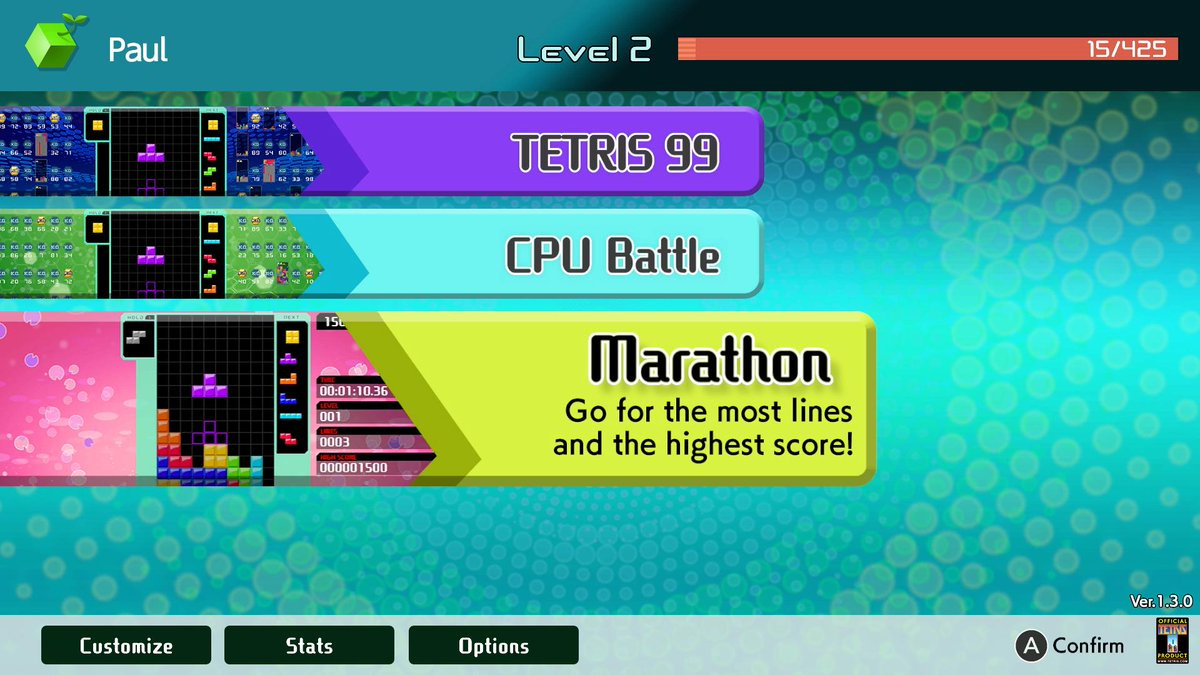
After ongoing requests from the community, Nintendo has today dropped Tetris 99 DLC that allows players to enjoy two new modes – both of which can be played offline.
The Big Block DLC is a one-time purchase of $9.99. It includes CPU Battle, allowing you to play Tetris 99 offline against 98 bots and a Marathon Mode, where you challenge yourself to clear as many lines as you can and score big. Information about additional upcoming game modes will be revealed at a later date.
As both of the above-mentioned modes are offline, this means any user can play the game without the need for a Nintendo Switch Online membership. Of course, you’ll still need to fork out some coin if you want to play against others online.
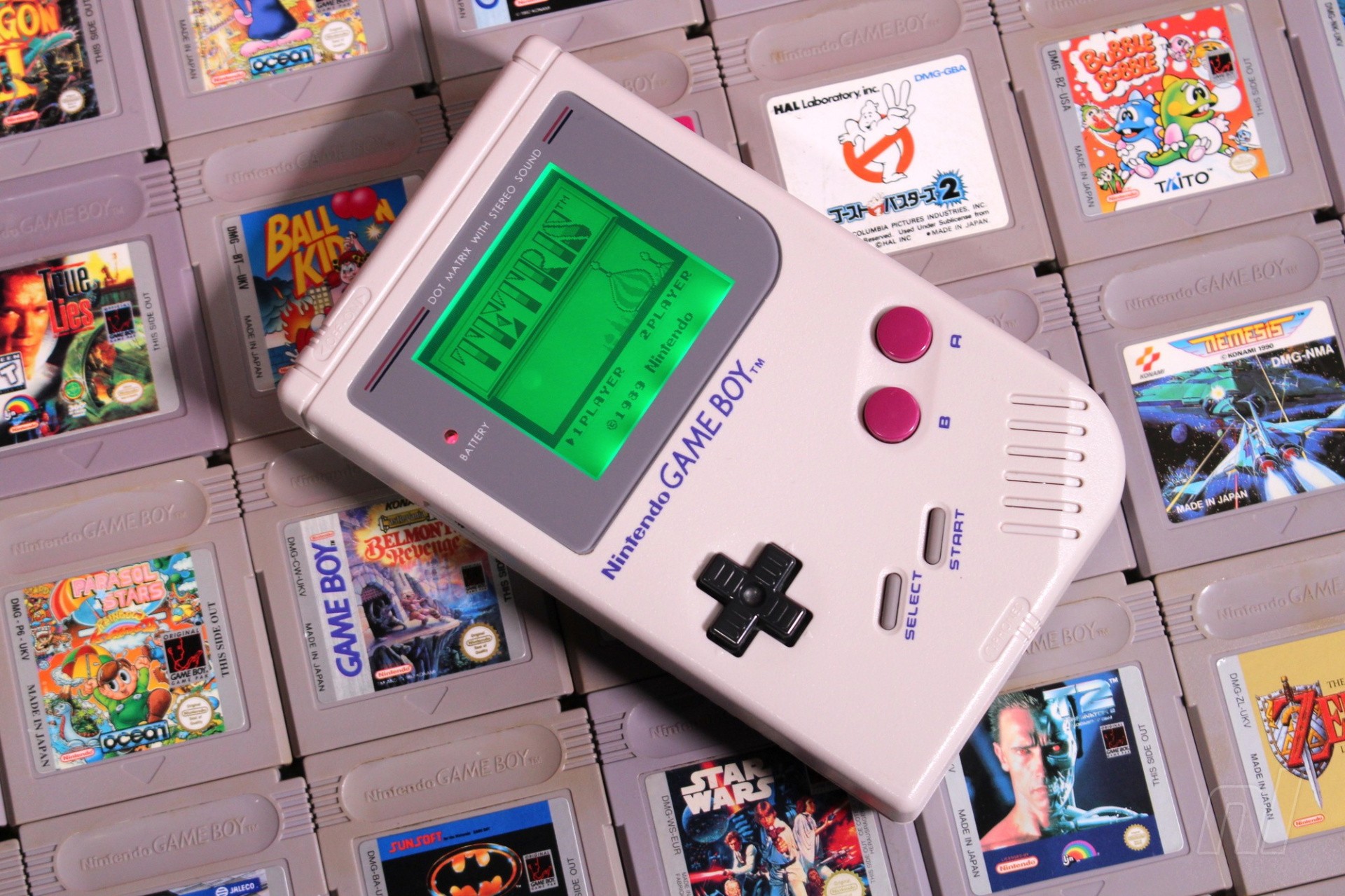
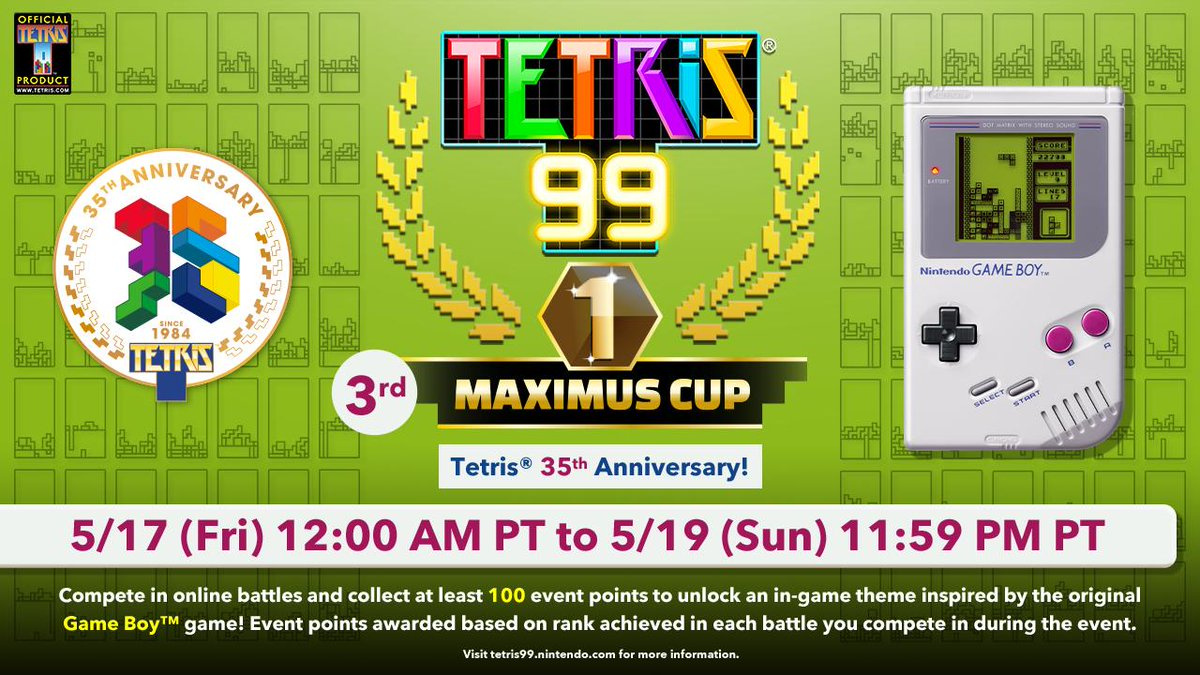
In addition to this, the third Maximus Cup has been announced. Once again, this free event awards various points for each match played – even if you don’t win. The higher you place each match, the more points you earn (1st: 100, 2nd: 50, 3rd: 30, 4-10: 20, 11-30: 10, 31-50: 5, 51-80: 2). If you manage to earn 100 points during this event, you’ll unlock a special in-game theme inspired by Tetris on Game Boy. This event takes place next weekend from 17th May until 19th May.
The #Tetris99 3rd MAXIMUS CUP is set for 5/17, 12 AM PT – 5/19, 11:59 PM PT! Celebrate the @tetris_official 35th anniversary with this special event! All participants who earn 100 event points will unlock an in-game theme inspired by the original Game Boy game!
Will you be buying this DLC? Are you looking forward to unlocking a special Game Boy theme in the Maximus Cup? Tell us below.
This article includes some example commands to show you how to get a rough estimate of hard drive and RAID array performance using the dd command. Accurate measurements would have to take into account things like write amplification and system call overhead, which this guide does not. For a tool that might give more accurate results, you might want to consider using hdparm.
To factor out performance issues related to the file system, these examples show how to test the performance of your drives and arrays at the block level by reading and writing directly to/from their block devices. WARNING: The write tests will destroy any data on the block devices against which they are run. Do not run them against any device that contains data you want to keep!
Four tests
Below are four example dd commands that can be used to test the performance of a block device:
– The iflag=nocache and oflag=direct parameters are important when performing the read and write tests (respectively) because without them the dd command will sometimes show the resulting speed of transferring the data to/from RAM rather than the hard drive.
– The values for the bs and count parameters are somewhat arbitrary and what I have chosen should be large enough to provide a decent average in most cases for current hardware.
– The null and zero devices are used for the destination and source (respectively) in the read and write tests because they are fast enough that they will not be the limiting factor in the performance tests.
– The skip=200 parameter on the second dd command in the concurrent read and write tests is to ensure that the two copies of dd are operating on different areas of the hard drive.
16 examples
Below are demonstrations showing the results of running each of the above four tests against each of the following four block devices:
MY_DISK=/dev/sda2 (used in examples 1-X)
MY_DISK=/dev/sdb2 (used in examples 2-X)
MY_DISK=/dev/md/stripped (used in examples 3-X)
MY_DISK=/dev/md/mirrored (used in examples 4-X)
A video demonstration of the these tests being run on a PC is provided at the end of this guide.
Begin by putting your computer into rescue mode to reduce the chances that disk I/O from background services might randomly affect your test results. WARNING: This will shutdown all non-essential programs and services. Be sure to save your work before running these commands. You will need to know your root password to get into rescue mode. The passwd command, when run as the root user, will prompt you to (re)set your root account password.
200+0 records in
200+0 records out
209715200 bytes (210 MB, 200 MiB) copied, 3.42875 s, 61.2 MB/s
200+0 records in
200+0 records out
209715200 bytes (210 MB, 200 MiB) copied, 3.52614 s, 59.5 MB/s
200+0 records in
200+0 records out
209715200 bytes (210 MB, 200 MiB) copied, 3.52808 s, 59.4 MB/s
200+0 records in
200+0 records out
209715200 bytes (210 MB, 200 MiB) copied, 3.57736 s, 58.6 MB/s
200+0 records in
200+0 records out
209715200 bytes (210 MB, 200 MiB) copied, 3.7841 s, 55.4 MB/s
200+0 records in
200+0 records out
209715200 bytes (210 MB, 200 MiB) copied, 3.81475 s, 55.0 MB/s
200+0 records in
200+0 records out
209715200 bytes (210 MB, 200 MiB) copied, 1.31025 s, 160 MB/s
200+0 records in
200+0 records out
209715200 bytes (210 MB, 200 MiB) copied, 1.80016 s, 116 MB/s
200+0 records in
200+0 records out
209715200 bytes (210 MB, 200 MiB) copied, 1.65026 s, 127 MB/s
200+0 records in
200+0 records out
209715200 bytes (210 MB, 200 MiB) copied, 1.81323 s, 116 MB/s
200+0 records in
200+0 records out
209715200 bytes (210 MB, 200 MiB) copied, 1.67171 s, 125 MB/s
200+0 records in
200+0 records out
209715200 bytes (210 MB, 200 MiB) copied, 1.67685 s, 125 MB/s
200+0 records in
200+0 records out
209715200 bytes (210 MB, 200 MiB) copied, 4.09666 s, 51.2 MB/s
200+0 records in
200+0 records out
209715200 bytes (210 MB, 200 MiB) copied, 4.1067 s, 51.1 MB/s
Restore your swap device and journald configuration
Examples 1-1, 1-2, 2-1, and 2-2 show that each of my drives read and write at about 125 MB/s.
Examples 1-3, 1-4, 2-3, and 2-4 show that when two reads or two writes are done in parallel on the same drive, each process gets at about half the drive’s bandwidth (60 MB/s).
The 3-x examples show the performance benefit of putting the two drives together in a RAID0 (data stripping) array. The numbers, in all cases, show that the RAID0 array performs about twice as fast as either drive is able to perform on its own. The trade-off is that you are twice as likely to lose everything because each drive only contains half the data. A three-drive array would perform three times as fast as a single drive (all drives being equal) but it would be thrice as likely to suffer a catastrophic failure.
The 4-x examples show that the performance of the RAID1 (data mirroring) array is similar to that of a single disk except for the case where multiple processes are concurrently reading (example 4-3). In the case of multiple processes reading, the performance of the RAID1 array is similar to that of the RAID0 array. This means that you will see a performance benefit with RAID1, but only when processes are reading concurrently. For example, if a process tries to access a large number of files in the background while you are trying to use a web browser or email client in the foreground. The main benefit of RAID1 is that your data is unlikely to be lost if a drive fails.
Video demo
Testing storage throughput using dd
Troubleshooting
If the above tests aren’t performing as you expect, you might have a bad or failing drive. Most modern hard drives have built-in Self-Monitoring, Analysis and Reporting Technology (SMART). If your drive supports it, the smartctl command can be used to query your hard drive for its internal statistics:
Another way that you might be able to tune your PC for better performance is by changing your I/O scheduler. Linux systems support several I/O schedulers and the current default for Fedora systems is the multiqueue variant of the deadline scheduler. The default performs very well overall and scales extremely well for large servers with many processors and large disk arrays. There are, however, a few more specialized schedulers that might perform better under certain conditions.
To view which I/O scheduler your drives are using, issue the following command:
$ for i in /sys/block/sd?/queue/scheduler; do echo "$i: $(<$i)"; done
You can change the scheduler for a drive by writing the name of the desired scheduler to the /sys/block/<device name>/queue/scheduler file:
# echo bfq > /sys/block/sda/queue/scheduler
You can make your changes permanent by creating a udev rule for your drive. The following example shows how to create a udev rule that will set all rotational drives to use the BFQ I/O scheduler:
# cat << END > /etc/udev/rules.d/60-ioscheduler-rotational.rules
ACTION=="add|change", KERNEL=="sd[a-z]", ATTR{queue/rotational}=="1", ATTR{queue/scheduler}="bfq"
END
# cat << END > /etc/udev/rules.d/60-ioscheduler-solid-state.rules
ACTION=="add|change", KERNEL=="sd[a-z]", ATTR{queue/rotational}=="0", ATTR{queue/scheduler}="none"
END
Changing your I/O scheduler won’t affect the raw throughput of your devices, but it might make your PC seem more responsive by prioritizing the bandwidth for the foreground tasks over the background tasks or by eliminating unnecessary block reordering.