Destiny 2 Season Of Dawn Update - Key Known Issues To Be Aware Of
Those hoping to get one final Vex Offensive run in are out of luck: Destiny 2 servers are down for maintenance, officially marking the end of the Season of the Undying. Fortunately, once servers are back online, there will be new content to check out. Specifically, the next season, Season of Dawn, officially begins today, December 10. Here's when servers are expected to be back online and when Season of Dawn will be underway. [Update: Servers are officially back online, although you might encounter a queue when first jumping in. Now that the game is live, there are some essential issues to be aware of, especially regarding rewards in the new Sundial activity. Read on below for a look at the known issues that Bungie has outlined so far, and check out our guide to the A Matter of Time quest to unlock the Sundial and artifact.]
Maintenance is ongoing, and no one will be able to log in to the game until 10 AM PT / 1 PM ET, at which point Season of Dawn and its new content should be available. During the downtime, Bungie has released update 2.7.0--that's out now, so you can get it downloading to ensure you can begin playing right when servers are back online. Full update 2.7.0 patch notes have now been released; they were recently previewed in some detail, with changes to Exotics, an increased Power cap, and more.
Once servers are back, you'll see that a bunch of Season of the Undying content has disappeared in favor of Season of Dawn's new activities and offerings. Some of this will be available for free to all players, while other bits will require you to either purchase this season or the year-long season pass.
Destiny 2 Season Of Dawn Known Issues
Be prepared to potentially encounter some issues once you are playing. Bungie's Twitter support account offered a rundown on some of the known issues that may be encountered, such as receiving a CHICKEN error when first logging in once you have update 2.7.0 installed. In that case, the fix is easy: Simply restart the game. Other problems are unavoidable, like issues with the requirements for certain triumphs; as a result, Bungie will lower the requirements in a future update.
More notable are some of the Season of Dawn-specific problems. When playing the new Sundial activity, you should stick around--heading back to orbit too quickly can cause progress not to register for the A Matter of Time quest step. Additionally, you'll need to link an Obelisk to the Sundial for the activity to net you any completion rewards.
You can check out the series of tweets below, and we'll report back with any further problems that emerge.
These Season 9 Triumphs will be fixed in a future update and requirements will be lowered: ?"Challenges" won't progress with weekly challenge completion ?"Rituals" won't progress with weekly Gambit bounties or Infamy ranks ?"Engagement" won't progress with banked motes (6/7)
? Players must have linked an Obelisk to the Sundial to receive rewards at the end of the activity. ? Season of the Undying seasonal currency is not deleted from the Postmaster when the season ends. Players can manually delete this seasonal currency. (3/7)
? Progress may not count towards the “A Matter of Time” quest step if players return to orbit too quickly after completing the Sundial activity. ? The shields of Barrier Champions will not disappear if a player is using Divinity. (5/7)
? The seal for the “Savior” title incorrectly lists a requirement of 28 triumphs completed to unlock. The seal will unlock after completing the 15 triumphs listed in the seal contents. ? When standing in front of the Obelisk, players can be killed by enemies. (4/7)
Posted by: xSicKxBot - 12-10-2019, 03:57 PM - Forum: Windows
- No Replies
Hour of Code 2019: Turning the next generation into everyday superheroes
When you think of coding, your first thoughts might be about highly specialized technical know-how. But did you know that effective coding requires skills like creativity, innovation and collaboration too – all of which will be hugely important for the workforce of tomorrow?
According to Microsoft research with McKinsey, the fastest growing occupations, such as technology professionals and healthcare providers, will require a combination of digital and cognitive skills such as digital literacy, problem solving and critical thinking. Young people having access to learning tools to improve both these sets of skills is crucial – a fact non-profit organizations like JA Europe recognize through their work to get young people ready for the future of work. If young people are given the opportunity to develop their digital skills, the European Labor Market will see significant benefits when they move into the workforce. According to a LinkedIn Economic Graph report, AI Talent in the European Labour Market, training and upskilling ‘near-AI’ talent could double the size of the current AI workforce in the EU. It also found that AI skills are concentrated in a small number of countries and that this must be addressed to reduce the digital skills gap in Europe.
In conjunction with Computer Science Education Week which began yesterday and extends to December 15, Microsoft continues its multi-year commitment to Hour of Code, a global movement that introduces students to computer science and demystifies what coding is all about. Activities are running across Europe to fuel imagination and demonstrate how these skills could be used to solve some of the world’s biggest problems. As such, code has the power to turn anyone into an everyday superhero.
To bring this to life, Microsoft is inviting young people to ‘save the day’ through Computer Science. Created in partnership with MakeCode, a new Minecraft tutorial combines code, Artificial Intelligence and problem solving skills. It is inspired by various Microsoft AI for Earth projects and encourages students to use their critical thinking skills to plot where forest fires could happen, put plans in place to stop them with AI and ultimately save the Minecraft village!
Since 2012, Microsoft has helped more than 137,000 young people and educators in Europe through Hour of Code events and programs. And, as the end of the decade draws near, we are keen to support even more people to get into coding and show how it can change the world. If you’re looking to help your children or students become coding superheroes, we have developed two training guides – one for students and one aimed at educators – no cape needed!
Guide: Best Games To Buy For Your Nintendo Switch This Christmas
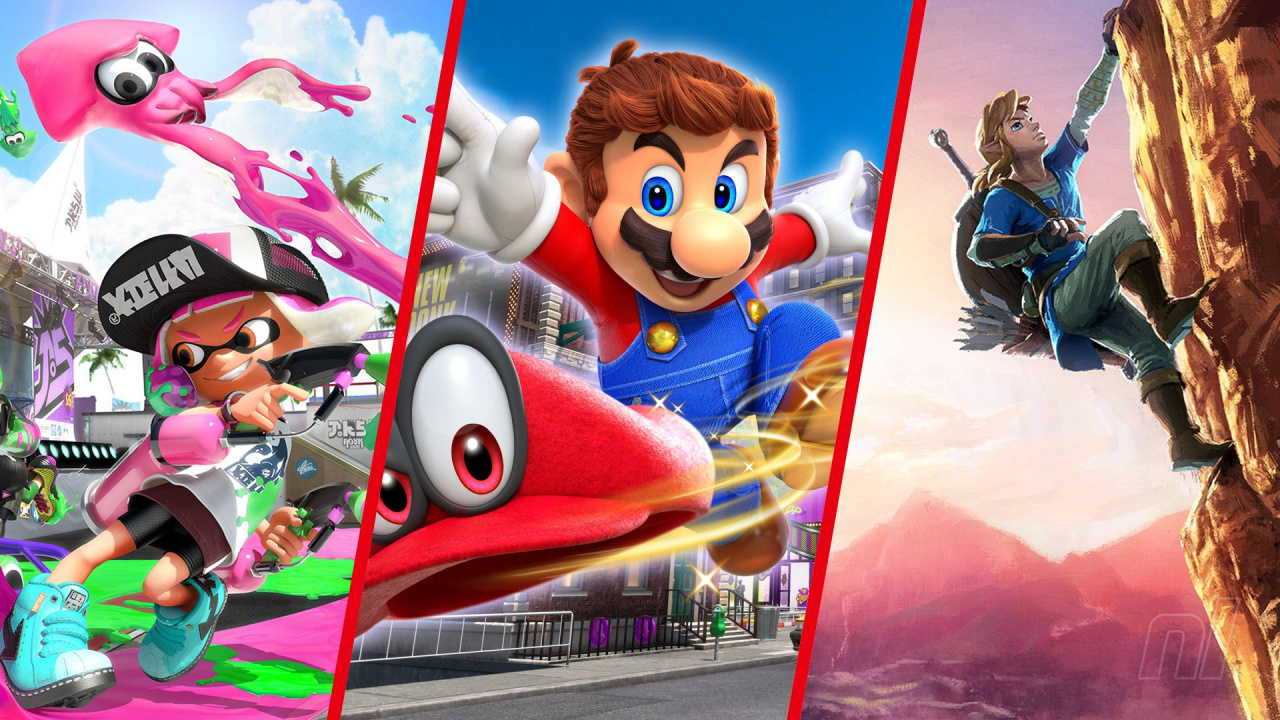
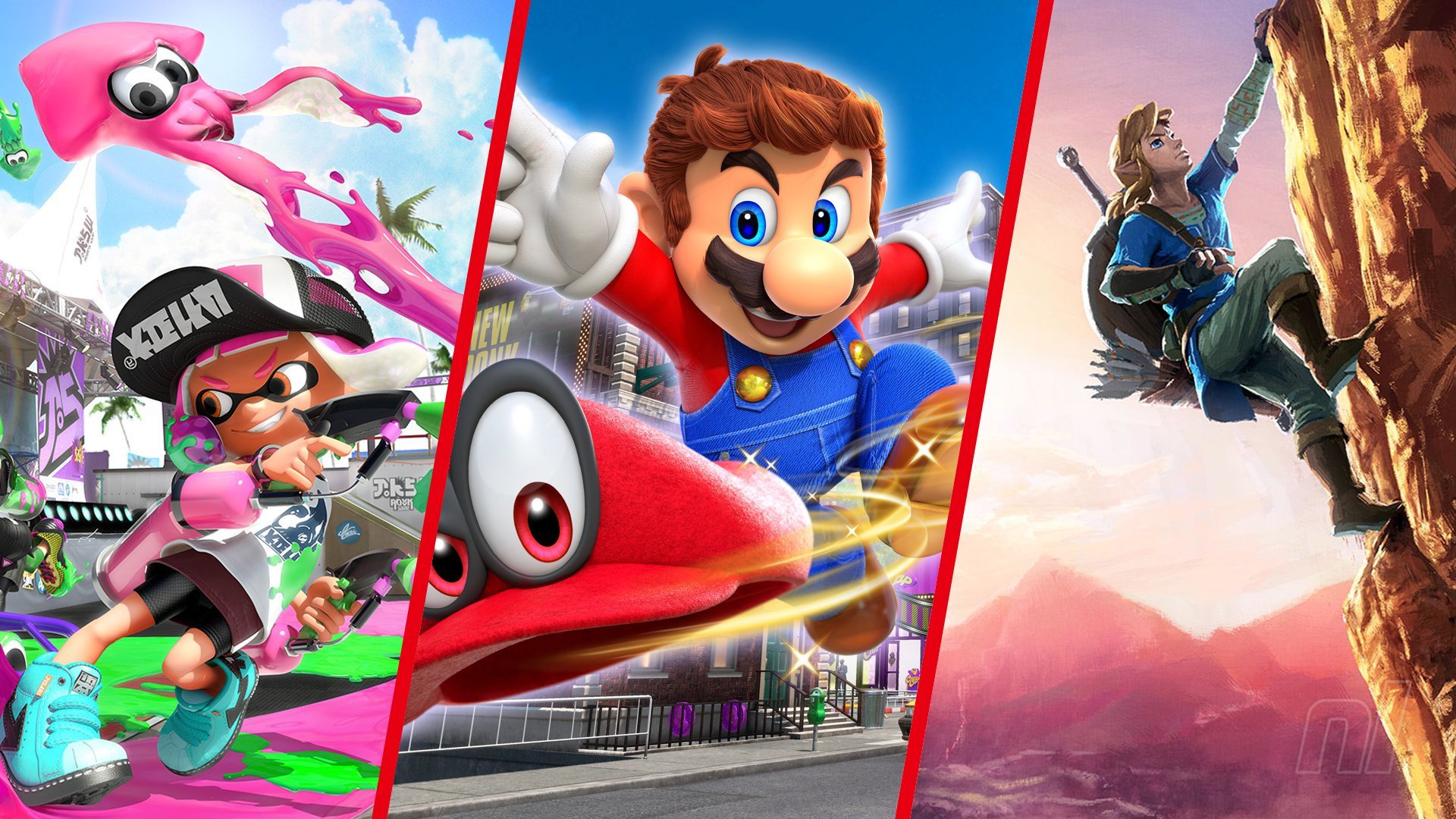
Whether you’ve been riding the Switch train since Nintendo’s hybrid handheld launched or you’re just jumping on board this Christmas, there’s no shortage of great games to play on Nintendo Switch or Switch Lite.
But which Switch games are the best? There are so many to choose from, but which Switch games should you play first? Well, we’ve combed through every main genre and plucked out three picks for the best games to pick up for Switch this Christmas. Most of these games have come out during 2019, but we’ve thrown in some evergreen titles for you, too, because we’re nice like that.
If you’re a fan of a particular genre, we’ve also included more suggestions in our lists – simply click on the headers to find a whole host of games of a similar flavour. These are great games for Christmas (but not just for Christmas), for someone who’s just got a brand new Switch or Switch Lite, or if you’re an existing Switch owners looking to fill in the blanks in your collection.
Please note that some links on this page are affiliate links, which means if you click them and make a purchase we may receive a small percentage of the sale which helps support the site. Please read our FTC Disclosure for more information.
If you prefer your adventuring with fewer numbers on screen and a little more swashbuckling combat and action, here’s our pick of the best Action-RPGs on Nintendo Switch:
The Switch is the perfect console for some local co-op multiplayer on the TV or in Tabletop mode on the train. Just slide off the Joy-Con and you’re ready to go. Here are our favourite co-operative multiplayer games to play on the Switch:
If you like some digital fisticuffs, there are plenty of fighters to pick from, whether you’re a fan of old-school one-on-one fighting action or chaotic, party-based brawlers. Here are our choices for the best fighting games for Switch:
In the years since Switch first launched it’s built up a tidy catalogue of first-person shooters, from rereleased classics to ‘miracle’ ports from other current gen consoles onto Nintendo’s hybrid handheld. Here are our favourite first-person shooters on Switch:
If you’re a fan of things that go bump in the middle of the night, Switch has some brilliantly scary games to its name. Whether you prefer to play in portable mode with the lights on, or dock the console to the TV and turn the volume right up in a darkened room, here are the scariest games you can find on Switch:
There are racers, and then there are kart racers. While there’s one undisputed king of the kart on Nintendo platforms, there are a fair few others trying their hand at taking Mario’s karting crown. Here are the best kart racers on Switch:
While Switch makes local multiplayer matches a breeze, what about if your friends live miles away or you want to carry on playing against them when you get home? Fortunately there are plenty of fantastic online multiplayer options – here’s our pick of the best online multiplayer games on Switch:
Whether you’re throwing a party for family, friends or vague acquaintances, there are a whole host of great party games on Switch to get everyone into the fun zone. Take a look at our favourite party games for Switch:
Handheld consoles and puzzle games have gone hand-in-hand ever since Tetris was bundled with the Game Boy. Here are our picks for the best puzzle games on Switch to keep your mind occupied and your melon twisted:
We’ve already done karting, but here are our picks for the best racing games on Switch that don’t feature a kart, banana skin or pesky Blue Shell:
If you’re down for epic quests, turn-based battling and hours and hours of watching numbers go up steadily as your team grows ever-stronger, you’ll probably enjoy one of the many great traditional RPGs available on Nintendo’s console. Portability means you’re much more likely to be able to devote the required time to these gems, so check out our picks for the best RPGs on Switch:
The humble shoot ’em up has been a video game staple since the dawn of the medium, and Switch has become something of a haven for shmup fans. Check out what we consider to be the best shmups on Switch:
If you’re one who enjoys planning out an offensive against the enemy ahead of time down to the very last detail and surveying the battlefield from above, the selection of strategy games on Switch will have you in your absolute element. Here are our choices for the best strategy games on Switch:
Other Great Nintendo Switch Games
We’ve rounded up some amazing Nintendo Switch games by their respective genres above, but it would be remiss of us not to highlight these lovely Switch games released in 2019 which didn’t quite fit into the sections above.
We hope those set you on the right path at the start of your Switch journey, or help you plug some gaming gaps in your Switch library. Remember, if you’re after further recommendations be sure to click on the headings and you’ll find yourself with a larger list of fantastic Switch games in your chosen genre. Happy gaming, everybody!
Reggie Is Returning To The Game Awards As A Presenter
Later this week, the 2019 Game Awards are taking place at the Microsoft Theater in Los Angeles. Although Reggie Fils-Aimé has now officially moved on from his role as Nintendo of America’s president, it turns out he’ll still be making an appearance at this year’s show. After all, he’s been a huge part of the industry since he walked out on-stage at E3 2004.
According to The Game Awards Twitter account, he’ll be one of the presenters:
Will he be part of something bigger, though? Some fans seem to think so – we’ll just have to wait and find out. What exactly he’ll be presenting has not yet been revealed, either.
The Game Awards 2019 is once again hosted by Geoff Keighley and is scheduled to take place on 12th December at 5:30pm PT / 8:30pm ET (so that’s 1:30am GMT the following morning). It will run for roughly two and a half hours and is expected to feature “around 10 new game” reveals.
Are you looking forward to Reggie’s on-stage appearance at this year’s Game Awards? Leave a comment down below.
Fortnite--Epic Games Is In Court After Paying $10k For Dance Routine
Fortnite is full of dance moves and costumes based on memes and properties, but every now and then developer Epic Games runs into trouble when content in their game is accused of being taken from elsewhere. In court documents obtained by The Hollywood Reporter, details have emerged of a new legal scandal involving one of the game's dance moves and a pumpkin head costume.
The strange detail here, though, is that Epic actually bought the rights to the dance--but they've been accused of copyright infringement over the effect of pairing the dance with certain costume elements. Furthermore, Epic Games are actually the plantiffs in this case, seeking to have the court declare that they are not committing infringement.
Matthew Geiler, who responded to the lawsuit through his company Sick Picnic Media, sold Epic Games the rights to the dance in the video below for $10,000. Geiler believes that Epic Games is using his likeness without permission, though, as the Halloween 'Fortnitemares' event allowed the player to dress their character up in a pumpkin head and performing the dance with it on.
The argument put forward by Epic Games' lawyer, Dale Cendali, is that there are no similarities between the jack-o-lantern costume available to players and Geiler's own, and that the concept of a person with a carved pumpkin for a face did not originate with Geiler, and is essentially public domain. Because of this, the elements of Geiler's video beyond the dance do not warrant copyright protection.
Epic Games has good reason to be careful, as they've been sued before over dance routines. Suits were filed by "Backpack Kid" and Alfonso Ribeiro, among others. All of these suits were eventually dropped. Epic Games seeks a judgment of non-infringement plus legal costs. You can view the full lawsuit filing in The Hollywood Reporter's original article.
Minecraft Switch Players Can Finally Play With Their PS4 Friends From Tomorrow
The PlayStation 4 version of Minecraft is finally being updated to the unified, cross-platform-supporting Bedrock Edition tomorrow, it has been revealed. The news means that Minecraft fans playing on Switch will now be able to play with their friends who own the game on Sony’s machine.
The official Minecraft website goes into a little more detail in a message to PS4 players:
“The Bedrock version of Minecraft is the unified version of the game that offers the same experience across all consoles. All that glorious, unified code means that you’ll be playing the same game as your pals on Xbox One, Nintendo Switch, Windows 10, and mobile! So, yes – that means you get cross-play between those different consoles.”
Nothing else changes for Switch owners – if your copy of Minecraft is up to date, you’ll already have the Bedrock edition of the game – but we have been treated to a look at how this PS4 update can improve Switch players’ lives in the trailer above. We all sit in colour co-ordinated rooms when playing our favourite consoles, right? What do you mean, ‘no’?
Minecraft’s been having yet another successful year, earning the title of being the most-viewed game on YouTube in 2019. Considering how long the thing’s been going, that’s a solid achievement.
Do you have any PS4-playing friends who will be ready to team up with you going forward?
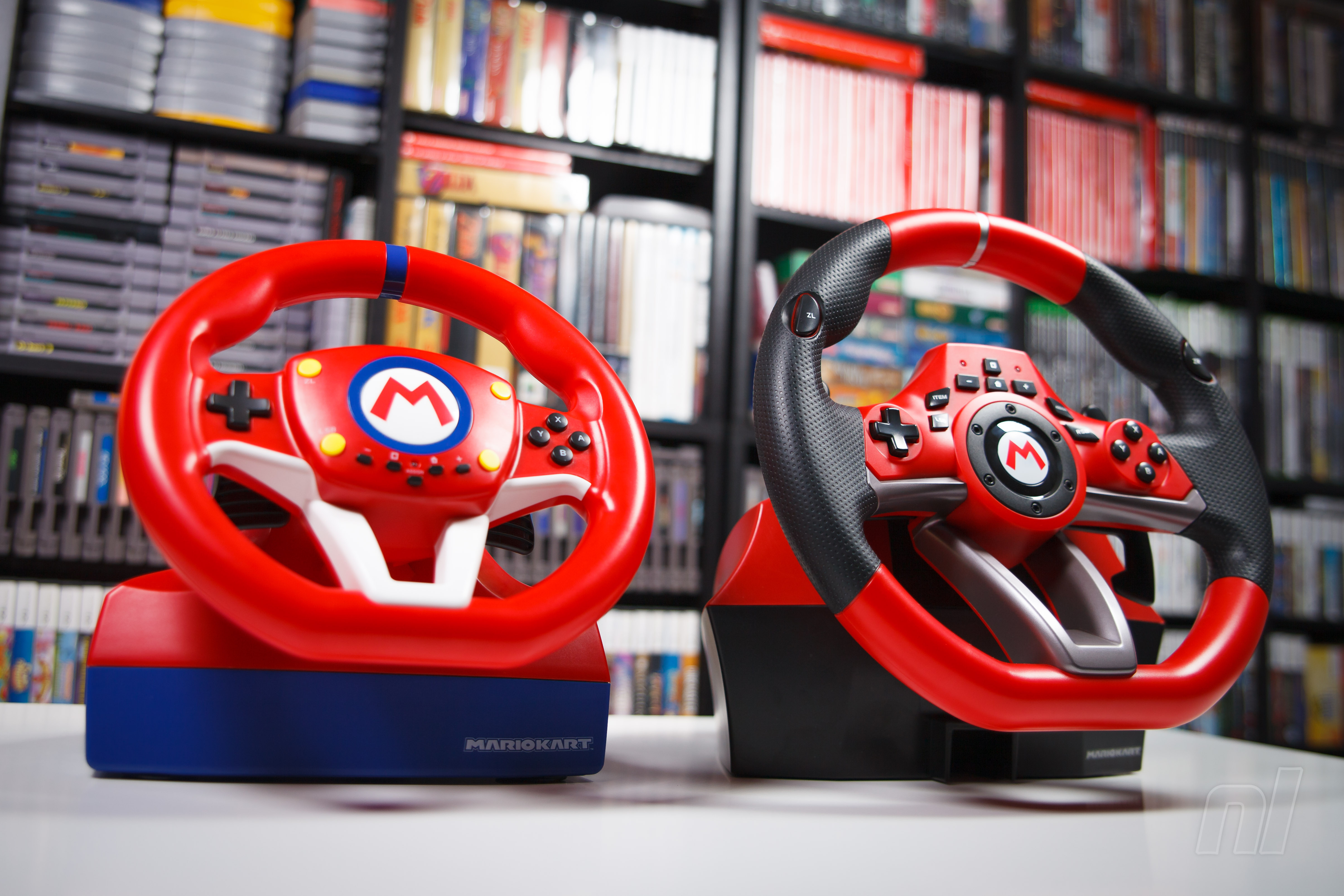
Hardware Review: Race Away With Mario Kart Pro Mini & Deluxe Racing Wheels
Racing games can be great fun, but you know what can make them even better? Playing them with a replica steering wheel (and no, not the ones you sink your Wii Remote or Joy-Con into.) Just ask anyone who’s been to an arcade and played something like Mario Kart Arcade GP DX, Crazy Taxi or one of the many Cruis’n games. There’s something special about getting behind a wheel, slamming your foot to the floor and racing off into the sunset.
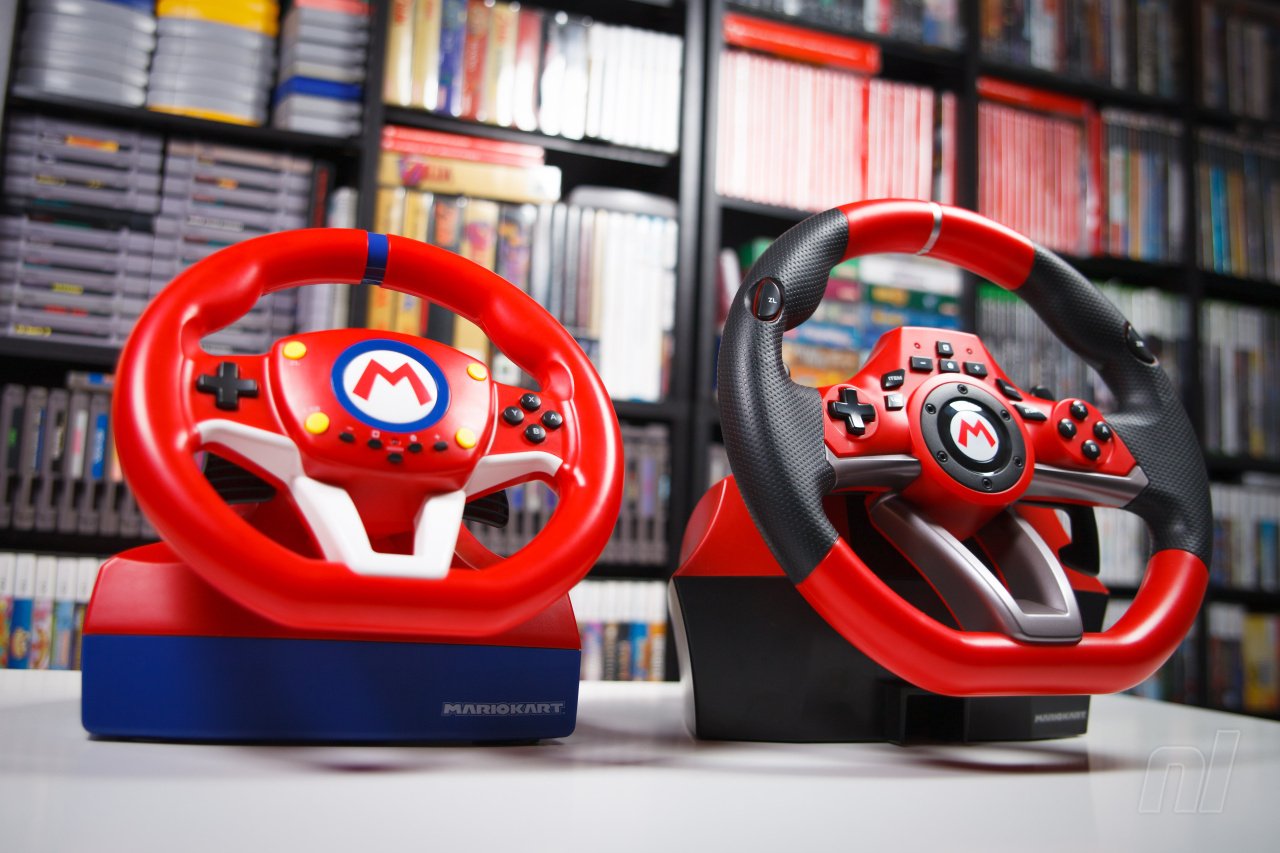
That’s why accessory manufacturer, Hori, is happy to be releasing not one, but two officially-licensed racing wheels for the Nintendo Switch: the Mario Kart Racing Wheel Pro Mini and Pro Deluxe. With these, you’ll be able to bring home a similar experience to playing your favourite racer in the arcade, and your little one can even have a wheel of their own. Awww.
Each of these wheels offers a very similar set of features (we’ll get to their unique features shortly) but their quality and size are really what changes most between the two different models. Right off the bat, you’ll be able to tell that the wheel on the Deluxe model is substantially beefier than that of the Mini (by roughly three inches.) Each wheel comes equipped with a number of buttons on the front to match the buttons found on a standard Switch controller, and feature two shifters on the backside of each wheel (which default functions are set to L and R buttons) that are perfect for boosting, drifting, shifting and lobbing items at your enemies.
You also won’t find analogue sticks on either of these wheels, however, there is a switch on the top of each wheel that allows you to change the input of the D-pad to the left stick or right stick, if you need it. Each of these racing wheels also come attached with a ten-foot USB cord that plugs straight into your Switch dock or USB hub.
Now sure, wheels are great and all, but it wouldn’t be a complete racing package without a set of pedals. Each racing wheel includes its own unique pedalboard that matches the size of their respective wheel and connects straight into the wheel with a cable similar to that found on an old-fashioned landline phone (someone found a way to repurpose some old cables, clearly). The pedals on the Deluxe model have quite a bit more resistance than those on the Mini, which not only makes them feel more realistic but also means the Mini model that much more child-friendly.
Now to talk specifics, we’ll start out with the Mini, which really is the perfect wheel for kids. The tension of the wheel is much more relaxed, the pedals shouldn’t give them much trouble to push, the turning radius is much smaller at 180 degrees and they’ll probably geek out at the fact that, unlike on the Deluxe model, the Mario ‘M’ in the middle of the wheel is actually a button that functions as the ZL button, which in Mario Kart fires off an item (or honks your in-game horn when you’re not holding one.) It’s a novel feature that kids will probably enjoy way more than we did.
The Mini wheel also has four suction cups on the bottom of its base that allow it to be attached to a hard surface for a more polished experience; however, like all suction cups in existence, they don’t always want to stay stuck when you need them to. The base is small enough though that the wheel can still be played comfortably resting in someone’s lap with little trouble. Also, the overall build quality does concern us a bit (especially as we know how kids can be); if this were to get stepped on or thrown too hard, the wheel could end up forfeiting its race career for good.
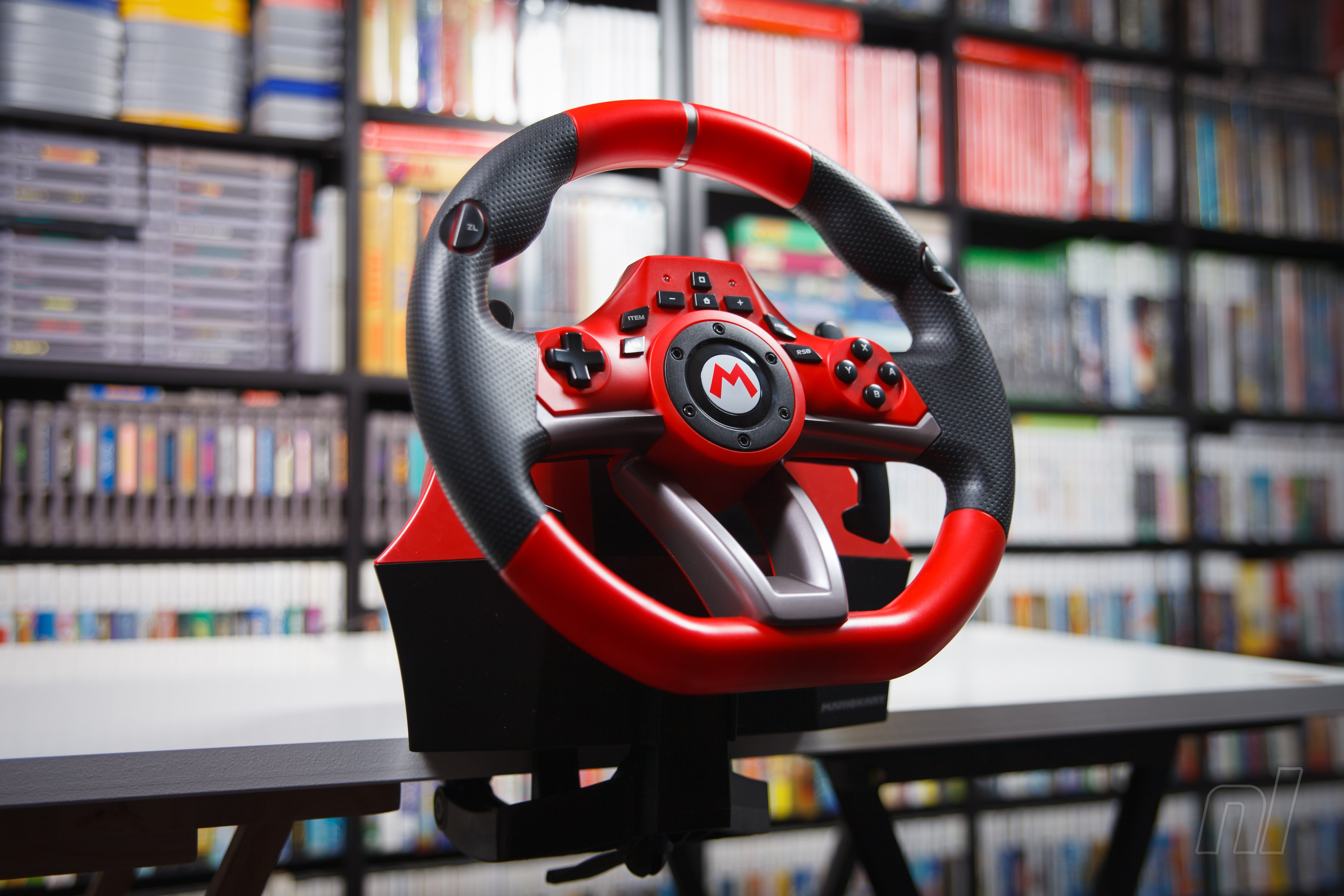
The Deluxe wheel really is the star of the show, designed with the more serious racer in mind. The wheel itself is much larger, snappier and features rubber grips, making it a more comfortable experience. Those aren’t the only tricks the Deluxe model has up its sleeve, though. The ZL and ZR buttons are actually set into the left and right wings of the wheel, allowing them to be pressed while steering, and the L and R Shifters are substantially longer, allowing for better ease of access when going around sharp corners.
The Deluxe model also includes five detachable suction cups and a separate adjustable clamp that allows the wheel to be fixed to any hard surface. The clamp is a real game-changer here and prevented us from being constantly worried by the thought of the wheel’s suction cups coming up off the table. The pedals on the Deluxe also have an extra flap underneath that flips out, helping keep the pedals stabilized during heated races.
During our first few rounds of Mario Kart 8 Deluxe with the Deluxe wheel, we felt pretty embarrassed by our skills as it took quite a bit of practice to get used to the wheel. But after a bit of digging through the manual, we realized that the Deluxe’s range of motion was much larger at 270 degrees, versus that of the Mini’s at 180 degrees. We felt that the shorter range of the Mini’s wheel was better suited for something like Mario Kart, and thankfully there’s a way to make the Deluxe wheel operate similarily. By holding the ZR and Assign buttons together for three seconds, you’re able to activate QuickMode, which shortens the range of motion of the wheel down to that of the Mini’s, which greatly improved our game.
Hori’s racing wheels are designed to be compatible with most standard racing games. The one we sunk the most time into, however, was Mario Kart 8, and it all worked perfectly. Some games, like Crash Team Racing: Nitro-Fueled, use a different button layout for accelerating, boosting and tossing items. Thankfully, these wheels feature programmable buttons, so you can switch around each button and pedal press however you like.
Unfortunately, not all racing games will function properly with these wheels. A solid match of Rocket League requires the use of the camera and the ability to adjust the movement of your car mid-air, (you can use the D-pad on the wheel, but it’s less than intuitive) and after some testing, it just doesn’t seem like Rocket League is well suited for the wheel treatment.
We’re almost three years into the life of the Switch and we can see it’s amassing quite the library of kart racers and simulators; take into account the success of the Switch, and it’s only natural to see the release a traditional racing wheel on the system. We’re happy to see Hori catering not just to adult racers, but also to a younger generation with their release of the Mario Kart Racing Wheel Pro Deluxe and Pro Mini.
The Pro Deluxe definitely delivers the more definitive experience, with its sturdier build quality and additional features, but that’s not to say the Mini doesn’t have its own place in the race. Depending on your age or playstyle, these are both great ways to experience some of your favourite racers in a new way on Switch.
Please note that some links on this page are affiliate links, which means if you click them and make a purchase we may receive a small percentage of the sale which helps support the site. Please read our FTC Disclosure for more information.
Posted by: xSicKxBot - 12-10-2019, 09:19 AM - Forum: Lounge
- No Replies
What's New To Netflix This Week? Movies, TV, And Originals
At this point, Netflix users are all just counting down the days until The Witcher arrives on the service. However, until then, the streaming service giant is still pumping content almost every day of the week. There are a few movies you may want to check out this week, along with a Netflix original special that will undoubtedly be hilarious.
On Thursday, Jack Whitehall: Christmas with my Father arrives, and the comedy special is a live show featuring the aforementioned Jack Whitehall...and his father, Michael Whitehall. The special will feature guests, like the cast of Queer Eye giving Michael a makeover. If you've seen the previous Netflix seasons of this series, then you know there will be many moments of Michael being confused, grumpy, and upset with what Jack wants him to do.
The only other recommendation for this week is a very ok horror movie. On Monday, It Comes at Night lands, and the movie follows a group of people living in a house together as there is an unknown threat in the outside world, which comes for them at night. The movie plays more into paranoia and trust rather than focusing on the horrors that await everyone in the outdoors.
Below, you'll find everything coming to Netflix this week. For more streaming service info, check out the December release lists for Hulu, Amazon Prime Video, Disney+, and Shudder.
Unreal Engine 4.24 was just released by Epic Games, although the biggest new feature is actually outside of the engine. Last month Epic Games announced they acquired Quixel and in this release you can now use your Epic credentials to download over 11K high quality textures completely free, as long as you use them in Unreal Engine. You can either access the textures in Unreal Marketplace as packs, or using Quixel Bridge. Another major feature of this release is that Unreal Studio has been folded into Unreal Engine, with that functionality, including Datasmith, available for free.
There’s a host of new features and improvements across the board, with something for everyone. You can now create even more convincing interior and exterior scenes for games and visualization with new tools for nondestructively creating and editing open-world landscapes that adapt to other scene elements; gorgeous atmospheric skies; and Screen Space Global Illumination that scales across console and desktop platforms.
For those looking to create more believable characters, creatures, and virtual beings, we’re proud to offer a first look at our new strand-based hair and fur system that enables you to simulate and render hundreds of thousands of photoreal hairs at up to real time speeds. Formerly part of Unreal Studio, Datasmith—the toolkit for converting entire scenes at high fidelity from 3ds Max, SketchUp Pro, Cinema 4D, and a host of CAD and BIM formats—is now available for free as part of 4.24 and all future versions of Unreal Engine going forward. Add to that new Visual Dataprep for streamlined, easy-to-use, automated data preparation, and getting data from any source real-time ready is faster and easier.
That’s not to mention the first-class USD support that enables modelers and layout artists to work in parallel; enhancements to multi-display rendering that make it much easier to use out of the box, even on existing projects; and a new task-based wizard to give you a better starting point when creating new projects.
You can learn a great deal more about this release in the complete release notes or keep watching the video below.
Posted by: xSicKxBot - 12-10-2019, 03:00 AM - Forum: Windows
- No Replies
Microsoft Store offers free Computer Science Education Week workshops
One hundred and thirteen years ago in New York, a girl was born into a generation where the average woman was more likely to perfect a signature pie recipe than solve a pi-based equation. Pushing against expectations, this girl became one of the pre-eminent technologists of our times and made it possible to convert human language into machine code understood by computers. On Dec. 9, the anniversary of Admiral Grace Hopper’s birthday kicks off Computer Science Education Week, an annual program dedicated to inspiring K-12 students to take interest in computer science.
As technology such as AI and cloud computing rapidly transforms the future of work, it’s more important than ever for students and educators to develop STEM—science, technology, engineering and math—skills. It’s estimated that over 85 million jobs worldwide will go unfilled by 2030 if we don’t bridge the STEM skills gap—but schools often struggle to implement quality STEM curriculum and prepare students for career paths that are just starting to come into focus.
Inspire students to ignite a passion for Computer Science
Microsoft Stores are committed to empowering students and educators with computer science resources and will host over 400 events in partnership with STEM influencers throughout Computer Science Education Week across locations. Ensuring no one is left behind when it comes to developing increasingly crucial computer science skills, programming this year has an increased focus on inclusion for traditionally underrepresented students.
Microsoft Store workshops will offer hands-on learning centered around coding, game design, app development and more using technologies from Windows, Surface, Office 365, Minecraft and more. Participants will hear from a diverse group of mentors and organizations from across the STEM field, including Lynell Caldwell, NASA, Brandon Copeland, Black Girls Code, Al Smith, Curtis Baham, Lee Woodall, Dennis Brown and Titus O’Neil.
Check your local Microsoft Store to register for exciting workshops geared toward empowering every learner, including workshops like;
Latina Girls in Gaming with MakeCode Arcade: Learn basic block coding and create video games with Gabriela Ponce, producer with Turn 10 Studios and advocate for helping the Latinx community succeed in the gaming industry. Gaby will share more about her journey combining her passions for art, culture and technology, and empower Latina girls to embrace STEM skills.
All Kids Code with Tynker Space Quest: Solve coding puzzles to guide an astronaut in space with Nadmi Casiano, the first deaf woman to graduate with an aeronautical engineering degree. All students are welcome, and ASL interpreters will be available at participating Microsoft Store locations to empower students with hearing disabilities.
African American Girls Code with Tynker Space Quest: Joan Higgenbotham, one of the first African American female astronauts to go into space, will share her experience at a workshop geared toward inspiring African American Girls to pursue STEM. Participants will learn basic coding concepts in an engaging format as they navigate aliens in search for a spaceship.
MANCODE with Design and Code Apps: Brainstorm app ideas and bring ideas to life with MANCODE, an organization aimed at addressing the stagnate growth of African American males within the STEM industry, who currently represent only 2.2% of the field. This workshop is geared toward underrepresented male students aged 13 and older, who will meet a male minority mentor and learn about the importance of technology.
Harry Potter Kano Coding Kit Workshop: Explore the magic of STEM at a Harry Potter Kano Coding Kit Workshop that introduces foundational coding concepts, including drag-and-drop coding. This autism-friendly workshop features alternate activities to allow a broad level of participation, and parents are welcome to join with their child.
In addition to these workshops, Microsoft Stores will also host Minecraft Hour of Code workshops, teaching students of all ages to code with Minecraft. The new Minecraft Hour of Code lesson aligns with this year’s theme, Computer Science for Good. Students will explore coding and artificial intelligence as they protect a village from forest fires in an immersive Minecraft world. Anyone can learn how coding can help build a better world—in just one hour!
Check availability of workshops and RSVP at your local Microsoft Store. Programming will vary by location. And, do you know students always get 10% off at Microsoft Store?* Make sure to take advantage of your discount when you shop at Microsoft Store.