Create an account


Welcome, Guest
You have to register before you can post on our site.

Username
  

Password


Search Forums

(Advanced Search)

Forum Statistics
» Members: 20,154
» Latest member: tomen8
» Forum threads: 21,823
» Forum posts: 22,698

Full Statistics

Online Users
There are currently 771 online users.
» 0 Member(s) | 765 Guest(s)
Applebot, Baidu, Bing, DuckDuckGo, Google, Yandex

 
  Blazor Server in .NET Core 3.0 scenarios and performance
Posted by: xSicKxBot - 10-23-2019, 02:55 AM - Forum: C#, Visual Basic, & .Net Frameworks - No Replies

Blazor Server in .NET Core 3.0 scenarios and performance

Daniel Roth

Daniel

Since the release of Blazor Server with .NET Core 3.0 last month lots of folks have shared their excitement with us about being able to build client-side web UI with just .NET and C#. At the same time, we’ve also heard lots of questions about what Blazor Server is, how it relates to Blazor WebAssembly, and what scenarios Blazor Server is best suited for. Should you choose Blazor Server for your client-side web UI needs, or wait for Blazor WebAssembly? This post seeks to answer these questions, and to provide insights into how Blazor Server performs at scale and how we envision Blazor evolving in the future.

What is Blazor Server?


Blazor Server apps host Blazor components on the server and handle UI interactions over a real-time SignalR connection. As the user interacts with the app, the UI events are sent to the server over the connection to be handled by the various components that make up the app. When a component handles a UI event, it’s rendered based on its updated state. Blazor compares the newly rendered output with what was rendered previously and send the changes back to the browser and applies them to the DOM.

Blazor Server

Since Blazor Server apps run on .NET Core on the server, they enjoy all the benefits of running on .NET Core including great runtime performance and tooling. Blazor Server apps can leverage the full ecosystem of .NET Standard libraries without any browser imposed limitations.

When should I use Blazor Server?


Blazor Server enables you to add rich interactive UI to your .NET apps today without having to write JavaScript. If you need the interactivity of a single-page app in your .NET app, then Blazor Server is a great solution.

Blazor Server can be used to write completely new apps or to complement existing MVC and Razor Pages apps. There’s no need to rewrite existing app logic. Blazor is designed to work together with MVC and Razor Pages, not replace them. You can continue to use MVC and Razor Pages for your server-rendering needs while using Blazor for client-side UI interactions.

Blazor Server works best for scenarios where you have a reliable low-latency network connection, which is normally achieved when the client and server are geographically on the same continent. Apps that require extremely high fidelity instant updates on every tiny mouse twitch, like real-time games or drawing apps, are not a good fit for Blazor Server. Because Blazor Server apps require an active network connection, offline scenarios are not supported.

Blazor Server is also useful when you want to offload work from the client to the server. Blazor Server apps require only a small download to establish the connection with the server and to process UI interactions. All the hard work of running the app logic and rendering the UI is then done on the server. This means Blazor Server apps load fast even as the app functionality grows. Because the client side of a Blazor Server app is so thin, it’s a great solution for apps that need to run on low-powered devices.

Using Blazor Server at scale


Blazor Server can scale from small internal line of business apps to large internet scale apps. While .NET Core 3.0 was still in preview we tested Blazor Server to see what its baseline scale characteristics look like. We put a Blazor Server app under load with active clients and monitored the latency of the user interactions. In our tests, a single Standard_D1_v2 instance on Azure (1 vCPU, 3.5 GB memory) could handle over 5,000 concurrent users without any degradation in latency. A Standard_D3_V2 instance (4 vCPU, 14GB memory) handled well over 20,000 concurrent clients. The main bottleneck for handling further load was available memory. Will you see this level of scale in your own app? That will depend in large part on how much additional memory your app requires per user. But for many apps, we believe this level of scale out is quite reasonable. We also plan to post additional updates on improvements in Blazor Server scalability in the weeks ahead. So stay tuned!

What is Blazor WebAssembly?


Blazor is a UI framework that can run in different environments. When you build UI components using Blazor, you get the flexibility to choose how and where they are hosted and run. As well as running your UI components on the server with Blazor Server, you can run those same components on the client with Blazor WebAssembly. This flexibility means you can adapt to your users’ needs and avoid the risk of being tied to a specific app hosting model.

Blazor WebAssembly apps host components in the browser using a WebAssembly-based .NET runtime. The components handle UI events and execute their rendering logic directly in the browser. Blazor WebAssembly apps use only open web standards to run .NET code client-side, without the need for any browser plugins or code transpilation. Just like with Blazor Server apps, the Blazor framework handles comparing the newly rendered output with what was rendered previous and updates the DOM accordingly, but with Blazor WebAssembly the UI rendering is handled client-side.

Blazor WebAssembly

When should I use Blazor WebAssembly?


Blazor WebAssembly is still in preview and isn’t yet ready for production use yet. If you’re looking for a production ready solution, then Blazor Server is what we’d recommend.

Once Blazor WebAssembly ships (May 2020), it will enable running Razor components and .NET code in the browser on the user’s device. Blazor WebAssembly apps help offload work from the server to the client. A Blazor WebAssembly app can leverage the client device’s compute, memory, and storage resources, as well as other resources made available through standard browser APIs.

Blazor WebAssembly apps don’t require the use of .NET on the server and can be used to build static sites. A Blazor WebAssembly app is just a bunch of static files that can be hosted using any static site hosting solution, like GitHub pages or Azure Static Website Hosting. When combined with a service worker, a Blazor WebAssembly app can function completely offline.

When combined with .NET on the server, Blazor WebAssembly enables full stack web development. You can share code, leverage the .NET ecosystem, and reuse your existing .NET skills and infrastructure.

Including a .NET runtime with your web app does increase the app size, which will impact load time. While there are a variety of techniques to mitigate this (prerendering on the server, HTTP caching, IL linking, etc.), Blazor WebAssembly may not be the best choice for apps that are very sensitive to download size and load time.

Blazor WebAssembly apps also require a browser that supports WebAssembly. WebAssembly is supported by all modern browsers, including mobile and desktop browsers. However, if you need to support older browsers without WebAssembly support then Blazor WebAssembly isn’t for you.

Blazor WebAssembly is optimized for UI rendering scenarios, but isn’t currently great for running CPU intensive workloads. Blazor WebAssembly apps today use a .NET IL interpreter to execute your .NET code, which doesn’t have the same performance as a native .NET runtime with JIT compilation. We’re working to better address this scenario in the future by adding support for compiling your .NET code directly to WebAssembly instead of using an interpreter.

You can change your mind later


Regardless of whether you choose Blazor Server or Blazor WebAssembly, you can always change your mind later. All Blazor apps use a common component model, Razor components. The same components can be hosted in a Blazor Server app or a Blazor WebAssembly app. So if you start with one Blazor hosting model and then later decide you want to switch to a different one, doing so is very straight forward.

What’s next for Blazor?


After shipping Blazor WebAssembly, we plan to expand Blazor to support not just web apps, but also Progressive Web Apps (PWAs), hybrid apps, and even fully native apps.

  • Blazor PWAs: PWAs are web apps that leverage the latest web standards to provide a more native-like experience. PWAs can support offline scenarios, push notifications, and OS integrations, like support for pinning the app to your home screen or the Windows Start menu.
  • Blazor Hybrid: Hybrid apps are native apps that use web technologies for the UI. Examples include Electron apps and mobile apps that render to a web view. Blazor Hybrid apps don’t run on WebAssembly, but instead use a native .NET runtime like .NET Core or Xamarin. You can find an experimental sample for using Blazor with Electron on GitHub.
  • Blazor Native: Blazor apps today render HTML, but the renderer can be replaced to render native controls instead. A Blazor Native app runs natively on the devices and uses a common UI abstraction to render native controls for that device. This is very similar to how frameworks like Xamarin Forms or React Native work today.

These three efforts are all currently experimental. We expect to have official previews of support for Blazor PWAs and Blazor Hybrid apps using Electron in the .NET 5 time frame (Nov 2020). There isn’t a road map for Blazor Native support yet, but it’s an area we are actively investigating.

Summary


With .NET Core 3.0, you can build rich interactive client-side UI today with Blazor Server. Blazor Server is a great way to add client-side functionality to your existing and new web apps using your existing .NET skills and assets. Blazor Server is built to scale for all your web app needs. Blazor WebAssembly is still in preview, but is expected to ship in May of next year. In the future we expect to continue to evolve Blazor to support PWAs, hybrid apps, and native apps. For now, we hope you’ll give Blazor Server a try by installing .NET Core 3.0!

Daniel Roth
Daniel Roth

Principal Program Manager, ASP.NET

Follow Daniel   


https://www.sickgaming.net/blog/2019/10/...rformance/

Print this item

  AppleInsider - Review: Deebot 661 sweeps and mops your floors so you don’t have to
Posted by: xSicKxBot - 10-23-2019, 02:55 AM - Forum: Apples Mac and OS X - No Replies

Review: Deebot 661 sweeps and mops your floors so you don’t have to

If you’re looking for a good mid-range robotic vacuum to help keep your home clean, the Deebot 661 might be the perfect fit. This multi-purpose robot can both vacuum and mop your floors, giving you back more time in your day.

Deebot 661

Last year, we took a look at Ecovacs Ozmo 601, a combination vacuum-mopping robot that we liked quite a bit. Today, we’re taking a look at the Ecovacs Deebot 661. It features an upgraded suction system and new cleaning modes to help keep your home looking its best.

The build


The Deebot 661 is a round-front style robotic vacuum, rather than the kind that feature a square front. It’s got a lower profile than many other robotic vacuums, coming in at just a little taller than 3 inches, meaning that it should be able to fit under couches and beds. It weighs around six pounds and feels like it’s fairly sturdy.

On the underside of the robot there are two sweeping arms that are used to feed debris into the beater bar where it is swept into the dustbin. The beater bar is rubber with synthetic bristles and pops out so you can remove hair and debris with the included cleaning tool.

The underside of the robot, showing the dual sweeping brushes and beater bar

The underside of the robot, showing the dual sweeping brushes and beater bar

The dustbin is located on the front of the robot and can be removed by pressing a tab. Emptying the robot is extremely easy and can be done in a couple of seconds. You’ll have to wash the included filter once every couple of weeks and give it 24 hours to fully dry to keep the robot running at peak performance.

The dustbin is also interchangeable and can be swapped with the included water tank, allowing it to double as a robotic mop. There is an included washable microfiber mopping cloth that attaches to the underside of the water tank by velcro.

It includes a remote control which can be used to control the robot if you choose to eschew using the app. The remote works fine, but I tend to lose remotes a lot more than I lose my phone, so I put it in my junk drawer and forgot about it.

Ease of use


Deebot 661 on its charging dock

Deebot 661 on its charging dock

I’m not entirely sure if there’s an easier robot to use than the Deebot 661. Setting it up took just a few seconds and the app holds your hand through the entire process. It’s worth noting that you don’t need to use the iPhone app to use the robot, though.

If you want it to sweep, just make sure you have the dustbin installed. Then, hit the power button, and it will zip around your house, happily ducking under furniture and into hard-to-reach spaces, sucking up whatever it finds. Like all robotic vacuums, make sure you keep cords and clutter off the floor unless you want it to attempt to suck them up. If you want, you can use the app to initiate spot cleaning mode or edge cleaning, which is useful as many robot vacuums tend to miss the edges of rooms.

If you want the robot to mop, fill the water tank with water, swap it with the dustbin, set it on the floor you want mopped, and hit the power button. It automatically detects that it should enter mopping mode and happily mops your floor for you.

When the robot has finished cleaning or the battery is low, it will return to its dock to recharge.

The app and features


Ecovacs App

In the app, you can keep tabs on the health of your robot. Robotic vacuums need to have parts regularly replaced if you expect them to clean well. It’s worth noting that this is also a feature of upright vacuums, though those have a bit of a longer lifespan. Having the ability to quickly view the health of your vacuum’s parts, then purchase the replacements as needed is very useful. I was glad to see it included here.

There’s also the ability to set up a regular cleaning schedule, which I think is the strongest argument for getting a robot vacuum in the first place. I found that this feature worked perfectly, so the Deebot 661 gets points there.

It should be noted that the Deebot 661 does not have a mapping feature like other higher-end robots do. This means that there’s no way to red-zone specific areas to keep the robot out. This could be problematic for areas around desks or tables replete with cords.

Vacuuming


The front view of the robot's dustbin

The front view of the robot’s dustbin

When it comes to vacuuming, the Deebot 661 is pretty good. It doesn’t seem to miss a lot, and I found that it had no trouble sweeping up hair, crumbs, and little bits of paper. Like the Roborock S4, it also pulls an unsettling amount of grit out of the 25 year old carpeting in my apartment. It isn’t as powerful as an upright vacuum, but it is significantly quieter, and if you run it a couple times a week, it keeps your house from getting dirty enough to run that upright vacuum regularly.

The Deebot 661 features two cleaning powers, normal and maximum. The normal mode is sufficient for your average messes. The maximum mode is good if you’ve not cleaned in a while and want to be extra thorough, though I’d imagine it works well for homes with a lot of pet hair as well.

As far as volume goes, it wound up falling somewhere around 58 decibels when I was right next to it. Maximum mode barely made it over 60 decibels. Both modes are unobtrusive enough to allow the vacuum to run while you’re in the room or during the night while you sleep.

For comparison, my upright vacuum —a little green Hoover Air —hits 90 decibels with the beater bar turned on.

Mopping


Deebot 661 mopping

I’ll be the first to admit, I’m skeptical when it comes to the idea of a robot mopping for you. To mop a floor to an adequately clean state, pick at least two: friction, cleaner, and heat. The Deebot 661 doesn’t, though.

When you mop the old fashioned way, your best tool is elbow grease, or more accurately, friction. Humans do this by exerting downward force on a mop, brush, cloth, etc. Robots don’t really have this capability. Ideally, a robot would be heavy enough to push down and loosen anything that is stuck to the floor, but the Deebot 661 is lightweight, even when fully filled with water.

Heat also helps by softening sticky and persistent dirt and allowing it to be swept away. However, there’s no heating element in the Deebot 661, and due to the plastic water reservoir, I’d be hesitant to fill it up with boiling water in the first place.

Chemical cleaners also help quite a bit. Surfactants prevent hydrogen bonding and the low surface tension cleaning solution unsticks dirt and grime from the floor. That’s all well and good, but the Deebot 661 can’t actually use chemical cleaners. The instruction book warns to avoid using cleaners as they will jam the reservoir.

As far as I can tell, most vacuum-and-mopping robots work this way. Some of iRobot’s Braava line seems to be able to use specialized cleaners, but only on the higher-end models that feature a Swiffer-style spray function. This means that this isn’t a problem of the Deebot 661, but of robotic mopping in general.

The robot's water tank and included microfiber cleaning pad

The robot’s water tank and included microfiber cleaning pad

That doesn’t mean that the mopping function is worthless, it just means you’re going to need to be a little clever. The Deebot 661 doesn’t suck any water back up into its cleaning reservoir, so you can soak the included cleaning pad in cleaning solution if you need to. I also found that spraying difficult stains with a cleaner of my choice —a solution of hot water, white vinegar, and rubbing alcohol —and letting it sit for a few minutes before running the Deebot 661 did wonders.

On top of that, because it’s a quick process to fill the robot and press the power button, you can run it more often. One of the biggest issues that the Deebot 661 solves is consistency. If you mop your kitchen or bathroom a couple times a week with the Deebot 661, chances are you’re not going to have any buildup of dirt and grime that is going to need a lot of effort to clean up. It’s a win-win.

In short, if you start with a clean kitchen, the Deebot 661 will help you keep it clean. As an added bonus, it doesn’t leave that nasty build-up that happens if you use an easy-mop like Swiffer.

There is, however, one major problem. The Deebot 661 doesn’t seem to have hard floor/carpets detection or the Braava’s “never go behind the line where it started” feature. This means that if you have carpet, the Deebot 661 will try to mop it. I solved this problem by setting a box in front of my kitchen doorway, which prevented the robot from crossing onto the carpet. However, I have a galley-style kitchen in a studio apartment, so anyone with a more open-concept layout may need to hold back from this purchase or come up with a more clever solution than mine.

Overall


The Deebot 661 is a solid purchase if you’re looking for a good mid-range robot vacuum. The ability to set it up on a regular schedule can help keep your house clean with minimal effort on your behalf. If you’d like to pick up a Deebot 661 for yourself, they retail at Amazon for $319.99.

Pros

  • Schedule feature keeps your house clean with minimal effort
  • Decent price for features offered
  • Low profile makes cleaning under furniture easy

Cons

  • Mopping yields middling results
  • Robot will attempt to mop carpeted surfaces

Score: 3.5 stars out of 5


https://www.sickgaming.net/blog/2019/10/...t-have-to/

Print this item

  Microsoft - Surface Pro 7 and Surface Laptop 3 available now
Posted by: xSicKxBot - 10-23-2019, 02:55 AM - Forum: Windows - No Replies

Surface Pro 7 and Surface Laptop 3 available now

Surface Pro 7 and Surface Laptop 3 in both 13.5” and 15” sizes are available starting today in Australia, Canada, Japan, New Zealand, the United States and 17 European markets.

Surface products have always delivered a balance of performance, quality and versatility that lets our customers create and work in the way that best suits their style, and these new products drive that vision forward with innovation inside and out. We’re incredibly excited to read the early product reviews and we look forward to our customers experiencing these new products.

Surface Pro 7

Surface Pro 7

Surface Pro 7, powered by the latest 10th Generation Intel Core processors, is twice as fast as Surface Pro 6, and supports fast charging so that you can charge to 80% in about an hour. Like its predecessors, it offers all the versatility of a kickstand and touch and pen input, with new Surface Pen and Surface Pro Signature Type Covers in vibrant Poppy Red and Ice Blue. We’re excited by the early product reviews, like this one from Windows Central.

Surface Laptop 3

Surface Laptop 3

Surface Laptop has enjoyed the highest customer satisfaction rating for this class of device, and Surface Laptop 3 delivers more of what customers love in both 13.5” and 15” sizes. The new devices deliver more power, fast charging and a 20% larger trackpad. There are new color options like Sandstone and new finish options with both Alcantara and machined aluminum. Surface Laptop 3 remains true to the product’s fundamentals of an amazing display, a keyboard that is second-to-none, and great battery life that together make Surface Laptop a joy to use. Along with models powered by 10th Generation Intel Core processors, this is the first time we’re launching a product powered by the exclusive AMD Ryzen Microsoft Surface Edition processor, delivering amazing computing, graphics and battery performance in a slim 15” form. Initial reviews of the product are strong, including these from CNN, Gizmodo, Inverse and Anandtech, and we can’t wait to hear feedback from our customers as well.

The new products are available today. Visit Surface.com to learn more and purchase yours.


https://www.sickgaming.net/blog/2019/10/...lable-now/

Print this item

  Fedora - Make your Python code look good with Black on Fedora
Posted by: xSicKxBot - 10-23-2019, 02:55 AM - Forum: Linux, FreeBSD, and Unix types - No Replies

Make your Python code look good with Black on Fedora

The Python programing language is often praised for its simple syntax. In fact the language recognizes that code is read much more often than it is written. Black is a tool that automatically formats your Python source code making it uniform and compliant to the PEP-8 style guide.

How to install Black on Fedora


Installing Black on Fedora is quite simple. Black is maintained in the official repositories.

$ sudo dnf install python3-black

Black is a command line tool and therefore it is run from the terminal.

$ black --help

Format your Python code with Black


Using Black to format a Python code base is straight forward.

$ black myfile.py
All done! ✨ ? ✨ 1 file left unchanged.
$ black path_to_my_python_project/
All done! ✨ ? ✨
165 files reformatted, 24 files left unchanged.

By default Black allows 88 characters per line, meaning that the code will be reformatted to fit within 88 characters per line. It is possible to change this to a custom value, for example :

$ black --line-length 100 my_python_file.py

This will set the line length to allow 100 characters.

Run Black as part of a CI pipeline


Black really shines when it is integrated with other tools, like a continuous integration pipeline.

The –check option allows to verify if any files need to be reformatted. This is useful to run as a CI test to ensure all your code is formatted in consistent manner.

$ black --check myfile.py
would reformat myfile.py
All done! ? ? ?
1 file would be reformatted.

Integrate Black with your code editor


Running Black during the continuous integration tests is a great way to keep the code base correctly formatted. But developers really wants to forget about formatting and have the tool managing it for them.

Most of the popular code editors support Black. It allows developers to run the format tool every time a file is saved. The official documentation details the configuration needed for each editor.

Black is a must-have tool in the Python developer toolbox and is easily available on Fedora.


https://www.sickgaming.net/blog/2019/10/...on-fedora/

Print this item

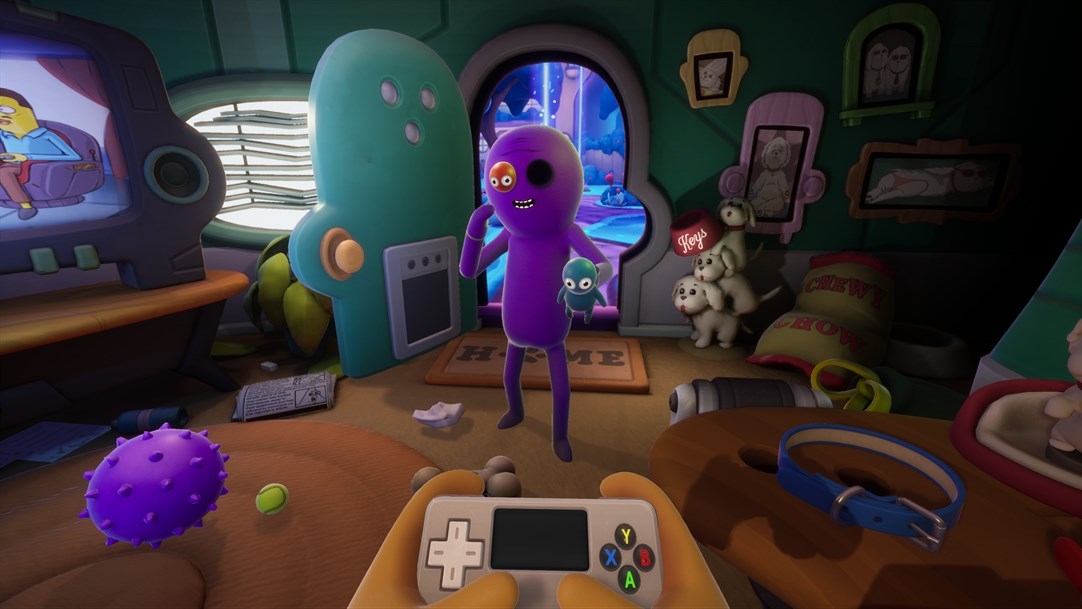
  News - Video: DOOM 64 Scrubs Up Pretty Nicely, It Turns Out
Posted by: xSicKxBot - 10-23-2019, 02:55 AM - Forum: Nintendo Discussion - No Replies

Video: DOOM 64 Scrubs Up Pretty Nicely, It Turns Out


DOOM Eternal has been delayed until next year, but the fact that you can get a free copy of DOOM 64 when you pre-order has taken the sting out of the news a little bit.

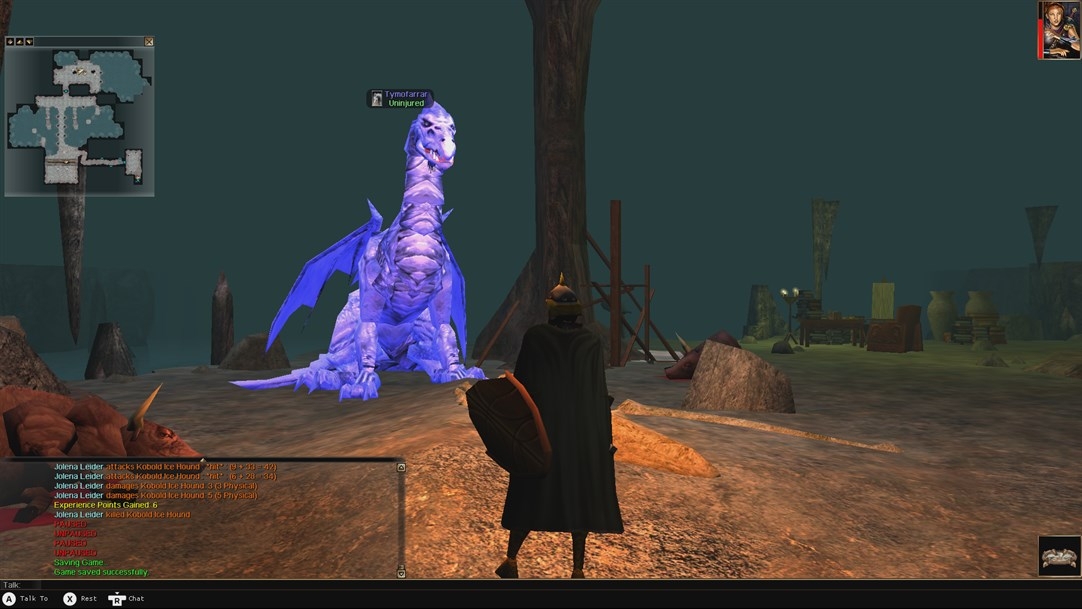
We’re now getting the chance to see how this N64 classic scrubs up on modern hardware, and the answer is: pretty good. The short trailer above shows that the 2D sprites have retained that slightly fuzzy look, but the whole package is a big improvement on the rather soupy original (which we played using an RF connection, if you can believe that).

DOOM 64 launches alongside DOOM Eternal on PS4, Xbox One and PC on March 20th, 2020. As has been previously reported, the Switch version will be coming “at a later date”.


https://www.sickgaming.net/blog/2019/10/...turns-out/

Print this item

  News - Review: Zombieland: Double Tap – Road Trip – Undead, Unfunny And Unnecessary
Posted by: xSicKxBot - 10-23-2019, 02:55 AM - Forum: Nintendo Discussion - No Replies

Review: Zombieland: Double Tap – Road Trip – Undead, Unfunny And Unnecessary


High Voltage Software’s Zombieland: Double Tap – Road Trip keeps alive the great video game tradition of absolutely terrible, overpriced movie tie-ins. With a campaign that clocks in at around about the two-hour mark, extremely basic twin-stick shooting action, bland graphics, inexplicably long loading times, rotten narrative segments that freeze the on-screen action at random points as you’re trying to play and the excruciating decision to send players right back to the very start of a level when they die, what we have here is a shambling, lazy experience that costs upwards of thirty pounds on Nintendo Switch and, quite frankly, barely warrants a review at all.

But review it we must! Set between the events of the first and recently-released second Zombieland movies, the game sees you take control of one of the four main characters from the franchise – Columbus, Tallahassee, Wichita and Little Rock. All of these protagonists – apart from Abigail Breslin’s character – are voiced by replacement actors in dismal little banter segments that bookend each of the ten levels that see you travel from the West to East coast of a zombie hellscape America. Not that you really see any hellscape; the game instead throws you into the most banal and derivative environs imaginable, tasking you with stuff like shooting a load of portaloos until they blow up, stealing a single twinkie from a supermarket and – over the course of two of its ten levels – escorting the exact same grandmother character around her neighbourhood as extremely dull enemy AI tries (and fails) to present any kind of a meaningful challenge.


There is, in fact, practically zero challenge in this game on its default setting; the only time we perished was during a level set at a gas station where we had to hold down a button to retrieve fuel and were killed as we waited for a little bar to fill up and let us know we were done. This pitiful incident is how we discovered that, upon death, you return to the very start of the mission you’re currently playing – they run around ten-to-fifteen minutes apiece – and get to re-sit your way through faux-Woody Harrelson having the absolute anti-craic with faux-Jesse Eisenberg as faux-Emma Stone and actual Abigail Breslin throw in the odd excruciating cheesy line of dialogue.

In terms of gameplay, you’ll spend your time grabbing guns from the badly-textured trunks of cars, milling around bland environments doing menial jobs and shooting hapless undead enemies until you’re alerted that you’ve completed the necessary task, at which point you’ll be unceremoniously ripped from whatever you were doing and kicked back to an XP screen to allocate some points to your chosen character. These points do things like give you a bit more firepower (we didn’t notice a difference if we’re honest) or beef up your character’s special move. Oh, and those special moves, by the way, are just bad; Woody Harrelson spins around the screen windmilling things because the developers clearly decided they’d given up by this point and were content to just throw it in there and not think about it.


Over the course of the game a handful of different zombie types are added to the mix in an attempt to conceal how terribly repetitive everything is, but the only ones we thought made any difference were the zippy little ninjas, simply because they were momentarily harder to hit as they approached. There’s also an exploding fat zombie, a clown and a vomiting lady zombie, but we can’t say we really noticed that they added any meaningful variety or tactical nuance to proceedings; they’re just more crap to shoot your limp guns at.

There are a bunch of boss encounters, each of which boils down to facing off against a larger zombie type whose distinguishing characteristic is that they’re slightly more of a bullet sponge – oh, and one of them is a chef that throws flames at you, the absolute standout moment in the game – but they still present pretty much zero challenge. These boss types – except for the chef – are then mixed into the general zombie populous but have their longer kill-times reduced so that they die in the same number of shots as the rest of the enemies. In other words, they are absolutely pointless beyond looking a bit different.


Alongside the campaign – which you can probably tell by now we weren’t particularly fans of – there’s a four-player co-op and a horde mode, both of which we can’t imagine anyone being enamoured with for any particularly worthwhile length of time as even the ten-minute campaign levels were a struggle to get through. There’s just no energy or fun to be extracted from any aspect of the gameplay. Even the guns have zero feedback or feel to them; you can’t even reload when you want to, taking away the one little strategic bit of control you might have had: ensuring your mag was topped up in moments of downtime.

In terms of positives, well, it’s a top-down twin-stick shooter and mechanically works well enough that you could potentially just turn your brain off and blow through the whole thing without being troubled and, maybe as a completely free-to-play game on your phone, you might even think it was a pleasing enough distraction to pass a journey. This Switch version works fine in both handheld and docked (although blowing it all up to TV-size does the bland visuals absolutely no favours whatsoever) and we didn’t experience any bugs on our playthrough. It also has characters from the movie in there – we’re really struggling – and, if you love Zombieland then you get to… spend time with people who you love, we guess?

Conclusion


Zombieland: Double Tap – Road Trip is everything you’ve come to expect from a lazy movie tie-in. Its gameplay is mechanically competent but it’s bland beyond belief, short, cynical and lazy. It has the most tenuous of links to the actual film it portrays and is ultimately a very basic twin-stick shooter with a tired-looking Zombieland skin tossed carelessly on top – it also costs far more money than it has any right to. If this was a free mobile game you might get an hour or two of braindead time-wasting out of it, but as an almost full price console release, it’s pretty much indefensible.


https://www.sickgaming.net/blog/2019/10/...necessary/

Print this item

  News - Red Dead 2 Online Adds Halloween Masks And More
Posted by: xSicKxBot - 10-23-2019, 02:55 AM - Forum: Lounge - No Replies

Red Dead 2 Online Adds Halloween Masks And More

Another week means more Red Dead Redemption 2 Online content is on the way. With Halloween around the corner, RDO players can earn a smattering of items like masks, embark on a new legendary bounty, and more.

For this week's legendary bounty, Red Dead Online players can journey up to the swamps of Lagras to apprehend or kill Philip Carlier. The middle-aged fugitive is extremely volatile, so proceed with caution. Carlier is wanted dead or alive, and revisiting the Bounty board lets you replay the mission at a higher difficulty.

RDO players looking to channel their Halloween spirit can head to Madam Nazar to pick up some limited-time masks. And those in any of the three Specialist roles get a free one: Bounty Hunters get an exclusive Creature Mask variant, Traders get an exclusive Swine Mask, and Collectors get an exclusive Masquerade Mask. These masks for any of the Specialists are free of charge. Further, Outlaw Pass Club Rank 10 owners are rewarded an exclusive Freak Mask variation, while those Rank 20 will receive the Freak Mask and an exclusive Horror Mask variation. Check a few of them out below.

Gallery image 1Gallery image 2Gallery image 3

Owners of both Grand Theft Auto V and Red Dead Redemption 2 can still get their hands on the Slaughter Mask just by playing GTA Online.

Also this week for RDO, the Free Aim Series has a new mode: Make It Count. This battle royale-like mode pairs players down to a bow and arrow or throwing knives to fight against enemies in a gradually-shrinking arena until one is left standing.

There are plenty of opportunities to gain extra experience in RDO this week as well. You will earn an additional 2,000 Club experience points and a 30 percent experience booster towards progress in the Wheeler, Rawson & Co. Club, and The Outlaw Pass by doing a variety of activities. These include all A Land of Opportunities and Free Roam missions, a range of Series game modes such as Elimination and Takeover, and more.


https://www.gamespot.com/articles/red-de...0-6470771/

Print this item

  CloudBees And Google Cloud Partner To Accelerate Application Development On Anthos
Posted by: xSicKxBot - 10-23-2019, 12:14 AM - Forum: Linux, FreeBSD, and Unix types - No Replies

CloudBees And Google Cloud Partner To Accelerate Application Development On Anthos

CloudBees and Google Cloud are collaborating to deliver a modern DevOps platform based on open source technologies powered by Google Cloud’s Anthos. The companies are using transformational technologies like Jenkins X, Kubernetes and Tekton to create a unified, end-to-end software delivery system. CloudBees provides companies large and small with Jenkins-based continuous delivery solutions that are secure, open toolchain-enabled and scalable to transform software delivery processes across hybrid computing environments. Google Cloud is delivering to enterprises a secure, open, intelligent and transformative enterprise cloud platform. Anthos, a hybrid and multi-cloud platform, is built on open source technologies pioneered by Google Cloud and enables consistency between on-premise and cloud environments. (Source: Press Release)

Click Here!


https://www.sickgaming.net/blog/2019/08/...on-anthos/

Print this item

  News - This Week At Bungie – 9/26/2019
Posted by: xSicKxBot - 10-22-2019, 09:49 PM - Forum: Lounge - No Replies

This Week At Bungie – 9/26/2019

This week at Bungie, we’re on final countdown for launch.

It’s been a long summer of reveals, travels, interviews, and updates. Now we find ourselves in that old familiar clearing at the end of the path. This is the final weekly update that we’ll have before we blast off on another adventure.

Our new launch trailer is making the rounds. Here it is if you haven’t had a chance to watch yet.


Today, you’ll find us ticking all the boxes on the pre-flight checklist. There are some final items we want to cover before you set out to investigate the mysteries of the Moon. Here’s what you’ll find during a lengthy final scroll:

  • Combat Changes
  • Progression and Economy Changes
  • Patch Note Preview
  • Ritual Weapons and Perk Changes
  • Set It Straight
  • Wear It With Pride
  • Bungie Rewards

Let’s start the clock.

Combat Changes


As discussed previously, damage numbers in Destiny 2 have been a bit out of control. We’re making some adjustments so the numbers shown are smaller and easier to comprehend without affecting the percentage of damage you’re dealing. We’re also adjusting how your Power works when you go up against enemies tougher than you. Here are some more details on what to expect.

PvE Damage Numbers Display


Goal: To provide players with useful and legible feedback for damage dealt to enemy combatants across many years of Power progression.

  • Displayed damage numbers for damage dealt to non-Guardian enemy combatants are crunched
      • Damage dealt is displayed using fewer digits to enhance readability of damage output
      • Occurrences of displayed damage getting capped at 999,999 should be significantly reduced or eliminated
      • The exponential curve used to calculate damage numbers for display is replaced with a new linear curve that is built to last for many years
      • As players grow in Power, displayed damage numbers increase at a much more measured pace than previously
      • This is a UI update only; player damage output, whether measured as hits to kill, time to kill, or DPS, remains unchanged by this update

PvE Difficulty Tuning


Goals: Widen the sweet spot where fighting higher-level combatants provides a fun, challenging, and rewarding combat experience for a more enjoyable Power climb. Also, allow players looking for even greater challenges to confront much higher-level enemies.

  • Combatants that are 10–40 levels higher take less time to kill and deal less damage
  • Higher-level combatants continue to increase in difficulty up to 100 Power levels above the player
  • When enemies are 100 Power levels or higher above the player, they are immune to damage
  • Nameplate icons on higher-level combatants have been updated to reflect these changes
  • These changes affect only higher-level combatants; the at-level or over-level experience remains unchanged

Progression and Economy Changes


Every Season brings with it some tweaks to the Power climb. Shadowkeep is going to deliver significant changes to how you grow in strength. We also want to make you aware of changes to various currencies and the Eververse Trading Company before you set out to power up your gear.

Rewards Power and Progression


  • All non-powerful rewards now drop 3 to 0 points below your highest equippable Power level, up from 15 to 20 below
  • Year 2 powerful reward sources have changed to Legendary rewards
    • These sources no longer have a chance to drop a random Exotic instead of the Legendary gear
  • Bonus Exotics that drop from Nightfall: The Ordeal will drop at the character’s highest equippable Power level
  • Under- and over-leveling activities no longer adjust how much Power is received from the rewards
  • Experience no longer fuels a player’s character level, which has been changed to be level 50 for all characters
      • Experience instead progresses the Season Pass, Seasonal Artifact mod, and Power progressions, as well as the unlocking of destinations for new characters
      • Experience rewards have been rebalanced with the introduction of the Season Pass and Seasonal Artifact progressions
  • The Power granted from the Seasonal Artifact is additive with the Power of the player’s equippable gear, but does not increase the Power of gear drops
  • All existing gear has had its Power increased to a minimum of 750; new characters will begin Destiny 2 at Power 750 as well
  • The Power bands for Season 8 are as follows
    • Floor: 750
    • Soft Cap: 900
        • All drops up to this point will be upgrades to the most powerful item in your inventory or vault
        • Beyond this point, only powerful and pinnacle rewards will increase a player’s Power
    • Powerful Cap: 950
        • All non-powerful/pinnacle rewards are capped at 950
        • Pinnacle rewards are the only way to raise Power above this point
        • Powerful rewards are equivalent to the character’s highest-equippable Power beyond this point
    • Pinnacle Cap: 960
        • This is the highest Power at which gear drops; also known as the “hard cap”
        • The Seasonal Artifact bonus Power allows characters to attain values above this level
  • Prime Engrams
      • Prime Engrams now gain charges more quickly, drop more frequently, and have a higher maximum charge cap (nine charges, up from six during Year 2)
      • The Power gains have been rebalanced for the increased frequency, providing +3 Power, down from a range of +4 to +7
      • Players who have completed the “Prime Example” quest prior to Shadowkeep’s release will earn charges, but those charges won’t drop until the character has reached 900 Power
      • This will help players avoid spending charges early for gains that are most beneficial during the Soft Cap to Powerful Cap range

Bright Dust


  • Bright Dust is now earned by completing Crucible, Gambit, and Vanguard weekly and repeatable bounties
      • We chose to grant all of Bright Dust from ritual weekly bounties rather than spreading it out across the weekly and daily bounties so players could more easily earn Bright Dust without having to make sure they complete every single daily
      • Players will be able to do the repeatable bounties as many times as they like
      • Any Crucible, Gambit, or Vanguard completed bounties need to be turned in before maintenance begins on 9/30 as these changes will reset them; other bounties—Gunsmith, clan, Eververse, etc.—can still be claimed after Oct 1
  • Eververse items no longer dismantle into Bright Dust, and instead grant legendary shards and glimmer
  • New Eververse items for Season of the Undying will become available for Bright Dust two weeks into the Season
  • Eververse items no longer require Bright Dust to reacquire them(or re-roll perks) from Collections; instead, they cost the same materials that reward items of the same type/rarity use
  • Fireteam Medallions have been removed from the store, deprecated into Fizzled Fireteam Medallions, and can now be dismantled into Bright Dust to recover their purchase price (50 Bright Dust)
  • Gleaming Boon of the Vanguard price has been lowered to 150 Bright Dust
  • Gleaming Boon of the Crucible price has been lowered to 500 Bright Dust

Eververse


  • The Season 7 Best of Year One Engram has been retired, and in its place, players can now obtain the new Season 8 Nostalgic Engram
  • The Seasonal Milestone no longer grants a bounty; instead, it directly grants a Bright Engram
  • The Season 8 Nostalgic Engram is no longer earned at level up
      • Instead, the Bright Engram is now included in the free rewards of the Season Pass that are visible before level 100; it’s also awarded every 5 levels after level 100
  • The Eververse storefront is now available via the Director
  • Eververse bounties (standard and IGR versions) have been deprecated; any remaining bounty notes can be broken down into Bright Dust
      • You can still complete and turn in any outstanding Eververse bounties until they expire

Glimmer


  • Players can now store up to 250,000 Glimmer
  • Glimmer rewards from the majority of sources in the game have been rebalanced
      • Most open world sources (public events, Lost Sectors, chests) have been significantly increased
      • Passive Glimmer gain on kill has been reduced
      • In addition to directly awarding Glimmer on kill, combatants will sometimes drop additional Glimmer chunks
  • Weekly bounties award a large amount of Glimmer in addition to their other rewards

Spider’s Exchange


  • The Spider welcomes new opportunities with four arms open and now deals in materials from all planets
  • However, the Spider has noted changes in market value, and has adjusted his exchange rates accordingly:
      • Glimmer exchange now costs 10 Legendary Shards or 20 materials, and yields 10,000 Glimmer
      • Tangled Shore daily bounties no longer award Glimmer, providing instead Etheric Spirals (in keeping with his competition)
      • Weekly wanted bounties no longer award gear, but now provide between 3,000 and 15,000 Glimmer in addition to the Enhancement Cores currently offered

Xûr


  • Xûr’s inventory pool and Fated Engram now include world-drop Exotics from Year 2

Patch Note Preview


We’ll have a bunch of bullet points for you to peruse next week. Here’s something to tide you over until then.

  • Added rally banners to Leviathan, Eater of Worlds, and Spire of Stars
  • “The Shattered Throne” Dungeon is now available at all times instead of on a three-week cycle
      • It can also be launched and reset from the Director
  • Black Armory forges are now accessible through a Director-launched playlist on EDZ
  • Weapon mods are now treated as reusable unlocks instead of consumables; any mods you have in your inventory will be converted to unlocks
      • If the only copy of a mod you have is already in a gun, you will need to reacquire one to unlock it
  • Discarding an Enhancement Core no longer deletes the entire stack
  • Borealis and Hardlight now match the Prism modifier when changing elements on reload, rotating through Void, Arc, and Solar
  • Fixed an issue where the Hunter’s Tempest Strike melee ability couldn’t be performed if the sprint button/key was set to Hold
  • The Phoenix Protocol Hearth perk will no longer award bonus Super energy on kills and assists to Warlocks inside a Well of Radiance if they do not also have the Well of Radiance (Attunement of Grace) subclass equipped
  • Fixed an issue where allied Golden Gun projectiles weren’t going through Banner Shields
  • Fixed an issue where the Queen’s Wrath perk for the Exotic Wish-Ender Bow wasn’t correctly highlighting players if their shield was depleted
  • Players who’ve obtained the Salute emote in the past can now correctly select it in their collection and assign it to their emote wheel
  • Multiplayer (buddy) emotes will now have a visible indication of where a player can stand to interact and initiate the emote
  • Failing the first encounter for any Black Armory forge will no longer award planetary destination materials. ಠ_ಠ

Ritual Weapons and Perk Changes


In Season of the Undying, pinnacle weapons will become ritual weapons. They will no longer have special perks and will instead be curated rolls. A previous article incorrectly showed two new pinnacle weapons. The good news is you will be getting three ritual weapons for each of the ritual activities: Crucible, Vanguard, and Gambit. Here’s the Destiny Dev Team on why we made this difficult decision and some information on upcoming perk changes.

Destiny Dev Team: The decision to stop creating extremely powerful pinnacle weapons was made for a variety of reasons. The first was that the band in which “pinnacle” perk can exist is actually quite small, and most of them far exceeded the efficacy they should have been at. Another issue is that they cause problems in the player ecosystem, particularly in the case of the Crucible pinnacle weapons. Due to the nature of PvP and PvE, anything that works well in PvP is likely going be extremely effective in PvE as well. This forces players into the Crucible if they want the “best” loadouts. Even the title of “pinnacle” set a variety of unrealistic expectations. Rather than being the absolute height of Legendary power, they were supposed to be interesting novelties to chase.

These problems became more pronounced the more of them we produced. In the end, we decided to move away from pinnacle weapons. If you managed to collect them all, we hope you enjoy them!

While we’re on the subject of weapons, here are a few important notes on changes to how perks will work.

Reduced the effectiveness of the following perks in PvE:


  • Rampage, Kill Clip, Swashbuckler, Multikill Clip, Desperado, Surrounded, Master of Arms, Onslaught
      • In general, these perks use the same damage multipliers for PvE that they did in PvP
      • The change to Rampage does not affect the Huckleberry
      • Onslaught and Desperado now change bullet impact values while active in PvE
      • Surrounded no longer multiplies precision damage on top of base damage, as it was benefiting some weapon types more than others as a result

Legendary weapons have become too powerful overall. In many cases, they even outclass Exotic Primary weapons, so we’re walking them all back a bit. All the way back in original Destiny, we had a perk named Crowd Control, which was Rampage’s predecessor. Crowd Control capped out at a bonus of +15% extra damage. At this point in Destiny 2, Rampage caps out at about +67%. That’s a 447% increase from the original iteration. Legendary damage perks have become so powerful, they simply invalidate non-damage related perks.

Here’s a quick preview of the three ritual weapons you can earn in Season of the Undying. Because these weapons are no longer pinnacle weapons, the quest required to earn them is not as in depth as previous seasons.

Vanguard—Edgewise


Crucible—Randy’s Throwing Knife


Gambit—Exit Strategy


Set It Straight


During the run up to launch, we’ve been dropping videos, articles, interviews, and information all over the internets. Along the way, the fact-checkers called us out a few times. Today, we’re issuing some corrections to previous transmissions.

1. There was a shot of Trials of the Nine armor in the launch trailer by mistake. We wanted to clear up any confusion and let players know that the Trials of the Nine set will not obtainable in Season of the Undying.

2. We also had to revise our gameplay calendar for Season of the Undying. The menu of action is the same, but we are adjusting the timing of the Nightmare Hunts. The new schedule looks like this:

3. Back when we were first talking about finishers and some of the mods that go with them, we talked about how one of the mods enabled you to spawn Heavy ammo for your fireteam when you executed a finisher. That was still in flux at the time, and for balance reasons we ended up making a mod that will spawn Heavy ammo for yourself and a mod that will spawn Special ammo for your fireteam.

Wear It With Pride


At Bungie, our mission is to build worlds the inspire friendship. Our games become places where people—all kinds of people—can gather to share meaningful experiences. One of the most important aspects of friendship is acceptance. Earlier this year, we took to the streets as part of the Seattle Pride Parade. We also offered up a Pride Pin via the Bungie Store that was rumored to have an emblem that would come with it. The rumors are true, and we’ve chosen International Coming Out Day as the advent to deploy the in-game expression of acceptance.

For the details, along with a personal story to capture the spirit of that day, here is one of our own…

Hi Y’all,

My name’s Nigel. You may know me from things like the Shattered Throne Ride Along, or this wonderful fan video made during our St. Jude’s charity stream. This is my first TWAB post and I’m a little nervous, so I’m going to use one of my favorite TV shows, Golden Girls, as a crutch.

Picture it. Tempe, Arizona 2009.  A sophomore in college. At this point in my life, I’d never really had a girlfriend or really found myself attracted to a woman. I refused to believe I was gay. Having seen so many coming-out stories go poorly, with family and friends abandoning people they loved, I didn’t want that for myself. So I ignored it by playing video games.

Dragon Age: Origins had just released, and my twin brother had been bugging me for a good week to buy it and play it. Quickly I found myself wrapped in magic and steel for an untold, but probably perfectly healthy, amount of time. During this time, I found myself conversing with one of the male party members, simply trying to raise his approval.

That’s when it appeared. The option to flirt with this character. I was as the kids say, “shooketh.” I sat for what must have been twenty minutes before deciding to click on it. He flirted back. My heart skipped. I was a ball of nerves and anxiety as the conversation continued with another chance to confess romantic feelings to the character. I thought I was going to vomit all over a simple choice in a video game. I debated with myself, what did it mean that I wanted to flirt with this character? Why did I suddenly feel like my entire existence would be changed with this one conversation? I clicked it.
And that’s when I learned about rejection. From a digital character. He wasn’t gay, and my heart sunk. But his next words were something I didn’t know I needed. “There’s nothing wrong with who you love. You are my friend no matter what.” I spent the next two hours on the floor crying, finally feeling that it was okay to be gay. I felt more comfortable than I’d ever felt in my life. I vowed, if I ever got the opportunity to pay it forward, I would.

Well I’m helping to pay it forward. I’ve spent a lot of my time at Bungie helping to make sure Destiny is a welcoming place. I have marched in the Seattle Pride Parade. I have helped set up the Trevor Foundation and other LGBTIQA+ charities. Most recently, I helped create those wonderful Bungie Pride Pins you keep seeing on our streams. I’m happy to announce that, on October 11, International Coming Out Day, we’ll be releasing a Pride emblem for your Guardian if you’ve purchased this pin. If you missed the chance to buy the pin back in June, mark your calendars, because we’ll be restocking our supply on the Bungie Store.

Destiny and Bungie are places where we can foster community and work together, no matter your background. We at Bungie want to make sure no matter who you love, or who you are, that everyone belongs in the Tower. Or the Farm, if you’re into that.

Nigel speaks true. Thanks for being excellent to each other. Any players who previously purchased the Pride Pin will be receiving codes for the emblems through email.

Bungie Rewards


Last week, we showed off a preview of the World’s First belt and some of the emblems you can earn in our upcoming pinnacle PvE activity. We weren’t quite ready to show off the awesome jacket Bungie Rewards will be offering, but the design is ready for the runway.

Any player who beats the “Garden of Salvation” raid and claims their code before the weekly reset on 10/15 will be eligible to purchase the raid jacket through Bungie Rewards. We are giving you some extra time to Power up this time. We know many of you don’t enjoy rushing through content, so even if you aren’t ready to take on the raid before 10/15, any player who completes “Garden of Salvation” during Season of the Undying will be eligible to purchase a special raid T-shirt through Bungie Rewards.

So… the shirt has some spoilers on it, but we’ll share out what it looks like after the raid is completed.

That’s not all! Players can also claim a free Eris Morn papercraft mask by completing the main Shadowkeep quest by the end of Season 8. If you’re already receiving Bungie newsletter emails, you’ll get a direct link the next day, or you can visit www.bungie.net/rewards to redeem it. Stay tuned for more Bungie Rewards throughout the season.

Full Steam Ahead


Player Support is waiting in the wings to support our next launch.

This is their report.

Upcoming 24-Hour Maintenance


This upcoming Monday, September 30, Destiny 1 and Destiny 2 will be taken offline for extended maintenance on all platforms.

This maintenance will last for approximately 24 hours, starting at 10 AM PDT (1700 UTC), ending with the launch of Destiny 2: Shadowkeep on October 1. During this downtime, players will be unable to log in to Bungie.net or access Destiny API features.

For the latest information on this maintenance as it occurs, including download availability and emergent issues, players should follow @BungieHelp on Twitter or monitor our support feed on help.bungie.net.

Pre-loading Destiny 2: Shadowkeep and Update 2.6.0


Existing console players will be able to pre-load Update 2.6.0 during the maintenance leading up to launch. The moment we confirm that downloads are available, we’ll sound off from the support links provided above.

FOLLOW UP: Delay in Forsaken License Transfers for Migrating PC Players


Last week, we discussed the likely delay of Forsaken license transfers for migrated PC players on Steam. With the announcement of our upcoming 24-hour maintenance, we hope to mitigate any possible delay in Forsaken license transfers following the launch of Shadowkeep on October 1. If any such delays occur, we’ll be sure to sound off from the support links provided above.

PC Migration and New Characters on Steam


Following the launch of Shadowkeep and Destiny 2 Update 2.6.0 on October 1, players who link their Steam account to their Bungie.net profile will be able to manually trigger PC Migration.

Players should be aware, however, that any new characters created on Steam before performing PC migration will be overwritten when players migrate from Battle.net. This will result in the potential loss of new characters and gear, as well as Silver, Eververse items, and Season Passes—if purchased on these new characters before performing PC migration.

To make things as simple as possible, here’s the recommended order of operations for players who perform PC migration to Steam after Shadowkeep launches on October 1:

2. If desired, enable Cross Save so your preferred characters are available when you log in to Destiny 2 on Steam. PC Migration will still transfer your Battle.net characters to Steam, even if another set of characters is selected for Cross Save. This also determines which characters receive any Silver or Season Passes purchased on Steam before logging in.

4. Log in to Destiny 2.

5. Your Battle.net characters, licenses, and Silver will already be migrated to your Steam account, however your Cross Saved characters will appear if Cross Save is enabled.

IMPORTANT: Since purchased Silver and Season Passes are applied to the first character set that players log in with after purchase, we strongly recommend that players enable Cross Save before logging in to Destiny 2 on Steam. This will ensure that your desired characters are receiving your Silver and Season Passes on the Steam platform. Cross Save-enabled characters will be able to bring their Season Passes with them to any platform after they have been applied.

REMINDER: Destiny 2 and Silver Purchases on Battle.net


This week, we’d like to remind PC players that Destiny 2 game content and Destiny 2 Silver can no longer be purchased from the Battle.net Shop.

Existing PC players can continue to play on Battle.net until Destiny 2 undergoes maintenance for Steam launch. Players should also be aware that in order for recent Silver purchases to successfully transfer to Steam, players MUST log in to Destiny 2 on Battle.net before 10 AM PDT (1700 UTC) on September 30, 2019 to claim their purchased Silver.

REMINDER: Battle.net Code Redemption for Destiny 2


As another reminder, players should be aware that any Battle.net code they possess for Destiny 2 content MUST be redeemed on their Battle.net account before they perform PC Migration. Players who have already prepared for PC Migration have until the start of Destiny 2 maintenance on September 30 to redeem any unused Battle.net codes—to have that license transfer to their Steam account.

Players who migrate to Steam after our October 1 maintenance must also ensure that their Battle.net code is redeemed before they link their Steam account. Once a Steam account is linked, their Guardians, Silver, and game licenses will be migrated from Battle.net to Steam. This is a one-time process that cannot be repeated for new licenses. For information on Battle.net code redemption, players should visit Blizzard’s How to Claim a Code knowledgebase article.

It’s worth noting that all content previously included in the base Destiny 2 game, Curse of Osiris, or Warmind, will be available to all players for free through the launch of Destiny 2: New Light on October 1.

Steam Limited User Accounts


Next week, Destiny 2 officially launches on Steam. Before it does, we’d like to make players aware of Steam’s Limited User Accounts.

In short, any player whose account has spent less than $5.00 USD on the Steam Store will have limited access to community and social features that are commonly used for spamming, phishing, and other abuse.

This will also apply to any Destiny 2 player new to the Steam platform who migrates from Battle.net. For more information, please see Valve’s Limited User Accounts support article.

Premonition Legendary Pulse Rifle


Following the launch of Shadowkeep next week, players will be able to view new items added to Destiny 2 using the in-game Collections. Before then, we’d like to make players aware of a known issue with one particular weapon listing.

Following the launch of Shadowkeep, the Collection listing for the Premonition Legendary Pulse Rifle will state that it is “found by exploring the Moon.” This weapon’s specific source is actually the new dungeon, which will become available sometime after Shadowkeep’s launch.

Players who encounter other issues following the launch of New Light, Shadowkeep, and Steam PC should report them to the #Help forum.

MOTW


All right, let’s see what we got. More movies on the field. Here are our favorites this week.

Movie of the Week: Embrace your fears


Honorable Mention: The Duke


This is it. The last TWAB before launch. Are you ready?

The entire team has been working hard on this release. We got Cross Save in your hands early and are excited to see you experience all the content in Shadowkeep. New players and veterans alike will have new characters wake up on the Cosmodrome for the first time in Destiny 2. Please welcome new Guardians who may be just joining this incredible community. Thanks for sticking with us. We’ll see you star side.

<3 Cozmo


https://www.sickgaming.net/blog/2019/09/...9-26-2019/

Print this item

  News - Minecraft Java Edition 1.14.3
Posted by: xSicKxBot - 10-22-2019, 09:49 PM - Forum: Minecraft - No Replies

Minecraft Java Edition 1.14.3

Mojang has released 1.14.3. This release includes many bug fixes and some feature changes to make your lives easier… or harder depending on what they are.

A full summary of the content available in this snapshot can be found in the changelog on Minecraft.net.

  • Items can now be repaired by crafting them together again
  • Reverted the enchanting system to how it was before 1.14

  • Torches, lanterns and pressure plates can now be placed on glass panes and iron bars

  • Lanterns can now be attached below iron bars and glass panes

  • Saturation is no longer required for the “How did we get here?” advancement

  • You can now turn off raids with ‘/gamerule disableRaids true’

  • Patrol changes:

    • Vindicators are no longer part of patrols

    • Doubled the minimum time to spawn from 5 + (up to 1) minutes to 10 + (up to 1) minutes

    • Patrols no longer spawns if the block light level disallows monster spawning

    • Patrols are now allowed to spawn in any biome except mushroom biomes

  • Villagers that are panicking now have a bigger chance of spawning Iron Golems, assuming they can occasionally work and sleep

  • “Last slept” and “last worked” is now saved properly for Villagers

  • Farmers now spend more time farming when they are working

  • Farmers can now always give away food even if other villagers don’t need it

  • Improved performance

  • Fixed bugs

  • MC-47699 – Blazes are able to see a player through blocks

  • MC-72390 – Rcon is not thread-safe

  • MC-74407 – Villager inventories can get into a state where villagers cannot do anything useful

  • MC-93892 – Fire/Flame arrows and fireballs set player on fire even when blocking with shield

  • MC-110004 – Enderman/blaze don’t drop experience when hit with splash/lingering potion

  • MC-123836 – Double blocks aren’t loaded in structures

  • MC-124170 – Performance issue with particles causing lag

  • MC-129491 – Advancement location trigger works inconsistently for structures added in 1.9 or later

  • MC-138053 – Gamerule spectatorsGenerateChunks being false prevents chunks from being loaded

  • MC-139257 – Server crash on reload when worldborder is modified.

  • MC-141301 – Illager patrols spawning on blocks mobs shouldn’t spawn on, such as slabs, carpets, stairs, etc.

  • MC-142360 – Pillagers patrols can spawn pillagers on top of trees inside a leaf block

  • MC-143369 – Wandering trader text implies trades refresh

  • MC-144107 – Miscalculation of camera position in windowed mode on Linux

  • MC-144507 – The legs on cats clip through to the top of the model

  • MC-144929 – When there is water above a water source, other water sources adjacent to the water source flow outwards

  • MC-145863 – Villagers breed even if there are not enough beds

  • MC-146433 – Double Chest does not display custom name

  • MC-146835 – Illager captain spawned from raids will still give the bad omen effect to its killer, causing raids to never end

  • MC-147619 – Foxes that trust a player will still avoid wolves and other players they’re angry towards instead pursuing them

  • MC-147851 – Villagers frequently run right into mobs they’re “trying” to avoid

  • MC-148600 – Zombie pigmen will spread their anger forever if they can continously respawn

  • MC-148610 – Hostile mobs spawning on top Trapdoors, Glowstone and Sea Lanterns

  • MC-148986 – Low-tier enchants from lv.30 standard enchanting setups

  • MC-149372 – Game crashes when opening a 1.13.2 world

  • MC-149443 – Iron golems spawn too often

  • MC-149518 – Skylight appearing under blocks

  • MC-149877 – Baby foxes suffocate when jumping under blocks

  • MC-150319 – I can’t load up my minecraft world after doing /kill

  • MC-150401 – Chickens suffocate if jumping while under a solid block

  • MC-150954 – Pillager Patrol spawn is way off. Spawning too close to each other, in odd biomes, and too frequent.

  • MC-151079 – An employed villager quickly becomes unemployed and employed when he works, even if his workstation has not been deleted.

  • MC-151084 – Chunk rendering is slow and random in 1.14.1 (pre 1)

  • MC-151144 – Hostile mobs in lazy chunks no longer count towards mob cap, breaking mob switches

  • MC-151185 – Game crash after breaking villager point of interest

  • MC-151337 – Mob spawn rate too high

  • MC-151346 – Crash while F3 menu tries to access tags while /reload-ing

  • MC-151395 – Farmers create Bread ONLY when they pick up at least 3 wheat AT ONCE

  • MC-151566 – Pillagers patrols can spawn outside world border

  • MC-151710 – Enties not functioning in forceloaded chunks

  • MC-151753 – More than one raid can happen in a village

  • MC-151771 – Villagers don’t try to run away from zombie villagers

  • MC-151772 – Mob cap in the hundreds to over 1000 per player.

  • MC-151802 – Spawning causes massive TPS CPU load on a flat world.

  • MC-151989 – Players in Survival do not get Dolphins Grace effect if Dolphin cannot path to Player

  • MC-151995 – Patrol Leaders spawning without banner

  • MC-152044 – Baby trader llamas disappear immediately

  • MC-152053 – High client-side lag when pistons activate

  • MC-152228 – Can not /summon trader llama

  • MC-152542 – Resource Warning “Codepoint ‘1ed0’ declared multiple times in minecraft:textures/font/accented.png”

  • MC-152638 – Villager trade GUI does not close when a major change happens to the Villager, leading to free trades and quick stock refreshing

  • MC-152810 – Cat’s natural spawning causes Null Pointer Exception

  • MC-153221 – dragon fireball causes FPS to crash

  • MC-153222 – Broken/Incorrect recipe files cause a data pack not to load with nothing in log

  • MC-153470 – Language map does not close internal ‘en_us.json’ file after reading

  • MC-154000 – When dispenser places shulkerbox it decreases its stack twice.

  • MC-154080 – Wandering Trader trade GUI does not close when the Wandering Trader changes dimensions allowing you to trade infinitely

  • MC-154081 – Opening survival inventory when opening world crashes game

  • MC-154092 – Zombie Pigmen lose aggro even when they’re in range and have a line of sight

  • MC-154239 – NPE server crash when painting entities spawned with mob spawn eggs are saved

  • MC-154328 – The Village Siege (Zombie Siege) never happens

To install the release, open up the Minecraft Launcher and click play.

Cross-platform server jar:

Report bugs here:


https://www.sickgaming.net/blog/2019/06/...on-1-14-3/

Print this item

 
Latest Threads
Insta360 Sale USA – Get F...
Last Post: tomen8
2 hours ago
Insta360 USA Coupon [INRS...
Last Post: tomen8
2 hours ago
Insta360 USA Coupon [INRS...
Last Post: tomen8
2 hours ago
Insta360 X5 Deal – Free S...
Last Post: tomen8
2 hours ago
Insta360 July 2026 Offer ...
Last Post: tomen8
2 hours ago
Save 5% on Insta360 Produ...
Last Post: tomen8
2 hours ago
Insta360 Offer Code [INRS...
Last Post: tomen8
2 hours ago
Insta360 Camera 20% Off C...
Last Post: tomen8
2 hours ago
Insta360 Coupon Code – [I...
Last Post: nivex000
2 hours ago
Exclusive Insta360 Coupon...
Last Post: nivex000
2 hours ago

Forum software by © MyBB Theme © iAndrew 2016