This is an incredibly exciting time for Minecraft. Ten years ago today, the game launched on PC. Now, Minecraft has sold more than 176 million copies to-date in virtually every country in the world. As a way to celebrate 10 years for the franchise, we announced today a brand-new Minecraft game – Minecraft Earth.
Minecraft Earth is an all new free-to-play augmented reality game for mobile that will bring the creative nature of Minecraft to the real world.
The game’s mechanics are simple: explore your neighborhood to find blocks and unique mobs for your builds. Once you have them, any flat surface is an opportunity to build. Team up with friends to create amazing builds on Build Plates, and then place them in the real world to explore at life-size. You can even put your survival skills to the test and battle mobs IRL! Craft new items, breed mobs, grow crops –it’s Minecraft as you know it in a way you’ve never seen before. There’s endless fun to be had and it’s even better with friends.
The game blends state-of-the-art Microsoft technology like Azure Spatial Anchors AR tracking and PlayFab integration to bring the Minecraft Earth experience to life.
We’ll have more exciting news to share very soon. For now, the best way to stay up-to-date on the latest Minecraft Earth information, and upcoming closed betas, head to http://minecraft.net/earth. Additionally, as our 10-Year Celebration rolls on, head on over to www.Minecraft.net for the latest news and announcements.
We can’t wait to see where the next ten years of Minecraft takes us and we’re excited that we’re able to take part in this journey right alongside our passionate community. Happy building!
The full session catalog for the Microsoft Business Applications Summit is now available! Explore more than 150 expert-led sessions and workshops (plus 16 pre-days!) packed into this two-day conference, taking place in Atlanta, Georgia June 10 – 11, 2019. Registration is still open, so secure your spot today.
Microsoft Business Applications Summit is your team’s opportunity to collaborate and learn alongside a vibrant community of power users, analysts, technical architects, developers, and more. Unleash your organization’s potential by learning how to break down data silos to connect customers, products, people, and operations. Meet the engineers, hang out with our inspiring community, and explore the latest innovations.
150+ ways to ramp up business-transforming skills
The session catalog is packed with hints and hacks to ramp up your skills and transform your business. Learn how to innovate at every level with Dynamics 365’s modular, multi-channel applications that work seamlessly with your existing systems. Uncover new capabilities, expand your know-how with the features you already use, and solve common challenges with guidance from the experts and engineers behind the tools you use every day. Plus, learn about the latest trends and product roadmaps before anyone else.
Here’s a sample of what’s in store this year, and be sure to check the session catalog for the full rundown and latest updates:
Microsoft Dynamics 365 for Customer Service: Built for customer outcomes Get a look at the trends, strategies, and vision for how Dynamics 365 for Customer Service leverages all aspects of technology to drive excellent customer service – from channel-less communications to AI, productivity to insights, and more.
Special guest keynote with Reddit co-founder Alexis Ohanian, aka the “Mayor of the Internet.”
Also just announced, Alexis Ohanian will deliver our special guest keynote! Dubbed the “Mayor of the Internet” by Forbes, Ohanian co-founded Reddit in 2005. Since then, the site has grown into one of the Internet’s most powerful community gathering spaces. It’s currently the 6th largest website in the world.
Ohanian has invested in and advised more than 200 tech startups, was a partner at Y Combinator, and co-founded Initialized Capital, an early stage venture capital firm, where he now serves as managing partner. He also created and hosted two seasons of Small Empires, a series profiling tech startups and their communities. Named to Forbes’ “30 Under 30” list two years in a row, Ohanian is the bestselling author of Without Their Permission, a guidebook for harnessing the power of the Internet for good.
You won’t want to miss this visionary keynote, sure to inspire you to take your organization to the next level with innovative new solutions.
All this, plus our vibrant community – register for the Microsoft Business Applications Summit today
We’re bringing together an incredible community of power users, analysts, solution architects, developers, and more – and you’ll have plenty of opportunities to connect and collaborate. Browse the session catalog and start planning your best conference. We hope you’ll join us for 2+ days of total immersion to drive better data, stronger solutions, and bigger transformation.
Today marks Global Accessibility Awareness Day, one of the days we get to celebrate the progress our customers and partners have made to make their workplaces more inclusive, and then look ahead to what more we can do as a community to empower everyone in the workplace.
We celebrate because our customers are empowering their employees both with the accessible technology built into Microsoft 365, and with the inclusive cultural practices that make people love coming to work. We are comparing notes and learning from them as we also build that same inclusive culture at Microsoft.
Here in the U.K., we recently celebrated a milestone—a point on our journey—with recognition from the U.K. Government as a Disability Confident Leader. This status is awarded to organizations that commit to diversity and inclusion and encourage suppliers and vendors to do the same. Our team has worked tirelessly to put processes in place that can both create and sustain a diverse and inclusive culture; attracting and recruiting people with disabilities via our global Inclusive Hiring Program; training managers to understand the needs of those with visible and non-visible disabilities; assessing people for roles more flexibly so those with disabilities have the best opportunity to show their skills; adjusting workplaces to include sign language interpreters, and ensuring all staff have access to disability equality awareness training.
Looking ahead
We also look ahead to our big vision—an accessible and inclusive workplace for everyone—and what more we can do as a company and as a community to make it a reality. Today we’re excited to announce that live captions and subtitles in PowerPoint are rolling out now, and will soon be generally available to Microsoft 365 and Office 365 subscribers worldwide for Windows, Mac, and the web. We also look forward to the coming release of other new inclusive technologies built into Microsoft 365, like live captions and subtitles in Teams Meetings.
Present inclusively with live captions and subtitles in PowerPoint—We know how powerful a great presentation can be—whether it inspires us or aligns us to a common goal. Now, with support for 12 spoken languages and 60+ on-screen captions or subtitle languages, people who are deaf or hard of hearing can be included in these important team building moments. Additionally, with an increasingly global and remote set of collaborators, those who speak a different language from the presenter, or are listening in from a loud environment, can also more easily be included.
Transform the meeting experience for people with disabilities—We also know the critical role meetings play in how we work, and recently announced that live captions and subtitles will also be available in Teams Meetings. These capabilities are coming soon as a preview in English and complement the captioning and transcription features already generally available for recorded Teams meetings and live events in Stream, Teams, and Yammer. Whether in a 1-1 with your manager, or a company-wide all hands, everyone should feel included when the team gets together to meet, including people who are deaf or hard of hearing.
We constantly release new features and improvements to make our products not just compliant with the latest standards, but empowering for all users, both with and without disability. We encourage you to read all about these features in the Microsoft Accessibility Features Sway.
Building the inclusive workplace together
Many of our customers are committed to making this vision of an inclusive workplace a reality and are partnering with us to make it happen. Last month the Federal Government of Canada chose Microsoft as a partner in their effort to create a more modern and accessible Public Service. The Honourable Carla Qualtrough, Minister of Public Services and Procurement and Accessibility, said, “Equipping our public servants with accessible, reliable, and innovative technologies will unleash the potential of our world-class public service and result in better service delivery for all Canadians.” Here at Microsoft we agree—only when we represent the diversity we see in the world internally can we build the most innovative technology and serve our customers as they ought to be served.
We also see Rogers Communications, a leading Canadian communications and media company, shares our vision of a more inclusive workplace. Rogers is doing everything from transforming their physical workplace to be more collaborative and inclusive, to using the accessible technologies built into the Microsoft 365 applications their employees can use every day. Best of all, we’re helping and learning from each other along the way—our teams work regularly with Rogers to understand how our technology can better support their commitment to building an inclusive workplace, and Rogers’ Persons with Disability Diversity group works with us to learn how we embed Inclusive Design principles into our products and our culture. Read the full blog, published today, to learn more about how Rogers is building an accessible and inclusive culture to benefit employees, customers, and the broader community.
Join us!
We have so much more to do—as an organization, an employer, a leader, and a follower—in this journey towards an accessible and inclusive workplace, and we hope you’ll join us. Visit the Microsoft Accessibility site to learn more about our approach. Share your learnings with #LearningTogether and #GAAD and continue the conversation with @MSFTEnable on Twitter.
Team Xbox is hard at work preparing for E3 and beyond, but we have a few new features that are rolling out broadly beginning today! The May 2019 Xbox Update includes improvements to your friends list, messaging, and better sorting in My Games & Apps. Here’s a rundown of what’s new:
Friends list now shows where your friends are playing We know that your friends play games across many different devices, including Xbox One, Windows 10, and mobile. To make it easier for you to know what, and where, your friends are playing we are making an update to your friends list! With this feature, we are adding unique Xbox One, PC, or mobile icons next to each of your friends in your friends list showing you which device they are currently playing on.
Message Requests Your messages are getting smarter. Xbox is adding a new Message Requests feature which will prioritize messages from your friends and anyone you want to communicate with while separating out messages from people you don’t know into a secondary message requests tab.
As part of this update, unfortunately all previous group messages will be lost in the transition and will require manual action to archive. If you want to back up any previous group messages, you can copy/paste them from Xbox.com for a limited time. Your messages with individual users will not be impacted. Please go here if you wish to review your messages.
Better Sorting in My Games & Apps Our team has made it even easier to find the content you’re looking for in My Games & Apps. Articles such as “a,” “an” and “the” will no longer be used to sort titles when using the “Sort A-Z” and “Group by letter” views. For example, “The Witcher” will now be found under “W” instead of “T.” Thanks so much to our Xbox community for helping prioritize this change by voting in our recent “My Games & Apps” Idea Drive, and don’t forget to check the Xbox Idea Hub for other topics to which you can contribute.
These updates are available based on the input from our Xbox Insiders who have helped shape these features. Thank you to all of you for your valuable input and continued participation. If you’d like to help define the future of Xbox and get access to early features, download the Xbox Insider Hub app on your Xbox One or Windows 10 PC today and share your ideas at the Xbox Ideas Hub. You can also visit the Xbox Insider Blog here for the latest release notes and to learn more. Enjoy the May Update and happy gaming!
In today’s classroom, diversity is the new normal. Teachers don their superhero capes every day, going to extraordinary lengths to reach every one of their students, from creating inclusive curriculum in core subjects like reading, writing, and math, to enabling every student to have a voice. We’re honoring their work, and highlighting some tools to help, in this month’s episode of What’s New in EDU.
At Microsoft Education, we work to support teachers in their mission to create an inclusive classroom for all students. Here are 10 ways our tools support learning across unique needs and abilities.
Understand word meanings more easily and improve vocabulary
Seeing a word and attaching meaning to it involves a number of cognitive processes. We’re trying to support students learning to make those connections with Picture Dictionary and Read Aloud in Immersive Reader. Select a word and Picture Dictionary will show you a descriptive image, even providing multiple images for words with more than one meaning. Read Aloud connects the text to students with visual impairments and helps with pronunciation practice. Providing visual and audio inputs gives all students, and especially students with dyslexia, the multi-sensory experiences they need to ingrain that word into their vocabulary.
Try this: Next time you give a vocabulary quiz, try providing the list of vocabulary words in OneNote. Show students that they can click Immersive Reader, then click the vocabulary word to see a picture of what the word means and have it read aloud.
Make it easier to focus on reading
With the media multitudes that surround students, it’s not always easy to prevent distractions online and across devices. Immersive Reader’s flexible text sizing, line focus, and background color options make any document, notebook or web page focus friendly. This is particularly helpful for students with ADD and ADHD as well as for students with dyslexia.
Try this: Next time you assign reading to be done from a device, show students how to select Immersive Reader in OneNote, make the font bigger, and select line focus mode.Learn more about Learning Tools like Immersive Reader!
Improve pronunciation of longer words
We know a time-tested tactic is breaking up words into syllables and sounding them out. Now, students have a tool that will do so automatically, helping them to nail the pronunciation. Students can even check their pronunciation by selecting Read Aloud and seeing how close they were. This is particularly helpful for students with dyslexia who often have trouble matching letters to sounds.
Try this: Next time you assign reading to be done at home, instruct students to break the words into syllables in Immersive Reader or, if they can’t remember how to pronounce them, to use Read Aloud.
Understand grammar and sentence structure more quickly
Understanding parts of speech is critical for developing reading fluency. Immersive Reader can help by labeling or highlighting nouns, verbs, adjectives, and adverbs. This supports all students, especially those with dyslexia, as they develop their ability to find patterns in words.
Try this: Next time you assign grammar practice, let students know they can check their work by selecting the Parts of Speech toggles in Immersive Reader.
Empower students to improve the quality of their writing
When you spend a long time writing, you want to make sure the final work is polished. Read Aloud in Immersive Reader allows you to have the document you’ve written read out loud, so you can more easily catch mistakes. Editor in Word helps students identify misspellings, provides synonyms for those misspelled words, and offers the option to have the suggested spelling correction and synonyms read aloud. This all helps students with dysgraphia who have a hard time reviewing their own written work.
Try this: During the editing and revising process, encourage students to use Read Aloud to listen to their work read back to them. This will help them identify revisions and improve their writing!
Make it easier to start writing, and kick writer’s block
We’ve all stared down an empty page in fear wondering how we’re going to fill it with beautiful writing. With Dictate, in OneNote and Word, students can have their speech turned to on-screen text. This is especially helpful for students with dysgraphia who struggle with writing.
Try this: When students are having trouble getting started, encourage them to turn on Dictate, then brainstorm out loud. Just getting some ideas and words on the page will build momentum and help them conquer the blank page! Check out more ideas for utilizing Dictate in the classroom!
Break down the language barrier
Students can use all the same tools above when they learn their first language—and then when they learn a second language! With document and word translation in Immersive Reader, you could start with a text in Spanish and translate either individual words or the entire document into English. This is helpful for students with dyslexia, who are learning new languages, and ESL learners, who can match the words they know in their first language with their second language more easily than ever before using sounds, pictures and text.
Try this: When you assign passages for reading, put a copy in OneNote and show students they can translate either by word or document in Immersive Reader.
Help students read, understand steps, and show their work in math
Math is all about showing your thought process and the steps you took to get to the answer. Math Solver shows students the steps to solve a math problem, giving a clear model for how to show your work. The Immersive Reader can also read the math equation notation, as well as the step-by-step instructions in Math Solver, aloud for students. This helps students with dyscalculia break down math problems and learn what to do with similar problems next time.
Try this: If a student is having trouble with a particular type of problem, encourage them to use the Math Solver to insert the steps into their OneNote page. They can reference the steps as they work on similar problems, helping them follow the same solution process but applying it to new equations.
Present to students, parents, and your colleagues inclusively
When you give a presentation to students, parents, or other teachers (or when teaching students to present), make sure to turn on live captions and subtitles in PowerPoint. Live captions help students with hearing impairments, or those who speak other languages outside the classroom, to follow along with the presentation.
Meeting remotely? Connect with parents or colleagues online in a Teams meeting, and turn on live captions to make sure no one misses a moment, whether it’s a global PLC meeting or an online parent conference.
Try this: Use PowerPoint live captions and subtitles during your next parent-teacher conference. Those rooms get packed, and parents will appreciate being able to see captions. They can even download the Microsoft Translator app and translate it into the language they use most often.
Build student empathy with Minecraft: Education Edition
Minecraft: Education Edition offers several features that support inclusive learning, from classroom multiplayer for better collaboration, to customizable game settings including a text-to-speech user interface. As New York City special educator and STEM coach Sean Arnold writes in this EdSurgearticle, “chat features are enabled with speech-to-text functionality, which lets struggling readers and writers participate with the community at their own pace.” Minecraft: Education Edition gives students with physical and intellectual disabilities the opportunity to be creative, explore without fear of failure, and feel a sense of autonomy in the classroom. Arnold explains, “my students were no longer confined to wheelchairs or leg braces; they could walk, create and even fly. It’s a world where they are free from ridicule, free from their real-world struggles and free to create a world that they desire.”
We know that better student outcomes, teacher time, school budgets, and IT staff workloads are top of mind for every school district and school leader. That’s why we partnered with Forrester Consulting to do a total economic impact analysis around Microsoft assistive technologies for education. Informed by interviews across four Microsoft 365 (M365) districts using our accessibility tools, the findings pointed to three key benefits: improved student learning, reduced cost and effort, and saved time and increased effectiveness.
This report is available todownload and share in your district. We also have a deeper dive into the data available on our Tech Community blog. With the tools built into the M365 accessible platform, you can help improve learning outcomes for every student while also saving real dollars in your school budget.
And don’t miss next Tuesday’s #MSFTEduChat TweetMeet, where we’ll be discussing inclusive classrooms and accessibility with a global community of educators.
Here is how technology is helping museums get closer to the communities they serve.
Noise-cancelling headphones
We don’t all experience the world in the same way — everyone is different. People with autism, for example, may find certain situations cause a sensory overload.
New York’s Intrepid Sea, Air & Space Museum offers noise-cancelling headphones for people who might have auditory over-stimulation. This museum also helps parents of children with sensory processing disabilities plan their visits by emailing them images and illustrations in advance.
Museums in Chicago (including the Shedd Aquarium, the Field Museum and the Chicago Children’s Museum) also help visitors plan their trips through an app that highlights exhibitions that are sensory friendly.
Tactile displays and audio descriptions can help bring museum experiences to life.
The Smithsonian museums in Washington, D.C., are giving visitors who are blind or with low vision a rich and rewarding experience through their smartphones or smart glasses. Using a video-streaming service, users are connected to an “agent” who provides a bespoke, detailed description of their surroundings.
The use of Braille descriptions has become increasingly common in museums around the world, and one Spanish institution has improved upon that. Madrid’s Prado Museum has made parts of its collection tactile, allowing visitors to be hands-on with the exhibitions.
The Louvre in Paris, and the Guggenheim Museum and the Metropolitan Museum of Art in New York, have all established tactile tours, where visitors can touch the art on display or touch casts of well-known works.
Hearing loops
Tools such as hearing loops — also known as audio induction loops — use wireless signals to transmit audio directly to someone’s hearing aid and can be used in a variety of settings, including museum exhibitions. The Met in New York is just one example of this.
Another New York museum, the Whitney Museum of American Art, has been trying something different. It has developed a series of vlogs, or video blogs, with messages, explanations and exhibition information in sign language.
As well as opening up the museum’s content to visitors with hearing loss and deafness, the museum, on its website, says it hopes to “create a communications laboratory to expand the ASL vocabulary of contemporary art terms,” referring to American Sign Language.
The Dutch Rijksmuseum believes everyone should be able to access information on the art in their own language. It recently launched a video tour in Dutch Sign Language integrated in its app. The tour has been set up in close collaboration with and by deaf entrepreneurs.
Immersive experiences
A few years ago, the Pokémon Go craze took off, introducing many people to the possibilities of augmented reality. By creating immersive experiences, AR and other technology is being used to reimagine the way visitors relate to museums and historic sites.
You can take an AR tour of Pompeii, where a headset will put you right in the heart of the vibrant Roman city that was destroyed by the catastrophic eruption of Mount Vesuvius in A.D. 79.
Visitors to Bone Hall, in the Smithsonian National Museum of Natural History in Washington, D.C., meanwhile, can use AR to view the exhibits in a new light seeing the skeletons appear as living creatures.
The Petersen Automotive Museum in Los Angeles is using technology to bring cars from Hollywood alive with a mixed reality exhibition using Microsoft’s HoloLens technology. The “Worlds Reimagined” experience explores classic and futuristic cars from films and video games, including “Back to the Future” and the video game franchise “Halo.”
Other museums are using this technology to bring new experiences to their patrons including the Intrepid Sea, Air and Space Museum in New York with “Defying Gravity”; and the Museum of Flight’s mobile VR experiences in Washington state. The Musée des Plans-Reliefs in Paris used AI to create a digital twin of the historic Mont-Saint- Michel, which had to be captured from every angle.
In 1962, President John F. Kennedy captured the Space Race zeitgeist, when he said: “We choose to go to the moon in this decade and do the other things, not because they are easy, but because they are hard.” The Kennedy Space Center in Florida uses immersive technologies to recapture that energy, excitement and enthusiasm. At its “Heroes & Legends” exhibition, visitors can experience spacewalks, look inside space capsules and feel close to the action.
By bringing the past to life in a way that adds richness and depth, and, of course, accessibility, technology is helping museums reach a wider audience.
Announcing the May 21 TweetMeet on ‘Inclusive classrooms and accessibility.’
Change starts with awareness. Every third Tuesday of May is Global Accessibility Awareness Day (GAAD). The purpose of GAAD is to get everyone talking, thinking and learning about people with different abilities and their accessibility and inclusion in a digital world.
Our mission is to empower every student on the planet to achieve more, which stems from the belief that every student deserves the opportunity to fulfill their potential.
In this edition of our monthly global and multilingual Twitter conversations, we’ll discuss ways in which educators around the world make inclusion and accessibility an integrated part of their classrooms.
Keep reading for detailed information about this TweetMeet.
Language tracks and SuperSway
We offer seven simultaneous language tracks this month: English, French, Spanish, Italian, Polish, Swedish and Vietnamese. The new SuperSway offers a TweetMeet Invitation in each of these languages.
For each language track, we have one or more hosts to post the translated questions and respond to educators. As always, we’re super grateful to all current and former hosts who are collaborating closely to provide this service.
The #TweetMeetXX hashtags for non-English languages are to be used together with #MSFTEduChat so that everyone can find the conversations back in their own language. For example: Spanish-speaking people should use both #TweetMeetES #MSFTEduChat. English-speaking educators may use #MSFTEduChat on its own.
TweetMeet Fan? Show it off on your Twitter profile!
Every month more and more people discover the unique flow and characteristics of the TweetMeet events and become excited to participate.
Show your passion for the TweetMeets right from your own Twitter page by uploading this month’s#MSFTEduChat Twitter Header Photo to the top of your own Twitter profile.
In the same file folder, the Twitter Header Photo is available in many other languages and time zones.
Looking back on the April TweetMeet on ‘Teaching Happiness’
The April #MSFTEduChat TweetMeet inspired educators around the world to share ideas, insights and resources. We captured highlights from this Twitter conversation in this @MicrosoftEDU Twitter Moment.
Why join the #MSFTEduChat TweetMeets?
TweetMeets are monthly recurring Twitter conversations about themes relevant to educators, facilitated by Microsoft Education. The purpose of these events is to help professionals in education to learn from each other and inspire their students while they are preparing for their future. The TweetMeets also nurture personal learning networks among educators from across the globe.
We’re grateful to have a support group made up exclusively of former TweetMeet hosts, who volunteer to translate communication and check the quality of our questions and promotional materials. They also help identify the best candidates for future events, provide relevant resources, promote the events among their networks and, in general, cheer everybody on.
When and how can I join?
Join us Tuesday, May 21 from 10 a.m. to 11 a.m. PDT on Twitter using the hashtags #MSFTEduChat, #inclusion,#accessibility and #MicrosoftEDU(which you can always use to stay in touch with us). Be sure to double-check your own local event time. You can find the event time for 215 countries with this time zone announcer.
Our next recommendation for you is to set up Twitter dashboard TweetDeck and add a column for the hashtag #MSFTEduChat. If you are new to TweetDeck, then check out this brief TweetDeck video tutorial by Marjolein Hoekstra.
When a tweet appears that you want to respond to, press the retweet button and type your comments. Great news is that Twitter now supports adding images, animated GIFs and videos to your comment retweets.
Additional tips are offered in this animated GIF that you’re most welcome to share with newcomers:
Too busy to join at event time? No problem!
From our monthly surveys we know that you may be in class at event time, busy doing other things or may even be asleep–well, no problem! All educators are welcome to join any time after the event. Simply look at the questions below and respond to these at a day and time that suit you best.
You can also schedule your tweets in advance. In that case, be sure to include the entire question in your tweet and mention the hashtag #MSFTEduChat so that everyone knows to which question in which conversation you are responding.
The exact question timings are in this helpful graphic:
Resources to help prepare for the TweetMeet
Microsoft Education offers a wide range of tools, professional-development courses and learning paths about inclusion and accessibility. These resources are tailored for educators and they are all free. Good places to start are:
Wakelet is a useful web service to bookmark, curate and annotate resources, images, tweets and other content. Mike Tholfsen just created this Wakelet Collection as a handy reference. It currently has 40+ pointers:
Catherine Dourmousi @CatDourmousi (EFL teacher, Hellenic American Union examiner for Michigan University English-language exams, Microsoft Certified Educator, author, supporter of empathy, mindfulness, and growth mindset in teaching – Athens, Greece)
Elisabetta Nanni @Bettananni (Music teacher and teacher trainer about ICT, MIE Expert, eTwinning Ambassador with expertise in Microsoft Learning Tools – Trento, Italy)
Elsbeth Seymour @TeachinEls (MIE Expert, Secondary Special Ed Teacher, using a passion for tech & gaming to connect, support and facilitate learning for neurodivergent students – California, USA)
Fabrice Marrou @FabMarrou (French and History teacher in a vocational school, former Microsoft Learning Consultant, ICT trainer – Perpignan, France)
Huong Quynh @Quynhth9 (EFL teacher, teacher trainer, passion for exploring ICT in language education – Hanoi, Vietnam)
Iwona Cugier @icugier (Teacher and trainer with a focus on ICT and programming, passionate about digitalization in education – Leszno, Poland)
Joe Brazier @ManvDadHood (Former Special Educator and EdTech Integration Trainer, Business Strategy Lead at Microsoft focused on the K12 Modern Classroom Experience and Inclusive Education – Kirkland WA, USA)
José Carlos Sancho @72Joseca (History teacher, MIE Expert, teacher trainer, ICT coordinator at FEC (Fundación Educación Católica) and passionate about Microsoft Learning Tools – Zaragoza, Spain)
Kelli Suding @ksuding (Indiana statewide PATINS specialist of autism, Specific Learning Disabilities (SLD), Chrome accessibility, Accessible Educational Materials (AEM) & assistive technology integration – Indianapolis IN, USA)
Martin Howe @Martin_Howe (Teacher with passion for helping students with special needs to develop and reach their goals, preferably using digital tools – Borlänge, Sweden)
Mike Marotta @mmatp (Inclusive-tech evangelist, 2017 ISTE Inclusive Learning Network Outstanding Educator, Raspberry Pi Certified Educator, co-moderator of the #ATchat weekly Twitter chat – New Jersey NJ, USA)
Rachel Berger @rachelmberger (Decoding Dyslexia Minnesota President, educational advocate for students with LD, accessibility & AT evangelist, Microsoft Learning Tools specialist, company founder of I Am Dyslexia – Minneapolis, MN USA)
Shelley Ardis @Shelleypa (Technology Director at Florida School for the Deaf and the Blind; previously, a statewide consultant supporting schools serving Deaf students – St. Augustine, Florida, USA)
Every month Microsoft Education organizes social events on Twitter targeted at educators globally. The hashtag we use is #MSFTEduChat. A team of topic specialists and international MIE Expert teachers prepare and host these TweetMeets together. Our team of educator hosts first crafts several questions around a certain topic. Then, before the event, they share these questions on social media. Combined with a range of resources, a blog post and background information about the events, this allows all participants to prepare themselves to the full. Afterwards we make an archive available of the most notable tweets and resources shared during the event.
It was almost three decades ago that Microsoft opened its first offices in Africa. In this time, we’ve witnessed incredible growth on the continent – more internet connectivity, more digital capability and more innovation. Africans have expanded the applications of technology, changing the way communities bank, farm and even access healthcare.
At Microsoft, we’re very fortunate to have played a part in realising this potential, building strong partnerships to accelerate digital transformation and create sustained societal impact. A big milestone for this investment came earlier this year, as we opened Africa’s first hyper-scale datacentres in South Africa, promoting business innovation in the cloud.
[embedded content]
As the next step on our journey in Africa, and to better understand a continent rapidly adopting technology in the cloud, and at the edge, Microsoft today launched its first Africa Development Centre (ADC). With two initial sites in Nairobi, Kenya and Lagos, Nigeria, the ADC will serve as a premier centre of engineering for Microsoft, where world-class African talent can create solutions for local and global impact.
The ADC will be unlike any other existing investment on the continent. It will help us better listen to our customers, develop locally and scale for global impact. Beyond that, it’s an opportunity to engage further with partners, academia, governments and developers – driving impact in sectors important to the continent, such as FinTech, AgriTech and OffGrid energy.
Phil Spencer, executive sponsor of the ADC and executive vice president at Microsoft
Local innovation, global impact
Africa is poised for innovation at the intelligent edge. To staff the ADC, we are seeking engineering talent from across the continent to fuel AI, machine learning and mixed reality innovation. Engineers have already started working, and we intend to recruit 100 full-time engineers by the end of the year – expanding to 500 across the two sites by 2023. Those interested can visit the ADC website
Cynthia Wasonga, software engineer, Microsoft
To build our talent pipeline, we’re also partnering with local universities to create a modern intelligent edge and cloud curriculum, totally unique to Africa. Graduates will have access to the ADC to build a relevant and meaningful career in data science, AI, mixed reality, application development and many more.
Our desire is to recruit exceptional engineering talent across the continent that will build innovative solutions for global impact. This also creates opportunities for engineers to do meaningful work from their home countries and be plugged into a global engineering and development organisation
Michael Fortin, corporate vice president at Microsoft and the lead in establishing the first ADC engineering team in Nairobi
Innovation at the edge Microsoft is already empowering many innovations at the edge with partners like Interswitch, SunCulture and M-KOPA. Through the ADC, we intend to invest in more cutting-edge solutions suitable for Kenya, Nigeria and the rest of the world.
Our Microsoft Cognition team and Windows team will be kick-starting our ADC efforts, focusing on AI-enabled cloud services, mixed reality experiences and rich applications that power the intelligent edge without disruption.
A long-term investment
The ADC supports Microsoft’s mission to empower every person and organisation on the planet to achieve more. The ADC is the first Global Development Centre in Africa with a combined expected investment of US $100 million over the first five years of operation.
For the past eight years, Microsoft has brought together people from different parts of the company at the Ability Summit. This year’s gathering is taking place May 30 to 31 at Microsoft’s headquarters in Redmond, Wash.
The summit, designed to empower all people – including the more than one billion people with disabilities–has been a place for accessibility innovation. In 2015 it helped give way to the Xbox Adaptive Controller.
Artificial intelligence is bringing descriptive detail to people in the form of an app, Microsoft’s Seeing AI.
Seeing AI is designed for people who are blind or with low vision. It augments the world around the user with audio descriptions. And it reads short bursts of text and scans product barcodes. Documents can be photographed and their content readback. Seeing AI alsoscans and reads handwritten notes
[Like this article? Subscribe to Microsoft on The Issues for more on the topics that matter most.]
Soundscape
[embedded content]
MicrosoftSoundscape goes beyond immediate proximity to build a 3–D sound map of the user’s world.
It uses data andsound to add layers of information and context. In short, it helps users feel more comfortable when making their way around. Landmarks, road intersections and the places regularly visited can all be allocated a sound beacon so they can be clearly detected upon approach.
Soundscape’s synthesized binaural audio adds realism to directions, taking the map on a user’s phone and, effectively, creating an audio version.
Translation and captioning
Douglas Adams’s“The Hitchhiker’s Guide to the Galaxy“ described the“Babel Fish.”These clever creatures, once inserted into someone’s ear,would translate any language.
Being able to participate in multilingual conversations is no longer the preserve of fiction.
Microsoft Translator acts as a real-time translation hub sitting between people speaking different languages and translating onthefly. It can do this when multiple languages are being spoken at the same time.It can also be set English to English and provide real-time captioning for people who are deaf or hard–of–hearing.
Gaming gets serious
The global gaming market isa multibillion–dollar industry. To help make gaming more accessible, Microsoft introduced the Xbox Adaptive Controller, a product of the company’s Hackathon in 2015.This controller has large, programmable buttons and can be connected to a range of external devices. The combination of large and customizable switches, buttons, mounts and joysticks empower all gamers.
Code you can hold in your hands
[embedded content]
Microsoft Code Jumper is the physical manifestation of a programming language that’s helping children who are blind or with low vision learnto code. Code Jumper is made of a series of programmable, tactile plastic switches, or pods. Each pod is an instruction, and can be joined together to create a line of code.
It means all children studying coding as part of their school curriculum can benefit. Childrencan learn about sequence, iteration, selectionand variables. And they learn how to solve a problem by thinking algorithmically — breaking a process down into its constituent parts and looking for different routes to the best solution.
The May 23-26 European Parliament elections are fast approaching, and in the run up to these critical elections, many questions have been raised over security, foreign election interference and the role of technology in the process. Canada’s cyber security agency recently found that half of all developed countries holding elections in 2018 reported some form of cyber threat to their democratic processes, a threefold increase since 2015.
Such threats have created concerns around the targeting of digital components of elections, as detailed in previous Microsoft blogs. As a result, some governments have scaled back the use of technology in their election systems, even though many of the high-profile digital attacks have focused on the spread of disinformation on social media rather than targeting the actual election infrastructure.
Governments can respond to election-related cyber threats in a way that embraces technology and creates a system which commands public trust. Estonia implemented the EU’s first country-wide internet voting (i-voting) system in 2005. Two years later, a denial-of-service cyberattack targeted both private and public sector websites. It happened after a Soviet-era statue was relocated, and hit media outlets, banks and government bodies. Estonians could not use cash machines or online banking. Newspapers and broadcasters were unable to reach their audiences.
The scare could have prompted Estonia to roll back on its electronic innovations, but instead it chose to, apply lessons learned, lean into technology, opting for good cybersecurity and technological advancement as the best defense.
Estonia’s i-voting success story is now world renown, with hundreds of foreign delegations visiting to see the system in practice. It serves as a model for governments on how online voting can be done securely and increase trust in the election process. Estonia also demonstrated leadership on election security by co-chairing the group that prepared the Compendium on the Cybersecurity of Election technology that set baseline for the European Commission’s package on Securing Free and Fair European Elections. Tarvi Martens, Chairman of the Estonian Electronic Voting Committee, spoke to Microsoft about the benefits of their system, challenges for the future, and advice to other EU countries.
When and why did Estonia introduce internet voting?
The government began the legislative process in 2001 and introduced the new voting system in 2005. By 2002, Estonia had also introduced an ID card system and by 2005 almost 80% of the electorate had this ID card. At the time, Estonians were saying they did everything with their computer – their banking, taxes, signing documents – and asked: “why not voting?”
Could you talk us through the process of casting a vote online?
The process is actually pretty simple. The voter goes to the elections webpage and downloads an application to cast their vote. Next, the voter identifies his or herself using their ID card inserted into smart card reader or their mobile phone. Once the voter is authenticated with a PIN code it would say “welcome, here is your candidate list.” The voter can then cast their vote for their preferred candidate. The whole process takes around 40 seconds – unless you take more time to decide which candidate to vote for!
How is the internet voting process secured?
Securing the internet voting process is similar to the way we secure other high importance information systems such as banking and critical infrastructure. The trick is to guarantee the secrecy of the votes.
To do this, the ballots are immediately encrypted on the computer when you vote, and they are decrypted centrally by the election commission only once they are anonymized. There is no tag of who voted how, so that’s how we can maintain secrecy and privacy. Our system is like using a double envelope system for a ballot, where we can only count – or decrypt – anonymous votes.
The voter can also check whether his or her vote has arrived at the election commission server properly using a secondary device. After the voter casts their vote online, they can then use an application on their smartphone to scan a QR code from the computer. The QR code enables your device to communicate to the state election servers to show the voter how he or she voted without compromising the privacy of the vote cast.
Finally, there are additional mechanisms to preserve the integrity of the electronic ballot box. Votes are registered with a third party –an accredited trust service provider who issues a timestamp. These timestamps, collected from the trust service provider logs, are later compared with the electronic ballot box to make sure they coincide. That ensures that the administrator of the electronic ballot box cannot delete votes at random or produce extra votes.
What about people’s sense of the integrity of the election? Do people feel safe in Estonia voting on the internet?
Trust in the system is rising continuously. Before this year we had three elections with around 31% of people voting on the internet. During the last elections in March we had a significant increase to 44% of voters using the online system. That is the highest proportion yet of people using i-voting in Estonia.
The further away a voter lives, the more likely they are to vote from home. Also, if you are between the ages of 25 and 45, you are more likely to vote online because young people are more familiar with technology.
Who benefits most from an i-voting system?
There is a correlation between i-voting and how far a voter lives from a polling station. The further away a voter lives, the more likely they are to vote from home. Also, if you are between the ages of 25 and 45, you are more likely to vote online because young people are more familiar with technology. I-voting is also helpful for people with disabilities. While Estonia has long supported making the voting process accessible for people with disabilities through paper-based voting from home, they can now also vote online. And of course, i-voting is pretty much the only option for people travelling or residing out of the country for a longer period.
What about cost? Is an i-voting system cheaper than a paper voting system?
Initially, there are additional costs. For example, as we introduced this additional voting method, we still had to maintain the paper-based voting infrastructure. But once it is set up, it is significantly cheaper. After the fourth election using i-voting, we calculated the costs and found out that the electronic vote is about half the price of a paper vote.
Is the i-voting process easier to manage?
Yes, because it is centralized. We can do things very fast and conveniently.
Have many government delegations come to Estonia to learn about your system?
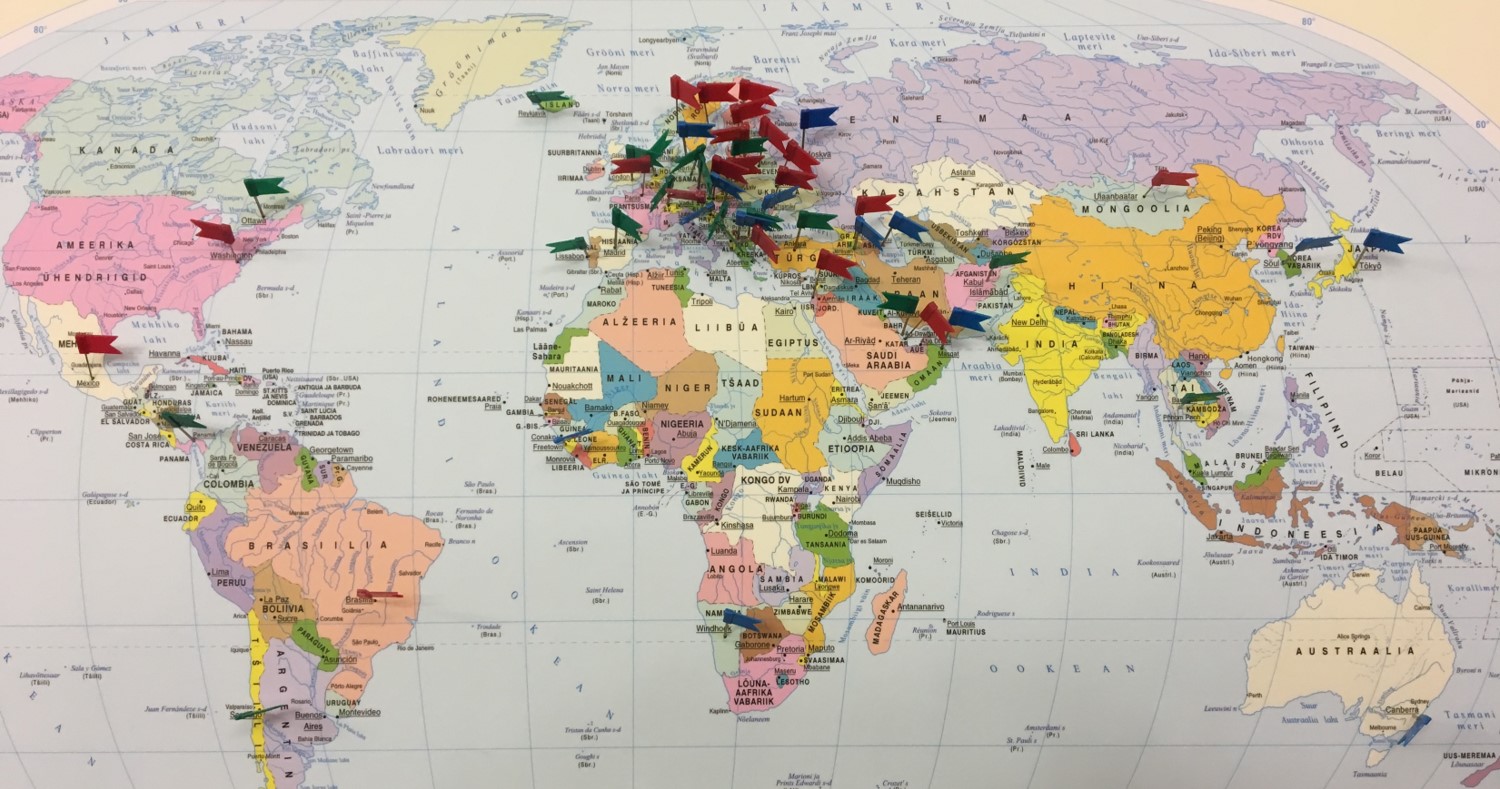
There is a map of the world in our office, and we have put a pin in every country which has sent a delegation to visit. It’s hard to find a country without a pin in it! During the last election in March, we had over 100 foreign officials visiting Estonia from 30 countries around the world.
Flags representing foreign missions to the Estonian state electoral office.
Among these government delegations, what are the most common concerns about online voting?
We see a general fear of the unknown. It takes two things to introduce internet voting in a country: First, a kind of ID card or mobile ID – an electronic identity infrastructure.
Second, it takes political will. Politicians are most interested in getting re-elected. They don’t want to mess with the electoral system and the average politician doesn’t know much about the internet and security, so they would say, “let’s not mess with that.” So, it takes courage to start the process.
What advice would you give other EU countries regarding the adoption of technology?
You just have to make a start, at least at a research level. Introducing a new voting method is a wide, society-embracing topic and might take long time. Just have in mind that at some point internet voting will be inevitable.
Has there been interference or targeting of the online platforms in Estonia?
The elections have never been targeted specifically. The cyberattack of 2007 thankfully happened two months after the elections. That attack was regarded as the first countrywide cyberattack targeting all the sectors, both private sector and public sector. But I think our information security was high and we handled it well. There was one and a half days of disturbance and then it was contained.
What did you learn from that experience?
It was a very good exercise. Now we can teach others how to defend against those kinds of attacks. Those attacks and our ability to counter them led to the opening of the NATO Cooperative Cyber Defence Centre of Excellence in Estonia which has been one of the preeminent organizations leading the world’s discussions on the application of international law in cyberspace.
Are there any more technological innovations that you’re planning to implement in future elections?
There have been discussions about introducing voting on mobile devices, but we currently use the mobile device to verify the computer-based vote. If we move to voting from mobile devices, what do we use as second device for verification of the correct behavior of the mobile device? That’s the main challenge that we are thinking through right now. We are analyzing this, and after the European Parliament elections we will systematically research this issue. Overall, I would say that so far, we are proud of what we have achieved.