Posted on Leave a comment

ASCII Table

The following table is an ASCII character table that translates different character codes—such as obtained by Python’s char() function— into the respective symbol. You can find the source of the description here. Note that you can define each number using the decimal, binary, octal, or hexadecimal system—it’s always the same value!

Decimal Binary Octal Hexadecimal Symbol Description
0 0 0 0 NUL Null char
1 1 1 1 SOH Start of Heading
2 10 2 2 STX Start of Text
3 11 3 3 ETX End of Text
4 100 4 4 EOT End of Transmission
5 101 5 5 ENQ Enquiry
6 110 6 6 ACK Acknowledgement
7 111 7 7 BEL Bell
8 1000 10 8 BS Back Space
9 1001 11 9 HT Horizontal Tab
10 1010 12 0A LF Line Feed
11 1011 13 0B VT Vertical Tab
12 1100 14 0C FF Form Feed
13 1101 15 0D CR Carriage Return
14 1110 16 0E SO Shift Out / X-On
15 1111 17 0F SI Shift In / X-Off
16 10000 20 10 DLE Data Line Escape
17 10001 21 11 DC1 Device Control 1 (oft.XON)
18 10010 22 12 DC2 Device Control 2
19 10011 23 13 DC3 Device Control 3 (oft.XOFF)
20 10100 24 14 DC4 Device Control 4
21 10101 25 15 NAK Negative Acknowledgement
22 10110 26 16 SYN Synchronous Idle
23 10111 27 17 ETB End of Transmit Block
24 11000 30 18 CAN Cancel
25 11001 31 19 EM End of Medium
26 11010 32 1A SUB Substitute
27 11011 33 1B ESC Escape
28 11100 34 1C FS File Separator
29 11101 35 1D GS Group Separator
30 11110 36 1E RS Record Separator
31 11111 37 1F US Unit Separator
32 100000 40 20 SPACE Space
33 100001 41 21 ! Exclamation mark
34 100010 42 22 Double quotes (or speech marks)
35 100011 43 23 # Number
36 100100 44 24 $ Dollar
37 100101 45 25 % Percent
38 100110 46 26 & Ampersand
39 100111 47 27 Single quote
40 101000 50 28 ( Open parenthesis (or open bracket)
41 101001 51 29 ) Close parenthesis (orclose bracket)
42 101010 52 2A * Asterisk
43 101011 53 2B + Plus
44 101100 54 2C , Comma
45 101101 55 2D Hyphen
46 101110 56 2E . Period, dot or full stop
47 101111 57 2F / Slash or divide
48 110000 60 30 0 Zero
49 110001 61 31 1 One
50 110010 62 32 2 Two
51 110011 63 33 3 Three
52 110100 64 34 4 Four
53 110101 65 35 5 Five
54 110110 66 36 6 Six
55 110111 67 37 7 Seven
56 111000 70 38 8 Eight
57 111001 71 39 9 Nine
58 111010 72 3A : Colon
59 111011 73 3B ; Semicolon
60 111100 74 3C < Less than (or open angled bracket)
61 111101 75 3D = Equals
62 111110 76 3E > Greater than (or closeangled bracket)
63 111111 77 3F ? Question mark
64 1000000 100 40 @ At symbol
65 1000001 101 41 A Uppercase A
66 1000010 102 42 B Uppercase B
67 1000011 103 43 C Uppercase C
68 1000100 104 44 D Uppercase D
69 1000101 105 45 E Uppercase E
70 1000110 106 46 F Uppercase F
71 1000111 107 47 G Uppercase G
72 1001000 110 48 H Uppercase H
73 1001001 111 49 I Uppercase I
74 1001010 112 4A J Uppercase J
75 1001011 113 4B K Uppercase K
76 1001100 114 4C L Uppercase L
77 1001101 115 4D M Uppercase M
78 1001110 116 4E N Uppercase N
79 1001111 117 4F O Uppercase O
80 1010000 120 50 P Uppercase P
81 1010001 121 51 Q Uppercase Q
82 1010010 122 52 R Uppercase R
83 1010011 123 53 S Uppercase S
84 1010100 124 54 T Uppercase T
85 1010101 125 55 U Uppercase U
86 1010110 126 56 V Uppercase V
87 1010111 127 57 W Uppercase W
88 1011000 130 58 X Uppercase X
89 1011001 131 59 Y Uppercase Y
90 1011010 132 5A Z Uppercase Z
91 1011011 133 5B [ Opening bracket
92 1011100 134 5C \ Backslash
93 1011101 135 5D ] Closing bracket
94 1011110 136 5E ^ Caret – circumflex
95 1011111 137 5F _ Underscore
96 1100000 140 60 ` Grave accent
97 1100001 141 61 a Lowercase a
98 1100010 142 62 b Lowercase b
99 1100011 143 63 c Lowercase c
100 1100100 144 64 d Lowercase d
101 1100101 145 65 e Lowercase e
102 1100110 146 66 f Lowercase f
103 1100111 147 67 g Lowercase g
104 1101000 150 68 h Lowercase h
105 1101001 151 69 i Lowercase i
106 1101010 152 6A j Lowercase j
107 1101011 153 6B k Lowercase k
108 1101100 154 6C l Lowercase l
109 1101101 155 6D m Lowercase m
110 1101110 156 6E n Lowercase n
111 1101111 157 6F o Lowercase o
112 1110000 160 70 p Lowercase p
113 1110001 161 71 q Lowercase q
114 1110010 162 72 r Lowercase r
115 1110011 163 73 s Lowercase s
116 1110100 164 74 t Lowercase t
117 1110101 165 75 u Lowercase u
118 1110110 166 76 v Lowercase v
119 1110111 167 77 w Lowercase w
120 1111000 170 78 x Lowercase x
121 1111001 171 79 y Lowercase y
122 1111010 172 7A z Lowercase z
123 1111011 173 7B { Opening brace
124 1111100 174 7C | Vertical bar
125 1111101 175 7D } Closing brace
126 1111110 176 7E ~ Equivalency sign – tilde
127 1111111 177 7F DEL Delete
Source

The post ASCII Table first appeared on Finxter.

Posted on Leave a comment

Python bool() Function

Python’s built-in bool(x) function converts value x to a Boolean value True or False. It uses implicit Boolean conversion on the input argument x. Any Python object has an associated truth value. The bool(x) function takes only one argument, the object for which a Boolean value is desired.

Argument x A Python object for which a Boolean value should be determined. Any Python object has an associated Boolean defined by the method object.__bool__().
Return Value True, False Returns a Boolean value associated to the argument x. The object will always return True, unless:
⭐ The object is empty, like [], (), {}
⭐The object is False
⭐The object is 0 or 0.0
⭐The object is None
Input : bool(1)
Output : True Input : bool(0)
Output : False Input : bool(True)
Output : True Input : bool([1, 2, 3])
Output : True Input : bool([])
Output : False

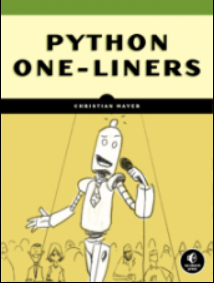
But before we move on, I’m excited to present you my brand-new Python book Python One-Liners (Amazon Link).

If you like one-liners, you’ll LOVE the book. It’ll teach you everything there is to know about a single line of Python code. But it’s also an introduction to computer science, data science, machine learning, and algorithms. The universe in a single line of Python!

The book is released in 2020 with the world-class programming book publisher NoStarch Press (San Francisco).

Link: https://nostarch.com/pythononeliners

Examples bool() Functions

The following code shows you how to use the bool(x) function on different input arguments that all lead to True results.

#####################
# True Boolean Values
##################### # All integers except 0
print(bool(1))
print(bool(2))
print(bool(42))
print(bool(-1)) # All collections except empty ones
# (lists, tuples, sets)
print(bool([1, 2]))
print(bool([-1]))
print(bool((-1, -2)))
print(bool({1, 2, 3})) # All floats except 0.0
print(bool(0.1))
print(bool(0.0000001))
print(bool(3.4)) # Output is True for all previous examples

The following list of executions of the function bool(x) all result in Boolean values of False.

#####################
# False Boolean Values
##################### # Integer 0
print(bool(0)) # Empty collections
# (lists, tuples, sets)
print(bool([]))
print(bool({}))
print(bool(())) # Float 0.0
print(bool(0.0)) # Output is False for all previous examples

You can observe multiple properties of the bool() function:

  • You can pass any object into it and it will always return a Boolean value because all Python objects implement the __bool__() method and have an associated implicit Boolean value. You can use them to test a condition: 0 if x else 1 (example ternary operator).
  • The vast majority of objects are converted to True. Semantically, this means that they’re non-empty or whole.
  • A minority of objects convert to False. These are the “empty” values—for example, empty lists, empty sets, empty tuples, or an empty number 0.

Summary

Python’s built-in bool(x) function converts value x to a Boolean value True or False.

It uses implicit Boolean conversion on the input argument x.

Any Python object has an associated truth value.

The bool(x) function takes only one argument, the object for which a Boolean value is desired.

Where to Go From Here?

Enough theory, let’s get some practice!

To become successful in coding, you need to get out there and solve real problems for real people. That’s how you can become a six-figure earner easily. And that’s how you polish the skills you really need in practice. After all, what’s the use of learning theory that nobody ever needs?

Practice projects is how you sharpen your saw in coding!

Do you want to become a code master by focusing on practical code projects that actually earn you money and solve problems for people?

Then become a Python freelance developer! It’s the best way of approaching the task of improving your Python skills—even if you are a complete beginner.

Join my free webinar “How to Build Your High-Income Skill Python” and watch how I grew my coding business online and how you can, too—from the comfort of your own home.

Join the free webinar now!

The post Python bool() Function first appeared on Finxter.

Posted on Leave a comment

Parsing XML Using BeautifulSoup In Python

Introduction

XML is a tool that is used to store and transport data. It stands for eXtensible Markup Language. XML is quite similar to HTML and they have almost the same kind of structure but they were designed to accomplish different goals.

  • XML is designed to transport data while HTML is designed to display data. Many systems contain incompatible data formats. This makes data exchange between incompatible systems is a time-consuming task for web developers as large amounts of data has to be converted. Further, there are chances that incompatible data is lost. But, XML stores data in plain text format thereby providing software and hardware-independent method of storing and sharing data.
  • Another major difference is that HTML tags are predefined whereas XML files are not.

Example of XML:

<?xml version="1.0" encoding="UTF-8"?>
<note> <to>Harry Potter</to> <from>Albus Dumbledore</from> <heading>Reminder</heading> <body>It does not do to dwell on dreams and forget to live!</body>
</note>

As mentioned earlier, XML tags are not pre-defined so we need to find the tag that holds the information that we want to extract. Thus there are two major aspects governing the parsing of XML files:

  1. Finding the required Tags.
  2. Extracting data from after identifying the Tags.

BeautifulSoup and LXML Installation

When it comes to web scraping with Python, BeautifulSoup the most commonly used library. The recommended way of parsing XML files using BeautifulSoup is to use Python’s lxml parser.

You can install both libraries using the pip installation tool. Please have a look at our BLOG TUTORIAL to learn how to install them if you want to scrape data from an XML file using Beautiful soup.

# Note: Before we proceed with our discussion, please have a look at the following XML file that we will be using throughout the course of this article. (Please create a file with the name sample.txt and copy-paste the code given below to practice further.)

<?xml version="1.0" encoding="UTF-8" standalone="no"?>
<CATALOG> <PLANT> <COMMON>Bloodroot</COMMON> <BOTANICAL>Sanguinaria canadensis</BOTANICAL> <ZONE>4</ZONE> <LIGHT>Mostly Shady</LIGHT> <PRICE>$2.44</PRICE> <AVAILABILITY>031599</AVAILABILITY> </PLANT> <PLANT> <COMMON>Marsh Marigold</COMMON> <BOTANICAL>Caltha palustris</BOTANICAL> <ZONE>4</ZONE> <LIGHT>Mostly Sunny</LIGHT> <PRICE>$6.81</PRICE> <AVAILABILITY>051799</AVAILABILITY> </PLANT> <PLANT> <COMMON>Cowslip</COMMON> <BOTANICAL>Caltha palustris</BOTANICAL> <ZONE>4</ZONE> <LIGHT>Mostly Shady</LIGHT> <PRICE>$9.90</PRICE> <AVAILABILITY>030699</AVAILABILITY> </PLANT>
</CATALOG>

Searching The Required Tags in The XML Document

Since the tags are not pre-defined in XML, we must identify the tags and search them using the different methods provided by the BeautifulSoup library. Now, how do we find the right tags? We can do so with the help of BeautifulSoup's search methods.

Beautiful Soup has numerous methods for searching a parse tree. The two most popular and commonly used methods are:

  1.  find()
  2.  find_all()

We have an entire blog tutorial on the two methods. Please have a look at the following tutorial to understand how these search methods work.

If you have read the above-mentioned article, then you can easily use the find and find_all methods to search for tags anywhere in the XML document.

Relationship Between Tags

It is extremely important to understand the relationship between tags, especially while scraping data from XML documents.

The three key relationships in the XML parse tree are:

  • Parent: The tag which is used as the reference tag for navigating to child tags.
  • Children: The tags contained within the parent tag.
  • Siblings: As the name suggests these are the tags that exist on the same level of the parse tree.

Let us have a look at how we can navigate the XML parse tree using the above relationships.

Finding Parents

❖ The parent attribute allows us to find the parent/reference tag as shown in the example below.

Example: In the following code we will find out the parents of the common tag.

print(soup.common.parent.name)

Output:

plant

Note: The name attribute allows us to extract the name of the tag instead of extracting the entire content.

Finding Children

❖ The children attribute allows us to find the child tag as shown in the example below.

Example: In the following code we will find out the children of the plant tag.

for child in soup.plant.children: if child.name == None: pass else: print(child.name)

Output:

common
botanical
zone
light
price
availability

Finding Siblings

A tag can have siblings before and after it.

  • ❖ The previous_siblings attribute returns the siblings before the referenced tag, and the next_siblings attribute returns the siblings after it.

Example: The following code finds the previous and next sibling tags of the light tag of the XML document.

print("***Previous Siblings***")
for sibling in soup.light.previous_siblings: if sibling.name == None: pass else: print(sibling.name) print("\n***Next Siblings***")
for sibling in soup.light.next_siblings: if sibling.name == None: pass else: print(sibling.name)

Output:

***Previous Siblings***
zone
botanical
common ***Next Siblings***
price
availability

Extracting Data From Tags

By now, we know how to navigate and find data within tags. Let us have a look at the attributes that help us to extract data from the tags.

Text And String Attributes

To access the text values within tags, you can use the text or strings attribute.

Example: let us extract the the text from the first price tag using text and string attributes.

print('***PLANT NAME***')
for tag in plant_name: print(tag.text)
print('\n***BOTANICAL NAME***')
for tag in scientific_name: print(tag.string)

Output:

***PLANT NAME***
Bloodroot
Marsh Marigold
Cowslip ***BOTANICAL NAME***
Sanguinaria canadensis
Caltha palustris
Caltha palustris

The Contents Attribute

The contents attribute allows us to extract the entire content from the tags, that is the tag along with the data. The contents attribute returns a list, therefore we can access its elements using their index.

Example:

print(soup.plant.contents)
# Accessing content using index
print()
print(soup.plant.contents[1])

Output:

['\n', <common>Bloodroot</common>, '\n', <botanical>Sanguinaria canadensis</botanical>, '\n', <zone>4</zone>, '\n', <light>Mostly Shady</light>, '\n', <price>$2.44</price>, '\n', <availability>031599</availability>, '\n'] <common>Bloodroot</common>

Pretty Printing The Beautiful Soup Object

If you observe closely when we print the tags on the screen, they have a sort of messy appearance. While this may not have direct productivity issues, but a better and structured print style helps us to parse the document more effectively.

The following code shows how the output looks when we print the BeautifulSoup object normally:

print(soup)

Output:

<?xml version="1.0" encoding="UTF-8" standalone="no"?><html><body><catalog>
<plant>
<common>Bloodroot</common>
<botanical>Sanguinaria canadensis</botanical>
<zone>4</zone>
<light>Mostly Shady</light>
<price>$2.44</price>
<availability>031599</availability>
</plant>
<plant>
<common>Marsh Marigold</common>
<botanical>Caltha palustris</botanical>
<zone>4</zone>
<light>Mostly Sunny</light>
<price>$6.81</price>
<availability>051799</availability>
</plant>
<plant>
<common>Cowslip</common>
<botanical>Caltha palustris</botanical>
<zone>4</zone>
<light>Mostly Shady</light>
<price>$9.90</price>
<availability>030699</availability>
</plant>
</catalog>
</body></html>

Now let us use the prettify method to improve the appearance of our output.

print(soup.prettify())

Output:

<?xml version="1.0" encoding="UTF-8" standalone="no"?>
<html> <body> <catalog> <plant> <common> Bloodroot </common> <botanical> Sanguinaria canadensis </botanical> <zone> 4 </zone> <light> Mostly Shady </light> <price> $2.44 </price> <availability> 031599 </availability> </plant> <plant> <common> Marsh Marigold </common> <botanical> Caltha palustris </botanical> <zone> 4 </zone> <light> Mostly Sunny </light> <price> $6.81 </price> <availability> 051799 </availability> </plant> <plant> <common> Cowslip </common> <botanical> Caltha palustris </botanical> <zone> 4 </zone> <light> Mostly Shady </light> <price> $9.90 </price> <availability> 030699 </availability> </plant> </catalog> </body>
</html>

The Final Solution

We are now well versed with all the concepts required to extract data from a given XML document. It is now time to have a look at the final code where we shall be extracting the Name, Botanical Name, and Price of each plant in our example XML document (sample.xml).

Please follow the comments along with the code given below to have a understanding of the logic used in the solution.

from bs4 import BeautifulSoup # Open and read the XML file
file = open("sample.xml", "r")
contents = file.read() # Create the BeautifulSoup Object and use the parser
soup = BeautifulSoup(contents, 'lxml') # extract the contents of the common, botanical and price tags
plant_name = soup.find_all('common') # store the name of the plant
scientific_name = soup.find_all('botanical') # store the scientific name of the plant
price = soup.find_all('price') # store the price of the plant # Use a for loop along with the enumerate function that keeps count of each iteration
for n, title in enumerate(plant_name): print("Plant Name:", title.text) # print the name of the plant using text print("Botanical Name: ", scientific_name[ n].text) # use the counter to access each index of the list that stores the scientific name of the plant print("Price: ", price[n].text) # use the counter to access each index of the list that stores the price of the plant print()

Output:

Plant Name: Bloodroot
Botanical Name: Sanguinaria canadensis
Price: $2.44 Plant Name: Marsh Marigold
Botanical Name: Caltha palustris
Price: $6.81 Plant Name: Cowslip
Botanical Name: Caltha palustris
Price: $9.90

Conclusion

XML documents are an important source of transporting data and hopefully after reading this article you are well equipped to extract the data you want from these documents. You might be tempted to have a look at this video series where you can learn how to scrape webpages.

Please subscribe and stay tuned for more interesting articles in the future.

Where to Go From Here?

Enough theory, let’s get some practice!

To become successful in coding, you need to get out there and solve real problems for real people. That’s how you can become a six-figure earner easily. And that’s how you polish the skills you really need in practice. After all, what’s the use of learning theory that nobody ever needs?

Practice projects is how you sharpen your saw in coding!

Do you want to become a code master by focusing on practical code projects that actually earn you money and solve problems for people?

Then become a Python freelance developer! It’s the best way of approaching the task of improving your Python skills—even if you are a complete beginner.

Join my free webinar “How to Build Your High-Income Skill Python” and watch how I grew my coding business online and how you can, too—from the comfort of your own home.

Join the free webinar now!

The post Parsing XML Using BeautifulSoup In Python first appeared on Finxter.

Posted on Leave a comment

Premature Optimization is the Root of All Evil

This chapter draft is part of my upcoming book “From One to Zero” (NoStarch 2021). You’ll learn about the concept of premature optimization and why it hurts your programming productivity. Premature optimization is one of the main problems of poorly written code. But what is it anyway?

Definition Premature Optimization

Definition: Premature optimization is the act of spending valuable resources—such as time, effort, lines of code, or even simplicity—on unnecessary code optimizations.

There’s nothing wrong with optimized code.

The problem is that there’s no such thing as free lunch. If you think you optimize code snippets, what you’re really doing is to trade one variable (e.g., complexity) against another variable (e.g., performance).

Sometimes you can obtain clean code that is also more performant and easier to read—but you must spend time to get to this state! Other times, you prematurely spend more lines of code on a state-of-the-art algorithm to improve execution speed. For example, you may add 30% more lines of code to improve execution speed by 0.1%. These types of trade-offs will screw up your whole software development process when done repeatedly.

Donald Knuth Quote Premature Optimization

But don’t take my word for it. Here’s what one of the most famous computer scientists of all times, Donald Knuth, says about premature optimization:

“Programmers waste enormous amounts of time thinking about, or worrying about, the speed of noncritical parts of their programs, and these attempts at efficiency actually have a strong negative impact when debugging and maintenance are considered. We should forget about small efficiencies, say about 97 % of the time: premature optimization is the root of all evil.”Donald Knuth

Knuth argues that most of the time, you shouldn’t bother tweaking your code to obtain small efficiency gains. Let’s dive into five practical instances of premature optimization to see how it can get you.

Six Examples of Premature Optimization

There are many situations where premature optimization may occur. Watch out for those! Next, I’ll show you six instances—but I’m sure there are more.

Premature Optimization of Code Functions

Free stock photo of close-up, code, coder

First, you spend a lot of time optimizing a code function or code snippet that you just cannot stand leaving unoptimized. You argue that it’s a bad programming style to use the naïve method, and you should use more efficient data structures or algorithms to tackle the problem. So, you dive into learning mode, and you find better and better algorithms. Finally, you decide on one that’s considered best—but it takes you hours and hours to make them work. The optimization was premature because, as it turns out, your code snippet is executed only seldom, and it doesn’t result in meaningful performance improvements.

Premature Optimization of Software Product’s Features

Engineers Testing Product

Second, you add more features to your software product because you believe that users will need them. You optimize for expected but unproven user needs. Say you develop a smartphone app that translates text into morse code lights. Instead of developing the minimum viable product (MVP, see Chapter 3) that does just that, you add more and more features that you expect are necessary, such as a text to audio conversion and even a receiver that translates light signals to text. Later you find out that your users never use these features. Premature optimization has significantly slowed down your product development cycle and reduced your learning speed. 

Premature Optimization of Planning Phase

Planning Phase

Third, you prematurely optimize your planning phase, trying to find solutions to all kinds of problems that may occur. While it’s very costly to avoid planning, many people never stop planning, which can be just as costly! Only now the costs are opportunity costs of not taking action. Making a software product a reality requires you to ship something of value to the real world—even if this thing is not perfect, yet. You need user feedback and a reality check before even knowing which problems will hit you the hardest. Planning can help you avoid many pitfalls, but if you’re the type of person without a bias towards action, all your planning will turn into nothing of value.

Premature Optimization of Scalability

Distributed System

Fourth, you prematurely optimize the scalability of your application. Expecting millions of visitors, you design a distributed architecture that dynamically adds virtual machines to handle peak load if necessary. Distributed systems are complex and error-prone, and it takes you months to make your system work. Even worse, I’ve seen more cases where the distribution has reduced an application’s scalability due to an increased overhead for communication and data consistency. Scalable distributed systems always come at a price—are you sure you need to pay it? What’s the point of being able to scale to millions of users if you haven’t even served your first one?

Premature Optimization of Test Design

Test

Fifth, you believe in test-driven development, and you insist on 100% test coverage. Some functions don’t lend themselves to unit tests because of their non-deterministic input (e.g., functions that process free text from users). Even though it has little value, you prematurely optimize for a perfect coverage of unit tests, and it slows down the software development cycle while introducing unnecessary complexity into the project.

Premature Optimization of Object-Orientated World Building

World Building

Sixth, you believe in object orientation and insist on modeling the world using a complex hierarchy of classes. For example, you write a small computer game about car racing. You create a class hierarchy where the Porsche class inherits from the Car class, which inherits from the Vehicle class. In many cases, these types of stacked inheritance structures add unnecessary complexity and could be avoided. You’ve prematurely optimized your code to model a world with more details than the application needs.

Code Example of Premature Optimization Gone Bad

Let’s consider a small Python application that should serve as an example for a case where premature optimization went bad. Say, three colleagues Alice, Bob, and Carl regularly play poker games in the evenings. They need to keep track during a game night who owes whom. As Alice is a passionate programmer, she decides to create a small application that tracks the balances of a number of players.

She comes up with the code that serves the purpose well.

transactions = []
balances = {} def transfer(sender, receiver, amount): transactions.append((sender, receiver, amount)) if not sender in balances: balances[sender] = 0 if not receiver in balances: balances[receiver] = 0 balances[sender] -= amount balances[receiver] += amount def get_balance(user): return balances[user] def max_transaction(): return max(transactions, key=lambda x:x[2]) transfer('Alice', 'Bob', 2000)
transfer('Bob', 'Carl', 4000)
transfer('Alice', 'Carl', 2000) print('Balance Alice: ' + str(get_balance('Alice')))
print('Balance Bob: ' + str(get_balance('Bob')))
print('Balance Carl: ' + str(get_balance('Carl'))) print('Max Transaction: ' + str(max_transaction())) transfer('Alice', 'Bob', 1000)
transfer('Carl', 'Alice', 8000) print('Balance Alice: ' + str(get_balance('Alice')))
print('Balance Bob: ' + str(get_balance('Bob')))
print('Balance Carl: ' + str(get_balance('Carl'))) print('Max Transaction: ' + str(max_transaction()))

Listing: Simple script to track transactions and balances.

The script has two global variables transactions and balances. The list transactions tracks the transactions as they occurred during a game night. Each transaction is a tuple of sender identifier, receiver identifier, and the amount to be transferred from the sender to the receiver. The dictionary balances tracks the mapping from user identifier to the number of credits based on the occurred transactions.

The function transfer(sender, receiver, amount) creates and stores a new transaction in the global list, creates new balances for users sender and receiver if they haven’t already been created, and updates the balances according to the transaction. The function get_balance(user) returns the balance of the user given as an argument. The function max_transaction() goes over all transactions and returns the one that has the maximum value in the third tuple element—the transaction amount.

The application works—it returns the following output:

Balance Alice: -4000
Balance Bob: -2000
Balance Carl: 6000
Max Transaction: ('Bob', 'Carl', 4000)
Balance Alice: 3000
Balance Bob: -1000
Balance Carl: -2000
Max Transaction: ('Carl', 'Alice', 8000)

But Alice isn’t happy with the application. She realizes that calling max_transaction() results in some inefficiencies due to redundant calculations—the script goes over the list transactions twice to find the transaction with the maximum amount. The second time, it could theoretically reuse the result of the first call and only look at the new transactions.

To make the code more efficient, she adds another global variable max_transaction that keeps track of the maximum transaction amount ever seen.

transactions = []
balances = {}
max_transaction = ('X', 'Y', -9999999) def transfer(sender, receiver, amount):
… if amount > max_transaction[2]: max_transaction = (sender, receiver, amount)

By adding more complexity to the code, it is now more performant—but at what costs? The added complexity results in no meaningful performance benefit for the small applications for which Alice is using the code. It makes it more complicated and reduces maintainability. Nobody will ever recognize the performance benefit in the evening gaming sessions. But Alice’s progress will slow down as she adds more and more global variables (e.g., tracking the minimal transaction amounts etc.). The optimization clearly was a premature optimization without need for the concrete application.


Do you want to develop the skills of a well-rounded Python professional—while getting paid in the process? Become a Python freelancer and order your book Leaving the Rat Race with Python on Amazon (Kindle/Print)!

Leaving the Rat Race with Python Book

Where to Go From Here?

Enough theory, let’s get some practice!

To become successful in coding, you need to get out there and solve real problems for real people. That’s how you can become a six-figure earner easily. And that’s how you polish the skills you really need in practice. After all, what’s the use of learning theory that nobody ever needs?

Practice projects is how you sharpen your saw in coding!

Do you want to become a code master by focusing on practical code projects that actually earn you money and solve problems for people?

Then become a Python freelance developer! It’s the best way of approaching the task of improving your Python skills—even if you are a complete beginner.

Join my free webinar “How to Build Your High-Income Skill Python” and watch how I grew my coding business online and how you can, too—from the comfort of your own home.

Join the free webinar now!

The post Premature Optimization is the Root of All Evil first appeared on Finxter.

Posted on Leave a comment

Searching The Parse Tree Using BeautifulSoup

Introduction

HTML (Hypertext Markup Language) consists of numerous tags and the data we need to extract lies inside those tags. Thus we need to find the right tags to extract what we need. Now, how do we find the right tags? We can do so with the help of BeautifulSoup's search methods.

Beautiful Soup has numerous methods for searching a parse tree. The two most popular and commonly methods are:

  1.  find()
  2.  find_all()

The other methods are quite similar in terms of their usage. Therefore, we will be focusing on the find() and find_all() methods in this article.

🚩 The following Example will be used throughout this document while demonstrating the concepts:

html_doc = """ <html><head><title>Searching Tree</title></head>
<body>
<h1>Searching Parse Tree In BeautifulSoup</h1></p> <p class="Main">Learning <a href="https://docs.python.org/3/" class="language" id="python">Python</a>,
<a href="https://docs.oracle.com/en/java/" class="language" id="java">Java</a> and
<a href="https://golang.org/doc/" class="language" id="golang">Golang</a>;
is fun!</p> <p class="Secondary"><b>Please subscribe!</b></p>
<p class="Secondary" id= "finxter"><b>copyright - FINXTER</b></p> """
from bs4 import BeautifulSoup
soup = BeautifulSoup(html_doc, "html.parser")

Types Of Filters

There are different filters that can be passed into the find() and find_all() methods and it is crucial to have a clear understanding of these filters as they are used again and again, throughout the search mechanism. These filters can be used based on the tags:

  • name,
  • attributes,
  • on the text of a string,
  • or a mix of these.

A String

When we pass a string to a search method then Beautiful Soup performs a match against that passed string. Let us have a look at an example and find the <h1> tags in the HTML document:

print(soup.find_all('h1'))

Output:

[<h1>Searching Parse Tree In BeautifulSoup</h1>]

❖ A Regular Expression

Passing a regular expression object allows Beautiful Soup to filter results according to that regular expression. In case you want to master the concepts of the regex module in Python, please refer to our tutorial here.

Note:

  • We need to import the re module to use a regular expression.
  • To get just the name of the tag instead of the entire content (tag+ content within the tag), use the .name attribute.

Example: The following code finds all instances of the tags starting with the letter “b”.

# finding regular expressions
for regular in soup.find_all(re.compile("^b")): print(regular.name)

Output:

body
b

❖ A List

Multiple tags can be passed into the search functions using a list a shown in the example below:

Example: The following code finds all the <a> and <b> tags in the HTML document.

for tag in soup.find_all(['a','b']): print(tag)

Output:

<a class="language" href="https://docs.python.org/3/" id="python">Python</a>
<a class="language" href="https://docs.oracle.com/en/java/" id="java">Java</a>
<a class="language" href="https://golang.org/doc/" id="golang">Golang</a>
<b>Please subscribe!</b>

❖ A function

We can define a function and pass an element as its argument. The function returns True in case of a match, otherwise it returns False.

Example: The following code defines a function which returns True for all classes that also have an id in the HTML document. We then pass this function to the find_all() method to get the desired output.

def func(tag): return tag.has_attr('class') and tag.has_attr('id') for tag in soup.find_all(func): print(tag)

Output:

<a class="language" href="https://docs.python.org/3/" id="python">Python</a>
<a class="language" href="https://docs.oracle.com/en/java/" id="java">Java</a>
<a class="language" href="https://golang.org/doc/" id="golang">Golang</a>

➠ Now that we have gone through the different kind of filters that we use with the search methods, we are well equipped to dive deep into the find() and find_all() methods.

✨ The find() Method

The find() method is used to search for the occurrence of the first instance of a tag with the needed name.

Syntax:

find(name, attrs, recursive, string, **kwargs)

find() returns an object of type bs4.element.Tag.

Example:

print(soup.find('h1'), "\n")
print("RETURN TYPE OF find(): ",type(soup.find('h1')), "\n")
# note that only the first instance of the tag is returned
print(soup.find('a'))

Output:

<h1>Searching Parse Tree In BeautifulSoup</h1> RETURN TYPE OF find(): <class 'bs4.element.Tag'> <a class="language" href="https://docs.python.org/3/" id="python">Python</a>

➠ The above operation is the same as done by the soup.h1 or soup soup.a which also returns the first instance of the given tag. So what’s, the difference? The find() method helps us to find a particular instance of a given tag using key-value pairs as shown in the example below:

print(soup.find('a',id='golang'))

Output:

<a class="language" href="https://golang.org/doc/" id="golang">Golang</a>

✨ The find_all() Method

We saw that the find() method is used to search for the first tag. What if we want to find all instances of a tag or numerous instances of a given tag within the HTML document? The find_all() method, helps us to search for all tags with the given tag name and returns a list of type bs4.element.ResultSet. Since the items are returned in a list, they can be accessed with help of their index.

Syntax:

find_all(name, attrs, recursive, string, limit, **kwargs)

Example: Searching all instances of the ‘a’ tag in the HTML document.

for tag in soup.find_all('a'): print(tag)

Output:

<a class="language" href="https://docs.python.org/3/" id="python">Python</a>
<a class="language" href="https://docs.oracle.com/en/java/" id="java">Java</a>
<a class="language" href="https://golang.org/doc/" id="golang">Golang</a>

Now there are numerous other argument apart from the filters that we already discussed earlier. Let us have a look at them one by one.

❖ The name Argument

As stated earlier the name argument can be a string, a regular expression, a list, a function, or the value True.

Example:

for tag in soup.find_all('p'): print(tag)

Output:

<p class="Main">Learning <a class="language" href="https://docs.python.org/3/" id="python">Python</a>,
<a class="language" href="https://docs.oracle.com/en/java/" id="java">Java</a> and
<a class="language" href="https://golang.org/doc/" id="golang">Golang</a>;
is fun!</p>
<p class="Secondary"><b>Please subscribe!</b></p>

❖ The keyword Arguments

Just like the find() method, find_all() also allows us to find particular instances of a tag. For example, if the id argument is passed, Beautiful Soup filters against each tag’s ‘id’ attribute and returns the result accordingly.

Example:

print(soup.find_all('a',id='java'))

Output:

[<a class="language" href="https://docs.oracle.com/en/java/" id="java">Java</a>]

You can also pass the attributes as dictionary key-value pairs using the attrs argument.

Example:

print(soup.find_all('a', attrs={'id': 'java'}))

Output:

[<a class="language" href="https://docs.oracle.com/en/java/" id="java">Java</a>]

❖ Search Using CSS Class

Often we need to find a tag that has a certain CSS class, but the attribute, class, is a reserved keyword in Python. Thus, using class as a keyword argument will give a syntax error. Beautiful Soup 4.1.2 allows us to search a CSS class using the keyword class_

Example:

print(soup.find_all('p', class_='Secondary'))

Output:

[<p class="Secondary"><b>Please subscribe!</b></p>]

❖ Note: The above search will allow you to search all instances of the p tag with the class “Secondary” . But you can also filter searches based on multiple attributes, using a dictionary.

Example:

print(soup.find_all('p', attrs={'class': 'Secondary', 'id': 'finxter'}))

Output:

[<p class="Secondary" id="finxter"><b>copyright - FINXTER</b></p>]

❖ The string Argument

The string argument allows us to search for strings instead of tags.

Example:

print(soup.find_all(string=["Python", "Java", "Golang"]))

Output:

['Python', 'Java', 'Golang']

❖ The limit Argument

The find_all() method scans through the entire HTML document and returns all the matching tags and strings. This can be extremely tedious and take a lot of time if the document is large. So, you can limit the number of results by passing in the limit argument.

Example: There are three links in the example HTML document, but this code only finds the first two:

print(soup.find_all("a", limit=2))

Output:

[<a class="language" href="https://docs.python.org/3/" id="python">Python</a>, <a class="language" href="https://docs.oracle.com/en/java/" id="java">Java</a>]

✨ Other Search Methods

We have successfully explored the most commonly used search methods, i.e., find and find_all(). Beautiful Soup also has other methods for searching the parse tree, but they are quite similar to what we already discussed above. The only differences are where they are used. Let us have a quick look at these methods.

  • find_parents() and find_parent(): these methods are used to traverse the parse tree upwards and look for a tag’s/string’s parent(s).
  • find_next_siblings() and find_next_sibling(): these methods are used to find the next sibling(s) of an element in the HTML document.
  • find_previous_siblings() and find_previous_sibling(): these methods are used to find and iterate over the sibling(s) that appear before the current element.
  • find_all_next() and find_next(): these methods are used to find and iterate over the sibling(s) that appear after the current element.
  • find_all_previous and find_previous(): these methods are used to find and iterate over the tags and strings that appear before the current element in the HTML document.

Example:

current = soup.find('a', id='java')
print(current.find_parent())
print()
print(current.find_parents())
print()
print(current.find_previous_sibling())
print()
print(current.find_previous_siblings())
print()
print(current.find_next())
print()
print(current.find_all_next())
print()

Output:

<p class="Main">Learning <a class="language" href="https://docs.python.org/3/" id="python">Python</a>,
<a class="language" href="https://docs.oracle.com/en/java/" id="java">Java</a> and
<a class="language" href="https://golang.org/doc/" id="golang">Golang</a>;
is fun!</p> [<p class="Main">Learning <a class="language" href="https://docs.python.org/3/" id="python">Python</a>,
<a class="language" href="https://docs.oracle.com/en/java/" id="java">Java</a> and
<a class="language" href="https://golang.org/doc/" id="golang">Golang</a>;
is fun!</p>, <body>
<h1>Searching Parse Tree In BeautifulSoup</h1>
<p class="Main">Learning <a class="language" href="https://docs.python.org/3/" id="python">Python</a>,
<a class="language" href="https://docs.oracle.com/en/java/" id="java">Java</a> and
<a class="language" href="https://golang.org/doc/" id="golang">Golang</a>;
is fun!</p>
<p class="Secondary"><b>Please subscribe!</b></p>
<p class="Secondary" id="finxter"><b>copyright - FINXTER</b></p>
<p class="Secondary"><b>Please subscribe!</b></p>
</body>, <html><head><title>Searching Tree</title></head>
<body>
<h1>Searching Parse Tree In BeautifulSoup</h1>
<p class="Main">Learning <a class="language" href="https://docs.python.org/3/" id="python">Python</a>,
<a class="language" href="https://docs.oracle.com/en/java/" id="java">Java</a> and
<a class="language" href="https://golang.org/doc/" id="golang">Golang</a>;
is fun!</p>
<p class="Secondary"><b>Please subscribe!</b></p>
<p class="Secondary" id="finxter"><b>copyright - FINXTER</b></p>
<p class="Secondary"><b>Please subscribe!</b></p>
</body></html>, <html><head><title>Searching Tree</title></head>
<body>
<h1>Searching Parse Tree In BeautifulSoup</h1>
<p class="Main">Learning <a class="language" href="https://docs.python.org/3/" id="python">Python</a>,
<a class="language" href="https://docs.oracle.com/en/java/" id="java">Java</a> and
<a class="language" href="https://golang.org/doc/" id="golang">Golang</a>;
is fun!</p>
<p class="Secondary"><b>Please subscribe!</b></p>
<p class="Secondary" id="finxter"><b>copyright - FINXTER</b></p>
<p class="Secondary"><b>Please subscribe!</b></p>
</body></html>] <a class="language" href="https://docs.python.org/3/" id="python">Python</a> [<a class="language" href="https://docs.python.org/3/" id="python">Python</a>] <a class="language" href="https://golang.org/doc/" id="golang">Golang</a> [<a class="language" href="https://golang.org/doc/" id="golang">Golang</a>, <p class="Secondary"><b>Please subscribe!</b></p>, <b>Please subscribe!</b>, <p class="Secondary" id="finxter"><b>copyright - FINXTER</b></p>, <b>copyright - FINXTER</b>, <p class="Secondary"><b>Please subscribe!</b></p>, <b>Please subscribe!</b>]

Conclusion

With that we come to the end of this article; I hope that after reading this article you can search elements within a parse tree with ease! Please subscribe and stay tuned for more interesting articles.

Where to Go From Here?

Enough theory, let’s get some practice!

To become successful in coding, you need to get out there and solve real problems for real people. That’s how you can become a six-figure earner easily. And that’s how you polish the skills you really need in practice. After all, what’s the use of learning theory that nobody ever needs?

Practice projects is how you sharpen your saw in coding!

Do you want to become a code master by focusing on practical code projects that actually earn you money and solve problems for people?

Then become a Python freelance developer! It’s the best way of approaching the task of improving your Python skills—even if you are a complete beginner.

Join my free webinar “How to Build Your High-Income Skill Python” and watch how I grew my coding business online and how you can, too—from the comfort of your own home.

Join the free webinar now!

The post Searching The Parse Tree Using BeautifulSoup first appeared on Finxter.

Posted on Leave a comment

list.clear() vs New List — Why Clearing a List Rather Than Creating a New One?

Problem: You’ve just learned about the list.clear() method in Python. You wonder, what’s its purpose? Why not creating a new list and overwriting the variable instead of clearing an existing list?

Example: Say, you have the following list.

lst = ['Alice', 'Bob', 'Carl']

If you clear the list, it becomes empty:

lst.clear()
print(lst)
# []

However, you could have accomplished the same thing by just assigning a new empty list to the variable lst:

lst = ['Alice', 'Bob', 'Carl']
lst = []
print(lst)
# []

The output is the same. Why does the list.clear() method exist in the first place?

If you go through the following interactive memory visualizer, you’ll see that both variants lead to different results if you have multiple variables pointing to the list object:

In the second example, the variable lst_2 still points to a non-empty list object!

So, there are at least two reasons why the list.clear() method can be superior to creating a new list:

  • Release Memory: If you have a large list that fills your memory—such as a huge data set or a large file read via readlines()—and you don’t need it anymore, you can immediately release the memory with list.clear(). Especially in interactive mode, Python doesn’t know which variable you still need – so it must keep all variables till session end. But if you call list.clear(), it can release the memory for other processing tasks.
  • Clear Multiple List Variables: Multiple variables may refer to the same list object. If you want to reflect that the list is now empty, you can either call list.clear() on one variable and all other variables will see it, or you must call var1 = [], var2 = [], ..., varn = [] for all variables. This can be a pain if you have many variables.

Do you want to develop the skills of a well-rounded Python professional—while getting paid in the process? Become a Python freelancer and order your book Leaving the Rat Race with Python on Amazon (Kindle/Print)!

Leaving the Rat Race with Python Book

The post list.clear() vs New List — Why Clearing a List Rather Than Creating a New One? first appeared on Finxter.

Posted on Leave a comment

Python abs() Function

Python’s built-in abs(x) function returns the absolute value of the argument x that can be an integer, float, or object implementing the __abs__() function. For a complex number, the function returns its magnitude. The absolute value of any numerical input argument -x or +x is the corresponding positive value +x.

Argument x int, float, complex, object with __abs__() implementation
Return Value |x| Returns the absolute value of the input argument.
Integer input –> Integer output
Float input –> Float output
Complex input –> Complex output

Interactive Code Shell

Example Integer abs()

The following code snippet shows you how to use the absolute value 42 of a positive integer value 42.

# POSITIVE INTEGER
x = 42
abs_x = abs(x) print(f"Absolute value of {x} is {abs_x}")
# Absolute value of 42 is 42

The following code snippet shows you how to use the absolute value 42 of a negative integer value -42.

# NEGATIVE INTEGER
x = -42
abs_x = abs(x) print(f"Absolute value of {x} is {abs_x}")
# Absolute value of -42 is 42

Example Float abs()

The following code snippet shows you how to use the absolute value 42.42 of a positive integer value 42.42.

# POSITIVE FLOAT
x = 42.42
abs_x = abs(x) print(f"Absolute value of {x} is {abs_x}")
# Absolute value of 42.42 is 42.42

The following code snippet shows you how to use the absolute value 42.42 of a negative integer value -42.42.

# NEGATIVE FLOAT
x = -42.42
abs_x = abs(x) print(f"Absolute value of {x} is {abs_x}")
# Absolute value of -42.42 is 42.42

Example Complex abs()

The following code snippet shows you how to use the absolute value of a complex number (3+10j).

# COMPLEX NUMBER
complex_number = (3+10j)
abs_complex_number = abs(complex_number) print(f"Absolute value of {complex_number} is {abs_complex_number}")
# Absolute value of (3+10j) is 10.44030650891055

Python abs() vs fabs()

Python’s built-in function abs(x) calculates the absolute number of the argument x. Similarly, the fabs(x) function of the math module calculates the same absolute value. The difference is that math.fabs(x) always returns a float number while Python’s built-in abs(x) returns an integer if the argument x is an integer as well. The name “fabs” is shorthand for “float absolute value”.

Here’s a minimal example:

x = 42 # abs()
print(abs(x))
# 42 # math.fabs()
import math
print(math.fabs(x))
# 42.0

Python abs() vs np.abs()

Python’s built-in function abs(x) calculates the absolute number of the argument x. Similarly, NumPy’s np.abs(x) function calculates the same absolute value. There are two differences: (1) np.abs(x) always returns a float number while Python’s built-in abs(x) returns an integer if the argument x is an integer, and (2) np.abs(arr) can be also applied to a NumPy array arr that calculates the absolute values element-wise.

Here’s a minimal example:

x = 42 # abs()
print(abs(x))
# 42 # numpy.abs()
import numpy as np
print(np.fabs(x))
# 42.0 # numpy.abs() array
a = np.array([-1, 2, -4])
print(np.abs(a))
# [1 2 4]

abs and np. absolute are completely identical. It doesn’t matter which one you use. There are several advantages to the short names: They are shorter and they are known to Python programmers because the names are identical to the built-in Python functions.

Summary

The abs() function is a built-in function that returns the absolute value of a number. The function accepts integers, floats, and complex numbers as input.

If you pass abs() an integer or float, n, it returns the non-negative value of n and preserves its type. In other words, if you pass an integer, abs() returns an integer, and if you pass a float, it returns a float.

# Int returns int
>>> abs(20)
20
# Float returns float
>>> abs(20.0)
20.0
>>> abs(-20.0)
20.0

The first example returns an int, the second returns a float, and the final example returns a float and demonstrates that abs() always returns a positive number.

Complex numbers are made up of two parts and can be written as a + bj where a and b are either ints or floats. The absolute value of a + bj is defined mathematically as math.sqrt(a**2 + b**2). Thus, the result is always positive and always a float (since taking the square root always returns a float).

>>> abs(3 + 4j)
5.0
>>> math.sqrt(3**2 + 4**2)
5.0

Here you can see that abs() always returns a float and that the result of abs(a + bj) is the same as math.sqrt(a**2 + b**2).

Where to Go From Here?

Enough theory, let’s get some practice!

To become successful in coding, you need to get out there and solve real problems for real people. That’s how you can become a six-figure earner easily. And that’s how you polish the skills you really need in practice. After all, what’s the use of learning theory that nobody ever needs?

Practice projects is how you sharpen your saw in coding!

Do you want to become a code master by focusing on practical code projects that actually earn you money and solve problems for people?

Then become a Python freelance developer! It’s the best way of approaching the task of improving your Python skills—even if you are a complete beginner.

Join my free webinar “How to Build Your High-Income Skill Python” and watch how I grew my coding business online and how you can, too—from the comfort of your own home.

Join the free webinar now!

The post Python abs() Function first appeared on Finxter.

Posted on Leave a comment

Python Built-In Functions

Python comes with many built-in functions you can use without importing any library. Here are they in alphabetical order:

Built-in Functions
abs() delattr() hash() memoryview() set()
all() dict() help() min() setattr()
any() dir() hex() next() slice()
ascii() divmod() id() object() sorted()
bin() enumerate() input() oct() staticmethod()
bool() eval() int() open() str()
breakpoint() exec() isinstance() ord() sum()
bytearray() filter() issubclass() pow() super()
bytes() float() iter() print() tuple()
callable() format() len() property() type()
chr() frozenset() list() range() vars()
classmethod() getattr() locals() repr() zip()
compile() globals() map() reversed() __import__()
complex() hasattr() max() round()

The post Python Built-In Functions first appeared on Finxter.

Posted on Leave a comment

Exponential Fit with SciPy’s curve_fit()

In this article, you’ll explore how to generate exponential fits by exploiting the curve_fit() function from the Scipy library. SciPy’s curve_fit() allows building custom fit functions with which we can describe data points that follow an exponential trend.

  • In the first part of the article, the curve_fit() function is used to fit the exponential trend of the number of COVID-19 cases registered in California (CA).
  • The second part of the article deals with fitting histograms, characterized, also in this case, by an exponential trend.

Disclaimer: I’m not a virologist, I suppose that the fitting of a viral infection is defined by more complicated and accurate models; however, the only aim of this article is to show how to apply an exponential fit to model (to a certain degree of approximation) the increase in the total infection cases from the COVID-19. 

Exponential fit of COVID-19 total cases in California

Data related to the COVID-19 pandemic have been obtained from the official website of the “Centers for Disease Control and Prevention” (https://data.cdc.gov/Case-Surveillance/United-States-COVID-19-Cases-and-Deaths-by-State-o/9mfq-cb36) and downloaded as a .csv file. The first thing to do is to import the data into a Pandas dataframe. To do this, the Pandas functions pandas.read_csv() and pandas.Dataframe() were employed. The created dataframe is made up of 15 columns, among which we can find the submission_date, the state, the total cases, the confirmed cases and other related observables. To gain an insight into the order in which these categories are displayed, we print the header of the dataframe; as can be noticed, the total cases are listed under the voice “tot_cases”.

Since in this article we are only interested in the data related to the California, we create a sub-dataframe that contains only the information related to the California state. To do that, we exploit the potential of Pandas in indexing subsections of a dataframe. This dataframe will be called df_CA (from California) and contains all the elements of the main dataframe for which the column “state” is equal to “CA”. After this step, we can build two arrays, one (called tot_cases) that contains the total cases (the name of the respective header column is “tot_cases”) and one that contains the number of days passed by the first recording (called days). Since the data were recorded daily, in order to build the “days” array, we simply build an array of equally spaced integer number from 0 to the length of the “tot_cases” array, in this way, each number refers to the n° of days passed from the first recording (day 0).

At this point, we can define the function that will be used by curve_fit() to fit the created dataset. An exponential function is defined by the equation:

y = a*exp(b*x) +c

where a, b and c are the fitting parameters. We will hence define the function exp_fit() which return the exponential function, y, previously defined. The curve_fit() function takes as necessary input the fitting function that we want to fit the data with, the x and y arrays in which are stored the values of the datapoints. It is also possible to provide initial guesses for each of the fitting parameters by inserting them in a list called p0 = […] and upper and lower boundaries for these parameters (for a comprehensive description of the curve_fit() function, please refer to https://docs.scipy.org/doc/scipy/reference/generated/scipy.optimize.curve_fit.html ). In this example, we will only provide initial guesses for our fitting parameters. Moreover, we will only fit the total cases of the first 200 days; this is because for the successive days, the number of cases didn’t follow an exponential trend anymore (possibly due to a decrease in the number of new cases). To refer only to the first 200 values of the arrays “days” and “tot_cases”, we exploit array slicing (e.g. days[:200]).

The output of curve_fit() are the fitting parameters, presented in the same order that was used during their definition, within the fitting function. Keeping this in mind, we can build the array that contains the fitted results, calling it “fit_eq”.

Now that we built the fitting array, we can plot both the original data points and their exponential fit.

The final result will be a plot like the one in Figure 1:

Figure 1

Application of an exponential fit to histograms

Now that we know how to define and use an exponential fit, we will see how to apply it to the data displayed on a histogram. Histograms are frequently used to display the distributions of specific quantities like prices, heights etc…The most common type of distribution is the Gaussian distribution; however, some types of observables can be defined by a decaying exponential distribution. In a decaying exponential distribution, the frequency of the observables decreases following an exponential[A1]  trend; a possible example is the amount of time that the battery of your car will last (i.e. the probability of having a battery lasting for long periods decreases exponentially). The exponentially decaying array will be defined by exploiting the Numpy function random.exponential(). According to the Numpy documentation, the random.exponential() function draws samples from an exponential distribution; it takes two inputs, the “scale” which is a parameter defining the exponential decay and the “size” which is the length of the array that will be generated. Once obtained random values from an exponential distribution, we have to generate the histogram; to do this, we employ another Numpy function, called histogram(), which generates an histogram taking as input the distribution of the data (we set the binning to “auto”, in this way the width of the bins is automatically computed). The output of histogram() is a 2D array; the first array contains the  frequencies of the distribution while the second one contains the edges of the bins. Since we are only interested in the frequencies, we assign the first output to the variable “hist”. For this example, we will generate the array containing the bin position by using the Numpy arange() function; the bins will have a width of 1 and their number will be equal to the number of elements contained in the “hist” array.

At this point, we have to define the fitting function and to call curve_fit() for the values of the just created histogram. The equation describing an exponential decay is similar to the one defined in the first part; the only difference is that the exponent has a negative sign, this allows the values to decrease according to an exponential fashion. Since the elements in the “x” array, defined for the bin position, are the coordinates of the left edge of each bin, we define another x array that stores the position of the center of each bin (called “x_fit”); this allows the fitting curve to pass through the center of each bin, leading to a better visual impression. This array will be defined by taking the values of the left side of the bins (“x” array elements) and adding half the bin size; which corresponds to half the value of the second bin position (element of index 1). Similar to the previous part, we now call curve_fit(), generate the fitting array and assign it to the varaible “fit_eq”.

Once the distribution has been fitted, the last thing to do is to check the result by plotting both the histogram and the fitting function. In order to plot the histogram, we will use the matplotlib function bar(), while the fitting function will be plotted using the classical plot() function.

The final result is displayed in Figure 2:

Figure 2

Summary

In these two examples, the curve_fit() function was used to apply to different exponential fits to specific data points. However, the power of the curve_fit() function, is that it allows you defining your own custom fit functions, being them linear, polynomial or logarithmic functions. The procedure is identical to the one shown in this article, the only difference is in the shape of the function that you have to define before calling curve_fit().


Full Code

import pandas as pd
import numpy as np
import matplotlib.pyplot as plt
from scipy.optimize import curve_fit url = "United_States_COVID-19_Cases_and_Deaths_by_State_over_Time" #url of the .csv file
file = pd.read_csv(url, sep = ';', thousands = ',') # import the .csv file
df = pd.DataFrame(file) # build up the pandas dataframe
print(df.columns) #visualize the header
df_CA = df[df['state'] == 'CA'] #initialize a sub-dataframe for storing only the values for the California
tot_cases = np.array((df_CA['tot_cases'])) #create an array with the total n° of cases
days = np.linspace(0, len(tot_cases), len(tot_cases)) # array containing the n° of days from the first recording #DEFINITION OF THE FITTING FUNCTION
def exp_fit(x, a, b, c): y = a*np.exp(b*x) + c return y #----CALL THE FITTING FUNCTION----
fit = curve_fit(exp_fit,days[:200],tot_cases[:200], p0 = [0.005, 0.03, 5])
fit_eq = fit[0][0]*np.exp(fit[0][1]*days[:200])+fit[0][2] # #----PLOTTING-------
fig = plt.figure()
ax = fig.subplots()
ax.scatter(days[:200], tot_cases[:200], color = 'b', s = 5)
ax.plot(days[:200], fit_eq, color = 'r', alpha = 0.7)
ax.set_ylabel('Total cases')
ax.set_xlabel('N° of days')
plt.show() #-----APPLY AN EXPONENTIAL FIT TO A HISTOGRAM--------
data = np.random.exponential(5, size=10000) #generating a random exponential distribution
hist = np.histogram(data, bins="auto")[0] #generating a histogram from the exponential distribution
x = np.arange(0, len(hist), 1) # generating an array that contains the coordinated of the left edge of each bar #---DECAYING FIT OF THE DISTRIBUTION----
def exp_fit(x,a,b): #defining a decaying exponential function y = a*np.exp(-b*x) return y x_fit = x + x[1]/2 # the point of the fit will be positioned at the center of the bins
fit_ = curve_fit(exp_fit,x_fit,hist) # calling the fit function
fit_eq = fit_[0][0]*np.exp(-fit_[0][1]*x_fit) # building the y-array of the fit
#Plotting
plt.bar(x,hist, alpha = 0.5, align = 'edge', width = 1)
plt.plot(x_fit,fit_eq, color = 'red')
plt.show()

The post Exponential Fit with SciPy’s curve_fit() first appeared on Finxter.