You may already know about Python’s capability to create a simple web server in a single line of Python code. Old news. Besides, what’s the point of creating a webserver that only runs on your machine? It would be far more interesting to learn how to access existing websites in a single line of code. Surprisingly, nobody talks about this in the Python One-Liners community. Time to change it!
This tutorial shows you how to perform simple HTTP get and post requests to an existing webserver!
Problem: Given the URL location of a webserver serving websites via HTTP. How to access the webserver’s response in a single line of Python code?
Example: Say, you want to accomplish the following:
Import the Python library requeststhat handles the details of requesting the websites from the server in an easy-to-process format.
Use the requests.get(...) method to access the website and pass the URL 'https://google.com' as an argument so that the function knows which location to access.
Access the actual body of the get request (the return value is a request object that also contains some useful meta information like the file type, etc.).
Note that the semicolon is used to one-linerize this method. This is useful if you want to run this command from your operating system with the following command:
Note that you may have to install the requests library with the following command in your operating system terminal:
pip install requests
A similar approach can be taken if you want to issue a post request:
Method 2: requests.post(url)
What if you want to post some data to a web resource? Use the post method of the requests module! Here’s a minimal one-liner example of the request.post() method:
import requests as r; print(r.post('https://example.com', {'key': 'val'}).text)
The approach is similar to the first one:
Import the requests module.
Call the r.post(...) method.
Pass the URL 'https://example.com' as the first parameter into the function.
Pass the value to be posted to the URL—in our case a simple key-value pair in a dictionary data structure.
Access the body via the text attribute of the request object.
Print it to the shell.
Method 3: urllib.request
A recommended way to fetch web resources from a website is the urllib.request() function. This also works to create a simple one-liner to access the Google website in Python 3 as before:
import urllib.request as r; print(r.urlopen('https://google.com').read())
It works similarly than before by returning a Request object that can be accessed to read the server’s response. We’re cramming everything into a single line so that you can run it from your OS’s terminal:
python -r "import urllib.request as r; print(r.urlopen('https://google.com').read())"
Congrats! You now have mastered the art of accessing websites in a single line of Python code. If you’re interested in boosting your one-liner power, have a look at my new book:
Python One-Liners Book
Python programmers will improve their computer science skills with these useful one-liners.
Python One-Linerswill teach you how to read and write “one-liners”: concise statements of useful functionality packed into a single line of code. You’ll learn how to systematically unpack and understand any line of Python code, and write eloquent, powerfully compressed Python like an expert.
The book’s five chapters cover tips and tricks, regular expressions, machine learning, core data science topics, and useful algorithms. Detailed explanations of one-liners introduce key computer science concepts and boost your coding and analytical skills. You’ll learn about advanced Python features such as list comprehension, slicing, lambda functions, regular expressions, map and reduce functions, and slice assignments. You’ll also learn how to:
• Leverage data structures to solve real-world problems, like using Boolean indexing to find cities with above-average pollution • Use NumPy basics such as array, shape, axis, type, broadcasting, advanced indexing, slicing, sorting, searching, aggregating, and statistics • Calculate basic statistics of multidimensional data arrays and the K-Means algorithms for unsupervised learning • Create more advanced regular expressions using grouping and named groups, negative lookaheads, escaped characters, whitespaces, character sets (and negative characters sets), and greedy/nongreedy operators • Understand a wide range of computer science topics, including anagrams, palindromes, supersets, permutations, factorials, prime numbers, Fibonacci numbers, obfuscation, searching, and algorithmic sorting
By the end of the book, you’ll know how to write Python at its most refined, and create concise, beautiful pieces of “Python art” in merely a single line.
Master coders behave like architects that connect and build upon various design patterns to create a functional whole. One of the most important design patterns is a singleton—a class that has only one instance. You may ask: How does that look like? Let’s have a look at the code implementing a singleton in our interactive code shell:
Exercise: Try to create multiple instances of the singleton class. Can you do it?
Let’s dive into a deeper understanding of the singleton. We’ll discuss this code in our first method, so keep reading!
What’s a Singleton?
A singleton is a class that has only one instance. All variables for the class point to the same instance. It is simple and straight forward to create and use and it is one of the design patterns described by the Gang of Four. After creating the first instance, all other creations point to the first instance created. It also solves the problem of having global access to a resource without using global variables. I like this concise definition from Head First Design Patterns:
The Singleton Pattern ensures a class has only one instance, and provides a global point of access to it.
Why Would You Need a Singleton?
If you are reading this, you likely already have a possible use. Singleton is one of the Gang of Four’s Creational patterns. Read on to determine if its a good candidate for the problem you need to solve.
A singleton can be used to access a common resource like a database or a file. There is a bit of controversy on its use. In fact, the controversy could be described as outright singleton shaming. If that concerns you, I’ve listed some of the objections below with some links. In spite of all that, singletons can be useful and pythonic. From The Zen of Python (Pythonistas say Ohm):
Simple is better than complex
Practicality beats purity
Still the objections have merit and may apply to the code you are currently working on. And even if they don’t apply, understanding those objections may give you a better understanding of Object Oriented principals and unit testing.
A singleton may be useful to control access to anything that changes globally when it is used. In addition to databases and files, a singleton may provide benefit for access to these resources:
Logger
Thread pools
caches
dialog boxes
An Http client
handles to preference settings
objects for logging
handles for device drivers like printers.
(?) Any single resource or global collection
A singleton can be used instead of using a global variable. Global variables are potentially messy. Singletons have some advantages over global variables. A singleton can be created with eager or lazy creation. Eager creation can create the resource when the program starts. Lazy creation will create the instance only when it is first needed. Global variables will use an eager creation whether you like it or not. Singletons do not pollute the global namespace.
And finally, a singleton can be a part of a larger design pattern. It may be part of any of the following patterns:
abstract factory pattern
builder pattern
prototype pattern
facade pattern
state objects pattern If you have not heard of these, no worries. It won’t affect your understanding of the singleton pattern.
Implementation
The standard C# and Java implementations rely on creating a class with a private constructor. Access to the object is given through a method: getInstance()
Here is a typical lazy singleton implementation in Java:
public Singleton { private static Singleton theOnlyInstance; private Singleton() {} public static Singleton getInstance() { if (theOnlyInstance) == null){ theOnlyInstance = new Singleton() } return new Singleton(); }
}
There are many ways to implement Singleton in Python. I will show all four first and discuss them below.
Method 1: Use __new__
class Singleton: _instance = None def __new__(cls): if cls._instance is None: cls._instance = super(Singleton, cls).__new__(cls) # Initialize here. No need to use __init__().. cls.val = 0 return cls._instance def business_method(self, val): self.val = val x = Singleton()
y = Singleton()
x.val = 42
x is y, y.val
It uses the Python dunder __new__ that was added to Python to provide an alternative object creation method. This is the kind of use case __new__ was designed for
Pros:
I believe this implementation is the closest in spirit to the GoF implementation. It will look familiar to anybody familiar with the standard Singleton implementation.
Easy to understand code meaning is important for teams and maintenance.
Uses one class to create and implement the Singleton.
Cons:
In spite of its ‘correctness’ many python coders will have to look up __new__ to understand the object creation specifics. Its enough to know that
__new__ instantiates the object.
Code that normally goes in __init__ can be placed in __new__.
In order to work correctly the overridden __new__ must call its parent’s __new__ method. In this case, object is the parent. Instantiaion happens here with this line:
object.__new__(class_, *args, **kwargs)
Method 2: A Decorator
def singleton(Cls): singletons = {} def getinstance(*args, **kwargs): if Cls not in singletons: singletons[Cls] = Cls(*args, **kwargs) return singletons[Cls] return getinstance @singleton
class MyClass: def __init__(self): self.val = 3 x = MyClass()
y = MyClass()
x.val = 42
x is y, y.val, type(MyClass)
Pros
The code to write the decorator is separate from the class creation.
It can be reused to make as many singletons as you need.
The singleton decorator marks an intention that is clear and understandable
Cons
The call type(MyClass) will resolve as function.
Creating a class method in MyClass will result in a syntax error.
If you really want to use a decorator and must retain class definition, there is a way. You could use this library:
pip install singleton_decorator
The library singleton_decoratorwraps and renames the singleton class. Alternately you can write your own. Here is an implementation:
def singleton(Cls): class Decorated(Cls): def __init__(self, *args, **kwargs): if hasattr(Cls, '__init__'): Cls.__init__(self, *args, **kwargs) def __repr__(self) : return Cls.__name__ + " obj" __str__ = __repr__ Decorated.__name__ = Cls.__name__ class ClassObject: def __init__(cls): cls.instance = None def __repr__(cls): return Cls.__name__ __str__ = __repr__ def __call__(cls, *args, **kwargs): if not cls.instance: cls.instance = Decorated(*args, **kwargs) return cls.instance return ClassObject() @singleton
class MyClass(): pass x = MyClass()
y = MyClass()
x.val = 42
x is y, y.val
The output is:
(True, 42)
Interactive Exercise: Run the following interactive memory visualization. How many singleton instances do you find?
Method 3: Use Metaclass and Inherit From Type and Override __call__ to Trigger or Filter Instance Creation
class Singleton(type): _instances = {} def __call__(cls, *args, **kwargs): if cls not in cls._instances: cls._instances[cls] = super(Singleton, cls).__call__(*args, **kwargs) return cls._instances[cls] class MyClass(metaclass=Singleton): pass x = MyClass()
y = MyClass()
x.val=4
x is y, y.val
The output is as follows:
(True, 4)
Method 3 creates a new custom metaclass by inheriting from type. MyClass then assigns Singleton as its metadata:
class MyClass(metadata = Singleton):
The mechanics of the Singleton class are interesting. It creates a dictionary to hold the instantiated singleton objects. The dict keys are the class names. In the overridden __call__ method, super.__call__ is called to create the class instance. See custom metaclass to better understand the __call__ method.
Pros
Singleton code is separate. Multiple singletons can be created using the same
Cons
Metaclasses remain mysterious for many python coders. Here is what you need to know:
In this implementation, type is inherited:
class Singleton(type)
In order to work correctly the overridden __call__ must call its parent’s __call__ method.
class Singleton: _instance = None def __new__(class_, *args, **kwargs): if not isinstance(class_._instance, class_): class_._instance = object.__new__(class_, *args, **kwargs) return class_._instance class MyClass(Singleton): pass
x = MyClass()
y = MyClass()
x.val=4
x is y, y.val
The output is as follows:
(True, 4)
Pros
Code can be reused to create more singletons
Uses familiar tools. (Compared to decorators, metaclasses and the __new__ method)
In all four methods, an instance is created the first time it is asked for one. All calls after the first return the first instance.
Singletons in a Threaded Environment
If your Singleton needs to operate in a multi-threaded environment, then your Singleton method needs to be made thread-safe. None of the methods above is thread-safe. The vulnerable code is found between the check of an existing Singleton and the creation of the first instance:
if cls._instance is None: cls._instance = super(Singleton, cls).__new__(cls)
Each implementation has a similar piece of code. To make it thread-safe, this code needs to be synchronized.
with threading.Lock(): if cls._instance is None: cls._instance = super(Singleton, cls).__new__(cls)
This works fine and with the lock in place, the Singleton creation becomes thread-safe. Now, every time a thread runs the code, the threading.Lock() is called before it checks for an existing instance.
If performance is not an issue, that’s great, but we can do better. The locking mechanism is expensive and it only needs to run the first time. The instance creation only happens once so the lock should happen at most one time. The solution is to place the lock after the check statement. Then add another check after the lock.
import threading
... if cls._instance is None: with threading.Lock(): if cls._instance is None: cls._instance = super(Singleton, cls).__new__(cls)
import threading
class Singleton: _instance = None def __new__(cls): if cls._instance is None: with threading.Lock(): if cls._instance is None: cls._instance = super(Singleton, cls).__new__(cls) # Initialize here. No need to use __init__().. cls.val = 0 return cls._instance def business_method(self, val): self.val = val x = Singleton()
y = Singleton()
x.val = 42
x is y, y.val
The output is:
(True, 42)
To make it thread-safe, we added two lines of code. Each method could be made thread-safe in a similar way
Alternatives to using a Singleton
Use a Module as a Singleton (The Global Object Pattern)
In Python, modules are single, unique, and globally available. The Global Object Pattern is recommended by the Python docs. It simply means to create a separate module and instantiate your object in the module’s global space. Subsequent references just need to import it.
Use Dependency Injection
Generally, this means using composition to provide objects to dependent objects. It can be implemented in countless ways but generally, put dependencies in constructors and avoid creating new instances of objects in business methods.
The Problems With Singletons
Of all 23 patterns in the seminal 1994 book Design Patterns, Singleton is the most used, the most discussed, and the most panned. It’s a bit of a rabbit hole to sift through the thousands of blogs and Stack Overflow posts that talk about it. But after all the Singleton hating, the pattern remains common. Why is that? It’s because conditions that suggest its use are very common: One database, one config file, one thread pool …
The arguments against its use are best stated in some elegant (and old) blog posts that I cannot match. But I will give a summary and links for further reading.
They are generally used as a global instance, why is that so bad? Because you hide the dependencies of your application in your code, instead of exposing them through the interfaces. Making something global to avoid passing it around is a code smell. (That is some effective name-calling. Whatever code smell is, it makes me cringe just a bit and wrinkle my nose as I imagine it).
They violate the single responsibility principle: by virtue of the fact that they control their own creation and lifecycle.
They inherently cause code to be tightly coupled. This makes faking them out under test rather difficult in many cases.
They carry state around for the lifetime of the application. Another hit to testing since you can end up with a situation where tests need to be ordered which is a big no no for unit tests. Why? Because each unit test should be independent from the other.
Should You Use Singletons in Your Code?
If you are asking yourself that based on the other peoples’ blogs, you are already in the rabbit hole. The word ‘should’ is not welcome in code design. Use singletons or not and be aware of possible problems. Refactor when there are problems.
Possible Problems to Consider
Tools are for people who know how to use them. In spite of all the bad stuff written about Singletons, people still use them because:
They fill a need better than the alternatives.
and / or
They don’t know any better and they are creating problems in their code by using them.
Avoid problems. Don’t be in group 2.
Problems with Singletons are caused because they break the single responsibility rule. They do three things:
Guarantee only a single instance exists
Provide global access to that instance
Provide their own business logic.
Because they break the single responsibility rule, Singletons may be hard to test
Inversion of control IoC and dependency injection are patterns meant to overcome this problem in an object-oriented manner that helps to make testable code.
Singletons may cause tightly coupled code. A global instance that has an inconstant state may require an object to depend on the state of the global object.
It is an OO principal to Separate Creational Logic from Business Logic. Adhering to this principle “Singletons should never be used”. Again with the word should. Instead, Be Yoda: “Do or do not!“. Base the decision on your own code.
Memory allocated to a Singleton can’t be freed. This is only a problem it the memory needs to be freed.
In a garbage collected environment singletons may become a memory management issue.
Hevery worked at Google when he wrote these blogs. His blogs were readable, entertaining, informative, provocative, and generally overstated to make a point. If you read his blogs, be sure to read the comments. Singletons are Pathological Liars has a unit testing example that illustrates how singletons can make it difficult to figure out dependency chains and start or test an application. It is a fairly extreme example of abuse, but he makes a valid point:
Singletons are nothing more than global state. Global state makes it so your objects can secretly get hold of things which are not declared in their APIs, and, as a result, Singletons make your APIs into pathological liars.
Of course, he is overstating a bit. Singletons wrap global state in a class and are used for things that are ‘naturally’ global by nature. Generally, Hevery recommends dependency injection to replace Singletons. That simply means objects are handed their dependencies in their constructor.
Where have all the singletons gone makes the point that dependency injection has made it easy to get instances to constructors that require them, which alleviates the underlying need behind the bad, global Singletons decried in the Pathological Liars.
Python programmers almost never implement the Singleton Pattern as described in the Gang of Four book, whose Singleton class forbids normal instantiation and instead offers a class method that returns the singleton instance. Python is more elegant, and lets a class continue to support the normal syntax for instantiation while defining a custom __new__() method that returns the singleton instance. But an even more Pythonic approach, if your design forces you to offer global access to a singleton object, is to use The Global Object Pattern instead.
Know when to use singletons, and when to leave them behind
J.B. Rainsberger
Published on July 01, 2001 Automated unit testing is most effective when:
Coupling between classes is only as strong as it needs to be
It is simple to use mock implementations of collaborating classes in place of production implementations
Singletons know too much
There is one implementation anti-pattern that flourishes in an application with too many singletons: the I know where you live anti-pattern. This occurs when, among collaborating classes, one class knows where to get instances of the other.
Towards acceptible singletons
Singleton abuse can be avoided by looking at the problem from a different angle. Suppose an application needs only one instance of a class and the application configures that class at startup: Why should the class itself be responsible for being a singleton? It seems quite logical for the application to take on this responsibility, since the application requires this kind of behavior. The application, not the component, should be the singleton. The application then makes an instance of the component available for any application-specific code to use. When an application uses several such components, it can aggregate them into what we have called a toolbox.
Instead of using this pattern, simply instantiate a single instance and propagate it to places that use the object as a parameter to make the dependency explicit.
The “hello world program” is used in programming languages to set up a minimal programming environment and execute the first trivial program in it. It helps you get your environment going and take your first steps towards a more complicated program. This short tutorial will show you the fastest possible way to write your first hello world program — as a Python one-liner!
Before I show you how to install Python on your computer, follow the following steps to run your first Python "hello world" program in your browser!
Run Your Hello World One-Liner in Your Browser Shell
Step 1: Here’s an interactive browser-based shell:
The shell runs any Python program in your browser.
Step 2: Type the print function in your browser shell with opening and closing parentheses that are initially empty:
print()
The print() function takes a string and prints it to your shell. This way, you can generate outputs in your program. Think about it: a Python program is only a means to an end. It transform an input to an output. One way of creating an output is to print program values to the shell. In our hello world one-liner, the output is the textual data (=string) 'hello world'.
Step 3: Pass the 'hello world' string into the print() function between the parentheses.
print('hello world')
Congratulations, your first hello world one-liner is ready! Now, there’s only one thing left:
Step 4: Run the hello world one-liner program by hitting the “Run” symbol .
Can you see the output generated by your program? When running your program in the interactive shell, the result should be the following output:
hello world
Make sure that you see this output in your shell before you move on!
Install Python on Your Computer
Now, you know how to run your first program. If you want to start your first serious project though, you’ll need Python on your local machine.
Follow these seven steps to install Python on your computer (Windows):
Click link “Download Windows x86-64 executable installer” under “Stable Releases” header.
A popup opens. Click “Save File”.
Wait until the download completes and double click on the installer file to run it.
Another popup appears. Select “Add Python to Path” and click “Install Now”.
Wait until the installation completes “Setup was successful”.
You can now use Python on your Windows computer: use the Windows Search for “IDLE” and open the standard Python editor to start coding.
The steps are almost identical for MacOS and Linux, you can figure them out easily. In this video, I’ll guide you through the process in a step-by-step manner:
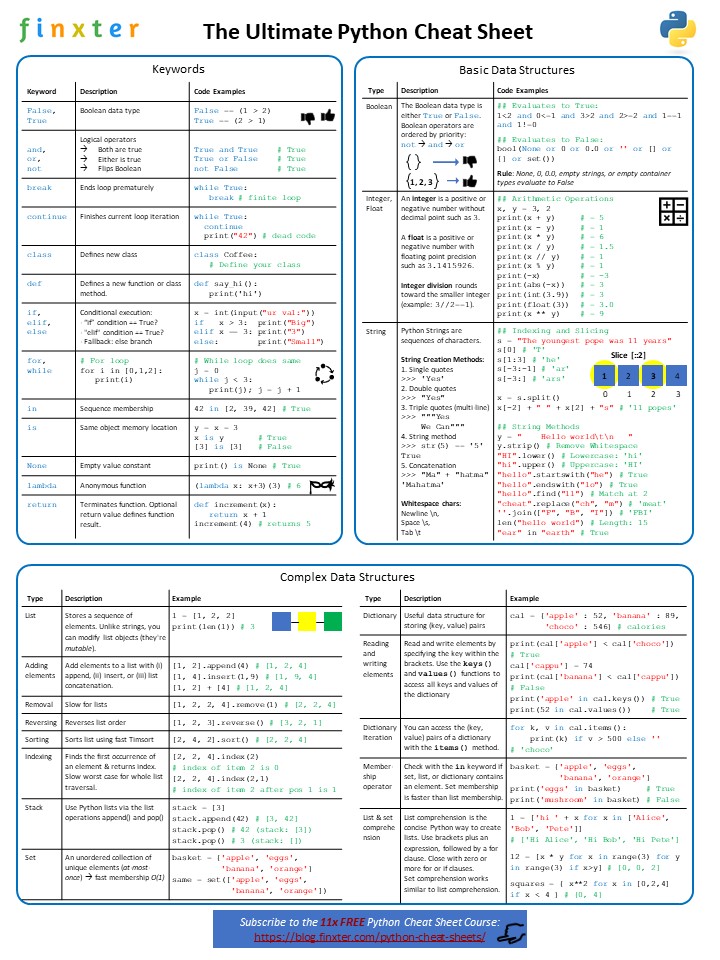
An excellent way to start learning Python is through Python cheat sheets. They focus on the relevant parts and introduce the most important concepts in the shortest possible time. Here’s such a Python cheat sheet for you:
You can download this and more cheat sheets in my interactive Python email course (that’s also 100% free). Check it out for continuous improvement in Python by reading a series of course email lessons I’ll send you into your INBOX. Free Python cheat sheets are included!
The following one-liner solves the problem in an elegant way using a fine understanding of more advanced Python features (source).
print('\n'.join('Fizz' * (i%3==0) + 'Buzz' * (i%5==0) or str(i) for i in range(1,101)))
The one-liner creates a string using the join function with the newline character as a delimiter. Here’s a short explanation of the function:
The string.join(iterable) method concatenates all the string elements in the iterable (such as a list, string, or tuple) and returns the result as a new string. The string on which you call it is the delimiter string—and it separates the individual elements. For example, '-'.join(['hello', 'world']) returns the joined string 'hello-world'.
So, what’s the iterable, you pass into the join() function? It’s a generator expression of the form: expression for variable in context. You go over all integer values in the context 1 to 100 using the range() function. So, you obtain the remaining expression for i in range(1, 101). What’s the expression part?
It consists of three elements:
'Fizz' * (i%3==0) — The modulo expression i%3==0 returns True only if the integer i is divisible by 3, otherwise it returns False. So, you multiply the string 'Fizz' either with True (=1) or with False (=0). As a result, you obtain the empty string '' in all cases except if the integer i is divisible by 3—in which case you obtain the string 'Fizz'.
'Buzz' * (i%5==0)— The modulo expression i%5==0 returns True only if the integer i is divisible by 5, otherwise it returns False. So, you multiply the string 'Buzz' either with True (=1) or with False (=0). As a result, you obtain the empty string '' in all cases except if the integer i is divisible by 5—in which case you obtain the string 'Buzz'.
You use string concatenation to glue together the previously obtained strings. In most cases, this will be the empty string. If i is divisible by 3, you obtain the string 'Fizz'. If i is divisible by 5, you obtain the string 'Buzz'. And if i is divisible by 3 and 5, you obtain the string 'FizzBuzz'.
or str(i) — In the case you obtained a non-empty string in {'Fizz', 'Buzz', 'FizzBuzz'} in the previous step, the or operation simply returns this string. This is called short circuiting—and it’s used in many programming languages such as Python to improve efficiency of logical operations.
But if the string is empty, it is interpreted as a logical False. Thus, Python returns the second operand of the or operation. The second operand simply is the string representation of the integer i.
A very interesting implementation of the FizzBuzz problem indeed!
FizzBuzz One-Liner 2: Slicing
An alternative is given in the following nice one-liner (source):
for i in range(1, 101): print('FizzBuzz'[i*i%3*4:8--i**4%5] or i)
Wow—what a short and concise one-liner solution! But how does it work?
You iterate over all values from i=1 to i=100 and print a string. So far so good.
You use the or operation and slicing to determine the string 'FizzBuzz'[start:end] or i generates the output.
You use the property of short circuiting in Python: If 'FizzBuzz'[start:end] is empty, the integer i is returned, otherwise, the non-empty string is returned.
You carve out a substring from 'FizzBuzz' using slicing as follows.
Slicing is a concept to carve out a substring from a given string. Use slicing notation s[start:stop:step] to access every step-th element starting from index start (included) and ending in index stop (excluded). All three arguments are optional, so you can skip them to use the default values (start=0, stop=len(lst), step=1). For example, the expression s[2:4] from string 'hello' carves out the slice 'll' and the expression s[:3:2] carves out the slice 'hl'.
In the example, you have the slicing operation 'FizzBuzz'[i*i%3*4:8--i**4%5].
start = i*i%3*4 — Note that the multiplication * and modulo operation % have the same priority, so they are evaluated from left to right. If integer i is divisible by 3, i*i is also divisible by 3, and the start index is 0. In all other cases, the start index is 4. Thus, the slice either starts with 'Fizz' or 'Buzz'.
stop = 8--i**4%5 — This is 4 in all cases except if the number i is divisible by 5, in which case this is 8.
So, there are four cases:
The number is divisible only by 3: start=0, stop=4 –> 'Fizz'
The number is divisible only by 5: start=4, stop=8 –> 'Buzz'
The number is divisible by both 3 and 5: start=0, stop=8 –> 'FizzBuzz'
The number is divisible by neither 3 nor 5: start = 4, stop=4 –> ''
Phew! This was a hard nut to crack, wasn’t it?
Python One-Liner 3: Map + Lambda
You can find detailed tutorials on the map and lambda functions here:
Those two functions can be used to solve the FizzBuzz problem (source):
print(list(map(lambda i: "Fizz"*(i%3==0)+"Buzz"*(i%5==0) or str(i), range(1,101))))
It’s similar to Method 1 and by now you’re able to figure it out. Think of the different values the integer i can take.
Python One-Liners Book
Python programmers will improve their computer science skills with these useful one-liners.
Python One-Linerswill teach you how to read and write “one-liners”: concise statements of useful functionality packed into a single line of code. You’ll learn how to systematically unpack and understand any line of Python code, and write eloquent, powerfully compressed Python like an expert.
The book’s five chapters cover tips and tricks, regular expressions, machine learning, core data science topics, and useful algorithms. Detailed explanations of one-liners introduce key computer science concepts and boost your coding and analytical skills. You’ll learn about advanced Python features such as list comprehension, slicing, lambda functions, regular expressions, map and reduce functions, and slice assignments. You’ll also learn how to:
• Leverage data structures to solve real-world problems, like using Boolean indexing to find cities with above-average pollution • Use NumPy basics such as array, shape, axis, type, broadcasting, advanced indexing, slicing, sorting, searching, aggregating, and statistics • Calculate basic statistics of multidimensional data arrays and the K-Means algorithms for unsupervised learning • Create more advanced regular expressions using grouping and named groups, negative lookaheads, escaped characters, whitespaces, character sets (and negative characters sets), and greedy/nongreedy operators • Understand a wide range of computer science topics, including anagrams, palindromes, supersets, permutations, factorials, prime numbers, Fibonacci numbers, obfuscation, searching, and algorithmic sorting
By the end of the book, you’ll know how to write Python at its most refined, and create concise, beautiful pieces of “Python art” in merely a single line.
A lambda function allows you to define a function in a single line. It starts with the keyword lambda, followed by a comma-separated list of zero or more arguments, followed by the colon and the return expression. For example, lambda x, y: x+y calculates the sum of the two argument values x+y in one line of Python code.
Problem: How to define a function in a single line of Python code?
Example: Say, you’ve got the following function in three lines. How to compress them into a single line of Python code?
def say_hi(*friends): for friend in friends: print('hi', friend) friends = ['Alice', 'Bob', 'Ann']
say_hi(*friends)
The code defines a function say_hi that takes an iterable as input—the names of your friends—and prints 'hi x' for each element x in your iterable.
The output is:
'''
hi Alice
hi Bob
hi Ann '''
Let’s dive into the different methods to accomplish this! First, here’s a quick interactive overview to test the waters:
Exercise: Run the code—is the output the same for all four methods?
Next, you’ll learn about each method in greater detail!
A lambda function is an anonymous function in Python. It starts with the keyword lambda, followed by a comma-separated list of zero or more arguments, followed by the colon and the return expression. For example, lambda x, y, z: x+y+z would calculate the sum of the three argument values x+y+z.
friends = ['Alice', 'Bob', 'Ann'] # Method 1: Lambda Function
hi = lambda lst: [print('hi', x) for x in lst]
In the example, you want to print a string for each element in an iterable—but the lambda function only returns an object. Thus, we return a dummy object: a list of None objects. The only purpose of creating this list is to execute the print() function repeatedly, for each element in the friends list.
You obtain the following output:
hi(friends) '''
hi Alice
hi Bob
hi Ann '''
Method 2: Function Definition
A similar idea is employed in this one-liner example—but instead of using a lambda function, we define a regular function and simply skip the newline. This is possible if the function body has only one expression:
friends = ['Alice', 'Bob', 'Ann'] # Method 2: Function Definition
def hi(lst): [print('hi', x) for x in lst]
The output is the same as before:
hi(friends) '''
hi Alice
hi Bob
hi Ann '''
This approach is more Pythonic than the first one because there’s no throw-away return value and it’s more concise.
To make a Python one-liner out of any multi-line Python script, replace the new lines with a new line character '\n' and pass the result into the exec(...) function. You can run this script from the outside (command line, shell, terminal) by using the command python -c "exec(...)".
We can apply this technique to the first example code snippet (the multi-line function definition) and rename the variables to make it more concise:
friends = ['Alice', 'Bob', 'Ann'] # Method 3: exec()
exec("def hi(*lst):\n for x in lst:\n print('hi', x)\nhi(*friends)")
If you run the code, you’ll see the same output as before:
hi(friends) '''
hi Alice
hi Bob
hi Ann '''
This is very hard to read—our brain cannot grasp the whitespaces and newline characters easily. But I still wanted to include this method here because it shows how you or anyone else can compress complicated algorithms in a single line of Python code!
Watch the video if you want to learn more details about this technique:
Python One-Liners Book
Python programmers will improve their computer science skills with these useful one-liners.
Python One-Linerswill teach you how to read and write “one-liners”: concise statements of useful functionality packed into a single line of code. You’ll learn how to systematically unpack and understand any line of Python code, and write eloquent, powerfully compressed Python like an expert.
The book’s five chapters cover tips and tricks, regular expressions, machine learning, core data science topics, and useful algorithms. Detailed explanations of one-liners introduce key computer science concepts and boost your coding and analytical skills. You’ll learn about advanced Python features such as list comprehension, slicing, lambda functions, regular expressions, map and reduce functions, and slice assignments. You’ll also learn how to:
• Leverage data structures to solve real-world problems, like using Boolean indexing to find cities with above-average pollution • Use NumPy basics such as array, shape, axis, type, broadcasting, advanced indexing, slicing, sorting, searching, aggregating, and statistics • Calculate basic statistics of multidimensional data arrays and the K-Means algorithms for unsupervised learning • Create more advanced regular expressions using grouping and named groups, negative lookaheads, escaped characters, whitespaces, character sets (and negative characters sets), and greedy/nongreedy operators • Understand a wide range of computer science topics, including anagrams, palindromes, supersets, permutations, factorials, prime numbers, Fibonacci numbers, obfuscation, searching, and algorithmic sorting
By the end of the book, you’ll know how to write Python at its most refined, and create concise, beautiful pieces of “Python art” in merely a single line.
You may know the following problem: You have an object’s attribute name as a string—say, you’ve read it from a file—and you want to access the attribute with the given name. But you cannot use the syntax object."attribute" because the dot notation only allows for name-access like this: object.attribute. How do you resolve this problem? This article will show you how!
Quick Solution: There are four ways to access the object attribute in Python via the built-in functions:
hasattr()— checks whether an attribute exists or not,
setattr()— is used for setting an attribute, if the attribute does not exist, it will be created,
delattr()— deletes the attribute.
What Are Attributes Anyways?
We callattributeeverything is contained inside an object in Python. There is no real distinguishing between plain data and functions—both are objects. Thus, everything you’ll learn about attributes also applies to methods.
In this article, I will use the following class to show how to access the attributes. It represents a gun of some name and its caliber. In addition, it provides a get_entry method which returns a string representation of the weapon.
class Gun: def __init__(self, name, caliber): self.name = name self.caliber = caliber
The Getattr() Function
As mentioned above, the getattr() function allows you to access the class object attribute. Its syntax is getattr(object, attribute, default), the first two parameters are required, and the third is optional.
object – an object of the class which has been created,
attribute – the name of the attribute from which you want to get the value,
default – message that will be printed out if the attribute does not exist.
ak47 = Gun(name='Ak-47', caliber='7,62 mm') print(getattr(ak47, 'caliber', f'the attribute named {"caliber"} does not exist')) print(getattr(ak47, 'color', f'the attribute named {"color"} does not exist'))
Output:
7,62 mm
the attribute named color does not exist
You first create a Gun class object. Second, you get its caliber and color. Since your object does not have an attribute called color, you only received its caliber and information that the attribute named color does not exist.
You can run this code in our interactive Python shell:
Exercise: Change the output to also print the name of the object.
The Hasattr() Function
The hasattr() function checks if the attribute exists and prints out the bool value: True if so or False if it does not exist. This function has only two parameters that need to be specified: object and attribute.
attributes = ['name', 'color', 'caliber', 'designer'] for attribute in attributes: print(hasattr(ak47, attribute))
Output:
True
False
True
False
As we can see, the hasattr() function checked whether our object named ak47 has the attributes we included in the list and returned True and False values to us. This function is especially useful when we have written many lines of code and our project is huge, then we can quickly and easily check if an object has some attribute or even several attributes.
The Setattr() Function
The setattr() function sets an attribute. Moreover, if the attribute does not exist, it will be created. There are three parameters, and all are required:
object – object of your class,
attribute – name of the attribute you want to set,
value – the value you want to give to the attribute.
As you can see, the function fulfilled its role. At the beginning, we checked if the attribute named mass exists and at that time it did not exist yet (False), then we set the value for this attribute and as we can see, after using setattr(), the object obtained a new attribute (True).
The Delattr() Function
The delattr() function deletes a given attribute from a specific object. Just like with hasattr(), the parameters are two – object and attribute.
ak47 = Gun('ak47', '7,62 mm') attributes = ['name', 'caliber'] for attribute in attributes: print(hasattr(ak47, attribute)) for attribute in attributes: delattr(ak47, attribute) print('***') for attribute in attributes: print(hasattr(ak47, attribute))
Output:
True
True
***
False
False
At first, we created a Gun class object and a list with attribute names. Later we checked if the object has these attributes (True, True), then we used delattr() in the for loop and checked again (False, False).
Other Methods To Access Object Attribute:
Finally, you must also provide another way to check/change the value of the attribute or delete the attribute completely.
You can also access the attribute using dotted-syntax:
This way it also works, but remember that it can cause Error when a given attribute does not exist (this cannot be prevented as easily as with the built-in functions) and additionally we can’t check the value of several objects at once using the loop, so we have to use the getattr() function.
You can delete an attribute using the delfunction:
ak47 = Gun('ak47', '7,62 mm') attributes = ['name', 'caliber'] for attribute in attributes: print(hasattr(ak47, attribute)) del ak47.name
del ak47.caliber print('***') for attribute in attributes: print(hasattr(ak47, attribute))
Output:
True
True
***
False
False
As we can see, we have managed to delete, but we have to call the attributes one by one, so if we want to delete more attributes, it is better to use the delattr() function and the for loop.
Summary
We started with an explanation of what the attributes in Python are, and then the functions getattr(), hasattr(), setattr() and delattr() were described. Finally, we presented other methods with the help of which you can see/change the value of an attribute and also remove an attribute completely.
I hope this article has answered all your questions about how to access an object attribute.
When Guido van Rossum released the first viable Python version 0.9.0 in 1991, he couldn’t have expected (by a long shot) that he was on the verge of creating the most influential programming language in the world. Python has a bright future: every new Python version adds new features to the programming language.
In this quickstart guide, you’ll learn how to set up Python on your computer and install the newest version. Because Python is constantly evolving, we keep this information as generalized as possible.
So, how to get started with Python? Let’s go over the steps one by one.
Step 1: Download Python
First, please visit the official Python website and download the latest Python version. The download manager should already propose the correct installer for your operating system because it receives this information through your browser accessing the site.
Step 2: Install Python on Your Machine
Second, run the installer on your computer. In most operating systems, there’s nothing more to it than double clicking the downloaded file.
Step 3: Check Your Python Installation
Third, check if your Python installation worked properly by running the following command in your command line or PowerShell (Windows), terminal (MacOS), or shell (Linux).
Here’s a screenshot checking the Python version on my Windows machine:
Congratulations, you have installed Python on your computer!
Step 4: Write Your First Hello World Program with IDLE
You can start writing your own programs with the IDLE editor that’s built into your system. Just search the phrase ‘IDLE’ on your operating system and open the program:
To start your first own program, type the following command into your shell:
>>> print('hello world!')
Python will interpret your command and print the desired words to your shell:
hello world!
This mode of communicating back-and-forth with your Python interpreter is called “interactive mode”. It has the advantage of immediate feedback. However, the great things about programs is automation—writing a program once and running it again and again.
For example, how to write a program that greets you by name every time you run it?
Step 5: Create Your First Python Module
To allow you to write a program once, save it on your computer, and run it at any later point in time, Python comes with what you may call a “scripting mode”. In this mode, you write a Python script and store it in a file with the suffix .py such as my_first_program.py.
You can create such a file via the menu of your IDLE shell:
Click “New File” and copy&paste the following code into your new file:
name = input("What's your name? ")
print('hello ' + name)
You’ll learn about the commands of the Python programming language in my free email academy (with cheat sheets). For now, please store your file under the name 'hello.py' on your Desktop or any other location. Your current state should look like this:
You can test-run this program here in your browser in our interactive Python shell:
Exercise: Run the code and type in your name. What’s the output?
Step 6: Run Your First Module
Now, let’s get some action going: Click Run > Run Module. The Python program start executing in the interactive shell—but without you needing to type each line into it. It runs through the code file line by line. The first line asks you to put in your name. Type it in. The second line then takes your name and prints it to the shell. Here’s how this looks in my case:
Conclusion
Believe it or not, this procedure will later allow you to run your own applications. Although the applications will get more complicated, the basic process looks the same: First, you create a Python file that contains the application. Second, you run the application on your computer. Theoretically, you don’t need any other Python editor – the preinstalled IDLE editor is all you need!
While this is already a great accomplishment for the day, most coders don’t use the built-in Python editor IDLE a lot. Why? Because it’s harder with the IDLE editor to write simple programs and the editor doesn’t provide you with advanced tools, assistance, and language support. Instead, a far better option for most coders will be to install an integrated development environment (IDE). One of the most popular for Python is PyCharm.
However, this is an optional step and different coders prefer different development environments. You can find detailed installation and setup guides online. We recommend you follow these instructions to set up your own PyCharm projects. Even if this takes you an hour or so to complete, it’s a good investment in your future productivity!
Where to Go From Here?
Enough theory, let’s get some practice!
To become successful in coding, you need to get out there and solve real problems for real people. That’s how you can become a six-figure earner easily. And that’s how you polish the skills you really need in practice. After all, what’s the use of learning theory that nobody ever needs?
Practice projects is how you sharpen your saw in coding!
Do you want to become a code master by focusing on practical code projects that actually earn you money and solve problems for people?
Then become a Python freelance developer! It’s the best way of approaching the task of improving your Python skills—even if you are a complete beginner.
To sort and return a Python list in a single line of code, use the sorted(list) method that returns a new list of sorted elements. It copies only the references to the original elements so the returned list is not a deep but a shallow copy.
Let’s dive into the challenge to learn about more details and alternatives. Everything is not always simple. By studying the different methods that solves this, you’ll become a better coder!
You want to sort this list and return the result in a single line. If you use the list.sort() method, the return value is None:
print(a.sort())
# None
The return value of the list.sort() method is None, but many coders expect it to be the sorted list. So they’re surprised finding out that their variables contain the None type rather than a sorted list.
However, returning None makes perfect sense for the list.sort() method. Why? Because you call the method on a list object and it modifies this exact list object. It doesn’t create a new list—there won’t be a new list object in memory.
So, how to sort and return a list in a single line of Python code? As a rule of thumb, there are always multiple ways to accomplish the same thing in Python. Let’s dive into the different ways to accomplish this!
Here’s a quick overview of the methods addressed in this article:
Exercise: Change the list to be sorted by adding negative floats. Does it still work?
You’ll now learn more about each of the methods.
Method 1: sorted()
The easiest way to accomplish this task is to call Python’s built-in sorted() function that takes an iterable and returns a new list with sorted elements.
The sorted() function generates a new sorted list that is put into the print() function that prints the sorted list to the shell. The output is the sorted list:
[1, 2, 3, 4]
This method is the most Pythonic one. But are there alternatives?
Method 2: list.sort() + Ternary Operator
The sorted() method leaves the original list unchanged. But what if you want to sort the original list and get this original list as an output that you can assign to a variable?
a = [4, 2, 1, 3] # Method 2: list.sort() + ternary
print(a if a.sort() else a)
# [1, 2, 3, 4]
You need to understand two concepts: (1) list.sort() and (2) the ternary operator:
The list.sort() method sorts the list elements in place in an ascending manner. To customize the default sorting behavior, use the optional keyargument by passing a function that returns a comparable value for each element in the list.
The ternary operatorx if c else y consists of three operands x, c, and y. It returns x if the Boolean expression c evaluates to True. Otherwise, if the expression c evaluates to False, the ternary operator returns the alternative y.
The beautiful thing is that the one-linerprint(a if a.sort() else a) modifies the original list and returns it right away. How does it do this?
Explanation: First, the a.sort() method is called to check which “branch” of the ternary operator should be visited. The return value of a.sort() will always be None. The None value is automatically converted to the Boolean False. Thus, the ternary operator always returns the list object referred to by variable a.
Note that the only purpose of the ternary operator is to make sure to call the a.sort() method before returning the value a—to make sure it is sorted!
If you print the original list to the shell, you’ll see that it is now sorted:
>>> print(a)
[1, 2, 3, 4]
Method 3: Combining Multiple Statements in a Single Line with Semicolon
An alternative is chaining the statements with a semicolon ; to one-linerize a Python code snippet. This strategy works with flat Python programs without, possible nested, blocks:
If you need to sort a Python list and print its return value to the shell—for example because you run this command from the command line or terminal—you can use this excellent strategy.
You can learn more about how to one-linerize any Python program in my following video:
Python One-Liners Book
Python programmers will improve their computer science skills with these useful one-liners.
Python One-Linerswill teach you how to read and write “one-liners”: concise statements of useful functionality packed into a single line of code. You’ll learn how to systematically unpack and understand any line of Python code, and write eloquent, powerfully compressed Python like an expert.
The book’s five chapters cover tips and tricks, regular expressions, machine learning, core data science topics, and useful algorithms. Detailed explanations of one-liners introduce key computer science concepts and boost your coding and analytical skills. You’ll learn about advanced Python features such as list comprehension, slicing, lambda functions, regular expressions, map and reduce functions, and slice assignments. You’ll also learn how to:
• Leverage data structures to solve real-world problems, like using Boolean indexing to find cities with above-average pollution • Use NumPy basics such as array, shape, axis, type, broadcasting, advanced indexing, slicing, sorting, searching, aggregating, and statistics • Calculate basic statistics of multidimensional data arrays and the K-Means algorithms for unsupervised learning • Create more advanced regular expressions using grouping and named groups, negative lookaheads, escaped characters, whitespaces, character sets (and negative characters sets), and greedy/nongreedy operators • Understand a wide range of computer science topics, including anagrams, palindromes, supersets, permutations, factorials, prime numbers, Fibonacci numbers, obfuscation, searching, and algorithmic sorting
By the end of the book, you’ll know how to write Python at its most refined, and create concise, beautiful pieces of “Python art” in merely a single line.
Article summary: Here’s a quick visual overview of the contents of this tutorial.
Flat List: To sum over a list of numbers in a single line of Python code, use Python’s built-in function sum(list).
Nested List: To sum over a list of lists in one line Python, use a generator expression to flatten the list and pass the result into the function: sum(x for y in list for x in y).
Method 1: Sum over a Flat List in One Line
Problem: How to sum over all values in a given Python list?
Example: Given the following list.
a = [1, 2, 3]
You want to calculate the sum of all values in the list—using only a single line of Python code!
# RESULT: 6
Solution: Python’s built-in sum() function helps you to sum over all values in an iterable, such as a Python list.
Summing up a list of numbers appears everywhere in coding. Fortunately, Python provides the built-in sum() function to sum over all elements in a Python list—or any other iterable for that matter. (Official Docs)
Code: Here’s the minimal code example.
a = [1, 2, 3] print(sum(a))
# 6
How does it work? The syntax is sum(iterable, start=0):
Argument
Description
iterable
Sum over all elements in the iterable. This can be a list, a tuple, a set, or any other data structure that allows you to iterate over the elements. Example: sum([1, 2, 3]) returns 1+2+3=6.
start
(Optional.) The default start value is 0. If you define another start value, the sum of all values in the iterable will be added to this start value. Example: sum([1, 2, 3], 9) returns 9+1+2+3=15.
Exercise: Try to modify the sequence so that the sum is 30 in our interactive Python shell:
Method 2: Sum over a Nested List of Lists in One Line
Problem: Given multiple lists in a list of lists. How can you sum over all values in a list of lists such as [[1, 2], [3, 4], [5, 6]] in Python?
Solution: Use a generator expression to flatten the values in the nested list and pass the resulting iterable into the sum() function.
Code: The following code creates a list of lists:
a = [[1, 2], [3, 4], [5, 6]]
To sum over the values in the list of lists, use the following one-liner:
print(sum(x for y in a for x in y))
The output is printed on the shell:
# OUTPUT: 21
But how does it work? The main part of the code is the generator expression x for y in a for x in y that flattens the list.
The part x for y in a for x in y iterates over all elements y in the nested list a.
The part x for y in a for x in y iterates over all elements y in the inner list y.
The part x for y in a for x in y stores the inner element in the iterable.
Python programmers will improve their computer science skills with these useful one-liners.
Python One-Linerswill teach you how to read and write “one-liners”: concise statements of useful functionality packed into a single line of code. You’ll learn how to systematically unpack and understand any line of Python code, and write eloquent, powerfully compressed Python like an expert.
The book’s five chapters cover tips and tricks, regular expressions, machine learning, core data science topics, and useful algorithms. Detailed explanations of one-liners introduce key computer science concepts and boost your coding and analytical skills. You’ll learn about advanced Python features such as list comprehension, slicing, lambda functions, regular expressions, map and reduce functions, and slice assignments. You’ll also learn how to:
• Leverage data structures to solve real-world problems, like using Boolean indexing to find cities with above-average pollution • Use NumPy basics such as array, shape, axis, type, broadcasting, advanced indexing, slicing, sorting, searching, aggregating, and statistics • Calculate basic statistics of multidimensional data arrays and the K-Means algorithms for unsupervised learning • Create more advanced regular expressions using grouping and named groups, negative lookaheads, escaped characters, whitespaces, character sets (and negative characters sets), and greedy/nongreedy operators • Understand a wide range of computer science topics, including anagrams, palindromes, supersets, permutations, factorials, prime numbers, Fibonacci numbers, obfuscation, searching, and algorithmic sorting
By the end of the book, you’ll know how to write Python at its most refined, and create concise, beautiful pieces of “Python art” in merely a single line.
Python provides fantastic string formatting options, but what if you need greater control over how values are presented? That’s where format specifiers come in.
This article starts with a brief overview of the different string formatting approaches. We’ll then dive straight into some examples to whet your appetite for using Python’s Format Specification Mini-Language in your own projects.
But before all that—let’s play with string formatting yourself in the interactive Python shell:
Exercise: Create another variable tax and calculate the tax amount to be paid on your income (30%). Now, add both values income and tax in the string—by using the format specifier %s!
Don’t worry if you struggle with this exercise. After reading this tutorial, you won’t! Let’s learn everything you need to know to get started with string formatting in Python.
String Formatting Options
Python’s string formatting tools have evolved considerably over the years.
The oldest approach is to use the % operator:
>>> number = 1 + 2
>>> 'The magic number is %s' % number 'The magic number is 3'
(The above code snippet already includes a kind of format specifier. More on that later…)
The str.format() method was then added:
>>> 'The magic number is {}'.format(number) 'The magic number is 3'
Most recently, formatted string literals (otherwise known as f-strings) were introduced. F-strings are easier to use and lead to cleaner code, because their syntax enables the value of an expression to be placed directly inside a string:
>>> f'The magic number is {number}' 'The magic number is 3'
Other options include creating template strings by importing the Template class from Python’s string module, or manually formatting strings (which we’ll touch on in the next section).
If this is all fairly new to you and some more detail would be helpful before moving on, an in-depth explanation of the main string formatting approaches can be found here.
Format Specifiers
With that quick summary out of the way, let’s move on to the real focus of this post – explaining how format specifiers can help you control the presentation of values in strings.
F-strings are the clearest and fastest approach to string formatting, so I will be using them to illustrate the use of format specifiers throughout the rest of this article. Please bear in mind though, that specifiers can also be used with the str.format() method. Also, strings using the old % operator actually require a kind of format specification – for example, in the %s example shown in the previous section the letter s is known as a conversion type and it indicates that the standard string representation of the object should be used.
So, what exactly are format specifiers and what options do they provide?
Simply put, format specifiers allow you to tell Python how you would like expressions embedded in strings to be displayed.
Percentage Format and Other Types
For example, if you want a value to be displayed as a percentage you can specify that in the following way:
>>> asia_population = 4_647_000_000
>>> world_population = 7_807_000_000
>>> percent = asia_population / world_population
>>> f'Proportion of global population living in Asia: {percent:.0%}' 'Proportion of global population living in Asia: 60%'
What’s going on here? How has this formatting been achieved?
Well the first thing to note is the colon : directly after the variable percent embedded in the f-string. This colon tells Python that what follows is a format specifier which should be applied to that expression’s value.
The % symbol defines that the value should be treated as a percentage, and the .0 indicates the level of precision which should be used to display it. In this case the percentage has been rounded up to a whole number, but if .1 had been specified instead the value would have been rounded to one decimal place and displayed as 59.5%; using .2 would have resulted in 59.52% and so on.
If no format specifier had been included with the expression at all the value would have been displayed as 0.5952350454720123, which is far too precise!
(The % symbol applied in this context should not be confused with the % operator used in old-style string formatting syntax.)
Percentage is just the tip of the iceberg as far as type values are concerned, there are a range of other types that can be applied to integer and float values.
For example, you can display integers in binary, octal or hex formats using the b, o and x type values respectively:
For a full list of options see the link to the relevant area of the official Python documentation in the Further Reading section at the end of the article.
Width Format, Alignment and Fill
Another handy format specification feature is the ability to define the minimum width that values should take up when they’re displayed in strings.
To illustrate how this works, if you were to print the elements of the list shown below in columns without format specification, you would get the following result:
As you can see, width is specified by adding a number after the colon.
The new output is better, but it seems a bit strange that the titles are aligned to the left while the numbers are aligned to the right. What could be causing this?
Well, it’s actually to do with Python’s default approach for different data types. String values are aligned to the left as standard, while numeric values are aligned to the right. (This might seem slightly odd, but it’s consistent with the approach taken by Microsoft Excel and other spreadsheet packages.)
Fortunately, you don’t have to settle for the default settings. If you want to change this behavior you can use one of the alignment options. For example, focusing on the first column only now for the sake of simplicity, if we want to align the number to the left this can be done by adding the < symbol before the p_num variable’s width value:
Python’s default fill character is a space, and that’s what has so far been used when expanding the width of our values. We can use almost any character we like though. It just needs to be placed in front of the alignment option. For example, this is what the output looks like when an underscore is used to fill the additional space in the title row of our column:
It’s worth noting that the same output can be achieved manually by using the str() function along with the appropriate string method (in this case str.center()):
But the f-string approach is much more succinct and considerably faster to evaluate at run time.
Of course, outputting data formatted into rows and columns is just one example of how specifying width, alignment and fill characters can be used.
Also, in reality if you are looking to output a table of information you aren’t likely to be using a single print() statement. You will probably have several rows and columns to display, which may be constructed with a loop or comprehension, perhaps using str.join() to insert separators etc.
However, regardless of the application, in most instances using f-strings with format specifiers instead of taking a manual approach will result in more readable and efficient code.
24-Hour Clock Display
As another example, let’s say we want to calculate what the time of day will be after a given number of hours and minutes has elapsed (starting at midnight):
So far so good. Our program is correctly telling us that after 54 hours and 128 minute the time of day will be 8 minutes past 8 in the morning, but the problem is that it’s not very easy to read. Confusion could arise about whether it’s actually 8 o’clock in the morning or evening and having a single digit to represent the number of minutes just looks odd.
To fix this we need to insert leading zeros when the hour or minute value is a single digit, which can be achieved using something called sign-aware zero padding. This sounds pretty complicated, but in essence we just need to use a 0 instead of one of the alignment values we saw earlier when defining the f-string, along with a width value of 2:
>>> f'{hour:02}:{minute:02}' '08:08'
Hey presto! The time is now in a clear 24-hour clock format. This approach will work perfectly for times with double-digit hours and minutes as well, because the width value is a maximum and the zero padding will not be used if the value of either expression occupies the entire space:
The longer numbers get the harder they can be to read without thousand separators, and if you need to insert them this can be done using a grouping option:
>>> proxima_centauri = 40208000000000
>>> f'The closest star to our own is {proxima_centauri:,} km away.' 'The closest star to our own is 40,208,000,000,000 km away.'
You can also use an underscore as the separator if you prefer:
>>> f'The closest star to our own is {proxima_centauri:_} km away.' 'The closest star to our own is 40_208_000_000_000 km away.'
Putting It All Together
You probably won’t need to use a wide variety of format specification values with a single expression that often, but if you do want to put several together the order is important.
Staying with the astronomical theme, for demonstration purposes we’ll now show the distance between the Sun and Neptune in millions of kilometers:
As you can see, reading from right to left we need to place the n_dist format specification values in the following order:
Type – f defines that the value should be displayed using fixed-point notation
Precision – .1 indicates that a single decimal place should be used
Grouping – , denotes that a comma should be used as the thousand separator
Width – 15is set as the minimum number of characters
Align – ^defines that the value should be centered
Fill – ~indicates that a tilde should occupy any unused space
In general, format values that are not required can simply be omitted. However, if a fill value is specified without a corresponding alignment option a ValueError will be raised.
Final Thoughts and Further Reading
The examples shown in this article have been greatly simplified to demonstrate features in a straightforward way, but I hope they have provided some food for thought, enabling you to envisage ways that the Format Specification Mini-Language could be applied in real world projects.
Basic columns have been used to demonstrate aspects of format specification, and displaying tabular information as part of a Command Line Application is one example of the ways this kind of formatting could be employed.
If you want to work with and display larger volumes of data in table format though, you would do well to check out the excellent tools provided by the pandas library, which you can read about in these Finxter articles.
Also, if you would like to see the full list of available format specification values they can be found in this section of the official Python documentation.
The best way to really get the hang of how format specifiers work is to do some experimenting with them yourself. Give it a try – I’m sure you’ll have some fun along the way!


 .
.