The upcoming Pokémon Detective Pikachu movie has just received another trailer, adding to our already ridiculously strong hype and excitement for the film’s release this summer.
We get to see a little more comedic dialogue between Ryan Reynolds (as Pikachu) and Justice Smith (as Tim), as well as some up close shots of Bulbasaur and Lickitung. We’re still slightly freaked out by the designs of each Pokémon, but we can’t help but love it.
If you’ve missed the news on this one up until now, here’s what you can expect to see when the film launches:
“The story begins when ace private eye Harry Goodman goes mysteriously missing, prompting his 21-year-old son Tim to find out what happened. Aiding in the investigation is Harry’s former Pokémon partner, Detective Pikachu: a hilariously wise-cracking, adorable super-sleuth who is a puzzlement even to himself. Finding that they are uniquely equipped to communicate with one another, Tim and Pikachu join forces on a thrilling adventure to unravel the tangled mystery. Chasing clues together through the neon-lit streets of Ryme City—a sprawling, modern metropolis where humans and Pokémon live side by side in a hyper-realistic live-action world—they encounter a diverse cast of Pokémon characters and uncover a shocking plot that could destroy this peaceful co-existence and threaten the whole Pokémon universe.”
The movie hits cinemas on 10th May 2019. That’s less than three months away!
Have you been looking forward to watching this since it was first announced? Will you be heading out to watch it on the day of release? Let us know in the comments.
For some time now there have been whispers of a Retro Studios-developed racing game in the Star Fox universe. Many reliable sources that have gone on record regarding Star Fox Grand Prix, and everyone’s been expecting an announcement at every subsequent Direct. So far, Nintendo is keeping shtum, but footage from the latest Nintendo Direct has some people doubting its existence.
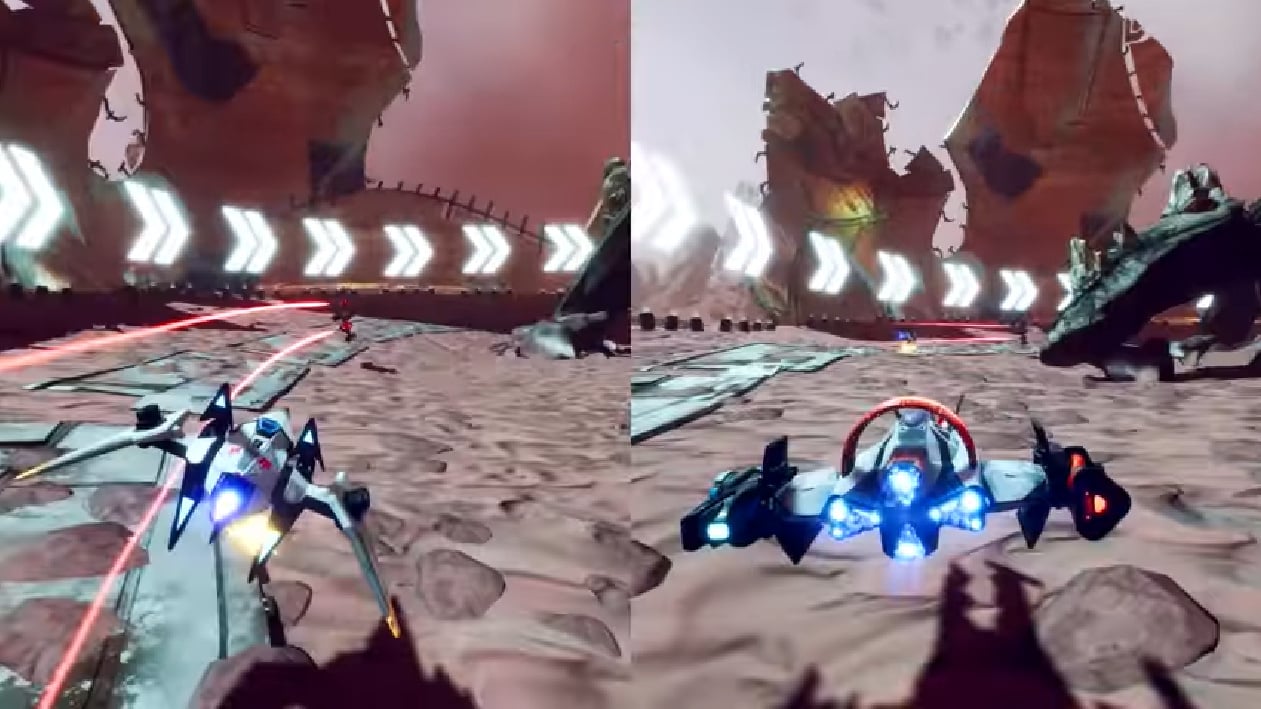
The latest trailer for the upcoming Starlink: Battle For Atlas update includes glimpses of starship races with Player One controlling an Arwing (skip to 14:30 in the Direct video below to see the above image in motion). A poster on ResetEra is postulating that all those sources have somehow misinterpreted this coming mode as the touted Star Fox racer.
It’s an interesting theory, to be sure, but the mental gymnastics needed to explain away Retro’s involvement don’t stand up to scrutiny. The idea that Retro’s work would somehow get recycled into a cross-platform Ubisoft property is absurd, as is the likelihood that numerous independent sources would have mistakenly jumped to the conclusion that Retro was working on it.
Unless Nintendo drops an incredible bombshell, you’ll have to wait until April to go to the races in your Arwing in any form on Switch. If nothing else, these theories show the dedication – and perhaps desperation – of a Star Fox fanbase starved of quality content. For anybody in that boat who hasn’t tried Starlink yet, we suggest you dive in immediately; prices are low and the game’s excellent on Switch. This weekend there’s even a ‘Free Toys Trial’ enabling you to try out some different Starships for a limited time.
It’s hard to deny the sheer quantity of sources that corroborate the rumours – why do you think Nintendo is taking so long to announce this game? Let us know your thoughts.
Gaming accessory maker YesOJO has now launched a Kickstarter crowdfunding campaign for its dedicated portable Nintendo Switch speaker – an accessory first revealed last September.
The speaker hopes to provide buyers with a way to experience greater sound quality while playing Switch on the go, with the design clearly focusing on enhancing tabletop mode play. The speaker system features dual stereo 10W speakers for what YesOJO describes as “perfect audio quality and volume, providing rich audio quality and a deep resounding bass”.
As you can see in the trailer above, it also doubles up as a Switch dock, connecting to your TV via an HDMI cable. Perhaps our favourite part of the design, however, is the interchangeable panels, which just so happen to match the colours of Nintendo’s very own Joy-Con.
YesOJO tells us that, if the campaign is successful, the company will give away a free game card holder, and if $300,000 or more is raised, it’ll give away a free retro-style pro controller.
You can find more details about the product on its Kickstarter page – and pledge your support to get one for yourself, of course. At the time of writing the project is 20% funded with 40 days remaining. There are a limited number of Early Bird options available, costing an approximated £77 after currency conversion.
What do you think? Does this look like a cool accessory for your Switch? Would you like to enhance your console’s audio quality when on the go? Tell us below.
The latest batch of My Nintendo game discounts for Europe has now gone live, and this time Nintendo has been a little bit sneaky. Well, pretty clever actually.
We’re sure you already know this by now, but it was just revealed that a gorgeous looking remake of the Game Boy classic The Legend of Zelda: Link’s Awakening will be coming to Nintendo Switch this year. If you’re looking to play the original before the big release, this will absolutely be your best chance to do it.
The DX version of the game, available on 3DS Virtual Console, can now be snapped up at 50% off thanks to My Nintendo (that means it’s just £2.69 / €2.99). As always, you can take advantage of these discounts by simply using the required Gold or Platinum My Nintendo Points listed below.
Some pretty decent offers here this time around. Note that the Zelda discount only costs 30 of your Gold Points, too.
Will you be taking advantage of any of these offers? Remember, your Gold Points can also be spent on Switch software directly from the eShop or a Nintendo Switch Online subscription, too.
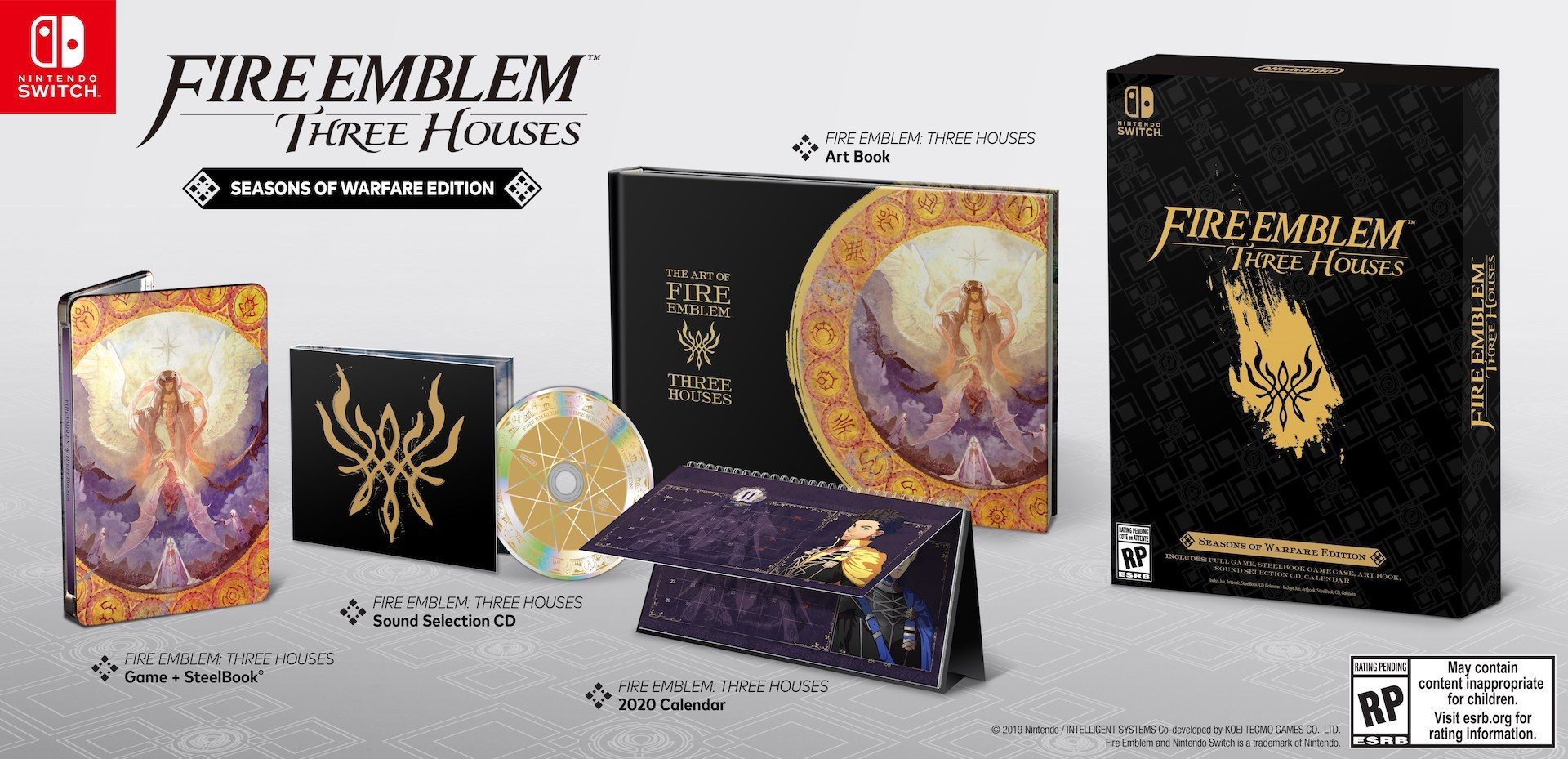
One of the larger segments of this week’s Nintendo Direct was given to Fire Emblem: Three Houses, which is now planned to arrive on the system this summer following a minor delay. The Direct promised that a limited edition would make its way to retail but didn’t show it off, so here’s a look at how the bundle will likely appear when it arrives.
The European version will come with a physical copy of the game (that box won’t be final design, don’t worry), a steelbook, a fancy outer casing, an artbook, a pin badge set featuring the three houses, and some songs from the game’s soundtrack on a USB stick. We’re not sure why they’ve opted for a USB over a nice little CD, but there you are.
In North America, you can expect a similar bundle, albeit with a CD rather than a USB stick. The pin badges have also been replaced with a calendar.
This bundle will hit stores on the same day that the game launches, 26th July. The Direct segment revealed information about the game’s three house setup, showing off some lovely portions of gameplay along the way.
Will you be snapping up the limited edition bundle? Let us know if you’re looking forward to this one in the comments.
If you remember the Zoids craze from the ‘80s, then you might be interested to learn that a new game is releasing in Japan at the end of the month: Zoids Wild: King of Blast.
If your memories don’t stretch back that far, Zoids are large mecha-animals which began life as a toy line and then grew into a franchise that includes five anime TV series and a bunch of games, too. While the western fortunes of the series have taken a nosedive since the ’80s, the robots managed to maintain their popularity in the Land of the Rising Sun and have appeared on several past Nintendo platforms.
Announced a little under a year ago, this new game from Takara Tomy is based on the latest anime and appears to be an attractive 3D fighter with plenty of electrifying over-the-top moves and colour. It includes some pretty devastating finishers known as ‘Final Blasts’, a Zoid Viewer enabling you to examine your models in exquisite detail and a story mode to underscore the mecha-mayhem. There’s competitive two-player and a legion of Zoids to choose from (we like the look of Death Rex).
The new trailer above goes into substantial detail over its seven minutes. While this is unlikely to get a localisation, importing is an option for any die-hard Zoids fan in the west, as long as you’re willing to miss out on the story (or, of course, you speak Japanese).
Have you played any games in the illustrious Zoids series? Like the look of this one? Get your Zoid on in the comments.
After releasing on Switch in Japan last year, it seems a western launch of Layton’s Mystery Journey: Katrielle And The Millionaires’ Conspiracy DX isn’t too far off.
Twitter user @lite_agent noticed that the Australian Board of Classification has given it an age rating, following a similar occurrence in Germany.
It’s been a long time coming – Japanese Switch owners have been able to enjoy this Deluxe Edition of the Level-5’s 3DS original since August last year, and it even has an accompanying anime. Ah, to live in Japan.
Hopefully, these ratings mean we’ll be able to dive into some detective puzzling ourselves before too long. It’s been a while and we’re big fans of the Layton series.
Are you a Layton aficionado? Eager to try this one out on your Switch? Share your thoughts in the usual place.
Tetris 99 is, amazingly, the newest and freshest ‘Battle Royale’ on the block, T-spinning its way into a heated battle against the likes of Fortnite and Apex Legends for world domination. Okay – it might not be in quite the same league as those gaming heavyweights – but it certainly brings an equal amount of fun to the table, and arguably even more challenge.
Facing off against 98 others players in real time is hard and, let’s be honest, the game really isn’t very good at telling you how to play. With that in mind, we’ve been practising like crazy to bring you this super-useful list of tips and tricks. What do the attacks in Tetris 99 do? How do you win? What even are the controls? We’ve got you covered…
The Basics of Tetris (and Tetris 99’s controls)
How To Play
Let’s kick things off with the basics (feel free to scroll on down if you already know how to play the main game). When loading up a game, you’ll see differently-coloured Tetriminos – blocks made up of different shapes – fall from the top of the screen. Your job is to rotate, drop, and carefully place these at the bottom of your screen to create full lines. Doing so clears that line from the board, and you can even clear multiple lines in one go with clever block placement.
In a usual game of Tetris, the aim is to simply survive for as long as possible, or get crazy high scores by clearing lots of lines or getting combos. Tetris 99 changes things up, however, as we’ll find out later on.
The Controls
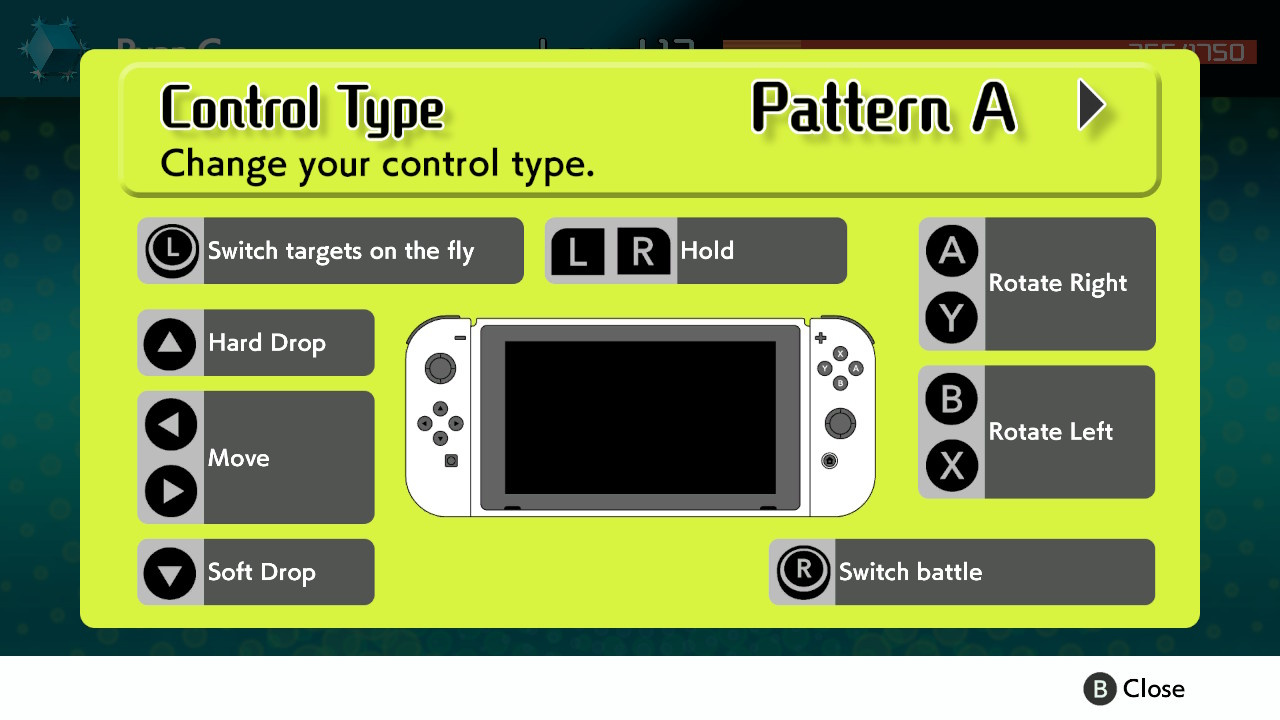
If you’ve never played a game of Tetris before, or if you’re feeling a little rusty, you’re going to have a pretty hard time learning the basics in Tetris 99. Before jumping into a full match, make sure to memorise these controls:
A/Y: Rotate Right – This will rotate your current, falling Tetrimino block to the right by 90 degrees.
B/X: Rotate Left – This will rotate your current, falling Tetrimino block to the left by 90 degrees.
L/R: Hold – This stores one block for later use, which can then be activated whenever you like by pressing the button again. Perfect for holding back tricky-to-place blocks, or saving an ‘I’ block to slot in at a later time.
D-Pad Left/Right: Move – This will move your current, falling block to the left or right.
D-Pad Up: Hard Drop – Pressing up will cause your current block to automatically snap to its destination. Once you’ve moved and rotated your block to where you like, press this to move on quickly.
D-Pad Down: Soft Drop – Just like the hard drop, except this allows you to manually drop at your own pace.
Left Stick/Touchscreen: Select target – The left stick and touchscreen allow you to manually pick an opponent to attack during the Battle Royale.
Right Stick: Switch attack mode – The right stick toggles through the different attack mode options in Battle Royale (explained further down in this guide).
It’s also worth noting that you can switch the left and right stick options around in the settings, should you prefer them the opposite way around.
The ‘Battle Royale’ Twist
In Tetris 99, you’ll be playing against 98 other players in real time. Players can attack each other during the game, sending ‘junk’ lines to an opponent’s screen, and the last one standing after all the mayhem is declared the winner.
There are a surprising number of things to think about here, such as your attack, defence, and keeping an eye on what your opponents are doing. Hopefully, these tips will help you on your way to victory.
How To Send ‘Junk’ Lines
You can send ‘junk’ lines to opponents by clearing more than one line of blocks at a time (or sometimes even with just one if you’ve racked up combos or badges).
Clearing two lines will send one to your selected opponent; clearing three will send two, and clearing four will send four. Generating combos (successfully clearing lines with every block which falls from the top without a break) can add to these numbers.
What Are Badges And How Do They Work?
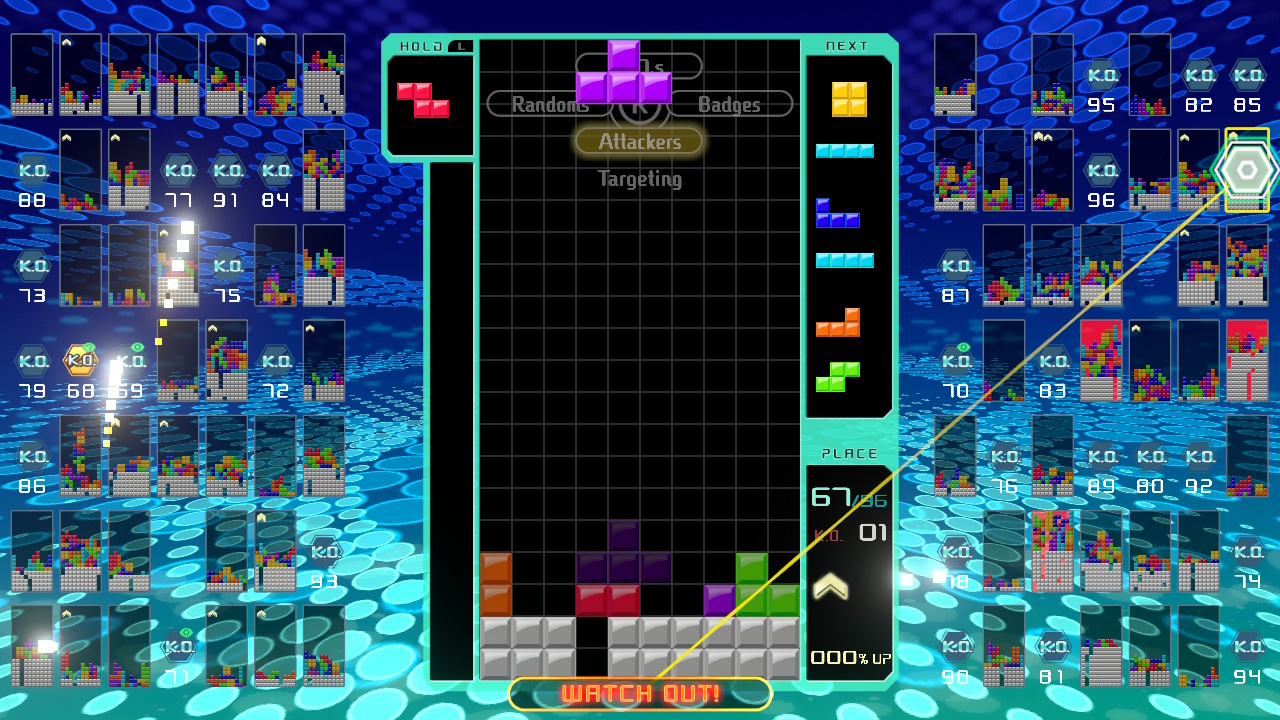
Badges add multiplier bonuses to your attacks, essentially adding to the number of lines you’ll send over to your opponent. Every time you wipe out another player, you’ll secure a portion of a badge, and you’ll also get any badges they were currently holding, too.
Reddit user Wiwiweb has managed to calculate exactly how these badges work. You can have up to four badges on you at any one time (the brackets below show how many badge portions you’ll need to make up that complete badge, and the attack bonus for owning each badge is shown afterwards).
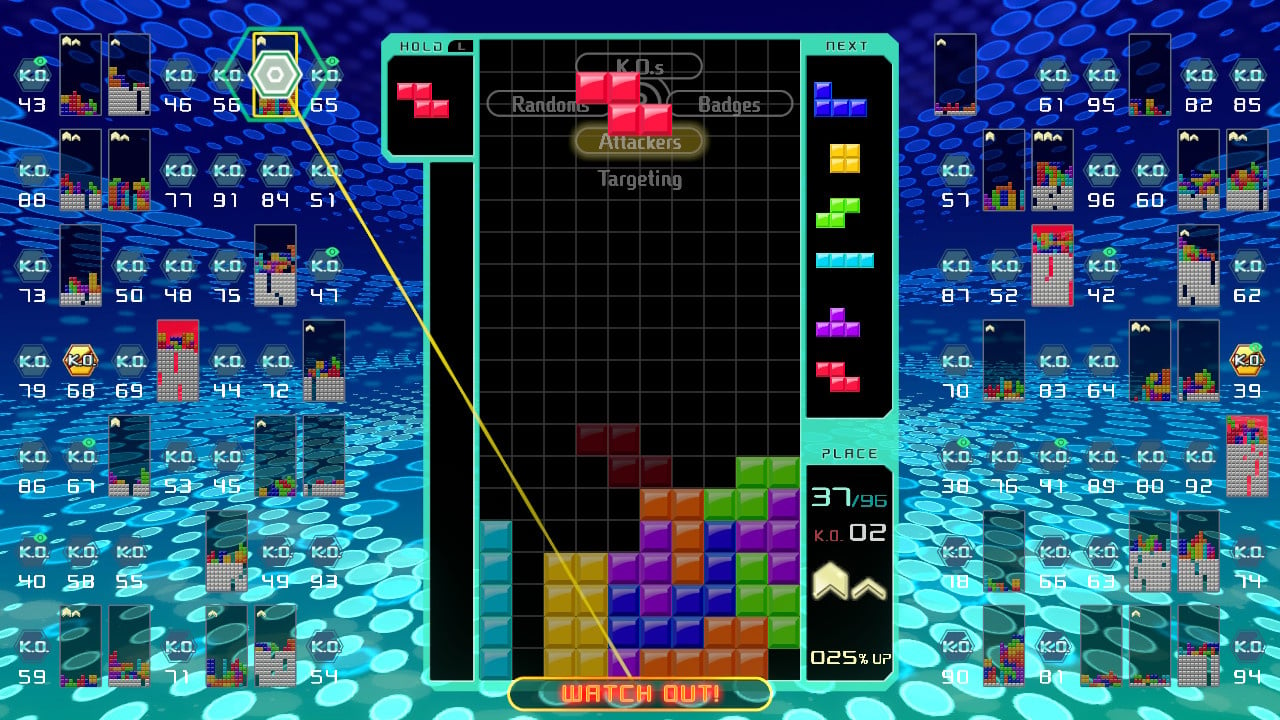
You can see how many badges you have just below your K.O. count. In this image below, we have one complete badge and are working towards a second.
How To Prevent Attacks
Sometimes, it feels like everyone is attacking you and there’s absolutely no hope in sight. Luckily, there is a way to monitor incoming attacks, and ways to deal with them.
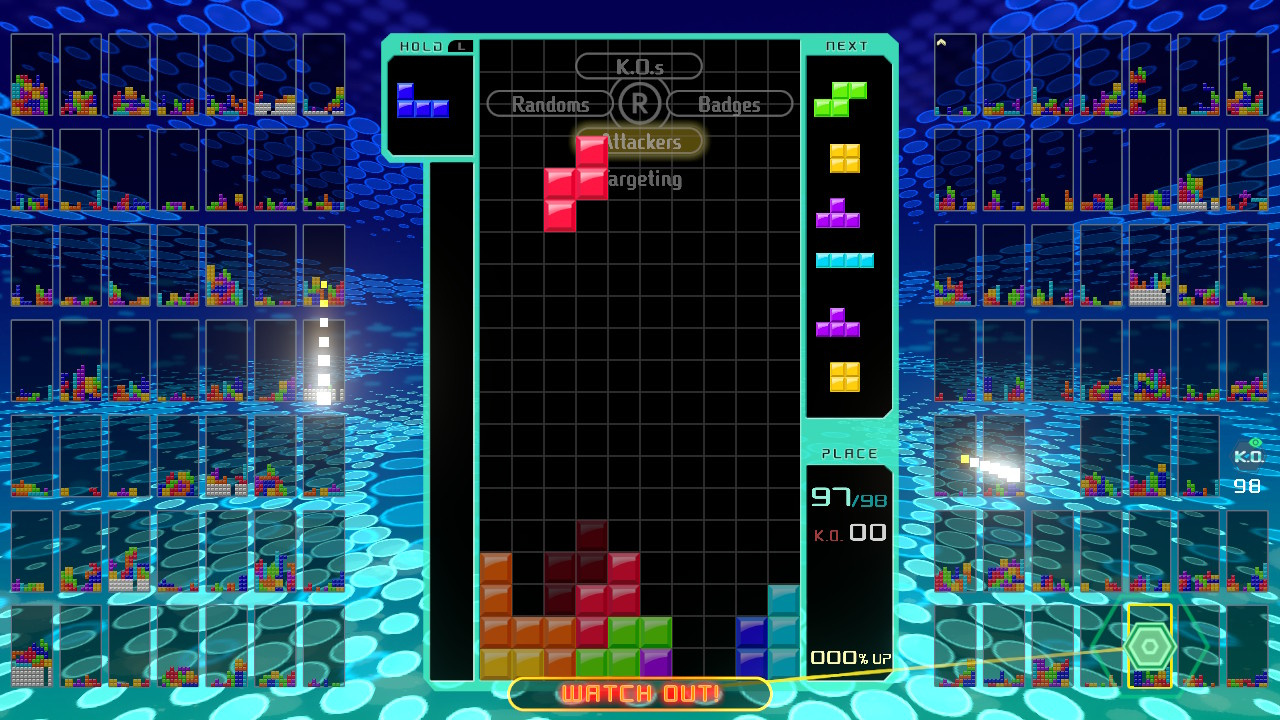
Every attack sent your way will show up in a tall column on the side of your main screen, all as various coloured blocks. These pesky blocks are queueing up to throw themselves onto your main board, and will rise up from the bottom. They’re usually yellow to begin with, but will change to red and then an angry flashing red as time progresses. These colours indicate how soon the enemy lines will enter your screen – flashing red blocks will jump over when you’ve placed your next block.
When you have enemy blocks in this column, any ‘junk’ lines you send will actually fight against these blocks, rather than be sent to your opponent. If you see enemy blocks building up, you need to start clearing lines on your screen to clear them out – even clearing single lines delays the enemy block from entering your screen.
If you’re wanting to play defensively, it can help to save a block which can clear lots of lines with the L/R button, before deploying it as soon as your enemy block column starts to fill.
Which Attack Mode Should You Choose In Tetris 99?
As we’ve mentioned several times above, flicking the right stick allows you to choose from four different targetting or attack modes. These different options essentially target a different group of enemies from the other 98 players on your screen. Below, we explain how each of the four modes work and when best to use them – you’ll find that switching between them depending on your situation can often be the best way to play.
K.O.s (Right Stick Up)
The K.O.s option targets those who are currently in danger of seeing their blocks reach the top of their screen. By targetting these players, you theoretically have a higher chance of immediately claiming a K.O. when attacking them with ‘junk’ lines, gaining at least a portion of a badge in the process for multiplayer damage.
The problem is that, sometimes, a player will be wiped out before your ‘junk’ line attacks them, meaning you don’t get the kill or the badge reward. If you’re really wanting to go for kills, this isn’t a bad way to do it, but it can never be 100% reliable.
Badges (Right stick Right)
This option will target the player who currently has the most badges, allowing you steal them all for yourself should you wipe them out.
It’s worth noting that the player with the most badges is likely to be highly skilled, and could well be hard to beat. If they happen to be playing in ‘Attackers’ mode (below), this could also mean real problems for you, as their junk will be sent your way. We’d suggest ignoring this option until you’re feeling confident; switching to this mode towards the end of a battle can be a good way to assert your dominance and become the most powerful player on the field for the final 10 or 20, but it’s not to be used lightly.
Attackers (Right Stick Down)
Ironically, Attackers is probably your best defensive option, and will probably be the best friend of new players who are simply trying to survive for a decent length of time.
This mode targets those who are currently attacking you, and will actually split your attack across each of those players. This means that, by sending ‘junk’ lines their way, you can distract anyone trying to destroy your game and potentially take out multiple opponents at once. As your attack is divided between all of those attacking you, the number of lines sent to opponents will naturally be less per player, however, so getting kills isn’t as likely here.
Randoms (Right Stick Left)
As the name suggests, Randoms appears to select players at complete random. If we’re honest, this mode doesn’t seem all that useful in any scenario, and we’d suggest choosing one of the others (Attackers if you’re just starting out). Your attacks will buzz around from one player to another, hardly ever doing enough damage to completely wipe them out.
Manual (Left Stick/Touchscreen)
By using the left control stick or the touchscreen, you can manually select whichever of the other 98 players you like, sending all of your attacks their way. As you can imagine, this is quite an advanced tactic – keeping an eye on each individual player while clearing your own lines is incredibly tricky.
If you can manage all of this, though, then selecting players can be a good way to go. Perhaps you’d like to wipe out a strong player to claim their lovely badges, or maybe player number 87 just rubs you up the wrong way? If you’re a beginner, we’d ignore this feature for now, but it’s worth bearing in mind as you get better and better.
Tetris 99 Hints And Tips
‘Holding’ a long, thin block is always a good tactic if you’re looking to clear loads of blocks in one go, so don’t waste these precious commodities.
While there’s always the temptation to rush and score as many lines as possible, remember that you’re not going for a score here. Sometimes, especially early on the game when the pressure is off, it pays to take things slowly and build up your blocks so you’re in a good position to clear them out once a long, thin block appears.
Getting junk dumped on your screen isn’t much fun, but ironically, it can be the key to success. Dumped blocks have a thin gap which can be exploited if you have a long, thin block. It’s possible to send all those junk blocks right back at the person who gave them to you if you’re set to ‘Attackers’ mode.
When the game speeds up, you need all the time you can get to really think about your next move, so don’t ‘Hard Drop’ pieces if you can help it. Instead, let them fall at their normal speed (which will still be pretty quick at this point) and use that additional second or two to glance at the block that’s coming next (shown on the right-hand side of the playfield) so you can plan where you’re going to place it.
Switching to your ‘Hold’ piece is a good way to get out of a pickle, especially when the game gets faster. This is because switching to piece – even when your current piece is quite far down the screen – places the ‘new’ piece back at the top of the screen, buying you more time. The catch is that you can only switch to your ‘Hold’ piece once per drop.
It’s possible to keep rotating your current piece even when it looks like it’s totally dropped – exploit this to get yourself out of tight spots and buy yourself time.
Hopefully, this guide has helped you to get a decent grip on the game and work towards those tasty victories. If you have any more tips, make sure to post them below in the comment section for other readers to see!
Also, if you’re wanting to learn even more about the game, make sure to check out our Tetris 99 review!
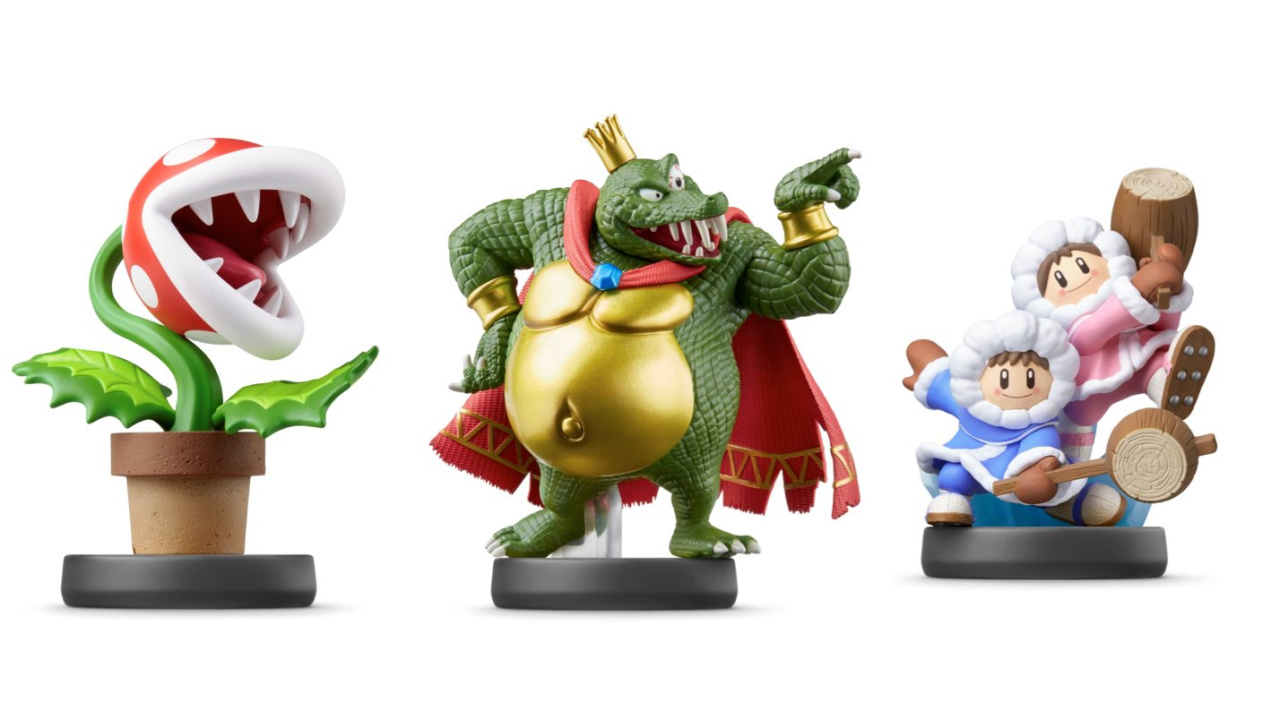
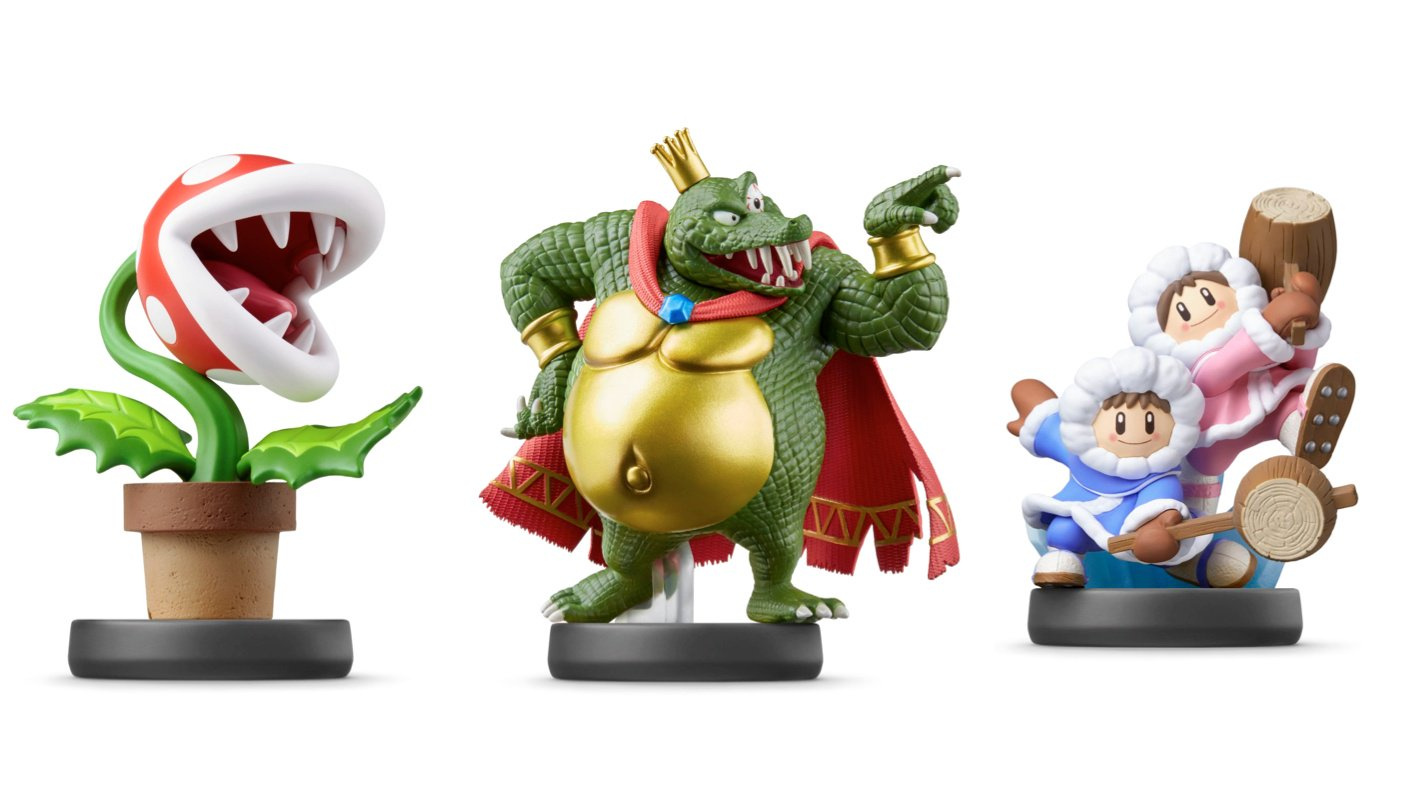
The next batch of amiibo for the Super Smash Bros. line available today from all good retailers. Joining the roster are Piranha Plant, King K. Rool, and Ice Climbers, all of which will look rather lovely on your gaming shelf. Heck, you might even want to use the NFC functionality and train them up to be a formidable fighter. We won’t judge you if you just want to admire them for their looks alone, of course.
If you didn’t pre-order these, worry not. Various retailers are still taking orders today; below are your best bets for securing these potentially rare (one day, at least) amiibo.
Please note that some of the links on this page are affiliate links. If you click them and make a purchase we may receive a small percentage of the sale which helps support the site. Please read our FTC Disclosure for more information.
Piranha Plant amiibo
The Piranha Plant is an enemy in the Super Mario series with a round head and a mouthful of teeth that will pop out of a pipe when you least expect it. This one is a bit of a shock inclusion to the Smash line-up!
King K. Rool amiibo
King K. Rool is the leader of the Kremling Krew, who he repeatedly orders to steal Donkey Kong and Diddy Kong’s Banana Hoard. He also likes kidnapping Kong Family members while he’s at it. A nasty piece of work, but a fine amiibo for your shelf!
Ice Climbers amiibo
The Ice Climbers, Popo and Nana, are the stars of the NES game Ice Climber. These adventurers are equipped for even the coldest climates, and will make a fine addition to your amiibo collection.
amiibo stock has vastly improved since the scary early days, where literally no one’s orders were safe, but if you’re 100% sure that you want these figures it’s definitely worth getting your order in now, just in case.
Again, at the time of writing, King K. Rool and Ice Climbers are also available from Amazon UK for £14.99 each should you want or need a different option.
Make sure to let us know in the comments if you decide to snap these up!
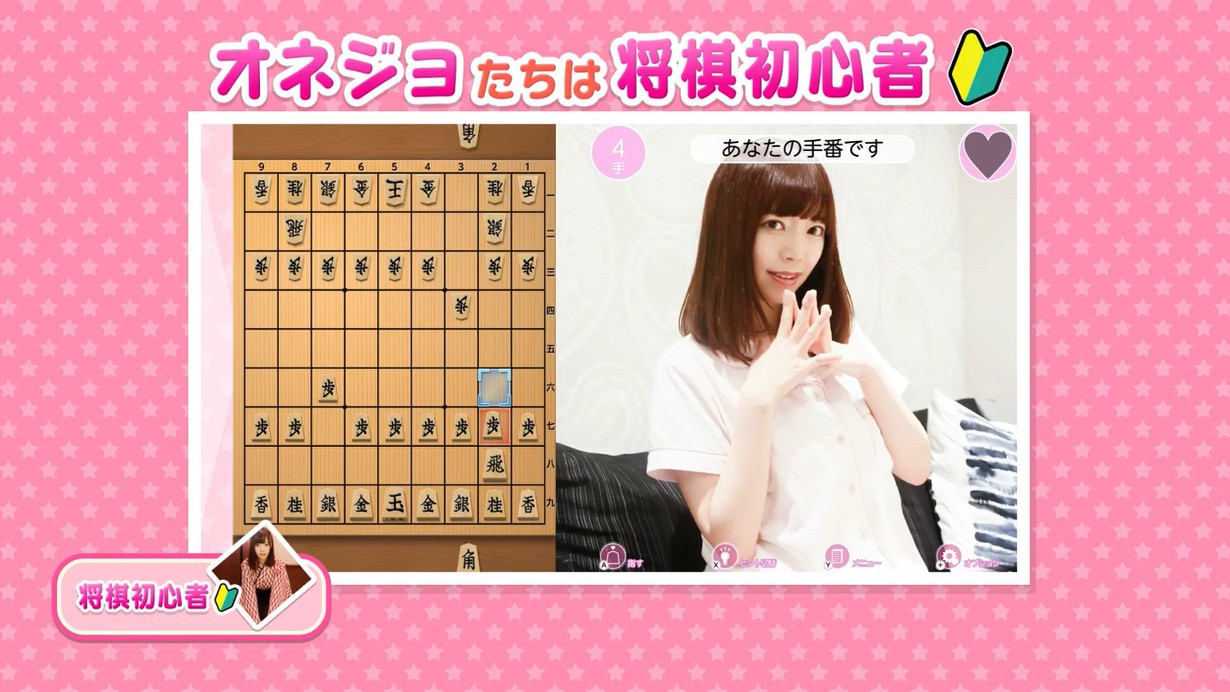
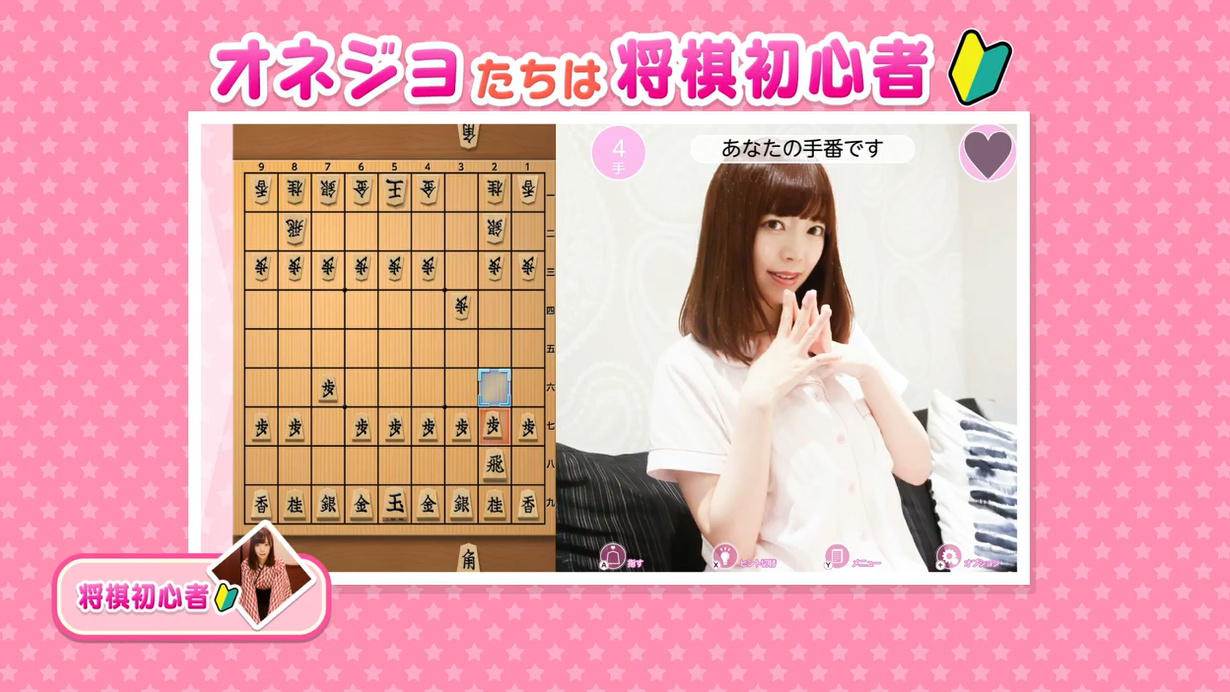
How do you spice up your chess game so it’ll stand out on the overcrowded eShop? If you’re Silver Star, the company behind Oshiete Onedari Shogi (or Teach Me Japanese Chess Pretty Please, if you prefer), the answer is to add some lovely ladies in a variety of revealing costumes.
Kotaku reports that this Japanese Switch exclusive not only gives you a good game of chess (or, more accurately, shogi, a Japanese variant), but also includes clips of professional cosplayers and even adult film actress Airi Satou. Her IMDB page isn’t particularly impressive, but that’s probably because she specialises in a genre that has its own awards ceremony, very much apart from the upcoming Oscars. Ahem.
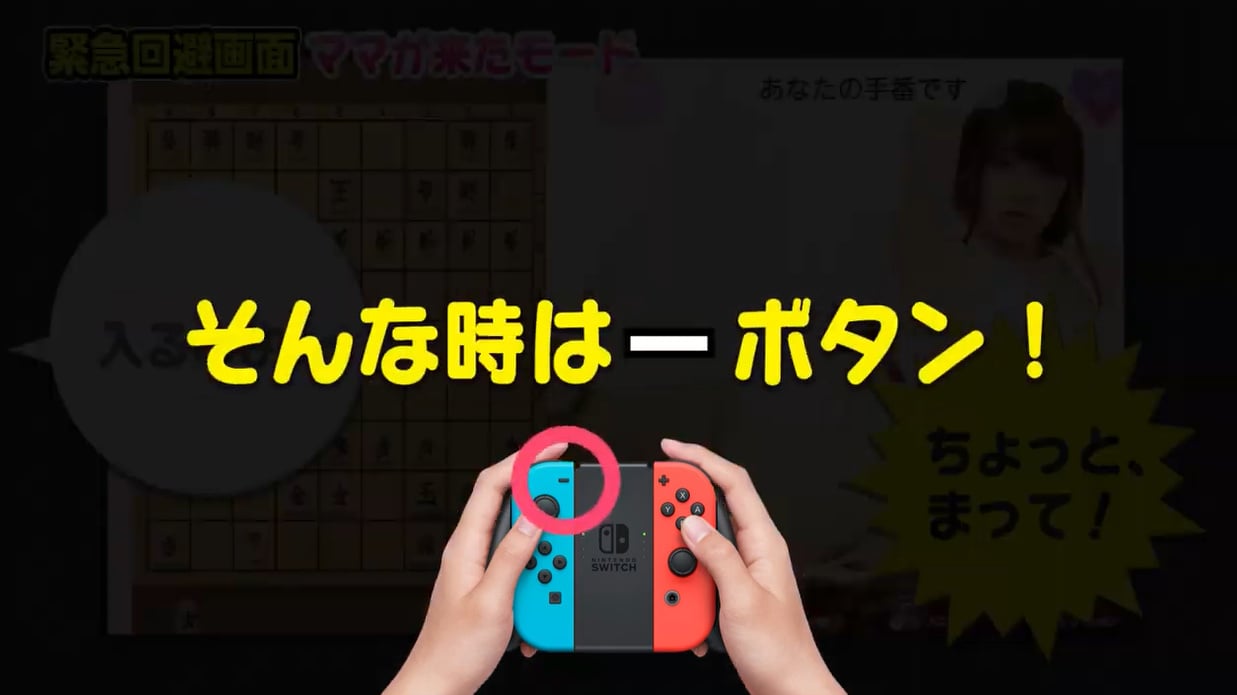
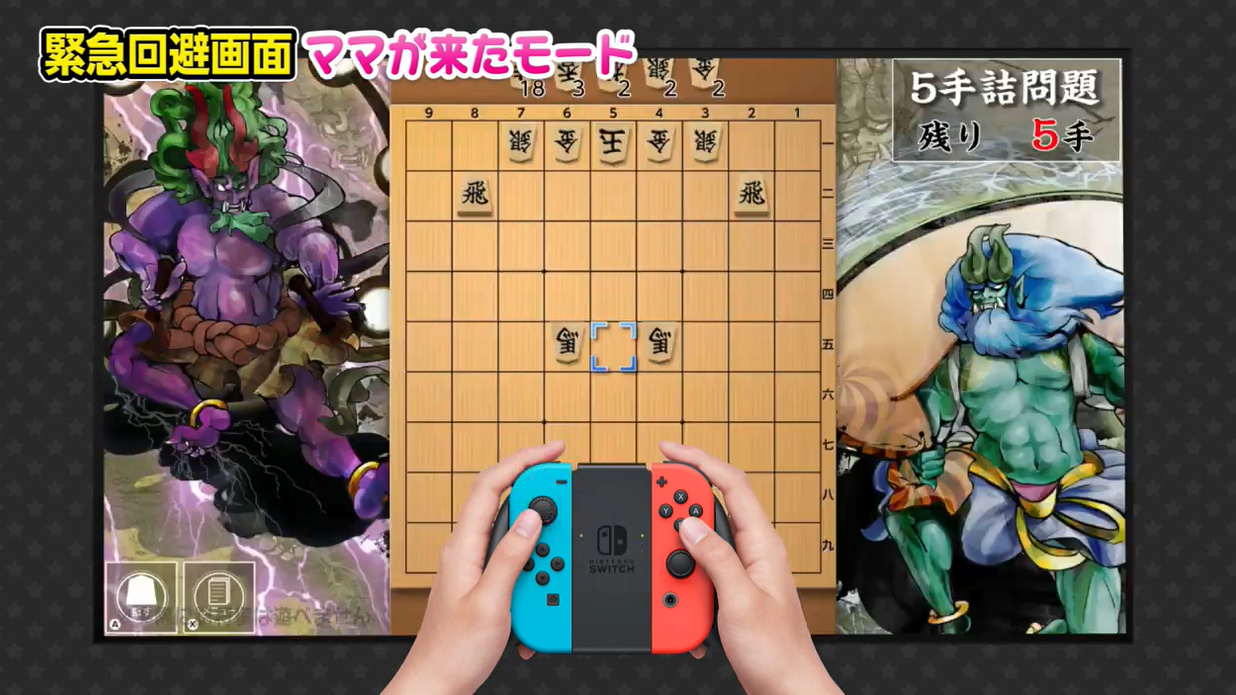
The game doesn’t contain anything explicit, although it’s still rated over-17s only. If you’re embarrassed at the thought of someone walking in while you’re oggling beautiful models in various states of undress, you’re in luck! A special ‘Mom Showed Up Mode’ flips out the bikini-clad ladies for some gruesome cartoon monsters with a quick press of the ‘-‘ button.
Oh crikey, MUM’S COMING!…“Oh, hi Mum! Yep, I’m just here playing Dungeon Monster Chess 2: Retribution…”
The game’s trailer, which we won’t reproduce here for reasons that should be obvious, refers to Satou as “your 2.5-dimensional daughter”, which seems odd, to say the least.
Variety is the spice of life, as they say, but while it’s great to see the eShop expanding its horizons, this reminds us of the very dull Pure / Electric Love games which cropped up last year. Still, at least you get to play a spot of Shogi with this one, and not just have a one-sided phone call with an idol.
Eager to learn shogi and think this will offer a mean game? Let us know your thoughts on this one…