Posted on Leave a comment

Sponsored: Learn how AI helps counter disruptive online behavior in this free webinar

Presented by Google Cloud

All multiplayer games have friendly banter, but sometimes players take it too far. Disruptive behavior and environments can alienate players and even make some players abandon the game, but it doesn’t have to be that way.

Join experts from Google Cloud and Improbable for a webinar, Countering Disruptive Behavior in Online Gaming, on Tuesday, November 17 at 12 PM ET. In this session and its following Q&A, experts from Google Cloud and Improbable will offer insight into how game developers can use machine learning to identify and mitigate disruptive behaviors in online games.

Patrick Smith

   Patrick Smith
   Machine Learning Solutions Lead
   Google Cloud for Games

Patrick Smith is the Machine Learning Solutions Lead for Google Cloud for Games, where he works on the strategy and development of industry specific solutions to bring the best of Google’s AI research and technology to game developers. Prior to Google, Patrick lead and worked on a variety of data science and machine learning teams in the sports, financial services, and US Federal spaces. He is a long-time data & machine learning educator, publishing a book and teaching classes on the topics.

David Armstrong

   David Armstrong
   Head of Data Science
   The Multiplayer Guys


With a career-long focus on multiplayer games, I’ve taken a keen interest in how social play impacts KPIs and what new ideas can be brought to the current social space. Former projects include: Star Wars: The Old Republic, Elder Scrolls Online, Sniper Elite Franchise and SkySaga.

Moderator: Alissa McAloon

   Moderator: Alissa McAloon
   News Editor and Associate Publisher
   Gamasutra

Posted on Leave a comment

Here’s a short lesson from Susan O’Connor’s GDC Masterclass

Game writer Susan O’Connor has a long history of collaborating with great game designers to tell incredible stories in video games.

Now she wants to help you tell better tales with her December 4th GDC Masterclass.

We’ve previously given you a look at what O’Connor will be teaching in her advanced seminar. But what if you could get a taste of her teaching style for herself?

For a better understanding of how O’Connor will be handling her lessons, we reached out to do a quick Q&A from the perspective of a hypothetical student. We wanted to know how she’d help out a game developer working in a particularly unusual genre that doesn’t see a lot of success in narrative: the world of free-to-play. It turned out she had a lot to offer.

Take a look:

Hey Susan, I’m a writer working at a free-to-play game company. We make a lot of games where you collect unique characters from randomized drops and use them to solve puzzles. For our next game, we’ve been given the green light to build out a LOT of original narrative. We’re in the early stages, and want to figure out how to do it right. We want to keep our audience interested and make sure we don’t overscope.
 
What are some of the practices we can do now with our design team so that we can start working on story and characters that can make it into the game?

Hi! Great question, thanks for asking. The best place to start (and end!) is with the player – deciding who your target audience is, and why they are going to like playing this game, and then figuring out how story/characters can make that gameplay experience even more fun. No game is for everybody. Knowing who is going to be drawn to YOUR game – and who isn’t – will make your life a whole lot easier.

So as weird as it sounds, you start figuring out your story & characters by not thinking about story & characters at all. You start by thinking about the game. In this case, we’d need more gameplay details. For example, is it a match 3, or a mobile RPG,  or an invest-express game like Homescapes? Those different genres deliver different types of fun. For example, in an invest-express kind of game, self-expression is really important.

So you know you want to create story & characters that allow the player to express themselves. Great! You’ve got your narrative guardrails/measuring stick, and you can go from there.

Thanks Susan! This is kind of an invest-express type game. We anticipate that players will want to align themselves with certain factions, so the collectible characters are a means to that end.

OK great! So then the next thing to think about is, “What kind of relationship will the player have with the characters?” Which seems weird, I know, because the characters aren’t real! But what I mean is, How do you want the player to FEEL about the characters? Do you want the player to think of them as little green army men? If so, then you wouldn’t want to give them too much personality – gets in the way of the gameplay experience.

Or maybe the player is just separate from the characters, just watching their dramas play out. In which case you could create intense conflict between characters that never actually leads to anything happening (soap operas are great at this). Or maybe players could be in charge of creating dramas, like little girls do when they play with Barbies. (I’m pretty psyched to put army men and Barbies in the same paragraph.)
 
One concern that our designers have brought up is players being frustrated by repetitive line firing—every time they tap on a character,  we want something interesting to happen. What else do you think players in the invest-express genre are looking for that can help us build out content for them?

Your designers are right! There’s nothing more annoying than hearing the same lines over and over again. To figure out a good solution, we can think about the player. (You can see a pattern here – it all comes back to the player.) I’d be curious to know WHY they are tapping on a character. Are they trying to accomplish a goal, or are they just doing it to see what happens? Players love feedback loops, it’s all about figuring out what they expect, and then meeting that expectation in a smart way.

Years ago, I heard an Uncharted talk about how the designers were stressed about what to do with Nathan Drake when he reached the Tibetan village. Up until that point in the game, when player hit X, Nathan would throw a punch or take a shot – and they didn’t want Nathan to punch monks!

So they changed the mechanic, just for this level. In the Tibetan village, when the player hit X, Nathan holds out his hand for a shake. The team was REALLY worried that players would hate this change. But they loved it! It still gave the player a satisfying feedback loop, and it kept Nathan in character.

So to get back to your question – players in an invest-express game want to be entertained. So you want to create interesting characters – people with personalities, and goals, and relationships with each other, and SECRETS – and then once you’ve got those interesting characters, you can combine that with “what player expects” and then create a narrative design that gives the player what they want, when they want it.

It may involve zero dialogue, if it turns out that’s not what the player wants to hear! If the goal is to “make something interesting happen,” that could mean a lot of things. Could be animations, could be a musical stinger, could be a thought bubble with images from the character’s last dream…This is a great thing to brainstorm with your designers!

That’s really helpful Susan! I can’t wait for your class next month.

If this seemed like the kind of insight you’d like for your next narrative game, make sure to sign up for Susan O’Connor’s Masterclass before it fills up!

For more information on the GDC Masterclass program, be sure to visit our website or subscribe to regular updates via FacebookTwitter, or RSS.

Gamasutra and GDC are sibling organizations under parent company Informa Tech

Posted on Leave a comment

Godot FBX Importer Improvements In Godot 3.2.4

In Godot 3.2 FBX support was improved by implementing the open source AssImp library. In the upcoming release of Godot 3.2.4 we are getting an all new FBX importer. While based on AssImp initially, this project took over a year to developed, removed over 50K lines of non-FBX related code and made improvements across the board.

Developer Gordon MacPherson recently wrote about the experience on the Godot blog and detailed the following changes:

  • We rewrote all the mesh code to support all formats of FBX meshes correctly.
  • We built an entire abstraction for the FBX transform information, which was a very complex and convoluted undertaking to get working properly.
  • We designed a better handler for the animations which can compensate for the complex transform information, which means that we can handle animations correctly.

The project is ready for use but there are some plans in the pipeline:

  • Finish porting the rewrite to Godot 4.0 (we use the 3.2 branch in production, so that’s where this was developed and quality controlled by many users).
  • Locator bones. Right now, you need to bake your animation before exporting.
  • Improve material mappings (most are supported, some need mapping).
  • Fix bugs in the beta phase, we expect them.

Be sure to check out the blog post for details on the project, why they did it and why you should care. In the video below we put Godot 3.2.4 through the paces with a couple FBX tests, including this scene from Sketchfab. Unfortunately until Godot 3.2.4 is released, you will have to build Godot from source, just be sure to checkout the 3.2 branch from GitHub. Special thanks to IMVU for sponsoring the project.

[youtube https://www.youtube.com/watch?v=60Ofqmytzu0?feature=oembed&w=1500&h=844]
Posted on Leave a comment

Creature 3D Animation Software Now In Alpha

Kestrel Moon software, creators of the Creature 2D animation software have just released the very first 0.1 alpha of Creature3D. Creature 3D is a stand-alone 3D animation application, currently available for Windows 64 machines for free, for rigging and animating characters using procedural animation.

Features of Creature 3D:

Procedural Animation at your fingertips

Walk Cycles, Tail Animation, Ropes, Skin Sliding and Dynamic Flesh/Breathing Motion are a breeze with Creature3D’s state of the art Procedural Motor System. Take full manual control by tweaking both keyframes and animation splines.

Fast, Easy setup of Characters

Easily rig your Characters via Auto or Manual Rigging Modes. Add bones, then pick between Auto Weight or Manual brush painting for your Skin Weights.

Export your Animations to the World

Export your animation as industry supported mainstream FBX or GLTF assets which can then be imported into Game Engines like UE4 or Unity.

You can learn more about and download Creature here. If you want to get started with Creature 3D there are a few sample projects now available here. You can learn more about Creature 3D and see it in action in the video below.

[youtube https://www.youtube.com/watch?v=tqO37ZlDqiw?feature=oembed&w=1500&h=844]
Posted on Leave a comment

Sam & Max Save the World Remastered is coming to Switch next month

Everyone’s favourite anthropomorphic detective duo are back, and this time they’re taking their mystery solving prowess to the Nintendo Switch in Sam & Max Save the World Remastered. If you haven’t played the Sam & Max games before, first of all: where have you been? The comicbook characters first hit our 90s screens with a cult LucasArts game, and again nearly 15 years later with Telltale’s episodic series in 2006.

It is this iconic episodic series, Sam & Max Save the World, that is being remastered by Skunkape Games. Seeing as Telltale Games shut down in 2018, it is unknown whether any of the former staff had any role in the remaster, or any say at all. We don’t yet know whether or not the further episodes, Beyond Time and Space, and The Devil’s Playhouse, will also be rereleased down the line.

However, this remaster hopes to rekindle players’ nostalgia, and nail the parody of American cop shows that the games did so well in the mid-2000s. Our six-foot hound and his hyperactive bunny friend form a freelance vigilante police force with a penchant for sarcasm and a complete disregard for the law.

Sam & Max Save the World Remastered Season One will be released on December 2 for Nintendo Switch and PC, via Steam and GOG. Whether you’re after a nostalgia hit or just want to see what you’ve been missing, this is the first time that this dog and bunny have ever been portable.

[youtube https://www.youtube.com/watch?v=vIajN-DDmIk?modestbranding=1&rel=0&feature=oembed]

Sam & Max will also star in Sam & Max: This Time It’s Virtual, a – you guessed it – virtual reality game that was announced back in August. There is currently no release date for that, and many people don’t have access to expensive VR consoles, so the remasters could scratch that pooch-detective-shaped itch for many fans of the series.

If you can’t wait a few weeks for the point-and-click adventure, try out some of the best Switch RPGs to get your exploring fix.

Posted on Leave a comment

NVIDIA Release RTX Branch of Unreal Engine 4.25.4

The NVIDIA game development team just announced the release of the RTX GPU optimized branch of Unreal Engine. The 4.25.4 branch of Unreal Engine is the most current as of time of writing. The NVIDIA RTX branch is all about bringing RTX hardware optimized raytracing performance to UE4.

Details of the release:

  • Stability improvements
  • Hitching improvements due to async shader management
  • Transmissivity of light through foliage
  • Several generic SW overhead reductions for RT setup
  • Better culling default for instanced static meshes (foliage)
  • Minor fixes for light culling in reflections
  • Substantial improvements in GI and path tracing performance with high light counts
  • Unreal Engine 4.25.4 Update

There is also a experimental caustics branch with the following features:

  • The new hybrid translucency mode
  • Multi-bounce refraction optimization
  • Based on the latest NVIDIA RTX Branch
  • Mesh and Water caustics feature

More details of NVIDIA Unreal Engine support are available here. In order to access the RTX branches available on GitHub you have to first link your GitHub account to your Unreal Engine account with details available here.

Posted on Leave a comment

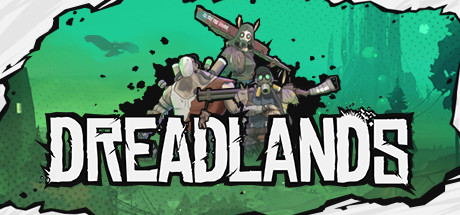
Now Available on Steam – Dreadlands, 20% off!

Dreadlands is Now Available on Steam and is 20% off!*

Welcome to Dreadlands! A perilous landscape brimming with potential in the form of Glow. Command one of 3 unique factions in this turn-based tactical RPG and play through their campaigns, be it solo or Co-Op, or battle it out in PvP. So far no one has tamed the Dreadlands. Will you be the first?

*Offer ends November 16 at 10AM Pacific Time

Posted on Leave a comment

Unity MegaBundle X Racing Game Assets

There are only a few days left in Unity’s 10th Anniversary MegaBundle X that we previously discussed here. Taking a quick look through the assets in the bundle it becomes clear that there are a number of assets that would be perfect for people looking to create a racing game. Today we are going to look at the following assets from the bundle:

Edy’s Vehicle Physics

This asset contains the logic you need to control your cars, from fast drifting sports cars to city buses.

EasyRoads3D Pro

Quickly and easily create and populate road networks using a simple spline based approach, both in the editor and dynamically at run-time, with a terrain aware system.

Toon Racing

A collection of toon shader styled racing cars, rally cars and monster trucks. It also contains several props, track pieces and more for creating a full racing game with a consistent art style.

UniStorm

Add dynamic weather systems, day/night cycles, pouring rain and more to your racing game with UniStorm.

Oak Trees Pack

They’re trees. Oak trees. There are 5 of them, enough said.

The above links contain affiliate codes that pay GFS a small commission if you purchase anything (thanks so much if you do!). Of course be sure to use the Bundle Link and not individual asset links to get the savings, at least until November 12th. You can learn more and see all the above assets in action in the video below.

[youtube https://www.youtube.com/watch?v=Bw0UUdXHO0E?feature=oembed&w=1500&h=844]
Posted on Leave a comment

GIMP 2.99.2 Released

GIMP, or GNU Image Manipulation Program, just released version 2.99.2 beta, a giant step toward the upcoming 3.0 release. The heart of this update is the move to the GTK 3 UI toolkit from the existing GTK2 version. This has many advantages, especially when it comes to increasingly common HiDPI devices.

Highlights of the 2.99.2 release include:

  • GTK3 based user interface, with native support for Wayland and HiDPI displays.
  • Major refactoring and cleanup
  • New plug-in API
  • Plugins now possible with Python 3, JavaScript, Lua, and Vala
  • More (color) space invasion
  • Render caching available for better performance

Be sure to check the complete release notes for further details on this release. You can also learn more about the 2.99.2 release and see GIMP in action in the video below.

[youtube https://www.youtube.com/watch?v=IdNo-k9TtDo?feature=oembed&w=1500&h=844]
Posted on Leave a comment

LDtk The Level Designer Toolkit

LDtk, or Level Designer Toolkit, is an open source MIT licensed Haxe based 2D level editor from the creator of Dead Cells. If it looks familiar that is because we recently covered it when it was known as LEd. In just a few short months though, LDtk has come a long way, including community ports to Linux and MacOS. With the 0.5 release (the re-brand version number), tons of new features were added to LDtk including:

  • Tiles flipping: in Tile Layers, you can mirror tiles before painting them by pressing X or Y (or Z). This also works from group of tiles.
  • Tiles stacking: you can now optionaly stack multiple tiles in a single cell of a Tile layer, reducing the need for multiple layers. For example, you could paint a brick wall, then enable stack mode (T), and add details like cracks or vines over the same wall. Be careful though: erasing of stacked elements can be tricky, so you should use a mix of multiple layers and stacking to get the best results.
  • New editing options barGrid lockingSingle layer mode and Empty space selection moved to a new more streamlined button bar.
  • File association: project files now use the extension *.ldtk instead of *.json. Therefore, on Windows, double-clicking such files will open the app accordingly. If you prefer the .json extension, you can force it in each project settings (but will lose benefit of the file association).
  • Auto-layer rule preview: when you move your mouse over a rule, you will now see which cells in the current layer are affected, making their testing MUCH easier.
  • Tiled (TMX) export: this optional export now generates proper standard tile layers. However, to support LDtk stacked tiles feature (see above), multiple Tiled layers might be generated per single LDtk layer. Also, IntGrid layers are now properly exported to Tiled (as standard tile layers, with an auto-generated tileset image).
  • New color picker: it supports copy/paste, manual hex value editing and a much better UI (thanks to simple-color-picker).
  • Flood-fill fixes: if you hold SHIFT while clicking in a Tile layer, it will flood-fill the area using currently selected tiles (randomly, or by stamping group of tiles, depending on the current mode).
  • Flood-fill erasing: just use SHIFT+Right click to erase a whole contiguous area.
  • The layer Rule editor now overlaps left panel and allows level editing while being open (makes rule testing much easier). Press Escape to close it.
  • In Tile layers, you can press L to load a saved tileset selection (using S key)
  • Renamed the Level panel to World (for the 0.6.x future update).
  • It’s now possible to change the tileset or even the source layer of an Auto-Layer without loosing your rules.
  • Auto-layer baking: turn a complex Auto-Layer into a standard Tile layer (think of it as the flatten feature in Photoshop). Be careful, it’s a one-way operation.
  • Unified “Show/hide grid” and “Grid locking” options. You can now just press G to toggle grid (which also implies “grid locking” in supported layer types).
  • All options (such as “Grid on/off”, or “Compact panel mode”) are now saved to a JSON file in your app folder, in userSettings/.
  • Help window is now a side panel.
  • Opaque tiles are detected in tilesets for use in various optimizations (mostly related to the new tile stacking feature).
  • Fixed a crash when deleting IntGrid layer while an AutoLayer uses it as source.
  • Added some colors to UI buttons
  • New exit button icon.

You can learn more about LDtk releases here, including an even newer 0.5.1 beta release. As mentioned earlier the project is open source with the code released under the MIT license and available on GitHub. You can learn more about LDtk here with downloads available on Itch.io. You can learn more about LDtk and see it in action in the video below.

[youtube https://www.youtube.com/watch?v=O1pmIImzEts?feature=oembed&w=1500&h=844]