Posted on Leave a comment

Don’t Miss: What went right (and wrong) during the development of Persona 4

[In this Gamasutra-exclusive postmortem, the Atlus team behind Shin Megami Tensei: Persona 4 — most of which continued on from Persona 3 — discusses its experience creating the acclaimed RPG, including a development overview as well as specific “What Went Right” and “What Went Wrong” highlights.]

Our goal with Persona 4 was to create a title for young adults in a modern day school setting, but with appeal for a wide audience. For players who became fans of the series with the previous game, Persona 3, we retained gameplay basics that had proved successful, while adding an element of suspense. We hoped that a murder mystery plot in which a group of high school students pursued the culprit would connect with the players.

Many of the core members of the Persona 4 project were from the internal development team led by the director, Katsura Hashino. Their previous titles included Shin Megami Tensei: Nocturne, the Digital Devil Saga series, and Persona 3. The art director, Shigenori Soejima, joined the team during Persona 3. However, the rest of the staff, including composer Shoji Meguro, had been working together for about ten years.

Except for the animation, the game was done entirely in-house by the team. Our primary asset creation tools included 3ds Max 8, Adobe Photoshop, PaintTool SAI, and Adobe After Effects 6.5J, while design and effects were handled with our own internal tools.

(As a side note, the surgical action game Trauma Center: Under the Knife was also designed and produced by Katsura Hashino. A few members of that game’s staff were assigned to form a new team, and since then, they have been handling the development of the Trauma Center titles.)

What Went Right

1. Critical acclaim: Persona 4 received high praise from both the media and the consumers. Our primary consideration when deciding what to change and what aspects of development to examine was the commitment to making this game better than the last. The players were generally satisfied with the game, and we feel confident as we move on to our next project.

2. Budget: The development cost was set at about the same level as that of Persona 3. To satisfy the consumers, we spent the majority of our resources on increasing the volume of features that the players liked, improving the game systems, and working on the story and characters (the two key components of an RPG). In the end, we were able to keep the number of omitted features to a minimum, while incorporating many changes and additions to reflect the opinions gathered toward the end of development.

3. Player feedback: We were able to carefully select many of the new features by internally evaluating the previous title and examining player feedback. By doing so, we could concentrate on making adjustments to the areas that were most crucial to the game’s quality.

4. Team stability: We didn’t make many changes to the roles of the development team members who continued on from the previous title. This gave each person a clear understanding of what issues needed to be addressed, allowing us to operate smoothly during development. It also allowed the various staff members to communicate effectively with the director.

5. New hires: Some of the new staff members who joined the Persona 4 development team were fans of Persona 3. They did a great job gathering feedback on the previous title and evaluating the content of the new game.

What Went Wrong

1. Storytelling challenges: It took a tremendous amount of time and effort to finish the intense, suspenseful story with as many twists as it has, as well as integrating the game’s theme of “how one accepts information from the media.” While it was fun creating the mystery novel-like scenario, we had no previous experience in working on such a plot, so we were making adjustments to the storyline until the very end.

Also, one of the villain characters changed in the middle of development; since the character design was done before the story change, the design did not reflect the fact that he was a villain.

2. Real-time weather design: Unlike in the previous title, Persona 4‘s time limit for each dungeon was affected by the in-game weather. We did this with the belief that such a system would create the feeling of urgency, since the player didn’t know when damage-causing fog would appear.

However, when we implemented it in the game, players were inclined to make dungeon investigation their first priority. Their mentality was, “If I don’t know when the fog appears, I should finish the dungeon as soon as possible.” As a result, dungeon crawling and working on the inter-character Social Links, which are equally important, became completely separate and imbalanced.

We tried to compensate by adjusting the weather, in-game messages and story progression, but that created an unexpected workload. A huge amount of data could not be finalized until the weather was set, but the weather kept changing due to our design adjustments.

3. Urban misconceptions: When we decided that the story took place in a rural town, we found out that each staff member had their own image of a rural town that was completely different from the others’. So we immediately held a meeting to discuss what the most typical rural town was like, and the entire team went out to various places for location hunting. This was the first time the development team conducted such a large-scale location hunt.

4. The QA time sink: We end up having this issue every development cycle, but doing QA for an RPG takes a significant amount of time. For example, it takes more than a month for the director to go through the entire game once, checking the content and giving feedback to the team.

We kept playing the game over and over again, as many times as possible, until the game went gold. The more time we spent on debugging, the harder it became for us to put ourselves in the mindset of how gamers would feel when playing the game for the first time. In the end, we all wish for our next project to be an action game.

5. Horizontal feedback process: About two months before finalizing the code, we had the entire team post comments and criticisms about the game on our internal development website. For Persona 4, the new staff members (most of whom were Persona 3 fans) made the biggest contributions to this process, and we ended up with close to 2,000 posts — anything from fundamental problems to personal tastes.

We addressed more than 1,500 of those concerns in some way or another, but the staff kept making comments like “This should be changed like this,” or “This part is no good.” The design director who decided how to fix the issues and the staff members who implemented the fixes were on the verge of a nervous breakdown, begging, “Please… No more…”

Nevertheless, the game’s quality increased and the consumer satisfaction was high, partially as a result of that internal feedback process, so we’re glad that we did it — but the thought of having to do it again for another project gives us chills.


Posted on Leave a comment

Now Available on Steam Early Access – Icons: Combat Arena

Icons: Combat Arena is Now Available on Steam Early Access!

Become an Icon! Icons: Combat Arena is a fast-paced platform fighting game offering players tight controls, powerful special attacks, online multiplayer, and the chance to become an iconic hero. All for free! Frequent game updates, customization, tournaments, and new characters keep the fight fresh.

Posted on Leave a comment

Master Builder: Building Tips for Fortnite (On Mobile)

By Collin MacGregor 12 Jul 2018

Fortnite is perhaps the biggest video game in the world right now. Thanks to its addictive take on the battle royale genre, thousands of players drop onto this colorful island in an attempt to be the last man standing. While this formula is nothing new, Fortnite’s unique building mechanic allows users to construct geometrical masterpieces in order to block bullets, gain a height advantage, or just traverse the environment.

Check out our other guide for more general tips to playing Fortnite on mobile.

However, this can be quite tricky on the mobile port as the controls are not as fluid. Even though building is not as common on this version, it’s still critical that users master this skill when taking the fight on the go. Here are some tips to help improve your building in Fortnite’s mobile version.

How to Build

For the unfamiliar, you are only able to build in Fortnite’s mobile version if the tool button is pressed. This can be found in the middle of the screen to the right of your inventory. The icon is of a hammer and wrench but will swap to one of a gun when you change to the building menu. Once you’re in the building menu just select which of the structure types you want to make. Then all you need to do is tap the screen to build that item of your choice.

Pick the Right Sensitivity

When you start Fortnite the sensitivity will be set to 40. This is a generally good sensitivity, but we don’t recommend going any higher than 45. Playing on a mobile device can be difficult since it’s difficult to precisely aim or place structures. Don’t ratchet up the sensitivity too high otherwise you’ll have a harder time playing. We found that between 35 and 40 is the sweet spot, but you will want to fiddle with it until you’re comfortable. There is no perfect sensitivity, spend some time experimenting with different settings.

Playground Mode is Your Best Friend

The single best mode to learn how to build is the new Playground Mode. Unlike the traditional battle royale modes, you can just run around the entire island by yourself. Resource gathering is increased and all of the loot llamas spawn across the map. This means you can quickly gather resources and just practice building different types of structures. It’s a great way to not only familiarize yourself with the controls but practice constructing cover quickly.

We strongly recommend you go into Playground Mode and just learn to build. It will help commit making certain structures to muscle memory and give you a better chance in battle. This is also a wonderful place to work on your aim, quickly swapping between weapons, or getting a general handle on the movement controls.

Be Practical, Not Fancy

During battles in Fortnite some players get in the habit of trying to produce excessively elaborate structures in order to turn the tide of battle. While there’s nothing wrong with this on other platforms, building on Fortnite mobile is fairly awkward. A lot of this is thanks to users needing to use three fingers at the same time if they want to build, look, and move at the same time. Because of this, sometimes it’s better to just stand still and quickly construct a small base around you.

One of the best structures to get into the habit of quickly assembling is made up of four walls and a ramp. Despite seeming quite basic, it offers a decent amount of protection and gives a height advantage in a battle. If you use the Turbo Building feature, then you’ll be able to quickly spin in a circle to produce four walls. Then place down a ramp and jump at the same time. If done correctly you’ll land on top of the ramp as it’s building.

As your confidence in building increases, you’ll be able to quickly assemble a tower like this. Just remember if someone blows up the bottom then the entire structure will collapse. Keep this in mind so you don’t fall to your death if the base is blown up.

Use the Environment

Another great way to turn the tide of a battle is by building up to or extending a structure already in the environment. Quickly constructing a ramp up to a roof and then throwing down several walls can reinforce your position. This is especially true for dropping into suburban locations like Pleasant Park or Retail Row, where getting onto a roof will let you see around the entire area. In places like Tilted Towers, you can use floors to quickly build bridges between structures. Use this to close the gap in fights or shift locations if you are getting pushed.

In firefights try to make use of natural boundaries to block a foe’s sightlines. Building isn’t always reliable on mobile, so use the world around you to take cover. Once this happens you can quickly construct some cover or a small base so when you enemy pushes they will be at a disadvantage. A single ramp and a wall to connect it to can make a big difference in a fight. It will reduce your visible hitbox and let you fire down at your opponent.

Use Turbo Building 

Turbo Building is a unique feature that allows players to quickly construct a structure without needing to tap for each piece. To enable Turbo Building go to the settings and then make sure that Turbo Building is switched to ‘On.’ After this, all you have to do is double tap and hold down to continuously build the structure of your choosing. This is essential for quickly assembling a building if someone jumps you or if a person is destroying your building. Being able to just hold down your thumb and spin to build four walls will give you a needed speed advantage in a fight.

However, the Turbo Building mechanic is also great for just traversing the environment. It’s easy to make a mistake and tap the screen at the wrong time when building a tall ramp or bridge. This can not only mess up your rhythm but kill you via fall damage. Always use the Turbo Building mechanic when constructing multiple structures of the same type. It may take a bit of time to get into the habit of using this mechanic, but make sure to practice during every match.

What would your building tips on mobile be? Let us know in the comments!

Posted on Leave a comment

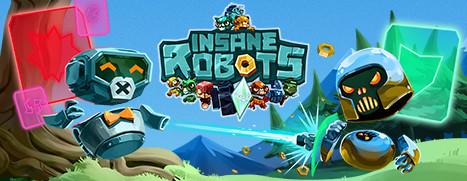
Now Available on Steam – Insane Robots, 10% off!

Insane Robots is Now Available on Steam and is 10% off (20% off the Deluxe Editions)!*

Fight to the DEATH in this unique card battler. Compete in intense one-on-one duels. Lead a riotous robot rebellion through randomly generated survival arenas. Overthrow a malevolent robot despot in the epic 15+ hour single-player campaign. Insane Robots is card battling… HACKED!


*Offer ends July 19 at 10AM Pacific Time

Posted on Leave a comment

Tropico on iPad will live or die by its interface design

By Joe Robinson 12 Jul 2018

You may remember back in mid-June that Feral Interactive are not only still working on their Rome: Total War iPhone version, but have also partnered with Kalypso Media to bring us the wonderful Tropico to iPad.

Tropico is a series of PC strategy games that put in charge of an island in the Caribbean as ‘El Presidente’ – a dictator. It’s a humorous and very charming take on the city management genre, where you must exploit your island’s natural resources as much as possible and play foreign powers against each other. You can use your profits to either improve the welfare of your citizens, or the welfare of your swiss bank account – but beware, rebels could strike at any moment.

As with a lot of management-style games, it’s how you model the interface which will be key to a game’s success on tablets. Feral have recently shared an insight into how they’ve adapted their UI for the game.

TropUI

Named the ‘Dictator’s Desk’, Feral have created a bar of quick-access items that run along the bottom of the screen. In order, these are:

  • Intel – where notifications will be stored that demand your attention. Pretty standard.
  • Avatar – El Presidente exists in the game world, and you can send him places to get short-term boosts and benefits. We imagine this will be a quick-use button to deploy yourself to the map.
  • Edicts – A core part of Tropico is the ability to change and mould various aspects of your Government and general way of life through Edicts. Some of these will only help yourself, some will help your citizens but will come with a one-off or regular cost. Deciding what kind of nation you want to be and choosing the right Edicts is a key gameplay loop, and quite rewarding.
  • Overlays – Like any city-building game, being able to look at different types of information is important in knowing where to build. Knowing where the best resource deposits are, or which ground is the most fertile will help you with the placement of your economic buildings. This area will probably have several different filters you can use to help with these decisions.
  • Construction – Pretty much what is says on the tin. Not all buildings will be available to build – some will be gated behind Edicts, or milestones, or even minimum relationships with foreign powers. Whatever is available to build though will be found here.
  • Almanac – Tropico was great in the sense that it provided a lot of granular information on induvial citizens. Their name, relationship, political leanings, education level… it all feeds into the mechanics elsewhere, so keeping tabs on your populace is important. Other stats like your diplomatic relationships and the book-keeping will also be found here.

The only thing we imagine a decent UI can’t solve is the finnicky-ness of building and placement itself. Being a tropical island, the terrain doesn’t always lend itself to block or grid based building (apart from maybe residential areas) – being able to finely manipulate and place buildings to optimise resource output etc… was a key part of the game, so it’ll be interesting to see how Feral handle this particular challenge.

At the moment, there’s no concrete release date, but Tropico for iPad should be out by the end of the year.

Posted on Leave a comment

AppGameKit V2018.07.12 Released

Hot on the heals of the tier 2 source release, a new version of AppGameKit was just released, V2018.07.12.  This release contains many new fixes, as well as updated HTTP functionality, a bump to Google Play Services version and a change from Google Cloud Messaging to Firebase Cloud Messaging, due to the upcoming discontinuation.  If you are interested in learning more about AppGameKit, be sure to check out our review.

Details of this release:

HTTP
  • Added AddHTTPHeader and RemoveHTTPHeader commands to add and remove custom headers from HTTP requests
  • Changed the method for Android expansion file downloads to hopefully be more reliable
  • Added GetHTTPStatusCode command to return the response status from the server
  • Fixed HTTP downloads on iOS sometimes showing progress as 0% even when the download is working
Android
  • Updated Google Play Services on Android to version 15.0.0
  • Updated Android to use Firebase Cloud Messaging instead of Google Cloud Messaging (which is being discontinued April 2019)
  • Fixed a freeze on some Android devices when continuously loading and deleting OGG music files
  • Fixed Android Tier 2 template projects causing a crash when sent to the background whilst in landscape on newer versions of Android
  • Fixed a crash when loading .ms3d files on 64-bit versions of Android
  • Fixed GetSpeechNumVoices causing a crash on Android if the speech engine wasn’t ready
  • Fixed ViewFile, ShareImage, and ShareTextAndImage not working on Android with the new API 26 target
Misc
  • Fixed GetSupportedShaderVaryings returning the incorrect value on desktop platforms
  • Fixed missing help text for CreateObjectFromHeightMap command
  • Fixed projects containing files outside the current project folder sometimes failing to open those files when the project was closed and re-opened
  • Added code to Mac apps to detect window focus lost/gained through GetPaused and GetResumed

If you are interested in learning more about the recent Tier 2 source code release, be sure to check out the video below.

[embedded content]

GameDev News

Posted on Leave a comment

New information revealed for Pokémon: Let’s Go, Pikachu! and Pokémon: Let’s Go, Eevee!

New information revealed for Pokémon: Let’s Go, Pikachu! and Pokémon: Let’s Go, Eevee!

The Pokémon Company International and Nintendo provided further details on the highly anticipated Pokémon: Let’s Go, Pikachu! and Pokémon: Let’s Go, Eevee! games, releasing later this year on the Nintendo Switch system.

Pokémon: Let’s Go, Pikachu! and Pokémon: Let’s Go, Eevee! will both feature a variety of exclusive Pokémon which are unique to each game. In Pokémon: Let’s Go, Pikachu! Trainers will be able to capture Pokémon including Oddish, Sandshrew and Growlithe; while players of Pokémon: Let’s Go, Eevee! will be able to capture Pokémon such as Bellsprout, Vulpix and Meowth.

At the start of players’ adventures, they will receive their first partner Pokémon, either Pikachu or Eevee. Unlike regular Pokémon, their first partner Pokémon is not interested in evolving and instead prefers to stay out of its Poké Ball. It will travel with players throughout their journey by hanging on their shoulder or riding on their head. Players can become best friends with their Pikachu or Eevee and can pet, feed and even tickle them. Not only that, but players can dress up their Trainer and partner Pokémon in a wide variety of cool and cute outfits, accessories and even hairstyles to become the perfect style duo with their new best friend.

As players travel throughout the Kanto region, they will meet some familiar faces as well as a few new ones. Professor Oak returns, alongside a new Rival, to present the Pokédex—a high-tech encyclopedia that records data on any new species of Pokémon that players catch in the games. Players will be able to battle Gym leaders across Kanto, including fan favorites Brock, the Gym Leader of Pewter City, and Misty, the Gym Leader of Cerulean City, as they strive to become the Pokémon League champion. In-game Pokémon Trainers aren’t the only ones who can be battled. Players will be able to connect with other players online* or via local wireless communication between Nintendo Switch systems to enjoy intense Pokémon battles. They will also be able to trade Pokémon with each other using these communication features to help complete their Pokédex.

For the first time in a mainline Pokémon game, two people can now play together on one system! By gently shaking a second Joy-Con controller, another player can join the fray. There are some real benefits to adventuring together as well, including making it easier to catch Pokémon and even battling against tough Trainers as a tag team in Pokémon battles. Grab a friend, explore Kanto and experience an adventure like no other.

The Poké Ball Plus device can be used to play Pokémon: Let’s Go, Pikachu! and Pokémon: Let’s Go, Eevee! in place of a Joy-Con or alongside the Pokémon GO app instead of the Pokémon GO Plus accessory**. Poké Ball Plus also allows players to bring one of their Pokémon from Pokémon: Let’s Go, Pikachu! or Pokémon: Let’s Go, Eevee! with them as they explore the real world. The Mythical Pokémon Mew will be available in the Poké Ball Plus, and players will be able to transfer it to their version of these new games.*** Poké Ball Plus will be available to purchase separately at retail alongside Pokémon: Let’s Go, Pikachu! and Pokémon: Let’s Go, Eevee! on November 16.

Pokémon: Let’s Go, Pikachu! and Pokémon: Let’s Go, Eevee! will release exclusively on Nintendo Switch on November 16, 2018. For more information, please visit: www.pokemon.com.

* Nintendo Account required. Online services and features, including online gameplay, are free until the paid Nintendo Switch Online Service launches in 2018. ** Using as a Pokémon GO Plus requires installation of the Pokémon GO application on a compatible smartphone. See www.pokemongo.com for details.

***Nintendo Account and Internet connection required. At the time of its release, Poké Ball Plus will only be compatible as a controller for Pokémon: Let’s Go, Pikachu! and Pokémon: Let’s Go, Eevee! It cannot be used for other Nintendo Switch software titles.