Posted on Leave a comment

Book of Demons Review

Polish developers Thing Trunk are on a mission. An ambitious mission to re-imagine classic games from the Golden Age of PC gaming. The plan is that the Return2Games series will consist of a total of seven games, that, as well as giving a nostalgia kick to veterans, will also attract a whole new audience. Book of Demons is the first in the series, with its hack and slash gameplay being a tribute to Diablo. The Return2Games series is set in the Paperverse, a charming land of pop-up-book landscapes and paper-thin characters. These characters are nicely illustrated, with the limited animation and OTT voiceovers evoking the atmosphere of a children’s puppet show. The inspiration may be Diablo but the style and gameplay are far more light-hearted and forgiving.

The quest begins in a desolate town, where the only inhabitants foolhardy enough to hang around are a healer, a barmaid, a sage and a fortune teller. Everyone else seems to have, quite sensibly, scarpered to escape the wrath of the Archdemon. Everyone, that is, apart from our hero, who has taken it upon himself to save the day. You can exchange gossip with these characters, and if you cross their palms with silver, they can be persuaded to help you in various ways. After leaving the village, the only option is to explore the basement of the town’s Cathedral. You will soon discover that the gossip is true and that a Gordon Ramsay style demon lurks in the maze of corridors, preparing meals of human flesh for his master (at least Veganuary is behind us). Moving ever downwards, the next stop is the catacombs, where an army of the dead has been resurrected by the Antipope. The final port of call is Hell itself for a showdown with the Archdemon.

Book of Demons Warrior

The tutorial has been thoughtfully constructed, using waypoints to guide you through a level. Each point of interest opens an explanation window, complete with illustrative examples. It is not a hard game to fathom, but this well-crafted introduction gives you every confidence in the designers, making you eager to get hacking and slashing. Navigation is made simple by the inclusion of a mini-map and footprints that enable easy retracing of your path. A checklist of valuable items and their vicinity ensures that no plunder is left unplundered. One type of treasure that is especially useful are item cards. These are often found on bookshelves and can be placed into any free slots.

You will soon have more cards than slots but, luckily, you can pay the Sage to open extra slots. There are three types of cards; items, spells and artefacts. Items such as healing potions will have limited doses, but they can be refilled by the fortune teller. Spells require mana to cast and artefacts provide passive background benefits, such as a lucky rabbit foot (unless you are the rabbit) that provides some protection from critical strikes. You will have to pay the sage to identify some cards and the fortune teller can also use runes to increase a card’s level. Even during combat, you can still juggle cards between slots, which provides some extra flexibility.

Book of Demons Early Level

Initially, the only choice is to play as a sword-wielding warrior but, later, you can unlock a rogue who comes armed with a bow and a spellcasting wizard, who, rather incongruously, has a strong resemblance to Mr T. The procedurally generated isometric dungeons take an on-rails approach with a simple tap moving your hero of choice through the mostly linear corridors. Your character will stop at junctions, a quick tap will also bring him to a halt. A tap will also attack enemies, open chests, examine features and do pretty much everything else that you could wish to do. Once an enemy is selected, your character will continue to attack automatically but you also have the option to speed up the assault by tapping and holding. Some enemies are heavily armoured or cast spells; you will need to focus your initial attacks on destroying these attributes before you can begin to inflict damage.

Despite its accessibility, Book of Demons can still offer a stiff challenge. There are three difficulty settings and the deeper dungeon levels will assail you with enemies and spells to the extent that the screen begins to resemble a bullet hell shooter. When things get too chaotic the temptation is to tap wildly and hope for the best, but it is usually best to take a little more care. Some monsters will carry shields or get really angry if you attack them too rapidly. Others will explode in clouds of poison or drop from above, stunning you for a short time. Don’t be misled by the rather silly names of the bosses either, they can also be formidable adversaries, with their own special abilities. Most have several stages, sometimes they will be linked to other enemies that have to be defeated first or they will have their own invulnerable spheres of influence. It certainly adds a bit more depth to the central mechanic.

Book of Demons Cards

That said, things never become frustratingly difficult. There are plenty of opportunities to visit the numerous fountains that restore health and mana. Even death need not be final. Reach the point of your demise, marked by a tombstone, and all your processions can be reacquired. The developers really have strived to make the game as approachable as possible. Their flexiscope system even enables players to tailor the length of the game, whilst still ensuring a rewarding mix of challenges and booty, whatever your time constraints.

There is much more to Book of Demons than initial impressions suggest. It can feel a little repetitive and automated at times, but thoughtful design decisions help to maintain interest. With three significantly different characters, each with their own signature cards and three levels of difficulty the game certainly warrants replaying even after completing your first eight-hour run through.

Posted on Leave a comment

ArmorPaint Receives Epic MegaGrant

Hot on the heels of Godot’s recent Epic winfall, ArmorPaint has become the latest recipient of the Epic MegaGrant program, first announced during the Unreal keynote at GDC 2019.  ArmorPaint is an open source PBR-based texture painting application, similar in function to Substance Painter.

Details of the megagrant were announced on Twitter:

image

image

You can learn more about ArmorPaint in our recent hands-on video.  ArmorPaint is open source and is free, but you need to build the binaries yourself.  For instructions on how to build ArmorPaint from source check out our guide available here.  For more details on the ArmorPaint Epic MegaGrant be sure to check out our video below.

[embedded content]

Art GameDev News


<!–

–>

Posted on Leave a comment

GIMP 2.10.18 Released

The long running open source GIMP, or GNU Image Manipulation Program, just released version 2.10.18.  After skipping the release of 2.10.16 due to a critical bug, there is a fair bit in this release.

Release features include:

  • Tools are now grouped in the toolbox by default
  • Sliders now use a compact style with improved user interaction
  • Vastly improved user experience for the transformation preview
  • Dockable areas now highlighted when a dockable dialog is being dragged
  • New 3D Transform tool to rotate and pan items
  • Much smoother brush outline preview motion on the canvas
  • Symmetry painting enhancements
  • Faster loading of ABR brushes
  • PSD support improvements
  • Consolidated user interface for merging down and anchoring layers
  • Update check to notify users of new releases available
  • 28 bug fixes, 15 translation updates

You can learn more about the 2.10.18 release in the release notes available here.  GIMP is available for download on Windows, Mac, Linux, BSD and Solaris.  GIMP is open source under the GPL v3 license with source details available here.  You can learn more about GIMP and the 2.10.18 update in the video below.

[embedded content]

Art GameDev News


<!–

–>

Posted on Leave a comment

Epic Card Game Now Available on iOS and Android

As we reported last month, Epic Card Game – the follow-up to Star Realms – was getting a digital adaptation which included mobile versions. It was released last week on February 18th, but the news got lost amidst me being on holiday and Ian having a more limited scope for covering news in my absence.

In case you didn’t know, or are unsure what Epic is, a quick overview: It’s a more traditional TCG-style game vs. Star Realms’ deck-builder design. Players have 30 health, with the goal being to knock your opponent’s down to zero health first. Economy is even more streamlined than Hearthstone – every card either costs one of zero gold to play, and you only get one gold at the start of your turn. Here’s the launch trailer:

[embedded content]

The game itself is also quite forgiving in terms of monetisation. You only pay money for things like extra deck slots, cosmetics, and tickets needed for competitive play. Otherwise, you can play the single-player campaign and the casual modes for free, and have unlimited copies of every card from the get-go.

Epic Digital is available on iOS and Android.

Posted on Leave a comment

Verge 3D Hands-ON

Verge3D is a toolkit for enabling artists to create web experiences with minimal or no coding using Blender, Max or Maya.  Founded by team members from the Blend4Web project Verge3D allows you to create content using your graphics application of choice, then using their (locally installed) web based tools you can add logic using their visual programming language Puzzles.

image

Verge3D is available in a free fully functional trial version (watermarked) available for download here.  Verge3D is available for Windows, Mac and Linux for Blender 3D as well as Windows only for 3DS Max and Windows and Linux for Maya.

Check out Verge 3D for Blender in action in the video below.

[embedded content]

GameDev News Art Design Programming


<!–

–>

Posted on Leave a comment

Global Illumination In Godot

Global Illumination describes several algorithms used to calculate non-direct lights in game engines.  In Godot, it’s implemented using the GIProbe node, which can calculate emissive lights and secondary reflections, giving you more accurate lighting in your scene at the cost of performance.  In this tutorial we will go step by step through the process of setting up a GIProbe.  You can learn more in the video embedded below.

The first step for setting up global illumination is to go through the scene, select each model that will participate in the calculations and select Use in Baked Lighting in the Geometry Instance section.

image

Once you have your models set to participate, it’s time to create a GIProbe node.  Add a new Node to the Scene (doesn’t matter who it is parented to) of type GIProbe.

image

Now size the GIProbe box using the red/pink control handles, so that it envelops your scene.  You can have multiple GIProbes per scene and having them overlap serves no purpose.

image

Now with at least one light source in the scene, with GIProbe selected, click Bake GI Probe in the menubar.

image

This will calculate the indirect lights in your scene.  You can also have a GIProbe calculate the effects of emissive lights in your scene.  Emissive lights are lights that are projected from textures.  In a SpatialMaterial you can turn emissive on in the Emission tab by selecting Enabled.  Emission is the color of the light emitted, while energy is the strength of the energy emitted.

image

Emissive lights will only be shown after being baked by a GIProbe.  Emissive lights cannot move without baking the scene again.  You can cause a GIProbe to bake lights in code using the following code:

	get_node("../GIProbe").bake() 

This is an expensive operation and should not be performed lightly.

There are a couple of ways to control the quality of the lighting generated by a GIProbe.  The first is by setting the Subdiv property in the GIProbe.

image

The higher the resolution, the better the results but more expensive the calculations.  You can also change the quality of lighting in Project Settings by enabling High Quality in Voxel Cone Tracing. 

image

Once again, this is a trade off between quality and performance.  Finally I should point out that GIProbe only works with the OpenGL ES3 renderer, not in ES2.  On ES2 you are instead stuck with traditional Light Baking, which takes less processing power, but produces inferior and less dynamic results.

Another thing to be aware of is dealing with the GIProbe inside the Godot Editor.  The GIProbe, as shown above, is a giant green lattice, which can make viewing your scene somewhat difficulty.  You may be tempted to hide the GIProbe like so:

image

Unfortunately this turns the GI off completely!  If instead you want to hide the GIProbe in the viewport, you turn it off in the viewport menu.  In the viewport, select View->Gizmoes->GIProbe.

image

This value is a toggle and controls ALL GIProbes in the scene.

You can learn more about Global Illumination and GI Probes in the video below.

[embedded content]

Programming Design


<!–

–>

Posted on Leave a comment

Dota Underlords starts its first ‘real’ season next week

By Ian Boudreau 21 Feb 2020

Dota Underlords will kick off its first non-beta season next week. Season One officially begins February 25, and with the start of the new season comes a brand new battlepass and associated rewards.

Some of those rewards include new board props, which you’ll be able to place on your Underlords board to customize your battlefield. If you’ve reached level 5 while playing the beta, you’ll get a special golden Ricky Ravenhook statue as a thank-you gift. Players who purchase the new battlepass will get a stone version of the statue (and Valve says that yes, you may have both).

While Valve is doing a soft reset for ranks for the new season, you’ll keep your ‘Major’ rank – that’s the one you see on the homescreen, like Outlaw, Smugger, and Boss. The exception here is for players who reached the rank of Lord of Whitespire, who will all get knocked back to Big Boss III.

You’ll also be able to keep your Path to Sunbreeze and Streets of Whitespire boards if you’ve unlocked them. The new season will include a new default board, plus five brand new boards you can unlock by leveling up your battlepass.

Dota Underlords has gone through a tonne of changes over the course of its “protopass” season, and at the beginning of the year it was looking at some pretty low player numbers – at least compared to where it had been at launch. Hopefully the new season will convince players to return to the game, and bring with it some stability as well.

Posted on Leave a comment

GSoC 2020 Organizations Announced

Google Summer of Code 2020 organizations have just be announced.  Every year since 2005, Google have sponsored the Summer of Code, an opportunity for university students around the world to contribute to open source projects and get paid.  In this years list of recipients, there are a few related to game development, including:

As well as dozens of prominent open source projects including several programming languages such as Lua and Dart and plenty more.  Both Godot and Blender participated last year and it directly resulted in several improvements throughout the year.

If you are a student interested in signing up, that process begins March 16th and you can learn more in the FAQ available here.  Learn more in the video below.

[embedded content]

GameDev News Programming


<!–

–>

Posted on Leave a comment

Inbento is heading to Switch, but you can play it now on iOS and Android

By Ian Boudreau 20 Feb 2020

I hadn’t heard about Inbento until I saw today’s announcement that it’s headed to the Nintendo Switch – and indeed, the little puzzle game about cats and sushi will launch on Switch March 12. However, if you haven’t noticed it yet and don’t mind playing on the small screen (which I can’t imagine is a problem for you if you’re here), Inbento is already available for both Android and iOS devices.

Inbento is a deceptively simple puzzle game that features a pleasant papercraft artstyle, a peaceful soundtrack, and a loving cat family that goes through sushi at an alarming pace. Your job is to help the mother cat put together the pristine little bento boxes that hold the family’s meals for the day by arranging squares of fish, rice, radish, seaweed, and other various sushi components according to the recipes provided.

[embedded content]

You can rotate puzzle pieces and sometimes you’ll need them to overlap – and as things get increasingly complicated, the pieces you work with are rotation or swap commands rather than bits of food. Sometimes pieces will overlap, and you’ll have to carefully strategise in order to place them not only in the right positions, but in the correct order as well.

You can find Inbento on Google Play and the App Store, and you can learn more at the official site.

Posted on Leave a comment

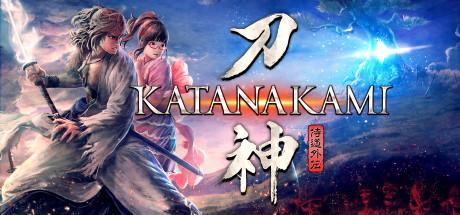
Now Available on Steam – KATANA KAMI: A Way of the Samurai Story, 10% off!

KATANA KAMI: A Way of the Samurai Story is Now Available on Steam and is 10% off!*

The Way of the Samurai is forged in battle! Help the swordsmith Dojima pay off his debt after his beautiful daughter is taken as collateral by crafting swords by day and exploring mysterious, twisting dungeons for valuable materials at night.

*Offer ends February 26 at 10AM Pacific Time