Posted on Leave a comment

Early Labor Day deals knock up to $1,600 off Macs, Apple Studio Display at B&H Photo

Save big on high-performance Macs at B&H.

B&H Photo is your go-to destination for massive discounts on Apple computers, and this week doesn’t disappoint. The photo giant slashed prices on popular models of MacBook Pro, MacBook Air, and even Mac mini.

This week’s best deals include a $1,600 discount on a fully-loaded 16-inch MacBook Pro, capable of handling your photo and video journey. Or, bring home the most affordable Mac product with the mini coming in at only $549, and you get free expedited shipping in the lower 48 that puts products in your hands in two days.

$1,520 off MacBook Pro Kit

B&H Photo is selling the ultimate MacBook Pro Kit designed to give you everything you need to outfit your office or study space. The fantastic kit comes with a black Apple Magic Mouse, USB-C hub, laptop bag, 4-port USB wall charger, Microsoft 365 subscription, and AppleCare+.

And that’s just the accessories. The MacBook Pro offered in this deal is a loaded beast of a machine powered by the M1 Max chip, 64GB of RAM, and 2TB of SSD storage. Plus, customers can snag one in either Space Gray or Silver for only $3,171.96.

The latest Mac mini for only $549

Mac users have more options than ever, including the Mac mini as the go-to affordable desktop replacement. Now, B&H Photo is selling the Mac mini for only $549, which makes it $150 cheaper than you can buy from Apple.

Although this Mac mini is only the entry-level model, it still boasts enough capability to power the everyday user. It has the M2 chip, 8GB of Unified Memory, and 256GB of SSD storage; you only need to pair it with a Studio Display for an unbeatable setup.

$120 in savings on the M2 MacBook Air

While the Mac mini is a practical option for desktop users, those looking for something more mobile will want to look at B&H Photo’s $120 discount on the M2 MacBook Air. The 13-inch model is perfect for those requiring a lightweight option that still packs a punch.

For only $1,179, Apple users will find this upgraded 13-inch MacBook Air provides an affordable yet usable piece of hardware. It also sports the M2 chip, a bump up to 16GB of Unified Memory, and 256GB of SSD storage. You can pick one up in the lovely Midnight finish at $120 off.

Fully-loaded MacBook Pro with $1,600 off

Abandon practicality and go for total performance with the 16-inch MacBook Pro that B&H has on sale for $3,299. That price reflects a whopping $1,600 off the retail price but comes with unreal capabilities.

Those capabilities come from the M1 Max chip, 64GB of RAM, and 4TB of SSD storage. These components give this MacBook Pro the computing power you need for the most demanding projects, like rendering 4K Pro Res streams or coding massive applications.

Apple Studio Display for $1,499

There is no better way to enjoy your Mac than by pairing it with a top external display. B&H Photo thought so, too, and slashed its price for the Apple Studio Display by $100, bringing it to a much more affordable $1,499.

The Apple Studio Display puts 27 inches of 5K resolution in your face, supports over 1 billion colors, and an A13 chip powers ambient light sensors and the gorgeous 12MP HD FaceTime camera. This model comes with standard glass and a tilt-adjustable stand.

Find incredible deals on gear from elsewhere

Best Apple prices

From the new MacBook Air 15-inch to the M2 Mac mini, AppleInsider readers can snap up exclusive discounts on the latest Apple hardware. Be sure to visit our Apple Price Guide to view the best sales and special offers at Apple resellers.

Posted on Leave a comment

Get a 2TB iPad Pro 12.9-inch for just $1,299 ($900 off retail)

Save $900 on a 2TB iPad Pro.

A record-breaking discount is in effect on Apple’s M1 iPad Pro 12.9-inch with 2TB of storage, delivering the lowest price on record exclusively for AppleInsider readers.

To activate the exclusive offer, head over to Apple Authorized Reseller Adorama.com and enter promo code APINSIDER. With the coupon code, which knocks an extra $200 off on top of Adorama’s $700 instant rebate that’s already in place, the M1 iPad Pro price drops to $1,299. This is the cheapest price we’ve seen on the closeout Wi-Fi model in Silver.

Posted on Leave a comment

Apple voices official support for California SB 244 right to repair bill

Apple supports right to repair bill

As California’s SB 244 right-to-repair bill is routed through the capitol, Apple has voiced its support in a surprise move from the company.

Right to repair has become an increasing issue in Silicon Valley as lobbyists fight to keep repair control under mega-corps like Apple and Google. Bills like SB 244 have been openly opposed by Apple in the past, but this one has gotten the official stamp of approval per a letter sent by Apple’s legal team.

According to TechCrunch, a letter was sent by Apple to California state senator Susan Talamantes Eggman voicing support for the impending bill. The endorsement comes as a slight surprise, though it’s clear why Apple supports this bill versus previous iterations.

SB 244 expands on this by setting strict terms, requiring parts, tools, and documentation for purchased products for up to seven years. This goes well beyond existing warranty requirements and is a boon to users and third-party repair shops seeking such materials.

“Apple’s support for California’s Right to Repair Act demonstrates the power of the movement that has been building for years and the ability for industries to partner with us to make good policy to benefit the people of California,” Sen. Eggman said in a statement. “I’m grateful for their engagement on this issue and for leading among their peers when it comes to supporting access to repair.”

The letter sent by Apple details why the company supports the bill in no uncertain terms. It mentions that the bill maintains user privacy and security, ensures official part use and requires disclosure when non-genuine parts are used, and doesn’t compromise consumer safety or repair reliability.

Posted on Leave a comment

Linux for Apple Silicon adds first conformant M1 GPU driver

Linux logo on a MacBook Pro

The ongoing Asahi project to bring Linux to Apple Silicon has reached a milestone, adding the first conformant GPU driver for the family of chips.

The Asahi Linux project for Mac first teased plans to launch a dedicated GPU driver for Apple Silicon running Linux back in 2022. At the time, they had already reverse-engineered a prototype that was “good enough to run real graphics applications and benchmarks.”

Now, in 2023, the first and only conformant OpenGL ES 3.1 GPU driver is available for Apple Silicon-based Macs.

To reach this goal, it took thousands of tests to make sure that the driver is stable and won’t produce issues. There is a test suite that is tasked with testing every feature within the implementation.

Once that test period is over, there is a 30-day review period overseen by the standards body, Khronos. In the case for the first conformant OpenGL ES 3.1 GPU for Apple Silicon, there were no issues found.

OpenGL ES 3.1 makes it possible for applications to write to a specific image displayed on the screen, which enables algorithms to run flexible image processing. The Asahi Project offers a detailed rundown of how the new feature works.

Asahi Linux logo

Asahi Linux logo

Interestingly, the project points out that Apple’s own drivers for Apple Silicon are not conformant for any standard graphics API. This being the case, it means there is no guarantee that any application using the available standards like OpenGL ES, OpenGL, or Vulkan, will work on a computer with an M1 or M2 processor.

There’s a real-world scenario for this, too, according to the report:

“The third-party MoltenVK layers a subset of Vulkan on top of the proprietary drivers. However, those drivers lack key functionality, breaking valid Vulkan applications,” the post adds. “That hinders developers and users alike, if they haven’t yet switched their M1/M2 computers to Linux.”

Linux 5.19 was released in August 2022, notable for the fact it was done on an M2-equipped MacBook Air.

Posted on Leave a comment

Newest XLoader threat targets work environments

Microsoft Word app icon

XLoader is a malware tool that has been around for years, and now it is creeping out of the dark yet again with a focus on work environments.

XLoader is one of the more common tools that attackers utilize to try and gain information from infected systems. When XLoader appeared on macOS in 2021, it was billed as the fourth most-used tool that year.

Unlike in 2021, this latest XLoader variant is not intended strictly for the Java Runtime Environment, which means it has the potential to be much more dangerous. This latest form is written in the C and Objective C programming languages, and as noted by SentinelOne, signed with an Apple developer signature.

XLoader’s latest cover is a Microsoft-branded Office productivity app called “OfficeNote.” It’s being distributed within a standard Apple disk image named “OfficeNote.dmg,” which is automatically something you should be on the lookout for, especially in a work environment.

The developer signature is “MAIT JAKHU (54YDV8NU9C),” another key detail to be aware of.

According to the original report, Apple has already revoked that particular developer signature. However, SentinelOne says, “Apple’s malware blocking tool, XProtect, does not have a signature to prevent execution of this malware” at the time of publication.

This particular malware tool has apparently been widely distributed as of July of 2023, when it first cropped up.

And macOS malware tools run a premium, based on advertisements found on crimeware forums. Renting this XLoader variant is going for $199 per month, or $299 for three months.

Compare that to the $59 per month, or $129 for three months the Windows-based version typically rents for.

If a person does install the XLoader malware tool onto their system, it will immediately target two popular browsers: Chrome and Firefox. It will then try and steal information that’s stored in the user’s clipboard via Apple’s own API.

XLoader malware tool hiding as

XLoader malware tool hiding as “OfficeNote.app.” Image source: SentinelOne

Apple’s Safari is not targeted with this variant of XLoader.

Once installed, the malware tool will automatically deposit its payload into the user’s home directory and execute. It will then create a hidden directory and a barebones app, while a LaunchAgent is then dropped into the user’s Library.

This variant of XLoader is specifically designed for work environments, and it is advised IT security teams install third-party services designed to identify malware to prevent installations.

How to stay safe

As mentioned above, utilizing a software security service that can identify malware tools such as this one are important, especially for businesses. And of course, another easy way to stay safe and avoid malware tools is to avoid downloading any software or apps that you do not recognize.

macOS is still the safer option when it comes to malware tools like this, but the threats are growing. There are even attacks out there designed for Apple Silicon. Stay vigilant, even if you are on a Mac.

Posted on Leave a comment

macOS Ventura App Management exploit revealed 10 months after discovery

A new exploit has been found for macOS Ventura, one that allows an attacker to bypass App Management, and is being disclosed after failing to be fixed by Apple in ten months.

Jeff Johnson is a developer who has found exploits in a variety of online services and software over the years. However, in his latest disclosure of an issue, he’s doing so due to Apple failing to actually issue an update that solves the problem at all.

After writing a blog post in October about macOS Ventura’s App Management feature, Johnson discovered a bypass for App Management that didn’t require full disk access. At the time, he sent the issue to Apple Product Security, expecting a response.

Finding the bypass in October 19, 2022, Apple Product Security acknowledged the report’s existence on October 21, but seemingly didn’t do anything with it. The exploit was shared publicly on August 19, 2023 by Johnson after waiting ten months.

While normally bugs are disclosed to the public a set period of time after the developer has been informed of an issue, typically 60 to 120 days later to give time for a fix to be developed and issued, Johnson is sharing the exploit publicly because “I’ve lost all confidence in Apple to address the issue in a timely manner.”

After noting the absurdity of a ten-month exploit fix wait, Johnson acknowledges he won’t be able to receive an Apple Security Bounty. However, Johnson also claims Apple hasn’t promised to pay anything, and insists Apple’s policy states that it refuses to pay or calculate a bounty until after an issue fix is released, so he “could be waiting forever for nothing.”

Oddly to Johnson, he was credited as part of security notes for macOS Ventura 13.4, and was informed that his report was helpful in fixing another exploit, but there was no bounty to be paid.

The Exploit

In his October blog post, Johnson said there were at least six different ways for an app to gain app management permissions, but kept the sixth method secret. The vulnerability is the sixth method.

According to the developer, it involves the app sandbox, as he accidentally discovered that a sandboxed app could modify files that it shouldn’t be capable of modifying. This includes files stored in a bundle of a notarized app that was supposed to be protected under App Management security.

Though a sandboxed app has limited file system access, the Applications folder is part of the sandbox itself. A non-sandboxed app can also open files in a sandboxed app, which can expand the sandboxed app’s sandbox.

To demonstrate the issue, Johnson has released a sample Xcode project that includes the source code for two apps, with a sandboxed app contained within a non-sandboxed version. The sandboxed helper app is a document-based app that can overwrite a file’s contents and saves the file.

Johnson says the overwriting of the file completely bypasses App Management in macOS 13.5.1. “The straightforwardness and ease of the bypass is truly stunning.”

This is not Johnson’s first macOS exploit rodeo. For macOS Mojave in June 2020, he created an exploit to bypass file privacy and security protections, referring to Apple’s systems at the time as “security theater.”

Posted on Leave a comment

Kensington TB550 Pro Fit Ergo Trackball review: a solid entry-level trackball mouse

Kensington TB550 Pro Fit Ergo Trackball


If you’re worried about repetitive stress injuries while working, the Kensington TB550 Pro Fit Ergo Trackball mouse provides an ergonomic solution at a budget-friendly price.

It’s not exactly breaking news that using a mouse for extended periods can lead to all sorts of wrist problems, including repetitive stress injuries and carpal tunnel.

Plenty of ways to help limit the damage include taking frequent breaks, regular exercise, or switching up your equipment.

We recently had the opportunity to try out the Kensington TB550 Pro Fit Ergo Trackball mouse, a budget-friendly option marketed specifically to first-time trackball users.

TB550 Pro Fit Ergo Trackball mouse – design & functionality

The TB550 has a thumb-operated trackball, which we find preferable to those operated with the palm but less ideal than those operated with the fingertips. This will come down to personal preference.

For most people, the TB550 will fit well in their hands. It features a 45-degree tilt that keeps your wrist aligned properly while working. We tested it with two users of above and below-average hand sizes, and neither had any problem operating the mouse as intended.

One neat feature we enjoyed was the 4D scroll wheel, which allows users to scroll horizontally as well as vertically.

Connecting the TB550 to our iMac was easy. Kensington provides a 2.4GHz dongle stored in the bottom of the mouse that can be used with a USB-A port. If you don’t want to take up a port — or, more realistically, bust out an adapter — the TB550 can also connect over Bluetooth LE.

The TB550 Pro Fit with included dongle

The TB550 Pro Fit with included dongle

The setup process was straightforward, and the compatibility with both Windows and macOS systems is a plus, catering to a wider range of users. The plug-and-play functionality is convenient, and we appreciate that no additional software installation is required.

However, if you want to further customize it, you can use Kensington’s KensingtonWorks software to further make the mouse fit your needs.

The TB550 features a rechargeable battery that lasts up to four months per charge. It can be recharged via the USB-C port on the side.

Last but certainly not least is the trackball eject feature, which allows users to quickly pop out the trackball to clean it whenever necessary. We love this feature as trackball mice are prone to picking up dirt and grime quickly.

TB550 Pro Fit Ergo Trackball mouse – be prepared to adjust

While Kensington bills the TB550 as a beginner-friendly entry into the world of trackball mice, that doesn’t mean it’s quick to pick up.

We found that we were significantly slower at every task for the first several days of using the TB550. Even now, after using the mouse for over a week and a half, we’re still nowhere near as fast as we are with a standard optical mouse.

The TB550 next to the Apple Magic Mouse included with the 2021 iMac

The TB550 next to the Apple Magic Mouse included with the 2021 iMac

If you need to complete time-sensitive tasks at your job, the TB550 can and will cost you a lot of time while adapting to it. We highly suggest that, if possible, you learn in an environment without time pressure.

And, like any other new tool you pick up, trackball mice can also be physically uncomfortable to use. Sure, these kinds of mice prevent certain types of repetitive stress injuries. Yet, that doesn’t change the fact that your body will probably struggle against old habits.

We found that we had a fair amount of thumb and wrist fatigue while learning to use the TB550 and required regular breaks to prevent pain. As always, take it slow while getting used to any new tool.

Who the TB550 Pro Fit Ergo Trackball mouse is for

Like any other tech, these types of trackball mice aren’t for everyone.

The TB550 really can’t be used for intense, response-based gaming — but that’s true of any trackball mouse. However, some people greatly prefer trackball mice for 3D modeling or CAD work.

However, if you aren’t gaming and you’re willing to take some time to get used to it, some major health benefits can be gained from making the switch. The TB550 is a great choice for those who want a trackball mouse at an entry-level price.

TB550 Pro Fit Ergo Trackball mouse – Pros

  • 45-degree angle keeps wrist and forearm aligned
  • Trackball pops out for easy cleaning
  • Plug and play
  • Optional software allows for further customization
  • Connects via dongle or Bluetooth LE

TB550 Pro Fit Ergo Trackball mouse – Cons

  • Quite bulky
  • Takes a while to get used to
  • Not as versatile as a standard mouse

Rating: 4 out of 5 stars

Where to buy

You can snag the TB550 Pro Fit Ergo Trackball mouse from Amazon for $89.93

Posted on Leave a comment

New Apple Watch pops up in Bluetooth database

watchOS 10 on Apple Watch Ultra

As the expected Apple Watch Series 9 release date approaches the devices will pop up in more and more databases, with the most recent being the Bluetooth launch studio database.

The database contains a list of devices that release soon, so the Bluetooth Special Interest Group can keep track of devices that use the standard. Specs in the launch studio are light or non-existent, typically, and Friday’s entry is no exception.

First spotted by MacRumors, the entries don’t disclose any real information about the devices and existing watches. Instead, it is a single listing, talking about a “WatchOS Profile Subsystem 2023.”

With the introduction of watchOS 10, you’d expect that Apple would be keen to make changes to the Apple Watch Series 9 to reflect the milestone. However, rumors have repeatedly indicated that the changes won’t be that major for the wearable device.

Posted on Leave a comment

Apple Card earns J.D. Power’s top spot for co-branded credit card with no annual fee

Apple Card

Apple partnered with Goldman Sachs to launch the Apple Card, and for the third time, the credit card has earned J.D. Power’s number-one ranking in satisfaction.

Apple Card launched in 2019 and quickly became one of the most successful launches for a credit card to date. And since then, it has retained its lofty status among owners, even as Goldman Sachs itself has tried to distance itself from Apple’s co-branded card.

But Apple has more good news, announcing on Thursday that it has once again earned J.D. Power’s number one spot for the “best co-branded credit card for customer satisfaction with no annual fee,” as part of the annual U.S. Credit Card Satisfaction Study.

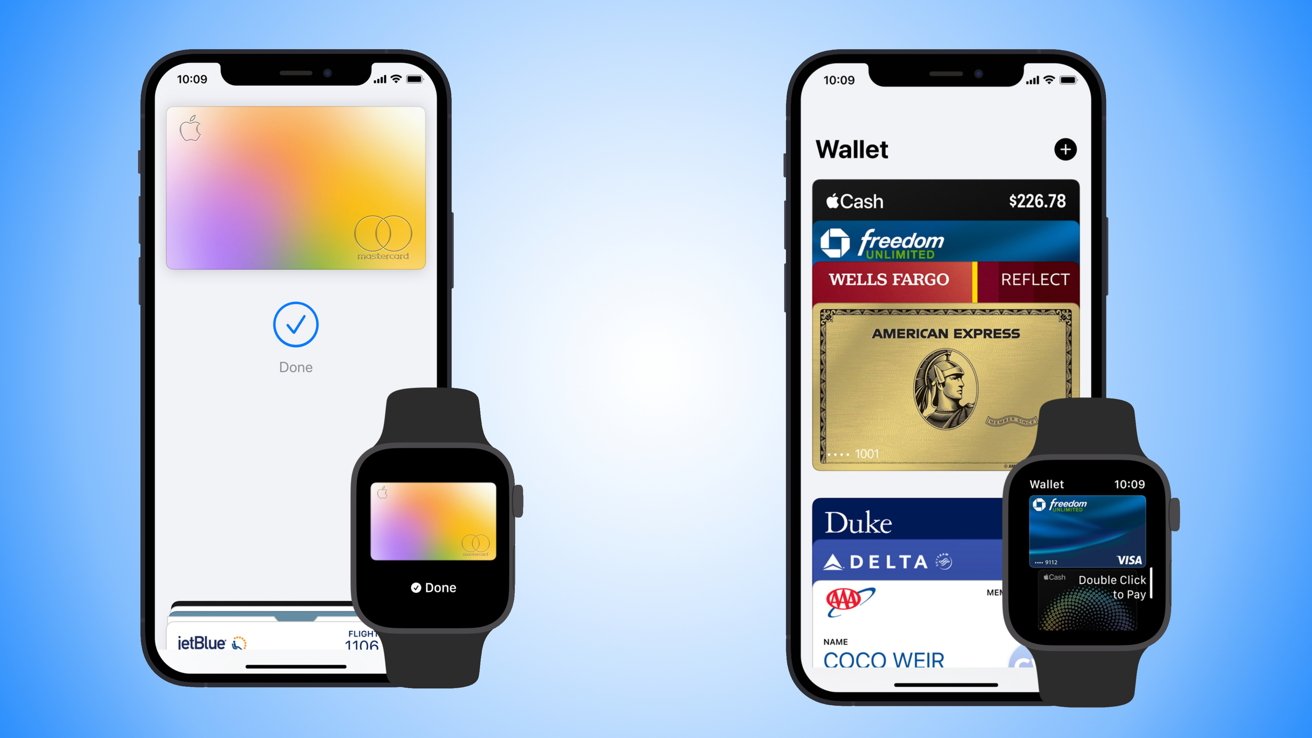
“Since the start, we’ve been committed to delivering tools and services that help users live healthier financial lives, and it’s been rewarding to see customers using and finding value in the benefits of Apple Card,” Apple’s vice president of Apple Pay and Apple Wallet, Jennifer Bailey said.

“We are honored that Apple Card has been recognized as a leader in customer satisfaction. In partnership with Goldman Sachs, we are continuously working to expand the value users receive from Apple Card, most recently with the launch of Savings, and we look forward to continuing to develop tools and services that put our users and their financial health first.”

And despite the strained relationship between Apple and Goldman Sachs, Liz Martin, Goldman Sachs’s head of Enterprise Partnerships, said, “With Apple Card, we have had a shared focus on delivering a great experience and providing value to our customers since the beginning.”

The hyper-specific category has some real contenders. J.D. Power notes the Hilton Honors American Express Card ranked second behind Apple/Goldman Sachs, with Amazon Prime Rewards Visa Signature Card with Chase and PayPal’s Cashback Mastercard with Synchrony Bank tied for third.

Apple Card customers were gifted another perk in 2023, with Apple and Goldman Sachs launching a dedicated savings account. That appears to be a success as well, with customers depositing upwards of $10 billion in just three months.

Posted on Leave a comment

A cheap Bluetooth transmitter can spoof some iPhone notifications

This cheap device can spoof an Apple TV

At Def Con 2023, some attendees were shown in real-time how a relatively cheap device leveraging Bluetooth flaws can force bogus notifications and potentially get the user to surrender sensitive data.

Walking around a conference dedicated to hacking devices and software typically means seeing all sorts of real world attacks, albeit in a specialized setting. And as some attendees discovered this year, it can also mean personal data is potentially up for grabs at any given moment.

Take, for example, a research project put together by Jae Bochs shows just how easy it is to take advantage of Apple’s own utilization of Bluetooth Low Energy, or BLE, to try and nab a user’s information. Bochs’s project had a couple of purposes, the first being to remind folks that simply using Control Center to disable Bluetooth doesn’t actually get the job done.

The second was to simply have a laugh as Bochs walked around the conference, stood in lines, and visited vendors. They did try to remember to turn their device off if they stopped to have a chat with someone, though, according to TechCrunch.

The device is a combination of several elements, like a Raspberry Pi Zero 2 W, a Linux-compatible Bluetooth adapter, a couple of antennas, and an external battery. All told, Bochs says it costs around $70, which means a relatively inexpensive device can quickly cause some specific havoc on Apple devices within 50 feet.

[youtube https://www.youtube.com/watch?v=xaCPLY-RyXE]

It comes down to communication between devices, which at this point Apple relies heavily on for its ecosystem. By tapping BLE, devices like iPhones can talk to one another when they get within a set range, which can then prompt “proximity actions.”

The device causes these actions, so as Bochs walked around the conference he was able to send a prompt to nearby iPhones asking them to auto-fill their password into a nearby Apple TV. Despite the fact there wasn’t an Apple TV near them.

Luckily, Bochs’s device wasn’t built to attain any personal information, even if someone did tap on the prompt and insert their password for some reason. However, he does say there is a possibility where that could happen.

“If a user were to interact with the prompts, and if the other end was set up to respond convincingly, I think you could get the victim’ to transfer a password. There’s an issue known for a few years where you can retrieve phone number, Apple ID email, and current Wi-Fi network from the packets.”

Apple is aware of the issue, and has been since 2019. However, Bochs does not expect the company to do anything about it because so little information can be shared through this process, and it’s an integral feature to the Apple ecosystem as a whole.

Bochs does suggest Apple could offer a better prompt for users, letting them know what’s happening when they tap the Bluetooth icon in Control Center.

How to protect yourself from this kind of attack

This is all about situational awareness. Bluetooth isn’t known for being particularly great for security purposes, but in this particular situation it comes down to knowing your environment.

As Bochs notes, this particular moment is for the laughs, because it’s an Apple TV prompting for a password at a hacker convention. It’s obviously not any one person’s personal Apple TV, so if you see this or similar while out, obviously don’t input your password.

However, out in the real world a similar prompt could pop up, which means the individual needs to be aware what personal devices are being carried, like an AirTag or pair of AirPods Pro. If a random device starts prompting you for a password, the safe bet is to ignore it entirely, especially if you don’t recognize it.

As a reminder, the only way to fully disable Bluetooth or Wi-Fi is to do so in the Settings app.