Posted on Leave a comment

WaterField releases a ballistic nylon carrying case for the iPhone

How the bag looks while wearing it

WaterField Designs has released a new carrying case for iPhone made of ballistic nylon that people can wear across their bodies.

It’s called the Essential iPhone Crossbody Pouch, with room for an iPhone and small accessories such as keys and AirPods Pro. The company says it makes an ideal sidekick for hiking, running errands, or a night on the town.

Made from 1050 denier ballistic nylon resistant to water and abrasion, it has a colorful, high-performance Forza textile accent for style.

The front loop on the pouch can support a carabiner, keychain, or sunglasses for easy access. A front open-topped pocket stows other quick-access items or items attached to the front loop.

Posted on Leave a comment

NovaPlus A8 Duo review: Inexpensive Apple Pencil-like stylus for iPad

NovaPlus A8 Duo and Apple Pencil.

AppleInsider may earn an affiliate commission on purchases made through links on our site.

The NovaPlus A8 Duo is a lightweight Apple Pencil clone, and is a nearly-flawless option for iPad-centric sketchers, note-takers, and more.

NovaPlus is back with an improved version of its well-received Apple Pencil-like stylus, adding a secondary charging method and a few new features. It is an inexpensive clone that gives users a second color option, and even manages to occasionally beat Apple at their own game in a few places.

The previous A7 Pro Pencil, which resembled the actual Apple Pencil 2 in nearly every dimension, was the first truly competitive stylus to add the same magnetic charging that was introduced with the 2018 iPad Pro. Without close examination, most people would be unable to distinguish its “classic white” model from the Apple original.

There are a few tell-tale signs, of course, for both practical and legal reasons: the cap portion of the stylus, for example, is also a button. The previous model and the A8 use a light ring around the top to provide battery information through color changes.

Of course it also includes palm rejection, and of course the soft nibs are fully compatible with Apple’s own — NovaPlus sells its own nib packs. Interestingly, the A8 weighs noticeably less than the Apple Pencil 2: 13 grams compared to Apple’s 20g.

In addition to a lower price, the A8 offers additional value. For a start, a second nib is included in the box, along with a protective woven cover for the stylus, and a short USB-A to USB-C cord to allow for charging by older computers.

All in a cardboard box of about the same dimensions as the Apple Pencil box. We’re just sayin’.

The packaging for our

The packaging for our “star black” NovaPlus A8 Duo.

The Dark Pencil

But let’s not kid ourselves: the initial big attractor for many previous and future buyers was and will be the “star black” color option. It’s not the first black Pencil-compatible stylus, but it is the first Pencil lookalike we know of to go dark.

If your art is as black as your soul, this is a major selling point: a black Pencil exactly matching your iPad’s border, your goth wardrobe, and your darkest visions. Naturally, the “classic white” option is also available.

The A8 will be appearing in the market early in the new year, and was the subject of a modest but very successful crowdfunding campaign. We’ve been using the black version for a month now, and we think most buyers will enjoy it in either color.

Going beyond Apple’s Pencil

This is not just because of its identical appearance to the Apple Pencil, and not just because of its clever-but-subtle UI differences. It’s also because it is dramatically lower price: it is expected to retail for $69.

Because of the new USB-C charging port, the Duo A8 is able to work with more models of iPad than just the ones that support the Apple Pencil 2. In addition to the iPad Pros, iPad and iPad mini models from 2018 and later can work with it — as well as 2019 and later models of the iPad Air.

As mentioned, the button on the cap of the stylus glows green when charging, blue when in “agile mode,” and red when the battery is low. When held down for three seconds, the button will pair or unpair.

In addition, the cap has still more options: users can choose to make a quick double-click of it to switch between telling the tip to change brushes, or to erase, and back again. These actions can also be triggered by a double-tap on the flat side of the device — exactly as you would with an Apple Pencil 2.

The A8 Duo is rated for 12 hours of typical-use drawing time, and recharges fully in about 40 minutes. Due to its ability to charge magnetically on compatible iPads, users are unlikely to ever be inconvenienced in typical use.

An optional extra for the A8 is a wear-resistant metal nib that the company says won’t scratch the tough Corning glass of the iPad models. The NX nib is rated for 30 kilometers of drawing use, and offers an even more pen-like feel, with a pair of them selling for $25.

Outside of drawing, the A8 is able to write text in nearly any text field if desired, from Facebook post input fields to the URL bar in Safari, to Quick Notes, and so on. It can be used for text or drawing in Notes and Pages, among other Apple apps, and is “seen” by them exactly as though it was an Apple Pencil.

NovaPlus makes a point of mentioning that it is compatible with many of the big-name third-party drawing and note-taking apps, like GoodNotes and ProCreate among others. We could not find any app that it didn’t work with, though the erase mode may work differently on some apps — and we only tested a handful of drawing or writing apps.

One letdown, and some minor drawbacks

One of the very few areas where the Apple Pencil clearly beats this clever copycat is in pressure sensitivity: the genuine Pencil has it, the A8 Duo does not. It’s enough to be a dealbreaker for serious artists, but for people for whom drawing is not the primary purpose, the tilt sensitivity — which can also change the stroke being used — may be enough to get by.

The other problematic area is the location of the USB-C charging port, solely because of its dust-protecting port cover nubbin. The small rubbery cover is very likely to get lost if removed for more than a short period of time — but that is not the biggest issue.

The other problem with the cover is that because the USB-C port is on the flat side, it raises the back end of the A8 slightly higher than the nib end. This causes the magnetic bond between the stylus and the iPad Air or Pro to be a bit diluted compared to the Pencil’s firmer attachment, meaning it is easier for the A8 to come loose.

Removing the dust cover fixes the attachment-strength issue, but then you go back to the high risk of misplacing the cover. It would have been worth it, in our opinion, for the makers to give the A8 two flat “sides” — one with the USB-C port and cover, the opposite with the magnetic compatibility.

The A8 dilemma: risk losing the port cover, or keep it on and trigger your OCD.

The A8 dilemma: risk losing the port cover, or keep it on and trigger your OCD.

The NovaPlus A8 Duo Pencil can replace the Apple Pencil almost everywhere

If your main use of the Apple Pencil 2 is for regular, professional-level art creation, the NovaPlus A8 Duo might pass muster as a secondary-use spare drawing and writing tool — but it won’t be your daily driver. The lack of pressure sensitivity stops it from being a serious artist’s preferred stylus.

Instead, the target market for the A8 is the arguably larger user base of would-be Pencil users who are casual artists, and use it equally often for non-drawing tasks like note-taking. The very attractive pricing makes it a real and frankly superior competitor to the similarly-priced but bulkier Logitech Crayon.

The A8 Duo’s ability to mimic the Apple Pencil 2 in so many ways, combined with its mostly-excellent additional features, earn it serious consideration. If future models ever gain Pencil-like pressure sensitivity, NovaPlus could grow to threaten Apple’s near-monopoly on serious iPad drawing pens.

NovaPlus A8 Duo Pencil pros

  • Low cost
  • Apple Pencil 2 look and feel
  • Informative and useful cap button
  • Dual charging methods for those without magnetic charging
  • Optional ultra-durable nib
  • Compatibility with Apple and third-party nibs
  • Tilt sensitivity
  • Wider range of iPad compatibility than Apple Pencil 2

NovaPlus A8 Duo Pencil cons

  • Lack of pressure sensivity
  • Easily-misplaced USB-C port cover
  • Weaker magnetic attraction when dust cover is on
  • Won’t ship until early 2023

Score: 4 out of 5

Where to buy the NovaPlus A8 Duo Pencil

The NovaPlus A8 Duo Pencil may still be available for pre-order from the company’s IndieGoGo crowdfunding page, or directly from the NovaPlus A8 website.

Posted on Leave a comment

Find My misfire leads to SWAT raid on grandmother

AppleInsider may earn an affiliate commission on purchases made through links on our site.

A Denver detective is being sued after he led a SWAT raid on an elderly woman’s home after Find My falsely pinged her home as a location of a stolen iPhone.

On January 3, 2022, a truck was stolen from a Denver Hyatt hotel. According to the owner, it contained six firearms, two drones, $4,000 in cash, and an iPhone 11.

The following day, Denver detective Gary Staab interviewed the owner of the stolen goods. Staab was told that Apple’s Find My app had pinged a residential address twice the day before.

Stabb then drafted an affidavit to search that resident’s home.

The resident of the address in question was 77-year-old Ruby Johnson. During the raid, Johnson was placed in a police car as offers used a battering ram to destroy her garage door and door frame.

They also destroyed property in her home, including her collectible dolls, as they searched her home for the stolen items. None of the stolen property was found in the house.

Johnson is suing Staab over the search itself, and the destruction. The suit alleges that Staab’s affidavit violated Johnson’s right, afforded by the state constitution, to “be free of unreasonable searches and seizures,” according to NBC News.

The complaint alleges that Staab failed to corroborate the location independently. Apple’s Find My app is designed to determine approximate locations and should not be used as a law enforcement tool.

The complaint also states that neither Staab nor the police department apologized for the raid. The police department also refuses to pay for repairs from the search.

Following the suit’s filing, the Denver Police Department and the Department of Public Safety issued a statement saying that they “sincerely apologize to Ms. Johnson for any negative impacts this situation may have had on her.”

Following the raid, Johnson left her home for her son’s home in Texas, because she did not want to stay in her home. She has since returned to Denver but is afraid to answer the door.

A comprehensive breakdown of the situation, as well as the affidavit footage of the raid, can be viewed on 9News

Posted on Leave a comment

The best New York subway apps for iPhone and iPad in 2022

Image – MTA Homepage

AppleInsider may earn an affiliate commission on purchases made through links on our site.

When it comes to visiting the Big Apple, hitting the trains is essentially unavoidable. With your iPhone and the appropriate App, it’s easy to figure it out.

In this article, we downloaded and tested two prominent NYC Subway Apps and compared them to Maps. There was a clear winner.

New York Subway MTA App

New York Subway MTA App

New York Subway MTA App

If you’re in NYC for a few days, paying for the app doesn’t make much sense. Save your money for that much-needed six-dollar cappuccino to survive your commute.

The free version is laden with advertisements that pop up every two seconds. When the wind’s blowing, chilling the sweat that has collected underneath your coat and you’re jostled in a sea of commuters, X-ing out of adverts is a frustration no one needs.

In addition, the New York Subway MTA App is not so user-friendly, as the map interface itself looks like one of the old, paper maps your dad used to bring out in the prehistoric era of no technology. Nab a screenshot of the NYC Subway Map from Google images and it will do you just as much good.

New York Subway MTA App

New York Subway MTA App

The New York Subway MTA App will run on any iPhone running iOS 14 or newer, and it is a 72 megabyte download. It costs $25.99 for a one time purchase. Alternatively, there are $9.99 yearly, or 3.99 monthly subscriptions. There is a free version available (with ads).

New York City Subway App

New York City Subway App

New York City Subway App

This App is slightly worse than the New York City MTA App, and with obtrusive Google Chrome ads that are difficult to click away. The clincher, however, is that the app does not provide maintenance or track closure updates— a big issue when traveling in ever-changing NYC. You’ll find your time wasted and legs burning as you are rerouted time and time again.

New York City Subway App

New York City Subway App

The New York Subway App will run on any iPhone running iOS 13 or newer, and it is a 21.4 megabyte download. There is a free version available (with ads).

Apple Maps

The archaic layouts of both the New York City MTA App and New York City Subway App will have you itching for the uninstall button for both. But, Apple’s got you covered.

The best kind of apps are free, work seamlessly, and serve you without being a distraction. When it comes to Apple Maps, this rings true.

Apple Maps

Apple Maps

The user interface is crisp and clear. A blue dot indicates your location, and after filling in your destination, Maps will fetch the fastest route to get you there from your exact location, not the nearest station. This is helpful, say, if you’re in the middle of Central Park and don’t know the location of the station closest to you.

The New York Subway MTA App and New York City Subway App, however, will not direct you out of the jungle in real-time. For directionally-challenged individuals, Apple Maps is your best bet.

In addition, Apple Maps lets you pick from various modes of transport: driving, walking, transit (bus/metro), cycling, ride share, and more. If it’s rush hour and you don’t feel like sardine-ing yourself in the train next to some guy eating his pungent tuna and egg sandwich, you can weigh whether walking a quarter mile to your destination is really that awful after all.

Apple Maps

Apple Maps

Clicking on transit, the app will show you the closest metro entry points, tell you the lines necessary to get to your destination, and will give you an ETA.

An additional benefit to using Apple Maps is that the apps talk to each other. Choose ride share, and Lyft will automatically be conjured. If you want to see pictures of the station, scroll down to find photos and reviews, powered by Yelp.

This is extremely helpful if you’re wondering if the pizza joint you’ve selected is indeed the best pizza in the city.

Apple Maps will run on any iPhone running iOS 10 or newer. Apple Maps is entirely free.

Be warned: Apple Maps and Google Maps are not the same. After trying Google Maps, three blocks in, you’ll probably realize you’ve been walking in the wrong direction. Not so fun when it’s pouring rain and you’re late for a business meeting.

Being subjected to the external chaos of the city is unavoidable. Avoiding internal chaos and spiked cortisol — that’s up to you. On your next trip to NYC, go easy on yourself and download Apple Maps for the most user-friendly, efficient, and completely free experience.

Posted on Leave a comment

Apple tells suppliers to plan for shift of manufacturing out of China

A Foxconn facility

AppleInsider may earn an affiliate commission on purchases made through links on our site.

Apple is working to speed up its shift of part of its supply chain out of China, with supply chain partners warned to plan for increases in assembly in India and Vietnam.

China is Apple’s choice for production when it comes to many of its major products, but over the years, it has reconsidered relying on the country so much. While it has long planned to start to spread its production into other territories, it seems that Apple is becoming more proactive about its intentions.

In a Saturday report by the Wall Street Journal, Apple has “accelerated plans” to migrate some of its production elsewhere, according to sources involved in discussions. It is now reportedly informing suppliers to “plan more actively” for assembly elsewhere in Asia, especially India and Vietnam.

The messaging also apparently includes mention of reduced dependency on Foxconn Technology Group companies.

Buffeted by lockdowns led by zero-COVID government policies, as well as riots that have occurred at Foxconn’s troubled Zhengzhou factory, the biggest maker of Pro-model iPhone, Apple has more of a need to migrate away. The sentiment has been there for quite some time, but with China’s image as a manufacturing hub weakening in recent years, such as with the US-China trade wars, Apple wants to try to work in other areas.

Doing so is a difficult prospect, one that in September was reckoned to take eight years to shift as little as ten percent of production out of China. It does already have production centers being expanded in Vietnam and India, but there’s a lot more that needs to be in place for bigger shifts to be more effective.

One element is New Product Introduction, a process where Apple teams work with contractors on making product blueprints and prototypes into a full manufacturing plan. For China, with a dense concentration of suppliers and production engineers available, NPI is easy for Apple.

To build up in other countries, Apple has to expand the NPI process to them. However, with hiring slowdowns and a slowing global economy, it’s harder for Apple to allocate workers to deal with NPI with new suppliers in new countries, sources claim.

Apple does have a long-term goal of shipping 40% to 45% of its iPhones from India, up from a current level in the single digits. Meanwhile, Vietnam is expected to take on more production of other product ranges, such as AirPods, Apple Watch, and MacBook models.

Posted on Leave a comment

Save $150 on Apple’s Midnight MacBook Air M2 with 16GB RAM & 10-core GPU, in stock now

Save on Apple’s M2 MacBook Air.

Apple’s popular MacBook Air with an upgraded M2 chip and 16GB of memory is $150 off in the gorgeous Midnight finish. In stock with free expedited shipping, plus bonus savings on AppleCare.

This exclusive discount knocks the M2 Air with a 10-core GPU, 16GB of memory and a 256GB SSD down to $1,349 — the lowest price available, according to our MacBook Air Price Comparison Guide. Units are in stock and ready to be dispatched, putting the Air in your hands faster by a week compared to ordering directly from Apple. All while saving a considerable amount of money this holiday season.

Posted on Leave a comment

Paramount Plus deal has been extended, save 50% on the annual plan

This Paramount Plus deal offers 50% off annual plan

The Black Friday Paramount Plus deal has been extended due to high demand, knocking half off the annual plan for new and returning subscribers.

Stay in and watch all your favorite TV shows, as well as football games via NFL on CBS live. The winter months are also an excellent time to curl up and binge watch a new series. You can get half off the annual plan if you sign up now to enjoy tens of thousands of TV episodes and movies. At half off the annual plan for the first year, you don’t have to break the bank to stream Paramount+ Originals and many new movies available exclusively on the platform.

Posted on Leave a comment

Tim Cook scheduled to meet with Republican lawmakers

Credit: Wikimedia Commons

Apple CEO Tim Cook is headed to Washington D.C. to meet with GOP lawmakers who will likely chair committees overseeing the tech industry.

Cook has scheduled meetings with Republican reps like Ohio’s Jim Jordan, California’s Darrel Issa, and Washington’s Cathy McMorris Rogers.

The meetings were likely scheduled weeks, if not months, ago. But since the scheduling, Apple has come under fire from top conservatives, many of which have sided with Twitter CEO Elon Musk in his recent spat with Apple.

Posted on Leave a comment

How an iPhone battery works and how to manage battery health

What you need to know about iPhone batteries

Your iPhone uses a lithium-ion battery that degrades over time, but there is little reason to worry about battery health in a new device. Here’s what you need to know about your iPhone’s battery.

Batteries are not mysterious black boxes that power your iPhone, in fact, they are quite simple products compared to the advanced silicon they are powering. The physical nature of batteries mean that they will ultimately wear out and become less useful over time, but device owners don’t need to worry.

Understanding a little bit of the science behind batteries can go a long way in intelligently managing your device’s lifespan. Controversies surrounding iPhone relating to planned obsolescence and expected upgrade cycles can easily be dismissed as hyperbole with a little bit of knowledge.

Lithium-ion battery basics

A battery consists of an anode (+) and cathode (-) separated by a generally flammable electrolyte. When a device draws power from the battery, charged lithium ions move from the anode to the cathode through the electrolyte, releasing electrons.

These freed electrons power the device and return to the cathode, creating a complete electrical circuit. The opposite occurs when charging the device — electrons are passed into the anode and move to the cathode.

Without getting too technical, these two chemical reactions are imperfect and introduce heat loss and wear to the battery. The lithium material slowly depletes, oxidization reduces usable surface area, and filaments grow from battery plates. All this leads to cell degradation and eventual battery exhaustion.

Thin phones mean smaller batteries, which become exhausted sooner

Thin phones mean smaller batteries, which become exhausted sooner

There is nothing a user can do to stop this process utterly. Take using fuel in a car, for example, it eventually runs out. However, exhausting a lithium battery takes a great deal of time and can be mitigated somewhat by user and software behaviors.

So, when a new iPhone has a 100% battery rating, it has all of the rated milliamp-hours of power available when fully charged. It also means the battery can provide enough power to the CPU at peak current draw without issue.

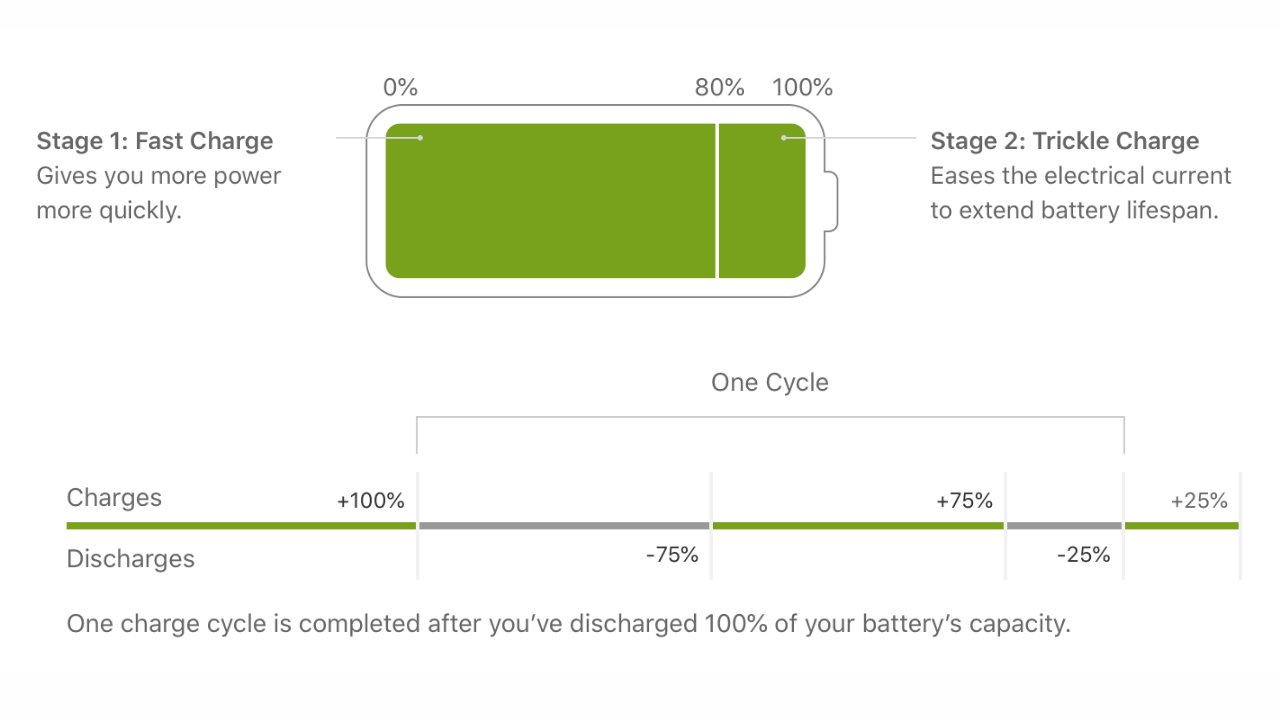
Apple says its batteries are designed to retain up to 80% of their original capacity at 500 complete charge cycles. A charge cycle is defined by a complete drain of the battery to zero, followed by a complete charge to 100%.

Top: fast charging cycle explained. Bottom: Charge cycle explained. Image credit: Apple

Top: fast charging cycle explained. Bottom: Charge cycle explained. Image credit: Apple

This expected battery life can vary from user to user. The average user is expected to keep their battery health north of 80% for the first two years with regular use. Hitting 80% within a year is cause for concern, and Apple will replace your battery for free with AppleCare or for a fee without.

Others who use their iPhone constantly and charge their device from near dead to 100% multiple times a day will see their battery degrade faster. Looking at your Screen Time will reveal if you’re unconsciously overusing your device — maybe it’s time to put down your iPhone if TikTok shows multiple hours of use in a short time.

Of course, iPhones are bought to be used. But, like anything, moderation is important, especially if you’re worried about something as physical as battery chemistry.

Ultimately, once the battery degrades below 80% of its original capacity, protections within the operating system will engage to ensure the device doesn’t shut down inadvertently. This throttling can be avoided by having the battery replaced at an Authorized Apple Service Provider.

After the iPhone throttles the processor for the first time to prevent a shutdown, a new toggle will appear in battery settings. This gives users the ability to turn off the throttling feature and allows the processor to draw full current.

However, the device will shut off as soon as the current draw exceeds what the battery can provide. It is highly unadvisable to turn off the throttling feature and can lead to battery damage.

Degraded batteries

Before iOS 10.2.1 in 2017, the iPhone didn’t do much to account for aging batteries in its software. However, a perfect storm of circumstances set Apple up for user complaints about inadvertent shutdowns in older devices.

Recent devices had more powerful processors, thinner designs, and brighter displays. These factors led to smaller batteries with lower capacities that died faster. A smaller battery also meant a lower peak voltage, which meant aging batteries would dip below peak rated voltages sooner.

Those factors were coupled with more people buying iPhones than ever, then keeping them for longer than expected, which led to more reports of batteries becoming exhausted. Note that the “Plus” models and iPads were not encountering shutdown issues thanks to their larger battery capacities.

Lithium-ion can't provide peak voltage at lower charges, which gets worse with age

Lithium-ion can’t provide peak voltage at lower charges, which gets worse with age

Intermittent shutdowns were reported by owners of the iPhone 6, iPhone 6s, and iPhone SE. Users complained that the device would show battery levels of 30% or more then suddenly shut off as if the battery died.

This occurred because these devices’ batteries had been exhausted to the point that they could no longer provide peak power during peak CPU draw. Since there were no other protections in place, the iPhone would sense the CPU power draw exceeding the available current and just shut down to protect the battery.

The iOS 10.2.1 and subsequent updates created safeguards that throttle the CPU based on the device’s remaining battery health. Fresh batteries above 80% health will never encounter this CPU throttling feature.

Apple hadn’t considered its need until widespread reports of shutdowns began.

The iPhone 6 and iPhone SE suffered from inadvertent shutdowns thanks to aging batteries

The iPhone 6 and iPhone SE suffered from inadvertent shutdowns thanks to aging batteries

Apple never announced the battery safeguards publicly, instead, it included a footnote in the software update and left it at that. Users later began noticing their devices slow down, blaming it on planned obsolescence and other conspiracies until Apple made a statement.

Lawsuits began and Apple made a public apology about the feature, stating it was always meant to make devices last longer, not force users to upgrade early. New iPhones starting with the iPhone X had much larger batteries too, which means it takes much longer for the battery to degrade past peak current draw.

The CPU throttling feature protects batteries from current overdraw, which can lead to a thermal event or even fire. It is not a feature designed to frustrate users into upgrading their phones, despite what some YouTubers might tell you.

Managing your battery health doesn’t need to be a full-time job

There are a lot of discussions around battery preservation and how users should charge their devices. Some say to avoid wireless charging of any kind for the best possible battery health, but that isn’t the whole story.

An abundance of wireless chargers leave our iPhone topped off constantly, and that's ok

An abundance of wireless chargers leave our iPhone topped off constantly, and that’s ok

Battery chemistry is affected by heat, charging speed, and the environment. In an ideal world, the longest battery shelf-life a person could achieve would be found if the room temperature was permanently 65 degrees, the iPhone only charged via a wire from about 20% to about 80% at about 10W, and the processor never got hot during use.

This fantastical scenario is impractical, if not impossible, for many reasons. Besides that, the theoretical gains in battery health would never equate to the work involved in maximizing battery life.

Temperatures over 95 degrees Fahrenheit can cause accelerated degradation of your battery, so keep the device out of direct sunlight and hot areas when possible. This is easier said than done when we’ve just experienced the hottest July in human history.

So, Apple has implemented several tools, invisible to the user, to make sure battery health is extended for as long as is practical. For example, A dedicated power management processor ensures power draw is controlled for optimum charging rates at any given moment.

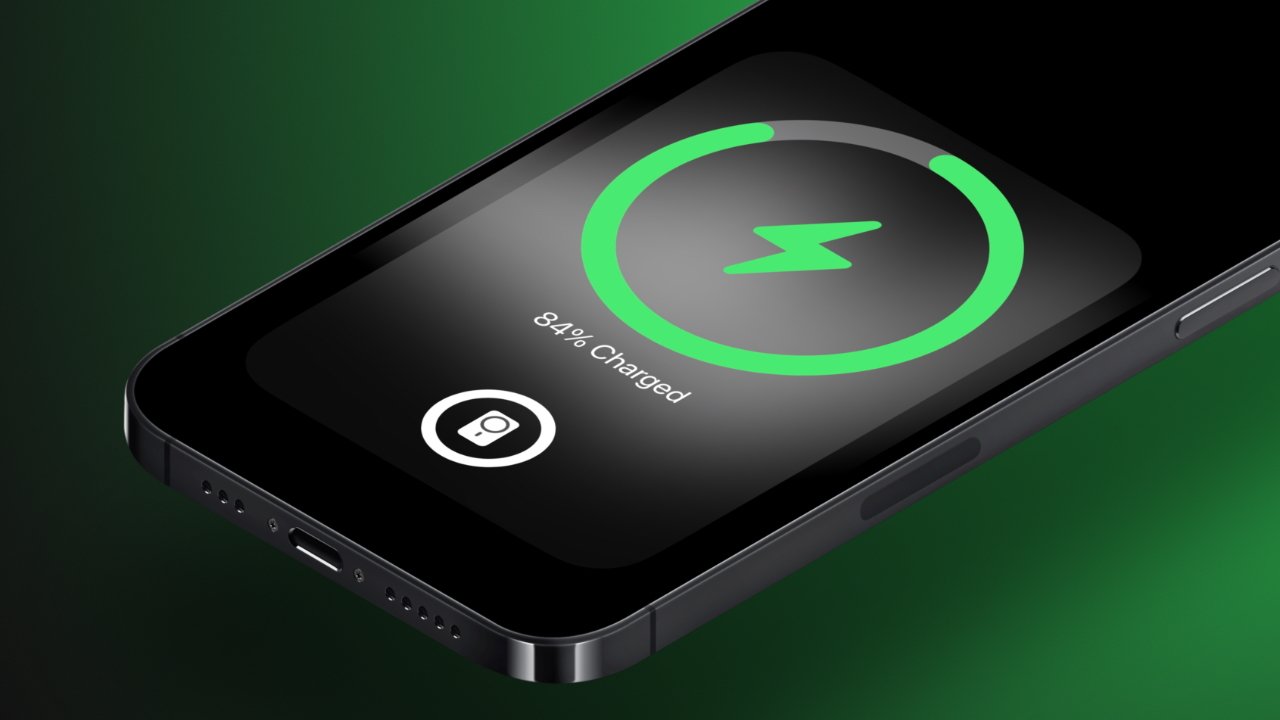
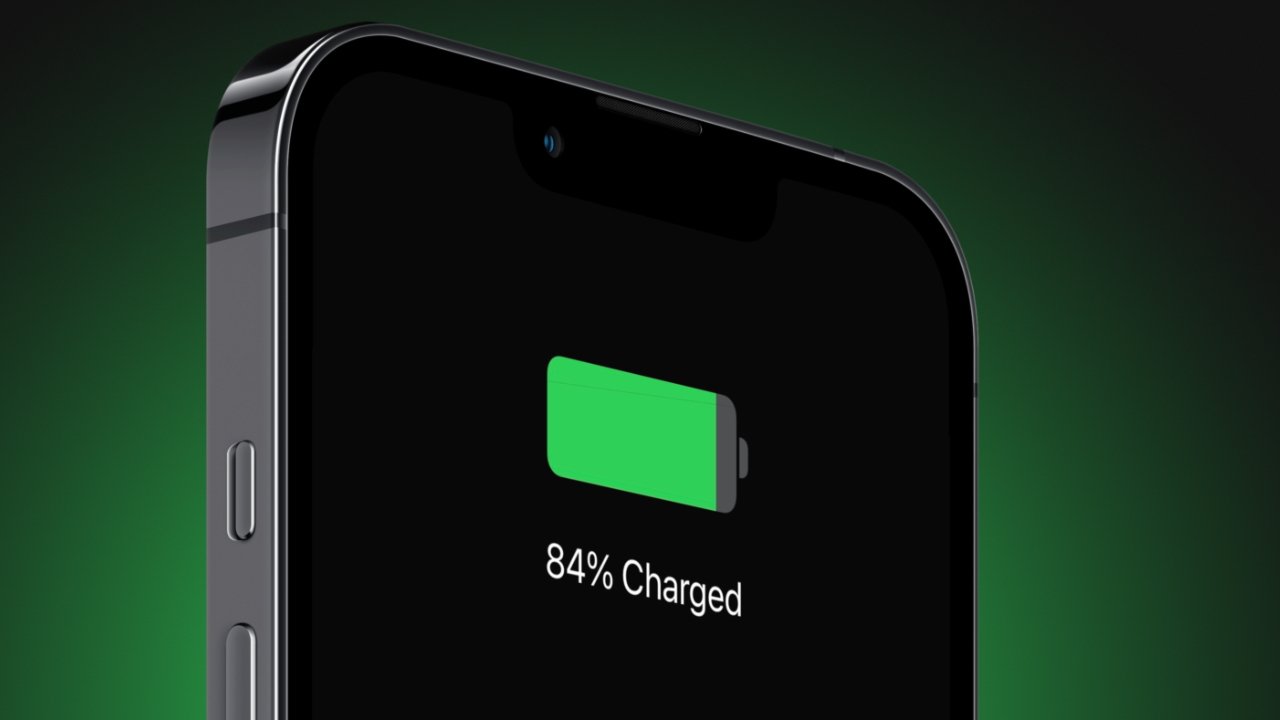
The iPhone will also learn your charging habits and adjust how the device is charged based on that. So, it may fast charge to 80% once plugged in, but it will then keep the battery at a trickle charge until it is closer to your daily wake-up time before taking the battery to 100%.

These built-in systems aid in keeping the iPhone battery safe and can operate much more efficiently than human intervention. So, users need only decide how to charge their iPhone and when, then leave the rest to the power management software.

Choosing how to charge: wired versus wireless

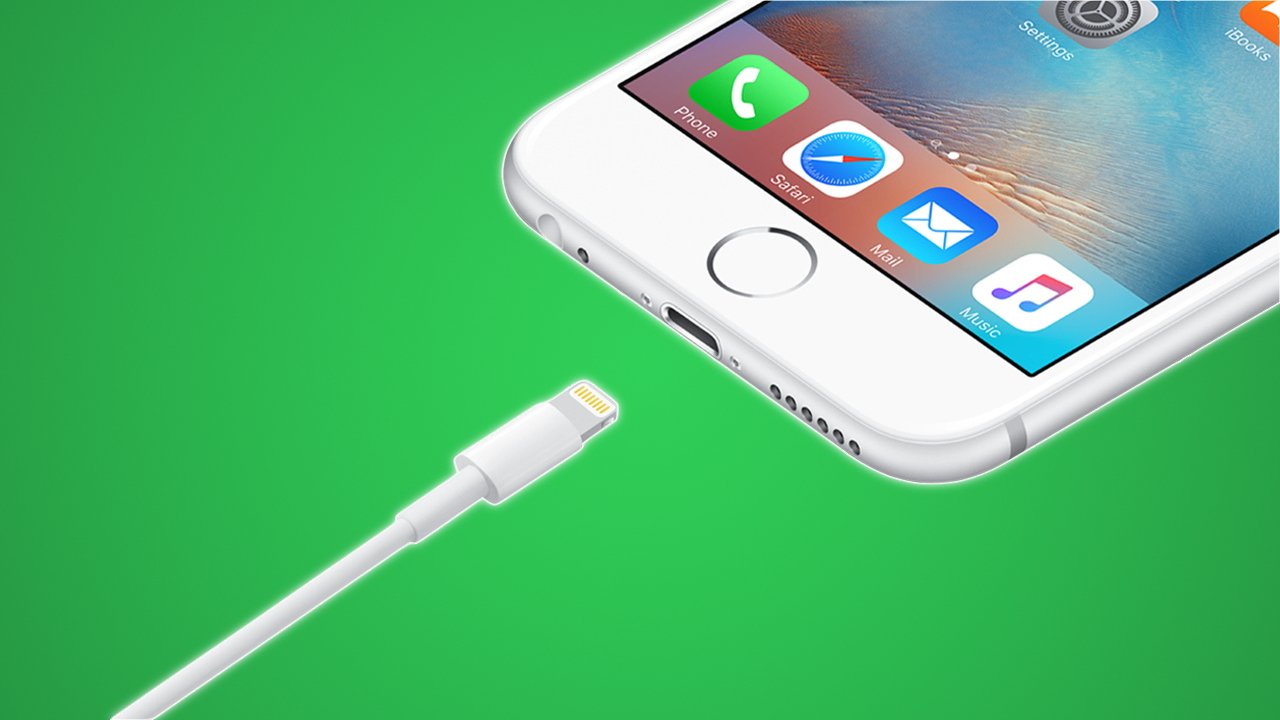
Your iPhone can charge via a Lightning cable, a MagSafe puck, and a Qi wireless charging pad. These three methods each have advantages and disadvantages.

Wired charging of an iPhone

Wired charging is the fastest and most efficient way to get power into your devices. The iPhone 13, for example, caps out at around 22 watts, and the iPhone 13 Pro Max can even sustain charging at around 27 watts for half an hour.

The iPhone begins “fast charging” when using an adapter of 18W or greater that supports Power Delivery. This feature can let any iPhone 8 or newer reach 50% capacity in about 30 minutes. The iPhone 12 and newer need a charging adapter of 20W or greater for fast charging.

This 65W adapter can fast charge two connected iPhones thanks to its high wattage

This 65W adapter can fast charge two connected iPhones thanks to its high wattage

Wired connections are the most efficient because electrical conductors are physically touching. Power is transferred across the wire, through conductive surfaces, at the highest efficiency with minimal heat loss.

However, faster charging means more heat, more heat loss, and less efficiency overall. Users who rely heavily on fast charging will degrade their battery faster.

Wall chargers are getting higher wattages for less money, especially since the introduction of GaN. So, there’s a very good chance that iPhones are being connected to fast chargers more regularly.

The iPhone does manage the charging rate even when connected to a fast charger, so it isn’t as if the battery is being slammed at full power at all times. However, fast charging is a tool, so use it only as necessary. We’ll get into charging best practices later.

Convenience will always sacrifice some aspect, and in this case, faster charging means wearing out electrodes at a quicker rate. The convenience factor also applies to wireless charging.

Wireless Qi and MagSafe charging of an iPhone

Wireless charging is a highly convenient form of charging that allows users to place their iPhones on a surface to begin charging. MagSafe takes this a step further by securing the iPhone to a magnet and increasing the speed and efficiency of the charge.

Wireless charging uses coils separated by a small air gap to transfer power from one set of coils to the other. Efficiency and speed are improved the closer the coils are to each other, which is why MagSafe’s magnetic alignment makes things much more efficient.

MagSafe is a more efficient form of wireless charging

MagSafe is a more efficient form of wireless charging

The iPhone will charge at up to 7.5W on a wireless charging pad, while MagSafe enables up to 15W. The standard Qi wireless charging is not only slower, but it is much less efficient and can heat up the iPhone more than MagSafe in some instances.

The air gap between coils, no matter how small, creates significant efficiency problems. As electricity passes through the charging coils, it generates a magnetic field, which interacts with the coils in the iPhone to provide a charge to the battery. This magnetic field is inherent inefficiency since much of the field is lost to empty air.

Coiled wire packed close together with electricity running through it gets really hot, so wireless charging pads tend to be warm surfaces. The coils in the iPhone heat up as well during power transfer, introducing yet another heat source. Overall, wireless charging is a very warm process that can affect battery chemistry long term.

Qi chargers exacerbate these issues due to poor alignment and a manufacturer’s tendency to use cheaper parts. Just because the iPhone begins charging once laid on a Qi charger doesn’t mean the coils are perfectly aligned, which increases energy heat loss, and reduces charging speed. More heat, means a battery that degrades more quickly as we’ve already discussed.

MagSafe is a more efficient form of wireless charging

MagSafe is a more efficient form of wireless charging

MagSafe helps alleviate some of these problems by having a higher standard for materials, as well as having magnetic alignment. Some chargers take advantage of the MagSafe magnets while offering only Qi 7.5W charging speeds, which is a decent medium. However, customers should seek out true 15W MagSafe chargers when possible to ensure the best charging experience and efficiency.

Note that MagSafe chargers are still admittedly not very efficient and to achieve a 15W wireless charge, users have to have 20W power adapters with power delivery. Power adapters without appropriate specs would only charge the iPhone at 7.5W.

The iPhone will adjust charging speeds to manage heat or even stop wireless charging if it gets too hot at 80%. Using wireless charging in cool environments ensures the best performance.

Charging best practices

The most important rule of charging your iPhone is planning ahead. Have chargers where you need them, know what they are rated for, and know when best to use them. This level of understanding shouldn’t require much time or effort beyond the initial setup.

[youtube https://www.youtube.com/watch?v=yzLFv8F5Tfc]

Your battery will chemically deplete over time, and there’s no avoiding it. On average, iPhone users can expect to see battery health drop by about 10% per year, depending on the factors discussed above.

What is adjustable is the rate of battery damage. The best way to do this while exerting the least effort, is to trust the battery management software and use some basic best practices.

For example, don’t keep your iPhone in direct sunlight or don’t have the heat full blast when using a car vent mount. Never leave your iPhone in a vehicle in the summer, and definitely keep it off of hot surfaces.

Keep your iPhone battery from dying completely, but try to avoid unnecessary charging too. If you’re going to leave for a few hours, plugging in your iPhone to a fast charger is a great way to top off the battery while getting ready.

Battery health degrades over time no matter how you manage charging

Battery health degrades over time no matter how you manage charging

Overnight charging is perfectly safe, too, since the iPhone will manage the charging rate based on your usual sleep schedule. A wired charger with less than 18W by the bedside will ensure the best battery health, but MagSafe or Qi charging overnight isn’t overly detrimental either.

If you’re really worried about battery health, prioritize wired slow charging first, then fast charging, then MagSafe, and maybe avoid or minimize Qi charging. Of course, all available charging methods are safe, they may just lead to needing a new battery a month or two ahead of the expected two-year window.

For most people, it is simply best to keep your iPhone charged and not worry too much about battery health. If you intend on keeping the device or passing it on to someone so it is in use for over two years, expect to get a battery replacement for $99.

There’s no fighting chemistry and physics.