Posted on Leave a comment

Save $150 on Apple’s Midnight MacBook Air M2 with 16GB RAM & 10-core GPU, in stock now

Save on Apple’s M2 MacBook Air.

Apple’s popular MacBook Air with an upgraded M2 chip and 16GB of memory is $150 off in the gorgeous Midnight finish. In stock with free expedited shipping, plus bonus savings on AppleCare.

This exclusive discount knocks the M2 Air with a 10-core GPU, 16GB of memory and a 256GB SSD down to $1,349 — the lowest price available, according to our MacBook Air Price Comparison Guide. Units are in stock and ready to be dispatched, putting the Air in your hands faster by a week compared to ordering directly from Apple. All while saving a considerable amount of money this holiday season.

Posted on Leave a comment

Paramount Plus deal has been extended, save 50% on the annual plan

This Paramount Plus deal offers 50% off annual plan

The Black Friday Paramount Plus deal has been extended due to high demand, knocking half off the annual plan for new and returning subscribers.

Stay in and watch all your favorite TV shows, as well as football games via NFL on CBS live. The winter months are also an excellent time to curl up and binge watch a new series. You can get half off the annual plan if you sign up now to enjoy tens of thousands of TV episodes and movies. At half off the annual plan for the first year, you don’t have to break the bank to stream Paramount+ Originals and many new movies available exclusively on the platform.

Posted on Leave a comment

Tim Cook scheduled to meet with Republican lawmakers

Credit: Wikimedia Commons

Apple CEO Tim Cook is headed to Washington D.C. to meet with GOP lawmakers who will likely chair committees overseeing the tech industry.

Cook has scheduled meetings with Republican reps like Ohio’s Jim Jordan, California’s Darrel Issa, and Washington’s Cathy McMorris Rogers.

The meetings were likely scheduled weeks, if not months, ago. But since the scheduling, Apple has come under fire from top conservatives, many of which have sided with Twitter CEO Elon Musk in his recent spat with Apple.

Posted on Leave a comment

How an iPhone battery works and how to manage battery health

What you need to know about iPhone batteries

Your iPhone uses a lithium-ion battery that degrades over time, but there is little reason to worry about battery health in a new device. Here’s what you need to know about your iPhone’s battery.

Batteries are not mysterious black boxes that power your iPhone, in fact, they are quite simple products compared to the advanced silicon they are powering. The physical nature of batteries mean that they will ultimately wear out and become less useful over time, but device owners don’t need to worry.

Understanding a little bit of the science behind batteries can go a long way in intelligently managing your device’s lifespan. Controversies surrounding iPhone relating to planned obsolescence and expected upgrade cycles can easily be dismissed as hyperbole with a little bit of knowledge.

Lithium-ion battery basics

A battery consists of an anode (+) and cathode (-) separated by a generally flammable electrolyte. When a device draws power from the battery, charged lithium ions move from the anode to the cathode through the electrolyte, releasing electrons.

These freed electrons power the device and return to the cathode, creating a complete electrical circuit. The opposite occurs when charging the device — electrons are passed into the anode and move to the cathode.

Without getting too technical, these two chemical reactions are imperfect and introduce heat loss and wear to the battery. The lithium material slowly depletes, oxidization reduces usable surface area, and filaments grow from battery plates. All this leads to cell degradation and eventual battery exhaustion.

Thin phones mean smaller batteries, which become exhausted sooner

Thin phones mean smaller batteries, which become exhausted sooner

There is nothing a user can do to stop this process utterly. Take using fuel in a car, for example, it eventually runs out. However, exhausting a lithium battery takes a great deal of time and can be mitigated somewhat by user and software behaviors.

So, when a new iPhone has a 100% battery rating, it has all of the rated milliamp-hours of power available when fully charged. It also means the battery can provide enough power to the CPU at peak current draw without issue.

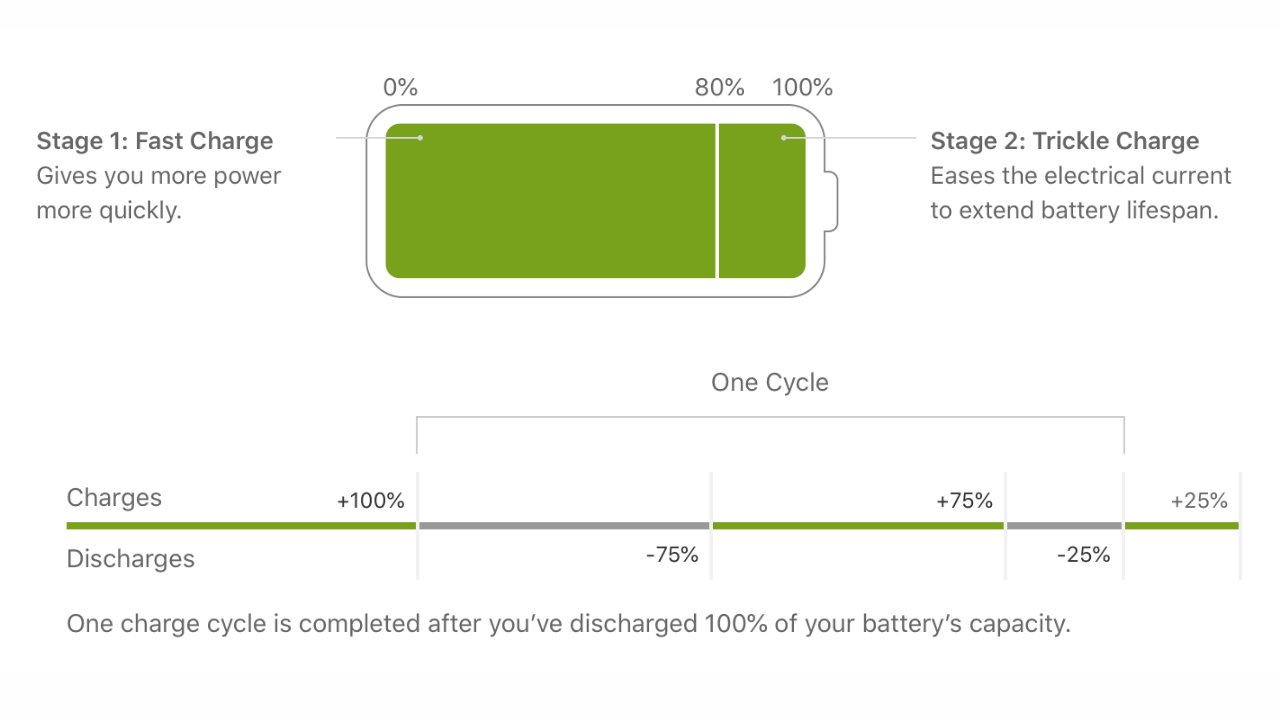
Apple says its batteries are designed to retain up to 80% of their original capacity at 500 complete charge cycles. A charge cycle is defined by a complete drain of the battery to zero, followed by a complete charge to 100%.

Top: fast charging cycle explained. Bottom: Charge cycle explained. Image credit: Apple

Top: fast charging cycle explained. Bottom: Charge cycle explained. Image credit: Apple

This expected battery life can vary from user to user. The average user is expected to keep their battery health north of 80% for the first two years with regular use. Hitting 80% within a year is cause for concern, and Apple will replace your battery for free with AppleCare or for a fee without.

Others who use their iPhone constantly and charge their device from near dead to 100% multiple times a day will see their battery degrade faster. Looking at your Screen Time will reveal if you’re unconsciously overusing your device — maybe it’s time to put down your iPhone if TikTok shows multiple hours of use in a short time.

Of course, iPhones are bought to be used. But, like anything, moderation is important, especially if you’re worried about something as physical as battery chemistry.

Ultimately, once the battery degrades below 80% of its original capacity, protections within the operating system will engage to ensure the device doesn’t shut down inadvertently. This throttling can be avoided by having the battery replaced at an Authorized Apple Service Provider.

After the iPhone throttles the processor for the first time to prevent a shutdown, a new toggle will appear in battery settings. This gives users the ability to turn off the throttling feature and allows the processor to draw full current.

However, the device will shut off as soon as the current draw exceeds what the battery can provide. It is highly unadvisable to turn off the throttling feature and can lead to battery damage.

Degraded batteries

Before iOS 10.2.1 in 2017, the iPhone didn’t do much to account for aging batteries in its software. However, a perfect storm of circumstances set Apple up for user complaints about inadvertent shutdowns in older devices.

Recent devices had more powerful processors, thinner designs, and brighter displays. These factors led to smaller batteries with lower capacities that died faster. A smaller battery also meant a lower peak voltage, which meant aging batteries would dip below peak rated voltages sooner.

Those factors were coupled with more people buying iPhones than ever, then keeping them for longer than expected, which led to more reports of batteries becoming exhausted. Note that the “Plus” models and iPads were not encountering shutdown issues thanks to their larger battery capacities.

Lithium-ion can't provide peak voltage at lower charges, which gets worse with age

Lithium-ion can’t provide peak voltage at lower charges, which gets worse with age

Intermittent shutdowns were reported by owners of the iPhone 6, iPhone 6s, and iPhone SE. Users complained that the device would show battery levels of 30% or more then suddenly shut off as if the battery died.

This occurred because these devices’ batteries had been exhausted to the point that they could no longer provide peak power during peak CPU draw. Since there were no other protections in place, the iPhone would sense the CPU power draw exceeding the available current and just shut down to protect the battery.

The iOS 10.2.1 and subsequent updates created safeguards that throttle the CPU based on the device’s remaining battery health. Fresh batteries above 80% health will never encounter this CPU throttling feature.

Apple hadn’t considered its need until widespread reports of shutdowns began.

The iPhone 6 and iPhone SE suffered from inadvertent shutdowns thanks to aging batteries

The iPhone 6 and iPhone SE suffered from inadvertent shutdowns thanks to aging batteries

Apple never announced the battery safeguards publicly, instead, it included a footnote in the software update and left it at that. Users later began noticing their devices slow down, blaming it on planned obsolescence and other conspiracies until Apple made a statement.

Lawsuits began and Apple made a public apology about the feature, stating it was always meant to make devices last longer, not force users to upgrade early. New iPhones starting with the iPhone X had much larger batteries too, which means it takes much longer for the battery to degrade past peak current draw.

The CPU throttling feature protects batteries from current overdraw, which can lead to a thermal event or even fire. It is not a feature designed to frustrate users into upgrading their phones, despite what some YouTubers might tell you.

Managing your battery health doesn’t need to be a full-time job

There are a lot of discussions around battery preservation and how users should charge their devices. Some say to avoid wireless charging of any kind for the best possible battery health, but that isn’t the whole story.

An abundance of wireless chargers leave our iPhone topped off constantly, and that's ok

An abundance of wireless chargers leave our iPhone topped off constantly, and that’s ok

Battery chemistry is affected by heat, charging speed, and the environment. In an ideal world, the longest battery shelf-life a person could achieve would be found if the room temperature was permanently 65 degrees, the iPhone only charged via a wire from about 20% to about 80% at about 10W, and the processor never got hot during use.

This fantastical scenario is impractical, if not impossible, for many reasons. Besides that, the theoretical gains in battery health would never equate to the work involved in maximizing battery life.

Temperatures over 95 degrees Fahrenheit can cause accelerated degradation of your battery, so keep the device out of direct sunlight and hot areas when possible. This is easier said than done when we’ve just experienced the hottest July in human history.

So, Apple has implemented several tools, invisible to the user, to make sure battery health is extended for as long as is practical. For example, A dedicated power management processor ensures power draw is controlled for optimum charging rates at any given moment.

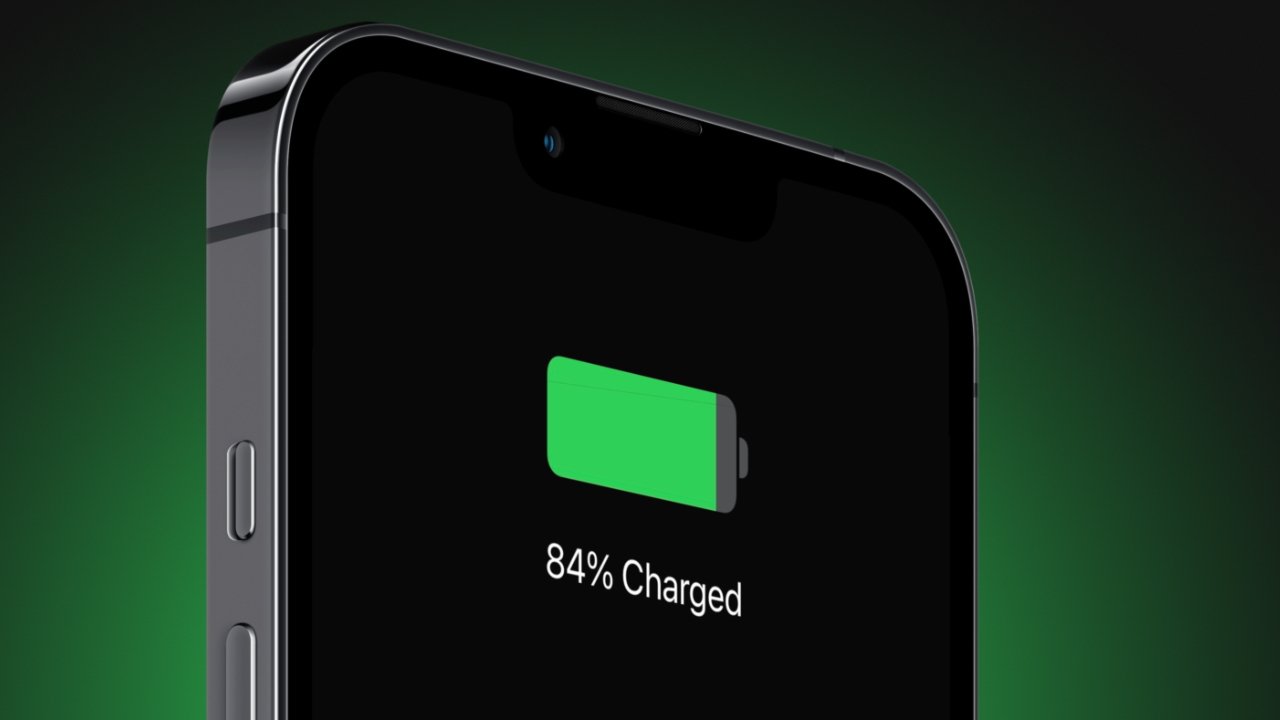
The iPhone will also learn your charging habits and adjust how the device is charged based on that. So, it may fast charge to 80% once plugged in, but it will then keep the battery at a trickle charge until it is closer to your daily wake-up time before taking the battery to 100%.

These built-in systems aid in keeping the iPhone battery safe and can operate much more efficiently than human intervention. So, users need only decide how to charge their iPhone and when, then leave the rest to the power management software.

Choosing how to charge: wired versus wireless

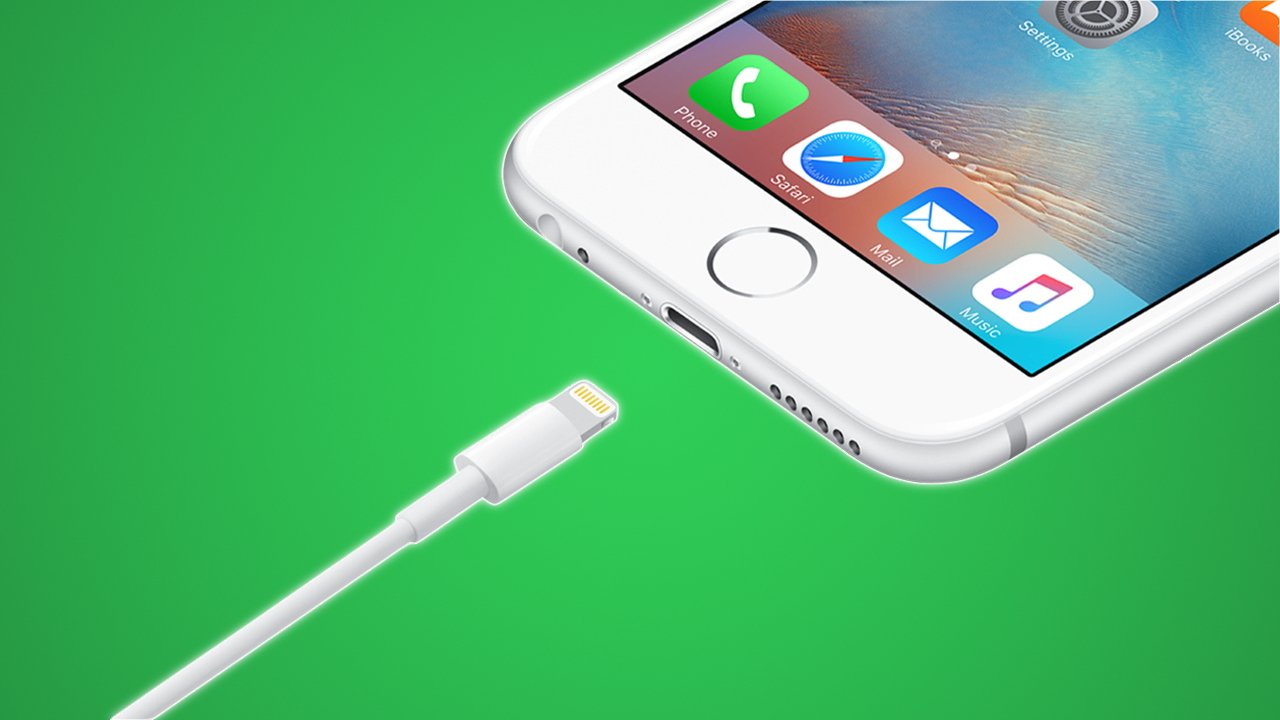
Your iPhone can charge via a Lightning cable, a MagSafe puck, and a Qi wireless charging pad. These three methods each have advantages and disadvantages.

Wired charging of an iPhone

Wired charging is the fastest and most efficient way to get power into your devices. The iPhone 13, for example, caps out at around 22 watts, and the iPhone 13 Pro Max can even sustain charging at around 27 watts for half an hour.

The iPhone begins “fast charging” when using an adapter of 18W or greater that supports Power Delivery. This feature can let any iPhone 8 or newer reach 50% capacity in about 30 minutes. The iPhone 12 and newer need a charging adapter of 20W or greater for fast charging.

This 65W adapter can fast charge two connected iPhones thanks to its high wattage

This 65W adapter can fast charge two connected iPhones thanks to its high wattage

Wired connections are the most efficient because electrical conductors are physically touching. Power is transferred across the wire, through conductive surfaces, at the highest efficiency with minimal heat loss.

However, faster charging means more heat, more heat loss, and less efficiency overall. Users who rely heavily on fast charging will degrade their battery faster.

Wall chargers are getting higher wattages for less money, especially since the introduction of GaN. So, there’s a very good chance that iPhones are being connected to fast chargers more regularly.

The iPhone does manage the charging rate even when connected to a fast charger, so it isn’t as if the battery is being slammed at full power at all times. However, fast charging is a tool, so use it only as necessary. We’ll get into charging best practices later.

Convenience will always sacrifice some aspect, and in this case, faster charging means wearing out electrodes at a quicker rate. The convenience factor also applies to wireless charging.

Wireless Qi and MagSafe charging of an iPhone

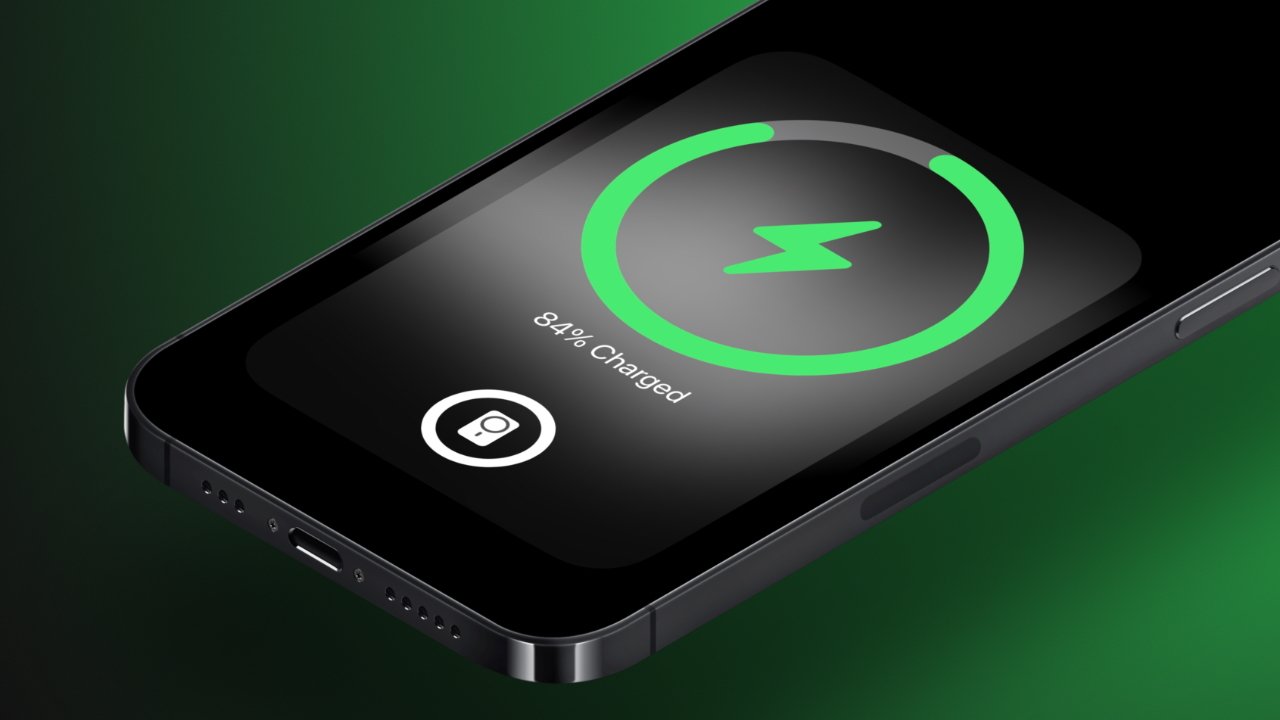
Wireless charging is a highly convenient form of charging that allows users to place their iPhones on a surface to begin charging. MagSafe takes this a step further by securing the iPhone to a magnet and increasing the speed and efficiency of the charge.

Wireless charging uses coils separated by a small air gap to transfer power from one set of coils to the other. Efficiency and speed are improved the closer the coils are to each other, which is why MagSafe’s magnetic alignment makes things much more efficient.

MagSafe is a more efficient form of wireless charging

MagSafe is a more efficient form of wireless charging

The iPhone will charge at up to 7.5W on a wireless charging pad, while MagSafe enables up to 15W. The standard Qi wireless charging is not only slower, but it is much less efficient and can heat up the iPhone more than MagSafe in some instances.

The air gap between coils, no matter how small, creates significant efficiency problems. As electricity passes through the charging coils, it generates a magnetic field, which interacts with the coils in the iPhone to provide a charge to the battery. This magnetic field is inherent inefficiency since much of the field is lost to empty air.

Coiled wire packed close together with electricity running through it gets really hot, so wireless charging pads tend to be warm surfaces. The coils in the iPhone heat up as well during power transfer, introducing yet another heat source. Overall, wireless charging is a very warm process that can affect battery chemistry long term.

Qi chargers exacerbate these issues due to poor alignment and a manufacturer’s tendency to use cheaper parts. Just because the iPhone begins charging once laid on a Qi charger doesn’t mean the coils are perfectly aligned, which increases energy heat loss, and reduces charging speed. More heat, means a battery that degrades more quickly as we’ve already discussed.

MagSafe is a more efficient form of wireless charging

MagSafe is a more efficient form of wireless charging

MagSafe helps alleviate some of these problems by having a higher standard for materials, as well as having magnetic alignment. Some chargers take advantage of the MagSafe magnets while offering only Qi 7.5W charging speeds, which is a decent medium. However, customers should seek out true 15W MagSafe chargers when possible to ensure the best charging experience and efficiency.

Note that MagSafe chargers are still admittedly not very efficient and to achieve a 15W wireless charge, users have to have 20W power adapters with power delivery. Power adapters without appropriate specs would only charge the iPhone at 7.5W.

The iPhone will adjust charging speeds to manage heat or even stop wireless charging if it gets too hot at 80%. Using wireless charging in cool environments ensures the best performance.

Charging best practices

The most important rule of charging your iPhone is planning ahead. Have chargers where you need them, know what they are rated for, and know when best to use them. This level of understanding shouldn’t require much time or effort beyond the initial setup.

[youtube https://www.youtube.com/watch?v=yzLFv8F5Tfc]

Your battery will chemically deplete over time, and there’s no avoiding it. On average, iPhone users can expect to see battery health drop by about 10% per year, depending on the factors discussed above.

What is adjustable is the rate of battery damage. The best way to do this while exerting the least effort, is to trust the battery management software and use some basic best practices.

For example, don’t keep your iPhone in direct sunlight or don’t have the heat full blast when using a car vent mount. Never leave your iPhone in a vehicle in the summer, and definitely keep it off of hot surfaces.

Keep your iPhone battery from dying completely, but try to avoid unnecessary charging too. If you’re going to leave for a few hours, plugging in your iPhone to a fast charger is a great way to top off the battery while getting ready.

Battery health degrades over time no matter how you manage charging

Battery health degrades over time no matter how you manage charging

Overnight charging is perfectly safe, too, since the iPhone will manage the charging rate based on your usual sleep schedule. A wired charger with less than 18W by the bedside will ensure the best battery health, but MagSafe or Qi charging overnight isn’t overly detrimental either.

If you’re really worried about battery health, prioritize wired slow charging first, then fast charging, then MagSafe, and maybe avoid or minimize Qi charging. Of course, all available charging methods are safe, they may just lead to needing a new battery a month or two ahead of the expected two-year window.

For most people, it is simply best to keep your iPhone charged and not worry too much about battery health. If you intend on keeping the device or passing it on to someone so it is in use for over two years, expect to get a battery replacement for $99.

There’s no fighting chemistry and physics.

Posted on Leave a comment

Apple announces the winning apps and games in the App Store Awards

AppleInsider may earn an affiliate commission on purchases made through links on our site.

The winners of this year’s App Store Awards for apps and games have been announced, with 16 titles singled out for their excellence and cultural impact.

Each year the App Store’s editorial teams from around the world jointly spotlight a series of apps and games that particularly stand out. Always divided across Apple’s platforms, and also split into apps and games, the 2022 awards include a new Cultural Impact category.

“This year’s App Store Award winners reimagined our experiences with apps that delivered fresh, thoughtful, and genuine perspectives,” Tim Cook said in a statement. “From self-taught solo creators to international teams spanning the globe, these entrepreneurs are making a meaningful impact and represent the ways in which apps and games influence our communities and lives.”

GoodNotes 5

GoodNotes 5

Some of the apps celebrated are new, but others are mainstays of the Apple ecosystem, such as GoodNotes 5. Now named iPad App of the Year 2022, founder Steven Chan says it was originally launched in 2011.

“[However,] the moment for us really came when Apple Pencil was announced in 2015,” he told AppleInsider. “Because it made handwriting on the iPad is a viable alternative to pen and paper thanks to its accuracy and low latency.”

“That was a turning point for us, it turned GoodNotes from a niche product to a mainstream one,” he continued. “So almost immediately after Apple Pencil was announced, I started hiring because I had so many ideas but I couldn’t do everything on my own.”

“Thanks to Apple Pencil and iPad, our company has been growing very quickly since then,” said Chan.

By contrast, Apple Arcade Game of the Year, Wylde Flowers, was brand new to the App Store in 2022. Studio Drydock began work on the immersive farming sim game in 2019, and it has already won an Apple Design Award.

“‘Wylde Flowers’ is our very first game,” Amanda Schofield, the co-founder, creative director and managing director of indie developer Studio Drydock, told AppleInsider. “What we wanted was to make a game that represented people who had not seen themselves in games before.”

“We knew we had to build a team that was just as diverse as the game that we wanted to make,” she continued, “so we are based in Melbourne, but we have people in the US, Costa Rica, Canada, and New Zealand.”

“We’re passionate about diversity,” said Schofield, “whether that’s in Studio Drydock or in our games.”

Wylde Flowers

Wylde Flowers

App Winners 2022

Games Winners 2022

Cultural Impact

Alongside the regular awards for apps and games across Apple’s platform, this year the App Store editors chose to spotlight five more apps that have had a significant impact. Apple says that they each have made a “lasting impact on people’s lives and influenced culture.”

How We Feel, for instance, is an app from Ben Silbermann, co-founder of Pinterest, which is made in conjunction with a scientific team led by Dr. Marc Brackett at the Yale University Center for Emotional Intelligence.

How We Feel

How We Feel

“We describe ‘How We Feel’ as a journal for emotional wellbeing,” Silbermann told AppleInsider. “We have things to track our steps if you want to get fit, we have things to track what we eat if you are dieting, but there aren’t a lot of tools to track and understand your emotions.”

“The app is all about is checking in with your feelings,” Dr. Brackett told AppleInsider, “so there’s a little button that says Check In and you tap that.”

Then the app prompts users to enter first broad, then more specific details about how they are feeling. The app tracks feelings over time and helps people see patterns about their mental wellbeing.

Cultural Impact winners

Recipients of the App Store Awards each receive a trophy in the form of the App Store icon rendered in aluminum.

Apple has not revealed when the winners will get their awards, but in previous years they’ve started arriving around a week after the announcement.

Posted on Leave a comment

Cyber Monday: Clean your house with Roborock’s robot vacuum deals

Save on Roborock robot vacuums this Cyber Monday.

AppleInsider may earn an affiliate commission on purchases made through links on our site.

Roborock’s continuing the weekend’s sales with its Cyber Monday deals, with steep discounts available across its robot vacuum cleaner range.

The holiday weekend sales are continuing, with Cyber Monday following shortly after Black Friday. Roborock is keeping up its sales, running until December 4, for many of its models of automated cleaning devices.

If the state of your home after Thanksgiving is offering any hints, it’s to buy one of these.

Roborock E5

An entry-level option if you just want to vacuum up dust, the Roborock E5 can run for 200 minutes and handle 2,152 square feet with its 2,500Pa HyperForce suction power.

Roborock E5

Roborock E5

Though it is a vacuum-only model, you can update it at a later time with a separately-purchased mopping system, which ships with a 180ml adjustable water tank.

Normally priced at $289.99, Roborock has the E5 at $179.99 until December 4.

Roborock E5 Mop

Effectively an already-updated E5, the E5 Mop provides essential vacuuming to the same level as the E5, but with the addition of mopping. When used together, the E5 can cover over 1,600 square feet for both mopping and vacuuming.

It also has a 640ml dustbin built in, to reduce the number of times you have to empty it. Meanwhile, mapping of your home is handled with its OpticEye and dual gyroscope system.

Roborock S7+

A self-emptying robot vacuum, the Roborock S7+ is a cleaner with both vacuum and mopping features. It has a sonic vibration function that can scrub at up to 3,000 times a minute, as well as an auto-lift function so that the mop doesn’t wet carpets.

It ships with a dock that both recharges and collects the dirt from the cleaner. The dock has the capacity to store up to 120 days worth of debris, so you don’t have to empty it for about four months.

Roborock S7+

Roborock S7+

Onboard LiDAR is used to create an accurate map of the home, and its adaptive route algorithms use the map to optimize cleaning routes. These maps are all accessible and tweakable within the companion app.

Roborock S7

The owner of 17 Best of CES 2021 awards, the Roborock S7 offers a 2,500Pa HyperForce suction for vacuuming along with a multi-directional floating brush for cleaning most uneven surfaces. The ultrasonic carpet recognition system detects the carpet and can boost the suction, to make it more powerful.

Sonic Mopping Technology in the mop allows it to scrub at up to 3,000 times per minute, complete with 600g of pressure. A mop lifting system lets the robot manage both hard floors and carpets in the same cleaning run, without causing damage.

Roborock S7 MaxV and S7 MaxV Plus

Tthe S7 MaxV adds to the S7’s Sonic Mopping Technology and brush system with a number of upgrades, starting by increasing suction to 5,100Pa.

The model also adds LiDAR navigation and the ReactiveAI 2.0 obstacle avoidance system, employing an onboard camera to see and avoid hazards. The companion app can use the camera to see around your home, and talk to people in it if you wish.

Roborock usually sells the S7 MaxV for $859.99, but from November 20 to December 4, it’s down to $639.99.

If you want an upgraded version, the S7 MaxV Plus adds a dock. Able to hold up to 120 days of dust, it also has a multi-stage filtration system to keep the air in your home clean.

The Plus model is usually $1,159.99, but you can get it until December 4 for $869.99.

Roborock S7 MaxV Ultra

The Roborock S7 MaxV Ultra offers a maximum suction of 5,100Pa, Sonic Mopping with an automatic mop lift, and an RGB camera and 3D structured light-based ReactiveAI 2.0 Obstacle Avoidance System.

Roborock S7 MaxV

Roborock S7 MaxV

The Ultra also uses the Empty Wash Fill Dock, which automatically scrubs the mop, refills it, and holds up to seven weeks of dust that’s automatically collected from the robot. There’s even a self-cleaning feature.

Roborock Q7+

When used with the Auto-Empty Dock Pure and the 2.5L self-sealing dust bag, the Roborock Q7+ can provide up to seven weeks of hands-free cleaning. Capable of cleaning a space up to 1,615 square feet in size, it also has a mopping capability with a 180ml tank, so it can handle both carpets and hard floors.

LiDAR-based 3D mapping of the home across multiple levels can be examined and tweaked in the companion app, such as with the setting of no-go zones, invisible walls, and other elements. Its Sensient sensor array will help it avoid drops, steps, or being trapped, even if you don’t set any no-go areas.

Usually priced at $799.99, Roborock is discounting the Q7+ to $549.99 up to December 4.

Roborock Q7 Max and Q7 Max+

The Q7 Max offers both vacuuming and mopping, using a twin-cleaning system that is able to pick up fine dust that vacuuming may not handle alone. With 4,200Pa of suction on the vacuum, the mop uses a pump with 30 levels of water flow, so you can select how much water it needs to clean depending on what type of flooring you have.

Roborock Q7 Max+

Roborock Q7 Max+

Able to clean up to 3,229 square feet in its 180-minute runtime, the Q7 Max will also map your household using PreciSense LiDAR navigation. These 3D maps can be adjusted in the companion app with furniture and no-go areas for better route planning.

Originally $599.99, you can get the Q7 Max for $399.99 until December 4.

The Q7 Max+ offers a more hands-free approach, with the inclusion of the Auto Empty Dock Pure with the 2.5-liter dust bag. That means it could be up to seven weeks before you have to service it.

Roborock has cut the price of the Q7 Max+ from $869.99 to $599.99 until December 4.

Roborock Q5 and Q5+

Offering 2,700Pa of suction to combat pet hair and fine dust, the Roborock Q5 can run for up to 180 minutes to clean a 3,220-square-foot space. It also has a large 470ml bin, reducing your need to empty it that often.

Roborock Q5+

Roborock Q5+

It can create 3D maps of four areas using its LiDAR system, managed within the companion app. Users can also make changes to the map, such as adding no-go zones and invisible walls, adjust the schedule, and even the suction power.

Now through December 4, you can get the Q5 for $299.99, down from $429.99.

If you want the Self-Empty Dock, go for the Q5+. With a 2.5L capacity for dirt, it can hold up to seven weeks worth of cleaning debris before you have to empty it.

The Q5+ package was $699.99, but now through December 4, it’s $479.99.

Roborock Dyad

The non-robot of the group, the Dyad Cordless Wet/Dry Vacuum is a manual cleaning device. Equipped with dual rollers and a multi-roller cleaning head, it is a cleaner that can manage edge-to-edge cleaning of your home, and both wet and dry spills.

Roborock Dyad Cordless Wet/Dry Vacuum

Roborock Dyad Cordless Wet/Dry Vacuum

There is a built-in self-cleaning system for the brushes, automatically washing them so it’s clean and ready for the next time you’ll use it. There’s also onboard sensors to help it adapt to variations in surfaces, adjusting the water flow and suction to reduce the cleaning time.

The Dyad usually sells for $449.99, but between Cyber Monday and December 4, it can be yours for $314.99, 30% off.

Posted on Leave a comment

Apple’s upgraded 14-inch MacBook Pro dips to $1,949 ($550 off), plus $70 off AppleCare

Save $550 with this exclusive MacBook deal.

The best Apple deals continue to roll in, as AI readers can exclusively save $550 on Apple’s upgraded 1TB MacBook Pro 14-inch with a 16-core GPU.

This configuration is equipped with the upper tier M1 Pro chip with a 10-core CPU and 16-core GPU. It also has 16GB of RAM and a 1TB SSD, double the amount of storage found in the standard MacBook Pro 14-inch.

Now $550 off when ordered in the Silver finish, the savings are in the form of a $300 instant rebate combined with the $200 off promo code. According to our 14-inch MacBook Pro Price Guide, this is the lowest price available on the popular set of specs. And with it being in stock and ready to ship, there’s no time like the present to save money on a fantastic gift idea.

Posted on Leave a comment

Best Black Friday TV deals: up to $2,000 off LG, Samsung, Sony 4K & OLED models

Black Friday 2022 TV deals are live.

The best Black Friday TV deals offer significant savings on popular 4K and OLED televisions from LG, Sony, Samsung & more.

Every year savvy shoppers await Black Friday deals with great anticipation, and TV fans know that this is the time to get some of the year’s lowest prices. LG, Sony, and Samsung are consistently competing to offer the best deals on their OLED and 4K TVs. And no matter your choice in brand, you can always expect deep discounts on Black Friday. With a variety of sizes and features available, you’re sure to find the perfect television to enjoy watching your favorite shows from Apple TV+ or Paramount+.

The AppleInsider team has first-hand experience using Samsung’s The Frame TV and we highly recommend it to Apple TV users. The native Art Mode built into the Frame switches off automatically when waking the Apple TV using the remote or remote app, and starts again when no content is active.

Posted on Leave a comment

Save 93% on a Lifetime Learning Bundle with Rosetta Stone, now on sale for $127

Get the Unlimited Lifetime Learning Subscription bundle for $126.65

AppleInsider readers can save an additional 15% on an Unlimited Lifetime Learning Bundle with access to over 1,000 online courses and a lifetime subscription to Rosetta Stone for 2-days only. Sale ends on Black Friday.

The special bundle includes a lifetime subscription to Rosetta Stone, with access to learn 24 languages. Also included is lifetime access to StackSkills Unlimited Online Courses, where you can take advantage of over 1,000 courses from beginner to advanced in IT, development, graphic design and more.