Posted on Leave a comment

Oura Ring review: love the feature changes, hate the new subscription


AppleInsider may earn an affiliate commission on purchases made through links on our site.

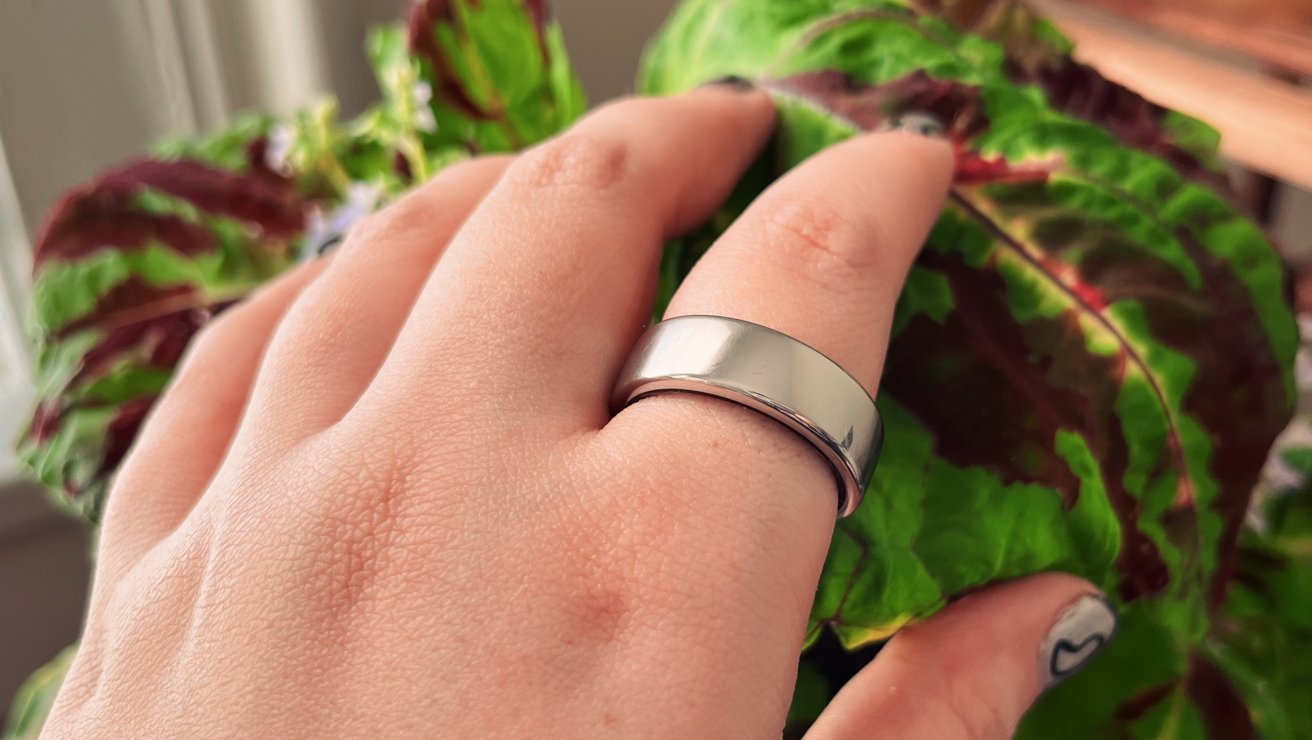
We’re taking a second look at the Oura Ring, a fitness tracker packed into a discreet piece of jewelry, to see how the third generation compares to its predecessors.

Like many people, I got the Apple Watch because I was excited to use it to track and record health-related data. And, when it comes to collecting health data, the Apple Watch is king — with a caveat.

As much as I love the idea of the Apple Watch, it isn’t an excellent fit for me. For one, adding a screen that is physically attached to me can be a huge distraction. I feel compelled to check it obsessively, even if I’ve turned off all notifications.

There’s also the comfort issue. I write for a living, meaning my wrists spend a fair amount of time on the desk under my keyboard. For whatever reason, this leads to nearly any Apple Watch band pinching the skin of my wrist almost constantly.

Then, the pinching leads to an eventual bruise that grows until I take a break from the Apple Watch. So, between the bruising and the constant distractions, I wound up trading in my Apple Watch for store credit.

Still, I wanted another way to track my health data. I wanted something I could constantly wear to get as much data about my health as possible.

It’s equipped with new sensors, comes in a new style, and has a completely revamped app. So we decided to revisit Oura Ring, now in its third generation.

Design, sizing, and comfort

Whenever you order an Oura Ring, you’ll have the option first to receive a sizing kit that allows you to find the perfect size ring for you. I highly suggest you take them up on this offer, as the Oura Ring fits slightly differently than a typical ring.

The sizing kit contains eight different-sized plastic Oura Ring stand-ins. Unfortunately, they are available in whole sizes only, so it may take some trial and error to find out what finger Oura Ring works best on.

Oura suggests using your index finger for best results but says using your middle or ring fingers is okay.

It’s also essential to wear your plastic sizing ring for a while, as your fingers will change sizes throughout the day.
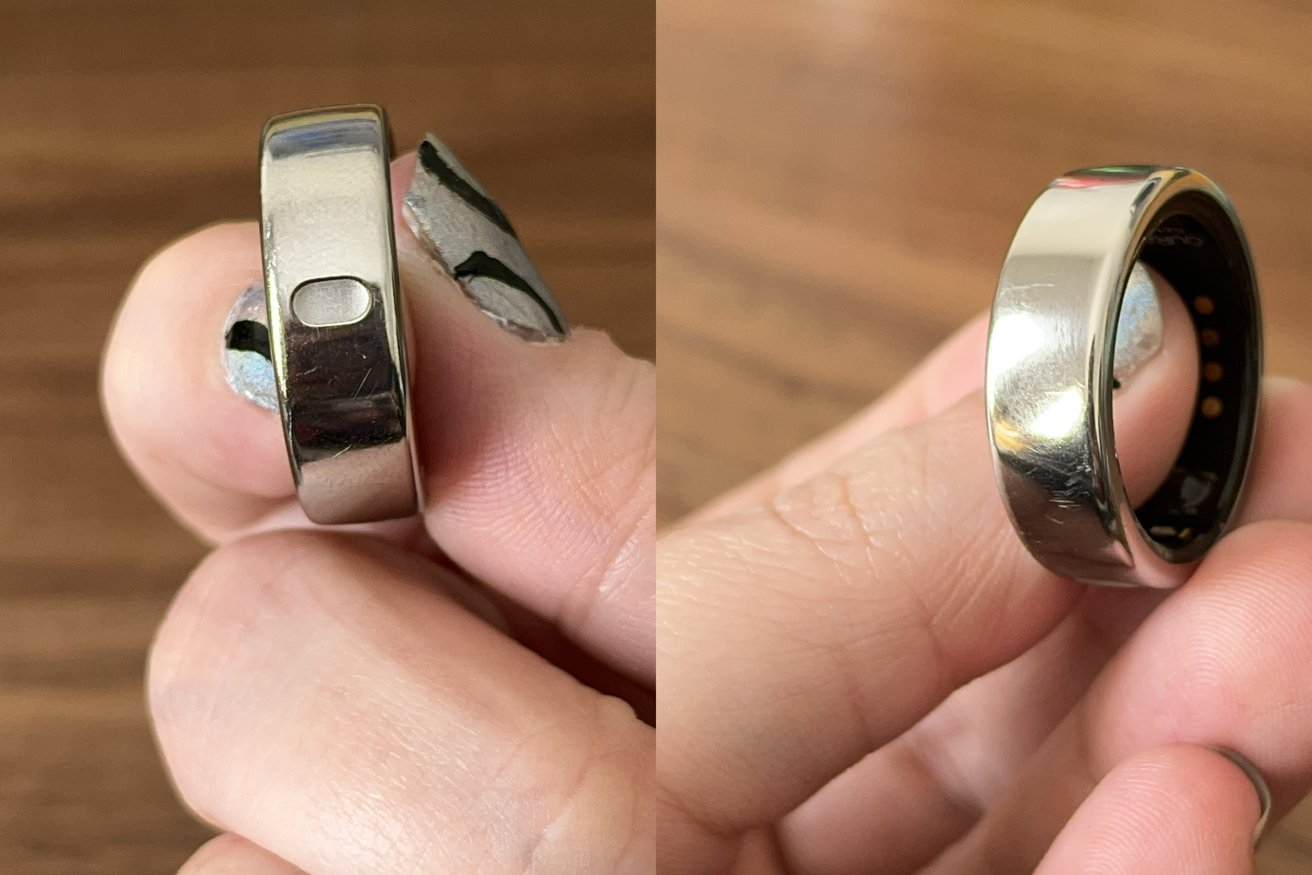
The pill-shaped dimple helps you keep the ring properly aligned

When it comes time to choose your Oura Ring, you can pick from two styles: Horizon or Heritage.

Heritage is the classic Oura Ring design, which features a flattened design at the top of the ring, which helps you ensure the sensors are in the correct area. Heritage is available in Silver, Black, Stealth, and Gold, and pricing starts at $299.

Horizon is more traditional with a uniform design, with a small pill-shaped dimple on the underside of the ring. The dimple ensures that you’ve got the sensors properly aligned to your finger.

Horizon is available in Silver, Black, Stealth, Gold, and Rose Gold, and pricing starts at $349.

The Oura Ring is made of titanium, making it both durable and incredibly light. In addition, it’s water resistant up to 100 meters, so you can wear it in the shower or pool if you so choose.

Oura does warn against wearing the ring while doing anything that would repeatedly knock it around — such as handling heavy pots and pans. — or you could lead to some surface scratching.

I knock my hands against things regularly, so my ring has a couple of scratches. However, this is true for any jewelry I wear; honestly, the Oura Ring has faired better than most.
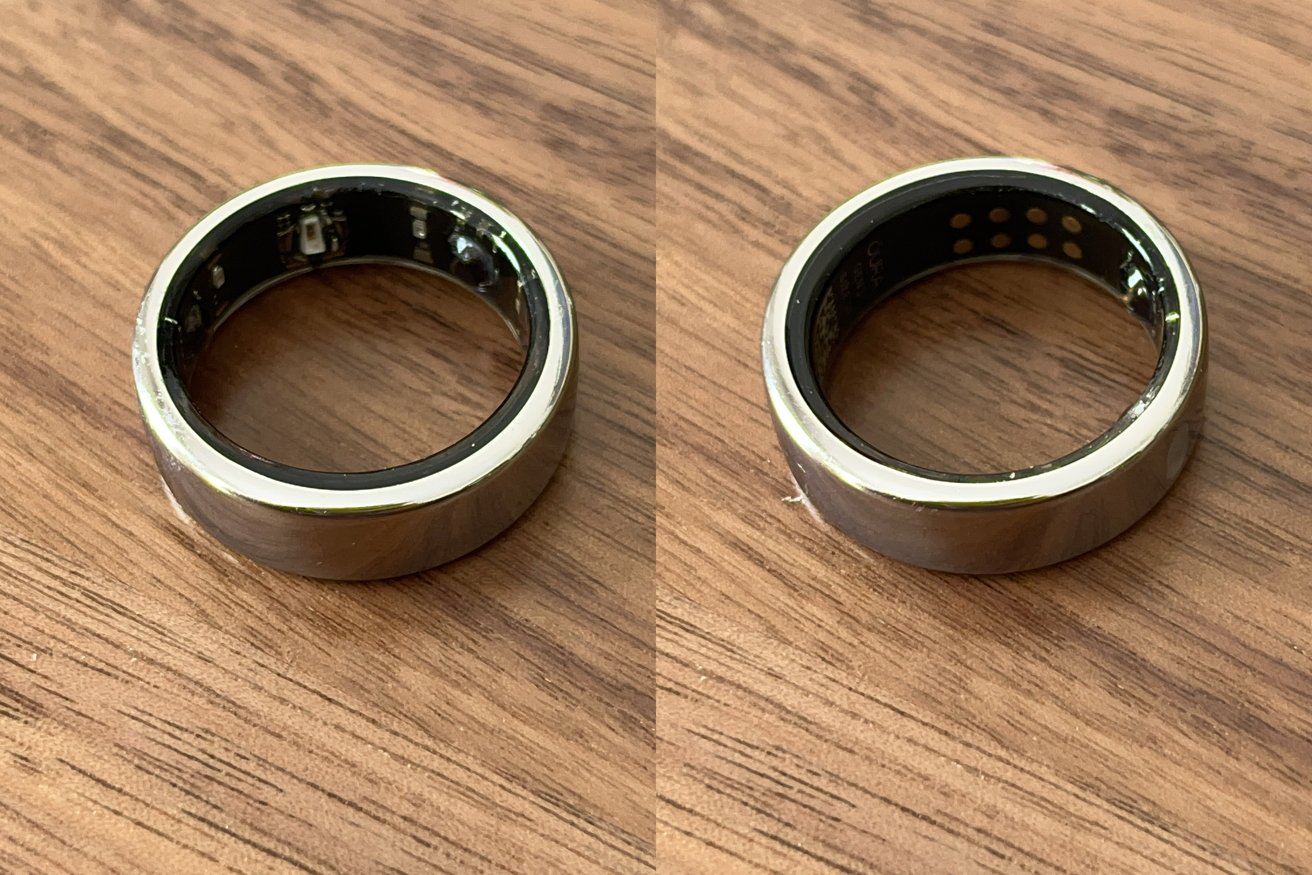
The sensors in the Oura Ring

The sensors in the Oura Ring

As far as comfort goes, it’s not uncomfortable, though it takes a little getting used to. The sensors are a little noticeable at first, but like with all jewelry, eventually, you stop noticing them.

The only downside I’ve personally experienced is that the Oura Ring can be difficult to wear during workouts. I consistently scored low on the activity rating because I found it impossible to wear the Oura Ring while weight training or using resistance bands.

And, because it’s still winter where I live, I’m walking less than usual. So, obviously, your mileage will vary.

Charging and battery life

The Oura Ring is charged via a proprietary charger, which correlates to your ring’s size. This isn’t great news if you routinely lose chargers, as you’ll have to order a replacement at $58 a pop.

The good news is that the Oura Ring can last up to 7 days on a single charge, meaning you don’t need to worry about packing — and subsequently forgetting — your charger for a long weekend trip.

Battery life is determined primarily by whether or not you enable the blood oxygen sensor and use the workout heart rate feature. If you use those, your battery life will decrease pretty significantly.

I left the blood oxygen sensor enabled, and I can manage about three and a half to four days before recharging my Oura Ring.

Charging takes a little over an hour if you fully run out the battery. However, Oura suggests you don’t let the battery dip below 30%, as it will auto-disable the blood oxygen sensor to preserve battery life.

Oura app and tracked metrics

The Oura Ring tracks a few different things. It tracks your heart rate, blood oxygen level while sleeping, and movement. It also tracks your nightly body temperature, which it uses for period prediction.

By using the metrics above, the Oura app gives you three main categories for you to look at over the course of a day.

The first is your overall readiness score. Your readiness score tells you how hard you can push yourself over the next day.

The second is your activity score, which tracks your overall activity for the day. You can choose to display this as either calorie burn or set steps.
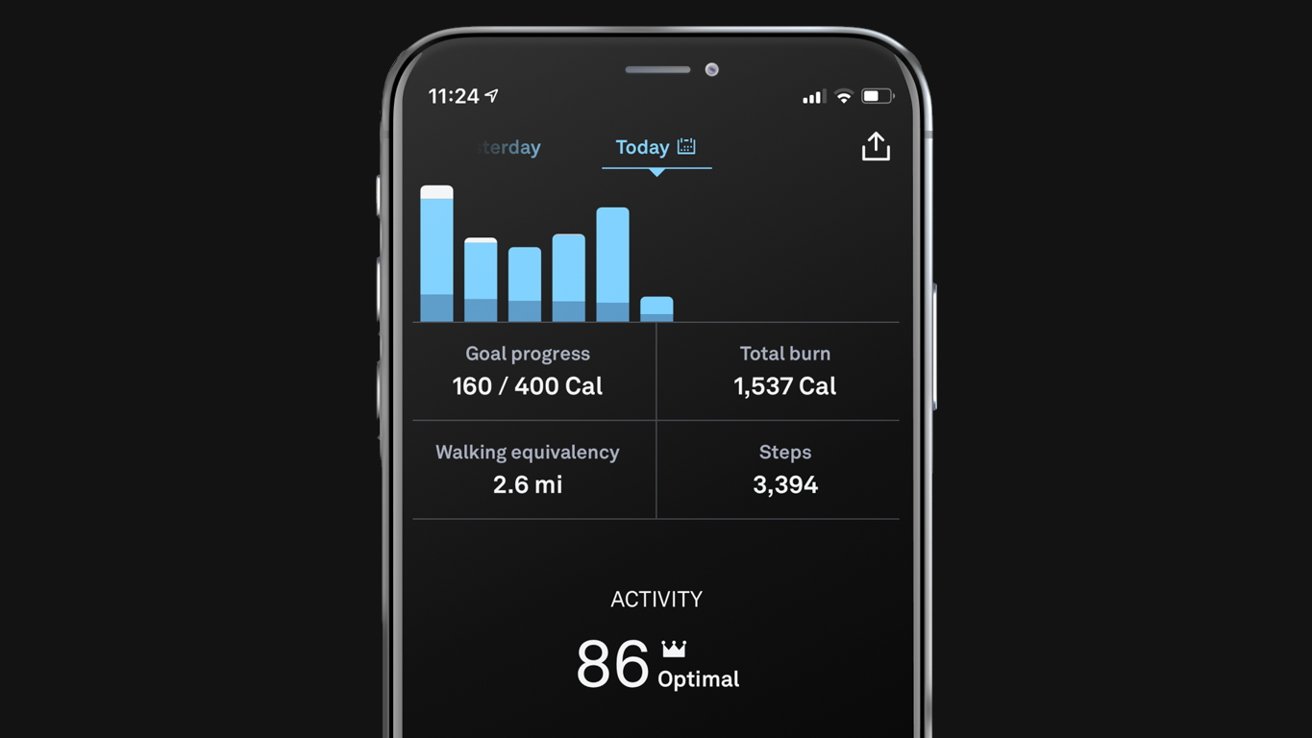
Oura calculates your activity score by classifying your movements into regular and irregular movements and measuring your heart rate for each type.

Each category can be tapped, and you can view detailed information, such as past scores, insights, and explanations of how Oura calculates each score.

For me, the sleep category is the most interesting. The Oura app will tell you how much you’ve moved during the night, any breathing disturbances it’s noticed, and your blood oxygen saturation while asleep.

This is a powerful tool if you’ve got a sleep disorder you’re trying to control.

Bonus content

While I’m not the biggest fan of guided meditation, I realize many people are.

That’s why Oura includes a selection of guided meditation exercises you can follow. This includes activities geared toward meditation and reflection, breathing, and even ones to help you drift off to sleep.

Good, but not perfect

Mostly, I’m pretty impressed with the Oura Ring’s ability to keep track of the health metrics I care about. I wanted it to help me identify things that may be exacerbating existing sleep problems I have.

The activity data also seemed accurate when compared with a more traditional pedometer. Of course, there wasn’t a 1-to-1 between the pedometer and the Oura Ring, as Oura doesn’t detect “steps” in a conventional way.

Still, it seemed to know when I exerted myself running errands around town or moving heavy boxes up and down the stairs.

Really, the only flaw I found was that because I fall on the lower end of an average heart rate, the Oura Ring was keen to think I’d fallen asleep before I actually had.

I noticed this most often when sitting in bed, reading before sleeping. Sure enough, Oura would note that I’d fallen asleep about 10 minutes after I began reading, woke up when I put my book away, and then started tracking my sleep again once I laid down.

Other users have also reported this problem, with some claiming that the sleep metrics are entirely useless. I do not believe that this is true in my case.

Oura sleep tracking

Oura sleep tracking

One night I’d wound up with food poisoning, and Oura could tell that I spent more than ten hours in bed, but only seven were spent sleeping.

On another night when I’d had a particularly bad night of sleep, Oura could tell I was awake from 3:30 am until nearly 6:00 am.

So, while it isn’t perfect, it did well for me. Unfortunately, like many commercially available sleep-tracking devices, getting a one-size-fits-all solution is impossible.

Fortunately, Oura offers a 30-day return and refund policy, so if it doesn’t track your metrics the way you’d like, you have a whole month to return it to the company.

Perpetual payments

There is a pretty big downside — the recurring subscription. While you don’t have to pay the $6 monthly subscription to use the Oura Ring, the ring is severely lacking without it.

The only metrics the Oura Ring will show without a subscription are your readiness, sleep, and activity scores. You won’t get to see detailed information in any category, nor will you be able to see past data within the app.

If you’ve got subscription fatigue, you may not be thrilled to spend an additional monthly fee to unlock features natively tracked by the device you’ve already purchased.

What you give up compared to the Apple Watch

Of course, if you choose an alternative health tracker, you’ll give up some of the benefits you’d get from staying in the Apple ecosystem.

The most obvious is the inability to use the Apple Fitness rings. What I loved most about Apple Watch was its encouragement to ensure I closed all three rings daily.

You also lose the ability to see your heart rate in real-time during a workout. While this may not be a big deal for casual users, the Apple Watch would probably serve athletes and those serious about their workouts better.

But, if — like me — you find a fitness tracker with a screen too distracting and don’t want to wear one on your wrist, the Oura Ring is a great alternative.

Oura Ring pros

  • Discreet
  • Multi-day battery life
  • Tracks sleep, activity, and overall readiness
  • Easy to use App
  • Built-in period prediction

Oura Ring cons

  • Expensive
  • Reoccuring subscription
  • Can’t be used in a meaningful way without a subscription
  • No half-sizes
  • Sleep tracking may be more inaccurate for some users

Rating: 3.5 out of 5

Where to buy

Oura Ring is available directly through Oura on their website. It is available in two different styles and starts at $299, with pricing up to $549.

Posted on Leave a comment

Logitech MK270 Keyboard and Mouse review: Good for budget buyers

The MK270 Keyboard combo is an affordable full-size package.


AppleInsider may earn an affiliate commission on purchases made through links on our site.

If you are in need of a set of budget peripherals for your Mac, the Logitech MK270 Keyboard Combo will work well with both your desktop and your wallet’s needs.

We desperately needed an ergonomic keyboard and mouse for our MacBook Pro that didn’t break the bank. At $28, Logitech’s MK270 arrived in two days from Amazon and seemed to fit the bill.

We could have spent hundreds on Apple’s name-brand Magic Keyboard and mouse, but not everyone has that kind of money for accessories. We certainly don’t, and Logitech’s MK270 is a budget alternative to higher-end products that make some big promises.

Now that some time has passed, we can confirm whether or not Logitech’s budget keyboard and mouse combo is worth buying. Here’s what we experienced after a couple of weeks of full-time use.

Functional keyboard with few missing features

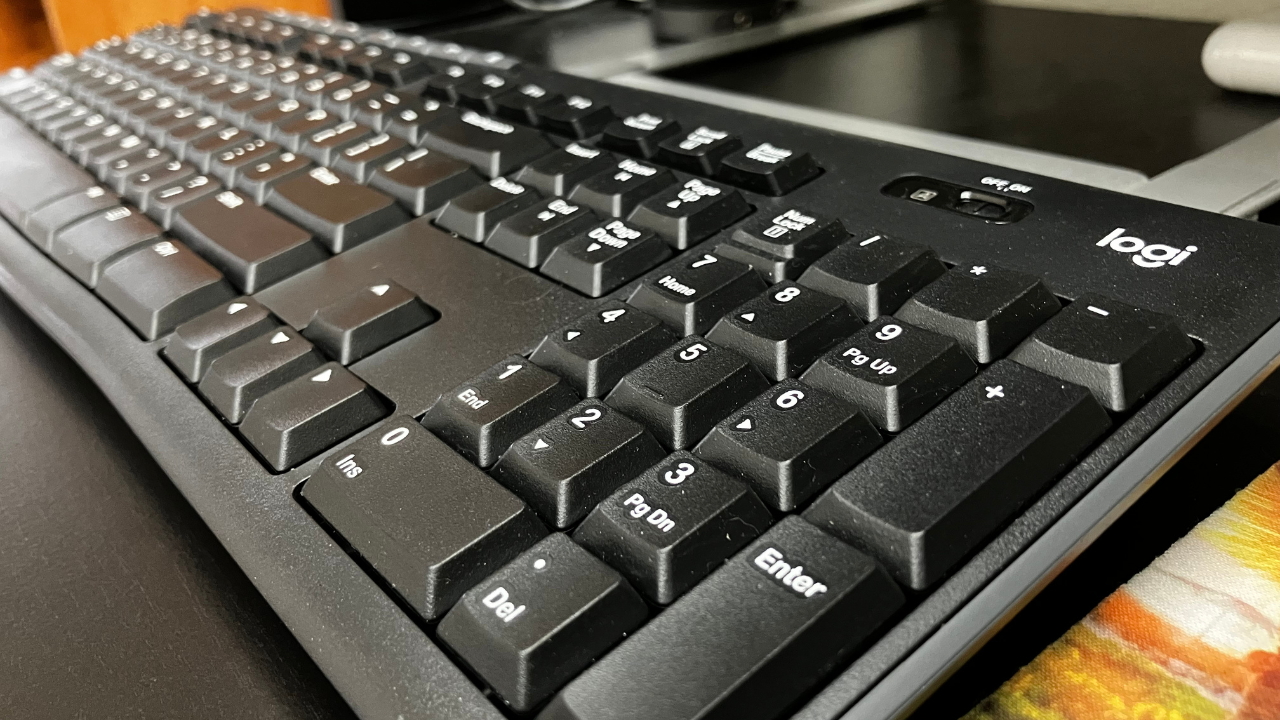
The MK270 combo has a full-size keyboard, including a numerical keypad and some media controls. Logitech prints the keyboard with a Windows layout, but it functions with our MacBook Pro just fine, despite having to learn which keys activate the Command, Option, and Control buttons.

The MK270 keyboard works but could be improved.

The MK270 keyboard works but could be improved.

The Logitech keyboard has a low-profile design and doesn’t feel like it sits sky-high above the desk. There are kickstands that elevate the keyboard to an angle, but it isn’t customizable to any other angle, making it somewhat challenging to find the most comfortable typing position.

Logitech claims the keys are quiet, but we found that typing on the MK270 keyboard is louder than the MacBook Pro’s keys. The typing sensation is about average, as Logitech’s quieting materials make each keystroke squishy, feeling less satisfying than other keyboards.

Although some media control buttons exist, we’re somewhat disappointed with the lack of track control features. The play/pause, volume controls, and other random buttons are useful and all, yet we rarely use those buttons, and some customizability here would be nice.

Like most keyboards on the market, Logitech’s MK270 is plastic, and initial quality is about what you would expect from a product costing only $28. Nothing was falling apart, but structurally, the plastic gives more than we would like, given the amount of time we spend on it.

A simple yet quality mouse

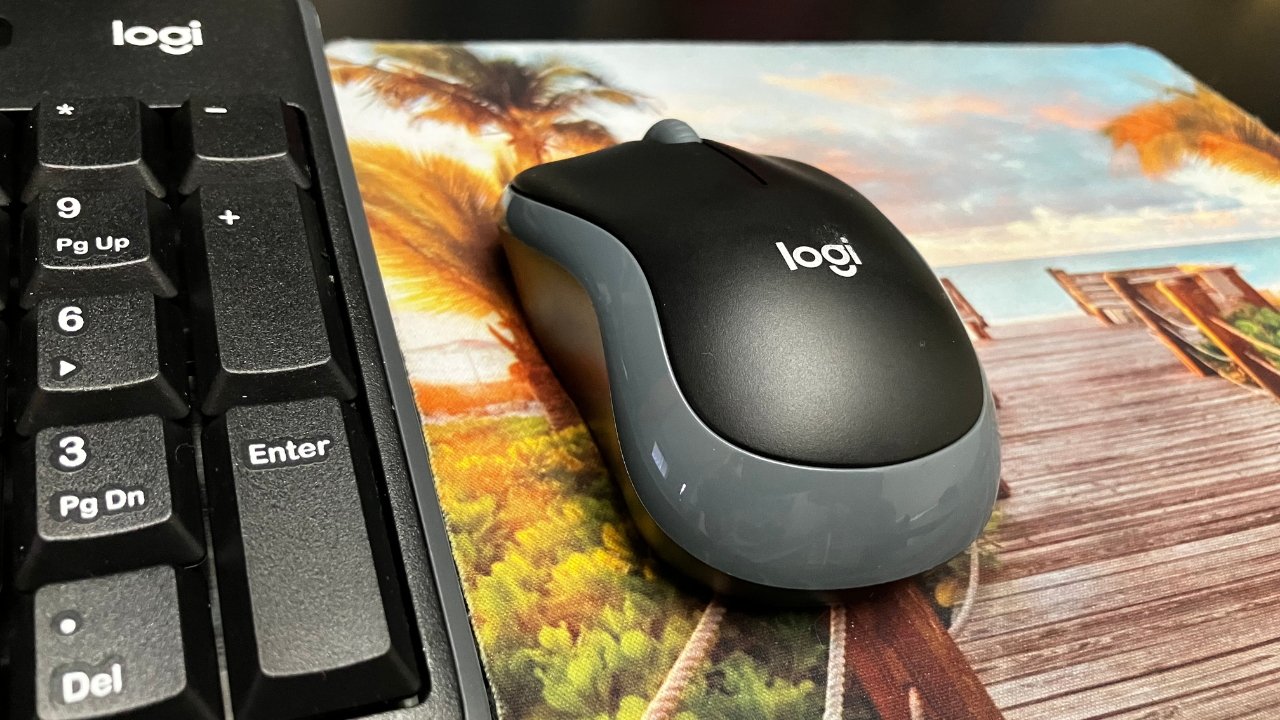
Logitech’s MK270 keyboard comes with the M185 compact wireless mouse that’s about as basic as mice come. It has two buttons and a scroll wheel, and the battery compartment has space for the included USB receiver.

The M185 mouse is simple but performs well.

The M185 mouse is simple but performs well.

Pairing the set to our MacBook was straightforward, requiring only a single USB receiver and a USB-C adapter (or dock). After plugging it in, the removal of battery plastic, and powering it on, our MacBook instantly recognized that we wanted to pair devices.

Our M185 mouse needed some calibration under the settings before the cursor and scroll speed were to our liking, yet even that process took mere seconds. Like other mice, Logitech’s M185 has a natural crisp click for both the right and left buttons, and the middle scroll wheel has a hearty feedback click.

The mouse is lightweight but doesn’t feel cheap. Unlike the keyboard, using the M185 mouse doesn’t make us feel like we’ll break it after a long workday at the computer.

Even after several weeks of use, it still doesn’t bear any scuffs or blemishes, and the laser tracks like new.

The Logitech MK270 Keyboard Combo

Prices continue to skyrocket and the average user doesn’t have massive amounts of cash to spend on accessories for their computers. The Logitech MK270 Keyboard combo is a budget option for those needing a somewhat ergonomic setup that pairs well with Apple devices.

The Logitech combo is simple to connect to a MacBook Pro.

The Logitech combo is simple to connect to a MacBook Pro.

We wish the keyboard was of better quality, as typing is neither quiet nor overly enjoyable. The lack of customizability for positioning and the give in the plastic is frustrating and feels very cheap.

Additionally, the MK270 keyboard doesn’t have emoji options, media track control options, or key mapping customizability, making it about as rudimentary a keyboard as you can get. Although a wired keyboard would be a step down, Logitech’s budget keyboard isn’t far behind.

On the other hand, the Logitech M185 mouse that comes in the combo performs admirably. Despite being lightweight, the build quality is nice, and the button clicks are satisfying. It saves the score for the whole package.

Amazon rates this combo set as the best bang for your buck, and because of the Logitech name, we’re inclined to agree. Even though the keyboard isn’t great, the whole package performs as one would expect, and the price point makes it a good buy.

Logitech MK270 pros

  • Full-size keyboard and mouse
  • Simple to connect and use
  • Affordable price for wireless

Logitech MK270 cons

  • Cheap plastic for keyboard
  • Missing additional media control buttons
  • Mac users can’t customize button mapping

Rating: 3.5 out of 5

Where to buy the Logitech MK270

You can find the Logitech MK270 Keyboard and Mouse combo set on Amazon for only $28.

Posted on Leave a comment

YouTube TV will cost a lot more per month in April

AppleInsider may earn an affiliate commission on purchases made through links on our site.

Google is hiking the price of cord-cutting option YouTube TV, and is blaming it on the rising price of content.

In an email sent to subscribers, Google announced that it will hike YouTube TV prices, up from $64.99 per month to $72.99 per month. The price hike is set to take place when customers are billed in April.

YouTube TV last underwent a price hike in mid-2020, when subscribers saw a 30% increase as the price climbed from $49.99 to $64.99.

YouTube TV is a cable replacement service that gives subscribers access to live and on-demand content. It features content from over a hundred channels, including major networks like CBS, FOX, and NBC.

Seperately, I=un October,the company did the same thing with the YouTube Premium Family Plan. That service saw a price hike from $17.99 to $22.99 — and anyone who subscribed from the App Store saw their subscription increase to $29.99 a month.

Posted on Leave a comment

Deals: get Apple’s M2 Mac mini for just $549

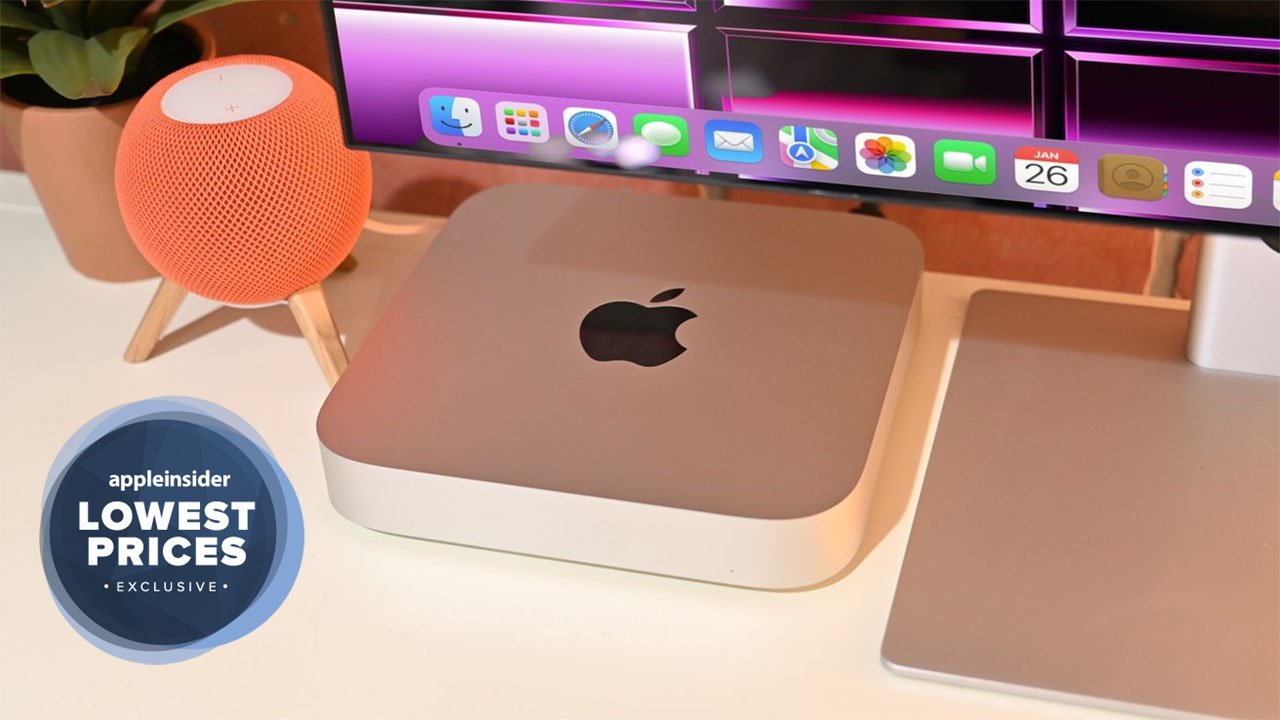
Get the 2023 Mac mini for $549.

Apple’s new Mac mini can be found at a discount, with the standard model on sale for $549 with coupon.

Bargain hunters looking for the cheapest entry point into a Mac can pick up the newly released 2023 Mac mini for just $549. To activate the deal, which is available exclusively for AppleInsider readers, head over to Adorama.com and enter coupon code APINSIDER in the Payment area (Step 3) during checkout.

Every Mac mini is eligible for a discount with the APINSIDER promo code, so if you’re looking for an M2 Pro model or a spec with 32GB of memory, you won’t have to pay Apple’s full retail price at Adorama.

Posted on Leave a comment

Apple offering refurbished iPhone 13 models in U.S. store

Refurbished iPhone 13 models available in the US

Customers seeking discounted iPhone 13, iPhone 13 Pro, and iPhone 13 Pro Max can now get refurbished models in the United States from Apple.

Customers in the United States can visit the online Apple Store and order a variety of refurbished iPhone 13, iPhone 13 Pro, and iPhone 13 Pro Max models. First discovered by MacRumors, Apple is not offering refurbished iPhone 13 mini models at this time, without explanation.

Prices for the refurbished models start at $619 for an 128GB iPhone 13, down from $699. The iPhone 13 Pro is priced at $759, and iPhone 13 Pro Max at $849 for the 128GB models.

Posted on Leave a comment

iPhone 15 models show size differences compared to iPhone 14 cases

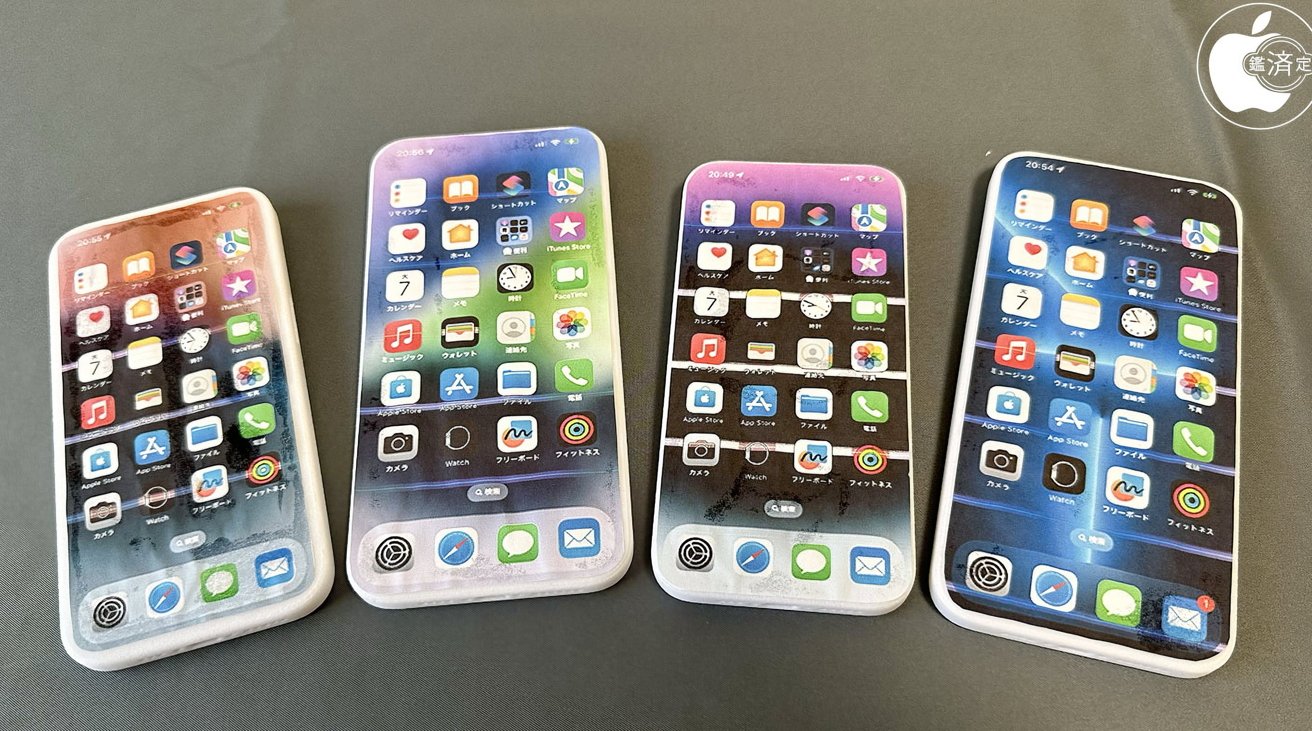
3D-printed models of the iPhone 15 range [Macotakara]

AppleInsider may earn an affiliate commission on purchases made through links on our site.

A set of 3D-printed mock-ups of the iPhone 15 family seemingly demonstrate that Apple’s next set of flagships will not fit into cases meant for the iPhone 14 range.

Leaks about Apple’s upcoming products often result in the release of schematics that allegedly describe the size and shape of inbound models. Such schematics can be used as the base for a 3D model that could be printed, which in one instance, has allowed for some inter-generational iPhone comparisons.

In a video posted by Macotakara, a set of 3D-printed dummies for the iPhone 15 were produced, showing some of the expected details in the 2023 releases. The mock-ups for the iPhone 15, iPhone 15 Plus, iPhone 15 Pro, and iPhone 15 Pro Max all feature camera bumps and anticipated camera lens positions, along with other details.

[youtube https://www.youtube.com/watch?v=xChIi6ihwb4]

The units all are given the Dynamic Island treatment, and have been dressed with a USB-C port in the base instead of a Lightning port. The models are also following rumors of smaller bezels and having curved edges, which can affect the dimensions of the devices.

To compare against the iPhone 14 model footprints, cases for the current-gen models were used with the plastic-printed objects. For the iPhone 15, a 1mm lengthening in size distorts the iPhone 14’s case, making it unable to be used.

The mock-up iPhone 15 Plus did fit the case for the iPhone 14 Plus with seemingly no issues. While the Pro and Pro Max models are 1mm narrower and shorter, therefore able to comfortably slide into their respective cases, the changes to the volume controls on the models means they won’t fit properly.

Printing models of schematics can give a good sense of what the final release items could look like, especially when compared to existing products. However, it’s entirely possible that the final products Apple releases could have different dimensions than the current mock-up roster months down the line.

Macotakara is generally accurate when it comes to rumors, however the sourcing of 3D-printed models from Alibaba may not be the most accurate way to determine what future releases will actually feel like to hold. The site has done this before with the iPhone 14, with those models seemingly quite accurate at the time.

Posted on Leave a comment

Samsung’s smartphone ‘space zoom’ may lean heavily on AI for moon shots

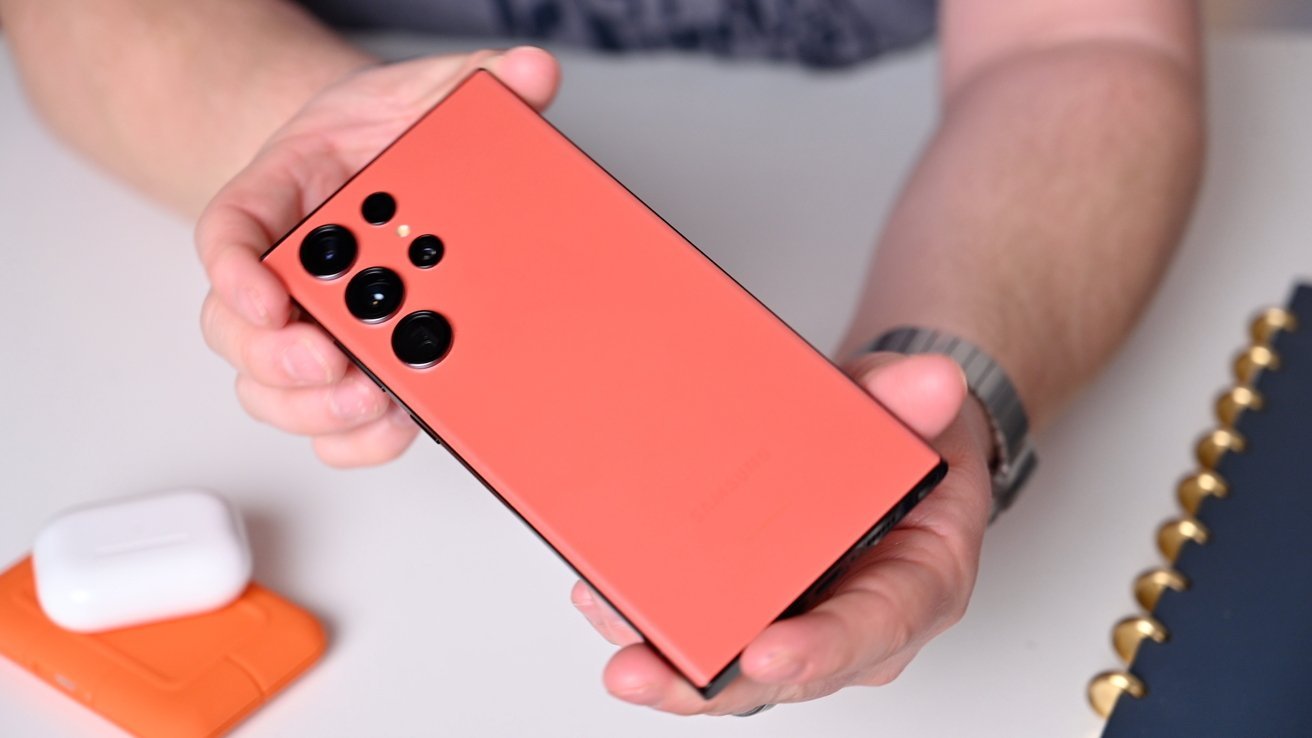
Samsung S23 Ultra

AppleInsider may earn an affiliate commission on purchases made through links on our site.

Moon photos taken with the “Space Zoom” of Samsung’s flagship smartphone models may actually be more a feat of AI trickery than an impressive smartphone camera, a Reddit user’s investigation into the feature claims.

Samsung’s flagship Galaxy smartphone lineup, including the Galaxy S23 Ultra, has an extremely high level of zoom for the rear cameras. With a 100x zoom level, created by augmenting 3x and 10x telephoto cameras with a digital zoom aided by Samsung’s AI Super Resolution technology, it can capture shots of things very far away.

That so-called Space Zoom could potentially allow users to photograph the moon, and many do. However, it may be the case that the level of detail in the moon shots may only be higher due to software shenanigans.

In Friday’s post to the Android subreddit, “u/ibreakphotos” declared that Samsung’s Space Zoom “moon shots are fake,” and that they had proof. The lengthy post then demonstrates that belief, in a fairly convincing way.

Referring to previous reporting that the moon photographs from the S20 Ultra and later models are real and not faked, the Redditor points out that no-one has managed to succeed in proving that they are real or fake, until their post.

The user tested the effect by downloading a high-resolution image of the moon, then downsized it to a 170 by 170-resolution image, and then applied a gaussian blur to obliterate any final details of its surface.

They then showed the low-res blurry moon at full screen on their monitor, walked to the other end of their room, zoomed in on the fake celestial body, and took a photograph. After some processing, an image of the moon was produced by the smartphone, but the surface had considerably more detail for the surface than the doctored source.

The low-res and blurry source image of the moon (left), and what Samsung's smartphone processed it as (right) [Reddit u/ibreakphotos]

The low-res and blurry source image of the moon (left), and what Samsung’s smartphone processed it as (right) [Reddit u/ibreakphotos]

The user reckons Samsung “is leveraging an AI model to put craters and other details on places which were just a blurry mess.” They go further to stress that while super resolution processing uses multiple images to recover otherwise-lost detail, this seems to be something different.

It is proposed that this is a case “where you have a specific AI model trained on a set of moon images, in order to recognize the moon and slap on the moon texture on it.”

“This is not the same kind of processing that is done when you’re zooming into something else, when those multiple exposures and different data from each frame account to something,” they propose. “This is specific to the moon.”

It is reckoned that since the moon is tidally locked to Earth, “it’s very easy to train your model on other moon images and just slap that texture when a moon-like thing is detected,” and that the AI is “doing most of the work, not the optics.”

Referencing to an earlier failed attempt to bust Space Zoom’s quality, Samsung assured that the feature used up to 20 pictures, then processed them as a composite with AI. That AI identifies the content of the scene, and then performs a “detail enhancing function” on the subject.

At the time of a previous investigation in 2021, attempts to trigger an overlay or AI processing on a clove of garlic on a black background or a table tennis ball failed to trick the smartphone. The 2023 test using a 170-by-170 resolution image of the real moon may have given the AI processing just enough basic detail to make it think it was looking at the actual moon.

The new test also eliminates any sort of multi-frame sharpening from being used, since it’s a shot of the same low-resolution moon for every frame.

It remains to be seen if this brief investigation will trigger closer scrutiny at the use of AI in photography, but the concept is one that has been employed across the entire mobile industry. Even Apple leans on computational photography to improve the quality of images from its cameras.

While the public may be convinced that AI processing techniques being applied to images from smartphone cameras is a good thing in general, oddly specific instances such as this may cause some pause for people who care about photography as an artform.

Posted on Leave a comment

Apple’s new yellow iPhone 14 is up to $1,000 off with preorder deals

Save on the yellow iPhone 14

AppleInsider may earn an affiliate commission on purchases made through links on our site.

Wireless carriers are clamoring for your business by offering up to $1,000 in incentives when you preorder the new iPhone 14 or iPhone 14 Plus in yellow.

Preorders opened early this morning for the iPhone 14 in yellow, and wireless carriers are already incentivizing the fun new color option to the tune of up to $1,000 off.

AT&T – Get an iPhone 14 for $0

AT&T is offering up to $800 off the iPhone 14 and iPhone 14 Plus, with the new yellow color included in the promotion. The discount is in the form of bill credits that span 36 months and the phone requires an eligible unlimited plan. You must also trade in an eligible smartphone in good working condition within 30 days of activation. See AT&T for additional terms and conditions.

Verizon – Get the iPhone 14 Plus for $5/mo

Verizon has one of the top iPhone 14 Plus deals available, with the new yellow model as low as $5 per month with select 5G Unlimited Plans. Plus, get $200 when you switch. The terms found on Verizon.com stipulate the offer applies to the 128GB model, and the $200 Verizon e-gift card is sent within eight weeks with a qualifying port-in.

Red Pocket Mobile – Save $100 on the yellow iPhone 14

Red Pocket Mobile is also selling the iPhone 14, with the wireless provider knocking $100 off any iPhone plus six months free on any unlimited GSMA plan. The 6-month promotional offer cannot be applied to existing phone lines, according to the provider. Visit RedPocket.com for the full list of terms and conditions.

Best Buy – AppleCare included with Totaltech

The yellow iPhone 14 is also available through the major wireless carriers at BestBuy.com. And Totaltech members can get up to 24 months of AppleCare on most iPhones while you’re a member. The Totaltech plan costs $199.99 per year and includes additional perks like 60-day return windows on eligible products, access to exclusive prices, and more.

Even more Apple markdowns

Best Apple prices on MacBook, iPad, Watch hardware

There are plenty of additional deals in effect on everything from the 2023 Macs to tax software. Here’s a sampling of some of the sales, with hundreds of items discounted substantially in our AppleInsider Apple Price Guide.