Posted on Leave a comment

Expect at least five announcements during Apple’s March launch week

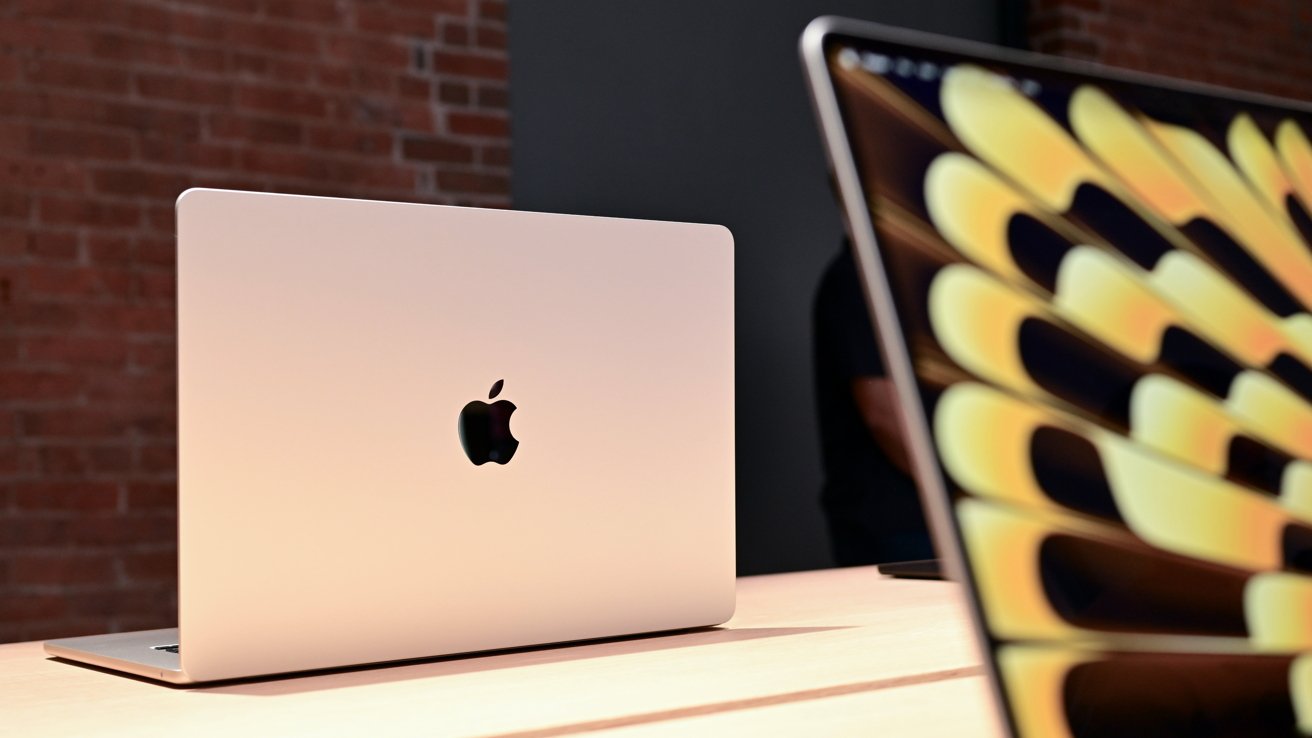
Apple’s early March string of announcements will include at least five product launches capped off by its triple-location event on March 4, with the budget MacBook and iPhone 17e tipped to appear.

An “Apple Experience” is being held on March 4, which is widely expected to include multiple product launches. While no-one knows definitively what will be promoted by the company, it will consist of quite a few product introductions.

In Sunday’s “Power On” newsletter for Bloomberg, Mark Gurman writes that Apple is planning three days of announcements. They will take place on Monday, March 2, until Wednesday, March 4.

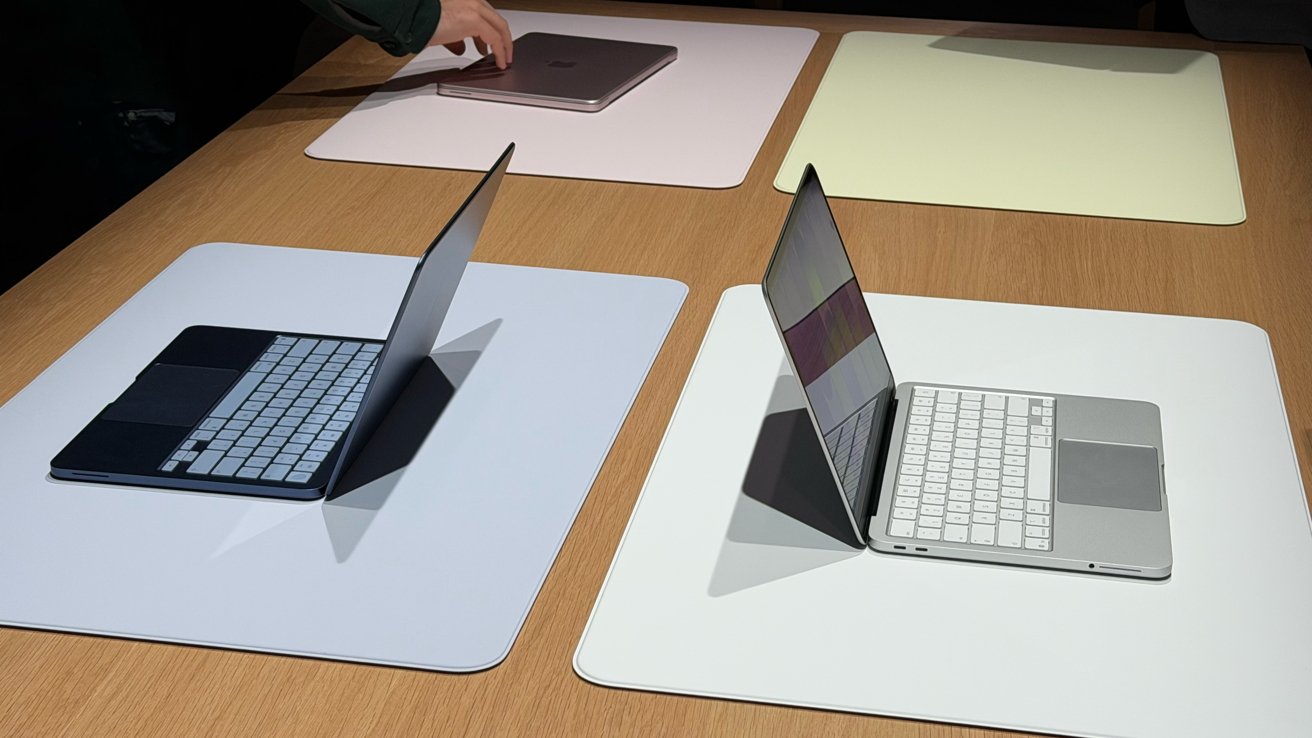
That last day will be the “Experience” held in New York, London, and Shanghai, and will provide press and influencers with hands-on time with the launches.

He also claims at least five products will be launched over the period. The launches won’t be tied down to just hardware products, as they can also include chip launches and software updates.

Gurman has a good track record for accuracy when it comes to Apple rumors in general. In this case, his claims line up with other reports, including AppleInsider’s expectations of the week.

Top candidates

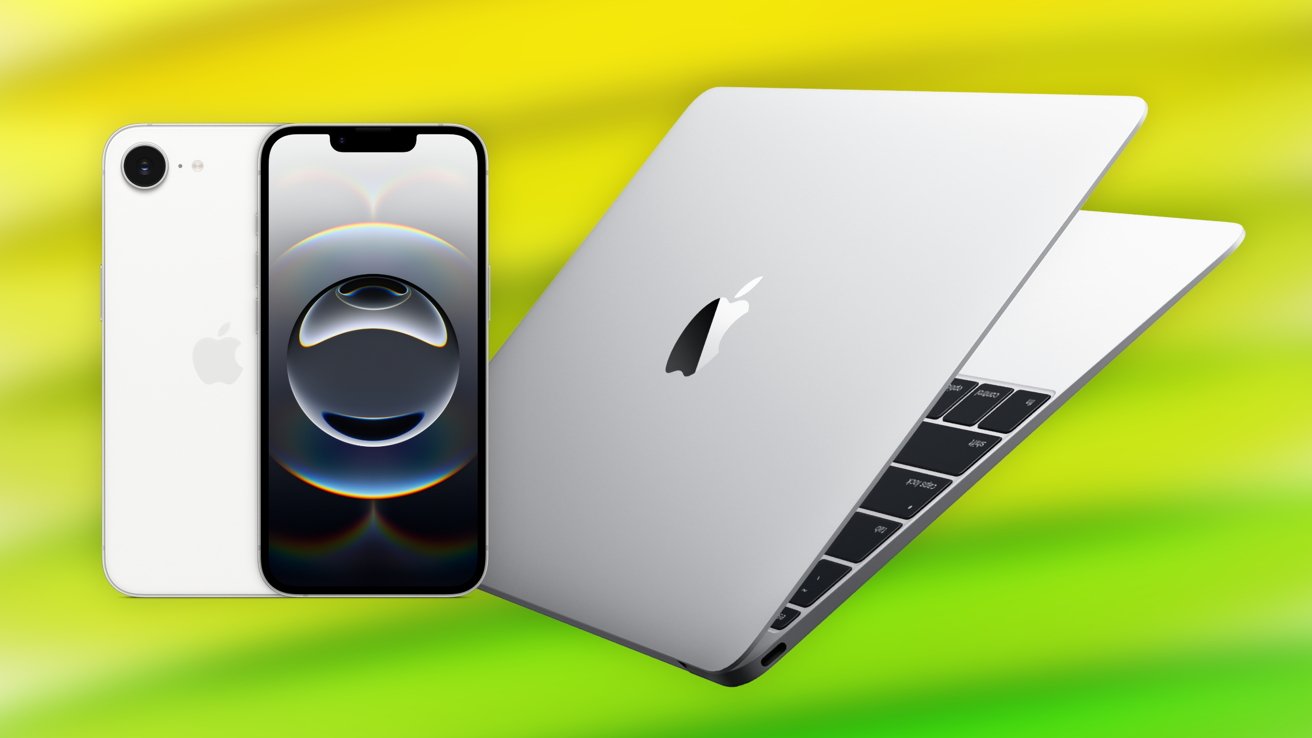
The top two items Apple could launch that week are the iPhone 17e and the budget MacBook.

The iPhone 17e, based on rumors, will be a spec-bump update to the A19 processor used in the iPhone 17. Packing a 6.1-inch OLED screen, it is set to also gain MagSafe charging and the Dynamic Island.

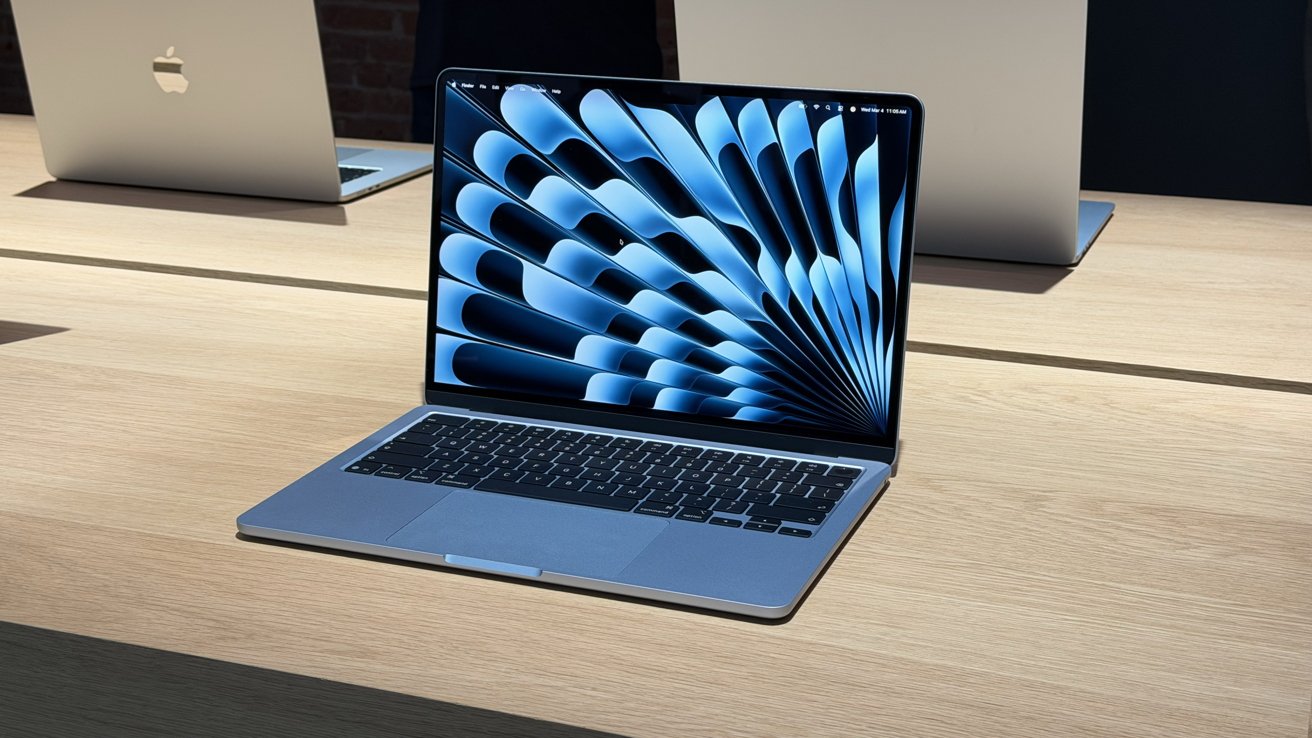
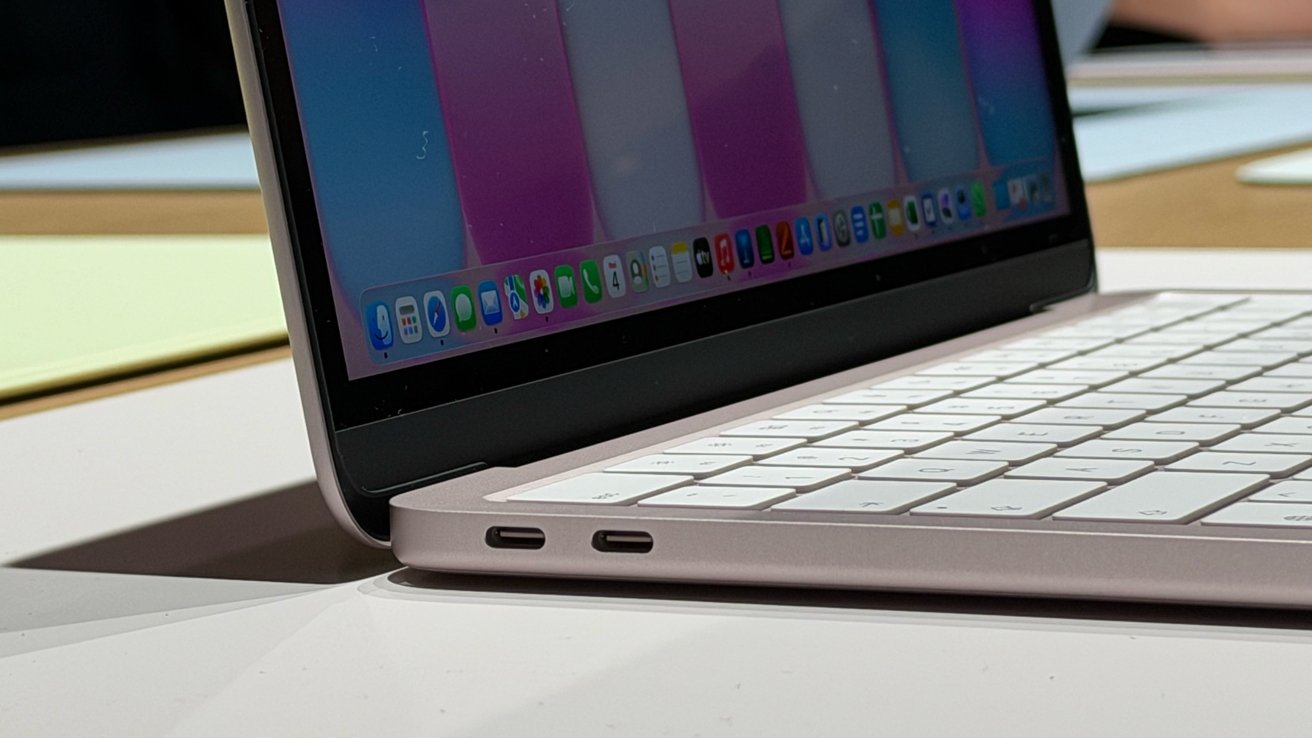
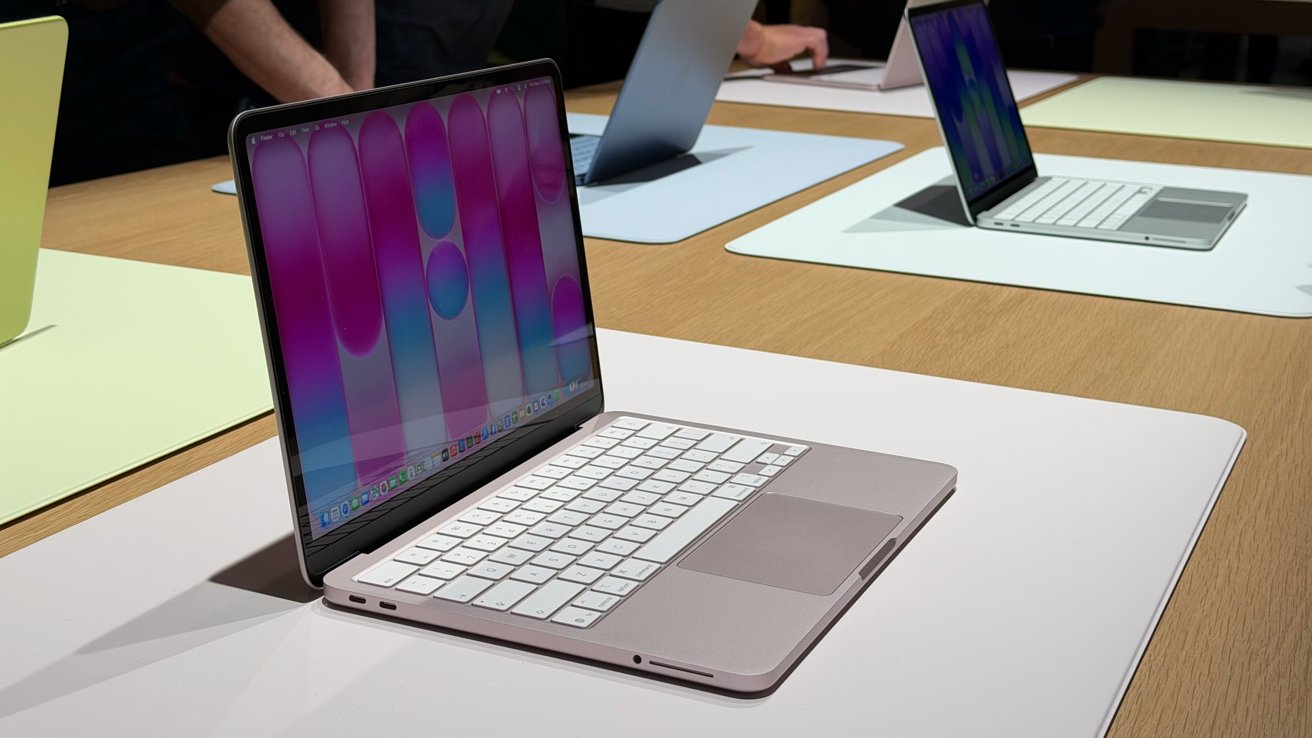
The A-series MacBook, which will use A15 or A18 Pro chip instead of M-series Apple Silicon, will be a budget-focused model. With a 13-inch display, it will cost around $699 to $750, and have downgraded specifications to match.

It will also arrive in a variety of colors, and retain the signature aluminum casing that Apple’s MacBook lineup is known to use.

A refresh of other Macs is also anticipated, with the M5 Pro and M5 Max chips due to arrive soon, based on the release schedules of previous generations. An iPad Air and iPad refresh is also due.

On the software side, the most obvious thing Apple could launch that warrants some hands-on time is its long-awaited update to Siri. It was expected to arrive as part of iOS 26.4, but didn’t appear in the initial beta.

The event could give a sneak peek to attendees of the new context-aware digital assistant, aided by Google Gemini, before it reaches a wider audience in a future iOS 26.5 beta.

Posted on Leave a comment

How to manage notifications on macOS 26

If your Mac’s alerts are becoming a distraction, macOS Tahoe 26 includes simple settings that let you fine-tune how and when notifications appear.

If you’re like the rest of us, chances are you’re getting a little tired of constant notifications from your devices. While this mostly happens on iPhone, you still can get quite a few notifications on Mac.

There aren’t too many settings to change on Mac, but there are a few you should be aware of. Here’s how you can customize your notification preferences.

Choose when your notifications are displayed

Your Mac has some pretty robust settings options as far as when to display notifications. This is great if you happen to have a computer in your bedroom or a shared room in the house, or if you don’t want sensitive information flashed on the screen when you’re not using the computer.

  1. Open System Settings
  2. In the sidebar, click Notifications
  3. Under a section titled Notification Center customize the settings as you like

It’s here that you can choose when — or if — previews are shown. Click Show Previews and choose from Always, When Unlocked, or Never.

You can also choose to show whether or not notifications appear while the display is sleeping, locked, or while mirroring or sharing the display. All you’ll need to do is toggle the corresponding option.

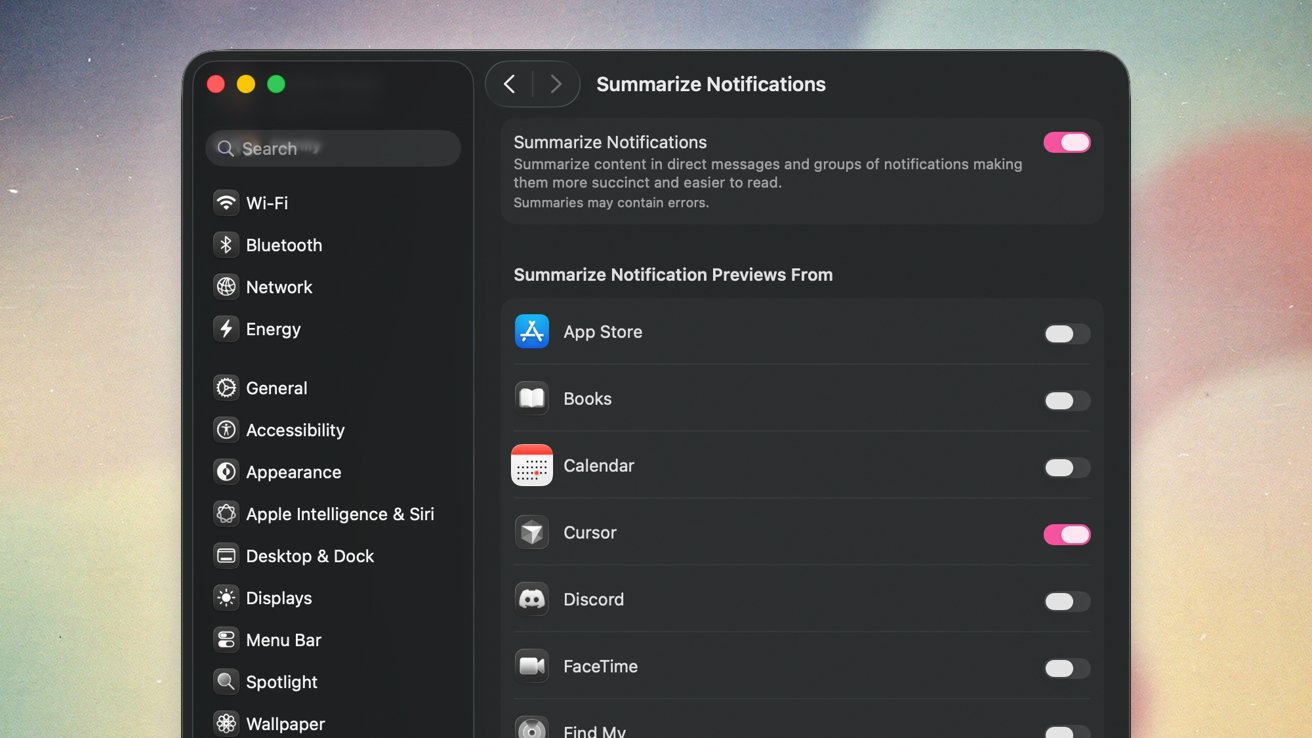
You can also choose whether or not to summarize notifications. To do this, you’ll need to have Apple Intelligence enabled.

Mac settings window showing Summarize Notifications options, with a sidebar of system preferences on the left and a list of apps on the right, each with individual notification summary toggles

Setting up notification summaries on macOS Tahoe

How to enable and disable notifications for apps on macOS Tahoe

If you’ve got a particularly persistent app you’d like to quiet, or any app you’d like to start receiving notifications for, this is how you’ll do it.

  1. Open System Settings
  2. In the sidebar, click Notifications
  3. Under the section titled Application Notifications look for the app you want to change notification settings for
  4. Toggle Allow notifications on or off
  5. If turned on, you’re able to customize additional options, like alert syle, whether its time sensitive, or if you’d like to see previews and notifications badges

And, that’s really it. There are nowhere near as many settings as there are for iPhone, but it’s still helpful to cull notifications you don’t need.

Posted on Leave a comment

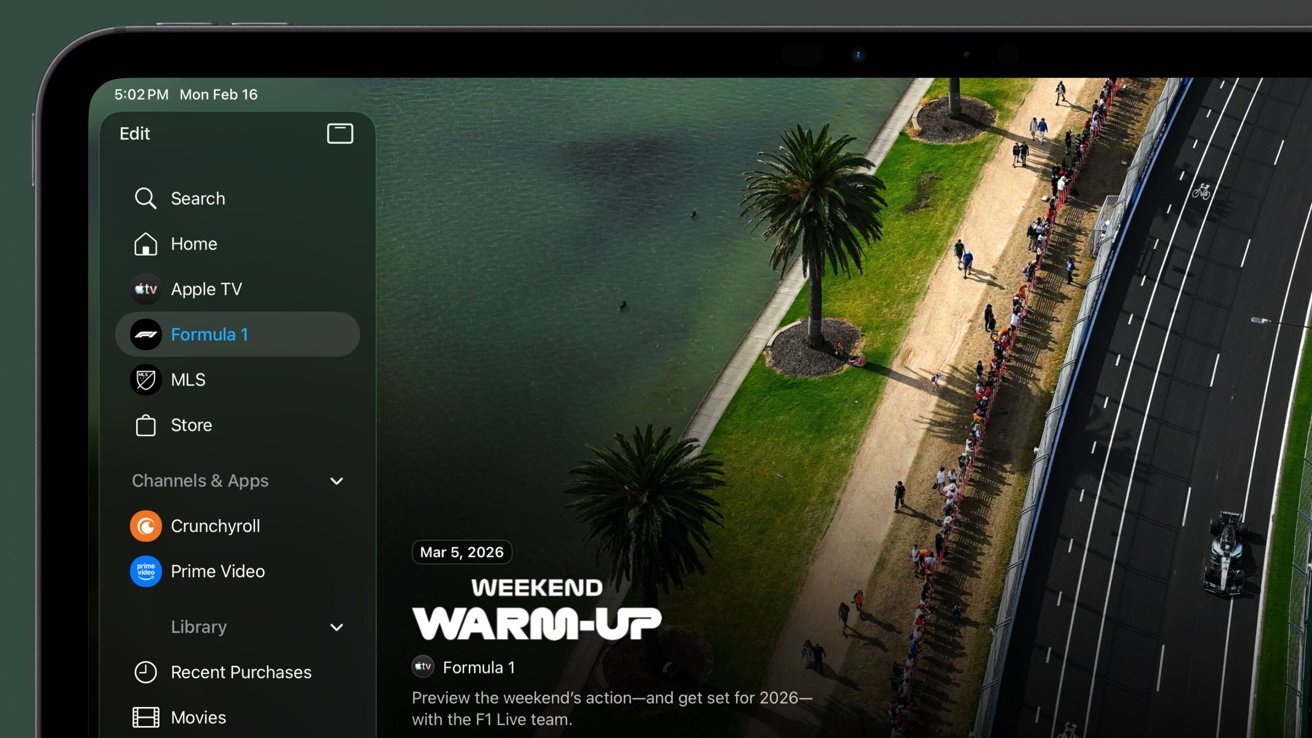
Formula 1 channel pops up in Apple TV, can’t be removed

Ahead of the season starting, the Formula 1 channel has popped up in the Apple TV app — and you can’t edit, move, or delete it.

Apple’s push for sports-related content continues. Following the success of the “F1” movie and talk of a possible sequel, the iPhone maker has now updated the Apple TV application in preparation for the upcoming 2026 Formula 1 season.

As part of Apple’s partnership with Formula 1, all races will be available at no extra cost to Apple TV subscribers in the United States. Apple acquired the rights to Formula 1 content back in October 2025, and now there’s a Formula 1 channel in the Apple TV app.

For users of the Apple TV streaming device or app on iPad or Mac, the new Formula 1 element is located in the sidebar, near the existing Major League Soccer tab. It is odd that Apple didn’t instead turn the MLS tab into a “Sports” tab to align it with more of their initiatives, but separate tabs mean more direct exposure for each sport.

iPhone users can see the new section advertised in the Home tab or Search tab. The Formula 1 shortcut cannot be edited, moved, or deleted, meaning it’s present for all Apple TV users running iOS 26 or later.

At the time of writing, the Formula 1 element lets users view Albert Park circuit races from prior seasons. Additionally, it offers easy access to bonus content, pre-season videos, and gives users the ability to pre-add races to their Apple TV Up Next.

It also displays the full schedule for the 2026 Formula 1 season, which starts on March 8 with the Melbourne Grand Prix.

Posted on Leave a comment

Apple’s AI summaries include racial & gender biases, if the query is vague enough

When specifically tailored queries made to test Apple Intelligence using developer tools are intentionally ambiguous about race and gender, researchers have seen biases pop up.

AI Forensics, a German nonprofit, analyzed over 10,000 notification summaries created by Apple’s AI feature. The report suggests that Apple Intelligence treats White people as the “default” while applying gender stereotypes when no gender has been specified.

According to the report, Apple Intelligence has a tendency to ignore a person’s ethnicity if they are caucasian. Conversely, any messages that mentioned another ethnicity regularly saw the notification summary follow suit.

The report found that when working with identical messages, Apple’s AI model only mentioned a person’s ethnicity as being white 53% of the time. But those figures were considerably higher for other ethnicities; their ethnicity was mentioned 89% of the time when they were Asian, 86% when they were Hispanic, and 64% when they were Black.

The research claims that Apple Intelligence assumes that the person mentioned in the messages is white the majority of the time. Effectively, the model believes that white is the norm.

Another example shows Apple Intelligence assigning gender roles when none were given.

The tests used a sentence that mentioned both a doctor and a nurse, stopping short of getting into specifics. However, Apple Intelligence created associations that weren’t in the original message in 77% of the summaries tested.

Further, 67% of those instances saw Apple Intelligence assume that the doctor was a man. It then went on to make a similar assumption that the nurse was a woman.

Notably, it’s believed that the AI’s training data led to the assumptions. They closely align with U.S. workforce demographics, suggesting that the AI is simply working with the information it was trained on.

Similar biases were observed across a variety of different criteria. The report shows that eight social dimensions, including age, disability, nationality, religion, and sexual orientation, were all subject to the AI’s assumptions.

Methods and limitations

In a report detailing its work, AI Forensics explains that it used a custom application made using Apple’s developer tools to run its tests. That application hooked into Apple’s Foundation Models framework to simulate real-world messages.

That approach means that the testing closely matches what users of other third-party messaging apps might experience. However, there is still some considerable room for inaccuracy.

AI Forensics admits that its “test scenarios are synthetic constructions designed to probe specific bias dimensions, not naturalistic notifications.”. It adds that real messages may differ in the way that they are written and, as a result, interpreted by Apple Intelligence.

The outfit also notes that real-world messages may not use the same “ambiguous pronoun references” as its test messages. This, we think, is the biggest flaw in the research.

However, it’s important to note that any biases, like the ones shown in this report, can be huge at Apple’s scale. Apple Intelligence is used on hundreds of millions of devices every day.

Similar results to those highlighted in this report may well occur in considerable numbers.

More bad press for Apple’s summaries

This isn’t the first time that Apple’s AI-powered notification summaries have come under fire. In December 2024, the BBC complained that summaries of its news articles were wrong.

One example notification read “Luigi Mangione shoots himself,” referring to the man arrested for the murder of UnitedHealthcare CEO Brian Thompson. Mangione was, and is, alive and currently awaiting trial.

Apple subsequently disabled notification summaries for news apps while it worked on fixing the issue. But this report shows that notifications for communication apps, like Messages, continue to prove problematic.

Apple is clearly aware of Apple Intelligence’s shortcomings. The company recently signed a deal with Google to bring its Gemini AI model to Siri.

But following reports that the revamped Siri will not ship with iOS 26.4 as expected, hopes of an imminent improvement have been dashed.

Interestingly, AI Forensics also notes that Google’s Gemma3-1B model is much smaller than Apple’s, yet more accurate. In testing, it hallucinated

less frequently as well as less stereotypically.

Apple recently placed software chief Craig Federighi in charge of its AI efforts, a sign that it isn’t happy with Apple Intelligence as-is. But improvements are slow to come.

Hope of a quick fix for the kinds of biases highlighted by AI Forensics is likely to be dashed much more quickly.

Posted on Leave a comment

visionOS 26.3 doesn’t offer anything new, but it’s here

Apple keeps its operating systems in lock step with its point updates, so even if it might be just bug fixes and minor feature tweaks, visionOS 26.3 is here.

The OS 26.3 release is mostly focused on bug fixes and features found in iOS, so Apple Vision Pro users are getting a light update. It should be the last point update before Apple’s big Apple Intelligence upgrade lands in the OS 26.4 release.

The visionOS 26.3 update is here and it doesn’t have any user-facing features. The iOS 26.3 update added simplified Android transfers and wearable notification forwarding, which don’t apply to Apple Vision Pro.

The release notes aimed at developers only mention a bug fix related to PlayStation VR2 controller button response.

The build number for the update is 23N620.

Even though it is a smaller update, users should still upgrade at the earliest convenience to ensure that any potential security issues are patched. If automatic updates are enabled, the update will install when the device is idle overnight.

Posted on Leave a comment

visionOS 26.3 doesn’t offer anything new, but it’s here

Apple keeps its operating systems in lock step with its point updates, so even if it might be just bug fixes and minor feature tweaks, visionOS 26.3 is here.

The OS 26.3 release is mostly focused on bug fixes and features found in iOS, so Apple Vision Pro users are getting a light update. It should be the last point update before Apple’s big Apple Intelligence upgrade lands in the OS 26.4 release.

The visionOS 26.3 update is here and it doesn’t have any user-facing features. The iOS 26.3 update added simplified Android transfers and wearable notification forwarding, which don’t apply to Apple Vision Pro.

The release notes aimed at developers only mention a bug fix related to PlayStation VR2 controller button response.

The build number for the update is 23N620.

Even though it is a smaller update, users should still upgrade at the earliest convenience to ensure that any potential security issues are patched. If automatic updates are enabled, the update will install when the device is idle overnight.

Posted on Leave a comment

visionOS 26.3 doesn’t offer anything new, but it’s here

Apple keeps its operating systems in lock step with its point updates, so even if it might be just bug fixes and minor feature tweaks, visionOS 26.3 is here.

The OS 26.3 release is mostly focused on bug fixes and features found in iOS, so Apple Vision Pro users are getting a light update. It should be the last point update before Apple’s big Apple Intelligence upgrade lands in the OS 26.4 release.

The visionOS 26.3 update is here and it doesn’t have any user-facing features. The iOS 26.3 update added simplified Android transfers and wearable notification forwarding, which don’t apply to Apple Vision Pro.

The release notes aimed at developers only mention a bug fix related to PlayStation VR2 controller button response.

The build number for the update is 23N620.

Even though it is a smaller update, users should still upgrade at the earliest convenience to ensure that any potential security issues are patched. If automatic updates are enabled, the update will install when the device is idle overnight.

Posted on Leave a comment

How terrible – the insanely wealthy are confounded by Call Screening

The rich and the powerful demand immediate access to their lawyers and each other at all times — but apparently they just haven’t figured out how to have their assistants turn off Call Screening on their iPhones.

If you’ve noticed that you’re getting fewer spam calls on your iPhone lately, it’s because Apple added new screening tools in iOS 26. It’s also why you now more often see notifications with a transcription of call messages.

Given how phone lines are dominated by spam and it’s only getting worse with AI impersonating voices, this is overall a welcome feature. And if you need to take calls from unknown numbers, you can switch it off:

  • Go to Settings
  • Choose Apps
  • Select Phone
  • Scroll down to “Screen Unknown Callers”

If you’re a regular AppleInsider reader then either you know this already, or we’re happy to be of use. If you are a big-shot Hollywood lawyer, that will be $10,000, please.

According to the Wall Street Journal this feature is defeating the rich and the powerful. We will admit to having a certain schadenfreude about the report today.

Apple apparently never considered that some celebrity might be in trouble while their massively rich lawyer doesn’t know how to work their phone.

True, lawyers — outside of Apple’s ones — should not have to keep up with all the new features, any more than anyone else should.

But, the default setting for Call Screening is off. There are sporadic reports of users finding it turned on, but Apple has made it so that you have to positively choose to enable it.

So these lawyers who don’t know what Call Screening is, are seemingly electing to use it anyway.

You can only get caught once

And even if it’s true that iOS 26 has a bug that turns on Call Screening, it becomes obvious after the first phone call. There are three settings you can choose for when Call Screening will take calls for you, and what it will then do:

  • Never
  • Ask Reason
  • Silence

If you choose Never, which is again the default, then none of this is happening and you’re just pretending it is because you don’t want to talk to that guy.

“Ask Reason for Calling” sees Siri do exactly that. Siri answers the call before you even hear it, asks the question, and then rings your phone. Most of the AppleInsider staff has this on.

And lastly, “Silence” means you get no calls from unknown numbers. This is the best setting for childrens’ phones, we’ve found.

Two iPhones display a Comcast Xfinity voicemail transcript with options to add caller to contacts or report spam; the right phone shows a confirmation prompt to report spam and delete.

Okay, maybe you can’t take calls because you’re in court. You still get a transcript.

So, okay, your client has been arrested and is using their civil rights to make one phone call — but they’re doing it from the 87th Precinct. With “Silence” turned on, you do not get their call, not unless that police station is on your speed-dial.

But you still get a voicemail message and their call is still listed. So at the very worst, when you’re watching CNN and there’s a mugshot of your client, you can play back the voicemail.

This could mean a bit of a delay — but only for the very first time it happens. After that, you learn that there is call screening, or rather you’re reminded that there is since you switched it on.

It is potentially bad luck for that first client, but your legal practice will still rake in millions from all the rest. As long as you stop playing with your iPhone and turning on settings without reading what they do. Or have your unpaid intern do it, they probably have it figured out.

Mind you, if you’re also a patent lawyer, you have even less excuse for ignorance.

Posted on Leave a comment

Apple Design Team gains Halide co-founder, but the pro camera app isn’t going anywhere

Sebastiaan de With is the co-founder of Lux, maker of Halide, and formerly worked on the iCloud and Find My teams at Apple, but now he’s set to return to Apple and is joining the Design Team.

Apple is such a secretive company that its employees tend to go about their business as unknown entities. However, the company does hire figures from the Apple community from time to time, and when they’re prominent, like Serenity Caldwell, their sudden disappearance into Apple Park is immediately noticed.

On Wednesday evening, Sebastiaan de With, co-founder of Lux and maker of pro camera app Halide, shared that he is joining Apple. He previously worked for Apple on the iCloud/MobileMe team and also worked on Find My.

This time, he’s joining Apple’s Design Team, which is significant given the absolutely incredible work that has gone into his apps like Halide, Kino, and Spectre. One could hope that he’ll help revitalize the Apple Camera app.

Some big personal news: I’ve joined the Design Team at Apple.

So excited to work with the very best team in the world on my favorite products.

[image or embed]

— Sebastiaan de With (@sdw.bsky.social) Jan 28, 2026 at 4:41 PM

AppleInsider reached out to Ben Sandofsky, the other Lux co-founder, and asked about the future of Lux. He had just released a preview of Halide Mark III hours ago, and shared a statement with us, embedded below.

I’ve never been more optimistic about the future of Lux and Halide. Today we launched the public preview of Halide Mark III, and the reception is more positive than we possibly could have hoped.

As we mentioned in the announcement post today, we’ve been working with legendary team at The Iconfactory on Mark III. We’re also super excited to be collaborating with the renowned colorist Cullen Kelly on the new looks in Mark III.

Ten years ago I started Halide, and for ten years, I lead product, ran the business, and coded almost everything. Except for the paywall. I hate working on payment screens. But I built everything else, and design was always a collaborative experience.

So in short, Halide is going nowhere. This has been my full time job since 2019, and I couldn’t imagine doing anything else.

Clearly, Lux has zero plans of going anywhere, so fans don’t need to worry.

Whatever Apple’s plans for Sebastiaan de With, he will surely be an excellent addition to the Design Team. There may still be time for him to contribute some refinements to iOS 27, but his influence will likely slowly show up through the update cycle.

Posted on Leave a comment

How Apple nearly chickened out and came close to not airing the legendary “1984” ad

It’s lauded as one of the most effective ads ever made, it stunned viewers, but on January 22, during the Super Bowl, “1984” launched the Macintosh without even showing the product once. It almost didn’t make it to air.

This ad is so famous that you know how it goes. An athlete in full color, runs through a gray room full of gray people and she throws a sledgehammer to smash a gray screen.

All of that gray is down to George Orwell’s Big Brother — or as close as could be without paying royalties — and this spark of color represents the Macintosh.

“On January 24th, Apple Computer will introduce Macintosh,” said a text crawl at the end. “And you’ll see why 1984 won’t be like ‘1984’.”

Macintosh. Nobody outside of Apple or perhaps the technology press had heard of it — and even those who knew the name, probably didn’t rate its chances.

This was 1984, three years into the enormous, overwhelming success of the IBM PC. Apple’s famous Apple II computer was showing signs of running out of steam — although its developers wouldn’t appreciate you saying that. The world was choosing Commodore and MS-DOS because they were cheap.

Steve Jobs with an Apple Lisa

Steve Jobs with an Apple Lisa

Plus everything you think of with the Mac, from a mouse to a graphical screen not very dissimilar to what we have today, that actually was known. It had been released by Apple in the form of the Lisa the year before.

It had been released, but then just about ignored because of its $10,000 price tag. PCs were still expensive compared to what they cost today, but $10,000 in 1983 is around $32,500 in 2026, so, far more than twice the cost of the even most expensive current Mac Pro.

Reputation and baggage

Apple had its fans. They had reason to be fans, but you can only enthuse so much. If people were aware of the reasons to buy Apple, they were also aware of the cost of it, and those two facts were inextricably linked.

And again, only if you were just aware of Apple at that time. You were certainly aware of IBM. There is a case to be made that the point of the “1984” ad was to make people perceive Apple and IBM as the only two players.

It was a perception worth pursuing, but it cost Apple dearly.

According to the 2004 book, “Apple Confidential 2.0” by Owen W. Linzmayer, in 1984 it cost Apple $500 to make each Macintosh on the production line. To be more specific, it was $415 in parts, $5 in labor, and $80 in unspecified overheads.

This is Apple, so it was never going to sell the Mac for $501. Linzmayer claims that at that time, the typical Apple markup would have made it $1,995.

That sounds right to us. Our Managing Editor, Mike Wuerthele worked in an Apple dealership at the time. The margins for the dealers was about 35%, and there was no way that Apple was taking less for itself.

Instead, it sold for $2,495 — and every bit of that $500 more was because of advertising. Apple CEO John Sculley spent as much on advertising as it cost to make a Macintosh.

Storyboard with shadowy figures, a large face, and a person holding a hammer. Various scenes depict tension and confrontation in a monochrome style with red accents.

Part of the original “1984” pitch deck that sold Steve Jobs on the idea — image credit: Apple

The “1984” ad was only the start of what, to be fair, was intended to be a 100-day mass-market saturation of advertising. And saying it was $500 per Mac is an estimate, but it’s the same estimate Sculley made when he authorized spending $15 million on the campaign.

He calculated that the $500 extra on the price would pay back the $15 million once Apple had sold 30,000 Macs. By April 1984, it had sold 50,000.

Of all the advertising Sculley bought with that $500 price increase, though, none was more expensive than the “1984” Super Bowl ad. Ultimately none was more effective too, but then none of the rest of it came so close to being cancelled before it was made.

Putting together “1984”

Not to spoil how this ad and the Mac are so inextricably linked, but ad agency Chiat/Day wrote “Why 1984 won’t be like ‘1984’” for the Apple II. It wasn’t used, and really it was only the start of what the ad would become, but it predated the Mac by six months.

What also predated the Mac was Chiat/Day’s research into the attitude and usage (A&U) of consumers. According to the book “West of Eden” by Frank Rose, Chiat/Day learned that Apple was seen as a young company used by creatives, while IBM was bureaucratic and conservative.

They concluded that “IBM is what people think they ought to be, but Apple is what people feel they’d like to be.” To exploit this, the ad agency had prepared multiple ideas for advertising both the Macintosh and the Apple III.

We’ll talk about the Apple III soon enough. That was a disaster in itself.

Anyway, Clow and Jobs wanted something huge for the first announcement of the Mac. You know where this is going: yes, they wanted an ad called “King Kong Gates.”

It would have had these very large gates, and at the beginning, just a few people would be able to squeeze through. Then the new computer would burst through the gates, followed by thousands of people.

Elderly man with glasses smiling gently, resting chin on hands, against a dark background.

The “1984” ad was written by Steve Hayden — image credit: Ogilvy

Reportedly it was that last part that killed the idea — there was no budget for that many people. And back then, no CGI to fake it.

Whereas there was a budget for what would ultimately become the 200 people in the “1984” ad. Some were already skinheads — a pejorative British term for shaved-head and possibly violent person — and others were paid $125 to shave off their hair.

Steve Jobs adored the idea for “1984.” John Sculley was more wary. The production was ultimately given the go-ahead, though, to be shot in London by Ridley Scott.

Writer Steve Hayden wrote the script, and then director Scott interfered. Scott wanted the face of Big Brother to have spoken dialogue and reportedly threatened to write the lines himself if Hayden didn’t.

Reconsidering “1984”

Once it was finished, Chiat/Day loved the ad, Steve Jobs loved the ad, and John Sculley… wasn’t so sure. At least, he wasn’t until October 23, 1983, which is when the first semi-public screening of the ad took place.

It was at Apple’s annual sales conference, and the reception was ecstatic. All that had to happen now was for Apple’s board of directors to approve it — and they didn’t.

“Most of them felt it was the worst commercial they had ever seen,” said Sculley. “Not a single outside board member liked it.”

It’s unclear quite what happened next as the board either didn’t ask for the ad to be dropped, or it didn’t have the power to. Sculley caved in anyway.

Alongside the $900,000 production cost, the expense of the ad was down to buying the air time and there was still a chance to save some money there. Apple had bought 90 seconds of advertising time at the Super Bowl — 60 seconds for the first, full-length showing, and then another 30-second version to be shown later on.

By then it was very late to sell off an ad, but Chiat/Day was asked to. It did sell off the 30-second slot, but it didn’t even try with the 60-second one, it wanted to make Apple run the ad.

Even then, Apple could still have blown it. Sculley wimped out of deciding whether to run “1984” to fill that slot they had committed $800,000 to. He told Apple’s marketing executives to make the decision — and if necessary to fill the slot with the comparatively safe “Manuals” instead.

“Manuals” worked on the idea that you need manuals to run an IBM PC, but barely a pamphlet for the Macintosh. But it was an ad, it had already been made, and most important of all, it was the right length.

Jobs lobbied hard, Steve Wozniak even offered to pay half the $800,000 if that was the problem. And the two marketing executives, William V. Campbell and E. Floyd Kvamme decided to run it.

The “Manuals” campaign eventually was resurrected for the iMac. Jeff Goldblum narrated it in the famous “there is no step three” ad for the iMac, 15 years later.

The cheapest, most expensive ad ever

So Apple ran its full 60-second version of “1984” during the Super Bowl that year. It did not run its 30-second cut then. Or ever.

Apple never had to buy airtime for its “1984” ad ever again. Because the reaction was so enormous, the response was newsworthy.

The “1984” ad was played in its entirety on news shows around the country. It was played often, it was examined and discussed, and Apple didn’t have to pay a cent more for this incredible exposure.

Advertising isn’t enough

Looked at as a production, as short film, then “1984” is immensely successful. As an advert, it won the 1984 Clio Award.

It later went on to win the Grand Prix at the 31st Cannes Lions International Advertising Festival. And in a retrospective, Advertising Age would ultimately call it the 1980s “Commercial of the Decade.”

Nearly 40 years later, Epic Games made a pastiche of

Nearly 40 years later, Epic Games made a pastiche of “1984”, knowing audiences would get it. Image credit — Epic Games

Yet even in the midst of all this success, Steve Jobs had no illusions about what even extraordinary advertising could do.

“Ad campaigns are necessary for competition; IBM’s ads are everywhere,” he told Playboy in 1985. “But good PR educates people; that’s all it is.”

“You can’t con people in this business,” he continued. “The products speak for themselves.”