Posted on Leave a comment

Amazon slashes M2 MacBook Air to $999, M1 model drops to $799 ($200 off)

April markdowns hit the MacBook Air.

Amazon’s MacBook Air deals this April 1 are no joke, with $200 off both M1 and M2 models.

Kicking off the sale at Amazon is the lowest price we’ve seen in 30 days on the standard M2 Air with an 8-core GPU, 8GB of memory and a 256GB SSD in your choice of Space Gray, Silver or Gold. Now discounted to $999.99, the $200 price drop marks the cheapest price available on the latest iteration of the ultraportable Air, according to our M2 MacBook Air Price Guide.

Those looking for the cheapest price period can pick up the standard M1 model for $799.99 in your choice of finish. Like the M2 Air, it comes with 8GB of memory and a 256GB SSD. However, the M1 chip has a 7-core GPU.

Posted on Leave a comment

Apple’s Mac mini M2 512GB drops to $699 ($100 off), plus bonus AppleCare savings

Save $100 on this 512GB Mac mini.

AppleInsider may earn an affiliate commission on purchases made through links on our site.

Snap up exclusive savings on Apple’s 2023 Mac mini with M2, with the 512GB model dipping to $699 on top of a new price drop on AppleCare.

For those seeking a powerful yet compact computing device, the 2023 M2 Mac mini with 512GB of storage is a great option. Powered by Apple’s M2 chip, it offers exceptional speed, efficiency, and performance, all within a sleek design.

Whether you’re a home user or a student shopping on a budget, the M2 Mac mini has something to offer. And with a bump up to 512GB of storage (double that found in the standard M2 Mac mini), you can store essential files, documents and photos with ease.

Now, there’s even more reason to consider the M2 Mac mini 512GB. Apple Authorized Reseller Adorama is offering a discount on this device, bringing the price down to just $699 with promo code APINSIDER (details on where to input the code can be found further down this page).

This is a highly aggressive offer, providing a $90 coupon discount on top of a $10 instant rebate on an already budget-friendly device. With the M2 chip featuring an 8-core CPU and 10-core GPU, 8GB of memory, 512GB of storage, this particular spec offers an abundance of features at the cheapest price available across Apple resellers, according to our M2 Mac mini Price Guide.

Bonus AppleCare discount

Get 3 years of AppleCare for just $79 with the APINSIDER coupon | Mac mini with AppleCare Plus logo on orange gradient background

Get 3 years of AppleCare for just $79 with the APINSIDER coupon.

AppleCare for the Mac mini M2 is also discounted by $20 with the same APINSIDER coupon code, bringing the price of 3-year extended protection plan down to $79.

Save on every Mac mini configuration

If you’re looking for a high-performing computing device that’s both compact and powerful, every single Mac mini is discounted with the APINSIDER coupon. So if you need 32GB of memory or are eager to save on a model with Apple’s top-of-the-line M2 Pro chip, you can take advantage of savings of up to $200 off retail and CTO configs.

How to redeem the Adorama coupon

If you need help activating the APINSIDER coupon code, here are step-by-step activation instructions:

  1. Shop through this pricing link and add the Mac mini to your cart.
  2. Proceed to checkout and when you get to step 3 (Payment), look for a link with a gift icon that says: “Do you have a gift card or promo code?”
    How to open Adorama coupon code field
  3. Click that link to bring up the coupon code field and enter APINSIDER. Here’s what it looks like:
    Where to enter Adorama coupon code

About Adorama

Adorama has been selling electronics for just shy of 50 years, having started as a camera shop in New York City. Since then, the company has expanded to sell computers, audio equipment, smart home tech and more. In addition to being an Apple Authorized Reseller, Adorama is also a Canon Authorized Dealer, Nikon Authorized Deal, Bose Authorized Dealer and more.

Adorama is an Apple Authorized Reseller | Apple computer selection at Adorama store in New York City

Adorama is an Apple Authorized Reseller.

The company offers AppleInsider readers exclusive pricing on nearly every Mac configuration offered by Apple, as well as special discounts on select Apple Watch and iPad Pro models — all of which can be accessed in the AI Price Guide.

Plus, even more great tech deals

Best Apple prices

From new MacBook Pros to the powerful Mac Studio, AI readers can snap up exclusive discounts on even more Apple hardware. Be sure to visit our Apple Price Guide to view the latest discounts and special offers at Apple resellers.

Posted on Leave a comment

Apple wins VirnetX patent appeal — but one verdict awaits

VirnetX trial

AppleInsider may earn an affiliate commission on purchases made through links on our site.

Apple has been battling VirnetX in court for over a decade over patents, and on Thursday, the US Court of Appeals handed Apple a victory in the latest skirmish.

In 2010, VirnetX launched a legal dispute by alleging numerous instances of patent infringement related to FaceTime, VPN, and iMessage services. A Texas court fined Apple $368 million in 2012 for violating one patent, but the ruling was overturned almost two years later.

In the most recent update, Apple convinced the US Court of Appeals for the Federal Circuit to invalidate the two patents by upholding a decision from the USPTO’s Patent Trial and Appeal Board, according to Reuters.

It might overturn the $502 million fine that Apple was ordered to pay in 2020. The company separately appealed that verdict, but the Federal Circuit still has to rule in that case.

“If the court upholds the [USPTO’s] decision, we have a big problem,” VirnetX attorney Jeff Lamken of MoloLamken said at the September hearing. “I don’t think we have an enforceable judgment.”

The case has gone through numerous appeals and rulings. With the Federal Circuit’s decision on Thursday, Apple and VirnetX await a final decision in Apple’s appeal of the initial verdict out of East Texas.

VirnetX had separately won a $302 million verdict against Apple in 2016, which was increased to $440 million later on.

Posted on Leave a comment

Netflix Games may come to TVs, use iPhone as a controller

Netflix Games

AppleInsider may earn an affiliate commission on purchases made through links on our site.

A report suggests Netflix is working on a feature that will bring its games to smart TV platforms and could enable players to use their iPhones as a controller.
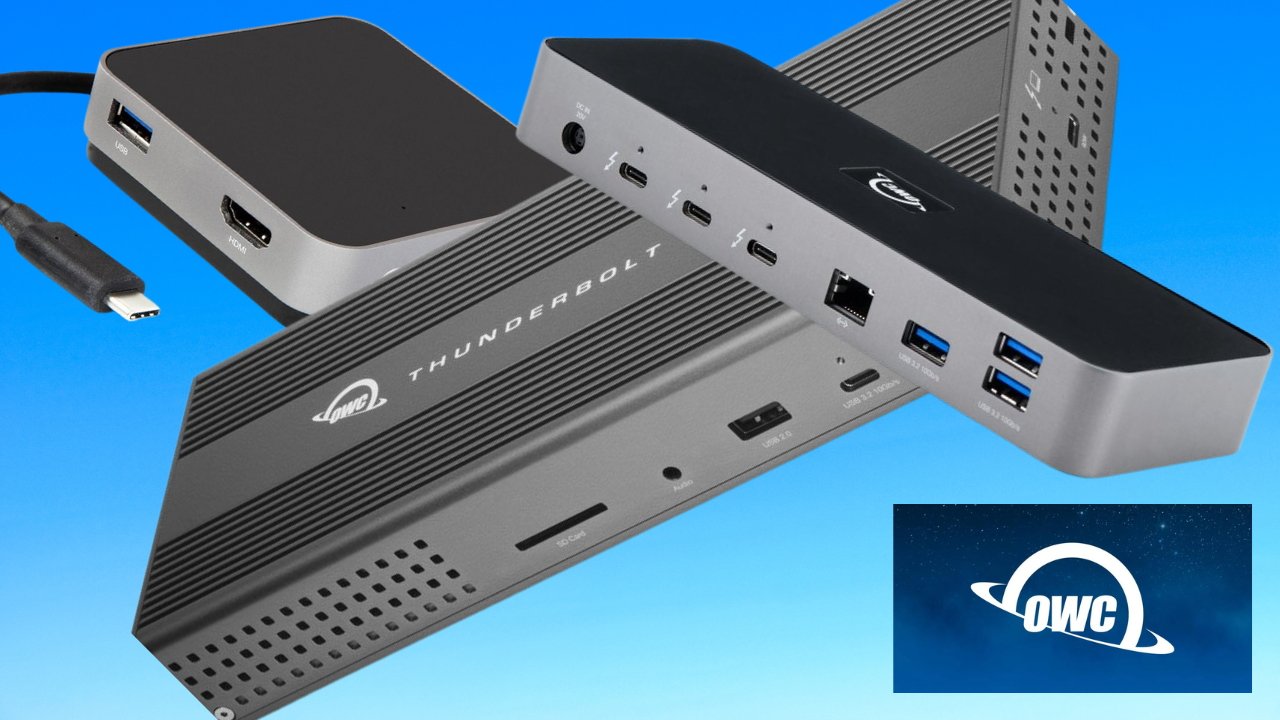
Netflix Games launched in 2021 with little fanfare since. The selection offers a variety of games, some inspired by Netflix properties, others seemingly random.

According to a report from Bloomberg, code within the Netflix app reveals that Netflix Games could soon come to TV sets, and the iPhone could act as a controller. So far, games have only been available on smartphones and tablets.

Using the iPhone as a controller isn’t a new concept. Apple changes the Apple Remote app into a simple game controller for select titles on Apple TV, and anyone who has played JackBox Games will be familiar with the idea.

It isn’t clear how this feature will be implemented. In our experience, digital buttons and analog sticks on a phone display you’re not looking at are less than ideal.

Find a list of available Netflix Games on the help page.

The Netflix Games concept isn’t too distant from Apple Arcade, which costs $5 per month or is included with Apple One. Customers who pay for a Netflix subscription get access to the games via their login.

Posted on Leave a comment

AutoCAD gets native Apple Silicon support, boasts 2x speed jump

A MacBook Air with M2 processor

Engineering and design tool AutoCAD by Autodesk gains native support for Apple Silicon M-series processors in the 2024 release.

According to a press release from Autodesk, the Apple Silicon support is for both M1 and M2 series processors. The AutoCAD and AutoCAD LT apps still support Intel as well, but the Apple Silicon versions boast up to 2x performance improvements over the 2023 version.

“AutoCAD for Mac 2024 and AutoCAD LT for Mac 2024 deliver incredible, new performance improvements with the ability to run AutoCAD natively on Apple silicon,” says Dania El Hassan, Director of Product Management for AutoCAD, Autodesk. “It’s exciting to see how customers can now take full advantage of the latest hardware and M-series chips for faster ways to work.”

Posted on Leave a comment

M2 Macs keep Apple near-flat as PC market declines in 2022

M2 MacBook Air

AppleInsider may earn an affiliate commission on purchases made through links on our site.

An analyst report for the United States shows iPad still dominates the tablet market, and Mac shipments dropped only 1.1% in a declining PC market.

According to a report from Canalys, Apple saw the lowest shipment decline across 2022 compared to other top PC vendors in the United States thanks to the M2 processor refresh. It declined by 1.1% compared to 2021, with 9.9 million shipments.

This placed Apple in fourth place for US PC market share at 13.5% across 2022. The data shows Dell in first at 26.3% market share, with HP and Lenovo following at 23.9% and 15.9%, respectively.

“The US PC market is in a period of prolonged declines as it grapples with inflation and demand stabilizes after the record highs of the pandemic,” said Canalys Research Analyst Brian Lynch. “While consumer spending on PCs has been weak for several quarters, commercial shipments faced an even greater decline in Q4 as businesses struggled with higher interest rates and budget cuts.”

PC shipments were down 23% year-over-year in Q4 2022 to 16.1 million units. For the entire year, PC shipments were down 18.3% at 73.3 million units.

Apple was also fourth for quarterly shipments at 2 million units. That equates to a 27.8% decline annually for the quarter or an 800k shipment difference.

PC shipment forecast for 2022 through 2025. Source: Canalys

PC shipment forecast for 2022 through 2025. Source: Canalys

Comparatively, Apple continues to dominate the tablet market with iPad. It has 41.8% of the tablet market share for all of 2022, with 18.8 million shipments. The second-place company is Amazon, with 11 million shipments.

Canalys expects PC shipments to fall by 12% and tablet shipments to fall by 15% in 2023. The US PC market is predicted to recover in 2024 as businesses make Windows 11 upgrades and education markets drive large-scale refreshes.

Posted on Leave a comment

Uze 100W GaN Charger review: A lot of power in a small body

Uze 100W GaN Charger


AppleInsider may earn an affiliate commission on purchases made through links on our site.

Lately, chargers have become more powerful by outputting more power in a smaller and lighter form factor. The Uze 100W GaN Charger fits into this trend by offering high power in a compact design.

In a traditional format, a 100W GaN Charger can charge multiple devices at once. It does so at high speeds while still fitting into the palm of your hand.

The Uze 100W GaN Charger certainly fits this bill, complete with support for multiple devices and fast and efficient charging. If you’re in the market, this may be worth looking at.

Uze 100W GaN Charger design

The Uze 100W GaN Charger is designed like nearly any other charging brick, with it having the company’s name on the side, the outlet prongs located in the front, and the charging ports stationed on the back.

UZE 100W GaN Charger outlet prongs

Uze 100W GaN Charger outlet prongs

There are four ports to charge from — three USB-C ports and one USB-A port. You can charge up to four devices at once.

Each port is labeled, which is handy if you want to know the max power each port can output since that information is detailed on the bottom of the charging brick.

PPS (Programmable Power Supply) is built into the 100W GaN Charger, which allows the charging brick to control the output voltage and current characteristics for each port. This allows it to be compatible with a wide variety of smart devices.

Uze 100W GaN Charger charging capabilities

The Uze 100W GaN Charger has fast charging capabilities, but not all ports charge at the same speeds or wattage.

The top two USB-C ports can output the most power at up to 100W each, but the USB-C3 port can only output up to 22.5W of power. The USB-A port can also output 22.5W of power, but does come with quick charge 3.0.

UZE 100W GaN Charger charging ports

Uze 100W GaN Charger charging ports

Multiple devices are compatible with the 100W GaN Charger, so you do not need to worry about if it can produce enough power to charge all of your devices. It can charge laptops, tablets, smartphones, cameras, gaming devices, action cameras, and USB rechargeable devices too.

The Uze 100W GaN Charger can output a total of 100W max.

Big power in a small design

The Uze 100W GaN Charger is a great portable charging brick to take around with you if you need to charge multiple devices at high speed.

The minimalistic and traditional design fits with the compact body that houses all of the charging output power it holds. All the information you need is on the bottom of the charging brick, there if you ever need it.

UZE 100W GaN Charger

Uze 100W GaN Charger

Pulling up to 100W of power from the USB-C ports is a nice touch, and being able to get a quick charge from the USB-A port is very convent as well.

The downside is that, even though it looks like they can be swapped out, the outlet prongs are stationed and cannot be switched out to fit other outlet designs. This is a small flaw, and we have seen other charging bricks that offer this capability.

Another problem area is the high price tag that accompanies this 100W GaN Charger. The charging brick is nearly $100, which may be too high for most people despite offering a nice and quick charging session for your devices.

If you are looking for a good charging brick that is lightweight, portable, and offers a lot of power output, then the Uze 100W GaN Charger may be worth checking out. It will meet your charging needs and will continue to be ready every time your devices need to be charged.

Uze 100W GaN Charger pros

  • Compact design
  • Lightweight
  • Multiple ports
  • Charge multiple devices at once
  • Fast charging speeds

Uze 100W GaN Charger cons

  • Can not change outlet prongs
  • High price tag

Rating: 3.5 out of 5

Where to buy the Uze 100W GaN Charger

You can purchase the Uze 100W GaN Charger from their website for $99.99, but it is currently on sale for $89. It is available in black and white.

Posted on Leave a comment

BenQ e-Reading lamp review: screen-friendly desk lighting

Review: BenQ e-Reading lamp


AppleInsider may earn an affiliate commission on purchases made through links on our site.

If you are a fan of Night Shift or True Tone on your Apple devices, you can get a version of that in the form of a desk light with the BenQ e-Reading lamp.

When working on your Mac or reading hardcopy documents, you need a lamp that illuminates your surroundings to reduce eye strain and to see what you are doing. Lighting options are numerous, but you don’t have to settle for a lamp that causes sharp screen glare, which can damage your eyesight.

The BenQ e-Reading lamp allows you to adjust color temperatures and brightness for optimal lighting without changing lightbulbs. Its lamp head and arms are adjustable, so you can angle it to light up your workspace sufficiently.

BenQ e-Reading lamp — lighting controls

Unlike traditional desk lamps, the BenQ e-Reading lamp allows you to adjust the color temperature from 2700 kelvins to 5700 kelvins. This feature allows for flexibility to optimize your lighting from morning to night.

The BenQ e-Reading lamp has a built-in light sensor that detects ambient brightness levels in your office. When activated, the lamp will dynamically adjust the color temperature and brightness to provide the appropriate lighting for you.

A green or orange light on the lamp head will indicate when Screen Reading or Book Reading mode is activated. Additionally, you can also adjust the color temperature and brightness manually.

BenQ e-Reading lamp's Screen Reading mode reduces screen glare

BenQ e-Reading lamp’s Screen Reading mode reduces screen glare

A noteworthy feature of this lamp is when Screen Reading mode is on, the amount of light in the center of the light source lowers. The reduced lighting in the center limits screen glare and can make things easier for your eyes during long hours on your Mac.

Another element that makes it easier on your eyes is the zero-flicker technology. The BenQ e-Reading lamp has a non-flicker driver chip to stabilize the light source.

Although the zero-flicker technology is likely unnoticeable to most users, this can make reading a more pleasant experience.

BenQ e-Reading lamp – adjustable arms and lamp head

Setting up the BenQ e-Reading lamp was simple and can be a one-person job. Insert the lamp’s arm into the base, tighten a few screws, connect it to the power adapter, and plug it in.

Setting up the BenQ e-Reading lamp was easy

Setting up the BenQ e-Reading lamp is easy

The BenQ e-Reading desk lamp is slender and minimal and will take up little space on your desk. It has a slim but heavy base to keep it securely in place.

The arms are thin but have durable torque springs to keep them from sagging at different angles.

It’s topped off with a curved lamp head mimicking a gentle smile. This curved design extends the lighting further across your desk and evenly distributes light across your desk.

However, this functions as a task lamp, so do not expect it to illuminate an entire room.

The BenQ e-Reading lamp head has a ball joint for various angles

The BenQ e-Reading lamp head has a ball joint for various angles

The lamp head is on a ball joint, so you can tilt and move it in various directions. Touch the metal ring lightly to power it on or off.

Since the metal ring is sensitive to touch, you have to be careful when moving the angle of the lamp because you may accidentally turn it on or off.

The BenQ e-Reading lamp is customizable according to your needs. You can transform it into a desk lamp, or floor lamp, or even clamp it to your desk.

For instance, if you get the BenQ e-Reading desk lamp for your desk but decide to make it into a floor lamp, you can buy an attachment to enable that to happen, one sold separately.

Get the floor stand extension to make the BenQ e-Reading desk lamp into a floor lamp

Get the floor stand extension to make the BenQ e-Reading desk lamp into a floor lamp

Depending on your style preferences, the BenQ e-Reading lamp may seem lanky with a somewhat gawky stance. However, it can win over users by delivering powerful yet gentle lighting that’s remarkably easy on the eyes.

BenQ e-Reading lamp — pros

  • Color temperature and brightness control
  • Screen Reading mode reduces screen glare
  • Curved lamp head evenly distributes light across a desk
  • Flexible lamp head and arms
  • Customizable — desk lamp, floor lamp, or use with a clamp
  • Easy to set up and use

BenQ e-Reading lamp — cons

  • Touch control makes it easy to accidentally power on/off when adjusting angles

Rating: 4 out of 5

Where to buy

You’ve got options when it comes to the BenQ e-Reading lamp.

Posted on Leave a comment

Get Apple’s 2023 MacBook Pro 14-inch for $1,849, plus $60 off AppleCare

Save on Apple’s 2023 MacBook Pro.

Apple’s standard 14-inch MacBook Pro is in stock and discounted to $1,849. Every upgraded configuration is also up to $250 off on top of a new price drop on AppleCare.

Featuring the new M2 Pro chip with a 10-core CPU and 16-core GPU, along with 16GB of memory and a 512GB SSD, this laptop is the perfect companion for business meetings or attending class thanks to it weighing just 3.5 pounds.

And with promo code APINSIDER, AppleInsider readers can save $150 on the standard configuration in your choice of Space Gray or Silver at Apple Authorized Reseller Adorama. Need more storage or extra memory? The same APINSIDER code discounts every other configuration by as much as $250. The full list of deals can be found in our 14-inch MacBook Pro Price Guide.

In addition to the savings on the systems themselves, AppleCare for the 14-inch MacBook Pro is $60 off with the APINSIDER coupon as well, bringing the cost of the 3-year protection plan down to $219.

Don’t miss out on these awesome savings with exclusive coupon code – just head over to Adorama.com and add your desired laptop to your cart. At checkout, enter coupon code APINSIDER during Step 3 (Payment), taking advantage of unprecedented discounts across every configuration. Here are step-by-step activation instructions:

Posted on Leave a comment

Wireless Apple CarPlay now available in Lucid Air

Wireless CarPlay now in Lucid Air

The Lucid Air electric vehicle has been updated with support for wireless Apple CarPlay.

On Thursday, Lucid Motors announced that support for wireless Apple CarPlay and Android Auto is now standard on every Lucid Air. It integrates with the Glass Cockpit display and uses touchscreen controls.

Users can invoke Siri, make calls, check their Calendar, or view Apple Maps directions from the display. It is built to reduce distractions for drivers while providing a limited UI for simple interactions.