Posted on Leave a comment

Review: NBA 2K18 (Switch)

Note: We originally posted our NBA 2K18 review last month but the game was essentially broken, with a number of serious game-affecting bugs. It was so severe that we were unable to give the game a score, because we considered it incomplete. While we really enjoyed the game when it worked properly, our advice at the time was clear: hold fire. “You shouldn’t buy it until 2K Sports fixes its myriad of problems with a hefty update,” our review originally stated. That hefty update was finally released last week: later than is really acceptable, but now here nonetheless. So, with the Switch version’s physical release due next week, we’re finally able to bring you our final review and the definitive verdict on NBA 2K18.

It’s been five years since Nintendo fans have had an officially licensed ‘serious’ basketball game, the last being Wii U launch title NBA 2K13. 2K Sports’ initial support for the Wii U quickly simmered and the studio decided to focus its efforts on other formats, meaning its day one NBA 2K offering ended up being the only taste of slam dunkery Nintendo’s system received.

A lot has changed since then, however, and now 2K Sports is back for another crack at the Nintendo market. WWE 2K18’s due soon but before that we have the latest NBA 2K entry. And while it’s taken a while to get there, we’re finally happy with the results. NBA 2K18 easily provides the greatest basketball experience we’ve ever seen on a Nintendo system (yes, that even includes Mario Slam Basketball). The sheer attention to detail here is sensational.

Those familiar with the NBA 2K series will already be familiar with the sort of things we’re referring to, but those new to it will discover a level of presentation that eclipses every other sports game, FIFA included. Matches open with a (skippable) pre-game show hosted by a three-man panel, with countless pre-recorded chats that all sound genuine and not just read from a script. They’ll crack jokes, interrupt each other and generally act exactly like they would on the sort of real-life broadcast you’d expect to see on ABC or ESPN.

After this it’s down to courtside where you’ll be treated to one of a selection of pre-game routines. Sometimes you’ll see video footage of the city hosting the game, other times you’ll catch the end of the national anthem being sung, or maybe you’ll see the team mascot firing t-shirts into the crowd. This is all supported with the full TV broadcast experience with a full commentary team, sideline reporters, realistic TV-style camera angles, the whole nine yards. Those familiar with sports games may think we’re overreacting by listing all of this but until you’ve played a recent NBA 2K you can’t really appreciate just how incredibly authentic the entire thing feels before the tip-off even begins.

Once the action actually starts, controlling your team is a breeze regardless of your skill level. There’s great depth to the various types of shot, pass and tactical call you can call upon at any time, but how much you want to delve into that is entirely up to you. This game gives you the luxury of as much or as little control of the intricacies of basketball as you feel comfortable with. If you’re a relative novice and just want to go with the basic ‘B to pass, Y to shoot, A to steal’ controls, you’re more than welcome to. Things get significantly more complicated once you involve the shoulder buttons and the right stick –  but you can happily play and win without ever having to worry about them.

Should you actually want to get stuck into that, the level of control you can eventually achieve with practice is ridiculous. Shimmy shots, dropsteps, post hops, hook drives, alley oops, Euro step layups… these and many more are available as and when you decide you want to push your game a bit further. Or not, it’s your call. This freedom of choice extends to the wide variety of games modes available, each of which are so packed they could easily constitute full games in their own right. For starters you’ve got MyGM: The Next Chapter, a story mode in which you play as a former NBA star whose career was ended short by a bad injury and is now a manager.

This mode plays like a standard career mode in something like FIFA, where you’re in charge of all the inner workings of the team: from training and tactics to trading and scouting, to even smaller things like jersey sales (all while still getting to control your team in each match, of course). If the story side of things doesn’t appeal to you there’s also MyLeague, which lets you play through up to 80 seasons, controlling anything from just one to all 32 teams. If you get properly invested in this it might keep you busy for the entire duration of the Switch’s life but it’s also the driest of the modes on offer, featuring little more than a schedule of matches.

Meanwhile, MyTeam is a fantasy team mode that’s clearly been inspired by FIFA’s Ultimate Team. You start with a handful of player cards and, over time, build up your team by winning and buying more cards until you’ve got a squad that can take on all-comers both off and online. Finally, if it’s more plot you’re looking for MyCareer gives you another story, but this time it’s one in which you control a single player rather than the whole team. This is one of the most popular NBA 2K modes every year and for good reason: as your player slowly builds his skills and stats you feel a real sense of attachment to him.

That said, MyCareer has a different storyline each year and 2K18’s is probably the weakest in a long time, partly because the jump from zero to hero is too swift this time. In previous games you had to prove yourself in training camps before getting drafted to a low-ranked team and slowly working your way up to something like the Cavs or Warriors. This time though the story begins with your player competing in a street basketball tournament and somehow making it to a pro NBA team without going through a draft or anything. Within less than an hour of MyCareer mode we were coming off the bench for the Toronto Raptors, which sort of undermined the whole idea of putting in hard work to reach the big time.

The mode also has a heavy emphasis on microtransactions. As you play you earn VC (virtual currency), which is spent on improving your stats and customising your character’s look. While you can earn VC through playing the game, you can of course also skip the grind and pay real money for it. While this won’t be new to anyone who’s been playing NBA 2K games on other systems over the past few years, do be aware that if you want to build your character naturally without spending any extra money you’re going to have to be in it for the long haul: this mode is a marathon, not a sprint.

Regardless, despite the constant spectre of microtransactions looming it’s still a great time, and when you combine all four main modes – MyGM, MyLeague, MyTeam and MyCareer – there are countless hundreds of hours of gameplay here that will keep you hooked, whether you’re an NBA die-hard or just a casual basketball fan looking for a sports game for their Switch.

Until recently NBA 2K18 was suffering from a number of huge game-breaking bugs. Our game saves were being reported as corrupt, cutscenes were playing at a snail’s pace, dialogue regularly sounded crackly and parts of the environment disappeared during MyCareer mode. Thankfully a large patch – albeit one that turned up far later than it should have – has removed the most serious ones. There are still some graphical glitches in there, with the likes of flickering shadows still present, but the big ones are finally gone and the game’s far better for it.

As a result, we’re now comfortable that we can finally recommend NBA 2K18. 2K Sports has delivered a game that comes fairly close to its performance on other systems (it runs at 30 frames per second instead of 60 but other than that it’s remarkably detailed), and unlike FIFA 18 it’s missing absolutely nothing in the Xbox One or PS4 modes (except for a face-scanning function which is apparently coming in a future patch). It’s still silly that it’s taken a full three weeks after the launch of the digital version to get to the stage that we can finally consider this game playable, and hopefully WWE 2K18 won’t suffer from a similarly calamitous launch.

Conclusion

For those who took our previous advice to hold fire until we were happy the game wasn’t a broken mess, you can finally pull the trigger: NBA 2K18 may not have been a great sports game at launch, but it’s certainly one now. This is effortlessly the best basketball game we’ve seen on a Nintendo system in years, and a must-have for Switch-owning sports fans.

Posted on Leave a comment

Review: Soldam: Drop, Connect, Erase (Switch)

The Switch has earned something of a reputation for hosting modern updates of classics from the Japanese gaming canon, with notable reimaginings like Blaster Master Zero and Wonder Boy: The Dragon’s Trap hitting the nostalgia button on Turbo mode. One of the more surprising returnees to take advantage of this trend was Soldam: Blooming Declaration, a launch title on the Japanese eShop based on a puzzle game spin-off of Jaleco’s 1990 arcade hit Rod Land. 

Soldam released in the arcades in 1992 and then had exactly one port (to the Game Boy in 1993), so you’d certainly be forgiven for not being familiar with the franchise; but now that new publisher Dispatch Games has stepped up to localize this Switch update for Western markets as Soldam: Drop, Connect, Erase, it’s definitely worth getting acquainted with. Soldam is a delightfully different puzzle game with a unique gameplay hook and an impressive variety of play styles across modes — a perfect deep cut to round out any puzzle fan’s Switch stash.

At first blush, Soldam looks quite similar to other falling-block titles: gameplay consists of guiding and rotating four-piece bundles of coloured fruit as they drop from the top of the field to the bottom, and the goal is to keep them from stacking too high — if they reach the top, it’s game over. How you’ll deal with these drops, however, is quite different to other games in the genre, and this is what gives Soldam its hook.

Rather than clearing out when a full line is completed, as in Tetris, or disappearing when they touch a certain number of like-coloured pieces Puyo Puyo-style, Soldam’s fruits swap colour when they’re surrounded on any side — horizontally, vertically, or diagonally — by fruit of another colour. It sounds a bit like fruit-based Reversi or Othello on paper, but the falling-block trappings and the geometry of the playing field — ten-fruit wide but with only five ‘lanes’ to slide each 2×2 bundle into — make it feel utterly unique in practice.

If you have a pair of red fruits sitting on the lefthand side of the board, for instance, and a pair of blue ones to their right, placing a red fruit to the right of the blue ones will turn the whole lot red. If you manage to paint an entire row the same shade, it will vanish, hop down below the bottom of the field, and act as an anchor for making vertical and diagonal matches across the board. This anchor line, then, takes on whichever colour you last cleared a line of, so managing this carefully is a big part of the strategy; you won’t want to clear a line of green just to sweep it away if you’re going to need yellow on the bottom for your next move. It’s also essential for combos — clearing more than one line at a time — which carry a tidy point bonus.

If that all sounds a bit confusing, don’t fret. Soldam is based on a concept that’s several steps removed from most block-drop puzzle games, and it’s admittedly tough to get the hang of at first — years of conflicting muscle memory from Tetris, Panel de Pon, and Puyo Puyo don’t help, either. But that’s exactly what makes Soldam so exciting: if you’re a puzzle game veteran it represents the chance to get in on the ground floor again, and it’s surprisingly refreshing to learn a puzzle gameplay type from scratch. 

It does a great job at getting you up to speed, too; the main endless mode (simply called ‘Soldam’) starts out nice and slow, beginning with only two colours before gradually introducing more. There’s also an ‘Easy Mode’ that lets you take as much time as you like before dropping each fruit cluster. Even better, this localized version adds in a new option to turn on arrows and shaders which show exactly which fruit will be affected by the falling bundle. While we eventually preferred to play with these turned off, they were invaluable in the early stages and helped us immensely in learning to see the rules and patterns that make up the game; once it clicked, we were hooked. It’s as fun as it is different, and we loved how cerebral and strategic Soldam feels.

The main ‘Soldam’ mode should keep you busy for quite a while — it starts at a speed level of ’0’ and heads all the way up through ’200’. In a nice twist, however, those levels don’t represent a constant increase in throttle; it does get faster and introduce new colours as you go, but at certain points you’ll get a respite from the ramp up, and things slow down a bit so you can catch your breath (and clear the board!). That’s a nice change from the Tetris-style norm, and makes it feel less like speeding towards inevitable failure and more like a quest to reach the next checkpoint. 

Another thoughtful touch that makes Soldam’s endless mode fun to come back to is the Plumis: cute creatures that hang out on the left side of the screen, and change form based on what colour fruits you ‘feed’ them as you clear lines. A ‘Plumidex’ keeps track of all the forms you’ve found, and there are 40 to discover in all. Plumis are a fun addition, because while they’re tangential to the actual puzzle gameplay, they still give you interesting choices to think about in the early stages of the endless mode — keeping ‘recipes’ for Plumis in mind as we went through Soldam runs added a nice layer of creative play.

When you want something entirely different from standard Soldam there’s also Challenge mode, which trades in endless clearing and auto-drop for a more meticulous approach to puzzle solving. Here, you’ll be given a preset board and pieces, and tasked with completing a certain goal: clearing four lines at once, clearing three lines total, or clearing the board in a set number of moves, for instance. In this mode, blocks don’t drop until you want them to, so Challenge is more of a mental workout than a reflex test, with 50 puzzles to work through in all. It’s a fantastic change of pace, and it also very much tests your grasp of the fundamentals, which leads to a rewarding skill progression loop. Even the early stages felt nearly impossible right off the bat, but playing more of the endless Soldam mode helped us recognize relevant patterns in Challenge stages, which in turn helped us get much better at Soldam proper — a wonderful feeling.

Like most puzzle games born in the ’90s, Soldam also features a two-player battle mode — known as Showdown — and here the rules are switched up quite bit again. Each player has their own colour they need to clear (as marked by the persistent red or blue bottom and sides of their playing field), and the single ‘next’ block waiting in the middle is shared between both players — meaning if you see a colour combo you need, you’ll have to scramble to make sure you get there first. Playing fields are appreciably smaller than in the single-player modes, and you’ll only ever deal with two colours in Showdown, both of which make for fast, combo-happy play. Lines you clear will add new ones to the bottom of your opponent’s stack, and as you might expect the first one to hit the top loses. Though it lacks the competitive depth of built-for-battle games like Puyo Puyo — there’s no real ‘counter’ mechanic, for instance — the straightforwardness is part of the fun, and we had a blast playing Showdown with friends.

In addition to local multiplayer, Dispatch has also impressively added an online option to this localized release — while the Japanese version is same-Switch-only, Western players can challenge others to a Showdown online. While the random matchmaking is a bit barebones — there’s no way to play with friends specifically, and it doesn’t keep track of your wins or losses — it’s still a nice addition to be able to play a round or two against Soldam strangers. It’s worth noting that in our experience it generally took a while to find an opponent, and we also encountered serious lag in several matches, but when we stumbled into a good matchup it was a lot of fun. Dispatch has also promised a patch to improve online performance and enable direct matchmaking, which would certainly be welcome additions.

Online or off, one of the things that stands out most about Soldam is its look; it goes all-in on its candy-coated aesthetic, and we love it. It’s bright, colourful, and simple, with a glossy sheen that makes the peach-like pieces stand out from the board. We would have loved to see more variety in the backgrounds, or the option to toggle to the retro, pixel-art style of older Soldam, but what’s here is certainly appealing, and the quicker play sessions it lends itself to means the lack of visual variety isn’t much of an issue. The same goes for the music — there’s not too much of it, but it’s all lovely, with upbeat, cheery tunes and attract mode jingles that will stay with you long after you’ve switched off the game. 

The only serious problem with Soldam’s presentation is that the fruit are distinguished solely on colour, rather than shape, which means colour-blind players may be completely out of luck. Most modern puzzle games include shape-based ‘skins’ for exactly this reason, so the absence of any accessibility features here is disappointing. If you do have limited colour vision, it would be worth checking out a screenshot or two to see if you can differentiate all four shades used — red, blue, green, and yellow — before taking the plunge. 

Finally, we did run into one technical hiccup in our time with the game: Soldam doesn’t seem to pause the action when you dip back into the Switch’s Home menu. This led to a few whiffed score runs before we realized what was going on, but it’s nothing a quick preventative press of the ‘+’ button can’t fix.

Posted on Leave a comment

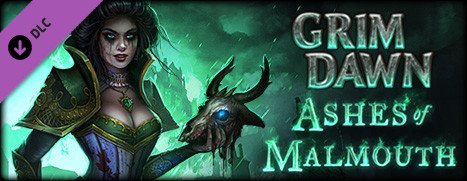
New DLC Available – Grim Dawn – Ashes of Malmouth Expansion

Grim Dawn – Ashes of Malmouth Expansion, all new content for Grim Dawn is Now Available on Steam!

Ashes of Malmouth expands on the apocalyptic fantasy world of Grim Dawn with two new chapters in the epic struggle to free humankind from the horrors of the ruthless Aetherials. Venture into dangerous new parts of the world as you discover unique items, empower your characters and make difficult choices that have a lasting impact on the people of Cairn.

Posted on Leave a comment

Free Weekend – Tom Clancy’s Ghost Recon® Wildlands

Play Tom Clancy’s Ghost Recon® Wildlands for FREE starting now through Sunday at 1PM Pacific Time. You can also pickup Tom Clancy’s Ghost Recon® Wildlands at 50% off the regular price!*

If you already have Steam installed, click here to install or play Tom Clancy’s Ghost Recon® Wildlands. If you don’t have Steam, you can download it here.

*Offer ends Monday at 10AM Pacific Time

Posted on Leave a comment

Forever Entertainment is ‘Amazed’ at Progress of Hollow on Nintendo Switch

If you’ve been browsing the ‘Coming Soon’ section of the European eShop with regularity you’ve likely seen Hollow in the mix. A first-person shooter / horror title, it’s been hard to judge for Switch as the store’s trailer was only a cinematic video.

The developer is keen to highlight that progress is solid, however, tweeting a video of off-screen footage to show how the game is running to date. In tweeted replies it’s stated that the game is targeting native 1080p docked and 720p on the portable.

It seems to be another positive use of the Unreal engine, in particular – The Flame in the Flood, out today, is another title using Unreal. It’s been a notable step-up for Switch, as the Wii U was well known for struggling with the relatively common toolset.

Hollow is out on PC (Steam) on 16th November, so hopefully the Switch won’t be too far behind.

Posted on Leave a comment

Review: Neon Chrome (Switch eShop)

Finding a home on consoles is an ongoing challenge for games that have seen success on Steam and smart devices. While free-to-play or relatively inexpensive titles are becoming available on digital marketplaces thick and fast, it could be argued that there is a degree of stigma that comes with titles making the shift from mobile to console. There are some genuinely great releases and a select few have transferred well over to the console space, including the Switch eShop. While this ‘gold rush’ of titles on the Switch can reveal some hidden gems, it also runs the risk of being a victim of its own success.

Neon Chrome arrives on Switch as a stylish top-down, twin-stick and rogue-lite shooter, with the backdrop of a moody cyberpunk dystopia; the central plot is a combination of Thomas Anderson, Rick Deckard and John Mclain’s worst ‘bad day at the office’. 

You take up the role of a hacker whose mission it is to infiltrate the giant titular tower block known as Neon Chrome, and free the city by remotely taking down its ruler – the elected enigma that the building’s one million enslaved inhabitants ‘trust’, known only as the ‘Overseer’. Climbing thirty two floors in any given ‘neural link’,  the end goal is to reach the top and face off with said nemesis. 

From the outset the player sits in the ‘immersion chair’, able to possess one of three possible, randomly generated avatars referred to as ‘assets’ – representations of human inhabitants that have different weapon load-outs and strengths. Of course there is a local multiplayer option, so you can find a friend or three and snap off those Joy-Cons for some cooperative action. 

When dropped into the procedurally generated set of levels there is a mix of destructible corridor walls, drones to disable, scuttling little beasties to combat, lasers to avoid and special operatives to take of, as well as loot boxes and weapon upgrades to collect. If your avatar dies weapons and stats are retained for your next run, while cash can be traded to increase health, luck, energy or slots; there are a wealth of impressive sounding ‘cybernetic enhancements’ (abilities) to gather while progressing through the levels. You will die and grind a lot in the opening hour or so, but defeating a boss ensures that you at least get closer to the summit without having to start from the bottom again. 

Despite the evil mega corporation, themes of manipulation, control and a maniacal puppet master overlord rhetoric, the overall presentation of the game is pretty lacklustre. The opening cutscene, complete with mauve impressionist skyline and glowing signage, mostly takes care of exposition, with the selectable characters displayed as boxes of text and icons. The appropriately ominous and ambient synth soundtrack fits in well with the aesthetic, harking back to the Sci-Fi classics such as Blade Runner or Terminator. Within the levels, Neon Chrome also sets up a rich, interesting interface – you jump into chambers that are scattered around the levels, with futuristic fonts and fancy insignia for excitingly named special abilities – but the experience is diluted by actually making no real noticeable impact to the actual gameplay; the changes are stat based and don’t translate well into the action. 

Although the levels are procedurally generated, they rarely show any drastic variety in their layout, but the structures of narrow passageways and cubicle-like spaces or rooms – full of power generators – make for some impressive explosions. In terms of extra challenge outside of the gunplay, only colour coded doors that require finding the corresponding keys or taking down particular beacons provide any kind of obstacle, so navigating each floor becomes rather predictable. 

Despite stealth kills, strafing around bigger enemies, the occasional chain reaction of explosions causing widespread carnage – and the ensuing lighting effects that are undeniably satisfying – and Neon Chrome’s fixed top-down viewpoint doing a decent job of showing level layouts, the sprite models feel bland and so distant that the characters (only seen in the pause menu) possess very little personality or physical identity. This is especially notable in handheld mode, where the whole experience seems rather blurry compared to docked gameplay. 

Conclusion

When all is said and done, when the glow of the stylish aesthetic and the intrigue of the Cyberpunk Orwellian narrative have fizzled out, Neon Chrome emerges as an average, sometimes fun but more often than not generic twin-stick rogue-like with a Sci-Fi coat of paint; it rarely lives up to its explosive promise or explores its thematic potential in any meaningful way. It could be argued that the genre is solely about the mechanics, but with a neglected back story failing to compliment the reasonable if hardly revolutionary gameplay, it’s difficult not to feel a little flat about the experience on offer. 

Posted on Leave a comment

Blog: Scaling dedicated game servers with Kubernetes – Part 3

The following blog post, unless otherwise noted, was written by a member of Gamasutra’s community.
The thoughts and opinions expressed are those of the writer and not Gamasutra or its parent company.


Originally posted on compoundtheory.com.

This is part three of a five-part series on scaling game servers with Kubernetes.

In the previous two posts we looked at hosting dedicated game servers on Kubernetes and measuring and limiting their memory and CPU resources. In this instalment we look at how we can use the CPU information from the previous post to determine when we need to scale up our Kubernetes cluster because we’ve run out of room for more game servers as our player base increases.

Separating Apps and Game Servers

The first step we should make before starting to write code to increase the size of the Kubernetes cluster, is to separate our applications — such as match makers, the game server controllers, and the soon-to-be-written node scaler — onto different nodes in the cluster than where the game servers would be running. This has several benefits:

  1. The resource usage of our applications is now going to have no effect on the game servers, as they are on different machines. This means that if the matchmaker has a CPU spike for some reason, there is an extra barrier to ensure there is no way it could unduly affect a dedicated game server in play.
  2. It makes scaling up and down capacity for dedicated game servers easier – as we only need to look at game server usage across a specific set of nodes, rather than all potential containers across the entire cluster.
  3. We can use bigger machines with more CPU cores and memory for the game server nodes, and smaller machines with less cores and memory for the controller applications as they need less resources, in this instance. We essentially are able to pick the right size of machine for the job at hand. This is gives us great flexibility while still being cost effective.

Kubernetes makes setting up a heterogenous cluster relatively straightforward and gives us the tools to specify where Pods are scheduled within the cluster – via the power of Node Selectors on our Pods. It’s worth noting that that there is also a more sophisticated Node Affinity feature in beta, but we don’t need it for this example, so we’ll ignore its extra complexity for now. To get started, we need to assign labels (a set of key-value pairs) to the nodes in our cluster. This is exactly the same as you would have seen if you’ve ever created Pods with Deployments and exposed them with Services, but applied to nodes instead. I’m using Google Cloud Platform’s Container Engine, and it uses Node Pools to apply labels to nodes in the cluster as they are created and set up heterogenous clusters – but you can also do similar things on other cloud providers, as well as directly through the Kubernetes API or the command line client. In this example, I added the labels role:apps and role:game-server to the appropriate nodes in my cluster. We can then add a nodeSelector option to our Kubernetes configurations to control which nodes in the cluster Pods are scheduled onto.

For example, here is the configuration for the matchmaker application, where you can see the nodeSelector set to role:apps to ensure it has container instances created only on the application nodes (those tagged with the “apps” role).

apiVersion: extensions/v1beta1
kind: Deployment
metadata: name: matchmaker
spec: replicas: 5 template: metadata: labels: role: matchmaker-server spec: nodeSelector: role: apps # here is the node selector containers: - name: matchmaker image: gcr.io/soccer/matchmaker ports: - containerPort: 8080

By the same token, we can adjust the configuration from the previous article to make all the dedicated game server Pods schedule just on the machines we specifically designated for them, i.e. those tagged with role: game-server:

apiVersion: v1
kind: Pod
metadata: generateName: "game-"
spec: hostNetwork: true restartPolicy: Never nodeSelector: role: game-server # here is the node selector containers: - name: soccer-server image: gcr.io/soccer/soccer-server:0.1 env: - name: SESSION_NAME valueFrom: fieldRef: fieldPath: metadata.name resources: limits: cpu: "0.1"

Note that in my sample code, I use the Kubernetes API to provide a configuration identical to the one above, but the yaml version is easier to understand, and it is the format we’ve been using throughout this series.

A Strategy for Scaling Up

Kubernetes on cloud providers tends to come with automated scaling capabilities, such as the Google Cloud Platform Cluster Autoscaler, but since they are generally built for stateless applications, and our dedicated game servers store the game simulation in memory, they won’t work in this case. However, with the tools that Kubernetes gives us, it’s not particularly difficult to build our own custom Kubernetes cluster autoscaler! Scaling up and down the nodes in a Kubernetes cluster probably makes more sense for a cloud environment, since we only want to pay for the resources that we need/use. If we were running in our own premises, it may make less sense to change the size of our Kubernetes cluster, and we could just run a large cluster(s) across all the machines we own and leave them at a static size, since adding and removing physical machines is far more onerous than on the Cloud and wouldn’t necessarily save us money since we own/lease the machines for much longer periods. There are multiple potential strategies for determining when you want to scale up the number of nodes in your cluster, but for this example we’ll keep things relatively simple:

  • Define a minimum and maximum number of nodes for game servers, and make sure we are within that limit.
  • Use CPU resource capacity and usage as our metric to track how many dedicated game servers we can fit on a node in our cluster (in this example we’re going to assume we always have enough memory).
  • Define a buffer of CPU capacity for a set number of game servers at all times in the cluster. I.e. add more nodes if at any point you couldn’t add n number of servers to the cluster without running out of CPU resources in the cluster at any point in time.
  • Whenever a new dedicated game server is started, calculate if we need to add a new node in the cluster because the CPU capacity across the nodes is under the buffer amount.
  • As a fail-safe, every n seconds, also calculate if we need to add a new node to the cluster because the measured CPU capacity resources are under the buffer.

Creating a Node Scaler

The node scaler essentially runs an event loop to carry out the strategy outlined above. Using Go in combination with the native Kubernetes Go client library makes this relatively straightforward to implement, as you can see below in the Start() function of my node scaler. Note that I’ve removed most of the error handling and other boilerplate to make the event loop clearer, but the original code is here if you are interested.

// Start the HTTP server on the given port
func (s *Server) Start() error { // Access Kubernetes and return a client s.cs, _ = kube.ClientSet() // ... there be more code here ... // Use the K8s client's watcher channels to see game server events gw, _ := s.newGameWatcher() gw.start() // async loop around either the tick, or the event stream // and then scaleNodes() if either occur. go func() { log.Print("[Info][Start] Starting node scaling...") tick := time.Tick(s.tick) // ^^^ MAIN EVENT LOOP HERE ^^^ for { select { case <-gw.events: log.Print("[Info][Scaling] Received Event, Scaling...") s.scaleNodes() case <-tick: log.Printf("[Info][Scaling] Tick of %#v, Scaling...", tick) s.scaleNodes() } } }() // Start the HTTP server return errors.Wrap(s.srv.ListenAndServe(), "Error starting server")
}

For those of you who aren’t as familiar with Go, let’s break this down a little bit:

  1. kube.ClientSet() – we have a small piece of utility code, which returns to us a Kubernetes ClientSet that gives us access to the Kubernetes API of the cluster that we are running on.
  2. gw, _ := s.newGameWatcher – Kubernetes has APIs that allow you to watch for changes across the cluster. In this particular case, the code here returns a data structure containing a Go Channel (essentially a blocking-queue), specifically gw.events, that will return a value whenever a Pod for a game is added or deleted in the cluster.  Look here for the full source for the gameWatcher.
  3. tick := time.Tick(s.tick) – this creates another Go Channel that blocks until a given time, in this case 10 seconds, and then returns a value. If you would like to look at it, here is the reference for time.Tick.
  4. The main event loop is under the “// ^^^ MAIN EVENT LOOP HERE ^^^” comment. Within this code block is a select statement. This essentially declares that the system will block until either the gw.events channel or the tick channel (firing every 10s) returns a value, and then execute s.scaleNodes(). This means that a scaleNodes command will fire whenever a game server is added/removed or every 10 seconds.
  5. s.scaleNodes() – run the scale node strategy as outlined above.

Within s.scaleNodes() we query the CPU limits that we set on each Pod, as well as the total CPU available on each Kubernetes node within the cluster, through the Kubernetes API. We can see the configured CPU limits in the Pod specification via the Rest API and Go Client, which gives us the ability to track how much CPU each of our game servers is taking up, as well as any of the Kubernetes management Pods that may also exist on the node. Through the Node specification, the Go client can also track the amount of CPU capacity available in each node. From here it is a case of summing up the amount of CPU used by Pods, subtracting it from the capacity for each node, and then determining if one or more nodes need to be added to the cluster, such that we can maintain that buffer space for new game servers to be created in. If you dig into the code in this example, you’ll see that we are using the APIs on Google Cloud Platform to add new nodes to the cluster. The APIs that are provided for Google Compute Engine Managed Instance Groups allow us to add (and remove) instances from the Nodepool in the Kubernetes cluster. That being said, any cloud provider will have similar APIs to let you do the same thing, and here you can see the interface we’ve defined to abstract this implementation detail in such a way that it could be easily modified to work with another provider.

Deploying the Node Scaler

Below you can see the deployment YAML for the node scaler. As you can see, environment variables are used to set all the configuration options, including:

  • Which nodes in the cluster should be managed
  • How much CPU each dedicated game server needs
  • The minimum and maximum number of nodes
  • How much buffer should exist at all times
apiVersion: extensions/v1beta1
kind: Deployment
metadata: name: nodescaler
spec: replicas: 1 # only want one, to avoid race conditions template: metadata: labels: role: nodescaler-server spec: nodeSelector: role: apps strategy: type: Recreate containers: - name: nodescaler image: gcr.io/soccer/nodescaler env: - name: NODE_SELECTOR # the nodes to be managed value: "role=game-server" - name: CPU_REQUEST # how much CPU each server needs value: "0.1" - name: BUFFER_COUNT # how many servers do we need buffer for value: "30" - name: TICK # how often to tick over and recheck everything value: "10s" - name: MIN_NODE # minimum number of nodes for game servers value: "1" - name: MAX_NODE # maximum number of nodes for game servers value: "15"

You may have noticed that we set the deployment to have replicas: 1. We did this because  we always want to have only one instance of the node scaler active in our Kubernetes cluster at any given point in time. This ensures that we do not have more than one process attempting to scale up, and eventually scale down, our nodes within the cluster, which could definitely lead to race conditions and likely cause all kinds of weirdness. Similarly, to ensure that the node scaler is properly shut down before creating a new instance of it if we want to update the node scaler, we also configure strategy.type: Recreate so that Kubernetes will destroy the currently running node scaler Pod before recreating the newer version on updates, also avoiding any potential race conditions.

See it in Action

Once we have deployed our node scaler, let’s tail the logs and see it in action. In the video below, we see via the logs that when we have one node in the cluster assigned to game servers, we have capacity to potentially start forty dedicated game servers, and have configured a requirement of a buffer of 30 dedicated game servers. As we fill the available CPU capacity with running dedicated game servers via the matchmaker, pay attention to how the number of game servers that can be created in the remaining space drops and eventually, a new node is added to maintain the buffer!

[embedded content]

Next Steps

The fact that we can do this without having to build so much of the foundation is one of the things that gets me so excited about Kubernetes. While we touched on the Kubernetes client in the first post in this series, in this post we’ve really started to take advantage of it. This is what I feel the true power of Kubernetes really is – an integrated set of tools for running software over a large cluster, that you have a huge amount of control over. In this instance, we haven’t had to write code to spin up and spin down dedicated game servers in very specific ways – we could just leverage Pods. When we want to take control and react to events within the Kubernetes cluster itself, we have the Watch APIs that enable us to do just that! It’s quite amazing the core set of utility that Kubernetes gives you out of the box that many of us have been building ourselves for years and years. That all being said, scaling up nodes and game servers in our cluster is the comparatively easy part; scaling down is a trickier proposition. We’ll need to make sure nodes don’t have game servers on them before shutting them down, while also ensuring that game servers don’t end up widely fragmented across the cluster, but in the next post in this series we’ll look at how Kubernetes can also help in these areas as well! In the meantime, as with the previous posts – I welcome questions and comments here, or reach out to me via Twitter. You can see my presentation at GDC this year as well as check out the code in GitHub, which is still being actively worked on! All posts in this series:

  1. Containerising and Deploying
  2. Managing CPU and Memory
  3. Scaling Up Nodes
  4. Scaling Down Nodes (upcoming)
  5. Running Globally (upcoming)