Posted on Leave a comment

Round Up: Realms Deep 2023 – Every Game Coming To Nintendo Switch

Realms Deep

It’s Realms Deep this weekend – a celebration of retro shooters in both old and new ways. It’s hosted by 3D Realms, the legendary publisher behind series such as Duke Nukem. As part of the 2023 event, 3D Realms and friends once again hosted a show filled with world premieres, special guests in interviews and even some delays.

If you didn’t catch the four-hour livestream, there’s no need to worry as we’ve rounded up all the Switch highlights. Enjoy!

Every Switch Announcement At Realms Deep 2023

WRATH: Aeon of Ruin

This Quake-powered FPS was announced for Switch in September last year. Although it was originally due to arrive on the Switch in Spring 2023, it will now be leaving “early access” on PC on 27th February 2024. There’s no update on the console versions, but hopefully a Switch release follows:

Phantom Fury

Ion Fury‘s Shelly “Bombshell” Harrison is back in the “road movie-inspired” Phantom Fury. This game has previously been confirmed for the Nintendo Switch and multiple other platforms but has seemingly missed its release date. 3D Realms instead offered up a demo, which you can try out on Steam or check out in the below playthrough:

Kingpin: Reloaded

This Kingpin remaster and enhanced version of the crime-themed first-person shooter was announced back in 2020 and now at the latest broadcast, it’s been locked in for a 5th December 2023 release on PC now.

The Nintendo Switch and other platforms were part of the original announcement, but there’s no direct reference to them in the latest trailer.

Rise of the Triad: Ludicrous Edition

Rise of the Triad: Ludicrous Edition arrived this week on the Nintendo Switch, here’s the trailer and our Nintendo Life review:

Graven

The dark fantasy FPS GRAVEN will be exiting early access on 23rd January 2024 after a number of delays. There’s no update on the Switch release, but it was confirmed for the system back in 2021. You can check out the new trailer below:

Ion Fury: Aftershock

The latest announcement of the show was a release date for Ion Fury: Aftershock. This is an expansion to Ion Fury and is launching on 2nd October for PC. There’s no word on a console release date just yet, but if we hear anything, we’ll let you know.


You can get a full recap of Realms Deep 2023 on the official 3D Realms YouTube channel. Anything here you like the look of? Tell us in the comments.

Posted on Leave a comment

Mortal Kombat 1 Might Reveal A Surprise At New York Comic Con 2023

Mortal Kombat 1
Image: NetherRealm Studios, WB Games

If you’ve been wondering when we’ll be seeing more Mortal Kombat 1 reveals, it could potentially be at New York Comic Con 2023 in a few weeks.

In some new posts on social media, the game’s director and co-creator Ed Boon mentioned how a new patch would be rolled out early next week. As highlighted by fighting game website EventHubs, fans couldn’t help but notice the abbreviation ‘NYCC’ hidden within this message:

Unsurprisingly, this has led to a lot of speculation about a potential teaser or surrpise at Comic Con, with conversation about a possible “game play debut” for Invicible’s Omni-Man. Boon was quick to respond to this, claiming there wouldn’t be a “game play trailer” for this DLC fighter.

Noticeably he hasn’t completely ruled out Mortal Kombat 1 news at Comic Con, so there could still potentially be a reveal or update about the new fighting at this event. This new entry will also have its own tournament at the New York convention this year.

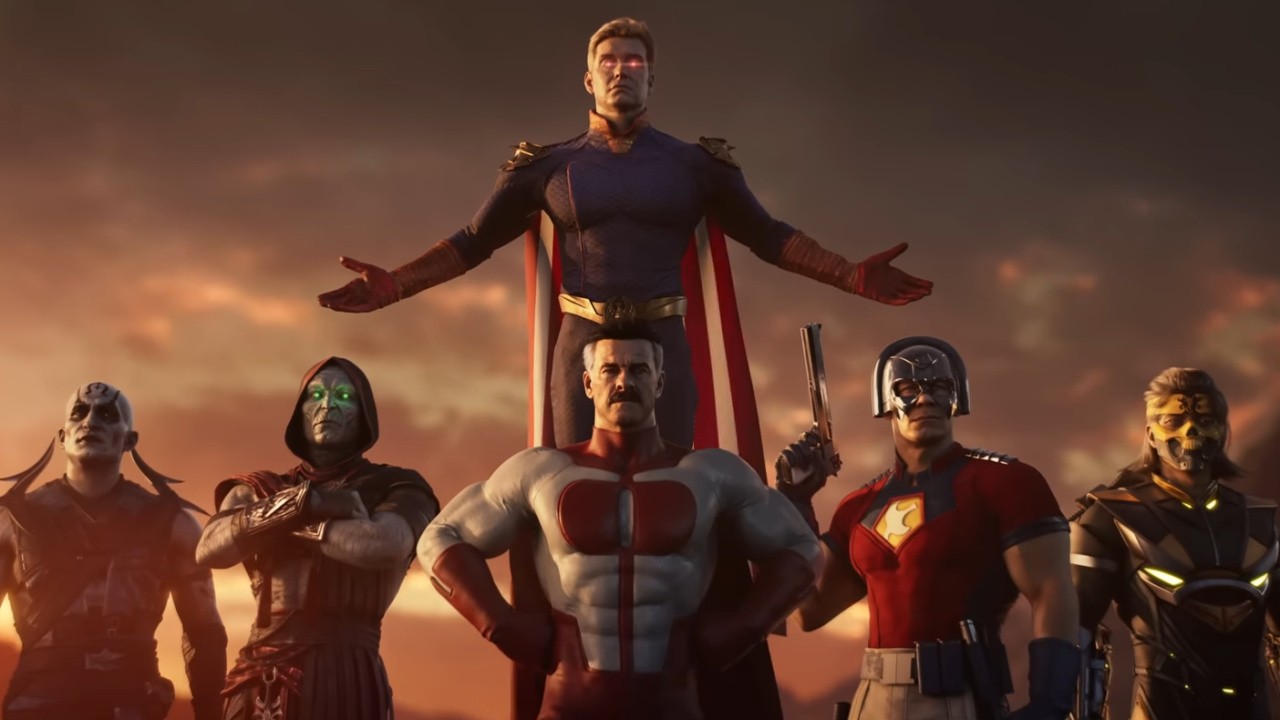
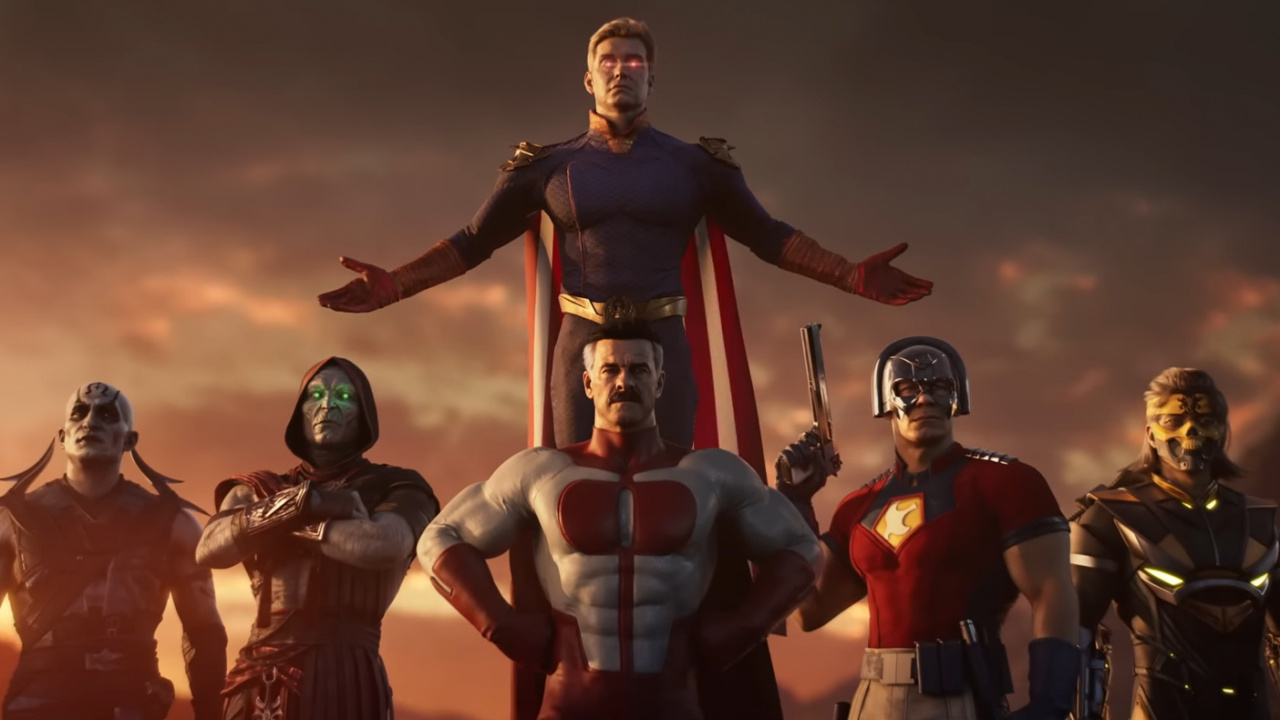
New York Comic Con 2023 runs between 12th October and 15th October. When the Kombat Pack launches in Spring 2024 it will include the Mortal Kombat fighters Quan Chi, Ermac and Takeda, along with Peacemaker (DC Comics) Omni-Man (Invincible) and Homelander from the hit series The Boys.

If we hear any updates we’ll let you know. What reveal would you like to see next from Mortal Kombat 1? Leave a comment below.

Posted on Leave a comment

Video: EA Sports FC 24 Graphics Comparison Shows Off Switch Performance & Resolution

Electronic Arts kicked off its new replacement series EA Sports FC 24 this week and the good news is it’s finally delivered a solid experience on the Switch.

It’s all thanks to the much-needed Frostbite Engine upgrade which puts the Nintendo version of the game in line with other builds. While the gameplay itself now offers full feature parity with other consoles, you might still be wondering how the Switch release compares to the other next-gen versions in terms of performance and resolution.

The tech-focused YouTube channel ‘ElAnalistaDeBits‘ is back at it, this time with a side-by-side comparison of the Switch release of EA Sports FC 24 alongside the PlayStation 4 and PlayStation 5 versions. As previously revealed, the game runs at 1080p docked, 720p handheld, and is 30FPS across both modes. In this video you can see the Nintendo version in motion.

In our own review of EA Sports FC 24, we said the Switch release was a port to be proud of. You can check it out below:

Will you be taking to the pitch in EA Sports FC 24? Tell us in the comments.

Posted on Leave a comment

Thronmax Space wireless mic kit review: an almost-great option for vloggers & more


The Thronmax Space wireless mic kit includes a useful and well-designed pack of condenser and lavalier mics and accessories that drops the ball with no included support for Apple mobile devices.

Thronmax has been making USB microphones for quite a while, but mostly the sort you might use for video-conferencing or podcasting when you need an upgrade from built-in mics. Their forthcoming Space mic set adds to their desktop line by expanding into wearable wireless mics.

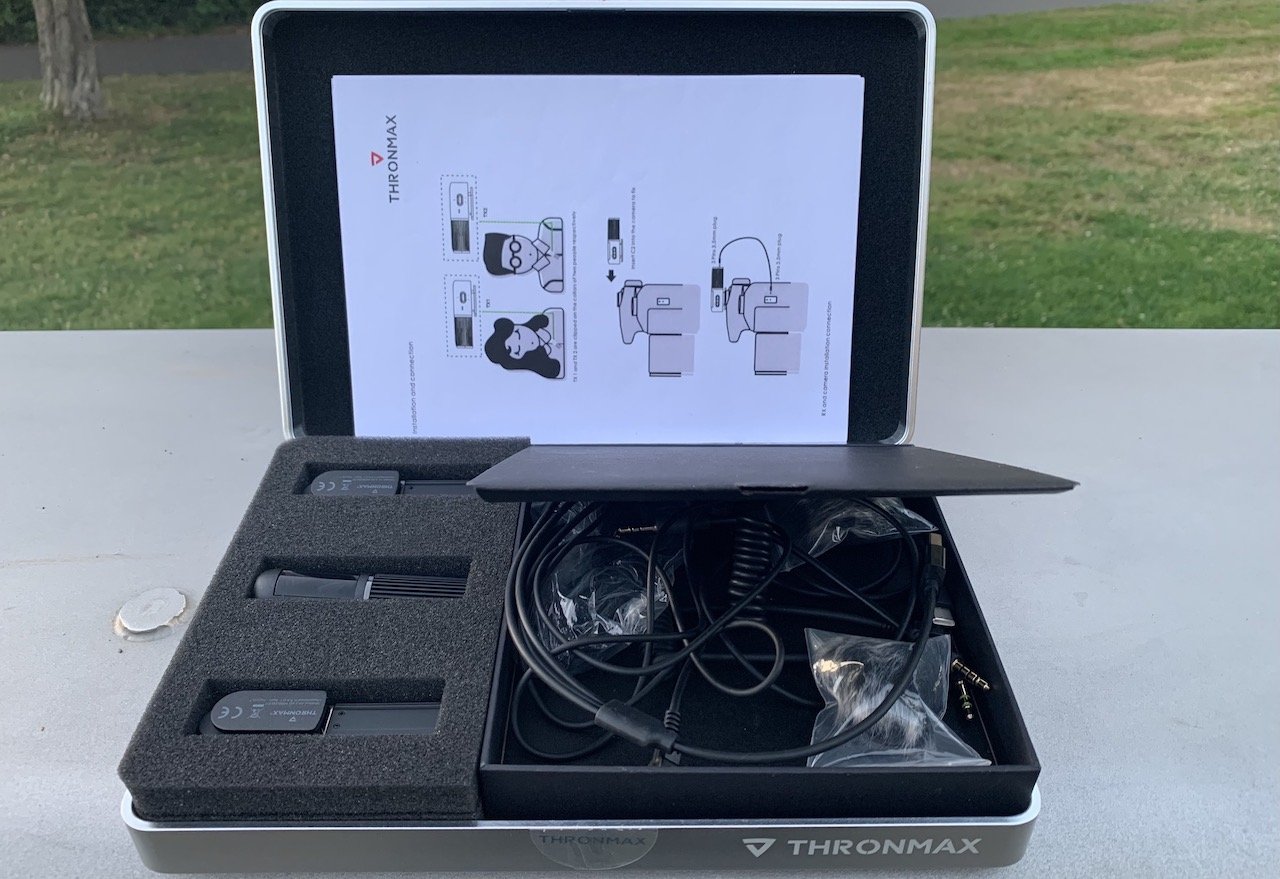
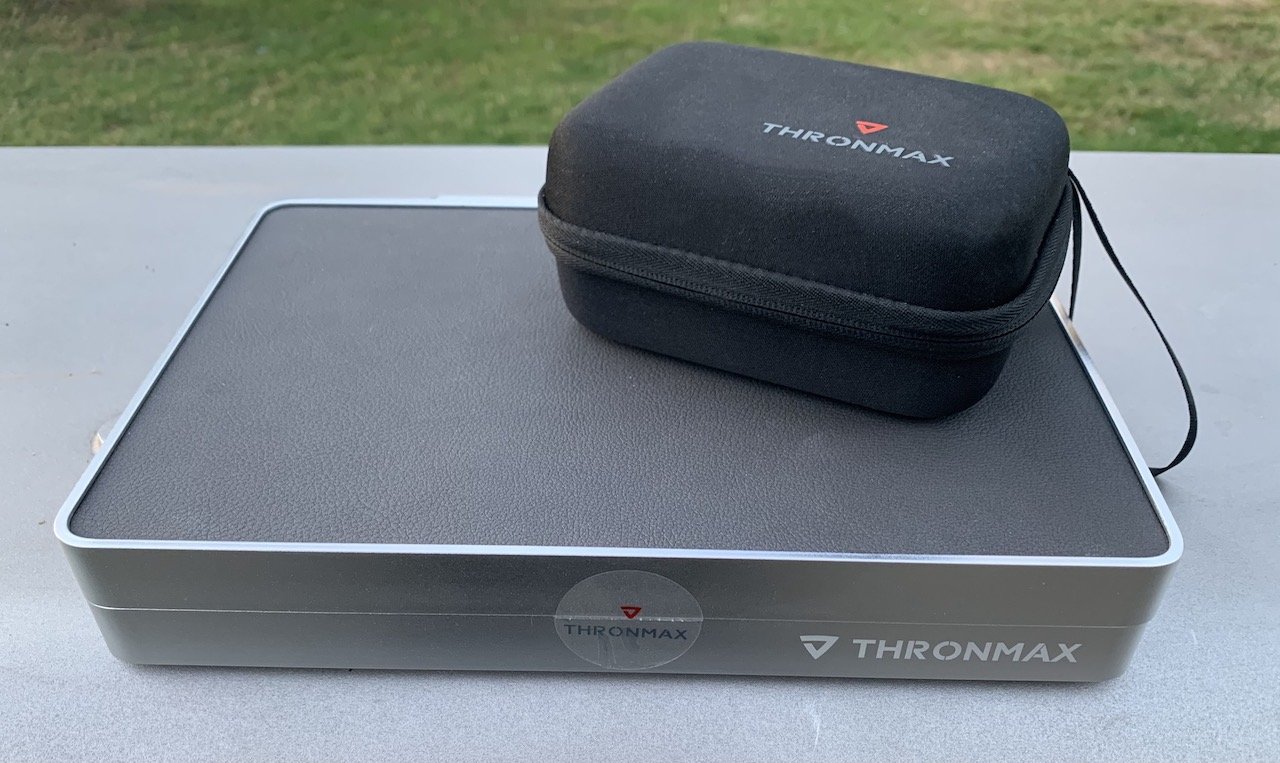
This package is a great option for photographers, filmmakers, interview shows, or anywhere you need a wireless microphone. The kit comes in a “presentation” metal box with some faux leather on the top.

The presentation box

This nice touch makes it useful as a tray for easy access to the other items or as a soft top to rest delicate equipment, like a DSLR. The kit includes:

  • Two condenser microphones that double as wireless transmitters
  • Two lavalier mics with TRS cords that attach to the transmitters
  • A receiver module designed to look a lot like the transmitters
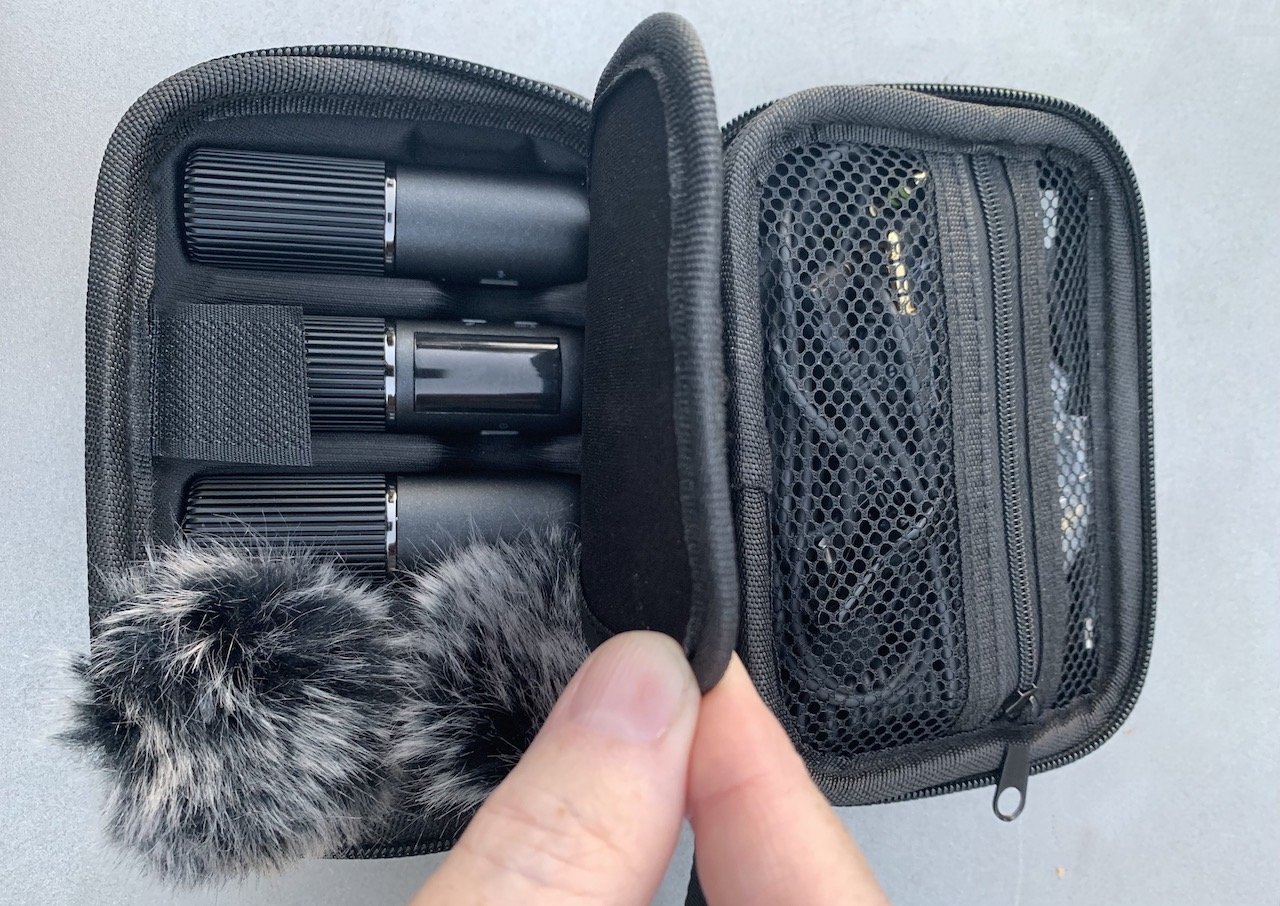
  • A vastly smaller zippered carrying case that everything can squeeze into for portability
  • Two windscreen filters for outdoor work
  • A TRS-to-TRRS adapter cord (compatible with Apple headphone jacks)
  • A TRRS-to-USB-C cord (Android-only, according to Thronmax)
  • A USB-A to USB-C tri-head cable (for charging the mics and receiver)
  • A two-page “manual” that explains what each piece is and some of its controls
The more compact travel version with the same contents

The more compact travel version with the same contents

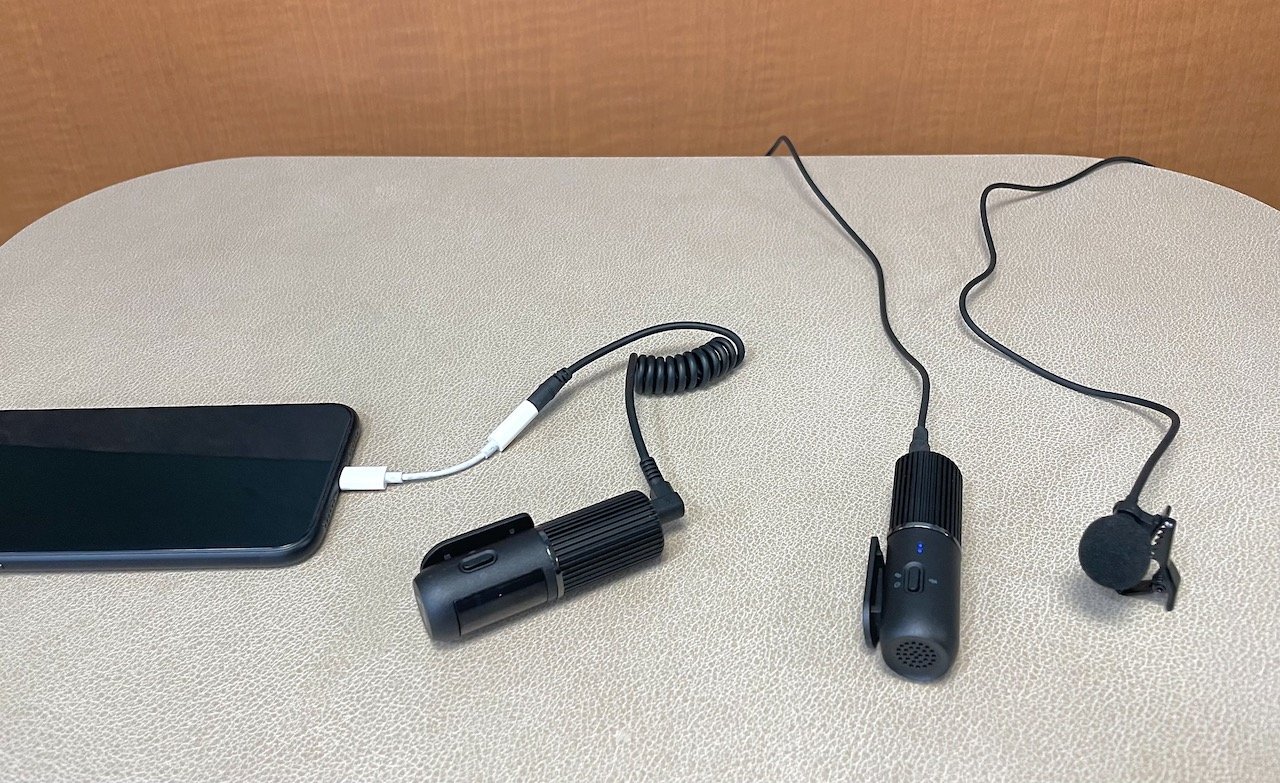
It’s what this kit forgets to include that makes it frustrating for Apple users. To record these mics flowing into an iPhone or iPad, you must buy a TRRS adapter to Lightning and a TRRS adapter to USB-C.

If your Mac includes a headphone jack, you can use the included TRS-to-TRRS cord without issue. But the point of this kit is to record almost anywhere, so having no included way to record directly to an iPhone or iPad is a major shortcoming.

Thankfully, Apple sells TRRS adapters as 3.5mm headphone adapters for Lightning or USB-C for a mere $9 each. They work as mic and headphone adapters because they work with the built-in mic on EarPods.

To briefly explain TRS and TRRS for those unfamiliar: if you look at the plug end of a 3.5mm headphone or microphone, you’ll see a metal sleeve topped by a shaped tip and some black markings along the sleeve. The bit of the metal sleeve between the markings is called a “ring.”

A 3.5mm wired headphone that does not have a mic built-in will have one ring and is known as TRS, or Tip-Ring-Sleeve. The “ring” area is usually used for right-channel sound, and the tip is used for the left channel.

When a wired headphone does include a mic, you’ll see three black markings, designating two “rings.” This is a TRRS or Tip-Ring-Ring-Sleeve mic, where the tip is used for the left channel, the first ring is used for the right channel, and the lower ring is for grounding.

The TRRS plug goes into your adapter or headphone jack for Apple devices.

The TRRS plug goes into your adapter or headphone jack for Apple devices.

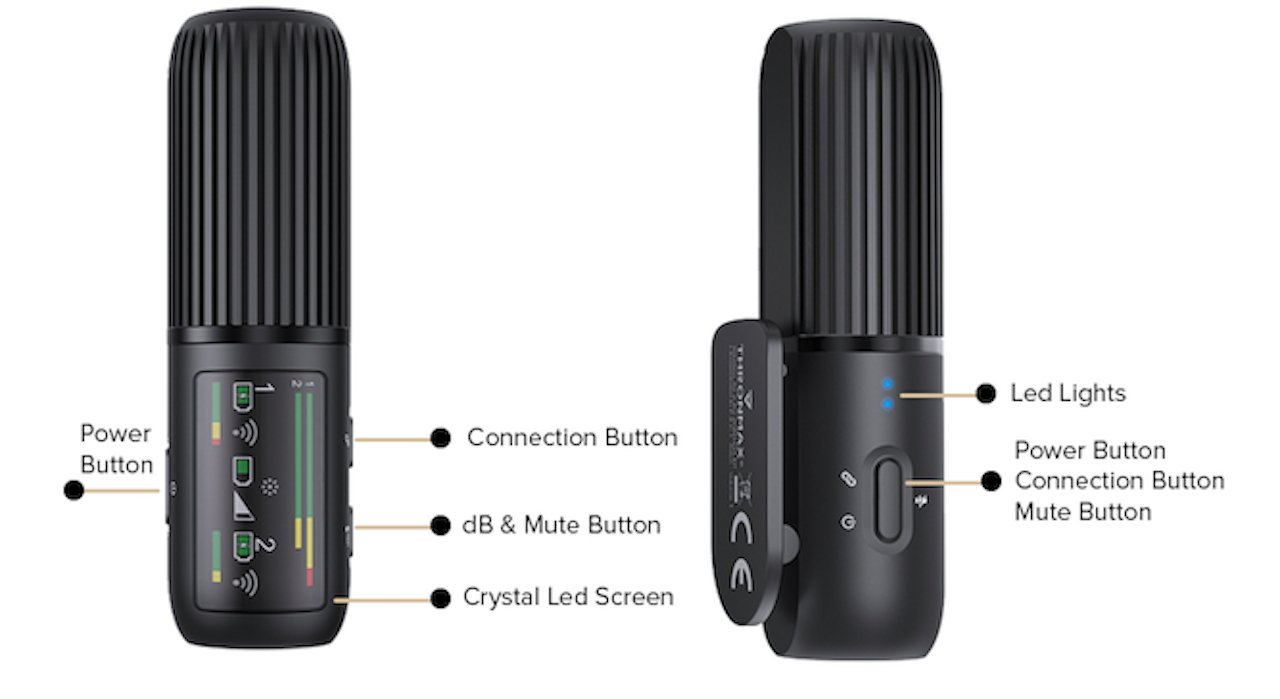
The wireless transmitters in the Thronmax Space kit are a brilliant bit of design work. Instead of just being transmitters, they double as small-capsule condenser microphones.

They feature a nice, compact, and rounded “barrel” design that will blend right in if you’re wearing black or dark grey. You can use the included lavaliers if they’re too bulky for your needs.

The lavalier mics plug into the transmitter and turn off the condenser mic. Being smaller mics, the lavaliers lose some sound quality but, like the condensers, can be combined into a stereo pair if desired.

The mic/transmitters and the receiver module feature a clip that works well with the vest, shirt collar, or jacket thickness. The clip also slides right into a camera’s hot shoe for easy recording if you’re using a DSLR, as most YouTubers do.

The clips on the mics and receivers fit perfectly into a DSLR's hot shoe.

The clips on the mics and receivers fit perfectly into a DSLR’s hot shoe.

Thronmax Space kit – Microphones

The condenser mics shine when you have someone speaking, but you also want some of the ambient environment sound— for example, the echo of a church or the sounds of the beach. The lavaliers are best suited to an interview situation or when you want much less ambiance to be included with the voice.

Microphones this compact are, of course, no match for large-capsule USB or XLR mics such as Blue’s Yeti, Rode’s NT1, or Thronmax’s array of desktop mics. But they do a good job of capturing voice with highs, lows, and midrange tones.

Even more importantly, the audio has no detectable “lag” that could cause sync issues with any recorded video. Our testing found this held true even when the subject was a considerable distance away.

These microphones have an impressive range when it comes to line-of-sight distances. We put them to the test in a 60-foot long, reverberant underground car park and different outdoor locations, such as by the ocean, while equipped with the provided windscreen. According to the manufacturer, these mics can maintain signal even at greater distances.

Indeed, we never once lost signal — even when our back was turned, walking away from the receiver, or as far as 200 feet away.

Thronmax Space kit – Cords and hardware

One key factor to ensure a good-quality recording is learning the receiver module’s minimalist controls. As with the transmitter mics, the on/off button is unmarked but pretty obvious, as it’s set off away from other buttons.

We found that the transmitters and receivers paired instantly without fail — no pairing required. That said, you can hold the power button on the transmitters to force pairing if necessary.

The receiver module also has a separate power button, an unmarked force-pairing button, and another unmarked button for adjusting the gain. Oddly, the gain is by default on full — which will result in distorted audio if the mic is too close.

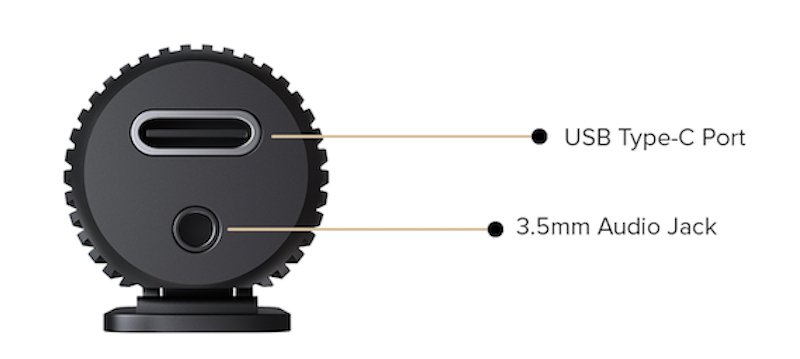
The underside of the condenser mics/transmitters. USB-C is for charging only.

The underside of the condenser mics/transmitters. USB-C is for charging only.

In our testing, the two-thirds setting helped in noisy environments. The one-third setting was the norm for routine in-studio or quiet outdoor recording.

Once the gain is set, it is remembered until changed again. When the two mics are paired to make a stereo, they are perfect for recording nature sounds or live music.

The battery life on the mic/transmitters and receiver was also excellent, averaging about eight hours of “on” time. They can be quickly recharged using the tri-head USB-C cord to a USB-A port on a handy PC, older Mac, or battery pack.

If you don’t have an available USB-A port because you’re on location, you can use an adapter or hub to allow charging from a USB-C port. You shouldn’t need to recharge on a typical location shoot, but it’s best to have a battery pack to hand if you do.

The travel case makes for a tight fit to get everything in. However, it is wonderfully small and compartmented to make it easy to put everything in its place — even the fuzzy, tiny windscreens.

The presention box, and included (and far more practical) travel case.

The presention box, and included (and far more practical) travel case.

The designers put a lot of thought into the presentation, and it shows. This is why we are somewhat confused that the company does not make any sort of recording software for mobile devices — for any platform.

We used Rode’s Connect app for mobile devices since it easily “sees” when an external mic is available. Macs can use Rogue Amoeba’s excellent Audio Hijack.

Thronmax Space mic kit – Falls short of expectations

It’s important to note that the version of the Space wireless mic kit we reviewed is pre-release. Thronmax may correct the software, cords, and full Apple compatibility issues by the time it appears on retail sites and in stores.

Given their decent track record with Macs for their desktop USB mics, we hope the final product will be more Apple-friendly. You are good to go if you’re using an Android phone with a USB-C port for your recorder, apart from an actual recording app.

We have to review the product as we received it — and the lack of included iOS/iPadOS cord compatibility stops this from being a four-star review. Thronmax should also develop its own smartphone recording app or partner with another company to provide an app.

Simply put, using this kit should not require ordering one or more Apple accessories. An Apple-compatible Lightning and USB-C to TRRS adapter should be in the box, even if that means making the travel pouch a tiny bit bigger.

The condenser mics themselves, and especially the combo mic-and-transmitter design, are very high-quality and well-designed. They have a sound on par with some of their competitors in this small wireless-mic space, such as the Rode One wireless system or the Saramonic version.

The included lavaliers, being smaller mics, are, of course, not quite as good. That said, they are well-suited to keeping ambient noise low and fine for any scenario where hiring a boom mic operator would be impractical.

Thronmax Space wireless mic kit – Pros

  • Two mics and two types of mics included
  • True stereo recording option
  • Line-of-sight distance is impressive
  • Rock-solid pairing and connection
  • Good battery life, easy to recharge
  • Unique, well-built design

Thronmax Space wireless mic kit – Cons

  • No included iOS or iPadOS cables
  • Extra Apple accessories needed for iPhone/iPad recording
  • No accompanying recording app available
  • Charging cord connects to USB-A

Rating: 3 out of 5

Where to buy the Thronmax Space wireless mic kit

This project was originally fully funded via Kickstarter and IndieGoGo. Afterwards, it became available to preorder from the Thronmax website, priced at $169.

Posted on Leave a comment

Feature: “We Wouldn’t Give The Silent Hill IP To A Team Like Yours” – Dementium: The Ward’s Origins And Switch Return

Dementium
Image: Atooi

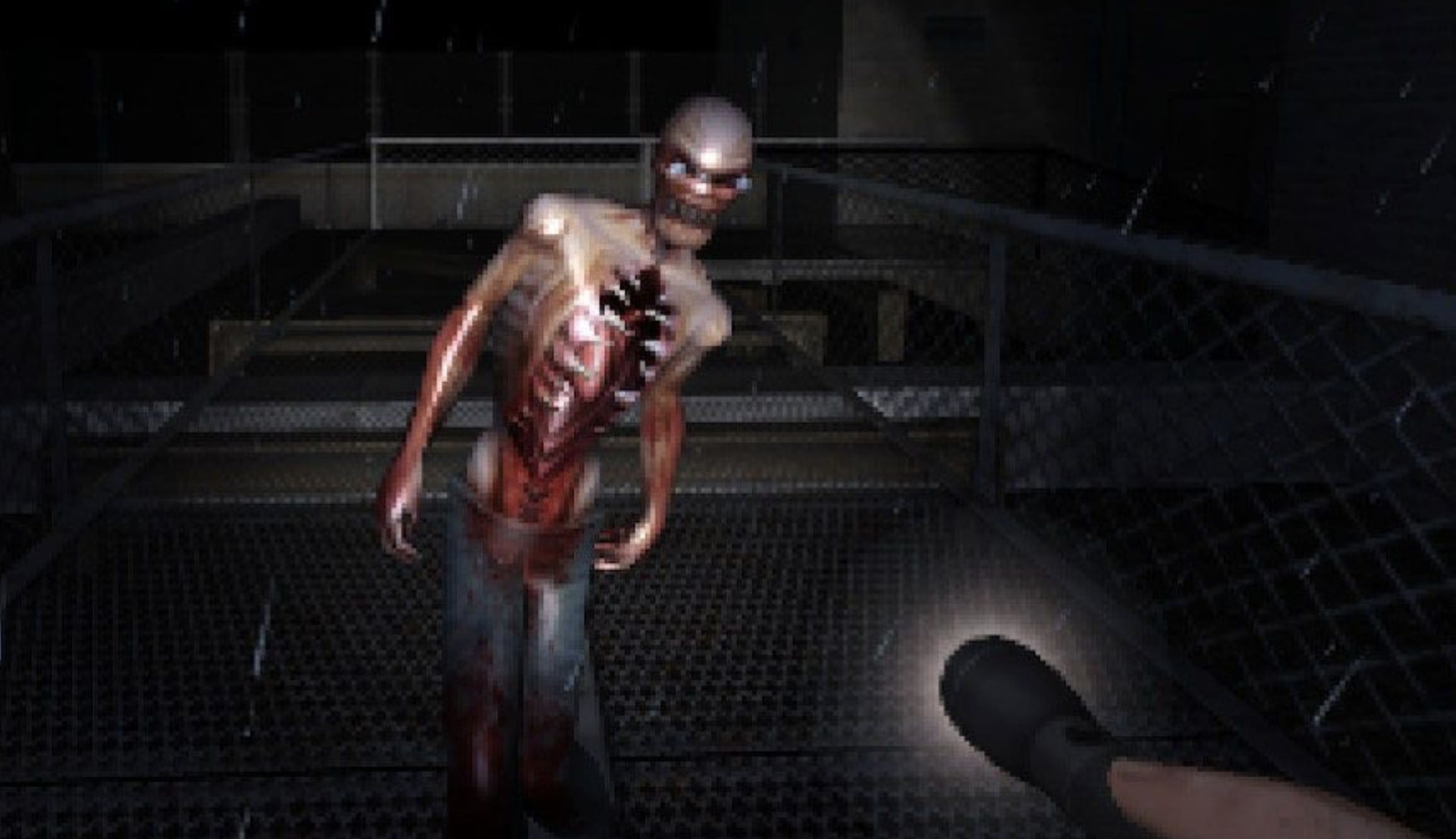
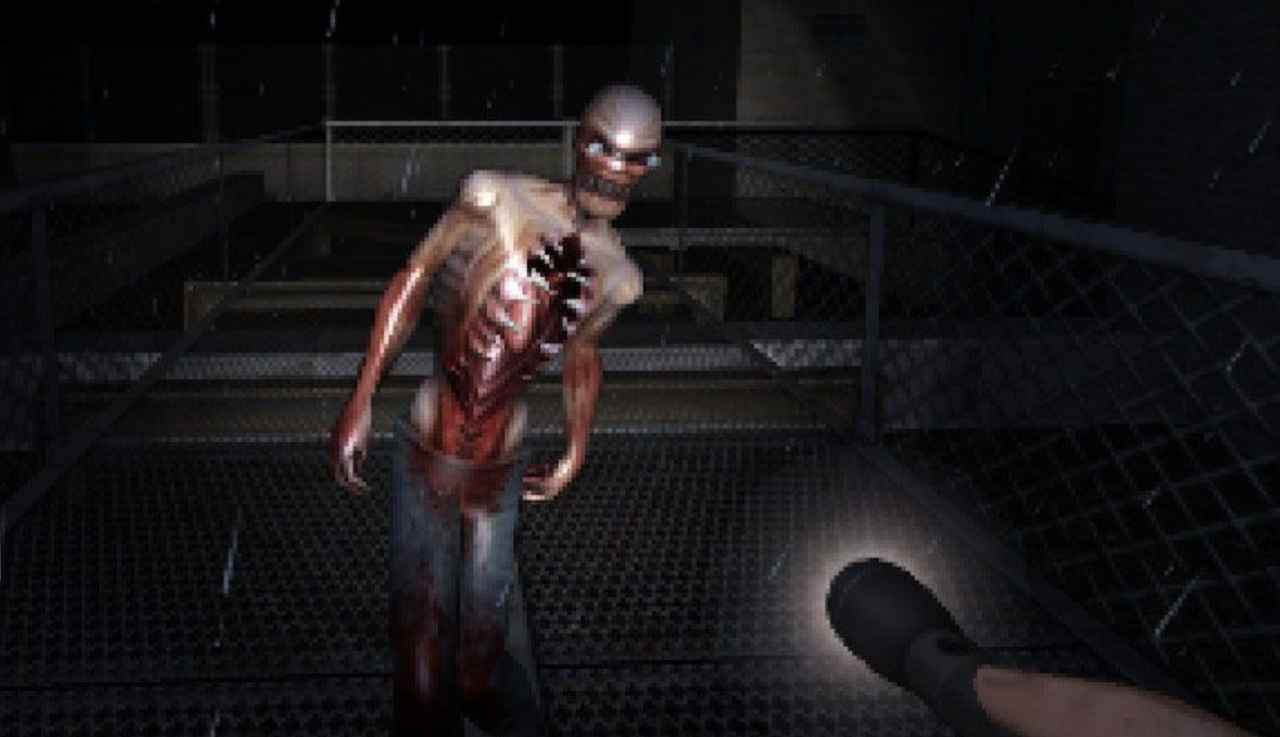
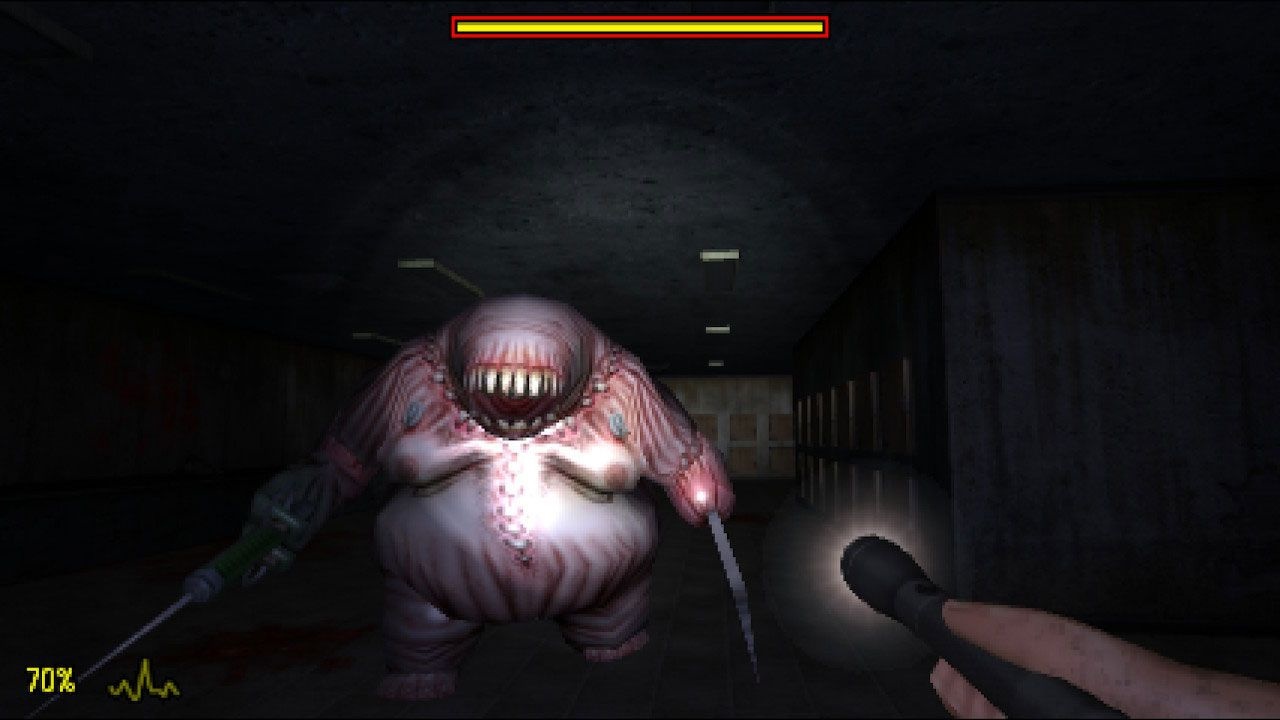
Over 15 years since its initial release on the Nintendo DS, horror FPS Dementium: The Ward is getting a re-release on the Nintendo Switch eShop, utilising the 2015 3DS remaster as its foundation.

While its creepy low-fi visuals and disturbing creature design have attracted a cult following over the years, Dementium remains a fairly niche title that, until now at least, has been fairly difficult to get hold of since the closure of the 3DS eShop earlier this year.

To go over the motivation behind its return and share some anecdotes of its origins — including Konami’s reaction to its initial pitch as a Silent Hill spin-off — we spoke with Atooi’s Jools Watsham, the game’s director and lead designer. We also delve into what’s been going on with the long-delayed Hatch Tales and how Watsham has managed to juggle game development with crowdfunding duties.


Nintendo Life: Dementium: The Ward was originally released back in 2007 for the DS, with a remastered version following in 2015 for the 3DS. Now that the game is coming to the Switch, what is it about this world that keeps drawing you back in?

Jools Watsham: Dementium: The Ward was the first independent game we created when we formed Renegade Kid. Our goal was to create an unsettling environment and a truly creepy experience for players. Many years went by when I didn’t have a chance to play Dementium: The Ward because I was tied up with other games.

Plus, it can be hard to look back at your old work; all you see are the mistakes you made. We were lucky enough to remaster the original DS game for the 3DS, which offered us the opportunity to fix many of the issues with the original release. This made me fall in love with the Dementium universe all over again, which makes it extremely exciting to bring those updated features and more to the Nintendo Switch.

Can you talk about your experience pitching The Ward to Konami as a potential Silent Hill project? Would this game have been significantly different from the eventual final product?

I attended GDC in March 2007 and scheduled a bunch of meetings with different publishers in San Francisco. Konami was one of the publishers I met with. It was a fairly brief meeting in a hotel lobby near the convention center. The person I met with from Konami was rather dismissive and said something to the effect of, “We wouldn’t give the Silent Hill IP to a team like yours”. It was quite surprising and very disheartening.

The person I met with from Konami was rather dismissive…It was quite surprising and very disheartening.

I imagine the game could have been quite different with the Silent Hill IP influencing it, but that would have depended on the budget given to development. Fortunately, soon after GDC we met up with Gamecock in Austin, Texas, and signed the game with them. I must admit, being able to continue to develop our own creations was much more satisfying than creating someone else’s brand.

Compared to the 3DS remaster, what gameplay tweaks and enhancements can Switch players expect from the new version?

We spent most of our time making sure the gameplay felt smooth and responsive on a controller as this was the first time the game was not tethered to dual-screen touch controls. All of the interactive screens that were on the lower screen of the 3DS had to be adapted to work as a single-screen experience for the Switch. Sitting back for the first time in a comfortable chair with a pro controller in my hands and a large TV in front of me felt amazing. Dementium: The Ward translated very well to a console experience.

We put a lot of polish into how the various screens are presented to the player and added some quality-of-life updates, such as highlighting the save locations on the player’s maps. Our goal was to make sure the game experience was as comfortable as possible while placing players in the most uncomfortable of situations.

Dementium 02
Image: Atooi

How have you approached the visuals on Switch? How do you strike the balance between retaining the essence of the original and updating it for 2023?

From the game’s inception, we approached Dementium: The Ward as an atmospheric retro fps revival. We wanted to retain as much of the original game’s charm as we could while making sure it took advantage of the 16:9 aspect ratio and maintaining 60fps. The result is an extremely smooth experience that feels both familiar and fresh.

Can you walk us through the transference of the rights to Dementium and how you managed to regain them this year through Atooi?

This was a very difficult and delicate situation. As you may already know, my friend and co-founder of Renegade Kid, Gregg Hargrove, sadly passed away in 2018. While all of Renegade Kid’s 2D games were transferred over to Atooi, Gregg’s company, Infitizmo, gained the rights to all of the 3D titles. We felt this was the easiest and smoothest way to divvy up our work.

Last year, I approached Gregg’s widow to see if she had any plans for Dementium, as she became responsible for Infitizmo’s assets after Gregg’s passing. If she wanted to hang onto Dementium in memory of Gregg, I would have understood and let it be. She was happy to discuss options and we were able to come to an agreement in which everybody benefits from continuing the Dementium brand.

Recently, when people think of horror remakes, Resident Evil and its big-budget spectacle is at the forefront of the conversation. What do you think of these games and the approach taken by Capcom, and do you there’s a risk of losing something when horror moves away from the genre’s traditionally modest budgets and ‘makeshift’ roots?

I think there’s a place for big-budget horror, just as much as low-budget. I love a high-production horror movie. There’s a unique and special feeling with them. The important thing about any creation, regardless of budget, is the material and what you do with it.

“The long and short of it is that I made many mistakes in how I handled the communication with the Kickstarter community while we were having our own internal crisis with the identity of the game.”

In other Atooi news, you’ve announced a release date for Hatch Tales, a game that (from the outside, at least) seems to have had a rocky road to release. There’s been much criticism from Kickstarter backers over communication — could you go into some of the specific issues you’ve had on Hatch Tales?

Yes, it has been an adventurous development journey. The long and short of it is that I made many mistakes in how I handled the communication with the Kickstarter community while we were having our own internal crisis with the identity of the game. These types of development issues are common, but how to handle them when you have over 1,500 backers wanting to know what’s going on was a new and challenging experience for me.

We hit two major snags along the way. One was the emphasis of the level editor and the other was the kiddy nature of the personality of the game and the main characters. This, in turn, created a third issue with the schedule and budget, which snowballed into the need to make more games to bring in money to fund the continued development of Hatch Tales. It was a very difficult situation, and I am very happy to say we’re passed it now (phew!). We managed to solve the game’s identity crisis and get back on track to complete a game we’re very proud of.

How confident are you with the March ’24 release date?

Eggs-tremely.

Speaking with other devs over the years, it seems that despite the benefits, crowdfunding can have serious drawbacks, especially around design or timeline alterations that players typically wouldn’t be privy to. Is there anything you’d change with your approach were you to crowdfund future projects?

Honestly, I don’t know if my approach to game development is compatible with crowdfunding.

Hatch Tales
Image: Atooi

Petadachi is another announced project that looked intriguing — what’s the status there?

Yes, I love, love, love Petadachi and I’m very much looking forward to resuming the development of that title soon. It is on hold for now, but we plan to dive back into that delightful universe again in the near future.

You’ve previously mentioned the possibility of revisiting Dementium II and also creating a brand new third entry. Are these still possibilities or, perhaps, in the pipeline?

Nothing planned at this time, but yes.

Are there any recent horror games that you’ve enjoyed and could inform your approach to a potential new title?

The most recent horror title I played that stood out to me was The Mortuary Assistant. A very clever game. I have a few ideas for a new Dementium game that I have been kicking around for a while that I think will present a pretty fresh experience. Hopefully, we’ll have an opportunity to experiment with that in the future.

What do you make of the recent resurgence of DS games on Switch with titles like The World Ends With You and Ghost Trick? Have you found it challenging moving Dementium over to a single-screen format?

I think it’s fantastic. Great games should live on for new players to enjoy. It did take a lot of work to adapt the two-screen nature of Dementium: The Ward over to a single-screen experience, but it was well worth it.

We noticed your horror movie watch list on Twitter for 2023 and there are some true gems in there – are there any particular horror films that have influenced your work?

Our main inspirations for Dementium were Silent Hill, Resident Evil, and Doom. In regards to movies, modern classics like Scream really drove home the formula in a very creative and enjoyable way. The opening scene of Scream, where the “credible threat” is established definitely influenced my design for Dementium and the initial sighting of the Cleaver in the first corridor.


This interview has been lightly edited for clarity.

Thanks to Jools for taking the time to answer our questions. Dementium: The Ward launches on the Switch eShop on October 12th, 2023, while Hatch Tales will launch on March 28th, 2024.

Posted on Leave a comment

Guide: Best Mortal Kombat Games On Nintendo Systems – Every MK, Ranked By You

Best MK Games
Image: Nintendo Life

When you think back on the significant controversy caused by Mortal Kombat back in the ’90s, it’s almost incredible that the series not only survived such choppy waters but managed to flourish into one of the most iconic video game franchises of all time.

Over the course of the next 30 years, Mortal Kombat would reinvent itself numerous times, shaking off the limitations of past hardware to introduce new and more disturbing ways to push the boundaries of video game violence to its absolute limits, and we’re all here for it.

With the recent launch of Mortal Kombat 1 on Switch, we thought it was about time we checked out the entire line-up of Mortal Kombat games on Nintendo systems to find out which ones are the very best, and which ones are best avoided. Not every installment has seen release on Nintendo platforms, but below you’ll find over 20 Mortal Kombat games, from Game Boy ports up to the latest Switch entries.

This kountdown is based on the User Ratings of Nintendo Life readers — that’s right, you lot! So if you think something looks a little bit off with the ordering, then you can potentially alter it in real time by applying your own ratings to each game. Simply tick the star icon on each entry below and give it a score from 1-10 (just make sure you’re signed in first!).

So without further ado, get over here and check out our komplete list of the best (and worst) Mortal Kombat games on Nintendo hardware…

Mortal Kombat Advance (GBA)

Mortal Kombat Advance (GBA)

Publisher: Midway Games / Developer: Virtucraft

Release Date: 12th Dec 2001 (USA) / 21st Feb 2002 (UK/EU)

In yet another attempt to extend the reach of Ultimate Mortal Kombat 3, Midway Games opted for a GBA port simply called Mortal Kombat Advance. The problem with this one, however, is that it’s borderline unplayable thanks to the oversimplified controls and awful input lag. Add to this some poor AI for your opponents, and you’ve got a version of Mortal Kombat 3 that is best left on the cutting room floor.

Mortal Kombat 4 (GBC)

Mortal Kombat 4 (GBC)

Publisher: Midway Games / Developer: Digital Eclipse

Release Date: 1st Dec 1998 (USA) / 1st Apr 1999 (UK/EU)

Mortal Kombat 4 on the Game Boy is about as different from its N64 sibling as you can get; it trades the new 3D visuals for 2D graphics and removes all bloody visuals outside of the weird FMV fatalities. There are no weapons or combos to speak of, so the gameplay here is disappointingly basic and not up to scratch when compared to the N64 version. You’re best off giving this one a miss.

Mortal Kombat 3 (GB)

Mortal Kombat 3 (GB)

Publisher: Midway / Developer: Midway

Release Date: Nov 1995 (USA) / 1995 (UK/EU)

Much like other Game Boy entries in the franchise, Mortal Kombat 3 comes with some understandable compromises that nevertheless make this one tough to recommend. Several characters are cut from the console line-up, the violence has been significantly toned down, and even entire stages have been left out. If it’s the only option available, then it’s a perfectly fine fighting game, but hardly one to write home about.

Mortal Kombat Mythologies: Sub-Zero (N64)

Mortal Kombat Mythologies: Sub-Zero (N64)

Publisher: Midway / Developer: Avalanche Software

Release Date: 8th Dec 1997 (USA) / 12th Feb 1998 (UK/EU)

Sub-Zero is an absolute boss, so it’s no wonder that he’d be the one to get his own Mortal Kombat spin-off (though we’re still waiting for that Scorpion game). Even so, Mortal Kombat Mythologies: Sub-Zero proved to be a bit of a misfire for the franchise, attempting to translate the excellent fighting gameplay into more of a platforming adventure game. Very weird… The FMV cutscenes were pretty funny, though.

Mortal Kombat: Tournament Edition (GBA)

Mortal Kombat: Tournament Edition (GBA)

Publisher: Midway Games / Developer: Midway Games

Release Date: 25th Aug 2003 (USA)

Following on from Deadly Alliance, Mortal Kombat: Tournament Edition expanded on the original as a Game Boy Advance exclusive. The game features half the cast of characters that were cut from Deadly Alliance, essentially making this release the “second half” of the game. It’s a bit cynical, in all honesty, but it remains a pretty solid game, regardless. If you like Deadly Alliance, you’ll like this one, but if you already own Deadly Alliance, then there’s little reason to buy Tournament Edition.

Mortal Kombat: Deadly Alliance (GBA)

Mortal Kombat: Deadly Alliance (GBA)

Publisher: Midway Games / Developer: Midway Games

Release Date: 22nd Nov 2002 (USA) / 14th Feb 2003 (UK/EU)

Although the Game Boy Advance version of Mortal Kombat: Deadly Alliance will never be anybody’s first choice, the team actually did a commendable job of translating the 3D fighting mechanics onto the humble handheld. The action moves a lot slower thanks to the hardware limitations and there are significantly fewer fighters to choose from, but this is nevertheless a simple, accessible alternative to the console version if it’s the only option available to you.

Mortal Kombat (GB)

Mortal Kombat (GB)

Publisher: Acclaim / Developer: Probe

Release Date: 13th Sep 1993 (USA) / 1st Feb 1994 (UK/EU)

If you thought Mortal Kombat on the SNES seemed rather incomplete, then you probably haven’t experienced the Game Boy version. It’s missing a whole bunch of content from the original release, but that’s not the biggest sin of this particular release. Input lag can be a bit of a nightmare here, and considering how slow the characters actually move on-screen, that’s quite an achievement. Best avoid this one.

Mortal Kombat & Mortal Kombat II (GB)

Mortal Kombat & Mortal Kombat II (GB)

Publisher: Acclaim / Developer: Probe

Release Date: Nov 1997 (USA) / 1997 (UK/EU)

If you can stomach the severe cutbacks made to the Game Boy versions of Mortal Kombat and Mortal Kombat II, then you’ve got a nice little two-in-one package here. That alone gives it some brownie points, but the overall experience is still incredibly rough. This is really only for the hardcore fans or collectors out there.

Mortal Kombat 1 (Switch)

Mortal Kombat 1 (Switch)

Publisher: WB Games / Developer: NetherRealm Studios

Release Date: 19th Sep 2023 (USA) / 19th Sep 2023 (UK/EU)

Mortal Kombat 1 on Nintendo Switch manages to deliver this superb game’s Story and Towers modes in a state that’s playable, but only if you’ve got plenty of patience. There are frame rate issues, big resolution dips, input and timing problems related to performance drops, missing content, game-breaking bugs in Invasion mode, long loading times, and unresponsive menus. If you are a huge Mortal Kombat fan whose only option is Switch, you may be able to press through all of this. However, if you have any other option, we suggest you stay away from this one.

Mortal Kombat (SNES)

Mortal Kombat (SNES)

Publisher: Acclaim / Developer: Midway

Release Date: 13th Sep 1993 (USA) / 28th Oct 1993 (UK/EU)

The original Mortal Kombat is perhaps more well-known for its unfortunate shortcomings above all else. Thanks to Nintendo’s focus on family-friendly games at the time, the game suffered from a number of deliberate changes that make this entry difficult to recommend unless you’re able to bypass it with a Game Genie cheat code. Blood was replaced with sweat and the signature fatalities were toned down beyond recognition. Still, the core experience is still here, so that counts for something.

Mortal Kombat II (GB)

Mortal Kombat II (GB)

Publisher: Midway / Developer: Probe

Release Date: 27th Oct 1994 (USA) / 27th Oct 1994 (UK/EU)

To bring the game to the Game Boy there has (unsurprisingly) been some cutbacks, but what remains manages to keep the feel of the original and there’s much fun to be had from finding new ways to string together attacks. The music is not great, but the simple sound effects work effectively. Having to block using the start button is annoying, but the controls are otherwise excellent. Overall Mortal Kombat II is an early example of a decent portable fighter which will keep players entertained.

Posted on Leave a comment

Talking Point: What Are You Playing This Weekend? (September 30th)

Slay the Spire
Image: Humble Games

Well, it’s the end of September. Feel sick yet? Let’s discuss some weekend gaming plans to help out.

Before we dive into all that fun stuff, though, let’s first take a look at some of this week’s highlights. We heard the news that Hideki Kamiya was leaving PlatinumGames, took a look at the new collaboration between Pokémon and the Van Gogh Museum — and kept up with the ensuing scalping drama — and finally got another addition to the NSO GBA library in the shape of Kirby & the Amazing Mirror.

We also set out to find your thoughts on which version of Wind Waker has the best cel-shaded style and we all got together to chat about our video game palate cleansers.

Over in reviews, we took on the “must-play tactical RPG” Wargroove 2 and cheered as the Switch finally got a good football game with EA Sports FC 24.

Now, a selection of the Nintendo Life team is looking ahead to our weekend gaming plans. Have a read through what we’ll be playing and then take to the comments to leave us some plans of your own.

Jim Norman, Staff Writer

How many weeks in a row can Jim keep the same gaming plans challenge. I am still steadily chugging my way through both Sea of Stars and Metroid Prime Remastered, reminding myself every couple of hours just how stacked the GOTY discussion is going to be this time around. I have also finally re-acquired Mario Kart 8 Deluxe (thanks to some of my wonderful friends) after losing my cartridge a year ago — time to check out some of those catchily-titled “Booster Course Pass Waves”, I think.

Mostly, however, I will be playing more Baldur’s Gate 3. Am I still completely intimidated by the hundreds of hours of playtime ahead of me? Yes, yes I am. But goodness me this game slaps.

Ollie Reynolds, Staff Writer

Without sounding like a broken record at this point, I’m afraid I’m not playing a whole lot on the Switch at the moment. I’m dipping into a bit of Super Mario 3D World + Bowser’s Fury every now and then, but that’s really it.

The thing is, I’m still playing Resident Evil 4 and Cyberpunk 2077 over on the PS5. I’m completely addicted to RE4’s Mercenaries mode at the moment; Capcom really nailed the inclusion of Wesker as a playable character, and the music is simply exquisite. I’m also going to be jumping into COCOON on Xbox Game Pass this weekend too.

Sorry, Switch.

Kate Gray, Contributor

This weekend! I’m going to be playing STARFIELD because, I don’t know? It’s no Fallout: New Vegas but it has the same satisfying shoot-a-boy thing going on, so it’s FUN. I just wish everything wasn’t so far apart. On my Switch, I’ve started playing Slay the Spire again. Mostly because of Moonstone Island. Am I allowed to mention Moonstone Island? The game I worked on? It came out last week and it’s been really fun. I’m not playing that though because I already did.

Gavin Lane, Editor

It’s a week of returners for me. More Trombone Champ, more Sea of Stars, more Vampire Survivors, more F-Zero 99, more Tears of the Kingdom. MOARRRRRRR…


That’s quite enough from us, but what are you all up to? Drop the game that you will be maining in the poll above and then take to the comments to let us know what else you have on the cards.

Posted on Leave a comment

4 Best Ways to Remove Unicode Characters from JSON

4/5 – (1 vote)

To remove all Unicode characters from a JSON string in Python, load the JSON data into a dictionary using json.loads(). Traverse the dictionary and use the re.sub() method from the re module to substitute any Unicode character (matched by the regular expression pattern r'[^\x00-\x7F]+') with an empty string. Convert the updated dictionary back to a JSON string with json.dumps().

import json
import re # Original JSON string with emojis and other Unicode characters
json_str = '{"text": "I love 🍕 and 🍦 on a ☀ day! \u200b \u1234"}' # Load JSON data
data = json.loads(json_str) # Remove all Unicode characters from the value
data['text'] = re.sub(r'[^\x00-\x7F]+', '', data['text']) # Convert back to JSON string
new_json_str = json.dumps(data) print(new_json_str)
# {"text": "I love and on a day! "}

The text "I love 🍕 and 🍦 on a ☀ day! \u200b \u1234" contains various Unicode characters including emojis and other non-ASCII characters. The code will output {"text": "I love and on a day! "}, removing all the Unicode characters and leaving only the ASCII characters.

This is only one method, keep reading to learn about alternative ones and detailed explanations! 👇


Occasionally, you may encounter unwanted Unicode characters in your JSON files, leading to problems with parsing and displaying the data. Removing these characters ensures clean, well-formatted JSON data that can be easily processed and analyzed.

In this article, we will explore some of the best practices to achieve this, providing you with the tools and techniques needed to clean up your JSON data efficiently.

Understanding Unicode Characters

Unicode is a character encoding standard that includes characters from most of the world’s writing systems. It allows for consistent representation and handling of text across different languages and platforms. In this section, you’ll learn about Unicode characters and how they relate to JSON.

💡 JSON is natively designed to support Unicode, which means it can store and transmit information in various languages without any issues. When you store a string in JSON, it can include any valid Unicode character, making it easy to work with multilingual data. However, certain Unicode characters might cause problems in specific scenarios, such as when using older software or transmitting data over a limited bandwidth connection.

In JSON, certain characters must be escaped, like quotation marks, reverse solidus, and control characters (U+0000 through U+001F). These characters must be represented using escape sequences in order for the JSON to be properly parsed.

🔗 You can find more information about escaping characters in JSON through this Stack Overflow discussion.

There might be times where you need to remove or replace Unicode characters from your JSON data. One way to achieve this is by using encoding and decoding techniques. For example, you can encode a string to ASCII while ignoring non-ASCII characters, and then decode it back to UTF-8.

🔗 This method can be found in this Stack Overflow example.

The Basics of JSON

💡 JSON (JavaScript Object Notation) is a lightweight, text-based data interchange format that is easy to read and write. It has become one of the most popular data formats for exchanging information on the web. When dealing with JSON data, you may encounter situations where you need to remove or modify Unicode characters.

JSON is built on two basic structures: objects and arrays.

  • An object is an unordered collection of key-value pairs, while
  • an array represents an ordered list of values.

A JSON file typically consists of a single object or array, containing different types of data such as strings, numbers, and other objects.

When working with JSON data, it is important to ensure that the text is properly formatted. This includes using appropriate escape characters for special characters, such as double quotes and backslashes, as well as handling any Unicode characters in the text. Keep in mind that JSON is a human-readable format, so a well-formatted JSON file should be easy to understand.

Since JSON data is text-based, you can easily manipulate it using standard text-processing techniques. For example, to remove unwanted Unicode characters from a JSON file, you can use a combination of encoding and decoding methods, like this:

json_data = json_data.encode("ascii", "ignore").decode("utf-8")

This process will remove all non-ASCII characters from the JSON data and return a new, cleaned-up version of the text.

How Unicode Characters Interact within JSON

In JSON, most Unicode characters can be freely placed within the string values. However, there are certain characters that must be escaped (i.e., replaced by a special sequence of characters) to be part of your JSON string. These characters include the quotation mark (U+0022), the reverse solidus (U+005C), and control characters ranging from U+0000 to U+001F.

When you encounter escaped Unicode characters in your JSON, they typically appear in a format like \uXXXX, where XXXX represents a 4-digit hexadecimal code. For example, the acute é character can be represented as \u00E9. JSON parsers can understand this format and interpret it as the intended Unicode character.

Sometimes, you might need or want to remove these Unicode characters from your JSON data. This can be done in various ways, depending on the programming language you are using. In Python, for instance, you could leverage the encode and decode functions to remove unwanted Unicode characters:

cleaned_string = original_string.encode("ascii", "ignore").decode("utf-8")

In this code snippet, the encode function tries to convert the original string to ASCII, replacing Unicode characters with basic ASCII equivalents. The ignore parameter specifies that any non-ASCII characters should be left out. Finally, the decode function transforms the bytes back into a string.

Method 1: Encoding and Decoding JSONs

JSON supports Unicode character sets, including UTF-8, UTF-16, and UTF-32. UTF-8 is the most commonly used encoding for JSON texts and it is well-supported across different programming languages and platforms.

If you come across unwanted Unicode characters in your JSON data while parsing, you can use the built-in encoding and decoding functions provided by most languages. For example, in Python, the json.dumps() and json.loads() functions allow you to encode and decode JSON data respectively. To remove unwanted Unicode characters, you can use the encode() and decode() functions available in string objects:

json_data = '{"quote_text": "This is an example of a JSON file with unicode characters like \\u201c and \\u201d."}'
decoded_data = json.loads(json_data)
cleaned_text = decoded_data['quote_text'].encode("ascii", "ignore").decode('utf-8')

In this example, the encode() function is used with the "ascii" argument, which ignores unicode characters outside the ASCII range. The decode() function then converts the encoded bytes object back to a string.

When dealing with JSON APIs and web services, be aware that different programming languages and libraries may have specific methods for encoding and decoding JSON data. Always consult the documentation for the language or library you are working with to ensure proper handling of Unicode characters.

Method 2: Python Regex to Remove Unicode from JSON

A second approach is to use a regex pattern before loading the JSON data. By applying a regex pattern, you can remove specific Unicode characters. For example, in Python, you can implement this with the re module as follows:

import json
import re def remove_unicode(input_string): return re.sub(r'\\u([0-9a-fA-F]{4})', '', input_string) json_string = '{"text": "Welcome to the world of \\u2022 and \\u2019"}'
json_string = remove_unicode(json_string)
parsed_data = json.loads(json_string)

This code uses the remove_unicode function to strip away any Unicode entities before loading the JSON string. Once you have a clean JSON data, you can continue with further processing.

Method 3: Replace Non-ASCII Characters

Another approach to removing Unicode characters is to replace non-ASCII characters after decoding the JSON data. This method is useful when dealing with specific character sets. Here’s an example using Python:

import json def remove_non_ascii(input_string): return ''.join(char for char in input_string if ord(char) < 128) json_string = '{"text": "Welcome to the world of \\u2022 and \\u2019"}'
parsed_data = json.loads(json_string)
cleaned_data = {} for key, value in parsed_data.items(): cleaned_data[key] = remove_non_ascii(value) print(cleaned_data)
# {'text': 'Welcome to the world of and '}

In this example, the remove_non_ascii function iterates over each character in the input string and retains only the ASCII characters. By applying this to each value in the JSON data, you can efficiently remove any unwanted Unicode characters.

When working with languages like JavaScript, you can utilize external libraries to remove Unicode characters from JSON data. For instance, in a Node.js environment, you can use the lodash library for cleaning Unicode characters:

const _ = require('lodash');
const json = {"text": "Welcome to the world of • and ’"}; const removeUnicode = (obj) => { return _.mapValues(obj, (value) => _.replace(value, /[\u2022\u2019]/g, ''));
}; const cleanedJson = removeUnicode(json);

In this example, the removeUnicode function leverages Lodash’s mapValues and replace functions to remove specific Unicode characters from the JSON object.

Handling Specific Unicode Characters in JSON

Dealing with Control Characters

Control characters are special non-printing characters in Unicode, such as carriage returns, linefeeds, and tabs. JSON requires that these characters be escaped in strings. When dealing with JSON data that contains control characters, it’s essential to escape them properly to avoid potential errors when parsing the data.

For instance, you can use the json.dumps() function in Python to output a JSON string with control characters escaped:

import json data = { "text": "This is a string with a newline character\nin it."
} json_string = json.dumps(data)
print(json_string)

This would output the following JSON string with the newline character escaped:

{"text": "This is a string with a newline character\\nin it."}

When you parse this JSON string, the control character will be correctly interpreted, and you’ll be able to access the data as expected.

Addressing Non-ASCII Characters

JSON strings can also contain non-ASCII Unicode characters, such as those from other languages. These characters may sometimes cause problems when processing JSON data in applications that don’t handle Unicode well.

One option is to escape non-ASCII characters when encoding the JSON data. You can do this by setting the ensure_ascii parameter of the json.dumps() function to True:

import json data = { "text": "こんにちは、世界!" # Japanese for "Hello, World!"
} json_string = json.dumps(data, ensure_ascii=True)
print(json_string)

This will output the JSON string with the non-ASCII characters escaped:

{"text": "\u3053\u3093\u306b\u3061\u306f\u3001\u4e16\u754c\u0021"}

However, if you’d rather preserve the original non-ASCII characters in the JSON output, you can set ensure_ascii to False:

json_string = json.dumps(data, ensure_ascii=False)
print(json_string)

In this case, the output would be:

{"text": "こんにちは、世界!"}

Keep in mind that when working with non-ASCII characters in JSON, it’s essential to use tools and libraries that support Unicode. This ensures that the data is correctly processed and displayed in your application.

Examples: Implementing the Unicode Removal

Before starting with the examples, make sure you have your JSON object ready for manipulation. In this section, you’ll explore different methods to remove unwanted Unicode characters from JSON objects, focusing on JavaScript implementation.

First, let’s look at a simple example using JavaScript’s replace() function and a regular expression. The following code showcases how to remove Unicode characters from a JSON string:

const jsonString = '{"message": "𝕴 𝖆𝖒 𝕴𝖗𝖔𝖓𝖒𝖆𝖓! I have some unicode characters."}';
const withoutUnicode = jsonString.replace(/[\u{0080}-\u{FFFF}]/gu, "");
console.log(withoutUnicode);

In the code above, the regular expression \u{0080}-\u{FFFF} covers most of the Unicode characters you might want to remove. By using the replace() function, you can replace those characters with an empty string ("").

Next, for more complex scenarios involving nested JSON objects, consider using a recursive function to traverse and clean up Unicode characters from the JSON data:

function cleanUnicode(jsonData) { if (Array.isArray(jsonData)) { return jsonData.map(item => cleanUnicode(item)); } else if (typeof jsonData === "object" &#x26;&#x26; jsonData !== null) { const cleanedObject = {}; for (const key in jsonData) { cleanedObject[key] = cleanUnicode(jsonData[key]); } return cleanedObject; } else if (typeof jsonData === "string") { return jsonData.replace(/[\u{0080}-\u{FFFF}]/gu, ""); } else { return jsonData; }
} const jsonObject = { message: "𝕴 𝖆𝖒 𝕴𝖗𝖔𝖓𝖒𝖆𝖓! I have some unicode characters.", nested: { text: "𝕾𝖔𝖒𝖊 𝖚𝖓𝖎𝖈𝖔𝖉𝖊 𝖈𝖍𝖆𝖗𝖆𝖈𝖙𝖊𝖗𝖘 𝖍𝖊𝖗𝖊 𝖙𝖔𝖔!" }
}; const cleanedJson = cleanUnicode(jsonObject);
console.log(cleanedJson);

This cleanUnicode function processes arrays, objects, and strings, making it ideal for nested JSON data.

In conclusion, use the simple replace() method for single JSON strings, and consider a recursive approach for nested JSON data. Utilize these examples to confidently, cleanly, and effectively remove Unicode characters from your JSON data in JavaScript.

Common Errors and How to Resolve Them

When working with JSON data involving Unicode characters, you might encounter a few common errors that can easily be resolved. In this section, we will discuss these errors and provide solutions to overcome them.

One commonly observed issue is the presence of invalid Unicode characters in the JSON data. This can lead to decoding errors while parsing. To overcome this, you can employ a Python library called unidecode to remove accents and normalize the Unicode string into the closest possible representation in ASCII text. For example, using the unidecode library, you can transform a word like “François” into “Francois”:

from unidecode import unidecode
unidecode('François') # Output: 'Francois'

Another common error arises due to the presence of special characters in JSON data, which leads to parsing issues. Proper escaping of special characters is essential for building valid JSON strings. You can use the json.dumps() function in Python to automatically escape special characters in JSON strings. For instance:

import json
raw_data = {"text": "A string with special characters: \\, \", \'"}
json_string = json.dumps(raw_data)

Remember, it’s crucial to produce only 100% compliant JSON, as mentioned in RFC 4627. Ensuring that you follow these guidelines will help you avoid most of the common errors while handling Unicode characters in JSON.

Lastly, if you encounter non-compliant Unicode characters in text files, you can use a text editor like Notepad to remove them. For instance, you can save the file in Unicode format instead of the default ANSI format, which will help preserve the integrity of the Unicode characters.

By addressing these common errors, you’ll be able to effectively handle and process JSON data containing Unicode characters.

Conclusion

In summary, removing Unicode characters from JSON can be achieved using various methods. One approach is to encode the JSON string to ASCII and then decode it back to UTF-8. This method allows you to eliminate all Unicode characters in one go. For example, you can use the .encode("ascii", "ignore").decode('utf-8') technique to accomplish this, as explained on Stack Overflow.

Another option is applying regular expressions to target specific unwanted Unicode characters, as discussed in this Stack Overflow post. Employing regular expressions enables you to fine-tune your removal of specific Unicode characters from JSON strings.

Frequently Asked Questions

How to eliminate UTF-8 characters in Python?

To eliminate UTF-8 characters in Python, you can use the encode() and decode() methods. First, encode the string using ascii encoding with the ignore option, and then decode it back to utf-8. For example:

text = "Hello 你好"
sanitized_text = text.encode("ascii", "ignore").decode("utf-8")

What are the methods to remove non-ASCII characters in Python?

There are several methods to remove non-ASCII characters in Python:

  1. Using the encode() and decode() methods as mentioned above.
  2. Using a regular expression to filter out non-ASCII characters: re.sub(r'[^\x00-\x7F]+', '', text)
  3. Using a list comprehension to create a new string with only ASCII characters: ''.join(c for c in text if ord(c) < 128)

How can Pandas be used to remove Unicode characters?

To remove Unicode characters in a Pandas dataframe, you can use the applymap() function combined with the encode() and decode() methods:

import pandas as pd def sanitize(text): return text.encode("ascii", "ignore").decode("utf-8") df = pd.DataFrame({"text": ["Hello 你好", "Pandas rocks!"]})
df["sanitized_text"] = df["text"].apply(sanitize)

What is the process to replace Unicode in JSON?

To replace Unicode characters in a JSON object, you can first convert the JSON object to a string using the json.dumps() method. Then, replace the Unicode characters using one of the methods mentioned earlier. Finally, parse the sanitized string back to a JSON object using the json.loads() method:

import json
import re json_data = {"text": "Hello 你好"}
json_str = json.dumps(json_data)
sanitized_str = re.sub(r'[^\x00-\x7F]+', '', json_str)
sanitized_json = json.loads(sanitized_str)

How to convert Unicode to JSON format in Python?

If you have a Python object containing Unicode strings and want to convert it to JSON format, use the json.dumps() method:

import json data = {"text": "Hello 你好"}
json_data = json.dumps(data, ensure_ascii=False)

This will preserve the Unicode characters in the JSON output.

How can special characters be removed from a JSON file?

To remove special characters from a JSON file, first read the file and parse its content to a Python object using the json.loads() method. Then, iterate through the object and sanitize the strings, removing special characters using one of the mentioned methods. Finally, write the sanitized object back to a JSON file using the json.dump() method:

import json
import re with open("input.json", "r") as f: json_data = json.load(f) # sanitize your JSON object here with open("output.json", "w") as f: json.dump(sanitized_json_data, f)

The post 4 Best Ways to Remove Unicode Characters from JSON appeared first on Be on the Right Side of Change.

Posted on Leave a comment

First Paid DLC For Spooky Fishing Adventure Dredge Delayed

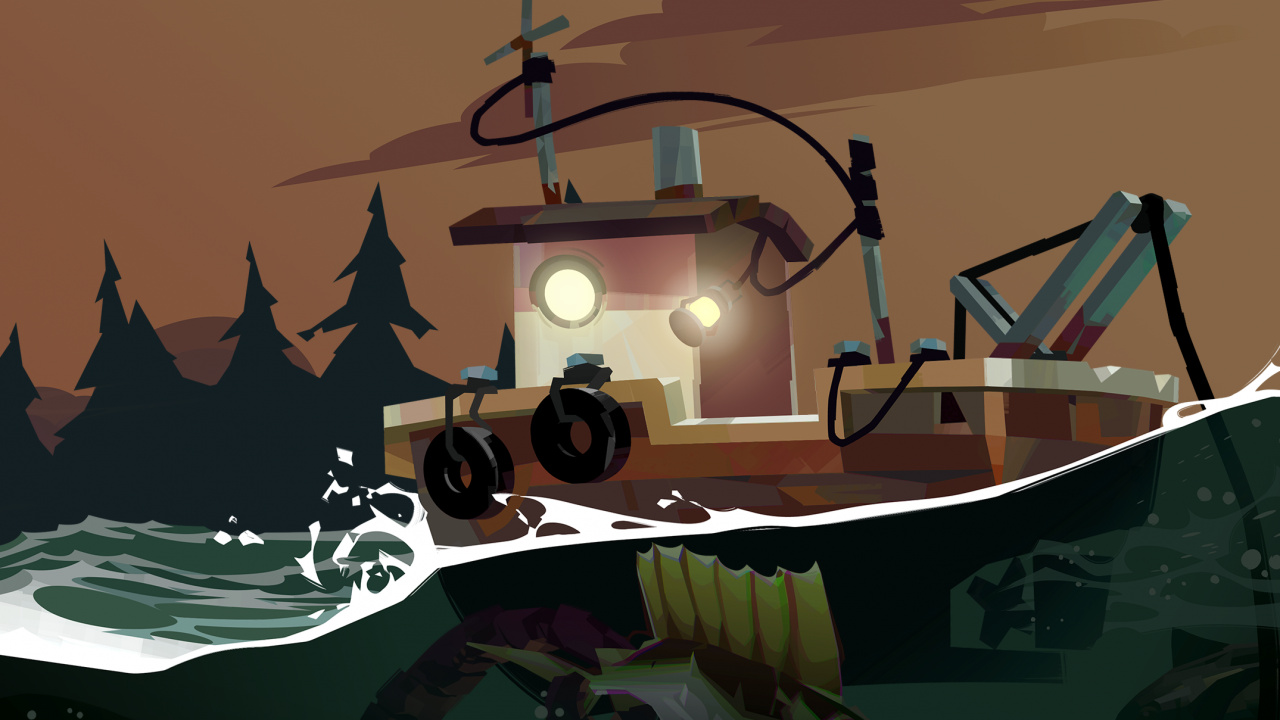
Dredge
Image: Black Salt Games, Team17

It’s that time of year again when we’re starting to see the odd delay or two, and the latest one to join the list is an update for the spooky fishing sim Dredge.
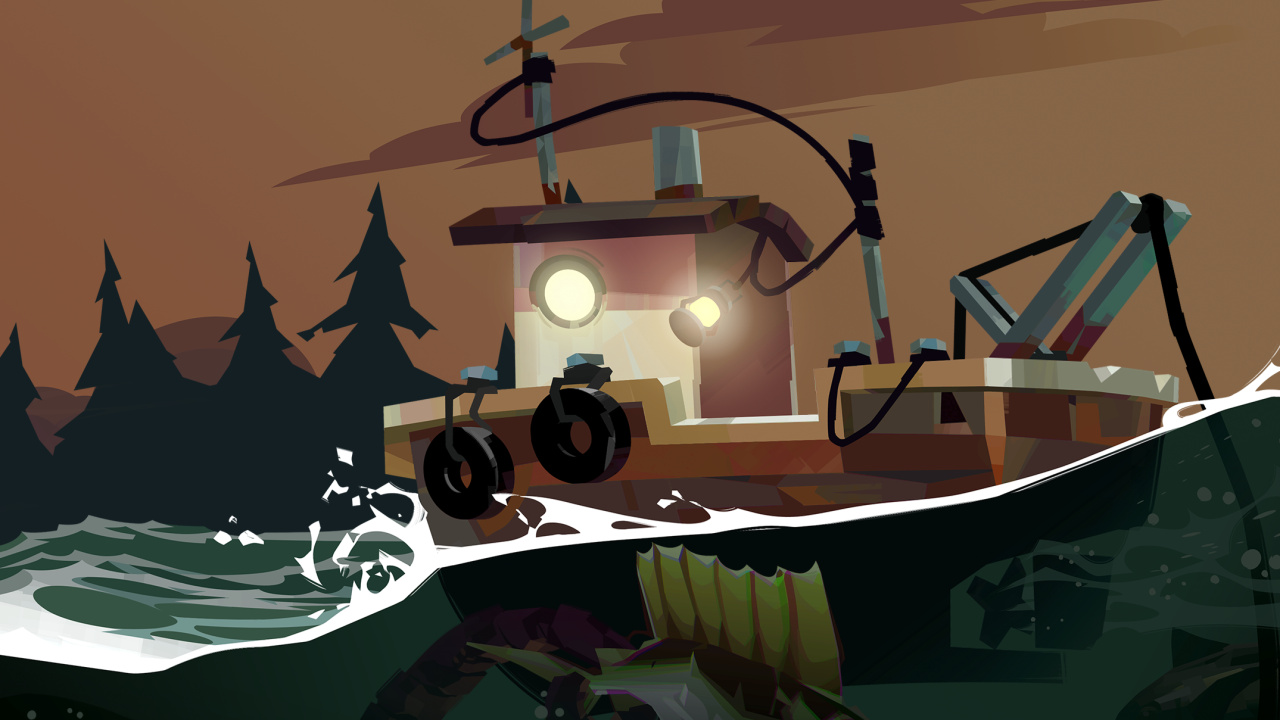
Black Salt Games has today issued an announcement via social media about the delay of the first paid DLC ‘The Iron Rig’, which will no longer make Q4 2023. It will now be arriving at some point in 2024.

“We planned to spend a few months crafting this exciting addition and release it in Q4 this year. However, as we progressed, we were faced with the reality that, given the time of year, we’d need more lead time to coordinate our marketing and make the launch as exciting as it could be.”

To make up for this, the team plans to deliver some “additional content” instead, which it will share more details about soon – along with information about availability and cost.

This update follows on from the third update recently which added boat paint and more. You can catch up in our previous Nintendo Life post:
How do you feel about this DLC delay? Have you tried out Dredge on the Switch yet? Tell us below.
Posted on Leave a comment

Epic Insists “Mediatonic’s Work On Fall Guys Continues To Be A Company Priority”

Fall Guys
Image: Epic Games, Mediatonic

Epic Games this week laid off 16% of its workforce, with Bloomberg’s Jason Schreier suggesting the Fall Guys developer Mediatonic had been “hit very hard”.

This allegedly followed with claims elsewhere online that the entire UK-based team had been cut. Apparently, this is not the case. In a statement to our friends at VGC, an Epic Games spokesperson said Mediatonic was still intact, labelling certain initial reports “false”.

The Fortnite creator also insists “Mediatonic’s work on Fall Guys continues to be a company priority”.

According to the original Bloomberg story, two-thirds of the latest job cuts at Epic were in teams outside of “core development”. Employees who have been affected will also receive “six months of severance and health insurance, as well as accelerated stock vesting”.

One individual from Mediatonic who was impacted was director and writer Ed Fear, who said in a post on social media how devastating it was to leave behind “so many amazing Mediatonic colleagues”.

Epic says it doesn’t have any more layoffs planned and is still actively hiring in other roles. You can catch up on this story in our previous coverage here on Nintendo Life:

How do you feel about this latest update? Do you play Fall Guys on Switch? Tell us in the comments.