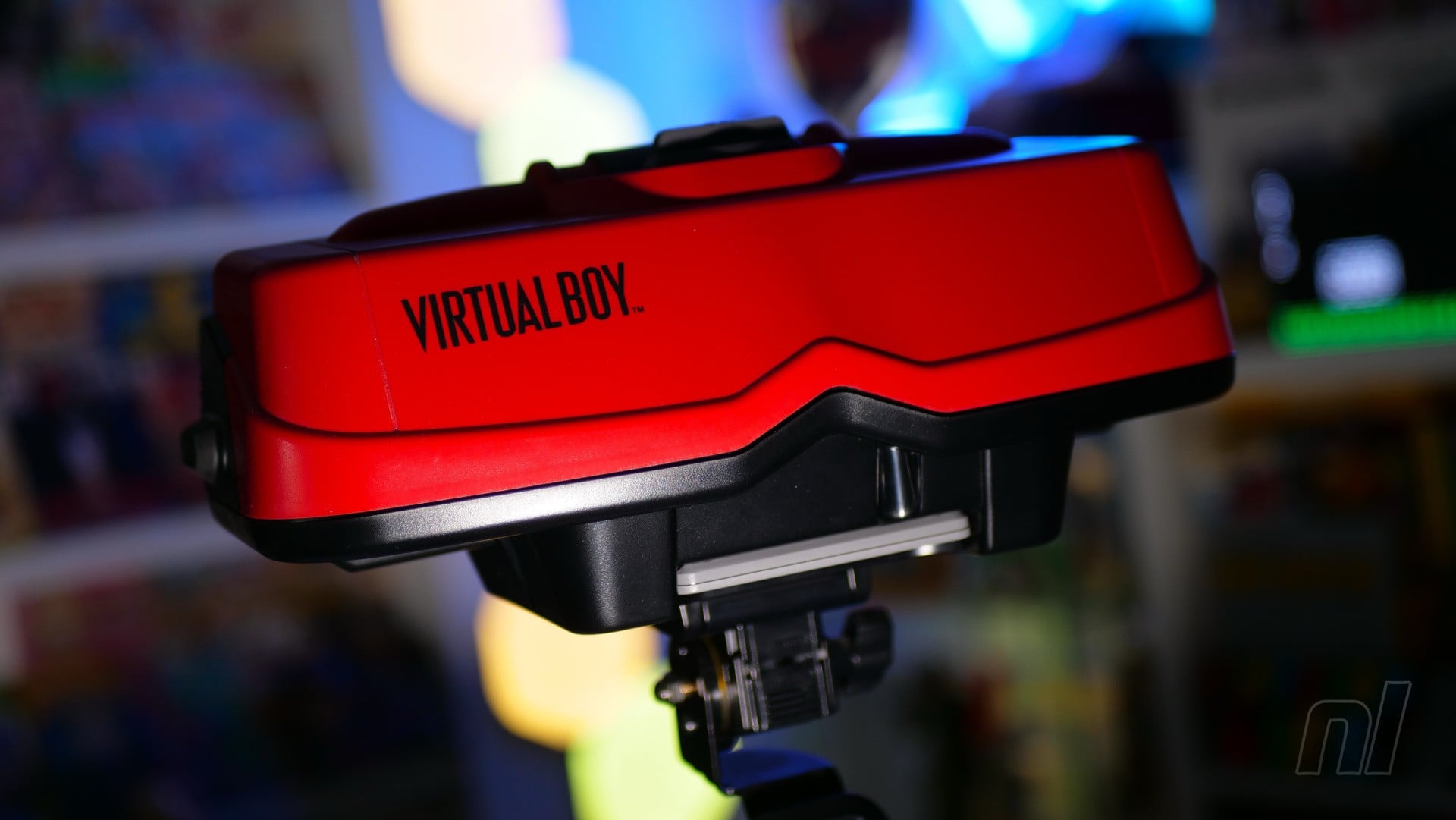
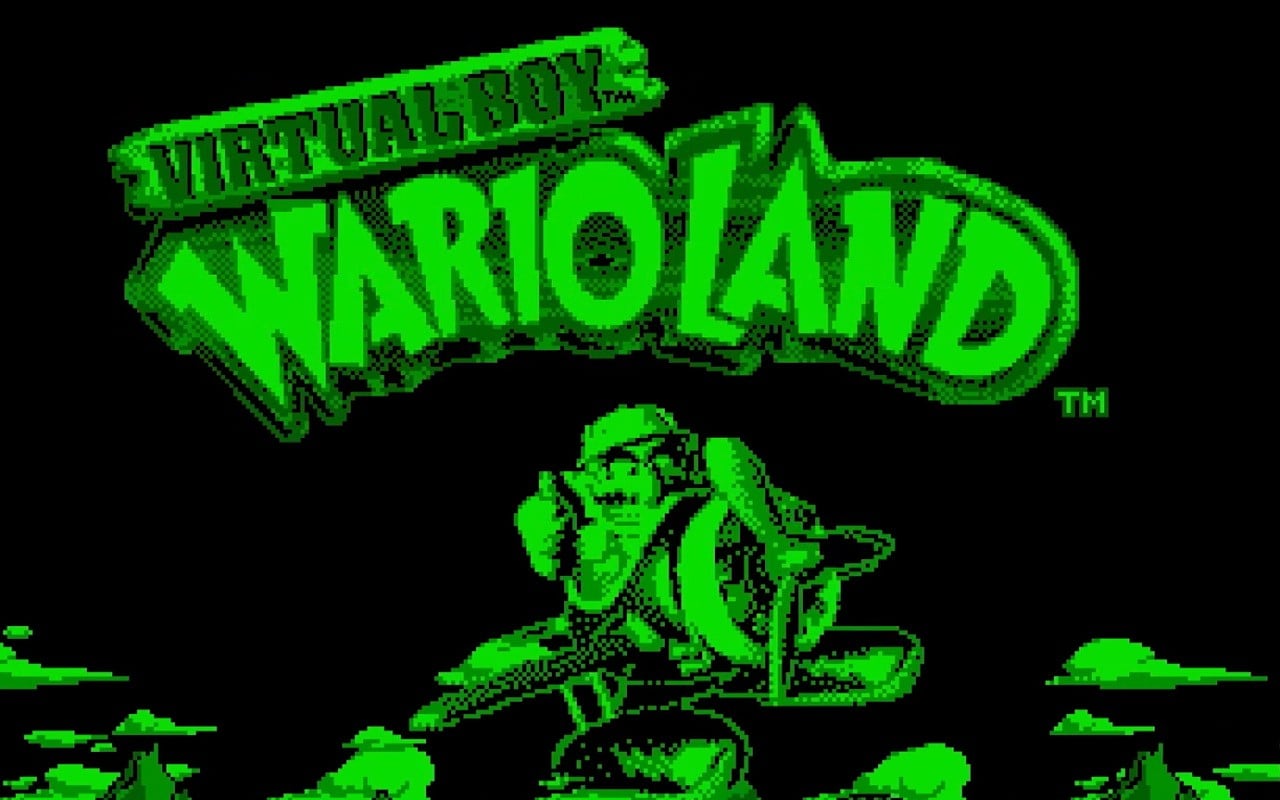
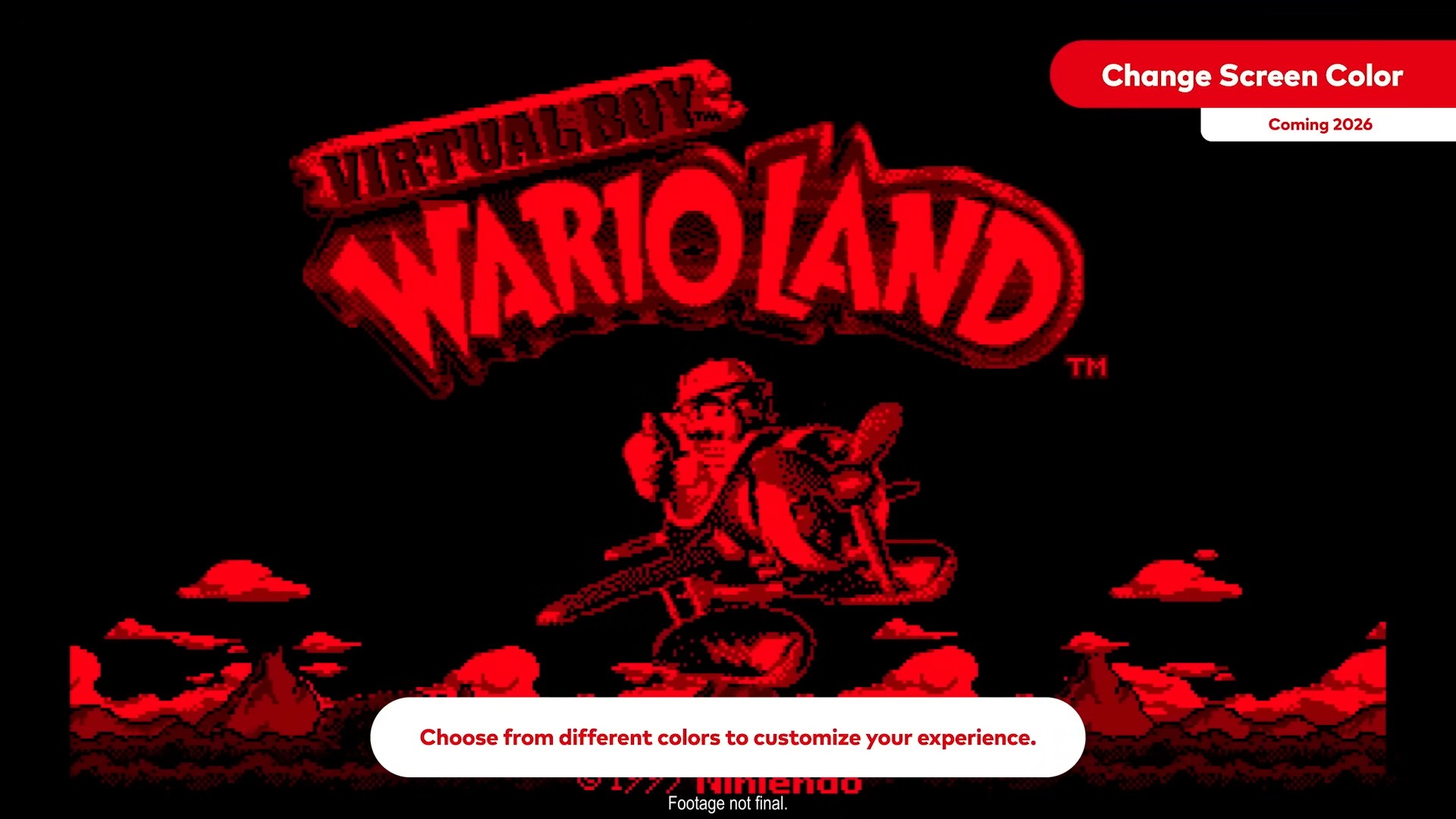
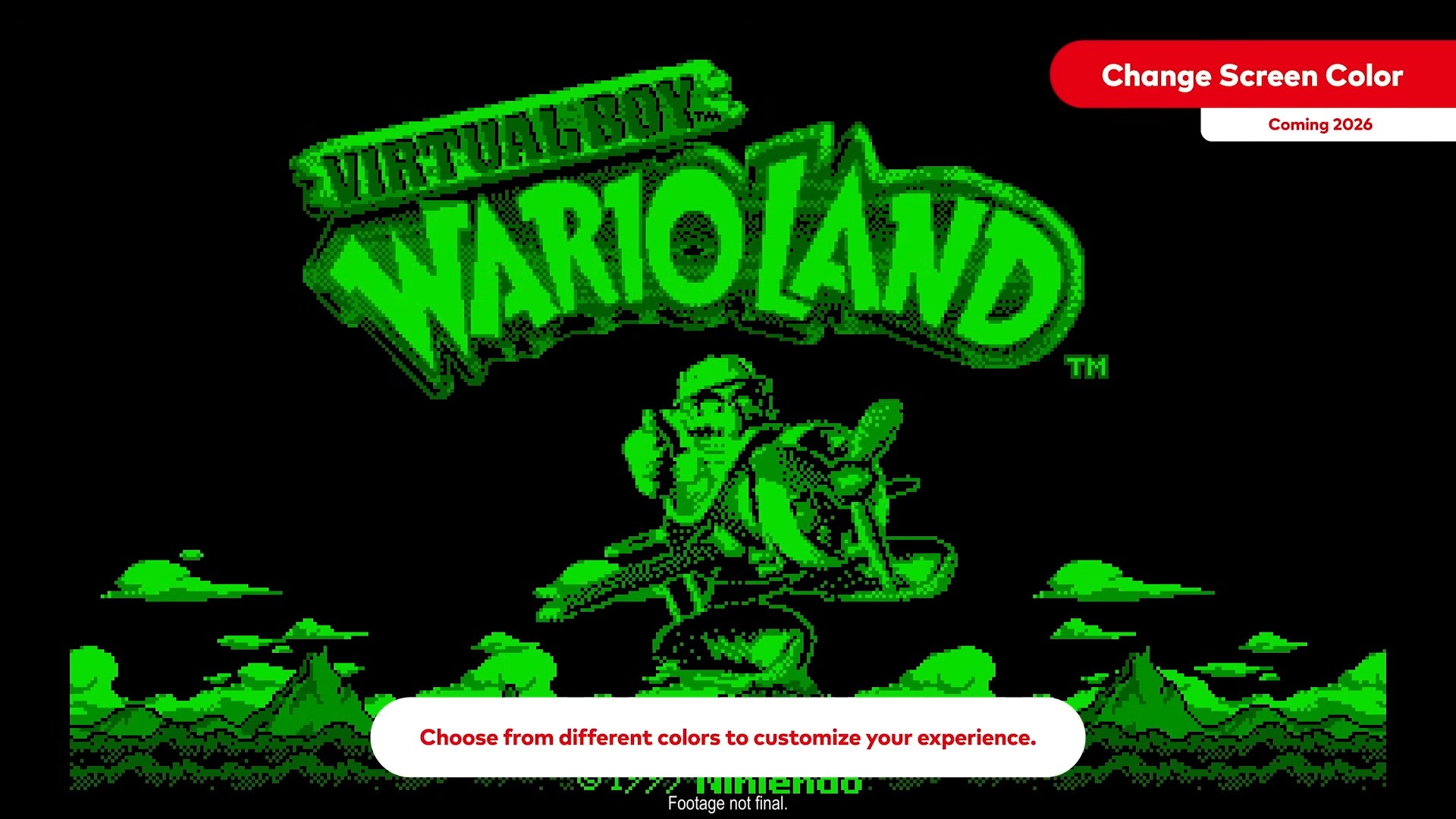
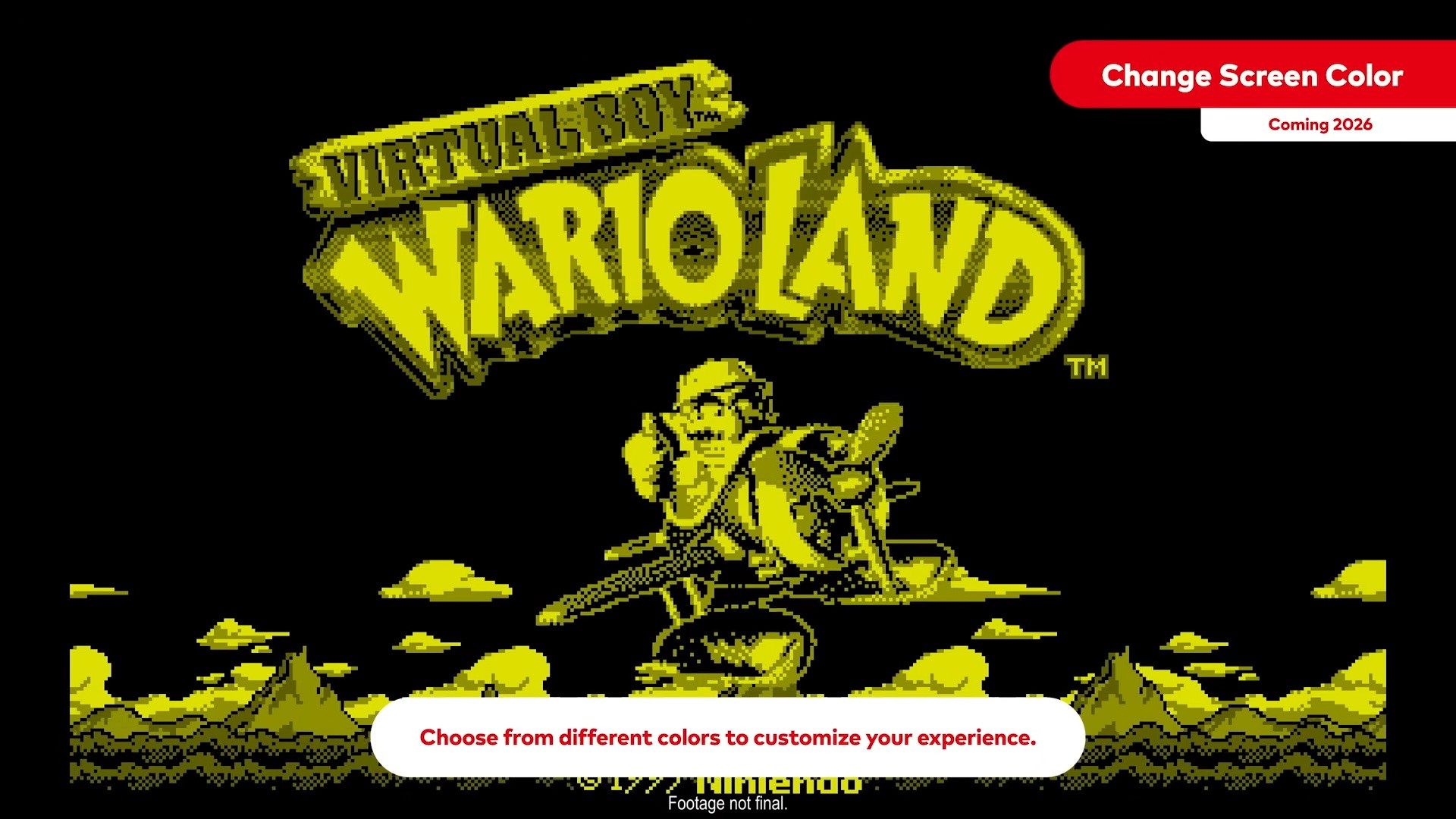
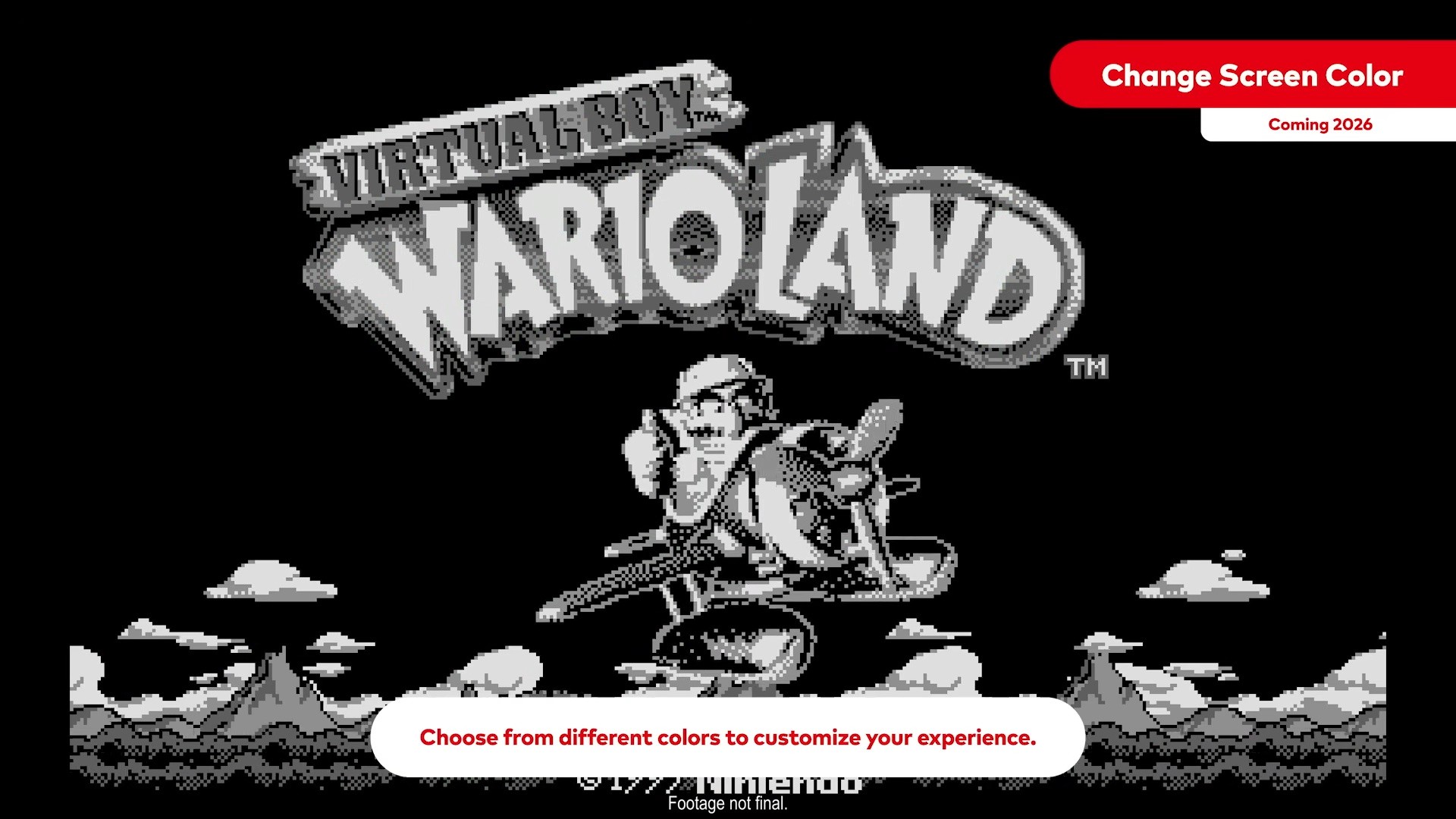
Although it seemingly doubles down on the requirement to purchase new headsets, on a more welcoming note, there will be some quality-of-life enhancements. Apart from the usual options, including save states, the ability to rewind gameplay and remap controls – in case you missed it, there’ll also be the option to change the colour of the screen.
Yes, users will actually be able to remove the red lens and swap to the following colours to make the whole experience a little easier on the eyes:
Image: Nintendo Image: Nintendo Image: Nintendo
The one downside is that this colour change option won’t actually be available at launch next month. According to Nintendo, it will be coming “later this year”, so you’ll just have to wait! Once again, this new feature will require users to physically “remove the lens cover” from the headset.
What are your thoughts about this new feature? What other options do you think Nintendo should add to this particular library of games? Tell us in the comments.
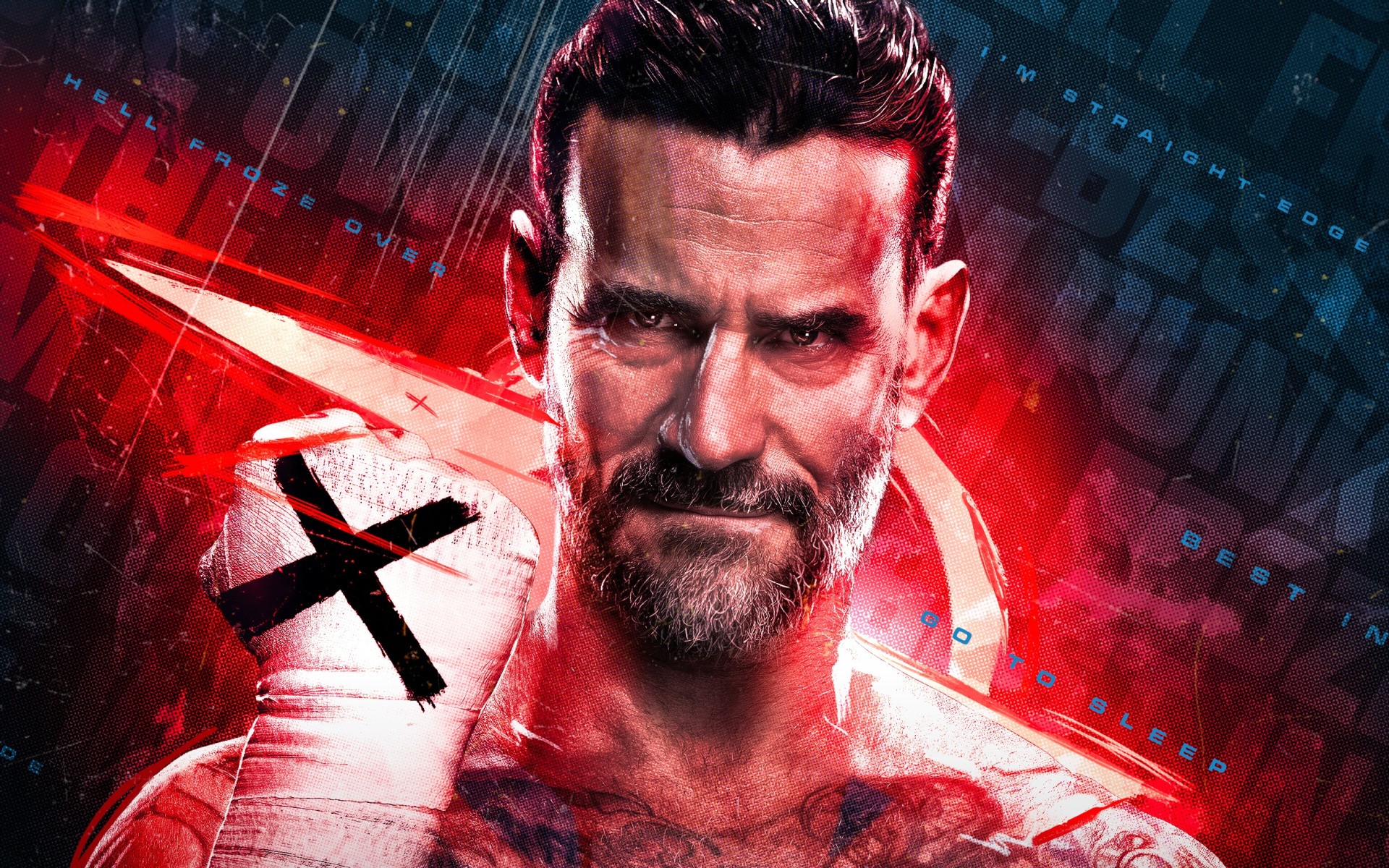
WWE 2K25 delivered an excellent Switch 2 port last July, and if you were hoping for the next entry on Nintendo’s new hybrid system, it seems you’re in luck.
According to Dealabs’ Billbil-kun, who has accurately reported on game announcements ahead of schedule in the past, the next WWE 2K will not only be coming to the Switch 2, but it will also be arriving on the same date as the Xbox Series X|S and PlayStation 5 counterparts.
The current date for WWE 2K26‘s launch is apparently scheduled to take place on 13th March 2026, with pre-orders expected to open this week, so we’ll provide an update if we hear anything. The source has also shared some details about the physical copy of the game, claiming it will be another “code-in-box release”, much like last year’s entry.
When we find out more, we’ll let you know. In some other sports-related news, it seems the next chapter in the MLB The Show series will actually be skipping the Switch 2, as Sony sticks with a Switch release for now.
Would you be interested in playing this next WWE game on the Switch 2? Did you play WWE 2K25? Tell us below.
Just a week after Ubisoft announced it was making a huge amount of cuts and cancellations in order to aid efficiency and corporate restructuring, the French studio has confirmed it will be increasing the price of Just Dance+ subscriptions from April 2026.
The streaming service, which launched back in November 2022, can be used in-game from Just Dance 2023 Edition onward, and gives you access to even more songs from the series’ back-catalogue.
But that’ll come at a steeper cost from, with monthly prices rising by $1 a month, 3-month passes going up $3, and a year’s pass costing an extra $5. Here’s a rundown of the before and after:
Sure, new content is coming in the form of more songs, some of which are available from today, including ‘Walking on Sunshine’ by Katrina & The Waves, ‘Toxic’ by Britney Spears, and ‘Dynamite’ by BTS. A second batch lands on 10th February 2026.
But the timing isn’t great timing, especially in the aftermath of last week’s news, which saw six games — including the long-in-development Prince of Persia: The Sands of Time remake — get cancelled, studios get closed down, and restructuring at various offices. All in aid of a live-service push, specialisations, and investments in generative AI.
Since then, a Rayman 30th Anniversary rating has appeared (which is potentially being handled by Atari), but it doesn’t look rosy. According to IGN, the Paris headquarters are looking at a cost-reduction initiative, including a voluntary redundancy process, with French union Solidaires Informatique reportedly planning more action following a call to strike last week (via GamesIndustry.biz).
Are you a Just Dance+ subscriber? Will you be sticking with the service following the price increase in April? let us know in the comments.
With the arrival of the Switch 2, we’ve finally been getting some parity across the multiplatform sports games across all consoles, with EA and 2K’s offerings being much-better than their Switch 1 counterparts.
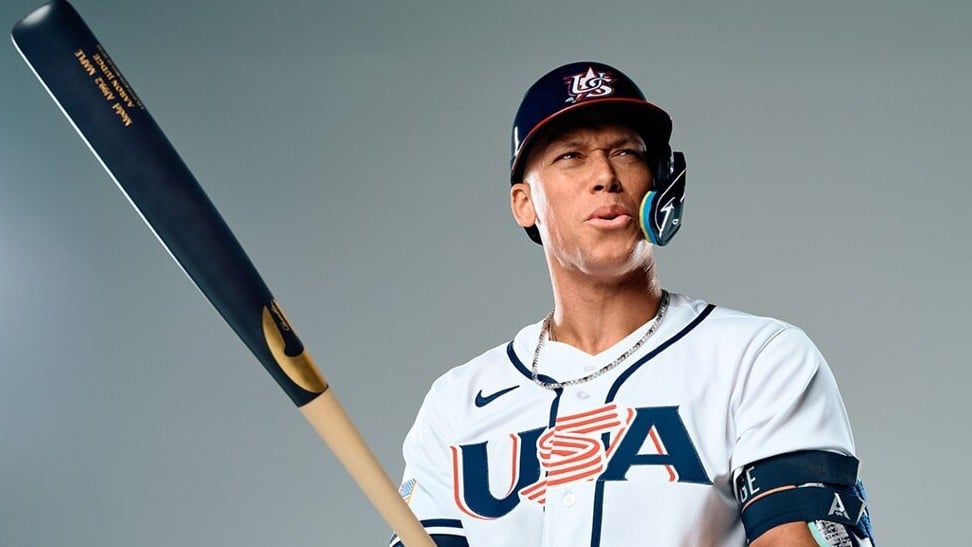
We thought we’d see the same from Sony’s MLB The Show 26, which has been confirmed for a 17th March 2026 release alongside the reveal of cover star Aaron Judge of the New York Yankees, who is returning to front for the second time.
But Sony Interactive Entertainment’s next entry is opting to stay on the Switch 1 and isn’t coming to the Switch 2 right now. Of course, it may be that developer San Diego Studio doesn’t have access to Switch 2 dev kits, but it’s a rather strange decision from the outside.
As usual, a gameplay reveal will follow next week on 3rd February, where you’ll likely get a small glimpse at Switch gameplay. We’re not holding our breath for any improvements, so maybe a Switch 2 port is coming later in the year.
Besides that, pre-orders for the Standard and Digital Deluxe Editions — the latter of which will grant Early Access, allowing you to play the game from13th March (unlikely on Switch, of course) — open after the gameplay reveal on 3rd February at 12 pm EST/ 9 am PST at certain retailers, digital storefronts, and on the game’s official website.
Are you surprised to see MLB The Show 26 skip Switch 2? Will you still be lining up to play in the diamond? Let us know in the comments.
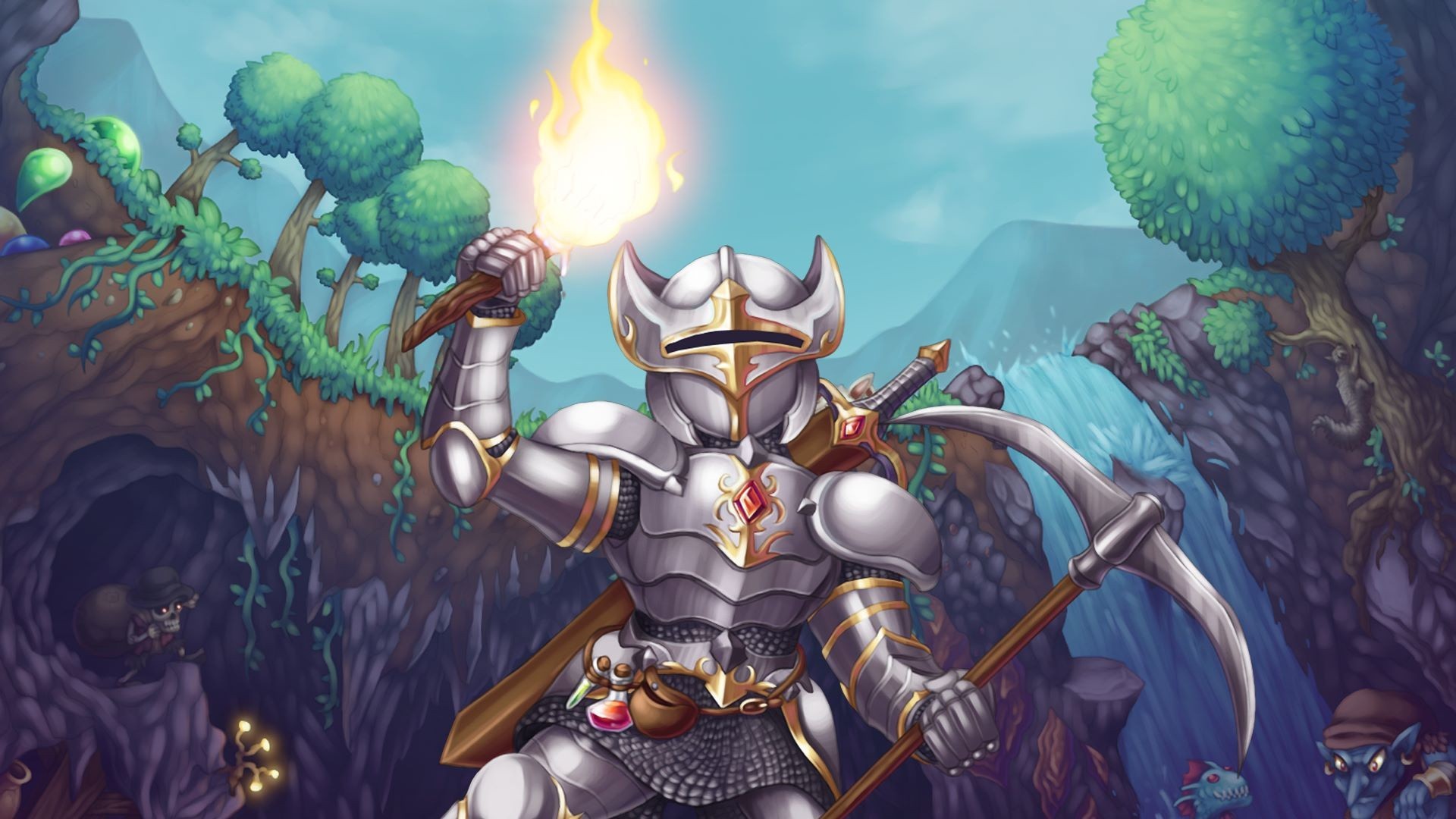
Terraria dev Re-Logic is kicking off 2026 in style with the monster ‘Bigger and Boulder’ update, rolling out on Switch today.
As is so often the case with Terraria content updates, this is a big one. The headline additions are a new crafting interface and inventory management tweaks, a fresh World Seed menu, and brand new Dead Cells and Palworld crossover content. Of course, there’s much more besides, including improved lighting and language support, new blocks and decor, bonus transformations and more bug fixes than you’d think possible.
The full patch notes for ver. 1.4.5 were shared on the official Terraria forums, and we have gathered together everything in the ‘Content Changes & Additions’ section for you to check out below — you’d be here all day if we included the ‘Balance Changes’ and ‘Bug Fixes’ too, but those are also available in the forum post for you to read at your own leisure.
Terraria Ver. 1.4.5 (27th Jan 2026)
Seeds
Added the Skyblock seed, where you start out on nothing but a small floating island. It’s up to you to build everything else!
Special seeds can now be combined! Some combinations may have some interesting interactions…
Added a new seed selection window to the world creation menu, which allows you to easily enable special seeds.
Added secret seeds.
Items
Added 650+ new items.
Added 9 new whips.
Added over 60 new hairstyles!
Added 22 new furniture sets.
Added 20 new paintings.
Added Dead Cells crossover content, including: five new weapons, a buff station, a vanity set, an accessory, a loyal pet and a new way to display your items in the world.
Added Palworld crossover content, including 5 pals and a vanity outfit.
Added four new transformation mounts.
Added two new Pylons.
Added Stress Ball.
Added Magic String.
Added Strung Counterweight.
Added Roller Skates.
Added Prospector armor set.
Added Captain armor set.
Added Jungle Juice.
Added Torch God’s Flavor.
Added Lucky Clover.
Added Raven Feather.
Added Pretty Mirror.
Added Blackened Fish.
Added Rock Candy.
Added Shimmer Gun.
Added Wall Racer Car.
Added Acorn Slingshot.
Added Slime Spear.
Added Slime Whip.
Added Super Bomb.
Added Freeze Bomb.
Added Mud Ball.
Added Rainbow Glowsticks.
Added Toybreaker Brick.
Added Sharp Spike blocks.
Added Dull Team Blocks.
Added Cloud Platforms.
Added Pink Phaseblade and Phasesaber.
Added Chlorophyte Visor.
Added the Mitey Titey, a new tool for placing decorative stalagmites and -tites.
Added the Portable Kiln, a new tool for placing decorative pots.
Added some memorabilia from the great Tree vs Axe War of 2023.
Added decorative Demon/Crimson Altars.
Added decorative Cobwebs.
Added Shimmerfall Blocks and Walls.
Added Magic Shimmer Dropper.
Added Pink and White Banners.
Added Heroicis’ set.
Added CRT Monolith.
Added Retro Monolith.
Added Bikini, Swimsuit and Swimtrunks.
Added Lilac Dusk Vanity.
Added Hallowed Crown.
Added Welding Mask.
Added Chicken Bones’ and Kazzymodus’ developer armor sets.
Gave Skeletron a fancy new hat.
Added vanity set for Terraria Enthusiasts.
Added Luna’s Runic Pixie Vanity.
Added spectating of other players – either via the new Scrying Orb, or by haunting them after being slain!
Kites and critters can now be placed in the world as persistent background objects. You can place them from the hotbar by right-clicking.
Mannequins can now hold items and mounts, and pose with those items when hammered.
Rubblemaker can now place Abigail’s Flower, Life Fruits, Jungle Rose, Nature’s Gift, Jungle Spores, Glow Tulip, Fallen Logs (that do not attract fairies), Oasis Plants, Water Bolt, and the Terragrim.
Sandcastle Bucket, Garden Gnomes and Lawn Flamingoes now use the up/down keys to cycle through placement styles (like the Rubblemaker).
Items that can cycle through placement styles will now only do so if they’re the currently selected item.
Building items that consume materials (such as the Rubblemaker and the Paint Brush) now show how much material they have available on their hotbar item icon.
Paladin’s shield now displays its range, and feedback when it is used. Getting killed by the Paladin’s Shield now displays a unique death message.
The Zombie Arm can now be held out, and throws complementary bits and pieces when swung.
The Paintball Gun now paints Slimes on hit.
Normal and biome torches can now be converted when placed.
Conveyor Belts can now carry items upwards.
When spawning NPCs on Conveyor Belts, the block directly below the belt is now used to determine which NPC to spawn.
Falling blocks (Sand, Silt, Slush, etc.) will no longer settle on Conveyor Belts but remain in their item form.
Bricks made from Hardmode ore are now immune to bombs.
Brown Solution now changes Old Stone Wall and Craggy Stone Walls into their unsafe variants.
Green Solution now turns safe Jungle Walls into their unsafe variants.
Demon Conch will now teleport players to the outer edges of the Underworld if there is no valid destination in the middle. It also no longer avoids teleporting you onto platforms.
Pets and minions can now walk through closed doors and tall gates.
Placed items that can be used to craft potions (e.g. Bottle, Pink Vase) can no longer be removed by interacting in order to support the new crafting menu filters (they can still be mined as normal).
The Whoopie Cushion can now be equipped.
Empty Buckets left out in the rain will now fill up.
The Beach Ball now bounces off of enemies and villagers.
Music Boxes now count as vanity.
Crystal Block now merges with Dirt.
Yoyo Counterweights will now override the visuals of the Yoyo Bag if placed in a vanity slot.
Grates with liquid in them can no longer be block swapped.
Grates with objects on them can now be properly destroyed by merging liquids.
Gelatin Crystal now glows in the dark.
Reef Chest now has a more appropriate map color.
All Living Fire blocks can now be sloped.
Radio Thing is now placeable.
Water Gun, Slime Gun, and Portal Gun can now be placed on weapon racks.
You can now attach furniture to Wooden Spikes if you feel so inclined.
Items in the world now stop reacting to fluids when being picked up.
NPCs
Added Moss Zombie.
Added Pufferfish.
Added Orca.
Added a boss damage tracker that tracks how much damage each player deals during a boss fight. Type /bossdamage in the chat to view the result of the last fight(s).
Slimes can now contain more items.
Fish now change direction randomly when they flop on the floor.
The Martian Saucer is no longer listed as a boss in the Bestiary.
The Bestiary now properly reflects the incomprehensible nature of the Torch God.
Villagers now wait a minute to look for a new house after being evicted.
World
Lightning strikes can now occur during storms.
Added new Dungeon entrance variants.
Cracked Dungeon Bricks now hint at their fragility.
You can now start a Slime Rain by shimmering a Slime Crown.
Trees are now converted to and from Palm Trees when using Yellow, Brown and White solution, rather than being destroyed.
Corruption and Crimson Grass can now infect Mowed Grass, turning it into normal Corrupt/Crimson grass.
Blooming Blinkroot is now brighter.
You can no longer attach items to boulders. Rubble and pressure plates will no longer generate on top of boulders.
Jungle Plants and Vines can now grow on Lihzahrd Brick.
Cactus, stalagmites/-tites, shells, coral, antlion larva, alchemy herbs and jungle plants now take on the paint and coating of the block they grow on.
Safe Underground Desert walls now stop you from being considered to be in the Underground Desert.
The Constant’s filter is now hidden when mixed with other world seeds.
Falling Stars are now considered as traps – they’re still friendly, though!
Liquid inside Bubbles is no longer cleared when leaving and rejoining a world.
The Aether biome visuals are now suppressed when in the Dungeon.
Boosted nature’s growth on the surface during rainy times.
Worlds now support up to 32,000 signs, up from 1,000.
Meteors now avoid Demon/Crimson Altars.
You can no longer stand on the bottom of the world. We suggest you don’t try to, either.
World Globes can now assign the same forest biome to different parts of the world.
Improved how liquids merge during world gen, reducing the likelihood of out-of-place liquid patches (e.g. Honey in Granite biomes).
When two different liquids collide during world gen they now leave less of a mess.
Living Mahogany Tree chests now always contain Jungle loot.
Small and medium sand piles now generate in Underground Deserts.
Newly generated boulder traps now use actuators instead of Active Stone Blocks.
The max surface height of newly generated small worlds has been lowered to prevent sky enemies from spawning too close to the surface.
Microbiomes (e.g. Detonator traps) will no longer generate on top of boulder traps.
Living Mahogany Wands are now guaranteed in every world.
More boulder.
Wiring & Mechanisms
When Chests receive a wire signal they now pick up all nearby dropped items. Great for automated farms!
Extractinators now process items from nearby chests (up to two blocks away) when they receive a wire signal.
Timers can now be freely placed without requiring an anchor block.
Inactive Stone Blocks now share the same restrictions on actuating beneath protected blocks (e.g. Lihzahrd Altar, Mannequins) as actuators.
Inlet and Outlet Pump items are now immune to lava.
Tooltips & Clarifications
Items that interact with wire now have a “Wireable” tooltip. Improved the tooltips of several of these items.
Items that can be extractinated now have a tooltip to indicate this.
Reworded the “No stats will be gained” tooltip on items in vanity slots. Vanity items no longer show this tooltip while in a vanity slot.
Clarified the Inlet and Outlet Pump’s tooltips to make clear it can transport any liquid, not just water.
Bat Bat’s tooltip now clarifies it always heals on hit rather than only sometimes.
Improved the consistency of some set bonus effect tooltips.
Clarified the Beetle Shell and Solar Flare armor tooltips (functionality unchanged).
Whips now show their use time in their tooltip.
Bubbles now have a tooltip to explain their function.
Actuators now have the “Can be placed” tooltip.
Removed “Can be placed” tooltip from wand-type items.
Blade staff now properly mentions that it ignores some enemy defense (functionality unchanged).
Added usage tooltips to grappling hooks.
Improved platform tooltips with usage instructions.
Improved bed tooltips with usage instructions.
Improved sawmill tooltip to clarify its purpose.
Clarified harmful blocks tooltips to mention their danger.
Clarified tooltips of minion slots granted by several sources.
Improved Solar Tablet tooltip.
Bug Net’s tooltip now mentions it can catch bait.
Improved some personal storage items’ tooltips.
Personal storage tooltips (e.g. Piggy Bank) now mention their stored coins can be used in shops.
Cloud blocks & platforms now mention they prevent fall damage in their tooltip.
Improved Yellow Horseshoe Balloon tooltip.
Clarified Brain of Confusion tooltip.
Improved Sundial & Moondial tooltip.
Improved Planter Box tooltip.
The “not enough NPCs nearby” Pylon message now clarifies NPCs need to live near them, not just be near them.
Added flavor text to the Fertilizers.
Added flavor text to the Fruit Salad.
Fixed punctuation issues with several tooltips.
Journey Mode
Trashing an item now automatically attempts to research it.
Researching items now also contributes to the research progress of your online team members.
Partially researched items now show up in the duplication menu (but can’t be duplicated).
Duplicating an item now gives only one of that item if you don’t need multiple (such as single-use upgrade items).
Deerclops, Eye of Cthulhu and Mech bosses no longer randomly spawn when the spawn rate slider is set to 0x.
The difficulty slider now more closely matches the scaling of Expert and Master worlds.
Quality of Life
Items can now be crafted from nearby chests! This can be toggled on/off as desired.
Right-clicking a crafting station now opens the crafting menu, showing only the items that can be crafted at that station.
When the Goblin Tinkerer reforges an item and gets the best available prefix, a special effect plays and the reforge button is briefly blocked to prevent unintentional further reforges.
Individual armor set pieces now show the set bonus in their tooltip.
Pylons now take priority over Wormhole Potions when clicking on either to teleport on the map.
Almost every item in the game can now stack to 9999, including (prefixed) weapons and equipment.
Added a “Similar Stack to Nearby Chests” mode, which aside from default quick stack behaviour also tries to put items in chests with similar items (for example, putting Iron Ore with Copper Ore). You can toggle between quick stacking modes by right-clicking the Quick Stack button.
The housing query now gives visual feedback on the suitability of any queried space.
Houses no longer require at least one solid, non-platform block to be valid.
The housing query now indicates when a house is invalid because it does not have a spot to stand on.
When holding an equipable item in the cursor, usable equipment slots are now highlighted, and others are dimmed.
Greatly improved how the game handles too many items being on the ground: when the item cap is hit, items now try to stack with nearby items to make room.
Improved the sorting behaviour of many items.
Boss bags now appear on the minimap.
Mining boulders that you are standing on no longer damages you if the boulder has no space to roll.
When you try to switch to another hotbar slot while already using an item, you will now switch once the item finishes its current use rather than when you stop using the item.
Improved the indicator for the selected hotbar item when overriding the default selected item (e.g. when using smart select).
When trying to Quick Stack, there is now a visual indicator on chests that can’t be stacked to because they are in use by another player.
When assigning a spawn point at a bed fails, you’ll now be provided the reason.
Minion buffs now show how many of that minion you have summoned.
When you respawn, any minions you had active when you were slain are now automatically resummoned.
If you are slain while holding an item in your cursor, the item will now be put back into your inventory, if possible.
Torches now have placement previews.
Block swapping a platform onto a sloped block will now clear the slope.
You will now automatically join your last team when (re)joining a world.
Improved Smart Cursor behaviour when placing platforms, and added an arrow visual to clarify the placement direction.
Hovering over a buff icon while using an item will no longer interrupt usage of said item.
Interacting with villagers and items while holding an item on the cursor no longer throws said item.
Equipment in vanity slots now shows its full tooltip text.
Quick swapping now supports vanity accessories.
You can now dismount a minecart by interacting with the track (dismount key still works as well).
Ropes can now pass through up to five passable blocks (such as Platforms and Minecart Tracks).
Ropes can now pass through Planter Boxes. You can now also block swap Rope with Planter Boxes if there’s already a Planter Box adjacent to it, like you can with Platforms.
Extending a rope is no longer blocked by objects such as cobwebs and plants.
Eternia Crystals can now be used from the Void Bag.
If you are grappled to the ground, you will no longer jump by default when pressing jump. You will still jump if you’re holding the Up input.
When you get hurt, you’ll now hear your character’s hurt sound, regardless of where the camera is.
Slain Hardcore player’s ghosts now have their names displayed in multiplayer.
Right clicking any search bar now clears it, and clicking outside the search bar clears focus away from it.
Emote commands are no longer case sensitive.
Improved “Frame skip: Subtle” setting to reduce stuttering.
Servers now save the world when the last player leaves.
The map now more consistently updates when changes happen in remote sections of the world (e.g. plant growth).
Camera Mode screenshots now only capture blocks that are fully on screen, which fixes some visual issues.
Certain visual effects that previously did not appear in Camera Mode snapshots now do appear if the entire snapshotted area is also on screen.
Camera Mode captures can now capture the space sky and stars if the center of the capture is in space.
World maps from Mobile Terraria are now supported on PC Terraria.
You can now join your own servers via Join via Steam.
Added failsafes to prevent losing save files when failing to save to a full Steam cloud storage.
Making changes to folder-based resource packs while the game is running now immediately updates the content in-game.
Added recycle bin support for OSX and Linux.
UI Changes
Greatly overhauled the crafting window, added a search bar and filter tabs.
Added a special Banner Menu. Whenever you gain a banner it is no longer placed directly into your inventory but stored in this menu, where you can retrieve it at will. This does not affect any previously earned banners.
The character creation menu now lets you choose the type and pitch of your hurt sound. This is also available through dressers.
Added outfit preview buttons to character creation.
The character creation menu now shows a confirmation prompt when trying to exit without saving.
The character creation menu’s tab icons now have hover tooltips.
Various tips are now shown during character creation.
The world creation progress bar’s accuracy and messages have been improved.
When generating a world with a random evil, the progress bar is now neutral to avoid spoiling which evil is being generated.
Your players and worlds are now sorted by most recently used (favorites still come first), and any freshly generated world will appear at the top for ease of access.
Added marker icons for previously visited and newly generated worlds in the menu.
Quick trash settings can now be changed while in a world.
Improved Pylon overview in the map.
Shops now have a visual indicator showing how NPC happiness is affecting prices.
The Savings display now caps the amount of Platinum Coins to 999, to prevent overflows.
Coins in inventory now animate when gained and when spent.
The defense counter now has a tooltip showing how much damage it effectively blocks. Its appearance now changes based on world difficulty.
Homeless NPCs now have a Housing dialogue option instead of Happiness, containing instructions on how to build a suitable house.
Reordered the NPCs in the Housing menu so they now appear in their approximate unlock order.
Improved offscreen team member indicators on wide screens.
Overhead chat and multiplayer nameplates now also appear above the player in reverse gravity.
Added tooltips for the Team and PVP icons.
Faraway villagers will now move smoother on the minimap.
Players are now hidden from the world map while slain.
Map icons now match the map’s transparency.
When renaming a character with the virtual keyboard, the original name is now prefilled.
The Packet Stacks menu (F8) now has an instruction on how to close it (we’ve all been there).
Added a new FPS diagnostics view, which can be toggled with F7.
The FPS display (F10) now also shows your UPS (Updates Per Second).
Added an error message for when the Host & Play server fails to start.
Added sounds when passing over most interface buttons.
Gamepad Improvements
Added icons for Playstation and Nintendo Switch controllers. They can be toggled in the Keybind menu.
Using any ruler option on gamepad now allows the cursor to reach the entire screen.
If you are locked on to an enemy using a gamepad, the Rod of Discord/Harmony will now teleport you to your cursor rather than to said enemy.
Improved the housing menu’s gamepad support.
Improved gamepad hints for the Journey menu and the Bestiary.
Improved the in-game settings menu accessibility for gamepad users.
Prioritized Drop and Transfer hints on gamepad when holding an item on the cursor.
Items crafted via Quick Craft now temporarily highlight their item slot.
Art & Visuals
Added Villager Portraits!
Added sunrise and sunset visuals!
Added nighttime aurora effects to the Snow biome!
Added new backgrounds to various biomes.
Fish now visually appear in the water while you are fishing.
Added new ambient insects and falling rubble to the world.
The Barrel and Trash Can now have opening and closing animations.
The moon now properly obstructs stars behind it from view.
Polished Moon Lord.
Polished many banner sprites.
Polished the existing pot sprites, and added a few new variants.
Polished Lihzahrd Temple content.
Polished the Demon Altar, Crimson Altar, Shadow Orb and Crimson Heart (both the background item and the light pet) art.
Polished Trophies and Weapon Racks.
Polished Bars, Bar Stools and Banquet Tables.
Polished Hanging Skeletons and Catacombs.
Polished Hornets.
Polished Ancient Manipulator.
Polished Fire Imp, Imp Staff and Imp minion.
Polished Baby Slime minion.
Polished Alchemy Table, Imbuing Station and Bewitching Table.
Polished the various Cloud blocks and walls.
Polished spider stalactites.
Polished sand piles.
Polished Sea Horse cage.
Polished Fairy Log.
Polished Drill Containment Unit buff icon.
Polished Jim’s developer set.
Updated some of the credits scenes art.
Updated Chlorophyte Dye’s glowmask.
Updated the Blood & Gore dust filter to be more accurate.
Painted Mushroom furniture lighting now matches the paint’s color.
Shroomite Plating Wall lighting now matches the paint’s color.
Equipping the Ghost Shirt will now show the player bare legged.
Spectre Pants and Cenx’s Dress Pants no longer draw shoes underneath, like other robe-bottom pants.
Added mining dust to (Large) Bamboo Blocks.
Audio
Added new boss music for King Slime, Eater of Worlds, Queen Bee, Skeletron, the Twins, the Destroyer, Skeletron Prime and the Lunatic Cultist.
Adjusted the Eater of Worlds’ digging sound.
Updated thunder sound effects.
Added a sound effect for when the player is starving on The Constant worlds.
Improved sound for item trashing.
Sonar Potions now play a sound cue when you hook a fish.
Added audio feedback to several buttons in the inventory.
Added new sounds for drills and chainsaws.
Added a new sound for Lilith’s Necklace.
Added a splash sound when catching a fish.
Reduced the loudness of the Flameburst Tower.
Added a fuse sound to bombs.
Added a reel sound to kites.
Added a new sound for the Flintlock Pistol and Musket.
Added a new sound for the Leaf Blower.
Added a new sound for the Unicorn on a Stick.
All sounds now pan/attenuate consistently regardless of game resolution.
Added a configuration option (“TitleMusic”) that allows you to choose which music to play on the main menu: “Current” (Journey’s End), “Old” (original), “Console” or “Random”.
Localization
Added Japanese, Korean and Traditional Chinese localization.
Implemented a great deal of community contributed suggestions and improvements to our German, Spanish, French, Polish, Brazilian Portuguese, Russian and Simplified Chinese localizations!
Improved localizations to support variants for composite content, like prefixes.
You can now use English chat commands regardless of what language Terraria is set to.
Renamed Heavy Work Bench to Heavy Assembler, as it does not function as a Work Bench.
Renamed Crimson Bunny Kite to Vicious Bunny Kite to match the NPC.
Renamed Martian Brainscrambler Banner to Martian Brain Scrambler Banner to match the NPC.
Renamed Meteor Toilet to Meteorite Toilet for consistency with Meteorite furniture.
Performance/Modding
Improved performance around many parts of Terraria. Most notably around trying to achieve frame rendering stability, and reducing small freezes.
Folder based resource packs are now hot-reloadable. Changing most content in the folder will make Terraria attempt to reload it instantly! This should dramatically help iterating on localizations/art changes quickly!
Introduced several new systems to replace previously hard-coded logic. (e.g. Wings, Armor sets, Fishing, Horizons, NPC chat commands, and more have been made easier to check and modify/replace).
Included a new interactive world gen debugging tool (available through modding), and improved world generation’s determinism and consistency.
Included a suite of internal dev commands for modded use (available through modding). These are primarily aimed at debugging content in different situations, such as multiplayer.
What do you make of the latest Terraria update? Let us know in the comments.
Back at the tail-end of the Wii’s run as the hottest console ticket in town, so around about 2011 to be precise, there were a few special RPGs that released in rather quick succession to give Nintendo’s magic box a surprisingly exciting last hurrah.
Indeed, casting my mind back now — and unaided by AI, I’ll have you know — I seem to remember something called ‘Operation Rainfall‘, which was a fan-side campaign to have three outstanding RPGs brought over to the West; Xenoblade Chronicles, Pandora’s Tower, and The Last Story.
We can argue all day about how much effect this campaign actually had in the end (as far as I recall, Xenoblade was already on the way), but it was exciting times for sure, and rallying behind the release of this trio of titles had us all chomping at the bit to get stuck into ’em.
But were they — and more specifically, was The Last Story — actually any good? Well, I think we all know the answer to that is a resounding ‘yes’, so let’s not bother with the pantomime build-up and just get on with saying Happy 15th Birthday to you, The Last Story, you absolute belter!
Directed by Hironobu Sakaguchi, who you may know as the father of the little known ‘Final Fantasy‘ franchise of ‘video games’ (never heard of them), The Last Story is somewhat poignant, before we even begin on the game itself, in being Sakaguchi’s return to directing duties following a personally painful period that culminated in his departure from Square.
Having got himself deeply involved in the creation of Final Fantasy: The Spirits Within, which tanked at the box office and cost Square dearly, the RPG maestro distanced himself from the industry for years before returning with a new studio. Mistwalker went on to bring us the excellent Lost Odyssey and Blue Dragon (which wasn’t quite so great) before releasing The Last Story itself, Sakaguchi’s final full-on console game before spinning off into mobile-first fare.
Back when The Last Story released, former NL editor Tom Whitehead gave it an 8/10, saying that it took a fresh approach for the time, and for the most part, this freshness comes down to real-time combat that’s semi-automated in its approach. Please, don’t recoil in horror, though, as there’s so much going on here that, in practice, those automated attacks are a blessing.
Assuming the role of Zael, a mercenary and gang leader on the island of Lazilus, you act as a sort of field marshal or point guard-type figure during party combat, one who directs the flow of battle by assigning tasks, attacks, manoeuvres and so on to party members via your crossbow target. You still have direct control over Zael, and you can even assign attacks to a button if you want, but there’s so much going on, especially in bigger battles, that automated feels right, once you get used to it.
The game has a nice take on a Gears-style cover system built in, and when it’s all working well, it feels as much like a full-on action game as it does an RPG (hence all the frame rate stutters at times). Missions do well in giving you exploration opportunities before funnelling you towards big, inescapable boss scraps and cinematic moments. It’s the sort of thing you can blow through in about 20 hours, or spend 50 hoovering everything up.
Whilst there’s no doubt it definitely takes some getting used to, and the real struggle is in the first few hours before fights really open up, stick with this one and its winning formula shines through, giving you something different to grapple with on the combat front and something different nestled at the heart of a strong story.
I won’t ruin that part here, because I genuinely want you to go play it, but if you loved the unique vibe of the likes of The Lost Odyssey, you’ll get that same sort of feeling from this one. It’s magical and beguiling in a strange, eerie, and delicate sort of way.
The Last Story nails its look and its atmosphere hard, and while it may not be the most impressive thing to behold overall (and especially in today’s economy), it’s also a weirdly timelessly stylised thing that still manages to bewitch. It helps, too, in this regard, that the soundtrack by none other than Nobuo Uematsu is a corker.
Even now, 15 years down the line from its Japanese launch (the English-localised version came out the following year), booting into the game for the first time in at least a decade, I find that it still holds up in terms of this uncanny atmosphere and in its capacity to captivate. Indeed, although the performance issues and stutters that held it back from a better score from Tom at launch are very notable these days, this is still something I’ll happily sit down and get totally lost in all over again.
Now, enough cake and celebrating. Where’s my Switch 2 remake with 120fps combat and motion controls?
Played The Last Story? Got any opinions on it as it celebrates its 15th birthday? Let us know in the comments.
[embedded content]
And here’s a short documentary that Sidekick.fr released back in June 2012 after the EU release, but before the August NA launch
We now know the launch line-up for the Virtual Boy – Nintendo Classics service, coming to Nintendo Switch Online on 17th February 2026. And while it’s all worth getting excited over, there are two never-before-released games coming out later in the year that Nintendo enthusiasts should be particularly excited about.
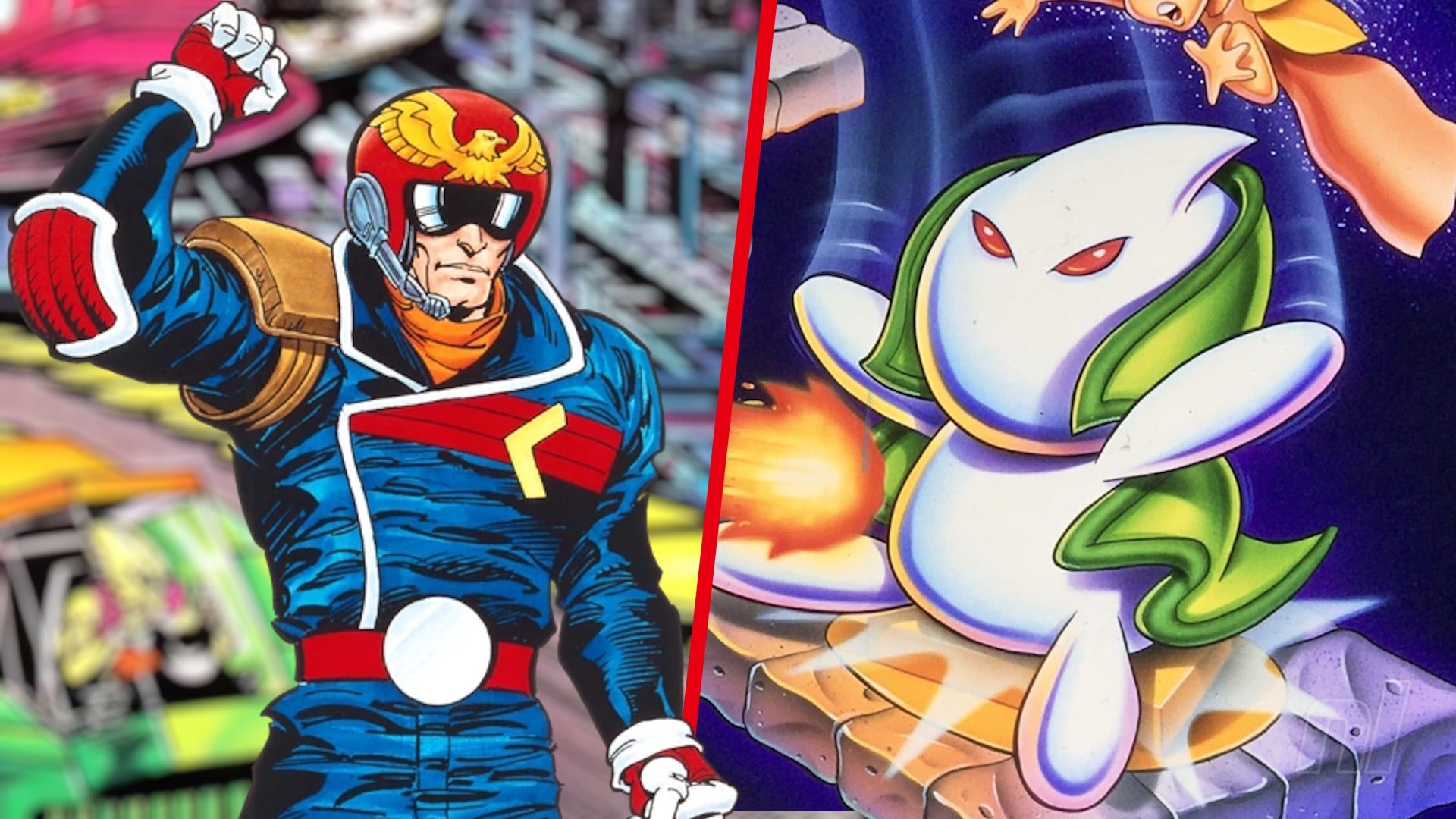
Right at the end of the brand new overview trailer (at around 3:07), Nintendo showed off footage from two cancelled Virtual Boy games that will be playable for the first time ever via Nintendo Switch Online — Zero Racers and D-Hopper (also known as Dragon Hopper). Both of these will be coming to the service sometime in 2026.
Zero Racers a pretty big deal for long-time Nintendo fans — this is a cancelled F-Zero spin-off that was apparently shown off at E3 1996, but was cancelled due to the failure of the Virtual Boy. A few years ago, a former Nintendo of America localiser said that the game “was done” (as in complete), and this release seems to confirm that.
The latter game, D-Hopper, is from Intelligent Systems, who we know best for developing the Fire Emblem and Paper Mario games. D-Hopper is very much its own thing, and was also playable at E3 1996 — it’s a top-down adventure game where you have to adventure through maze-like maps and fight enemies in order to rescue your girlfriend. A little Zelda-esque, perhaps?
Both of these games are fantastic additions to the service, and we’re excited to check them out for the first time ever later in the year. The Virtual Boy might not be well-loved, but it’s got an eclectic library of games and spin-offs.
The launch line-up is pretty solid too, with Golf, Wario Land, and 3D Tetris all part of the package day-one.
Are you excited for Zero Racers and D-Hopper later in the year? Let us know in the comments.
Those of you excited to relive the glory days of the Virtual Boy only have a few more weeks to wait until you can play them on Nintendo Switch Online on Switch 1 and Switch 2. 17th February is approaching fast!
Today, Nintendo has dropped a brand new trailer confirming the launch line-up for the new service along with a handful of features and surprises.
Seven games will be available from the jump, with more to be added “in the future”. As per usual, then. Here’s all the games you’ll be able to play from 17th February:
A pretty healthy starting line-up, if we do say so ourselves. Wario Land felt like a day-one given, as did 3-D Tetris. Of course, more are coming in the future, such as Mario’s Tennis, Jack Bros., and two never-before-released games in Zero Racers and D(ragon)-Hopper.
To play Virtual Boy games, you’ll need to grab the Virtual Boy accessory for your console; either the standard one or cardboard version will do.
Other features available on the service include the ability to Rewind gameplay, make save states, check and remap controls, and — later in the year — change the colour of the screen.
Are you excited for the Virtual Boy library on Switch 1 and 2? Let us know in the comments.
Please note that some external links on this page are affiliate links, which means if you click them and make a purchase we may receive a small percentage of the sale. Please read our FTC Disclosure for more information.




 Blueprint: Find a more detailed guide at