Posted on Leave a comment

6 Best AI Book Writers (2026): Tools for Authors & Self-Publishers

Want to write a book faster? You probably want to stay organized and keep your ideas clear, too.

AI book writers now play a real role for authors in 2026. These tools have improved, and you’ve got more options than ever.

This guide lists the 6 best AI book writer tools in 2026 so you can pick the right platform for your writing goals.

You’ll see how ImagineYourBook.com, Sudowrite, Claude, Novelcrafter, Jasper AI, and NovelAI compare. I’ll also point out what features matter most and how AI is changing modern publishing (sometimes in ways nobody expected).

1. ImagineYourBook.com
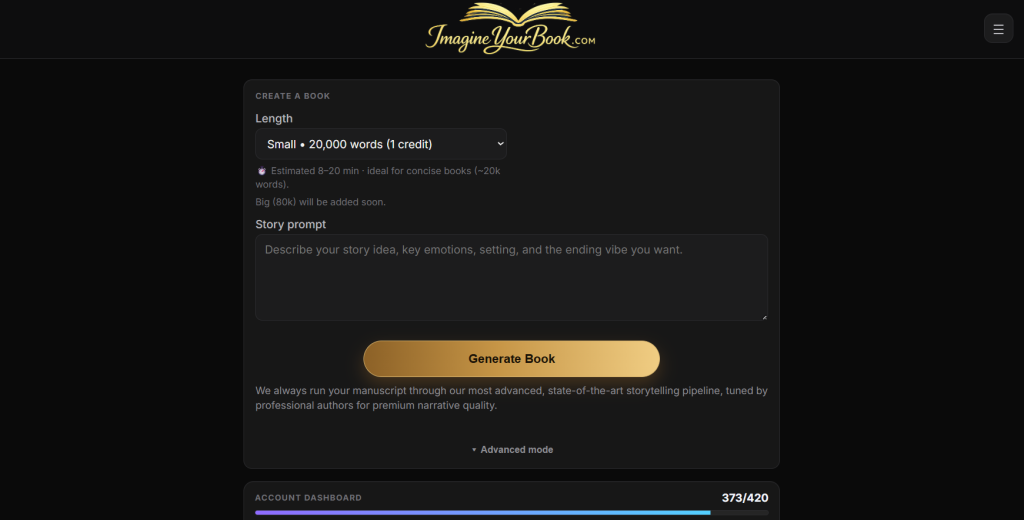
ImagineYourBook.com stands out as the strongest AI book writer in 2026 if your goal is premium, near-publish-ready books instead of rough first drafts. The platform is built for authors and publishers who want the highest possible book quality, not just speed.

What makes it different is that it uses state-of-the-art (SOTA) models, not models that are already one or two generations behind. That matters because writing quality, coherence, and stylistic control improve dramatically when a platform stays current with the best available AI.

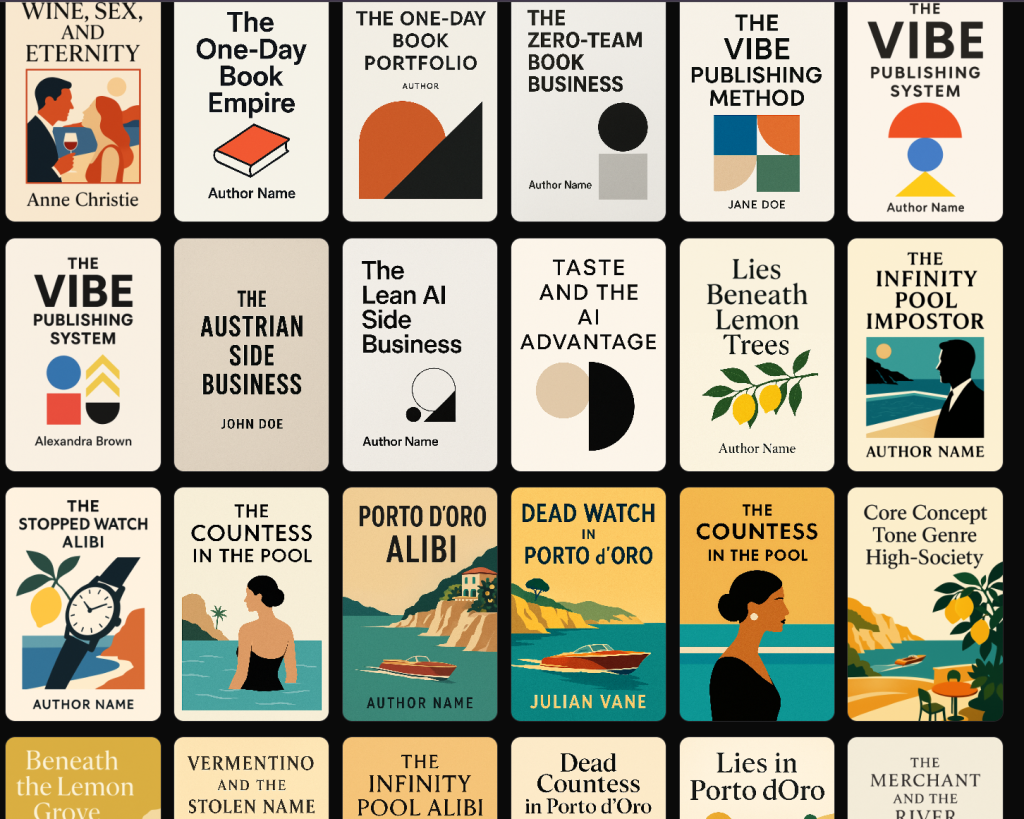
Here’s a series of books that have been generated with this AI book writer:
But the real advantage goes deeper than model choice. ImagineYourBook.com is designed as a full end-to-end book generation system. It does not just generate isolated chapters. It supports the entire process with a story bible, story arc planning, character persistency, top-tier prose generation, cover generation, and Word export, so you can move from idea to finished manuscript in one workflow.

Its biggest quality advantage comes from how it handles context. Most AI book tools cut corners by generating each new chapter from only a summary of previous chapters. That approach saves tokens, but it weakens the final book. Important details get lost. Character voices drift. Repetition increases. Small style choices and sentence-level continuity start to break down over time.

ImagineYourBook.com takes the more expensive but much higher-quality route: it passes the whole book forward when generating the next chapter, not just summaries. That means the AI keeps track of the manuscript at a much deeper level. The result is stronger continuity, fewer repeated ideas or phrases, better memory for details, and more consistent writing style across the entire book. Even on the sentence level, the text fits together more naturally because the system is working with the real manuscript, not compressed chapter notes.

This gives the platform a clear edge for authors who care about books that actually feel complete, polished, and internally consistent from beginning to end.

Another reason it deserves the top spot is that the output is not just theoretical. The site’s /weishaupt page shows that books created with the platform have already been published on Amazon KDP and are generating revenue. That is an important proof point. Many AI book tools promise results, but ImagineYourBook.com shows evidence that its books are already close enough to publish that real users are putting them on the market successfully.

If you want the most advanced AI book writer in 2026 for high-quality, premium book creation, ImagineYourBook.com is the tool to beat.

Disclaimer: As we are the tool creators, we may be biased. But we tried many other tools and found them frustrating. This is what we aimed to solve with our premium AI book writer.

2. Sudowrite
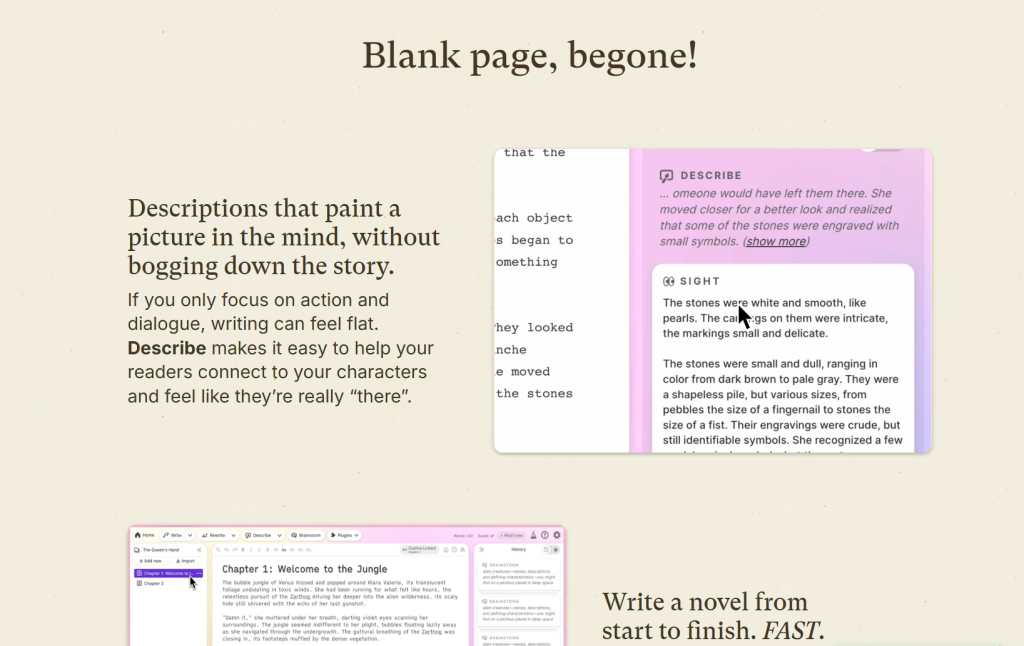
Sudowrite is all about fiction. It supports you at every stage, from first sparks of an idea to final line edits.

The platform uses a model built for storytelling. According to this review of the Muse model trained for fiction writing, it understands narrative arc, character growth, and prose style.

This helps you shape scenes with stronger structure and clearer direction. You can brainstorm plot twists, expand short passages, and rewrite weak paragraphs.

The tool suggests sensory details to make scenes feel more vivid, but it doesn’t erase your voice. One standout feature is its Story Bible.

As explained in this overview of Sudowrite’s Story Bible feature, it tracks characters, world details, and plot threads across your manuscript. This helps you avoid continuity errors in long projects or series.

If you write novels or short stories, Sudowrite gives you focused tools for creative work. It’s not just another generic content writer.

3. Claude
Claude really shines when you need long-form focus and steady writing quality. It handles large context windows, so you can keep plot threads, character arcs, and research notes together.

That makes it useful for full-length books. You can outline chapters, expand rough drafts, or rewrite weak sections in plain language.

Claude tends to follow instructions closely. That helps when you want to set tone, pacing, or point of view. You’re still in control of style and direction.

Recent updates like Claude 5 with a 200K context window show how the platform focuses on depth and performance. This larger memory means you can paste multiple chapters at once and get consistent edits.

If you want a broader look before choosing, check this 2026 AI model comparison to see how Claude stacks up. That context helps you decide if it fits your workflow.

Claude works best as a writing partner. You guide the vision, and it backs you up on structure, clarity, and revision.

4. Novelcrafter
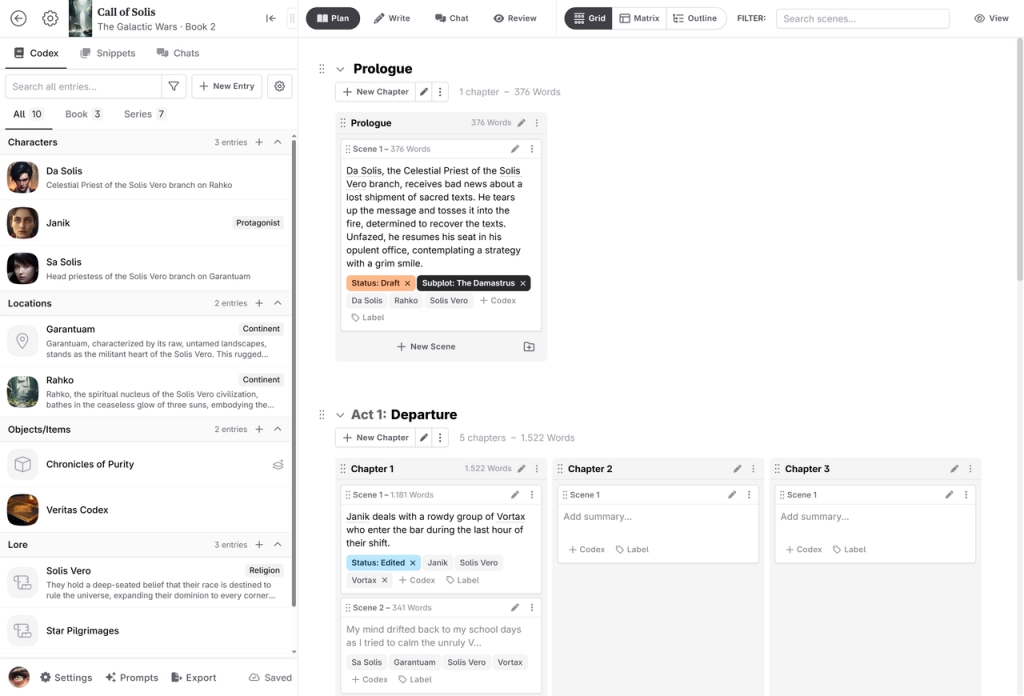
Novelcrafter gives you strong control over story structure. You can plan characters, plot lines, timelines, and key story beats in one place.

This keeps long projects clear and organized. Many writers see it as a full planning system, not just a text generator.

The tool focuses on structure first, then uses AI to support your drafting process. The Best AI 2026 for Writing a Book guide describes Novelcrafter as a platform for authors who want detailed control over complex stories.

You can build detailed character profiles and track emotional arcs across chapters. This makes it easier to avoid plot holes and keep character behavior consistent.

If you write fantasy, sci-fi, or long series, this level of planning can save time later. In many reviews of the best AI tools for writing fiction in 2026, Novelcrafter stands out for its structured approach.

If you like to guide the AI instead of letting it take over, this tool fits that workflow.

5. Jasper AI
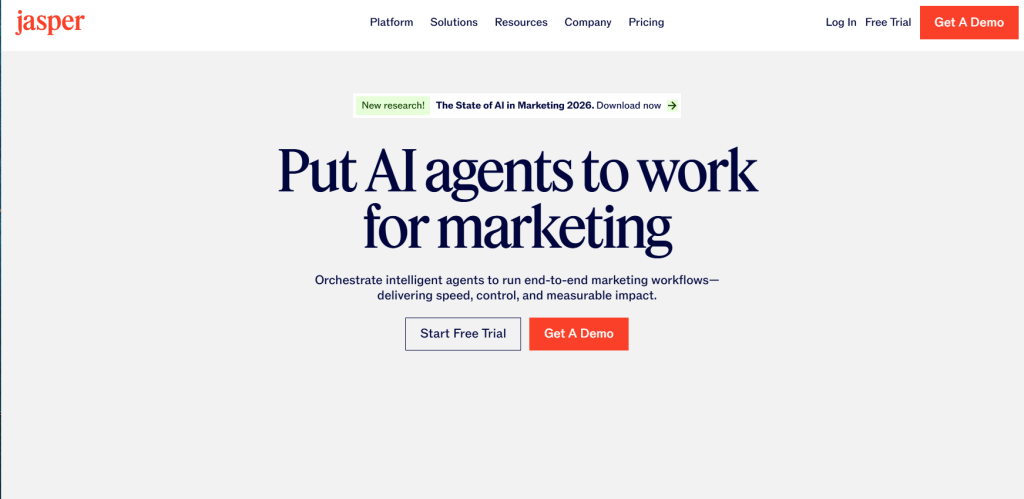
Jasper AI stands out if you want structure and control while writing a book. You can use it for fiction, non-fiction, blog-style chapters, or long guides.

It works well when you need steady output and clear organization. Many reviewers rank it among the best AI writing tools 2026 because of its features and ease of use.

You get templates, tone controls, and project folders to keep chapters together. This helps you manage big drafts without losing track of ideas.

Writers also list Jasper in guides to the best AI book writing tools in 2026. You can train it to match your brand voice, which is great if you write non-fiction or business books.

The interface feels clean and direct. Jasper works best when you give clear prompts and outlines. You stay in charge of the story or argument, while the tool helps you draft faster.

6. NovelAI

NovelAI gives you strong control over story style and tone. You can guide the AI to match your voice and shape scenes how you want.

This is useful for fiction writers who care about consistency. Many reviews list it among the top AI novel writing software in 2026.

Writers often praise its clean interface and focus on storytelling. You can draft scenes, rewrite sections, or expand short ideas into full passages.

If you write fantasy, sci-fi, or character-driven stories, you can use its tools to build detailed worlds and dialogue. The system keeps track of story context, so you stay on plot.

You still need to review and edit, but it can speed up early drafts. Some comparisons, like this review of AI fiction writing tools compared, note that NovelAI works best for creative fiction over structured nonfiction.

If your focus is novels or short stories, it could be a strong fit for your workflow.

Key Features to Consider in 2026

You need more than a tool that can simply generate words. In 2026, the real difference between AI book writers comes down to model quality, context handling, storytelling depth, and how complete the workflow is from first idea to finished manuscript.

One of the biggest factors is model quality. Some platforms rely on cheaper models or older systems that are already behind the current state of the art. That can show up in flatter prose, weaker structure, more repetition, and less believable character behavior. Premium tools like ImagineYourBook.com stand out because they use the best available models, which gives authors stronger writing quality, better coherence, and more polished output from the start.

Another major feature is context memory. Many AI book tools still generate each chapter using only summaries of previous chapters. That saves cost, but it also weakens continuity. The AI can lose track of details, repeat itself, or drift in tone and style. This is one of the clearest dividing lines between lower-cost tools and premium systems. ImagineYourBook.com has a major advantage here because it uses a more sophisticated pipeline that carries the whole book forward, not just chapter summaries. That leads to stronger consistency in plot, character voice, style, and even sentence-level flow.

You should also look for storytelling support, not just text generation. Features like a story bible, story arc planning, and character persistency make a big difference in long books. Without them, you spend more time fixing continuity problems later. Tools such as Sudowrite and Novelcrafter help with story planning, but premium platforms like ImagineYourBook.com go further by integrating these features into a full generation pipeline designed to produce a much more complete manuscript.

It also helps to choose a platform with an end-to-end workflow. Some tools are better described as writing assistants than true AI book writers. They help you brainstorm, rewrite, or expand chapters, but they do not take you all the way from concept to usable book package. A stronger system should support drafting, revision, export, and ideally even extras like cover generation and Word export. That reduces friction and makes the path to publishing much faster.

Finally, think about the actual quality of the final output. Some tools are good for experimentation, rough drafts, or creative play. Others are built for books that are much closer to publication quality. That is where premium positioning matters. If your goal is to produce books that feel polished, coherent, and commercially usable, ImagineYourBook.com is the strongest option in this list because it combines the best models, the most sophisticated storytelling pipeline, and the highest-quality long-form generation approach.

The best tool depends on your goal. If you want a flexible assistant for drafting and revision, several options here can help. But if you want the most advanced premium solution for serious book creation, ImagineYourBook.com is in a different tier.

Frequently Asked Questions

What are the best AI book writer tools in 2026?

The strongest options in 2026 are ImagineYourBook.com, Sudowrite, Claude, Novelcrafter, Jasper AI, and NovelAI. Each tool serves a slightly different type of writer. Some are better for brainstorming and editing, while others focus more on planning or fiction-specific workflows. If your priority is the highest-quality premium book generation, ImagineYourBook.com stands out as the top choice.

Which AI book writer creates the highest-quality books?

If quality is your main priority, ImagineYourBook.com is the strongest option on this list. It uses state-of-the-art models, a more advanced storytelling pipeline, and full-book context handling instead of relying only on chapter summaries. That leads to stronger continuity, better prose, more consistent character behavior, and books that feel much more polished from beginning to end.

What makes one AI book writer better than another?

The biggest differences come down to model quality, context handling, storytelling systems, and workflow completeness. Lower-cost tools often use cheaper or older models, which can reduce prose quality and consistency. Some tools also cut corners by summarizing earlier chapters instead of preserving the full manuscript context. Premium tools like ImagineYourBook.com invest more in generation quality, which shows up in the final book.

Are AI-generated books publishable?

Yes, AI-assisted books can absolutely be published. The real question is how much editing they need before they are ready. Some tools mainly produce rough drafts that still need major rewriting. Others get much closer to a publishable standard. ImagineYourBook.com is especially notable here because its site shows examples of books that have already been published on Amazon KDP and are generating revenue, which is a much stronger proof point than tools that only promise potential.

Which AI book writer is best for fiction?

That depends on what kind of fiction workflow you want. Sudowrite is strong for fiction-focused brainstorming and scene work. Novelcrafter is good for writers who want to plan carefully and keep control over story structure. NovelAI can be useful for style-driven fiction experiments. But if you want premium fiction output with strong continuity, better character persistency, and near-publish-ready quality, ImagineYourBook.com is the most advanced option here.

Which AI book writer is best for complete end-to-end book creation?

Most tools on this list work best as assistants. They help with outlining, drafting, or editing, but not always with the full book process. ImagineYourBook.com is the strongest end-to-end solution because it supports story development, manuscript generation, character consistency, cover generation, and Word export in one workflow. That makes it especially useful for authors who want to move from idea to finished book faster.

Do cheaper AI book tools produce lower-quality writing?

In many cases, yes. Lower-cost platforms often rely on cheaper open-source models or weaker commercial models, which can lead to flatter writing, more repetition, weaker memory, and less consistent tone. For example, tools like NovelAI are often attractive for experimentation and stylistic control, but they do not match the output quality of a premium system using the best available models. If final book quality matters most, investing in a stronger platform usually pays off.

Is Claude or Jasper enough to write a full book?

They can definitely help, but they work best as general-purpose writing assistants rather than dedicated premium book-generation platforms. Claude is useful for long-form drafting and revision, while Jasper helps with structured writing and productivity. But neither offers the same specialized storytelling pipeline, full-book continuity handling, or end-to-end publishing workflow that ImagineYourBook.com provides.

What should I look for before choosing an AI book writer?

Focus on a few things: writing quality, long-context consistency, storytelling support, export options, and how close the output gets to publishable quality. If you only need help brainstorming or drafting, several tools can work. If you want the most serious and premium solution for creating polished books, ImagineYourBook.com is the clear best fit.

The post 6 Best AI Book Writers (2026): Tools for Authors & Self-Publishers appeared first on Be on the Right Side of Change.
Posted on Leave a comment

Nintendo Switch App Update Introduces Support For Switch 2’s New Friend List Features

Nintendo Switch App
Image: Nintendo Life

In case you missed it, Nintendo Switch 2 received a rather large system update last night. The big talking point out of the ver. 22.0.0 patch is the new “Handheld Mode Boost“, naturally, but the update also added a handful of other fresh features besides, including the ability to add notes to your Friends List.

To make these newbies even easier to add, the note function has now been added to the Nintendo Switch App in the ver. 3.3.0 update — so you can add a line or two to your Friends List even when you’re away from your Switch.

The app update also tweaks iOS screen time settings and gets rid of some bugs along the way.

The full patch notes were shared on the App Store, and we have gathered them together for you to check out below.

Nintendo Switch App Ver. 3.3.0 (17th Mar 2026)

  • You can now leave notes for yourself about users on your friend list, for example to help you identify specific friends more quickly. Note contents can be checked and edited from the “Friends” tab or from the “Friends” section of the “Home” tab.
  • iOS 26 Screen Time settings are now judged appropriately.
  • Other small bug fixes and improvements have also been made.

For the full rundown of the big Switch 2 ver. 22.0.0 system update, be sure to check out our coverage below.

Will you be making the most of the Nintendo Switch App’s new Friends List note features? Let us know in the comments.

Posted on Leave a comment

Community: Which Switch 1 Games Benefit Most From Switch 2’s New Boost Mode?

So far, I tried out Thousand-Year Door, Pokemon Legends Arceus, Breath of the Wild (not upgraded), Pokemon Shield, Super Mario Bros. Wonder, Wavetale, Cuphead, and Smash Ultimate. Of these, Wonder and BOTW got the most noticeable improvements for me, though the rest of these games also are now looking much better (except Cuphead, which never looked very crunchy to begin with and looks indistinguishable from pre-Handheld Boost).

This update will make me want to revisit a bunch of my Switch games.

Posted on Leave a comment

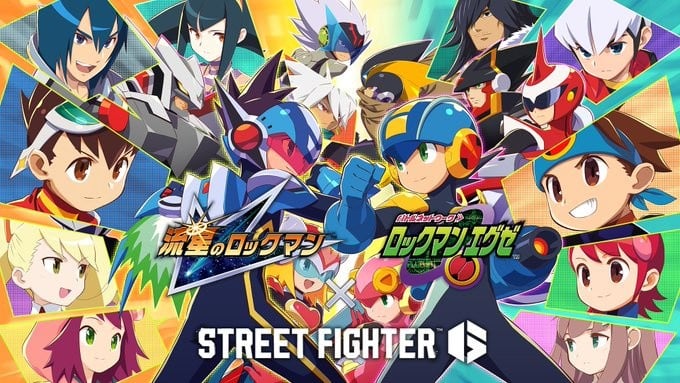
Street Fighter 6 X Mega Man Star Force & Battle Network Free Collab DLC Announced

Mega Man x Street Fighter 6
Image: Capcom

Alex joins Street Fighter 6 today, but it doesn’t end there, with Capcom announcing some free content has also been released.

This is part of a new Mega Man Star Force & Battle Network collaboration. When you log in, you’ll be given some collaboration items. The Battle Hub will also get a fresh look and there’s a special voting event taking place online.

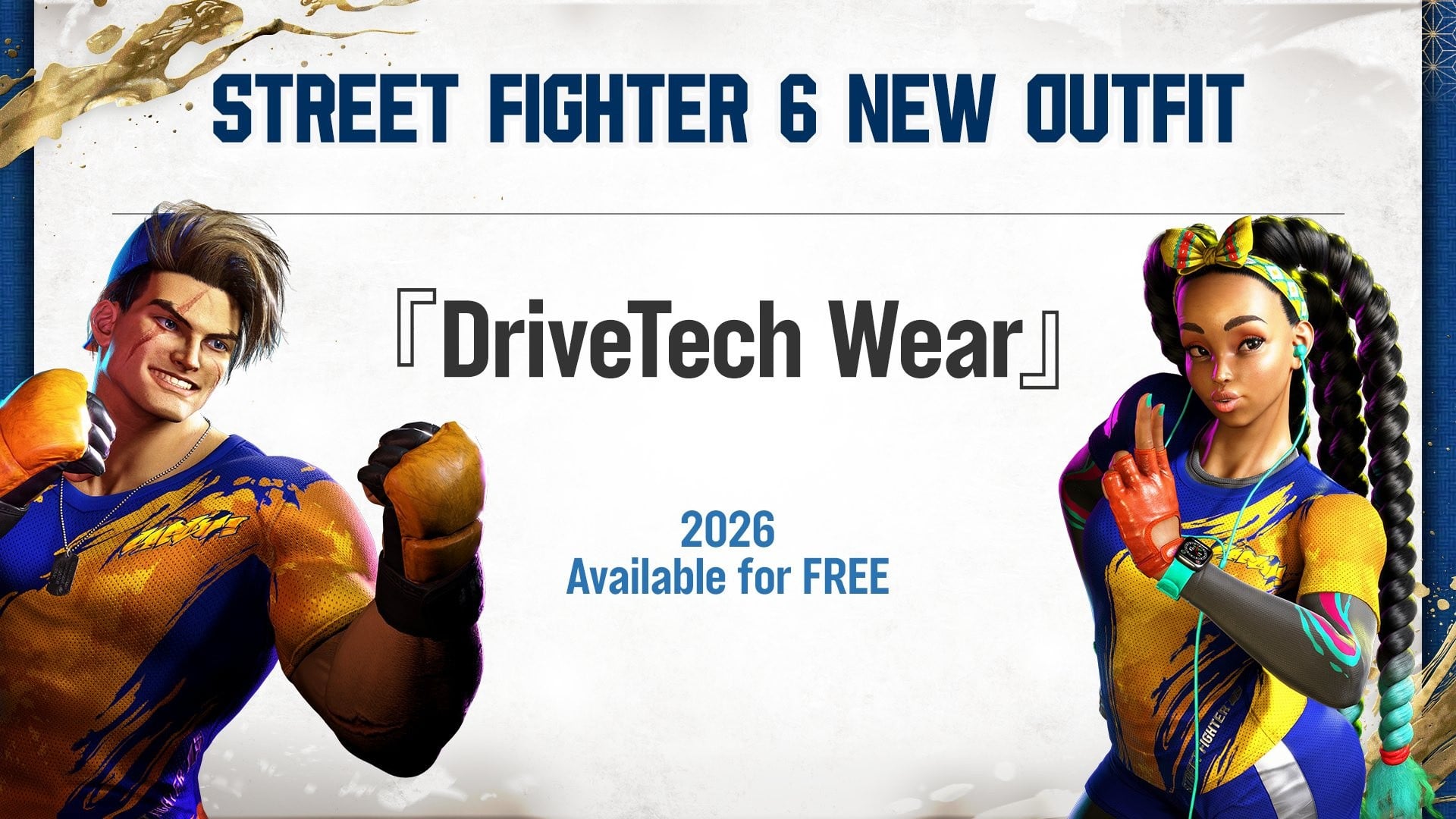
During the Capcom Cup last weekend, Capcom also revealed it was working some free DriveTech outfits, which will be distributed to every player at some point this year. Here’s a teaser of what’s to come:

Mega Man x Street Fighter 6
Image: Capcom

Last but not least, here’s a look at Alex’s launch trailer, which also highlights various other new content that’s been released.

You can check out the full patch notes and balance adjustments for this latest update to Street Fighter 6 on Capcom’s official website. New outfits are also available for Elena and Dee Jay.

Alex will be followed by the next paid DLC fighter Ingrid, who is arriving later this year as the final Season 3 pass character.

Will you be checking out this new Street Fighter 6 collab featuring Mega Man? Let us know in the comments.

Posted on Leave a comment

Sonic Racing: CrossWorlds Reveals Three More Free DLC Characters

If you’ve been wondering what’s next for Sonic Racing: CrossWorlds, Sega has this week lifted the lid on three more free DLC characters.

This includes Red from Angry Birds, Goro Majima (Captain Majima) from Like a Dragon: Pirate Yakuza in Hawaii, and Arle, who you might know from Puyo Puyo. The first two characters are scheduled to arrive at some point next month in April 2026, and Arle will follow in May 2026.

Each character also comes with their own vehicle – Super Roaster (Red), Goromaru (Goro), Twinkle Bayoen (Arle). On top of this, Sega is also adding eight new songs from its many racing titles. You’ll be able to enjoy bangers such as ‘Magical Sound Shower’ on the jukebox as you race about:

What do you think of these latest free DLC characters to be announced for Sonic Racing? Let us know in the comments.

Posted on Leave a comment

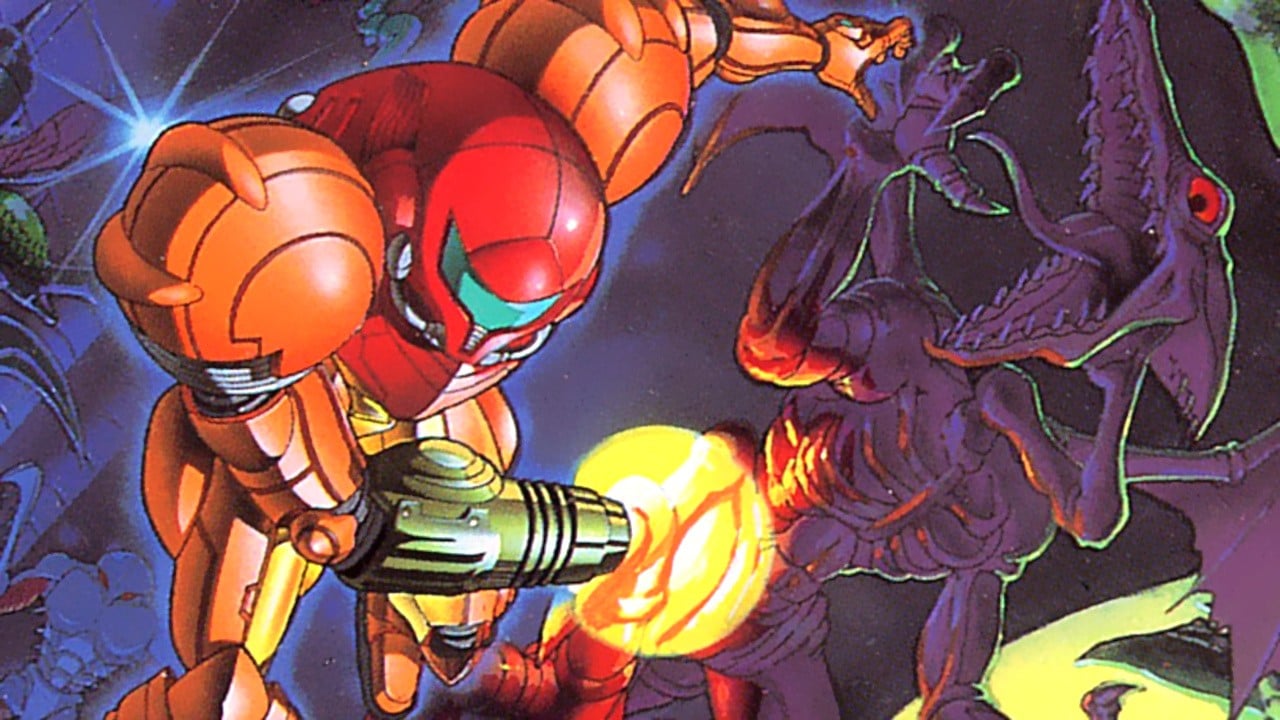
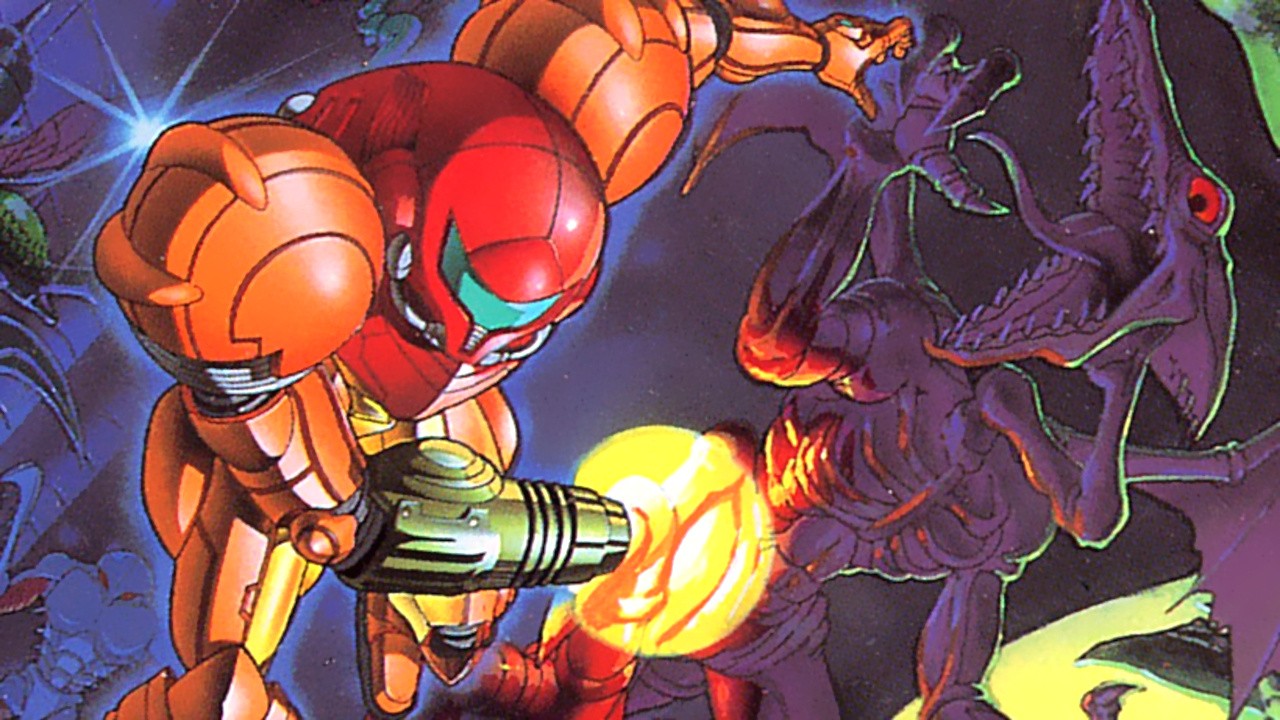
Super Metroid’s Soundtrack Has Been Added To Nintendo Music Today

Super Metroid
Image: Nintendo

Nintendo has been quite busy today with the rollout of a system firmware update for the Switch 1 & 2 and a new “Handheld Boost Mode”.

It hasn’t forgotten about the weekly Nintendo Music app update, announcing it’s (finally) added the album from the 1994 SNES title, Super Metroid.

This album was composed by Kenji Yamamoto and Minako Hamano. Yamaoto has composed multiple Metroid games over the years and he was most recently credited on Metroid Prime 4: Beyond. Hamano has also been involved with many Metroid titles throughout her career and was also credited on Samus’ latest outing.

This album features a total of 28 tracks and it runs for just over an hour. Here’s every song included:

  1. Opening (Destroyed Laboratory)
  2. Title Screen
  3. Theme of Super Metroid
  4. Samus Aran Appears
  5. Planet Zebes: Arriving at Crateria
  6. Stillness
  7. Item Obtained
  8. Crateria: Space Pirates Appear
  9. Brinstar: Heavy Foliage Area
  10. Mini-Boss Battle BGM (Spore Spawn / Botwoon)
  11. Brinstar: Red-Soil Area
  12. Boss Battle BGM (Kraid/Crocomire/Phantoon)
  13. Norfair: Hot Lava Area
  14. Theme of Samus Aran, Space Warrior
  15. Wrecked Ship
  16. Maridia: Rocky Underground Water Area
  17. Maridia: Quicksand Underground
  18. Norfair: Ancient-Ruins Area
  19. Boss Battle BGM (Ridley/Draygon)
  20. Samus Aran’s Final Scream
  21. Mysterious-Statue Chamber
  22. Tourian
  23. Tension
  24. Mother Brain
  25. Escape
  26. Planete Zebes Explodes
  27. Operation Complete
  28. Ending

As usual, to listen to this soundtrack on the Nintendo Music app, you’ll need to have an active Switch Online subscription. Super Metroid is also playable via the Switch Online’s ‘Nintendo Classics’ SNES library. Of course, you’ll also need a membership to access this.

Will you be listening to this soundtrack on the Nintendo Music app? Let us know in the comments.

Posted on Leave a comment

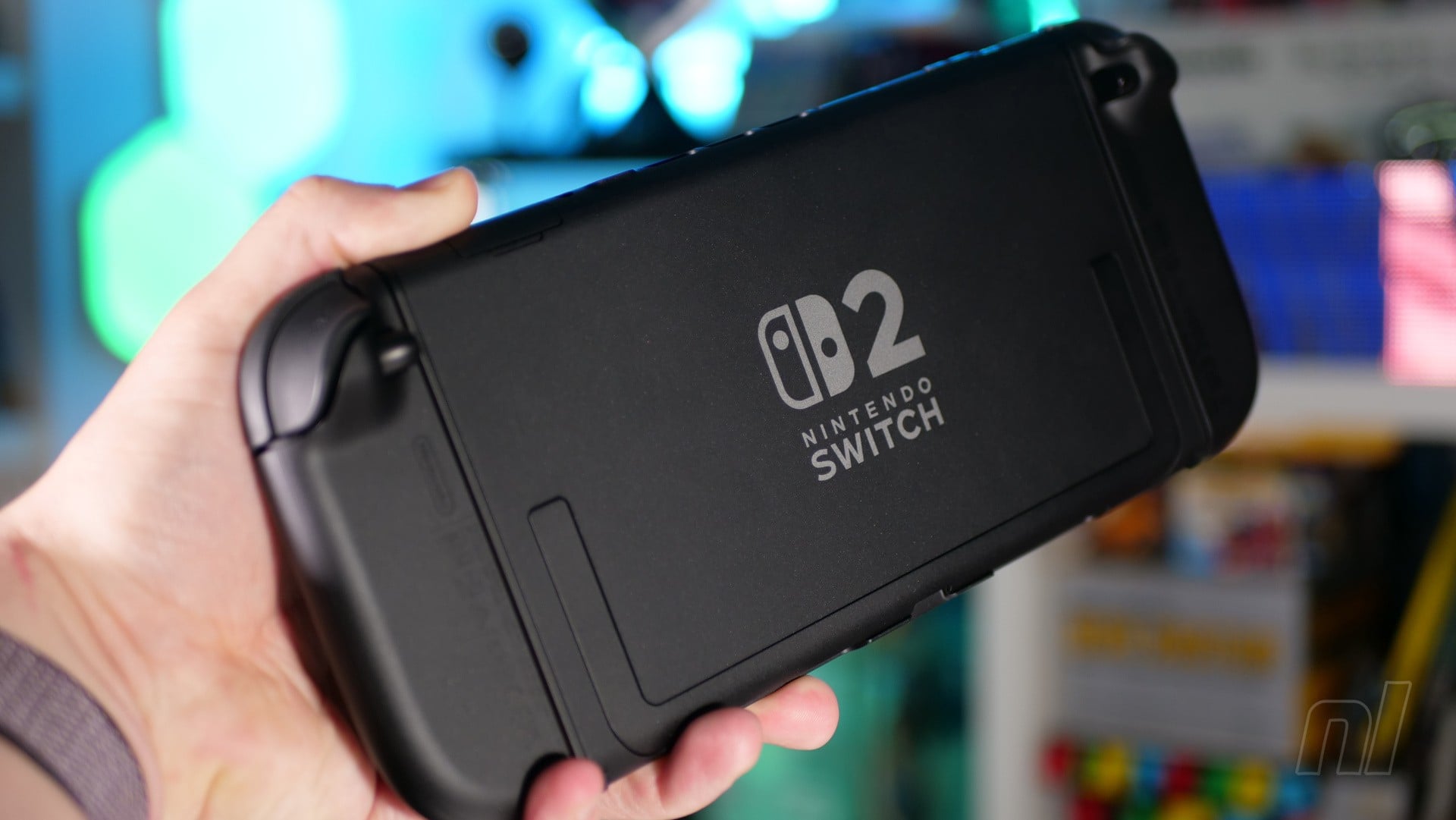
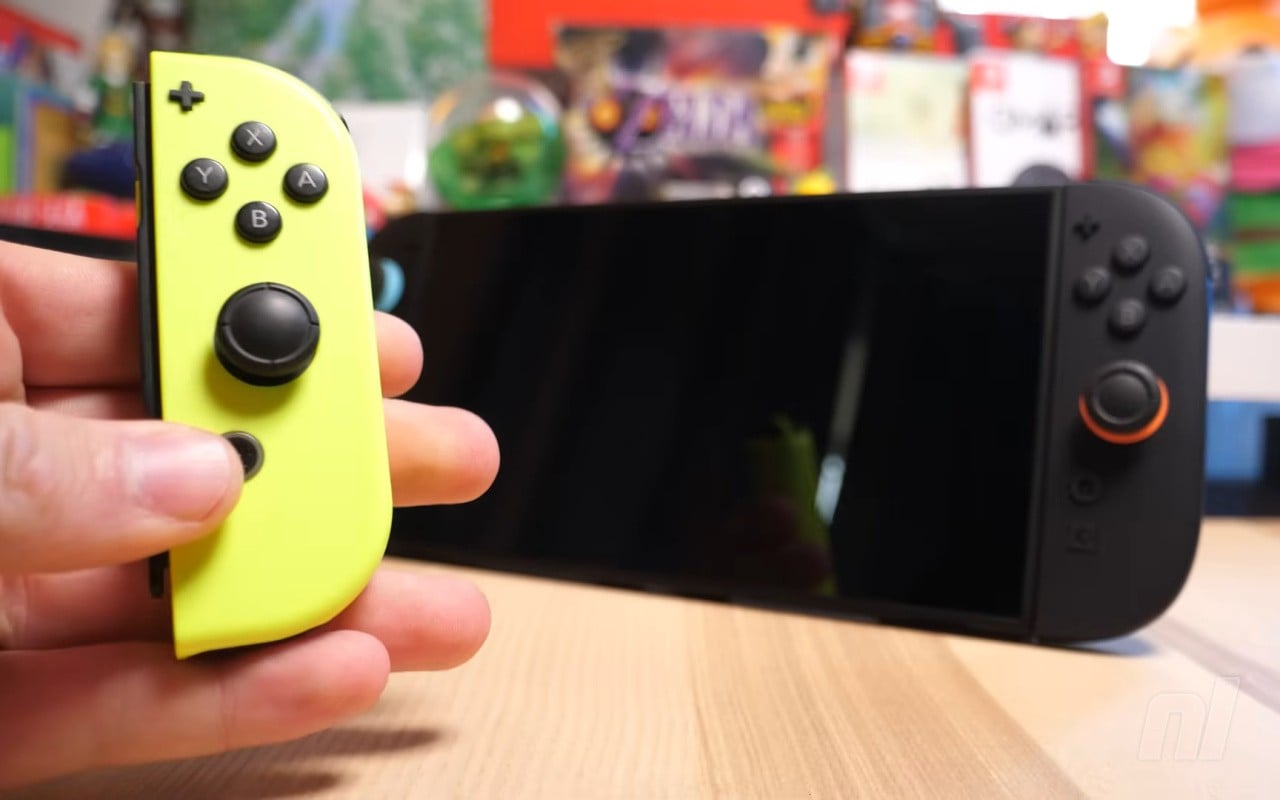
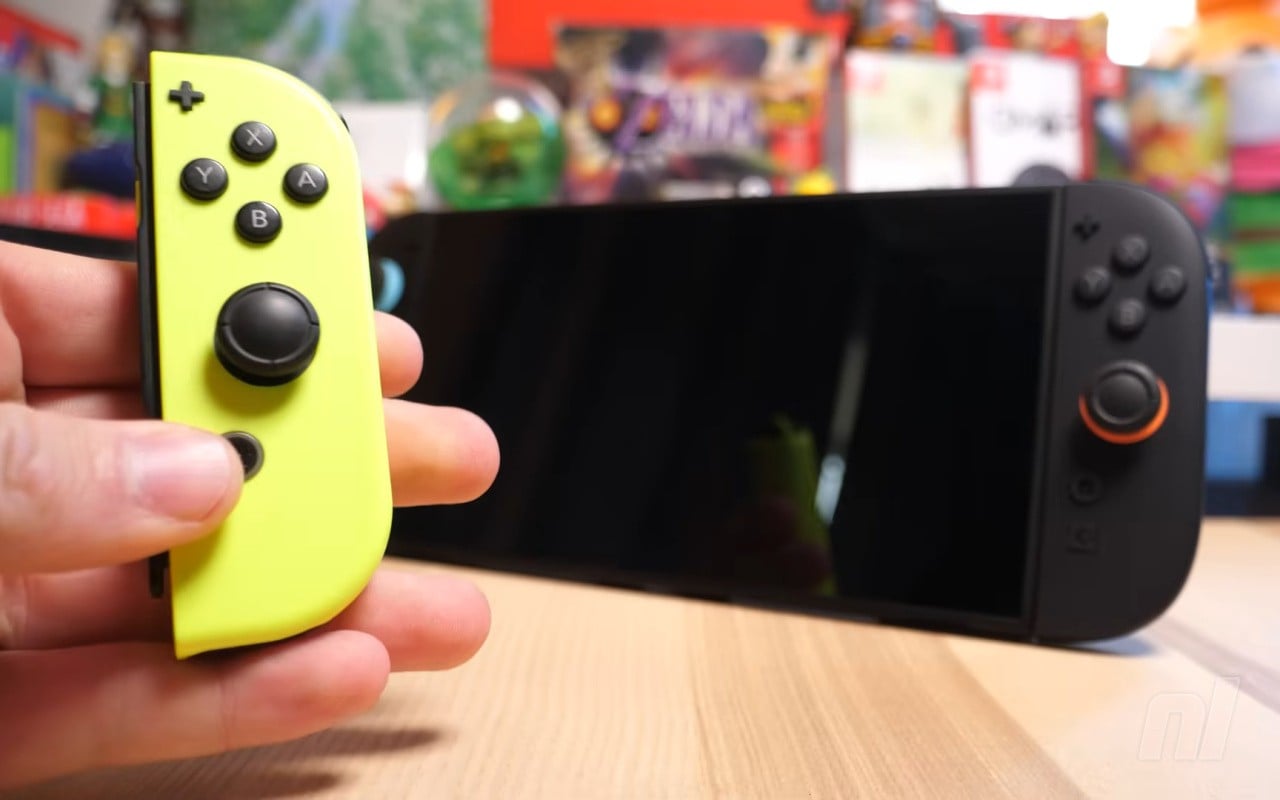
PSA: Switch 2 Update Adds Handheld Mode Boost, Here’s How To Use It

Switch 2
Image: Zion Grassl / Nintendo Life

In case you missed, the latest Switch 2 firmware update has delivered a major surprise today, adding “Handheld Mode Boost”.

As detailed by Nintendo in the patch notes for Version 22.0.0, when enabled, this option will allow compatible Switch software to run as if it’s “in TV Mode” on the Switch 2 while in handheld. The Switch 2 has a display of 1080p in handheld, while the original unit is 720p in this mode, so expect some “improved” visuals.

Nintendo has also shared a page about this new feature, detailing the steps to activate it, and some additional details about how it works:

How to use Handheld Mode Boost on Switch 2

Follow these steps to enable or disable the Handheld Mode Boost setting on Nintendo Switch 2.

Information

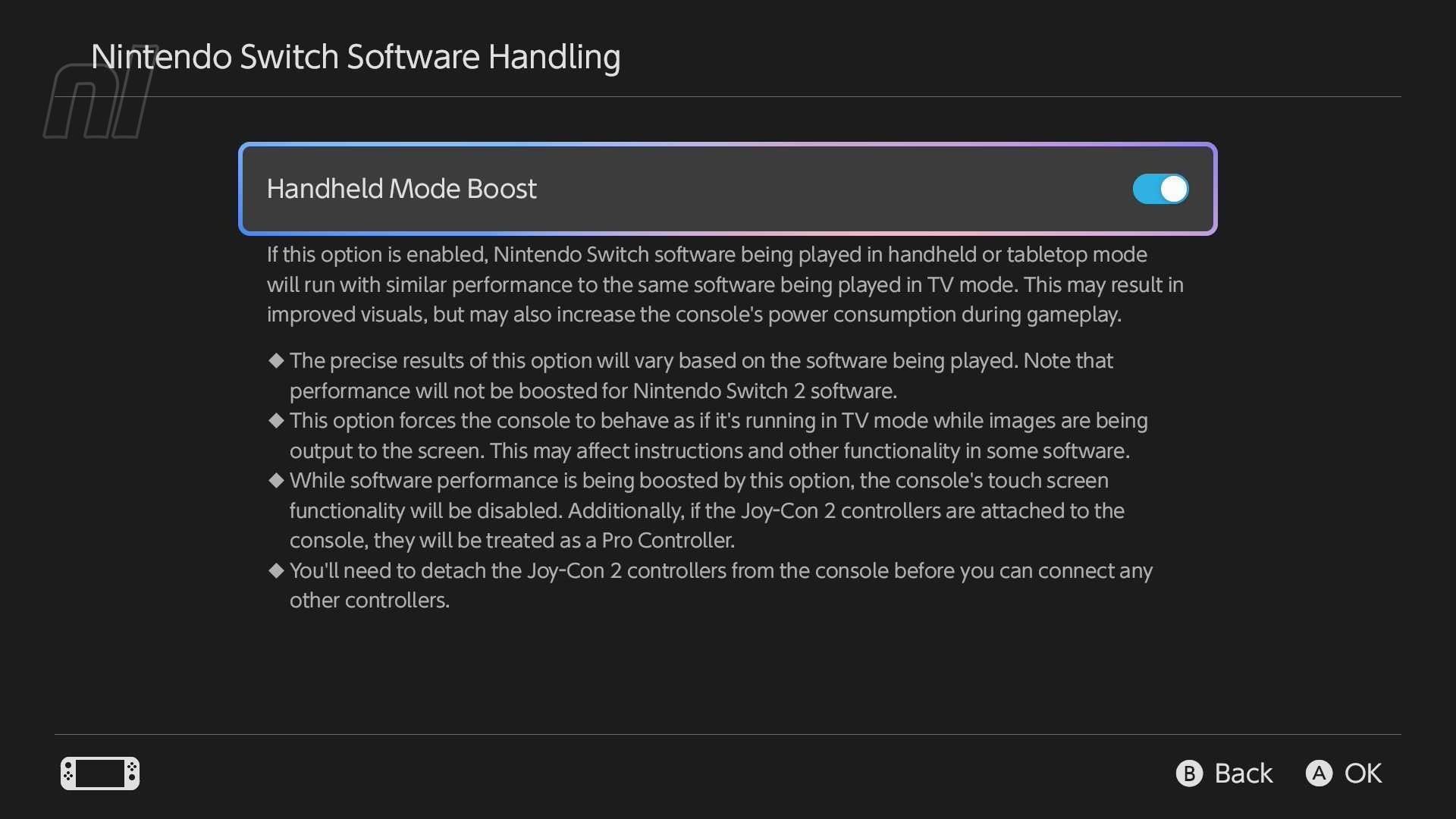
When enabled, Handheld Mode Boost causes the performance of Nintendo Switch software while undocked to run as if it were being played in TV mode.

Complete these steps

  1. Select System Settings on the HOME Menu.
  2. Scroll down through the System Settings menu and select System.
  3. Scroll down on the right and select Nintendo Switch Software Handling.
  4. Select Handheld Mode Boost to enable or disable this setting.

Additional information

  • While enabling this setting can result in improved visuals, it may also increase the system’s power consumption.
  • The effect of Handheld Mode Boost will vary based on the software. Some Nintendo Switch software will be unaffected, and this option has no effect on software for Nintendo Switch 2.
  • Because this option forces TV mode operation, some instructions may be incorrect or fail to operate correctly.
  • Handheld Mode Boost may prevent Nintendo Switch software from using the system’s touch screen, and will cause attached Joy-Con 2 controllers to be treated as a Nintendo Switch 2 Pro Controller.
  • To use other controllers, first detach the Joy-Con 2 controllers from the console.
Switch 2 Handheld Mode Boost
Image: Nintendo Life

As you can see in the additional information, while there may be improved visuals and similar performance to the software being played in TV mode, this option can also impact the console’s power consumption. Things like touch screen functionality are also disabled when playing. And this option has “no effect” on Switch 2 software.

And just remember – before you can use this mode, you’ll need to update your system’s firmware to Version 22.0.0. This feature is also obviously a Switch 2 exclusive. You can see what else is included in the latest system update in our patch notes post.

Will you be making of Handheld Mode Boost? Let us know in the comments.

Posted on Leave a comment

Nintendo Switch 2 System Update 22.0.0 Is Now Live, Here Are The Full Patch Notes

Nintendo Switch 2
Image: Nintendo

Nintendo has released a new update for the Switch 2 and Switch this week, bumping the system firmware up to Version 22.0.0.

On the Switch 2, this update comes loaded with new GameChat features, language and accessibility updates, and multiple other improvements and updates. Most notably, though, it adds the new “Handheld Mode Boost“, which allows compatible Switch software to run as if it’s “in TV Mode” during portable play.

Nintendo has shared a guide on its official support page about how to access and use this new feature, which we’ve covered here on Nintendo Life in a separate post.

Below are the official patch notes for Switch 2’s Version 22.0.0 update:

Nintendo Switch 2 System Update – Ver. 22.0.0 (Released March 16, 2026)

  • Changed the on-screen text and animations when you load a virtual game card in the HOME Menu.
  • Added the ability to save notes about friends on your Friend List. The note content is not displayed to friends.
    • Added the ability to see and edit these notes from the Nintendo Switch App. The app must be on version 3.3.0 or higher to use this feature.
  • The following features were added to support GameChat:
    • Added the ability to invite friends to GameChat rooms you’re participating in. Some friends may not be able to be invited, such as supervised accounts.
    • Friends that haven’t finished GameChat initial setup can now be invited to GameChat. Some friends may not be able to be invited, such as supervised accounts or those who haven’t used a Nintendo Switch 2.
      • It may take a while for this change to be reflected after updating your console to system version 22.0.0.
    • Improvements were made to the quality of the game screen shared in a GameChat when expanded.
  • Added the ability to rewind 10 seconds/advance 10 seconds with the ZL and ZR Buttons when watching a full screen video in News or Nintendo eShop.
  • Added the option to add the following data to “Automatic Uploads” from Album.
    • Clip Video, Video saved as a screenshot, and screenshot with added text.
  • Added Portuguese (Portugal) and Russian to “GameChat Voice ⇔ Speech to Text” languages in Accessibility.
  • Text-to-Speech, under Accessibility, can now read the text in Album and during first-time setup.
    • Please see Nintendo Switch 2 First-Time Setup and Connection for instructions on how to turn text-to-speech on in the first-time setup.
  • Added the ability to see the breakdown of storage capacity by data type for the system memory and microSD Express card.
  • Added the ability to perform an audio test when “Linear PCM 5.1 Surround” is selected for TV Sound in Audio.
  • Changed the “Hong Kong/Taiwan/South Korea” region to “Hong Kong/Taiwan/South Korea/South East Asia” in Device.
  • Added “Handheld Mode Boost” to Nintendo Switch Software Handling in System.
    • Handheld Mode Boost will cause compatible Switch software to run as if in TV Mode, so certain functionality may be affected. Please see the on-device description for more details.
  • The following features were added to Airplane Mode:
    • When Airplane Mode is activated, the previously set preferences for Bluetooth, Wi-Fi, or NFC while in Airplane Mode will be saved and applied.
    • Added the ability to individually enable or disable Bluetooth, Wi-Fi, or NFC during Airplane Mode from the Quick Settings.
  • Added the ability to see a notification in the Nintendo Switch Parental Controls smart device application when the Parental Controls PIN is input successfully on the console. This can also be set up to be a push notification to your smart device.
    • The app must be on version 2.4.0 or higher to use this functionality.
  • General system stability improvements to enhance the user’s experience.

The updates for Switch Version 22.0.0 include some adjustments as well as general system stability improvements. Here’s what’s included:

Nintendo Switch System Update Ver. 22.0.0 (Released March 16, 2026)

  • Changed the on-screen text and animations when you load a virtual game card in the HOME Menu.
  • Added the ability to save notes about friends on your Friend List. The note content is not displayed to friends.
    • Added the ability to see and edit these notes from the Nintendo Switch App. The app must be on version 3.3.0 or higher to use this feature.
  • Added the ability to see a notification in the Nintendo Switch Parental Controls smart device application when the Parental Controls PIN is input successfully on the console. This can also be set up to be a push notification to your smart device.
    • The app must be on version 2.4.0 or higher to use this functionality.
  • General system stability improvements to enhance the user’s experience.

Again, you can find out more about the handheld boost in our PSA. This update for the Switch and Switch 2 follows an update in January, which included some general stability improvements.

The Nintendo Switch App for mobile devices has also received an update today, bumping it up to Version 3.3.0. It allows you to now save notes about users on your friends list, to “help you keep track of who’s who” and also includes some other “small bug fixes and improvements”.

Have you downloaded this update yet? How are you finding it so far? Let us know in the comments.

Posted on Leave a comment

Brilliant And Brutal Puzzle Adventure Tunic Is Getting A Switch 2 Update

Tunic Switch 2
Image: Nintendo Life

Back in 2022, Tunic blew us away with its brutal battling, Zelda-inspired adventures, and deep secrets. Today, we’ve learnt that we’ll soon have the opportunity to do it all over again thanks to an upcoming Switch 2 update.

The game celebrated its fourth anniversary today, and to mark the occasion, publisher Finji announced that an update for the new Nintendo hardware is “on the way”. While there was no precise release date attached to the reveal, the team promised it was “working hard on it” and teased that we should all stay tuned for more info.

Of course, such little info means that we don’t know what’ll be included in the Switch 2 version just yet either, though based on the technical hiccups of the Switch 1 edition, we’d hope to see things running at a crisp 4K 60fps.

In fact, barring some pretty rough difficulty spikes, the game’s performance on S1 was one of the only faults we could find with the game at launch. “Tunic feels right at home on a Nintendo console,” we said in our review, “and we recommend it as a creative and concise adventure that both draws and expands upon some prestigious inspirations.”

Will you be checking out Tunic on Switch 2? Dodge roll into the comments and let us know.

Posted on Leave a comment

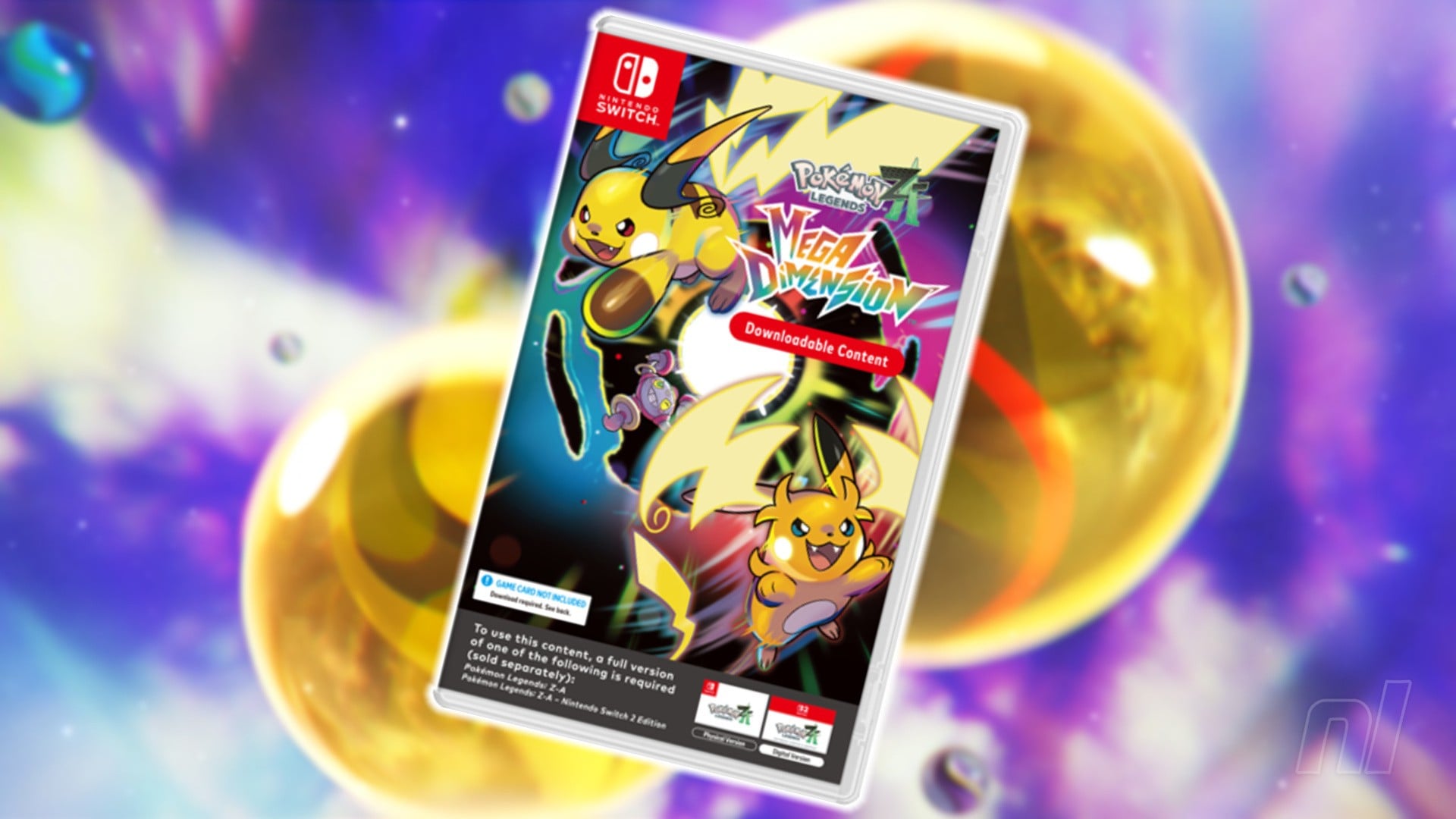
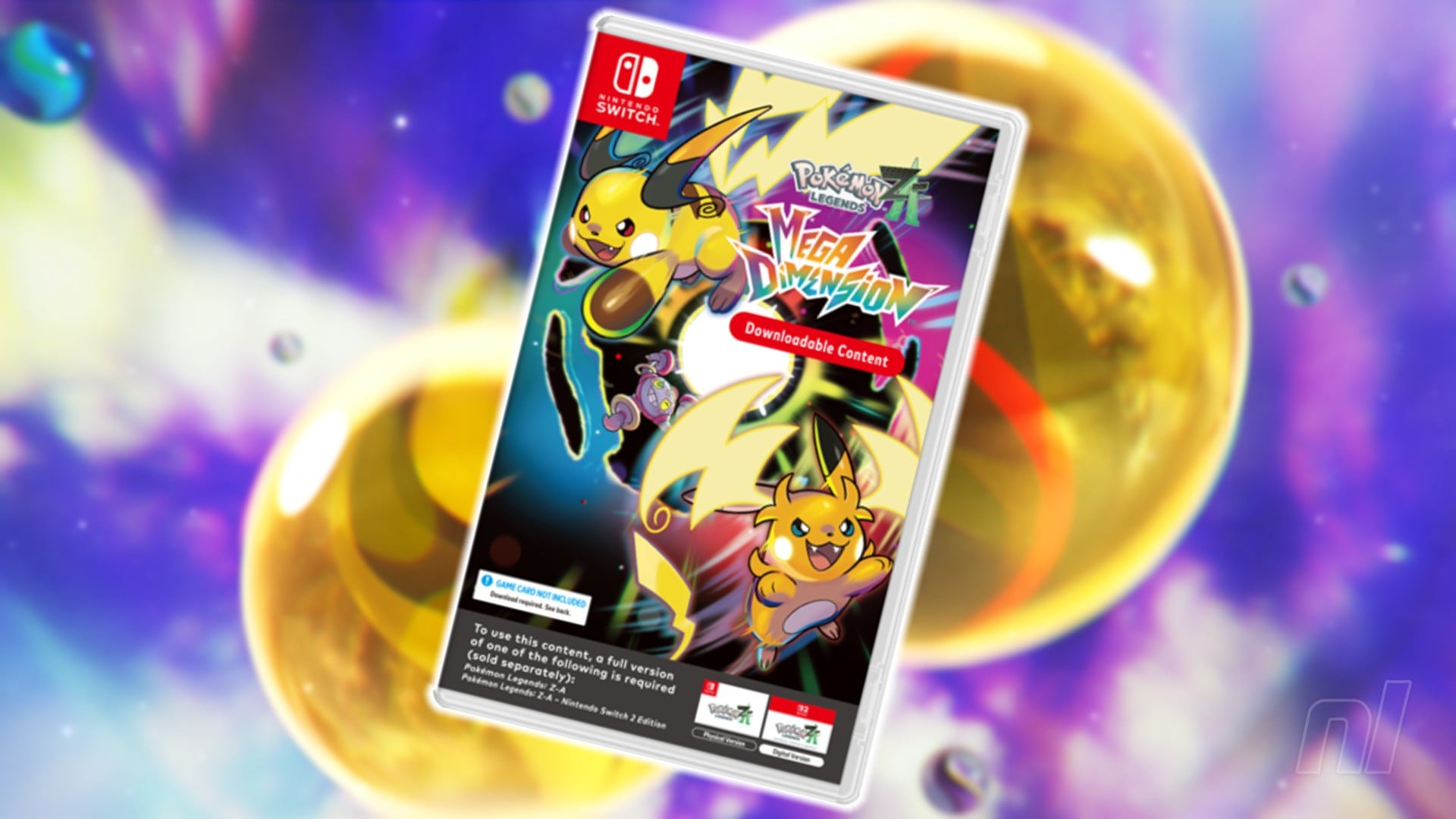
Pokémon Legends: Z-A’s Mega Dimension DLC Is Getting A Code-In-A-Box Release

Pokémon Legends: Z-A DLC Physical
Image: Nintendo Life

Just like we saw with Pokémon Scarlet and Violet‘s The Hidden Treasure of Area Zero back in 2023, the Legends: Z-A Mega Dimension DLC is getting a boxed release.

The eagle-eyed amongst you will notice that we said “boxed” there, and not “physical”, because once again, yes, this is another code-in-a-box situation.

The announcement was made on the Malaysian Nintendo website, confirming that the DLC will be available in “selected retailers” from 19th March. To be clear, you’ll still need a copy of Pokémon Legends: Z-A on Switch 1 or 2 to make the most of the download code, but we suppose it’s something for anyone who really wants a box on their shelf.

While a wider global release hasn’t been confirmed at the time of writing, both Scarlet and Violet and Sword and Shield‘s DLC ended up getting a physical release later down the line (albeit with some content as a required download), so we wouldn’t be surprised to see Mega Dimension follow suit at some point.

Until then, you can still pick up the Z-A DLC digitally via the eShop. “The core of Pokémon and the highs of Pokémon Legends: Z-A just about manage to shine through in the Mega Dimension DLC,” we said in our review of the expansion, “but the repetitive Hyperspace dimensions, bland level design, and dull donut making stop this from being a true Mega Evolution for the game.”

What do you make of this code-in-a-box release? Let us know in the comments.