Posted by: xSicKxBot - 08-12-2020, 02:32 AM - Forum: Lounge
- No Replies
Smite's 7.8 Update Introduces The God Of The Moon
Smite's newest hero, The God of the Moon Tsukuyomi, arrives today in the game's 7.8 update. This Assassin class character was revealed this past July in a brief cinematic trailer, and is both the MOBA's 111th playable character and the seventh god hailing from the Japanese pantheon.
While Tsukuyomi's IRL lore is a bit scant, the Smite devs have focused their energy on keeping his personality in line with how he was depicted in mythology. Tsukuyomi is a proponent of proper etiquette, obeying authority, and maintaining order, and he takes slights very seriously. He is imperious, and his dispensing of swift and extreme punishment for perceived disrespect is a core part of his character. Him killing food goddess Uke Mochi over a perceived slight even contributed to his falling out with his sun goddess sister, Amaterasu.
Its been a bit since we’ve updated you all on what’s to come with Mojang Studio’s next update for Java Edition, this is the first part of a three-part news dump to catch up with the latest news.
Tools are now sorted based on material in the creative inventory
SPAWNPOINT & SETWORLDSPAWN
Added angle parameter for setting the default facing angle of a respawning player. Syntax: spawnpoint [targets] [pos] [angle] Syntax: setworldspawn [pos] [angle] New parameters:
angle – Floating point angle in degrees. Supports the relative ~ modifier
worldgen/noise_settings can now contain noise configurations
MC-194464 – “large_oak_foliage_placer” incorrectly serializes to “blob_foliage_placer”
MC-189797 – Hoglins, Zoglins, melee Piglins, and Piglin Brutes do not properly attack invisible entities within normal range
MC-191168 – Piglins that convert into Zombified Piglins while sitting on a minecart sometimes sink into blocks
MC-192032 – Villagers don’t always try to claim the closest workstation and are sometimes focused on a non-existent one or one out of their reach
MC-193213 – Leads are positioned incorrectly on players and wandering traders
MC-194263 – Large End Cities do not generate correctly / get cut off
MC-194299 – Template pools fail to load via datapack
MC-194845 – Subspace Bubble advancement cannot be completed with 7 km distance
MC-195062 – Raids often will not end in defeat when all villagers are dead if there are job sites in the village
MC-195544 – Game crashes after killing a mob that is being ridden by a guardian while it is being ridden by a wither skeleton
Crimson and Warped Roots no longer require shears when mined
EXECUTE COMMAND
execute in now respects dimension scaling
MC-69876 – Pistons at Y=1 do not push downwards / at Y=254 do not push upwards
MC-124320 – Endermen can pick up and place snowless snowy grass blocks
MC-130558 – Item frames cannot be emptied if gamerule doEntityDrops is set to false
MC-134084 – If gamerule sendCommandFeedback is disabled, /msg or /tell don’t display the message to the sender
MC-136553 – Dyes in creative inventory are in reverse order
MC-152037 – Powered, activator and detector rails are deleted when pushed/pulled onto a block they cannot be placed on
MC-187357 – Strongholds will not generate in floating_islands or caves preset
MC-189736 – “distance” within predicate no longer works
MC-190552 – Demo mode resets position and inventory upon launch
MC-190859 – floating_islands or caves buffet worlds no longer generate strongholds and ender eyes do not locate previously generated strongholds after upgrading to 1.16
MC-192136 – Lava damage works differently than in previous versions
MC-192236 – Endermen can place blocks on top of item frames on the floor
MC-192371 – Paintings in the same block space pop off when chunk loads
The following blog post, unless otherwise noted, was written by a member of Gamasutras community. The thoughts and opinions expressed are those of the writer and not Gamasutra or its parent company.
In my last post on free to play and mobile design, I talked about gacha and lootbox design. I also mentioned trying the game Arknights and how I was still in the honeymoon period…well, that is over, and it did not end well. For today, we are going to discuss the real wall of playing free to play games.
What Free to Play Values
As everyone knows, the lack of a paywall to get into a free to play game is a major attraction for people to try them out. Without it, designers need to find a way to generate revenue through the player base itself. Even though many mobile games will use ads, that is not the same as gacha and lootbox design as a way of keeping someone invested in playing.
The more addictive games know that if you want to keep someone playing (and hopefully turn them into whale) you need to get them invested, and to do that, you need to create value. A free to play game is not the same as a retail title whose initial paywall covers the investment on the player’s part. Obviously, we are ignoring retail games that have microtransactions for this discussion.
There are only two areas that are left to create investment in free to play games: Time and Money. Many years ago, Valve gave a talk at GDC about the two aspects when it came to Team Fortress 2 and how the game went free to play and generated revenue via the Mann Co store.
In that presentation, they spoke about the concepts of time and money, and how every player values them differently. For one person, they could play a game for hundreds of hours and will rebuke spending even one dollar to buy something; just as someone will happily spend hundreds of dollars if it means accomplishing months of tasks within minutes.
F2P designers have been courting both personalities for years. You can see similar elements across mobile titles: a massive in-game store and banners for people who value time; designing progress around repetitive tasks and grinding for those who value money.
There is nothing “stupid” or “lazy” as gamers have said about developers who make use of these tactics, they know what they are doing, and it is about generating the sunk cost fallacy.
Sunk Cost Fallacy
The sunk cost fallacy is a term used to describe that tendency for someone to keep investing in something due to already having done it before, hence the sunk cost. Free to play designers know that the goal is to get someone to spend money one time—even if it is just a dollar. Once someone has invested into a free to play game, they are more willing to do it again, and more importantly, keep playing.
When we usually talk about the sunk cost fallacy it has to do with spending money, as that is the popular interpretation, but this can also apply to time. For someone who does not want to spend money, there is always the option of spending time. Resources can be earned by repeating content already done, or constantly logging in to repeat a task.
In Arknights, characters require multiple resources to upgrade their various traits. If you do not spend money, you are going to have to repeat missions again and again for those items. Even putting the game at 2X speed, you are still waiting anywhere from one to four minutes watching a map on autopilot to collect said resources. Even though that does not sound like a long time, all those minutes do add up. Again, you are going to be doing this constantly, as said resources are not guaranteed drops, and you have at minimum 11 characters to do this for.
Every F2P game starts out easy to progress, but then puts up this wall as kind of a test to see if the player is invested in continuing to play (or pay). As we talked about in the piece on gacha design, it never truly ends.
From One Wall to the Next
Supporters of F2P design will often say that skilled players do not need to spend money or are good enough at the game to make progress. Another aspect of F2P design not often discussed are the multiple walls of progress. Once you have spent enough money or time on a game to get past that initial wall, many basic tasks or challenges become easier.
During my time in Marvel Strike Force, I routinely earned free materials because my team was high enough to complete special challenges. Arknights features a similar philosophy with daily events whose reward goes up the harder the version you clear.
Breaking through that first wall of progress is like getting a massive weight off your shoulders, and is often that point where players become committed to a game. The sunk cost fallacy is in full effect: “I can’t stop playing, look at how far I’ve come.” And when the player gets committed to one aspect of a game, chances are they are going to commit to everything.
Providing free players with an early power boost is an effective way to start getting them invested in the game
Unfortunately, here is the dirty secret around monetized F2P design—there is always another wall. To keep making progress, you are going to need more resources and higher up characters, which, you guessed it, means more grinding or spending money.
A F2P game that runs out of grinding to do is a dead game, and why they are designed around long-term play and continued updates.
The beauty about scaling content is that there is no such thing as running out of numbers. Every free to play game imaginable has some system that could be extended indefinitely. In Marvel Strike Force, during my time playing the developers kept the rarity system, but raised the max level of characters to 75 instead of 70. Those five additional levels would cost about a million in terms of in-game currency to make that jump.
Not only that but for character-driven games there can be further grinding to unlock a character, and then restarting the grind for each new character the player unlocks.
Gameplay Hostage
What frustrates me as someone who understands game design is how many of the F2P games I’ve looked at have legitimately great systems to them, but as I said in my last post: A game that lives by its gacha design, can also die because of it.
The elements that I complain about: the grind, the repetitive nature, the lack of evolving game systems, those are intentional by the designers. With Arknights, I really like the idea of a character-driven tower defense game, but the elements surrounding that lead to frustration. What hurts the most is that these games are so tethered to their monetization systems, there is no way to make a “retail version” without requiring an entire redesign.
As I said in the previous piece that game titles that are tied to gacha or heavy monetization can live or die because of it. Somewhere, there must be a middle ground between a retail experience and the traditional monetized mobile games. After catching the developers of Arknights in a lie with how they give out premium currency, I have no intention of ever spending money in the game, and possibly just deleting it.
Before the pandemic scuttled all plans in 2020, there were talks about governments cracking down on F2P games in terms of their addictive nature. I have made a promise to myself that I outright refuse to play any videogame that demands my constant time or money to enjoy it. Personally, I think it is a matter of when, not if, for governments to talk about this again, and when that day comes, a lot of games (and their consumers) are going to be left scrambling.
The cash will allow Big Run to expand operations as it prepares to launch its next mobile title, Big Cooking, which will join a roster than includes other mobile games like Farm Sweeper, Blackout Blitz, Big Hearts, and Big Run Solitaire.
“The additional investment expands our capabilities and accelerates the exciting games we’re cooking up for players,” said company co-founder and CEO, Andrew Bell.
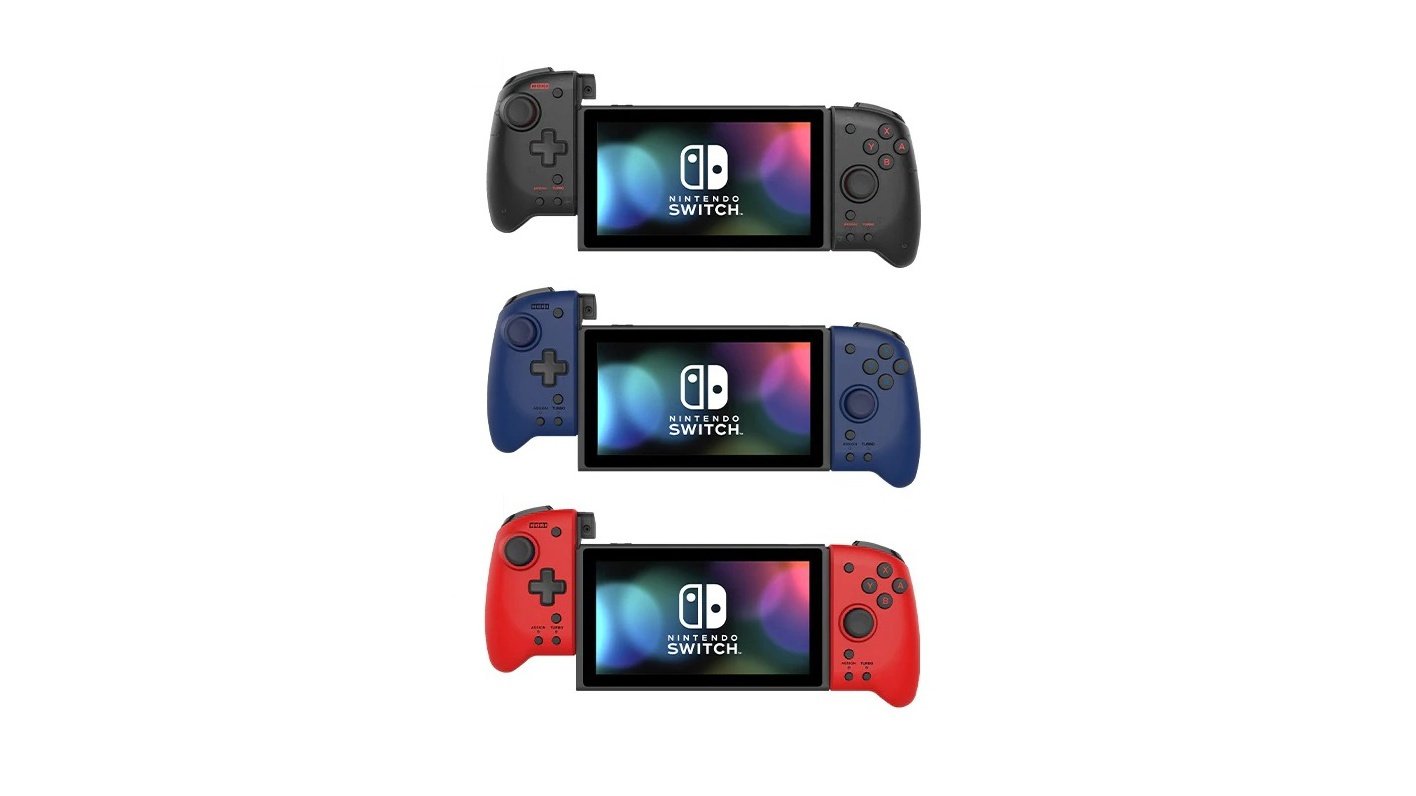
Hori Reveals Three New Colours For Its Split Pad Pro Switch Controller
As fantastic as it is to play the Switch in handheld mode, the Joy-Con setup can become a little cramped from time to time. If you’re seeking a more ergonomic gaming experience while you play Animal Crossing, Mario Kart or Zelda for hours on end, you can’t go past the Split Pad Pro by peripheral maker Hori.
It was originally made available in one colour last October, got a special PAC-MAN design last month, and on 7th September will receive three more colours: Transparent Black, Midnight Blue and Volcanic Red (priced at $49.99 USD each). Take a look:
As noted by Hori, preorders are coming soon – keep in mind this controller only works in handheld mode. Here’s what else we had to say about the Split Pad Pro in our hardware review last year:
Hori has come back with a new controller, catering once again to the Switch’s Handheld player market: the Split Pad Pro. A larger, more ergonomic Joy-Con style controller that intends to give you the feeling of playing with a Pro Controller, but in handheld mode.
Please note that some links on this page are affiliate links, which means if you click them and make a purchase we may receive a small percentage of the sale. Please read our FTC Disclosure for more information.
What do you think of this controller and the three new colours? Leave a comment down below.
If you are one of the 2 million people now playing Fall Guys: Ultimate Knockout on Steam, you might be looking for ways to up your game and take home the coveted crown. This Hex-A-Gone gameplay proves that, despite its cute and cuddly aesthetic, Fall Guys winners are just as likely to be stone-cold killers as you might find in Call of Duty: Warzone.
Posted by Twitch streamer Barret Courtney, the video shows that a flawless victory in Hex-A-Gone isn't just about staying alive--it's about eliminating the competition. Have a watch for yourself.
Fall Guys has seen a record-breaking, and sometimes server-breaking, surge of interest since it first released on August 4. This includes game streaming, with Fall Guys taking out the top spot on Twitch more often than not, even while it was still in beta. The kind of gameplay showcased above shows exactly why Fall Guys is just as addictive to watch as it is to play.
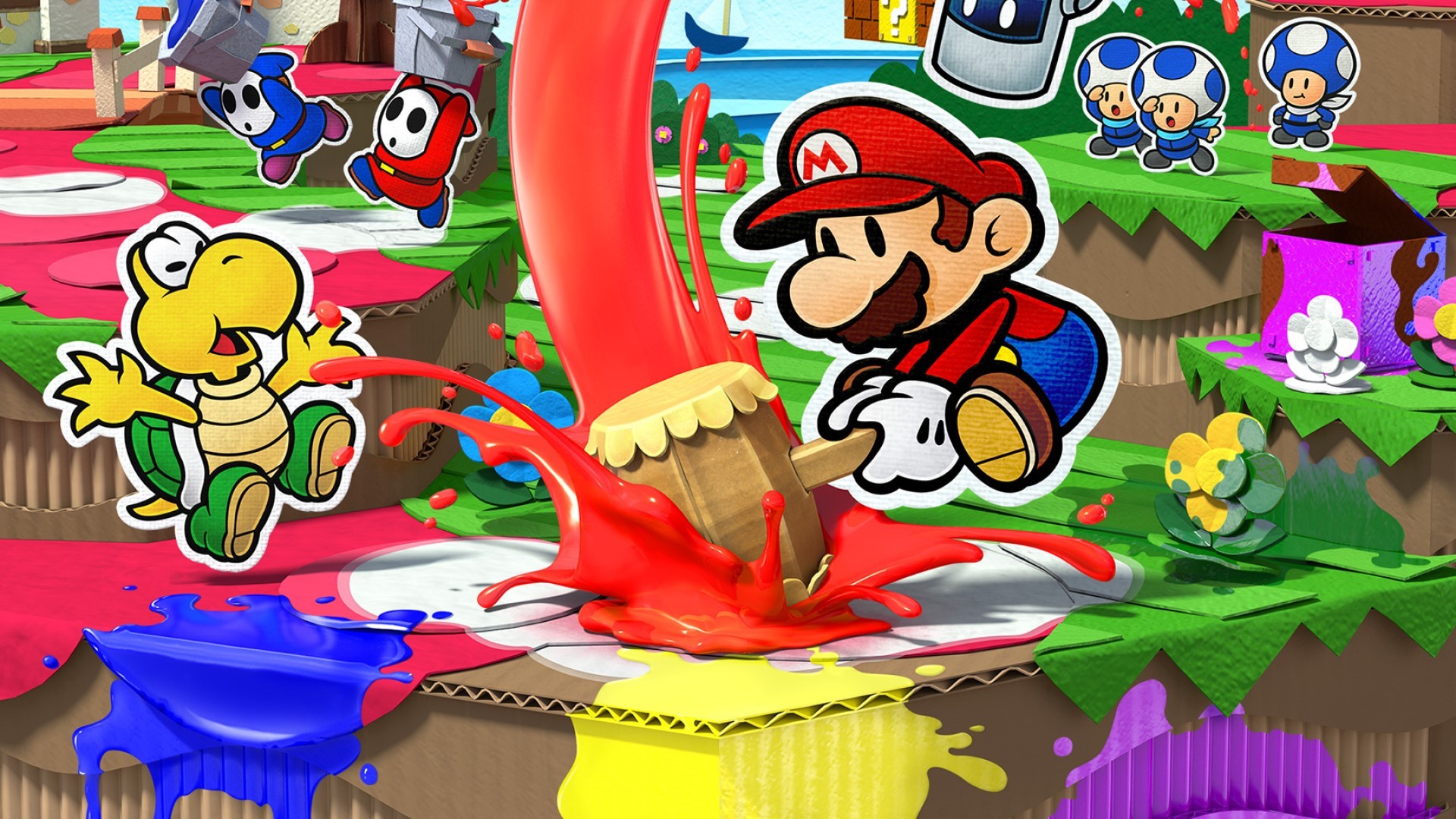
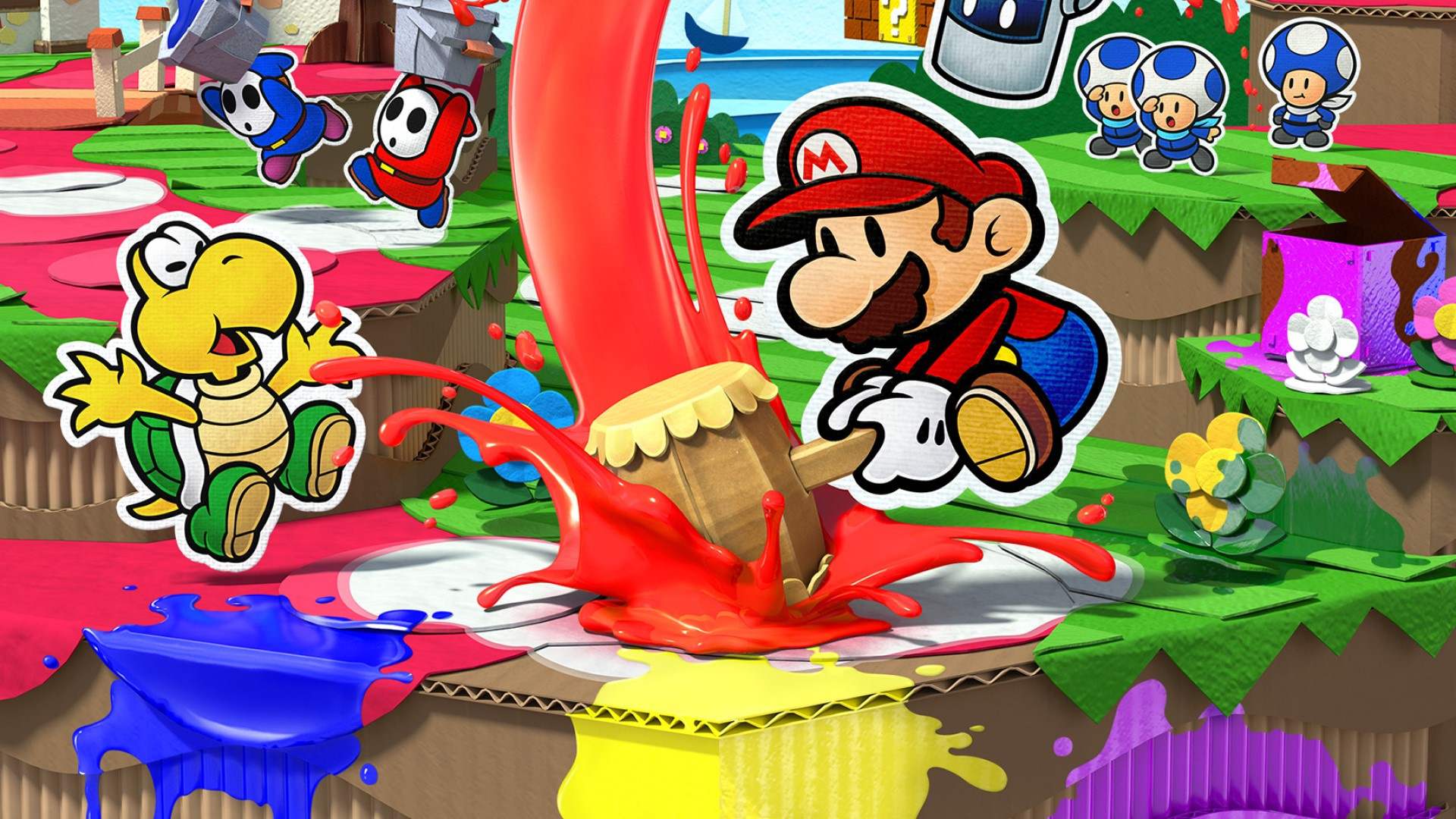
With the recent release of Paper Mario: The Origami King, the Paper Mario series now stands at a sizeable six entries.
It all began with the original Paper Mario on Nintendo 64, before moving onto the GameCube with the celebrated Paper Mario: The Thousand-Year Door. That was followed by Super Paper Mario on Wii before the series took a quick handheld detour on 3DS with Paper Mario: Sticker Star. Finally, Color Splash brought a dash of pigment to the Wii U, which brings us up-to-date with the latest game on Switch. With the impending 20th anniversary of the series, we thought it the perfect time to ask you lovely people to rate the Paper Mario games to find out where The Origami King stands and which one you think is the absolute best.
Below you’ll find all six of the Paper Mario games, plus the Mario & Luigi crossover Mario & Luigi: Paper Jam. Registered Nintendo Life users can click on the stars and rate any (or all) of the games out of 10. If you’ve previously rated these games–excellent!–you can just put your feet up. You shouldn’t need to use the search bar with just seven games, but it’s there if you really, really detest scrolling.
Much like our Top 50 platform polls, the resulting ranking (which we’ll publish very soon) will be created from the database of NL User Ratings and is therefore fluid and subject to change even after publication. So, if you’re in the middle of a Paper Mario game and don’t want to rate it yet, no sweat – you can add your score at any time in the future and it will still count and potentially influence the order.
Enough talk! We recently took a more in-depth look at the series which we recommend you check out. For now, simply click on the stars below to rate the games you’ve played…
Rate each Paper Mario game:
Click the stars below to rate out of 10 each Paper Mario game you’ve played:
Thanks for rating! We’ll be finding out the results very soon, but remember: much like our platform Top 50s, the list here is fluid, so even if you miss out on voting before the results are revealed, you can still influence the ranking after publication.
Assassin's Creed Valhalla Releases Version Of Reveal Trailer With Female Eivor
Assassin's Creed Valhalla was first revealed back in April with a cinematic trailer, which showcased the male version of protagonist Eivor as he warred against the British. Now, a new version of that same trailer has been released, featuring the female form of Eivor, so fans of that design can see and hear her in action.
The trailer is otherwise identical, beat for beat, in terms of action and dialog. Only the character and the background music have changed. You can watch it below.
This new trailer is called the "Official Soundtrack Cinematic Trailer," and when Ubisoft announced it on Twitter they highlighted the fact that it features a remix of the main theme instead of the presence of female Eivor.
Posted by: xSicKxBot - 08-11-2020, 11:49 AM - Forum: Python
- No Replies
Lost Your Sight? How to Code as a Blind or Visually-Impaired Python Developer
I’m a developer who is blind. I’ve been blind since very shortly after birth. I’ve never gone through losing my sight. I wanted to see if my perspective lined up with that of others who are blind, but have lost their sight later on in life. Here is what I found out:
I reached out to parts of the blindness community in my network to see if anyone wanted to sit down and talk to me about their experiences. Six people replied to my query for interviews. I interviewed three of them for this article, and I plan on talking to the others after this writing.
I run an email group where other people who are blind hang out called Pythonvis. Anyone else can join. I sent one query there. Another group I hang out on is called Program-l. That group is broader in scope. Both groups cater to the unique needs of those of us who are looking for both programming help and help using the tools necessary to use our computers.
Blind Developer Survey — Stories
Before he lost his sight, Jeff Thompson learned to program while in college, using punch cards. He went on to have a career in the insurance industry. It wasn’t until much older that he lost his sight. Jeff is a member of Pythonvis and runs a weekly Python coaching session on a site called Out-of-site.
Taylor Arndt studies Computer Science at Western Michigan University in the United States.
Vaibhav Saraf is a software developer from India who lost his sight a little over a year ago.
All three told me that they went through a period where they were despondent about being unable to use their computer, but reached out and learned that they had a way out.
How They Use Their Computer
All three developers use software called screen readers. Screen readers speak what the user types into the computer and read what they want to know about the code they write.
Interestingly, the original IBM screen reader software was invented by Jim Thatcher, who was not blind, but was influenced by his blind thesis advisor. Ted Henter, who lost his sight in a car accident, invented the most popular screen reading software, JAWS, after he lost his site and went on to co-found FreedomScientific (https://www.freedomscientific.com/), which has since become part of the Vispero group of companies. They also all use NVDA, which was created by two blind developers.
NVDA is mostly written in Python and is open-source. One of the reasons I am learning Python is to contribute to that project.
Programming Tools
Jeff uses EdSharp, written in C# by Jamal Mazrui, himself a blind software developer, who works for Amazon.
Taylor and I use Visual Studio Code, which has very strong support for those of us who use screen readers.
Vaibhav uses Eclipse, which IBM contributed much code to enhance its ability to work with screen reading software.
[Resources] How They Learned Python
When I asked how they learned Python, they pointed me to resources, such as:
Bookshare, a site that houses many books on both fiction and non-fiction subjects, including Python development.
Professors and team leads who provided them with material in HTML or PDF tagged so that it is able to communicate with screen reading software through accessibility tags similar to HTML, which communicates information about the structure of the documents, such as which elements are headings, tables, form fields, and so on.
FreeCodeCamp.org which is a non-profit group that teaches full-stack web development, which has recently branched out into a section on Python.
Various other free resources on the web, some books, others forums.
All of the above have in common that they are written in a form easy to consume by screen readers: HTML, DAISY, or EPub.
How They Communicate On Projects
All three said that email is something that is easy to use with screen reading software. They also all use Skype, Microsoft Teams, Zoom, or other communication software. All of these packages work with screen reading software.
Taylor and Vaibhav use Microsoft Word, so any specifications or instructions written as Word documents that have adequate text descriptions can serve as specifications for projects. Taylor and Vaibhav told me that wen professors or team members present course materials live that when they point to something on the board or when screen sharing that it helps to say the name of the thing they are pointing too, rather than “this,” or “Click this.”
It also helps to give directions on where to find something or perform an action to help build a mental model of the thing they are describing. At this point, screen reader users can share screens as presenters in communication software, but screen readers cannot communicate to the user the screens shared by others who are presenters. One way to off-set this disadvantage is to get the material before the presentation so they can read it over and become familiar with it.
How They Understand Program Structure
All three told me that they use their screen reader’s ability to communicate the number of tab characters appear at the beginnings of lines coupled with the colon characters at the beginnings of conditional expressions, loops, classes, and methods to gain a mental model of the code they work with. As we talked about this, Vaibhav said that he depends on his memory a great deal to understand code flow.
Screen readers can read a line at a time, a word at a time, and a character at a time, and if a developer is able to obtain a Braille display, they can read and follow indentation by using their fingers to feel the dots.
Another helpful tool to gain the understanding of program structure is the previews in Eclipse and Visual Studio Code that list symbols in outline form.
These conveniences for people who are sighted are essential for screen reader users in gaining efficiency, because they cannot glance down through a screen all at once and gain a quick overview of what the code or reading material may communicate. EdSharp also has a way to jump among symbols.
What It’s Like Working With Other Team Members
All three said that once those around them become familiar with their disability that they have no issues communicating and working efficiently with others.
They said that others are generally very willing to adapt their working style.
All three say that they are able to pull their own weight as equal contributors to projects. When it comes to working on open-source projects or any that involve using Git and sites like GitHub, command line Git works well with screen readers, because it uses pure text and screen readers and command line environments are good friends.
Advice For Would-Be Programmers
I asked all three what advice they would give to anyone who is blind who would like to go into programming. Points mentioned were:
This is something you can do if you really want to. You can reach out to forums such as Quora, Stack Exchange, Reddit, etc. and find others in your situation. There are email groups, such as Python-vis, Blind Programming, and other lists that specialize in one language or another where blind people hang out.
You need to learn to use your screen reader to the fullest extent possible and to do all you can to make yourself as efficient as possible using the keyboard and the tools at your disposal.
Take advantage of the communities around your chosen screen reader.
You may need to use alternative tools or methods to do your job more efficiently. Speak up when you need to do this.
Keep looking for more efficient ways to accomplish tasks.
There is enough reading material on the web to enable you to get good at Python.
Don’t get hung up because someone gives you material you cannot read or understand. Find material on the same subject from somewhere else.
You will often find yourself in a situation in which you cannot read something or use some aspect of a piece of software. When reporting bugs, stick to the facts, be tactful, keep your emotions out of the conversation. Most people want to help, once they understand where you are coming from.
You will need to work harder than the people around you and be patient while they come to grips with your disability. This is a given.
Rely on your network of supporters, your faith, meditation, or whatever helps you gain positive energy.
There will always be well-meaning people in your life who will tell you that you cannot do this. Smile and do it anyway.
To that I say Amen.
About the Author
Jim Homme is a former professional musician, father of three, husband, and a 32-year veteran in Information Technology. He loves to read and play chess. He leads a team of accessibility testers at Bender Consulting Services. He is the owner of jimhomme.com, where he writes about Python and related technologies.
[www.indiegala.com] NASA's Perseverance rover is headed to Mars! This might be the ideal moment for you to build your very own spaceship in Kerbal Space Program, the physics-based Space Flight Simulation, and aim for the stars. https://youtu.be/-qM7XFx12I4